
Git Hub 101 Tutorial Setting up and Navigating
Git. Hub 101 Tutorial Setting up and Navigating Git. Hub. com Justin Longo, Assistant Professor & Cisco Systems Research Chair in Big Data and Open Government Johnson-Shoyama Graduate School of Public Policy University of Regina slides etc. available at http: //jlphd. wordpress. com Git. Hub: @Justin. Longo @whitehallpolicy Twitter: #Git. Hub 101
Learning Objectives �Set up a new account on Git. Hub. com �Follow other Users �Watch and Star Projects �Join Organizations �Create your first project
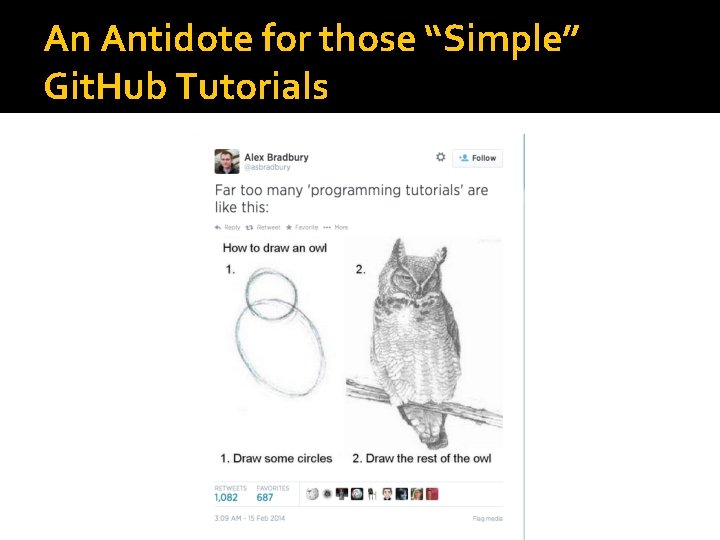
An Antidote for those “Simple” Git. Hub Tutorials
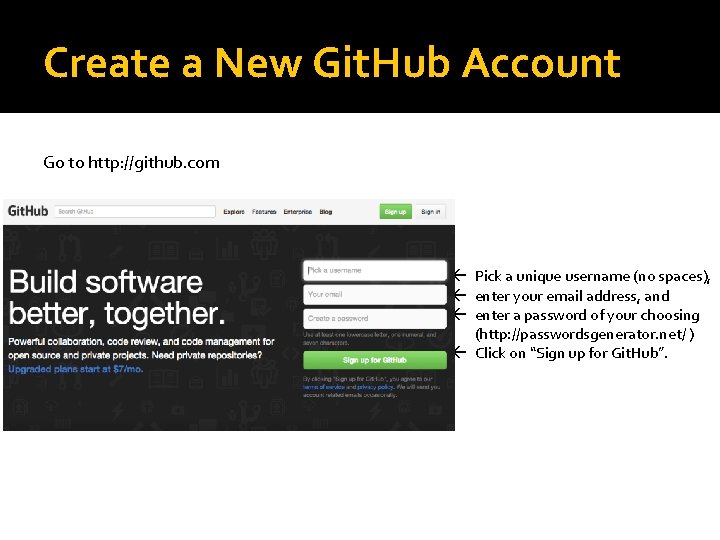
Create a New Git. Hub Account Go to http: //github. com ß Pick a unique username (no spaces), ß enter your email address, and ß enter a password of your choosing (http: //passwordsgenerator. net/ ) ß Click on “Sign up for Git. Hub”.
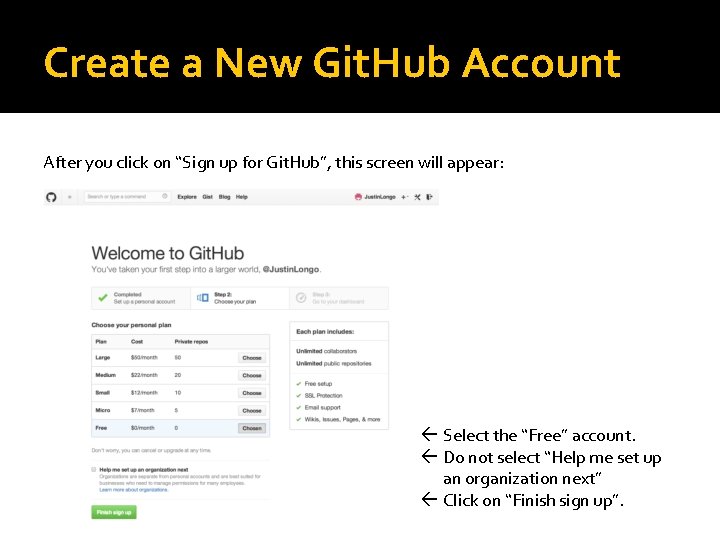
Create a New Git. Hub Account After you click on “Sign up for Git. Hub”, this screen will appear: ß Select the “Free” account. ß Do not select “Help me set up an organization next” ß Click on “Finish sign up”.
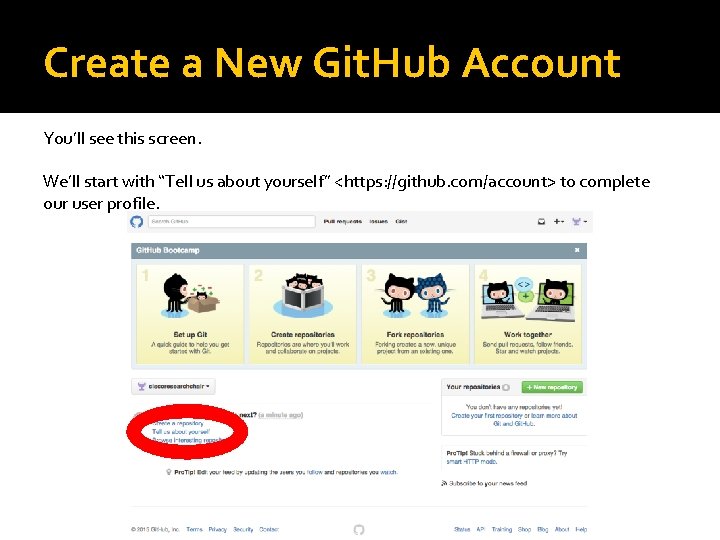
Create a New Git. Hub Account You’ll see this screen. We’ll start with “Tell us about yourself” <https: //github. com/account> to complete our user profile.
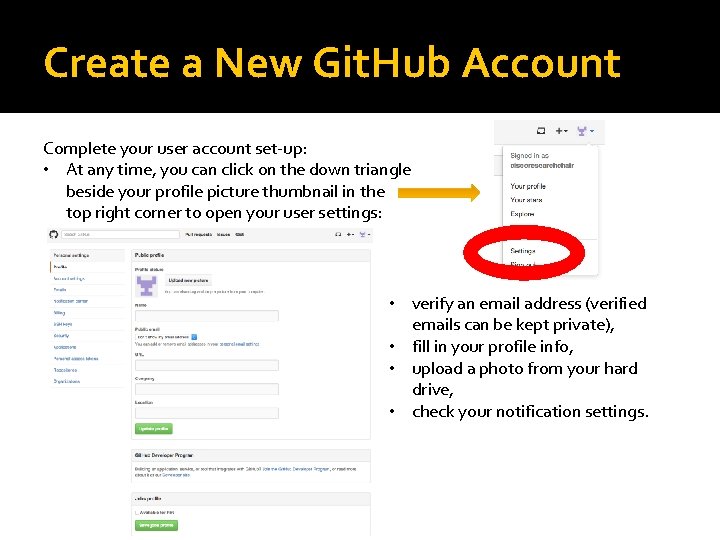
Create a New Git. Hub Account Complete your user account set-up: • At any time, you can click on the down triangle beside your profile picture thumbnail in the top right corner to open your user settings: • verify an email address (verified emails can be kept private), • fill in your profile info, • upload a photo from your hard drive, • check your notification settings.
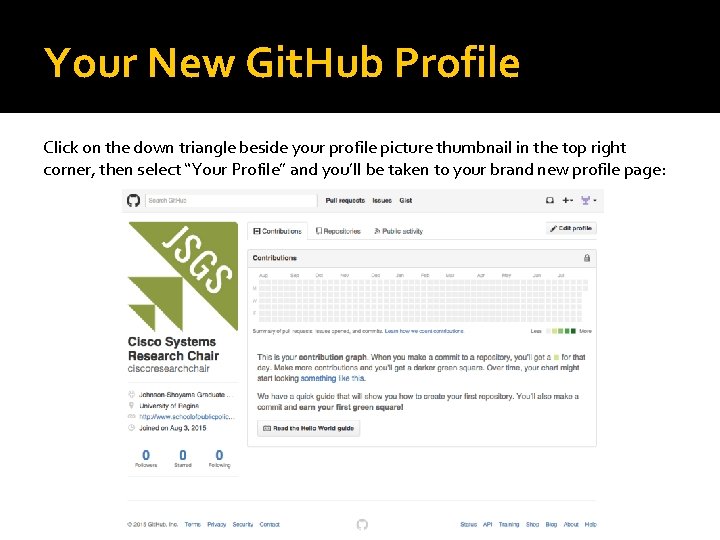
Your New Git. Hub Profile Click on the down triangle beside your profile picture thumbnail in the top right corner, then select “Your Profile” and you’ll be taken to your brand new profile page:
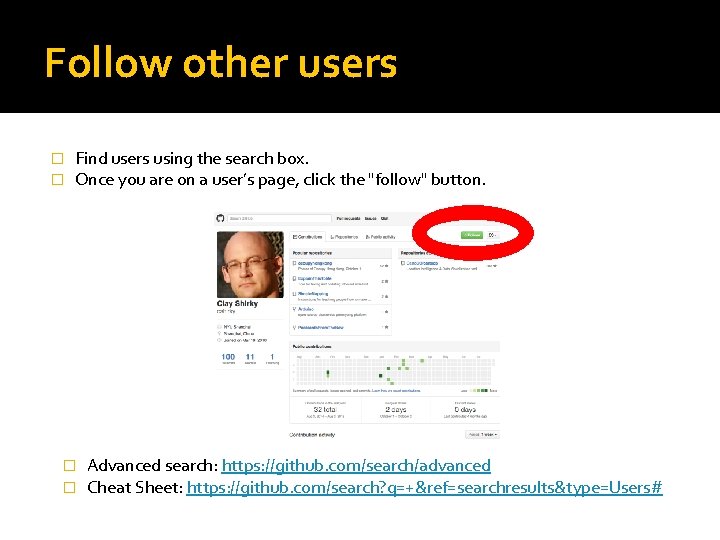
Follow other users � � Find users using the search box. Once you are on a user’s page, click the "follow" button. � � Advanced search: https: //github. com/search/advanced Cheat Sheet: https: //github. com/search? q=+&ref=searchresults&type=Users#
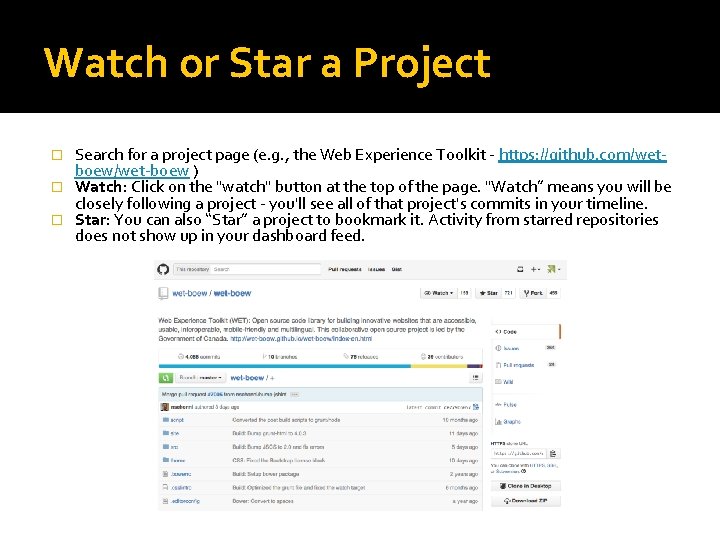
Watch or Star a Project Search for a project page (e. g. , the Web Experience Toolkit - https: //github. com/wetboew/wet-boew ) � Watch: Click on the "watch" button at the top of the page. "Watch” means you will be closely following a project - you'll see all of that project's commits in your timeline. � Star: You can also “Star” a project to bookmark it. Activity from starred repositories does not show up in your dashboard feed. �
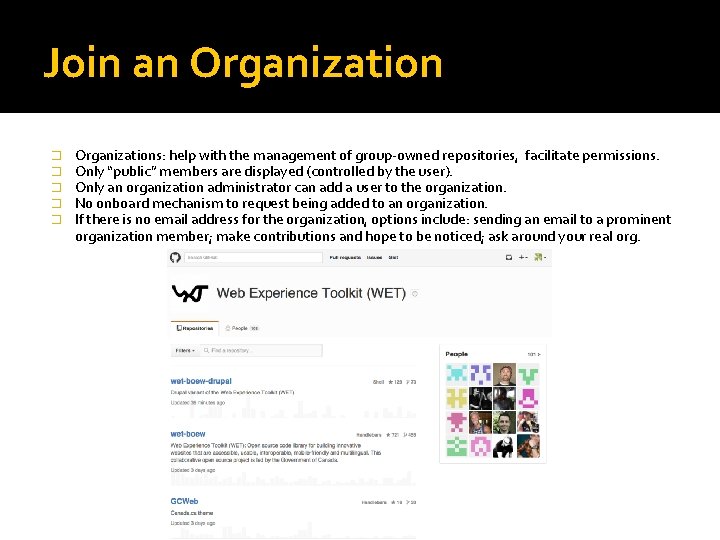
Join an Organization � � � Organizations: help with the management of group-owned repositories, facilitate permissions. Only “public” members are displayed (controlled by the user). Only an organization administrator can add a user to the organization. No onboard mechanism to request being added to an organization. If there is no email address for the organization, options include: sending an email to a prominent organization member; make contributions and hope to be noticed; ask around your real org.
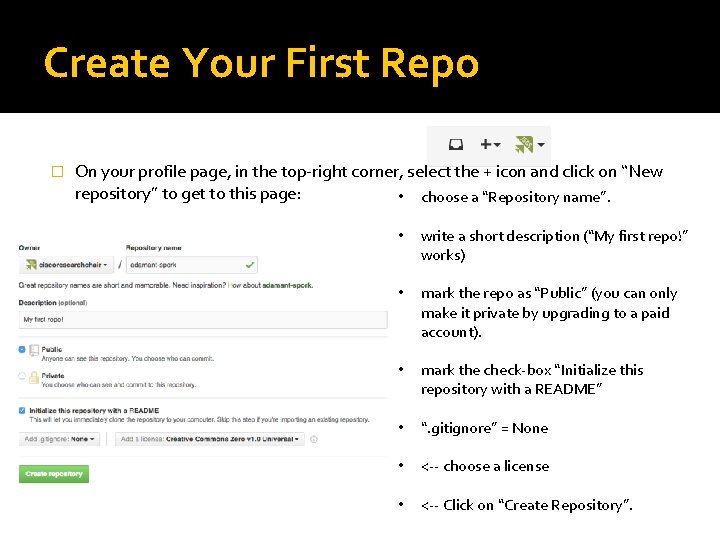
Create Your First Repo � On your profile page, in the top-right corner, select the + icon and click on “New repository” to get to this page: • choose a “Repository name”. • write a short description (“My first repo!” works) • mark the repo as “Public” (you can only make it private by upgrading to a paid account). • mark the check-box “Initialize this repository with a README” • “. gitignore” = None • <-- choose a license • <-- Click on “Create Repository”.
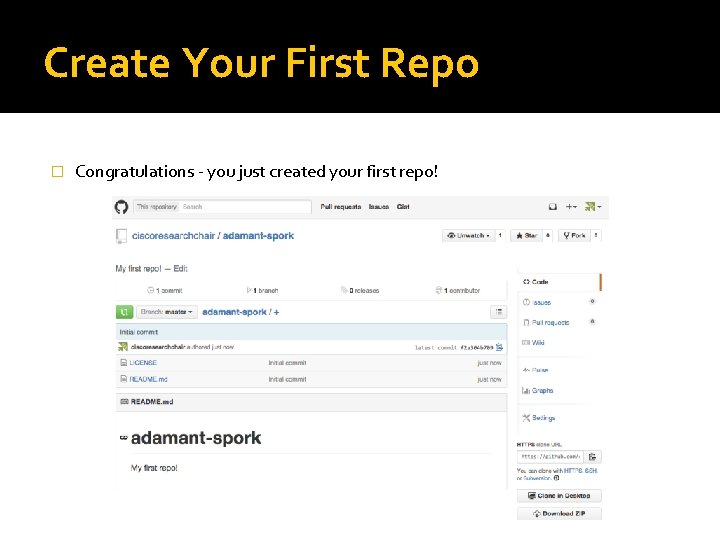
Create Your First Repo � Congratulations - you just created your first repo!
Exercises for Later �Complete your profile page. �Search for colleagues and other interesting Git. Hub users (like the person sitting beside you) and “Follow” them. �Search for projects and “Watch” or “Star” them. �Send a request to join an organization. �Edit your first repo. �Explore Git. Hub.
Tutorial Notes Git. Hub Glossary (Git. Hub version): https: //github. com/Next. Policy. Challenge. github. io/blob/master/gloss ary. md � This material is based upon work supported by the National Science Foundation under Grant No. 1322296 (VOSS: Managing Hybrid Challenge Platforms to Promote Innovation). Any opinion, findings, and conclusions or recommendations expressed in this material are those of the author and do not necessarily reflect the views of the National Science Foundation. �
- Slides: 15