
GIS Lecture 4 Geodatabases Copyright Kristen S Kurland
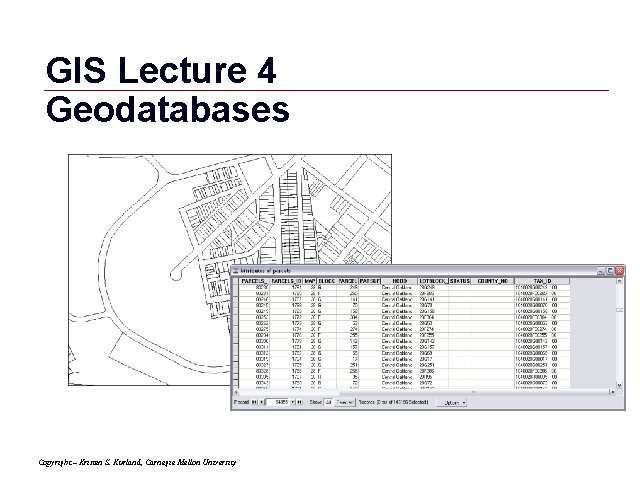
GIS Lecture 4 Geodatabases Copyright – Kristen S. Kurland, Carnegie Mellon University GIS 1
Outline • Administrative Data Example • Data Tables • Data Joins • Common Datasets • Spatial Joins • Arc. Catalog Overview • Geodatabases • Editing Tables • Excel Tips Copyright – Kristen S. Kurland, Carnegie Mellon University GIS 2
Administrative Data Example GIS 3
Administrative Data Mission • What does the organization do? • Transaction event (who, what, where, when) -must have spatial component What data is available? • Databases • Spreadsheets Copyright – Kristen S. Kurland, Carnegie Mellon University GIS 4
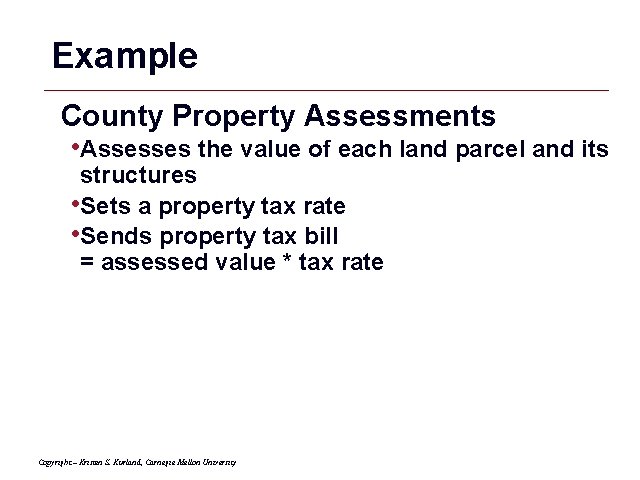
Example County Property Assessments • Assesses the value of each land parcel and its structures • Sets a property tax rate • Sends property tax bill = assessed value * tax rate Copyright – Kristen S. Kurland, Carnegie Mellon University GIS 5
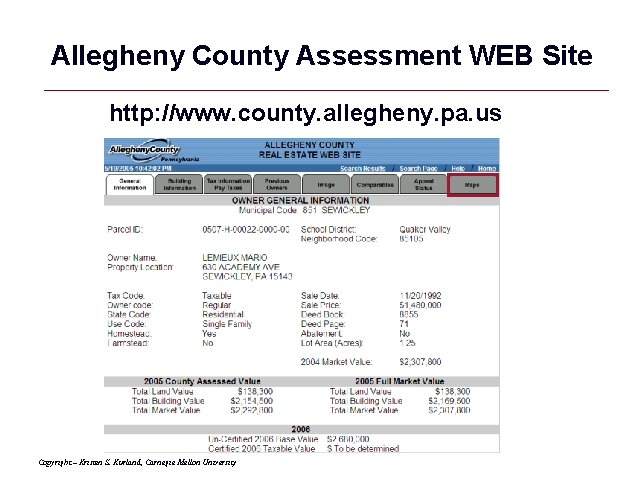
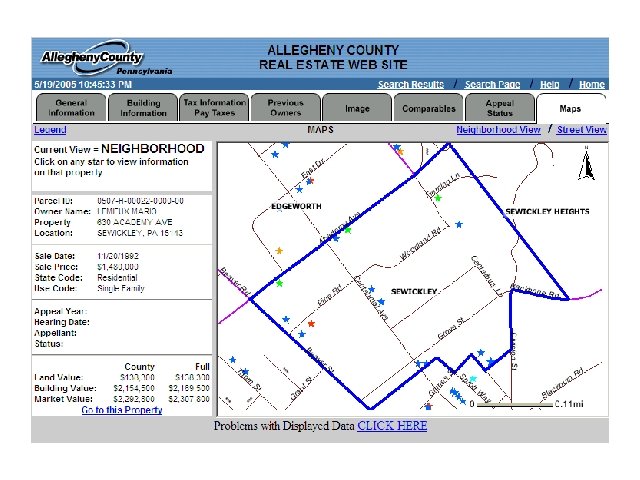
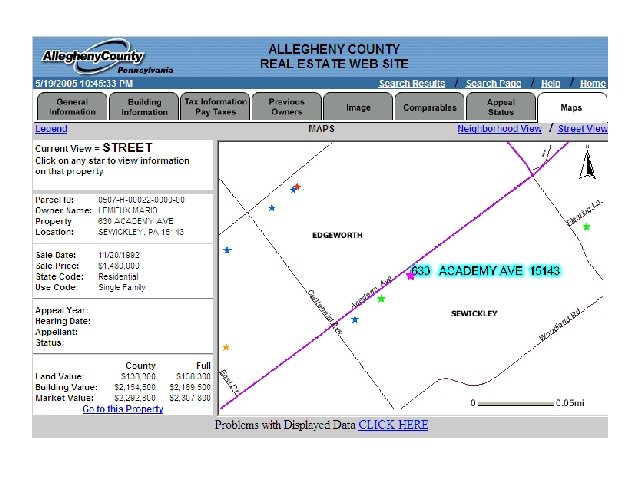
Allegheny County Assessment WEB Site http: //www. county. allegheny. pa. us Copyright – Kristen S. Kurland, Carnegie Mellon University GIS 6
GIS 7
GIS 8

Westmoreland County Assessment WEB Site http: //207. 140. 67. 68/westmoreland/viewer. htm Copyright – Kristen S. Kurland, Carnegie Mellon University GIS 9
Data Tables GIS 10
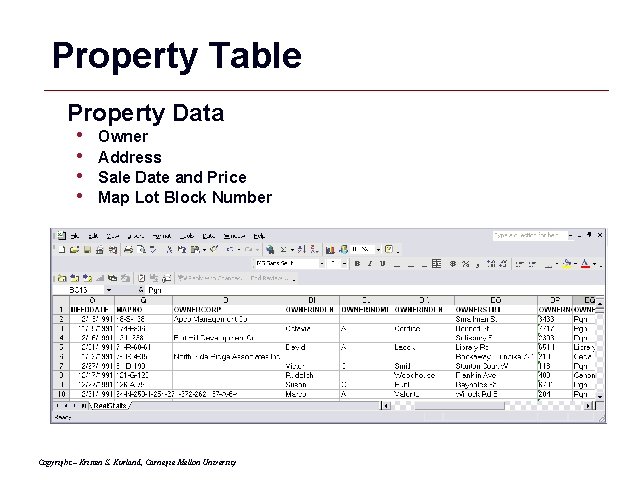
Property Table Property Data • • Owner Address Sale Date and Price Map Lot Block Number Copyright – Kristen S. Kurland, Carnegie Mellon University GIS 11
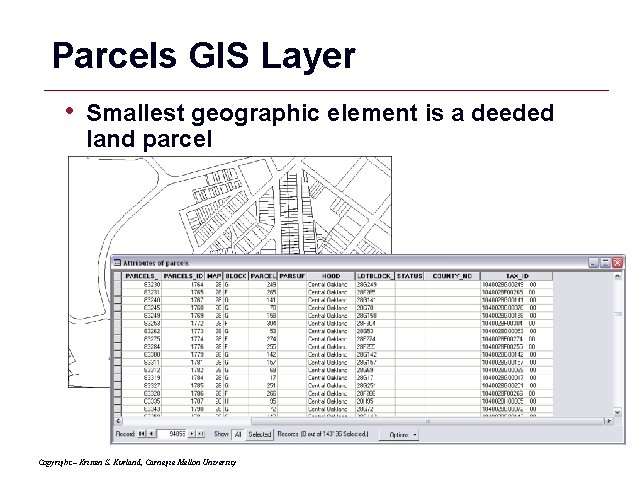
Parcels GIS Layer • Smallest geographic element is a deeded land parcel Copyright – Kristen S. Kurland, Carnegie Mellon University GIS 12

Data Joins GIS 13
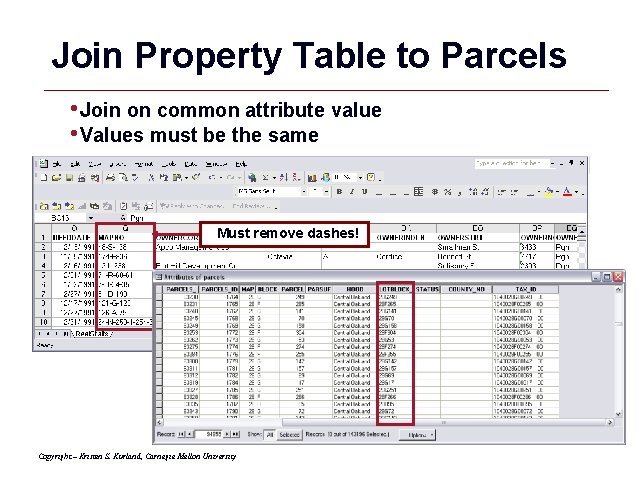
Join Property Table to Parcels • Join on common attribute value • Values must be the same Must remove dashes! Copyright – Kristen S. Kurland, Carnegie Mellon University GIS 14
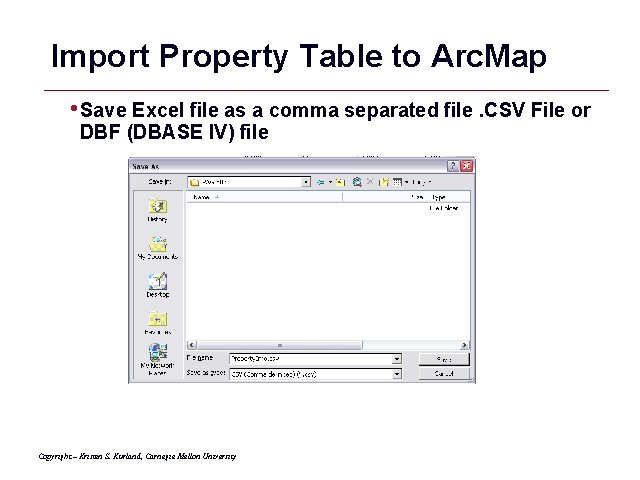
Import Property Table to Arc. Map • Save Excel file as a comma separated file. CSV File or DBF (DBASE IV) file Copyright – Kristen S. Kurland, Carnegie Mellon University GIS 15
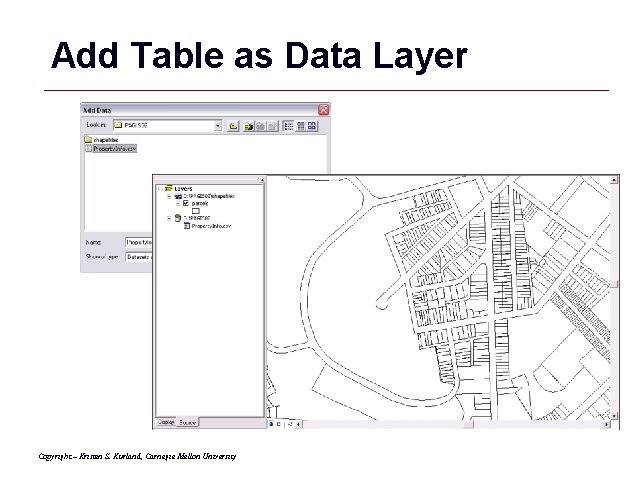
Add Table as Data Layer Copyright – Kristen S. Kurland, Carnegie Mellon University GIS 16
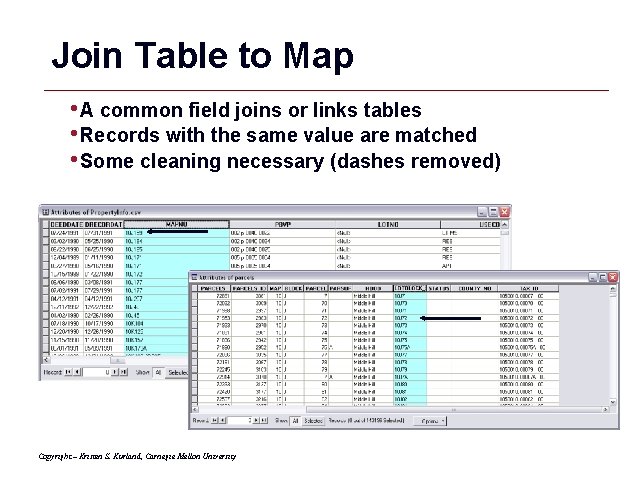
Join Table to Map • A common field joins or links tables • Records with the same value are matched • Some cleaning necessary (dashes removed) Copyright – Kristen S. Kurland, Carnegie Mellon University GIS 17
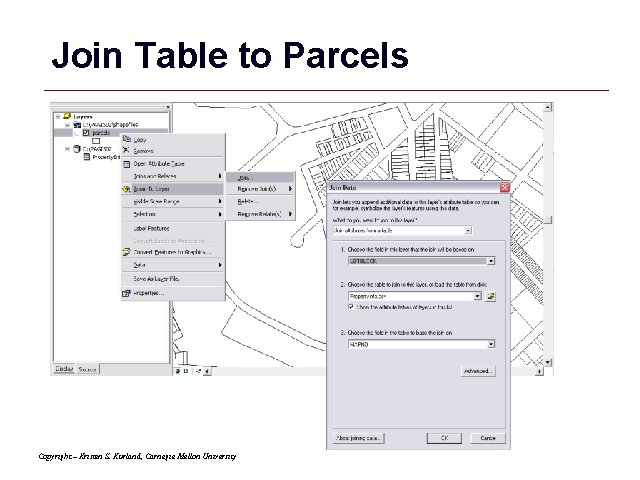
Join Table to Parcels Copyright – Kristen S. Kurland, Carnegie Mellon University GIS 18
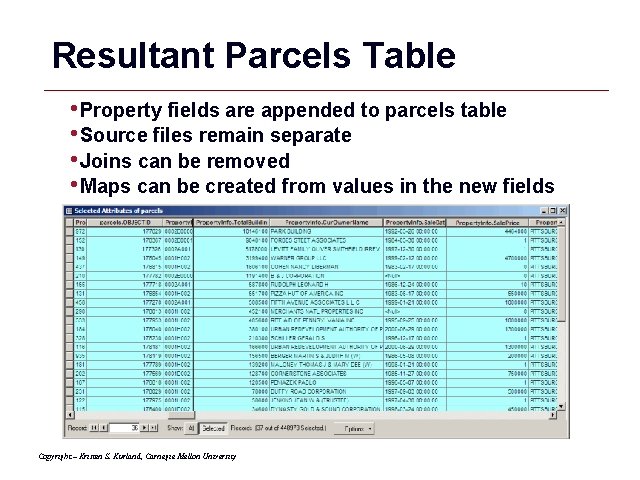
Resultant Parcels Table • Property fields are appended to parcels table • Source files remain separate • Joins can be removed • Maps can be created from values in the new fields Copyright – Kristen S. Kurland, Carnegie Mellon University GIS 19

Resulting Assessment Map GIS 20
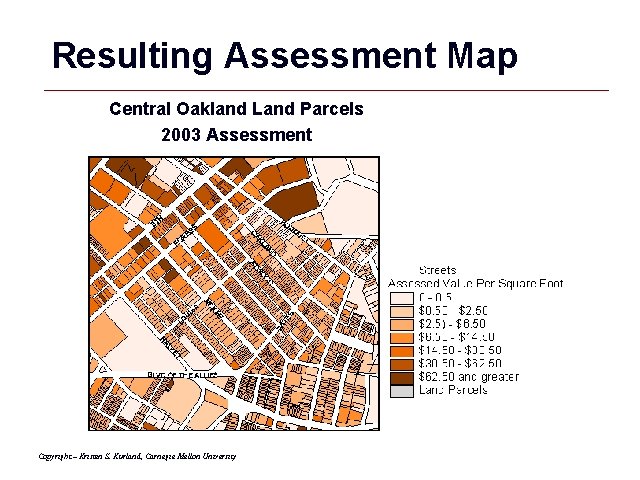
Resulting Assessment Map Central Oakland Land Parcels 2003 Assessment Copyright – Kristen S. Kurland, Carnegie Mellon University GIS 21
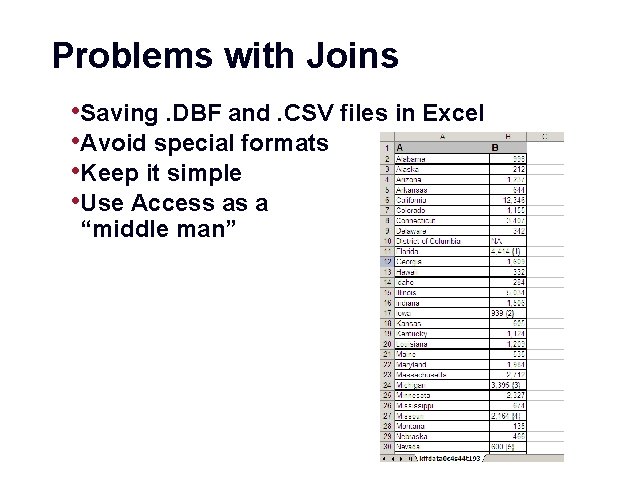
Problems with Joins • Saving. DBF and. CSV files in Excel • Avoid special formats • Keep it simple • Use Access as a “middle man” GIS 22
Common Datasets GIS 23
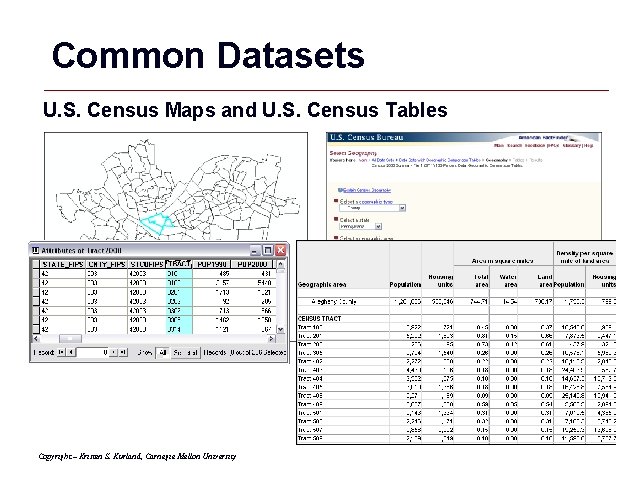
Common Datasets U. S. Census Maps and U. S. Census Tables Copyright – Kristen S. Kurland, Carnegie Mellon University GIS 24
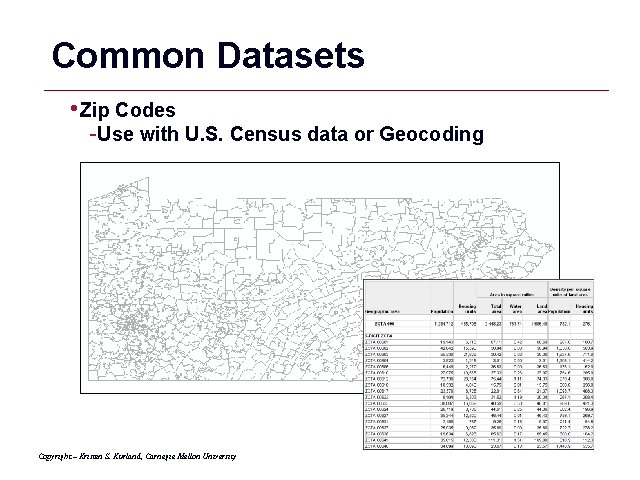
Common Datasets • Zip Codes -Use with U. S. Census data or Geocoding Copyright – Kristen S. Kurland, Carnegie Mellon University GIS 25
Place Geocodes: FIPS Codes Federal Information Processing Standards Codes Developed by the National Institute of Standards and Technology Codes for Place Names Throughout the World • countries • states/provinces • counties • metropolitan statistical areas (MSA’s) • cities • places - indian reservations, airports, and post offices in the US Copyright – Kristen S. Kurland, Carnegie Mellon University GIS 26

Place Geocodes: Hierarchy FIPS CODES Country: US State: 42 (Pennsylvania) County: 003 (Allegheny) Minor Civil Division: 85188 (Wilkinsburg) CENSUS CODES Tract: 0501 Block Group: 3 Block: 12 (US 420030501312) Parcel (Block & Lot#) Copyright – Kristen S. Kurland, Carnegie Mellon University GIS 27
Locating Data • Contact agencies • Obtain data on-line Copyright – Kristen S. Kurland, Carnegie Mellon University GIS 28

Spatial Joins GIS 29
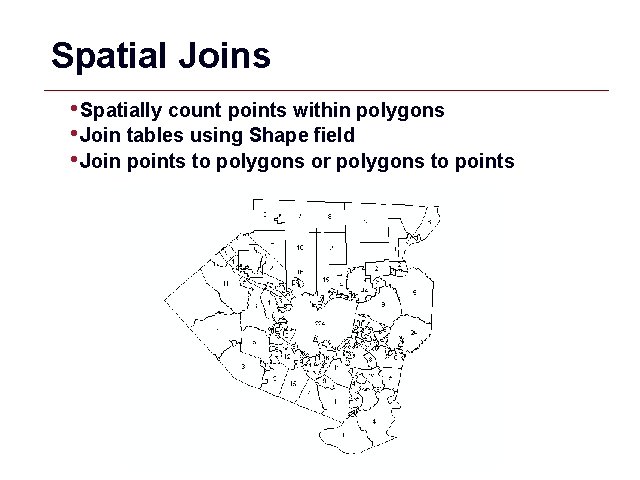
Spatial Joins • Spatially count points within polygons • Join tables using Shape field • Join points to polygons or polygons to points GIS 30
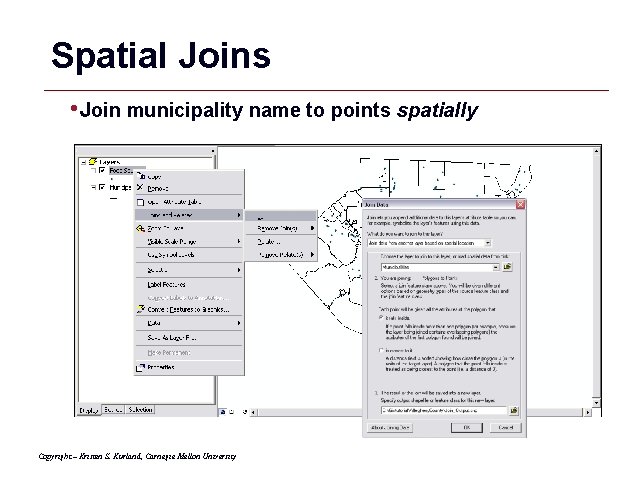
Spatial Joins • Join municipality name to points spatially Copyright – Kristen S. Kurland, Carnegie Mellon University GIS 31
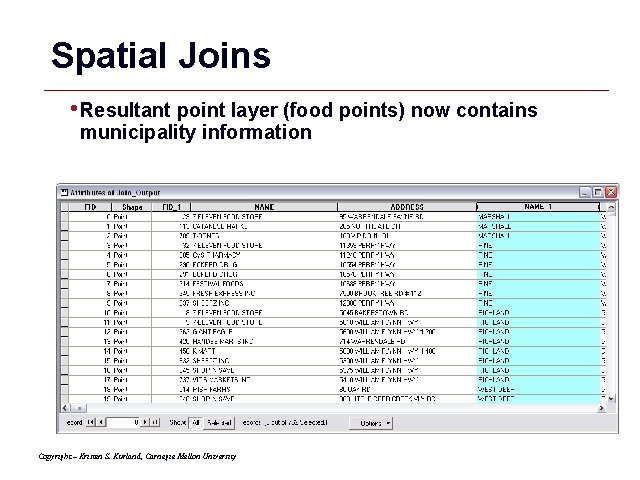
Spatial Joins • Resultant point layer (food points) now contains municipality information Copyright – Kristen S. Kurland, Carnegie Mellon University GIS 32
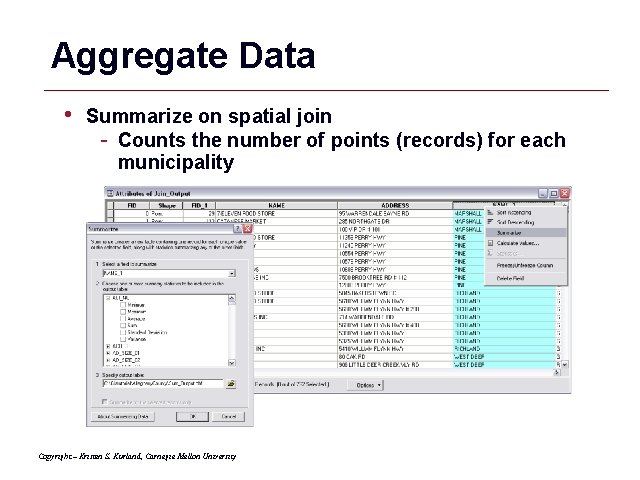
Aggregate Data • Summarize on spatial join - Counts the number of points (records) for each municipality Copyright – Kristen S. Kurland, Carnegie Mellon University GIS 33
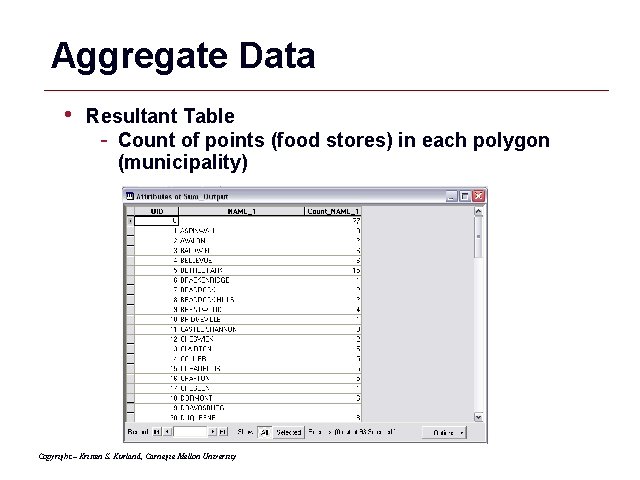
Aggregate Data • Resultant Table - Count of points (food stores) in each polygon (municipality) Copyright – Kristen S. Kurland, Carnegie Mellon University GIS 34
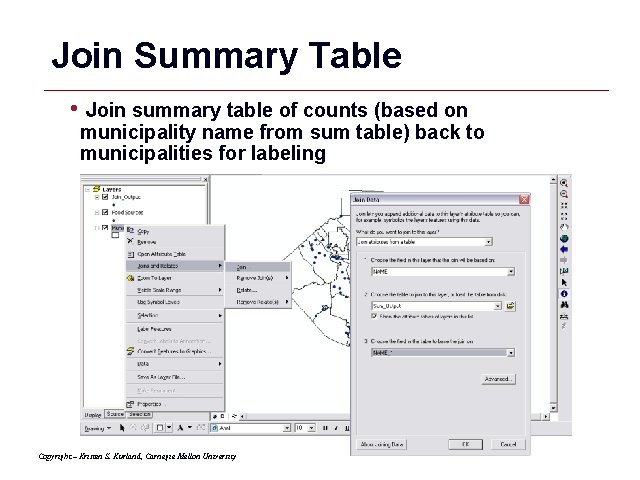
Join Summary Table • Join summary table of counts (based on municipality name from sum table) back to municipalities for labeling Copyright – Kristen S. Kurland, Carnegie Mellon University GIS 35
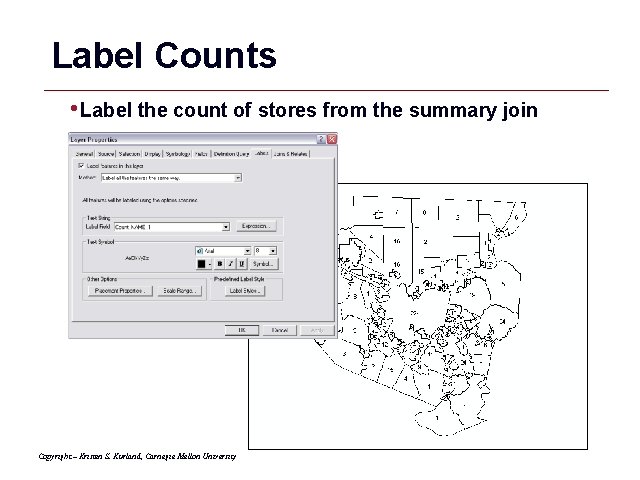
Label Counts • Label the count of stores from the summary join Copyright – Kristen S. Kurland, Carnegie Mellon University GIS 36
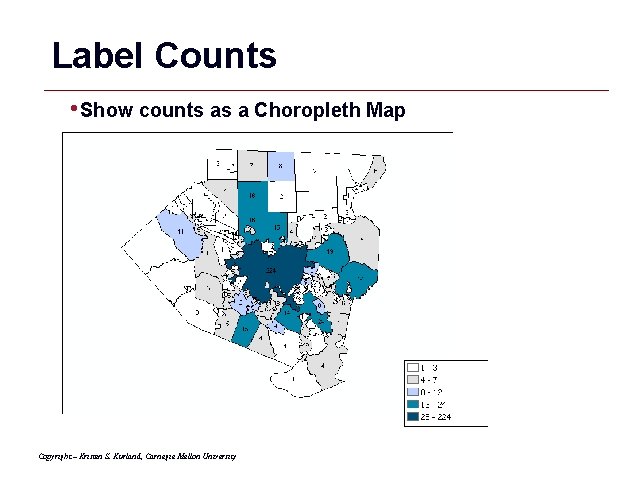
Label Counts • Show counts as a Choropleth Map Copyright – Kristen S. Kurland, Carnegie Mellon University GIS 37
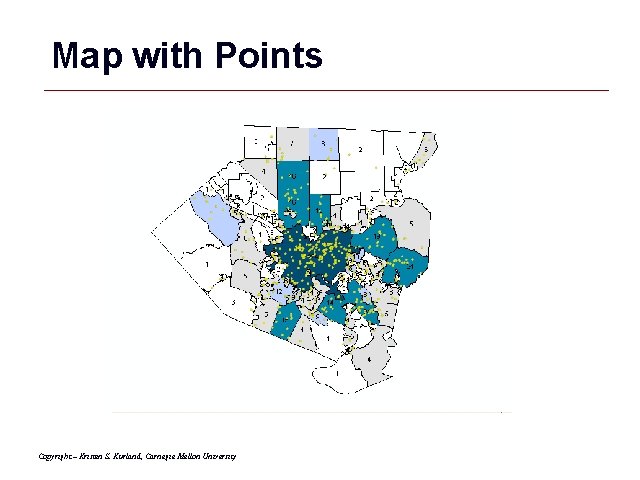
Map with Points Copyright – Kristen S. Kurland, Carnegie Mellon University GIS 38
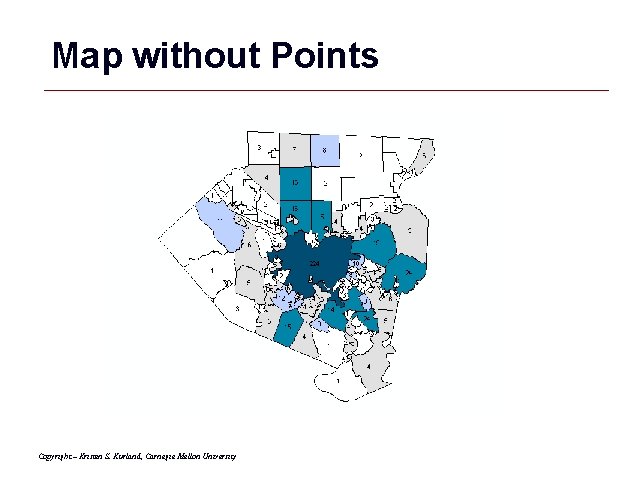
Map without Points Copyright – Kristen S. Kurland, Carnegie Mellon University GIS 39

Arc. Catalog GIS 40
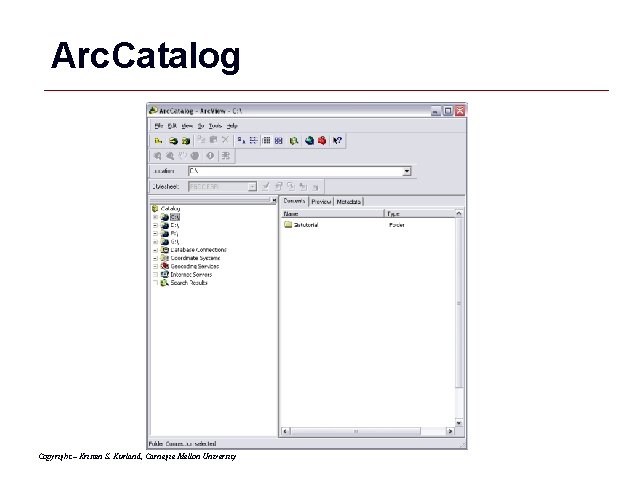
Arc. Catalog Copyright – Kristen S. Kurland, Carnegie Mellon University GIS 41
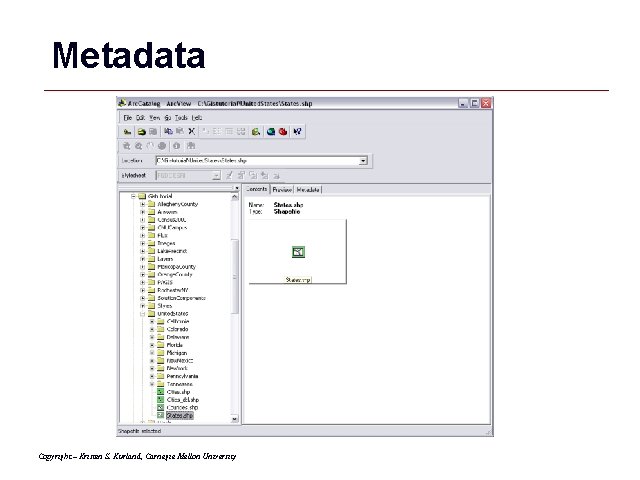
Metadata Copyright – Kristen S. Kurland, Carnegie Mellon University GIS 42
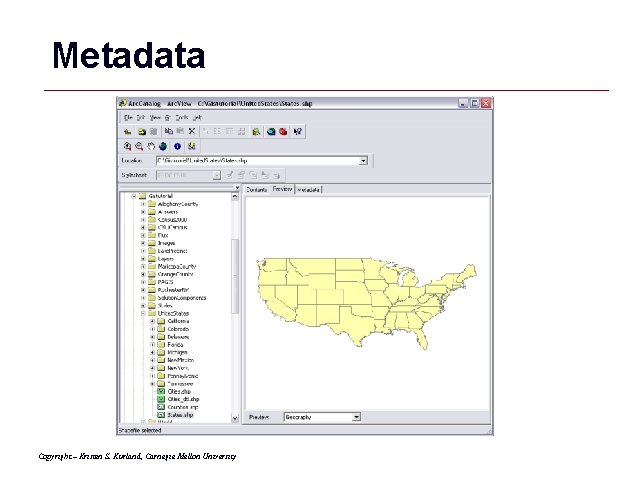
Metadata Copyright – Kristen S. Kurland, Carnegie Mellon University GIS 43
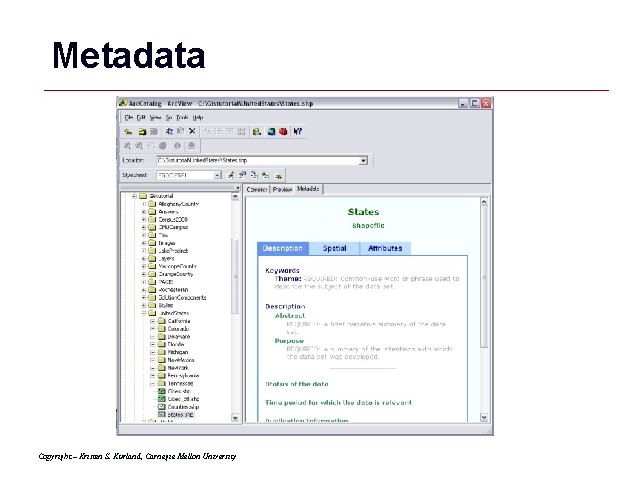
Metadata Copyright – Kristen S. Kurland, Carnegie Mellon University GIS 44
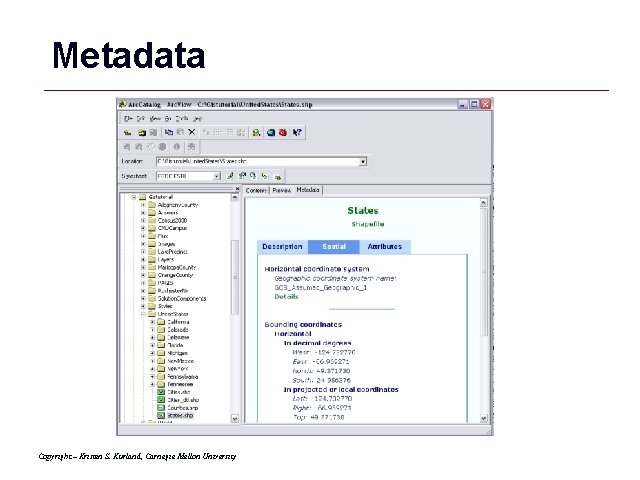
Metadata Copyright – Kristen S. Kurland, Carnegie Mellon University GIS 45
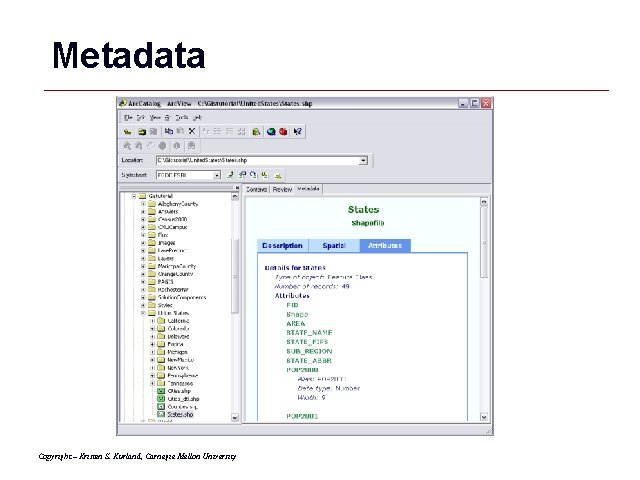
Metadata Copyright – Kristen S. Kurland, Carnegie Mellon University GIS 46
Geodatabases GIS 47
Geodatabase • ‘geographic database’ • represents geographic features and attributes as objects and is hosted inside a relational database management system • managing your coverages, grids, and shapefiles inside a database management system, or DBMS Copyright – Kristen S. Kurland, Carnegie Mellon University GIS 48
Enterprise Geodatabases • require a ‘host’ DBMS -SQL Server, Oracle, or IBM DB 2 Copyright – Kristen S. Kurland, Carnegie Mellon University GIS 49

Personal Geodatabases • based on the Microsoft JET engine -appear as an. mdb file (Microsoft’s JET engine is also used by Microsoft Access). Copyright – Kristen S. Kurland, Carnegie Mellon University GIS 50
Geodatabase Advantages • Provide a uniform and IT compliant repository for geographic data. • Many users can edit geographic data simultaneously. Copyright – Kristen S. Kurland, Carnegie Mellon University GIS 51
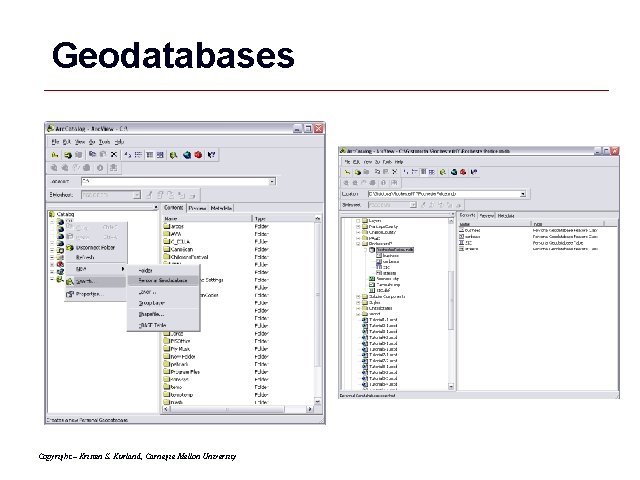
Geodatabases Copyright – Kristen S. Kurland, Carnegie Mellon University GIS 52
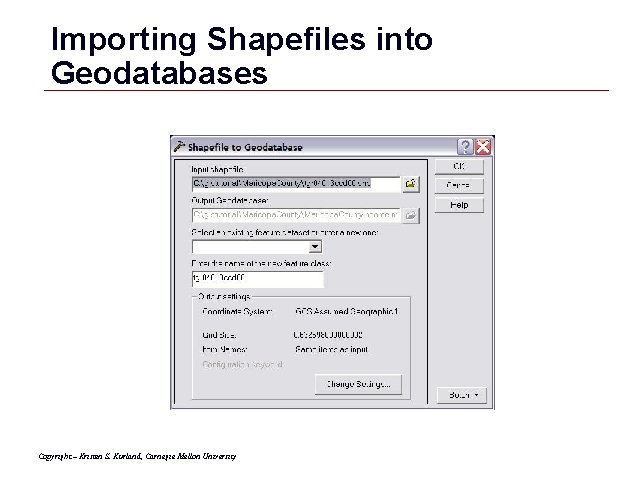
Importing Shapefiles into Geodatabases Copyright – Kristen S. Kurland, Carnegie Mellon University GIS 53

Importing Tables into Geodatabases Copyright – Kristen S. Kurland, Carnegie Mellon University GIS 54
d. BASE and Tables GIS 55

d. BASE Tables Copyright – Kristen S. Kurland, Carnegie Mellon University GIS 56
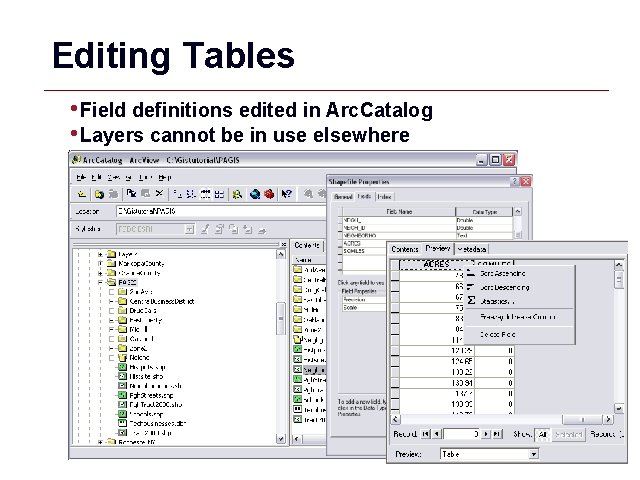
Editing Tables • Field definitions edited in Arc. Catalog • Layers cannot be in use elsewhere GIS 57
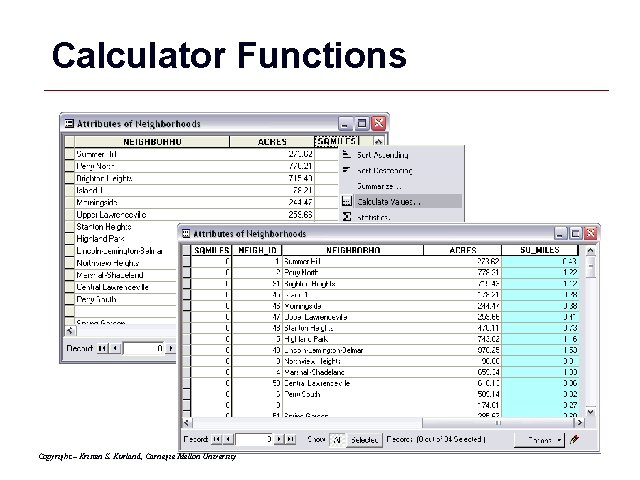
Calculator Functions Copyright – Kristen S. Kurland, Carnegie Mellon University GIS 58
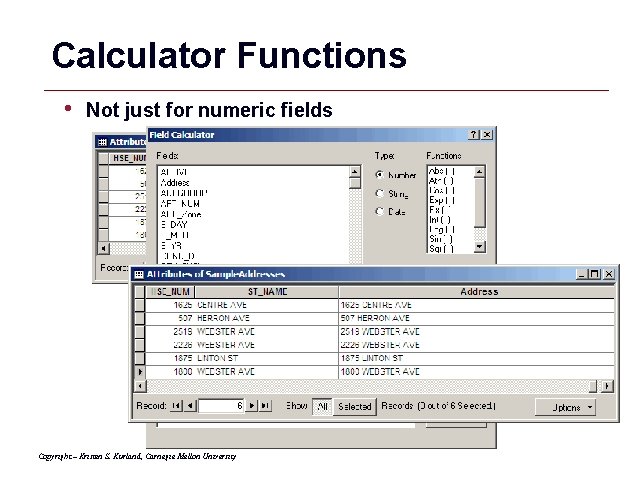
Calculator Functions • Not just for numeric fields Copyright – Kristen S. Kurland, Carnegie Mellon University GIS 59

Excel Tips and Tricks GIS 60
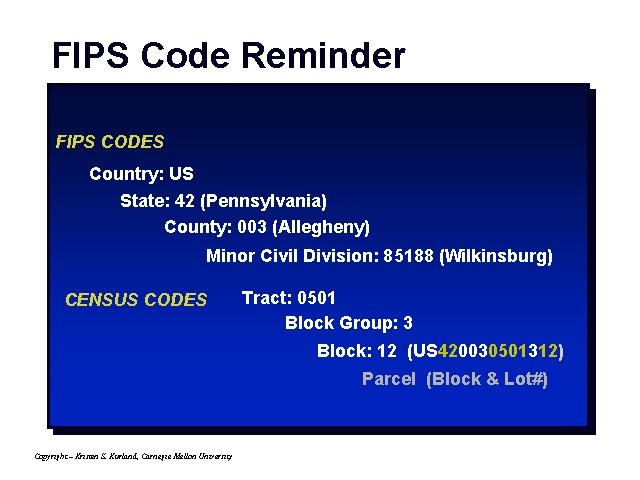
FIPS Code Reminder FIPS CODES Country: US State: 42 (Pennsylvania) County: 003 (Allegheny) Minor Civil Division: 85188 (Wilkinsburg) CENSUS CODES Tract: 0501 Block Group: 3 Block: 12 (US 420030501312) Parcel (Block & Lot#) Copyright – Kristen S. Kurland, Carnegie Mellon University GIS 61

Formatting and Replace • Delete any Excel formatting (e. g. borders, patterns, etc. ) • Delete unwanted text (e. g. word “tract”) -Find and replace GIS 62
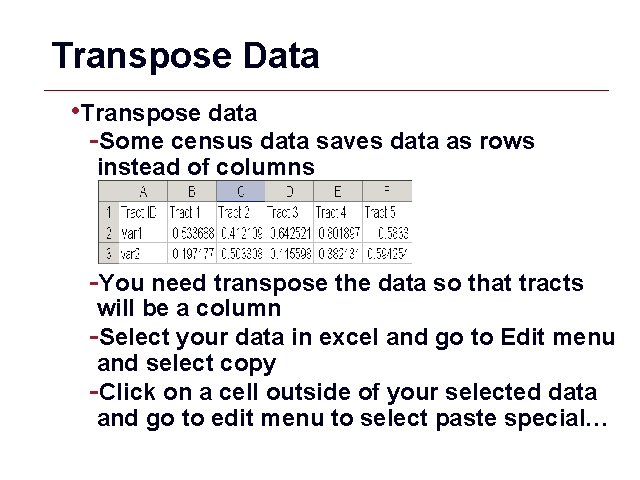
Transpose Data • Transpose data -Some census data saves data as rows instead of columns -You need transpose the data so that tracts will be a column -Select your data in excel and go to Edit menu and select copy -Click on a cell outside of your selected data and go to edit menu to select paste special… GIS 63
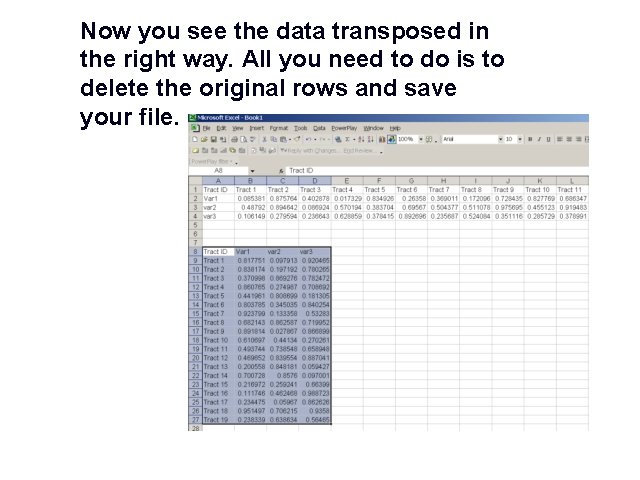
Now you see the data transposed in the right way. All you need to do is to delete the original rows and save your file. GIS 64
Concatenate Strings Sometimes you need add certain string before or after a value, and sometimes you want to combine two values. The excel CONCATENATE function makes that happen for you. GIS 65

Concatenate Strings If you have the below dataset, and want to combine the state ID and county ID together as another variable and you want to make sure the new State. County. ID has the length of 5 For example, you want to add a “ 0” to State IDs that are only 1 character long, and you want add “ 00” to county IDs that is 1 character long and “ 0” to those that are 2 characters. GIS 66
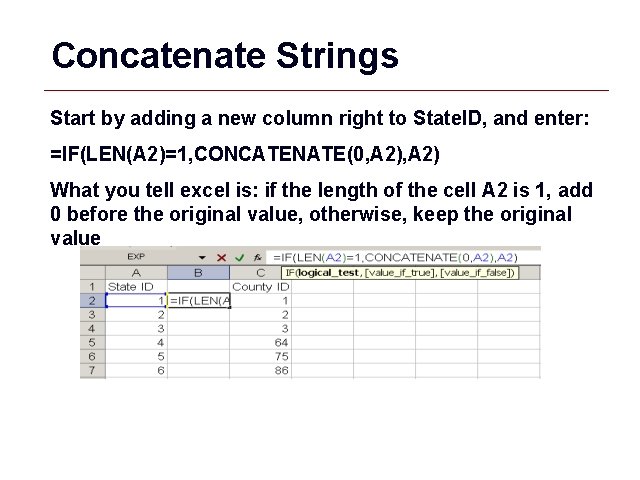
Concatenate Strings Start by adding a new column right to State. ID, and enter: =IF(LEN(A 2)=1, CONCATENATE(0, A 2) What you tell excel is: if the length of the cell A 2 is 1, add 0 before the original value, otherwise, keep the original value GIS 67
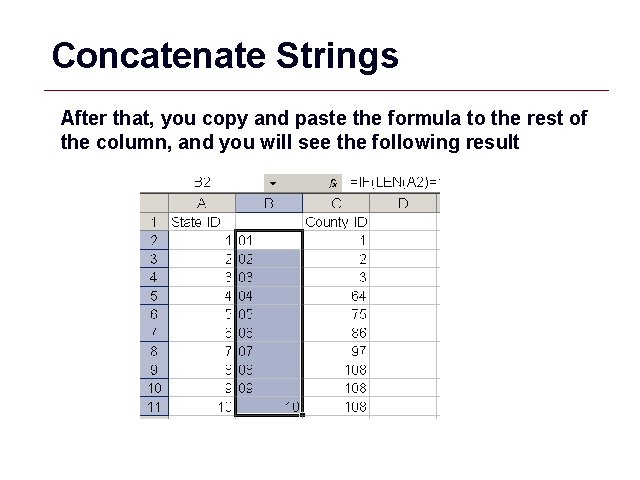
Concatenate Strings After that, you copy and paste the formula to the rest of the column, and you will see the following result GIS 68
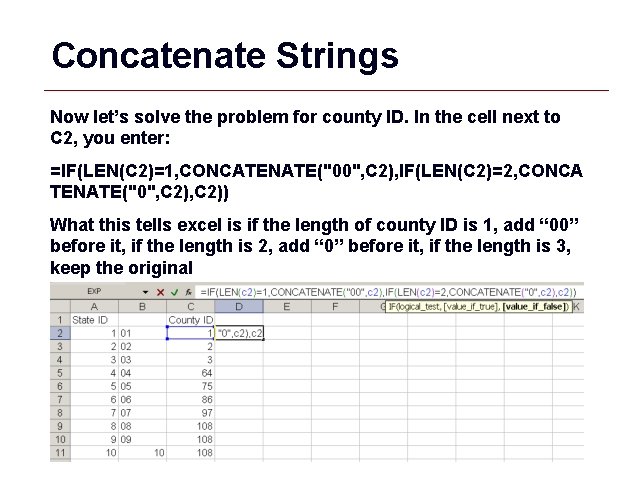
Concatenate Strings Now let’s solve the problem for county ID. In the cell next to C 2, you enter: =IF(LEN(C 2)=1, CONCATENATE("00", C 2), IF(LEN(C 2)=2, CONCA TENATE("0", C 2)) What this tells excel is if the length of county ID is 1, add “ 00” before it, if the length is 2, add “ 0” before it, if the length is 3, keep the original GIS 69
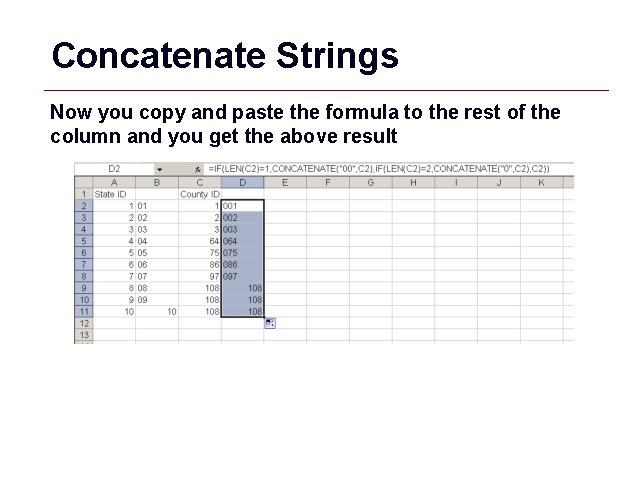
Concatenate Strings Now you copy and paste the formula to the rest of the column and you get the above result GIS 70
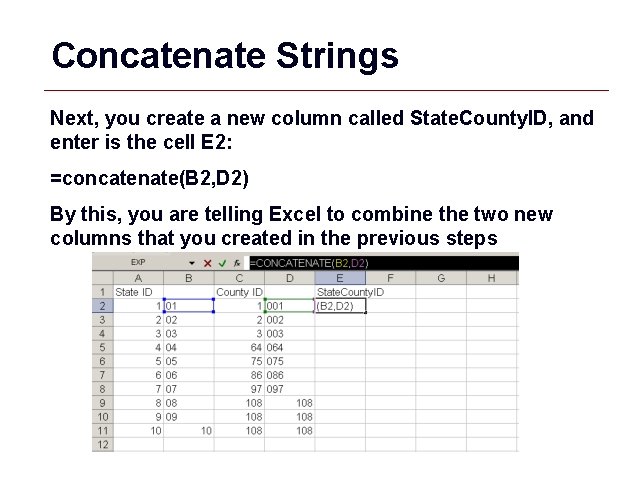
Concatenate Strings Next, you create a new column called State. County. ID, and enter is the cell E 2: =concatenate(B 2, D 2) By this, you are telling Excel to combine the two new columns that you created in the previous steps GIS 71
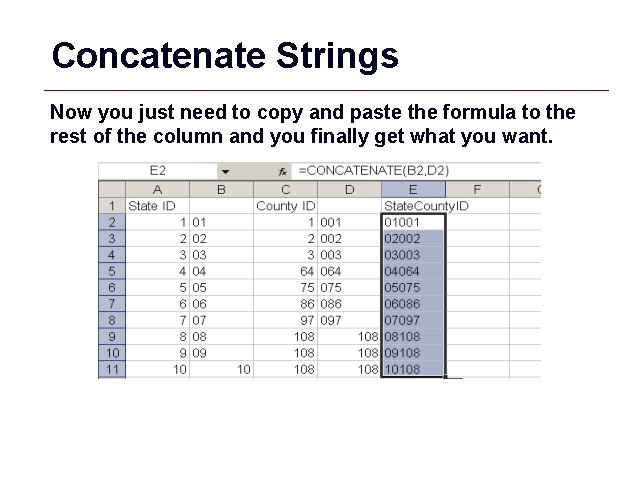
Concatenate Strings Now you just need to copy and paste the formula to the rest of the column and you finally get what you want. GIS 72
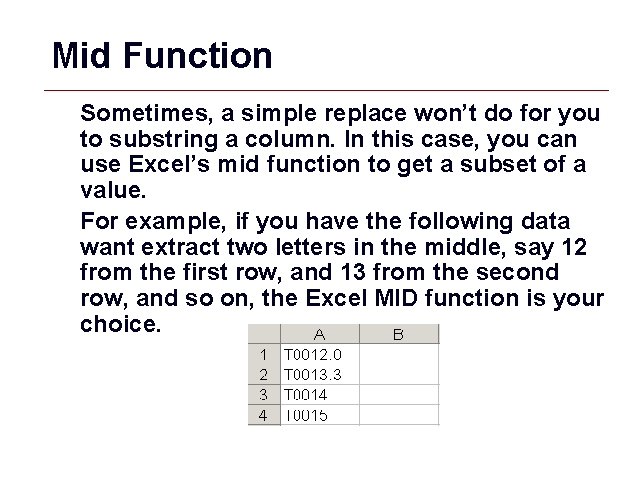
Mid Function Sometimes, a simple replace won’t do for you to substring a column. In this case, you can use Excel’s mid function to get a subset of a value. For example, if you have the following data want extract two letters in the middle, say 12 from the first row, and 13 from the second row, and so on, the Excel MID function is your choice. GIS 73
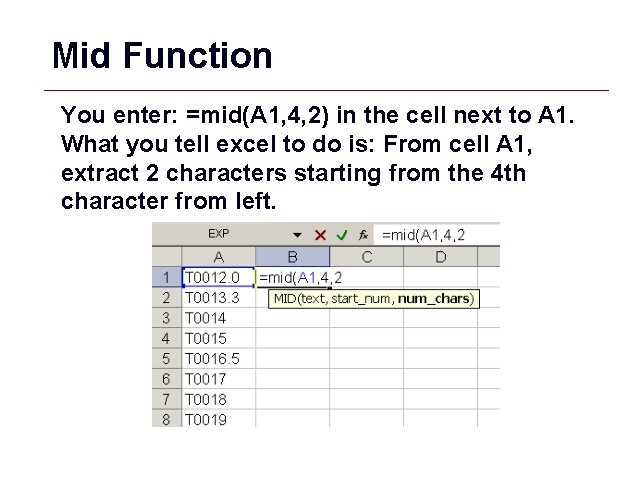
Mid Function You enter: =mid(A 1, 4, 2) in the cell next to A 1. What you tell excel to do is: From cell A 1, extract 2 characters starting from the 4 th character from left. GIS 74
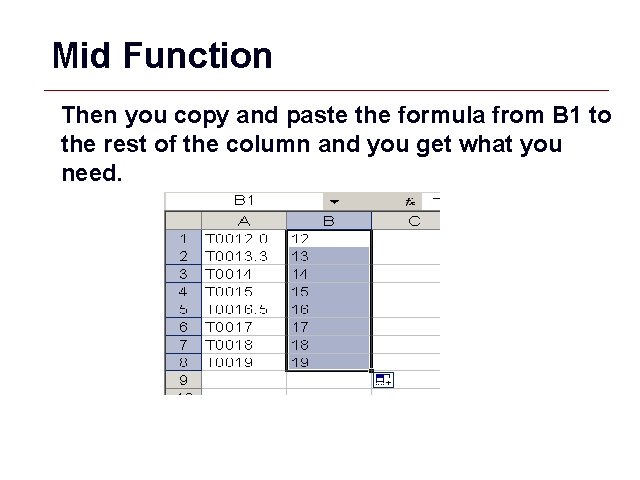
Mid Function Then you copy and paste the formula from B 1 to the rest of the column and you get what you need. GIS 75
Excel Tips and Tricks • Formatting • Find and Replace • Transpose • MID Function • Concatenate Copyright – Kristen S. Kurland, Carnegie Mellon University GIS 76
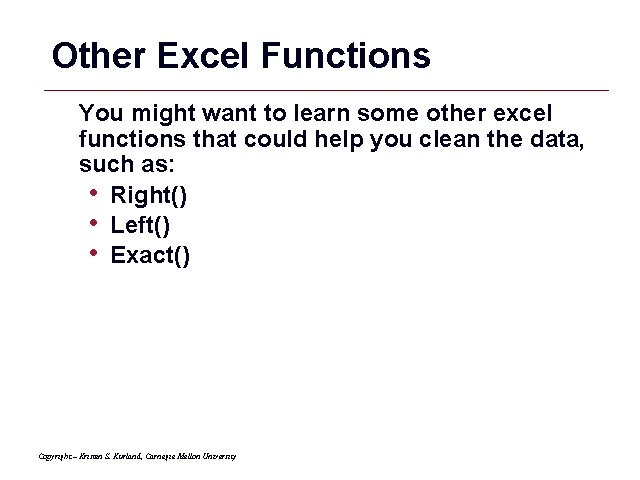
Other Excel Functions You might want to learn some other excel functions that could help you clean the data, such as: • Right() • Left() • Exact() Copyright – Kristen S. Kurland, Carnegie Mellon University GIS 77
Conclusion • Administrative Data Example • Data Tables • Data Joins • Common Datasets • Spatial Joins • Arc. Catalog Overview • Geodatabases • Editing Tables • Excel Tips Copyright – Kristen S. Kurland, Carnegie Mellon University GIS 78
- Slides: 78