
GIS HardwareSoftware System Architecture and Design Parts of
- Slides: 39
GIS Hardware/Software System Architecture and Design Parts of this lecture draw upon: Dave Peters, ESRI User Conference 2002 And Ronald Briggs, U Texas, Dallas
GIS Software system components · · · User interface Tools and functions Data manager
System architecture configurations · · Desktop Client-server Centralized desktop Centralized server
GIS software categories · · · Desktop Server (Internet) Developer Hand-held Other
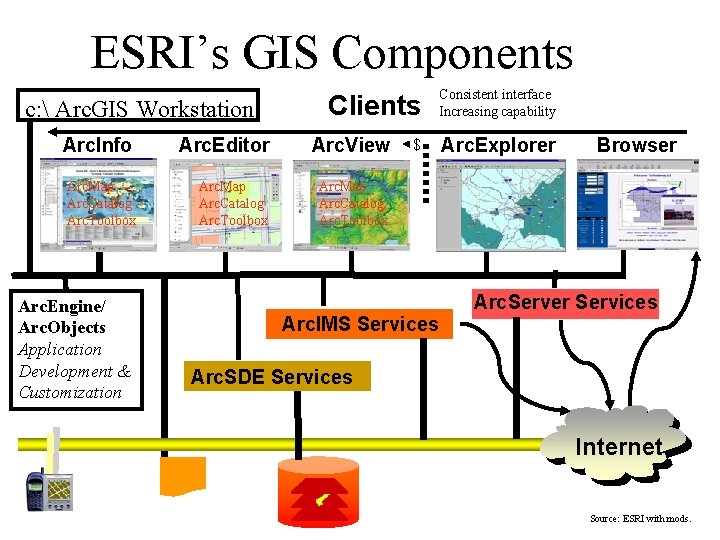
ESRI’s GIS Components c: Arc. GIS Workstation Clients Arc. Info Arc. Editor Arc. View Arc. Map Arc. Catalog Arc. Toolbox Arc. Engine/ Arc. Objects Application Development & Customization $ Arc. IMS Services Consistent interface Increasing capability Arc. Explorer Browser Arc. Server Services Arc. SDE Services Internet Source: ESRI with mods.
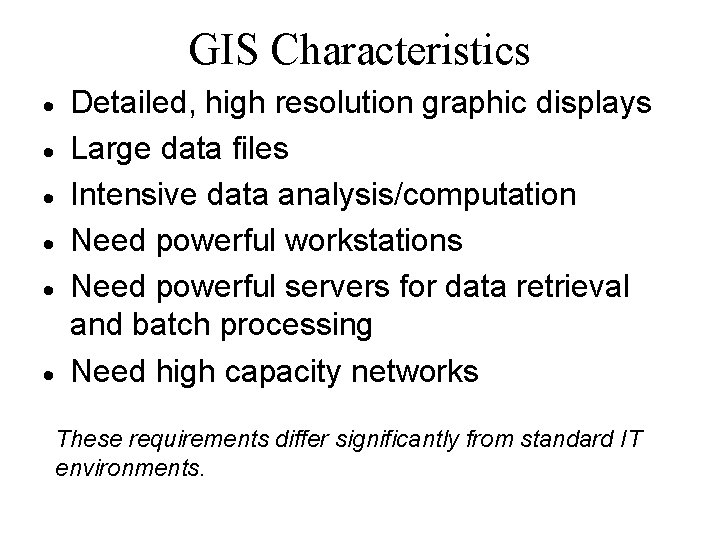
GIS Characteristics · · · Detailed, high resolution graphic displays Large data files Intensive data analysis/computation Need powerful workstations Need powerful servers for data retrieval and batch processing Need high capacity networks These requirements differ significantly from standard IT environments.
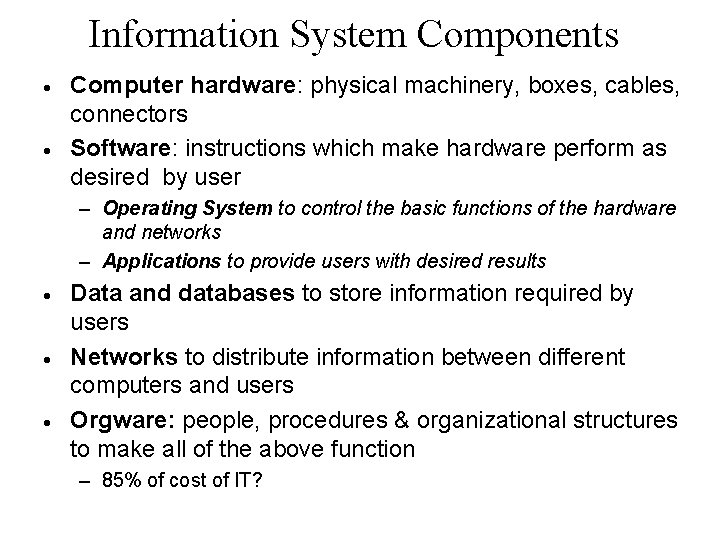
Information System Components · · Computer hardware: physical machinery, boxes, cables, connectors Software: instructions which make hardware perform as desired by user – Operating System to control the basic functions of the hardware and networks – Applications to provide users with desired results · · · Data and databases to store information required by users Networks to distribute information between different computers and users Orgware: people, procedures & organizational structures to make all of the above function – 85% of cost of IT?
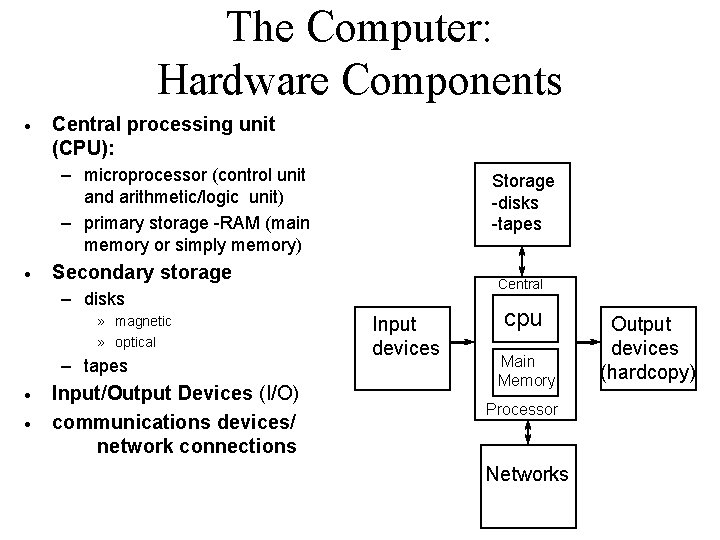
The Computer: Hardware Components · Central processing unit (CPU): – microprocessor (control unit and arithmetic/logic unit) – primary storage -RAM (main memory or simply memory) · Storage -disks -tapes Secondary storage Central – disks » magnetic » optical – tapes · · Input/Output Devices (I/O) communications devices/ network connections Input devices cpu Main Memory Processor Networks Output devices (hardcopy)
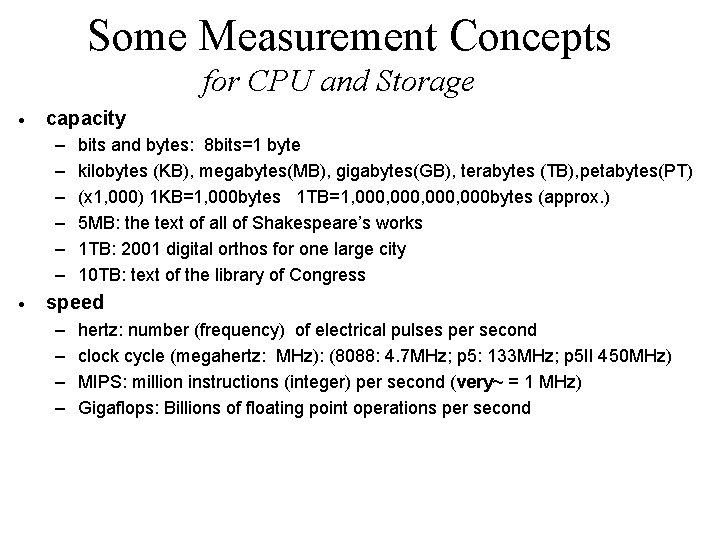
Some Measurement Concepts for CPU and Storage · capacity – – – · bits and bytes: 8 bits=1 byte kilobytes (KB), megabytes(MB), gigabytes(GB), terabytes (TB), petabytes(PT) (x 1, 000) 1 KB=1, 000 bytes 1 TB=1, 000, 000 bytes (approx. ) 5 MB: the text of all of Shakespeare’s works 1 TB: 2001 digital orthos for one large city 10 TB: text of the library of Congress speed – – hertz: number (frequency) of electrical pulses per second clock cycle (megahertz: MHz): (8088: 4. 7 MHz; p 5: 133 MHz; p 5 II 450 MHz) MIPS: million instructions (integer) per second (very~ = 1 MHz) Gigaflops: Billions of floating point operations per second
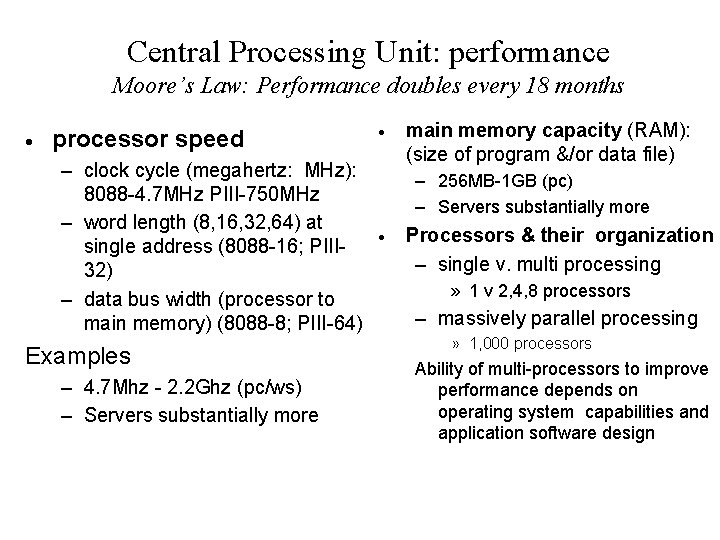
Central Processing Unit: performance Moore’s Law: Performance doubles every 18 months · processor speed – clock cycle (megahertz: MHz): 8088 -4. 7 MHz PIII-750 MHz – word length (8, 16, 32, 64) at single address (8088 -16; PIII 32) – data bus width (processor to main memory) (8088 -8; PIII-64) Examples – 4. 7 Mhz - 2. 2 Ghz (pc/ws) – Servers substantially more · main memory capacity (RAM): (size of program &/or data file) – 256 MB-1 GB (pc) – Servers substantially more · Processors & their organization – single v. multi processing » 1 v 2, 4, 8 processors – massively parallel processing » 1, 000 processors Ability of multi-processors to improve performance depends on operating system capabilities and application software design
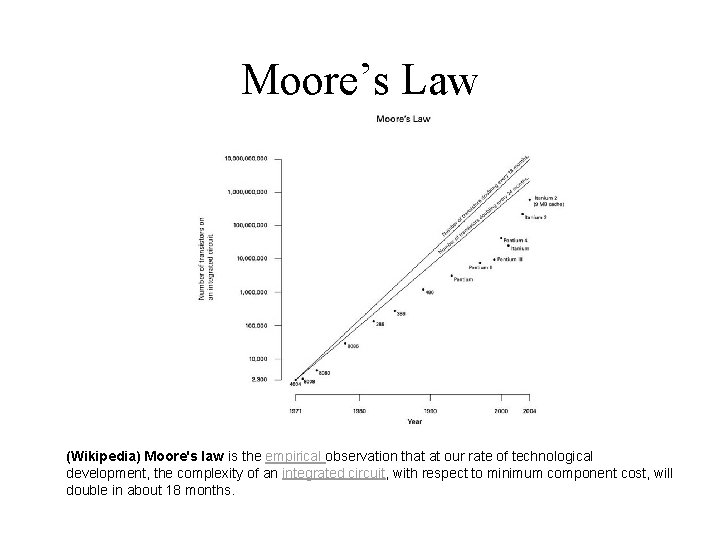
Moore’s Law (Wikipedia) Moore's law is the empirical observation that at our rate of technological development, the complexity of an integrated circuit, with respect to minimum component cost, will double in about 18 months.
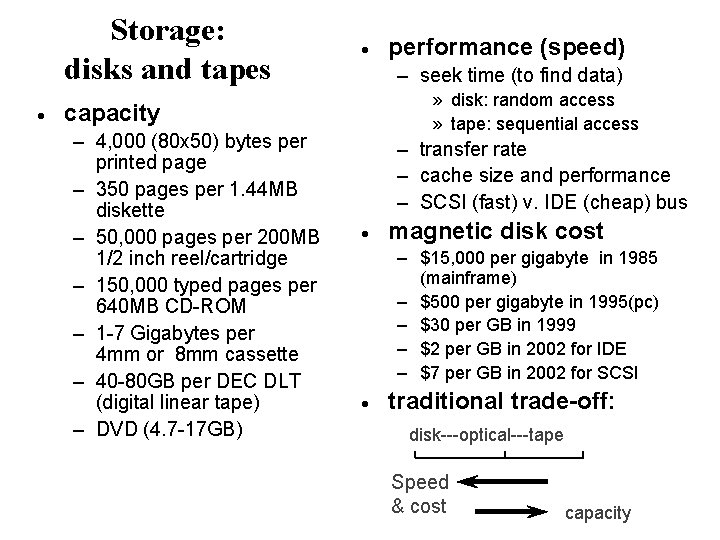
Storage: disks and tapes · · – seek time (to find data) » disk: random access » tape: sequential access capacity – 4, 000 (80 x 50) bytes per printed page – 350 pages per 1. 44 MB diskette – 50, 000 pages per 200 MB 1/2 inch reel/cartridge – 150, 000 typed pages per 640 MB CD-ROM – 1 -7 Gigabytes per 4 mm or 8 mm cassette – 40 -80 GB per DEC DLT (digital linear tape) – DVD (4. 7 -17 GB) performance (speed) – transfer rate – cache size and performance – SCSI (fast) v. IDE (cheap) bus · magnetic disk cost – $15, 000 per gigabyte in 1985 (mainframe) – $500 per gigabyte in 1995(pc) – $30 per GB in 1999 – $2 per GB in 2002 for IDE – $7 per GB in 2002 for SCSI · traditional trade-off: disk---optical---tape Speed & cost capacity
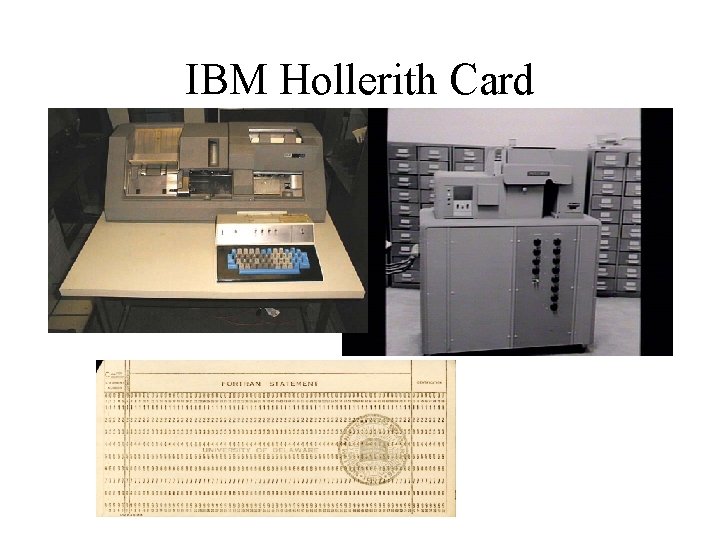
IBM Hollerith Card
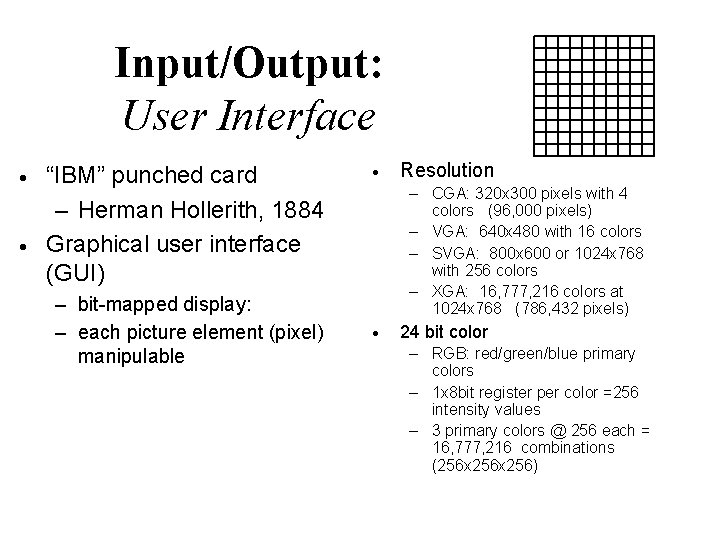
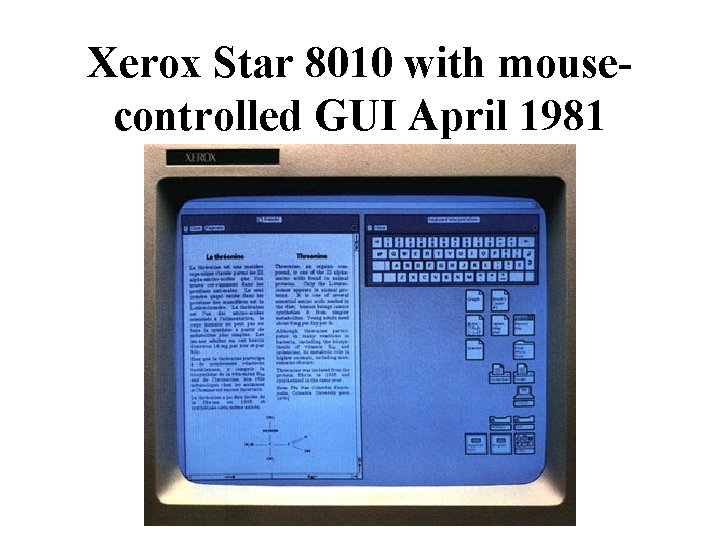
Input/Output: User Interface · · “IBM” punched card – Herman Hollerith, 1884 Graphical user interface (GUI) – bit-mapped display: – each picture element (pixel) manipulable · Resolution – CGA: 320 x 300 pixels with 4 colors (96, 000 pixels) – VGA: 640 x 480 with 16 colors – SVGA: 800 x 600 or 1024 x 768 with 256 colors – XGA: 16, 777, 216 colors at 1024 x 768 (786, 432 pixels) · 24 bit color – RGB: red/green/blue primary colors – 1 x 8 bit register per color =256 intensity values – 3 primary colors @ 256 each = 16, 777, 216 combinations (256 x 256)
Xerox Star 8010 with mousecontrolled GUI April 1981
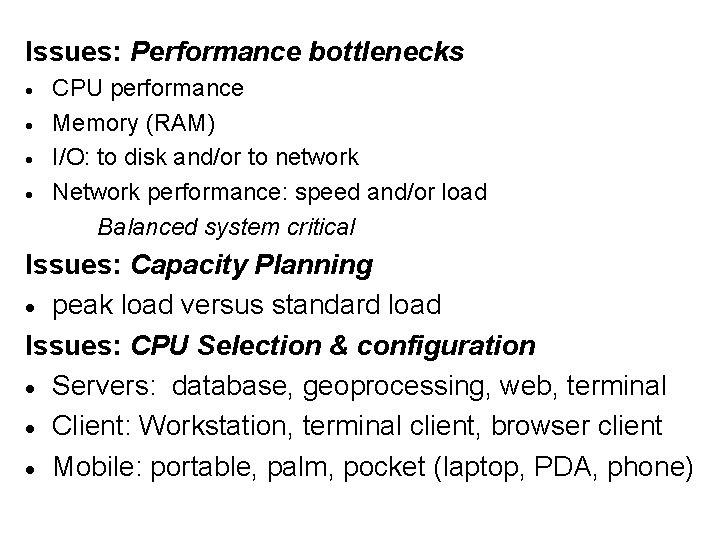
Issues: Performance bottlenecks · · CPU performance Memory (RAM) I/O: to disk and/or to network Network performance: speed and/or load Balanced system critical Issues: Capacity Planning · peak load versus standard load Issues: CPU Selection & configuration · Servers: database, geoprocessing, web, terminal · Client: Workstation, terminal client, browser client · Mobile: portable, palm, pocket (laptop, PDA, phone)
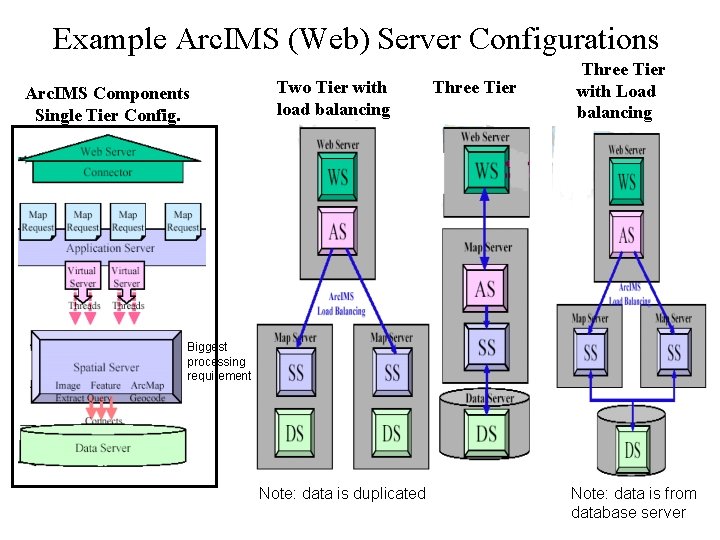
Example Arc. IMS (Web) Server Configurations Arc. IMS Components Single Tier Config. Two Tier with load balancing Three Tier with Load balancing Biggest processing requirement Note: data is duplicated Note: data is from database server
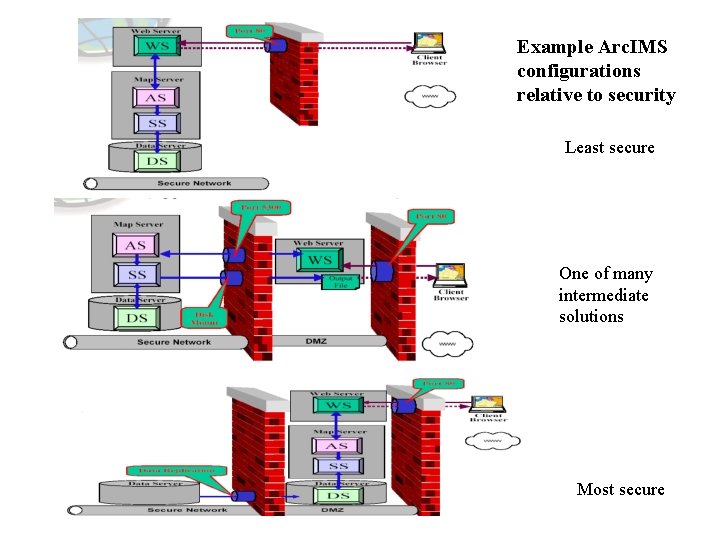
Example Arc. IMS configurations relative to security Least secure One of many intermediate solutions Most secure
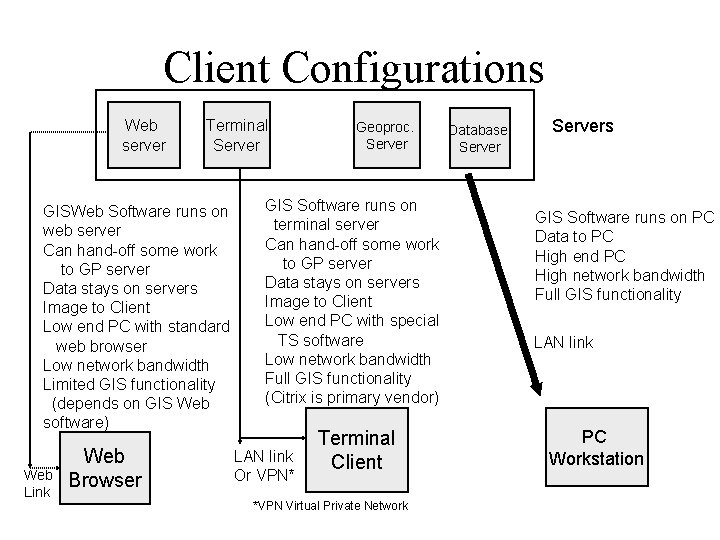
Client Configurations Web server Terminal Server GISWeb Software runs on web server Can hand-off some work to GP server Data stays on servers Image to Client Low end PC with standard web browser Low network bandwidth Limited GIS functionality (depends on GIS Web software) Web Link Web Browser Geoproc. Server GIS Software runs on terminal server Can hand-off some work to GP server Data stays on servers Image to Client Low end PC with special TS software Low network bandwidth Full GIS functionality (Citrix is primary vendor) LAN link Or VPN* Terminal Client *VPN Virtual Private Network Database Servers GIS Software runs on PC Data to PC High end PC High network bandwidth Full GIS functionality LAN link PC Workstation
Mobile Client Considerations · Device type: Portable, tablet, palm or pocket? – Palm and pocket likely to merge – How much capability is required » In field editing or info look up? · Is Connectivity required? – Wireless data connections slow and expensive · How to keep databases in synch?
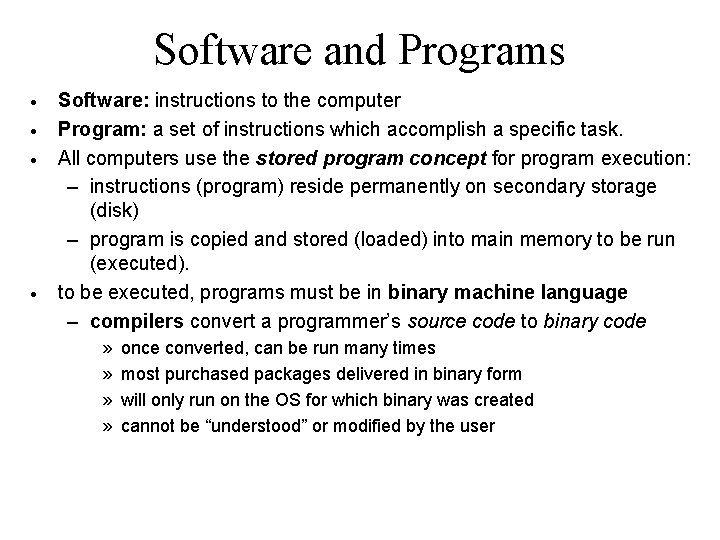
Software and Programs · · Software: instructions to the computer Program: a set of instructions which accomplish a specific task. All computers use the stored program concept for program execution: – instructions (program) reside permanently on secondary storage (disk) – program is copied and stored (loaded) into main memory to be run (executed). to be executed, programs must be in binary machine language – compilers convert a programmer’s source code to binary code » » once converted, can be run many times most purchased packages delivered in binary form will only run on the OS for which binary was created cannot be “understood” or modified by the user
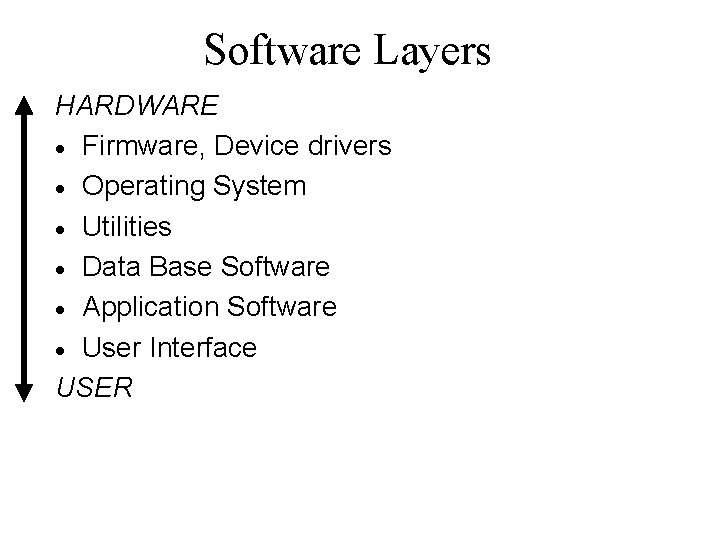
Software Layers HARDWARE · Firmware, Device drivers · Operating System · Utilities · Data Base Software · Application Software · User Interface USER
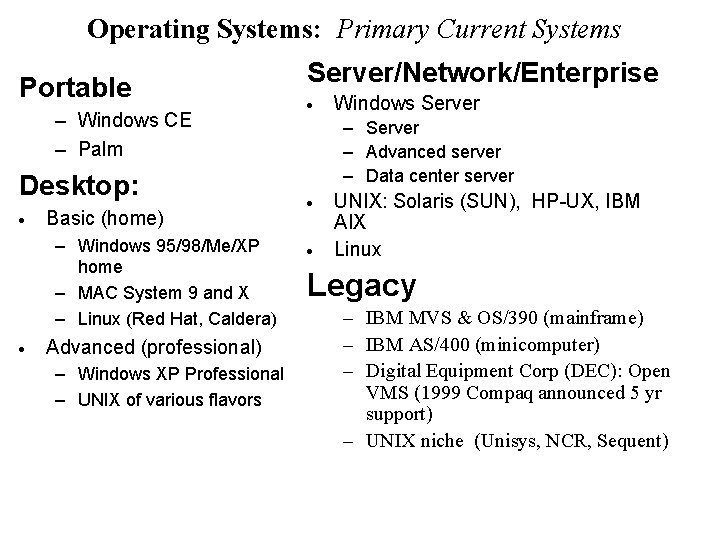
Operating Systems: Primary Current Systems Portable – Windows CE – Palm Desktop: · Basic (home) – Windows 95/98/Me/XP home – MAC System 9 and X – Linux (Red Hat, Caldera) · Advanced (professional) – Windows XP Professional – UNIX of various flavors Server/Network/Enterprise · Windows Server – Advanced server – Data center server · · UNIX: Solaris (SUN), HP-UX, IBM AIX Linux Legacy – IBM MVS & OS/390 (mainframe) – IBM AS/400 (minicomputer) – Digital Equipment Corp (DEC): Open VMS (1999 Compaq announced 5 yr support) – UNIX niche (Unisys, NCR, Sequent)
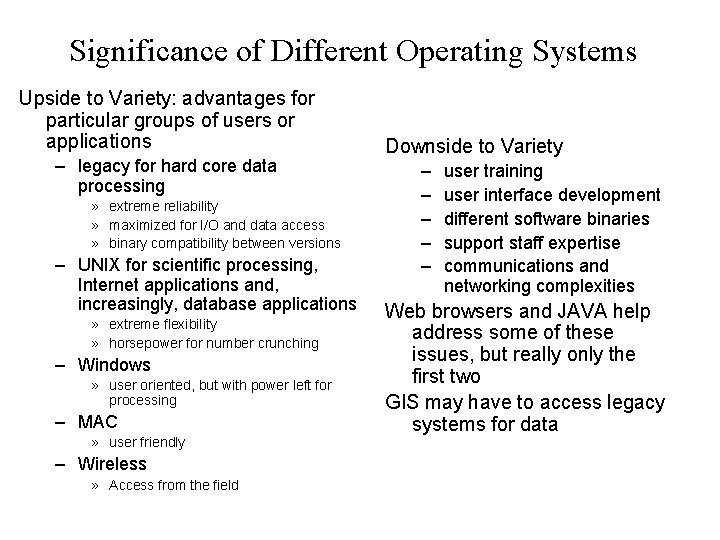
Significance of Different Operating Systems Upside to Variety: advantages for particular groups of users or applications – legacy for hard core data processing » extreme reliability » maximized for I/O and data access » binary compatibility between versions – UNIX for scientific processing, Internet applications and, increasingly, database applications » extreme flexibility » horsepower for number crunching – Windows » user oriented, but with power left for processing – MAC » user friendly – Wireless » Access from the field Downside to Variety – – – user training user interface development different software binaries support staff expertise communications and networking complexities Web browsers and JAVA help address some of these issues, but really only the first two GIS may have to access legacy systems for data
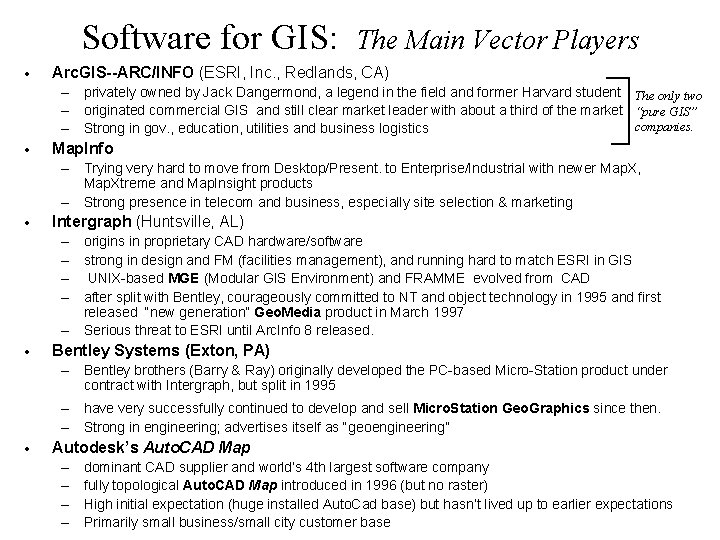
Software for GIS: · The Main Vector Players Arc. GIS--ARC/INFO (ESRI, Inc. , Redlands, CA) – privately owned by Jack Dangermond, a legend in the field and former Harvard student The only two – originated commercial GIS and still clear market leader with about a third of the market “pure GIS” companies. – Strong in gov. , education, utilities and business logistics · Map. Info – Trying very hard to move from Desktop/Present. to Enterprise/Industrial with newer Map. X, Map. Xtreme and Map. Insight products – Strong presence in telecom and business, especially site selection & marketing · Intergraph (Huntsville, AL) – origins in proprietary CAD hardware/software – strong in design and FM (facilities management), and running hard to match ESRI in GIS – UNIX-based MGE (Modular GIS Environment) and FRAMME evolved from CAD – after split with Bentley, courageously committed to NT and object technology in 1995 and first released “new generation” Geo. Media product in March 1997 – Serious threat to ESRI until Arc. Info 8 released. · Bentley Systems (Exton, PA) – Bentley brothers (Barry & Ray) originally developed the PC-based Micro-Station product under contract with Intergraph, but split in 1995 – have very successfully continued to develop and sell Micro. Station Geo. Graphics since then. – Strong in engineering; advertises itself as “geoengineering” · Autodesk’s Auto. CAD Map – – dominant CAD supplier and world’s 4 th largest software company fully topological Auto. CAD Map introduced in 1996 (but no raster) High initial expectation (huge installed Auto. Cad base) but hasn’t lived up to earlier expectations Primarily small business/small city customer base
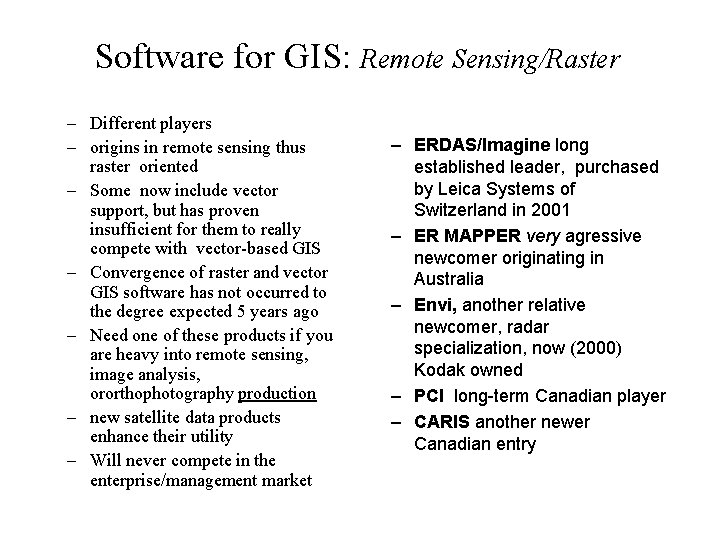
Software for GIS: Remote Sensing/Raster – Different players – origins in remote sensing thus raster oriented – Some now include vector support, but has proven insufficient for them to really compete with vector-based GIS – Convergence of raster and vector GIS software has not occurred to the degree expected 5 years ago – Need one of these products if you are heavy into remote sensing, image analysis, ororthophotography production – new satellite data products enhance their utility – Will never compete in the enterprise/management market – ERDAS/Imagine long established leader, purchased by Leica Systems of Switzerland in 2001 – ER MAPPER very agressive newcomer originating in Australia – Envi, another relative newcomer, radar specialization, now (2000) Kodak owned – PCI long-term Canadian player – CARIS another newer Canadian entry
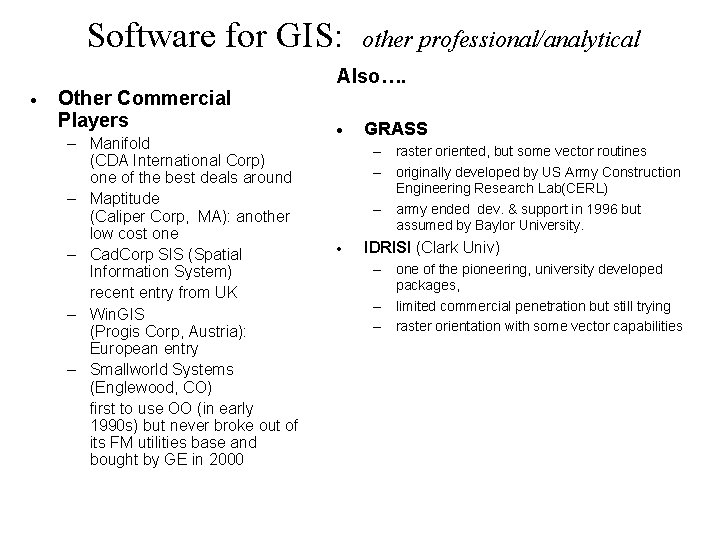
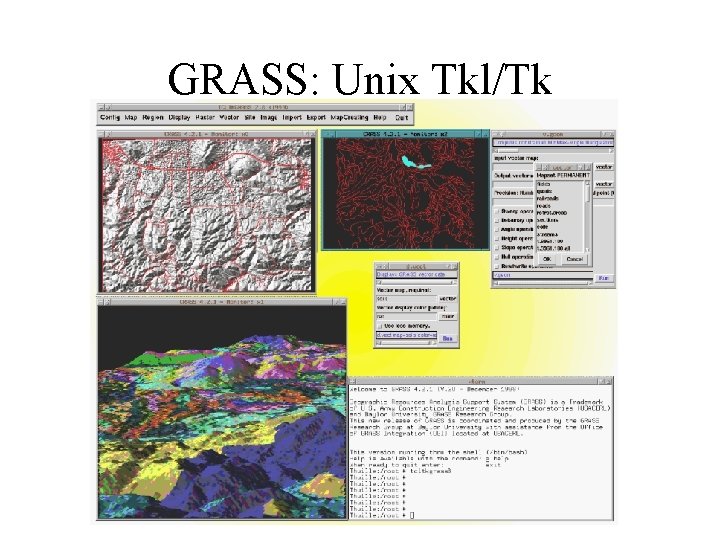
Software for GIS: · Other Commercial Players – Manifold (CDA International Corp) one of the best deals around – Maptitude (Caliper Corp, MA): another low cost one – Cad. Corp SIS (Spatial Information System) recent entry from UK – Win. GIS (Progis Corp, Austria): European entry – Smallworld Systems (Englewood, CO) first to use OO (in early 1990 s) but never broke out of its FM utilities base and bought by GE in 2000 other professional/analytical Also…. · GRASS – raster oriented, but some vector routines – originally developed by US Army Construction Engineering Research Lab(CERL) – army ended dev. & support in 1996 but assumed by Baylor University. · IDRISI (Clark Univ) – one of the pioneering, university developed packages, – limited commercial penetration but still trying – raster orientation with some vector capabilities
GRASS: Unix Tkl/Tk
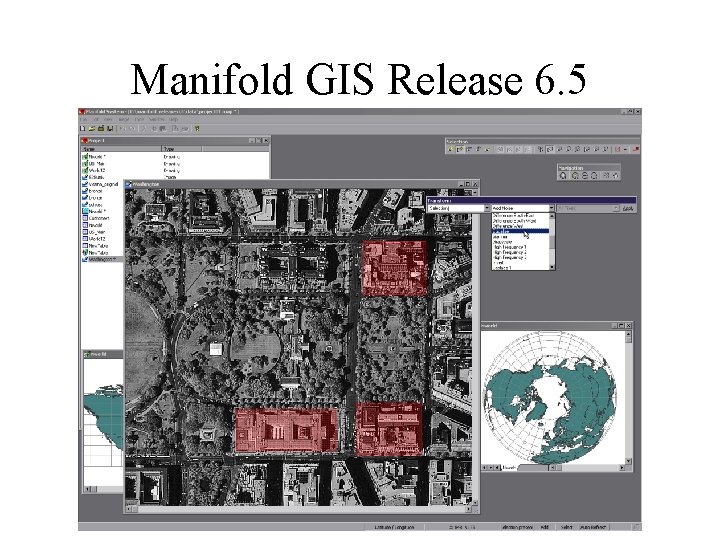
Manifold GIS Release 6. 5
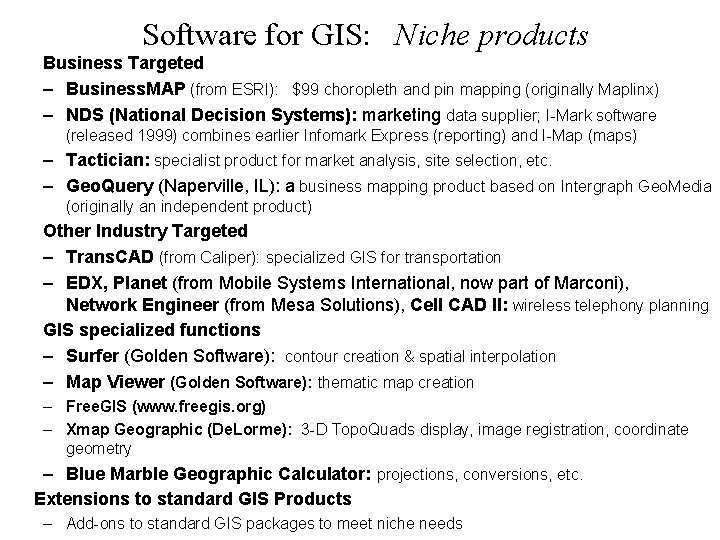
Software for GIS: Niche products Business Targeted – Business. MAP (from ESRI): $99 choropleth and pin mapping (originally Maplinx) – NDS (National Decision Systems): marketing data supplier; I-Mark software (released 1999) combines earlier Infomark Express (reporting) and I-Map (maps) – Tactician: specialist product for market analysis, site selection, etc. – Geo. Query (Naperville, IL): a business mapping product based on Intergraph Geo. Media (originally an independent product) Other Industry Targeted – Trans. CAD (from Caliper): specialized GIS for transportation – EDX, Planet (from Mobile Systems International, now part of Marconi), Network Engineer (from Mesa Solutions), Cell CAD II: wireless telephony planning GIS specialized functions – Surfer (Golden Software): contour creation & spatial interpolation – Map Viewer (Golden Software): thematic map creation – Free. GIS (www. freegis. org) – Xmap Geographic (De. Lorme): 3 -D Topo. Quads display, image registration, coordinate geometry – Blue Marble Geographic Calculator: projections, conversions, etc. Extensions to standard GIS Products – Add-ons to standard GIS packages to meet niche needs
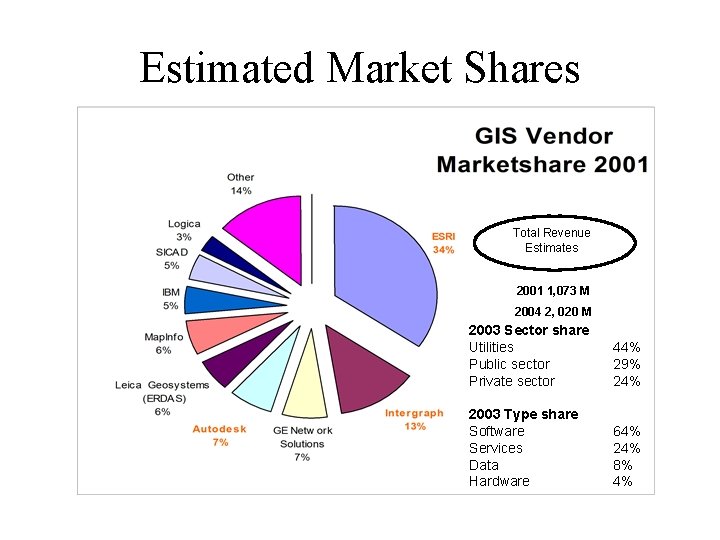
Estimated Market Shares Total Revenue Estimates 2001 1, 073 M 2004 2, 020 M 2003 Sector share Utilities Public sector Private sector 44% 29% 24% 2003 Type share Software Services Data Hardware 64% 24% 8% 4%
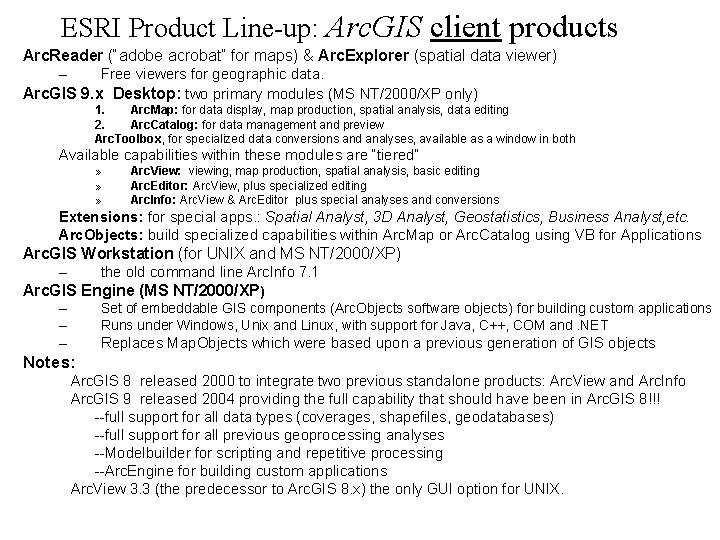
ESRI Product Line-up: Arc. GIS client products Arc. Reader (“adobe acrobat” for maps) & Arc. Explorer (spatial data viewer) – Free viewers for geographic data. Arc. GIS 9. x Desktop: two primary modules (MS NT/2000/XP only) 1. Arc. Map: for data display, map production, spatial analysis, data editing 2. Arc. Catalog: for data management and preview Arc. Toolbox, for specialized data conversions and analyses, available as a window in both Available capabilities within these modules are “tiered” » » » Arc. View: viewing, map production, spatial analysis, basic editing Arc. Editor: Arc. View, plus specialized editing Arc. Info: Arc. View & Arc. Editor plus special analyses and conversions Extensions: for special apps. : Spatial Analyst, 3 D Analyst, Geostatistics, Business Analyst, etc. Arc. Objects: build specialized capabilities within Arc. Map or Arc. Catalog using VB for Applications Arc. GIS Workstation (for UNIX and MS NT/2000/XP) – the old command line Arc. Info 7. 1 Arc. GIS Engine (MS NT/2000/XP) – – Set of embeddable GIS components (Arc. Objects software objects) for building custom applications Runs under Windows, Unix and Linux, with support for Java, C++, COM and. NET – Replaces Map. Objects which were based upon a previous generation of GIS objects Notes: Arc. GIS 8 released 2000 to integrate two previous standalone products: Arc. View and Arc. Info Arc. GIS 9 released 2004 providing the full capability that should have been in Arc. GIS 8!!! --full support for all data types (coverages, shapefiles, geodatabases) --full support for all previous geoprocessing analyses --Modelbuilder for scripting and repetitive processing --Arc. Engine for building custom applications Arc. View 3. 3 (the predecessor to Arc. GIS 8. x) the only GUI option for UNIX.
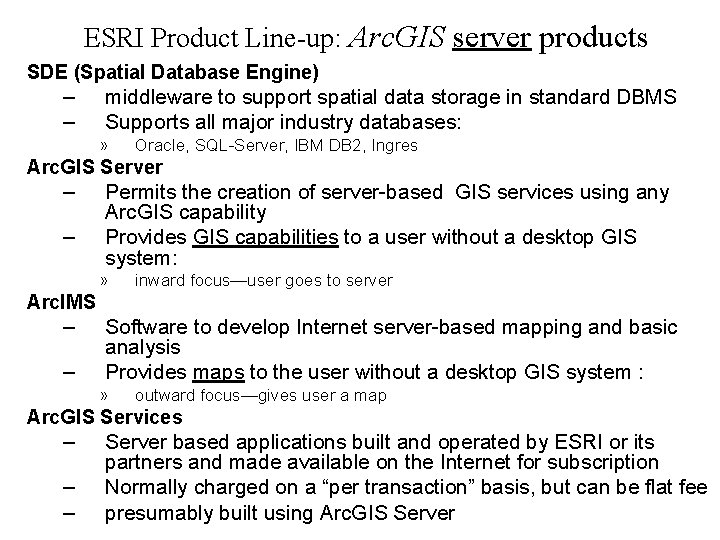
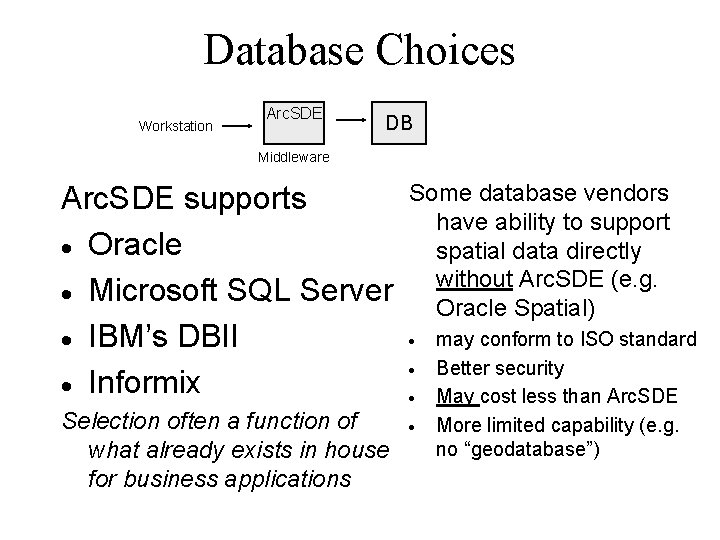
ESRI Product Line-up: Arc. GIS server products SDE (Spatial Database Engine) – – middleware to support spatial data storage in standard DBMS Supports all major industry databases: » Oracle, SQL-Server, IBM DB 2, Ingres Arc. GIS Server – – Permits the creation of server-based GIS services using any Arc. GIS capability Provides GIS capabilities to a user without a desktop GIS system: » inward focus—user goes to server Arc. IMS – – Software to develop Internet server-based mapping and basic analysis Provides maps to the user without a desktop GIS system : » outward focus—gives user a map Arc. GIS Services – – – Server based applications built and operated by ESRI or its partners and made available on the Internet for subscription Normally charged on a “per transaction” basis, but can be flat fee presumably built using Arc. GIS Server
Decisions/Actions Required for Software · · · Operating systems for clients and servers Interfacing with existing non-GIS application systems Selection of GIS software appropriate for task required
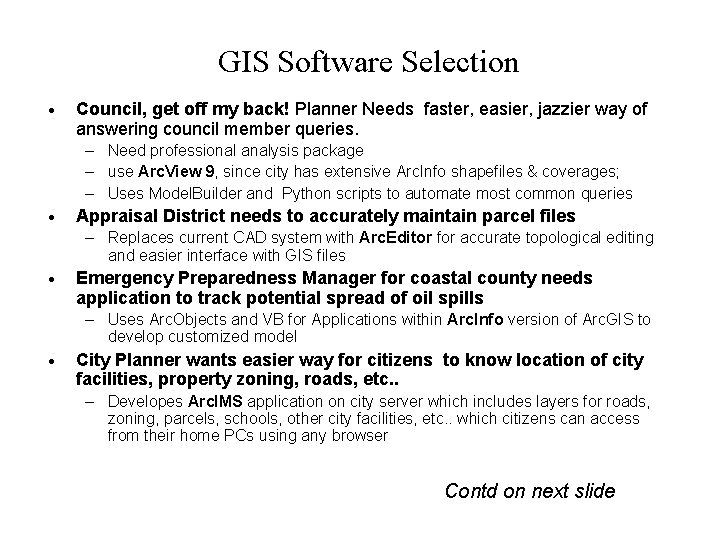
GIS Software Selection · Council, get off my back! Planner Needs faster, easier, jazzier way of answering council member queries. – Need professional analysis package – use Arc. View 9, since city has extensive Arc. Info shapefiles & coverages; – Uses Model. Builder and Python scripts to automate most common queries · Appraisal District needs to accurately maintain parcel files – Replaces current CAD system with Arc. Editor for accurate topological editing and easier interface with GIS files · Emergency Preparedness Manager for coastal county needs application to track potential spread of oil spills – Uses Arc. Objects and VB for Applications within Arc. Info version of Arc. GIS to develop customized model · City Planner wants easier way for citizens to know location of city facilities, property zoning, roads, etc. . – Developes Arc. IMS application on city server which includes layers for roads, zoning, parcels, schools, other city facilities, etc. . which citizens can access from their home PCs using any browser Contd on next slide
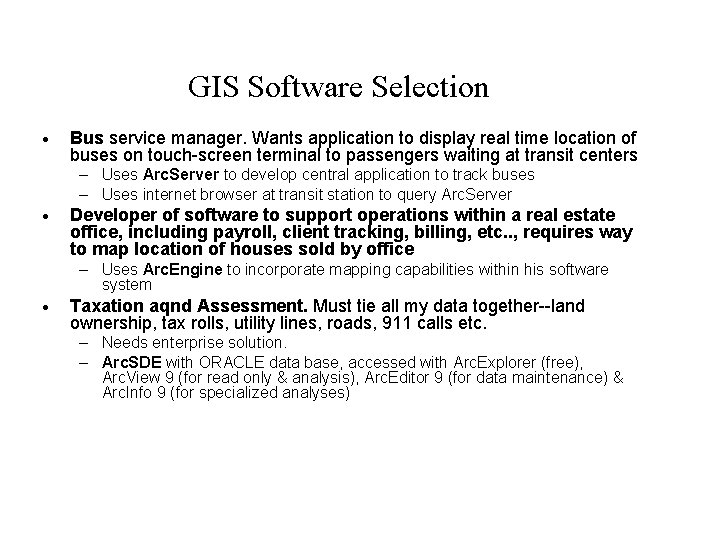
GIS Software Selection · Bus service manager. Wants application to display real time location of buses on touch-screen terminal to passengers waiting at transit centers – Uses Arc. Server to develop central application to track buses – Uses internet browser at transit station to query Arc. Server · Developer of software to support operations within a real estate office, including payroll, client tracking, billing, etc. . , requires way to map location of houses sold by office – Uses Arc. Engine to incorporate mapping capabilities within his software system · Taxation aqnd Assessment. Must tie all my data together--land ownership, tax rolls, utility lines, roads, 911 calls etc. – Needs enterprise solution. – Arc. SDE with ORACLE data base, accessed with Arc. Explorer (free), Arc. View 9 (for read only & analysis), Arc. Editor 9 (for data maintenance) & Arc. Info 9 (for specialized analyses)
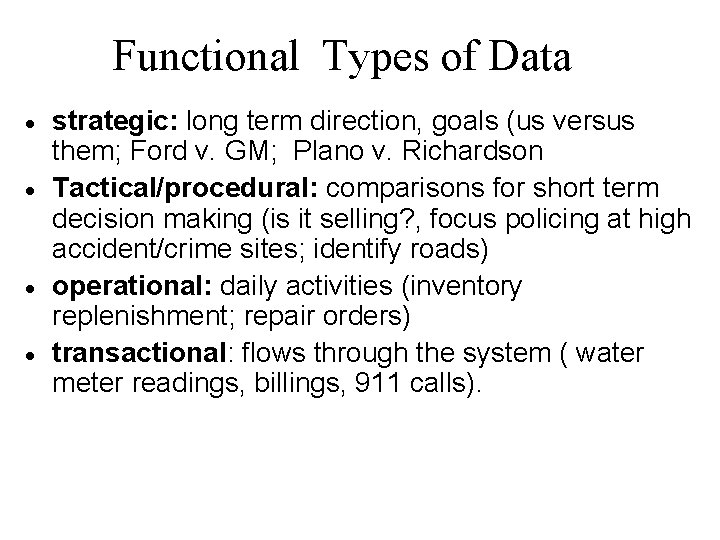
Functional Types of Data · · strategic: long term direction, goals (us versus them; Ford v. GM; Plano v. Richardson Tactical/procedural: comparisons for short term decision making (is it selling? , focus policing at high accident/crime sites; identify roads) operational: daily activities (inventory replenishment; repair orders) transactional: flows through the system ( water meter readings, billings, 911 calls).
Database Choices Workstation Arc. SDE DB Middleware Arc. SDE supports · Oracle · Microsoft SQL Server · IBM’s DBII · Informix Selection often a function of what already exists in house for business applications Some database vendors have ability to support spatial data directly without Arc. SDE (e. g. Oracle Spatial) · · may conform to ISO standard Better security May cost less than Arc. SDE More limited capability (e. g. no “geodatabase”)
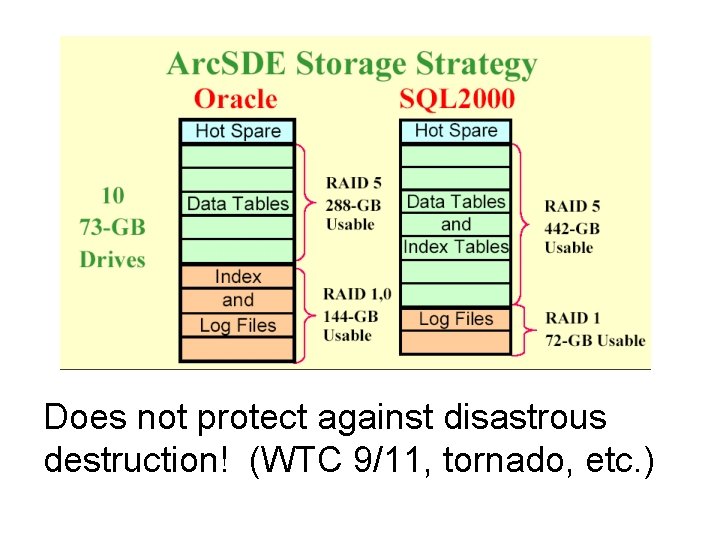
Does not protect against disastrous destruction! (WTC 9/11, tornado, etc. )