
GIS Application in Firewall Security Log Visualization Juliana
![Firewall Security Log File Jun 1 22: 01: 35 [xx] ns 5 gt: Net.](https://slidetodoc.com/presentation_image_h2/ff2b443ea84913f322bee0fbf3d8fa7b/image-6.jpg "Firewall Security Log File Jun 1 22: 01: 35 [xx] ns 5 gt: Net.")
![Log File Transformation Jun 1 22: 01: 35 [xx] ns 5 gt: Net. Screen](https://slidetodoc.com/presentation_image_h2/ff2b443ea84913f322bee0fbf3d8fa7b/image-7.jpg "Log File Transformation Jun 1 22: 01: 35 [xx] ns 5 gt: Net. Screen")


- Slides: 31
GIS Application in Firewall Security Log Visualization Juliana Lo
Presentation Outline v. What is a firewall v. Problem v. Project definition goal, objectives, constraints v. Framework and system components v. Solution v. Conclusions
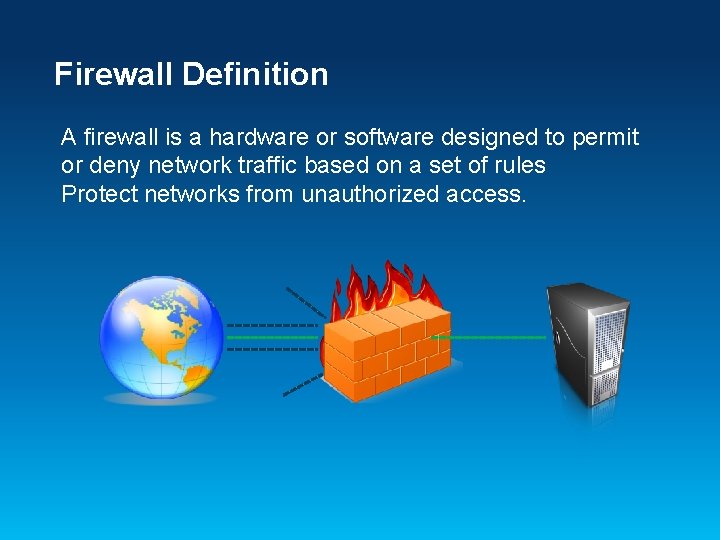
Firewall Definition A firewall is a hardware or software designed to permit or deny network traffic based on a set of rules Protect networks from unauthorized access.
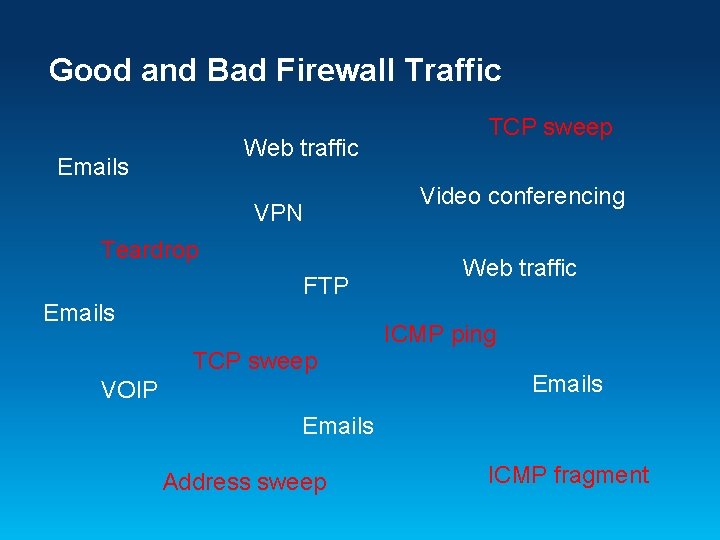
Good and Bad Firewall Traffic Web traffic Emails TCP sweep Video conferencing VPN Teardrop FTP Emails Web traffic ICMP ping TCP sweep VOIP Emails Address sweep ICMP fragment
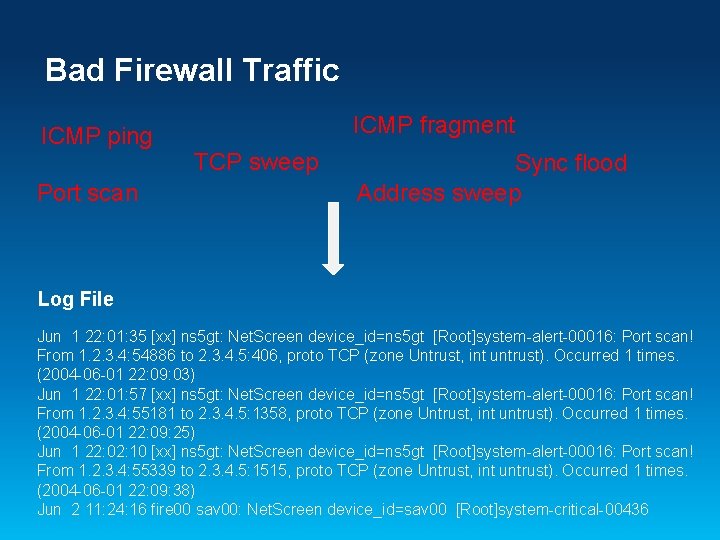
Bad Firewall Traffic ICMP ping Port scan ICMP fragment TCP sweep Sync flood Address sweep Log File Jun 1 22: 01: 35 [xx] ns 5 gt: Net. Screen device_id=ns 5 gt [Root]system-alert-00016: Port scan! From 1. 2. 3. 4: 54886 to 2. 3. 4. 5: 406, proto TCP (zone Untrust, int untrust). Occurred 1 times. (2004 -06 -01 22: 09: 03) Jun 1 22: 01: 57 [xx] ns 5 gt: Net. Screen device_id=ns 5 gt [Root]system-alert-00016: Port scan! From 1. 2. 3. 4: 55181 to 2. 3. 4. 5: 1358, proto TCP (zone Untrust, int untrust). Occurred 1 times. (2004 -06 -01 22: 09: 25) Jun 1 22: 02: 10 [xx] ns 5 gt: Net. Screen device_id=ns 5 gt [Root]system-alert-00016: Port scan! From 1. 2. 3. 4: 55339 to 2. 3. 4. 5: 1515, proto TCP (zone Untrust, int untrust). Occurred 1 times. (2004 -06 -01 22: 09: 38) Jun 2 11: 24: 16 fire 00 sav 00: Net. Screen device_id=sav 00 [Root]system-critical-00436
Firewall Security Log File Jun 1 22: 01: 35 [xx] ns 5 gt: Net. Screen device_id=ns 5 gt [Root]system-alert-00016: Port scan! From 1. 2. 3. 4: 54886 to 2. 3. 4. 5: 406, proto TCP (zone Untrust, int untrust). Occurred 1 times. (2004 -06 -01 22: 09: 03) Jun 1 22: 01: 57 [xx] ns 5 gt: Net. Screen device_id=ns 5 gt [Root]system-alert-00016: Port scan! From 1. 2. 3. 4: 55181 to 2. 3. 4. 5: 1358, proto TCP (zone Untrust, int untrust). Occurred 1 times. (2004 -06 -01 22: 09: 25) Jun 1 22: 02: 10 [xx] ns 5 gt: Net. Screen device_id=ns 5 gt [Root]system-alert-00016: Port scan! From 1. 2. 3. 4: 55339 to 2. 3. 4. 5: 1515, proto TCP (zone Untrust, int untrust). Occurred 1 times. (2004 -06 -01 22: 09: 38) Jun 2 11: 24: 16 fire 00 sav 00: Net. Screen device_id=sav 00 [Root]system-critical-00436 Important for v System monitoring, compliance, forensics Challenges v Too much information to go through v Can’t relate IP address to origin of traffic
Log File Transformation Jun 1 22: 01: 35 [xx] ns 5 gt: Net. Screen device_id=ns 5 gt [Root]system-alert-00016: Port scan! From 1. 2. 3. 4: 54886 to 2. 3. 4. 5: 406, proto TCP (zone Untrust, int untrust). Occurred 1 times. (2004 -06 -01 22: 09: 03) Jun 1 22: 01: 57 [xx] ns 5 gt: Net. Screen device_id=ns 5 gt [Root]system-alert-00016: Port scan! From 1. 2. 3. 4: 55181 to 2. 3. 4. 5: 1358, proto TCP (zone Untrust, int untrust). Occurred 1 times. (2004 -06 -01 22: 09: 25) Desired Outcome
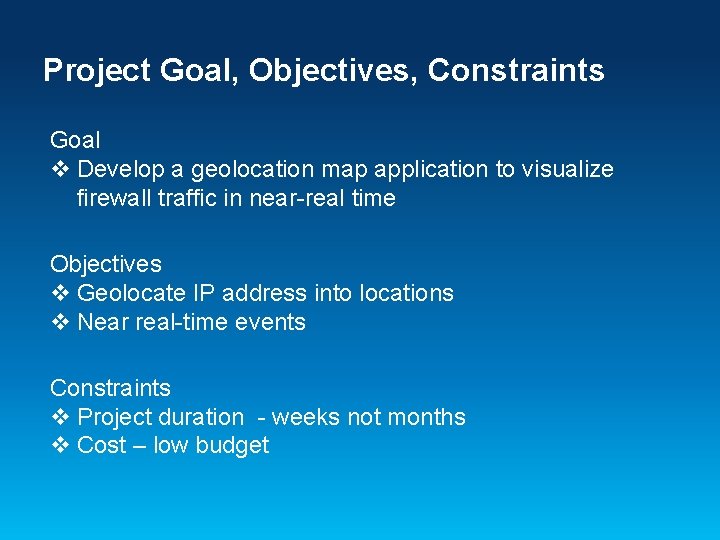
Project Goal, Objectives, Constraints Goal v Develop a geolocation map application to visualize firewall traffic in near-real time Objectives v Geolocate IP address into locations v Near real-time events Constraints v Project duration - weeks not months v Cost – low budget
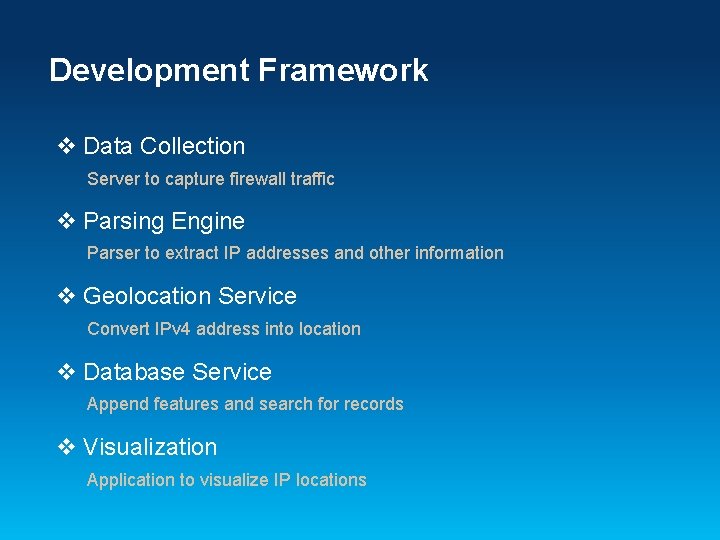
Development Framework v Data Collection Server to capture firewall traffic v Parsing Engine Parser to extract IP addresses and other information v Geolocation Service Convert IPv 4 address into location v Database Service Append features and search for records v Visualization Application to visualize IP locations
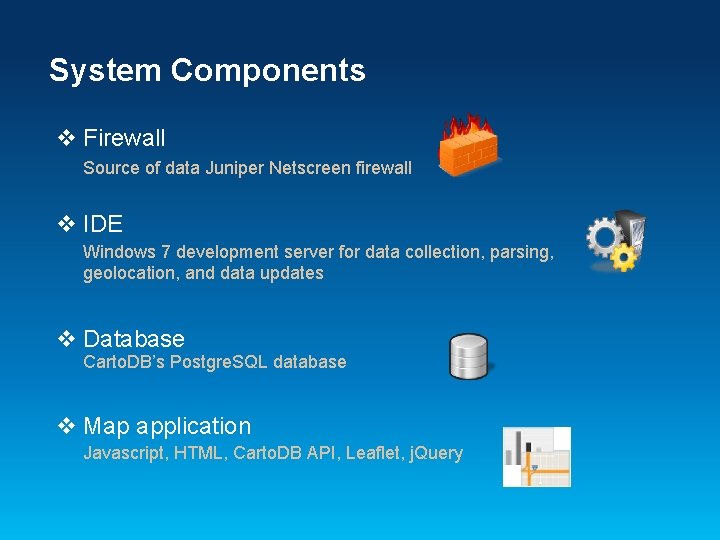
System Components v Firewall Source of data Juniper Netscreen firewall v IDE Windows 7 development server for data collection, parsing, geolocation, and data updates v Database Carto. DB’s Postgre. SQL database v Map application Javascript, HTML, Carto. DB API, Leaflet, j. Query
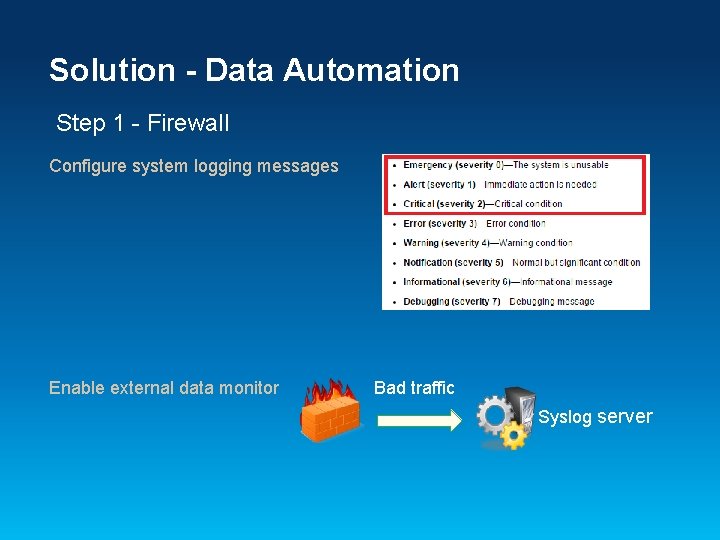
Solution - Data Automation Step 1 - Firewall Configure system logging messages Enable external data monitor Bad traffic Syslog server
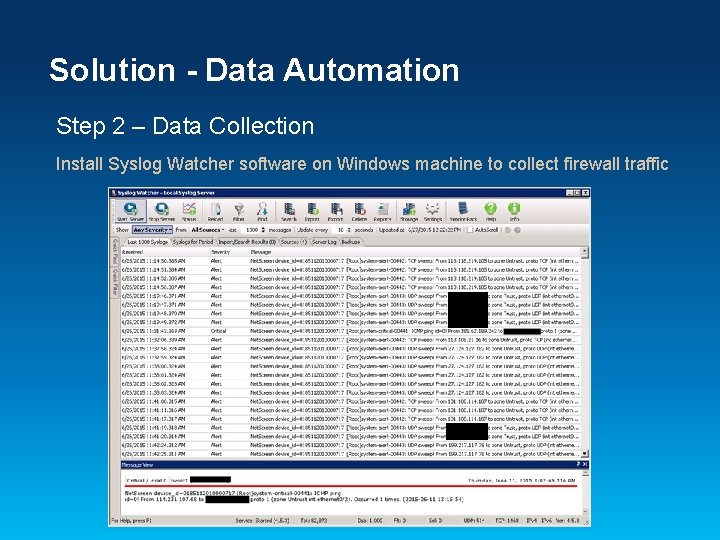
Solution - Data Automation Step 2 – Data Collection Install Syslog Watcher software on Windows machine to collect firewall traffic
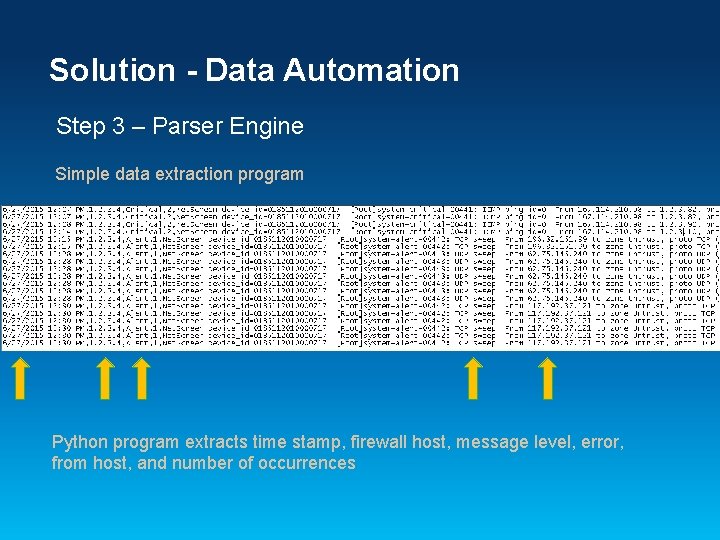
Solution - Data Automation Step 3 – Parser Engine Simple data extraction program Python program extracts time stamp, firewall host, message level, error, from host, and number of occurrences
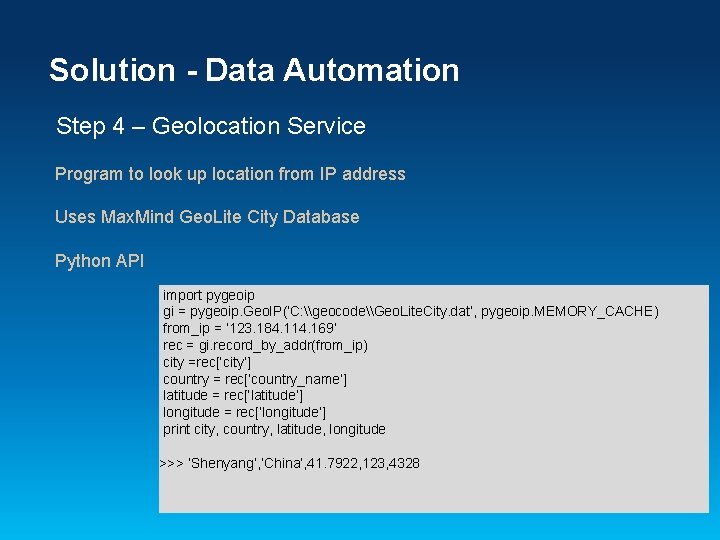
Solution - Data Automation Step 4 – Geolocation Service Program to look up location from IP address Uses Max. Mind Geo. Lite City Database Python API import pygeoip gi = pygeoip. Geo. IP(‘C: \geocode\Geo. Lite. City. dat‘, pygeoip. MEMORY_CACHE) from_ip = ‘ 123. 184. 114. 169’ rec = gi. record_by_addr(from_ip) city =rec[‘city’] country = rec[‘country_name’] latitude = rec[‘latitude’] longitude = rec[‘longitude’] print city, country, latitude, longitude >>> ‘Shenyang’, ’China’, 41. 7922, 123, 4328
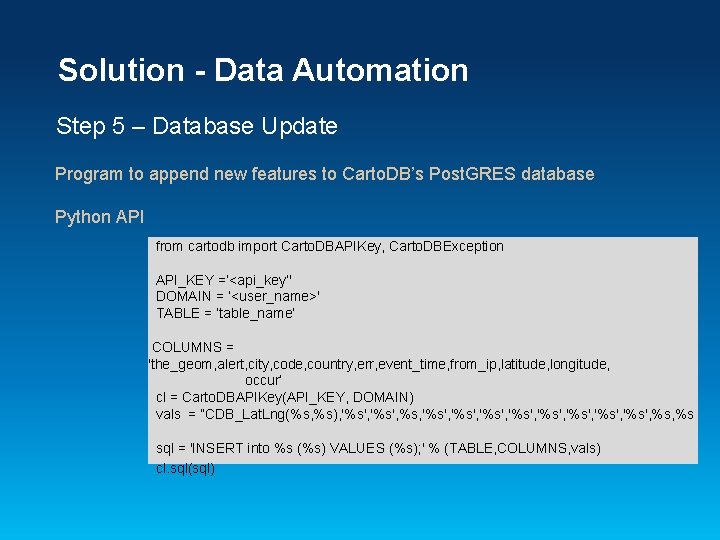
Solution - Data Automation Step 5 – Database Update Program to append new features to Carto. DB’s Post. GRES database Python API from cartodb import Carto. DBAPIKey, Carto. DBException API_KEY =‘<api_key’' DOMAIN = ‘<user_name>' TABLE = ‘table_name’ COLUMNS = 'the_geom, alert, city, code, country, err, event_time, from_ip, latitude, longitude, occur’ cl = Carto. DBAPIKey(API_KEY, DOMAIN) vals = “CDB_Lat. Lng(%s, %s), '%s', %s, '%s', '%s', %s sql = 'INSERT into %s (%s) VALUES (%s); ' % (TABLE, COLUMNS, vals) cl. sql(sql)
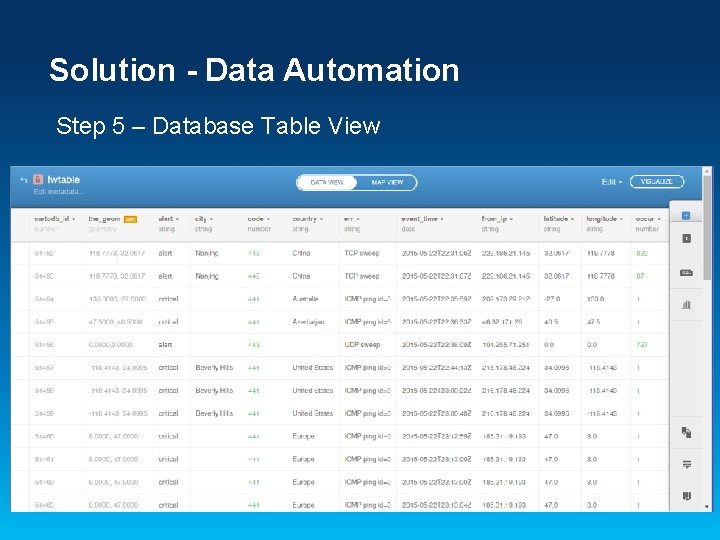
Solution - Data Automation Step 5 – Database Table View
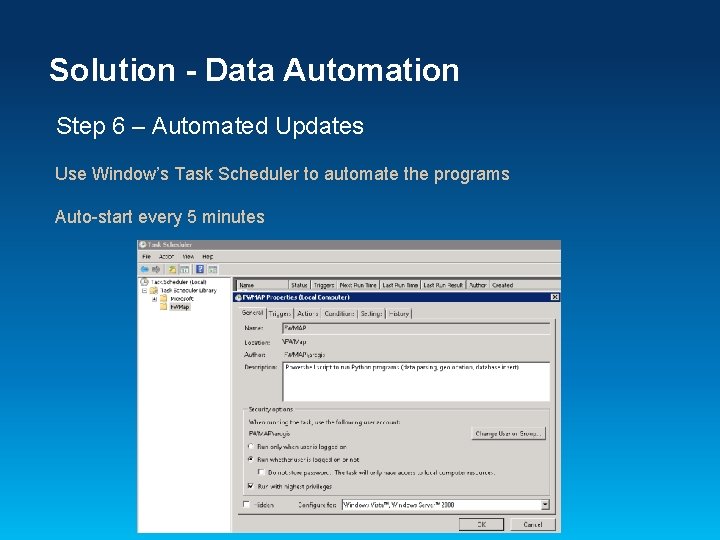
Solution - Data Automation Step 6 – Automated Updates Use Window’s Task Scheduler to automate the programs Auto-start every 5 minutes
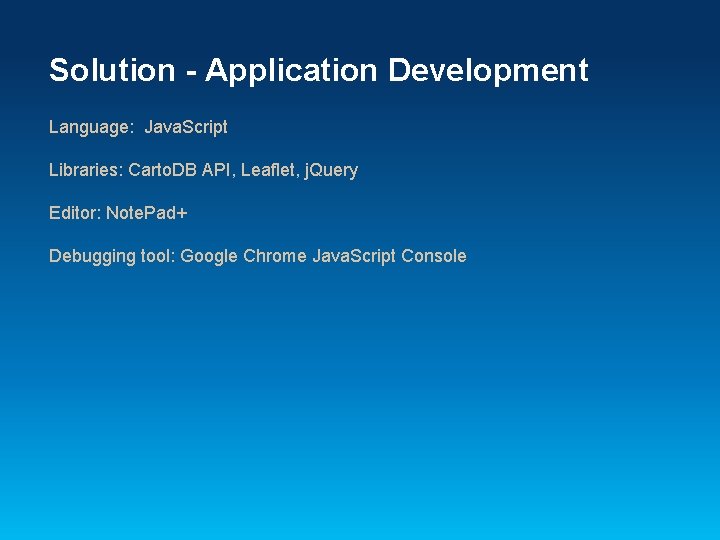
Solution - Application Development Language: Java. Script Libraries: Carto. DB API, Leaflet, j. Query Editor: Note. Pad+ Debugging tool: Google Chrome Java. Script Console
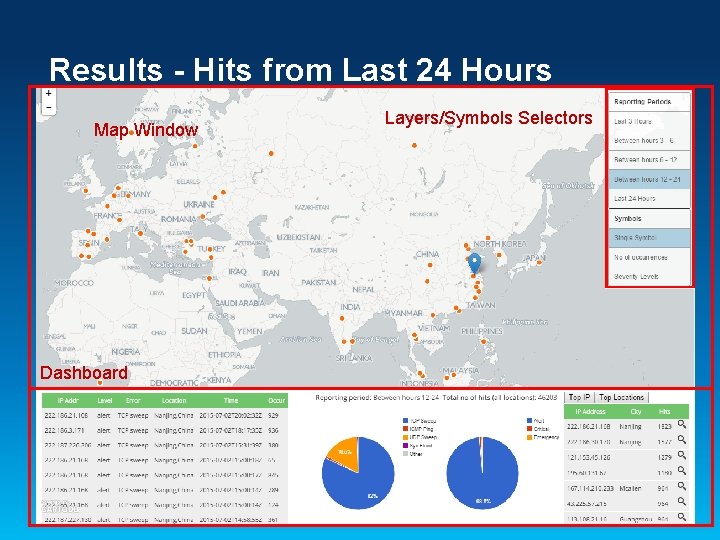
Results - Hits from Last 24 Hours Map Window Dashboard Layers/Symbols Selectors
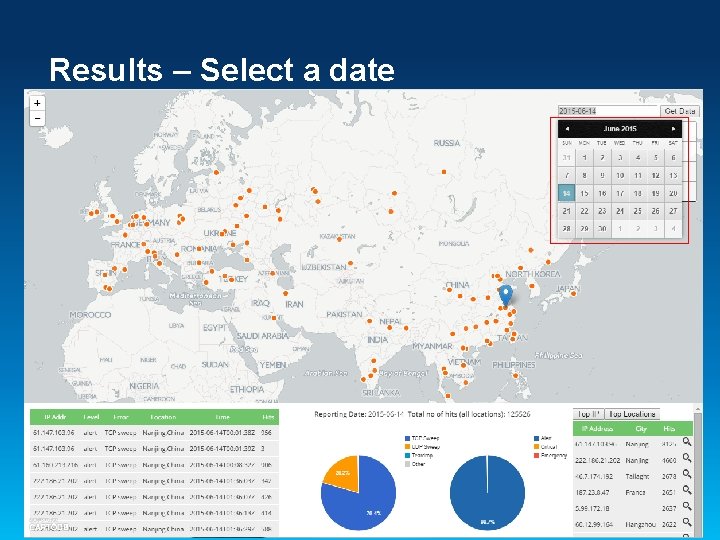
Results – Select a date
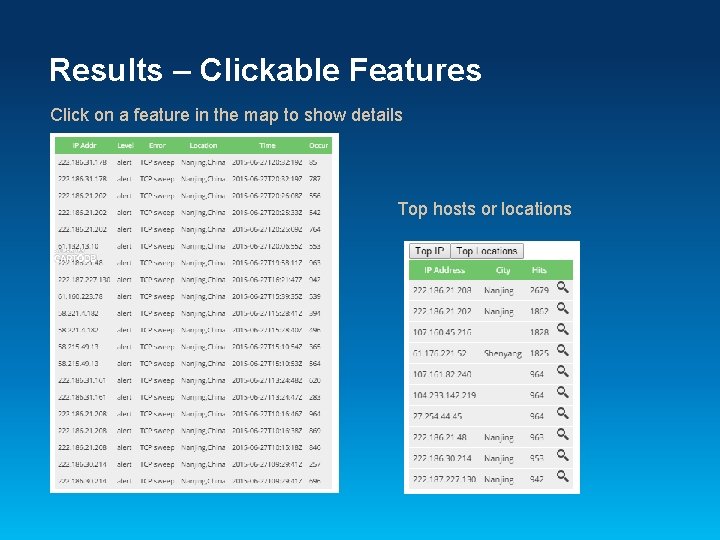
Results – Clickable Features Click on a feature in the map to show details Top hosts or locations
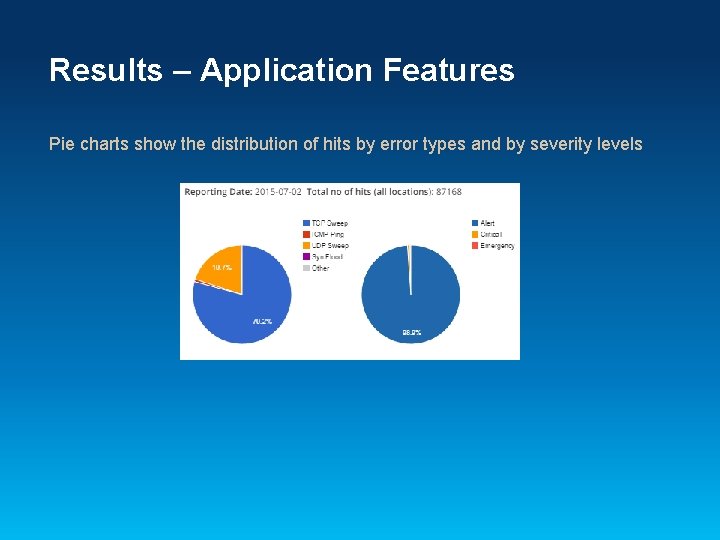
Results – Application Features Pie charts show the distribution of hits by error types and by severity levels
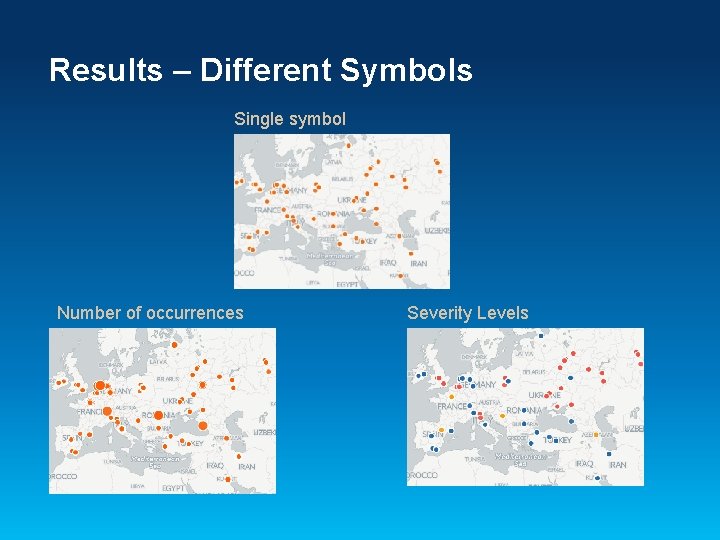
Results – Different Symbols Single symbol Number of occurrences Severity Levels
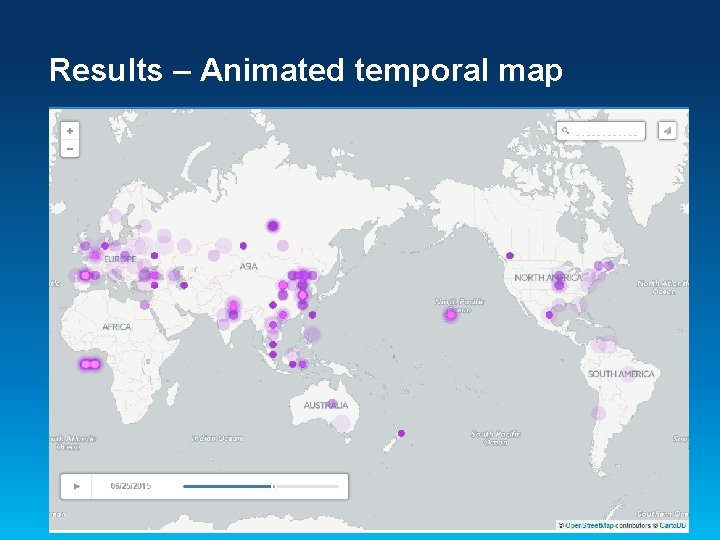
Results – Animated temporal map
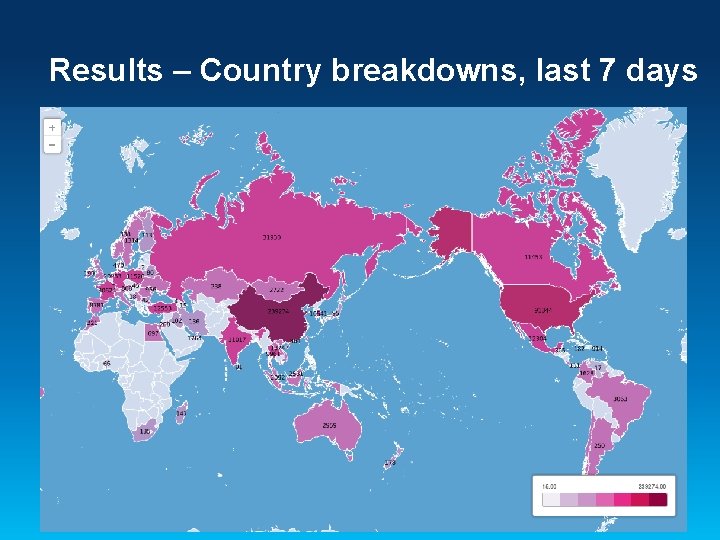
Results – Country breakdowns, last 7 days
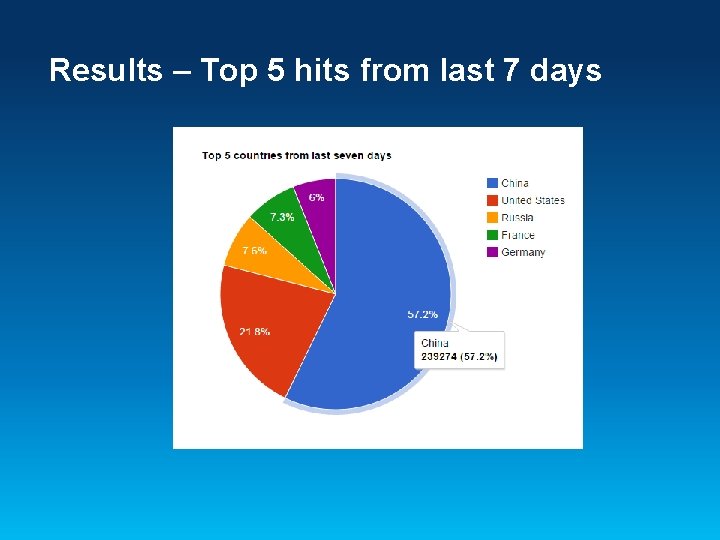
Results – Top 5 hits from last 7 days
Conclusions ü Web-based GIS map application ü Live dynamic data ü Leverage cloud infrastructure ü Low-cost solution
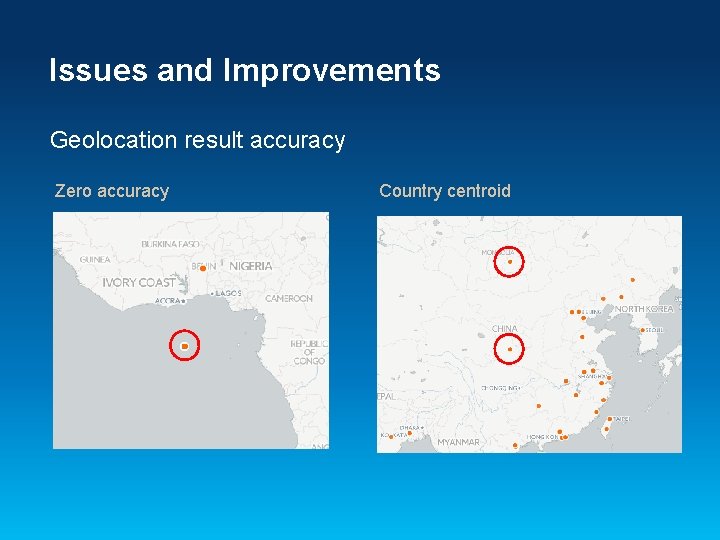
Issues and Improvements Geolocation result accuracy Zero accuracy Country centroid
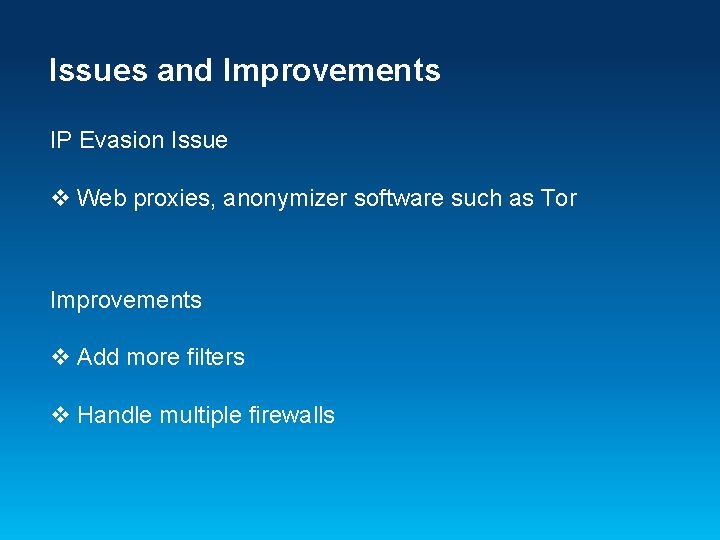
Issues and Improvements IP Evasion Issue v Web proxies, anonymizer software such as Tor Improvements v Add more filters v Handle multiple firewalls
Questions
Juliana Lo Pacific Disaster Center Email: jlo@pdc. org