
GETTING THE BEST OUT OF AN MDG Presented
GETTING THE BEST OUT OF AN MDG Presented by Phil Chudley © 2020 Dunstan Thomas Consulting Limited

Agenda An MDG Defined The Typical Contents of an MDG Extras that can be Added to Make an MDG “Sing & Dance” Workflow for the Development of an MDG Recommended Folder Structure / Names for MDG Files An Example MDG Demonstration of of an MDG Questions & Answers
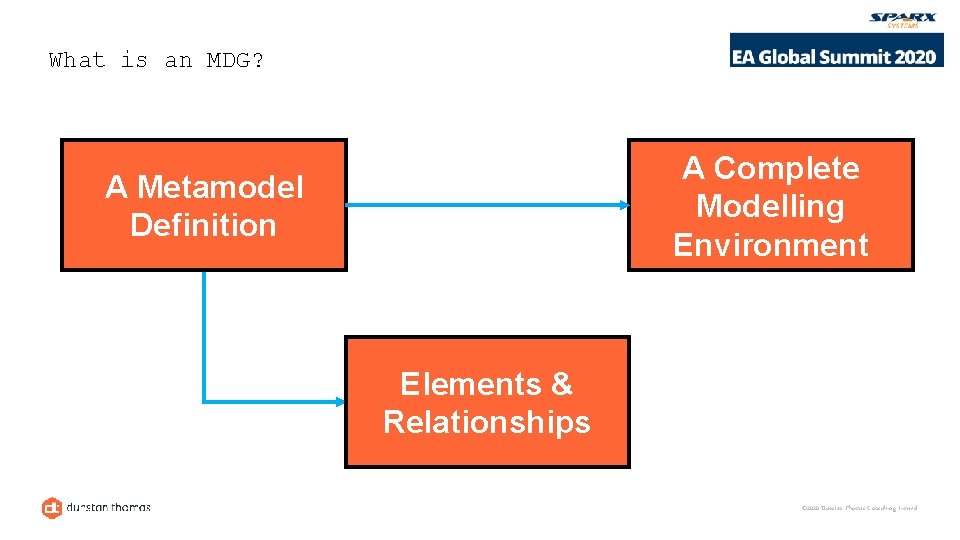
What is an MDG? A Complete Modelling Environment A Metamodel Definition Elements & Relationships © 2020 Dunstan Thomas Consulting Limited
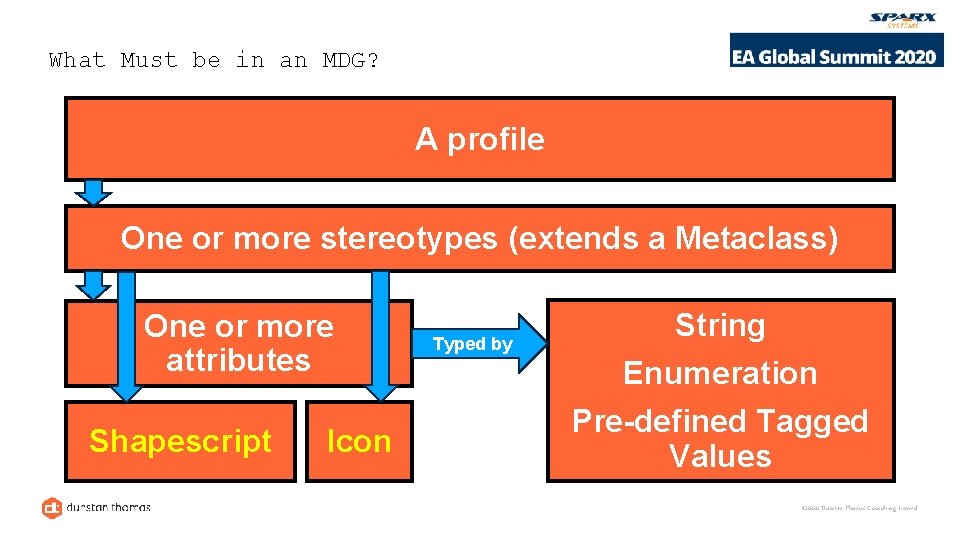
What Must be in an MDG? A profile One or more stereotypes (extends a Metaclass) One or more attributes Shapescript Icon Typed by String Enumeration Pre-defined Tagged Values © 2020 Dunstan Thomas Consulting Limited
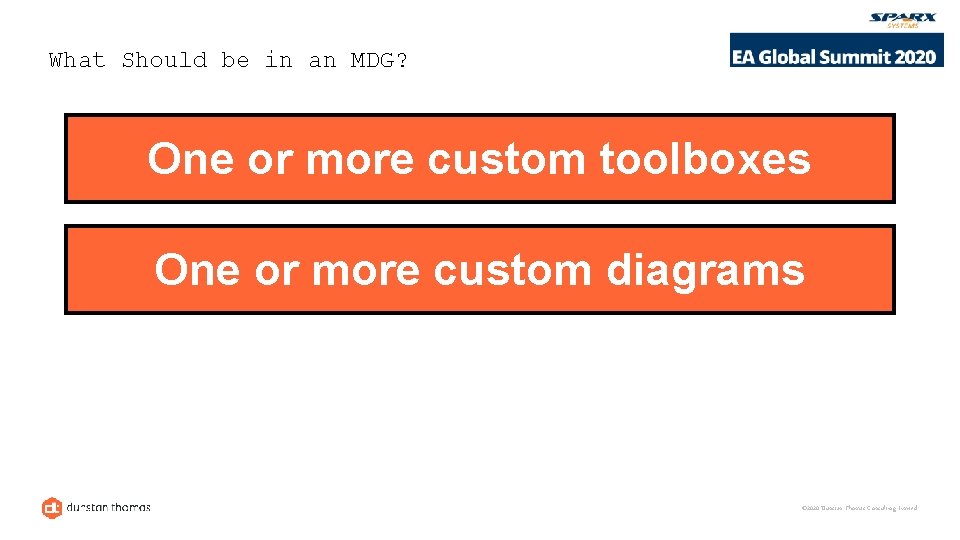
What Should be in an MDG? One or more custom toolboxes One or more custom diagrams © 2020 Dunstan Thomas Consulting Limited
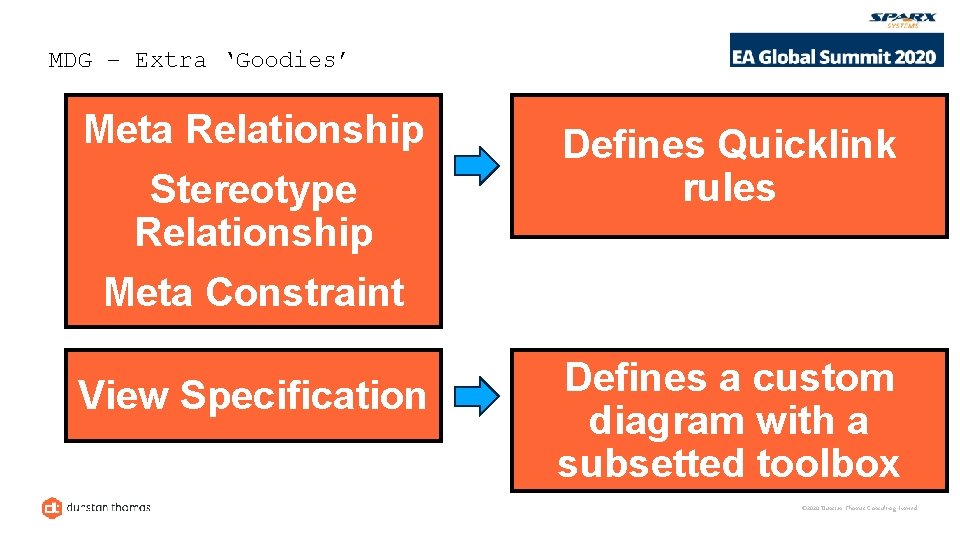
MDG – Extra ‘Goodies’ Meta Relationship Stereotype Relationship Meta Constraint Defines Quicklink rules View Specification Defines a custom diagram with a subsetted toolbox © 2020 Dunstan Thomas Consulting Limited
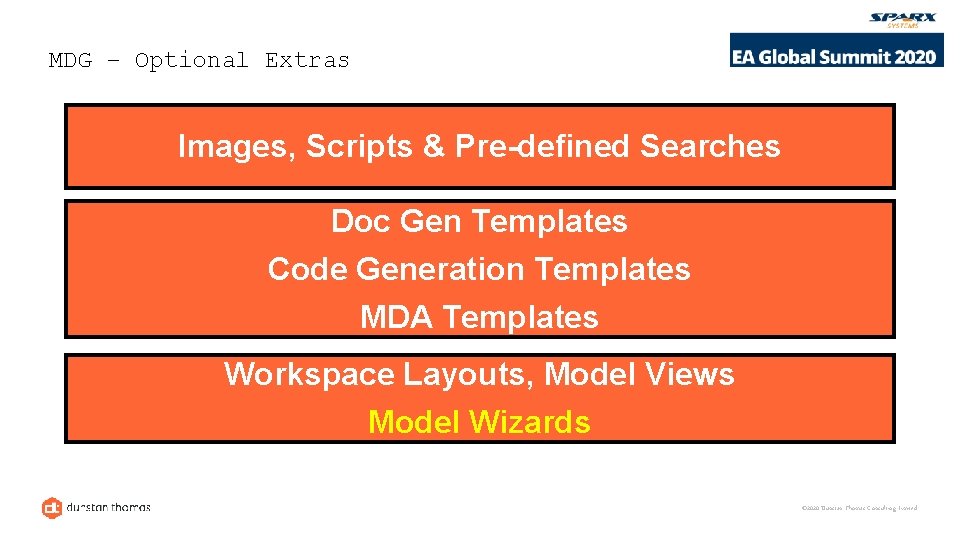
MDG – Optional Extras Images, Scripts & Pre-defined Searches Doc Gen Templates Code Generation Templates MDA Templates Workspace Layouts, Model Views Model Wizards © 2020 Dunstan Thomas Consulting Limited
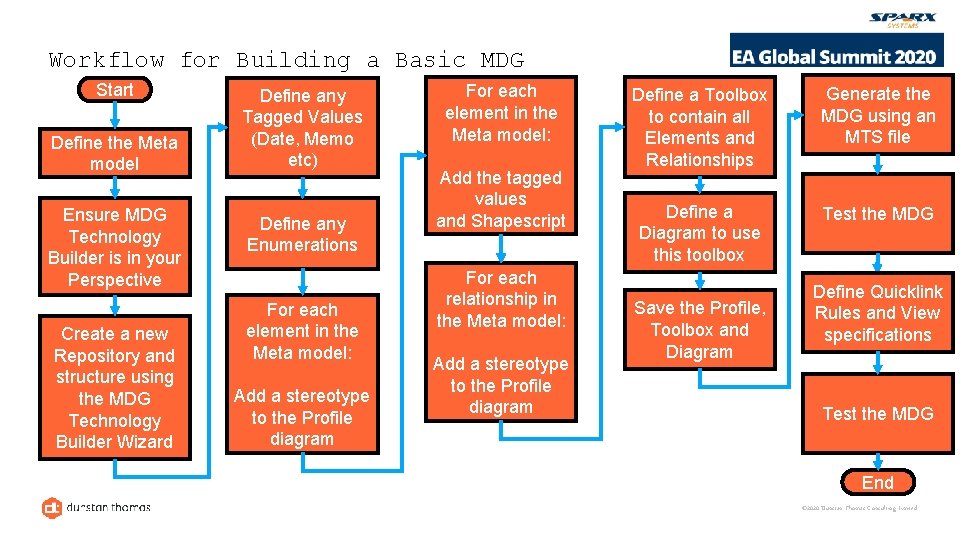
Workflow for Building a Basic MDG Start Define the Meta model Ensure MDG Technology Builder is in your Perspective Create a new Repository and structure using the MDG Technology Builder Wizard Define any Tagged Values (Date, Memo etc) Define any Enumerations For each element in the Meta model: Add a stereotype to the Profile diagram For each element in the Meta model: Add the tagged values and Shapescript For each relationship in the Meta model: Add a stereotype to the Profile diagram Define a Toolbox to contain all Elements and Relationships Generate the MDG using an MTS file Define a Diagram to use this toolbox Test the MDG Save the Profile, Toolbox and Diagram Define Quicklink Rules and View specifications Test the MDG End © 2020 Dunstan Thomas Consulting Limited
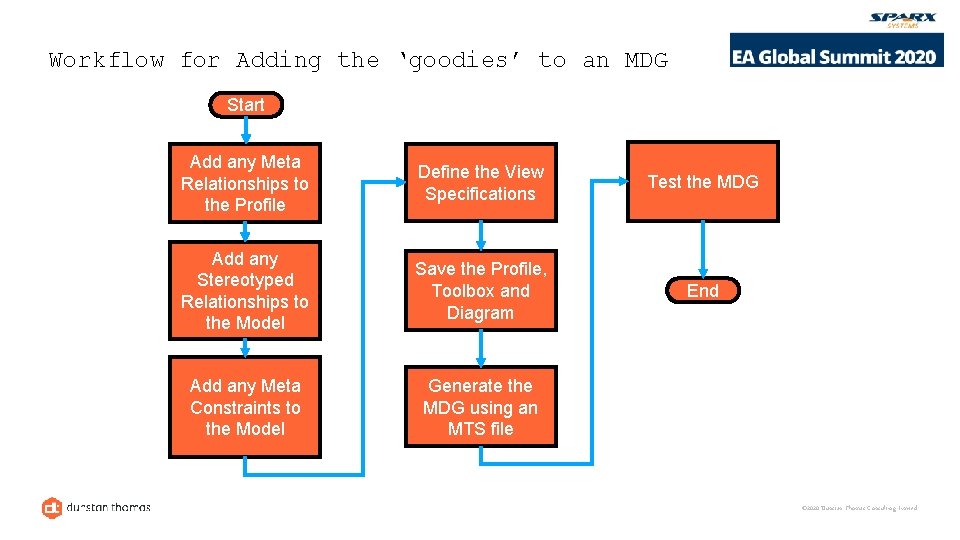
Workflow for Adding the ‘goodies’ to an MDG Start Add any Meta Relationships to the Profile Define the View Specifications Test the MDG Add any Stereotyped Relationships to the Model Save the Profile, Toolbox and Diagram End Add any Meta Constraints to the Model Generate the MDG using an MTS file © 2020 Dunstan Thomas Consulting Limited
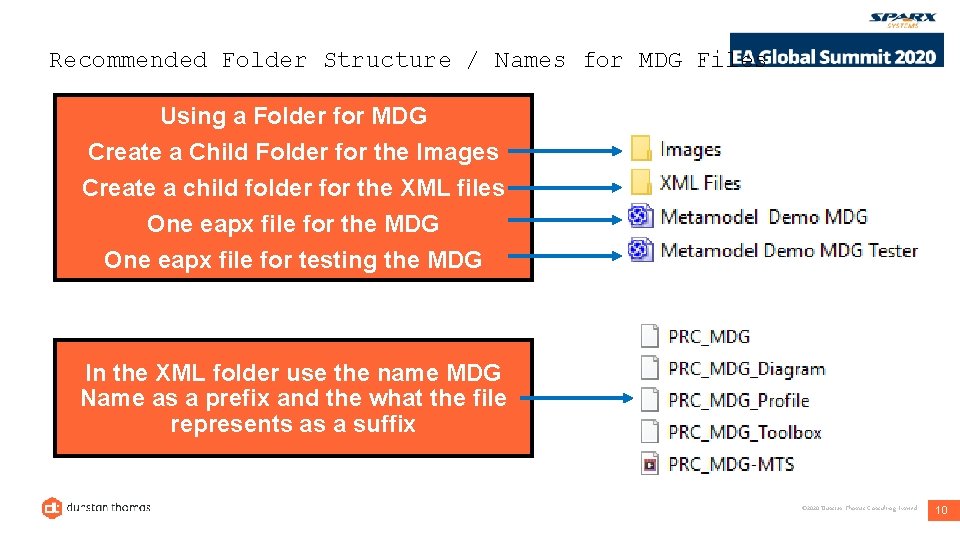
Recommended Folder Structure / Names for MDG Files Using a Folder for MDG Create a Child Folder for the Images Create a child folder for the XML files One eapx file for the MDG One eapx file for testing the MDG In the XML folder use the name MDG Name as a prefix and the what the file represents as a suffix © 2020 Dunstan Thomas Consulting Limited 10
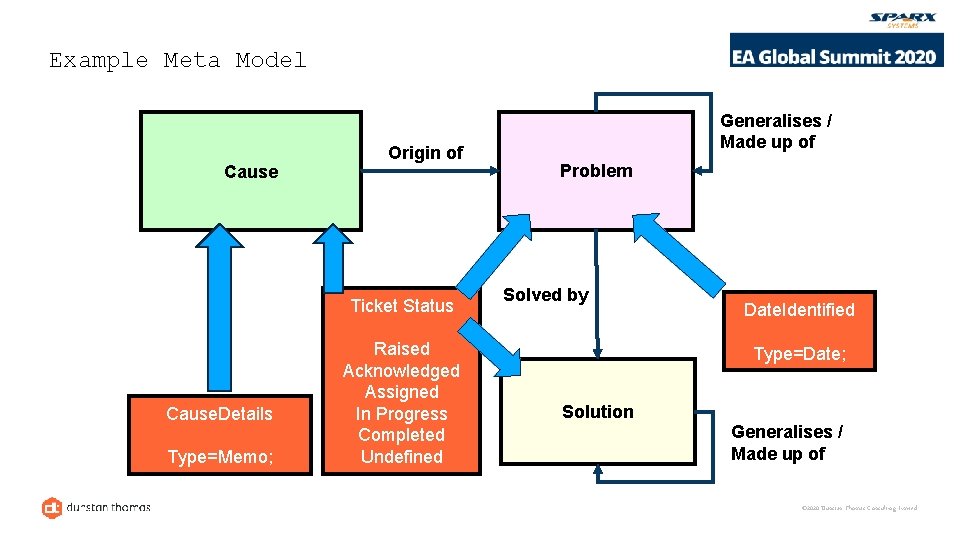
Example Meta Model Cause Origin of Ticket Status Cause. Details Type=Memo; Raised Acknowledged Assigned In Progress Completed Undefined Generalises / Made up of Problem Solved by Date. Identified Type=Date; Solution Generalises / Made up of © 2020 Dunstan Thomas Consulting Limited
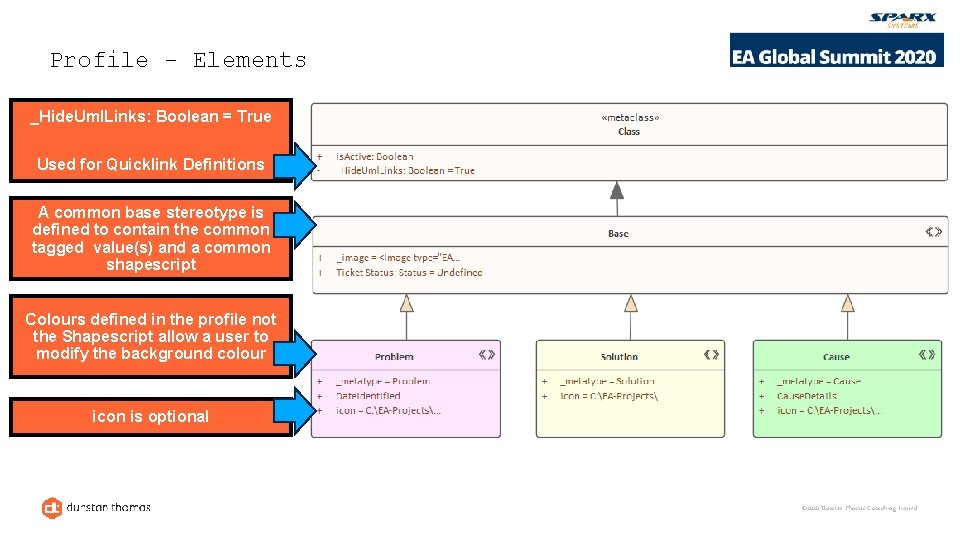
Profile - Elements _Hide. Uml. Links: Boolean = True Used for Quicklink Definitions A common base stereotype is defined to contain the common tagged value(s) and a common shapescript Colours defined in the profile not the Shapescript allow a user to modify the background colour icon is optional © 2020 Dunstan Thomas Consulting Limited
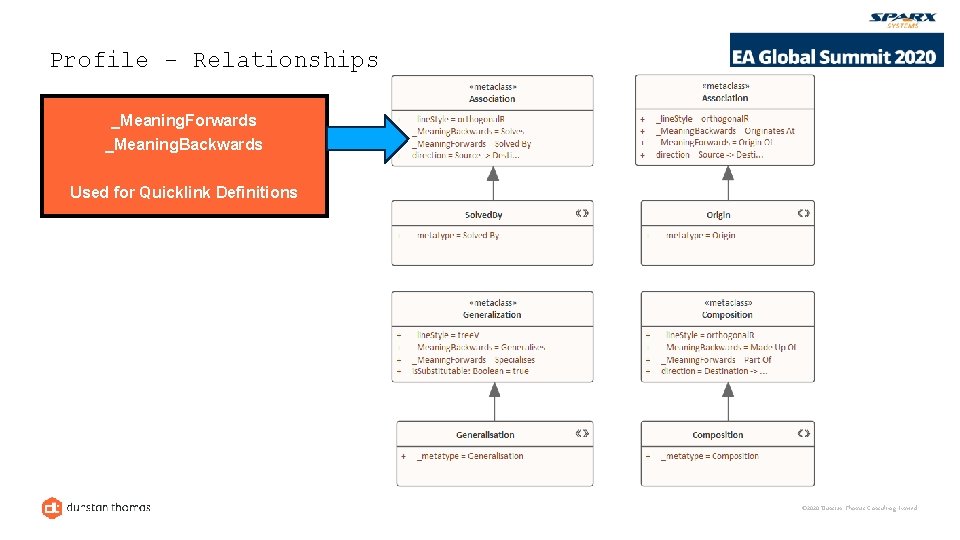
Profile - Relationships _Meaning. Forwards _Meaning. Backwards Used for Quicklink Definitions © 2020 Dunstan Thomas Consulting Limited
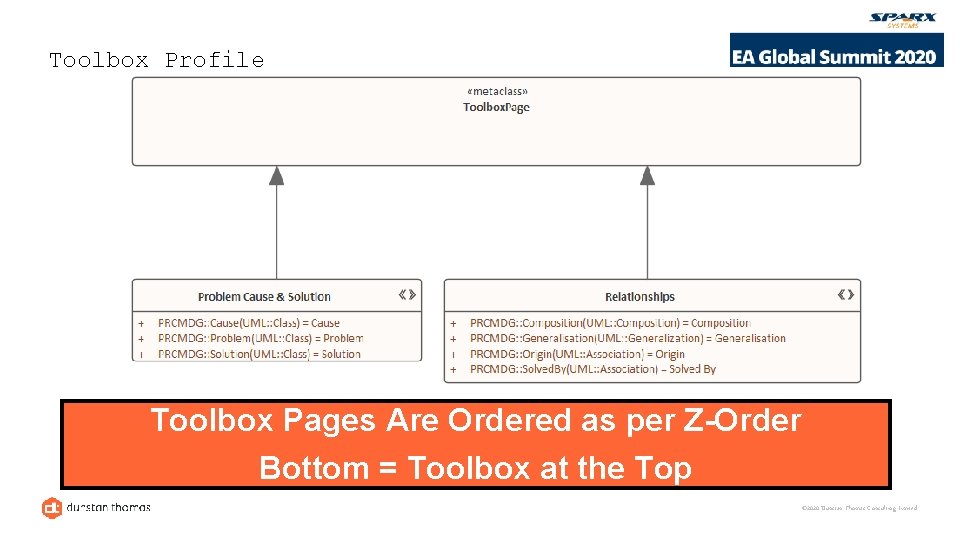
Toolbox Profile Toolbox Pages Are Ordered as per Z-Order Bottom = Toolbox at the Top © 2020 Dunstan Thomas Consulting Limited
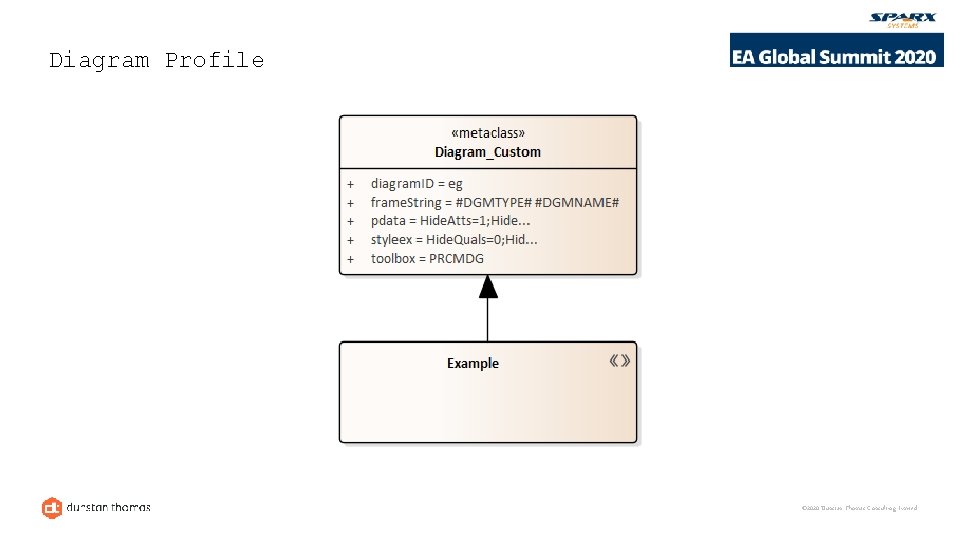
Diagram Profile © 2020 Dunstan Thomas Consulting Limited
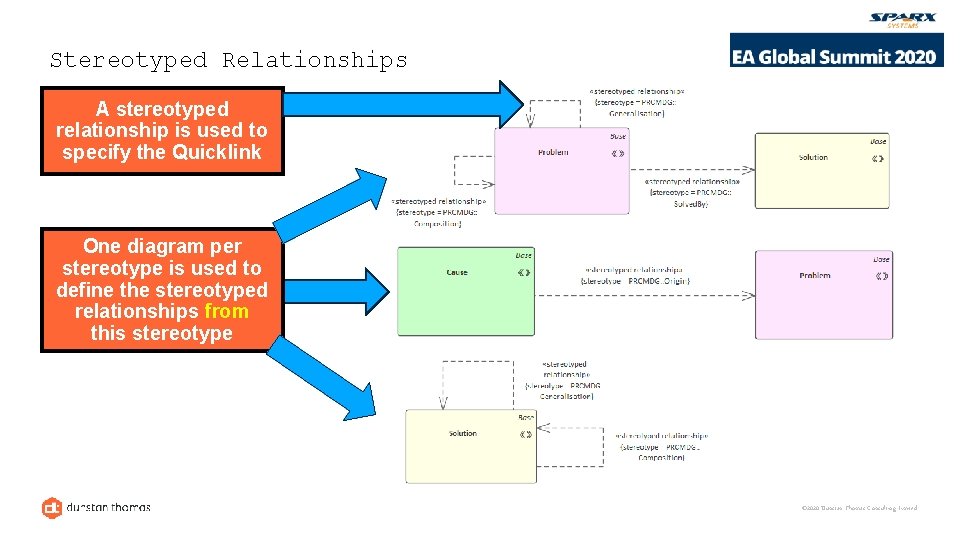
Stereotyped Relationships A stereotyped relationship is used to specify the Quicklink One diagram per stereotype is used to define the stereotyped relationships from this stereotype © 2020 Dunstan Thomas Consulting Limited
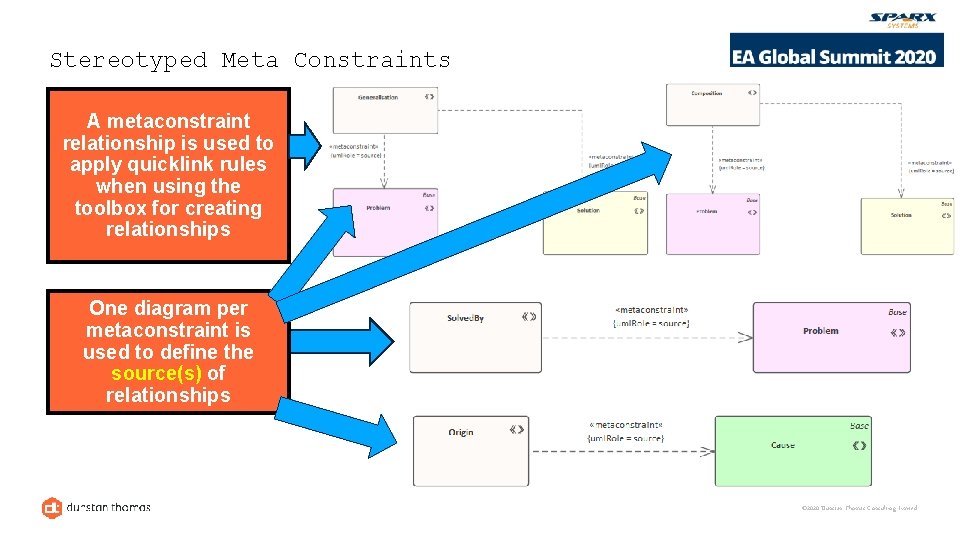
Stereotyped Meta Constraints A metaconstraint relationship is used to apply quicklink rules when using the toolbox for creating relationships One diagram per metaconstraint is used to define the source(s) of relationships © 2020 Dunstan Thomas Consulting Limited
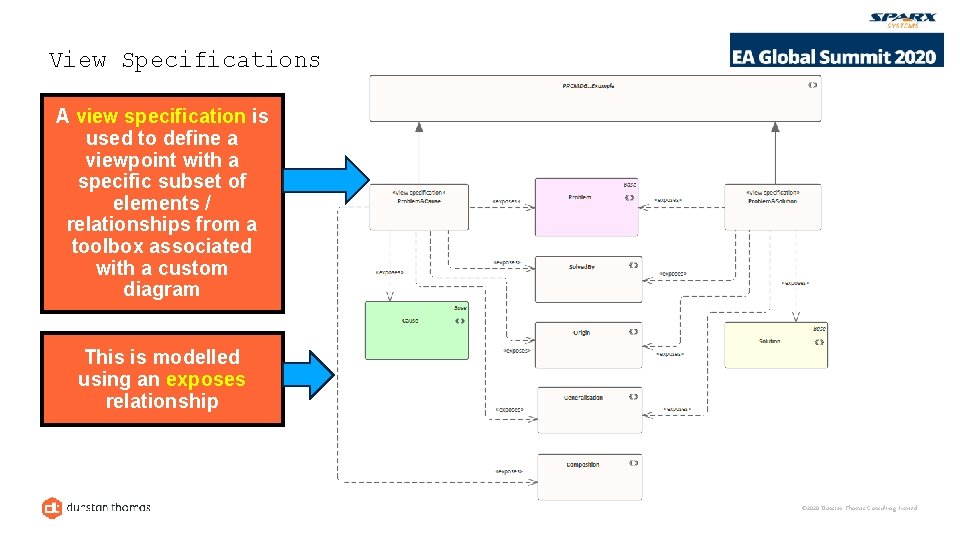
View Specifications A view specification is used to define a viewpoint with a specific subset of elements / relationships from a toolbox associated with a custom diagram This is modelled using an exposes relationship © 2020 Dunstan Thomas Consulting Limited
Demonstration © 2020 Dunstan Thomas Consulting Limited
Questions? © 2020 Dunstan Thomas Consulting Limited
- Slides: 20