
Getting Started with Windows XP Butler County Community
Getting Started with Windows® XP Butler County Community College Adult and Community Education Tracey L. Fisher 1
Course Overview – Week 1 n n Terminology Start Windows and Use the Mouse Use the Start Button and the Taskbar Work with a Window 2
Course Overview – Week 2 n n n Manage Files Using Windows Explorer Create Files and Folders Develop File Management System 3
Course Overview – Week 3 n n n Control Panel Windows Desktop Properties System Tools Maintaining Windows 4
Objectives – Week 1 n n Terminology Start Windows and Use the Mouse Use the Start Button and the Taskbar Work with a Window 5
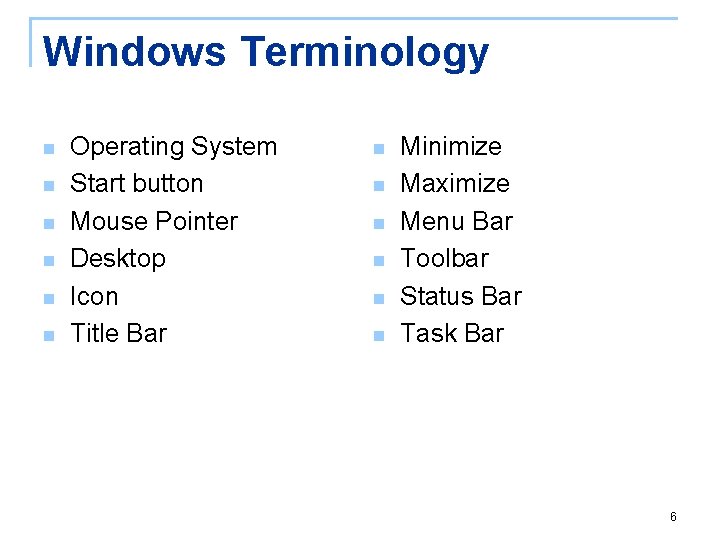
Windows Terminology n n n Operating System Start button Mouse Pointer Desktop Icon Title Bar n n n Minimize Maximize Menu Bar Toolbar Status Bar Task Bar 6
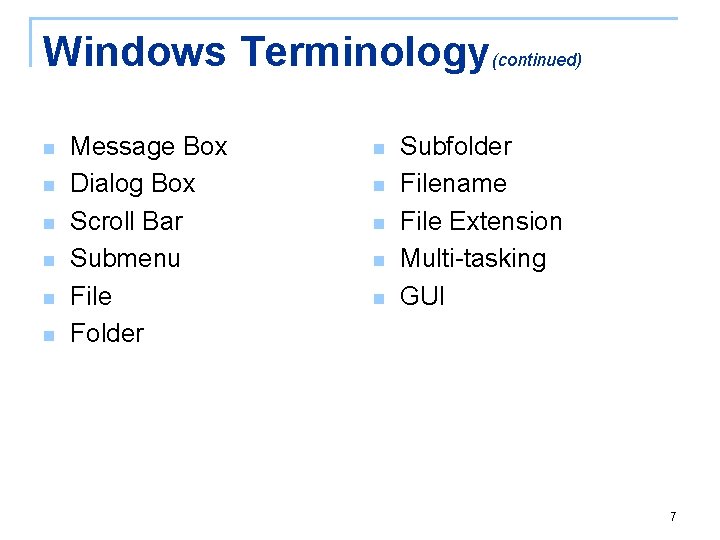
Windows Terminology (continued) n n n Message Box Dialog Box Scroll Bar Submenu File Folder n n n Subfolder Filename File Extension Multi-tasking GUI 7
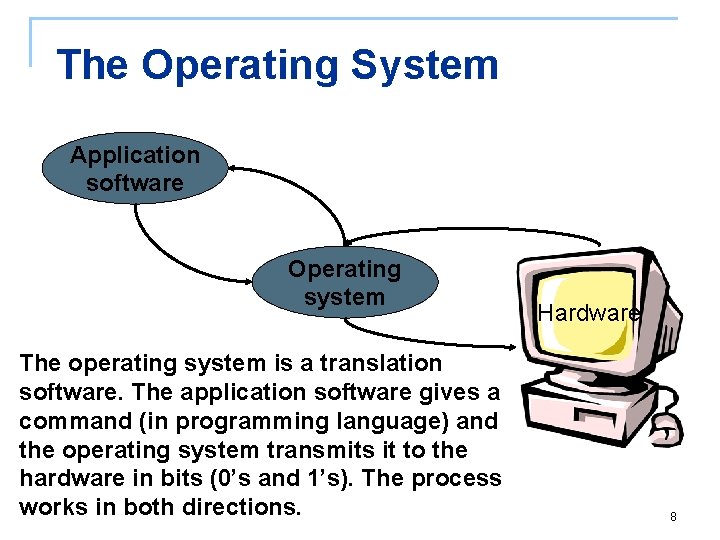
The Operating System Application software Operating system The operating system is a translation software. The application software gives a command (in programming language) and the operating system transmits it to the hardware in bits (0’s and 1’s). The process works in both directions. Hardware 8
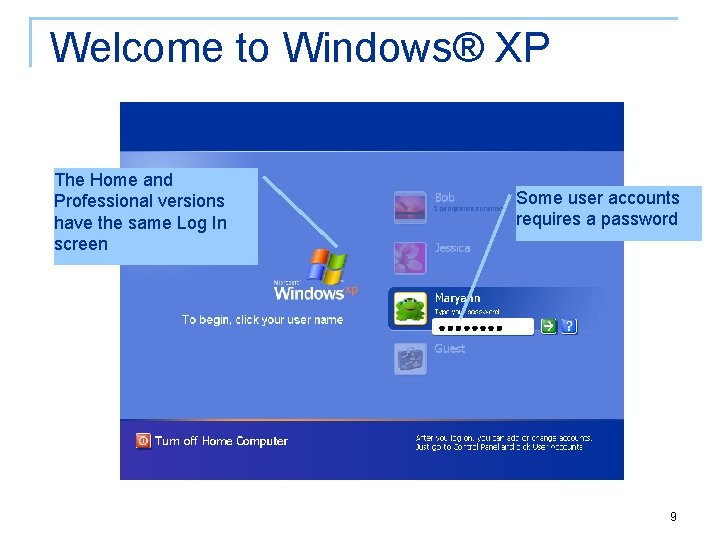
Welcome to Windows® XP The Home and Professional versions have the same Log In screen Some user accounts requires a password 9
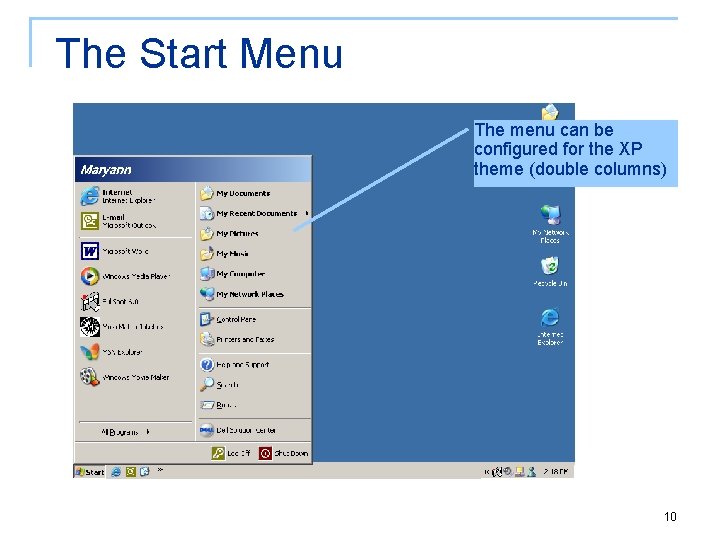
The Start Menu The menu can be configured for the XP theme (double columns) fig 2 a and b 10
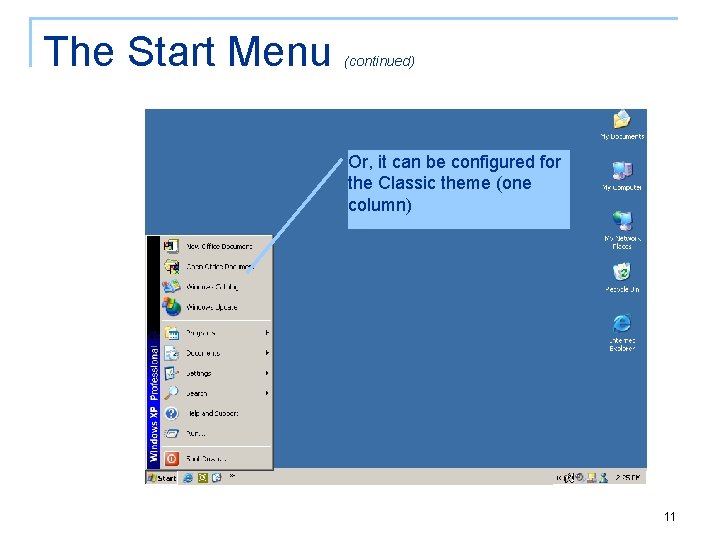
The Start Menu (continued) Or, it can be configured for the Classic theme (one column) 11
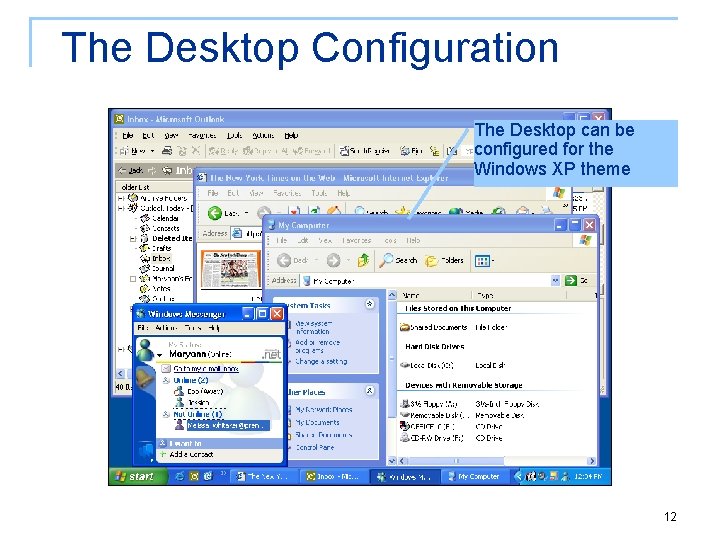
The Desktop Configuration The Desktop can be configured for the Windows XP theme 12
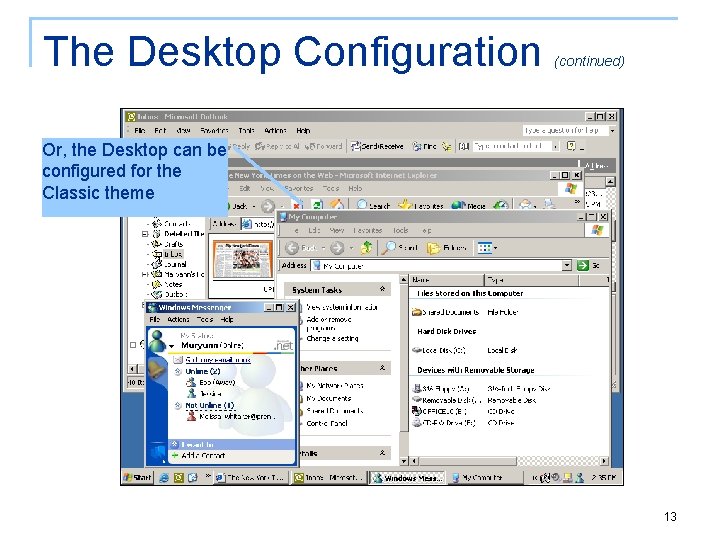
The Desktop Configuration (continued) Or, the Desktop can be configured for the Classic theme 13
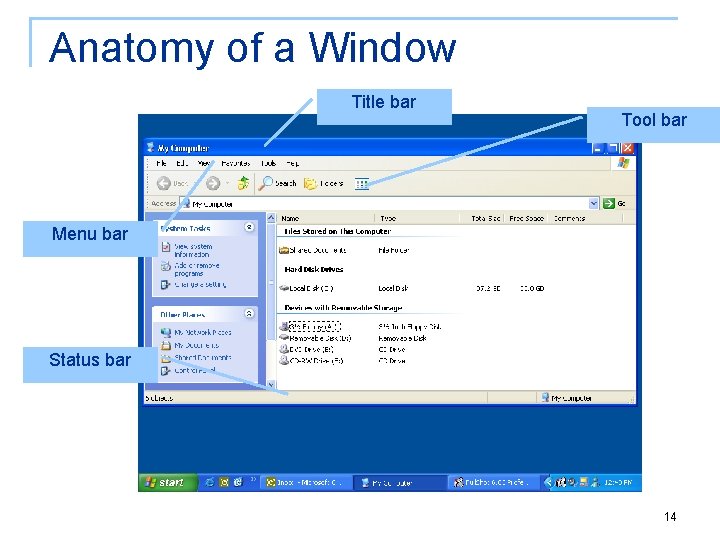
Anatomy of a Window Title bar Tool bar Menu bar Status bar 14
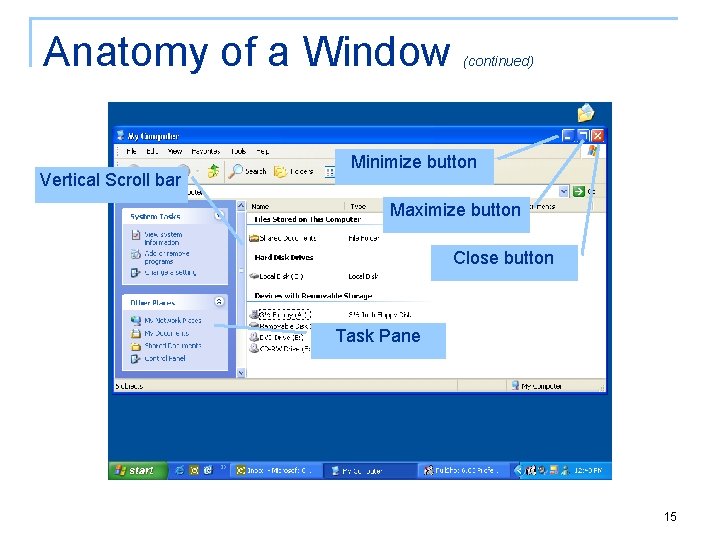
Anatomy of a Window Vertical Scroll bar (continued) Minimize button Maximize button Close button Task Pane 15
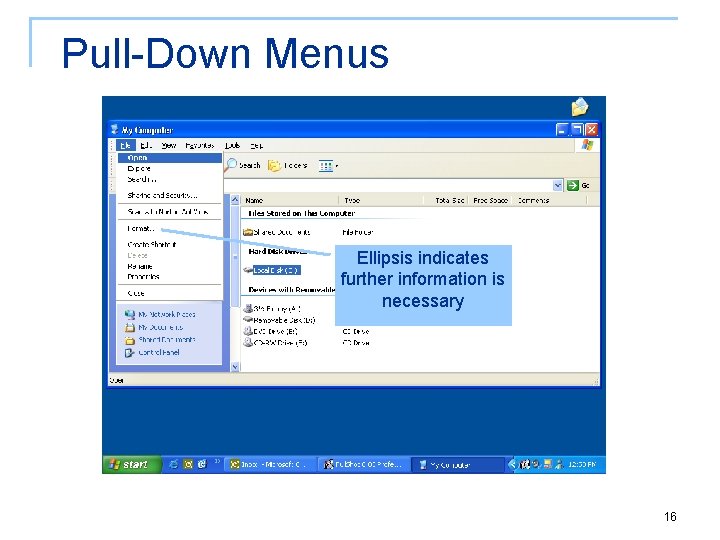
Pull-Down Menus Ellipsis indicates further information is necessary 16
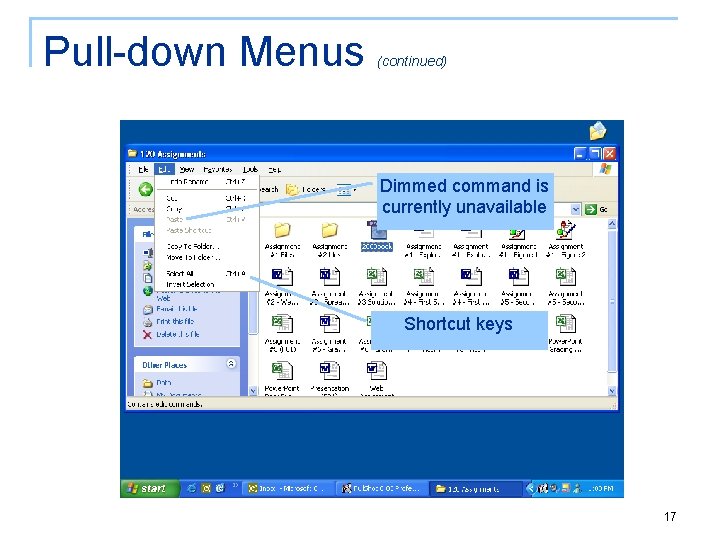
Pull-down Menus (continued) Dimmed command is currently unavailable Shortcut keys 17
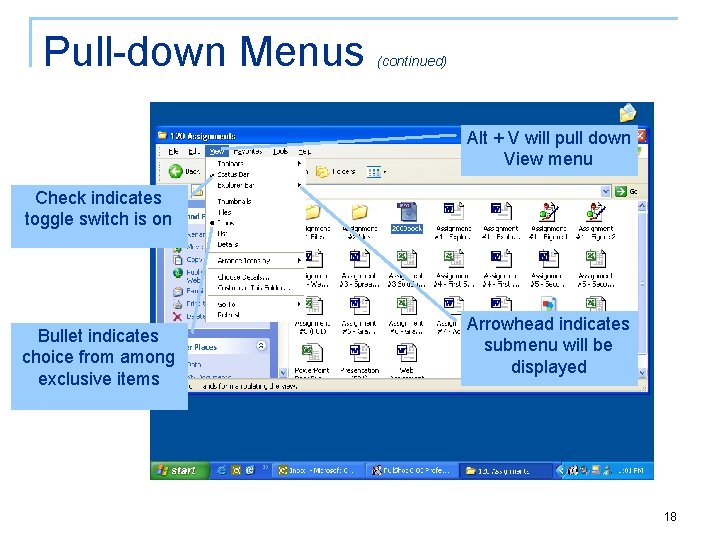
Pull-down Menus (continued) Alt + V will pull down View menu Check indicates toggle switch is on Bullet indicates choice from among exclusive items Arrowhead indicates submenu will be displayed 18
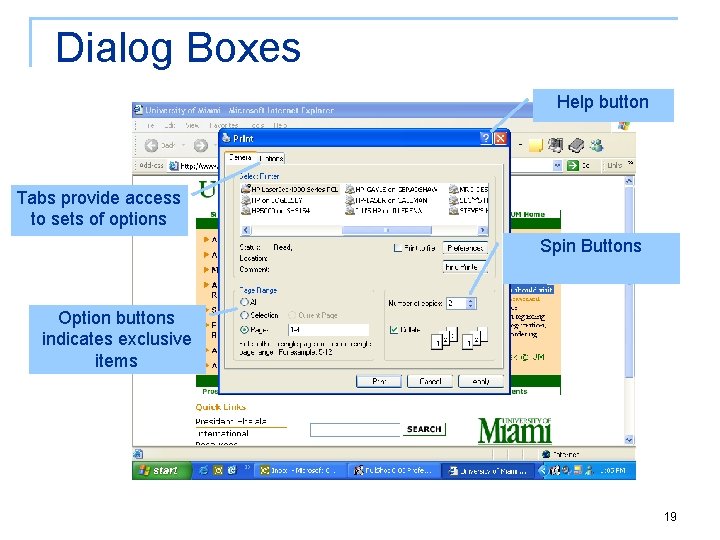
Dialog Boxes Help button Tabs provide access to sets of options Spin Buttons Option buttons indicates exclusive items 19
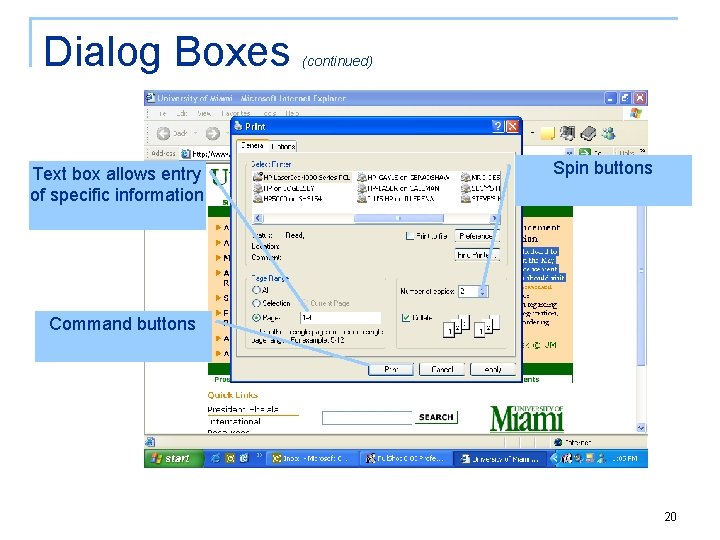
Dialog Boxes Text box allows entry of specific information (continued) Spin buttons Command buttons 20
Objectives – Week 2 n n n Manage Files Using Windows Explorer Create Files and Folders Develop File Management System 21
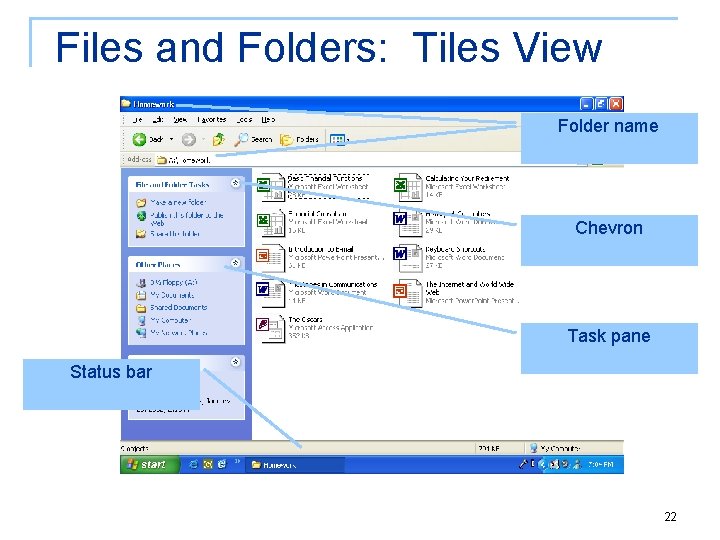
Files and Folders: Tiles View Folder name Chevron Task pane Status bar 22
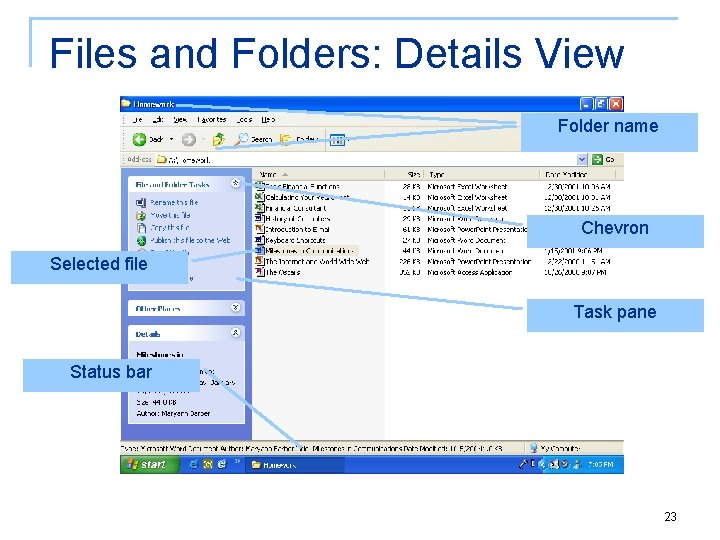
Files and Folders: Details View Folder name Chevron Selected file Task pane Status bar 23
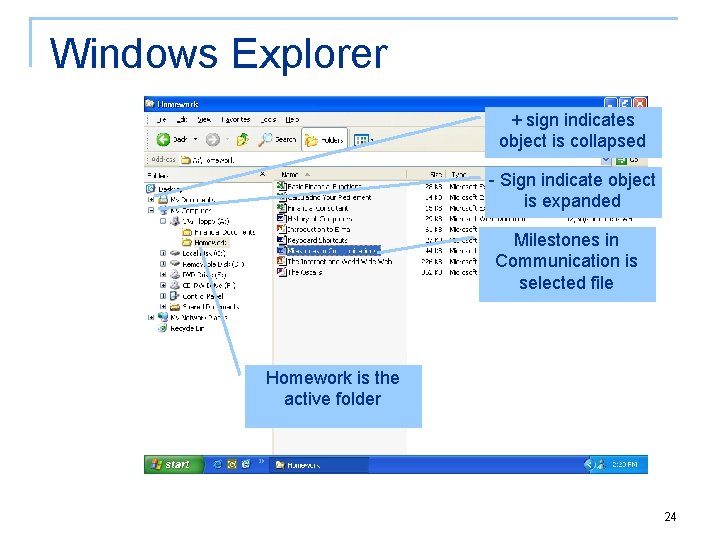
Windows Explorer + sign indicates object is collapsed - Sign indicate object is expanded Milestones in Communication is selected file Homework is the active folder 24
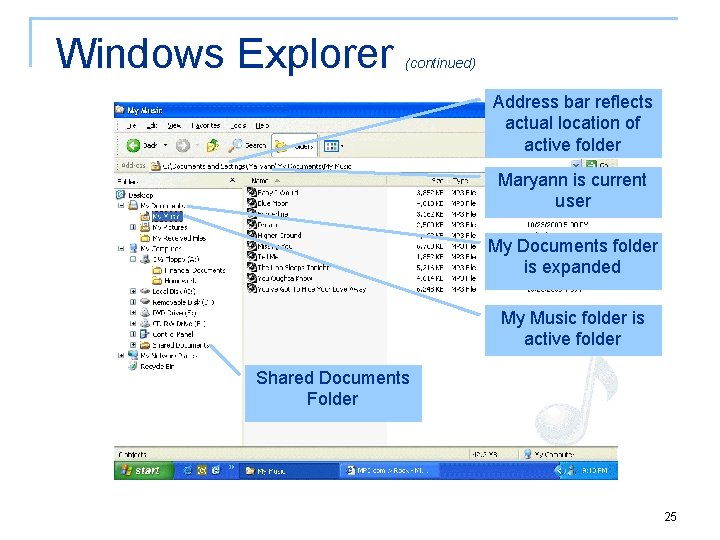
Windows Explorer (continued) Address bar reflects actual location of active folder Maryann is current user My Documents folder is expanded My Music folder is active folder Shared Documents Folder 25
Windows Explorer n Moving and Copying a File q q n Click and drag Copy and Paste Deleting a File q q n (continued) Del key Recycle Bin Backup q q Backup strategy Copy files 26
Week 3 - Miscellaneous n n Windows Desktop Properties System Tools Maintaining Windows 27
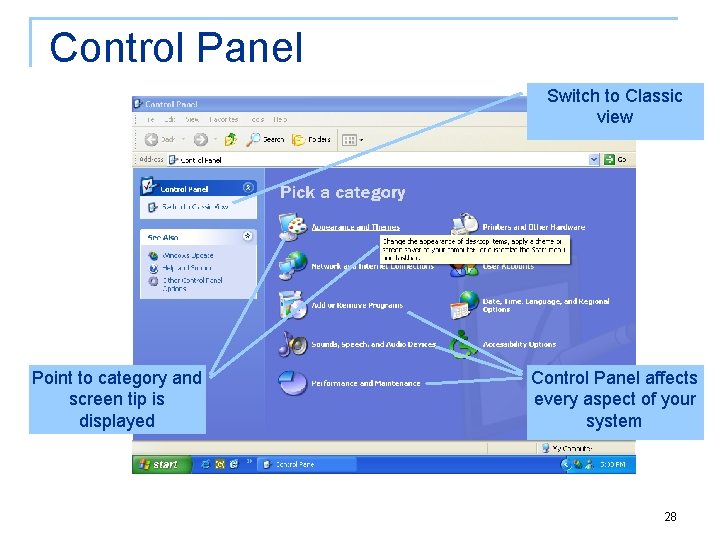
Control Panel Switch to Classic view Point to category and screen tip is displayed Control Panel affects every aspect of your system 28
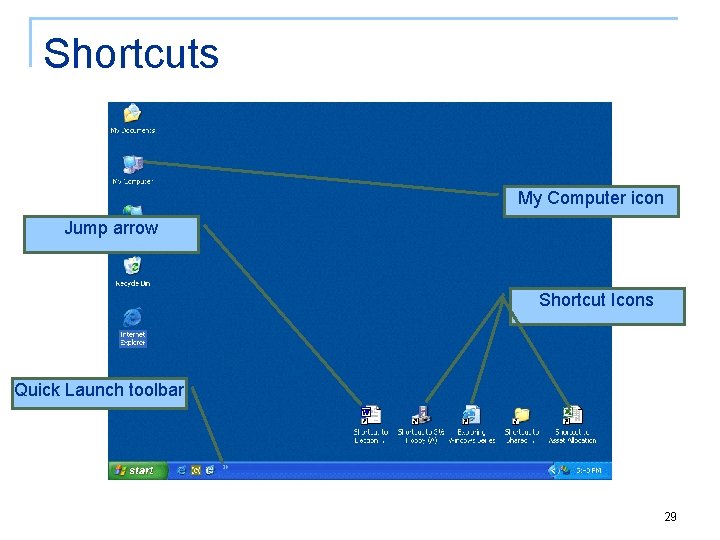
Shortcuts My Computer icon Jump arrow Shortcut Icons Quick Launch toolbar 29
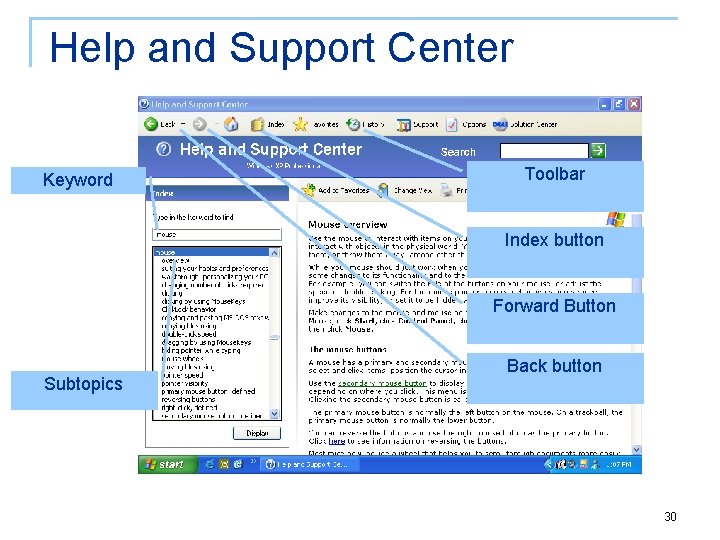
Help and Support Center Keyword Toolbar Index button Forward Button Subtopics Back button 30
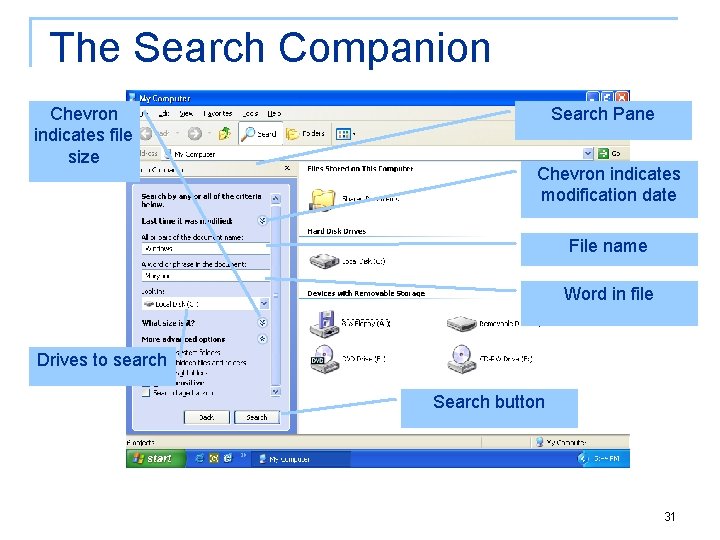
The Search Companion Chevron indicates file size Search Pane Chevron indicates modification date File name Word in file Drives to search Search button 31
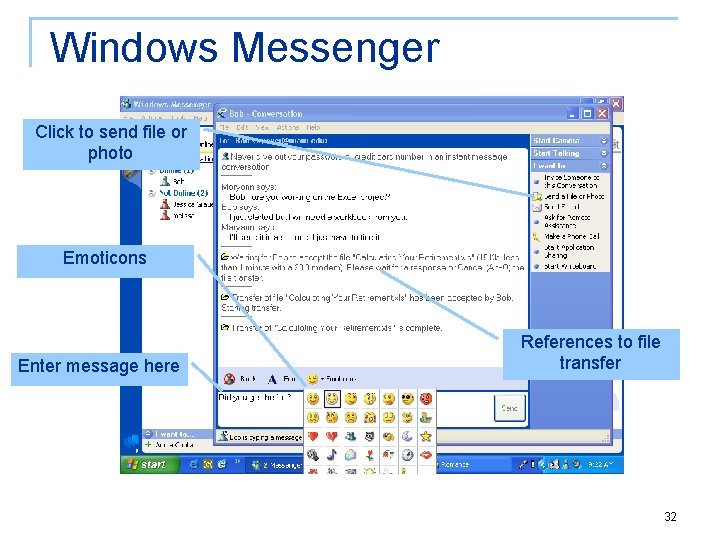
Windows Messenger Click to send file or photo Emoticons Enter message here References to file transfer 32
Summary n n n Windows XP is the newest and most powerful version of the Windows operating system Every window contains the same basic elements, such as the title bar A file is a set of data or set of instructions Files can be copied, moved, deleted, and restored from the hard drive using the Recycle bin The control panel controls all computer aspects Windows XP has some fun tools, such as the Windows Messenger 33
Questions? 34
- Slides: 34