
Getting Started with MVC 5 and Visual Studio
![Passing data to a view With View. Data: View. Data["message"] = "Hello World!"; Strongly](https://slidetodoc.com/presentation_image/136f562cbf7230d8fbba4366f301b983/image-24.jpg "Passing data to a view With View. Data: View. Data[\"message\"] = \"Hello World!\"; Strongly")
- Slides: 40
Getting Started with MVC 5 and Visual Studio 2013 Thomas Robbins, Kentico CMS (thomasr@Kentico. com) @trobbins Slides will be available at: http: //bit. ly/thomrobbins
What we will talk about • This is an introductory session on MVC 5 and VS 2013 is designed to get you going. • We’ll look at the Why of MVC vs Web Forms • We’ll also look at some best practices and things to think about • Lots of other great sessions and information available.
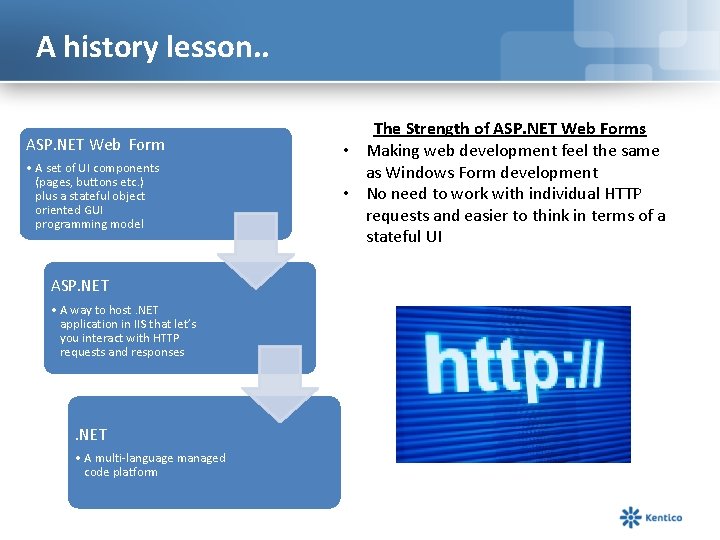
A history lesson. . ASP. NET Web Form • A set of UI components (pages, buttons etc. ) plus a stateful object oriented GUI programming model ASP. NET • A way to host. NET application in IIS that let’s you interact with HTTP requests and responses . NET • A multi-language managed code platform The Strength of ASP. NET Web Forms • Making web development feel the same as Windows Form development • No need to work with individual HTTP requests and easier to think in terms of a stateful UI
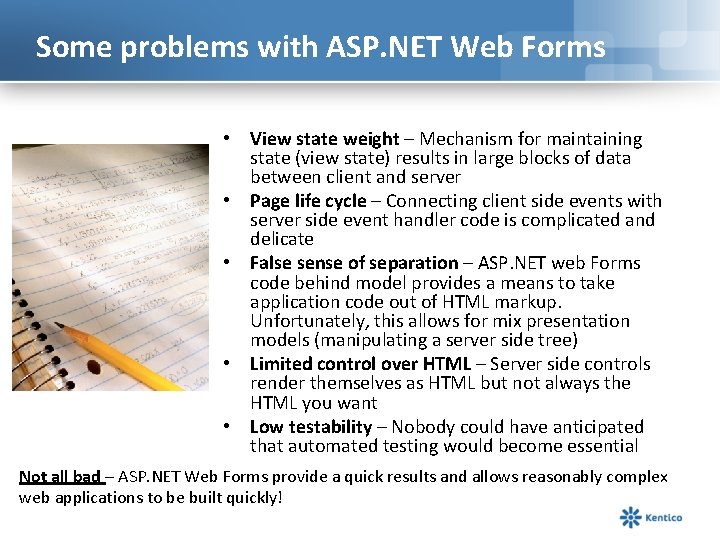
Some problems with ASP. NET Web Forms • View state weight – Mechanism for maintaining state (view state) results in large blocks of data between client and server • Page life cycle – Connecting client side events with server side event handler code is complicated and delicate • False sense of separation – ASP. NET web Forms code behind model provides a means to take application code out of HTML markup. Unfortunately, this allows for mix presentation models (manipulating a server side tree) • Limited control over HTML – Server side controls render themselves as HTML but not always the HTML you want • Low testability – Nobody could have anticipated that automated testing would become essential Not all bad – ASP. NET Web Forms provide a quick results and allows reasonably complex web applications to be built quickly!
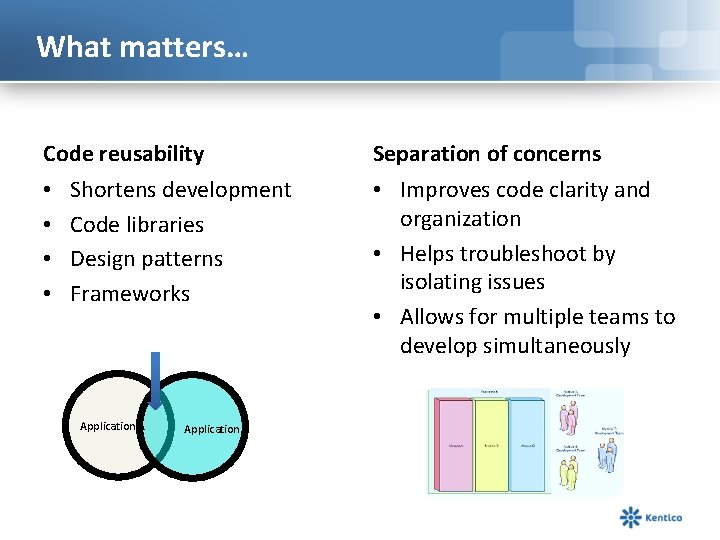
What matters… Code reusability • • Shortens development Code libraries Design patterns Frameworks Application A Application B Separation of concerns • Improves code clarity and organization • Helps troubleshoot by isolating issues • Allows for multiple teams to develop simultaneously
Say hello to MVC!
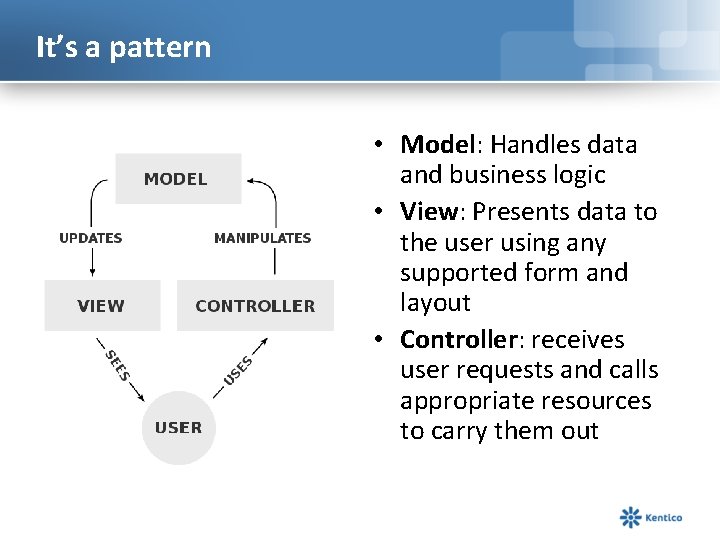
It’s a pattern • Model: Handles data and business logic • View: Presents data to the user using any supported form and layout • Controller: receives user requests and calls appropriate resources to carry them out
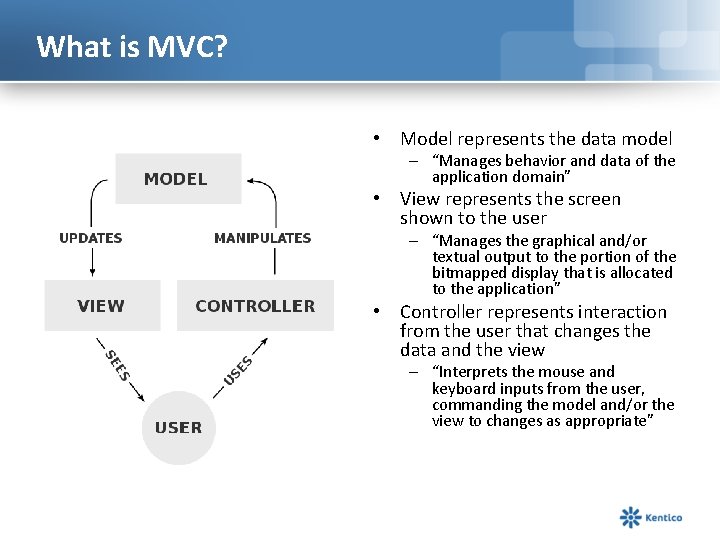
What is MVC? • Model represents the data model – “Manages behavior and data of the application domain” • View represents the screen shown to the user – “Manages the graphical and/or textual output to the portion of the bitmapped display that is allocated to the application” • Controller represents interaction from the user that changes the data and the view – “Interprets the mouse and keyboard inputs from the user, commanding the model and/or the view to changes as appropriate”
MVC isn’t new! • Presented by Trygve Reenskaug in 1979 • First used in the Smalltalk-80 framework – Used in making Apple interfaces (Lisa and Macintosh)
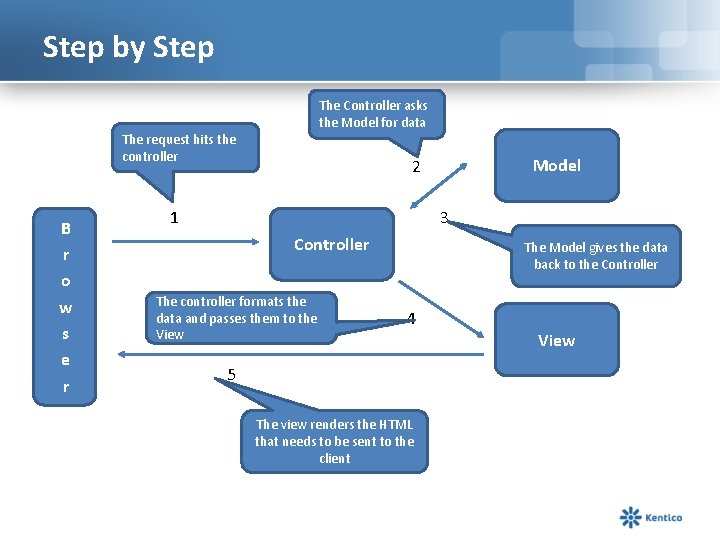
Step by Step The Controller asks the Model for data The request hits the controller B r o w s e r Model 2 1 3 Controller The controller formats the data and passes them to the View The Model gives the data back to the Controller 4 5 The view renders the HTML that needs to be sent to the client View
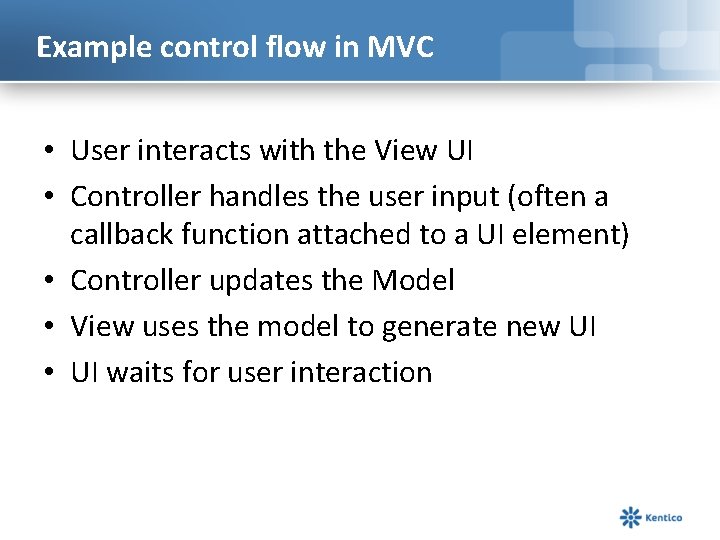
Example control flow in MVC • User interacts with the View UI • Controller handles the user input (often a callback function attached to a UI element) • Controller updates the Model • View uses the model to generate new UI • UI waits for user interaction
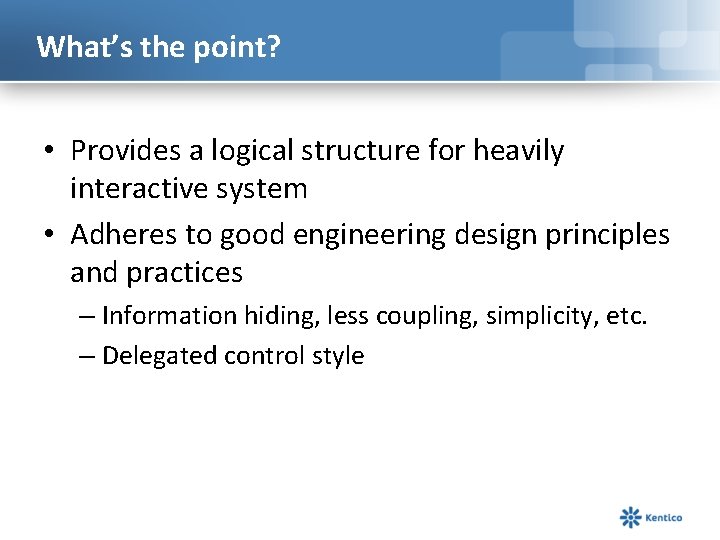
What’s the point? • Provides a logical structure for heavily interactive system • Adheres to good engineering design principles and practices – Information hiding, less coupling, simplicity, etc. – Delegated control style
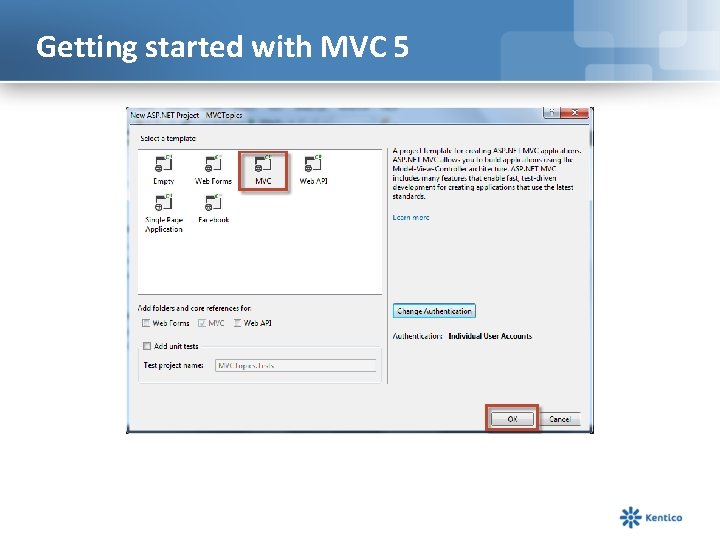
Getting started with MVC 5
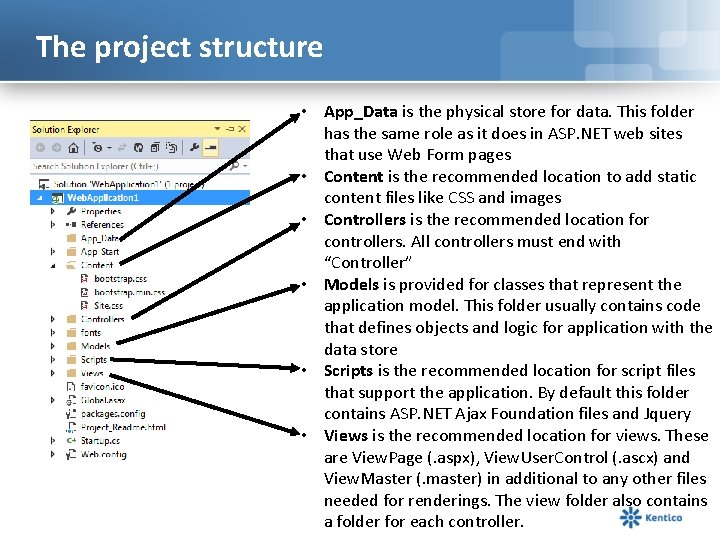
The project structure • App_Data is the physical store for data. This folder has the same role as it does in ASP. NET web sites that use Web Form pages • Content is the recommended location to add static content files like CSS and images • Controllers is the recommended location for controllers. All controllers must end with “Controller” • Models is provided for classes that represent the application model. This folder usually contains code that defines objects and logic for application with the data store • Scripts is the recommended location for script files that support the application. By default this folder contains ASP. NET Ajax Foundation files and Jquery • Views is the recommended location for views. These are View. Page (. aspx), View. User. Control (. ascx) and View. Master (. master) in additional to any other files needed for renderings. The view folder also contains a folder for each controller.
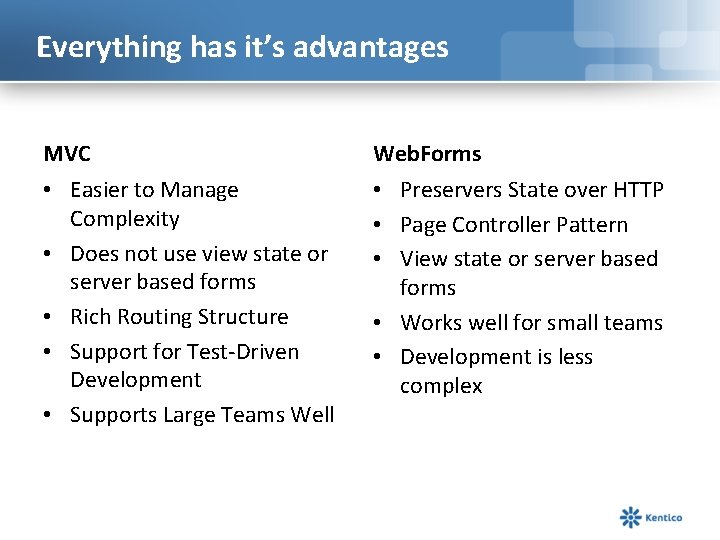
Everything has it’s advantages MVC Web. Forms • Easier to Manage Complexity • Does not use view state or server based forms • Rich Routing Structure • Support for Test-Driven Development • Supports Large Teams Well • Preservers State over HTTP • Page Controller Pattern • View state or server based forms • Works well for small teams • Development is less complex
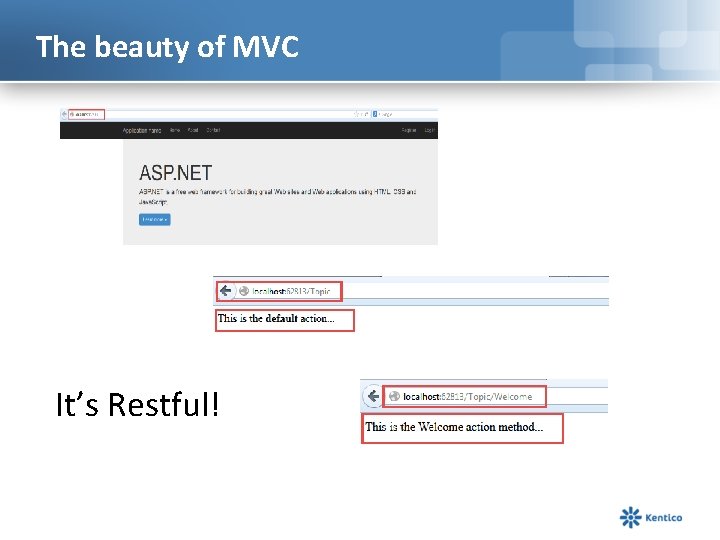
The beauty of MVC It’s Restful!
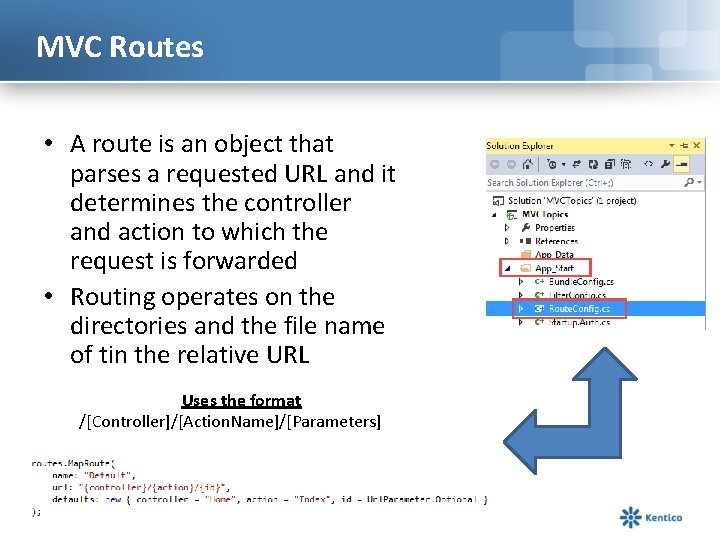
MVC Routes • A route is an object that parses a requested URL and it determines the controller and action to which the request is forwarded • Routing operates on the directories and the file name of tin the relative URL Uses the format /[Controller]/[Action. Name]/[Parameters]
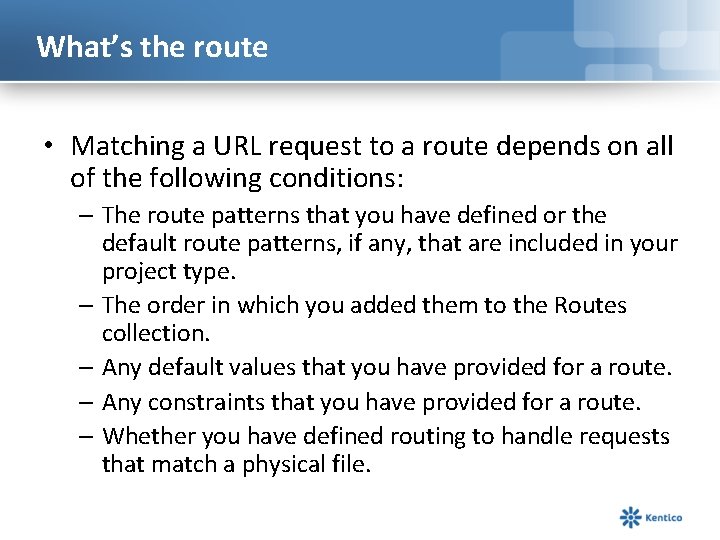
What’s the route • Matching a URL request to a route depends on all of the following conditions: – The route patterns that you have defined or the default route patterns, if any, that are included in your project type. – The order in which you added them to the Routes collection. – Any default values that you have provided for a route. – Any constraints that you have provided for a route. – Whether you have defined routing to handle requests that match a physical file.
Models
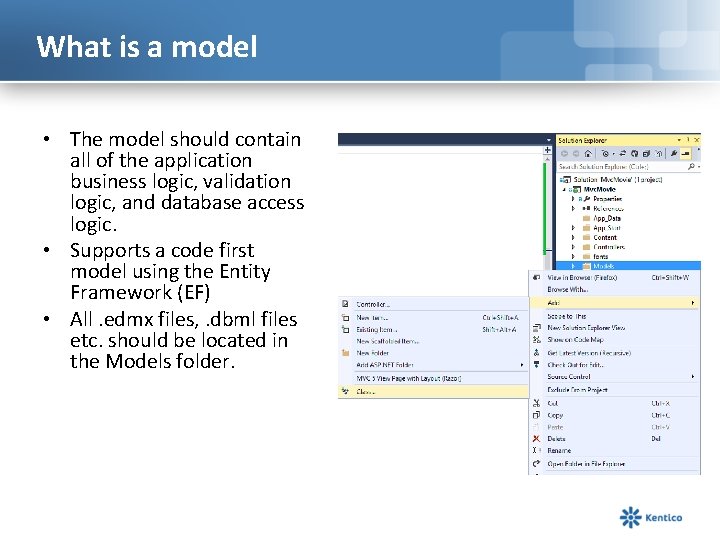
What is a model • The model should contain all of the application business logic, validation logic, and database access logic. • Supports a code first model using the Entity Framework (EF) • All. edmx files, . dbml files etc. should be located in the Models folder.
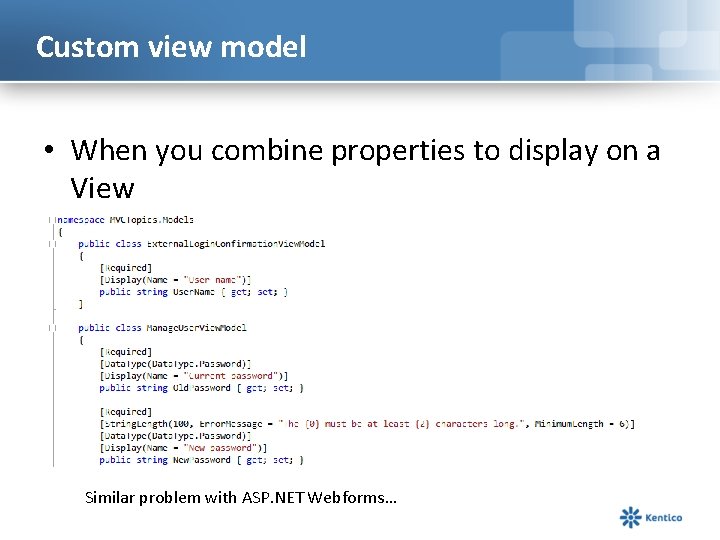
Custom view model • When you combine properties to display on a View Similar problem with ASP. NET Webforms…
View
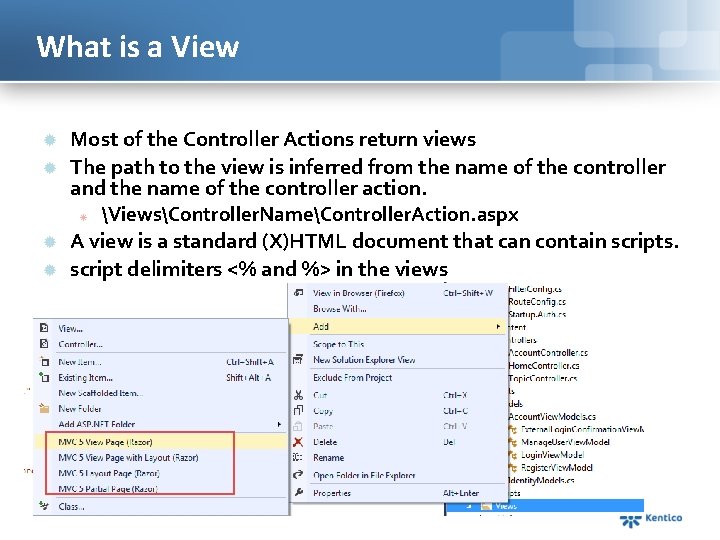
What is a View Most of the Controller Actions return views The path to the view is inferred from the name of the controller and the name of the controller action. ViewsController. NameController. Action. aspx A view is a standard (X)HTML document that can contain scripts. script delimiters <% and %> in the views
Passing data to a view With View. Data: View. Data["message"] = "Hello World!"; Strongly typed View. Data: View. Data. Model = Our. Model; With View. Bag: View. Bag. Message = "Hello World!";
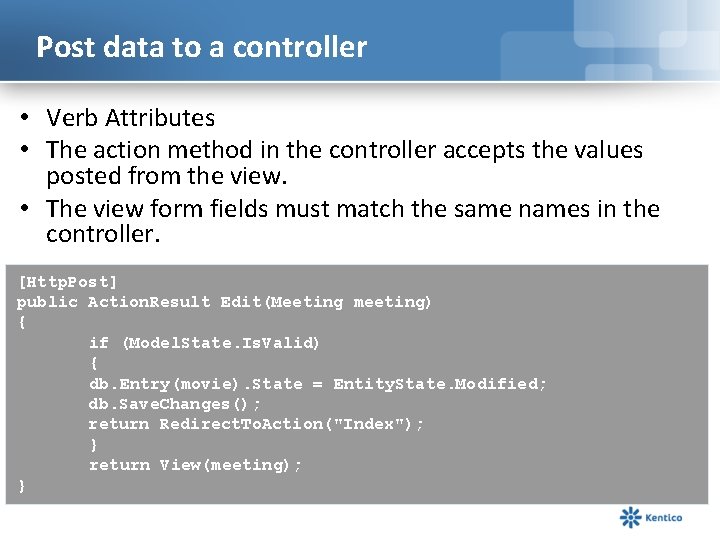
Post data to a controller • Verb Attributes • The action method in the controller accepts the values posted from the view. • The view form fields must match the same names in the controller. [Http. Post] public Action. Result Edit(Meeting meeting) { if (Model. State. Is. Valid) { db. Entry(movie). State = Entity. State. Modified; db. Save. Changes(); return Redirect. To. Action("Index"); } return View(meeting); }
Controller
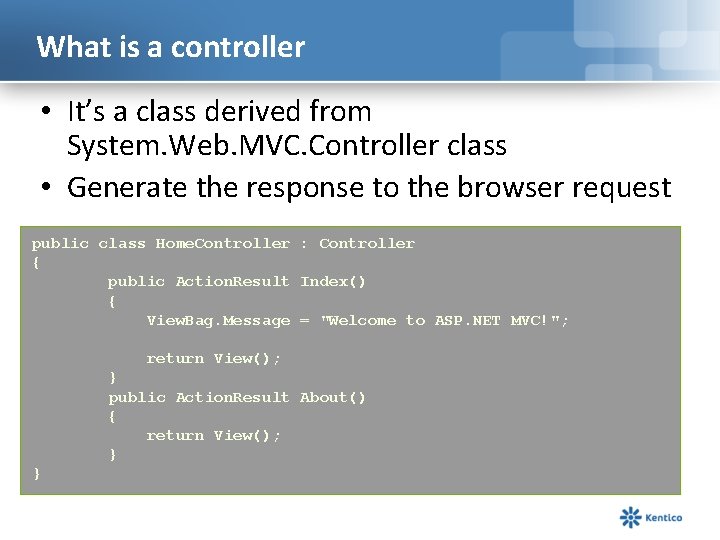
What is a controller • It’s a class derived from System. Web. MVC. Controller class • Generate the response to the browser request public class Home. Controller : Controller { public Action. Result Index() { View. Bag. Message = "Welcome to ASP. NET MVC!"; return View(); } public Action. Result About() { return View(); } }
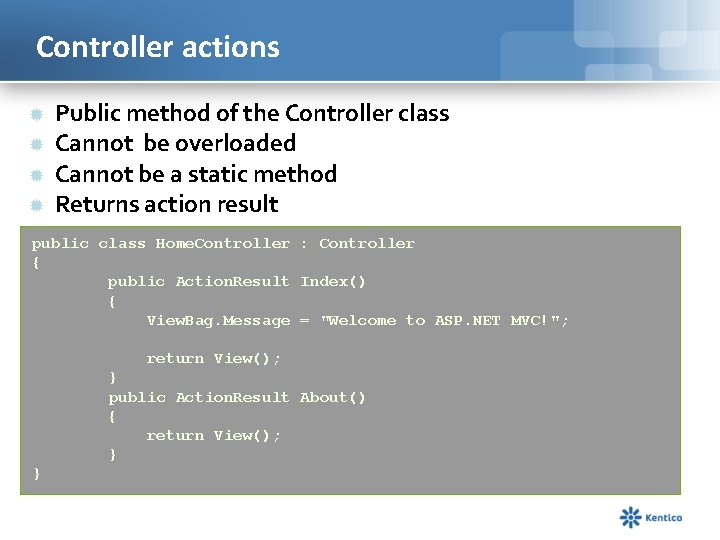
Controller actions Public method of the Controller class Cannot be overloaded Cannot be a static method Returns action result public class Home. Controller : Controller { public Action. Result Index() { View. Bag. Message = "Welcome to ASP. NET MVC!"; return View(); } public Action. Result About() { return View(); } }
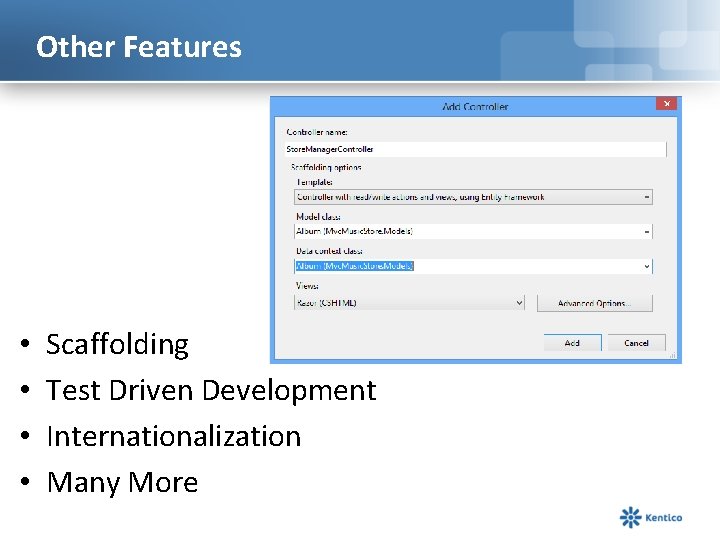
Other Features • • Scaffolding Test Driven Development Internationalization Many More
MVC Best Practices
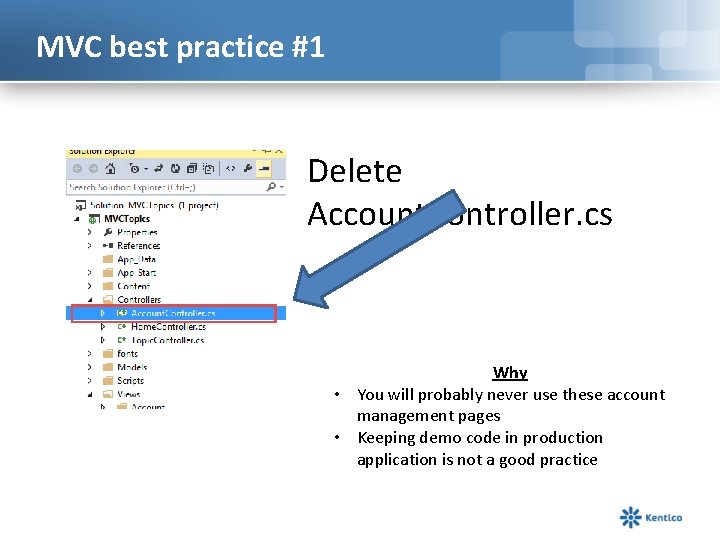
MVC best practice #1 Delete Account. Controller. cs Why • You will probably never use these account management pages • Keeping demo code in production application is not a good practice
MVC best practice #2 • Isolate controller from the external world – HTTPContext – Data access classes – Configuration management – Logging – Etc. . Why • Increases testability of your application • Increases flexibility of your application
View best practice #3 Avoid “magic strings” A magic string is an input that a programmer believes will never come externally and which activates hidden functionality. A user would likely provide input that gives unexpected responses in most situations. However, if the user innocently provides a predefined input, invoking external functionality, the program response is unexpected (“it’s magic”) What should you do • Avoid using View. Data[“key”] • Always create a View. Model for each View and inherit from “System. Web. MVC. View. Page<List. View. Model>
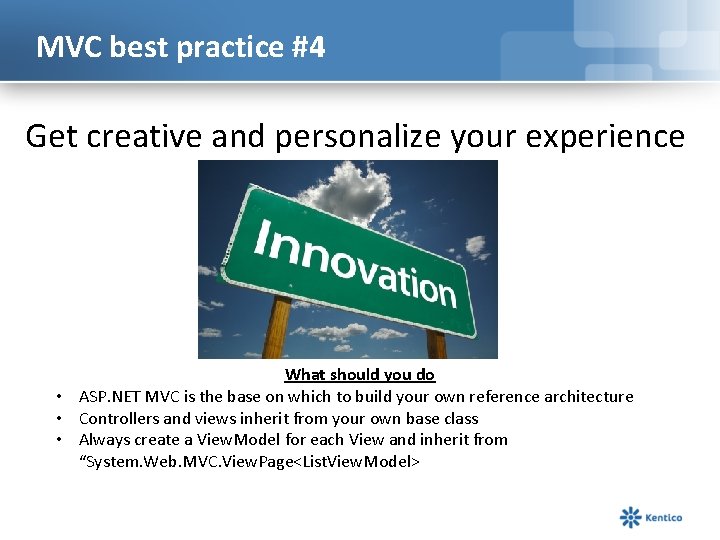
MVC best practice #4 Get creative and personalize your experience What should you do • ASP. NET MVC is the base on which to build your own reference architecture • Controllers and views inherit from your own base class • Always create a View. Model for each View and inherit from “System. Web. MVC. View. Page<List. View. Model>
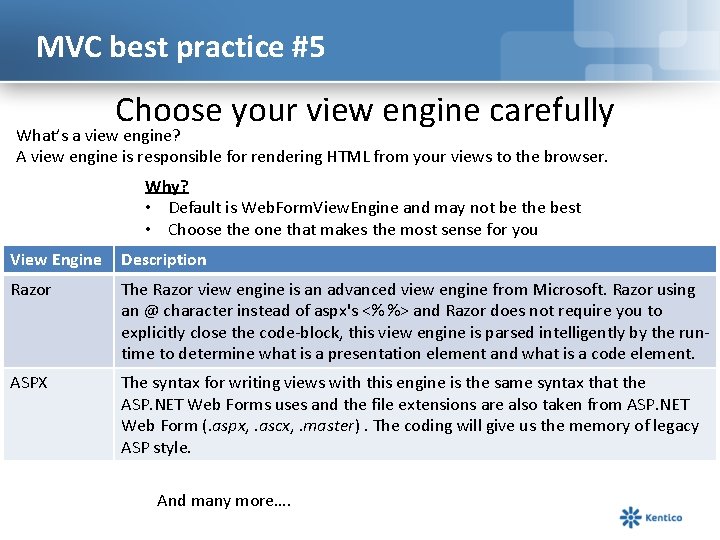
MVC best practice #5 Choose your view engine carefully What’s a view engine? A view engine is responsible for rendering HTML from your views to the browser. Why? • Default is Web. Form. View. Engine and may not be the best • Choose the one that makes the most sense for you View Engine Description Razor The Razor view engine is an advanced view engine from Microsoft. Razor using an @ character instead of aspx's <% %> and Razor does not require you to explicitly close the code-block, this view engine is parsed intelligently by the runtime to determine what is a presentation element and what is a code element. ASPX The syntax for writing views with this engine is the same syntax that the ASP. NET Web Forms uses and the file extensions are also taken from ASP. NET Web Form (. aspx, . ascx, . master). The coding will give us the memory of legacy ASP style. And many more….
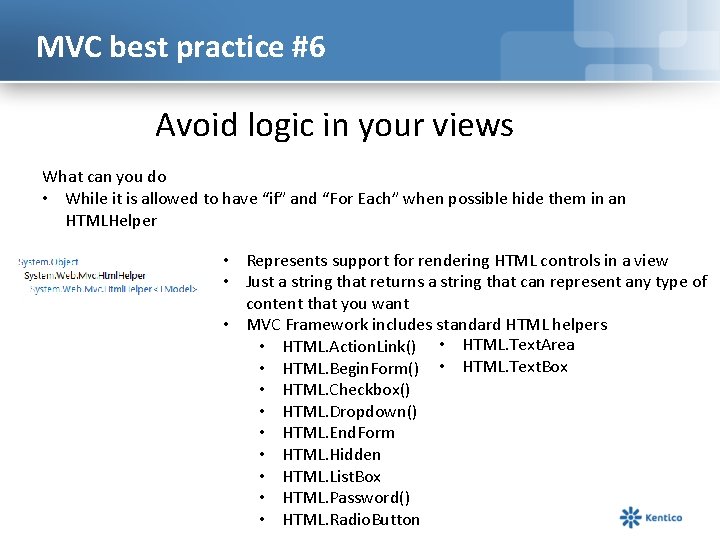
MVC best practice #6 Avoid logic in your views What can you do • While it is allowed to have “if” and “For Each” when possible hide them in an HTMLHelper • Represents support for rendering HTML controls in a view • Just a string that returns a string that can represent any type of content that you want • MVC Framework includes standard HTML helpers • HTML. Action. Link() • HTML. Text. Area • HTML. Begin. Form() • HTML. Text. Box • HTML. Checkbox() • HTML. Dropdown() • HTML. End. Form • HTML. Hidden • HTML. List. Box • HTML. Password() • HTML. Radio. Button
MVC Best Practice #7 When an ASP. NET MVC Web application runs in IIS 7. 0, no file name extension is required for MVC projects. However, in IIS 6. 0, the handler requires that you map the. mvc file name extension to the ASP. NET ISAPI DLL.
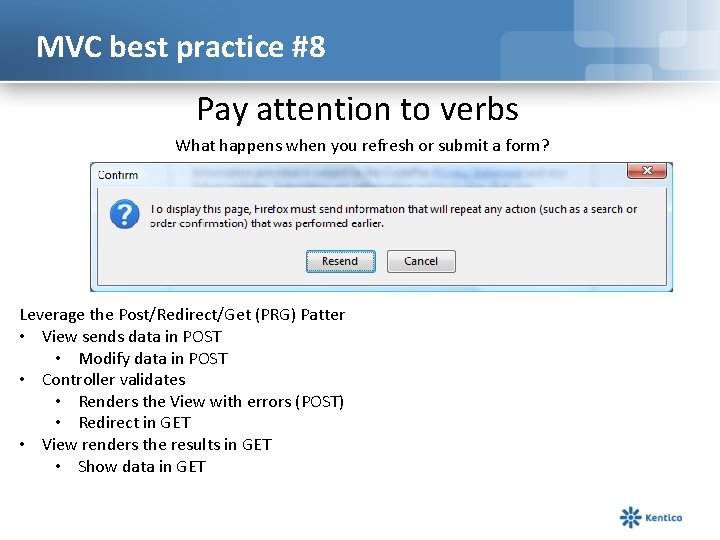
MVC best practice #8 Pay attention to verbs What happens when you refresh or submit a form? Leverage the Post/Redirect/Get (PRG) Patter • View sends data in POST • Modify data in POST • Controller validates • Renders the View with errors (POST) • Redirect in GET • View renders the results in GET • Show data in GET
Wrap up… • MVC is not the only solution but becoming increasingly the answer • VS 2013 has MVC 5 ready to go
Who are we? Kentico CMS is one of the most powerful Customer Experience Management Systems and Content Management Systems on the planet. With over 16, 000 web sites in 90 countries it is used for everything from simple web sites to complex applications. Kentico CMS is easy to install, simple to manage and reliable.