
Getting started with Kapow Primary Welcome Hi and
- Slides: 24
Getting started with Kapow Primary!
Welcome! Hi and welcome to Kapow Primary! Thank you for joining us — we’re delighted to have you in the Kapow Primary community. This guide helps you get started and includes guidance for school account holders on how to set up individual logins for teachers. Boost subject knowledge with bite-size videos and teach original and engaging lessons with lessons, videos and resources authored by primary subject specialist teachers that cover the KS 1 and KS 2 curriculum for: ● ● ● ● Art and design Computing Design and technology Music French RSE & PSHE Wellbeing kapowprimary. com
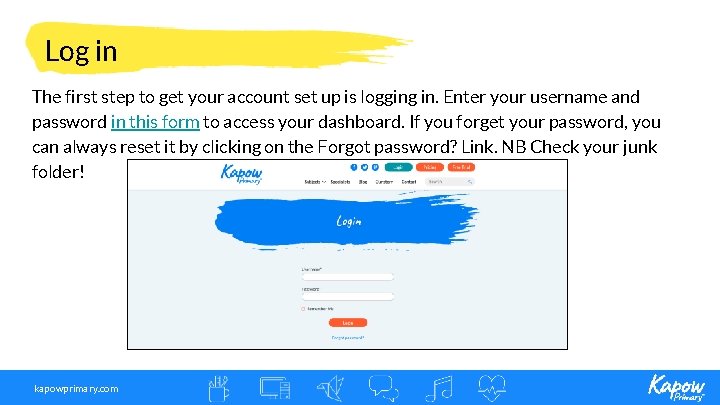
Log in The first step to get your account set up is logging in. Enter your username and password in this form to access your dashboard. If you forget your password, you can always reset it by clicking on the Forgot password? Link. NB Check your junk folder! kapowprimary. com
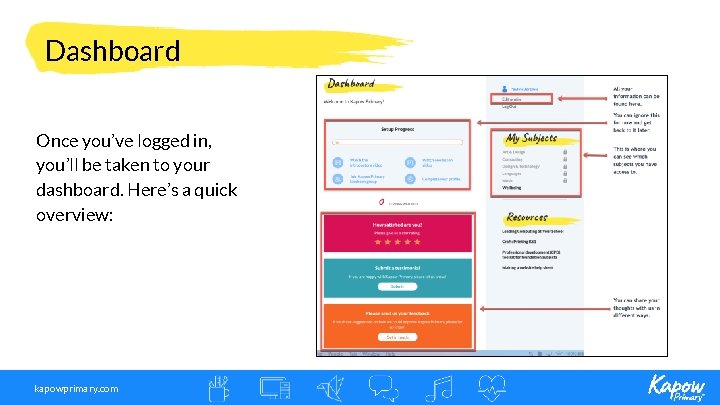
Dashboard Once you’ve logged in, you’ll be taken to your dashboard. Here’s a quick overview: kapowprimary. com
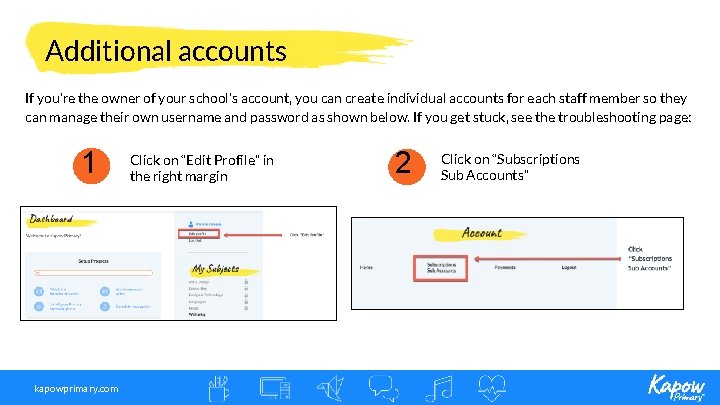
Additional accounts If you’re the owner of your school’s account, you can create individual accounts for each staff member so they can manage their own username and password as shown below. If you get stuck, see the troubleshooting page: 1 kapowprimary. com Click on “Edit Profile” in the right margin 2 Click on “Subscriptions Sub Accounts”
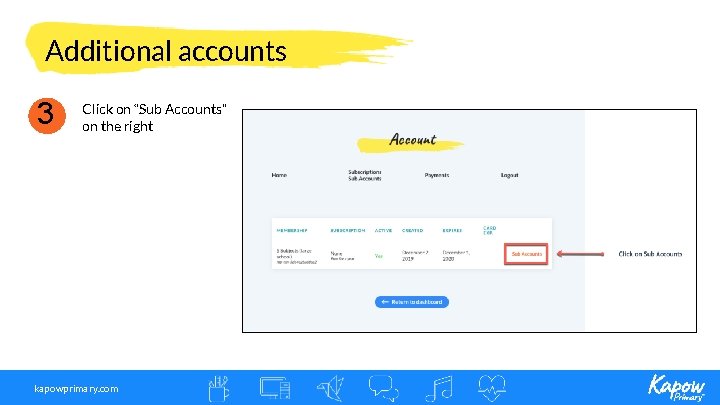
Additional accounts 3 Click on “Sub Accounts” on the right kapowprimary. com
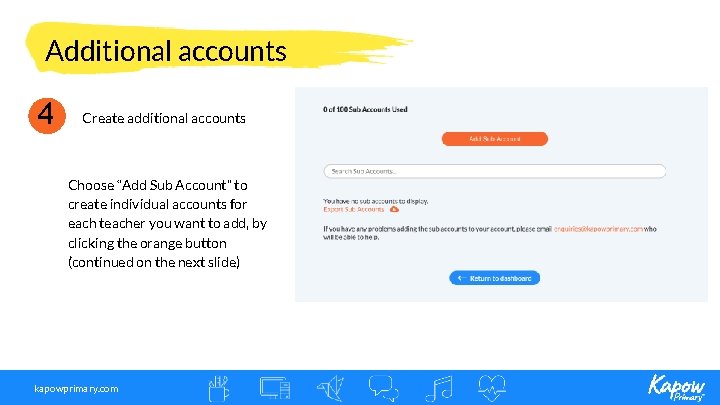
Additional accounts 4 Create additional accounts Choose “Add Sub Account” to create individual accounts for each teacher you want to add, by clicking the orange button (continued on the next slide) kapowprimary. com
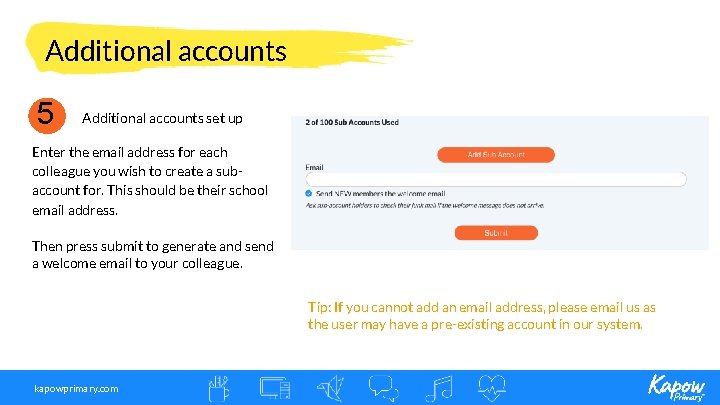
Additional accounts 5 Additional accounts set up Enter the email address for each colleague you wish to create a subaccount for. This should be their school email address. Then press submit to generate and send a welcome email to your colleague. Tip: If you cannot add an email address, please email us as the user may have a pre-existing account in our system. kapowprimary. com
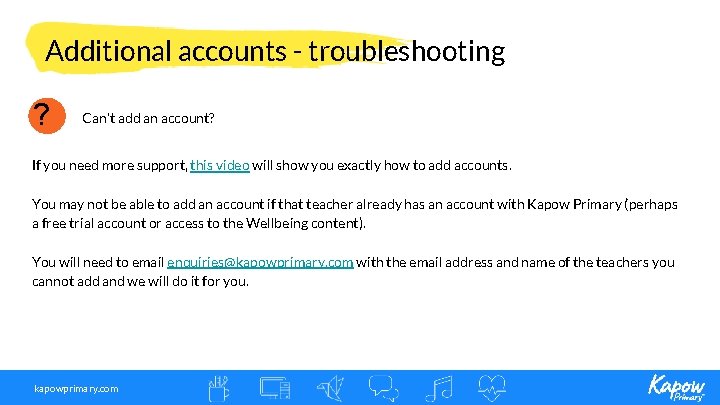
Additional accounts - troubleshooting ? Can’t add an account? If you need more support, this video will show you exactly how to add accounts. You may not be able to add an account if that teacher already has an account with Kapow Primary (perhaps a free trial account or access to the Wellbeing content). You will need to email enquiries@kapowprimary. com with the email address and name of the teachers you cannot add and we will do it for you. kapowprimary. com
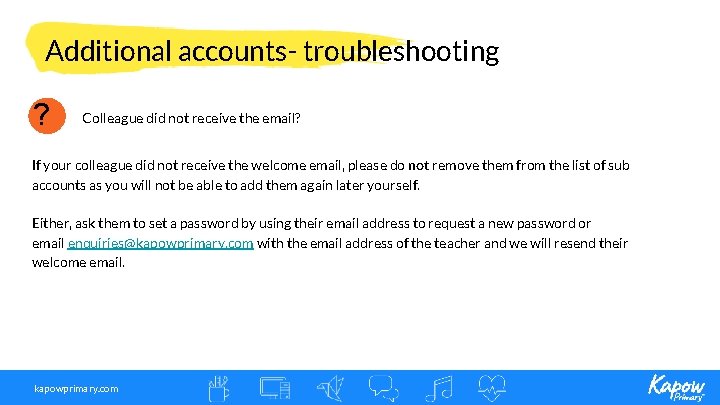
Additional accounts- troubleshooting ? Colleague did not receive the email? If your colleague did not receive the welcome email, please do not remove them from the list of sub accounts as you will not be able to add them again later yourself. Either, ask them to set a password by using their email address to request a new password or email enquiries@kapowprimary. com with the email address of the teacher and we will resend their welcome email. kapowprimary. com
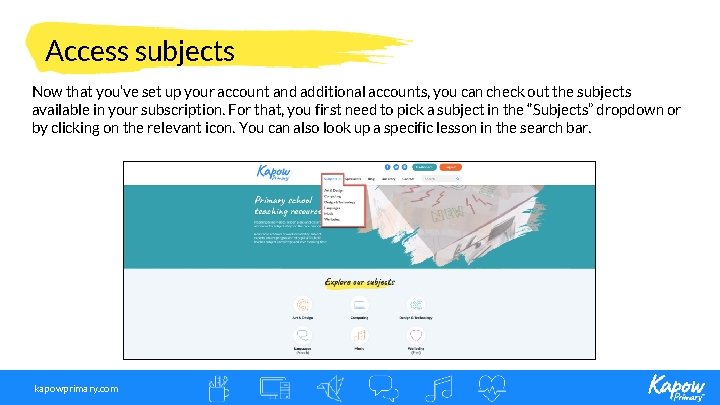
Access subjects Now that you’ve set up your account and additional accounts, you can check out the subjects available in your subscription. For that, you first need to pick a subject in the “Subjects” dropdown or by clicking on the relevant icon. You can also look up a specific lesson in the search bar. kapowprimary. com
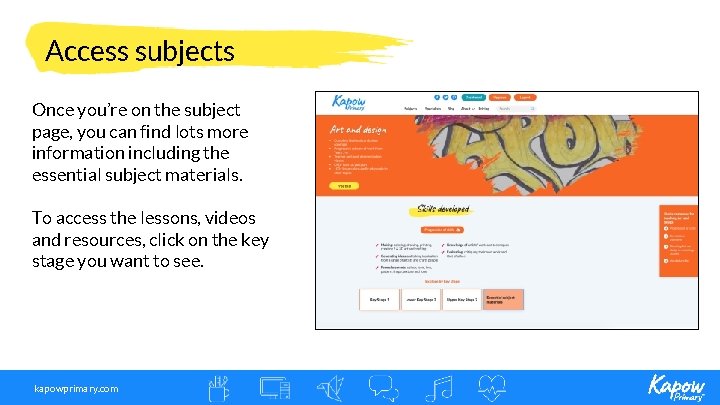
Access subjects Once you’re on the subject page, you can find lots more information including the essential subject materials. To access the lessons, videos and resources, click on the key stage you want to see. kapowprimary. com
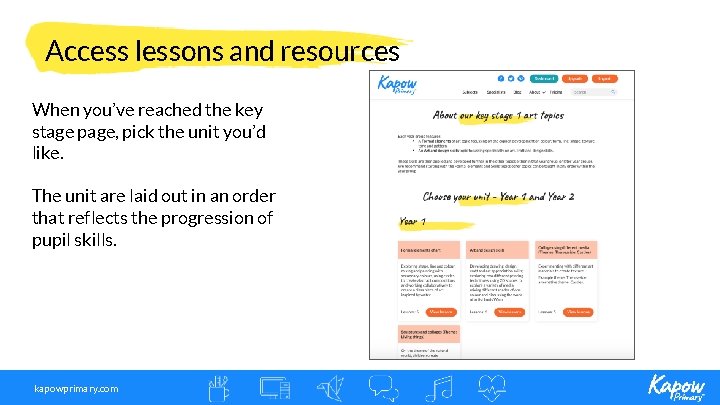
Access lessons and resources When you’ve reached the key stage page, pick the unit you’d like. The unit are laid out in an order that reflects the progression of pupil skills. kapowprimary. com
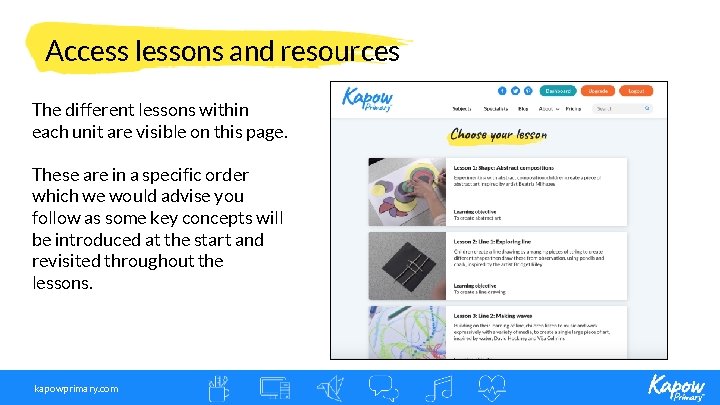
Access lessons and resources The different lessons within each unit are visible on this page. These are in a specific order which we would advise you follow as some key concepts will be introduced at the start and revisited throughout the lessons. kapowprimary. com
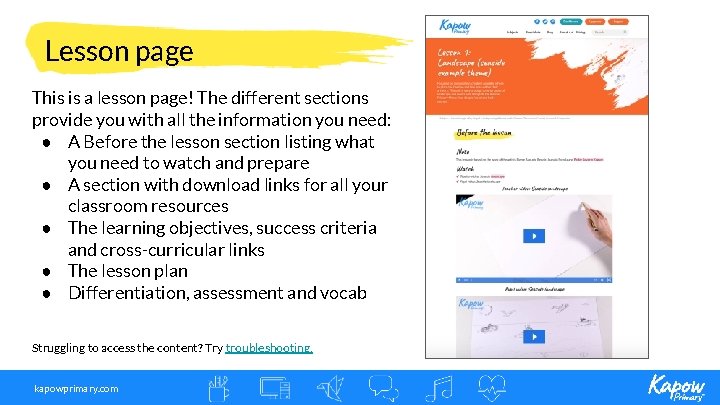
Lesson page This is a lesson page! The different sections provide you with all the information you need: ● A Before the lesson section listing what you need to watch and prepare ● A section with download links for all your classroom resources ● The learning objectives, success criteria and cross-curricular links ● The lesson plan ● Differentiation, assessment and vocab Struggling to access the content? Try troubleshooting. kapowprimary. com
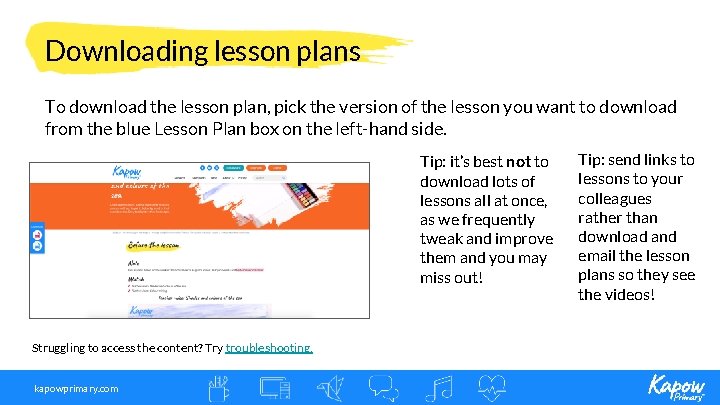
Downloading lesson plans To download the lesson plan, pick the version of the lesson you want to download from the blue Lesson Plan box on the left-hand side. Tip: it’s best not to download lots of lessons all at once, as we frequently tweak and improve them and you may miss out! Struggling to access the content? Try troubleshooting. kapowprimary. com Tip: send links to lessons to your colleagues rather than download and email the lesson plans so they see the videos!
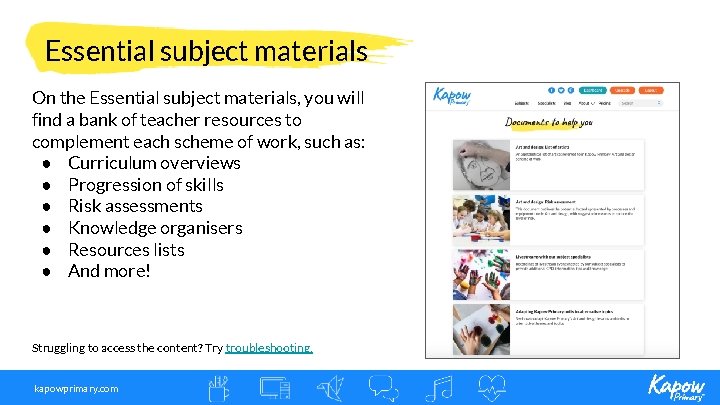
Essential subject materials On the Essential subject materials, you will find a bank of teacher resources to complement each scheme of work, such as: ● Curriculum overviews ● Progression of skills ● Risk assessments ● Knowledge organisers ● Resources lists ● And more! Struggling to access the content? Try troubleshooting. kapowprimary. com
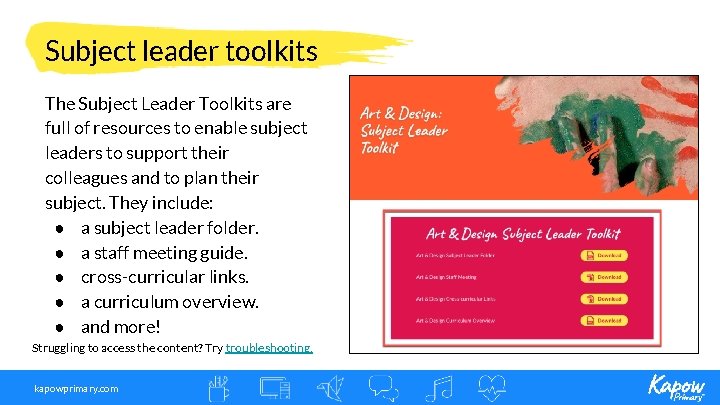
Subject leader toolkits The Subject Leader Toolkits are full of resources to enable subject leaders to support their colleagues and to plan their subject. They include: ● a subject leader folder. ● a staff meeting guide. ● cross-curricular links. ● a curriculum overview. ● and more! Struggling to access the content? Try troubleshooting. kapowprimary. com
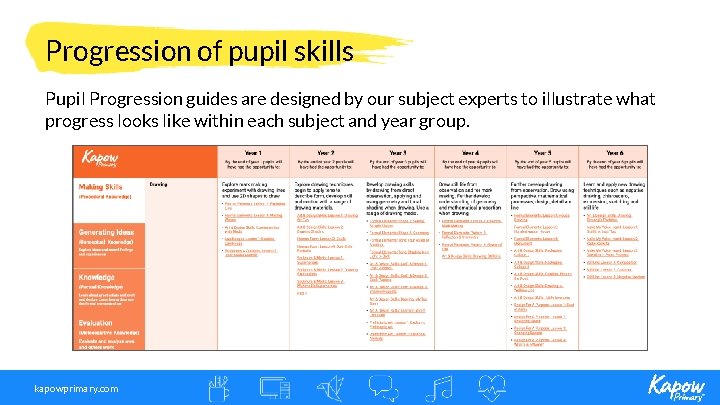
Progression of pupil skills Pupil Progression guides are designed by our subject experts to illustrate what progress looks like within each subject and year group. kapowprimary. com
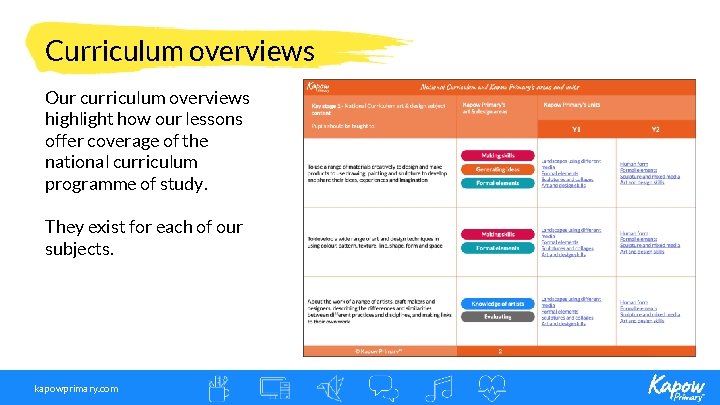
Curriculum overviews Our curriculum overviews highlight how our lessons offer coverage of the national curriculum programme of study. They exist for each of our subjects. kapowprimary. com
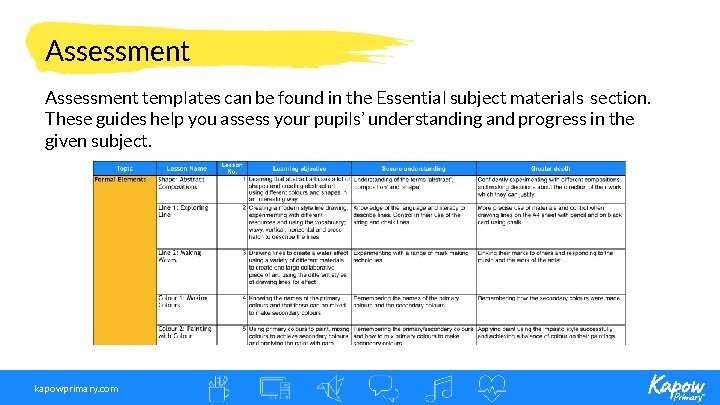
Assessment templates can be found in the Essential subject materials section. These guides help you assess your pupils’ understanding and progress in the given subject. kapowprimary. com
Troubleshooting In the past, some of our customers have had issues accessing their accounts or the resources. Here’s what you can do if you encounter similar issues: ● ● ● If you can’t download the lessons, try unblocking your PDF/download blocker as instructed here. If you can’t log into your account, try clearing your cache, then log out and back in again If the videos aren’t working, it might be that your school has blocked access to Vimeo videos. You will need to speak to your school’s IT to gain access to Vimeo and the videos included in our lessons. If these tips don’t work or if you’re facing different issues, you can get in touch with us by emailing enquiries@kapowprimary. com or try our chatbot. kapowprimary. com
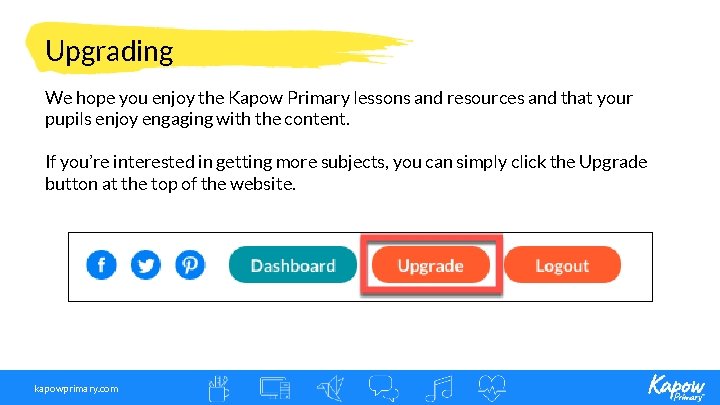
Upgrading We hope you enjoy the Kapow Primary lessons and resources and that your pupils enjoy engaging with the content. If you’re interested in getting more subjects, you can simply click the Upgrade button at the top of the website. kapowprimary. com
Thank you!