
Getting Started with EPICS Lecture Series State Notation











- Slides: 38
Getting Started with EPICS Lecture Series State Notation Language and the Sequencer John Maclean 11/09/04 Argonne National Laboratory Office of Science U. S. Department of Energy A U. S. Department of Energy Office of Science Laboratory Operated by The University of Chicago
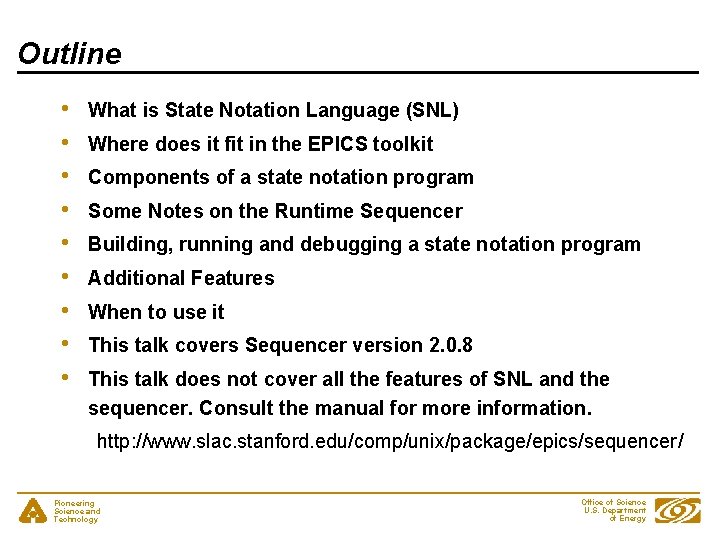
Outline • • • What is State Notation Language (SNL) Where does it fit in the EPICS toolkit Components of a state notation program Some Notes on the Runtime Sequencer Building, running and debugging a state notation program Additional Features When to use it This talk covers Sequencer version 2. 0. 8 This talk does not cover all the features of SNL and the sequencer. Consult the manual for more information. http: //www. slac. stanford. edu/comp/unix/package/epics/sequencer/ Pioneering Science and Technology Office of Science U. S. Department of Energy
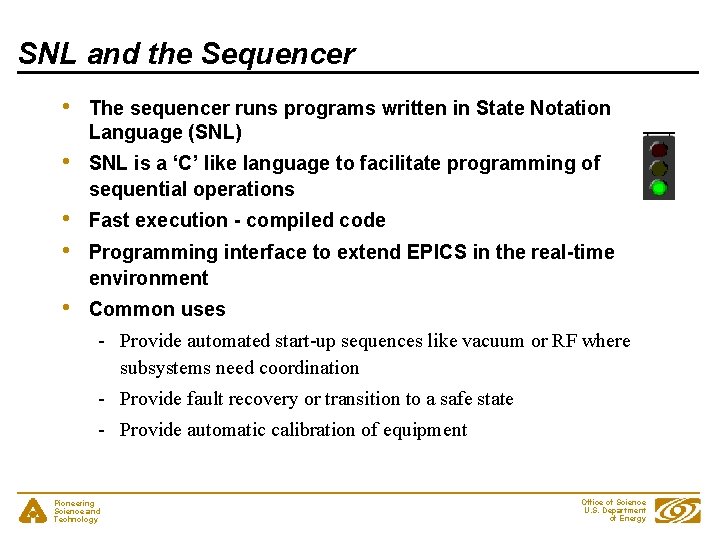
SNL and the Sequencer • The sequencer runs programs written in State Notation Language (SNL) • SNL is a ‘C’ like language to facilitate programming of sequential operations • • Fast execution - compiled code • Common uses Programming interface to extend EPICS in the real-time environment - Provide automated start-up sequences like vacuum or RF where subsystems need coordination - Provide fault recovery or transition to a safe state - Provide automatic calibration of equipment Pioneering Science and Technology Office of Science U. S. Department of Energy
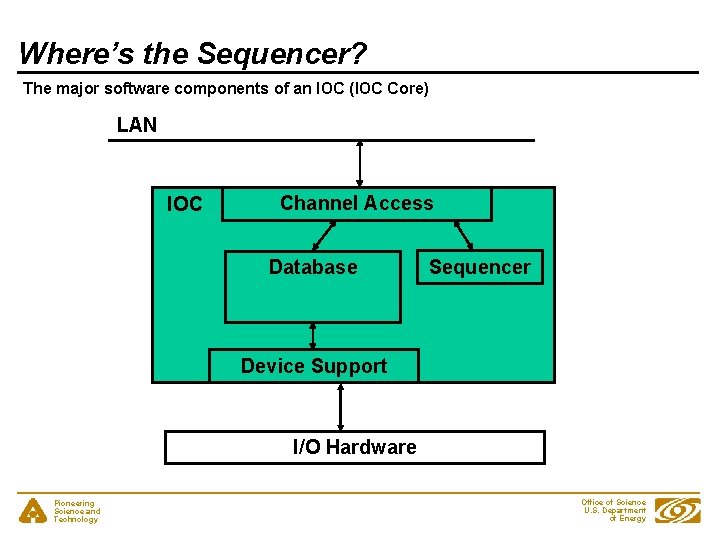
Where’s the Sequencer? The major software components of an IOC (IOC Core) LAN IOC Channel Access Database Sequencer Device Support I/O Hardware Pioneering Science and Technology Office of Science U. S. Department of Energy
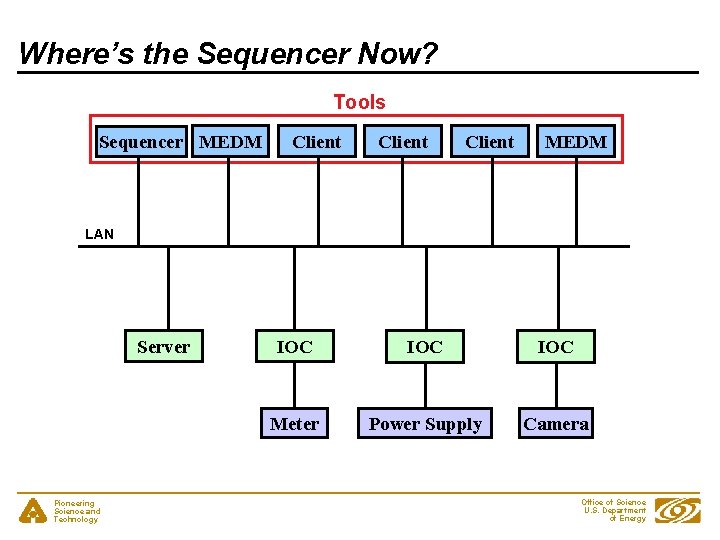
Where’s the Sequencer Now? Tools Sequencer MEDM Client MEDM LAN Server Pioneering Science and Technology IOC IOC Meter Power Supply Camera Office of Science U. S. Department of Energy
The Best Place for the Sequencer • • • From Sequencer Version 2. 0. 0 can be either in the IOC or on a workstation Traditionally in the IOC Locating it in the IOC probably makes it easier to manage Running on workstation could make testing easier Workstation gives an easy way to write the CA parts of CA clients Pioneering Science and Technology Office of Science U. S. Department of Energy
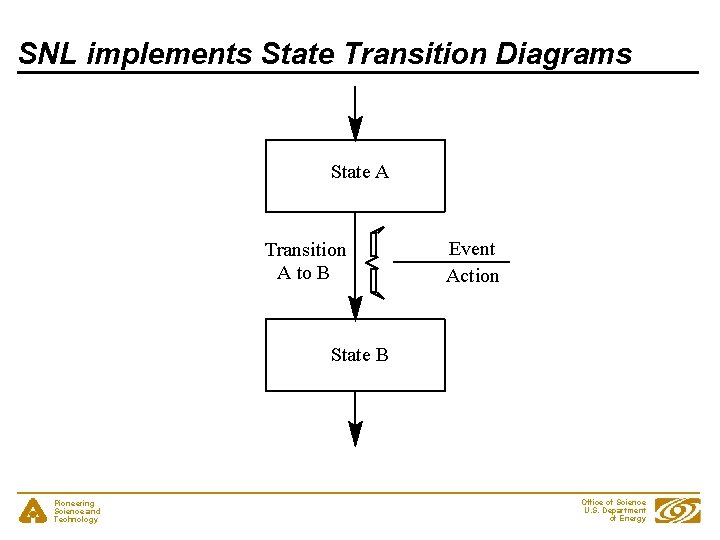
SNL implements State Transition Diagrams State A Transition A to B Event Action State B Pioneering Science and Technology Office of Science U. S. Department of Energy
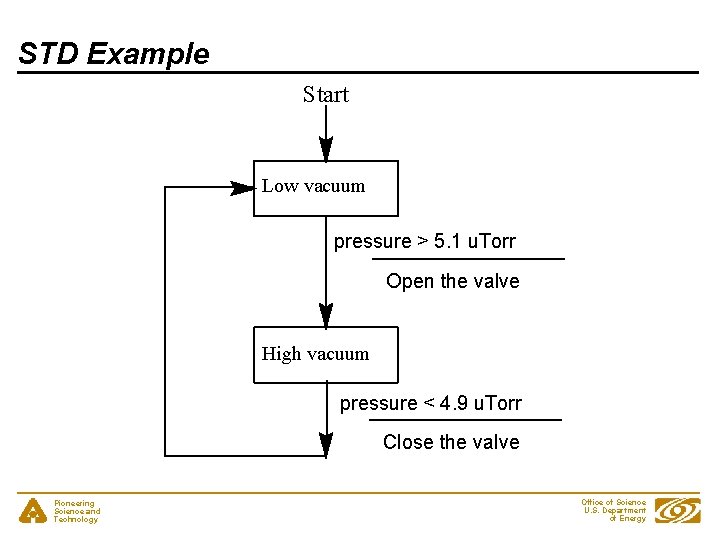
STD Example Start Low vacuum pressure > 5. 1 u. Torr Open the valve High vacuum pressure < 4. 9 u. Torr Close the valve Pioneering Science and Technology Office of Science U. S. Department of Energy
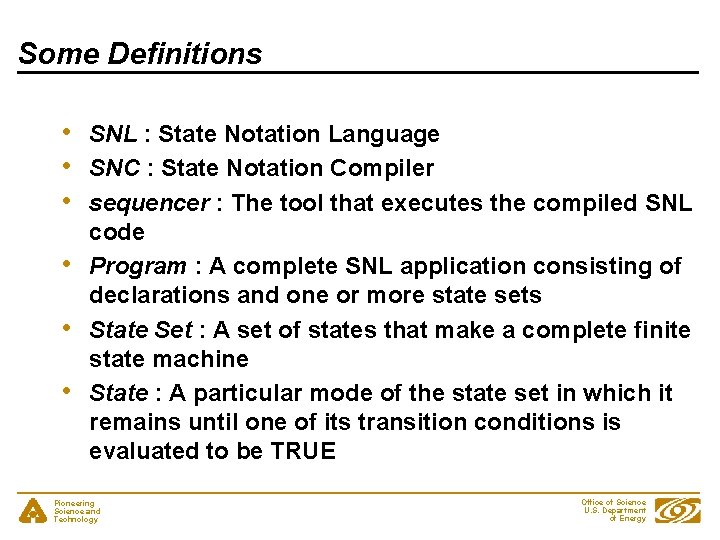
Some Definitions • • • SNL : State Notation Language SNC : State Notation Compiler sequencer : The tool that executes the compiled SNL code Program : A complete SNL application consisting of declarations and one or more state sets State Set : A set of states that make a complete finite state machine State : A particular mode of the state set in which it remains until one of its transition conditions is evaluated to be TRUE Pioneering Science and Technology Office of Science U. S. Department of Energy
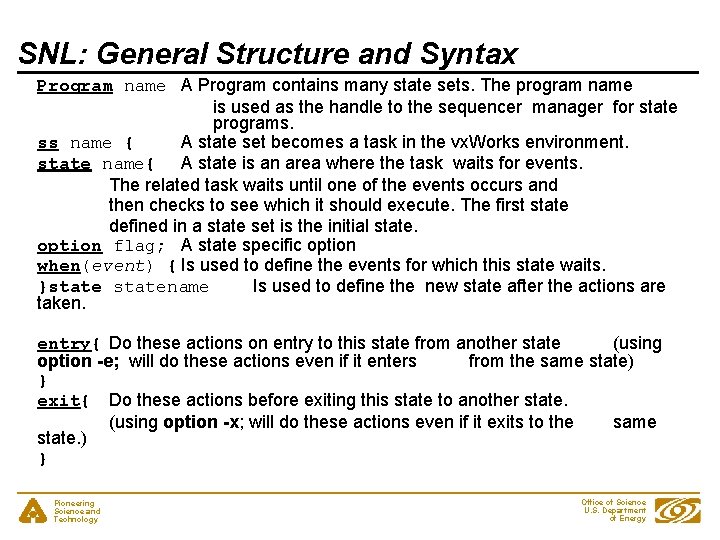
SNL: General Structure and Syntax program_name declarations ss state_set_name { state_name{ entry{ action statements } when (event){ action_statements } state new_state_name when(event). . . exit{ action statements } } Pioneering Science and Technology } state_name{. . . } Office of Science U. S. Department of Energy
SNL: General Structure and Syntax Program name A Program contains many state sets. The program name is used as the handle to the sequencer manager for state programs. ss name { A state set becomes a task in the vx. Works environment. state name{ A state is an area where the task waits for events. The related task waits until one of the events occurs and then checks to see which it should execute. The first state defined in a state set is the initial state. option flag; A state specific option when(event) { Is used to define the events for which this state waits. }statename Is used to define the new state after the actions are taken. entry{ Do these actions on entry to this state from another state (using option -e; will do these actions even if it enters from the same state) } exit{ Do these actions before exiting this state to another state. (using option -x; will do these actions even if it exits to the same state. ) } Pioneering Science and Technology Office of Science U. S. Department of Energy
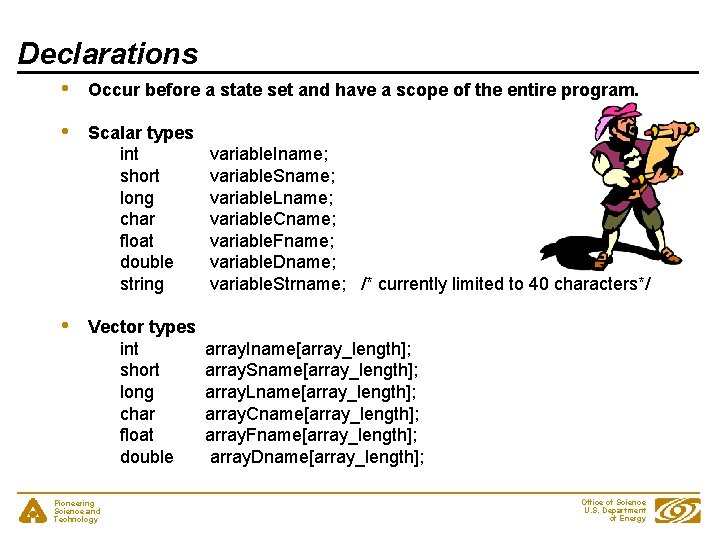
Declarations • Occur before a state set and have a scope of the entire program. • Scalar types int short long char float double string variable. Iname; variable. Sname; variable. Lname; variable. Cname; variable. Fname; variable. Dname; variable. Strname; /* currently limited to 40 characters*/ Vector types int short long char float double array. Iname[array_length]; array. Sname[array_length]; array. Lname[array_length]; array. Cname[array_length]; array. Fname[array_length]; array. Dname[array_length]; • Pioneering Science and Technology Office of Science U. S. Department of Energy
Declarations - Assignments • Assignment to channel access server channels float pressure; assign pressure to “Coupler. Pressure. RB 1”; double pressures[2]; assign pressures to {“Coupler. Pressure. RB 1”, ”Coupler. Pressure. RB 2”, ” Coupler. Pressure. RB 3”}; • To use these channel in when clauses, they must be monitored • Can be written like this to aid readability monitor pressure; monitor pressures; float pressure; assign pressure to “Pressure. RB 1”; monitor pressure; Pioneering Science and Technology Office of Science U. S. Department of Energy
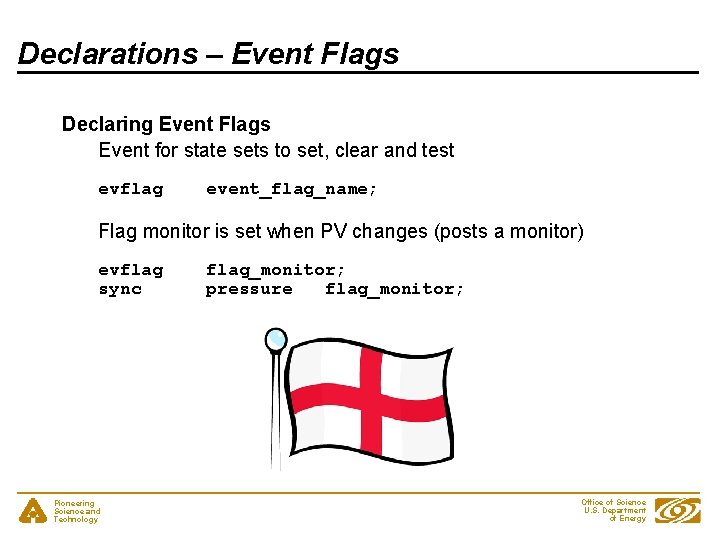
Declarations – Event Flags Declaring Event Flags Event for state sets to set, clear and test evflag event_flag_name; Flag monitor is set when PV changes (posts a monitor) evflag sync Pioneering Science and Technology flag_monitor; pressure flag_monitor; Office of Science U. S. Department of Energy
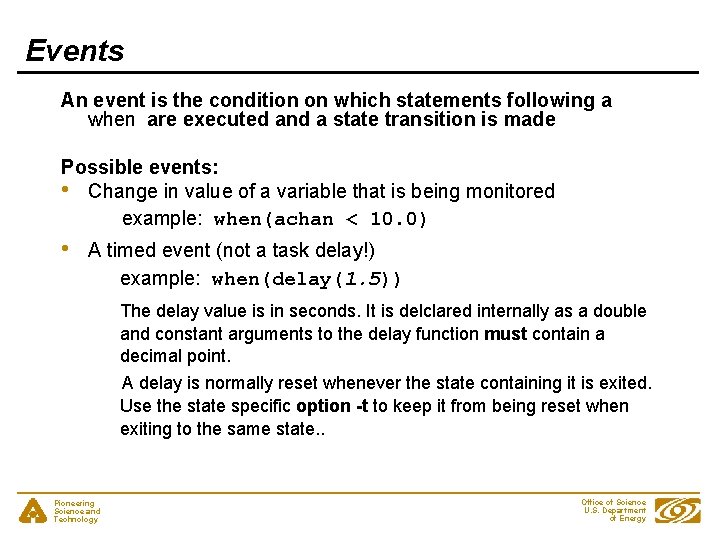
Events An event is the condition on which statements following a when are executed and a state transition is made Possible events: • Change in value of a variable that is being monitored example: when(achan < 10. 0) • A timed event (not a task delay!) example: when(delay(1. 5)) The delay value is in seconds. It is delclared internally as a double and constant arguments to the delay function must contain a decimal point. A delay is normally reset whenever the state containing it is exited. Use the state specific option -t to keep it from being reset when exiting to the same state. . Pioneering Science and Technology Office of Science U. S. Department of Energy
Events (continued) • • An internally generated event (event flag) examples: when(ef. Test. And. Clear(myflag)) when(ef. Test(myflag)) ef. Test does not clear the flag. ef. Clear must be called sometime later to avoid an infinite loop. The event flag can be set internally by ef. Set(event_flag_name) or if the flag is synced to a monitored channel it will be set when the channel changes. Change in the channel access connection status. examples: when(pv. Connect. Count() < pv. Channel. Count()) when(pv. Connected(mychan) ) Pioneering Science and Technology Office of Science U. S. Department of Energy
Actions • Built-in action function, e. g. : - • pv. Put (variable_name); pv. Get (variable_name); ef. Set (event_flag_name); ef. Clear (event_flag_name); Almost any C expression switch is not implemented and code using it must be escaped. %% escape one line of C code %{ escape any number of lines of C code }% Pioneering Science and Technology Office of Science U. S. Department of Energy
Example - State Definitions and Transitions Initial State pressure >. 0000051 Rough. Pump on Cryo. Pump off Valve closed Low Vacuum 10 minutes Rough. Pump off Cryo. Pump off Valve closed pressure <=. 0000049 Rough. Pump off Cryo. Pump on Valve open High Vacuum pressure >. 0000051 Rough. Pump on Cryo. Pump off Valve closed Fault Pioneering Science and Technology Office of Science U. S. Department of Energy
Example - Declarations double pressure; assign pressure to “Tank 1 Coupler 1 Pressure. RB”; monitor pressure; short assign String assign Pioneering Science and Technology Rough. Pump; Rough. Pump to “Tank 1 Coupler 1 Rough. Pump”; Cryo. Pump to “Tank 1 Coupler 1 Cryo. Pump”; Valve to “Tank 1 Coupler 1 Isolation. Valve”; Current. State to “Tank 1 Coupler 1 Vacuum. State”; Office of Science U. S. Department of Energy
Example – State Transitions program vacuum_control ss coupler_control { state init{ when(pressure >. 0000051){ } state low_vacuum when(pressure <=. 0000049){ } state high_vacuum{ when(pressure >. 0000051){ } state low_vacuum{ when(pressure <=. 0000049){ }state high_vacuum when(delay(600. 0)){ }state fault } state fault{ } } Pioneering Science and Technology Office of Science U. S. Department of Energy
Example – Init State state init { entry { strcpy(Current. State, ”Init”); pv. Put(Current. State); } when(pressure >. 0000051){ Rough. Pump = 1; pv. Put(Rough. Pump); Cryo. Pump = 0; pv. Put(Cryo. Pump); Valve = 0; pv. Put(Valve); } state low_vacuum when(pressure <=. 0000049){ Rough. Pump = 0; pv. Put(Rough. Pump); Cryo. Pump = 1; pv. Put(Cryo. Pump); Valve = 1; pv. Put(Valve); } state high_vacuum } Pioneering Science and Technology Office of Science U. S. Department of Energy
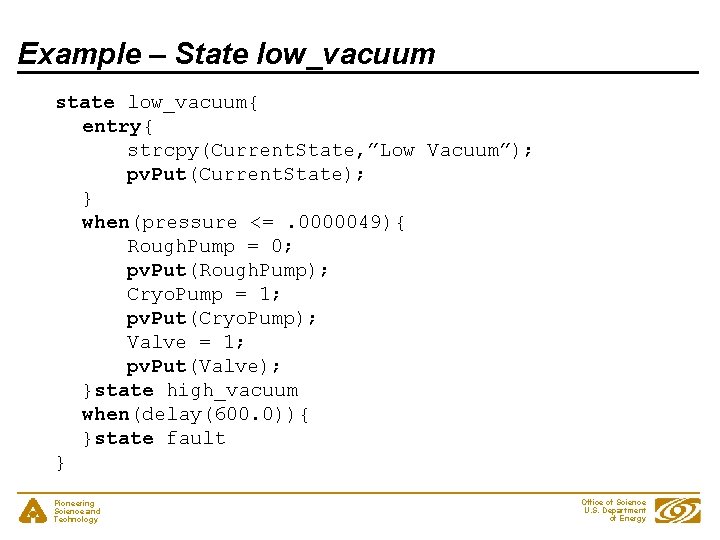
Example – State low_vacuum state low_vacuum{ entry{ strcpy(Current. State, ”Low Vacuum”); pv. Put(Current. State); } when(pressure <=. 0000049){ Rough. Pump = 0; pv. Put(Rough. Pump); Cryo. Pump = 1; pv. Put(Cryo. Pump); Valve = 1; pv. Put(Valve); }state high_vacuum when(delay(600. 0)){ }state fault } Pioneering Science and Technology Office of Science U. S. Department of Energy
Example – State high_vacuum state high_vacuum{ entry{ strcpy(Current. State, ”High Vacuum”); pv. Put(Current. State); } when(pressure >. 0000051){ Rough. Pump = 1; pv. Put(Rough. Pump); Cryo. Pump = 0; pv. Put(Cryo. Pump); Valve = 0; pv. Put(Valve); } state low_vacuum } Pioneering Science and Technology Office of Science U. S. Department of Energy
Example – State fault state fault{ entry{ strcpy(Current. State, ”Vacuum Fault”); pv. Put(Current. State); } } Pioneering Science and Technology Office of Science U. S. Department of Energy
Building an SNL program • • Use editor to build the source file: file name must end with ". st", e. g. "example. st". “make” automates these steps: - Optionally runs the C preprocessor - Compiles the state program with SNC to produce C code: snc example. st -> example. c - Compiles the resultant C code with the C compiler: cc example. c -> example. o - The file "example. o” becomes part of the application library, which is ready to be loaded by Vx. Works. - For Unix systems an executable file “example” is created Pioneering Science and Technology Office of Science U. S. Department of Energy
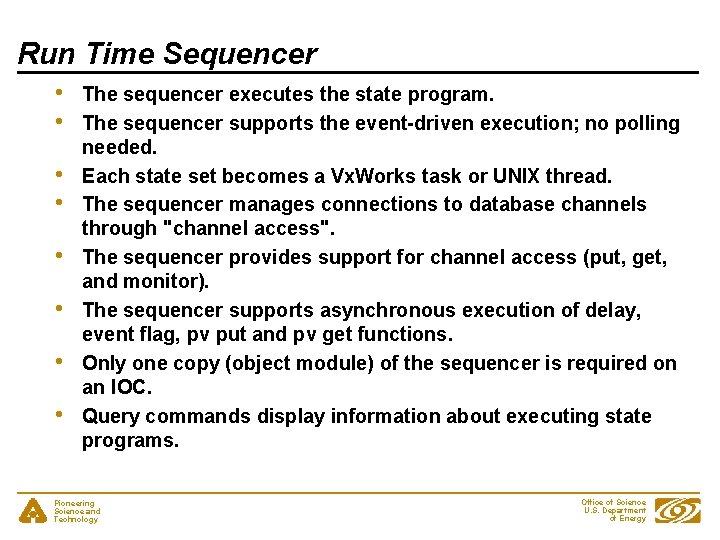
Run Time Sequencer • • The sequencer executes the state program. The sequencer supports the event-driven execution; no polling needed. Each state set becomes a Vx. Works task or UNIX thread. The sequencer manages connections to database channels through "channel access". The sequencer provides support for channel access (put, get, and monitor). The sequencer supports asynchronous execution of delay, event flag, pv put and pv get functions. Only one copy (object module) of the sequencer is required on an IOC. Query commands display information about executing state programs. Pioneering Science and Technology Office of Science U. S. Department of Energy
Executing a State Program – IOC Assumes you are at an IOC console and database is loaded 1. Load the sequencer ld < pv. Library ld < sequencer 2. Load a state program ld < example. o 3. Execute program seq &vacuum_control 4. 5. Er… That’s it! Exercise program To stop program seq. Stop vacuum_control Pioneering Science and Technology Office of Science U. S. Department of Energy
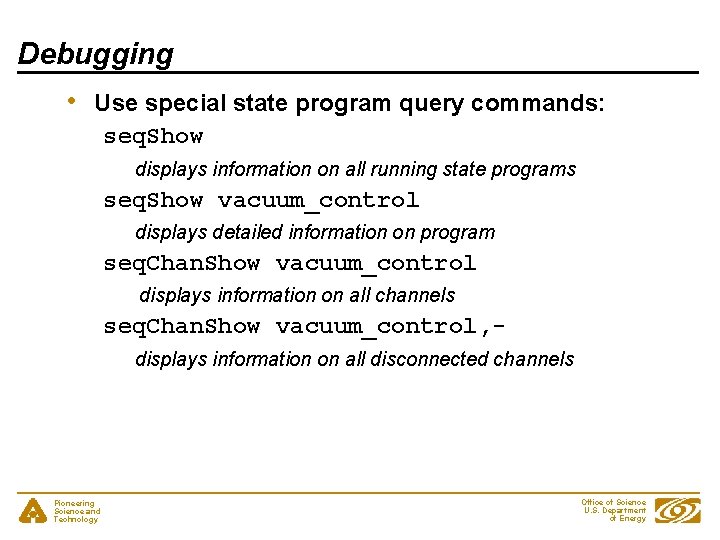
Debugging • Use special state program query commands: seq. Show displays information on all running state programs seq. Show vacuum_control displays detailed information on program seq. Chan. Show vacuum_control displays information on all channels seq. Chan. Show vacuum_control, displays information on all disconnected channels Pioneering Science and Technology Office of Science U. S. Department of Energy
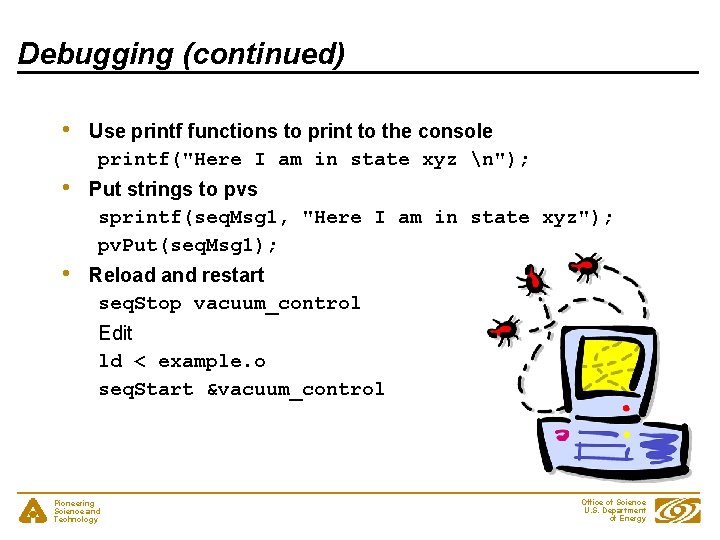
Debugging (continued) • Use printf functions to print to the console printf("Here I am in state xyz n"); • Put strings to pvs sprintf(seq. Msg 1, "Here I am in state xyz"); pv. Put(seq. Msg 1); • Reload and restart seq. Stop vacuum_control Edit ld < example. o seq. Start &vacuum_control Pioneering Science and Technology Office of Science U. S. Department of Energy
Debugging - seq. Show • seq. Show epics> seq. Show Program Name Thread ID Thread Name SS Name stabilizer ede 78 stabilizer. SS 1 beam. Trajectory db 360 beam. Trajectory bpm. Trajectory. SS auto. Control ed 620 auto. Control auto. Ctl. SS Pioneering Science and Technology Office of Science U. S. Department of Energy
Debugging - seq. Show • seq. Show stabilizer epics> seq. Show stabilizer State Program: "stabilizer" initial thread id = ede 78 thread priority = 50 number of state sets = 1 number of sync. Q queues = 0 number of channels = 3 number of channels assigned = 3 number of channels connected = 3 options: async=0, debug=0, newef=1, reent=0, conn=1, main=0 State Set: "stabilizer. SS 1" thread name = stabilizer; thread id = 974456 = 0 xede 78 First state = "init" Current state = "wait. For. Enable" Previous state = "init" Elapsed time since state was entered = 88. 8 seconds Pioneering Science and Technology Office of Science U. S. Department of Energy
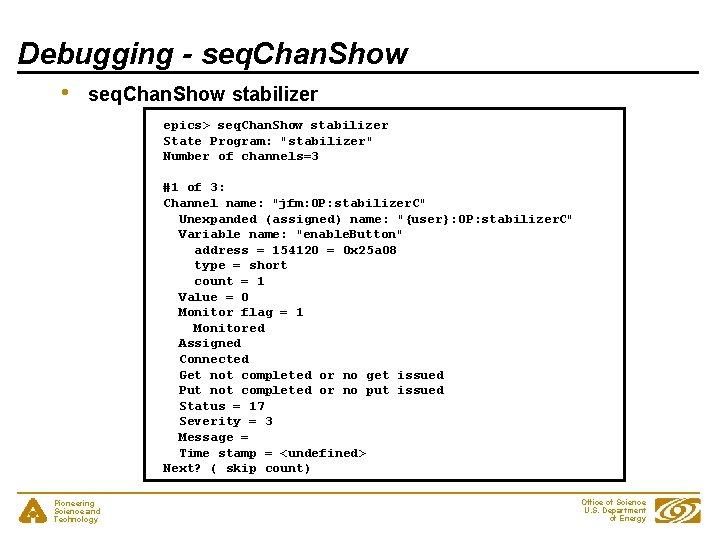
Debugging - seq. Chan. Show • seq. Chan. Show stabilizer epics> seq. Chan. Show stabilizer State Program: "stabilizer" Number of channels=3 #1 of 3: Channel name: "jfm: OP: stabilizer. C" Unexpanded (assigned) name: "{user}: OP: stabilizer. C" Variable name: "enable. Button" address = 154120 = 0 x 25 a 08 type = short count = 1 Value = 0 Monitor flag = 1 Monitored Assigned Connected Get not completed or no get issued Put not completed or no put issued Status = 17 Severity = 3 Message = Time stamp = <undefined> Next? ( skip count) Pioneering Science and Technology Office of Science U. S. Department of Energy
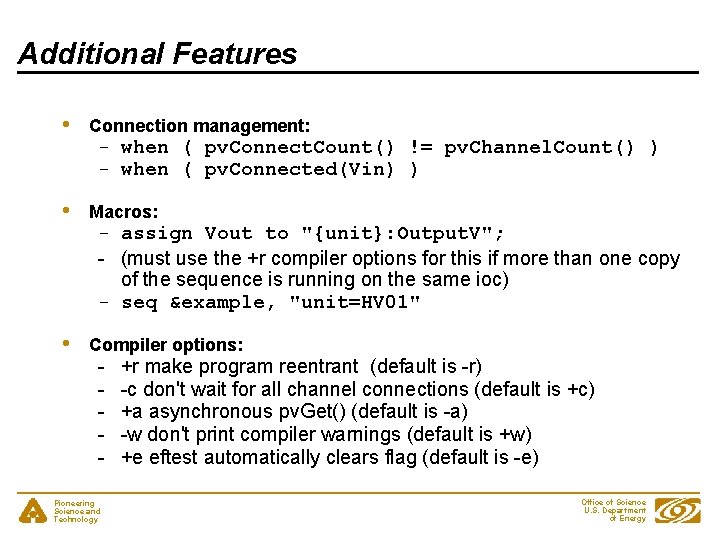
Additional Features • Connection management: • Macros: • Compiler options: - when ( pv. Connect. Count() != pv. Channel. Count() ) - when ( pv. Connected(Vin) ) - assign Vout to "{unit}: Output. V"; - (must use the +r compiler options for this if more than one copy of the sequence is running on the same ioc) - seq &example, "unit=HV 01" - Pioneering Science and Technology +r make program reentrant (default is -r) -c don't wait for all channel connections (default is +c) +a asynchronous pv. Get() (default is -a) -w don't print compiler warnings (default is +w) +e eftest automatically clears flag (default is -e) Office of Science U. S. Department of Energy
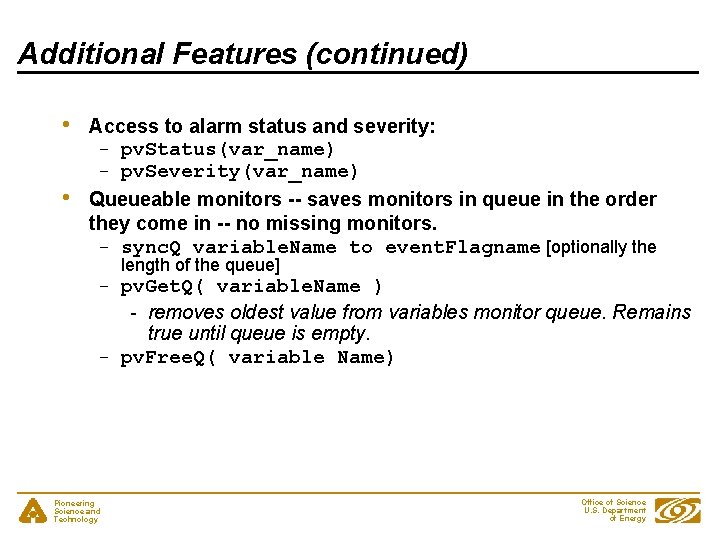
Additional Features (continued) • • Access to alarm status and severity: - pv. Status(var_name) - pv. Severity(var_name) Queueable monitors -- saves monitors in queue in the order they come in -- no missing monitors. - sync. Q variable. Name to event. Flagname [optionally the length of the queue] - pv. Get. Q( variable. Name ) - removes oldest value from variables monitor queue. Remains true until queue is empty. - pv. Free. Q( variable Name) Pioneering Science and Technology Office of Science U. S. Department of Energy
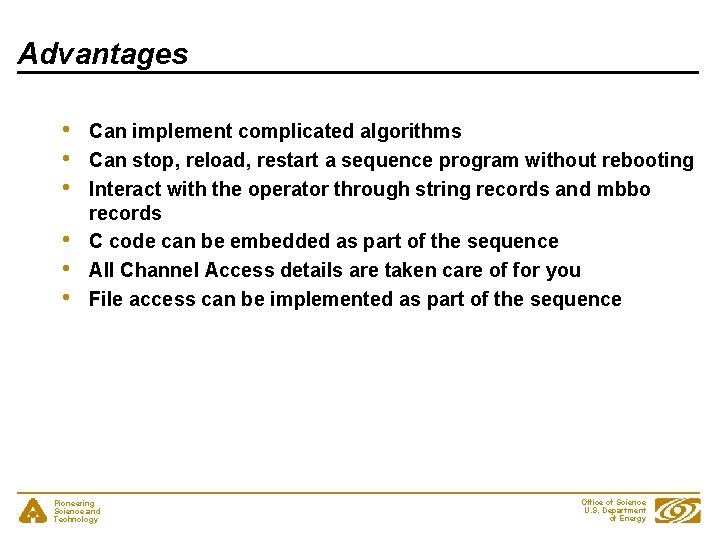
Advantages • • • Can implement complicated algorithms Can stop, reload, restart a sequence program without rebooting Interact with the operator through string records and mbbo records C code can be embedded as part of the sequence All Channel Access details are taken care of for you File access can be implemented as part of the sequence Pioneering Science and Technology Office of Science U. S. Department of Energy
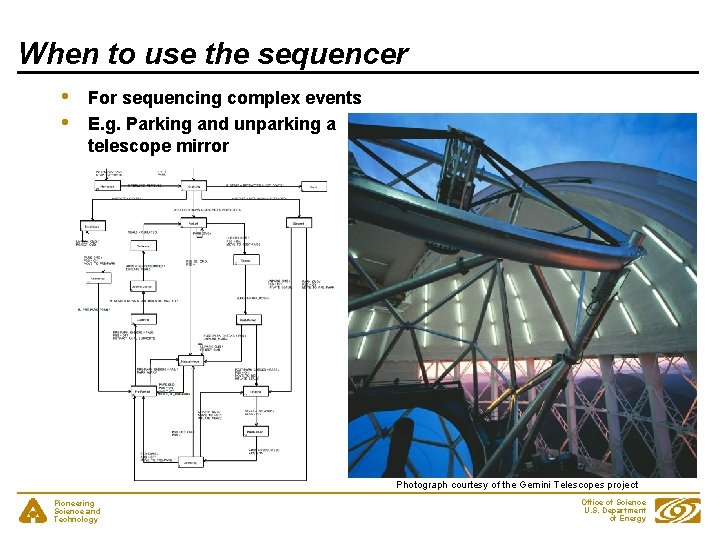
When to use the sequencer • • For sequencing complex events E. g. Parking and unparking a telescope mirror Photograph courtesy of the Gemini Telescopes project Pioneering Science and Technology Office of Science U. S. Department of Energy
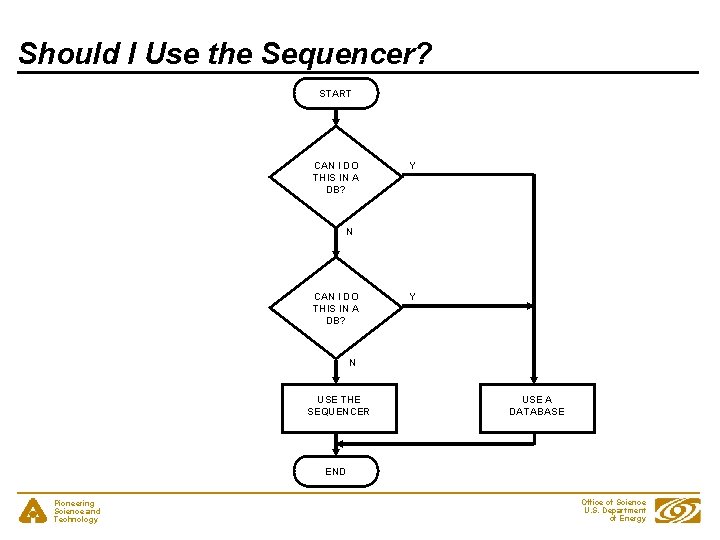
Should I Use the Sequencer? START CAN I DO THIS IN A DB? Y N USE THE SEQUENCER USE A DATABASE END Pioneering Science and Technology Office of Science U. S. Department of Energy
Acknowledgements • Slides for this presentation have been taken from talks prepared by the following people - Bob Dalesio (LANL/SNS/LCLS) - Deb Kerstiens (LANL) - Rozelle Wright (LANL) - Ned Arnold (APS-Controls) Pioneering Science and Technology Office of Science U. S. Department of Energy