
Getting Started 1 1 Components of Tornado Getting
![Boot Parameters [Vx. Works Boot]: p boot device : ei unit number : 0](https://slidetodoc.com/presentation_image/27f6f2b70e9b3e2d6e8188b0323258f4/image-24.jpg "Boot Parameters [Vx. Works Boot]: p boot device : ei unit number : 0")
![Booting [Vx. Works Boot]: @ boot device unit number processor number host name file](https://slidetodoc.com/presentation_image/27f6f2b70e9b3e2d6e8188b0323258f4/image-26.jpg "Booting [Vx. Works Boot]: @ boot device unit number processor number host name file")
- Slides: 46
Getting Started 1. 1 Components of Tornado Getting Help Hardware / Software Configuration Booting Starting Tornado WDB Agent ® 1 -2
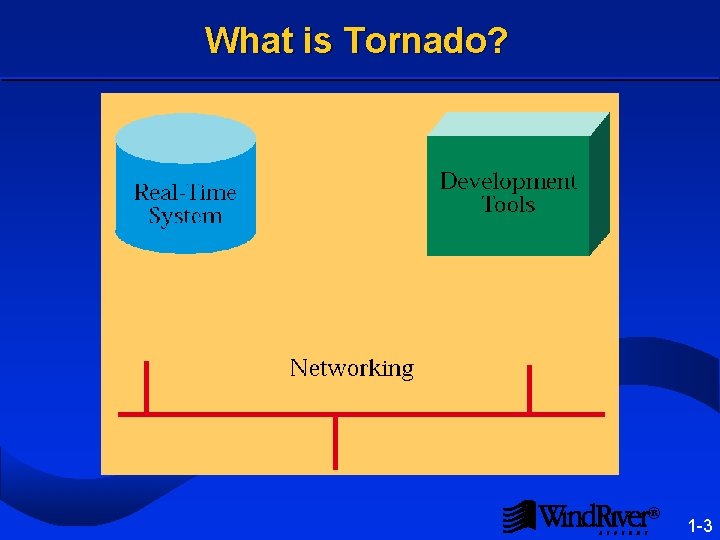
What is Tornado? ® 1 -3
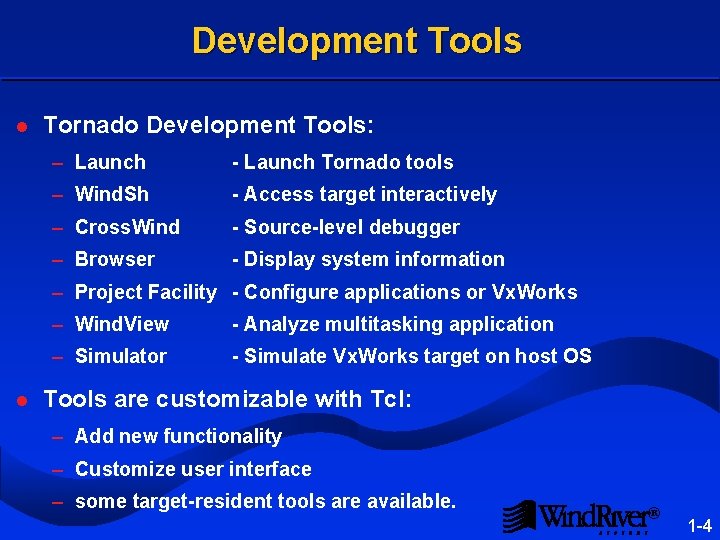
Development Tools l Tornado Development Tools: – Launch - Launch Tornado tools – Wind. Sh - Access target interactively – Cross. Wind - Source-level debugger – Browser - Display system information – Project Facility - Configure applications or Vx. Works l – Wind. View - Analyze multitasking application – Simulator - Simulate Vx. Works target on host OS Tools are customizable with Tcl: – Add new functionality – Customize user interface – some target-resident tools are available. ® 1 -4
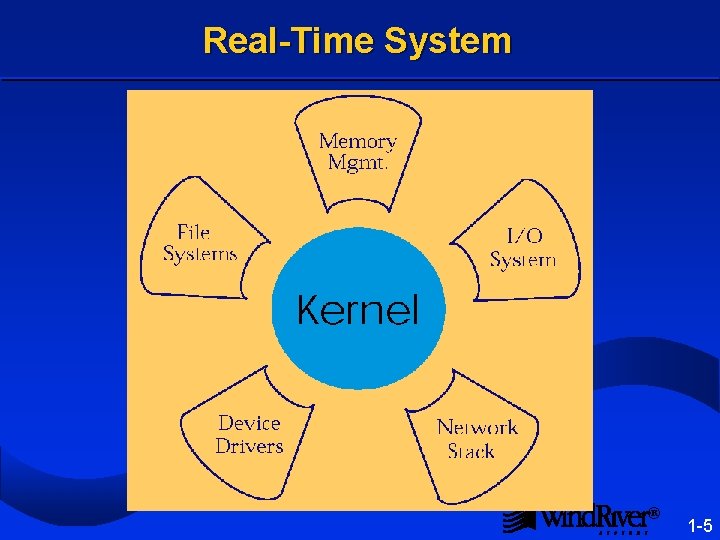
Real-Time System ® 1 -5
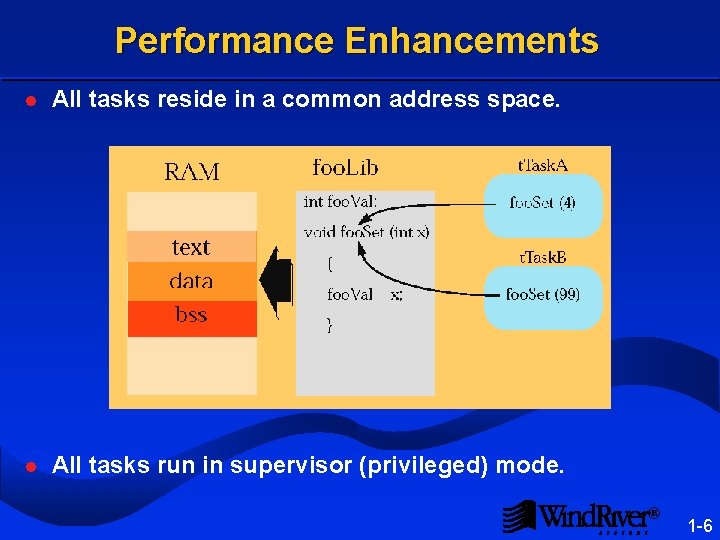
Performance Enhancements l All tasks reside in a common address space. l All tasks run in supervisor (privileged) mode. ® 1 -6
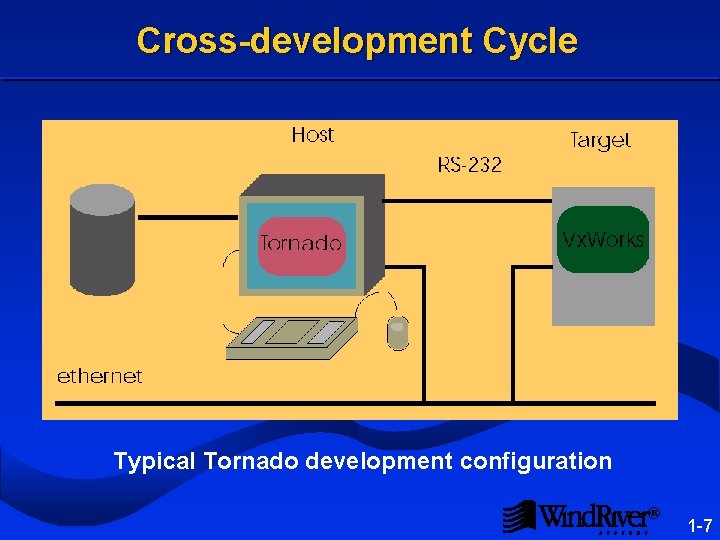
Cross-development Cycle Typical Tornado development configuration ® 1 -7
Tornado Delivery l Boot ROM’s for supported boards – Board specific – Use network to download Vx. Works from host – Turnkey for standard boards l CD-ROM for product components – Tornado tools, which run on the host – The Vx. Works OS, which runs on the target – Wind River Supplied BSP’s l Compiler Tool. Kit l Manuals on Vx. Works and Tornado ® 1 -8
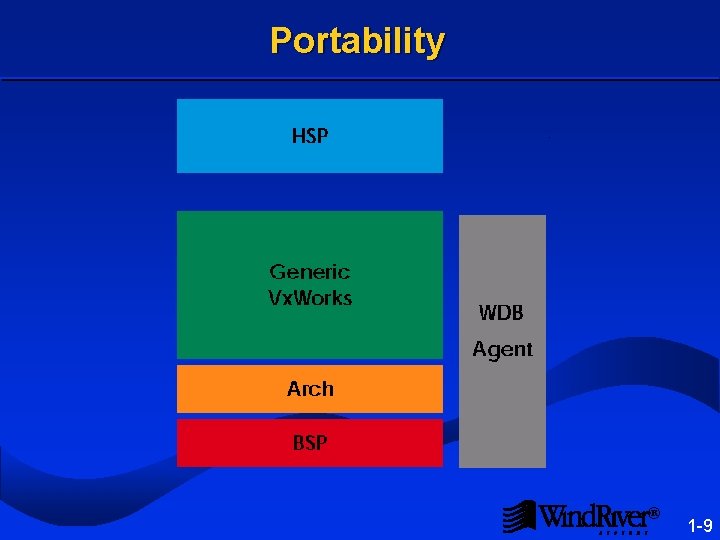
Portability ® 1 -9
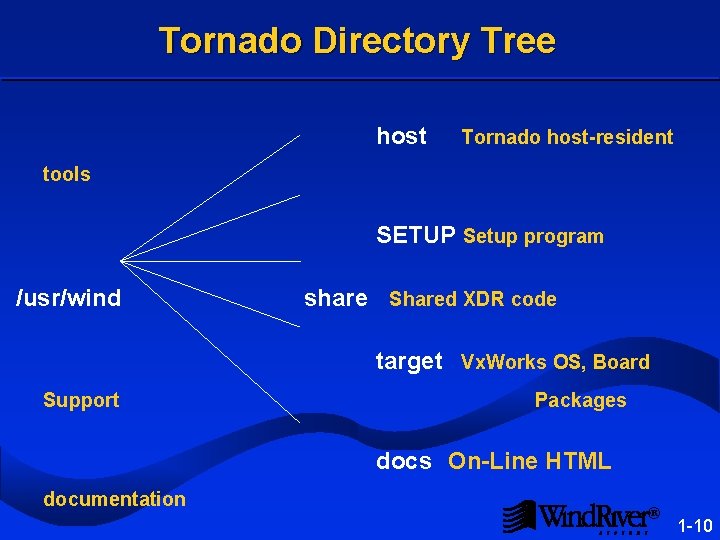
Tornado Directory Tree host Tornado host-resident tools SETUP Setup program /usr/wind share Shared XDR code target Vx. Works OS, Board Support Packages docs On-Line HTML documentation ® 1 -10
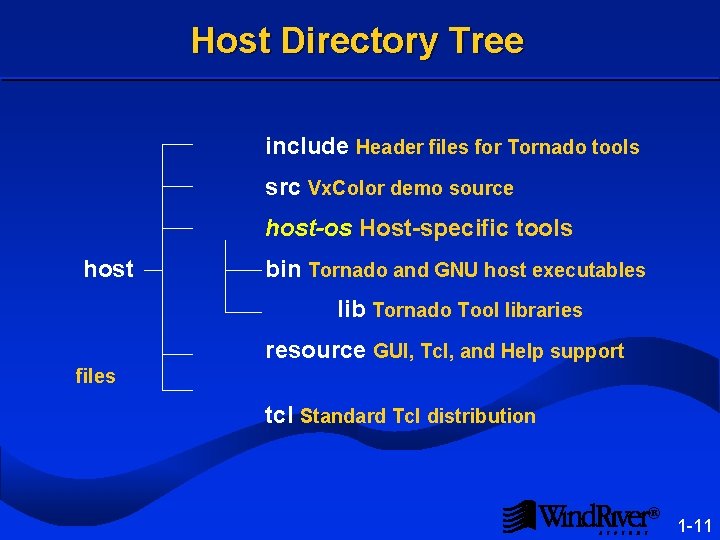
Host Directory Tree include Header files for Tornado tools src Vx. Color demo source host-os Host-specific tools host bin Tornado and GNU host executables lib Tornado Tool libraries resource GUI, Tcl, and Help support files tcl Standard Tcl distribution ® 1 -11
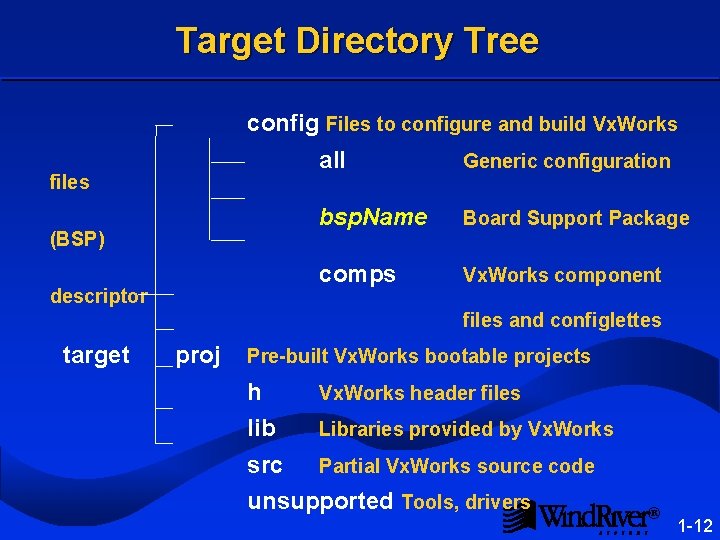
Target Directory Tree config Files to configure and build Vx. Works files (BSP) descriptor target all Generic configuration bsp. Name Board Support Package comps Vx. Works component files and configlettes proj Pre-built Vx. Works bootable projects h Vx. Works header files lib Libraries provided by Vx. Works src Partial Vx. Works source code unsupported Tools, drivers ® 1 -12
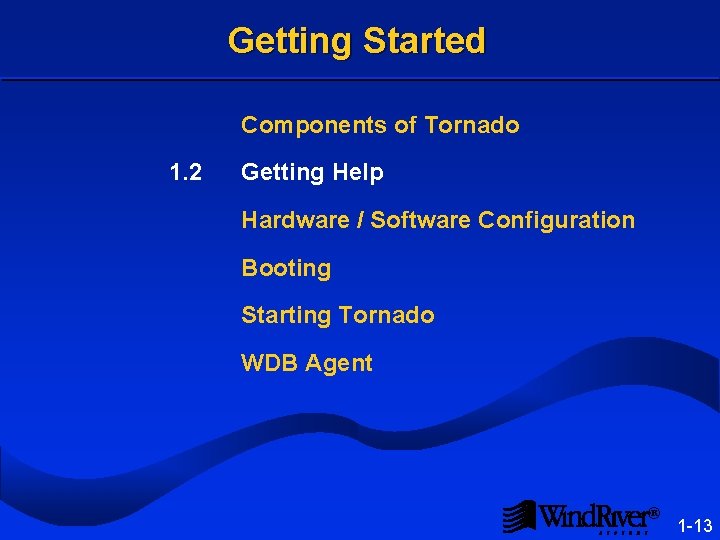
Getting Started Components of Tornado 1. 2 Getting Help Hardware / Software Configuration Booting Starting Tornado WDB Agent ® 1 -13
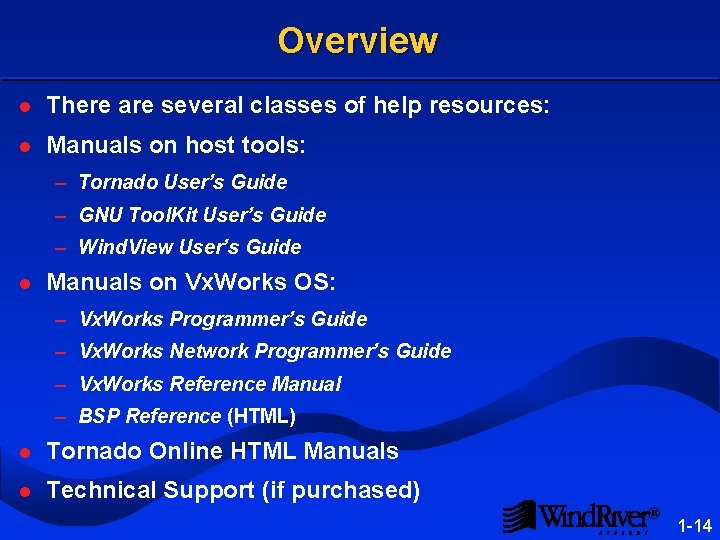
Overview l There are several classes of help resources: l Manuals on host tools: – Tornado User’s Guide – GNU Tool. Kit User’s Guide – Wind. View User’s Guide l Manuals on Vx. Works OS: – Vx. Works Programmer’s Guide – Vx. Works Network Programmer’s Guide – Vx. Works Reference Manual – BSP Reference (HTML) l Tornado Online HTML Manuals l Technical Support (if purchased) ® 1 -14
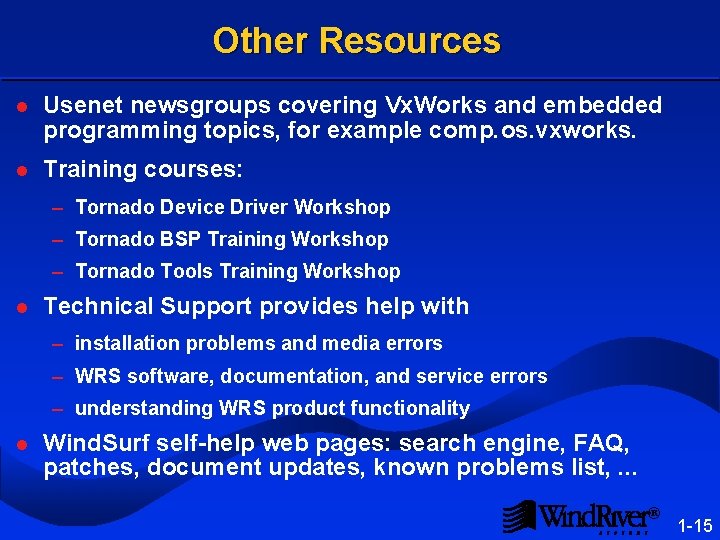
Other Resources l Usenet newsgroups covering Vx. Works and embedded programming topics, for example comp. os. vxworks. l Training courses: – Tornado Device Driver Workshop – Tornado BSP Training Workshop – Tornado Tools Training Workshop l Technical Support provides help with – installation problems and media errors – WRS software, documentation, and service errors – understanding WRS product functionality l Wind. Surf self-help web pages: search engine, FAQ, patches, document updates, known problems list, . . . ® 1 -15
Getting Started Components of Tornado Getting Help 1. 3 Hardware / Software Configuration Booting Starting Tornado WDB Agent ® 1 -16
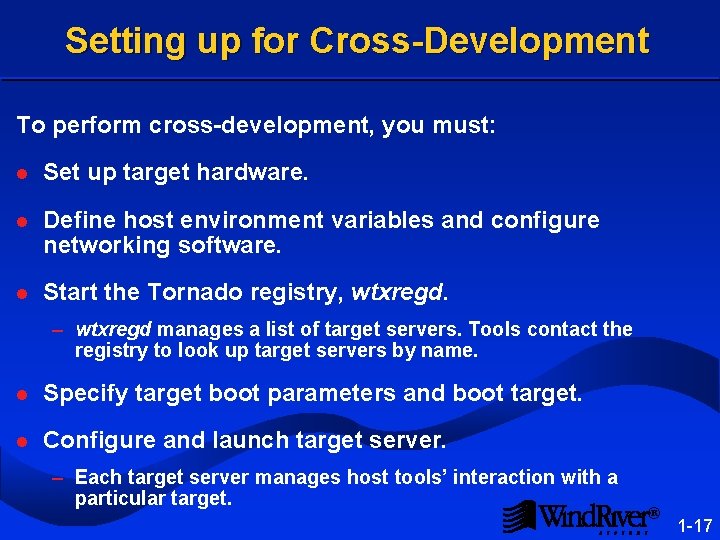
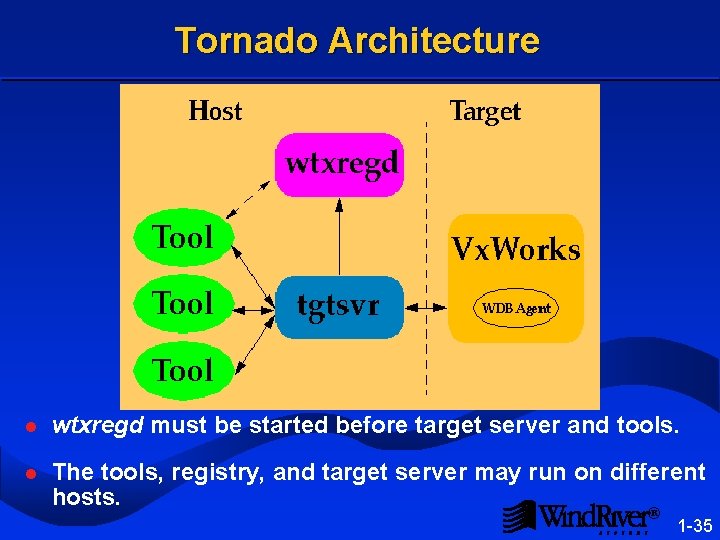
Setting up for Cross-Development To perform cross-development, you must: l Set up target hardware. l Define host environment variables and configure networking software. l Start the Tornado registry, wtxregd. – wtxregd manages a list of target servers. Tools contact the registry to look up target servers by name. l Specify target boot parameters and boot target. l Configure and launch target server. – Each target server manages host tools’ interaction with a particular target. ® 1 -17
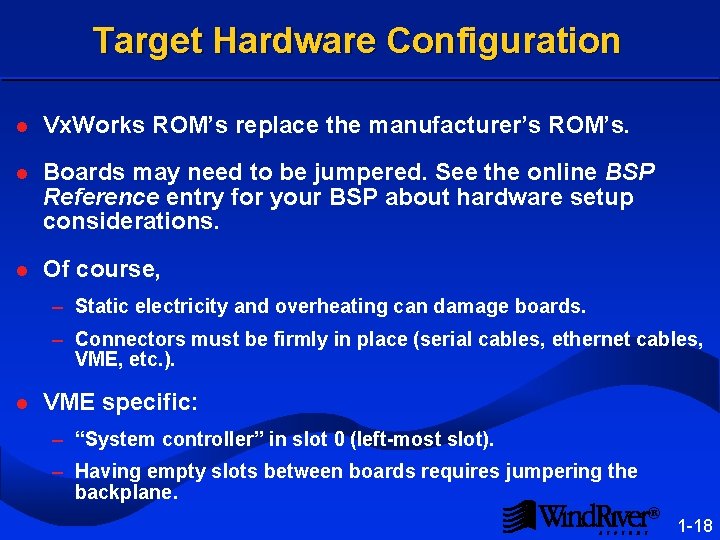
Target Hardware Configuration l Vx. Works ROM’s replace the manufacturer’s ROM’s. l Boards may need to be jumpered. See the online BSP Reference entry for your BSP about hardware setup considerations. l Of course, – Static electricity and overheating can damage boards. – Connectors must be firmly in place (serial cables, ethernet cables, VME, etc. ). l VME specific: – “System controller” in slot 0 (left-most slot). – Having empty slots between boards requires jumpering the backplane. ® 1 -18
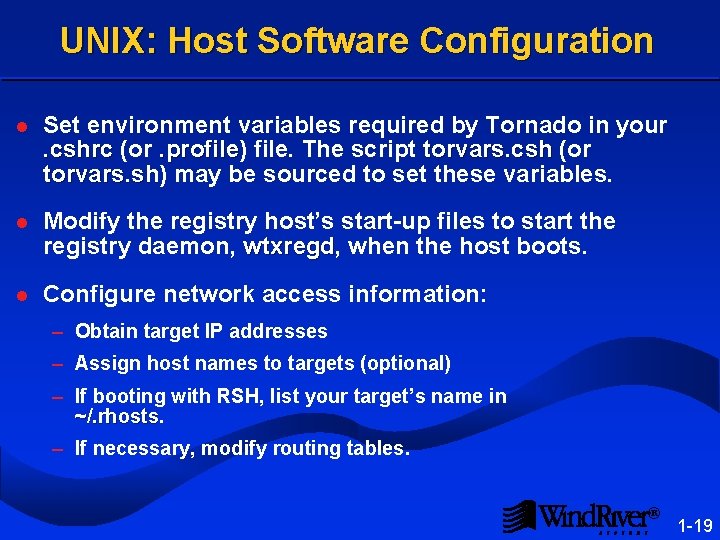
UNIX: Host Software Configuration l Set environment variables required by Tornado in your . cshrc (or . profile) file. The script torvars. csh (or cshrc. profile csh torvars. sh) may be sourced to set these variables. sh l Modify the registry host’s start-up files to start the registry daemon, wtxregd, when the host boots. wtxregd l Configure network access information: – Obtain target IP addresses – Assign host names to targets (optional) – If booting with RSH, list your target’s name in ~/. rhosts – If necessary, modify routing tables. ® 1 -19
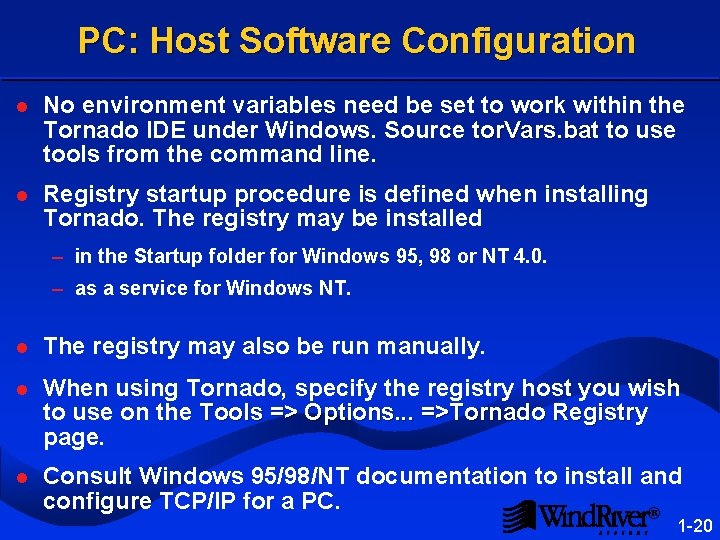
PC: Host Software Configuration l No environment variables need be set to work within the Tornado IDE under Windows. Source tor. Vars. bat to use . bat tools from the command line. l Registry startup procedure is defined when installing Tornado. The registry may be installed – in the Startup folder for Windows 95, 98 or NT 4. 0. – as a service for Windows NT. l The registry may also be run manually. l When using Tornado, specify the registry host you wish to use on the Tools => Options. . . =>Tornado Registry page. l Consult Windows 95/98/NT documentation to install and configure TCP/IP for a PC. ® 1 -20
Getting Started Components of Tornado Getting Help Hardware / Software Configuration 1. 4 Booting Starting Tornado WDB Agent ® 1 -21
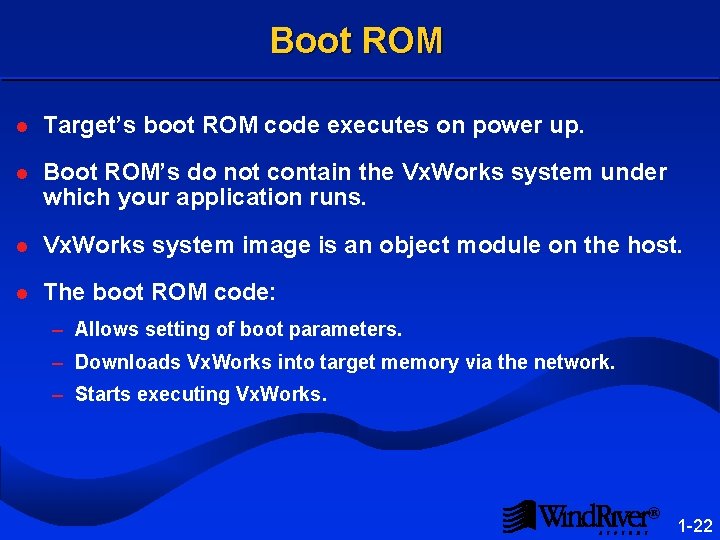
Boot ROM l Target’s boot ROM code executes on power up. l Boot ROM’s do not contain the Vx. Works system under which your application runs. l Vx. Works system image is an object module on the host. l The boot ROM code: – Allows setting of boot parameters. – Downloads Vx. Works into target memory via the network. – Starts executing Vx. Works. ® 1 -22
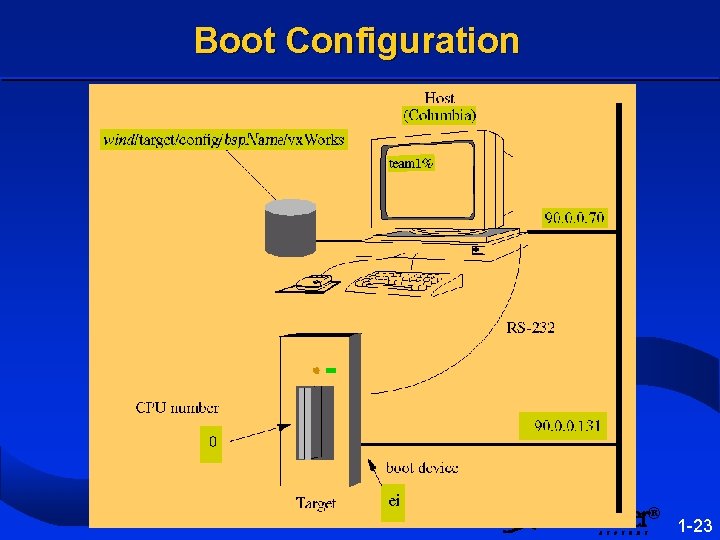
Boot Configuration ® 1 -23
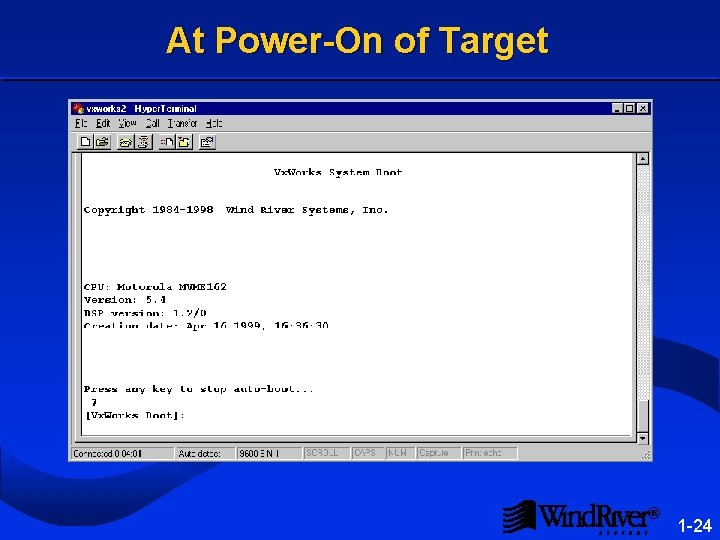
At Power-On of Target ® 1 -24
Boot Parameters [Vx. Works Boot]: p boot device : ei unit number : 0 processor number : 0 host name : wolverine file name : c: tornado 2targetconfigmv 162vx. Works inet on ethernet (e): 147. 11. 12. 204: ffffff 00 host inet (h) : 147. 11. 12. 165 user (u) : todd ftp password (pw) : covert flags (f) : 0 target name (tn) : t 12 -204 l Unset boot parameters are not displayed by p: gateway inet (g) startup script (s) other (o) ® 1 -25
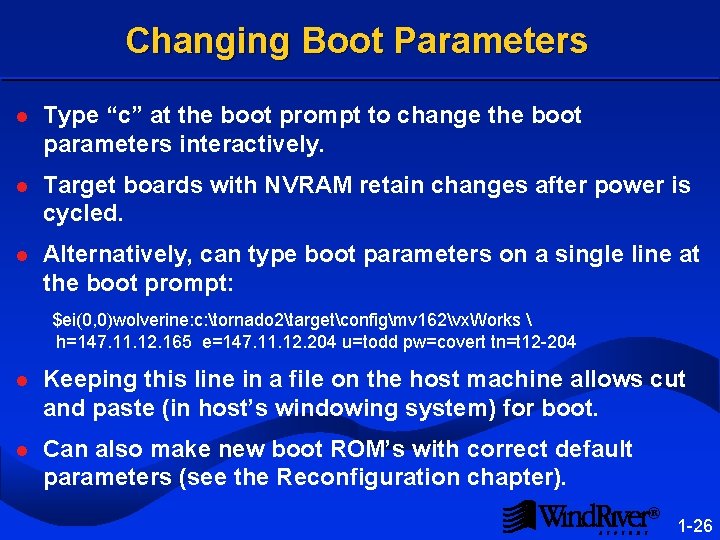
Changing Boot Parameters l Type “c” at the boot prompt to change the boot parameters interactively. l Target boards with NVRAM retain changes after power is cycled. l Alternatively, can type boot parameters on a single line at the boot prompt: $ei(0, 0)wolverine: c: tornado 2targetconfigmv 162vx. Works h=147. 11. 12. 165 e=147. 11. 12. 204 u=todd pw=covert tn=t 12 -204 l Keeping this line in a file on the host machine allows cut and paste (in host’s windowing system) for boot. l Can also make new boot ROM’s with correct default parameters (see the Reconfiguration chapter). ® 1 -26
Booting [Vx. Works Boot]: @ boot device unit number processor number host name file name inet on ethernet (e) host inet (h) user (u) ftp password (pw) flags (f) target name (tn) : : : ei 0 0 wolverine c: tornado 2targetconfigmv 162Vx. Works 147. 11. 12. 204: ffffff 00 147. 11. 12. 165 todd covert 0 x 0 t 12 -204 Attached TCP/IP interface to ei 0. Attaching network interface lo 0. . . done. Loading. . . 424504 + 29664 + 29404 Starting at 0 x 20000. . . Attached TCP/IP interface to ei unit 0 Attaching network interface lo 0. . . done. NFS client support not included. Vx. Works Copyright 1984 -1998 CPU: Vx. Works: BSP version: Creation date: WDB: Wind River Systems, Inc. Motorola MVME 162 5. 4 1. 2/0 Apr 22 1999 Ready. ® 1 -27
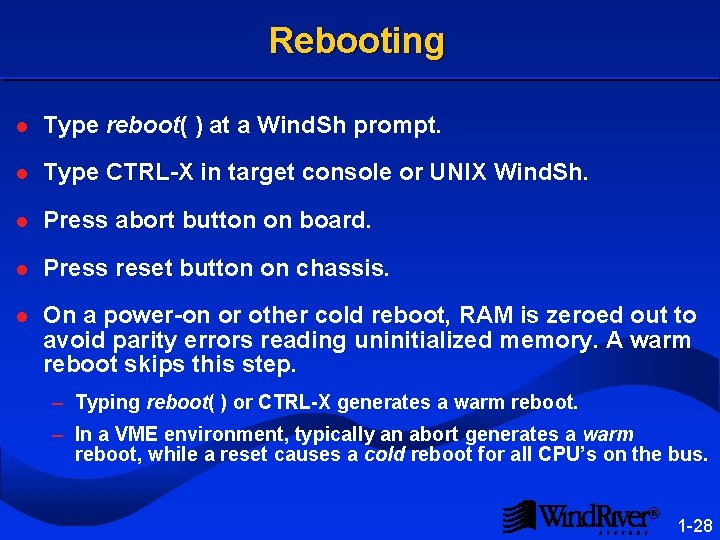
Rebooting l Type reboot( ) at a Wind. Sh prompt. l Type CTRL-X in target console or UNIX Wind. Sh. CTRL-X l Press abort button on board. abort l Press reset button on chassis. reset l On a power-on or other cold reboot, RAM is zeroed out to avoid parity errors reading uninitialized memory. A warm reboot skips this step. – Typing reboot( ) or CTRL-X generates a warm reboot. – In a VME environment, typically an abort generates a warm reboot, while a reset causes a cold reboot for all CPU’s on the bus. ® 1 -28
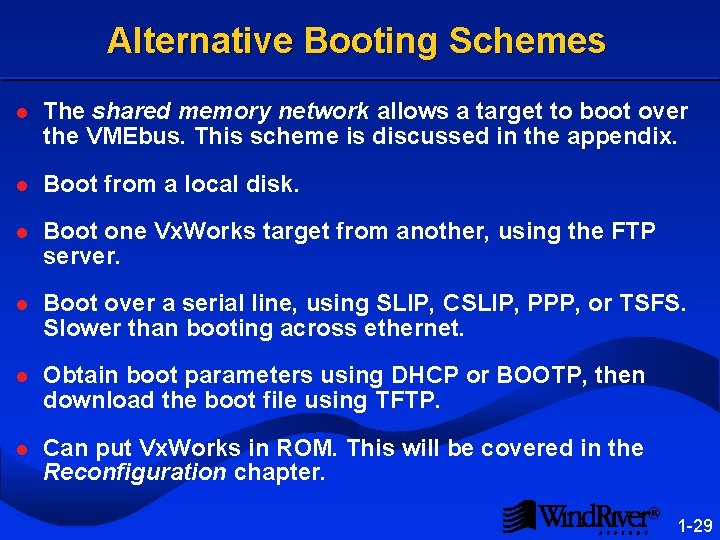
Alternative Booting Schemes l The shared memory network allows a target to boot over the VMEbus. This scheme is discussed in the appendix. l Boot from a local disk. l Boot one Vx. Works target from another, using the FTP server. l Boot over a serial line, using SLIP, CSLIP, PPP, or TSFS. Slower than booting across ethernet. l Obtain boot parameters using DHCP or BOOTP, then download the boot file using TFTP. l Can put Vx. Works in ROM. This will be covered in the Reconfiguration chapter. ® 1 -29
Getting Started Components of Tornado Getting Help Hardware / Software Configuration Booting 1. 5 Starting Tornado WDB Agent ® 1 -30
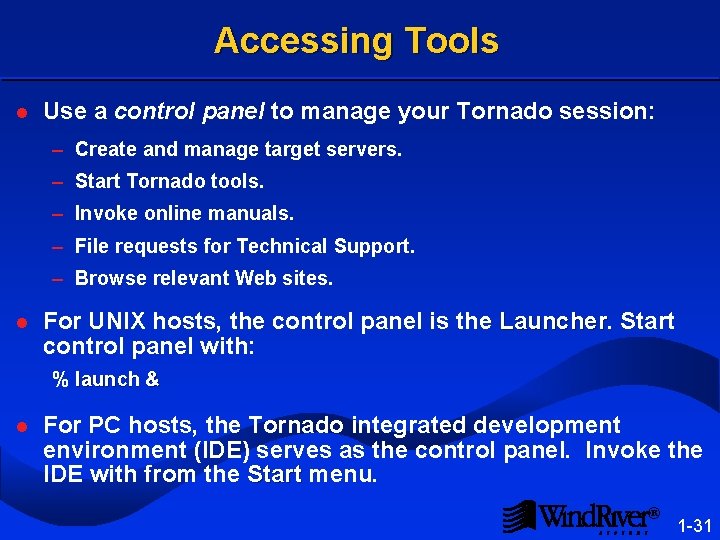
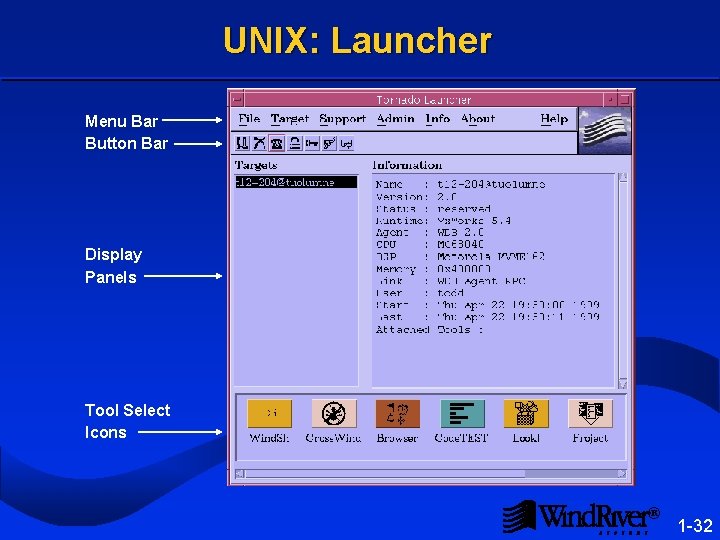
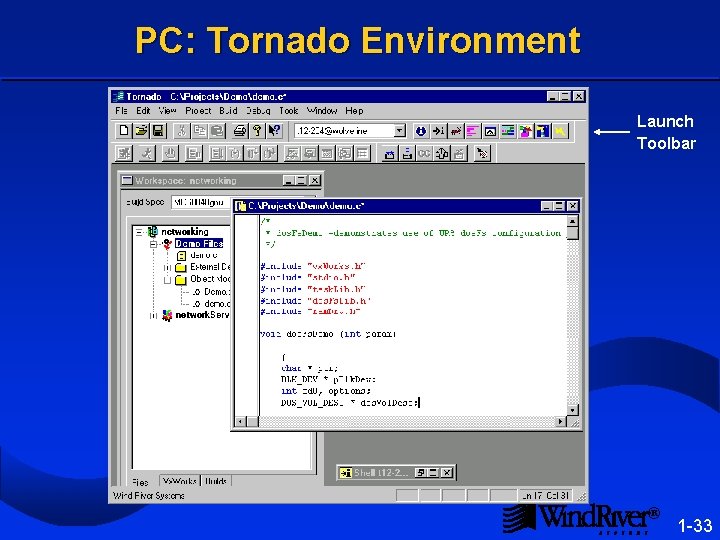
Accessing Tools l Use a control panel to manage your Tornado session: – Create and manage target servers. – Start Tornado tools. – Invoke online manuals. – File requests for Technical Support. – Browse relevant Web sites. l For UNIX hosts, the control panel is the Launcher. Start Launcher control panel with: % launch & l For PC hosts, the Tornado integrated development environment (IDE) serves as the control panel. Invoke the IDE with from the Start menu. Start ® 1 -31
UNIX: Launcher Menu Bar Button Bar Display Panels Tool Select Icons ® 1 -32
PC: Tornado Environment Launch Toolbar ® 1 -33
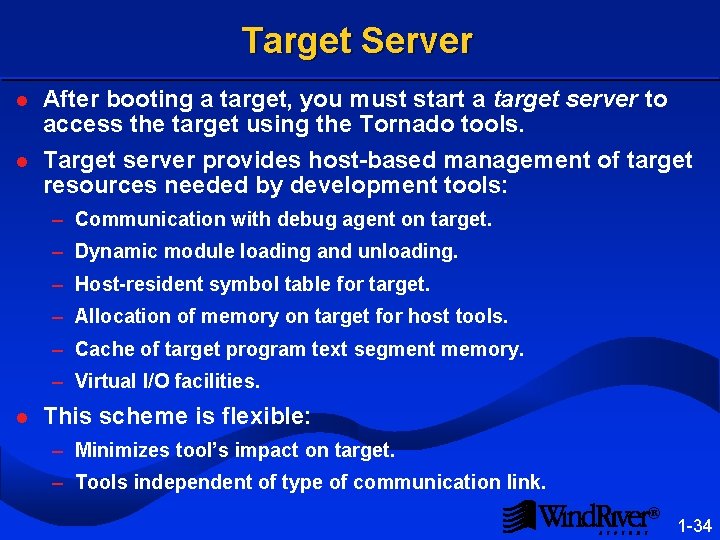
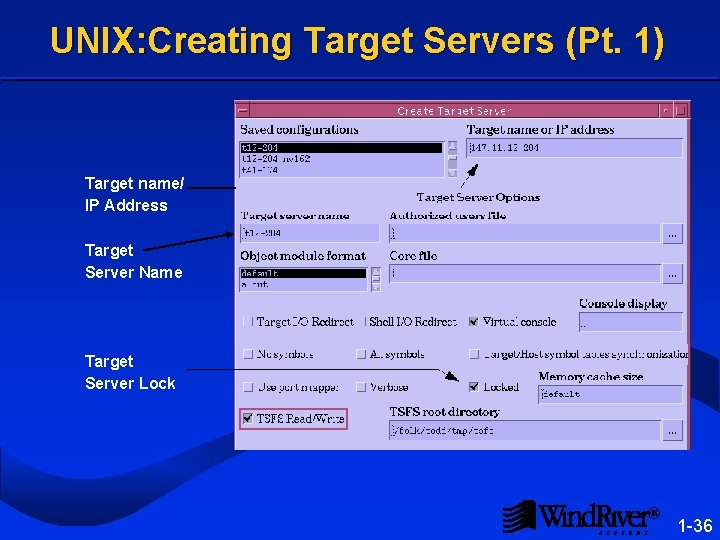
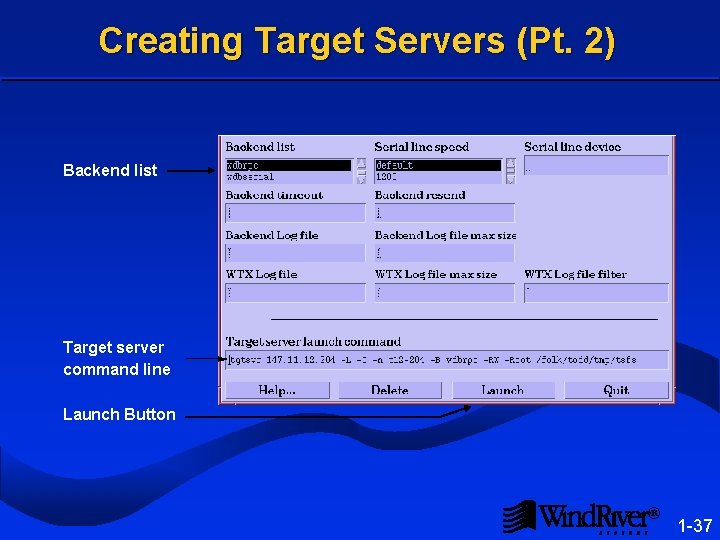
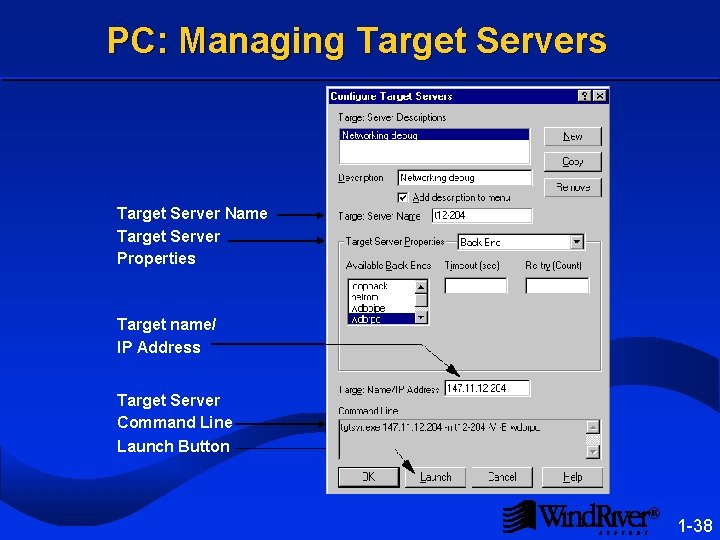
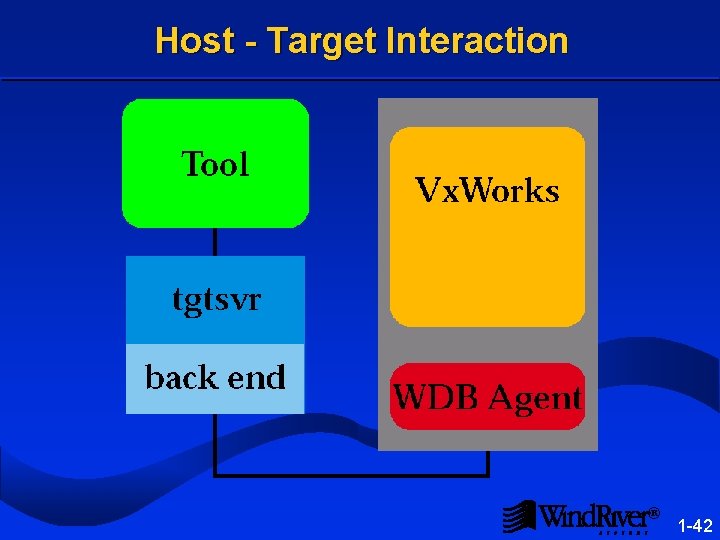
Target Server l After booting a target, you must start a target server to access the target using the Tornado tools. l Target server provides host-based management of target resources needed by development tools: – Communication with debug agent on target. – Dynamic module loading and unloading. – Host-resident symbol table for target. – Allocation of memory on target for host tools. – Cache of target program text segment memory. – Virtual I/O facilities. l This scheme is flexible: – Minimizes tool’s impact on target. – Tools independent of type of communication link. ® 1 -34
Tornado Architecture l wtxregd must be started before target server and tools. l The tools, registry, and target server may run on different hosts. ® 1 -35
UNIX: Creating Target Servers (Pt. 1) Target name/ IP Address Target Server Name Target Server Lock ® 1 -36
Creating Target Servers (Pt. 2) Backend list Target server command line Launch Button ® 1 -37
PC: Managing Target Servers Target Server Name Target Server Properties Target name/ IP Address Target Server Command Line Launch Button ® 1 -38
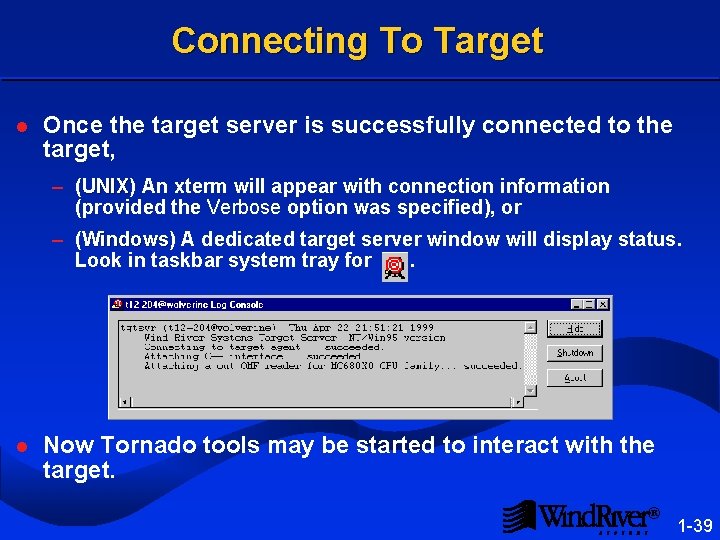
Connecting To Target l Once the target server is successfully connected to the target, – (UNIX) An xterm will appear with connection information UNIX (provided the Verbose option was specified), or – (Windows) A dedicated target server window will display status. Windows Look in taskbar system tray for . l Now Tornado tools may be started to interact with the target. ® 1 -39
Getting Started Components of Tornado Getting Help Hardware / Software Configuration Booting Starting Tornado 1. 6 WDB Agent ® 1 -40
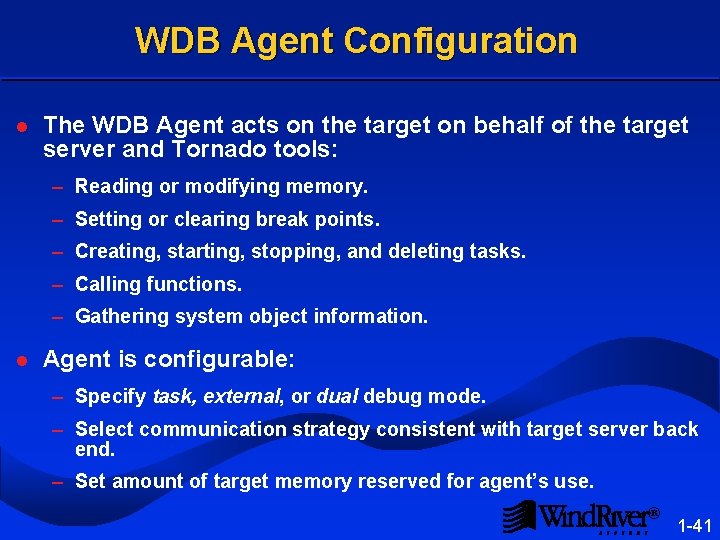
WDB Agent Configuration l The WDB Agent acts on the target on behalf of the target server and Tornado tools: – Reading or modifying memory. – Setting or clearing break points. – Creating, starting, stopping, and deleting tasks. – Calling functions. – Gathering system object information. l Agent is configurable: – Specify task, external, or dual debug mode. – Select communication strategy consistent with target server back end. – Set amount of target memory reserved for agent’s use. ® 1 -41
Host - Target Interaction ® 1 -42
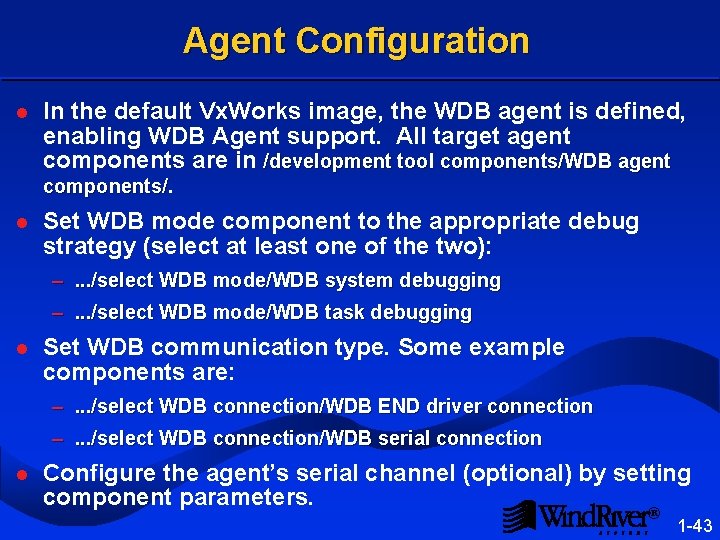
Agent Configuration l In the default Vx. Works image, the WDB agent is defined, enabling WDB Agent support. All target agent components are in /development tool components/WDB agent components/. l Set WDB mode component to the appropriate debug strategy (select at least one of the two): –. . . /select WDB mode/WDB system debugging –. . . /select WDB mode/WDB task debugging l Set WDB communication type. Some example components are: –. . . /select WDB connection/WDB END driver connection –. . . /select WDB connection/WDB serial connection l Configure the agent’s serial channel (optional) by setting component parameters. ® 1 -43
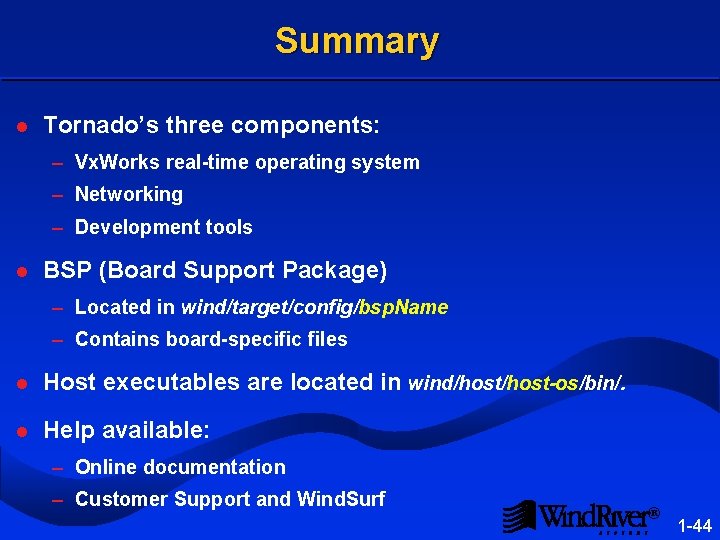
Summary l Tornado’s three components: – Vx. Works real-time operating system – Networking – Development tools l BSP (Board Support Package) – Located in wind/target/config/bsp. Name – Contains board-specific files l Host executables are located in wind/host-os/bin/. l Help available: – Online documentation – Customer Support and Wind. Surf ® 1 -44
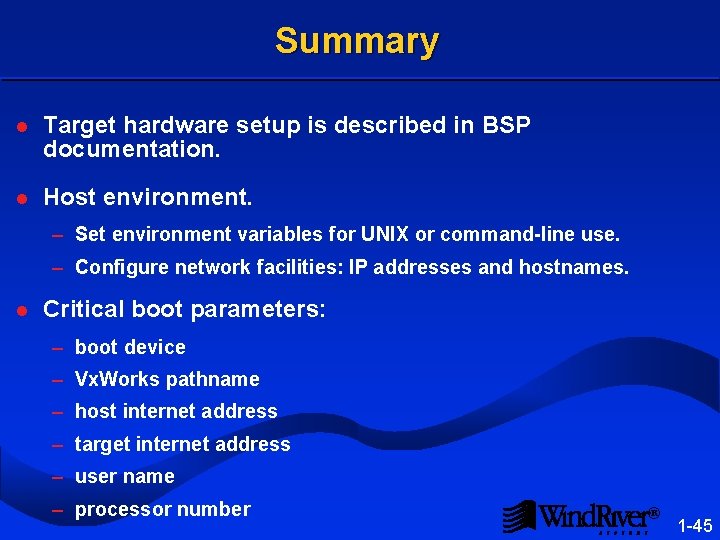
Summary l Target hardware setup is described in BSP documentation. l Host environment. – Set environment variables for UNIX or command-line use. – Configure network facilities: IP addresses and hostnames. l Critical boot parameters: – boot device – Vx. Works pathname – host internet address – target internet address – user name – processor number ® 1 -45
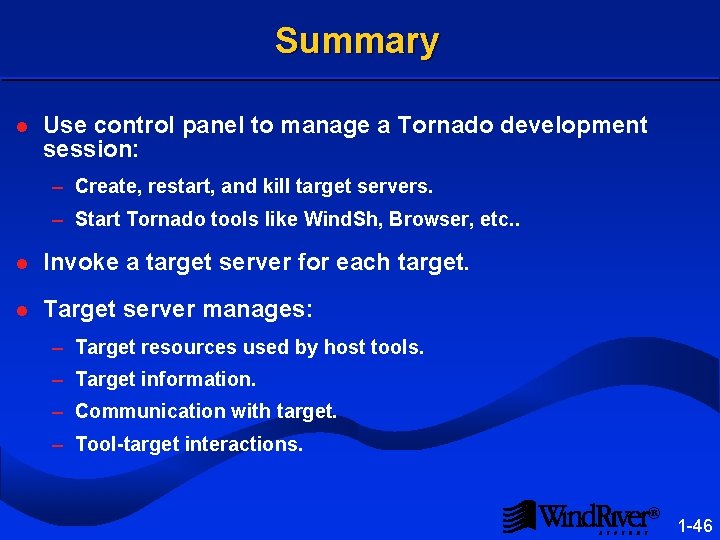
Summary l Use control panel to manage a Tornado development session: – Create, restart, and kill target servers. – Start Tornado tools like Wind. Sh, Browser, etc. . l Invoke a target server for each target. l Target server manages: – Target resources used by host tools. – Target information. – Communication with target. – Tool-target interactions. ® 1 -46
Summary l Configure WDB Agent: – Debug mode – Communication strategy ® 1 -47