
Getting ready for the move to Pennant Records
- Slides: 16
Getting ready for the move to Pennant Records Overview for report writers Data Warehouse Student Data User Group June 19, 2019
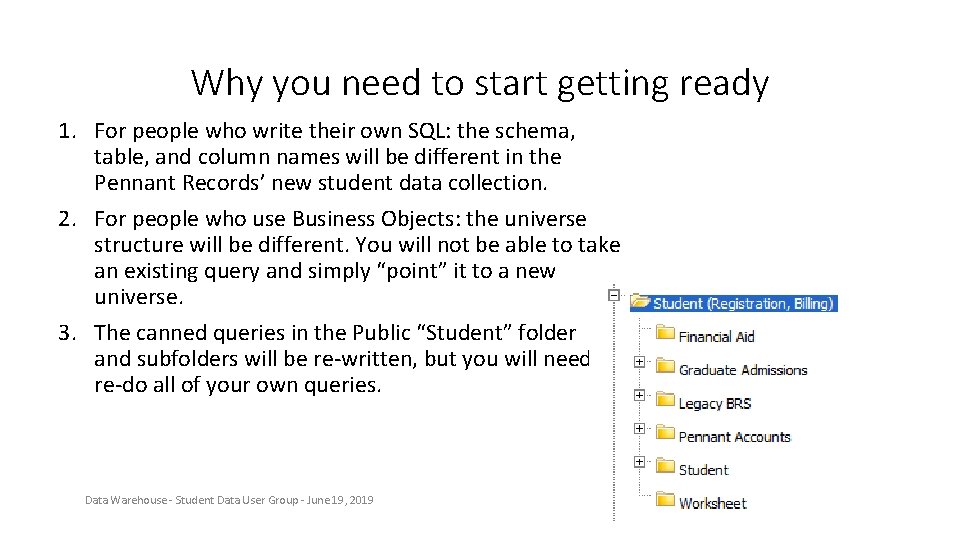
Why you need to start getting ready 1. For people who write their own SQL: the schema, table, and column names will be different in the Pennant Records’ new student data collection. 2. For people who use Business Objects: the universe structure will be different. You will not be able to take an existing query and simply “point” it to a new universe. 3. The canned queries in the Public “Student” folder and subfolders will be re-written, but you will need to re-do all of your own queries. Data Warehouse - Student Data User Group - June 19, 2019
4. The existing data structures, universes, and canned queries will not be deleted, and they will be useful to help during the transition. However, all new information going forward will be in the new tables, new universes, and new canned queries. We will be converting the historic information into the new tables, so after the initial transition period you should be able to do all of your querying from the new tables. 5. Don’t Panic. The Student Data team in Enterprise Information & Analytics is here to help: We will have documentation and examples for you to follow Once we have a test database up and running, you can get started ahead of time We will hold workshops and office hours There will be a more extensive library of corporate documents for you to use Data Warehouse - Student Data User Group - June 19, 2019
What you should start to do now • Business Objects Infoview only users: • Let us know which documents in the public folders you currently use, and whether/how they could better suit your needs • Webi Users: • Take an inventory of all your personal documents, and • Prioritize what you have: What’s old and no longer needed? What’s critical and will need to be converted asap? What’s probably needed but can wait till later to convert? • Consider consolidating similar queries. • Compare what you have in your personal documents with the list of proposed Pennant Records corporate documents: are there things on the list you might be able to just use and/or build from, instead of re-writing your own? • Developers and people who write their own SQL: • Similar inventory & prioritization activities: What’s critical, what can wait, etc. • Take a look at the list of proposed Pennant Records corporate documents: there may be sql used by those that you can build from. Data Warehouse - Student Data User Group - June 19, 2019
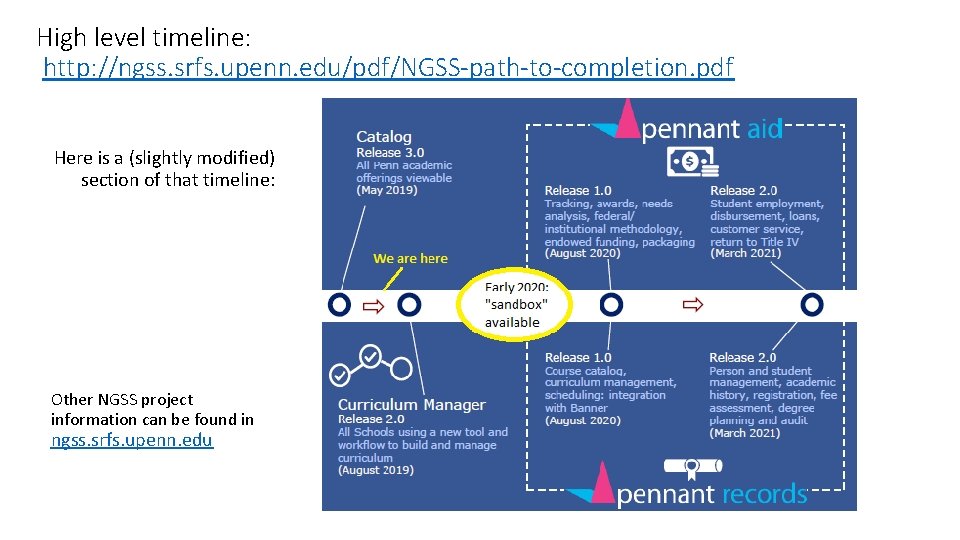
High level timeline: http: //ngss. srfs. upenn. edu/pdf/NGSS-path-to-completion. pdf Here is a (slightly modified) section of that timeline: Other NGSS project information can be found in ngss. srfs. upenn. edu
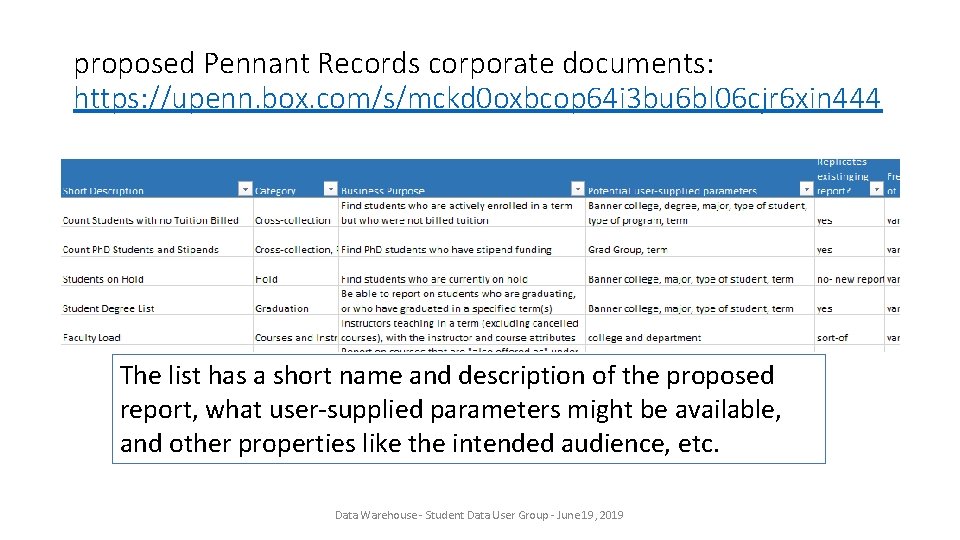
proposed Pennant Records corporate documents: https: //upenn. box. com/s/mckd 0 oxbcop 64 i 3 bu 6 bl 06 cjr 6 xin 444 The list has a short name and description of the proposed report, what user-supplied parameters might be available, and other properties like the intended audience, etc. Data Warehouse - Student Data User Group - June 19, 2019
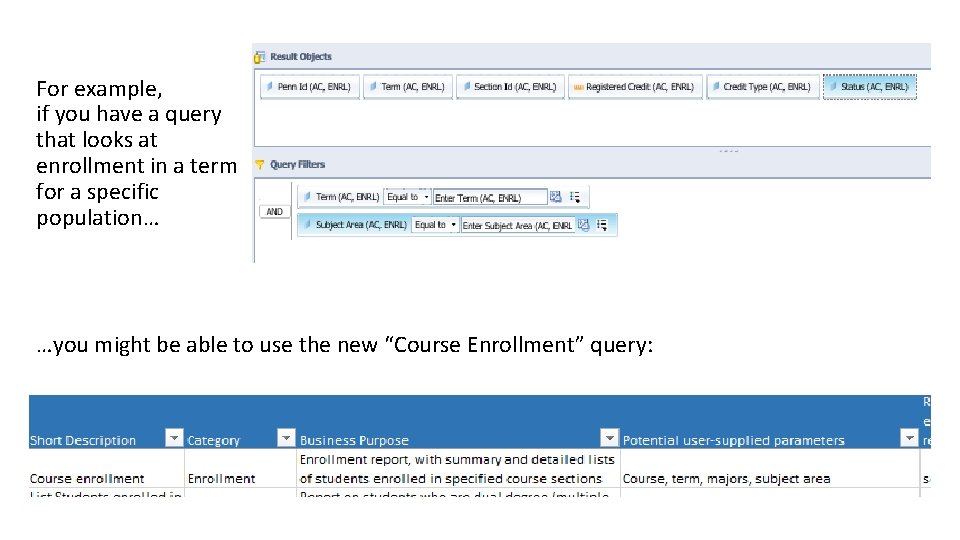
For example, if you have a query that looks at enrollment in a term for a specific population… …you might be able to use the new “Course Enrollment” query:
Use an existing query or rebuild from scratch? It’s up to you, but here are some suggestions: • Start from an existing one if • You have not yet had the chance to become familiar with the new table and column names, and or • One exists that you can use, and you only have a few changes to make • Start from scratch if • You are comfortable building/testing in the new environment, or • You have a highly customized report that is unlike any existing one Data Warehouse - Student Data User Group - June 19, 2019
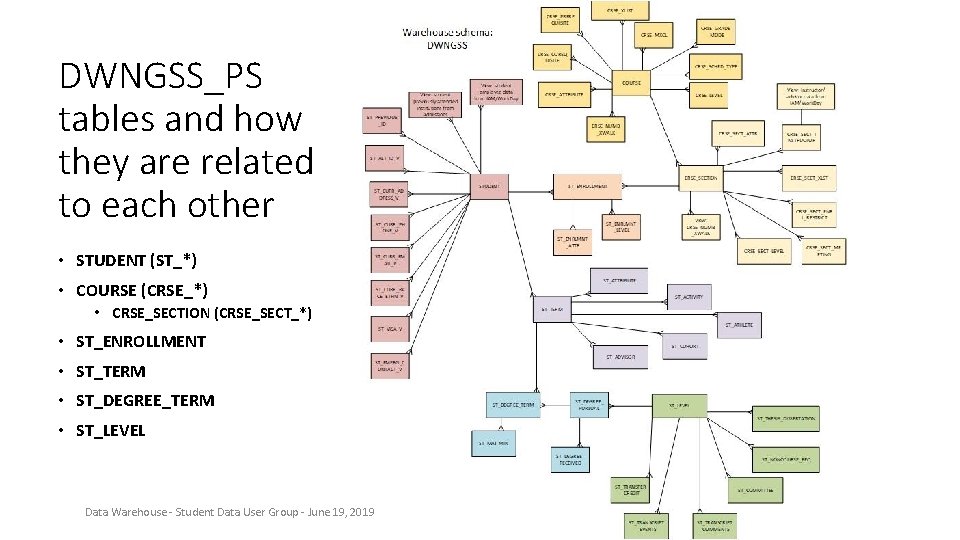
DWNGSS_PS tables and how they are related to each other • STUDENT (ST_*) • COURSE (CRSE_*) • CRSE_SECTION (CRSE_SECT_*) • ST_ENROLLMENT • ST_TERM • ST_DEGREE_TERM • ST_LEVEL Data Warehouse - Student Data User Group - June 19, 2019
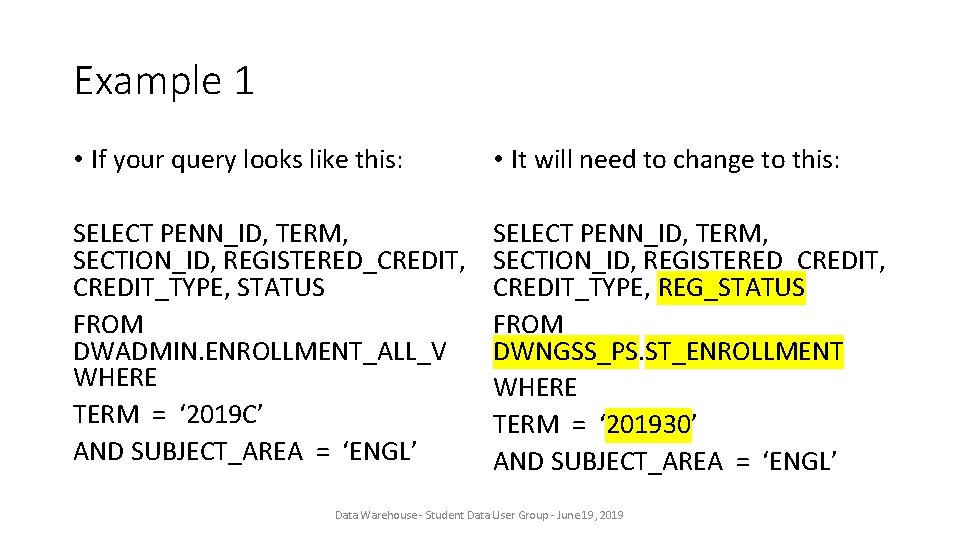
Example 1 • If your query looks like this: • It will need to change to this: SELECT PENN_ID, TERM, SECTION_ID, REGISTERED_CREDIT, CREDIT_TYPE, STATUS FROM DWADMIN. ENROLLMENT_ALL_V WHERE TERM = ‘ 2019 C’ AND SUBJECT_AREA = ‘ENGL’ SELECT PENN_ID, TERM, SECTION_ID, REGISTERED_CREDIT, CREDIT_TYPE, REG_STATUS FROM DWNGSS_PS. ST_ENROLLMENT WHERE TERM = ‘ 201930’ AND SUBJECT_AREA = ‘ENGL’ Data Warehouse - Student Data User Group - June 19, 2019
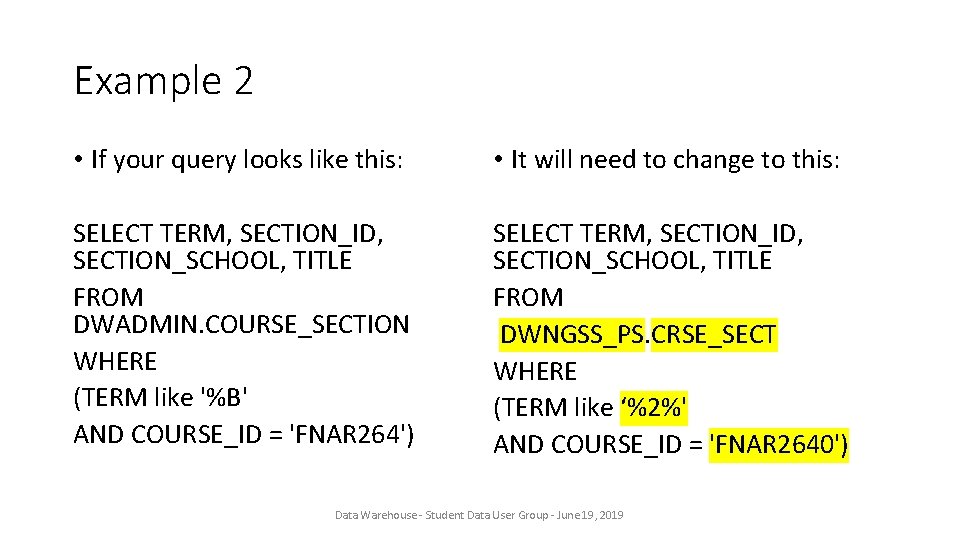
Example 2 • If your query looks like this: • It will need to change to this: SELECT TERM, SECTION_ID, SECTION_SCHOOL, TITLE FROM DWADMIN. COURSE_SECTION WHERE (TERM like '%B' AND COURSE_ID = 'FNAR 264') SELECT TERM, SECTION_ID, SECTION_SCHOOL, TITLE FROM DWNGSS_PS. CRSE_SECT WHERE (TERM like ‘%2%' AND COURSE_ID = 'FNAR 2640') Data Warehouse - Student Data User Group - June 19, 2019
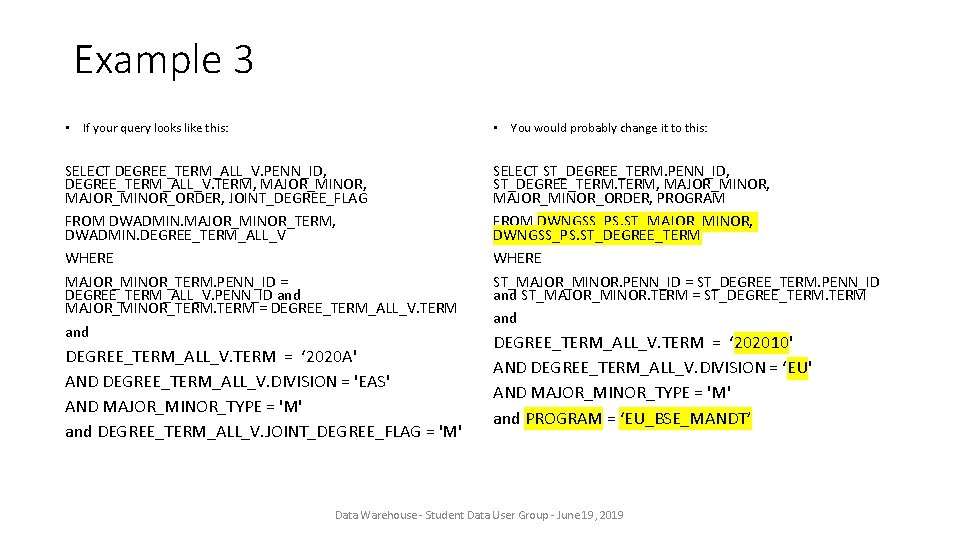
Example 3 • If your query looks like this: • You would probably change it to this: SELECT DEGREE_TERM_ALL_V. PENN_ID, DEGREE_TERM_ALL_V. TERM, MAJOR_MINOR_ORDER, JOINT_DEGREE_FLAG FROM DWADMIN. MAJOR_MINOR_TERM, DWADMIN. DEGREE_TERM_ALL_V WHERE MAJOR_MINOR_TERM. PENN_ID = DEGREE_TERM_ALL_V. PENN_ID and MAJOR_MINOR_TERM = DEGREE_TERM_ALL_V. TERM and SELECT ST_DEGREE_TERM. PENN_ID, ST_DEGREE_TERM, MAJOR_MINOR_ORDER, PROGRAM FROM DWNGSS_PS. ST_MAJOR_MINOR, DWNGSS_PS. ST_DEGREE_TERM WHERE ST_MAJOR_MINOR. PENN_ID = ST_DEGREE_TERM. PENN_ID and ST_MAJOR_MINOR. TERM = ST_DEGREE_TERM and DEGREE_TERM_ALL_V. TERM = ‘ 2020 A' AND DEGREE_TERM_ALL_V. DIVISION = 'EAS' AND MAJOR_MINOR_TYPE = 'M' and DEGREE_TERM_ALL_V. JOINT_DEGREE_FLAG = 'M' DEGREE_TERM_ALL_V. TERM = ‘ 202010' AND DEGREE_TERM_ALL_V. DIVISION = ‘EU' AND MAJOR_MINOR_TYPE = 'M' and PROGRAM = ‘EU_BSE_MANDT’ Data Warehouse - Student Data User Group - June 19, 2019
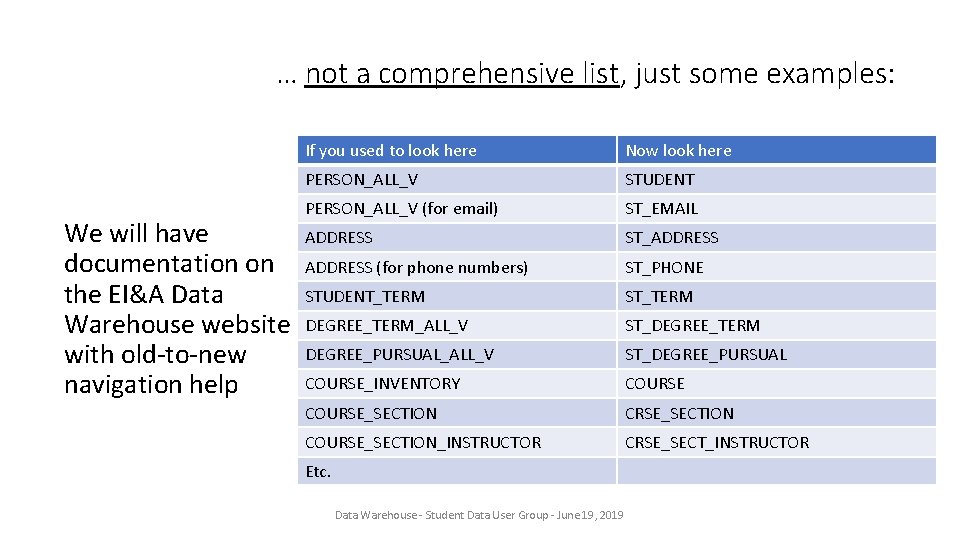
… not a comprehensive list, just some examples: We will have documentation on the EI&A Data Warehouse website with old-to-new navigation help If you used to look here Now look here PERSON_ALL_V STUDENT PERSON_ALL_V (for email) ST_EMAIL ADDRESS ST_ADDRESS (for phone numbers) ST_PHONE STUDENT_TERM ST_TERM DEGREE_TERM_ALL_V ST_DEGREE_TERM DEGREE_PURSUAL_ALL_V ST_DEGREE_PURSUAL COURSE_INVENTORY COURSE_SECTION CRSE_SECTION COURSE_SECTION_INSTRUCTOR CRSE_SECT_INSTRUCTOR Etc. Data Warehouse - Student Data User Group - June 19, 2019
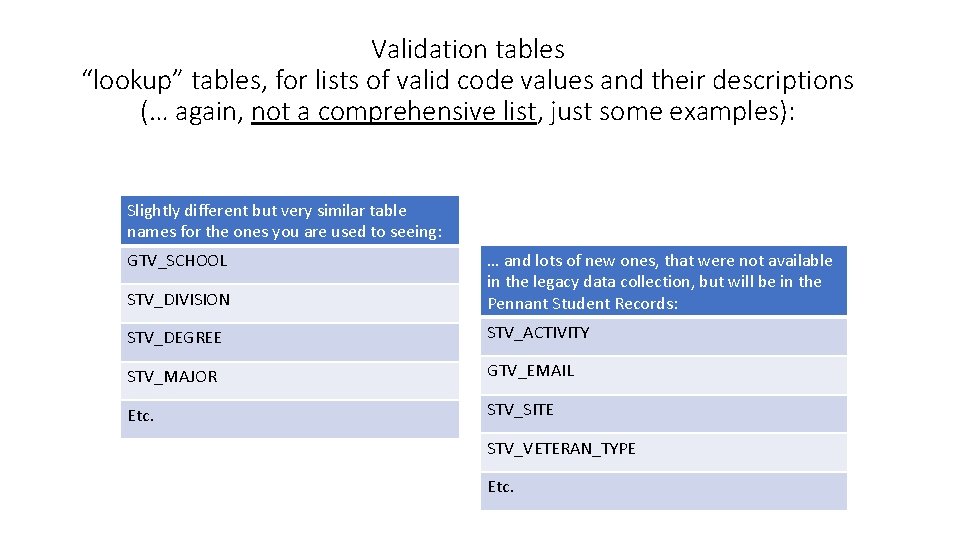
Validation tables “lookup” tables, for lists of valid code values and their descriptions (… again, not a comprehensive list, just some examples): Slightly different but very similar table names for the ones you are used to seeing: STV_DIVISION … and lots of new ones, that were not available in the legacy data collection, but will be in the Pennant Student Records: STV_DEGREE STV_ACTIVITY STV_MAJOR GTV_EMAIL Etc. STV_SITE GTV_SCHOOL STV_VETERAN_TYPE Etc.
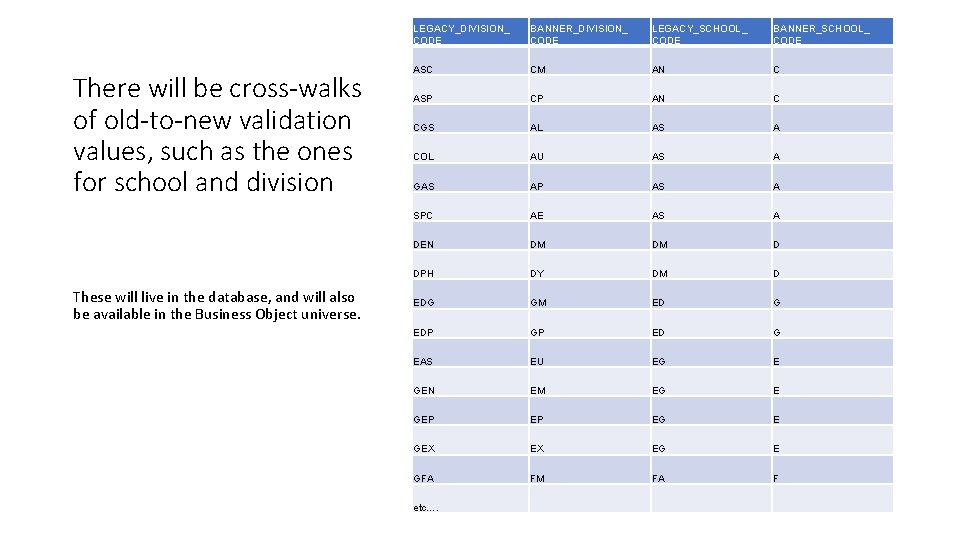
There will be cross-walks of old-to-new validation values, such as the ones for school and division These will live in the database, and will also be available in the Business Object universe. LEGACY_DIVISION_ CODE BANNER_DIVISION_ CODE LEGACY_SCHOOL_ CODE BANNER_SCHOOL_ CODE ASC CM AN C ASP CP AN C CGS AL AS A COL AU AS A GAS AP AS A SPC AE AS A DEN DM DM D DPH DY DM D EDG GM ED G EDP GP ED G EAS EU EG E GEN EM EG E GEP EP EG E GEX EX EG E GFA FM FA F etc….
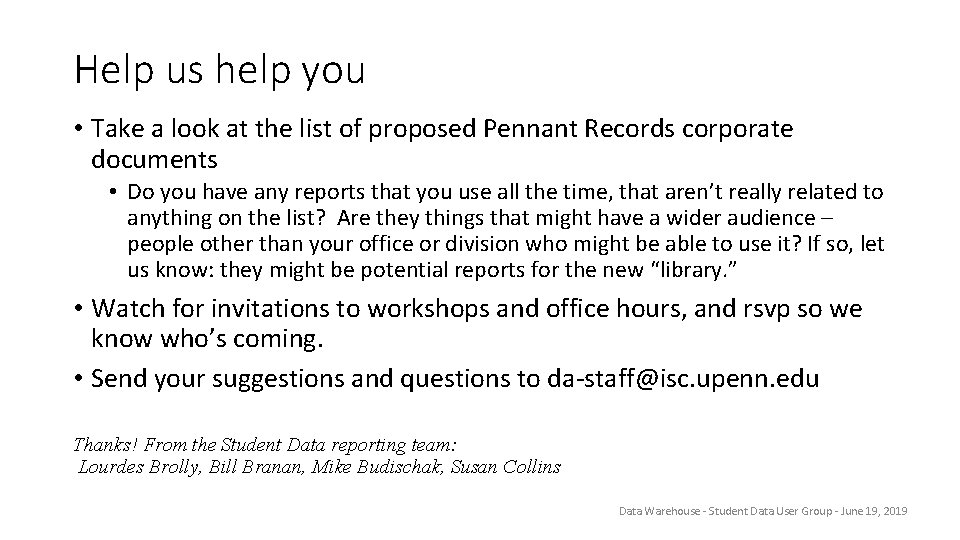
Help us help you • Take a look at the list of proposed Pennant Records corporate documents • Do you have any reports that you use all the time, that aren’t really related to anything on the list? Are they things that might have a wider audience – people other than your office or division who might be able to use it? If so, let us know: they might be potential reports for the new “library. ” • Watch for invitations to workshops and office hours, and rsvp so we know who’s coming. • Send your suggestions and questions to da-staff@isc. upenn. edu Thanks! From the Student Data reporting team: Lourdes Brolly, Bill Branan, Mike Budischak, Susan Collins Data Warehouse - Student Data User Group - June 19, 2019