
Getting Data into Mplus Rachael Bedford Mplus Longitudinal
Getting Data into Mplus Rachael Bedford Mplus: Longitudinal Analysis Workshop 26/09/2017
How to get data into Mplus Various options: � Stat transfer � Stat to Mplus command in stata � Syntax file in SPSS � First steps ◦ Prepare the data ◦ Define missing values
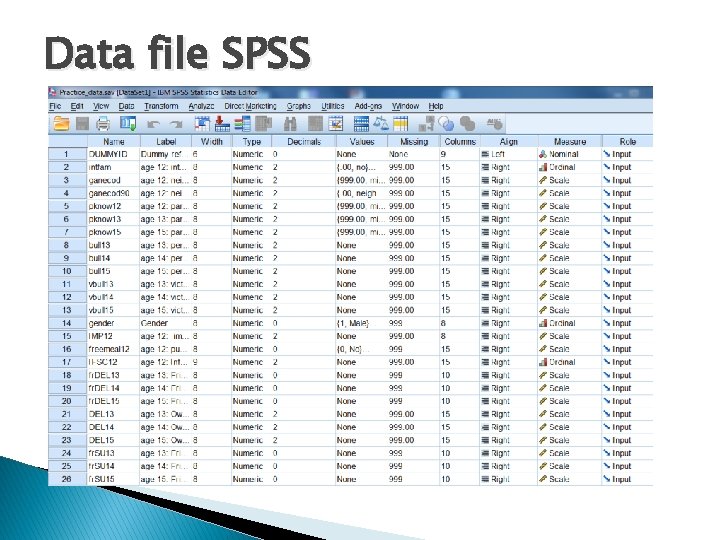
Data file SPSS
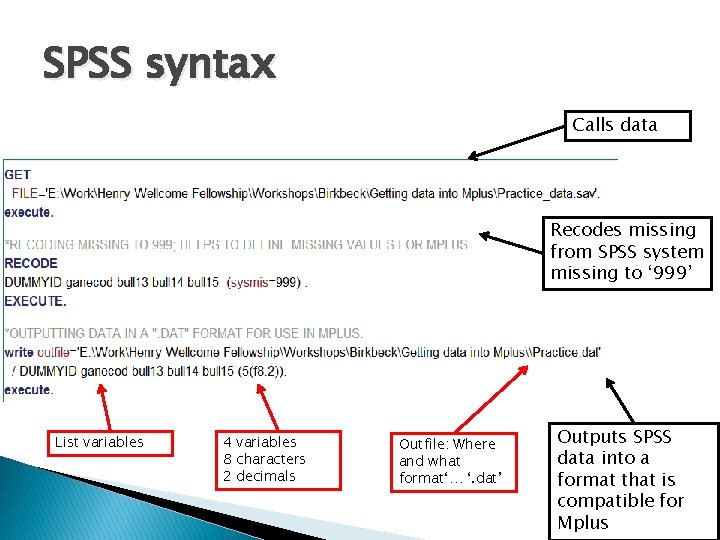
SPSS syntax Calls data Recodes missing from SPSS system missing to ‘ 999’ List variables 4 variables 8 characters 2 decimals Outfile: Where and what format‘… ‘. dat’ Outputs SPSS data into a format that is compatible for Mplus
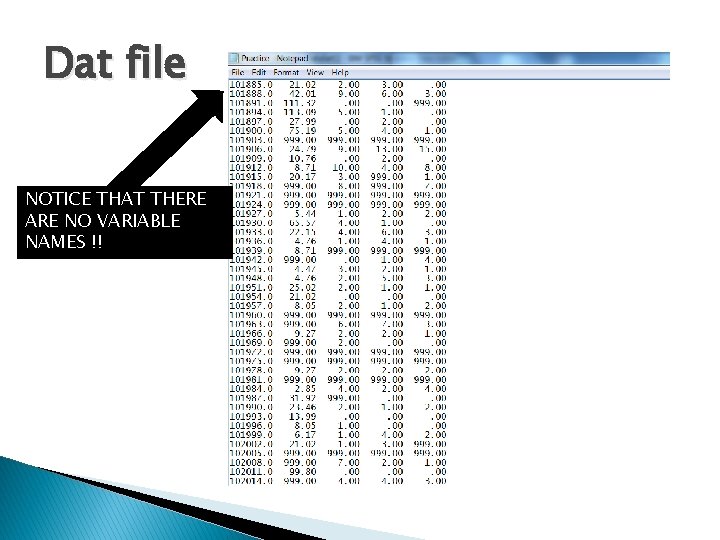
Dat file NOTICE THAT THERE ARE NO VARIABLE NAMES !!
Important note � When using SPSS syntax to make a. dat file some versions insert a mysterious symbol in the first row. � It is also invisible in the dat format. � So… open your. dat file IN MPLUS and you will see this hidden symbol. � Delete it and save. dat file. � This isn’t an issue when you create a. dat file in any other way (i. e. with stata etc. )
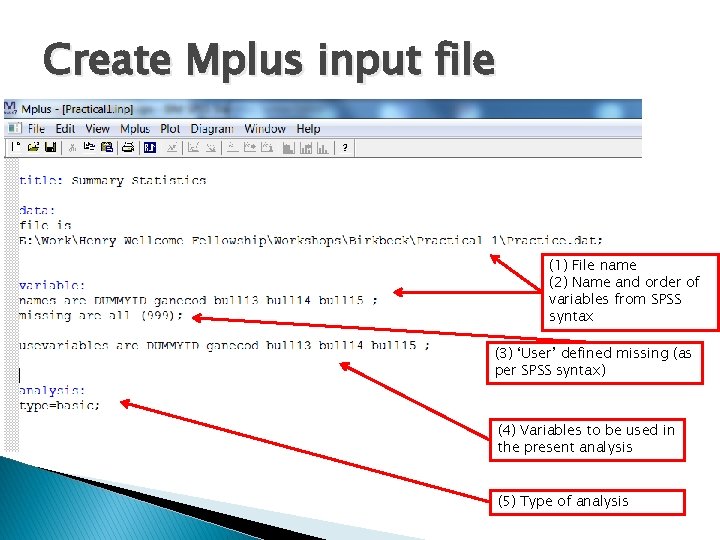
Create Mplus input file (1) File name (2) Name and order of variables from SPSS syntax (3) ‘User’ defined missing (as per SPSS syntax) (4) Variables to be used in the present analysis (5) Type of analysis
Practical 1 a � Get ◦ ◦ the data into Mplus using the syntax file. Run syntax (Open. dat file in mplus to check for symbol error) Open a new mplus input file. Add the following subsections: �title �data �variables (make sure these are in the correct order!!) �analysis ◦ Run input file
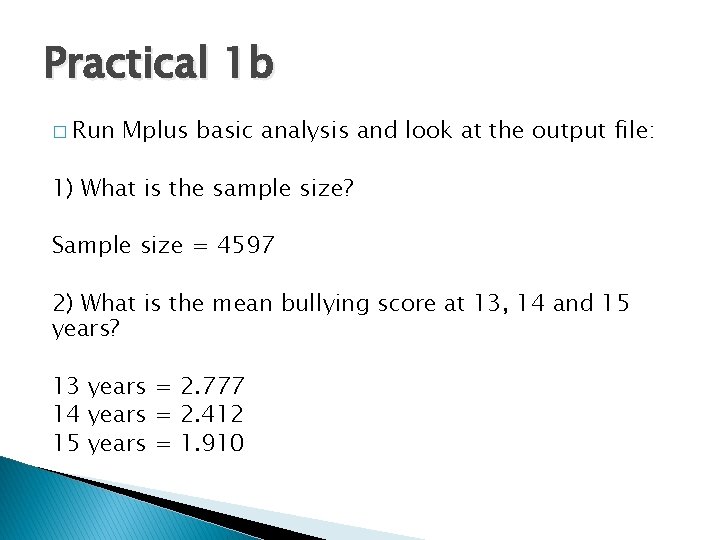
Practical 1 b � Run Mplus basic analysis and look at the output file: 1) What is the sample size? Sample size = 4597 2) What is the mean bullying score at 13, 14 and 15 years? 13 years = 2. 777 14 years = 2. 412 15 years = 1. 910
- Slides: 9