
George Mason University Registration Guide Where Innovation Is



- Slides: 15
George Mason University Registration Guide Where Innovation Is Tradition
Registration Deadlines § Go to https: //registrar. gmu. edu/calendars/ for specific dates and deadlines. § Some courses do no meet for the full semester and have different add and drop deadlines.
Payment Deadlines Cash/Check payments Cashiers Office - Student Union I Credit Card payments https: //patriotweb. gmu. edu § Payment is typically due by the first day of classes § Payment for registrations done after classes begin is due by the 5 th business day § A late payment fee will apply to payments not made by the payment deadline – go to studentaccounts. gmu. edu for complete financial policies
Patriot Pass • • • Before registering for classes you must set-up your Patriot Pass Account Go to password. gmu. edu to set-up your account Contact George Mason’s Information Technology Unit if you need assistance • itservices. gmu. edu
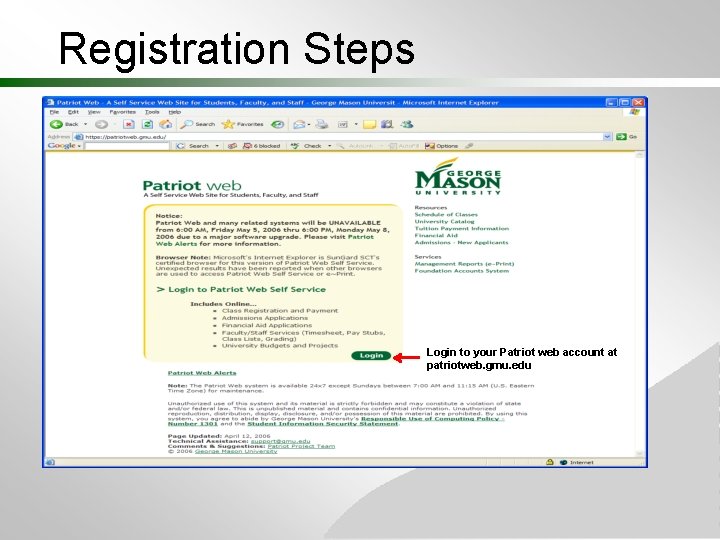
Registration Steps Login to your Patriot web account at patriotweb. gmu. edu
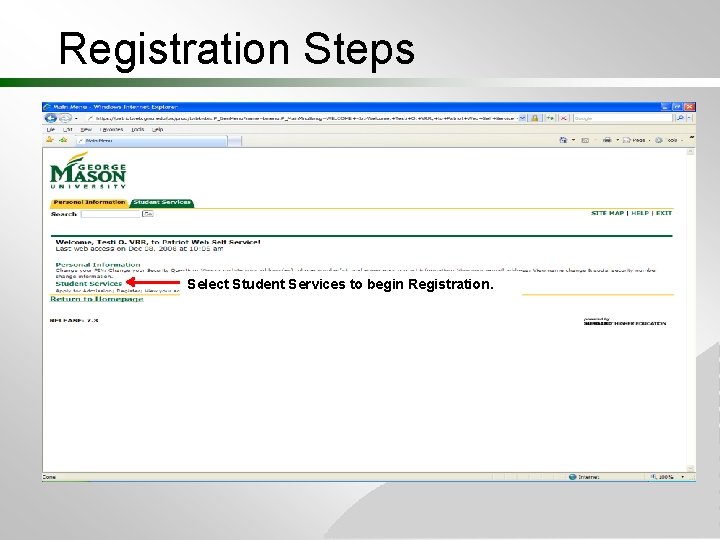
Registration Steps Select Student Services to begin Registration.
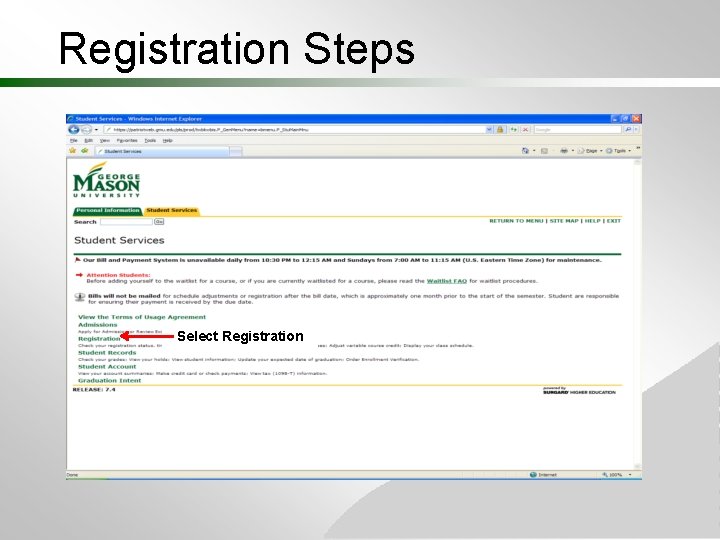
Registration Steps Select Registration
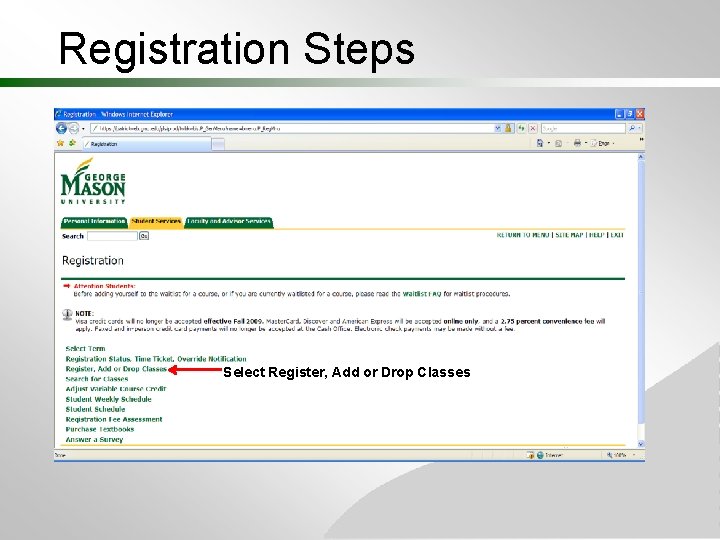
Registration Steps Select Register, Add or Drop Classes
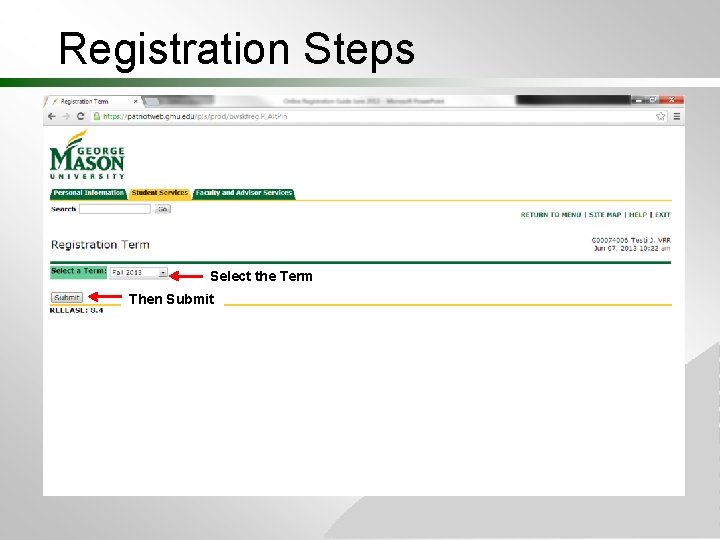
Registration Steps Select the Term Then Submit
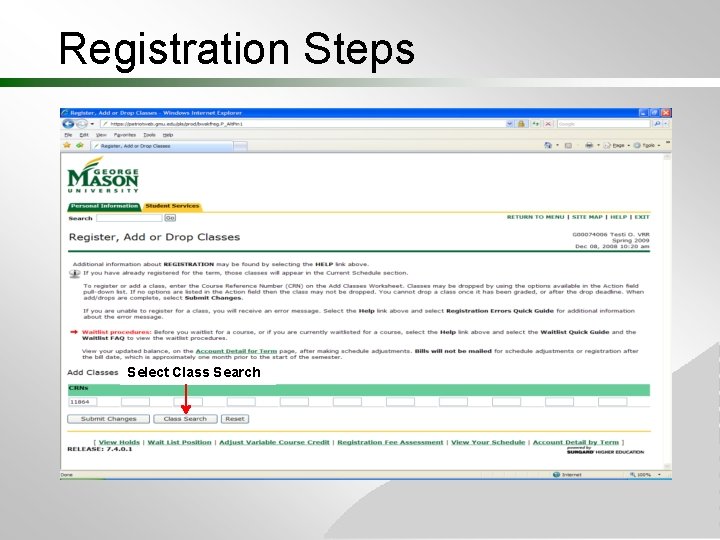
Registration Steps Select Class Search
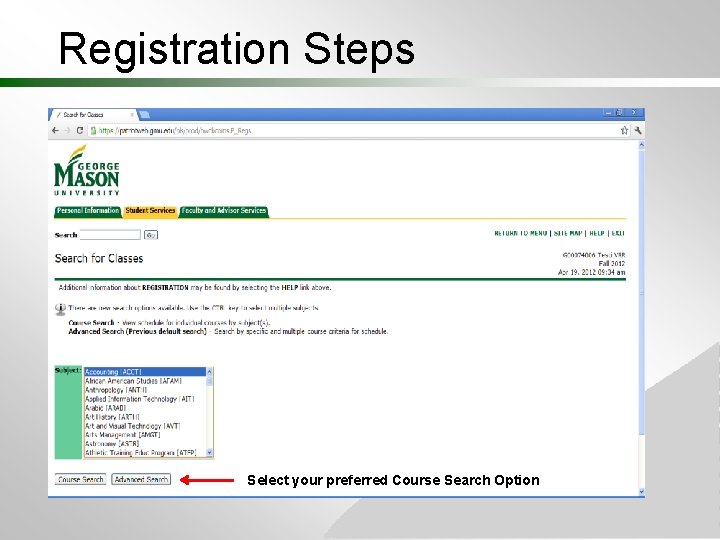
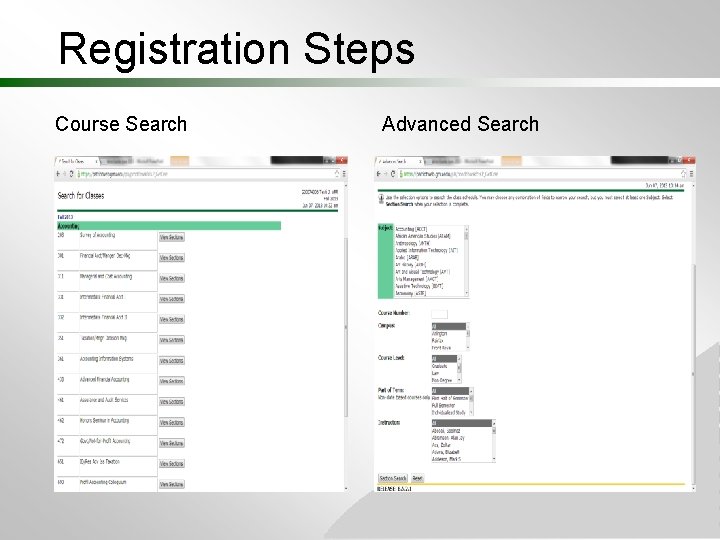
Registration Steps Select your preferred Course Search Option
Registration Steps Course Search Advanced Search
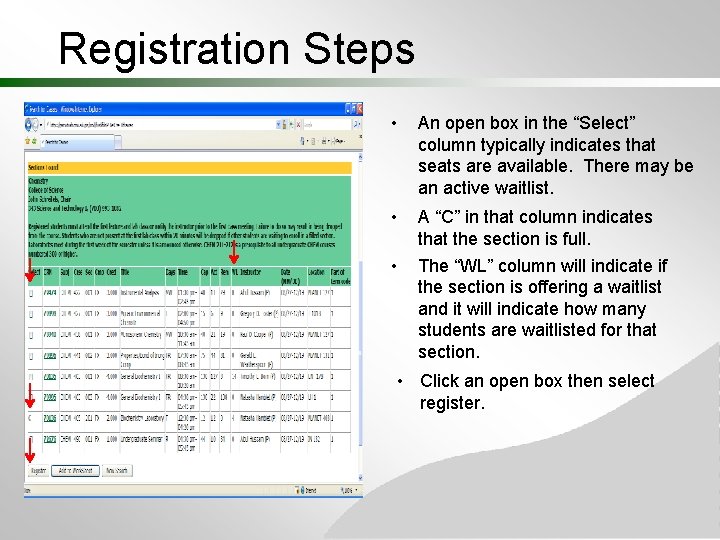
Registration Steps • An open box in the “Select” column typically indicates that seats are available. There may be an active waitlist. • A “C” in that column indicates that the section is full. The “WL” column will indicate if the section is offering a waitlist and it will indicate how many students are waitlisted for that section. • • Click an open box then select register.
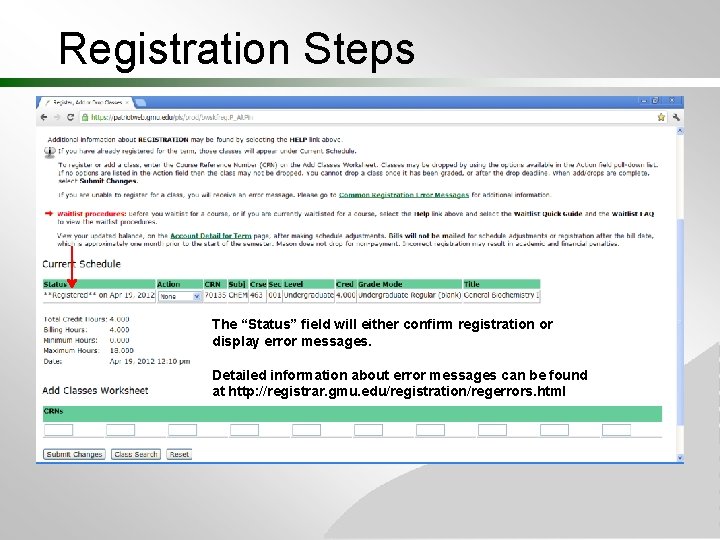
Registration Steps The “Status” field will either confirm registration or display error messages. Detailed information about error messages can be found at http: //registrar. gmu. edu/registration/regerrors. html
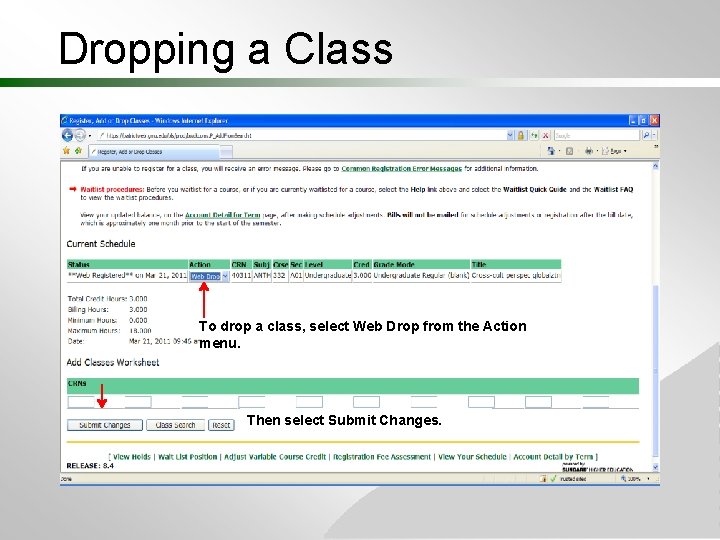
Dropping a Class To drop a class, select Web Drop from the Action menu. Then select Submit Changes.