
Generating the Server Response HTTP Response Headers HTTP
- Slides: 17
Generating the Server Response: HTTP Response Headers
HTTP response headers • Response headers can be used to specify cookies, to supply the page modification date , to instruct the browser to reload the page after a designated interval, to give the file size so that persistent HTTP connections can be used, to designate the type of document being generated, and to perform many other tasks.
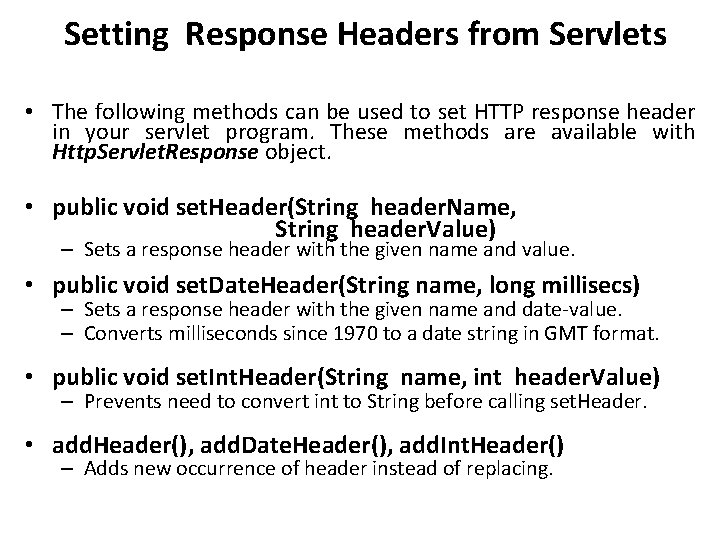
Setting Response Headers from Servlets • The following methods can be used to set HTTP response header in your servlet program. These methods are available with Http. Servlet. Response object. • public void set. Header(String header. Name, String header. Value) – Sets a response header with the given name and value. • public void set. Date. Header(String name, long millisecs) – Sets a response header with the given name and date-value. – Converts milliseconds since 1970 to a date string in GMT format. • public void set. Int. Header(String name, int header. Value) – Prevents need to convert int to String before calling set. Header. • add. Header(), add. Date. Header(), add. Int. Header() – Adds new occurrence of header instead of replacing.
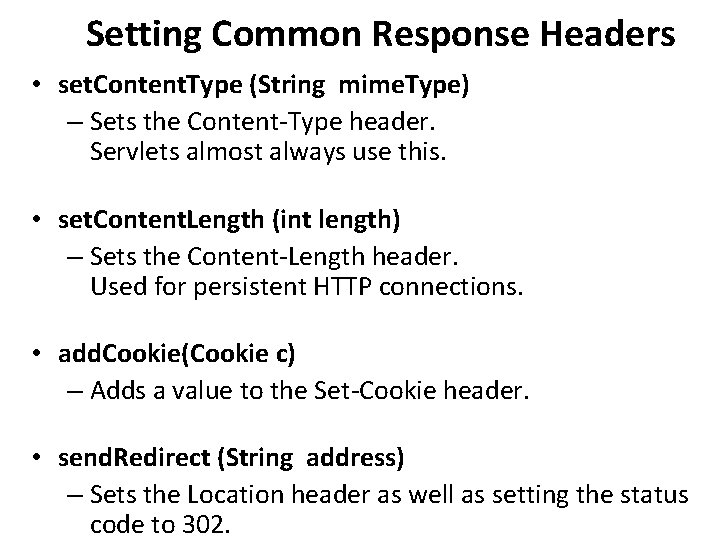
Setting Common Response Headers • set. Content. Type (String mime. Type) – Sets the Content-Type header. Servlets almost always use this. • set. Content. Length (int length) – Sets the Content-Length header. Used for persistent HTTP connections. • add. Cookie(Cookie c) – Adds a value to the Set-Cookie header. • send. Redirect (String address) – Sets the Location header as well as setting the status code to 302.
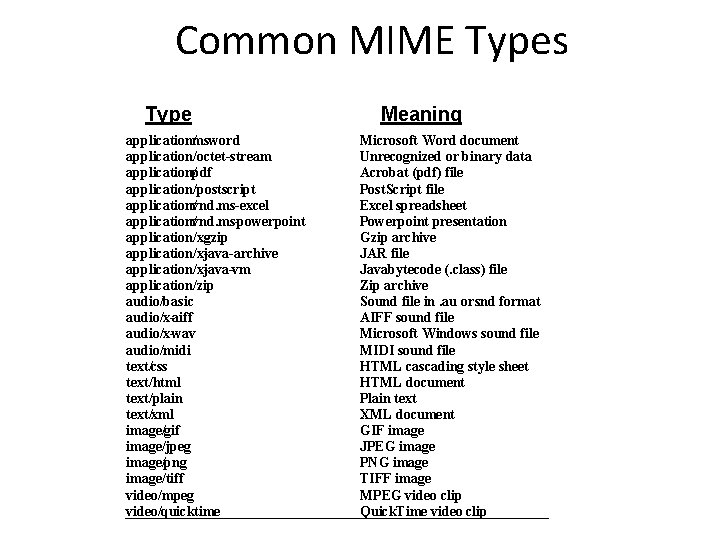
Common MIME Types Type application/msword application/octet-stream application/pdf application/postscript application/vnd. ms-excel application/vnd. ms-powerpoint application/x-gzip application/x-java-archive application/x-java-vm application/zip audio/basic audio/x-aiff audio/x-wav audio/midi text/css text/html text/plain text/xml image/gif image/jpeg image/png image/tiff video/mpeg video/quicktime Meaning Microsoft Word document Unrecognized or binary data Acrobat (. pdf) file Post. Script file Excel spreadsheet Powerpoint presentation Gzip archive JAR file Javabytecode (. class) file Zip archive Sound file in. au or snd. format AIFF sound file Microsoft Windows sound file MIDI sound file HTML cascading style sheet HTML document Plain text XML document GIF image JPEG image PNG image TIFF image MPEG video clip Quick. Time video clip
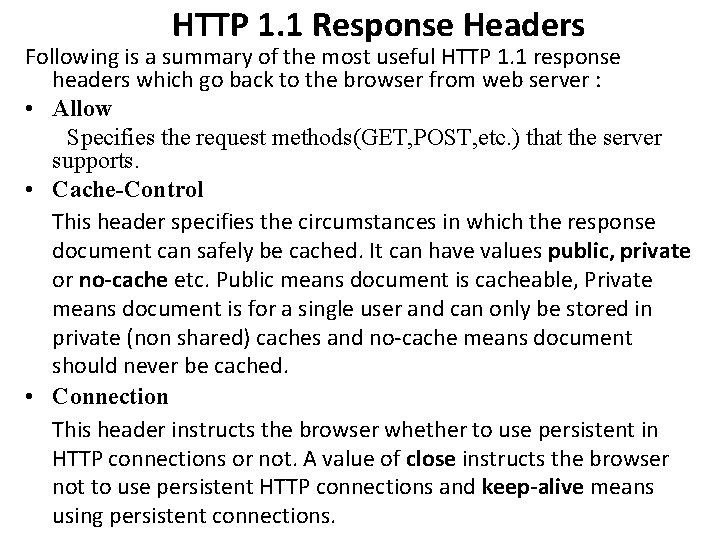
HTTP 1. 1 Response Headers Following is a summary of the most useful HTTP 1. 1 response headers which go back to the browser from web server : • Allow Specifies the request methods(GET, POST, etc. ) that the server supports. • Cache-Control This header specifies the circumstances in which the response document can safely be cached. It can have values public, private or no-cache etc. Public means document is cacheable, Private means document is for a single user and can only be stored in private (non shared) caches and no-cache means document should never be cached. • Connection This header instructs the browser whether to use persistent in HTTP connections or not. A value of close instructs the browser not to use persistent HTTP connections and keep-alive means using persistent connections.
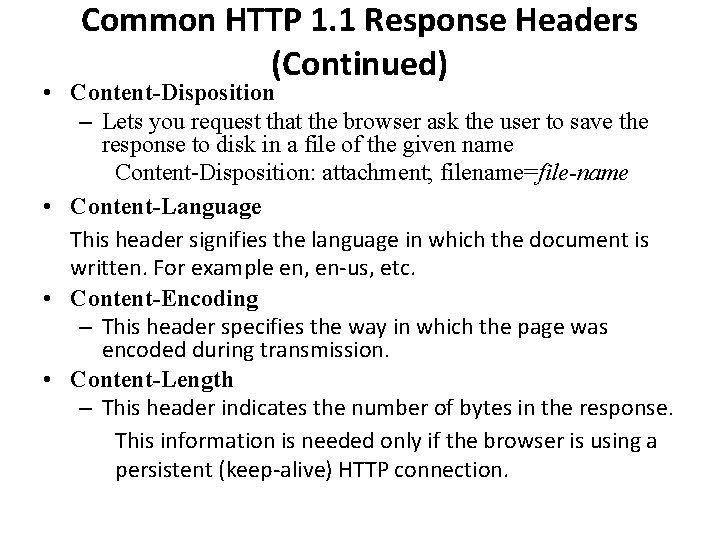
Common HTTP 1. 1 Response Headers (Continued) • Content-Disposition – Lets you request that the browser ask the user to save the response to disk in a file of the given name Content-Disposition: attachment; filename=file-name • Content-Language This header signifies the language in which the document is written. For example en, en-us, etc. • Content-Encoding – This header specifies the way in which the page was encoded during transmission. • Content-Length – This header indicates the number of bytes in the response. This information is needed only if the browser is using a persistent (keep-alive) HTTP connection.
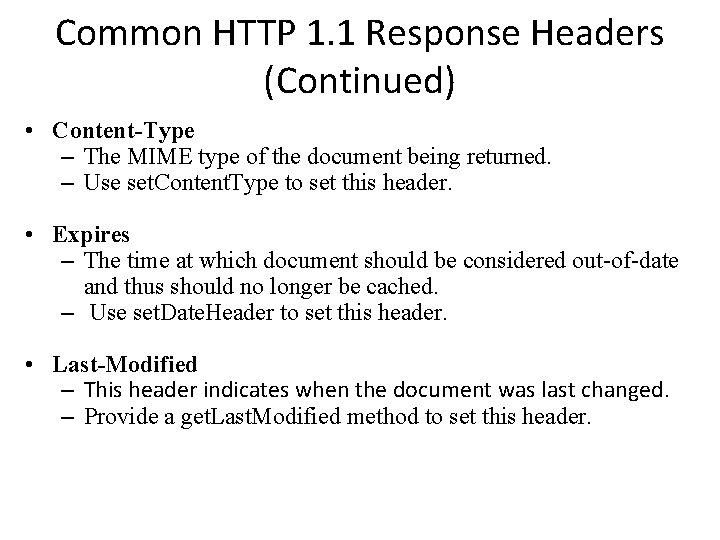
Common HTTP 1. 1 Response Headers (Continued) • Content-Type – The MIME type of the document being returned. – Use set. Content. Type to set this header. • Expires – The time at which document should be considered out-of-date and thus should no longer be cached. – Use set. Date. Header to set this header. • Last-Modified – This header indicates when the document was last changed. – Provide a get. Last. Modified method to set this header.
Common HTTP 1. 1 Response Headers (Continued) • Location – The URL to which browser should reconnect. – Use send. Redirect instead of setting this directly. • Refresh This header specifies how soon the browser should ask for an updated page. You can specify time in number of seconds after which a page would be refreshed. • Set-Cookie – This header specifies a cookie associated with the page. Use add. Cookie method to set this header. • WWW-Authenticate – This header tells the browser what authorization type is needed in Authorization header.
Building Excel Spreadsheets • It is sometimes useful to generate Microsoft Excel content so that users can save the results in a report and so that you can make use of the built-in formula support in Excel. • Excel accepts input in at least three distinct formats: tabseparated data, HTML tables, and a native binary format. • In this section, we illustrate the use of tab-separated data to generate spreadsheets. • You use the shorthand set. Content. Type method to set the Content-Type header, and the MIME type for Excel spreadsheets is application/vnd. ms-excel. So, to generate Excel spreadsheets, just do: response. set. Content. Type("application/vnd. ms-excel"); Print. Writer out = response. get. Writer(); Then, simply print some entries with tabs (t in Java strings) in between.
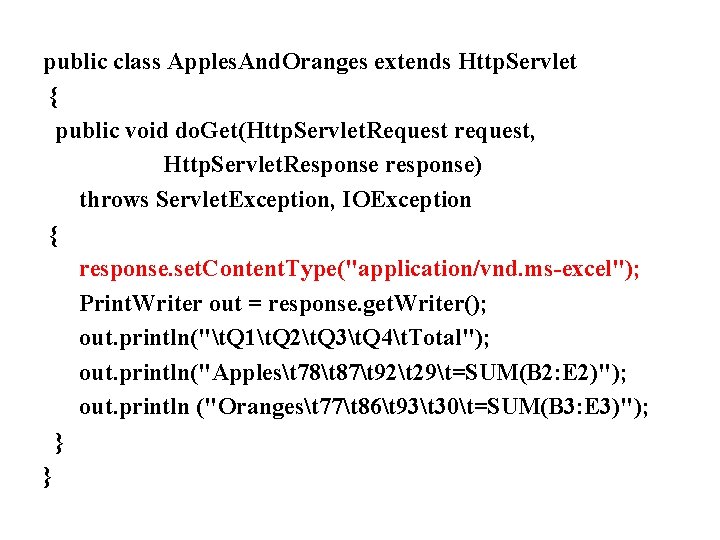
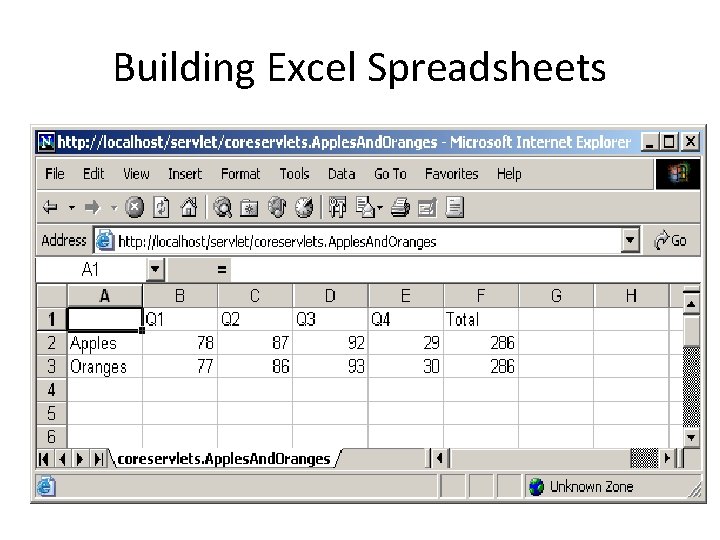
public class Apples. And. Oranges extends Http. Servlet { public void do. Get(Http. Servlet. Request request, Http. Servlet. Response response) throws Servlet. Exception, IOException { response. set. Content. Type("application/vnd. ms-excel"); Print. Writer out = response. get. Writer(); out. println("t. Q 1t. Q 2t. Q 3t. Q 4t. Total"); out. println("Applest 78t 87t 92t 29t=SUM(B 2: E 2)"); out. println ("Orangest 77t 86t 93t 30t=SUM(B 3: E 3)"); } }
Building Excel Spreadsheets
Requirements for Handling Long-Running Servlets • A way to store data between requests. – For data that is not specific to any one client, store it in a field (instance variable) of the servlet. – For data that is specific to a user, store it in the Http. Session object – For data that needs to be available to other servlets or JSP pages (regardless of user), store it in the Servlet. Context • A way to keep computations running after the response is sent to the user. - This task is simple: just start a Thread. The thread started by the system to answer requests automatically finishes when the response is finished, but other threads can keep running. The only subtlety: set the thread priority to a low value so that you do not slow down the server.
A way to get the updated results to the browser when they are ready. – Use Refresh header to tell browser to ask for updates
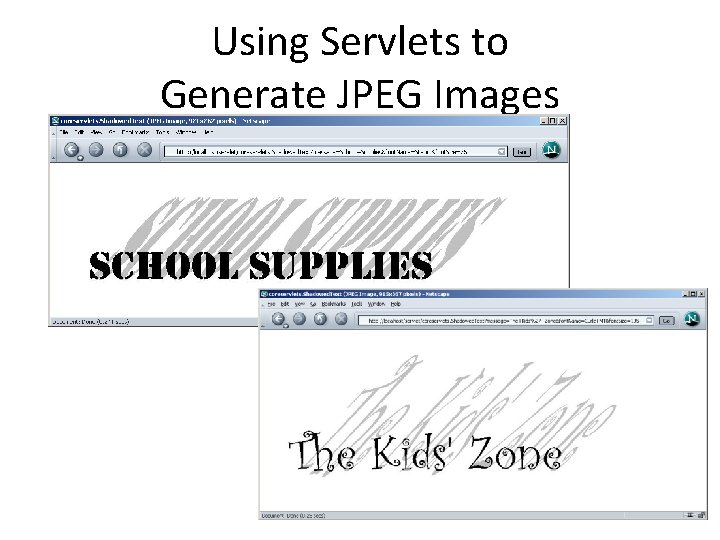
Using Servlets to Generate JPEG Images 1. Create a Buffered. Image image = new Buffered. Image(width, height, Buffered. Image. TYPE_INT_RBG); 2. Draw into the Buffered. Image Graphics 2 D g 2 d = (Grahics 2 D)image. get. Grapics(); g 2 d. fill(someshape); g 2 d. draw(someshape); 3. Set the Content-Type response header response. set. Content. Type("image/jpeg"); 4. Get an output stream Output. Stream out = response. get. Output. Stream(); 5. Send the Buffered. Image in JPEG format to the output stream try { Image. IO. write(image, "jpg", out); } catch(IOException ioe) { System. err. println("Error writing JPEG file: “ + ioe); }
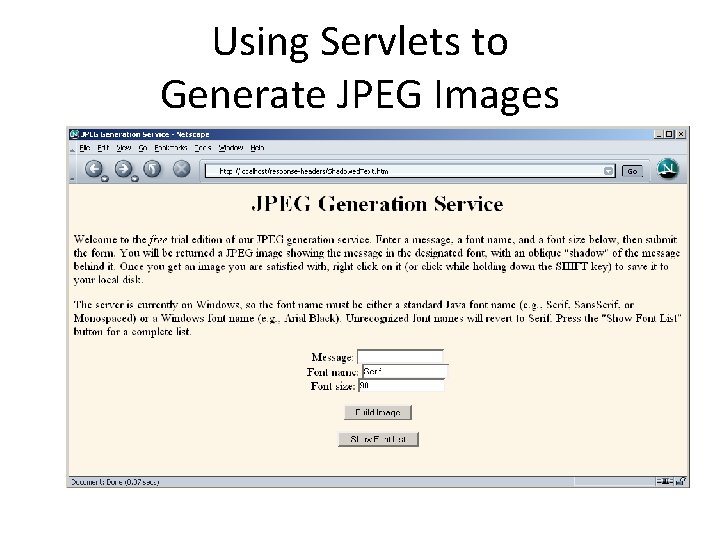
Using Servlets to Generate JPEG Images
Using Servlets to Generate JPEG Images