
Generating Remote Control Interfaces for Complex Appliances The






- Slides: 27
Generating Remote Control Interfaces for Complex Appliances The Fifteenth Annual Symposium on User Interface Software & Technology (UIST) 2002 Paris, France Jeffrey Nichols and Brad A. Myers Carnegie Mellon University October 30, 2002 Jeffrey Nichols User Interface Software & Technology (UIST) October 30, 2002 Slide #0
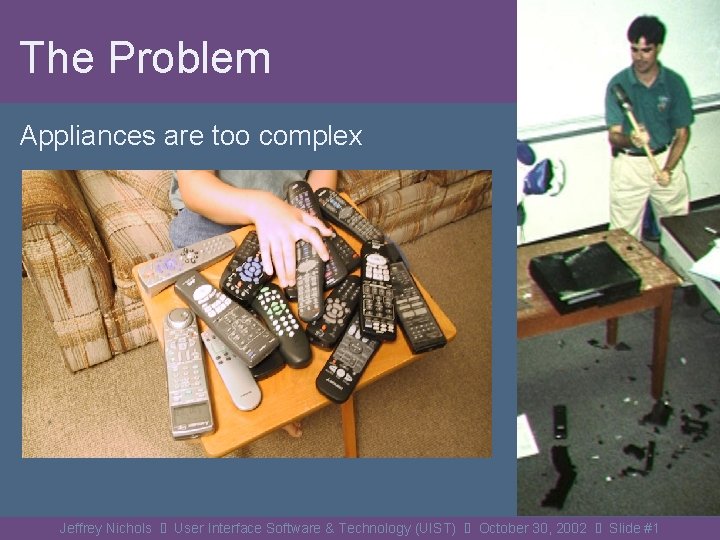
The Problem Appliances are too complex Jeffrey Nichols User Interface Software & Technology (UIST) October 30, 2002 Slide #1
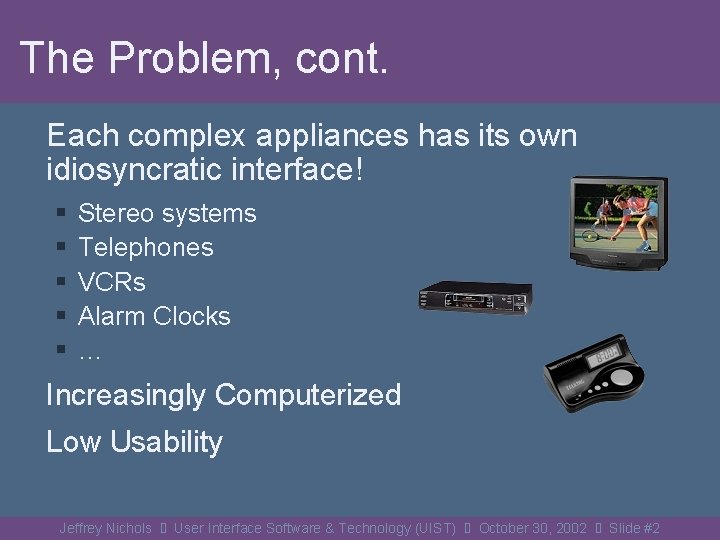
The Problem, cont. Each complex appliances has its own idiosyncratic interface! § § § Stereo systems Telephones VCRs Alarm Clocks … Increasingly Computerized Low Usability Jeffrey Nichols User Interface Software & Technology (UIST) October 30, 2002 Slide #2
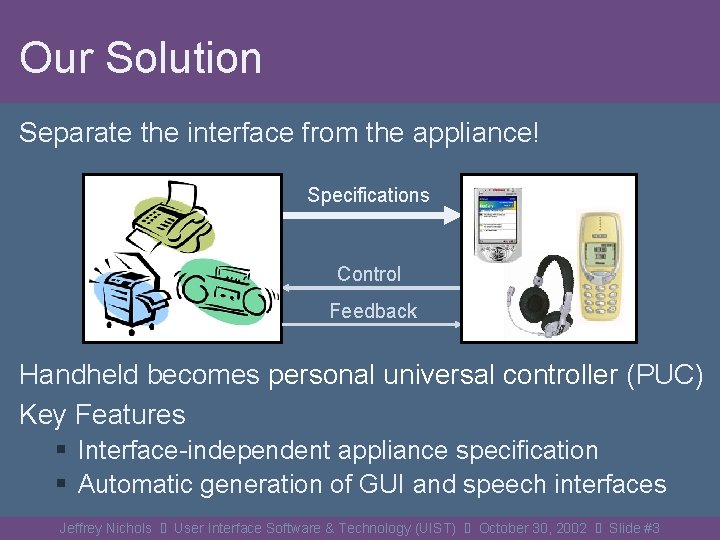
Our Solution Separate the interface from the appliance! Specifications Control Feedback Handheld becomes personal universal controller (PUC) Key Features § Interface-independent appliance specification § Automatic generation of GUI and speech interfaces Jeffrey Nichols User Interface Software & Technology (UIST) October 30, 2002 Slide #3
Automatic Generation of UIs Benefits § All interfaces consistent for the user § With conventions of handheld § Even from multiple manufacturers Addresses hotel alarm clock problem! § Multiple modalities (GUI + Speech UI) § Can take into account user preferences § Will work on special purpose devices (for disabled) Jeffrey Nichols User Interface Software & Technology (UIST) October 30, 2002 Slide #4
Important Work By Others § INCITS V 2 Standardization Effort Alternative Interface Access Protocol (AIAP) [Zimmermann, CHI 2002] § User Interface Modeling Language (UIML) http: /www. uiml. org/ § Xweb (now ICE) [Olsen Jr. , UIST 2000] § Stanford i. Room, i. Crafter [Ponnekanti, Ubicomp 2001] § Speakeasy [Newman, UIST 2002] Jeffrey Nichols User Interface Software & Technology (UIST) October 30, 2002 Slide #5
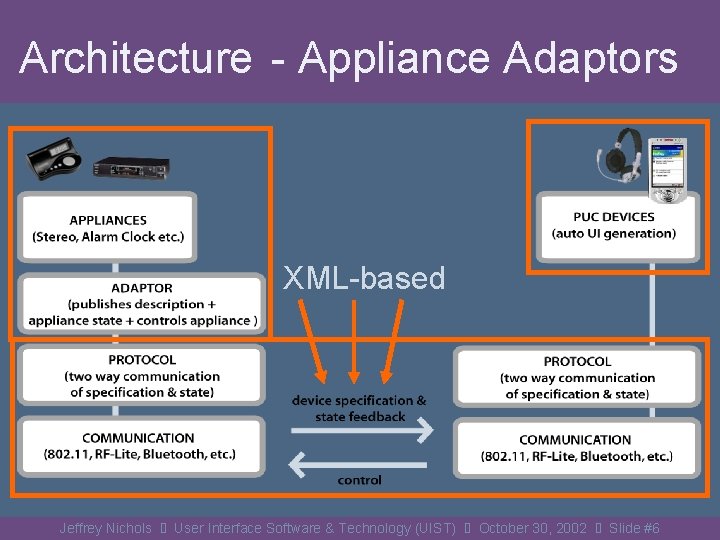
Architecture - Appliance Comm. Protocol Interface Specification Generators Adaptors Lang. XML-based Jeffrey Nichols User Interface Software & Technology (UIST) October 30, 2002 Slide #6
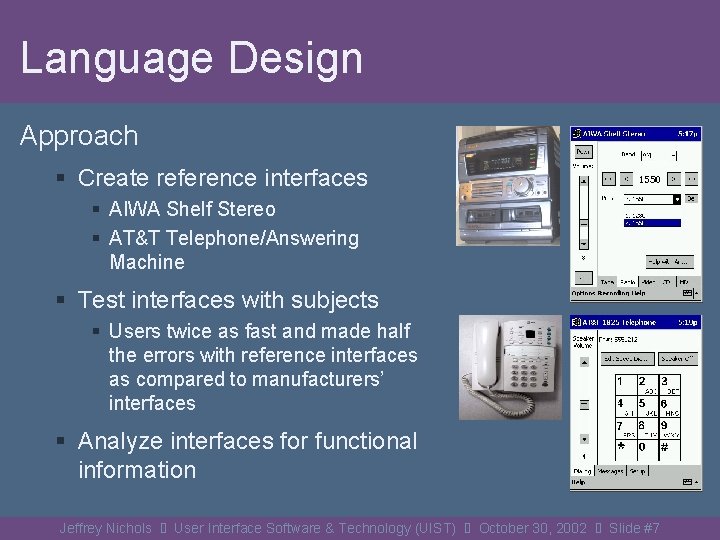
Language Design Approach § Create reference interfaces § AIWA Shelf Stereo § AT&T Telephone/Answering Machine § Test interfaces with subjects § Users twice as fast and made half the errors with reference interfaces as compared to manufacturers’ interfaces § Analyze interfaces for functional information Jeffrey Nichols User Interface Software & Technology (UIST) October 30, 2002 Slide #7
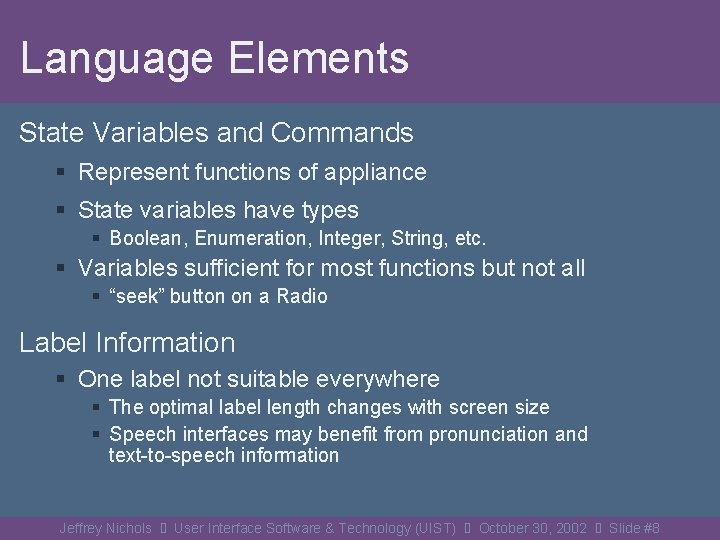
Language Elements State Variables and Commands § Represent functions of appliance § State variables have types § Boolean, Enumeration, Integer, String, etc. § Variables sufficient for most functions but not all § “seek” button on a Radio Label Information § One label not suitable everywhere § The optimal label length changes with screen size § Speech interfaces may benefit from pronunciation and text-to-speech information Jeffrey Nichols User Interface Software & Technology (UIST) October 30, 2002 Slide #8
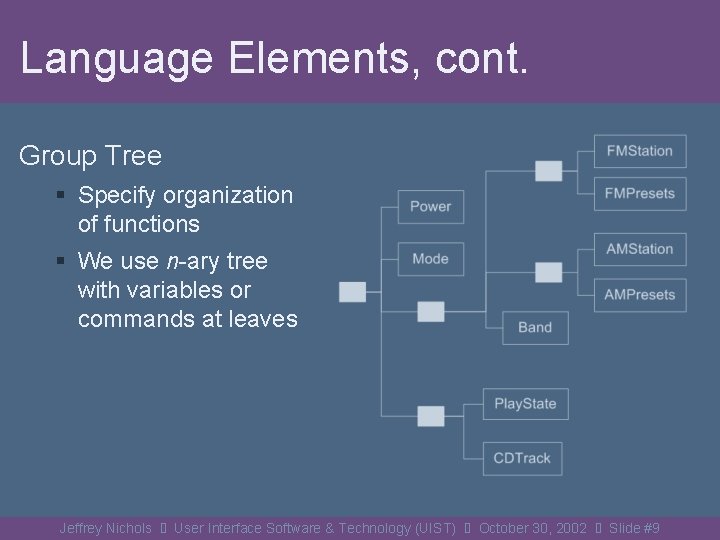
Language Elements, cont. Group Tree § Specify organization of functions § We use n-ary tree with variables or commands at leaves Jeffrey Nichols User Interface Software & Technology (UIST) October 30, 2002 Slide #9
Language Elements, cont. Dependency Information § Formulas that specify when a variable or command is active in terms of other state variables § Equals, Greater Than, Less Than § Linked with logical operators (AND, OR) § For example, <and> <equals state=“Power. State”>true</equals> <equals state=“Radio. Band”>AM</equals> </and> Jeffrey Nichols User Interface Software & Technology (UIST) October 30, 2002 Slide #10
Interface Generators for Two Modalities § Graphical § Implemented for Pocket. PC in Java 1. 1 § Uses dependency information to generate panel structure of interface § Speech § Implemented using Universal Speech Interface (USI) techniques [Rosenfeld 2001] § Uses dependency information to disambiguate shortcut words (e. g. “play”) and resolve pre-conditions for a requested function (e. g. “play CD”) Jeffrey Nichols User Interface Software & Technology (UIST) October 30, 2002 Slide #11
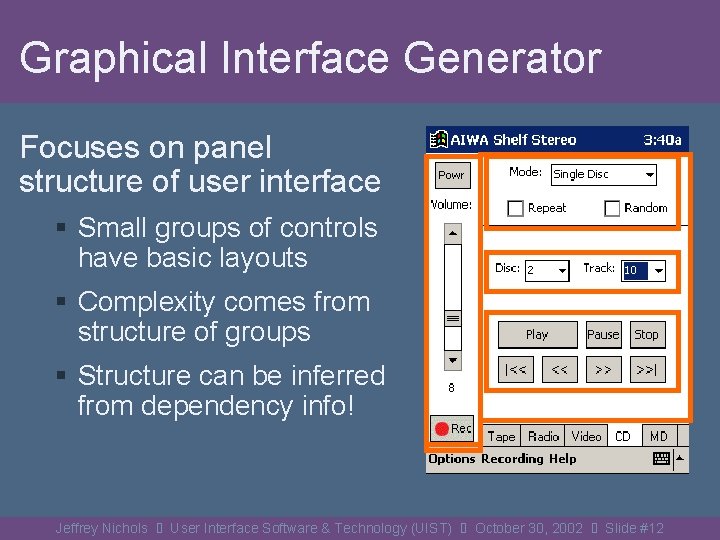
Graphical Interface Generator Focuses on panel structure of user interface § Small groups of controls have basic layouts § Complexity comes from structure of groups § Structure can be inferred from dependency info! Jeffrey Nichols User Interface Software & Technology (UIST) October 30, 2002 Slide #12
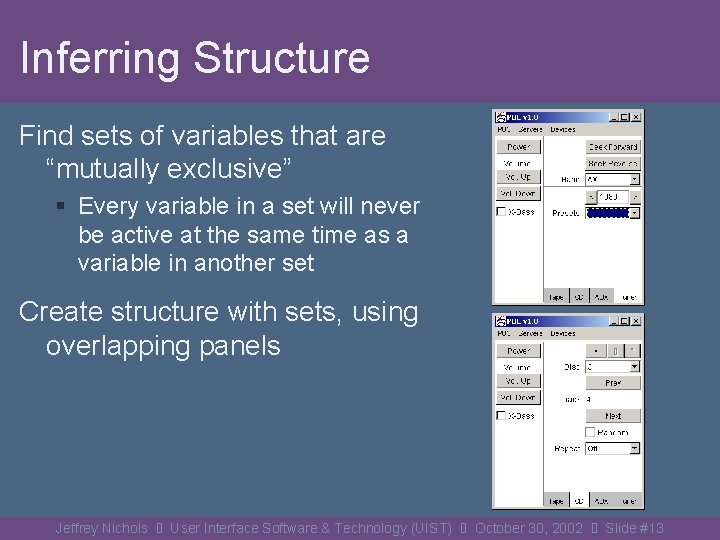
Inferring Structure Find sets of variables that are “mutually exclusive” § Every variable in a set will never be active at the same time as a variable in another set Create structure with sets, using overlapping panels Jeffrey Nichols User Interface Software & Technology (UIST) October 30, 2002 Slide #13
Choosing Panel Types a) b) c) full screen tabbed partial screen Jeffrey Nichols User Interface Software & Technology (UIST) October 30, 2002 Slide #14
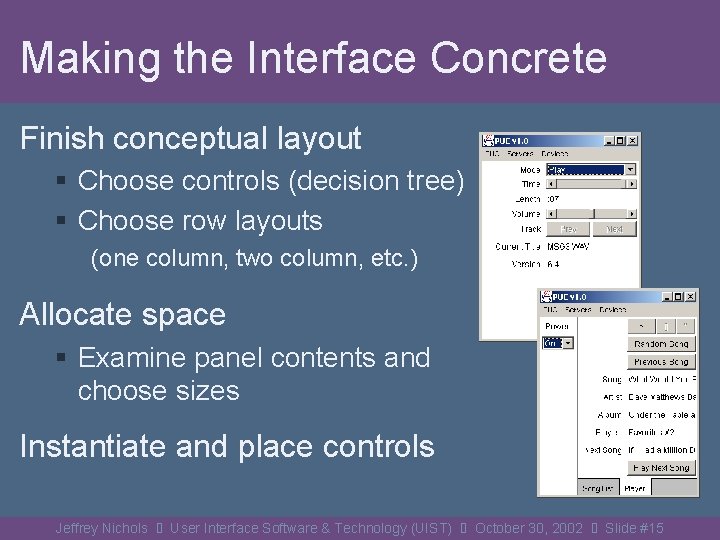
Making the Interface Concrete Finish conceptual layout § Choose controls (decision tree) § Choose row layouts (one column, two column, etc. ) Allocate space § Examine panel contents and choose sizes Instantiate and place controls Jeffrey Nichols User Interface Software & Technology (UIST) October 30, 2002 Slide #15
Generating Speech Interfaces Automatically build USI tree from dependencies § Allows verbal navigation of functional groups Automatically generate grammar for parser § Phrases for query and control “What is playmode? ” “Set playmode to play” “play” Automatically generate language model and pronunciation for recognizer Jeffrey Nichols User Interface Software & Technology (UIST) October 30, 2002 Slide #16
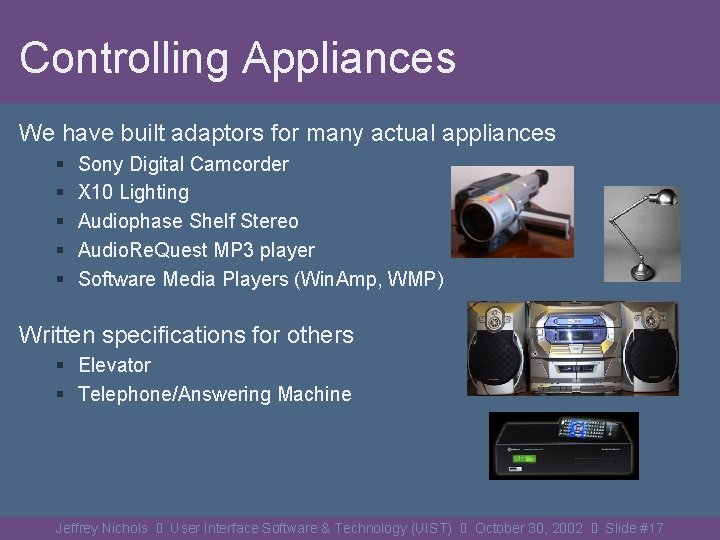
Controlling Appliances We have built adaptors for many actual appliances § § § Sony Digital Camcorder X 10 Lighting Audiophase Shelf Stereo Audio. Re. Quest MP 3 player Software Media Players (Win. Amp, WMP) Written specifications for others § Elevator § Telephone/Answering Machine Jeffrey Nichols User Interface Software & Technology (UIST) October 30, 2002 Slide #17
Demonstration Jeffrey Nichols User Interface Software & Technology (UIST) October 30, 2002 Slide #18
Future Work § Improve quality of generated user interfaces § Back-tracking, etc. § Specification and generation of list interfaces § Necessary for many appliances § Adaptive interface generation § New interfaces modeled on past interfaces § General purpose appliance adaptor for HAVi and UPn. P protocols Jeffrey Nichols User Interface Software & Technology (UIST) October 30, 2002 Slide #19
Acknowledgements PUC Project Members § Brad A. Myers § Michael Higgins § Joseph Hughes § Thomas K. Harris § Roni Rosenfeld § Mathilde Pignol § Stefanie Shriver § Peter Lucas § Kevin Litwack Funding § National Science Foundation § Pittsburgh Digital Greenhouse § Microsoft Equipment Grants § § § Mitsubishi (MERL) Vivid. Logic Symbol Technologies Hewlett-Packard Lucent Jeffrey Nichols User Interface Software & Technology (UIST) October 30, 2002 Slide #20
Thanks! http: //www. cs. cmu. edu/~pebbles/puc/ http: //www. cs. cmu. edu/~jeffreyn/ User Interface Software & Technology (UIST) October 30, 2002 Jeffrey Nichols User Interface Software & Technology (UIST) October 30, 2002 Slide #21
Jeffrey Nichols User Interface Software & Technology (UIST) October 30, 2002 Slide #22
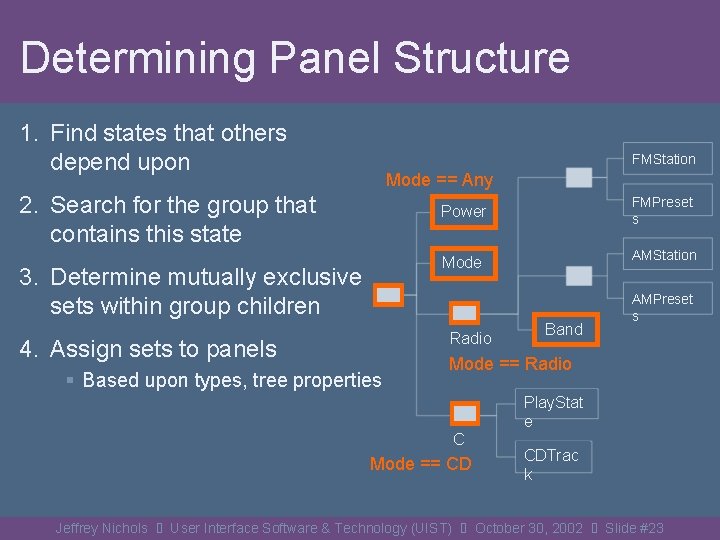
Determining Panel Structure 1. Find states that others depend upon FMStation Mode == Any 2. Search for the group that contains this state FMPreset s Power AMStation Mode 3. Determine mutually exclusive sets within group children Radio 4. Assign sets to panels § Based upon types, tree properties Band AMPreset s Mode == Radio C D Mode == CD Play. Stat e CDTrac k Jeffrey Nichols User Interface Software & Technology (UIST) October 30, 2002 Slide #23
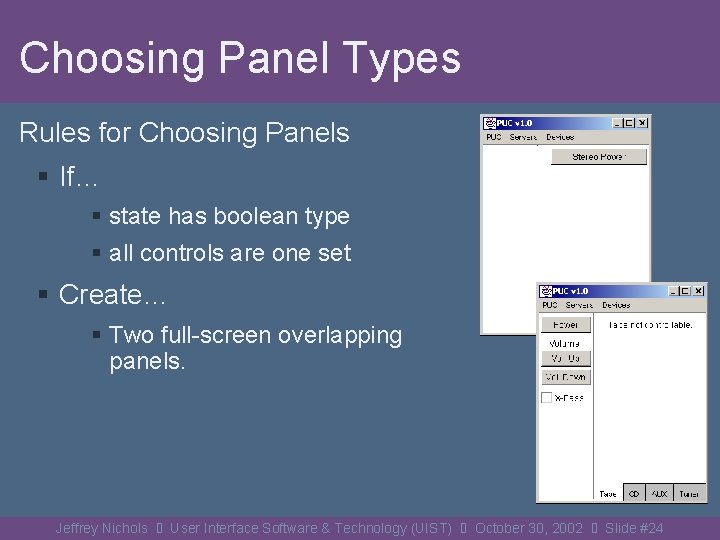
Choosing Panel Types Rules for Choosing Panels § If… § state has boolean type § all controls are one set § Create… § Two full-screen overlapping panels. Jeffrey Nichols User Interface Software & Technology (UIST) October 30, 2002 Slide #24
Choosing Panel Types, cont. Rules for Choosing Panels § If… § state has enumerated type § there is a set for every value of the state § Create… § a tabbed panel Jeffrey Nichols User Interface Software & Technology (UIST) October 30, 2002 Slide #25
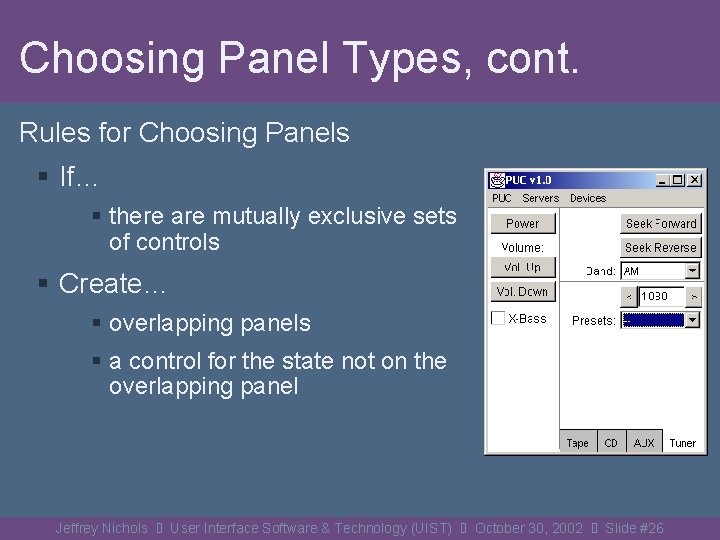
Choosing Panel Types, cont. Rules for Choosing Panels § If… § there are mutually exclusive sets of controls § Create… § overlapping panels § a control for the state not on the overlapping panel Jeffrey Nichols User Interface Software & Technology (UIST) October 30, 2002 Slide #26