
Generating Programs and Linking Professor Rick Han Department
![Linking Multiple Objects Files Into an Executable P 1. c main(int argc, char* argv[])](https://slidetodoc.com/presentation_image_h2/0d2462c976bcc1210b19f40a809f1c58/image-27.jpg "Linking Multiple Objects Files Into an Executable P 1. c main(int argc, char* argv[])")


- Slides: 48
Generating Programs and Linking Professor Rick Han Department of Computer Science University of Colorado at Boulder
CSCI 3753 Announcements • Moodle - posted last Thursday’s lecture • Programming shell assignment 0 due Thursday at 11: 55 pm, not 11 am • Introduction to Operating Systems • Chapters 3 and 4 in the textbook
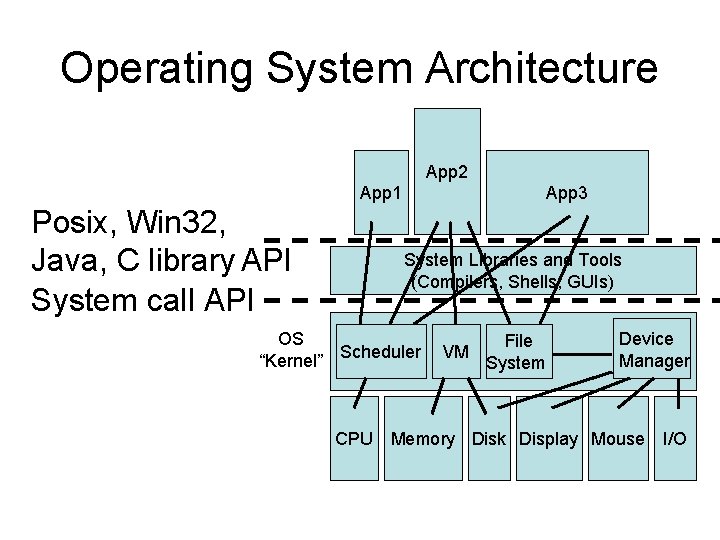
Operating System Architecture App 2 App 1 Posix, Win 32, Java, C library API System call API App 3 System Libraries and Tools (Compilers, Shells, GUIs) OS “Kernel” Scheduler VM File System Device Manager CPU Memory Disk Display Mouse I/O
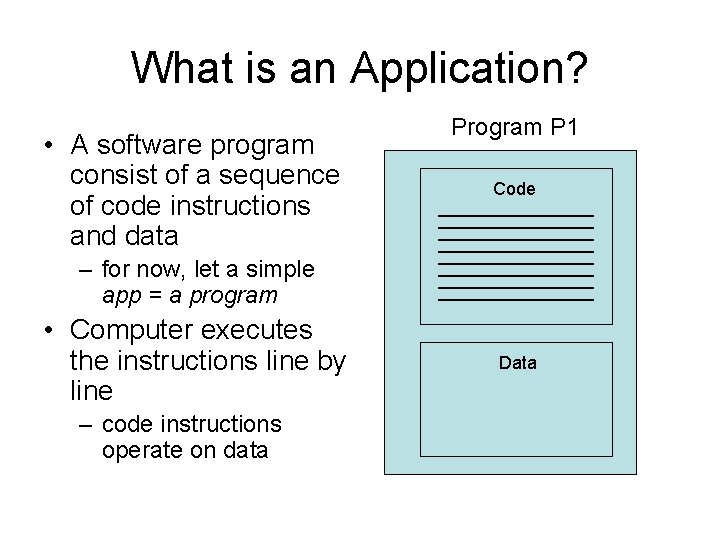
What is an Application? • A software program consist of a sequence of code instructions and data Program P 1 Code – for now, let a simple app = a program • Computer executes the instructions line by line – code instructions operate on data Data
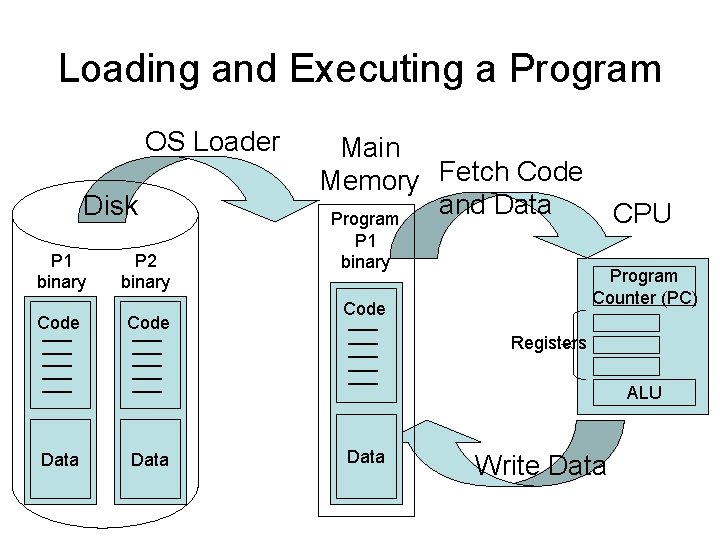
Loading and Executing a Program OS Loader Disk P 1 binary Code P 2 binary Code Main Memory Fetch Code and Data Program P 1 binary CPU Program Counter (PC) Code Registers ALU Data Write Data
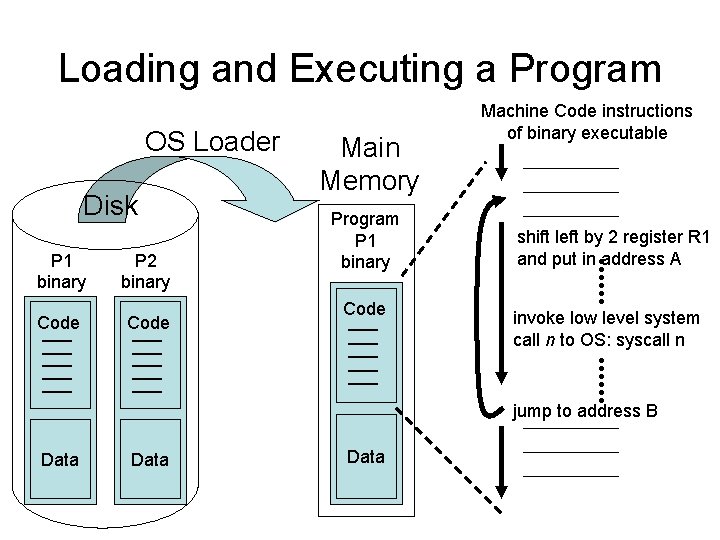
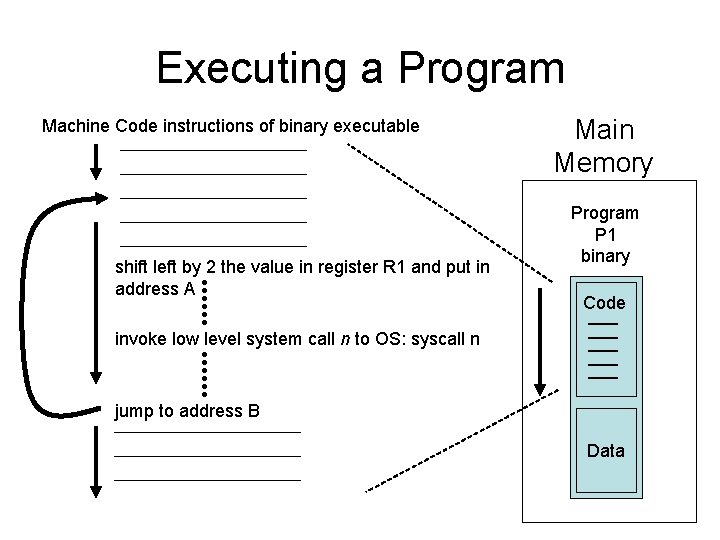
Loading and Executing a Program OS Loader Disk P 1 binary Code P 2 binary Code Main Memory Program P 1 binary Code Machine Code instructions of binary executable shift left by 2 register R 1 and put in address A invoke low level system call n to OS: syscall n jump to address B Data
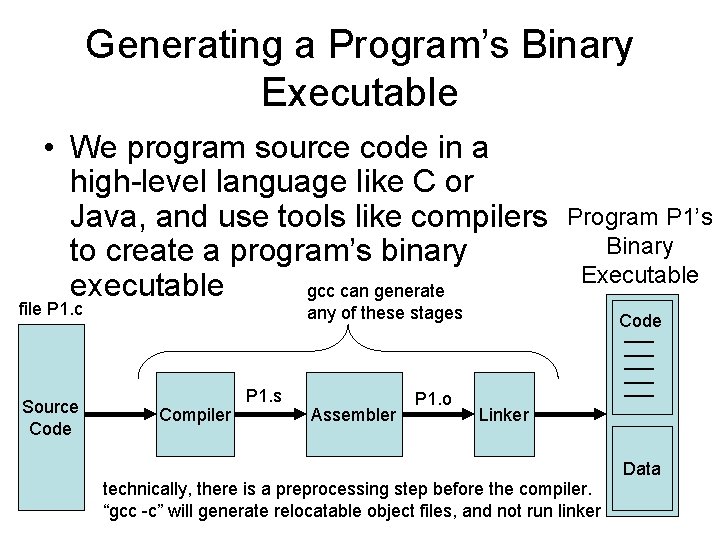
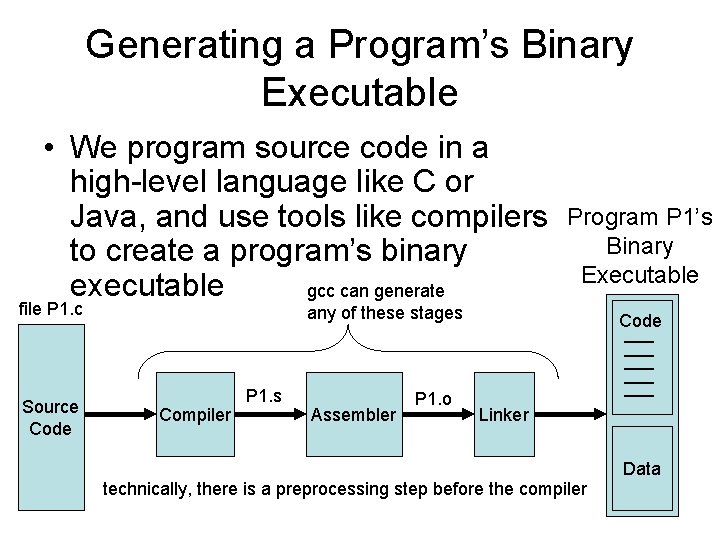
Generating a Program’s Binary Executable • We program source code in a high-level language like C or Java, and use tools like compilers to create a program’s binary executable gcc can generate file P 1. c Source Code Program P 1’s Binary Executable any of these stages Compiler P 1. s Assembler P 1. o Code Linker Data technically, there is a preprocessing step before the compiler. “gcc -c” will generate relocatable object files, and not run linker
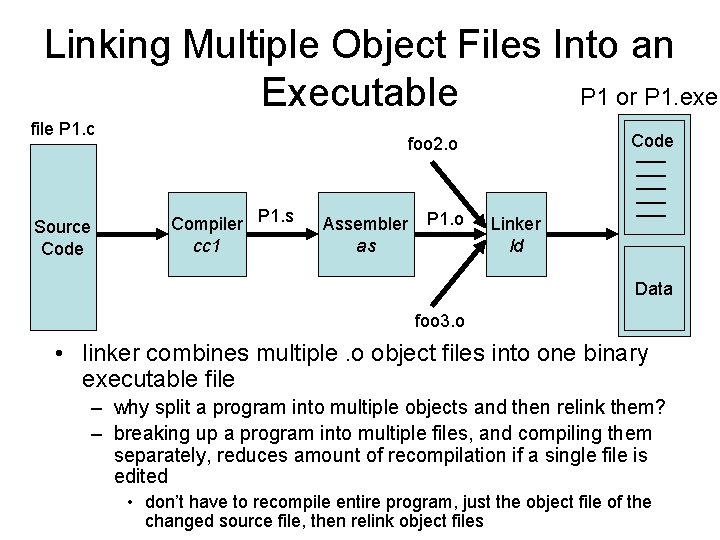
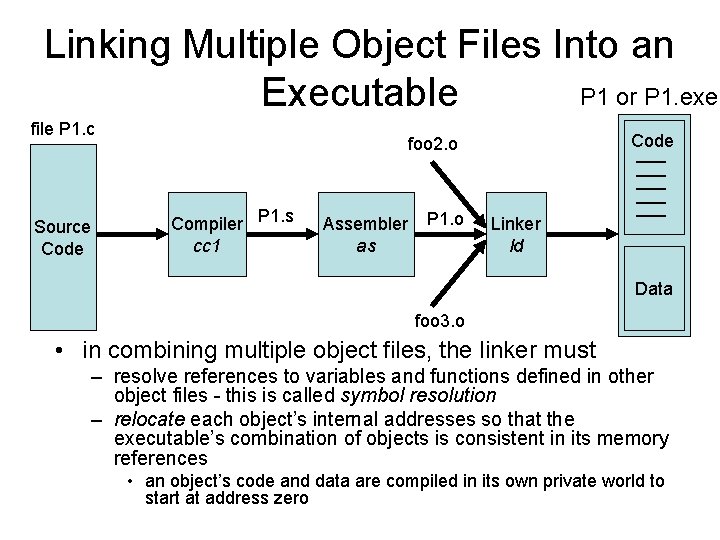
Linking Multiple Object Files Into an P 1 or P 1. exe Executable file P 1. c Source Code foo 2. o Compiler P 1. s cc 1 Assembler as P 1. o Linker ld Data foo 3. o • linker combines multiple. o object files into one binary executable file – why split a program into multiple objects and then relink them? – breaking up a program into multiple files, and compiling them separately, reduces amount of recompilation if a single file is edited • don’t have to recompile entire program, just the object file of the changed source file, then relink object files
Linking Multiple Object Files Into an P 1 or P 1. exe Executable file P 1. c Source Code foo 2. o Compiler P 1. s cc 1 Assembler as P 1. o Linker ld Data foo 3. o • in combining multiple object files, the linker must – resolve references to variables and functions defined in other object files - this is called symbol resolution – relocate each object’s internal addresses so that the executable’s combination of objects is consistent in its memory references • an object’s code and data are compiled in its own private world to start at address zero
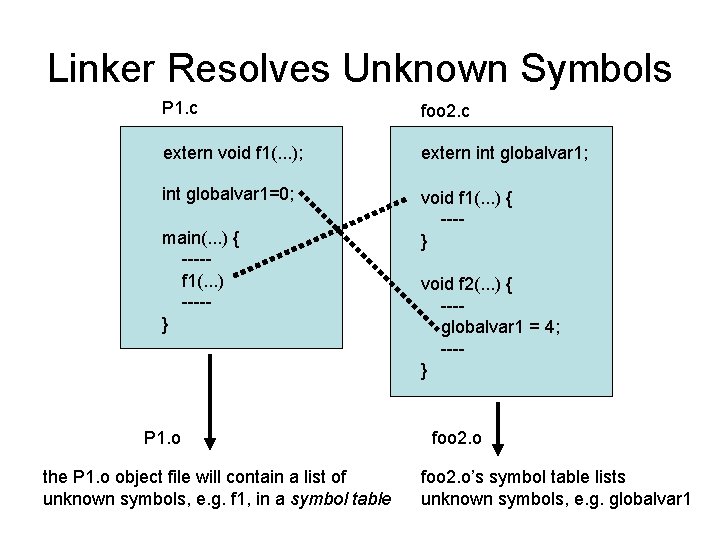
Linker Resolves Unknown Symbols P 1. c foo 2. c extern void f 1(. . . ); extern int globalvar 1; int globalvar 1=0; void f 1(. . . ) { ---} main(. . . ) { ----f 1(. . . ) ----} P 1. o the P 1. o object file will contain a list of unknown symbols, e. g. f 1, in a symbol table void f 2(. . . ) { ---globalvar 1 = 4; ---} foo 2. o’s symbol table lists unknown symbols, e. g. globalvar 1
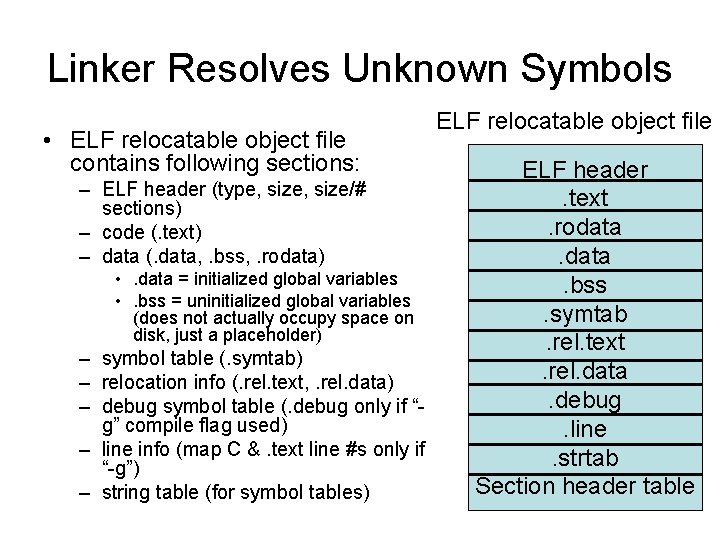
Linker Resolves Unknown Symbols • ELF relocatable object file contains following sections: – ELF header (type, size/# sections) – code (. text) – data (. data, . bss, . rodata) • . data = initialized global variables • . bss = uninitialized global variables (does not actually occupy space on disk, just a placeholder) – symbol table (. symtab) – relocation info (. rel. text, . rel. data) – debug symbol table (. debug only if “g” compile flag used) – line info (map C &. text line #s only if “-g”) – string table (for symbol tables) ELF relocatable object file ELF header. text. rodata. bss. symtab. rel. text. rel. data. debug. line. strtab Section header table
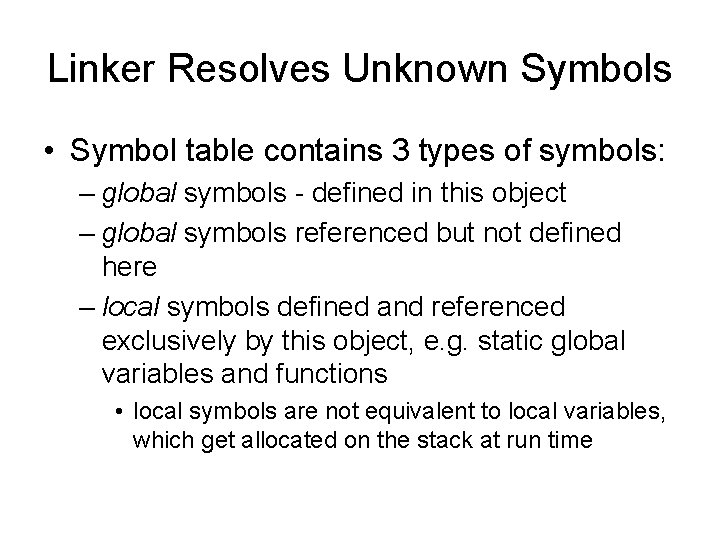
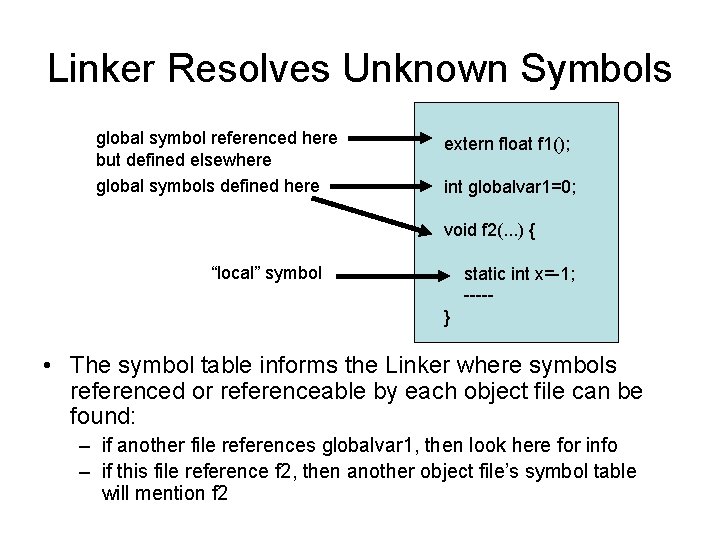
Linker Resolves Unknown Symbols • Symbol table contains 3 types of symbols: – global symbols - defined in this object – global symbols referenced but not defined here – local symbols defined and referenced exclusively by this object, e. g. static global variables and functions • local symbols are not equivalent to local variables, which get allocated on the stack at run time
Linker Resolves Unknown Symbols global symbol referenced here but defined elsewhere global symbols defined here extern float f 1(); int globalvar 1=0; void f 2(. . . ) { “local” symbol static int x=-1; ----} • The symbol table informs the Linker where symbols referenced or referenceable by each object file can be found: – if another file references globalvar 1, then look here for info – if this file reference f 2, then another object file’s symbol table will mention f 2
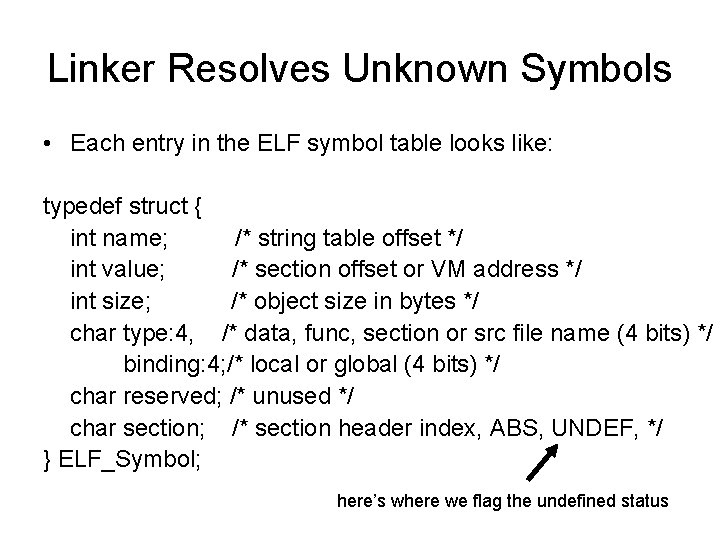
Linker Resolves Unknown Symbols • Each entry in the ELF symbol table looks like: typedef struct { int name; /* string table offset */ int value; /* section offset or VM address */ int size; /* object size in bytes */ char type: 4, /* data, func, section or src file name (4 bits) */ binding: 4; /* local or global (4 bits) */ char reserved; /* unused */ char section; /* section header index, ABS, UNDEF, */ } ELF_Symbol; here’s where we flag the undefined status
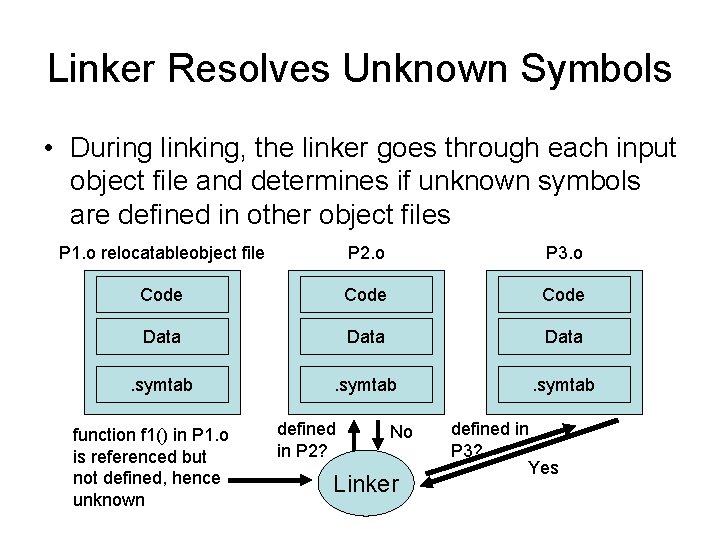
Linker Resolves Unknown Symbols • During linking, the linker goes through each input object file and determines if unknown symbols are defined in other object files P 1. o relocatableobject file P 2. o P 3. o Code Data . symtab function f 1() in P 1. o is referenced but not defined, hence unknown defined in P 2? No Linker defined in P 3? Yes
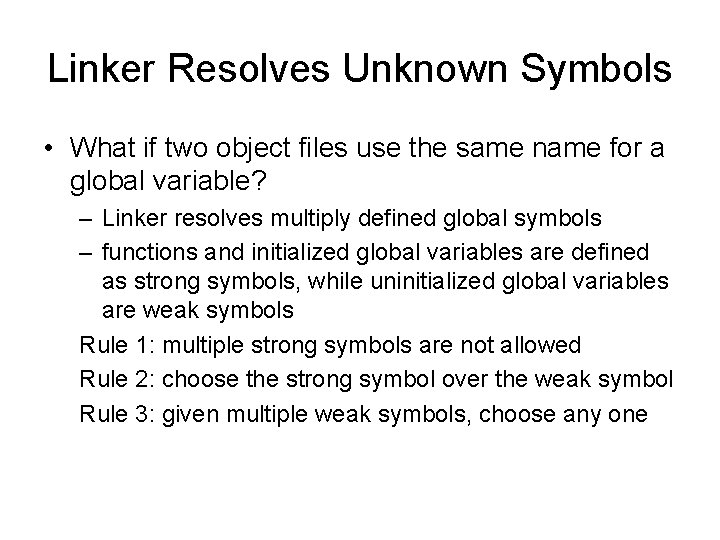
Linker Resolves Unknown Symbols • What if two object files use the same name for a global variable? – Linker resolves multiply defined global symbols – functions and initialized global variables are defined as strong symbols, while uninitialized global variables are weak symbols Rule 1: multiple strong symbols are not allowed Rule 2: choose the strong symbol over the weak symbol Rule 3: given multiple weak symbols, choose any one
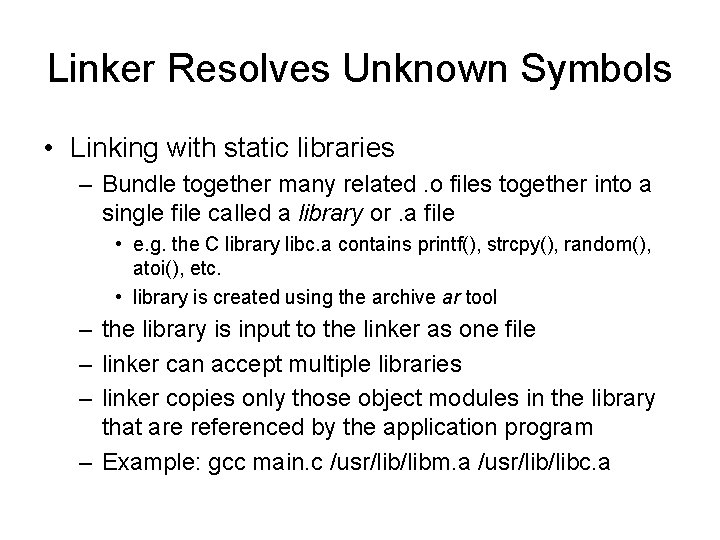
Linker Resolves Unknown Symbols • Linking with static libraries – Bundle together many related. o files together into a single file called a library or. a file • e. g. the C library libc. a contains printf(), strcpy(), random(), atoi(), etc. • library is created using the archive ar tool – the library is input to the linker as one file – linker can accept multiple libraries – linker copies only those object modules in the library that are referenced by the application program – Example: gcc main. c /usr/libm. a /usr/libc. a
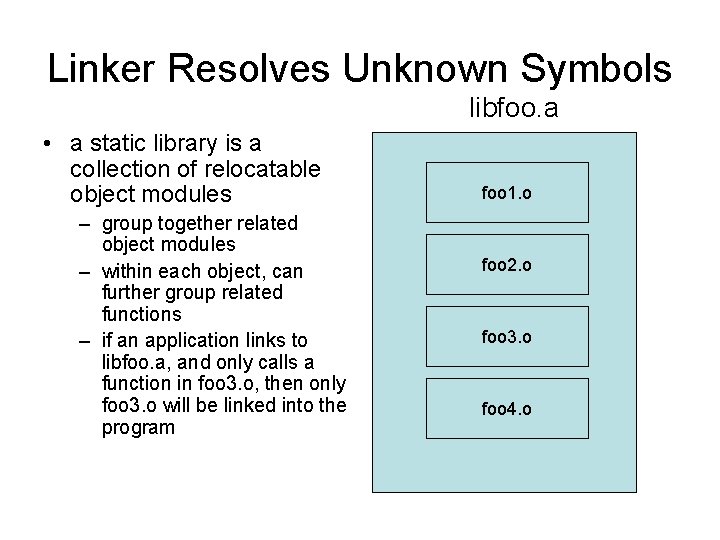
Linker Resolves Unknown Symbols libfoo. a • a static library is a collection of relocatable object modules – group together related object modules – within each object, can further group related functions – if an application links to libfoo. a, and only calls a function in foo 3. o, then only foo 3. o will be linked into the program foo 1. o foo 2. o foo 3. o foo 4. o
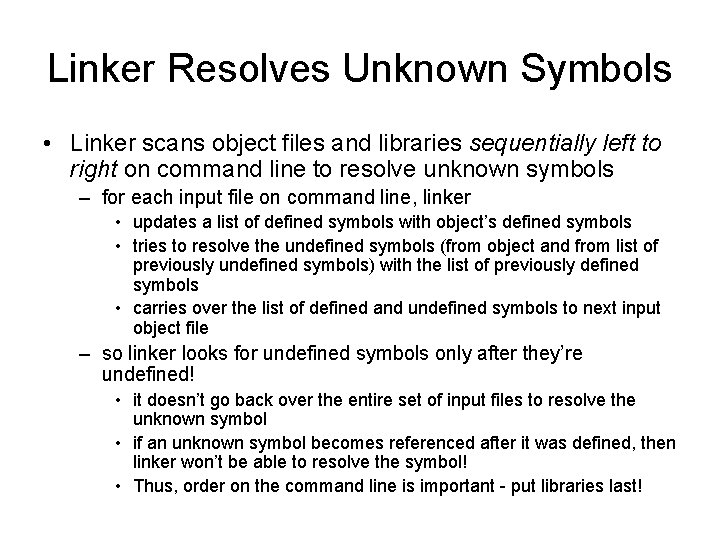
Linker Resolves Unknown Symbols • Linker scans object files and libraries sequentially left to right on command line to resolve unknown symbols – for each input file on command line, linker • updates a list of defined symbols with object’s defined symbols • tries to resolve the undefined symbols (from object and from list of previously undefined symbols) with the list of previously defined symbols • carries over the list of defined and undefined symbols to next input object file – so linker looks for undefined symbols only after they’re undefined! • it doesn’t go back over the entire set of input files to resolve the unknown symbol • if an unknown symbol becomes referenced after it was defined, then linker won’t be able to resolve the symbol! • Thus, order on the command line is important - put libraries last!
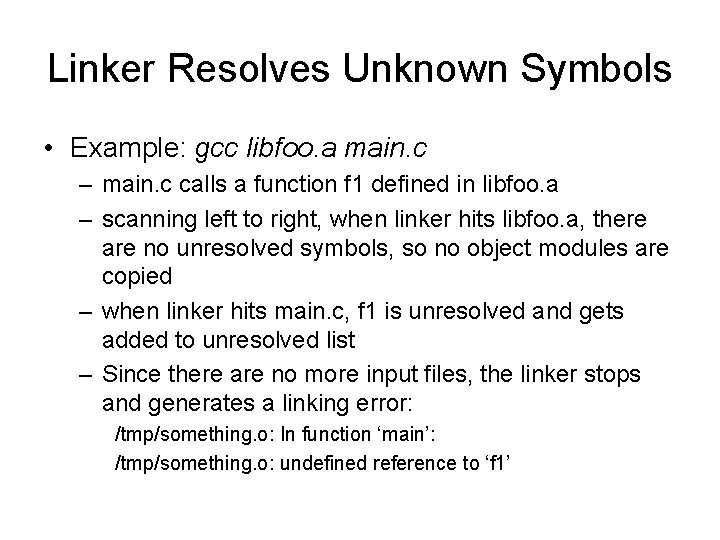
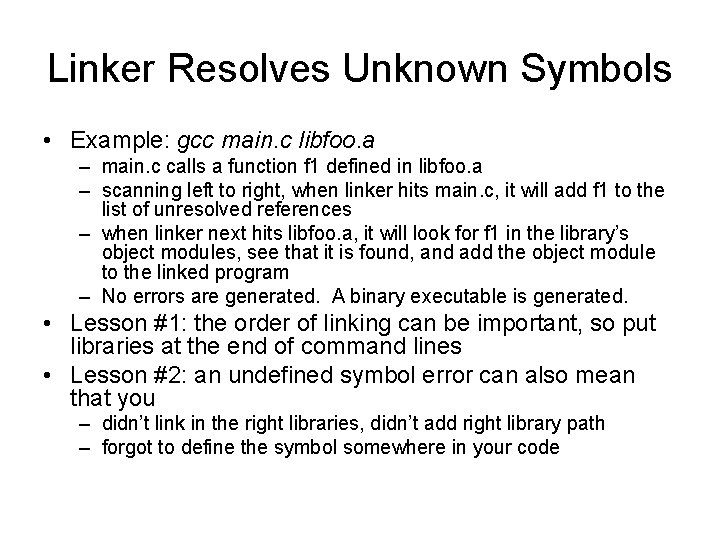
Linker Resolves Unknown Symbols • Example: gcc libfoo. a main. c – main. c calls a function f 1 defined in libfoo. a – scanning left to right, when linker hits libfoo. a, there are no unresolved symbols, so no object modules are copied – when linker hits main. c, f 1 is unresolved and gets added to unresolved list – Since there are no more input files, the linker stops and generates a linking error: /tmp/something. o: In function ‘main’: /tmp/something. o: undefined reference to ‘f 1’
Linker Resolves Unknown Symbols • Example: gcc main. c libfoo. a – main. c calls a function f 1 defined in libfoo. a – scanning left to right, when linker hits main. c, it will add f 1 to the list of unresolved references – when linker next hits libfoo. a, it will look for f 1 in the library’s object modules, see that it is found, and add the object module to the linked program – No errors are generated. A binary executable is generated. • Lesson #1: the order of linking can be important, so put libraries at the end of command lines • Lesson #2: an undefined symbol error can also mean that you – didn’t link in the right libraries, didn’t add right library path – forgot to define the symbol somewhere in your code
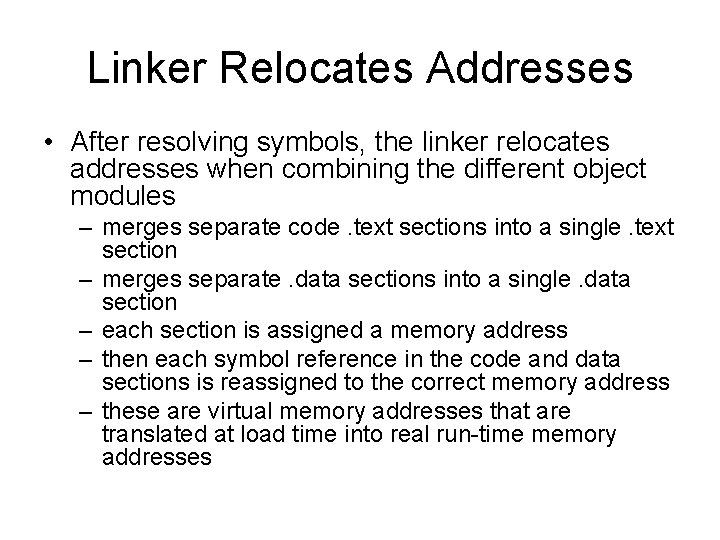
Linker Relocates Addresses • After resolving symbols, the linker relocates addresses when combining the different object modules – merges separate code. text sections into a single. text section – merges separate. data sections into a single. data section – each section is assigned a memory address – then each symbol reference in the code and data sections is reassigned to the correct memory address – these are virtual memory addresses that are translated at load time into real run-time memory addresses
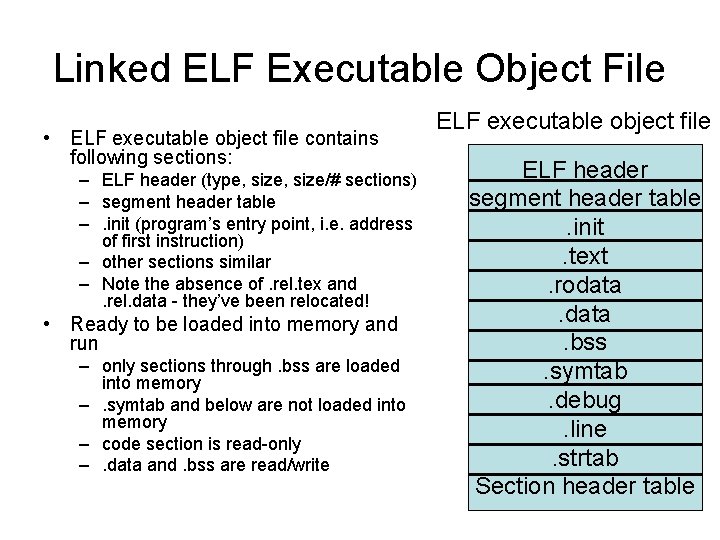
Linked ELF Executable Object File • ELF executable object file contains following sections: – ELF header (type, size/# sections) – segment header table –. init (program’s entry point, i. e. address of first instruction) – other sections similar – Note the absence of. rel. tex and. rel. data - they’ve been relocated! • Ready to be loaded into memory and run – only sections through. bss are loaded into memory –. symtab and below are not loaded into memory – code section is read-only –. data and. bss are read/write ELF executable object file ELF header segment header table. init. text. rodata. bss. symtab. debug. line. strtab Section header table
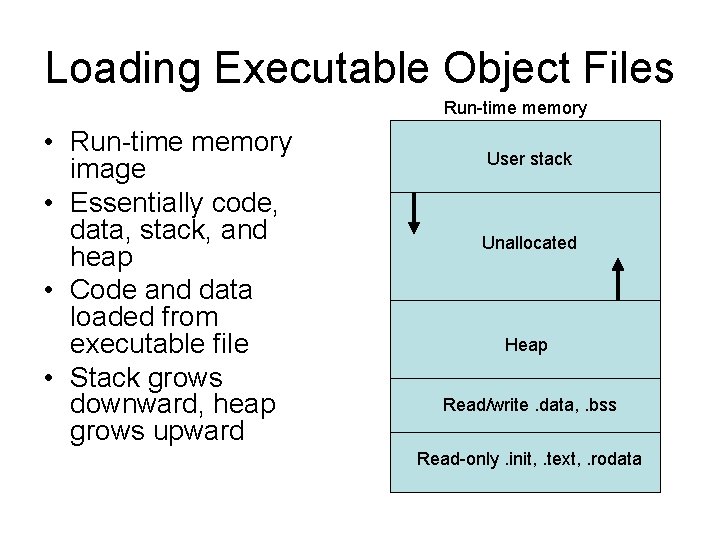
Loading Executable Object Files Run-time memory • Run-time memory image • Essentially code, data, stack, and heap • Code and data loaded from executable file • Stack grows downward, heap grows upward User stack Unallocated Heap Read/write. data, . bss Read-only. init, . text, . rodata
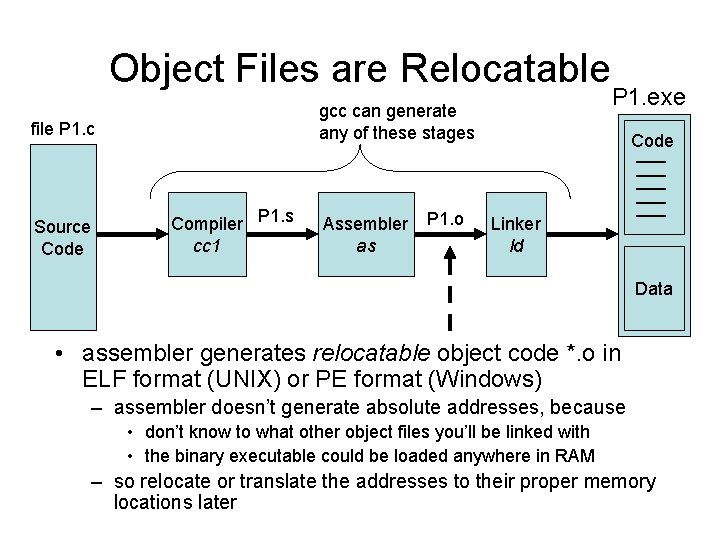
Object Files are Relocatable gcc can generate any of these stages file P 1. c Source Code Compiler P 1. s cc 1 Assembler as P 1. o P 1. exe Code Linker ld Data • assembler generates relocatable object code *. o in ELF format (UNIX) or PE format (Windows) – assembler doesn’t generate absolute addresses, because • don’t know to what other object files you’ll be linked with • the binary executable could be loaded anywhere in RAM – so relocate or translate the addresses to their proper memory locations later
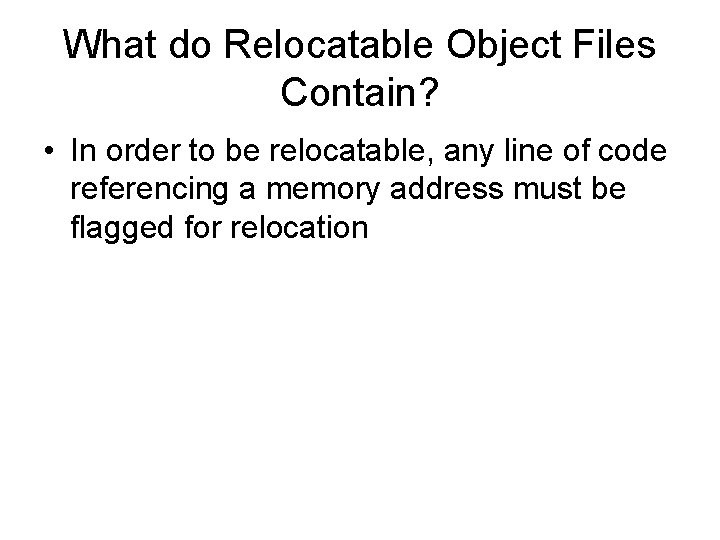
What do Relocatable Object Files Contain? • In order to be relocatable, any line of code referencing a memory address must be flagged for relocation
Linking Multiple Objects Files Into an Executable P 1. c main(int argc, char* argv[]) { ----f 1(parameters) ----} int function 1(parameters) { ----}
Generating a Program’s Binary Executable • We program source code in a high-level language like C or Java, and use tools like compilers to create a program’s binary executable gcc can generate file P 1. c Source Code Program P 1’s Binary Executable any of these stages Compiler P 1. s Assembler P 1. o Code Linker Data technically, there is a preprocessing step before the compiler
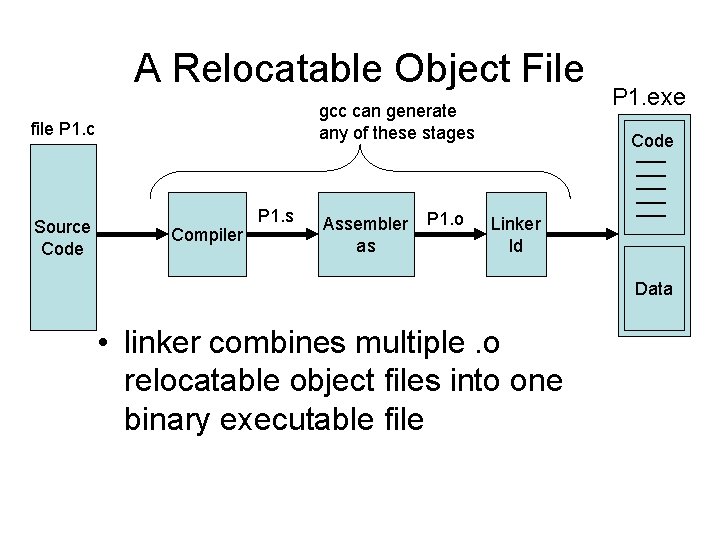
A Relocatable Object File gcc can generate any of these stages file P 1. c Source Code Compiler P 1. s Assembler as P 1. o P 1. exe Code Linker ld Data • linker combines multiple. o relocatable object files into one binary executable file
Executing a Program Machine Code instructions of binary executable shift left by 2 the value in register R 1 and put in address A Main Memory Program P 1 binary Code invoke low level system call n to OS: syscall n jump to address B Data
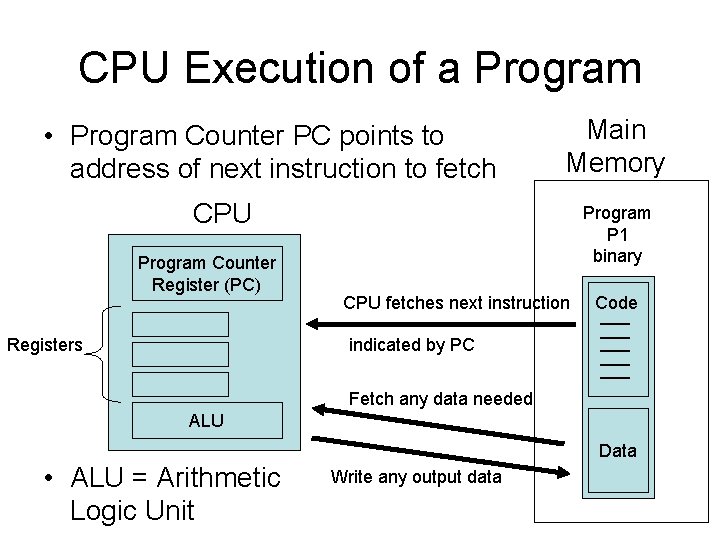
CPU Execution of a Program • Program Counter PC points to address of next instruction to fetch Main Memory CPU Program Counter Register (PC) Registers Program P 1 binary CPU fetches next instruction Code indicated by PC Fetch any data needed ALU Data • ALU = Arithmetic Logic Unit Write any output data
Multiprogramming: Batch Processing • Load program P 1 into memory, called a job, and execute on CPU, running to completion • Then load program P 2 into memory, and run to completion – or you could have multiple programs in memory, arranged in a queue, lined up waiting for the CPU • You would submit a batch job to the computer, and while the batch job was running, you could go play tennis, and then come back for the results – very non-interactive
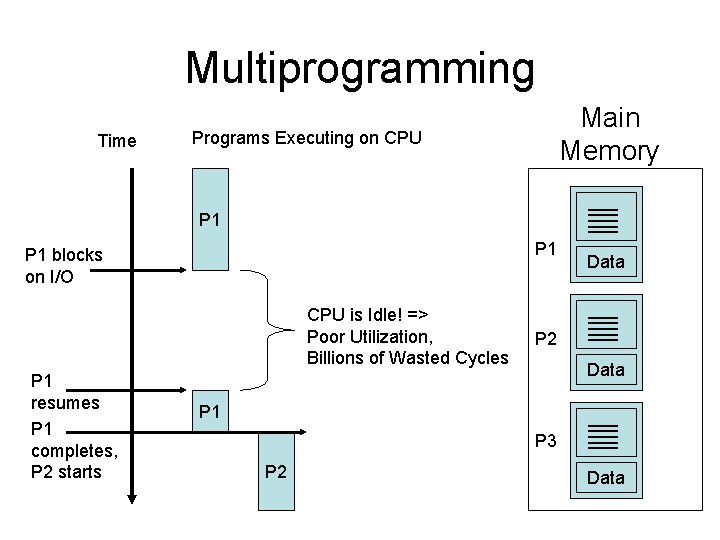
Multiprogramming Time Main Memory Programs Executing on CPU P 1 P 1 blocks on I/O CPU is Idle! => Poor Utilization, Billions of Wasted Cycles P 1 resumes P 1 completes, P 2 starts Data P 2 Data P 1 P 3 P 2 Data
Multiprogramming • What if Program P 1 blocks waiting for something to complete? – waiting on I/O, e. g. waiting for a disk write to complete, or waiting for a packet to arrive over the radio • I/O can be very slow compared to CPU speed – then CPU is idle for potentially billions of cycles! • Better if CPU switches to another program P 2 and begins executing P 2 – better utilization of the CPU
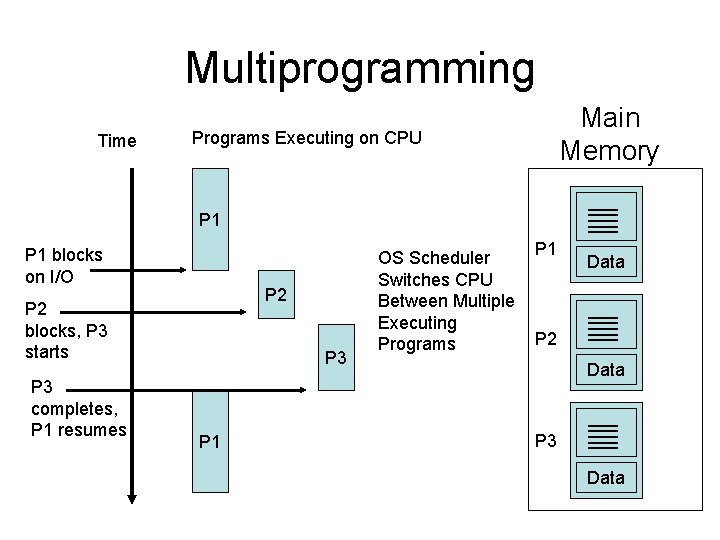
Multiprogramming Time Main Memory Programs Executing on CPU P 1 blocks on I/O P 2 blocks, P 3 starts P 3 completes, P 1 resumes P 3 P 1 OS Scheduler Switches CPU Between Multiple Executing Programs P 1 Data P 2 Data P 3 Data
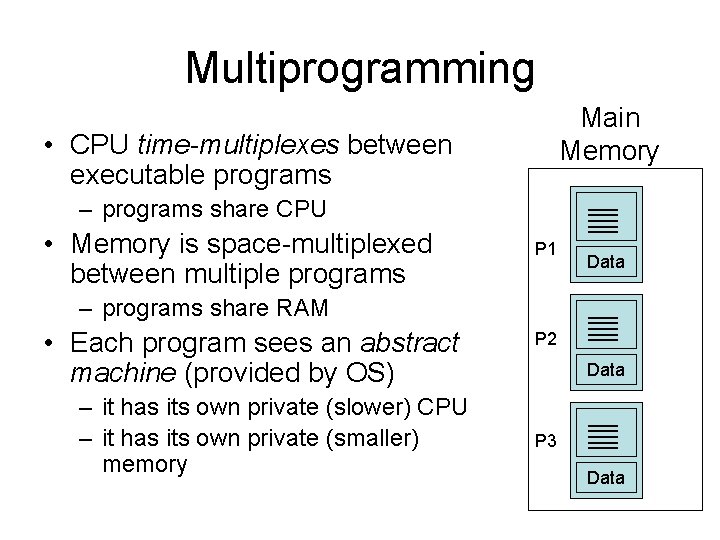
Multiprogramming Main Memory • CPU time-multiplexes between executable programs – programs share CPU • Memory is space-multiplexed between multiple programs P 1 Data – programs share RAM • Each program sees an abstract machine (provided by OS) – it has its own private (slower) CPU – it has its own private (smaller) memory P 2 Data P 3 Data
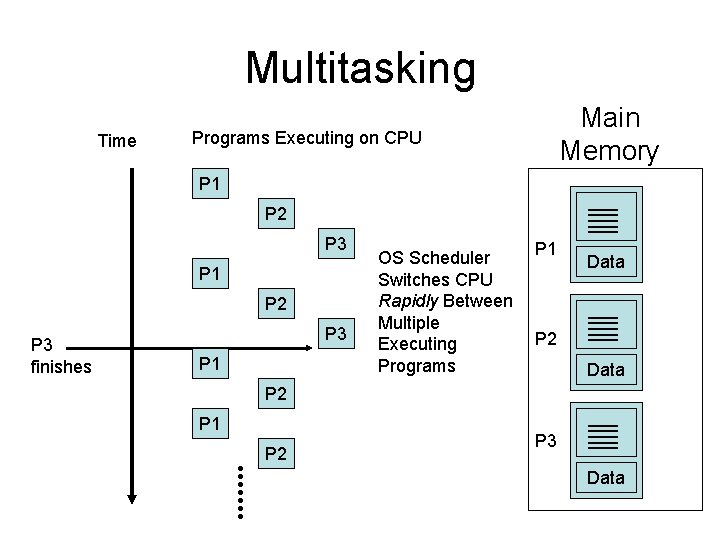
Multitasking • Early computers were big mainframes • We’d like to share the memory and CPU of a mainframe not just between different programs or batch jobs, but also between different human users • Time sharing systems were developed • Give each user a very small slice of the CPU pie frequently
Multitasking Time Main Memory Programs Executing on CPU P 1 P 2 P 3 finishes P 3 P 1 OS Scheduler Switches CPU Rapidly Between Multiple Executing Programs P 1 Data P 2 P 1 P 2 P 3 Data
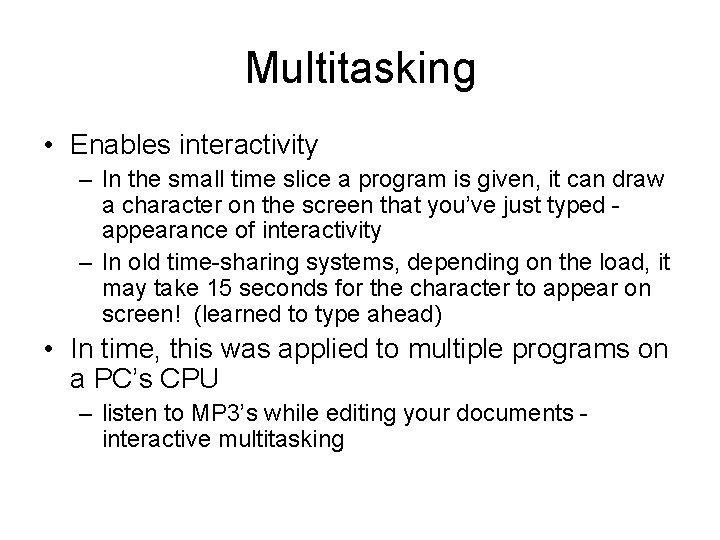
Multitasking • Enables interactivity – In the small time slice a program is given, it can draw a character on the screen that you’ve just typed appearance of interactivity – In old time-sharing systems, depending on the load, it may take 15 seconds for the character to appear on screen! (learned to type ahead) • In time, this was applied to multiple programs on a PC’s CPU – listen to MP 3’s while editing your documents interactive multitasking
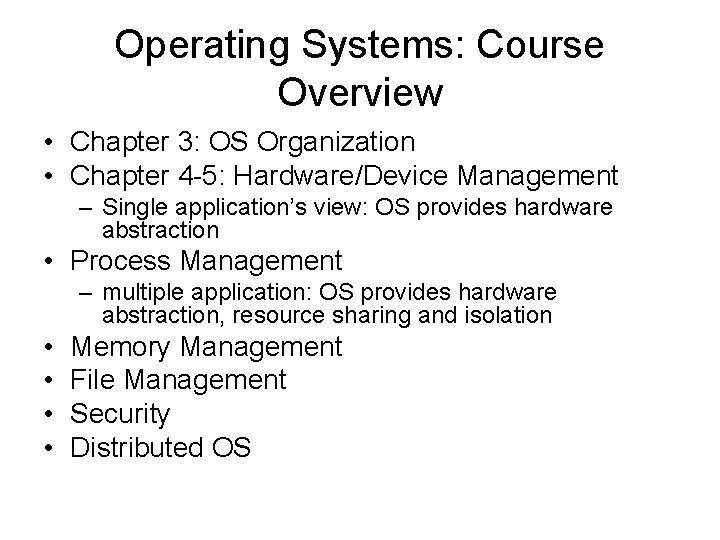
Operating Systems: Course Overview • Chapter 3: OS Organization • Chapter 4 -5: Hardware/Device Management – Single application’s view: OS provides hardware abstraction • Process Management – multiple application: OS provides hardware abstraction, resource sharing and isolation • • Memory Management File Management Security Distributed OS
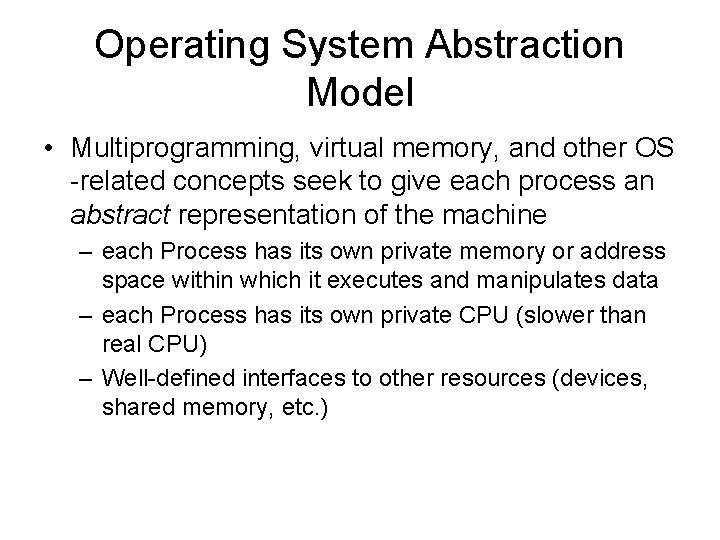
Operating System Abstraction Model • Multiprogramming, virtual memory, and other OS -related concepts seek to give each process an abstract representation of the machine – each Process has its own private memory or address space within which it executes and manipulates data – each Process has its own private CPU (slower than real CPU) – Well-defined interfaces to other resources (devices, shared memory, etc. )
Operating Systems: Process Management • For example, in Process Management we will cover: – Process definition, Address Spaces – Multithreading – Is a program = application? Ex. threaded Web server as a multithreaded app versus multi-process app • • a process defines an address space multiple threads in a process can share an address space A single application may spawn multiple processes and/or threads Cuts down on context switch overhead, and allows rapid sharing of memory – Scheduling – Synchronization – Deadlock
Operating System Trends • Hardware support for operating systems has evolved too – Mode bit support in CPU • user mode vs. kernel/supervisor mode • early PCs did not have this support • Today’s embedded microcontrollers also lack this support – Page faulting hardware and MMU – Lack of such HW support can allow user programs to accidentally or maliciously overwrite OS kernel code!
Done
Timeline • Single program view – OS only provides hardware abstraction – Not resource sharing and isolation • Multiprogramming view – OS provides hardware abstraction and resource sharing and isolation – Programs have to share: • memory, CPU, hardware access, files, etc.
Timeline • Drill down abstraction of each component: – each application as a program, a sequence of code/instructions – each program is stored on disk - permanent or nonvolatile storage – as needed, programs are loaded into memory, need a way to share memory – programs in memory take turns executing on and sharing the CPU – In multitasking systems, take turns quickly, in a finely interleaved manner • Stay with the big picture - that’s what’s missing from these OS textbooks - component view
Timeline • Hardware and devices after another big picture intro – Bryant and O’Hallaron – interrupts – Traps – Signals – CPU mode bit - user mode vs kernel/supervisor mode