
Generating HTML Format Reports for Travel Demand Models


- Slides: 30
Generating HTML Format Reports for Travel Demand Models May 18, 2009 Chunyu Lu Gannett Fleming, Inc.
Outline n Introduction n Generating HTML Formatted Reports n Demonstration of CFRPM Reporting n New Technology n What Can be Improved? 2
Background n n n In 2004 FDOT chose to begin converting all models from Tran. Plan to Cube Voyager scripts were used to replicate the models procedures. Mini-validations were required to meet the FDOT validation criteria at the regional level. Standard Tran. Plan reports were left out of model conversions. No new standards for reporting model output were defined. 3
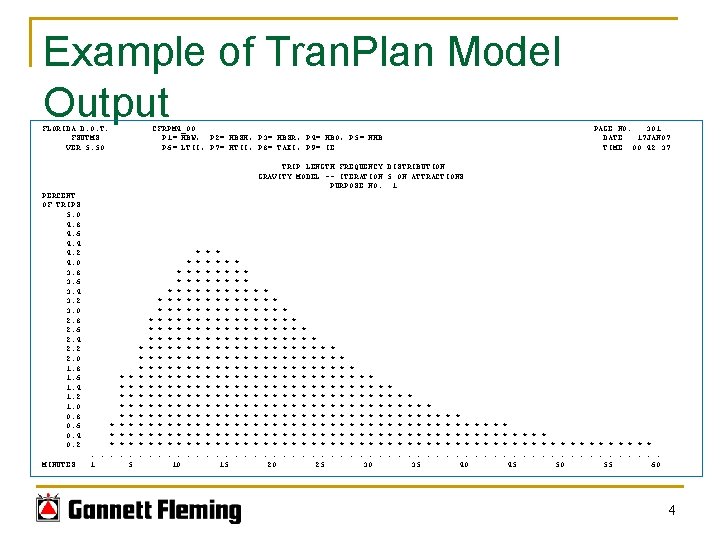
Example of Tran. Plan Model Output FLORIDA D. O. T. FSUTMS VER 5. 50 CFRPM 4_00 P 1= HBW, P 2= HBSH, P 3= HBSR, P 4= HBO, P 5= NHB P 6= LTII, P 7= HTII, P 8= TAXI, P 9= IE PAGE NO. 301 DATE 17 JAN 07 TIME 00: 42: 37 TRIP LENGTH FREQUENCY DISTRIBUTION GRAVITY MODEL -- ITERATION 5 ON ATTRACTIONS PURPOSE NO. 1 PERCENT OF TRIPS 5. 0 4. 8 4. 6 4. 4 4. 2 4. 0 3. 8 3. 6 3. 4 3. 2 3. 0 2. 8 2. 6 2. 4 2. 2 2. 0 1. 8 1. 6 1. 4 1. 2 1. 0 0. 8 0. 6 0. 4 0. 2 MINUTES * * *. . . 1 * * * *. 5 * * * * * *. * * * * * * * * *. . 10 * * * * * * * * * * *. * * * * * *. 15 * * * * *. * * * * * * * * *. 20 * * * * * * *. * * *. 25 * * * * * * *. 30 * * * *. * * *. 35 * * * *. 40 * * *. * * * * * *. . . . 45 50 55 60 4
Modeling Reports n Cube Reports q q n Crystal Reports q n n Developed by Citilabs Built-in component that has limited functionality Recommended by FDOT Central Office to produce model output but did not provide flexibilility for model users Customized plain text reports HTML formatted model reports q q Developed by Gannett Fleming Graphic components including table, maps and charts 5
Outline n Background Introduction n Generating HTML Formatted Reports n Demonstration of CFRPM Reporting n New Technology n What Can be Improved? 6
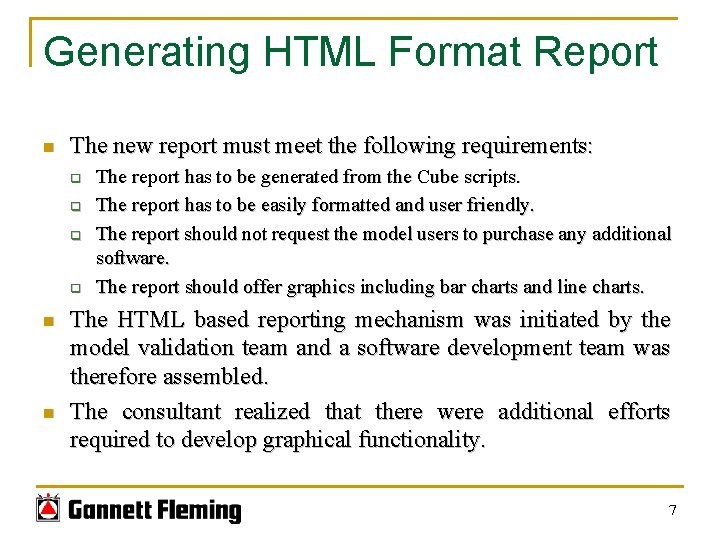
Generating HTML Format Report n The new report must meet the following requirements: q q n n The report has to be generated from the Cube scripts. The report has to be easily formatted and user friendly. The report should not request the model users to purchase any additional software. The report should offer graphics including bar charts and line charts. The HTML based reporting mechanism was initiated by the model validation team and a software development team was therefore assembled. The consultant realized that there were additional efforts required to develop graphical functionality. 7
HTML Introduction n HTML - Hyper Text Markup Language: q q q n n well-known and predominant markup language for web pages suitable for the world wide web accessible by many web browsers including Internet Explorer, Mozilla Firefox, and Google Chrome HTML is a text based document easily editable in any text editing software. Cube Voyager scripts can be used to produce basic text output files, and therefore can produce web pages as long as it follows the HTML standards. 8
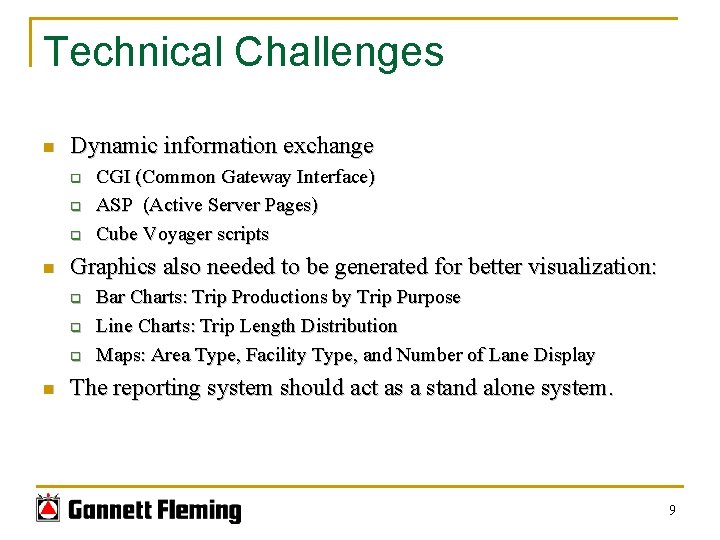
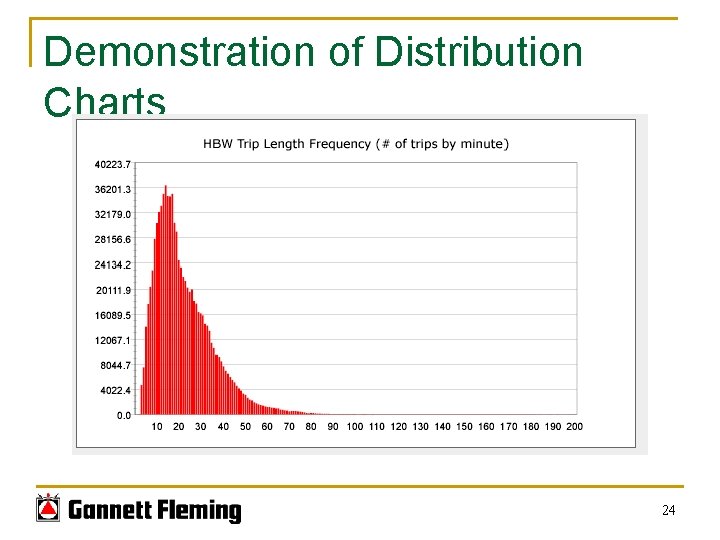
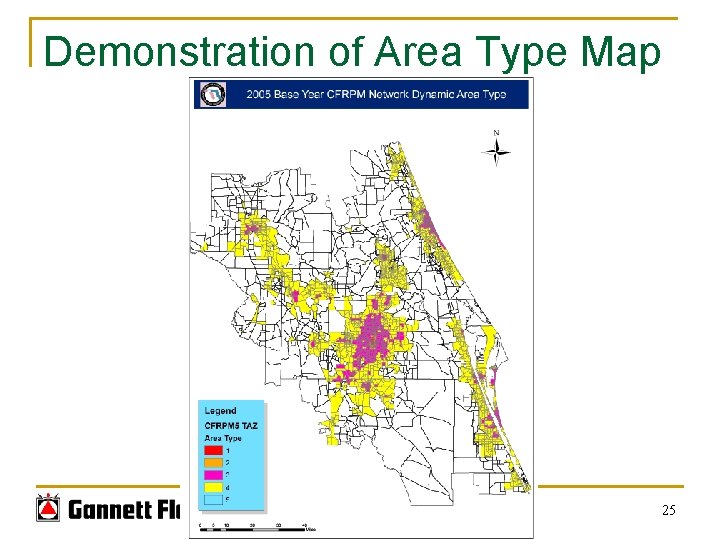
Technical Challenges n Dynamic information exchange q q q n Graphics also needed to be generated for better visualization: q q q n CGI (Common Gateway Interface) ASP (Active Server Pages) Cube Voyager scripts Bar Charts: Trip Productions by Trip Purpose Line Charts: Trip Length Distribution Maps: Area Type, Facility Type, and Number of Lane Display The reporting system should act as a stand alone system. 9
Resolutions n Cube Voyager scripts is used to generate HTML reports: q q n n Opened directly by any web browser Databases including input datasets and output model results are also generated and downloadable from the webpage The graphical components are generated in SVG (Scalable Vector Graphics) format. n Dynamic information is exchanged using Voyager scripts, no web server is required. A Cascading Style Sheets (CSS) file is used for color designed schemes and reporting formats. 10
Understanding XML and SVG n Similar with HTML, XML (Extensible Markup Language) is a general purpose specification for creating custom markup languages. It is used in the current model for two purposes: q q n n Display large amount of information with acceptable refresh speeds; Offer graphical components to generate SVG. XLST (Extensible Stylesheet Language Transformations (XSLT) is a XML-based language used for the transformation of XML documents to SVG graphics. SVG viewer, a free software offered by Adobe is required to display the SVG graphics in web browsers. 11
Understanding SVG Graphics n n Scalable Vector Graphics (SVG) is a family of specifications of XML-based file formats used for describing twodimensional vector graphics, both static and dynamic. In the current model, only static SVGs are generated. Only Internet Explorer can display the SVGs generated by the model. Mozilla’s Firefox can display the tables, but the graphics display improperly. 12
Generating Web Content from Cube Voyager XML XSLT Text Content SVG (Graphic) Map Content HTML Output 13
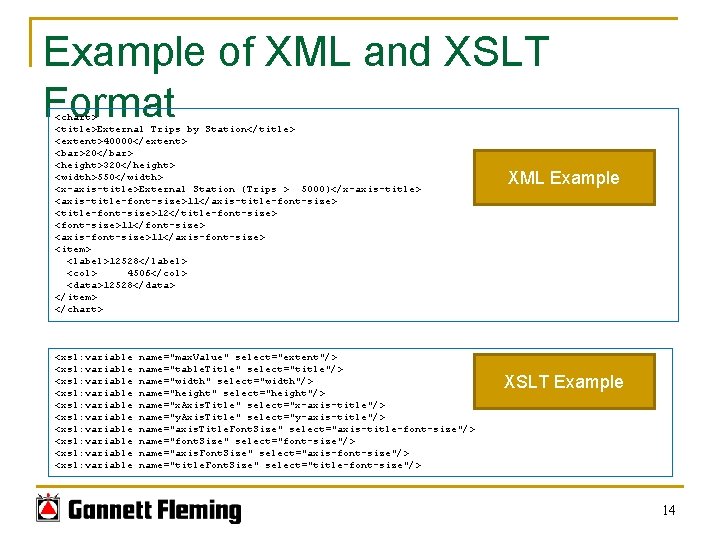
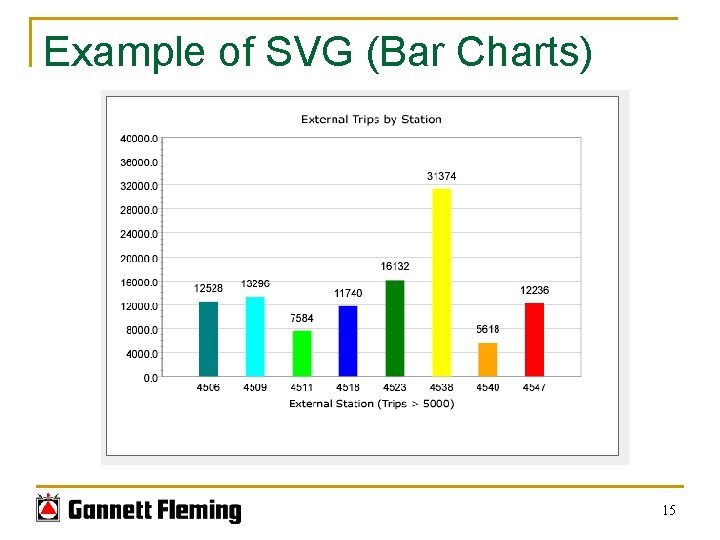
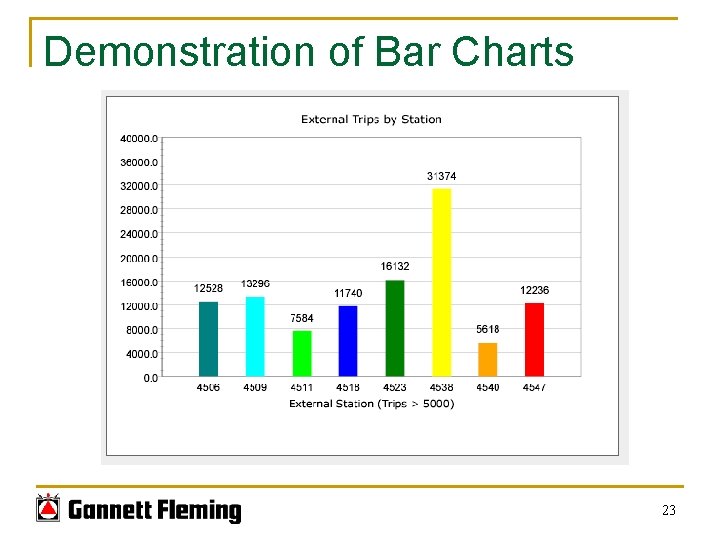
Example of XML and XSLT Format <chart> <title>External Trips by Station</title> <extent>40000</extent> <bar>20</bar> <height>320</height> <width>550</width> <x-axis-title>External Station (Trips > 5000)</x-axis-title> <axis-title-font-size>11</axis-title-font-size> <title-font-size>12</title-font-size> <font-size>11</font-size> <axis-font-size>11</axis-font-size> <item> <label>12528</label> <col> 4506</col> <data>12528</data> </item> </chart> <xsl: variable <xsl: variable <xsl: variable name="max. Value" select="extent"/> name="table. Title" select="title"/> name="width" select="width"/> name="height" select="height"/> name="x. Axis. Title" select="x-axis-title"/> name="y. Axis. Title" select="y-axis-title"/> name="axis. Title. Font. Size" select="axis-title-font-size"/> name="font. Size" select="font-size"/> name="axis. Font. Size" select="axis-font-size"/> name="title. Font. Size" select="title-font-size"/> XML Example XSLT Example 14
Example of SVG (Bar Charts) 15
Outline n Background Introduction n Generating HTML Formatted Reports n Demonstration of CFRPM Reporting n New Technology n What Can be Improved? 16
Demonstration of HTML Reporting n The HTML reporting mechanism was implemented into the following regional planning models: q q q n TBRPM (Tampa Bay Regional Planning Model) WCFRPM (West Central Florida Regional Planning Model) CFRPM (Central Florida Regional Planning Model) The CFRPM reports are demonstrated since they are the most recent versions. 17
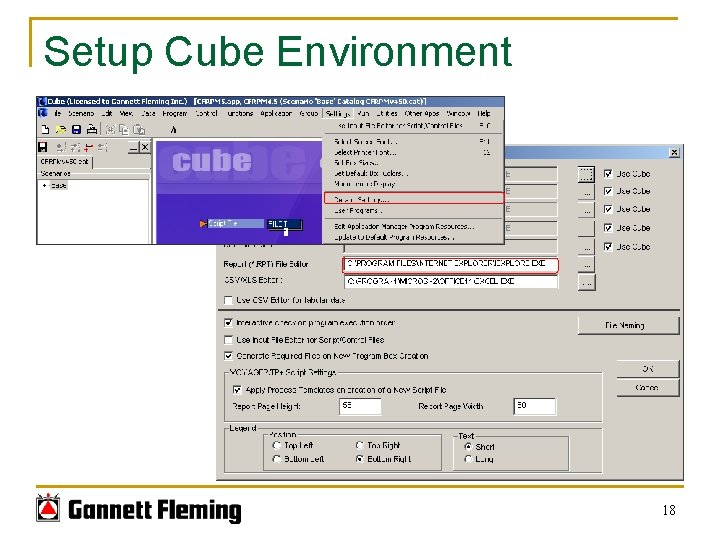
Setup Cube Environment 18
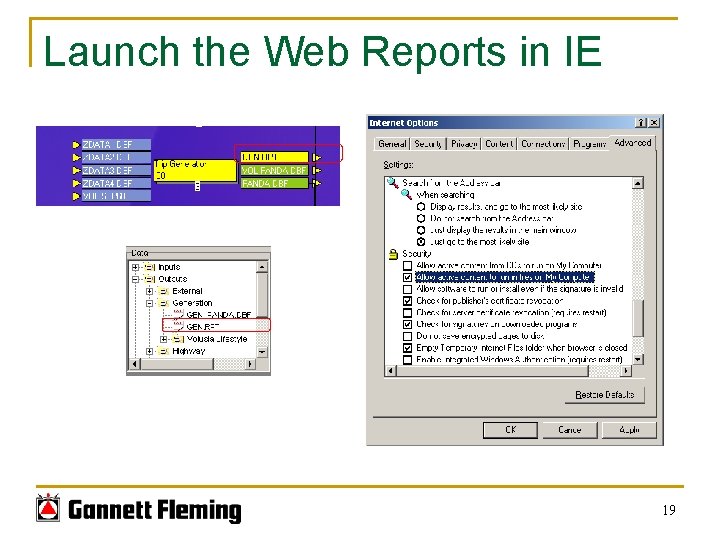
Launch the Web Reports in IE 19
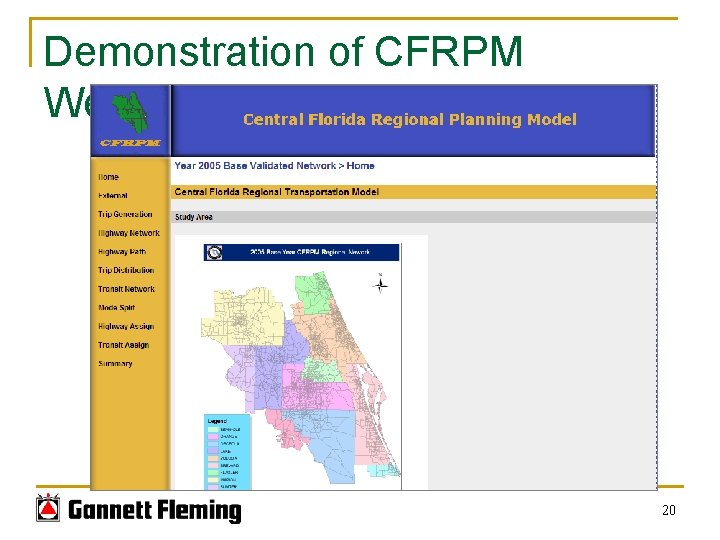
Demonstration of CFRPM Web. Pages 20
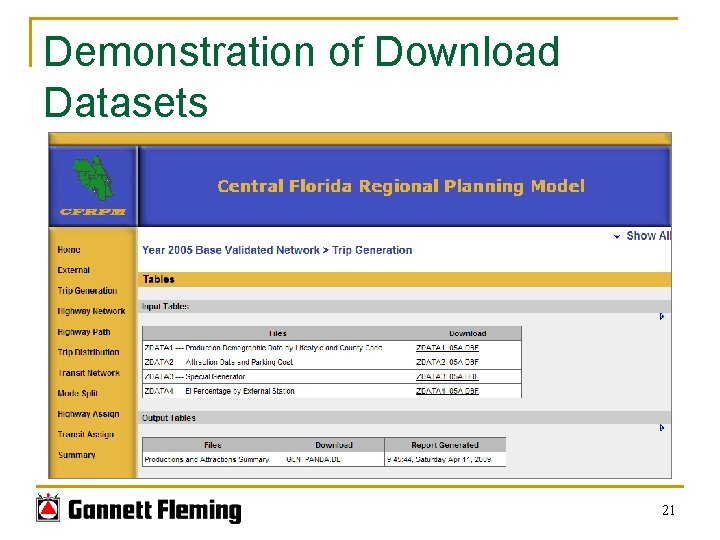
Demonstration of Download Datasets 21
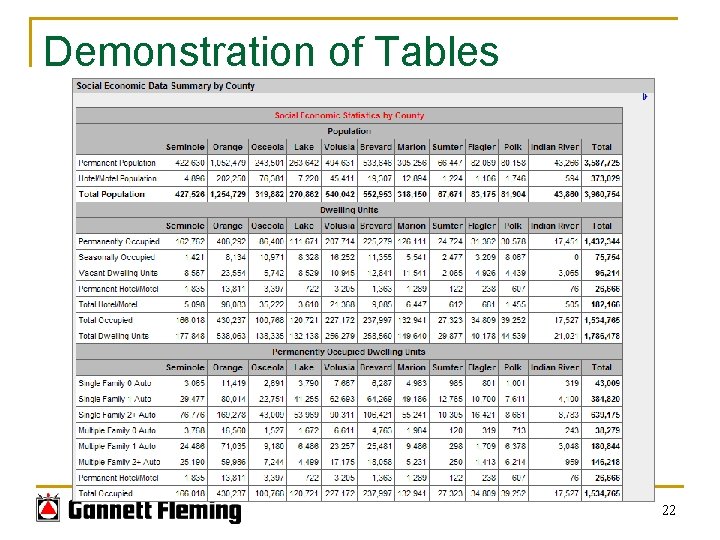
Demonstration of Tables 22
Demonstration of Bar Charts 23
Demonstration of Distribution Charts 24
Demonstration of Area Type Map 25
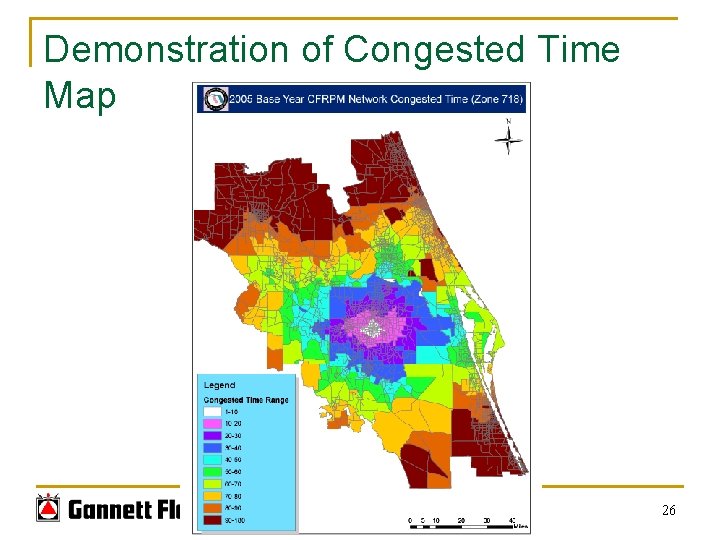
Demonstration of Congested Time Map 26
Outline n Background Introduction n Generating HTML Formatted Reports n Demonstration of CFRPM Reporting n New Technology n What Can be Improved? 27
New Technologies n n n SVG is used in the current model structure, but it is a software that is being phased out. The graphics could be re-produced using Microsoft’s Silverlight or Adobe’s Flash Player. Java scripts or some other programmable script languages could be used to make better web page displays as needed for other reporting needs such as for corridor validation. More GIS based web components will be considered including dynamic map generation of model results. 28
Outline n Background Introduction n Generating HTML Formatted Reports n Demonstration of CFRPM Reporting n New Technology n What Can be Improved? 29
What can be Improved n n n The user interface is user friendly but it is very difficult to generate them using Cube Voyager scripts. Refresh speeds are fairly slow. No ideal solution for printing the HTML format reports. 30