
General Ledger Book Codes and Books Last updated
General Ledger: Book Codes and Books Last updated May 2019 - 1 -
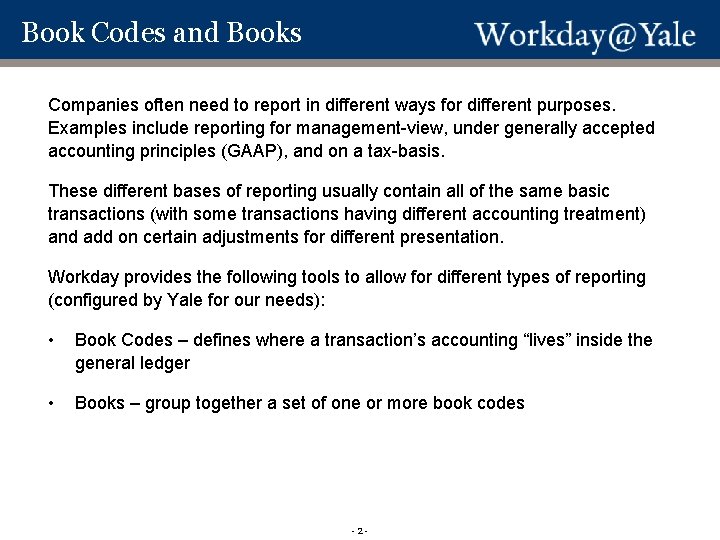
Book Codes and Books Workday Books Codes and Books Companies often need to report in different ways for different purposes. Examples include reporting for management-view, under generally accepted accounting principles (GAAP), and on a tax-basis. These different bases of reporting usually contain all of the same basic transactions (with some transactions having different accounting treatment) and add on certain adjustments for different presentation. Workday provides the following tools to allow for different types of reporting (configured by Yale for our needs): • Book Codes – defines where a transaction’s accounting “lives” inside the general ledger • Books – group together a set of one or more book codes - 2 -
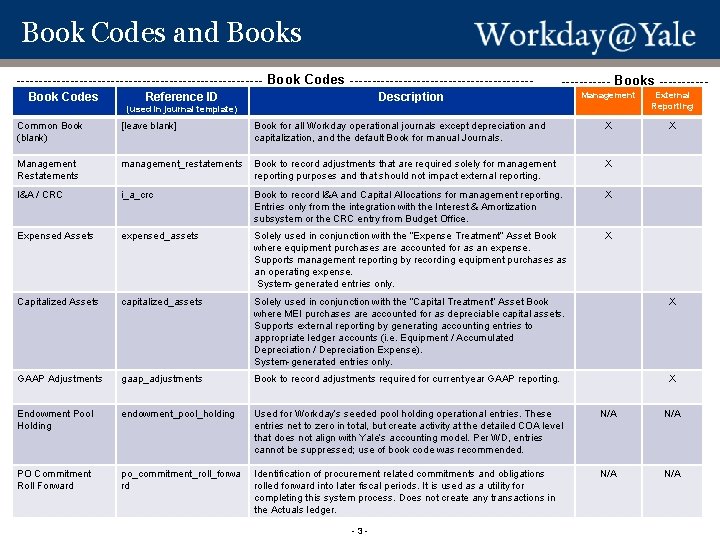
Book Codes and Books ---------------------------- Book Codes --------------------- Workday Books Codes and Book Codes Reference ID Books ----------- Description Management External Reporting X (used in journal template) Common Book (blank) [leave blank] Book for all Workday operational journals except depreciation and capitalization, and the default Book for manual Journals. X Management Restatements management_restatements Book to record adjustments that are required solely for management reporting purposes and that should not impact external reporting. X I&A / CRC i_a_crc Book to record I&A and Capital Allocations for management reporting. Entries only from the integration with the Interest & Amortization subsystem or the CRC entry from Budget Office. X Expensed Assets expensed_assets Solely used in conjunction with the “Expense Treatment” Asset Book where equipment purchases are accounted for as an expense. Supports management reporting by recording equipment purchases as an operating expense. System-generated entries only. X Capitalized Assets capitalized_assets Solely used in conjunction with the “Capital Treatment” Asset Book where MEI purchases are accounted for as depreciable capital assets. Supports external reporting by generating accounting entries to appropriate ledger accounts (i. e. Equipment / Accumulated Depreciation / Depreciation Expense). System-generated entries only. X GAAP Adjustments gaap_adjustments Book to record adjustments required for current year GAAP reporting. X Endowment Pool Holding endowment_pool_holding Used for Workday’s seeded pool holding operational entries. These entries net to zero in total, but create activity at the detailed COA level that does not align with Yale’s accounting model. Per WD, entries cannot be suppressed; use of book code was recommended. N/A PO Commitment Roll Forward po_commitment_roll_forwa rd Identification of procurement related commitments and obligations rolled forward into later fiscal periods. It is used as a utility for completing this system process. Does not create any transactions in the Actuals ledger. N/A - 3 -
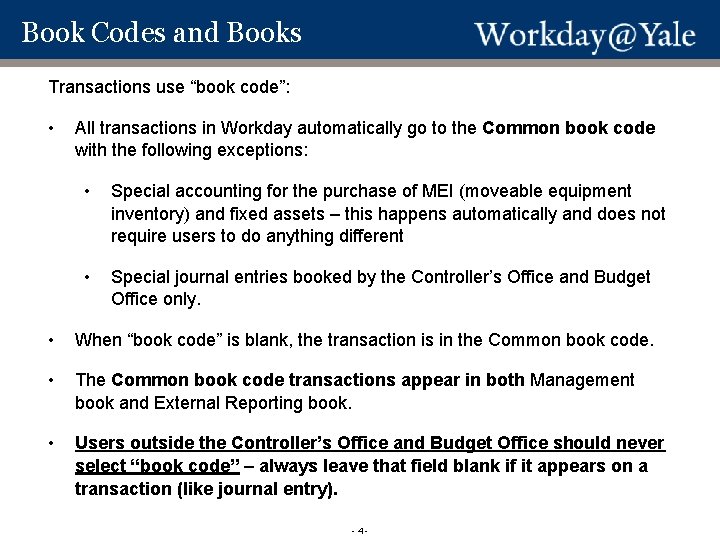
Book Codes and Books Transactions use “book code”: Workday Books Codes and Books • All transactions in Workday automatically go to the Common book code with the following exceptions: • Special accounting for the purchase of MEI (moveable equipment inventory) and fixed assets – this happens automatically and does not require users to do anything different • Special journal entries booked by the Controller’s Office and Budget Office only. • When “book code” is blank, the transaction is in the Common book code. • The Common book code transactions appear in both Management book and External Reporting book. • Users outside the Controller’s Office and Budget Office should never select “book code” – always leave that field blank if it appears on a transaction (like journal entry). - 4 -
Book Codes and Books Reports use “book”: Workday Books Codes and Books • Users outside the Controller’s Office should always use the Management Book for regular management/faculty reporting and reporting to donors. • All reports built for management view were built to default to the Management Book only. In these cases, the prompt screen does not contain the prompt for “book”. • Some report prompts pre-select (default) the book. This can be changed if the user needs to do so. Other reports leave the “book” prompt blank. • Detailed Transactions and Financial Transactions do not include the “book” prompt. These reports return all transactions. Detailed transactions includes an output column for book (any transaction in the Common book code will show in both “Management” and “External Reporting”) Questions on the use of book or book codes can be submitted to sharedservices@yale. edu. - 5 -
- Slides: 5