
Geant 4 Visualization Commands Paul Guye HU Hep
- Slides: 23
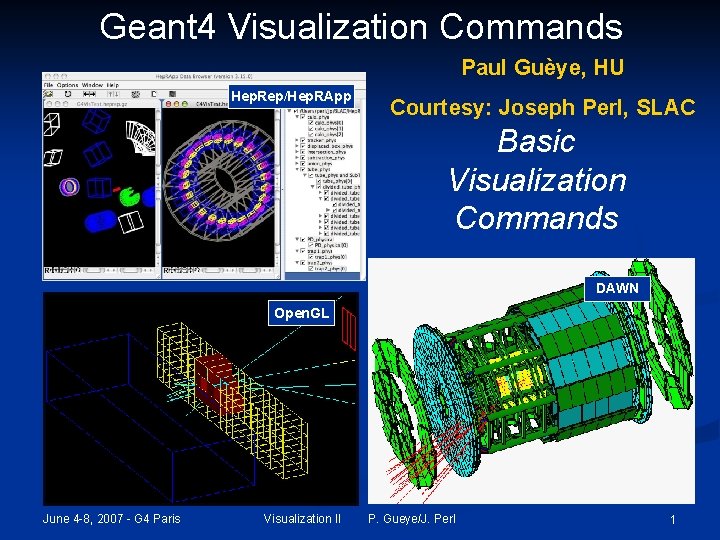
Geant 4 Visualization Commands Paul Guèye, HU Hep. Rep/Hep. RApp Courtesy: Joseph Perl, SLAC Basic Visualization Commands DAWN Open. GL June 4 -8, 2007 - G 4 Paris Visualization II P. Gueye/J. Perl 1
How this Document Fits with Other Tutorial Materials n This presentation can be used on its own, but gives the most comprehensive introduction to Geant 4 visualization when used as part of the following full set of documents: n Introduction to Geant 4 Visualization Geant 4 Installation Guides Geant 4 Visualization Tutorial using the Hep. RApp Hep. Rep Browser Geant 4 Visualization Tutorial using the DAWN Event Display Geant 4 Visualization Tutorial using the Open. GL Event Display Geant 4 Visualization Commands Geant 4 Advanced Visualization n See the URLS at the end of this presentation n n n This presentation discusses seven visualization drivers: n n n n Open. GL Open. Inventor Hep. Rep DAWN VRML Ray. Tracer ASCIITree June 4 -8, 2007 - G 4 Paris Visualization II P. Gueye/J. Perl 2
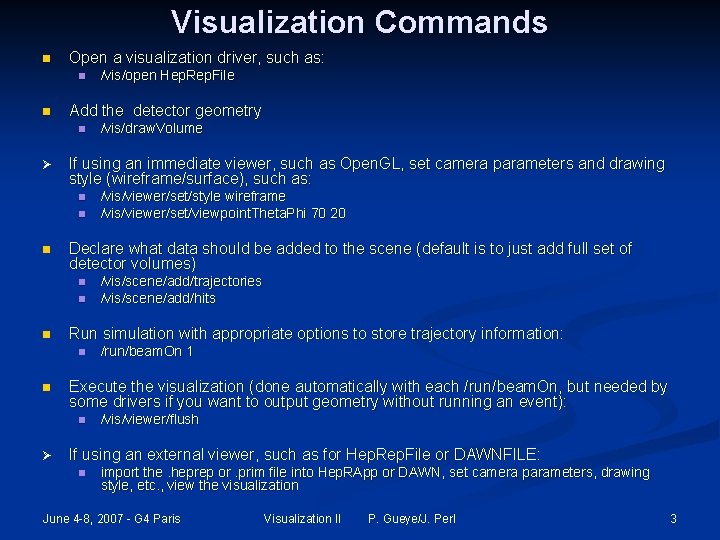
Visualization Commands n Open a visualization driver, such as: n n Add the detector geometry n Ø n n /run/beam. On 1 Execute the visualization (done automatically with each /run/beam. On, but needed by some drivers if you want to output geometry without running an event): n Ø /vis/scene/add/trajectories /vis/scene/add/hits Run simulation with appropriate options to store trajectory information: n n /vis/viewer/set/style wireframe /vis/viewer/set/viewpoint. Theta. Phi 70 20 Declare what data should be added to the scene (default is to just add full set of detector volumes) n n /vis/draw. Volume If using an immediate viewer, such as Open. GL, set camera parameters and drawing style (wireframe/surface), such as: n n /vis/open Hep. Rep. File /vis/viewer/flush If using an external viewer, such as for Hep. Rep. File or DAWNFILE: n import the. heprep or. prim file into Hep. RApp or DAWN, set camera parameters, drawing style, etc. , view the visualization June 4 -8, 2007 - G 4 Paris Visualization II P. Gueye/J. Perl 3
Example Visualization Command Sequences n Visualize a detector in Open. GL (Linux or Mac): n n n Visualize a detector in Open. GL (Windows): n n n /vis/open OGLIX /vis/draw. Volume /vis/open OGLSWin 32 /vis/draw. Volume Visualize trajectories and hits for 10 events using Hep. Rep/Hep. RApp n n n /vis/open Hep. Rep. File /vis/draw. Volume /vis/scene/add/trajectories /vis/scene/add/hits /run/beam. On 10 June 4 -8, 2007 - G 4 Paris Visualization II P. Gueye/J. Perl 4
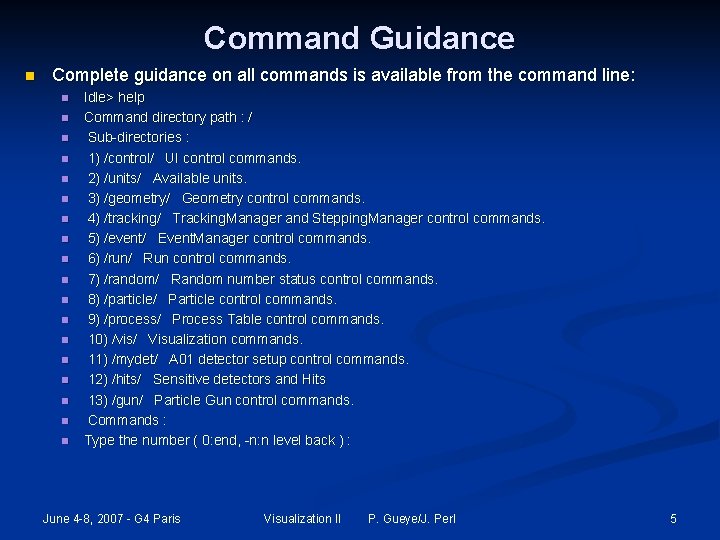
Command Guidance n Complete guidance on all commands is available from the command line: n n n n n Idle> help Command directory path : / Sub-directories : 1) /control/ UI control commands. 2) /units/ Available units. 3) /geometry/ Geometry control commands. 4) /tracking/ Tracking. Manager and Stepping. Manager control commands. 5) /event/ Event. Manager control commands. 6) /run/ Run control commands. 7) /random/ Random number status control commands. 8) /particle/ Particle control commands. 9) /process/ Process Table control commands. 10) /vis/ Visualization commands. 11) /mydet/ A 01 detector setup control commands. 12) /hits/ Sensitive detectors and Hits 13) /gun/ Particle Gun control commands. Commands : Type the number ( 0: end, -n: n level back ) : June 4 -8, 2007 - G 4 Paris Visualization II P. Gueye/J. Perl 5
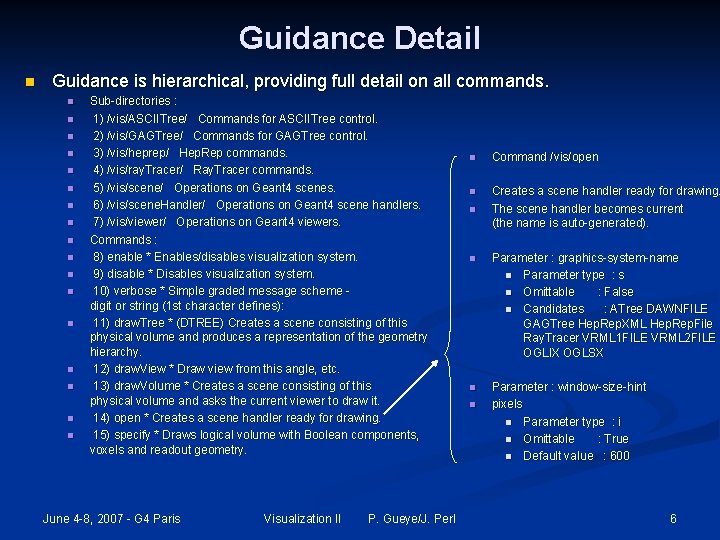
Guidance Detail n Guidance is hierarchical, providing full detail on all commands. n n n n n Sub-directories : 1) /vis/ASCIITree/ Commands for ASCIITree control. 2) /vis/GAGTree/ Commands for GAGTree control. 3) /vis/heprep/ Hep. Rep commands. 4) /vis/ray. Tracer/ Ray. Tracer commands. 5) /vis/scene/ Operations on Geant 4 scenes. 6) /vis/scene. Handler/ Operations on Geant 4 scene handlers. 7) /vis/viewer/ Operations on Geant 4 viewers. Commands : 8) enable * Enables/disables visualization system. 9) disable * Disables visualization system. 10) verbose * Simple graded message scheme digit or string (1 st character defines): 11) draw. Tree * (DTREE) Creates a scene consisting of this physical volume and produces a representation of the geometry hierarchy. 12) draw. View * Draw view from this angle, etc. 13) draw. Volume * Creates a scene consisting of this physical volume and asks the current viewer to draw it. 14) open * Creates a scene handler ready for drawing. 15) specify * Draws logical volume with Boolean components, voxels and readout geometry. June 4 -8, 2007 - G 4 Paris Visualization II P. Gueye/J. Perl n Command /vis/open n Creates a scene handler ready for drawing. The scene handler becomes current (the name is auto-generated). n n Parameter : graphics-system-name n Parameter type : s n Omittable : False n Candidates : ATree DAWNFILE GAGTree Hep. Rep. XML Hep. Rep. File Ray. Tracer VRML 1 FILE VRML 2 FILE OGLIX OGLSX n Parameter : window-size-hint pixels n Parameter type : i n Omittable : True n Default value : 600 n 6
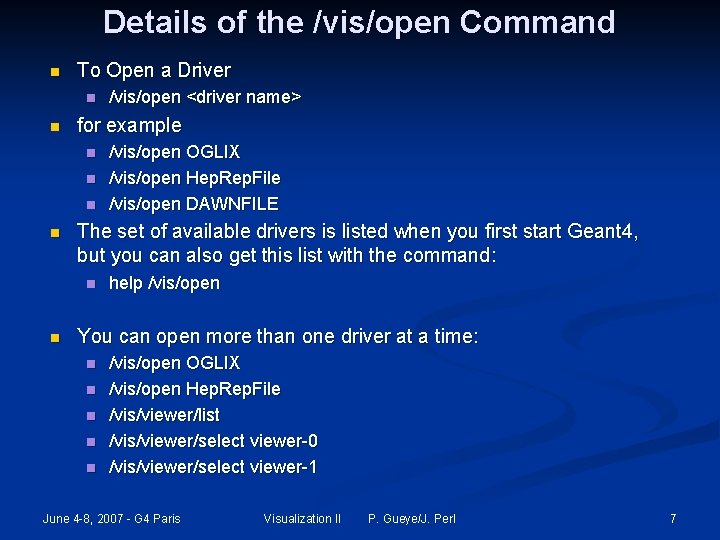
Details of the /vis/open Command n To Open a Driver n n for example n n /vis/open OGLIX /vis/open Hep. Rep. File /vis/open DAWNFILE The set of available drivers is listed when you first start Geant 4, but you can also get this list with the command: n n /vis/open <driver name> help /vis/open You can open more than one driver at a time: n n n /vis/open OGLIX /vis/open Hep. Rep. File /vis/viewer/list /vis/viewer/select viewer-0 /vis/viewer/select viewer-1 June 4 -8, 2007 - G 4 Paris Visualization II P. Gueye/J. Perl 7
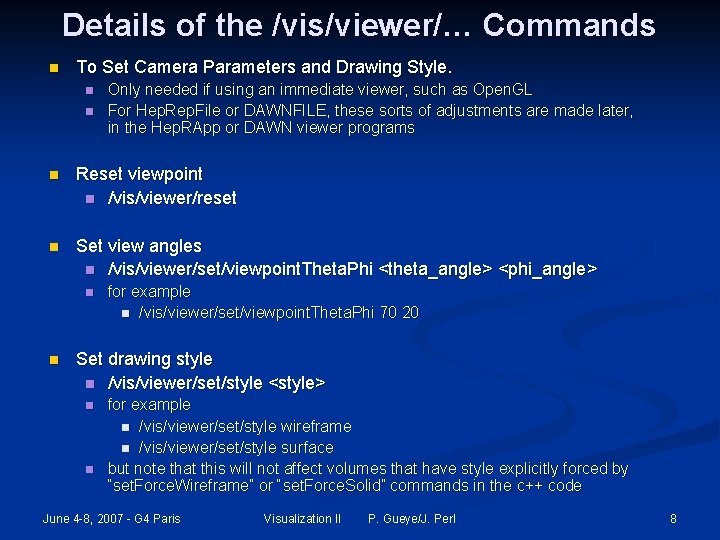
Details of the /vis/viewer/… Commands n To Set Camera Parameters and Drawing Style. n n Only needed if using an immediate viewer, such as Open. GL For Hep. Rep. File or DAWNFILE, these sorts of adjustments are made later, in the Hep. RApp or DAWN viewer programs n Reset viewpoint n /vis/viewer/reset n Set view angles n /vis/viewer/set/viewpoint. Theta. Phi <theta_angle> <phi_angle> n n for example n /vis/viewer/set/viewpoint. Theta. Phi 70 20 Set drawing style n /vis/viewer/set/style <style> n n for example n /vis/viewer/set/style wireframe n /vis/viewer/set/style surface but note that this will not affect volumes that have style explicitly forced by “set. Force. Wireframe” or “set. Force. Solid” commands in the c++ code June 4 -8, 2007 - G 4 Paris Visualization II P. Gueye/J. Perl 8
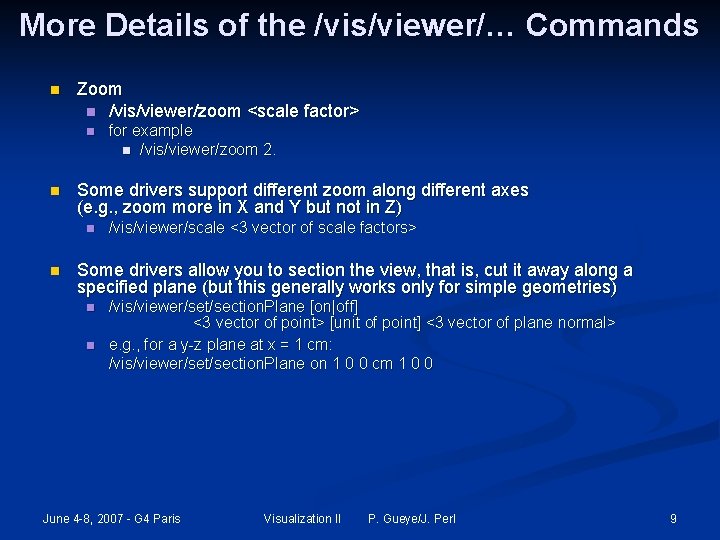
More Details of the /vis/viewer/… Commands n Zoom n /vis/viewer/zoom <scale factor> n n Some drivers support different zoom along different axes (e. g. , zoom more in X and Y but not in Z) n n for example n /vis/viewer/zoom 2. /vis/viewer/scale <3 vector of scale factors> Some drivers allow you to section the view, that is, cut it away along a specified plane (but this generally works only for simple geometries) n n /vis/viewer/set/section. Plane [on|off] <3 vector of point> [unit of point] <3 vector of plane normal> e. g. , for a y-z plane at x = 1 cm: /vis/viewer/set/section. Plane on 1 0 0 cm 1 0 0 June 4 -8, 2007 - G 4 Paris Visualization II P. Gueye/J. Perl 9
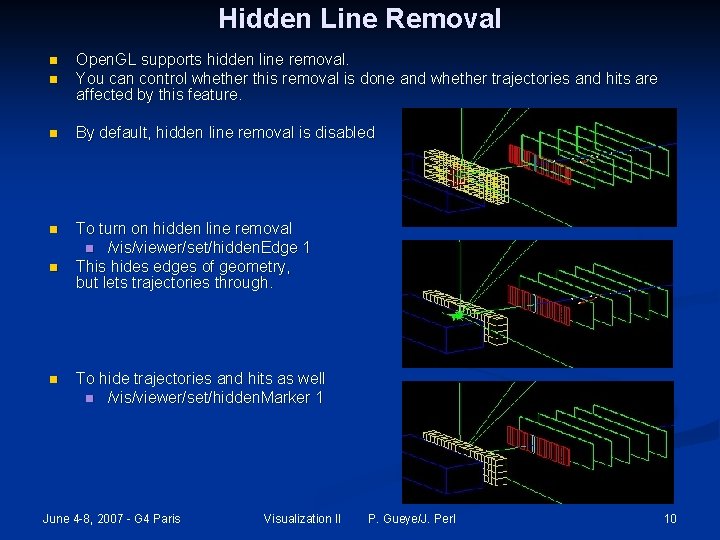
Hidden Line Removal n Open. GL supports hidden line removal. You can control whether this removal is done and whether trajectories and hits are affected by this feature. n By default, hidden line removal is disabled n To turn on hidden line removal n /vis/viewer/set/hidden. Edge 1 This hides edges of geometry, but lets trajectories through. n n n To hide trajectories and hits as well n /vis/viewer/set/hidden. Marker 1 June 4 -8, 2007 - G 4 Paris Visualization II P. Gueye/J. Perl 10
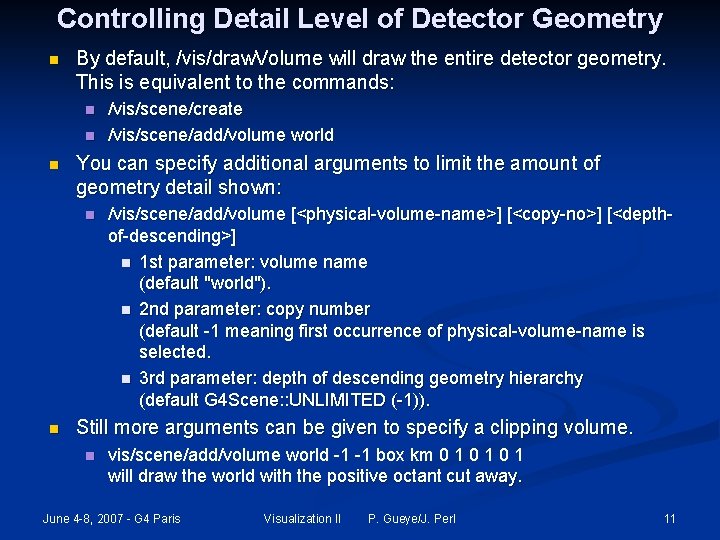
Controlling Detail Level of Detector Geometry n By default, /vis/draw. Volume will draw the entire detector geometry. This is equivalent to the commands: n n n You can specify additional arguments to limit the amount of geometry detail shown: n n /vis/scene/create /vis/scene/add/volume world /vis/scene/add/volume [<physical-volume-name>] [<copy-no>] [<depthof-descending>] n 1 st parameter: volume name (default "world"). n 2 nd parameter: copy number (default -1 meaning first occurrence of physical-volume-name is selected. n 3 rd parameter: depth of descending geometry hierarchy (default G 4 Scene: : UNLIMITED (-1)). Still more arguments can be given to specify a clipping volume. n vis/scene/add/volume world -1 -1 box km 0 1 0 1 will draw the world with the positive octant cut away. June 4 -8, 2007 - G 4 Paris Visualization II P. Gueye/J. Perl 11
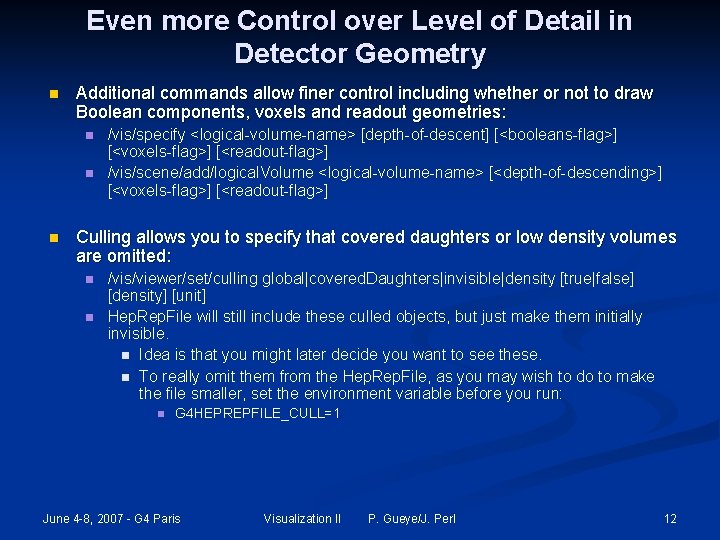
Even more Control over Level of Detail in Detector Geometry n Additional commands allow finer control including whether or not to draw Boolean components, voxels and readout geometries: n n n /vis/specify <logical-volume-name> [depth-of-descent] [<booleans-flag>] [<voxels-flag>] [<readout-flag>] /vis/scene/add/logical. Volume <logical-volume-name> [<depth-of-descending>] [<voxels-flag>] [<readout-flag>] Culling allows you to specify that covered daughters or low density volumes are omitted: n n /vis/viewer/set/culling global|covered. Daughters|invisible|density [true|false] [density] [unit] Hep. Rep. File will still include these culled objects, but just make them initially invisible. n Idea is that you might later decide you want to see these. n To really omit them from the Hep. Rep. File, as you may wish to do to make the file smaller, set the environment variable before you run: n G 4 HEPREPFILE_CULL=1 June 4 -8, 2007 - G 4 Paris Visualization II P. Gueye/J. Perl 12
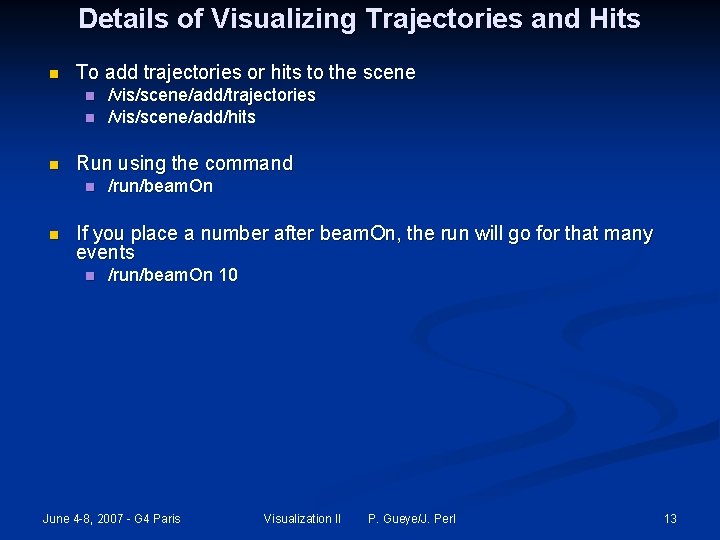
Details of Visualizing Trajectories and Hits n To add trajectories or hits to the scene n n n Run using the command n n /vis/scene/add/trajectories /vis/scene/add/hits /run/beam. On If you place a number after beam. On, the run will go for that many events n /run/beam. On 10 June 4 -8, 2007 - G 4 Paris Visualization II P. Gueye/J. Perl 13
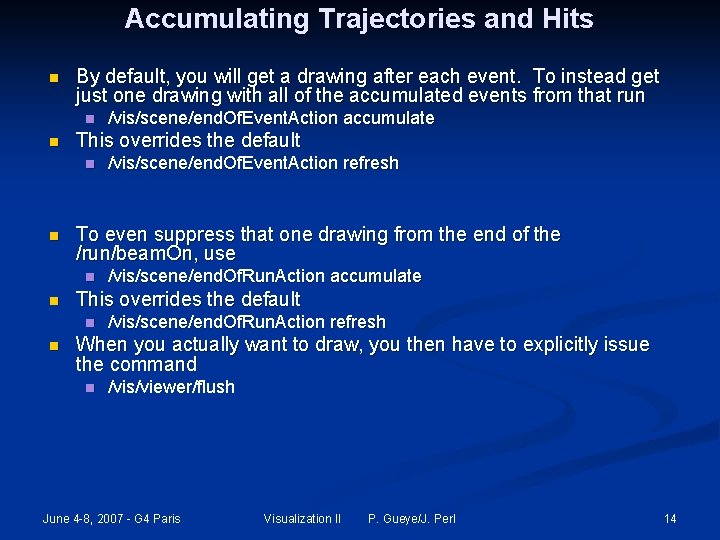
Accumulating Trajectories and Hits n By default, you will get a drawing after each event. To instead get just one drawing with all of the accumulated events from that run n n This overrides the default n n /vis/scene/end. Of. Run. Action accumulate This overrides the default n n /vis/scene/end. Of. Event. Action refresh To even suppress that one drawing from the end of the /run/beam. On, use n n /vis/scene/end. Of. Event. Action accumulate /vis/scene/end. Of. Run. Action refresh When you actually want to draw, you then have to explicitly issue the command n /vis/viewer/flush June 4 -8, 2007 - G 4 Paris Visualization II P. Gueye/J. Perl 14
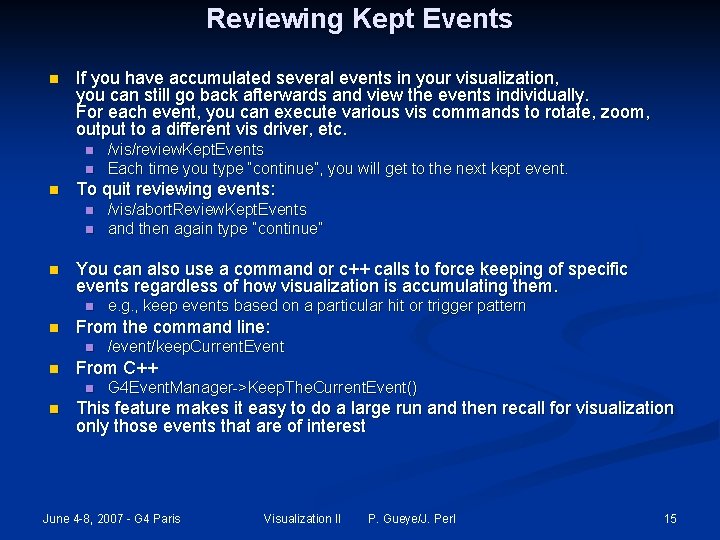
Reviewing Kept Events n If you have accumulated several events in your visualization, you can still go back afterwards and view the events individually. For each event, you can execute various vis commands to rotate, zoom, output to a different vis driver, etc. n n n To quit reviewing events: n n n /event/keep. Current. Event From C++ n n e. g. , keep events based on a particular hit or trigger pattern From the command line: n n /vis/abort. Review. Kept. Events and then again type “continue” You can also use a command or c++ calls to force keeping of specific events regardless of how visualization is accumulating them. n n /vis/review. Kept. Events Each time you type “continue”, you will get to the next kept event. G 4 Event. Manager->Keep. The. Current. Event() This feature makes it easy to do a large run and then recall for visualization only those events that are of interest June 4 -8, 2007 - G 4 Paris Visualization II P. Gueye/J. Perl 15
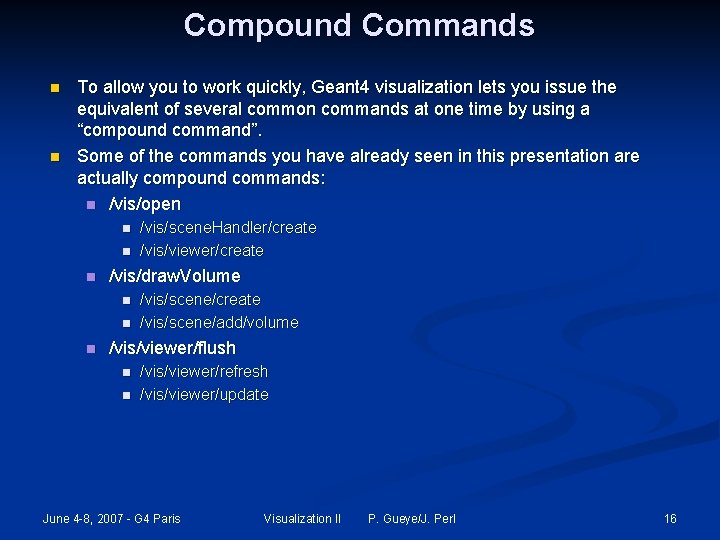
Compound Commands n n To allow you to work quickly, Geant 4 visualization lets you issue the equivalent of several common commands at one time by using a “compound command”. Some of the commands you have already seen in this presentation are actually compound commands: n /vis/open n /vis/draw. Volume n n n /vis/scene. Handler/create /vis/viewer/create /vis/scene/add/volume /vis/viewer/flush n n /vis/viewer/refresh /vis/viewer/update June 4 -8, 2007 - G 4 Paris Visualization II P. Gueye/J. Perl 16
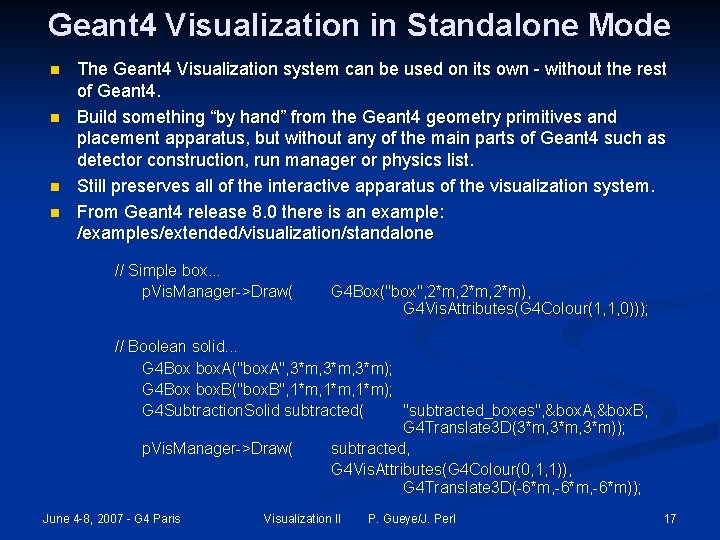
Geant 4 Visualization in Standalone Mode n n The Geant 4 Visualization system can be used on its own - without the rest of Geant 4. Build something “by hand” from the Geant 4 geometry primitives and placement apparatus, but without any of the main parts of Geant 4 such as detector construction, run manager or physics list. Still preserves all of the interactive apparatus of the visualization system. From Geant 4 release 8. 0 there is an example: /examples/extended/visualization/standalone // Simple box. . . p. Vis. Manager->Draw( G 4 Box("box", 2*m, 2*m), G 4 Vis. Attributes(G 4 Colour(1, 1, 0))); // Boolean solid. . . G 4 Box box. A("box. A", 3*m, 3*m); G 4 Box box. B("box. B", 1*m, 1*m); G 4 Subtraction. Solid subtracted( "subtracted_boxes", &box. A, &box. B, G 4 Translate 3 D(3*m, 3*m)); p. Vis. Manager->Draw( subtracted, G 4 Vis. Attributes(G 4 Colour(0, 1, 1)), G 4 Translate 3 D(-6*m, -6*m)); June 4 -8, 2007 - G 4 Paris Visualization II P. Gueye/J. Perl 17
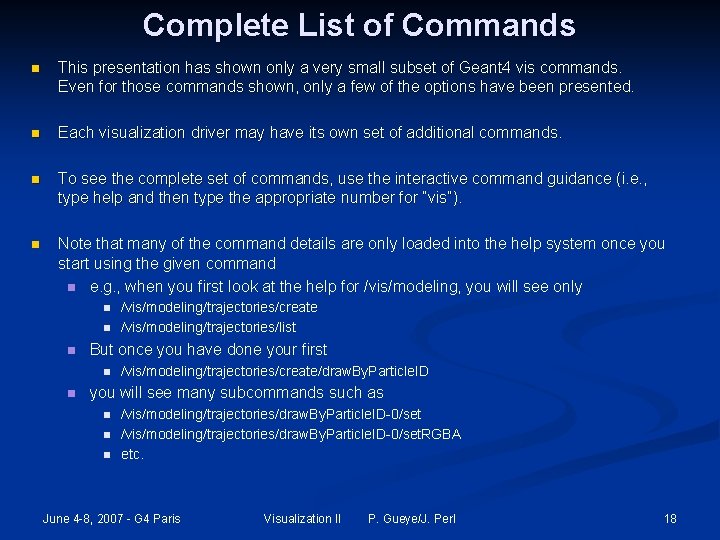
Complete List of Commands n This presentation has shown only a very small subset of Geant 4 vis commands. Even for those commands shown, only a few of the options have been presented. n Each visualization driver may have its own set of additional commands. n To see the complete set of commands, use the interactive command guidance (i. e. , type help and then type the appropriate number for “vis”). n Note that many of the command details are only loaded into the help system once you start using the given command n e. g. , when you first look at the help for /vis/modeling, you will see only n n n But once you have done your first n n /vis/modeling/trajectories/create /vis/modeling/trajectories/list /vis/modeling/trajectories/create/draw. By. Particle. ID you will see many subcommands such as n n n /vis/modeling/trajectories/draw. By. Particle. ID-0/set. RGBA etc. June 4 -8, 2007 - G 4 Paris Visualization II P. Gueye/J. Perl 18
And More …. See: http: //geant 4. slac. stanford. edu/SLACTutorial 07/Visualization 3. ppt June 4 -8, 2007 - G 4 Paris Visualization II P. Gueye/J. Perl 19
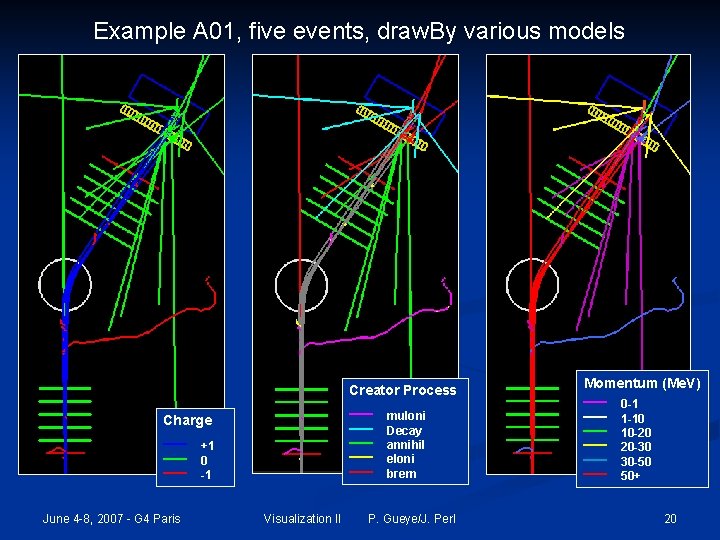
Example A 01, five events, draw. By various models Creator Process — — — Charge — — — June 4 -8, 2007 - G 4 Paris +1 0 -1 Visualization II mu. Ioni Decay annihil e. Ioni brem P. Gueye/J. Perl Momentum (Me. V) — — — 0 -1 1 -10 10 -20 20 -30 30 -50 50+ 20
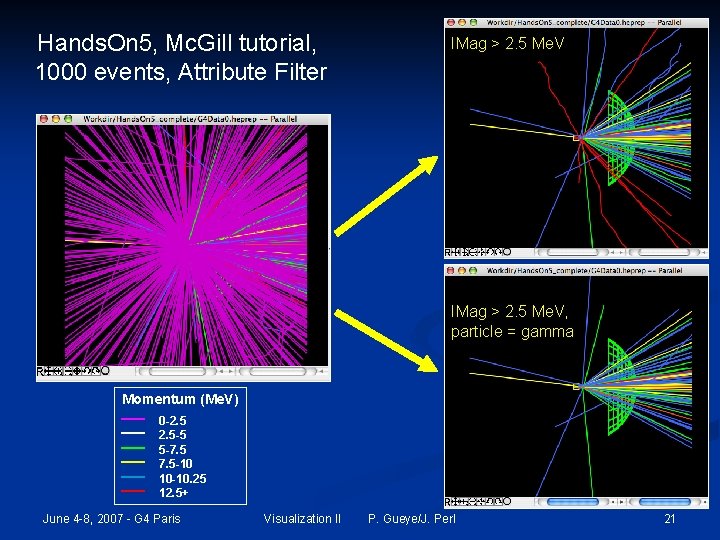
Hands. On 5, Mc. Gill tutorial, 1000 events, Attribute Filter IMag > 2. 5 Me. V, particle = gamma Momentum (Me. V) — — — 0 -2. 5 -5 5 -7. 5 -10 10 -10. 25 12. 5+ June 4 -8, 2007 - G 4 Paris Visualization II P. Gueye/J. Perl 21
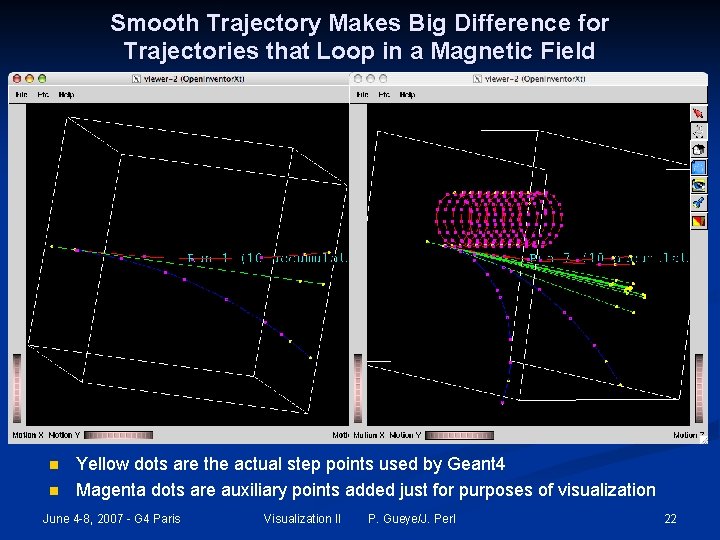
Smooth Trajectory Makes Big Difference for Trajectories that Loop in a Magnetic Field n n Yellow dots are the actual step points used by Geant 4 Magenta dots are auxiliary points added just for purposes of visualization June 4 -8, 2007 - G 4 Paris Visualization II P. Gueye/J. Perl 22
Geant 4 Visualization Resources Geant 4 Installation Guides Øhttp: //geant 4. slac. stanford. edu/installation Hands on Hep. RApp Tutorial Øhttp: //geant 4. slac. stanford. edu/Presentations/vis/G 4 Hep. RApp. Tutorial. html Hands on DAWN Tutorial Øhttp: //geant 4. slac. stanford. edu/Presentations/vis/G 4 DAWNTutorial. html Hands on Open. GL Tutorial Øhttp: //geant 4. slac. stanford. edu/Presentations/vis/G 4 Open. GLTutorial. html Geant 4 Visualization Commands Øhttp: //geant 4. slac. stanford. edu/Presentations/vis/G 4 Vis. Commands. ppt (and. pdf) Geant 4 Advanced Visualization Øhttp: //geant 4. slac. stanford. edu/Presentations/vis/G 4 Vis. Advanced. ppt (and. pdf) How to Make a Movie Øhttp: //geant 4. slac. stanford. edu/Presentations/vis/How. To. Make. AMovie. ppt (and. pdf) Visualization Chapter of the Geant 4 User’s Guide for Application Developers Øhttp: //geant 4. web. cern. ch/geant 4/User. Documentation/Users. Guides/For. Application. Developer/html/ List of Visualization Commands: Øhttp: //geant 4. web. cern. ch/geant 4/User. Documentation/Users. Guides/For. Application. Developer/html/ All. Resources/Control/UIcommands/_vis_. html For Questions or Comments: Geant 4 Visualization Online Forum: Øhttp: //geant 4 -hn. slac. stanford. edu: 5090/Hyper. News/public/get/visualization. html June 4 -8, 2007 - G 4 Paris Visualization II P. Gueye/J. Perl 23