
GE Interlogix Kalatel Division Product Update KTD405 Programming
- Slides: 76
GE Interlogix Kalatel Division Product Update KTD-405 Programming & Standard Operations
KTD-405 Keypad Programming
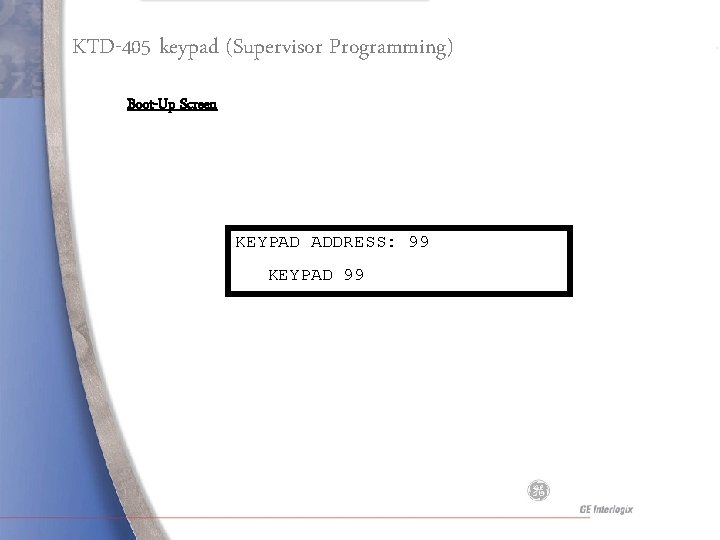
KTD-405 keypad (Supervisor Programming) Boot-Up Screen KEYPAD ADDRESS: 99 KEYPAD 99
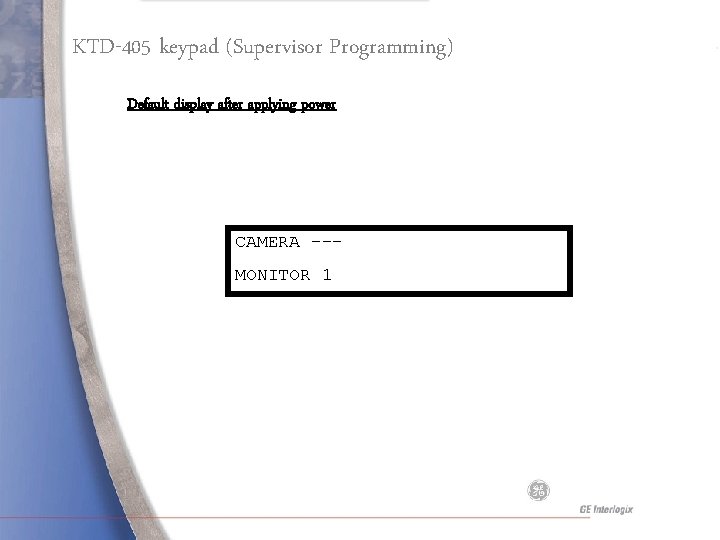
KTD-405 keypad (Supervisor Programming) Default display after applying power CAMERA --MONITOR 1
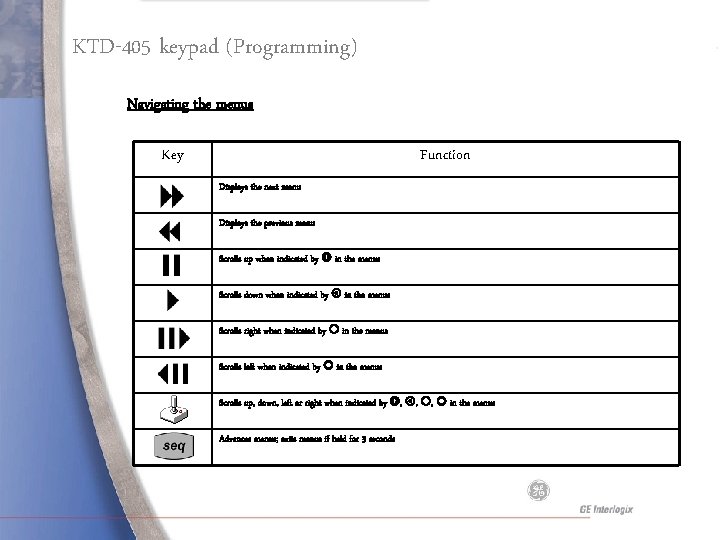
KTD-405 keypad (Programming) Navigating the menus Key Function Displays the next menu Displays the previous menu Scrolls up when indicated by in the menus Scrolls down when indicated by in the menus Scrolls right when indicated by in the menus Scrolls left when indicated by in the menus Scrolls up, down, left or right when indicated by , , , in the menus Advances menus; exits menus if held for 3 seconds
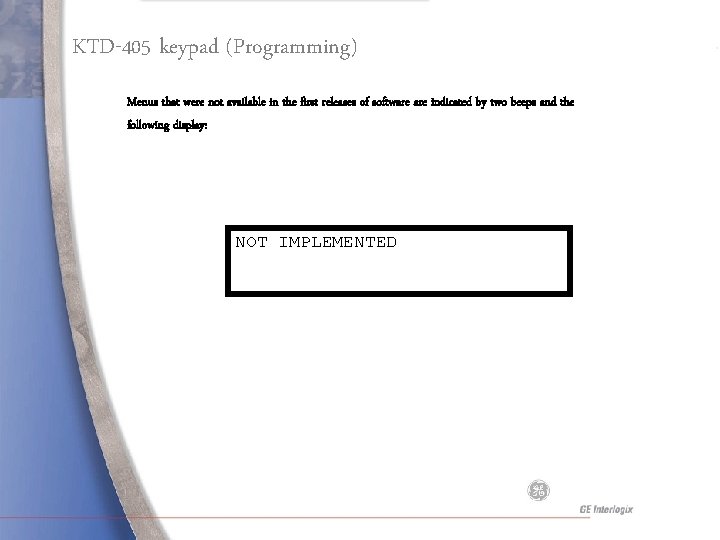
KTD-405 keypad (Programming) Menus that were not available in the first releases of software indicated by two beeps and the following display: NOT IMPLEMENTED
Supervisor Programming
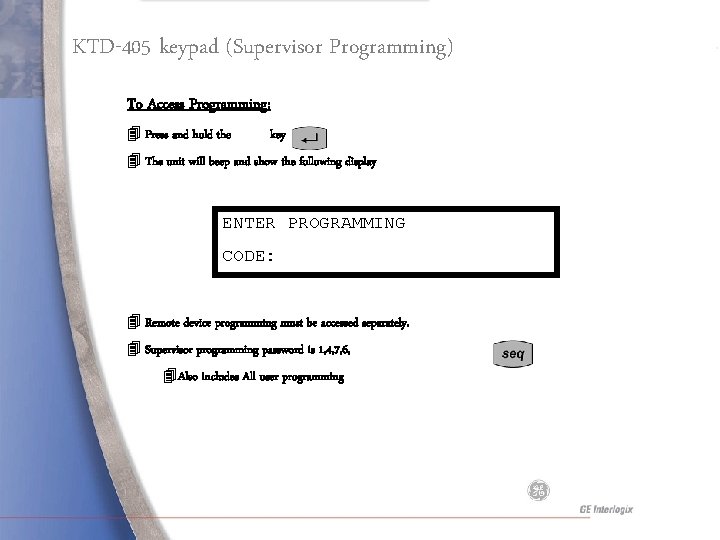
KTD-405 keypad (Supervisor Programming) To Access Programming: 4 Press and hold the key 4 The unit will beep and show the following display ENTER PROGRAMMING CODE: 4 Remote device programming must be accessed separately. 4 Supervisor programming password is 1, 4, 7, 6, 4 Also includes All user programming
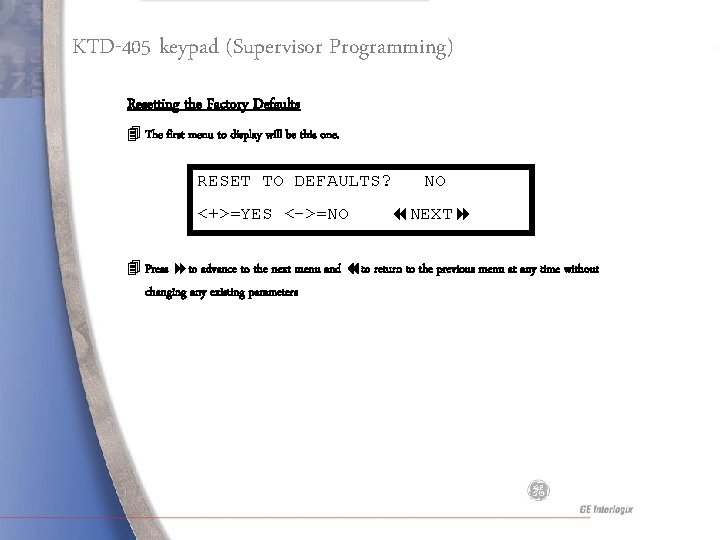
KTD-405 keypad (Supervisor Programming) Resetting the Factory Defaults 4 The first menu to display will be this one. RESET TO DEFAULTS? <+>=YES <->=NO NO NEXT 4 Press to advance to the next menu and to return to the previous menu at any time without changing any existing parameters
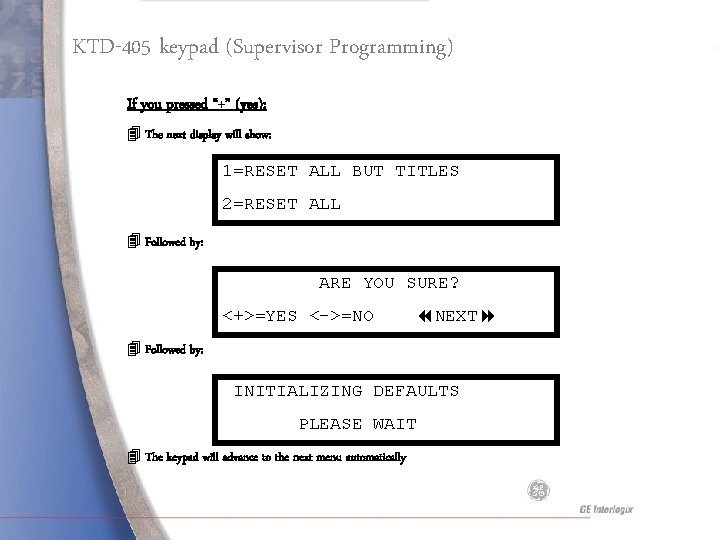
KTD-405 keypad (Supervisor Programming) If you pressed “+” (yes): 4 The next display will show: 1=RESET ALL BUT TITLES 2=RESET ALL 4 Followed by: ARE YOU SURE? <+>=YES <->=NO NEXT 4 Followed by: INITIALIZING DEFAULTS PLEASE WAIT 4 The keypad will advance to the next menu automatically
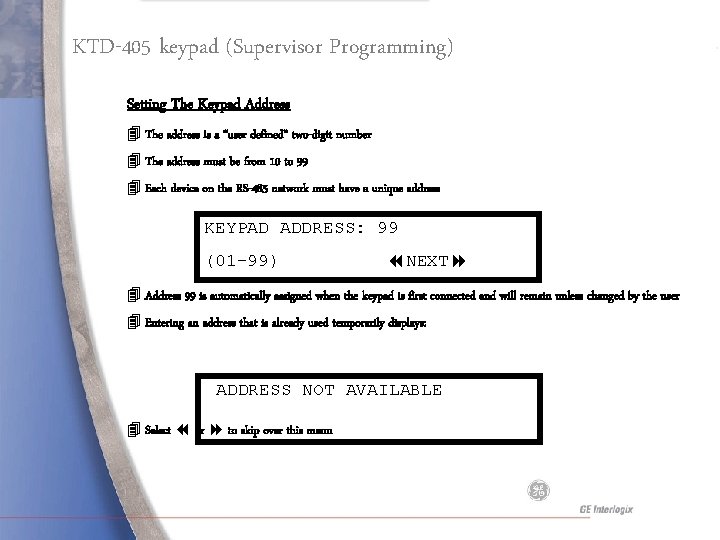
KTD-405 keypad (Supervisor Programming) Setting The Keypad Address 4 The address is a “user defined” two-digit number 4 The address must be from 10 to 99 4 Each device on the RS-485 network must have a unique address KEYPAD ADDRESS: 99 (01 -99) NEXT 4 Address 99 is automatically assigned when the keypad is first connected and will remain unless changed by the user 4 Entering an address that is already used temporarily displays: ADDRESS NOT AVAILABLE 4 Select or to skip over this menu
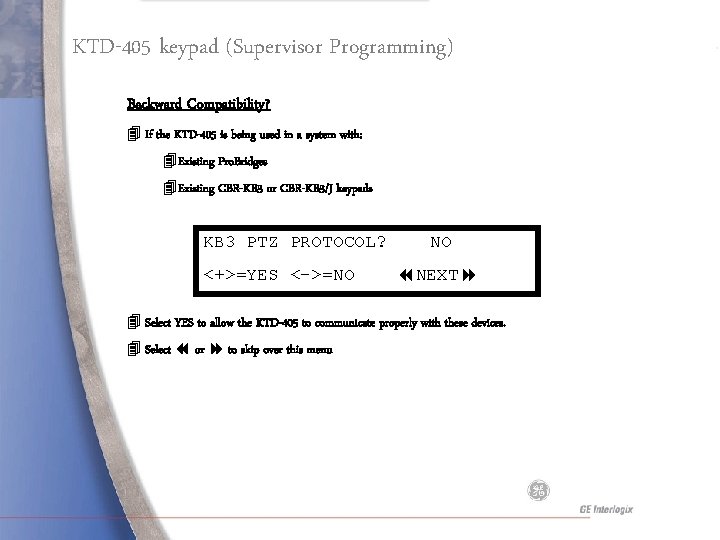
KTD-405 keypad (Supervisor Programming) Backward Compatibility? 4 If the KTD-405 is being used in a system with: 4 Existing Pro. Bridges 4 Existing CBR-KB 3 or CBR-KB 3/J keypads KB 3 PTZ PROTOCOL? <+>=YES <->=NO NO NEXT 4 Select YES to allow the KTD-405 to communicate properly with these devices. 4 Select or to skip over this menu
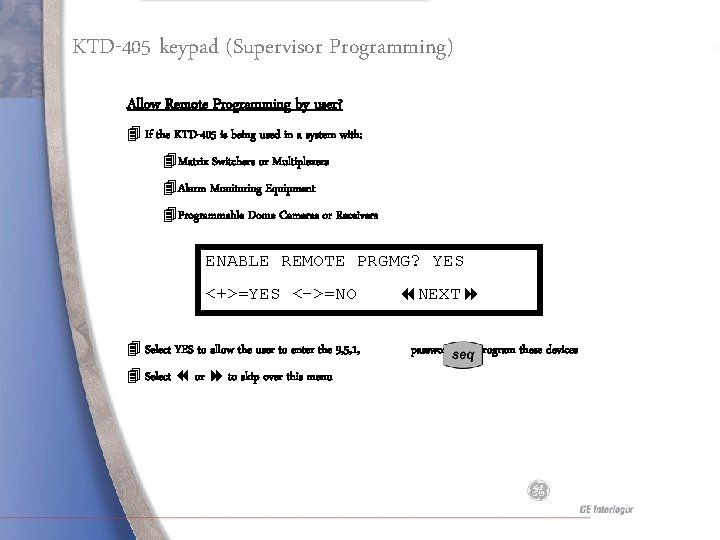
KTD-405 keypad (Supervisor Programming) Allow Remote Programming by user? 4 If the KTD-405 is being used in a system with: 4 Matrix Switchers or Multiplexers 4 Alarm Monitoring Equipment 4 Programmable Dome Cameras or Receivers ENABLE REMOTE PRGMG? YES <+>=YES <->=NO 4 Select YES to allow the user to enter the 9, 5, 1, 4 Select or to skip over this menu NEXT password and program these devices
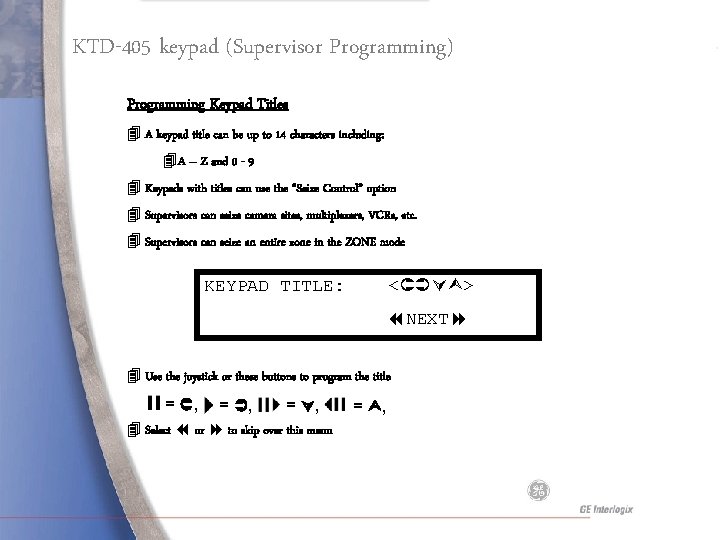
KTD-405 keypad (Supervisor Programming) Programming Keypad Titles 4 A keypad title can be up to 14 characters including: 4 A – Z and 0 - 9 4 Keypads with titles can use the “Seize Control” option 4 Supervisors can seize camera sites, multiplexers, VCRs, etc. 4 Supervisors can seize an entire zone in the ZONE mode KEYPAD TITLE: < > NEXT 4 Use the joystick or these buttons to program the title = , = , 4 Select or to skip over this menu = ,
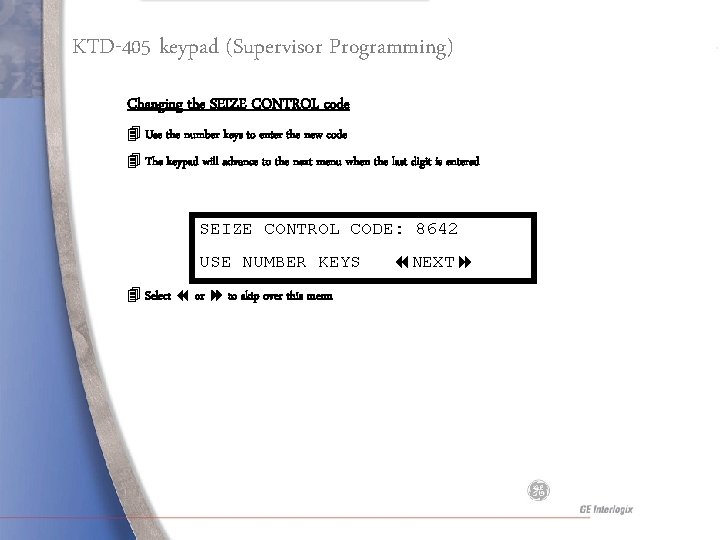
KTD-405 keypad (Supervisor Programming) Changing the SEIZE CONTROL code 4 Use the number keys to enter the new code 4 The keypad will advance to the next menu when the last digit is entered SEIZE CONTROL CODE: 8642 USE NUMBER KEYS 4 Select or to skip over this menu NEXT
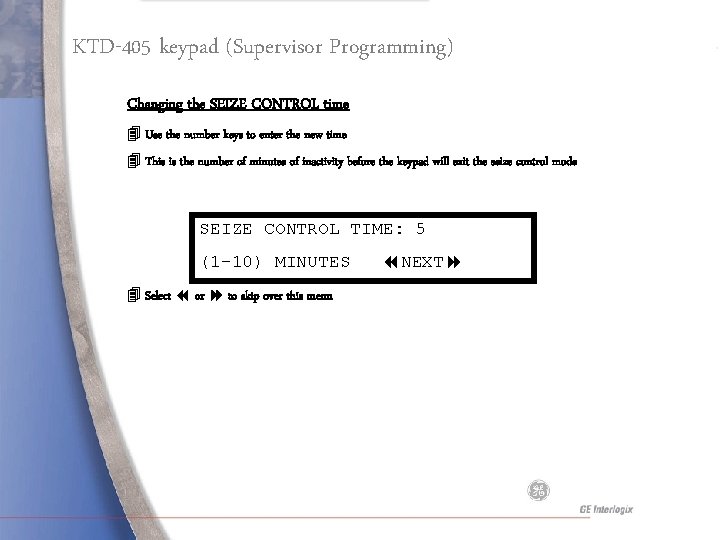
KTD-405 keypad (Supervisor Programming) Changing the SEIZE CONTROL time 4 Use the number keys to enter the new time 4 This is the number of minutes of inactivity before the keypad will exit the seize control mode SEIZE CONTROL TIME: 5 (1 -10) MINUTES 4 Select or to skip over this menu NEXT
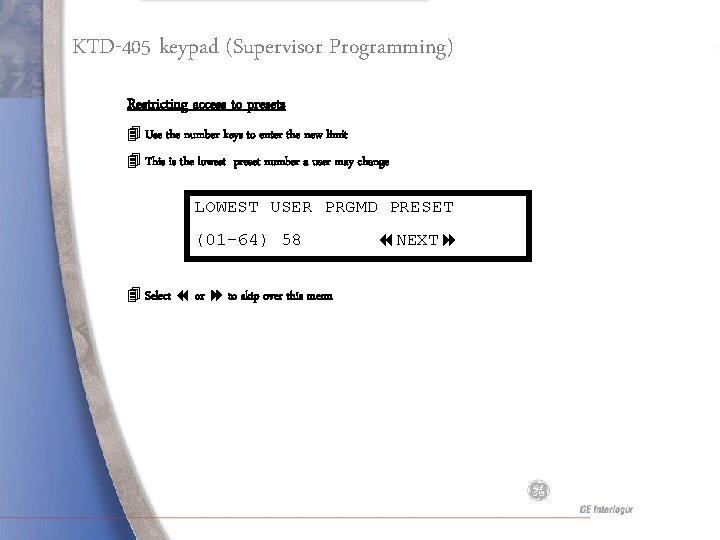
KTD-405 keypad (Supervisor Programming) Restricting access to presets 4 Use the number keys to enter the new limit 4 This is the lowest preset number a user may change LOWEST USER PRGMD PRESET (01 -64) 58 4 Select or to skip over this menu NEXT
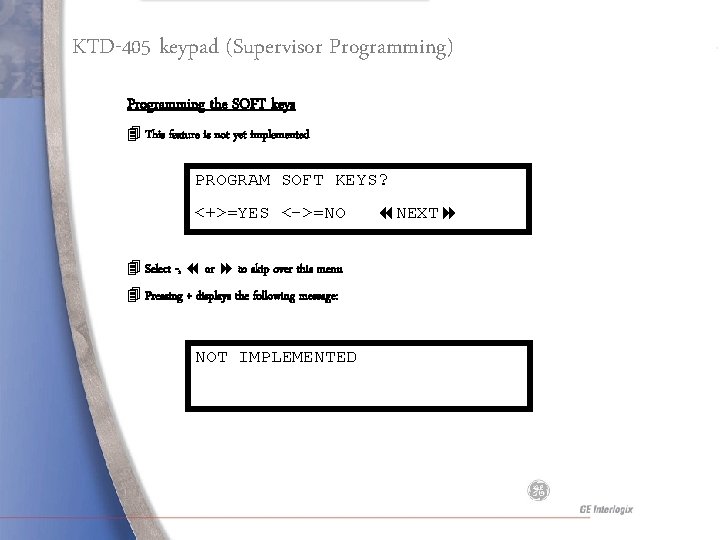
KTD-405 keypad (Supervisor Programming) Programming the SOFT keys 4 This feature is not yet implemented PROGRAM SOFT KEYS? <+>=YES <->=NO 4 Select -, or to skip over this menu 4 Pressing + displays the following message: NOT IMPLEMENTED NEXT
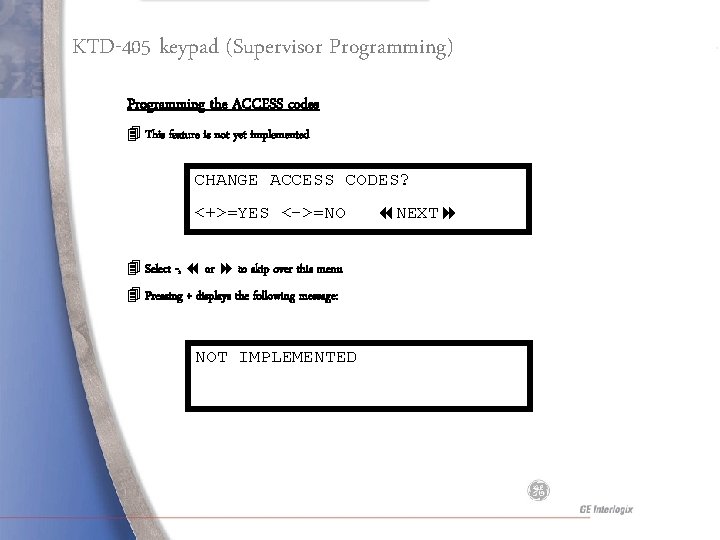
KTD-405 keypad (Supervisor Programming) Programming the ACCESS codes 4 This feature is not yet implemented CHANGE ACCESS CODES? <+>=YES <->=NO 4 Select -, or to skip over this menu 4 Pressing + displays the following message: NOT IMPLEMENTED NEXT
User Programming
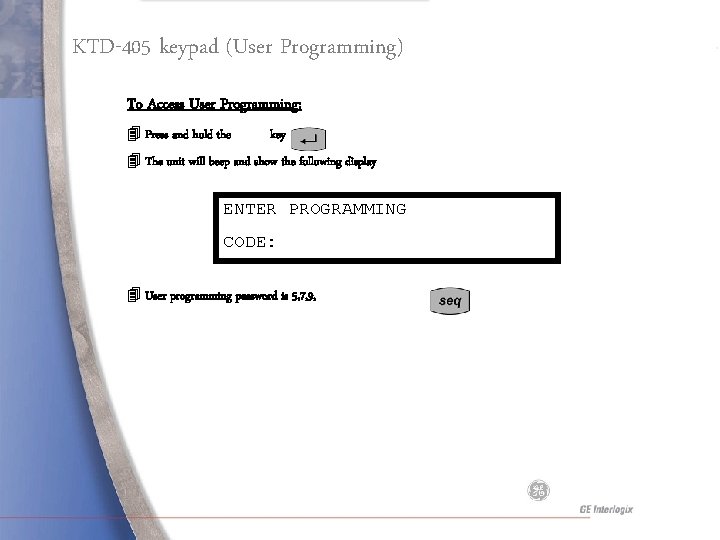
KTD-405 keypad (User Programming) To Access User Programming: 4 Press and hold the key 4 The unit will beep and show the following display ENTER PROGRAMMING CODE: 4 User programming password is 5, 7, 9,
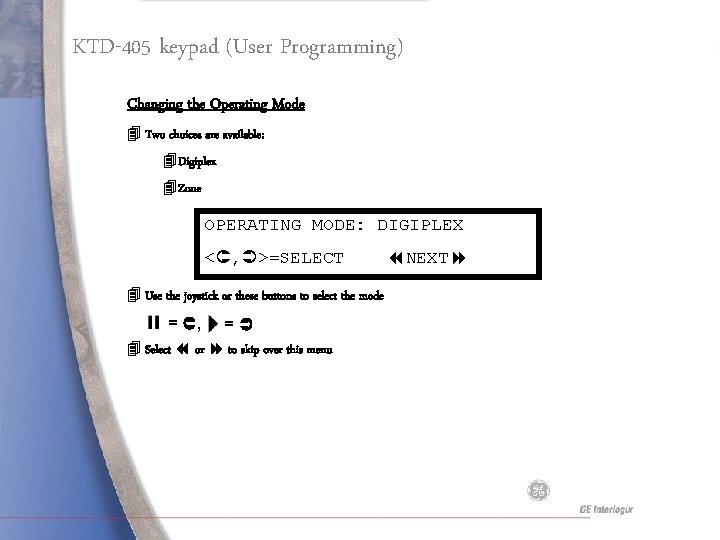
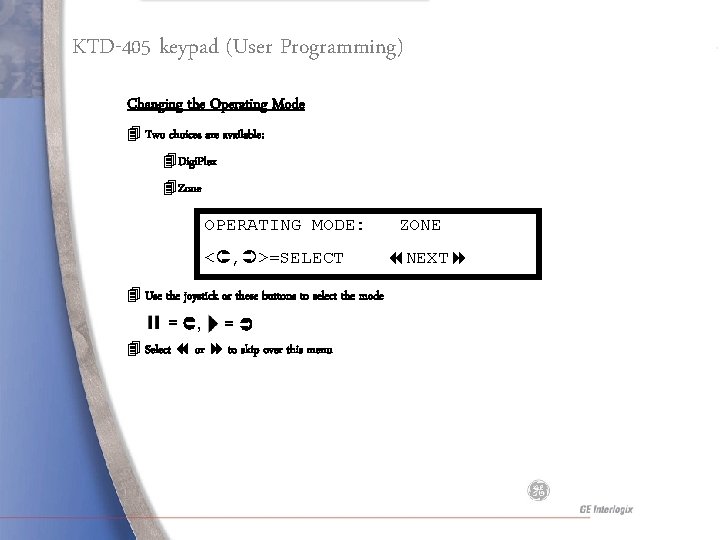
KTD-405 keypad (User Programming) Changing the Operating Mode 4 Two choices are available: 4 Digiplex 4 Zone OPERATING MODE: DIGIPLEX < , >=SELECT 4 Use the joystick or these buttons to select the mode = , = 4 Select or to skip over this menu NEXT
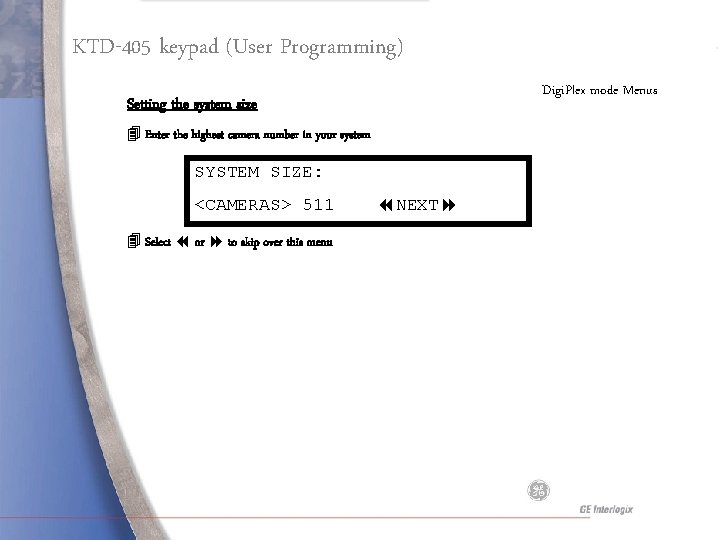
KTD-405 keypad (User Programming) Digi. Plex mode Menus Setting the system size 4 Enter the highest camera number in your system SYSTEM SIZE: <CAMERAS> 511 4 Select or to skip over this menu NEXT
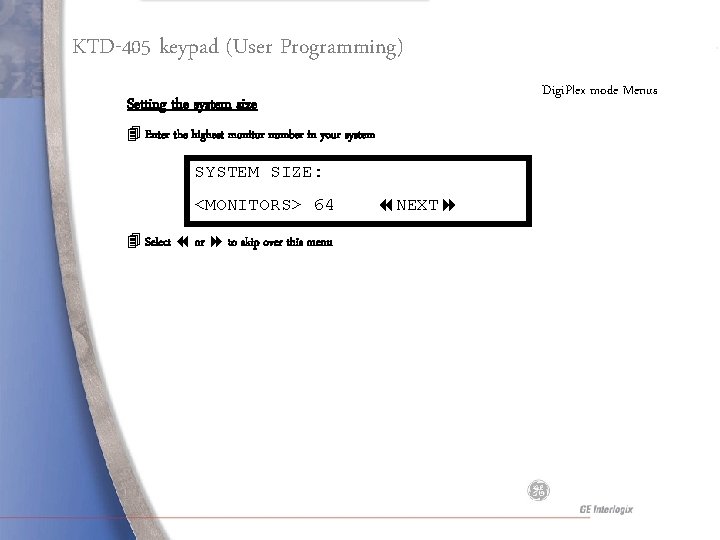
KTD-405 keypad (User Programming) Digi. Plex mode Menus Setting the system size 4 Enter the highest monitor number in your system SYSTEM SIZE: <MONITORS> 64 4 Select or to skip over this menu NEXT
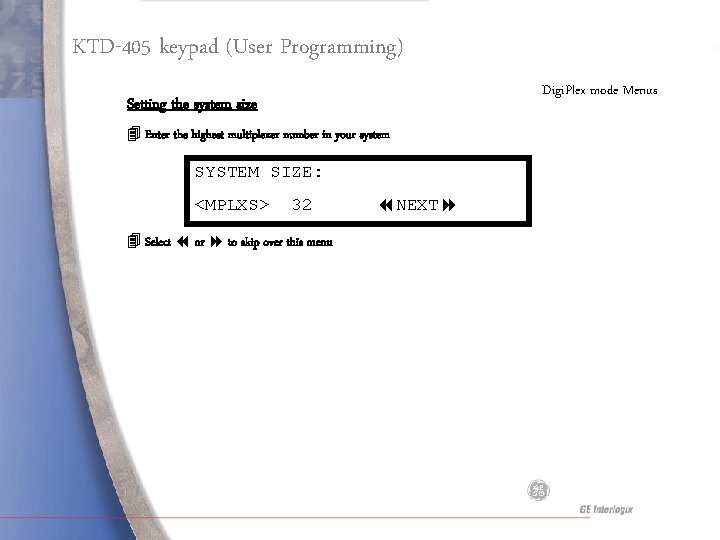
KTD-405 keypad (User Programming) Digi. Plex mode Menus Setting the system size 4 Enter the highest multiplexer number in your system SYSTEM SIZE: <MPLXS> 32 4 Select or to skip over this menu NEXT
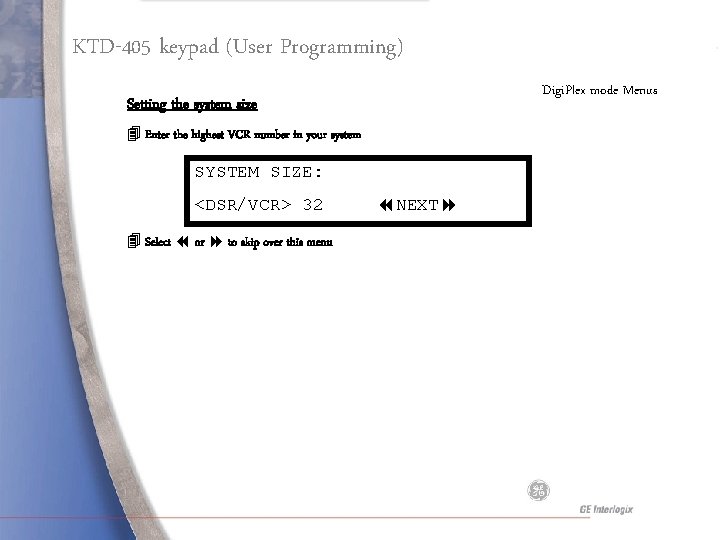
KTD-405 keypad (User Programming) Digi. Plex mode Menus Setting the system size 4 Enter the highest VCR number in your system SYSTEM SIZE: <DSR/VCR> 32 4 Select or to skip over this menu NEXT
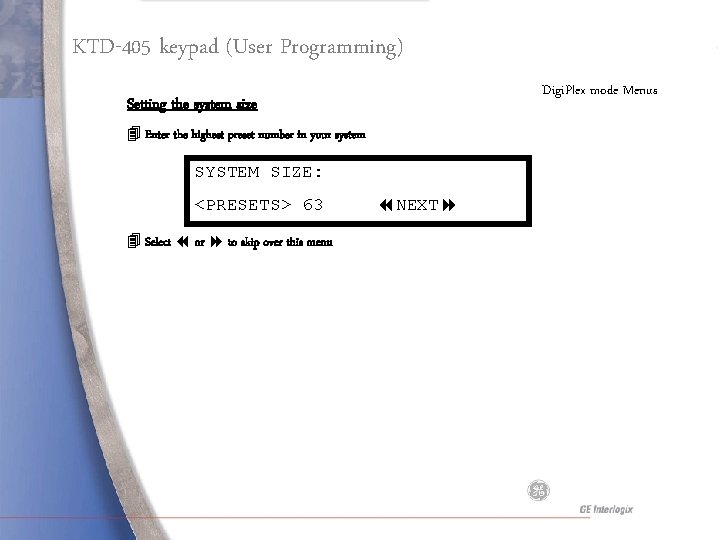
KTD-405 keypad (User Programming) Digi. Plex mode Menus Setting the system size 4 Enter the highest preset number in your system SYSTEM SIZE: <PRESETS> 63 4 Select or to skip over this menu NEXT
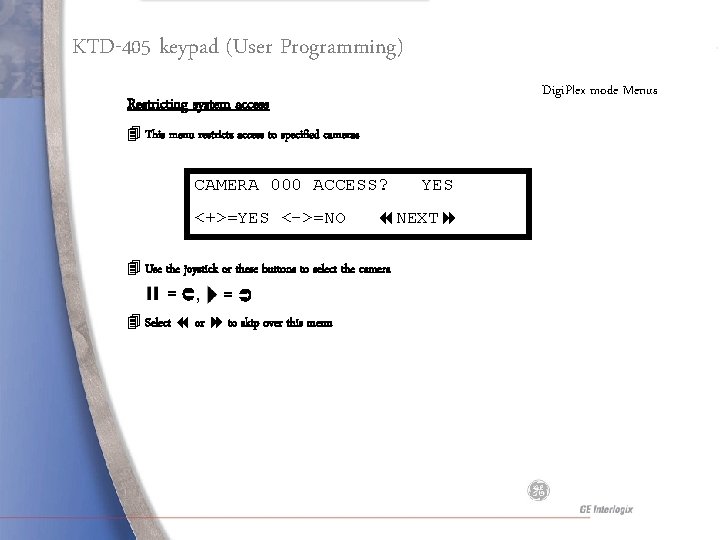
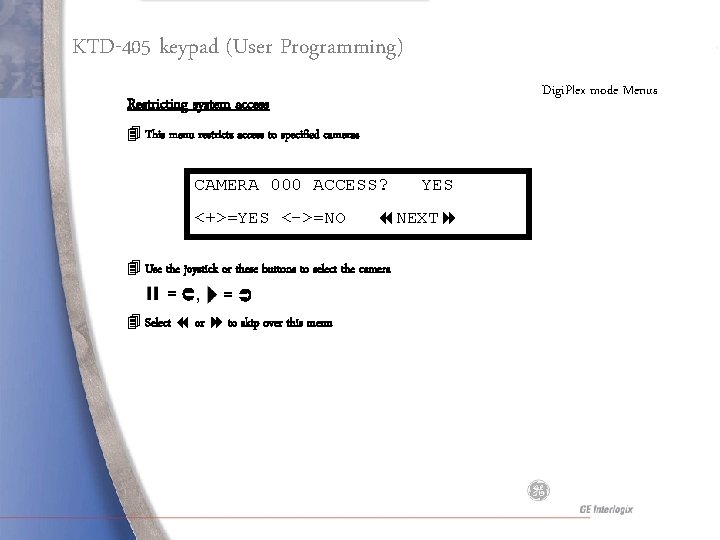
KTD-405 keypad (User Programming) Digi. Plex mode Menus Restricting system access 4 This menu restricts access to specified cameras CAMERA 000 ACCESS? <+>=YES <->=NO NEXT 4 Use the joystick or these buttons to select the camera = , = 4 Select or to skip over this menu YES
KTD-405 keypad (User Programming) Digi. Plex mode Menus Restricting system access 4 This menu restricts access to specified cameras CAMERA 000 ACCESS? <+>=YES <->=NO NEXT 4 Use the joystick or these buttons to select the camera = , = 4 Select or to skip over this menu YES
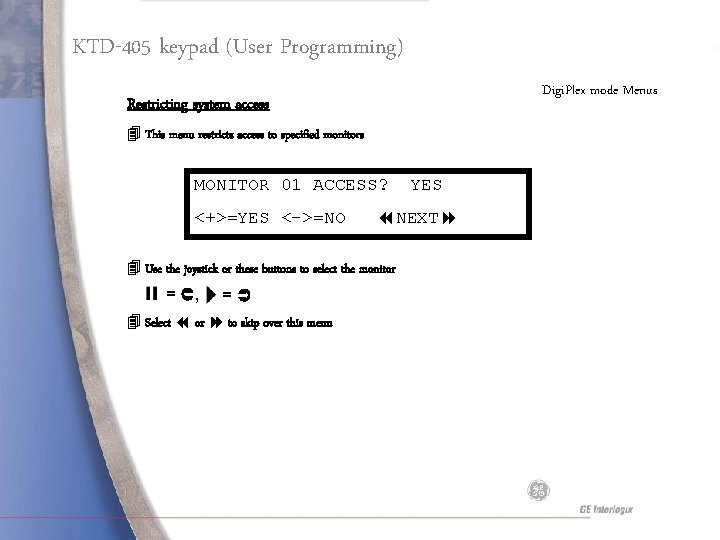
KTD-405 keypad (User Programming) Digi. Plex mode Menus Restricting system access 4 This menu restricts access to specified monitors MONITOR 01 ACCESS? <+>=YES <->=NO NEXT 4 Use the joystick or these buttons to select the monitor = , = 4 Select or to skip over this menu YES
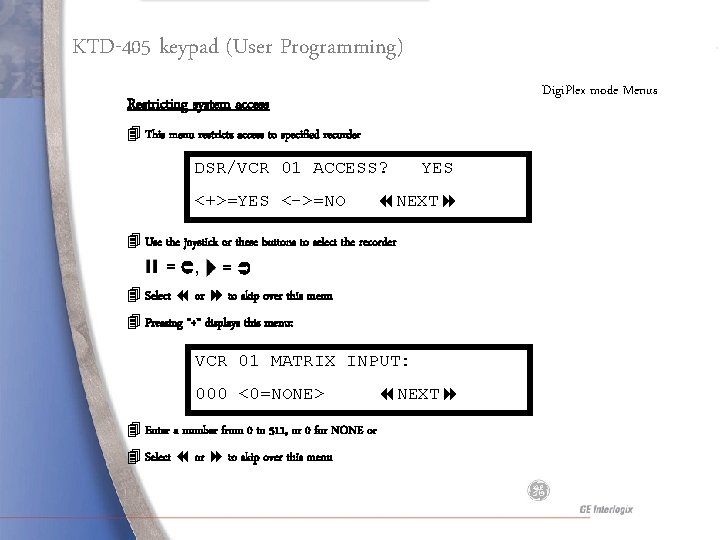
KTD-405 keypad (User Programming) Digi. Plex mode Menus Restricting system access 4 This menu restricts access to specified recorder DSR/VCR 01 ACCESS? <+>=YES <->=NO YES NEXT 4 Use the joystick or these buttons to select the recorder = , = 4 Select or to skip over this menu 4 Pressing “+” displays this menu: VCR 01 MATRIX INPUT: 000 <0=NONE> 4 Enter a number from 0 to 511, or 0 for NONE or 4 Select or to skip over this menu NEXT
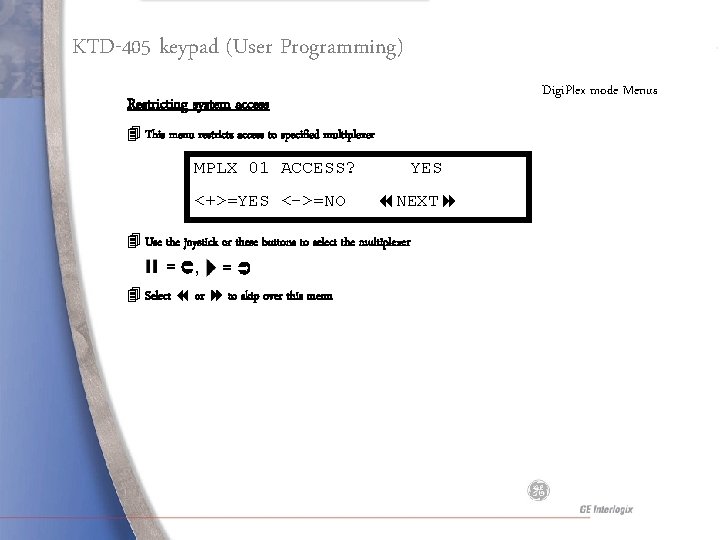
KTD-405 keypad (User Programming) Digi. Plex mode Menus Restricting system access 4 This menu restricts access to specified multiplexer MPLX 01 ACCESS? <+>=YES <->=NO YES NEXT 4 Use the joystick or these buttons to select the multiplexer = , = 4 Select or to skip over this menu
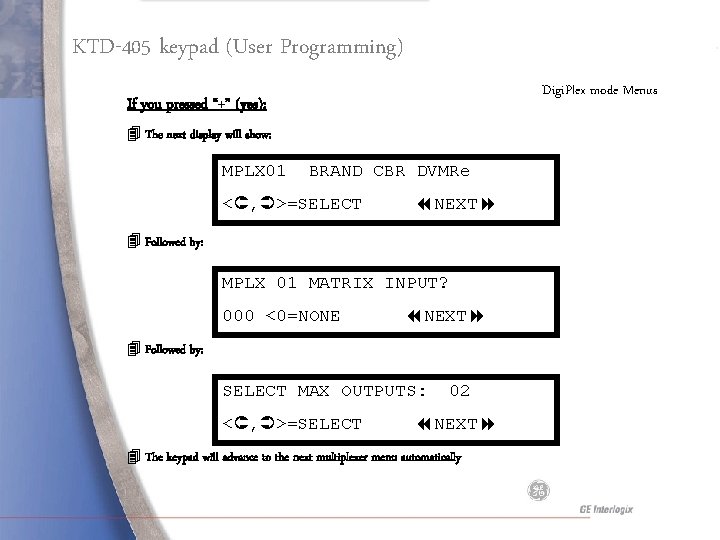
KTD-405 keypad (User Programming) Digi. Plex mode Menus If you pressed “+” (yes): 4 The next display will show: MPLX 01 BRAND CBR DVMRe < , >=SELECT NEXT 4 Followed by: MPLX 01 MATRIX INPUT? 000 <0=NONE NEXT 4 Followed by: SELECT MAX OUTPUTS: < , >=SELECT 02 NEXT 4 The keypad will advance to the next multiplexer menu automatically
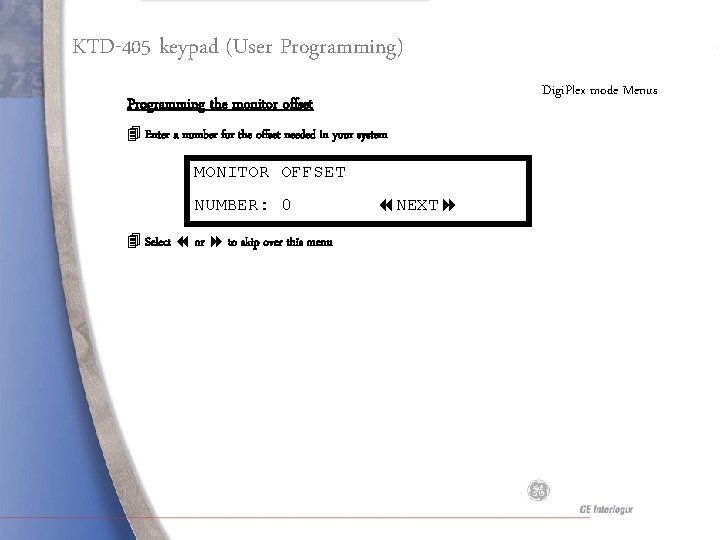
KTD-405 keypad (User Programming) Digi. Plex mode Menus Programming the monitor offset 4 Enter a number for the offset needed in your system MONITOR OFFSET NUMBER: 0 4 Select or to skip over this menu NEXT
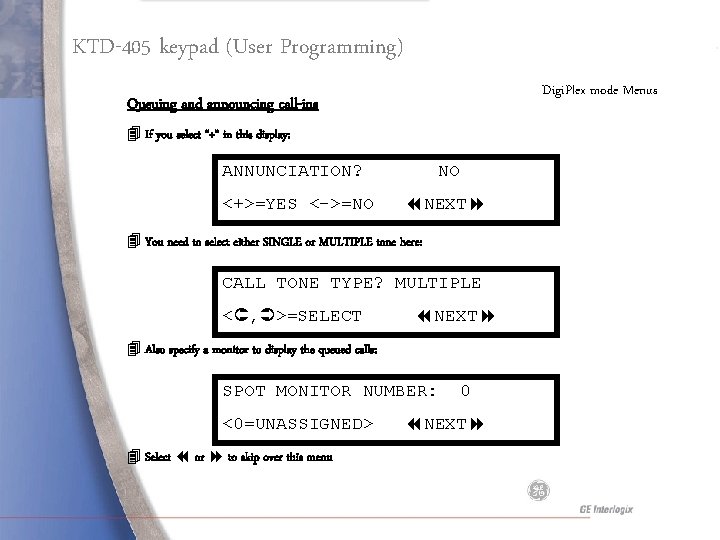
KTD-405 keypad (User Programming) Digi. Plex mode Menus Queuing and announcing call-ins 4 If you select “+” in this display: ANNUNCIATION? <+>=YES <->=NO NO NEXT 4 You need to select either SINGLE or MULTIPLE tone here: CALL TONE TYPE? MULTIPLE < , >=SELECT NEXT 4 Also specify a monitor to display the queued calls: SPOT MONITOR NUMBER: <0=UNASSIGNED> 4 Select or to skip over this menu 0 NEXT
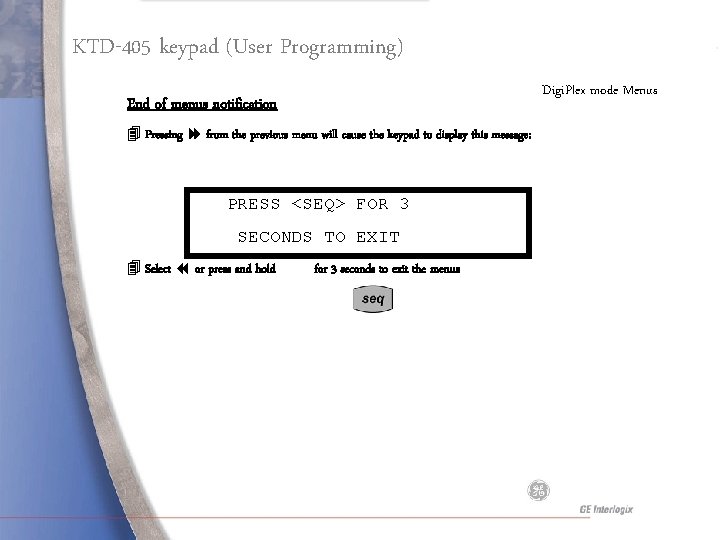
KTD-405 keypad (User Programming) Digi. Plex mode Menus End of menus notification 4 Pressing from the previous menu will cause the keypad to display this message: PRESS <SEQ> FOR 3 SECONDS TO EXIT 4 Select or press and hold for 3 seconds to exit the menus
KTD-405 keypad (User Programming) Changing the Operating Mode 4 Two choices are available: 4 Digi. Plex 4 Zone OPERATING MODE: < , >=SELECT 4 Use the joystick or these buttons to select the mode = , = 4 Select or to skip over this menu ZONE NEXT
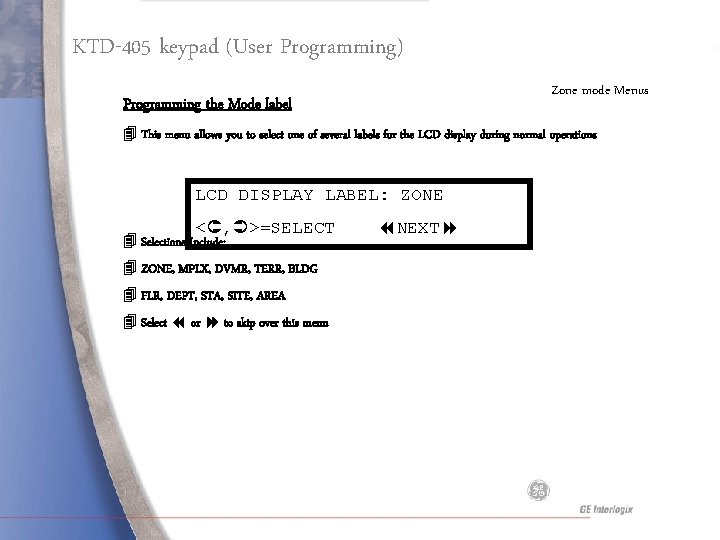
KTD-405 keypad (User Programming) Zone mode Menus Programming the Mode label 4 This menu allows you to select one of several labels for the LCD display during normal operations LCD DISPLAY LABEL: ZONE < , >=SELECT 4 Selections Include: 4 ZONE, MPLX, DVMR, TERR, BLDG 4 FLR, DEPT, STA, SITE, AREA 4 Select or to skip over this menu NEXT
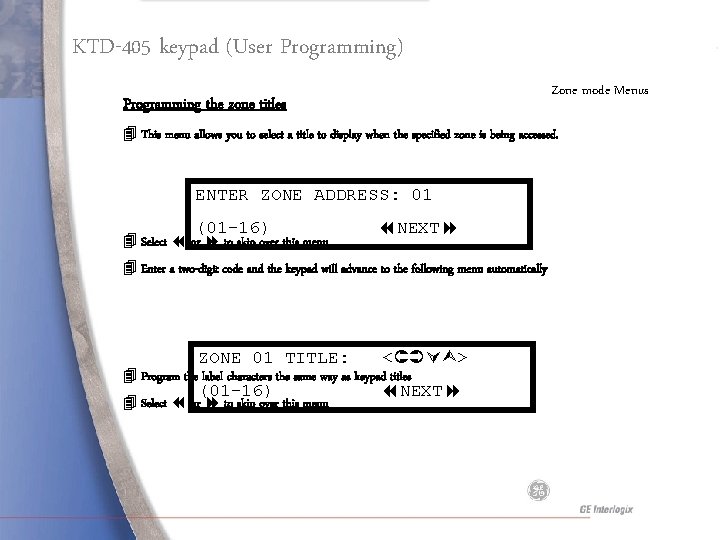
KTD-405 keypad (User Programming) Zone mode Menus Programming the zone titles 4 This menu allows you to select a title to display when the specified zone is being accessed. ENTER ZONE ADDRESS: 01 (01 -16) 4 Select or to skip over this menu NEXT 4 Enter a two-digit code and the keypad will advance to the following menu automatically ZONE 01 TITLE: < > (01 -16) NEXT 4 Program the label characters the same way as keypad titles 4 Select or to skip over this menu
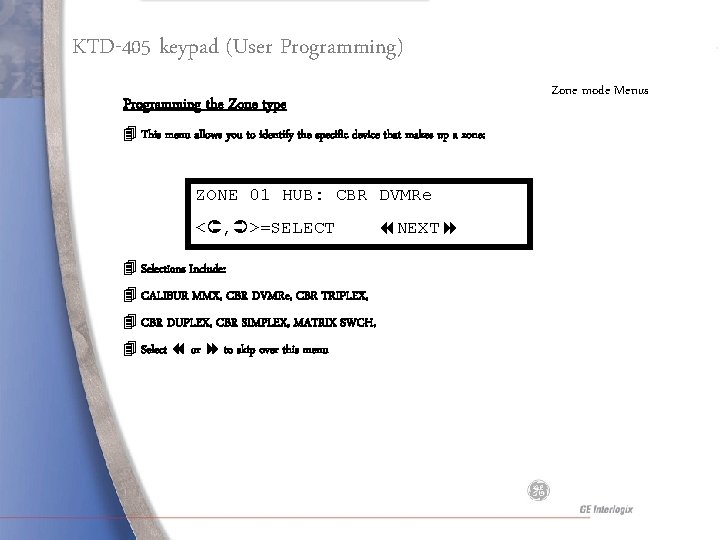
KTD-405 keypad (User Programming) Zone mode Menus Programming the Zone type 4 This menu allows you to identify the specific device that makes up a zone: ZONE 01 HUB: CBR DVMRe < , >=SELECT 4 Selections Include: 4 CALIBUR MMX, CBR DVMRe, CBR TRIPLEX, 4 CBR DUPLEX, CBR SIMPLEX, MATRIX SWCH, 4 Select or to skip over this menu NEXT
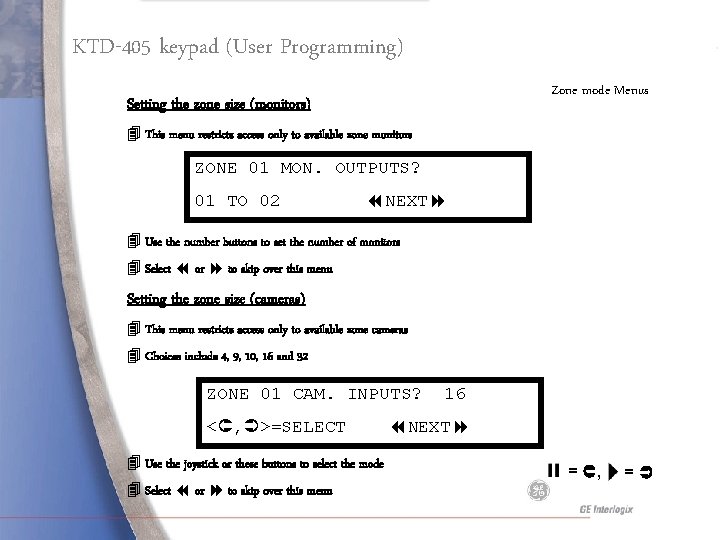
KTD-405 keypad (User Programming) Zone mode Menus Setting the zone size (monitors) 4 This menu restricts access only to available zone monitors ZONE 01 MON. OUTPUTS? 01 TO 02 NEXT 4 Use the number buttons to set the number of monitors 4 Select or to skip over this menu Setting the zone size (cameras) 4 This menu restricts access only to available zone cameras 4 Choices include 4, 9, 10, 16 and 32 ZONE 01 CAM. INPUTS? < , >=SELECT 4 Use the joystick or these buttons to select the mode 4 Select or to skip over this menu 16 NEXT = , =
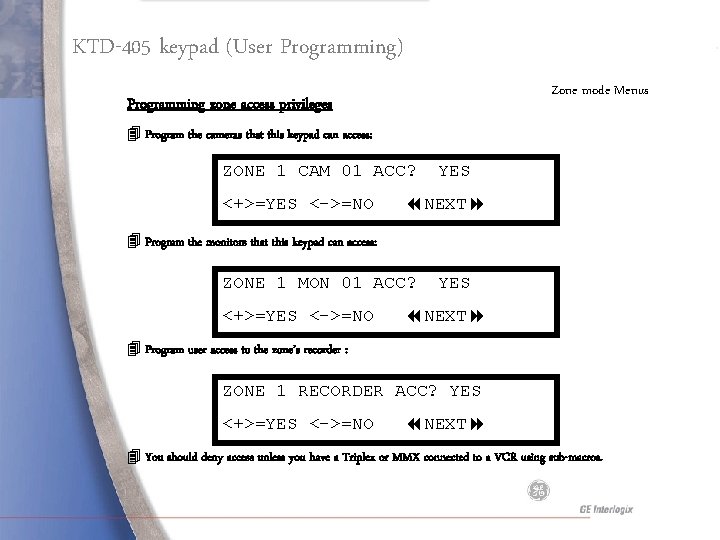
KTD-405 keypad (User Programming) Zone mode Menus Programming zone access privileges 4 Program the cameras that this keypad can access: ZONE 1 CAM 01 ACC? <+>=YES <->=NO YES NEXT 4 Program the monitors that this keypad can access: ZONE 1 MON 01 ACC? <+>=YES <->=NO YES NEXT 4 Program user access to the zone’s recorder : ZONE 1 RECORDER ACC? YES <+>=YES <->=NO NEXT 4 You should deny access unless you have a Triplex or MMX connected to a VCR using sub-macros.
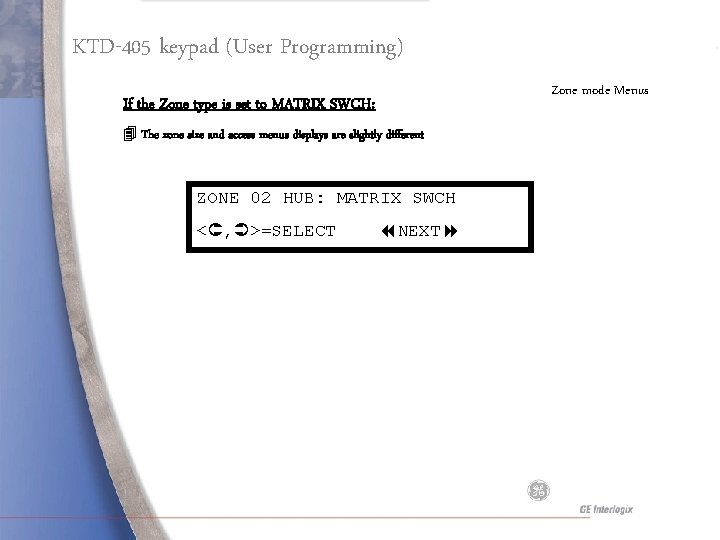
KTD-405 keypad (User Programming) Zone mode Menus If the Zone type is set to MATRIX SWCH: 4 The zone size and access menus displays are slightly different ZONE 02 HUB: MATRIX SWCH < , >=SELECT NEXT
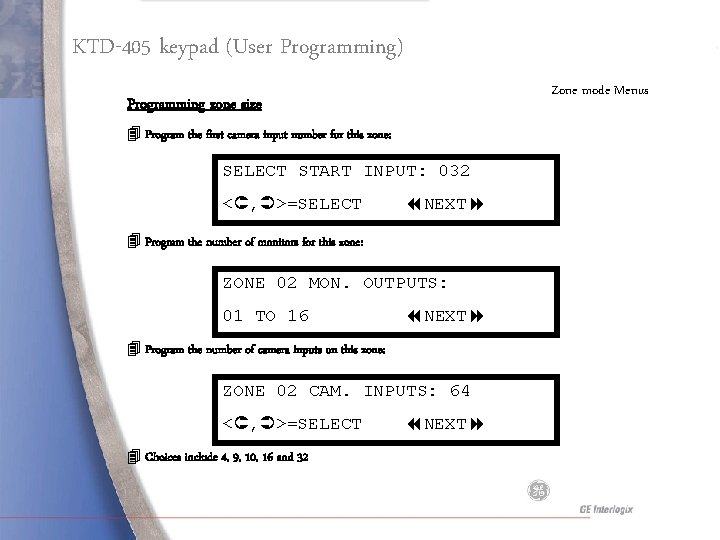
KTD-405 keypad (User Programming) Zone mode Menus Programming zone size 4 Program the first camera input number for this zone: SELECT START INPUT: 032 < , >=SELECT NEXT 4 Program the number of monitors for this zone: ZONE 02 MON. OUTPUTS: 01 TO 16 NEXT 4 Program the number of camera inputs on this zone: ZONE 02 CAM. INPUTS: 64 < , >=SELECT 4 Choices include 4, 9, 10, 16 and 32 NEXT
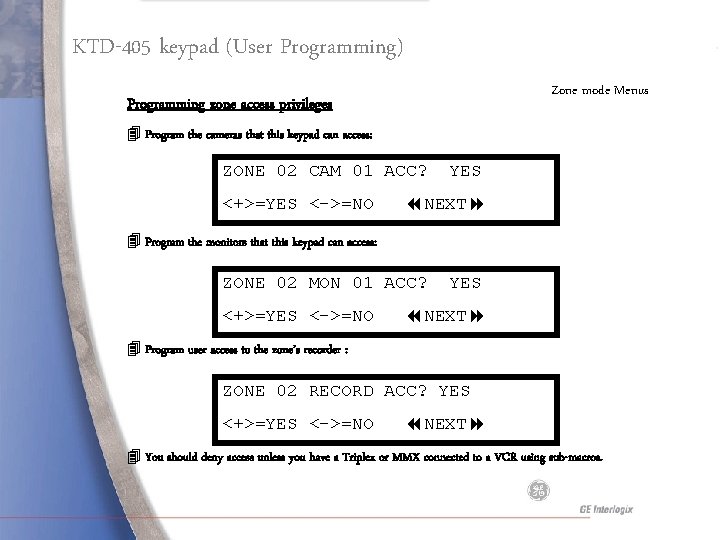
KTD-405 keypad (User Programming) Zone mode Menus Programming zone access privileges 4 Program the cameras that this keypad can access: ZONE 02 CAM 01 ACC? <+>=YES <->=NO YES NEXT 4 Program the monitors that this keypad can access: ZONE 02 MON 01 ACC? <+>=YES <->=NO YES NEXT 4 Program user access to the zone’s recorder : ZONE 02 RECORD ACC? YES <+>=YES <->=NO NEXT 4 You should deny access unless you have a Triplex or MMX connected to a VCR using sub-macros.
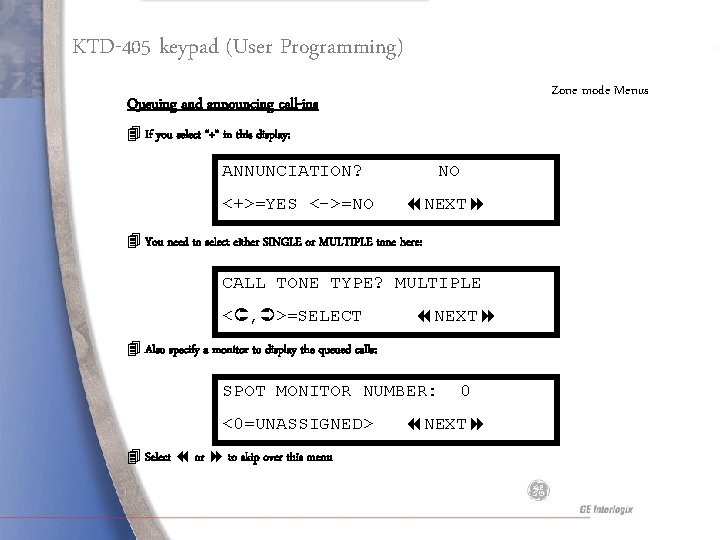
KTD-405 keypad (User Programming) Zone mode Menus Queuing and announcing call-ins 4 If you select “+” in this display: ANNUNCIATION? <+>=YES <->=NO NO NEXT 4 You need to select either SINGLE or MULTIPLE tone here: CALL TONE TYPE? MULTIPLE < , >=SELECT NEXT 4 Also specify a monitor to display the queued calls: SPOT MONITOR NUMBER: <0=UNASSIGNED> 4 Select or to skip over this menu 0 NEXT
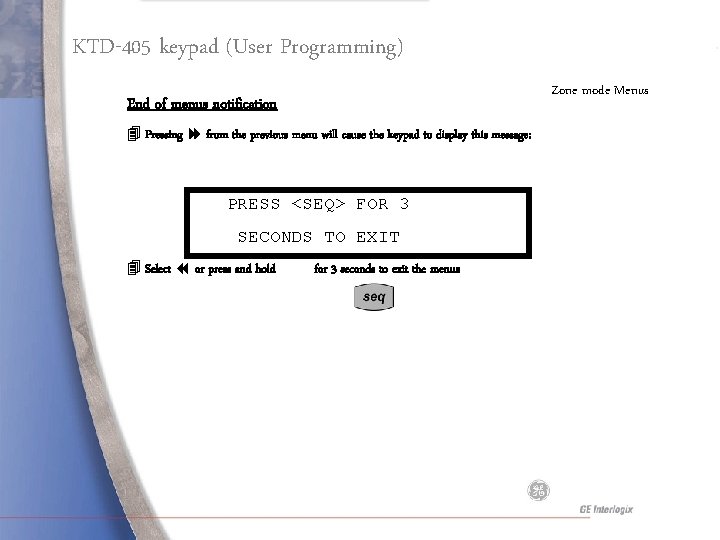
KTD-405 keypad (User Programming) Zone mode Menus End of menus notification 4 Pressing from the previous menu will cause the keypad to display this message: PRESS <SEQ> FOR 3 SECONDS TO EXIT 4 Select or press and hold for 3 seconds to exit the menus
Remote Programming
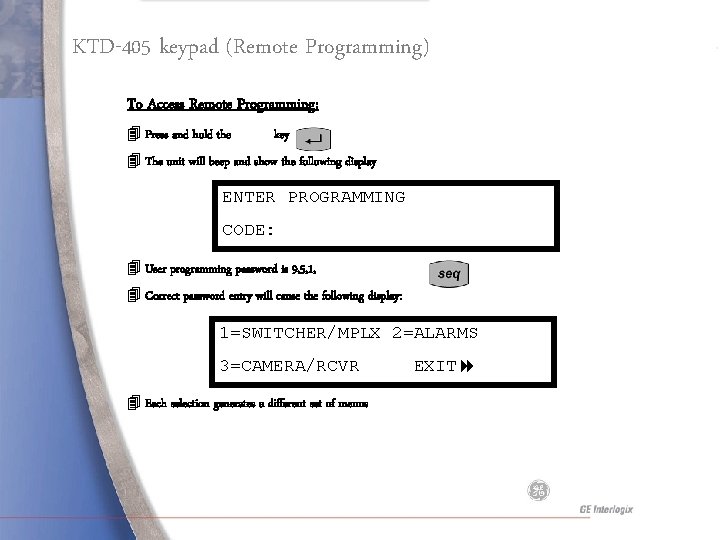
KTD-405 keypad (Remote Programming) To Access Remote Programming: 4 Press and hold the key 4 The unit will beep and show the following display ENTER PROGRAMMING CODE: 4 User programming password is 9, 5, 1, 4 Correct password entry will cause the following display: 1=SWITCHER/MPLX 2=ALARMS 3=CAMERA/RCVR 4 Each selection generates a different set of menus EXIT
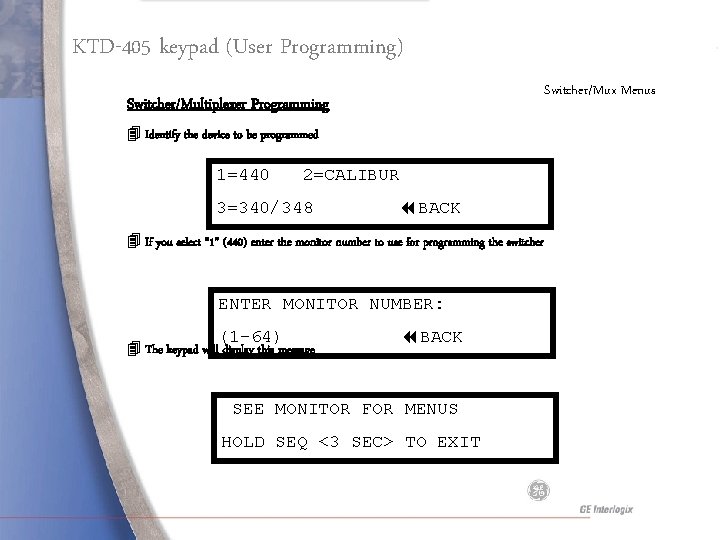
KTD-405 keypad (User Programming) Switcher/Mux Menus Switcher/Multiplexer Programming 4 Identify the device to be programmed 1=440 2=CALIBUR 3=340/348 BACK 4 If you select “ 1” (440) enter the monitor number to use for programming the switcher ENTER MONITOR NUMBER: (1 -64) 4 The keypad will display this message BACK SEE MONITOR FOR MENUS HOLD SEQ <3 SEC> TO EXIT
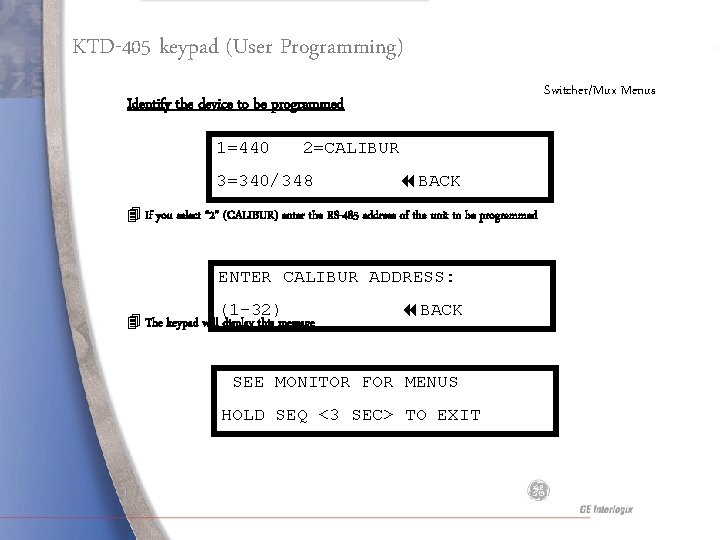
KTD-405 keypad (User Programming) Switcher/Mux Menus Identify the device to be programmed 1=440 2=CALIBUR 3=340/348 BACK 4 If you select “ 2” (CALIBUR) enter the RS-485 address of the unit to be programmed ENTER CALIBUR ADDRESS: (1 -32) 4 The keypad will display this message BACK SEE MONITOR FOR MENUS HOLD SEQ <3 SEC> TO EXIT
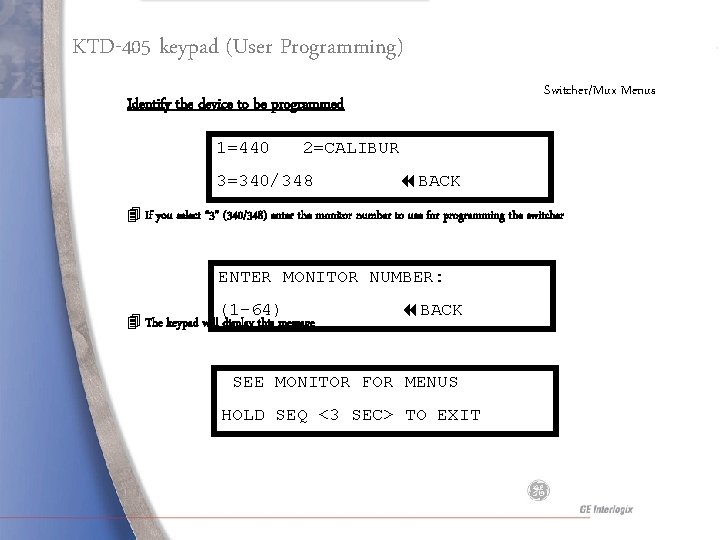
KTD-405 keypad (User Programming) Switcher/Mux Menus Identify the device to be programmed 1=440 2=CALIBUR 3=340/348 BACK 4 If you select “ 3” (340/348) enter the monitor number to use for programming the switcher ENTER MONITOR NUMBER: (1 -64) 4 The keypad will display this message BACK SEE MONITOR FOR MENUS HOLD SEQ <3 SEC> TO EXIT
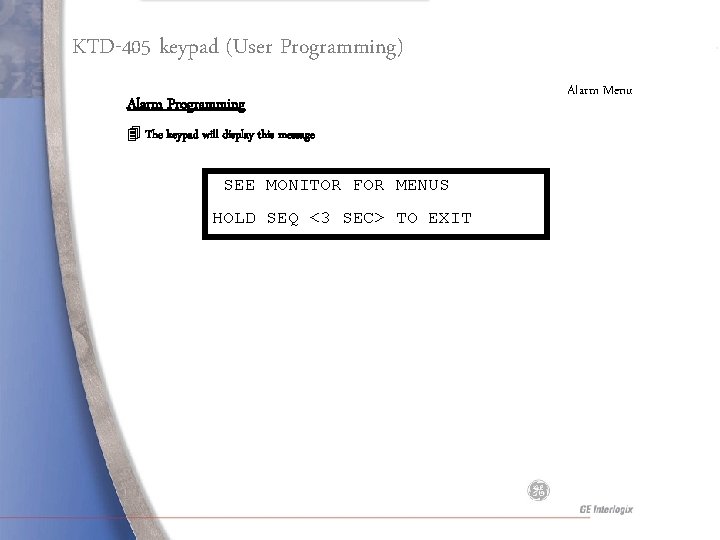
KTD-405 keypad (User Programming) Alarm Programming 4 The keypad will display this message SEE MONITOR FOR MENUS HOLD SEQ <3 SEC> TO EXIT Alarm Menu
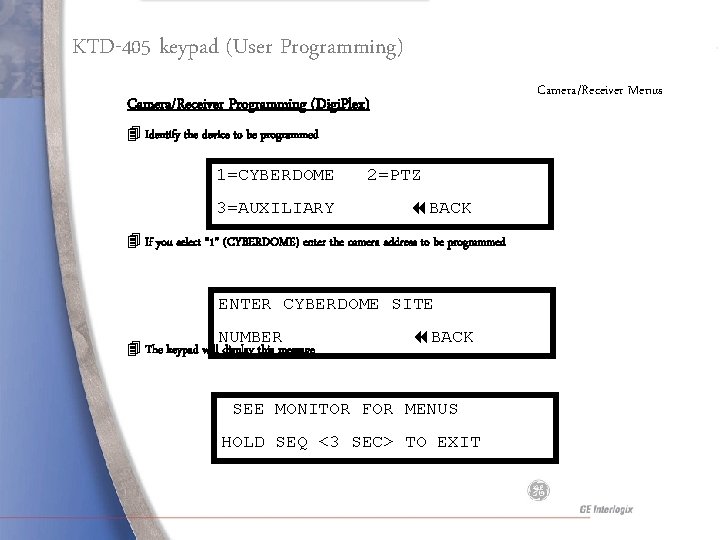
KTD-405 keypad (User Programming) Camera/Receiver Menus Camera/Receiver Programming (Digi. Plex) 4 Identify the device to be programmed 1=CYBERDOME 3=AUXILIARY 2=PTZ BACK 4 If you select “ 1” (CYBERDOME) enter the camera address to be programmed ENTER CYBERDOME SITE NUMBER 4 The keypad will display this message BACK SEE MONITOR FOR MENUS HOLD SEQ <3 SEC> TO EXIT
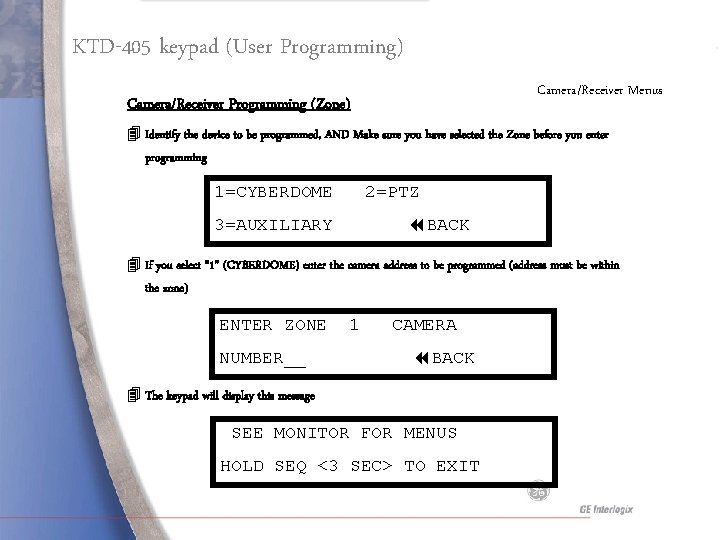
KTD-405 keypad (User Programming) Camera/Receiver Menus Camera/Receiver Programming (Zone) 4 Identify the device to be programmed, AND Make sure you have selected the Zone before you enter programming 1=CYBERDOME 2=PTZ 3=AUXILIARY BACK 4 If you select “ 1” (CYBERDOME) enter the camera address to be programmed (address must be within the zone) ENTER ZONE NUMBER__ 1 CAMERA BACK 4 The keypad will display this message SEE MONITOR FOR MENUS HOLD SEQ <3 SEC> TO EXIT
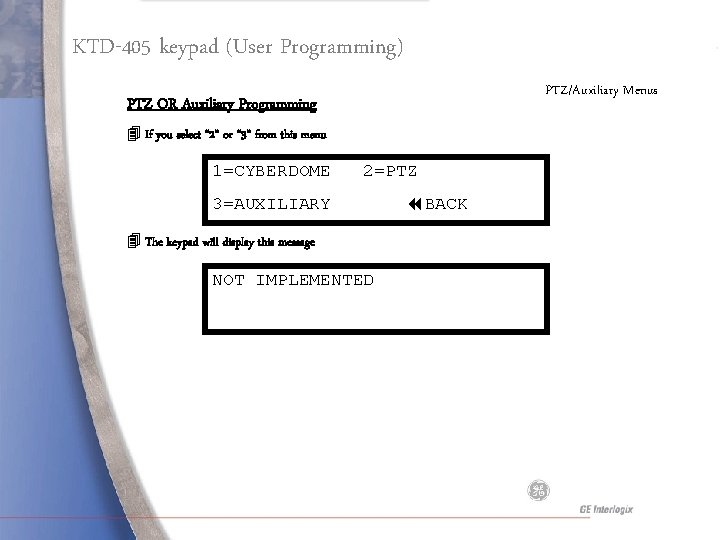
KTD-405 keypad (User Programming) PTZ/Auxiliary Menus PTZ OR Auxiliary Programming 4 If you select “ 2” or “ 3” from this menu 1=CYBERDOME 2=PTZ 3=AUXILIARY 4 The keypad will display this message NOT IMPLEMENTED BACK
Standard Operation
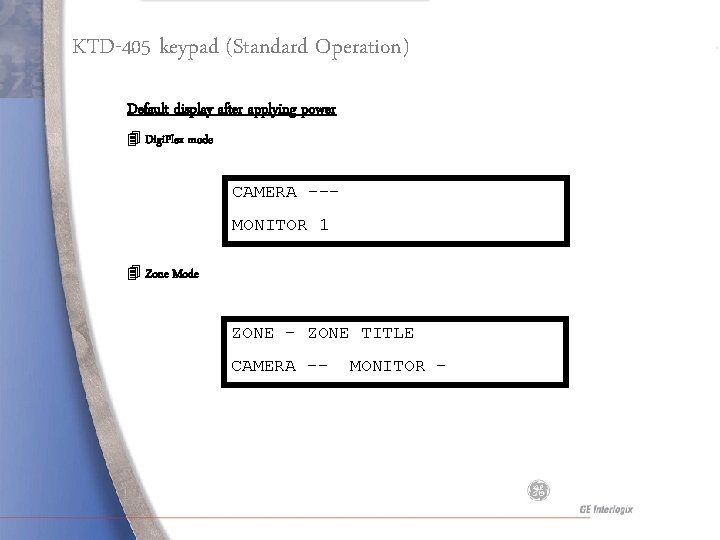
KTD-405 keypad (Standard Operation) Default display after applying power 4 Digi. Plex mode CAMERA --MONITOR 1 4 Zone Mode ZONE – ZONE TITLE CAMERA -- MONITOR -
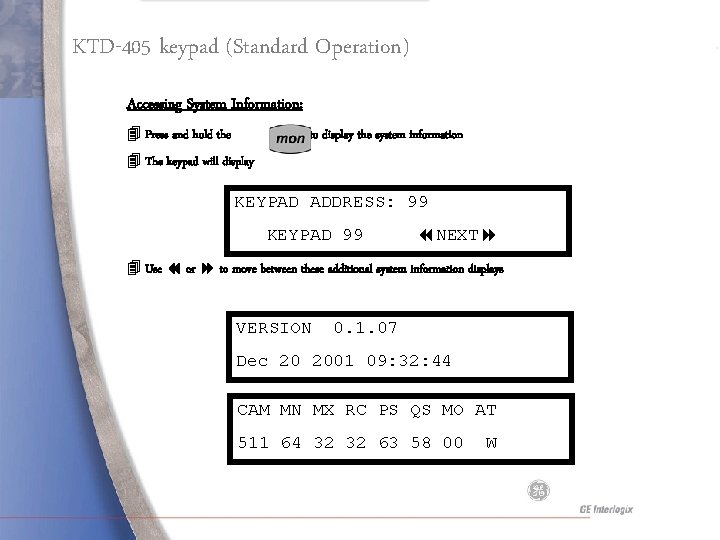
KTD-405 keypad (Standard Operation) Accessing System Information: 4 Press and hold the key to display the system information 4 The keypad will display KEYPAD ADDRESS: 99 KEYPAD 99 NEXT 4 Use or to move between these additional system information displays VERSION 0. 1. 07 Dec 20 2001 09: 32: 44 CAM MN MX RC PS QS MO AT 511 64 32 32 63 58 00 W
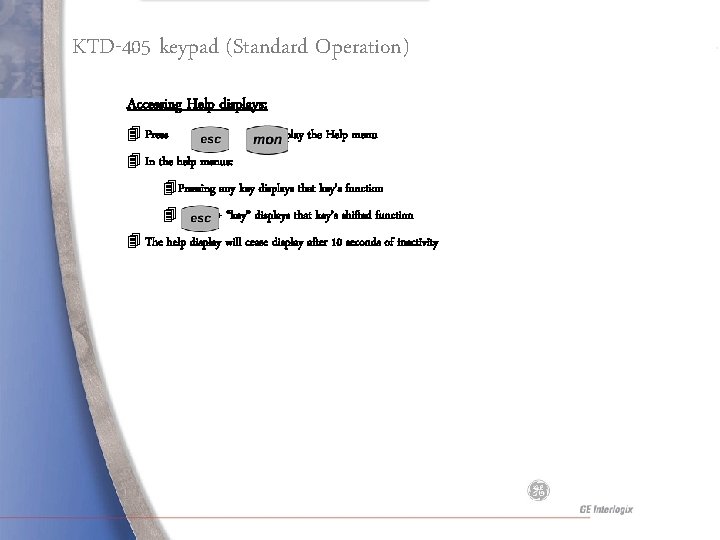
KTD-405 keypad (Standard Operation) Accessing Help displays: 4 Press + to display the Help menu 4 In the help menus: 4 Pressing any key displays that key’s function 4 + “key” displays that key’s shifted function 4 The help display will cease display after 10 seconds of inactivity
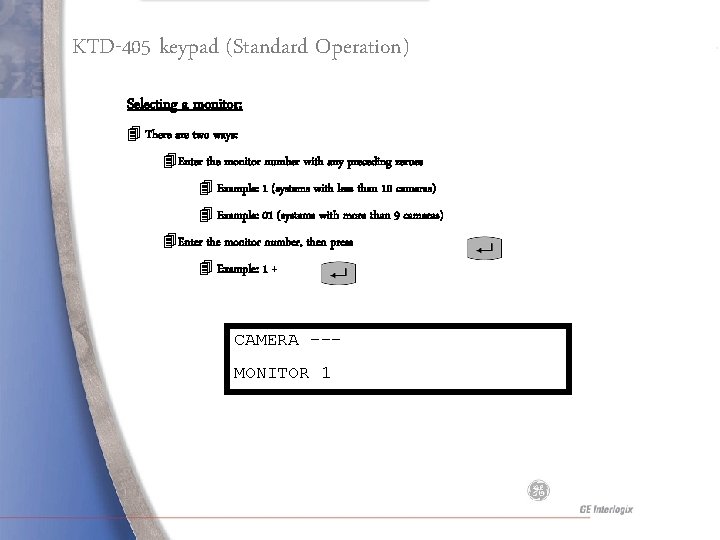
KTD-405 keypad (Standard Operation) Selecting a monitor: 4 There are two ways: 4 Enter the monitor number with any preceding zeroes 4 Example: 1 (systems with less than 10 cameras) 4 Example: 01 (systems with more than 9 cameras) 4 Enter the monitor number, then press 4 Example: 1 + CAMERA --MONITOR 1
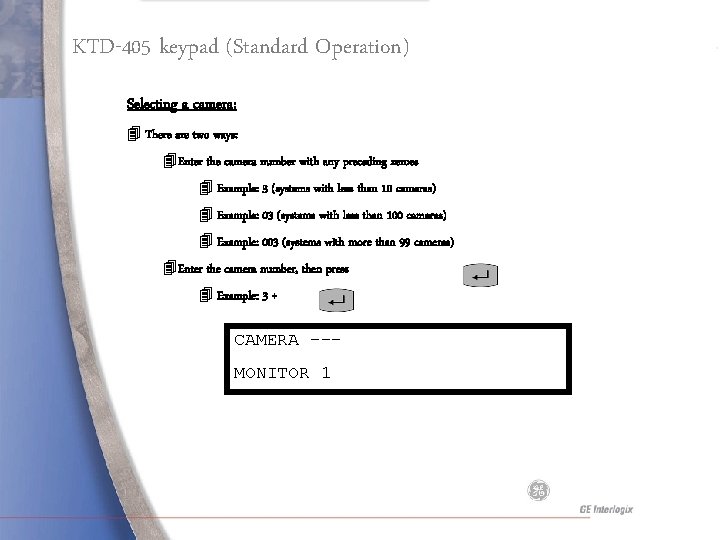
KTD-405 keypad (Standard Operation) Selecting a camera: 4 There are two ways: 4 Enter the camera number with any preceding zeroes 4 Example: 3 (systems with less than 10 cameras) 4 Example: 03 (systems with less than 100 cameras) 4 Example: 003 (systems with more than 99 cameras) 4 Enter the camera number, then press 4 Example: 3 + CAMERA --MONITOR 1
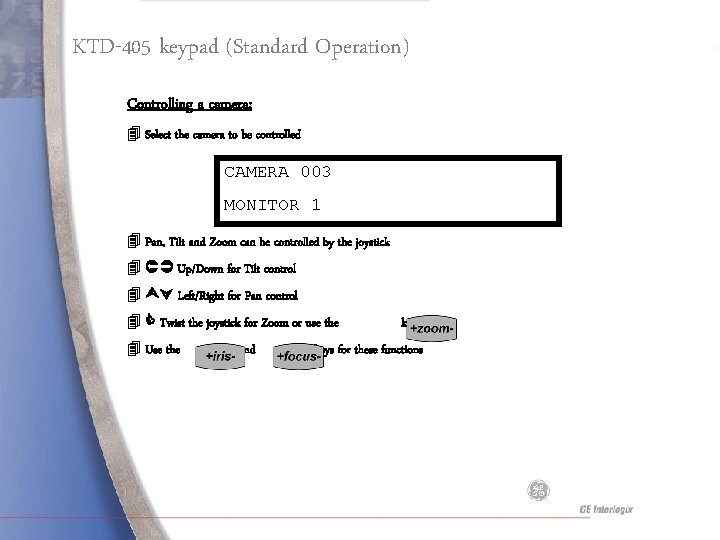
KTD-405 keypad (Standard Operation) Controlling a camera: 4 Select the camera to be controlled CAMERA 003 MONITOR 1 4 Pan, Tilt and Zoom can be controlled by the joystick 4 Up/Down for Tilt control 4 Left/Right for Pan control 4 Twist the joystick for Zoom or use the 4 Use the and keys for these functions
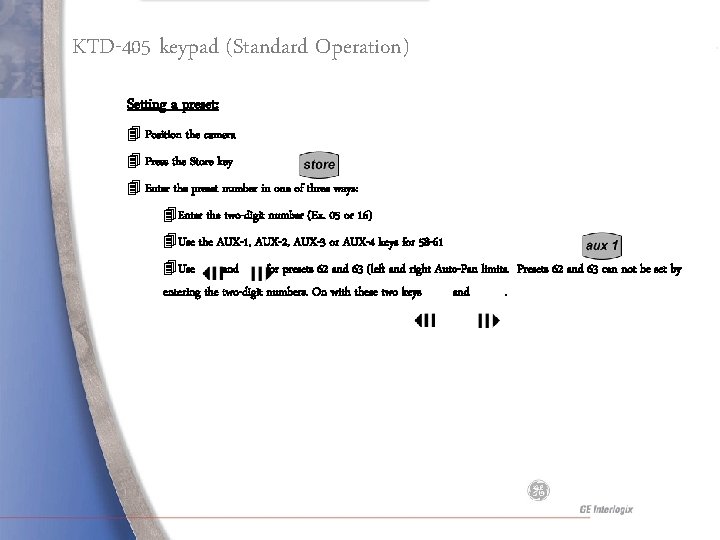
KTD-405 keypad (Standard Operation) Setting a preset: 4 Position the camera 4 Press the Store key 4 Enter the preset number in one of three ways: 4 Enter the two-digit number (Ex. 05 or 16) 4 Use the AUX-1, AUX-2, AUX-3 or AUX-4 keys for 58 -61 4 Use and for presets 62 and 63 (left and right Auto-Pan limits. Presets 62 and 63 can not be set by entering the two-digit numbers. On with these two keys and.
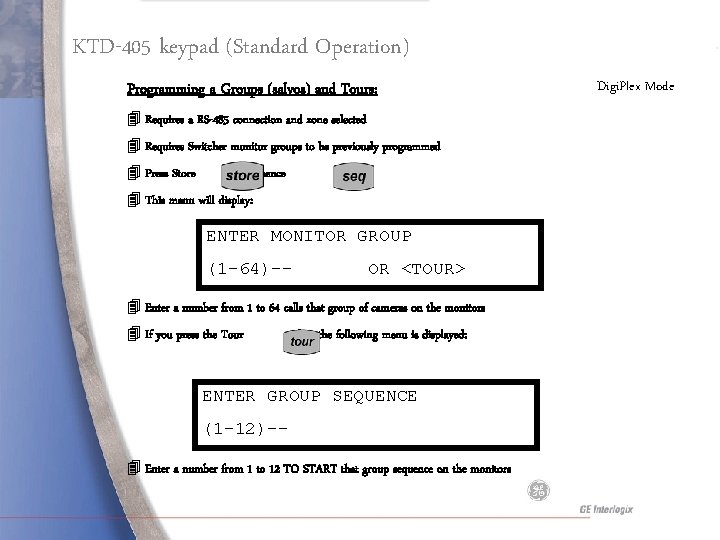
KTD-405 keypad (Standard Operation) Programming a Groups (salvos) and Tours: 4 Requires a RS-485 connection and zone selected 4 Requires Switcher monitor groups to be previously programmed 4 Press Store + Sequence 4 This menu will display: ENTER MONITOR GROUP (1 -64)-- OR <TOUR> 4 Enter a number from 1 to 64 calls that group of cameras on the monitors 4 If you press the Tour key the following menu is displayed: ENTER GROUP SEQUENCE (1 -12)-4 Enter a number from 1 to 12 TO START that group sequence on the monitors Digi. Plex Mode
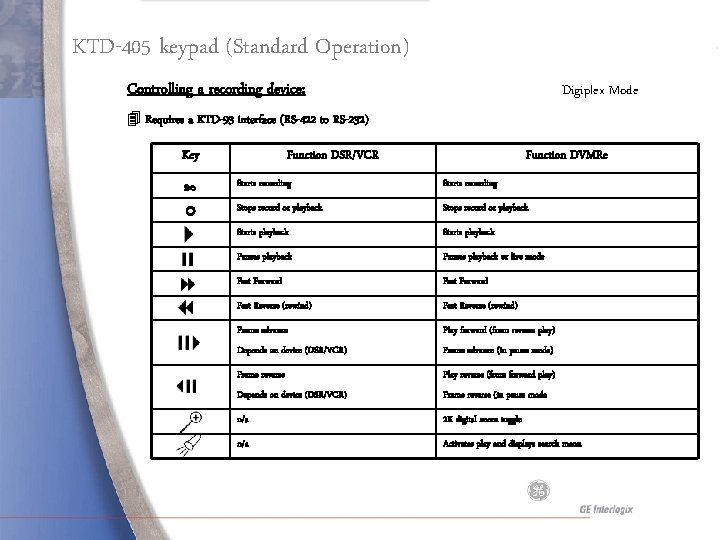
KTD-405 keypad (Standard Operation) Controlling a recording device: Digiplex Mode 4 Requires a KTD-93 interface (RS-422 to RS-232) Key Function DSR/VCR Function DVMRe Starts recording Stops record or playback Starts playback Pauses playback or live mode Fast Forward Fast Reverse (rewind) Frame advance Play forward (from reverse play) Depends on device (DSR/VCR) Frame advance (in pause mode) Frame reverse Play reverse (from forward play) Depends on device (DSR/VCR) Frame reverse (in pause mode n/a 2 X digital zoom toggle n/a Activates play and displays search menu
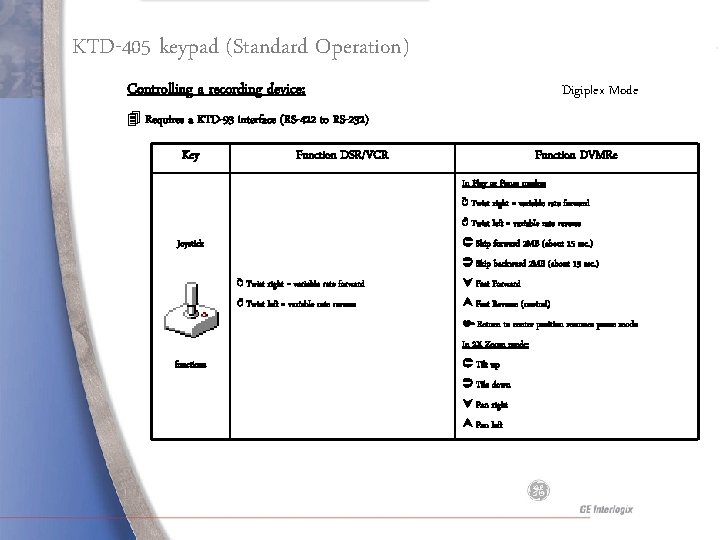
KTD-405 keypad (Standard Operation) Controlling a recording device: Digiplex Mode 4 Requires a KTD-93 interface (RS-422 to RS-232) Key Function DSR/VCR Function DVMRe In Play or Pause modes: ↻ Twist right = variable rate forward ↺ Twist left = variable rate reverse Skip forward 2 MB (about 15 sec. ) Joystick Skip backward 2 MB (about 15 sec. ) ↻ Twist right = variable rate forward Fast Forward ↺ Twist left = variable rate reverse Fast Reverse (rewind) Return to center position resumes pause mode In 2 X Zoom mode: functions Tilt up Tile down Pan right Pan left
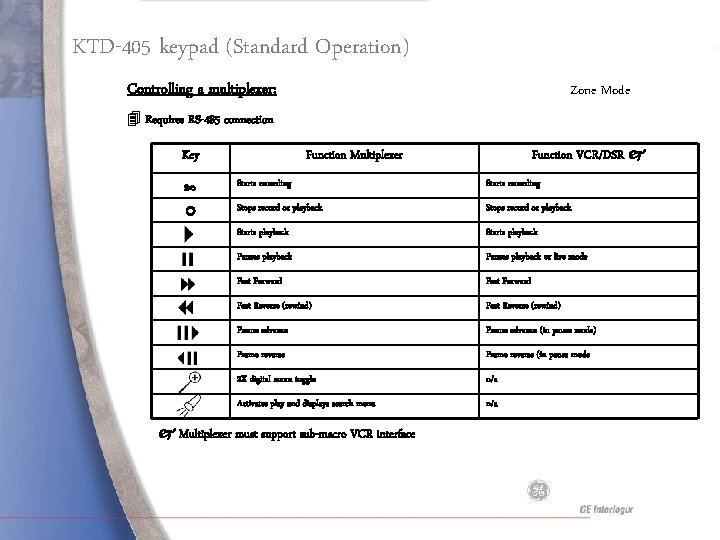
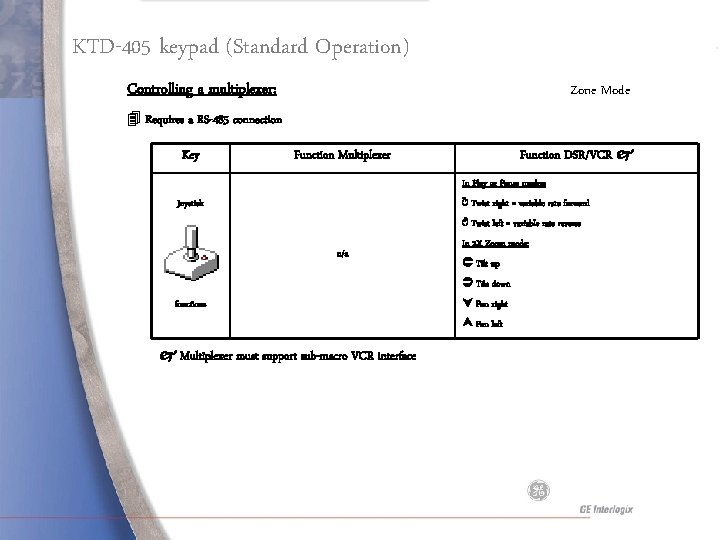
KTD-405 keypad (Standard Operation) Controlling a multiplexer: Zone Mode 4 Requires RS-485 connection Key Function VCR/DSR Function Multiplexer Starts recording Stops record or playback Starts playback Pauses playback or live mode Fast Forward Fast Reverse (rewind) Frame advance (in pause mode) Frame reverse (in pause mode 2 X digital zoom toggle n/a Activates play and displays search menu n/a Multiplexer must support sub-macro VCR interface
KTD-405 keypad (Standard Operation) Controlling a multiplexer: Zone Mode 4 Requires a RS-485 connection Key Function DSR/VCR Function Multiplexer In Play or Pause modes: ↻ Twist right = variable rate forward Joystick ↺ Twist left = variable rate reverse n/a In 2 X Zoom mode: Tilt up Tile down functions Pan right Pan left Multiplexer must support sub-macro VCR interface
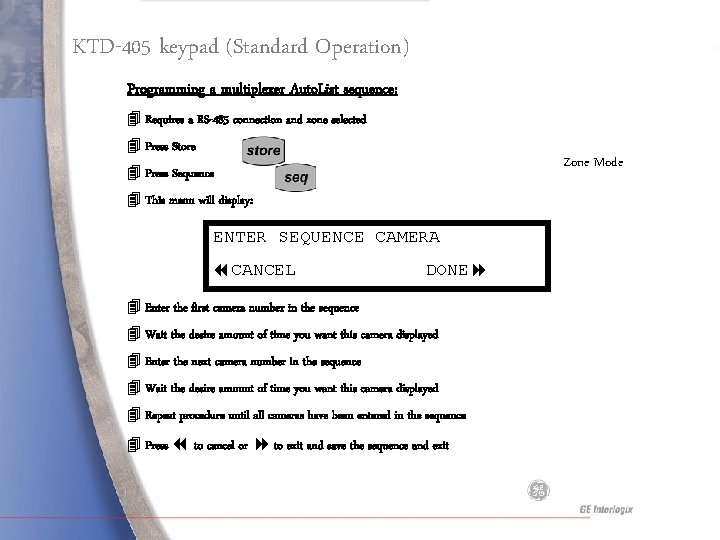
KTD-405 keypad (Standard Operation) Programming a multiplexer Auto. List sequence: 4 Requires a RS-485 connection and zone selected 4 Press Store Zone Mode 4 Press Sequence 4 This menu will display: ENTER SEQUENCE CAMERA CANCEL DONE 4 Enter the first camera number in the sequence 4 Wait the desire amount of time you want this camera displayed 4 Enter the next camera number in the sequence 4 Wait the desire amount of time you want this camera displayed 4 Repeat procedure until all cameras have been entered in the sequence 4 Press to cancel or to exit and save the sequence and exit
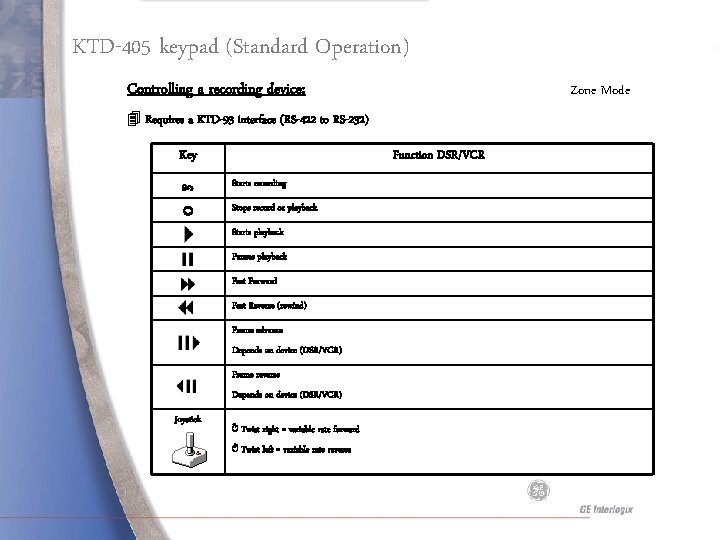
KTD-405 keypad (Standard Operation) Controlling a recording device: Zone Mode 4 Requires a KTD-93 interface (RS-422 to RS-232) Key Function DSR/VCR Starts recording Stops record or playback Starts playback Pauses playback Fast Forward Fast Reverse (rewind) Frame advance Depends on device (DSR/VCR) Frame reverse Depends on device (DSR/VCR) Joystick ↻ Twist right = variable rate forward ↺ Twist left = variable rate reverse
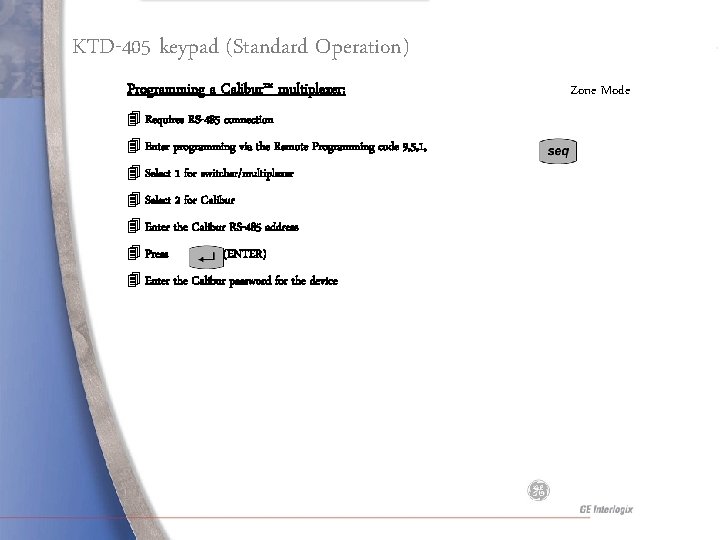
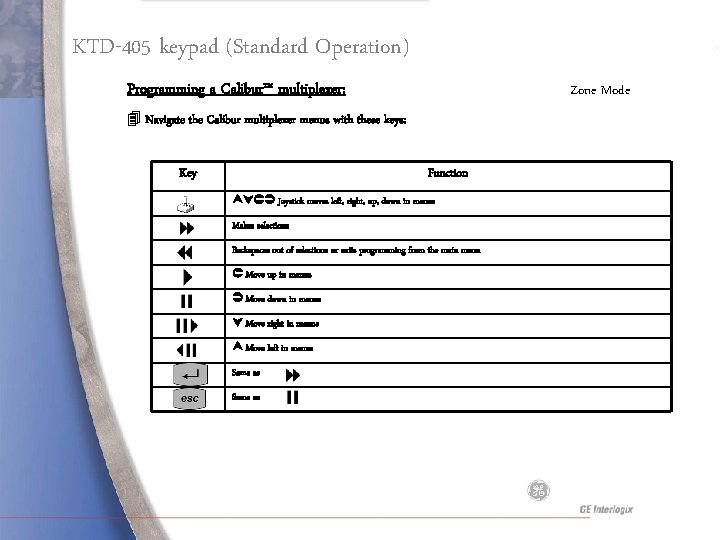
KTD-405 keypad (Standard Operation) Programming a Calibur™ multiplexer: 4 Requires RS-485 connection 4 Enter programming via the Remote Programming code 9, 5, 1, 4 Select 1 for switcher/multiplexer 4 Select 2 for Calibur 4 Enter the Calibur RS-485 address 4 Press (ENTER) 4 Enter the Calibur password for the device Zone Mode
KTD-405 keypad (Standard Operation) Programming a Calibur™ multiplexer: Zone Mode 4 Navigate the Calibur multiplexer menus with these keys: Key Function Joystick moves left, right, up, down in menus Makes selections Backspaces out of selections or exits programming from the main menu Move up in menus Move down in menus Move right in menus Move left in menus Same as
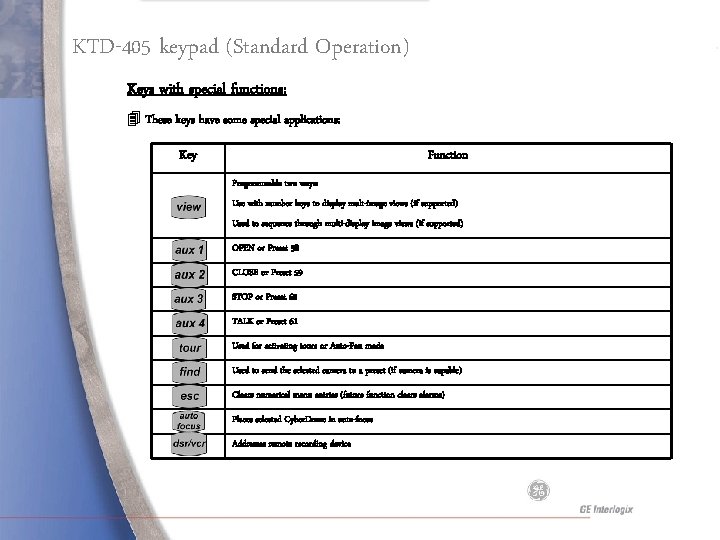
KTD-405 keypad (Standard Operation) Keys with special functions: 4 These keys have some special applications: Key Function Programmable two ways: Use with number keys to display mult-image views (if supported) Used to sequence through multi-display image views (if supported) OPEN or Preset 58 CLOSE or Preset 59 STOP or Preset 60 TALK or Preset 61 Used for activating tours or Auto-Pan mode Used to send the selected camera to a preset (if camera is capable) Clears numerical menu entries (future function clears alarms) Places selected Cyber. Dome in auto-focus Addresses remote recording device
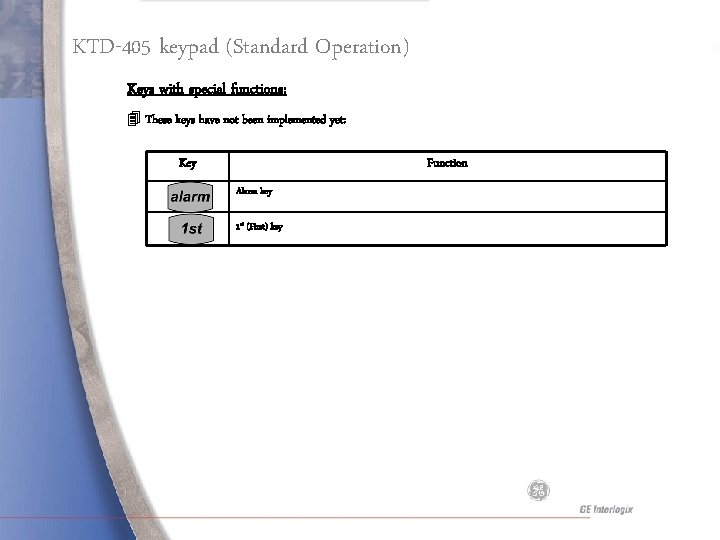
KTD-405 keypad (Standard Operation) Keys with special functions: 4 These keys have not been implemented yet: Key Function Alarm key 1 st (First) key
QUESTIONS