
GCSE Digital Technology Support Event October 2018 Unit

GCSE Digital Technology Support Event October 2018 Unit 2, 3, 4 and 5
Agenda 10. 00 - Welcome and introduction 10. 05 - GCSE Digital Technology: Technical overview 10. 15 - Unit 2: Digital Authoring Concepts 10. 45 - Unit 3: Digital Authoring Practice 11. 15 - Unit 4: Digital Development Concepts 11. 45 - Unit 5: Digital Development Practice 12. 15 - Questions and close

Pack Contents • • • Presentation Relevant units from the specification Unit 3 exemplar task Unit 3 mark scheme Unit 5 exemplar task Unit 5 mark scheme
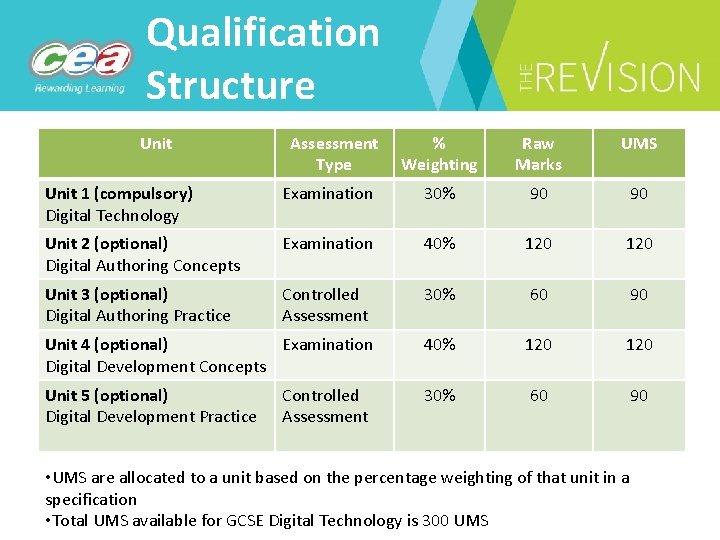
Qualification Structure Unit Assessment Type % Weighting Raw Marks UMS Unit 1 (compulsory) Digital Technology Examination 30% 90 90 Unit 2 (optional) Digital Authoring Concepts Examination 40% 120 Unit 3 (optional) Digital Authoring Practice Controlled Assessment 30% 60 90 Unit 4 (optional) Examination Digital Development Concepts 40% 120 Unit 5 (optional) Digital Development Practice 30% 60 90 Controlled Assessment • UMS are allocated to a unit based on the percentage weighting of that unit in a specification • Total UMS available for GCSE Digital Technology is 300 UMS

Changes to GCSE Grading • All unitised GCSE qualifications use uniform marks (UMS) • This ensures fairness year on year irrespective of the demand of the question paper
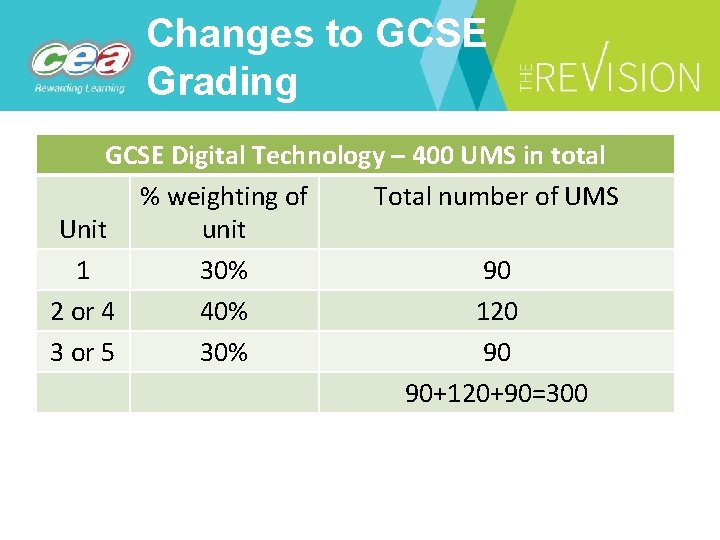
Changes to GCSE Grading GCSE Digital Technology – 400 UMS in total % weighting of Total number of UMS Unit unit 1 30% 90 2 or 4 40% 120 3 or 5 30% 90 90+120+90=300
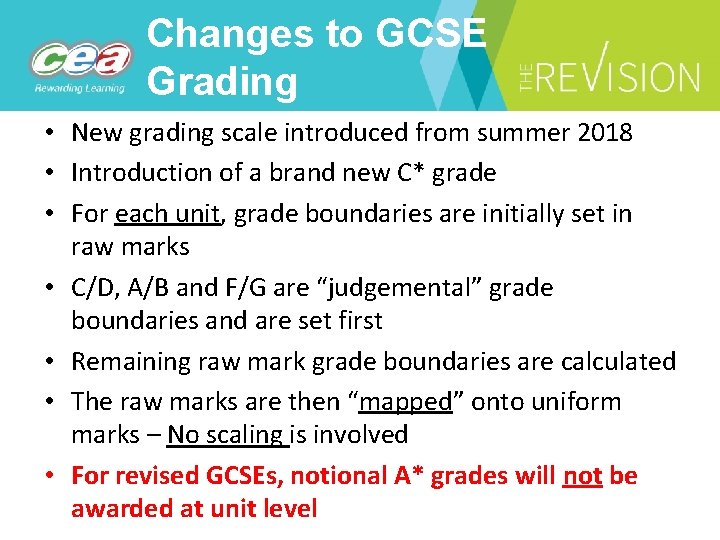
Changes to GCSE Grading • New grading scale introduced from summer 2018 • Introduction of a brand new C* grade • For each unit, grade boundaries are initially set in raw marks • C/D, A/B and F/G are “judgemental” grade boundaries and are set first • Remaining raw mark grade boundaries are calculated • The raw marks are then “mapped” onto uniform marks – No scaling is involved • For revised GCSEs, notional A* grades will not be awarded at unit level
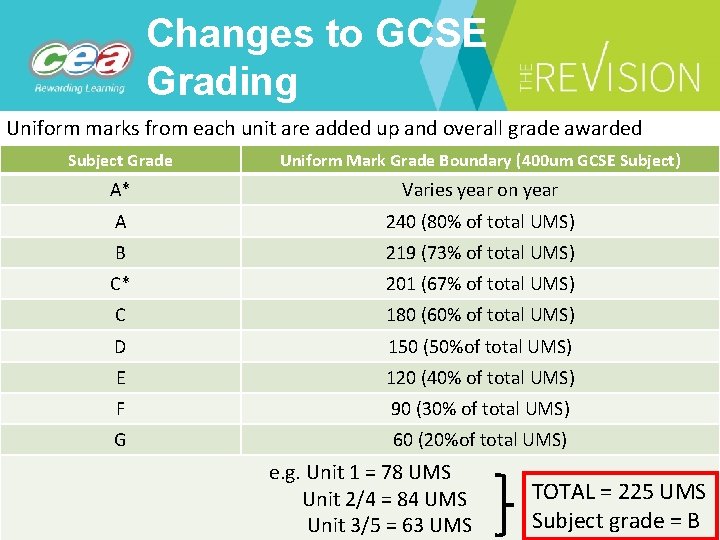
Changes to GCSE Grading Uniform marks from each unit are added up and overall grade awarded Subject Grade Uniform Mark Grade Boundary (400 um GCSE Subject) A* Varies year on year A 240 (80% of total UMS) B 219 (73% of total UMS) C* 201 (67% of total UMS) C 180 (60% of total UMS) D 150 (50%of total UMS) E 120 (40% of total UMS) F 90 (30% of total UMS) G 60 (20%of total UMS) e. g. Unit 1 = 78 UMS Unit 2/4 = 84 UMS Unit 3/5 = 63 UMS TOTAL = 225 UMS Subject grade = B
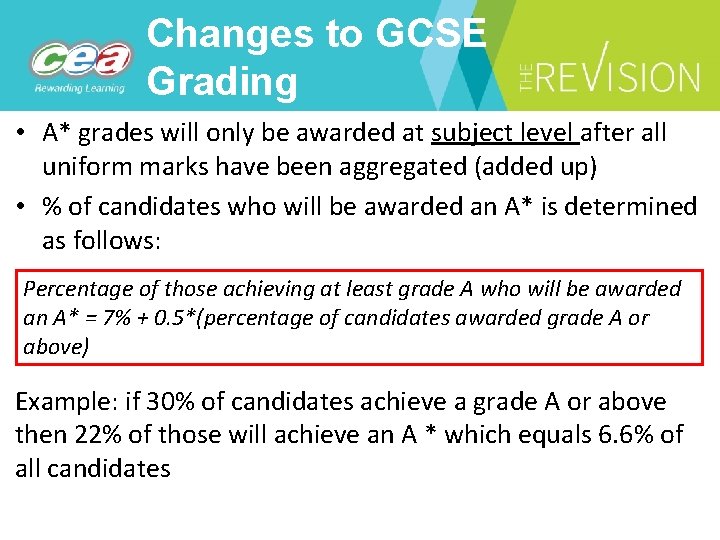
Changes to GCSE Grading • A* grades will only be awarded at subject level after all uniform marks have been aggregated (added up) • % of candidates who will be awarded an A* is determined as follows: Percentage of those achieving at least grade A who will be awarded an A* = 7% + 0. 5*(percentage of candidates awarded grade A or above) Example: if 30% of candidates achieve a grade A or above then 22% of those will achieve an A * which equals 6. 6% of all candidates
![Changes to GCSE Grading New CCEA GCSE Grading System Current GCSE Grading System [EWNI]](http://slidetodoc.com/presentation_image_h2/b711d92ad26a3ed4be4c1383eb8b5005/image-10.jpg "Changes to GCSE Grading New CCEA GCSE Grading System Current GCSE Grading System [EWNI]")
Changes to GCSE Grading New CCEA GCSE Grading System Current GCSE Grading System [EWNI] New English GCSE Grading System A* A* 9 A A B B 8 7 6 5 C* C C 4 D D 3 E E F F G G 2 1
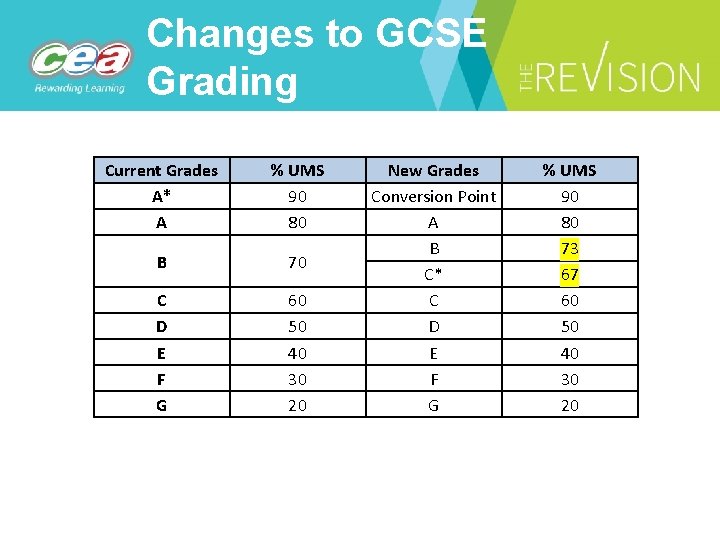
Changes to GCSE Grading Current Grades A* A % UMS 90 80 B 70 C D E F G 60 50 40 30 20 New Grades Conversion Point A B C* C D E F G % UMS 90 80 73 67 60 50 40 30 20
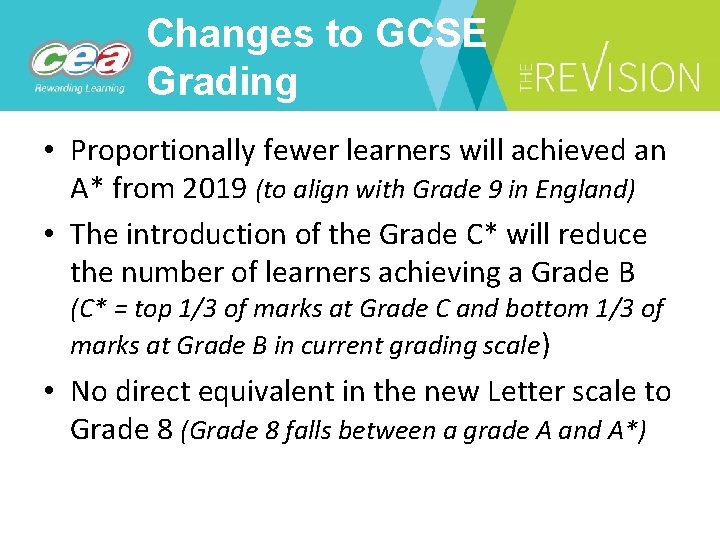
Changes to GCSE Grading • Proportionally fewer learners will achieved an A* from 2019 (to align with Grade 9 in England) • The introduction of the Grade C* will reduce the number of learners achieving a Grade B (C* = top 1/3 of marks at Grade C and bottom 1/3 of marks at Grade B in current grading scale) • No direct equivalent in the new Letter scale to Grade 8 (Grade 8 falls between a grade A and A*)
Unit 2 Digital Authoring Concepts
Designing Solutions • • Describe end users role in prototype development – Consider who is the end user and what is prototyping and how the end user is involved in e. g. , developing user requirements – Understand various types of prototying, how they are used and general advantages and disadvantages of prototyping – Characteristics of good user requirements should also be considered Demonstrate knowledge and understanding of various elements in – Multimedia design • Navigation structure diagram • Storyboard and movie / animation timelines • Detailing of scripted elements – Database design • Data dictionaries • Menu structure / navigation structure diagrams • Wireframes for input and output screens • ER diagrams
Digital Development • • • Describe and evaluate a range of interface types suitable for digital applications – GUI / Natural Language interface / Motion tracking / Touch screen Consider accessibility when developing digital applications – Use of settings and features used to improve accessibility of devices and applications – Awareness of the fact that standards put in place by W 3 C to improve accessibility Consider cross-platform compatibility when developing digital applications – Expect candidates to understand what is meant by a cross-platform application – Design factors which help ensure success of cross-platform applications – How compatibility can be improved through measures such as the inclusion of links to appropriate plugins, the use of approriate file formats
Multimedia Applications • • • Use of multimedia and interactive features in – E-commerce websites – Social media – Gaming In each instance candidates should be able to identify a range of interactive and multimedia features used in each application type Be able to identify the advantages and disadvantages of each feature Be able to draw comparison between similar applications and identify realistic examples Be able to make links between this topic area and Compatibility (covered under ‘Digital Development Considerations’) – i. e. what hardware and software specifications are needed to support the application features Expectation is that candidates understand how the features enhance the users experience whilst using the application
Multimedia Authoring • • • Content of this unit supports application development for Unit 3 practical applications and vice versa Understand what is meant by multimedia authoring and how the following support the development of multimedia applications – Hypertext, multimedia assets, scripting, templates – Be able to create their own / amend existing multimedia assets for a developing application – Be able to implement optimised resources for use in a multimedia application Be able to understand amend html code (p. 16 of the specification) – Syntax of HTML constructs identified in specification should be known to candidates – Should be able to describe / amend main coded constructs used in scripted elements – sequencing, selection, repetition BUT no expectation to write scripted elements in the exam
Database Development • • • Supported by content previously covered in core unit PLUS supports unit 3 Relational databases to reduce data redundancy and improve data integrity Candidates are expected to have a full understanding of the features of a relational database and its implementation – Validation methods – Input controls • Input masks and lookup lists – Simple and complex queries • More than one criteria and table / wild cards / parameter queries as per the demands of the user requirements • Calculations – Simple and complex reports • Calculations • Groupings and sorting • Headers and footers
Database Development – Use of forms for data input and navigation • Incorporating macros for automation • Understand syntax associated with basic SQL statements for data selection / extraction • No expectation to implement SQL in database solutions for unit 3 but should be able to understand / interpret / design basic SQL statements to extract data from existing data structures • Use of mail merge to select and sequence recipients from a database structure
Significance of Testing • • • Be able to explain the following testing methods – White box – Black Box – System – Alpha / Beta – A/B Identify the main features of a successful test plan Create / design a test plan which can test the following in a multimedia solution* – Load times – Multimedia asset operation – Navigation – Scripting *testing of multimedia applications assessed in this unit only. Database applications assessed in both
Evaluation • Be able to use an evaluation to ensure – The solution meets the original design document – Is a full and complete solution – Is an efficient solution – Operates on appropriate platforms
Unit 3 Digital Authoring Practice
Task 1 a (6 Marks) Designing a multimedia solution using appropriate tools • Design a high quality multimedia solution • Clear identified user requirements and target audience needs • Detailed planning (third party implementation): – Navigational structure diagrams – Storyboarding (all elements) • Pages • Video/animation • Interactive/accessibility • Source details of all: • Images • Sounds • Scripted elements • Prototyping and feedback to refine the solution
Task 2 a (13 Marks) Building the multimedia solution • Produce a high quality multimedia solution which is highly suitable for the target audience. • The solution must make effective use of: • Templates • Hypertext • Optimised media • Appropriate sound • Original video • A range of scripted elements to aid the interactivity of the solution. • A range of accessibility elements are available.
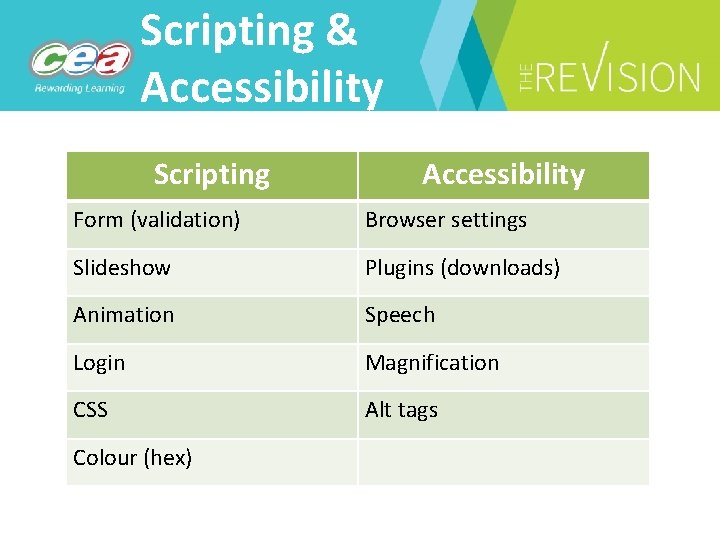
Scripting & Accessibility Scripting Accessibility Form (validation) Browser settings Slideshow Plugins (downloads) Animation Speech Login Magnification CSS Alt tags Colour (hex)
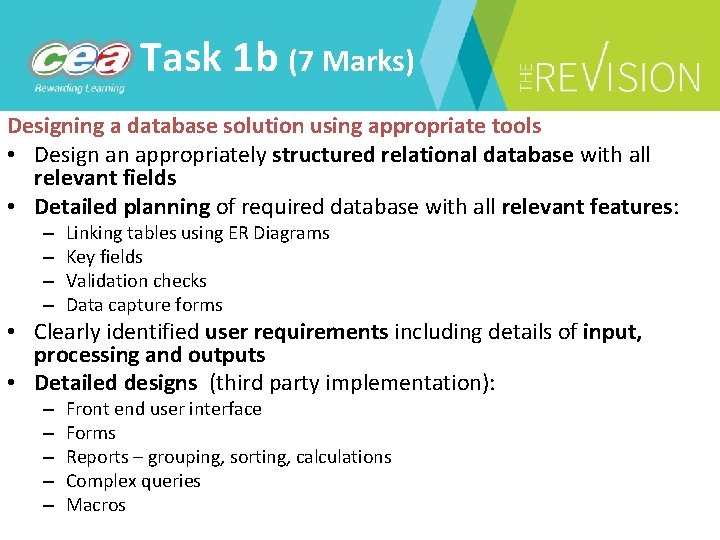
Task 1 b (7 Marks) Designing a database solution using appropriate tools • Design an appropriately structured relational database with all relevant fields • Detailed planning of required database with all relevant features: – – Linking tables using ER Diagrams Key fields Validation checks Data capture forms • Clearly identified user requirements including details of input, processing and outputs • Detailed designs (third party implementation): – – – Front end user interface Forms Reports – grouping, sorting, calculations Complex queries Macros
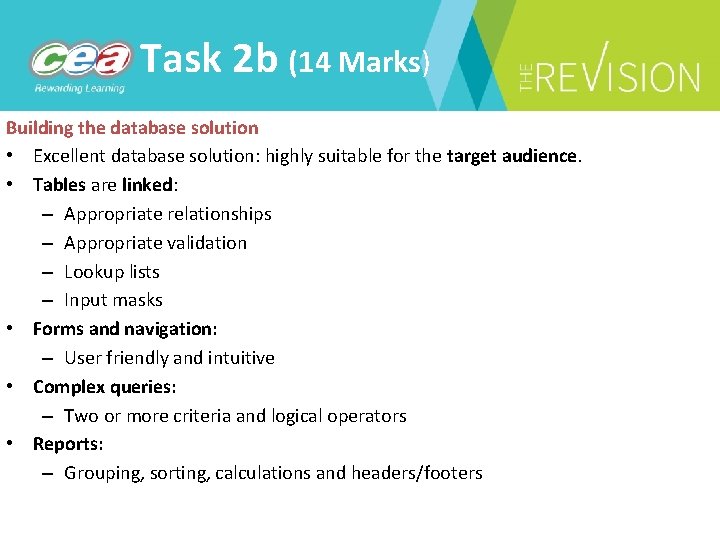
Task 2 b (14 Marks) Building the database solution • Excellent database solution: highly suitable for the target audience. • Tables are linked: – Appropriate relationships – Appropriate validation – Lookup lists – Input masks • Forms and navigation: – User friendly and intuitive • Complex queries: – Two or more criteria and logical operators • Reports: – Grouping, sorting, calculations and headers/footers
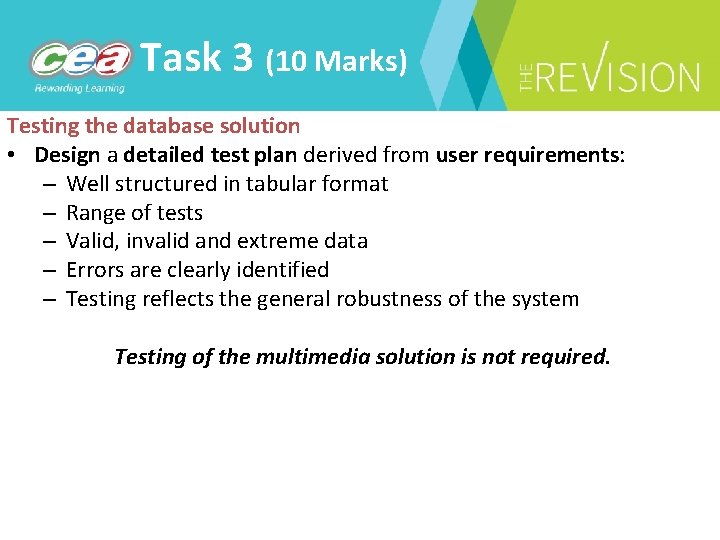
Task 3 (10 Marks) Testing the database solution • Design a detailed test plan derived from user requirements: – Well structured in tabular format – Range of tests – Valid, invalid and extreme data – Errors are clearly identified – Testing reflects the general robustness of the system Testing of the multimedia solution is not required.
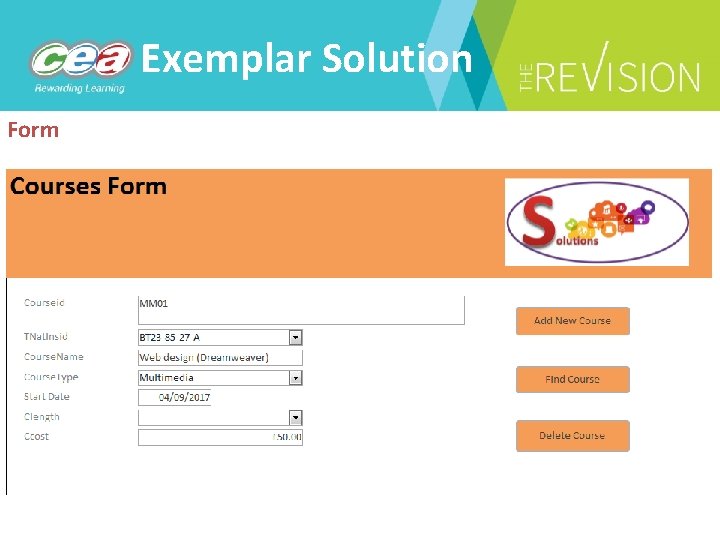
Exemplar Solution Form
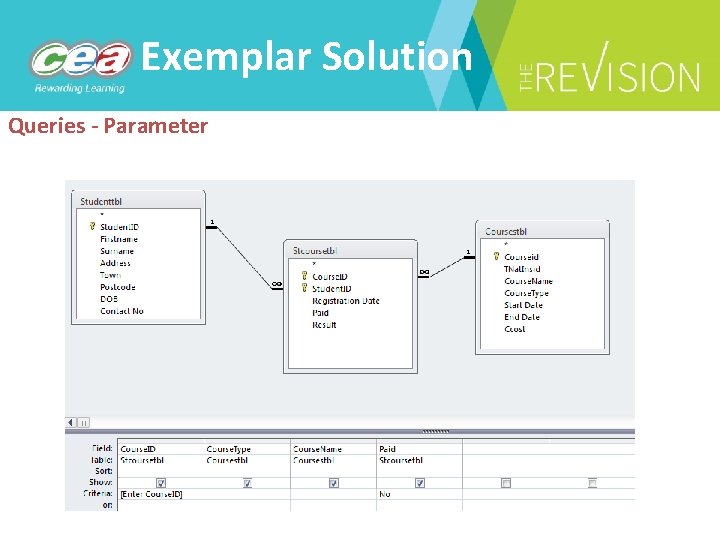
Exemplar Solution Queries - Parameter
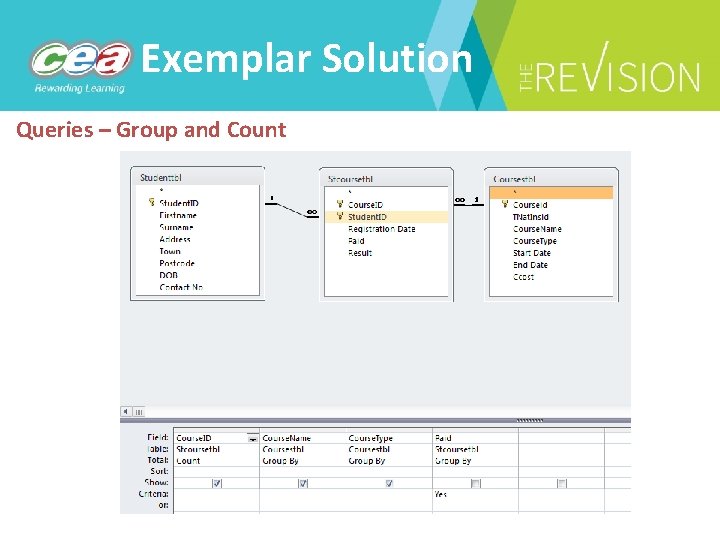
Exemplar Solution Queries – Group and Count
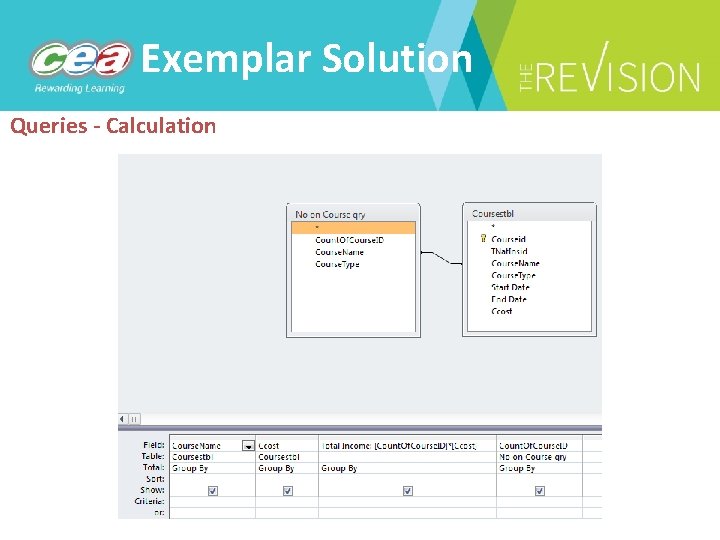
Exemplar Solution Queries - Calculation
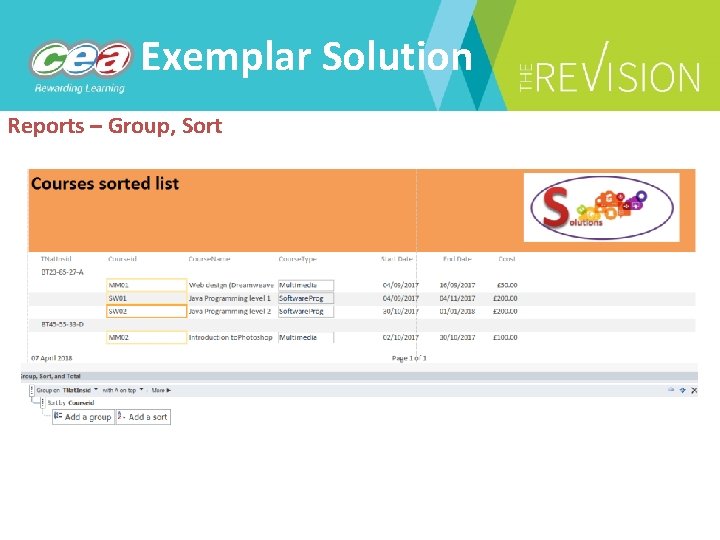
Exemplar Solution Reports – Group, Sort
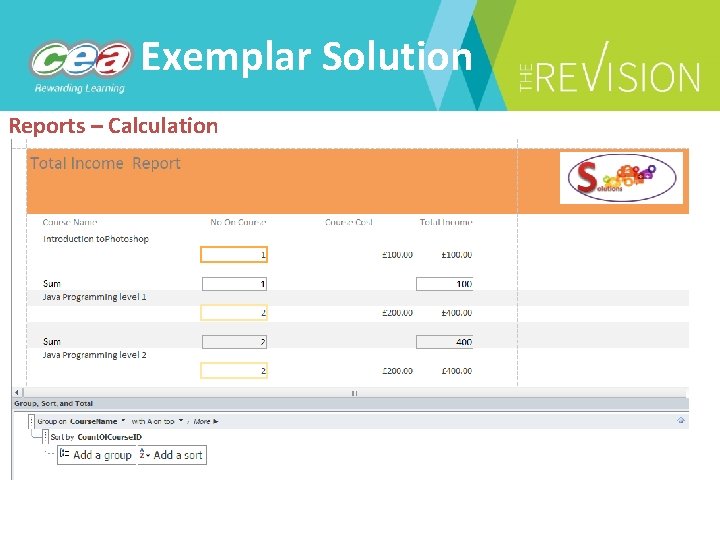
Exemplar Solution Reports – Calculation
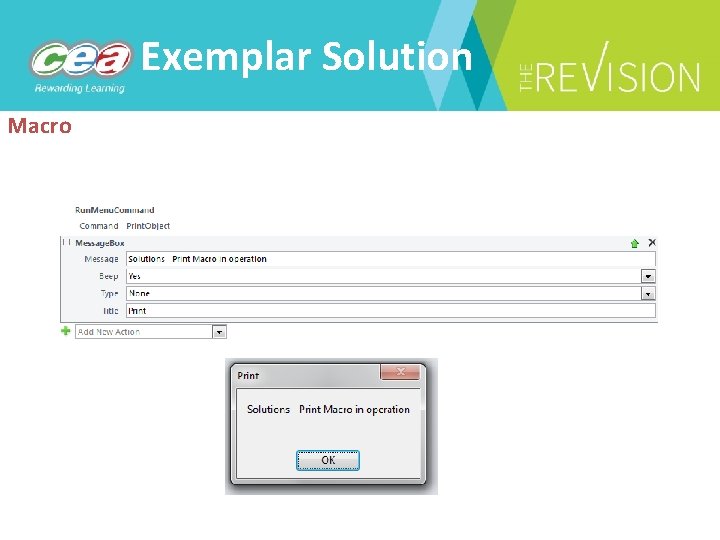
Exemplar Solution Macro
Task 4 (10 Marks) Evaluating the multimedia and database solution • Produce a well-structured evaluation of both solutions • Clear reflection on the extent to which the user requirements have been met – Fully met – Partially met – Not met • Performance and robustness issues have been included (link to testing) • Refinements are clearly identified. All documentation should be saved as one PDF.
Unit 4 Digital Development Concepts
Contemporary Trends • Describe two main approaches to software development – Procedural programming • Top down approach to software development • Use of variables, functions and data structures • Re-use of functions • Be able to give examples of procedural programming languages – Object oriented programming • Familiar with concept of objects, methods, class, inheritance and encapsulation • Familiar with the features of a software development environment e. g. code completion, line numbering, correction of code • NOTE Not expected to be able to code an object oriented solution in the examination – An understanding of need for code to be translated
Digital Data • Understand decimal, binary and HEX number representation • Conversion between decimal, binary and HEX • Difference between ASCII and Unicode in character representation • Simple binary addition with handling of overflow • Logical operations: AND, OR, NOT and production of associated truth tables • Use of data types: numeric, date/time, character and string
Digital Design Principles • • • Explain the concepts of decomposition, abstraction, pattern recognition and algorithm design – Use of flowcharts and pseudocode in algorithm design • Flowcharts – standard symbols for flow-line, Start/Stop, Input/Output, Process, Decision, Sub-routines, Documents • Pseudocode incorporating basic coding constructs, variable declaration and initialisation, data input and output Candidates are expected to be able to interpret and evaluate algorithms in any format produced by a third party Candidates should be able to produce their own basic algorithms including those for sorting and searching – Sort – bubble sort, insertion sort – Search – linear search, binary search
Digital Design Principles • Be able to refine a solution at the design stage to ensure user requirements are met • Be familiar with design techniques associated with – Detailing of data structures (data dictionary) – Interface design (wireframe diagram) – Use of dry runs to test a solution
Programming Constructs Unit 5 supports presentation of solutions in the following languages: Python, Java or C# Content in the unit 4 external assessment that relates to programming constructs will be algorithmic in nature • Key features / methods / structures candidates are expected to be familiar with include – Variables, constants, boolean operators, arithmetic operators, input and output statements and assignment statements (e. g. =) – Program control structures including sequencing, selection and repetition – One-dimensional arrays and their use for storing a set of data items of the same data type – Sort algorithms – bubble sort, insertion sort – Search algorithms – linear search, binary search
Programming Constructs • Key features / methods / structures continued – String manipulation methods e. g. splitting and concatenating strings, searching strings and substrings • Production of reusable code / methods / functions • Basic file handling methods – reading and writing
Simple Error Handling • Candidates should be able to – implement data validation methods in an algorithmic solution presence check, range check, length check, type checks and format checks – detect and correct errors in an algorithmic solution – identify and propose a solution to execution errors – be able to employ simple error-trapping techniques e. g. • debuggers • break-points • use of exception-handling features (write customised code) to handle specific errors
Developing Test Plans • Be able to describe and implement the following testing methods – White box – Black Box – Unit – Integration – System • Create / design a test plan which can – Assess how successfully a coded solution meets user requirements – Tests a coded solution through the use of valid, invalid and extreme test data
Evaluation • Be able to use an evaluation to ensure – the solution meets the original design document – the solution meets all user requirements – robustness of the solution – efficiency of the solution
Unit 5 Digital Development Practice
Task 1: Designing solutions using appropriate tools (13 marks ) Use algorithms to design a fully decomposed solution to a given problem: – specify the data requirements for a proposed solution – include suitable input, output and navigation design to enable a user to use the system successfully – use validation and error trapping proposals in the design to improve the potential robustness of the system
Task 2: Building a Solution (27 marks) Use the following features of an integrated development environment (IDE) to support the creation of a solution from a structured design: – code editor – simple debugging tools – compiler – error diagnostics – run-time environment – graphical user interface (GUI) (where appropriate)
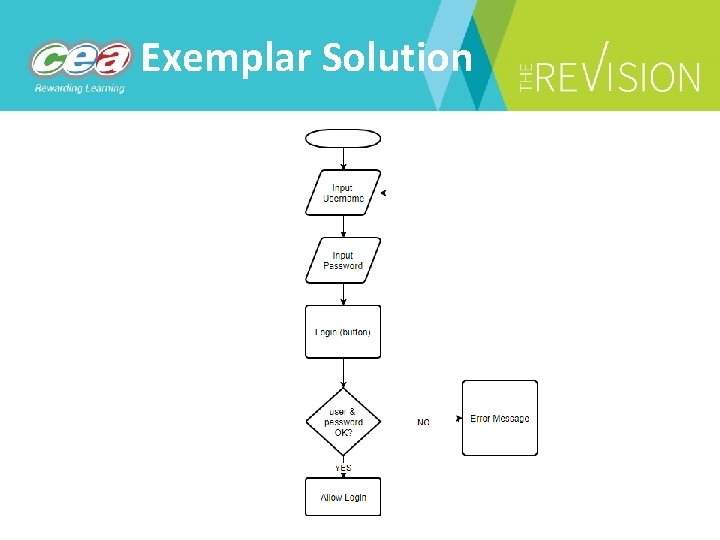
Exemplar Solution
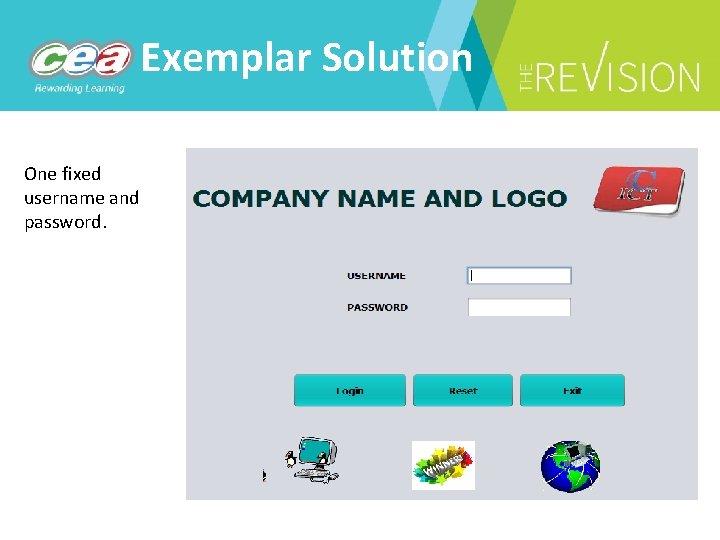
Exemplar Solution One fixed username and password.
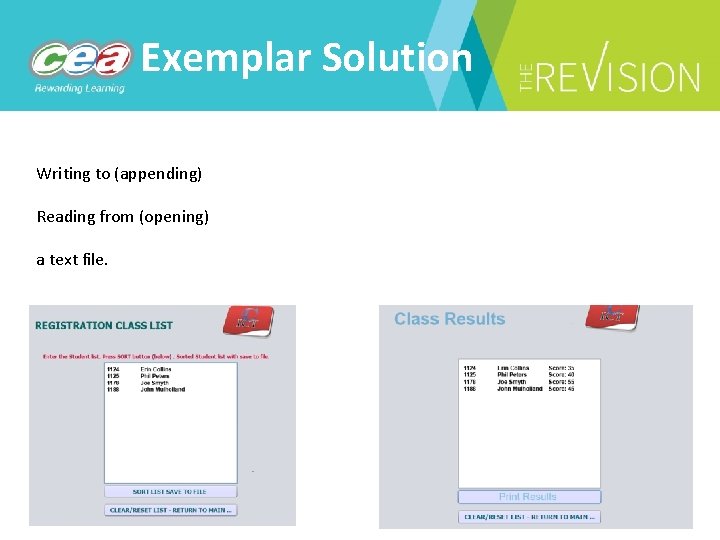
Exemplar Solution Writing to (appending) Reading from (opening) a text file.
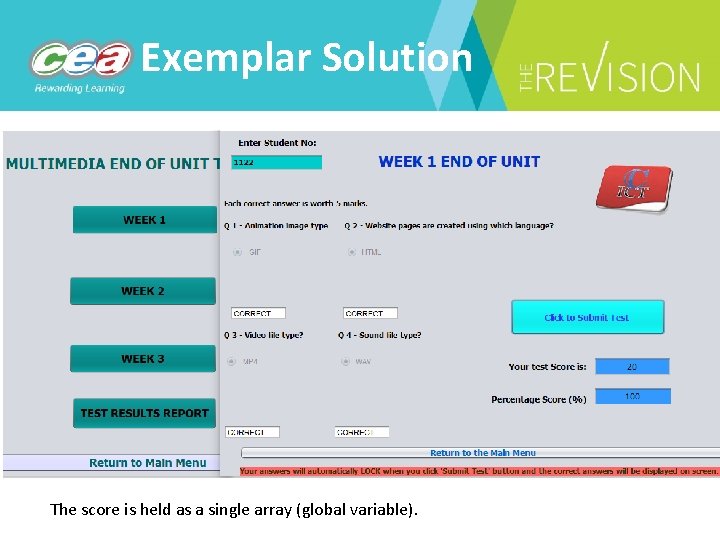
Exemplar Solution The score is held as a single array (global variable).
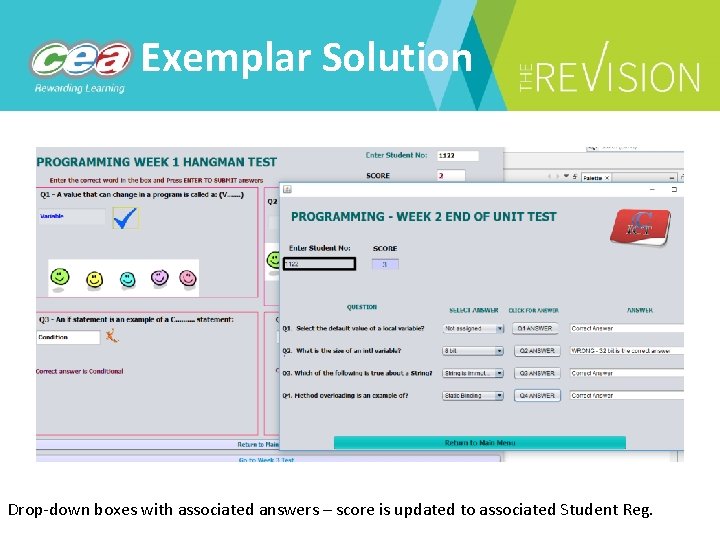
Exemplar Solution Drop-down boxes with associated answers – score is updated to associated Student Reg.
Building a solution (cont. ) Use the following features of a programming language to build a solution from a structured design: – data types: numeric; character; string; Boolean; and date/time Student Reg: numeric Username: string Password: string Score: numeric
Building a solution (cont. ) Use the following features of a programming language to build a solution from a structured design: – control structures: conditional execution if; conditional execution with alternative if else; and looping: for, while and repeat; Loops could be used for: • Questions with set answers • Reading/writing from the file • Producing reports
Building a solution (cont. ) Use the following features of a programming language to build a solution from a structured design: – functions: user-defined functions (e. g. methods written by candidate) in-built functions (e. g. Console. Write. Line, String to Numeric) mathematical functions (e. g. sqrt) – data structures: arrays; writing to text files; – string handling (using simple string handling functions);
Building a solution (cont. ) – basic arithmetic: addition, subtraction, multiplication and division; powers; and modulo arithmetic; – logical and relational operators (and complex combinations of these): equal to or not equal to; , <= and >=; and logical AND, OR and NOT;
Task 3: Testing a solution (10 marks) Create a test plan that: – is presented in tabular format – incorporates black box and white box testing – uses appropriate test data (valid, invalid, extreme) – shows expected outcome – identifies run-time and logic errors – reflects the general robustness of the system – measures the extent to which the solution meets the user requirements
Testing a solution – Test each module (on-going) – No requirement to screenshot every test (a range) – Highlight failed tests and show corrective action where appropriate – Ensure all white box testing (functionality) is completed at this stage – Testing against user requirements as part of evaluation process
Task 4: Evaluate the Solution (10 marks) Evaluate the solution, referring to the following: – Summary of the user requirements – Performance and robustness during testing – Refinements required following testing – Identify any potential limitations arising from the solution – Make recommendations for improving the system All documentation should be saved as one PDF.

Training/Events 1. Teacher Insight Visit on Artificial Intelligence and Automation at Catalyst Belfast Fintech Hub (8 th November) 2. GCE Digital Technology Agreement Trials (23 rd and 30 th November) 3. Allstate C# Training (June 2019) http: //ccea. org. uk/events
Curriculum Monitoring Programme • Online questionnaires (a series of 5 min questionnaires for all teachers) • School visits to hear from a wide range of teachers and leaders within schools • ALC Principals’ meetings • Subject specific panels of key stakeholders • Pupil interviews • Parent consultation through partnership with parenting organisations • Different schools will be involved in different aspects. Randomly selected schools and ALCs will be contacted by email.
Curriculum Monitoring Programme • To start professional discussions • A systematic programme of listening to empower teacher voice • To inform planning for support • To identify gaps and connections in the curriculum • Inform CCEA’s programme of support for 2019/20
Curriculum Monitoring Programme For further information, please contact: Post-primary Róisín Mc. Creesh T: 02890261200 ext: 2635 M: 07970204356 E: rmccreesh@ccea. org. uk Primary Emma Holmes T: 02890261200 ext: 2670 M: 07799346870 E: eholmes@ccea. org. uk

http: //ccea. org. uk/signup
Subscriber Campaign CCEA are moving to more email based communications with all our centres and this will include providing teachers with • information on subject updates • information on subject events • information on new support materials • general news information It’s important that YOU subscribe using the link on the homepage of our website or http: //ccea. org. uk/signup
Contact Details Subject Officer Specification Support Officer Michael Mc. Auley E: mmcauley@ccea. org. uk T: 02890261200 ext. 2342 Nuala Tierney E: ntierney@ccea. org. uk T: 02890261200 ext. 2292
- Slides: 69