
Gator Link Account Management Kerry Bader Identity Access
Gator. Link Account Management Kerry Bader, Identity & Access Management Nick O’Connor, UF Computing Help Desk One. IT for the #Gator. Good
Why Change? Gator. Link Account Management § Forgot Password § Vulnerability of Security Questions § Compromised Accounts § Better information for the UF Registry § Self Service Functionality § Less Username Replacements One. IT for the #Gator. Good
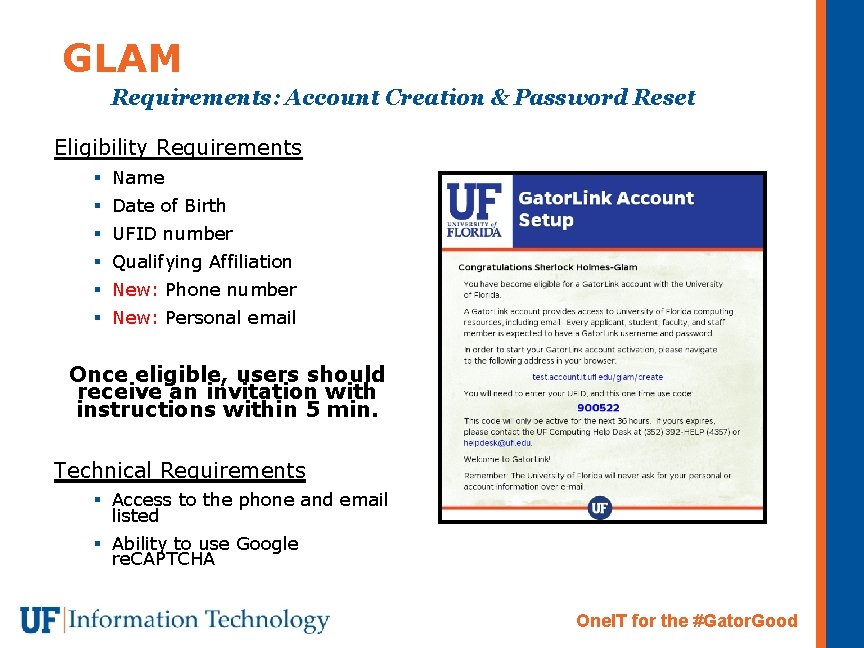
GLAM Requirements: Account Creation & Password Reset Eligibility Requirements § Name § Date of Birth § UFID number § Qualifying Affiliation § New: Phone number § New: Personal email Once eligible, users should receive an invitation with instructions within 5 min. Technical Requirements § Access to the phone and email listed § Ability to use Google re. CAPTCHA One. IT for the #Gator. Good
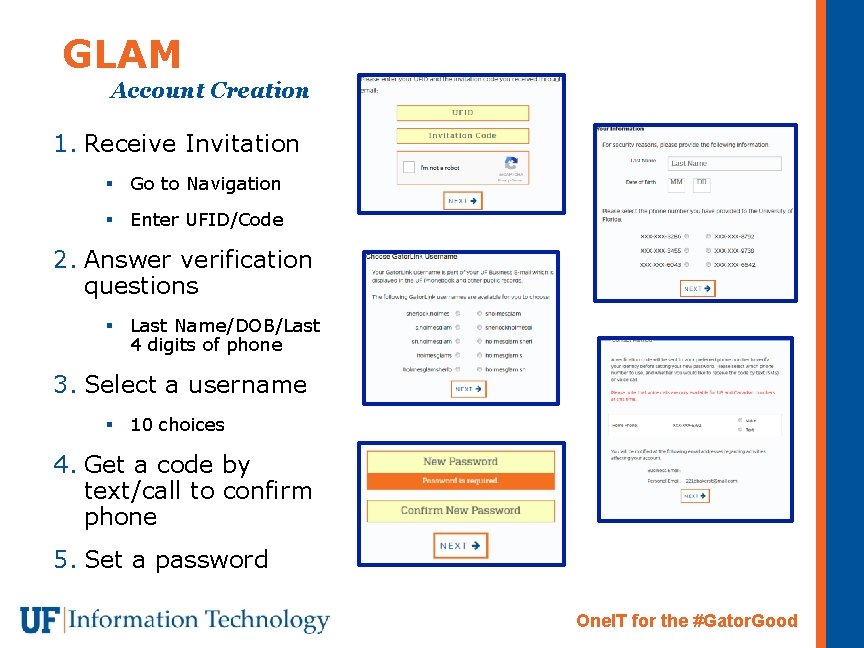
GLAM Account Creation 1. Receive Invitation § Go to Navigation § Enter UFID/Code 2. Answer verification questions § Last Name/DOB/Last 4 digits of phone 3. Select a username § 10 choices 4. Get a code by text/call to confirm phone 5. Set a password One. IT for the #Gator. Good
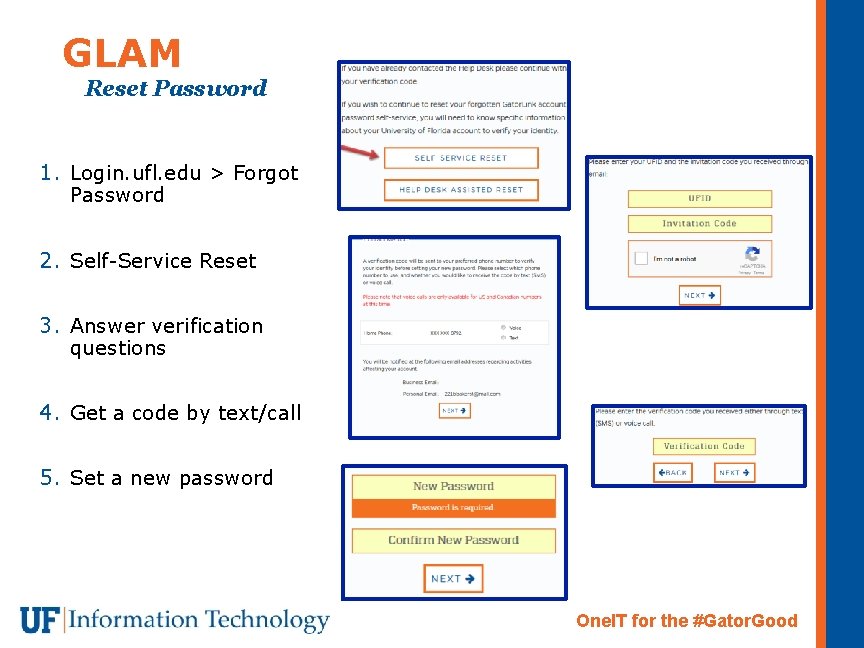
GLAM Reset Password 1. Login. ufl. edu > Forgot Password 2. Self-Service Reset 3. Answer verification questions 4. Get a code by text/call 5. Set a new password One. IT for the #Gator. Good
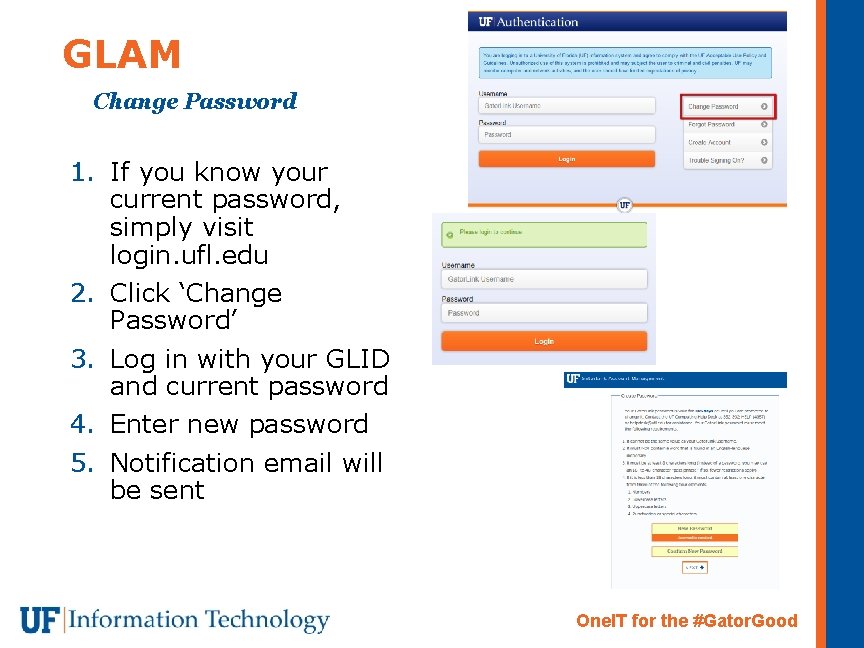
GLAM Change Password 1. If you know your current password, simply visit login. ufl. edu 2. Click ‘Change Password’ 3. Log in with your GLID and current password 4. Enter new password 5. Notification email will be sent One. IT for the #Gator. Good
- Slides: 6