
Gallagher Integration Apr 2014 Agenda l System Architecture
- Slides: 18
Gallagher Integration Apr, 2014
Agenda l System Architecture l Key Features l Quick Setup Guide
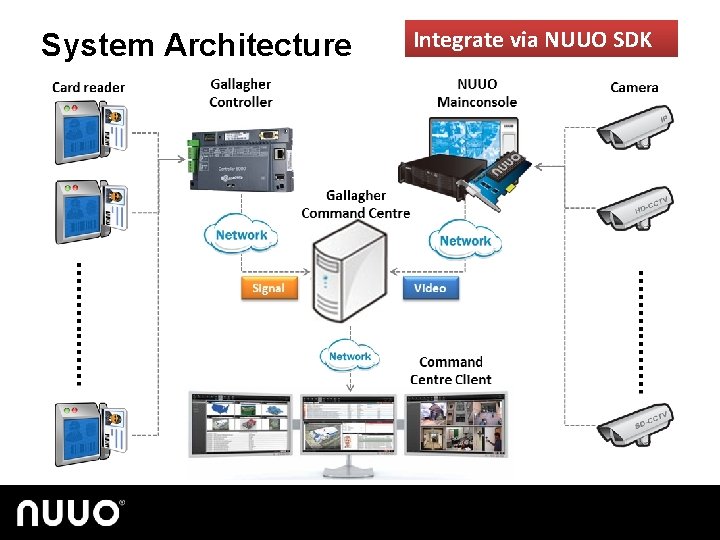
System Architecture Integrate via NUUO SDK
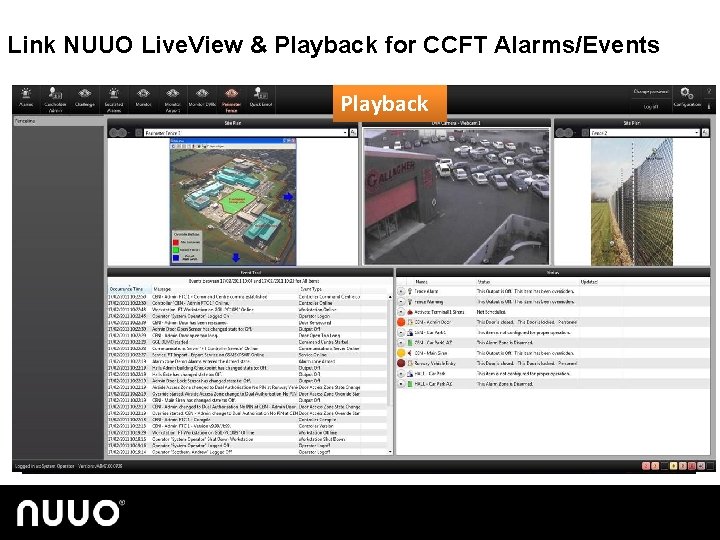
Key Features l Compatible with NUUO & Gallagher latest version l Mainconsole Tribrid v 5. 0 l Gallagher CCFT v 7. 10 l Link NUUO Live. View and Playback for Gallagher CCFT Alarms/Events
Link NUUO Live. View & Playback for CCFT Alarms/Events Playback Live. View
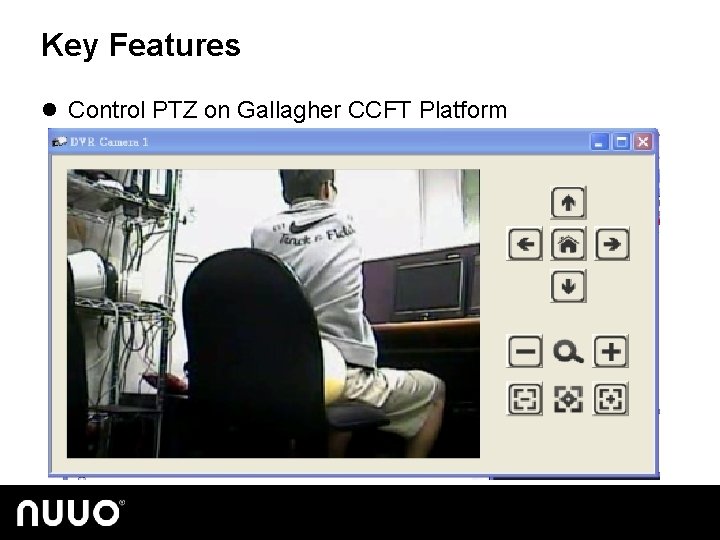
Key Features l Control PTZ on Gallagher CCFT Platform
Quick Setup Guide Apr, 2014
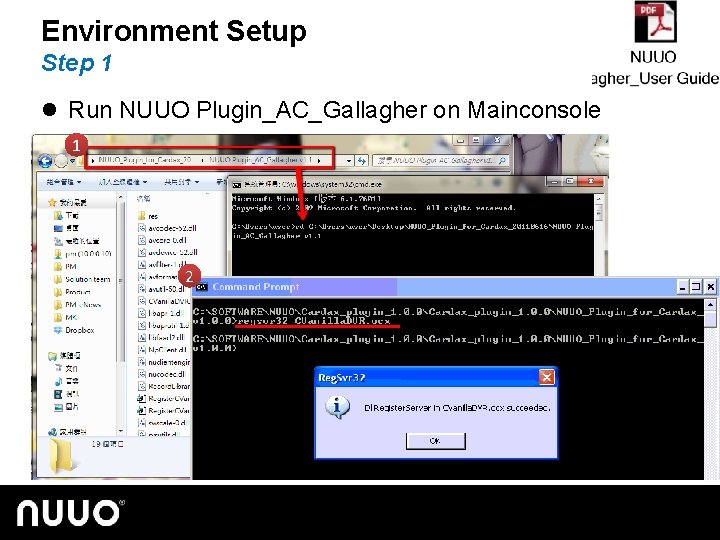
Environment Setup Step 1 l Run NUUO Plugin_AC_Gallagher on Mainconsole 1 2
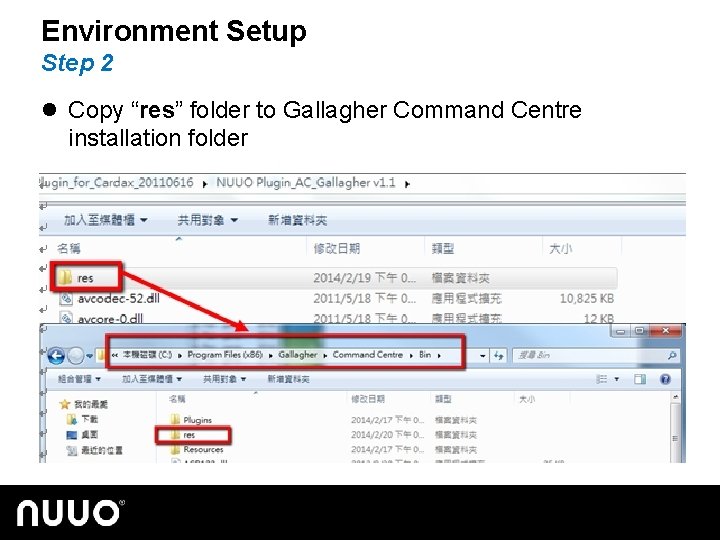
Environment Setup Step 2 l Copy “res” folder to Gallagher Command Centre installation folder
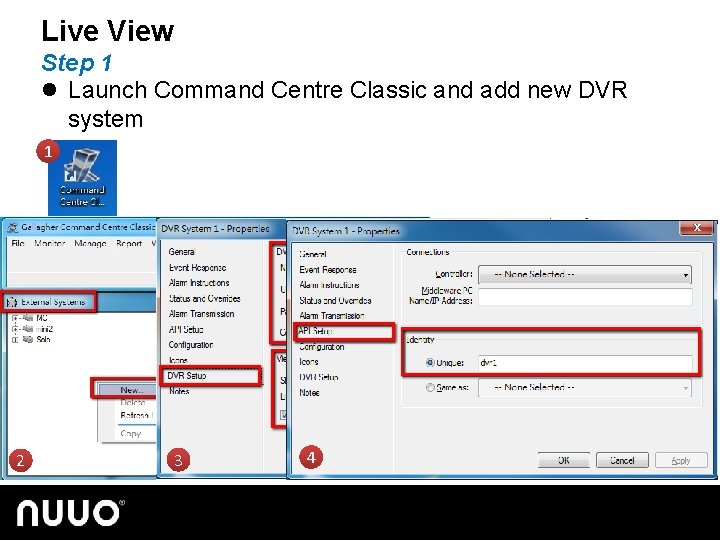
Live View Step 1 l Launch Command Centre Classic and add new DVR system 1 2 3 4
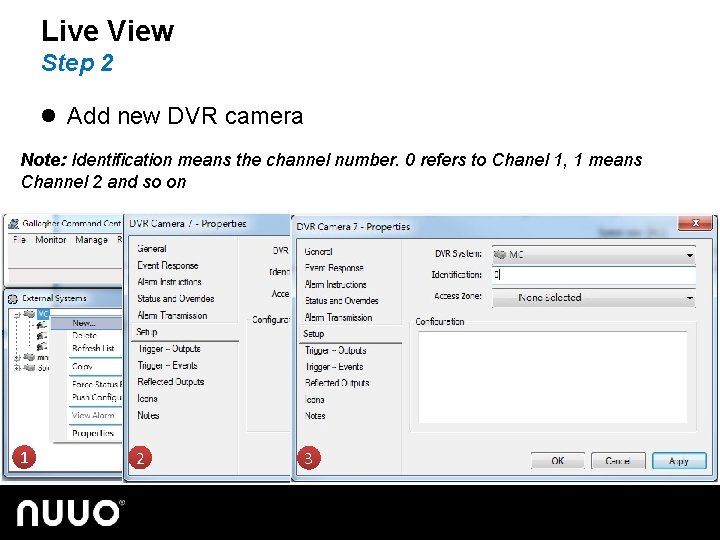
Live View Step 2 l Add new DVR camera Note: Identification means the channel number. 0 refers to Chanel 1, 1 means Channel 2 and so on 1 2 3
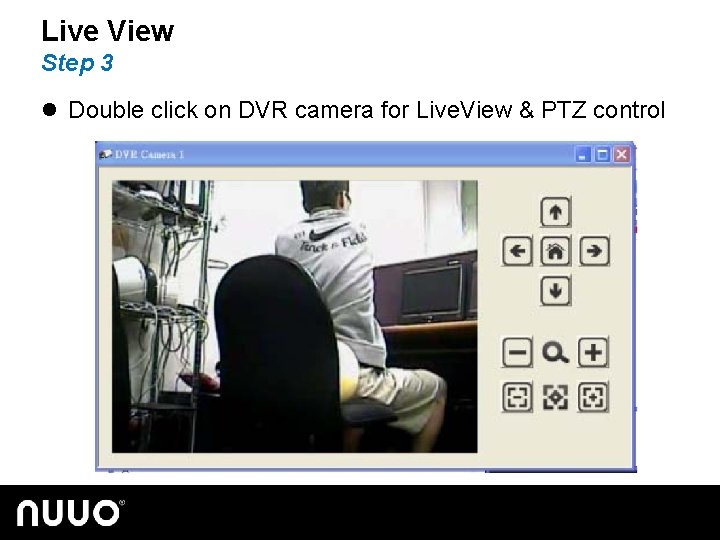
Live View Step 3 l Double click on DVR camera for Live. View & PTZ control
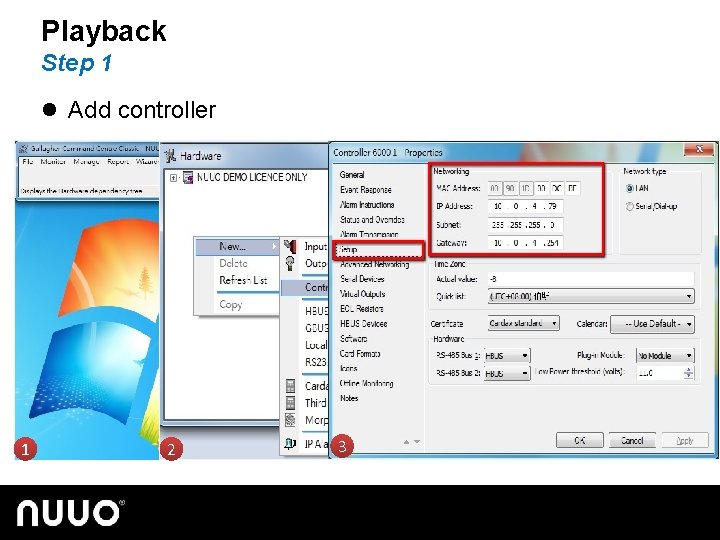
Playback Step 1 l Add controller 1 2 3
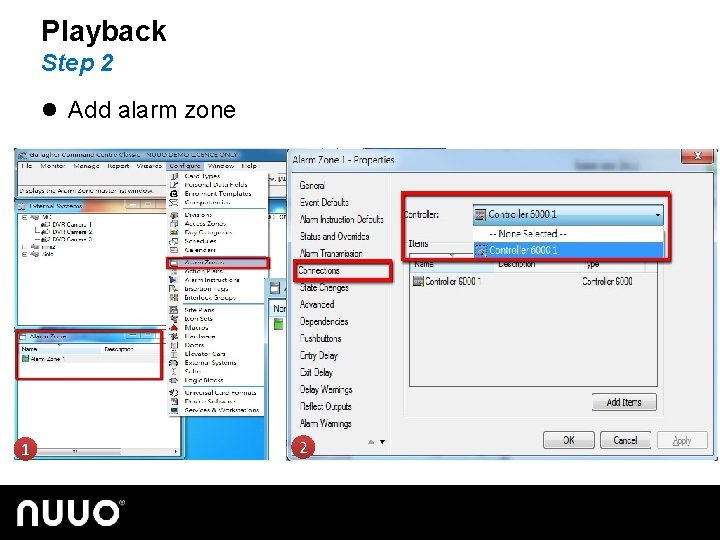
Playback Step 2 l Add alarm zone 1 2
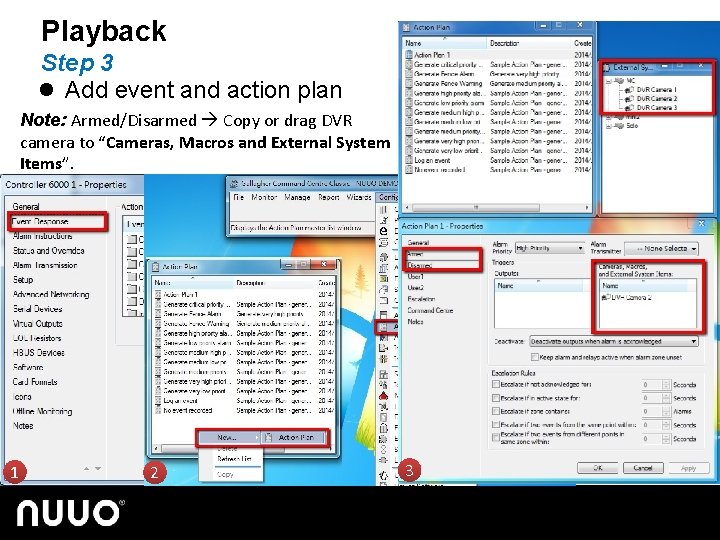
Playback Step 3 l Add event and action plan Note: Armed/Disarmed Copy or drag DVR camera to “Cameras, Macros and External System Items”. 1 2 3
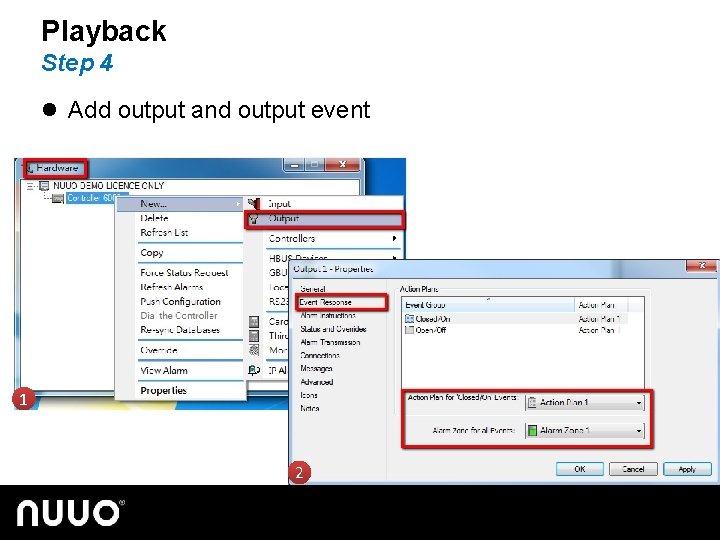
Playback Step 4 l Add output and output event 1 2
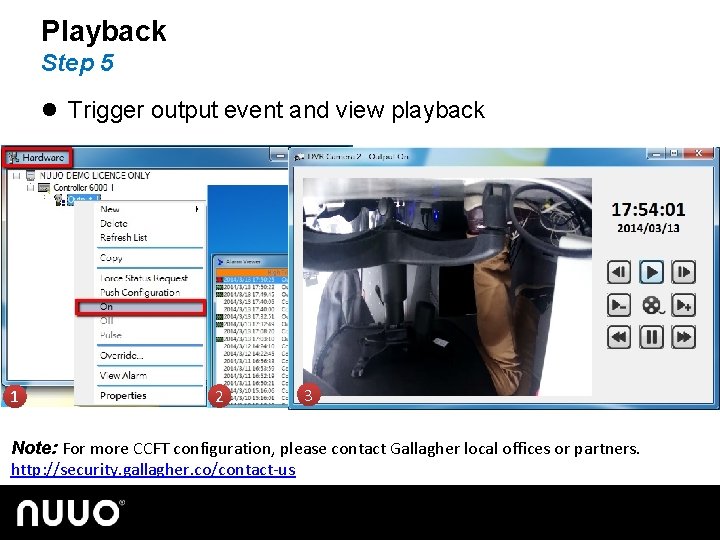
Playback Step 5 l Trigger output event and view playback 1 2 3 Note: For more CCFT configuration, please contact Gallagher local offices or partners. http: //security. gallagher. co/contact-us
Thank you Apr, 2014