
Gage View Thickness File Types Introduction to Gage

- Slides: 35
Gage. View Thickness File Types
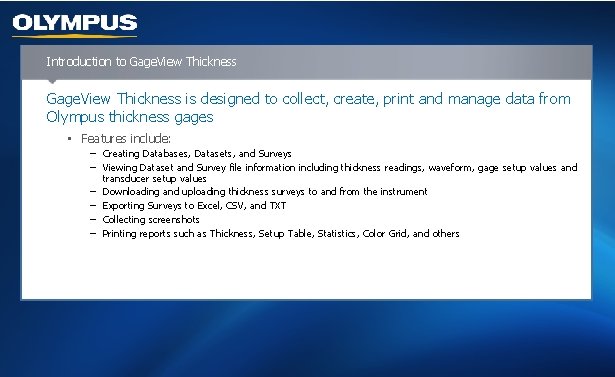
Introduction to Gage. View Thickness is designed to collect, create, print and manage data from Olympus thickness gages • Features include: − Creating Databases, Datasets, and Surveys − Viewing Dataset and Survey file information including thickness readings, waveform, gage setup values and transducer setup values − Downloading and uploading thickness surveys to and from the instrument − Exporting Surveys to Excel, CSV, and TXT − Collecting screenshots − Printing reports such as Thickness, Setup Table, Statistics, Color Grid, and others
Definition of Basic Terms – Thickness Measurement Locations • The inspection points defined in a survey file that correspond to the actual spots on the equipment that thickness measurements will be taken • Known as: − TMLs – Thickness Measurement Locations − IDs – Identification Numbers − Data/Inspection points
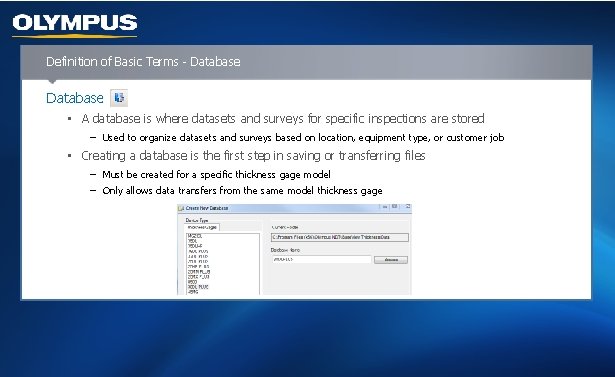
Definition of Basic Terms - Database • A database is where datasets and surveys for specific inspections are stored − Used to organize datasets and surveys based on location, equipment type, or customer job • Creating a database is the first step in saving or transferring files − Must be created for a specific thickness gage model − Only allows data transfers from the same model thickness gage
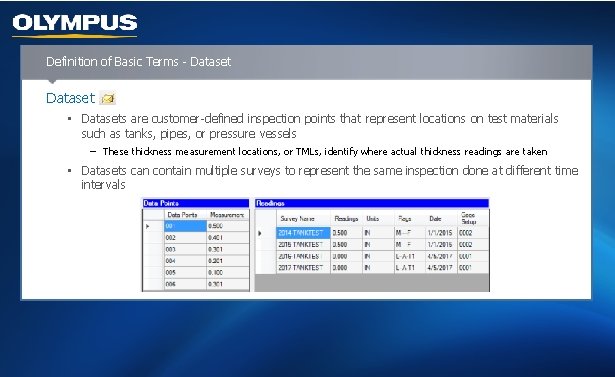
Definition of Basic Terms - Dataset • Datasets are customer-defined inspection points that represent locations on test materials such as tanks, pipes, or pressure vessels − These thickness measurement locations, or TMLs, identify where actual thickness readings are taken • Datasets can contain multiple surveys to represent the same inspection done at different time intervals
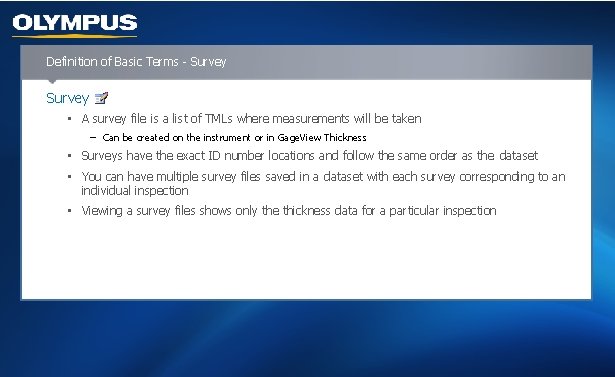
Definition of Basic Terms - Survey • A survey file is a list of TMLs where measurements will be taken − Can be created on the instrument or in Gage. View Thickness • Surveys have the exact ID number locations and follow the same order as the dataset • You can have multiple survey files saved in a dataset with each survey corresponding to an individual inspection • Viewing a survey files shows only the thickness data for a particular inspection
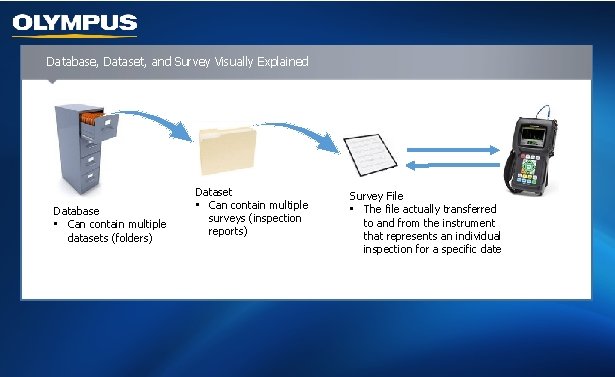
Database, Dataset, and Survey Visually Explained Database • Can contain multiple datasets (folders) Dataset • Can contain multiple surveys (inspection reports) Survey File • The file actually transferred to and from the instrument that represents an individual inspection for a specific date
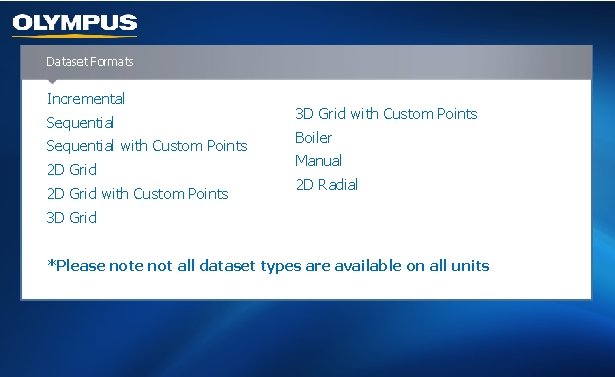
Dataset Formats Incremental Sequential with Custom Points 2 D Grid with Custom Points 3 D Grid with Custom Points Boiler Manual 2 D Radial 3 D Grid *Please not all dataset types are available on all units
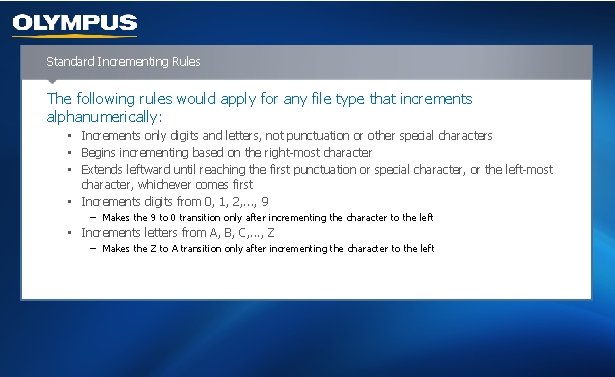
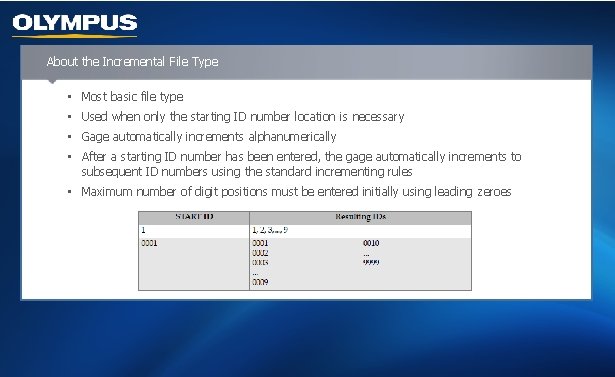
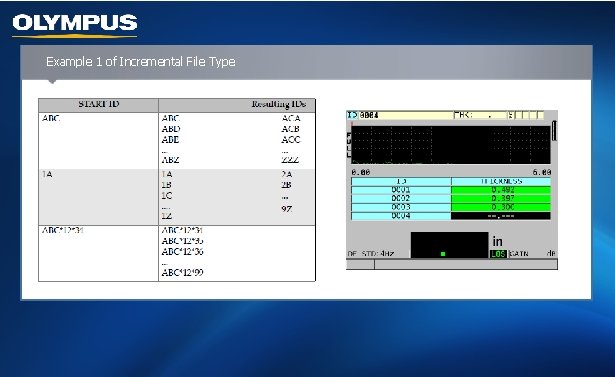
Standard Incrementing Rules The following rules would apply for any file type that increments alphanumerically: • Increments only digits and letters, not punctuation or other special characters • Begins incrementing based on the right-most character • Extends leftward until reaching the first punctuation or special character, or the left-most character, whichever comes first • Increments digits from 0, 1, 2, . . . , 9 − Makes the 9 to 0 transition only after incrementing the character to the left • Increments letters from A, B, C, . . . , Z − Makes the Z to A transition only after incrementing the character to the left
About the Incremental File Type • Most basic file type • Used when only the starting ID number location is necessary • Gage automatically increments alphanumerically • After a starting ID number has been entered, the gage automatically increments to subsequent ID numbers using the standard incrementing rules • Maximum number of digit positions must be entered initially using leading zeroes
Example 1 of Incremental File Type
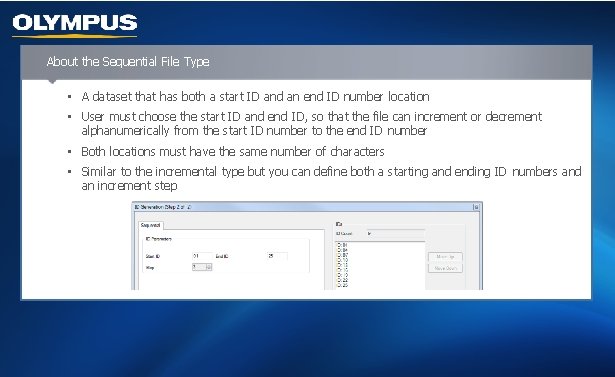
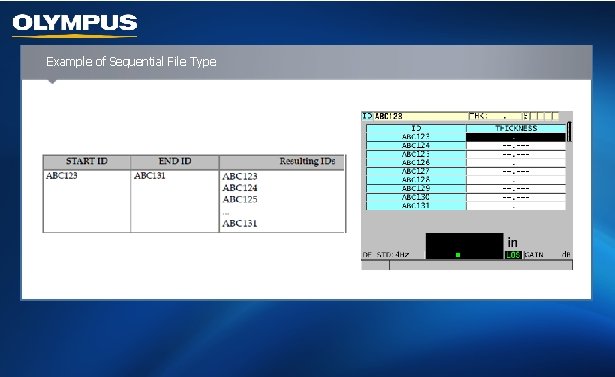
About the Sequential File Type • A dataset that has both a start ID and an end ID number location • User must choose the start ID and end ID, so that the file can increment or decrement alphanumerically from the start ID number to the end ID number • Both locations must have the same number of characters • Similar to the incremental type but you can define both a starting and ending ID numbers and an increment step
Example of Sequential File Type
Knowledge Check True or False Datasets are customer-defined inspection points or IDs within Gage. View Thickness that represent various inspection locations on tanks, pipes, or pressure vessels.
About the Sequential with Custom Points File Type • Defined by a starting and an ending ID number plus a series of custom points − Resulting file is inclusive of the start and end points and all points in between − User has ability to choose increment step • Allowable number of characters for each custom point depends on the ID number of characters defined in the start and end ID values − Total number of characters of the ID value plus the custom points cannot exceed 20 characters • Creates a custom grid type file where either the row or column is an incremental alphanumerical list and the other row or column is a list of custom defined points
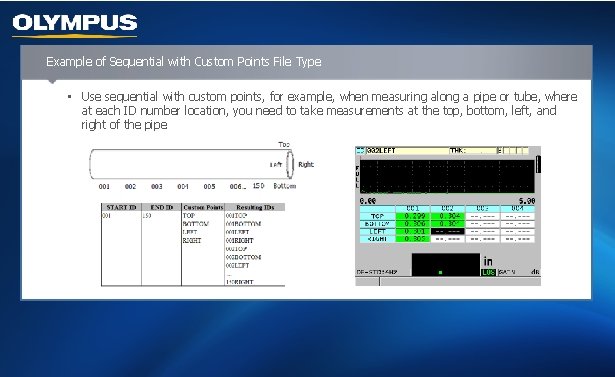
Example of Sequential with Custom Points File Type • Use sequential with custom points, for example, when measuring along a pipe or tube, where at each ID number location, you need to take measurements at the top, bottom, left, and right of the pipe
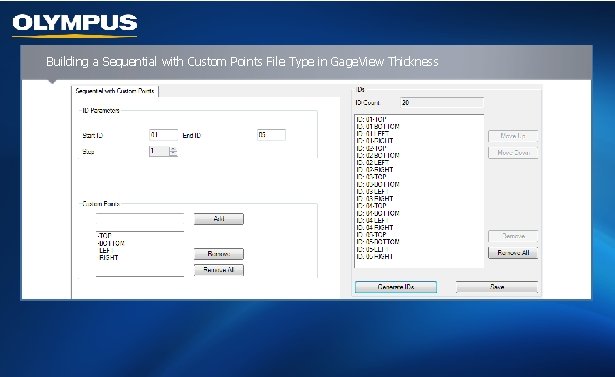
Building a Sequential with Custom Points File Type in Gage. View Thickness
About the 2 D Grid Data File Type • A sequence of ID numbers arranged to describe the intersection of two dimensions (rows and columns) • Starts with the ID number that refers to the first column and first row • Increments one value at a time until the sequence reaches the last column or row while the other dimension value stays constant • Then the other dimension increments from its first to its last value • This continues until the ID number that refers to the last column and last row is reached • User can choose to increment first by column or row
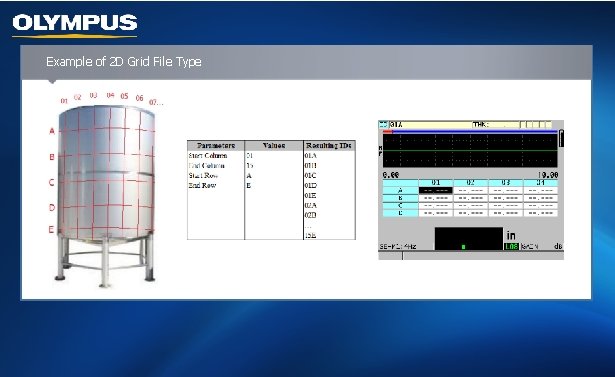
Example of 2 D Grid File Type
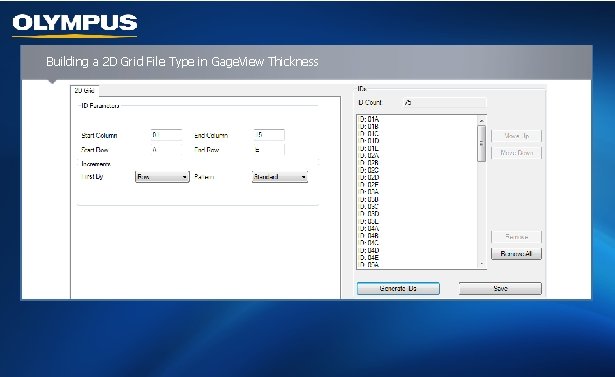
Building a 2 D Grid File Type in Gage. View Thickness
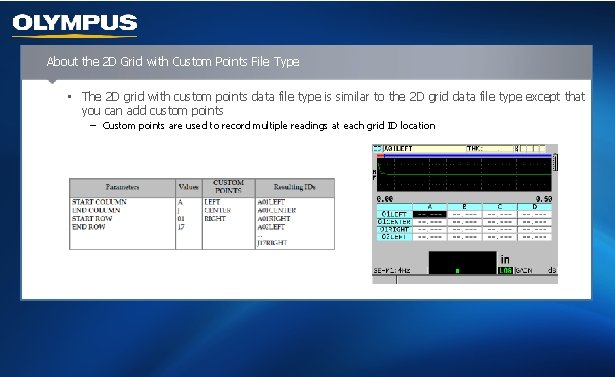
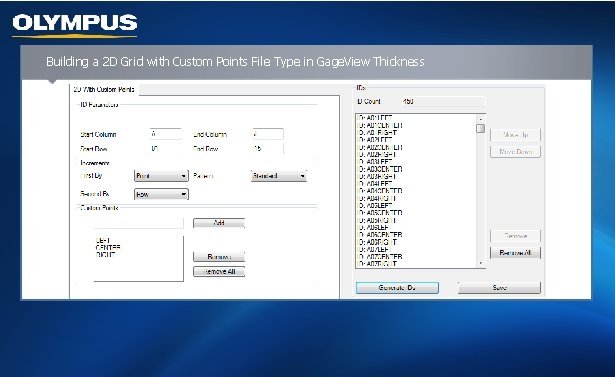
About the 2 D Grid with Custom Points File Type • The 2 D grid with custom points data file type is similar to the 2 D grid data file type except that you can add custom points − Custom points are used to record multiple readings at each grid ID location
Building a 2 D Grid with Custom Points File Type in Gage. View Thickness
Knowledge Check Multiple Choice Which file type is defined by a starting and an ending ID number plus a list of custom points? A. Incremental B. Sequential with custom points C. 2 D Grid D. 3 D Grid
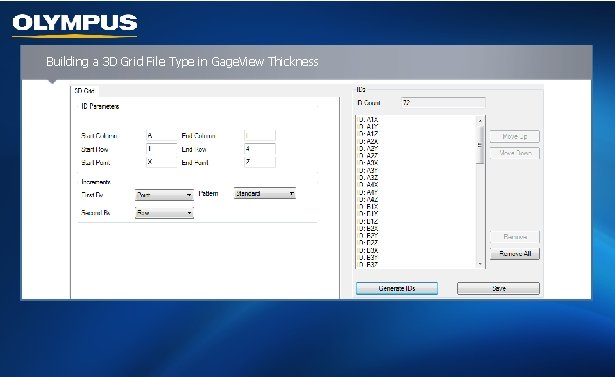
About the 3 D Grid File Type • A sequence of multipart ID numbers arranged to describe a path through a three-dimensional matrix • Each part of the ID number corresponds to a particular matrix dimension (columns, rows, and points) • Each time you press [SAVE/SEND], the value for the first dimension increments by one while the values for the other two dimensions remain unchanged • When the sequence reaches the last value of the first dimension, the value for the second dimension increments by one • This continues until the ID number that refers to the last column, last row and last point is reached • You can choose which parameters (columns, rows, or points) will increment first, second, and third
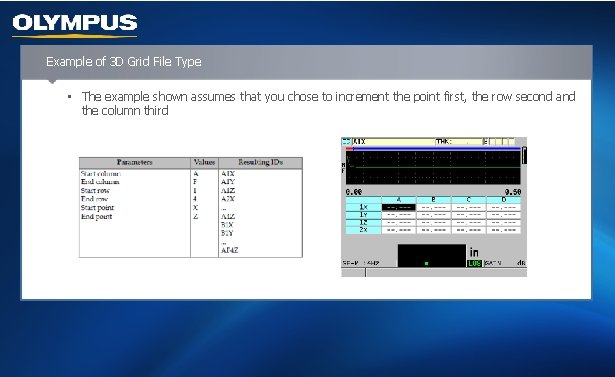
Example of 3 D Grid File Type • The example shown assumes that you chose to increment the point first, the row second and the column third
Building a 3 D Grid File Type in Gage. View Thickness
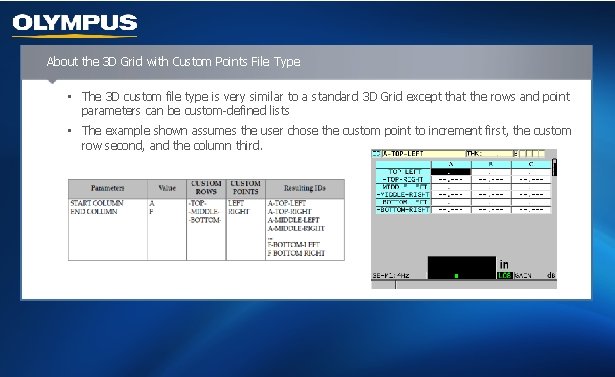
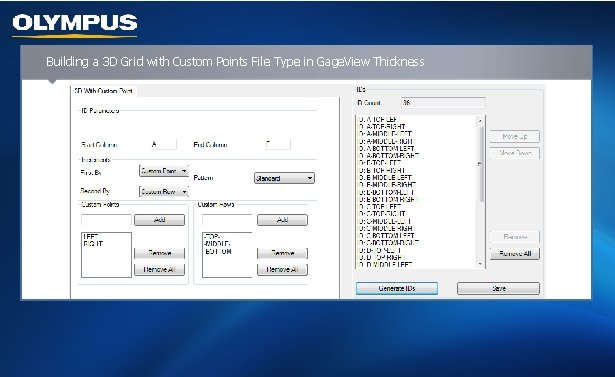
About the 3 D Grid with Custom Points File Type • The 3 D custom file type is very similar to a standard 3 D Grid except that the rows and point parameters can be custom-defined lists • The example shown assumes the user chose the custom point to increment first, the custom row second, and the column third.
Building a 3 D Grid with Custom Points File Type in Gage. View Thickness
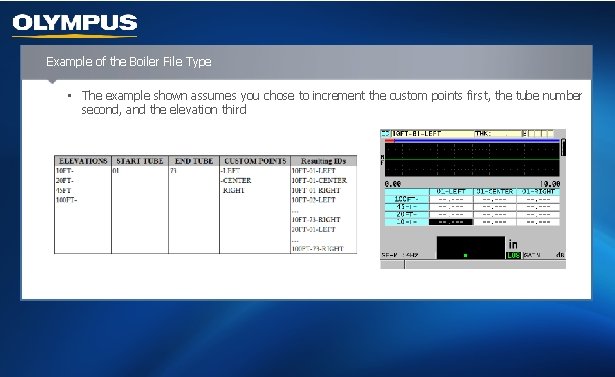
About the Boiler File Type • A special file type designed specifically for boiler applications • A common method for identifying a thickness measurement location is using the following three dimensional approach: − Elevation: the first dimension refers to the physical distance from the bottom of the boiler toward the top − Tube number: the second dimension refers to the number of the specific boiler tube to be inspected − Custom points: the third dimension refers to the number of points taken on each boiler tube at the specific elevation • Typical convention: left-center-right, left-right, or center • These three dimensions are combined in a single ID number to precisely identify the exact location of each thickness reading
Example of the Boiler File Type • The example shown assumes you chose to increment the custom points first, the tube number second, and the elevation third
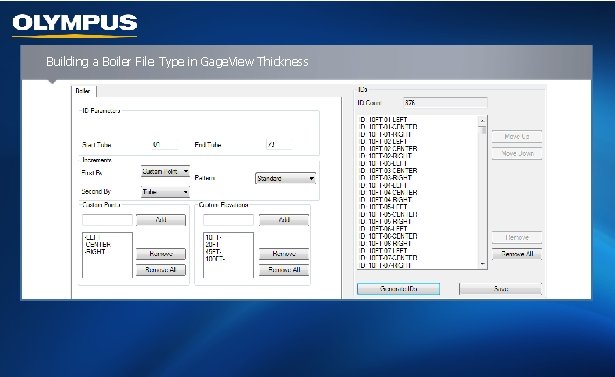
Building a Boiler File Type in Gage. View Thickness
Knowledge Check True or False In a 3 D Grid file type, the user is only able to increment first by column.
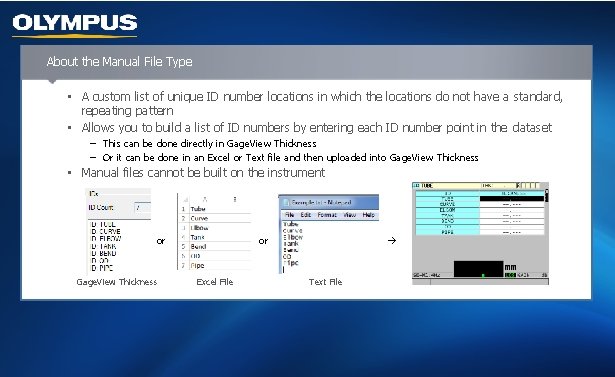
About the Manual File Type • A custom list of unique ID number locations in which the locations do not have a standard, repeating pattern • Allows you to build a list of ID numbers by entering each ID number point in the dataset − This can be done directly in Gage. View Thickness − Or it can be done in an Excel or Text file and then uploaded into Gage. View Thickness • Manual files cannot be built on the instrument or Gage. View Thickness or Excel File Text File
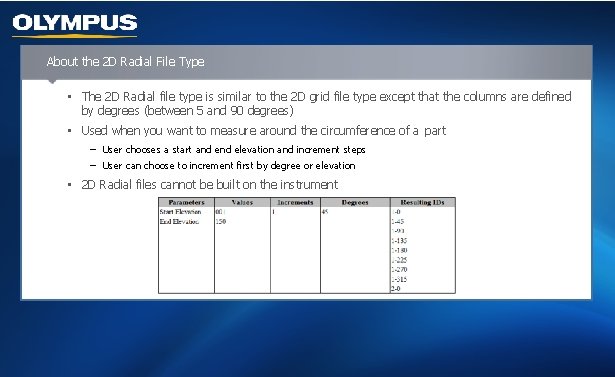
About the 2 D Radial File Type • The 2 D Radial file type is similar to the 2 D grid file type except that the columns are defined by degrees (between 5 and 90 degrees) • Used when you want to measure around the circumference of a part − User chooses a start and elevation and increment steps − User can choose to increment first by degree or elevation • 2 D Radial files cannot be built on the instrument
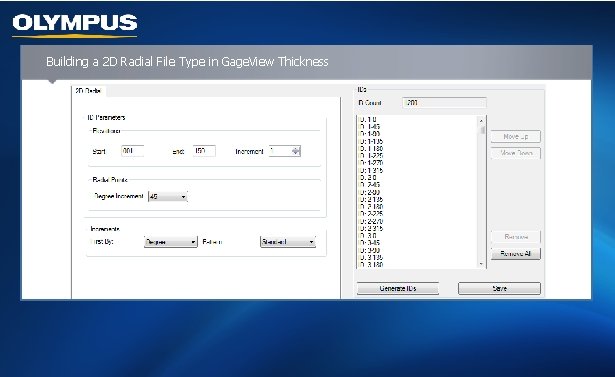
Building a 2 D Radial File Type in Gage. View Thickness