
G 1000 Observer Training Day 2 Audio Panel
G 1000 Observer Training Day 2: Audio Panel, Becker DF, Review
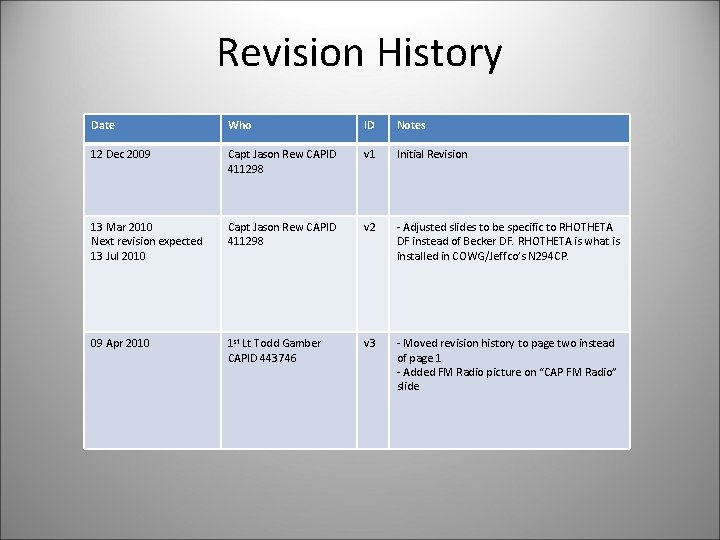
Revision History Date Who ID Notes 12 Dec 2009 Capt Jason Rew CAPID 411298 v 1 Initial Revision 13 Mar 2010 Next revision expected 13 Jul 2010 Capt Jason Rew CAPID 411298 v 2 - Adjusted slides to be specific to RHOTHETA DF instead of Becker DF. RHOTHETA is what is installed in COWG/Jeffco’s N 294 CP. 09 Apr 2010 1 st Lt Todd Gamber CAPID 443746 v 3 - Moved revision history to page two instead of page 1 - Added FM Radio picture on “CAP FM Radio” slide
Table of Contents • CAP Fleet • G 1000 Audio Panel • Comm and Nav functions • Volume and Squelch functions • Isolation functions • Technisonics Radio – Review • 406 Technology • Rhotheta/Becker DF • How to use the box • Tracking signals
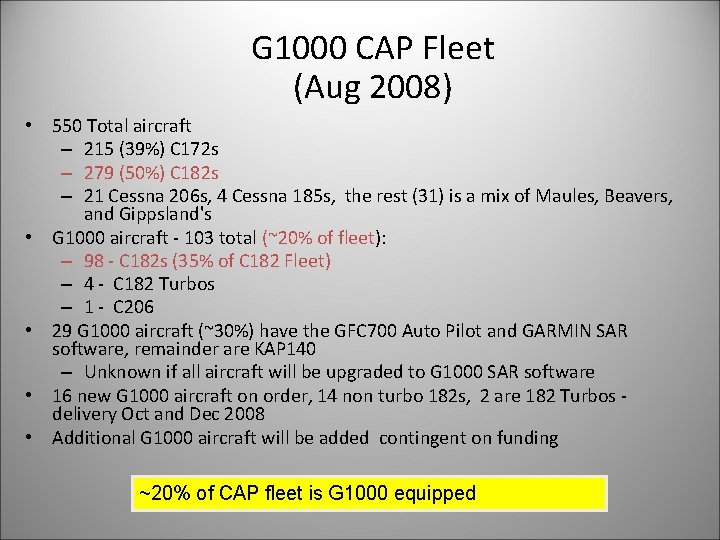
G 1000 CAP Fleet (Aug 2008) • 550 Total aircraft – 215 (39%) C 172 s – 279 (50%) C 182 s – 21 Cessna 206 s, 4 Cessna 185 s, the rest (31) is a mix of Maules, Beavers, and Gippsland's • G 1000 aircraft - 103 total (~20% of fleet): – 98 - C 182 s (35% of C 182 Fleet) – 4 - C 182 Turbos – 1 - C 206 • 29 G 1000 aircraft (~30%) have the GFC 700 Auto Pilot and GARMIN SAR software, remainder are KAP 140 – Unknown if all aircraft will be upgraded to G 1000 SAR software • 16 new G 1000 aircraft on order, 14 non turbo 182 s, 2 are 182 Turbos delivery Oct and Dec 2008 • Additional G 1000 aircraft will be added contingent on funding ~20% of CAP fleet is G 1000 equipped 4
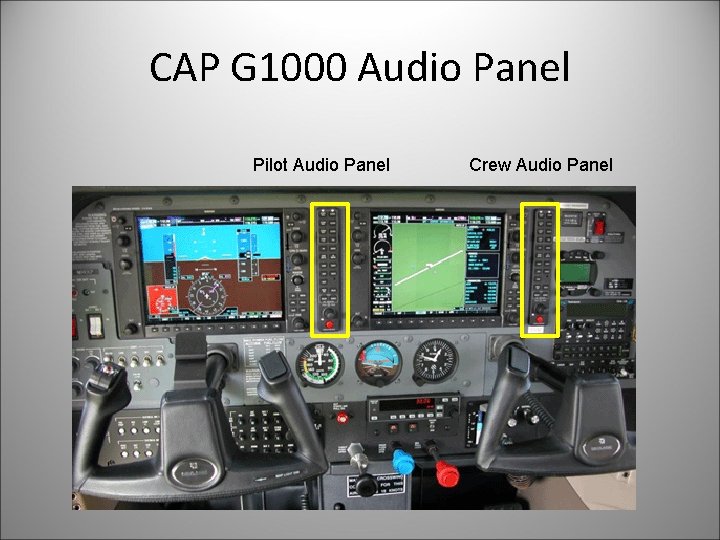
CAP G 1000 Audio Panel Pilot Audio Panel Crew Audio Panel
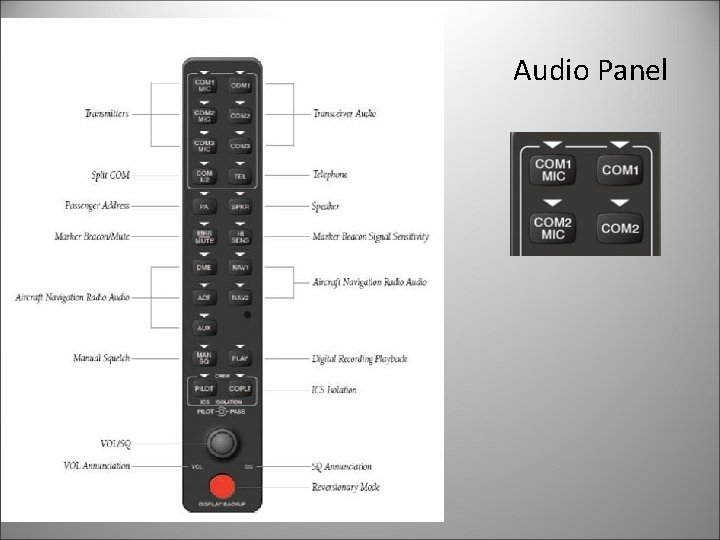
Audio Panel
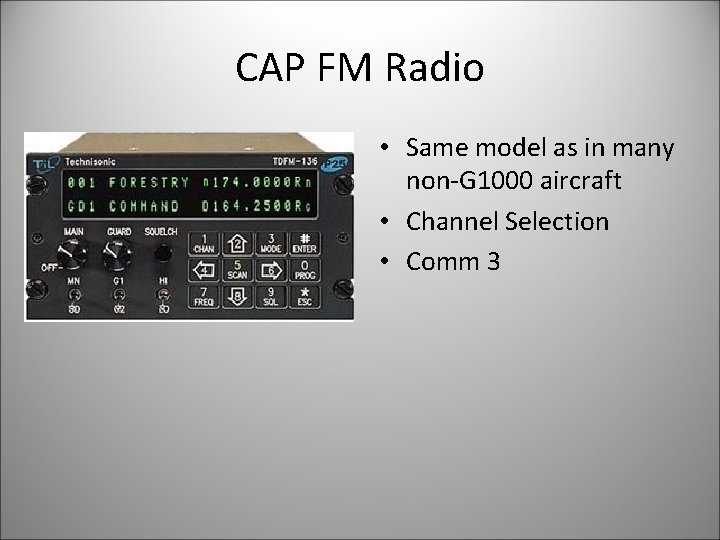
CAP FM Radio • Same model as in many non-G 1000 aircraft • Channel Selection • Comm 3
406 mhz Technology • 406 ELT MAS 2009 Presentation
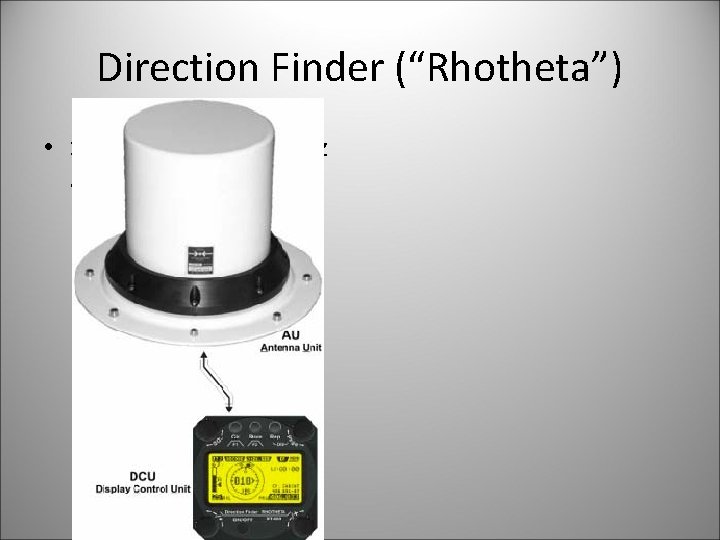
Direction Finder (“Rhotheta”) • Supports new 406 MHz as well as 121. 5 MHz
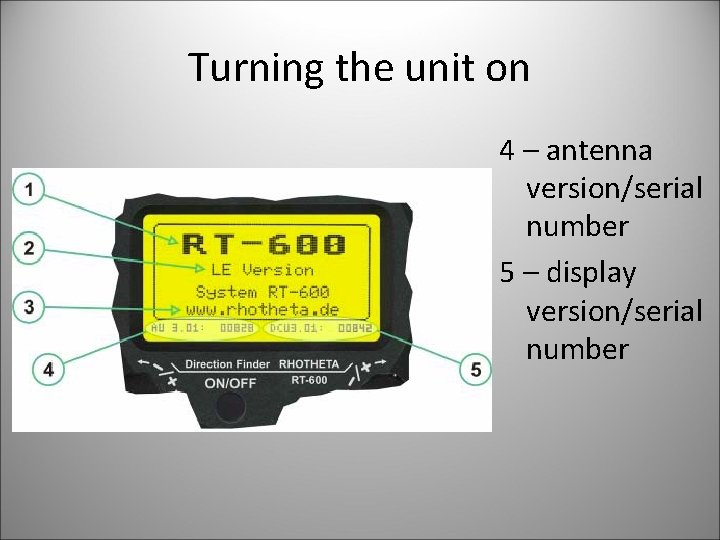
Turning the unit on 4 – antenna version/serial number 5 – display version/serial number
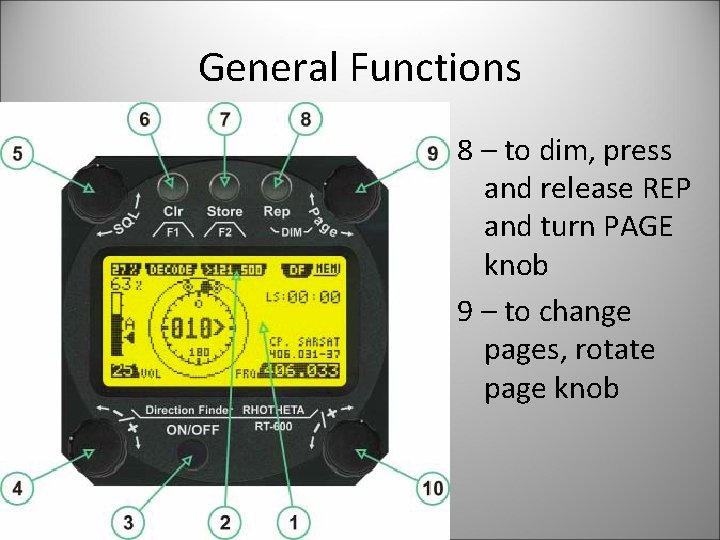
General Functions 8 – to dim, press and release REP and turn PAGE knob 9 – to change pages, rotate page knob
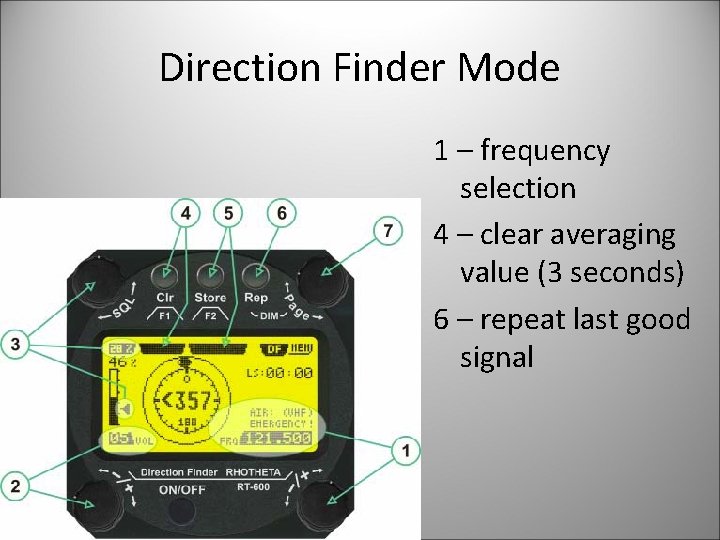
Direction Finder Mode 1 – frequency selection 4 – clear averaging value (3 seconds) 6 – repeat last good signal
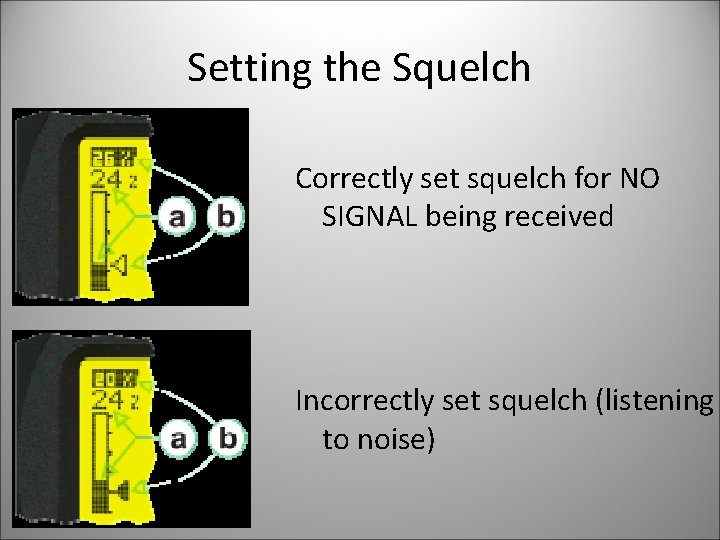
Setting the Squelch Correctly set squelch for NO SIGNAL being received Incorrectly set squelch (listening to noise)
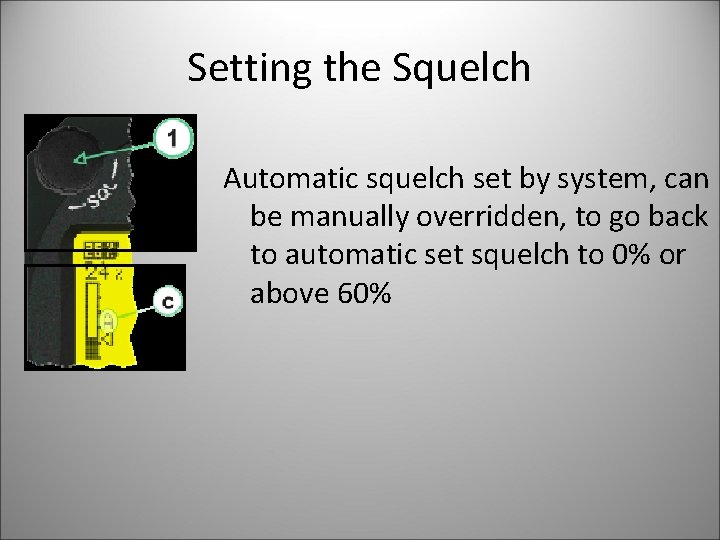
Setting the Squelch Automatic squelch set by system, can be manually overridden, to go back to automatic set squelch to 0% or above 60%
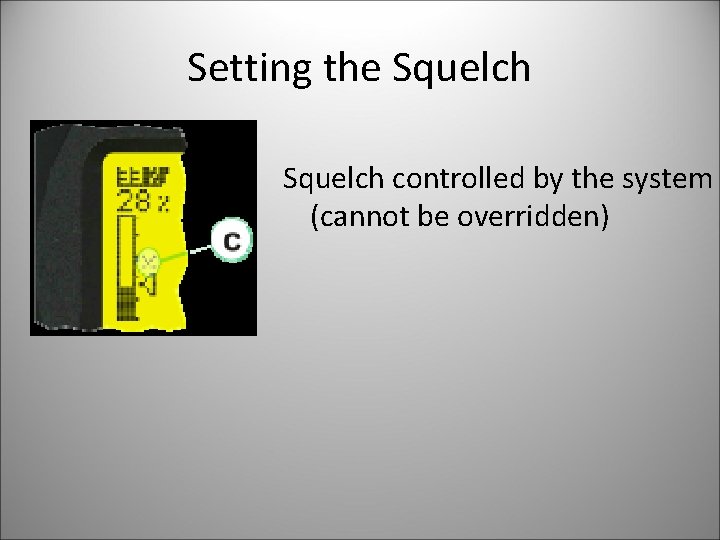
Setting the Squelch controlled by the system (cannot be overridden)
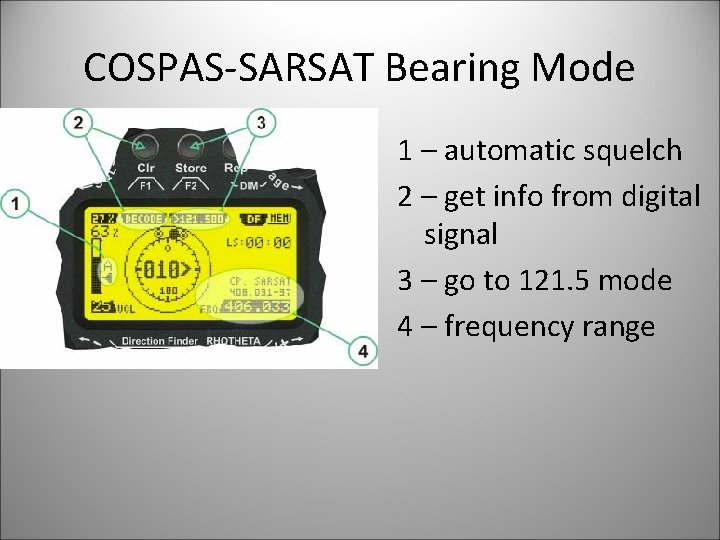
COSPAS-SARSAT Bearing Mode 1 – automatic squelch 2 – get info from digital signal 3 – go to 121. 5 mode 4 – frequency range
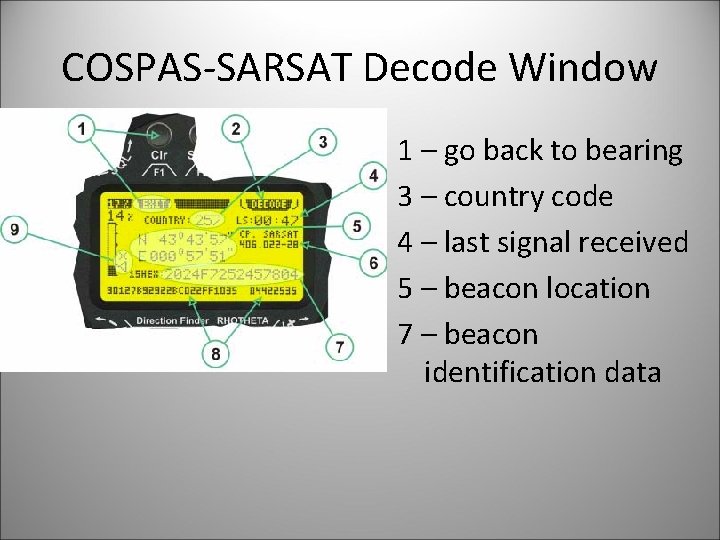
COSPAS-SARSAT Decode Window 1 – go back to bearing 3 – country code 4 – last signal received 5 – beacon location 7 – beacon identification data
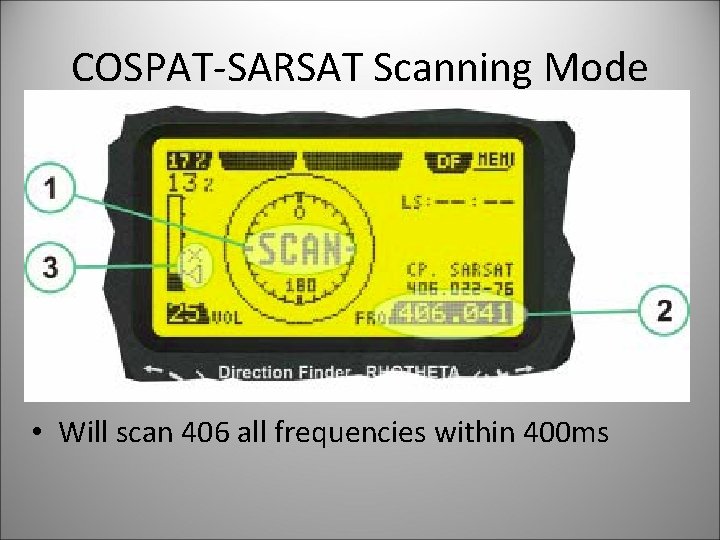
COSPAT-SARSAT Scanning Mode • Will scan 406 all frequencies within 400 ms
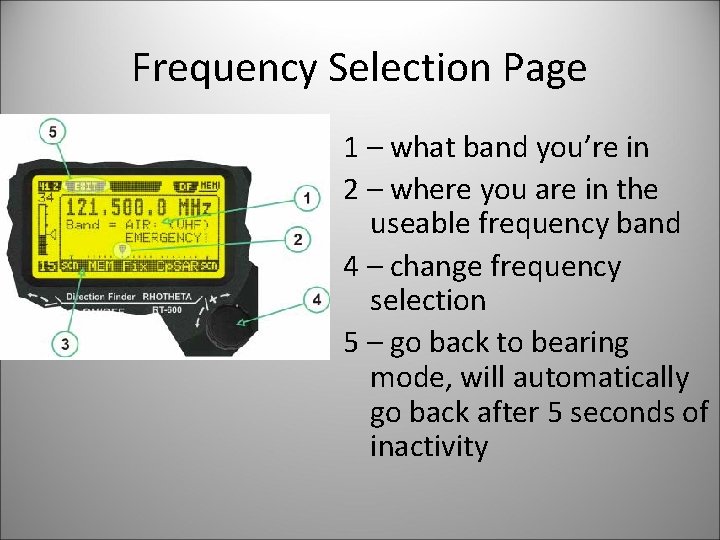
Frequency Selection Page 1 – what band you’re in 2 – where you are in the useable frequency band 4 – change frequency selection 5 – go back to bearing mode, will automatically go back after 5 seconds of inactivity
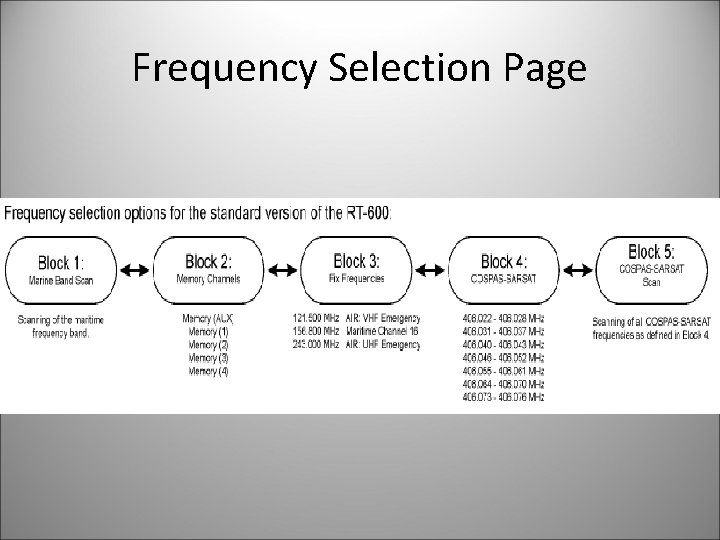
Frequency Selection Page
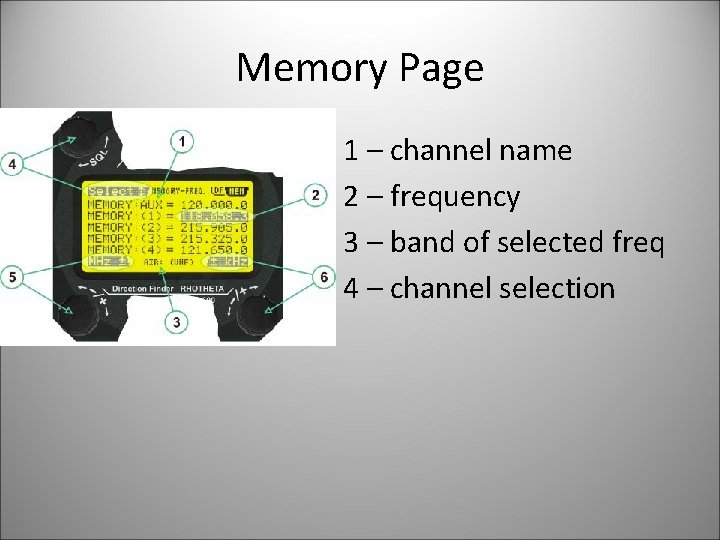
Memory Page 1 – channel name 2 – frequency 3 – band of selected freq 4 – channel selection
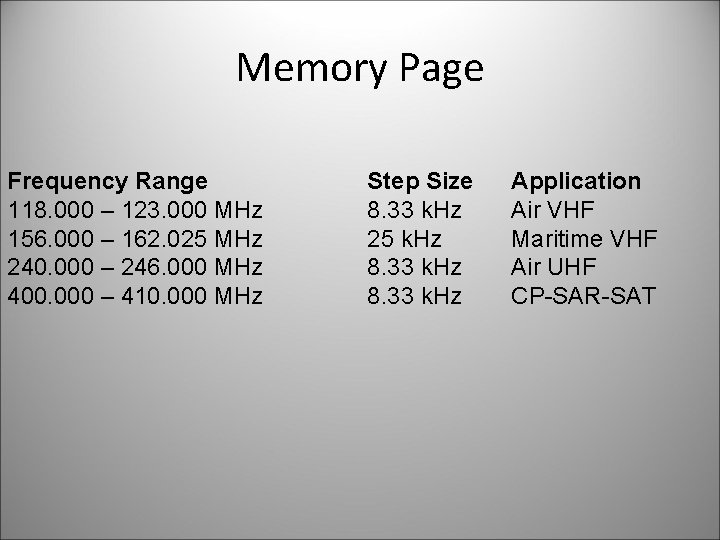
Memory Page Frequency Range 118. 000 – 123. 000 MHz 156. 000 – 162. 025 MHz 240. 000 – 246. 000 MHz 400. 000 – 410. 000 MHz Step Size 8. 33 k. Hz 25 k. Hz 8. 33 k. Hz Application Air VHF Maritime VHF Air UHF CP-SAR-SAT
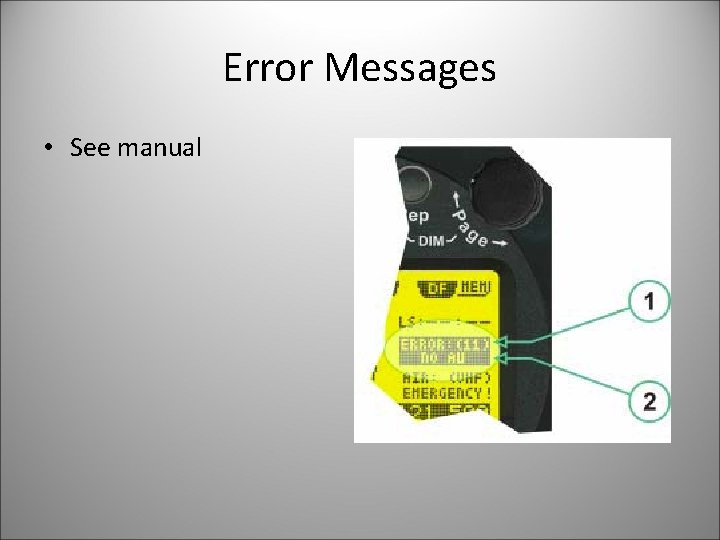
Error Messages • See manual
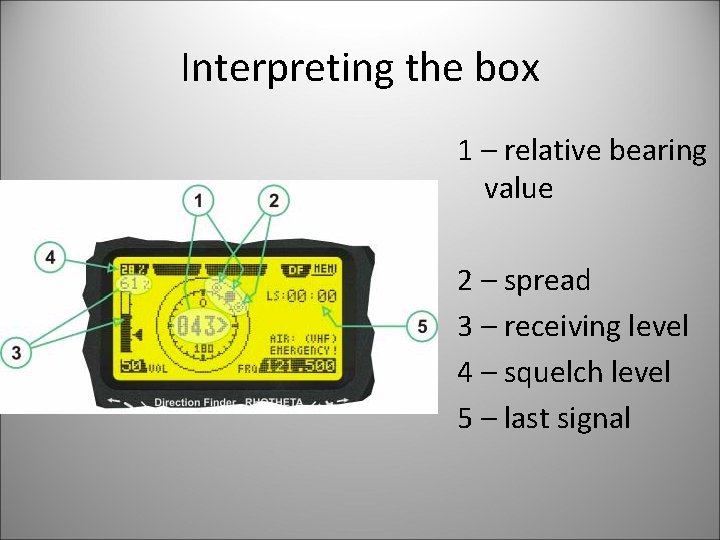
Interpreting the box 1 – relative bearing value 2 – spread 3 – receiving level 4 – squelch level 5 – last signal
- Slides: 24