
Future Directions In Graphics David Blythe Software Architect
Future Directions In Graphics David Blythe Software Architect Windows Graphics Microsoft Corporation
The Vision Windows delivers unparalleled graphics and multimedia experience in all application areas Games Workstation (CAD, Content Creation, …) Presentation Imaging Video Eagerly driving new technologies together with our hardware and software partners
This Session Overview major technology parts Provide context for more detailed sessions Point out interactions between components Describe where we are going longer term
Session Outline Windows Graphics Big Picture Windows Display Driver Model Rendering APIs (Direct 3 D, Open. GL, GDI) Device APIs (DXGI) Desktop Window Manager Media APIs (Direct. X Video Acceleration) Presentation APIs (WPF) Future

Big Picture Simplified Workstation (Inventor) Games (Oblivion) Imaging Video Presentation (Photo. Viewer) (Media. Player) (Office) Windows Presentation Foundation PIX Media Foundation DShow Shell Desktop Window Mgr MIL Windows Color System Open. GL XPDM Direct 3 D DXVA WDDM DXGI User GDI+ GDI Print Terminal Server Remote Assistance … …
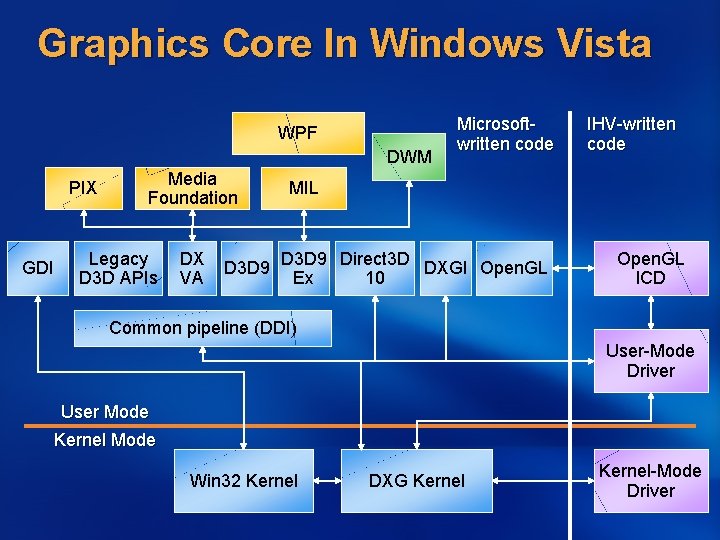
Graphics Core In Windows Vista WPF DWM PIX GDI Media Foundation Legacy D 3 D APIs DX VA D 3 D 9 Microsoftwritten code IHV-written code MIL D 3 D 9 Direct 3 D DXGI Open. GL Ex 10 Open. GL ICD Common pipeline (DDI) User-Mode Driver User Mode Kernel Mode Win 32 Kernel DXG Kernel-Mode Driver
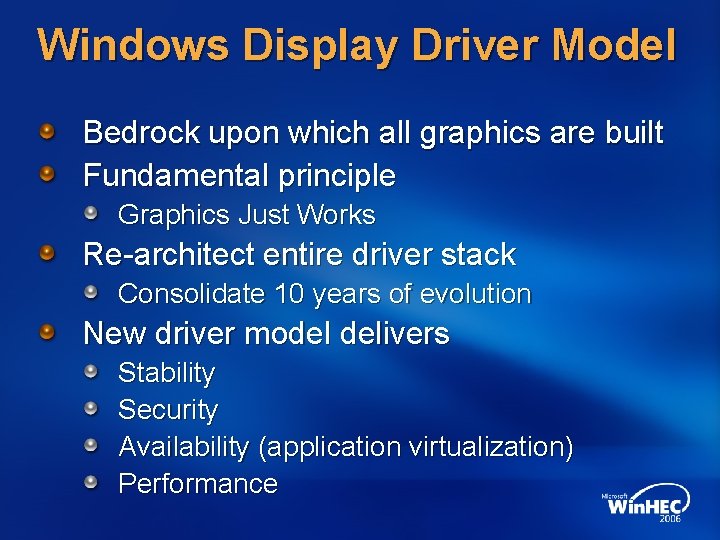
Windows Display Driver Model Bedrock upon which all graphics are built Fundamental principle Graphics Just Works Re-architect entire driver stack Consolidate 10 years of evolution New driver model delivers Stability Security Availability (application virtualization) Performance
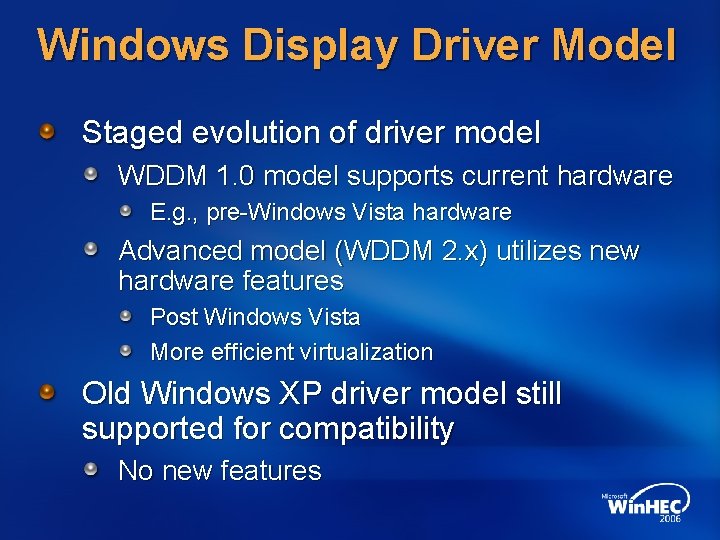
Windows Display Driver Model Staged evolution of driver model WDDM 1. 0 model supports current hardware E. g. , pre-Windows Vista hardware Advanced model (WDDM 2. x) utilizes new hardware features Post Windows Vista More efficient virtualization Old Windows XP driver model still supported for compatibility No new features
Windows Display Driver Model For more information: WDDM v 2 and Beyond, Steve Pronovost, et al.

Rendering APIs Lots to choose from GDI/GDI+ Direct. Draw Direct 3 D [3. . 10] Open. GL (Windows Presentation Foundation) Break into categories Legacy Mainstream (GDI, Direct 3 D 9/9 Ex) New (Direct 3 D 10)
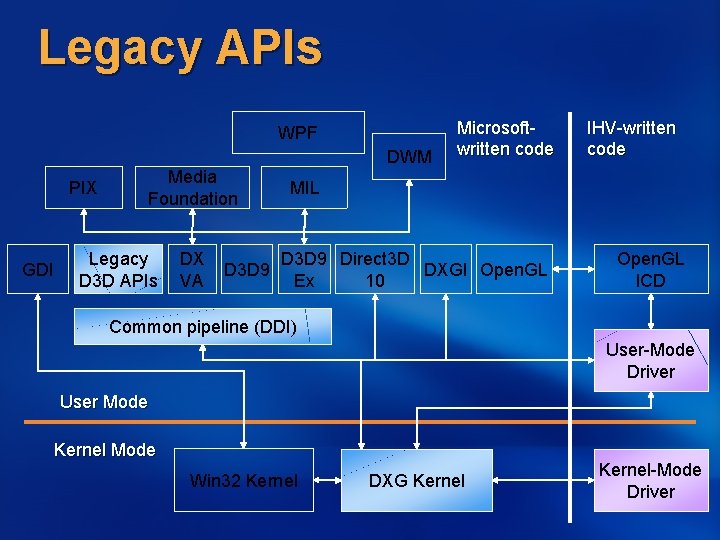
Legacy APIs WPF DWM PIX GDI Media Foundation Legacy D 3 D APIs DX VA D 3 D 9 Microsoftwritten code IHV-written code MIL D 3 D 9 Direct 3 D DXGI Open. GL Ex 10 Open. GL ICD Common pipeline (DDI) User-Mode Driver User Mode Kernel Mode Win 32 Kernel DXG Kernel-Mode Driver
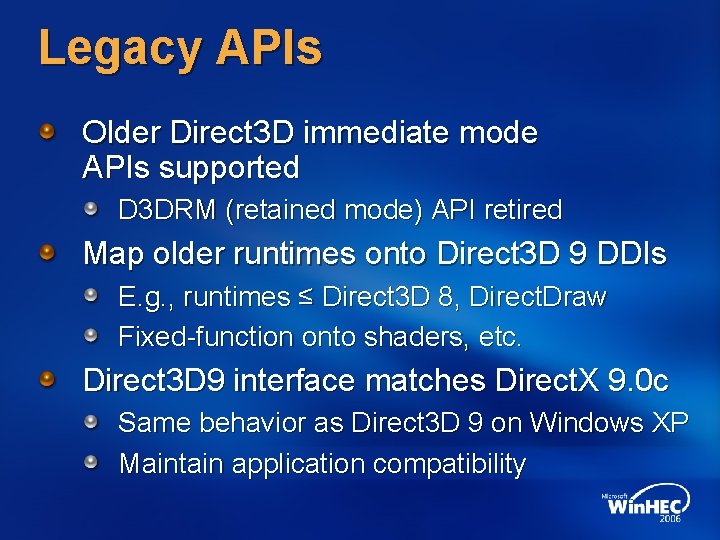
Legacy APIs Older Direct 3 D immediate mode APIs supported D 3 DRM (retained mode) API retired Map older runtimes onto Direct 3 D 9 DDIs E. g. , runtimes ≤ Direct 3 D 8, Direct. Draw Fixed-function onto shaders, etc. Direct 3 D 9 interface matches Direct. X 9. 0 c Same behavior as Direct 3 D 9 on Windows XP Maintain application compatibility
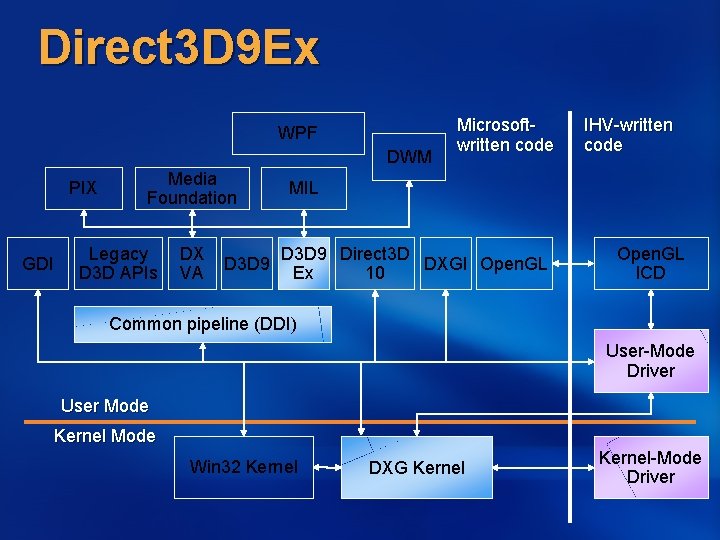
Direct 3 D 9 Ex WPF DWM PIX GDI Media Foundation Legacy D 3 D APIs DX VA D 3 D 9 Microsoftwritten code IHV-written code MIL D 3 D 9 Direct 3 D DXGI Open. GL Ex 10 Open. GL ICD Common pipeline (DDI) User-Mode Driver User Mode Kernel Mode Win 32 Kernel DXG Kernel-Mode Driver
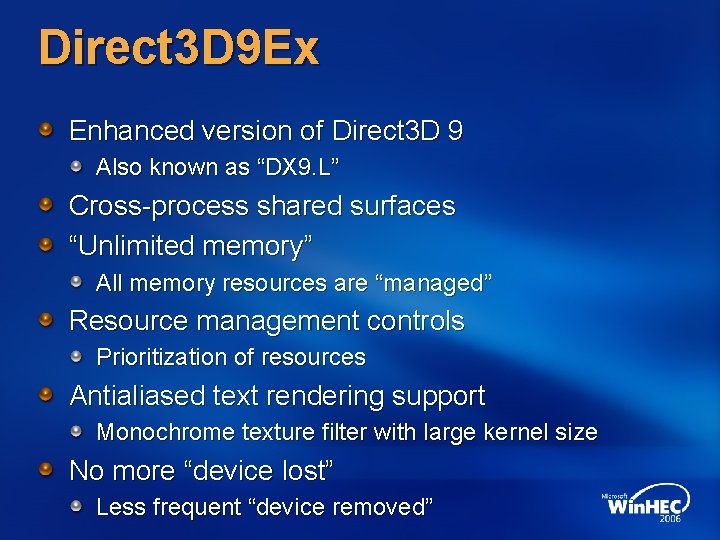
Direct 3 D 9 Ex Enhanced version of Direct 3 D 9 Also known as “DX 9. L” Cross-process shared surfaces “Unlimited memory” All memory resources are “managed” Resource management controls Prioritization of resources Antialiased text rendering support Monochrome texture filter with large kernel size No more “device lost” Less frequent “device removed”
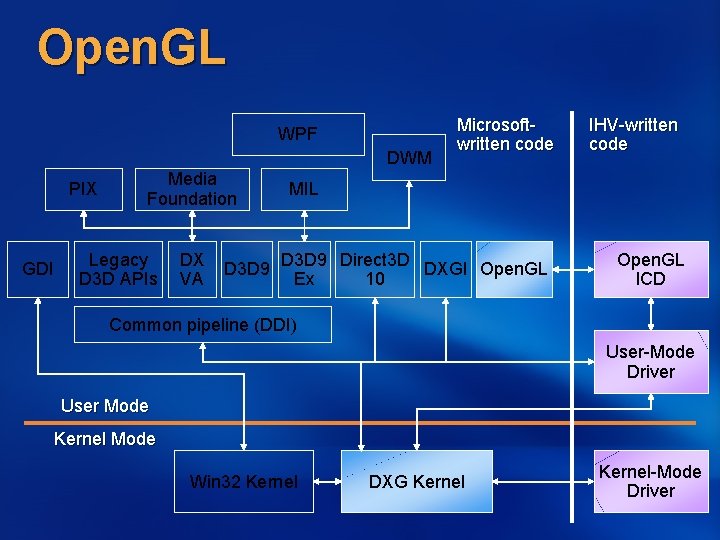
Open. GL WPF DWM PIX GDI Media Foundation Legacy D 3 D APIs DX VA D 3 D 9 Microsoftwritten code IHV-written code MIL D 3 D 9 Direct 3 D DXGI Open. GL Ex 10 Open. GL ICD Common pipeline (DDI) User-Mode Driver User Mode Kernel Mode Win 32 Kernel DXG Kernel-Mode Driver
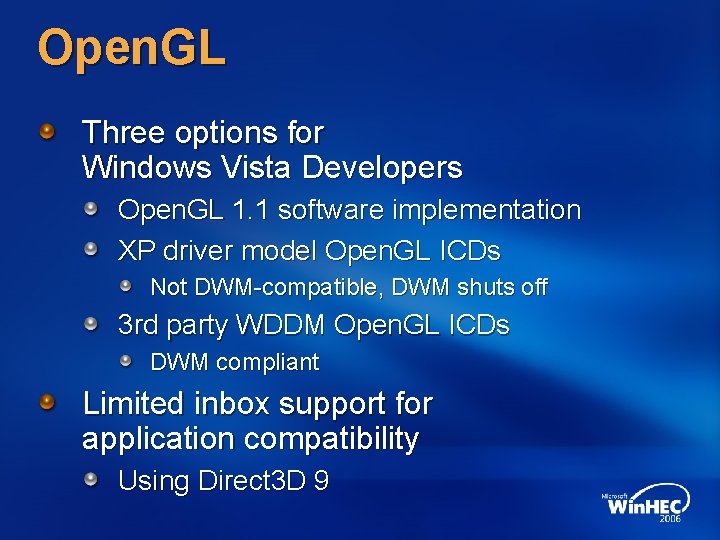
Open. GL Three options for Windows Vista Developers Open. GL 1. 1 software implementation XP driver model Open. GL ICDs Not DWM-compatible, DWM shuts off 3 rd party WDDM Open. GL ICDs DWM compliant Limited inbox support for application compatibility Using Direct 3 D 9
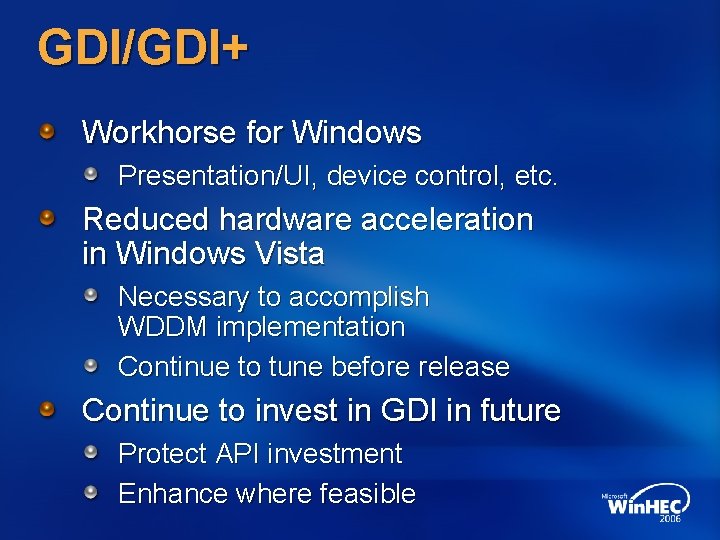
GDI/GDI+ Workhorse for Windows Presentation/UI, device control, etc. Reduced hardware acceleration in Windows Vista Necessary to accomplish WDDM implementation Continue to tune before release Continue to invest in GDI in future Protect API investment Enhance where feasible
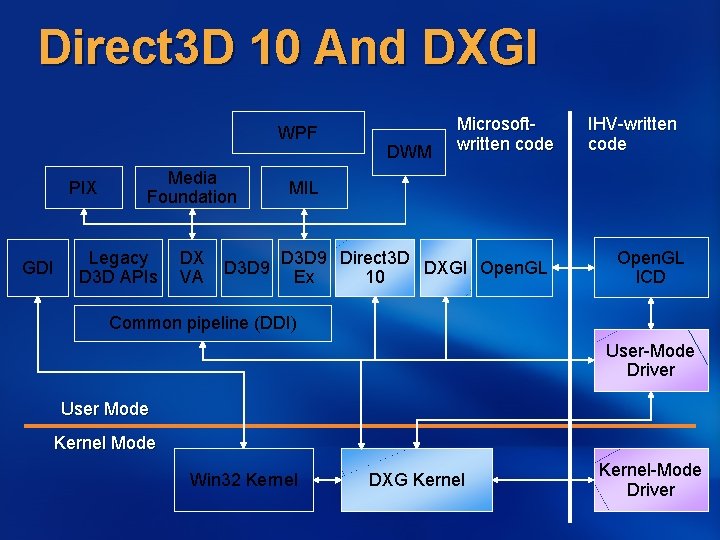
Direct 3 D 10 And DXGI WPF PIX GDI Media Foundation Legacy D 3 D APIs DX VA D 3 D 9 DWM Microsoftwritten code IHV-written code MIL D 3 D 9 Direct 3 D DXGI Open. GL Ex 10 Open. GL ICD Common pipeline (DDI) User-Mode Driver User Mode Kernel Mode Win 32 Kernel DXG Kernel-Mode Driver
Direct 3 D 10 Next Version of Direct 3 D Supported in Windows Vista Proposed Premium Logo requirement Major improvements in Hardware consistency Rigorous specification, elimination of capability bits Programmer expressiveness Unified, more capable, shader programming model Flexible memory model New pipeline stages WDDM + Direct 3 D 10 are fundamental improvement to the Windows gaming platform
Direct 3 D 10 Additional information: Direct. X Graphics: Direct 3 D 10 and Beyond, Sam Glassenberg
DXGI Separate rendering from device management DXGI (eventually) does Adapter management Display mode management Present to monitor Output management Gamma/Color Improvements of GDI 256 entry table Monitor controls Long term, subsumes functionality from GDI Currently only works with Direct 3 D 10
Desktop Window Manager New desktop experience using WPF and Direct. X Uses new D 3 D 9 Ex interfaces Desktop Window Manager (DWM) Composited desktop Window movement without repainting underlying windows No more dragging garbage Client areas from applications GDI, Direct 3 D, WPF Video Non-client areas from the Window Manager Allows different views of application windows
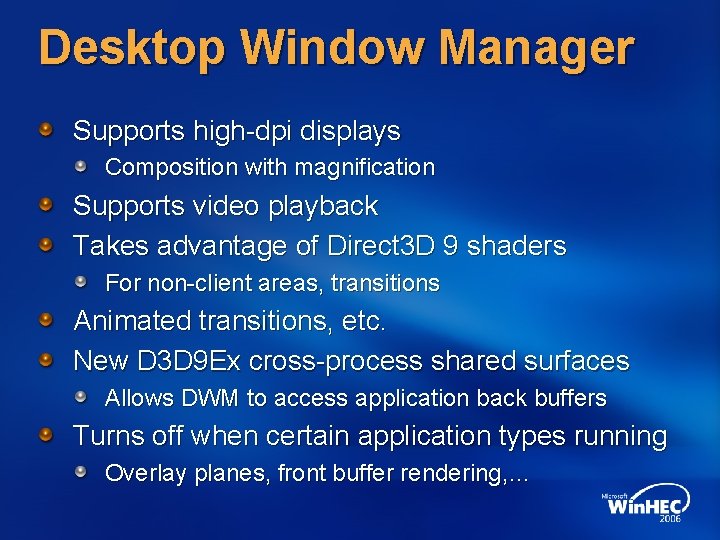
Desktop Window Manager Supports high-dpi displays Composition with magnification Supports video playback Takes advantage of Direct 3 D 9 shaders For non-client areas, transitions Animated transitions, etc. New D 3 D 9 Ex cross-process shared surfaces Allows DWM to access application back buffers Turns off when certain application types running Overlay planes, front buffer rendering, …
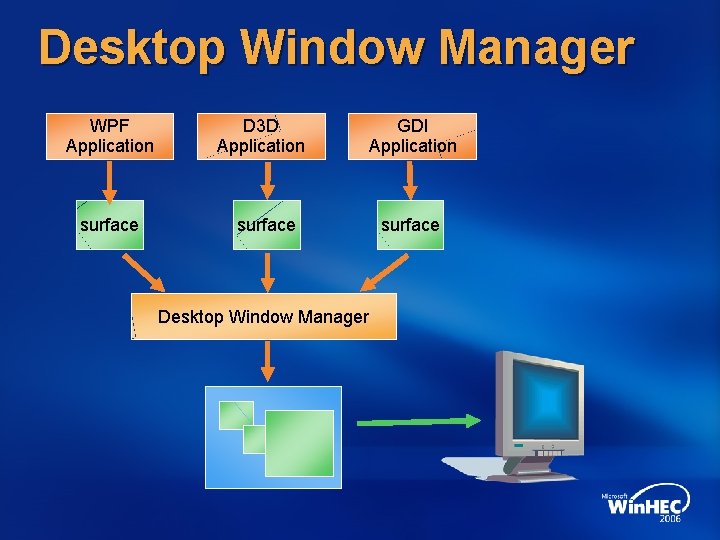
Desktop Window Manager WPF Application surface D 3 D Application GDI Application surface Desktop Window Manager surface
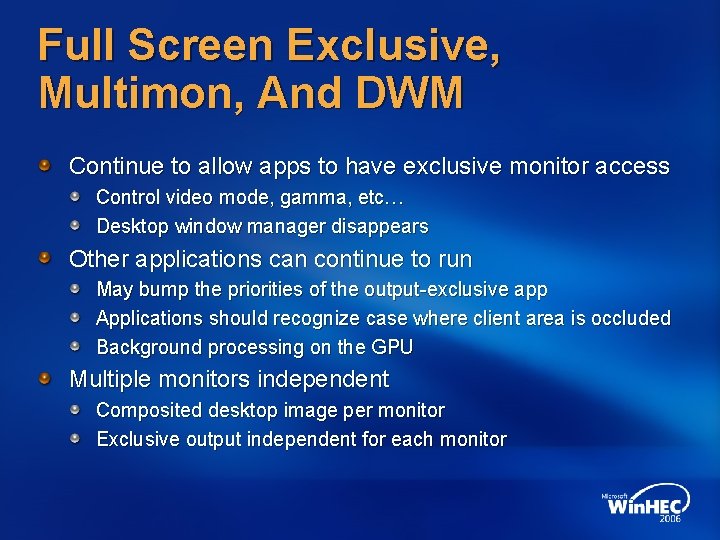
Full Screen Exclusive, Multimon, And DWM Continue to allow apps to have exclusive monitor access Control video mode, gamma, etc… Desktop window manager disappears Other applications can continue to run May bump the priorities of the output-exclusive app Applications should recognize case where client area is occluded Background processing on the GPU Multiple monitors independent Composited desktop image per monitor Exclusive output independent for each monitor
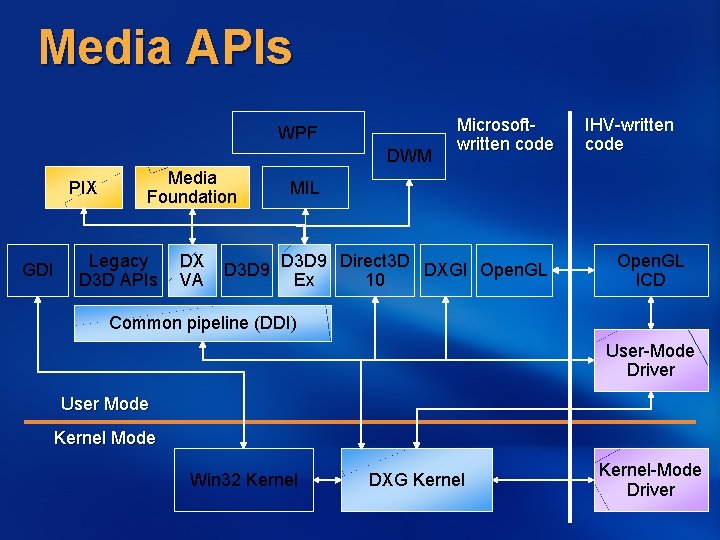
Media APIs WPF DWM PIX GDI Media Foundation Legacy D 3 D APIs DX VA D 3 D 9 Microsoftwritten code IHV-written code MIL D 3 D 9 Direct 3 D DXGI Open. GL Ex 10 Open. GL ICD Common pipeline (DDI) User-Mode Driver User Mode Kernel Mode Win 32 Kernel DXG Kernel-Mode Driver
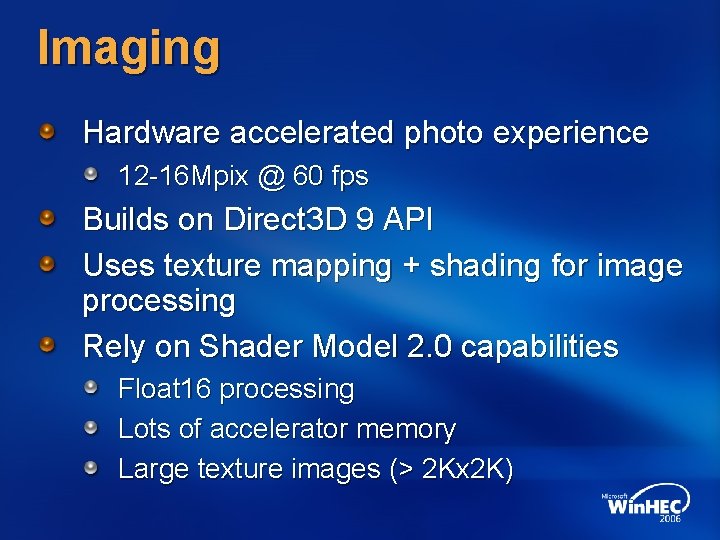
Imaging Hardware accelerated photo experience 12 -16 Mpix @ 60 fps Builds on Direct 3 D 9 API Uses texture mapping + shading for image processing Rely on Shader Model 2. 0 capabilities Float 16 processing Lots of accelerator memory Large texture images (> 2 Kx 2 K)
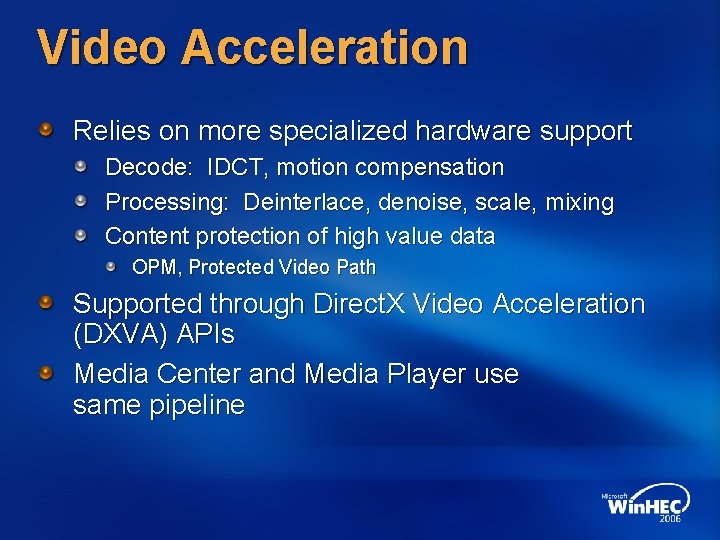
Video Acceleration Relies on more specialized hardware support Decode: IDCT, motion compensation Processing: Deinterlace, denoise, scale, mixing Content protection of high value data OPM, Protected Video Path Supported through Direct. X Video Acceleration (DXVA) APIs Media Center and Media Player use same pipeline
Video Acceleration Additional information: Windows Vista Video Pipeline Architecture and Implementation, Glenn Evans; How to Implement Windows Vista Content Output Protection, Dave Marsh
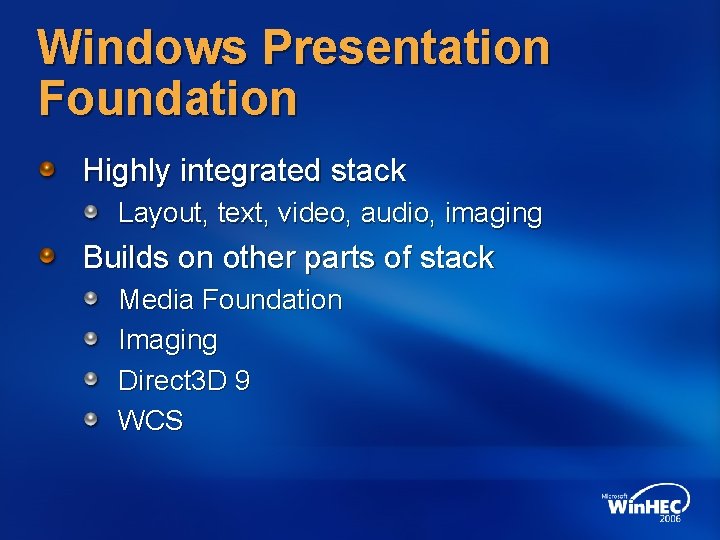
Windows Presentation Foundation Highly integrated stack Layout, text, video, audio, imaging Builds on other parts of stack Media Foundation Imaging Direct 3 D 9 WCS
DWM And WPF Additional information: Desktop and Presentation Impact on Hardware Design, Kam Vedbrat
Future Technologies Warning: These are directions not commitments Continue the vision Rich graphics and media experience Available all the time to all applications Robust, efficient, applications don’t interfere Scales across mobile, desktop, … Seamless print, remote, terminal server
Windows Display Driver Model Lots of areas to address Move to preemptive context switching and page-level memory management ASAP WDDM 2. 1 Flexible multi-GPU, linked adapters (LDA) Graphics multiprocessing Power management Boot video, VGA, ACPI/BIOS Virtual Machine support
Display/Device Technologies Color managed desktop Hi-def color (float 16) Consumer Electronics (TV) devices Greater format coverage Multimon Improve the fullscreen/windowed experience Multi-desktop support Magnification Monitor controls DDC/CI Rationalize GDI/DXGI device control
Rendering Technologies Game applications Higher-def, procedural content Surface tessellation, order-independent transparency Shader expressiveness Presentation technologies Move to Direct 3 D 10 base by 2009? Text, antialiasing, 2 D rendering Rendering quality Multicore CPU investments Process or move data faster
Media Technologies Imaging Direct 3 D 10 provides ideal base Move to “HDR” (actually 16 -bit MDR) Minor improvements for additional image formats 16 -bit fixed in addition to 16 -bit float Video Content Protection (Protected Video Path) Glitch-resilience Preemptive context switching in WDDM 2. 1 is key Hardware Encode/Analysis Background transcoding Processing HD-DVD compositing scenarios
General Compute (GPGPU) GPU rapidly generalizing Good at high-bandwidth, data-parallel compute Image processing, video processing, physics, … 100 GB/s, 300+ GFlops Looking at more generalized infrastructure Don’t draw triangles to trigger computations Enabled by Hardware implementation consistency Fast CPU ↔ GPU data transfer Multi-GPU support
Call To Action Windows Vista Hardware-accelerated graphics all the time WDDM 1. 0 Direct 3 D 9/9 Ex is everywhere – now Rapid adoption of Direct 3 D 10 – it delivers the future DXVA, content protection, glitch reduction Next WDDM 2. 1 – efficient GPU virtualization Direct 3 D 10. 1 – incremental changes to 10 Hi-def color, HD-DVD Greater generalization of GPU capabilities
Additional Resources Email: Directx @ microsoft. com Related Sessions WDDM v 2 and Beyond Direct. X Graphics: Direct 3 D 10 and Beyond Desktop and Presentation Impact on Hardware Design How To Support Windows Color System in Printers, Displays, and Image Capture Devices DXVA 2. 0: A New Hardware Video Acceleration Pipeline for Windows Vista Video Pipeline Architecture and Implementation How to Implement Windows Vista Content Output Protection

Questions?

© 2006 Microsoft Corporation. All rights reserved. Microsoft, Windows Vista and other product names are or may be registered trademarks and/or trademarks in the U. S. and/or other countries. The information herein is for informational purposes only and represents the current view of Microsoft Corporation as of the date of this presentation. Because Microsoft must respond to changing market conditions, it should not be interpreted to be a commitment on the part of Microsoft, and Microsoft cannot guarantee the accuracy of any information provided after the date of this presentation. MICROSOFT MAKES NO WARRANTIES, EXPRESS, IMPLIED OR STATUTORY, AS TO THE INFORMATION IN THIS PRESENTATION.
- Slides: 42