
Fusebox Application Object Model Gabe Roffman e Testers
Fusebox Application Object Model Gabe Roffman, e. Testers
Break Your Application Down l. A quick way to simplify your application is to break it down l Break your massively complex site (“Home” application) into many subdirectories (“Circuit” applications)
Fusebox “Home” Application l This is your overall site. Such as: – www. etesters. com – www. fusebox. org – www. ebags. com l The Home application is more of a concept, it ties your circuit applications together
Connect the Circuits l How can I connect all my circuit applications together? l How can a team of developers connect their circuits together? l How can one company connect another company’s circuits together?
How EJBs do it l Java Beans are like circuit applications l Enterprise Java Beans are Beans that have standardized functions for communication
How Javascript does it l Uses Document Object Model l DOM is a structure of every element on the page l Using DHTML, you can change any value in the DOM
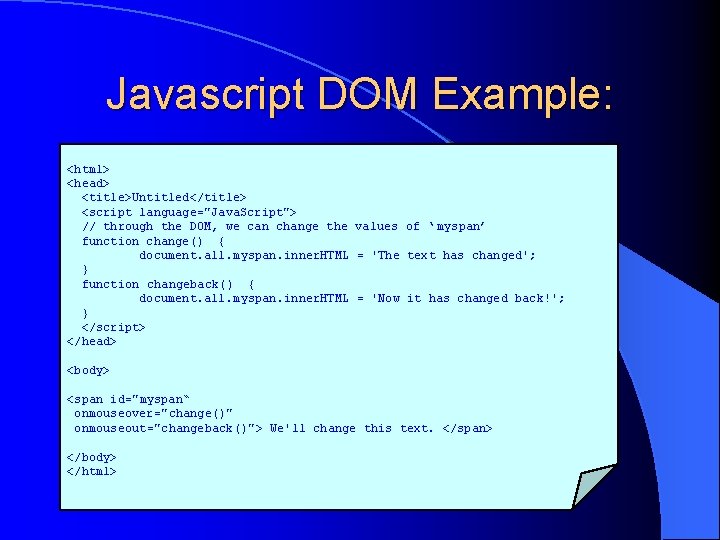
Javascript DOM Example: <html> <head> <title>Untitled</title> <script language="Java. Script"> // through the DOM, we can change the values of ‘ myspan’ function change() { document. all. myspan. inner. HTML = 'The text has changed'; } function changeback() { document. all. myspan. inner. HTML = 'Now it has changed back!'; } </script> </head> <body> <span id="myspan“ onmouseover="change()" onmouseout="changeback()"> We'll change this text. </span> </body> </html>
Problems with the JS DOM l Different model in Netscape and Internet Explorer l No visible map of what the model is We can do better!
How would we do it? l Application object model l Similar to document object model in JS l Standardized structures for storing variables in the request scope l Stored in app_model for easy reference!
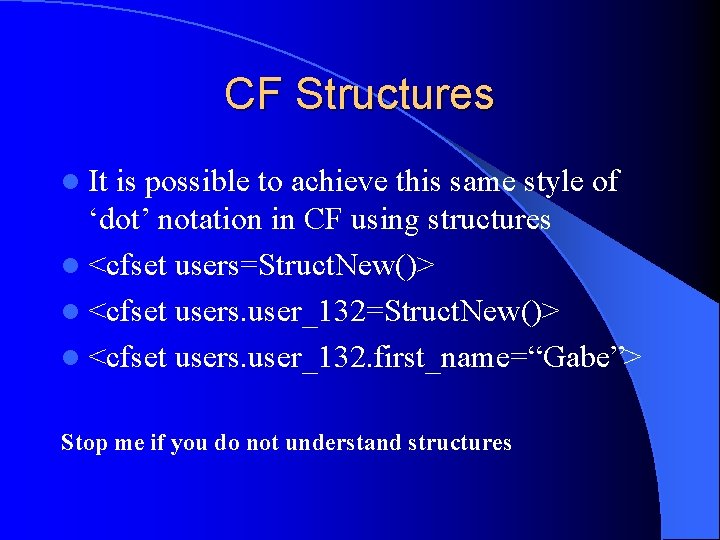
CF Structures l It is possible to achieve this same style of ‘dot’ notation in CF using structures l <cfset users=Struct. New()> l <cfset users. user_132. first_name=“Gabe”> Stop me if you do not understand structures
Request Variables l Request is a scope that is available both locally and within custom tags and even nested custom tags. l No need to use CFLOCK like with Application variables Stop me if you do not understand request variables
App_Model. cfm l. A new application file is being introduced called “App_Model. cfm” l App_Model. cfm is for setting your AOM structures l Gives a clean map of your Global variables l Include app_model from within Application. cfm
Standard Global Variables l Which variables should we standardize on? l Can we categorize these standard variables? l What if I want to create my own?
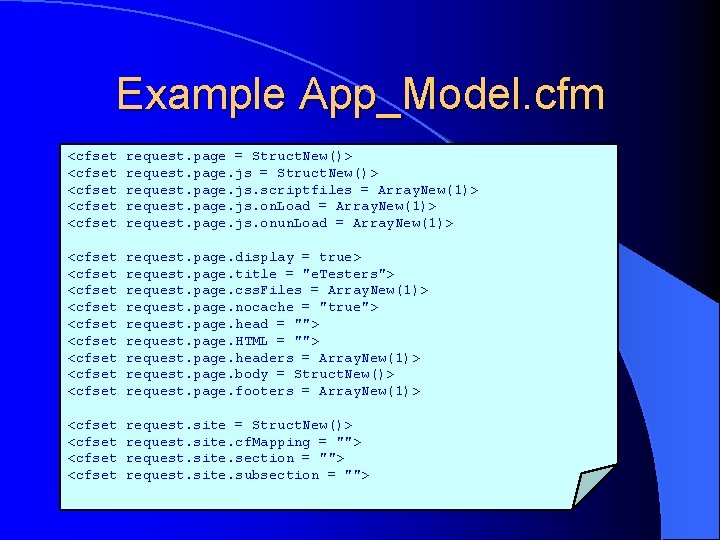
Example App_Model. cfm <cfset <cfset request. page = Struct. New()> request. page. js. scriptfiles = Array. New(1)> request. page. js. on. Load = Array. New(1)> request. page. js. onun. Load = Array. New(1)> <cfset <cfset <cfset request. page. display = true> request. page. title = "e. Testers"> request. page. css. Files = Array. New(1)> request. page. nocache = "true"> request. page. head = ""> request. page. HTML = ""> request. page. headers = Array. New(1)> request. page. body = Struct. New()> request. page. footers = Array. New(1)> <cfset request. site = Struct. New()> request. site. cf. Mapping = ""> request. site. section = ""> request. site. subsection = "">
Conclusion l The Application Object Model will assist tying many circuit applications together l More standardization makes for easier integration l Can have a forum at Fusebox. org to vote on components of the FOM
- Slides: 15