
Fundamentals of Computer Graphics Part 3 prof ing
- Slides: 25
Fundamentals of Computer Graphics Part 3 prof. ing. Václav Skala, CSc. University of West Bohemia Plzeň, Czech Republic © 2002 Prepared with Angel, E. : Interactive Computer Graphics – A Top Down Approach with Open. GL, Addison Wesley, 2001 Fundamentals of Computer Graphics
Input & Interaction Till now – no interaction 1. Introduction of devices for interaction 2. how devices “appear” in your program 3. client-server network & client-server graphics 4. development of a painting program • First attempt: - 37 years! Project Sketchpad – Sutherland • Different approach will be taken – we will use API, but Open. GL does not support it directly – due to portability of the renderer, interaction with OS etc. Fundamentals of Computer Graphics 2
Input Devices Two possible ways to see input devices: • as a physical device – keyboard, mouse, trackball, etc. • as a logical device – from a programmer perspective – with specified functionality, in graphics more complex • the separation of physical and logical levels enable us to make programs more flexible, independent from the actual physical device Fundamentals of Computer Graphics 3
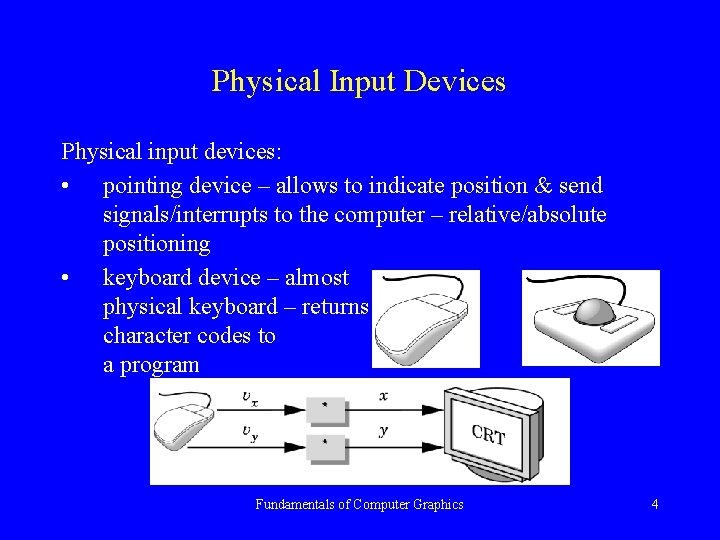
Physical Input Devices Physical input devices: • pointing device – allows to indicate position & send signals/interrupts to the computer – relative/absolute positioning • keyboard device – almost physical keyboard – returns character codes to a program Fundamentals of Computer Graphics 4
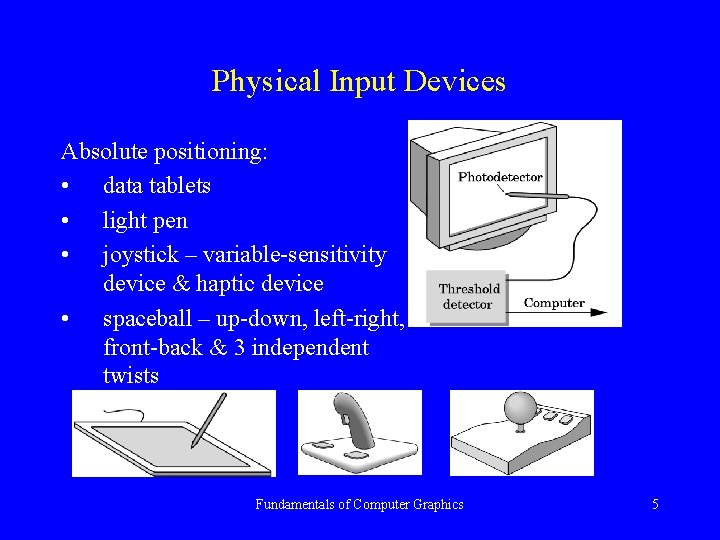
Physical Input Devices Absolute positioning: • data tablets • light pen • joystick – variable-sensitivity device & haptic device • spaceball – up-down, left-right, front-back & 3 independent twists Fundamentals of Computer Graphics 5
Logical Input Devices Some APIs (PHIGS, GKS, Direct xx) supports 6 classes of logical input devices – Open. GL does not take this approach • String – logical device providing ASCII strings – keyboard • Locator – provides a position in world coordinates – usually implemented via pointing device – mouse, trackball. Open. GL provides similar but conversion from screen coordinates to world coordinates must be made by a user • Pick – returns identifier of an object – in Open. GL process called selection can be used to accomplish picking Fundamentals of Computer Graphics 6
Logical Input Devices • • • Choice – allows the user to select on of a discrete number of options – in Open. GL various widgets provided by the window system can be used; widget is a graphical interactive device provided by window system or a toolkit (menu with n selections etc. ) Dial – provides analog input to the user program – slidebars etc. Stroke – device returns an array of locations – different implementations – usually: mouse button down, transfer data to an array with different positions, release button – ends the transfer Fundamentals of Computer Graphics 7
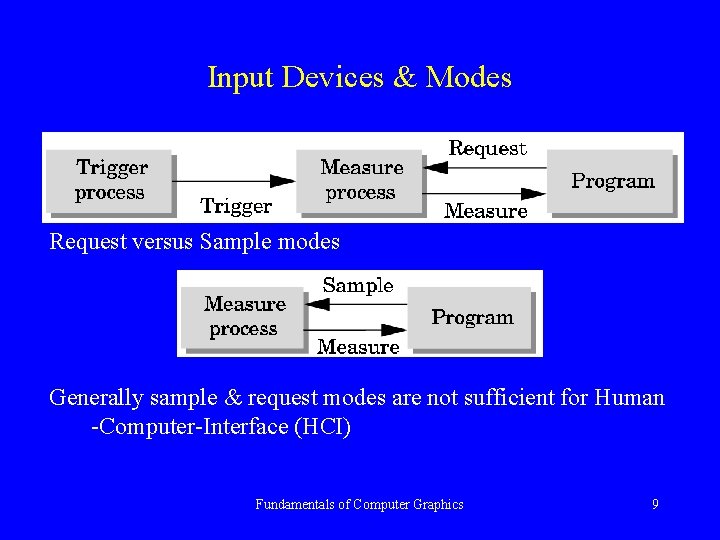
Input Devices & Modes Two entities: • a measure process – is what the device returns to the user program (string from a keyboard) • a device trigger – is a physical input on the device which user can signal the computer (return – end of the process) Modes: • request – value is returned on a request • sample mode – actual value is given (no buffering) request_locator ( device_id, &measure); /* usual form */ sample_locator (device_id, &measure); Fundamentals of Computer Graphics 8
Input Devices & Modes Request versus Sample modes Generally sample & request modes are not sufficient for Human -Computer-Interface (HCI) Fundamentals of Computer Graphics 9
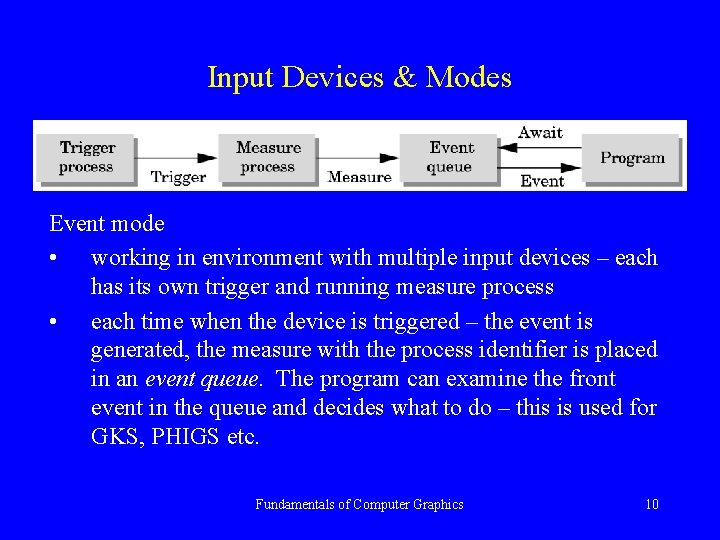
Input Devices & Modes Event mode • working in environment with multiple input devices – each has its own trigger and running measure process • each time when the device is triggered – the event is generated, the measure with the process identifier is placed in an event queue. The program can examine the front event in the queue and decides what to do – this is used for GKS, PHIGS etc. Fundamentals of Computer Graphics 10
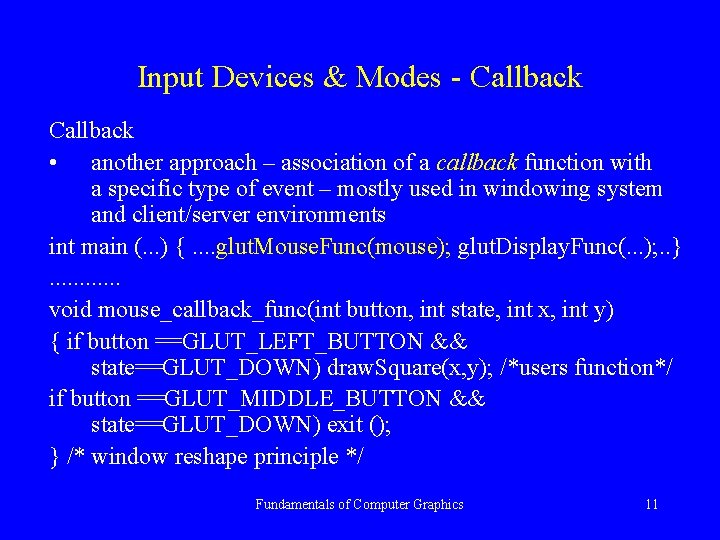
Input Devices & Modes - Callback • another approach – association of a callback function with a specific type of event – mostly used in windowing system and client/server environments int main (. . . ) {. . glut. Mouse. Func(mouse); glut. Display. Func(. . . ); . . }. . . void mouse_callback_func(int button, int state, int x, int y) { if button ==GLUT_LEFT_BUTTON && state==GLUT_DOWN) draw. Square(x, y); /*users function*/ if button ==GLUT_MIDDLE_BUTTON && state==GLUT_DOWN) exit (); } /* window reshape principle */ Fundamentals of Computer Graphics 11
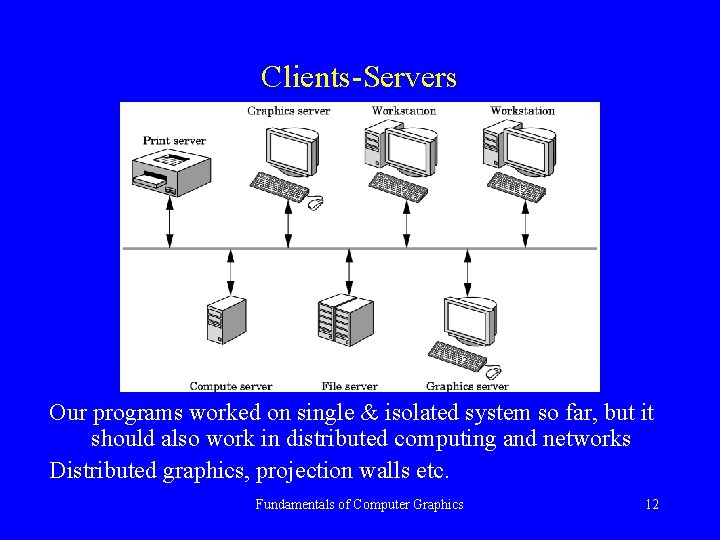
Clients-Servers Our programs worked on single & isolated system so far, but it should also work in distributed computing and networks Distributed graphics, projection walls etc. Fundamentals of Computer Graphics 12
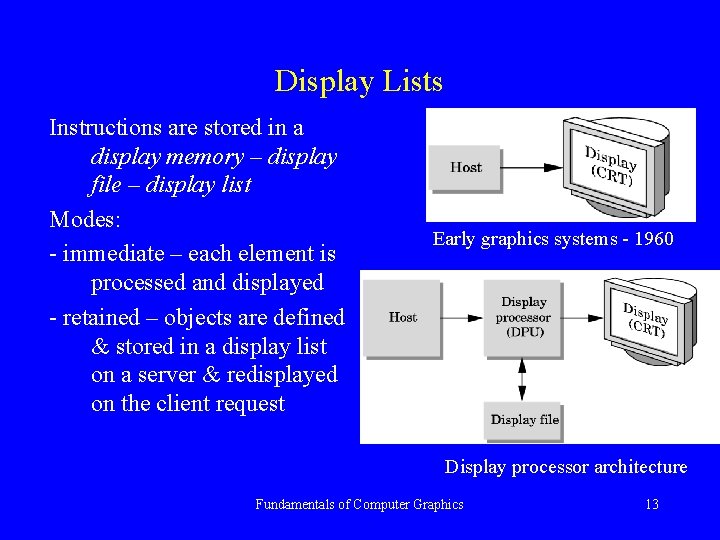
Display Lists Instructions are stored in a display memory – display file – display list Modes: - immediate – each element is processed and displayed - retained – objects are defined & stored in a display list on a server & redisplayed on the client request Early graphics systems - 1960 Display processor architecture Fundamentals of Computer Graphics 13
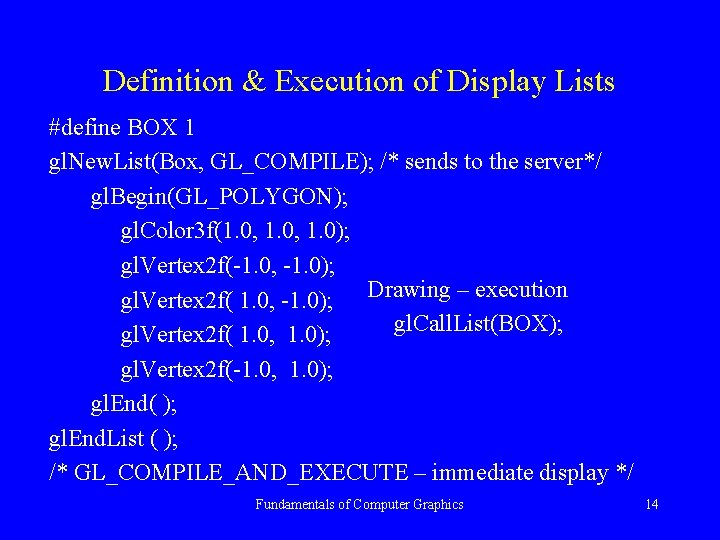
Definition & Execution of Display Lists #define BOX 1 gl. New. List(Box, GL_COMPILE); /* sends to the server*/ gl. Begin(GL_POLYGON); gl. Color 3 f(1. 0, 1. 0); gl. Vertex 2 f(-1. 0, -1. 0); gl. Vertex 2 f( 1. 0, -1. 0); Drawing – execution gl. Call. List(BOX); gl. Vertex 2 f( 1. 0, 1. 0); gl. Vertex 2 f(-1. 0, 1. 0); gl. End( ); gl. End. List ( ); /* GL_COMPILE_AND_EXECUTE – immediate display */ Fundamentals of Computer Graphics 14
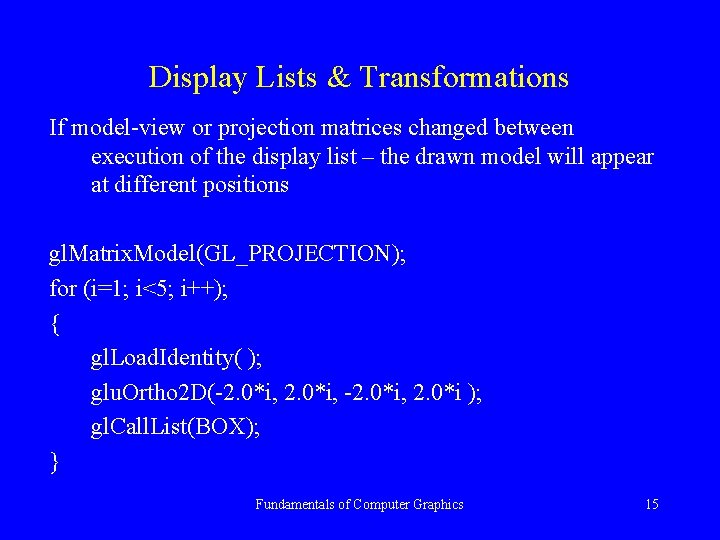
Display Lists & Transformations If model-view or projection matrices changed between execution of the display list – the drawn model will appear at different positions gl. Matrix. Model(GL_PROJECTION); for (i=1; i<5; i++); { gl. Load. Identity( ); glu. Ortho 2 D(-2. 0*i, 2. 0*i ); gl. Call. List(BOX); } Fundamentals of Computer Graphics 15
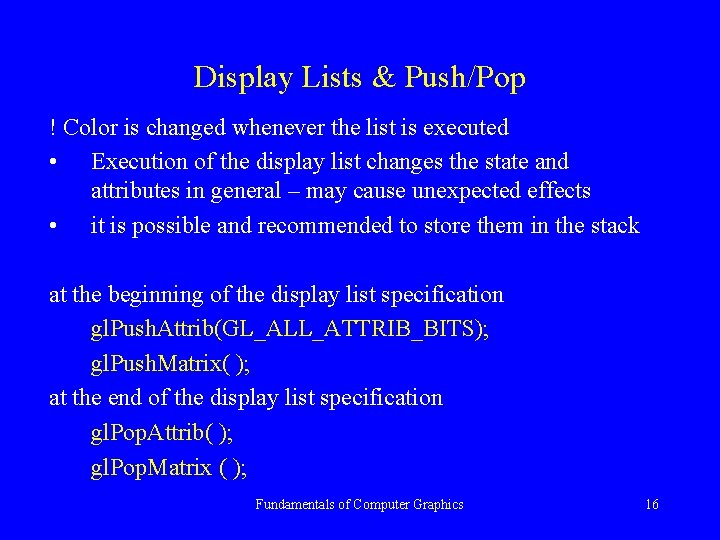
Display Lists & Push/Pop ! Color is changed whenever the list is executed • Execution of the display list changes the state and attributes in general – may cause unexpected effects • it is possible and recommended to store them in the stack at the beginning of the display list specification gl. Push. Attrib(GL_ALL_ATTRIB_BITS); gl. Push. Matrix( ); at the end of the display list specification gl. Pop. Attrib( ); gl. Pop. Matrix ( ); Fundamentals of Computer Graphics 16
Characters, Fonts & Strings Study chapter 3. 4. 2 - 3. 4. 3 on your own Fundamentals of Computer Graphics 17
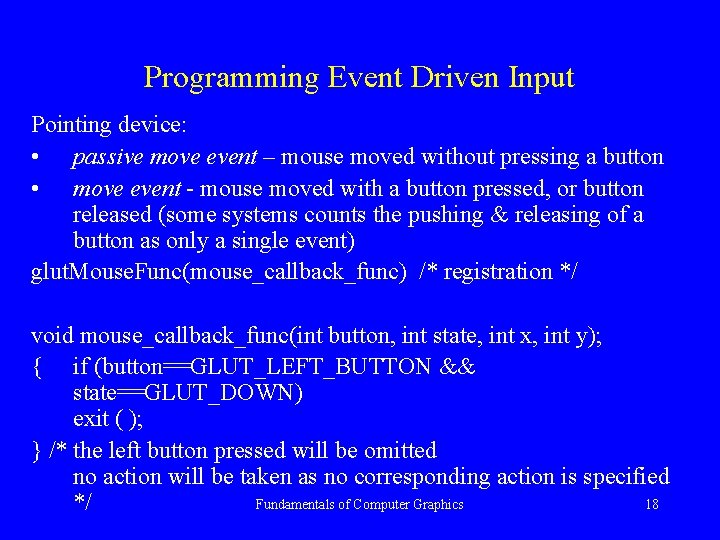
Programming Event Driven Input Pointing device: • passive move event – mouse moved without pressing a button • move event - mouse moved with a button pressed, or button released (some systems counts the pushing & releasing of a button as only a single event) glut. Mouse. Func(mouse_callback_func) /* registration */ void mouse_callback_func(int button, int state, int x, int y); { if (button==GLUT_LEFT_BUTTON && state==GLUT_DOWN) exit ( ); } /* the left button pressed will be omitted no action will be taken as no corresponding action is specified Fundamentals of Computer Graphics 18 */
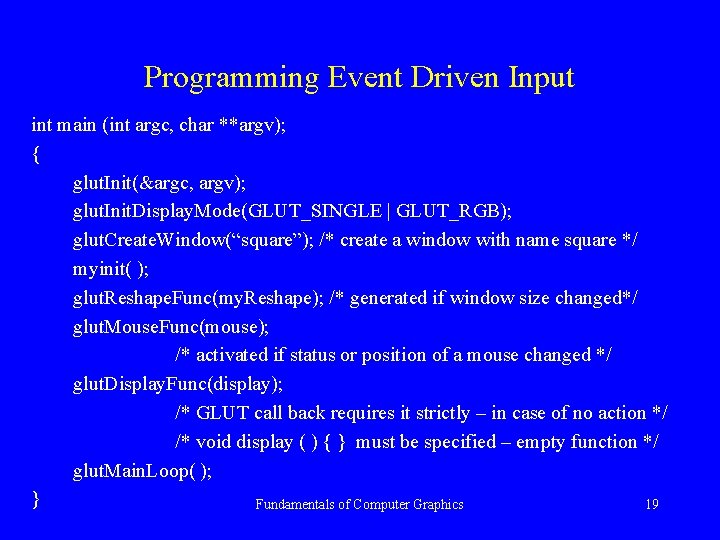
Programming Event Driven Input int main (int argc, char **argv); { glut. Init(&argc, argv); glut. Init. Display. Mode(GLUT_SINGLE | GLUT_RGB); glut. Create. Window(“square”); /* create a window with name square */ myinit( ); glut. Reshape. Func(my. Reshape); /* generated if window size changed*/ glut. Mouse. Func(mouse); /* activated if status or position of a mouse changed */ glut. Display. Func(display); /* GLUT call back requires it strictly – in case of no action */ /* void display ( ) { } must be specified – empty function */ glut. Main. Loop( ); } Fundamentals of Computer Graphics 19
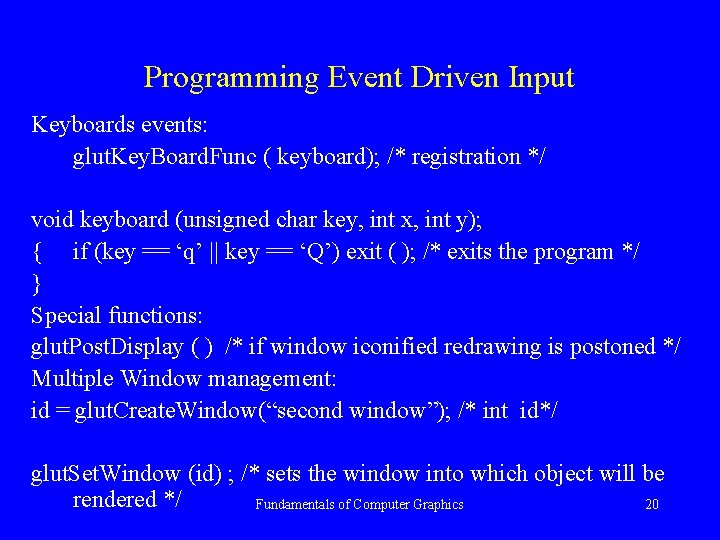
Programming Event Driven Input Keyboards events: glut. Key. Board. Func ( keyboard); /* registration */ void keyboard (unsigned char key, int x, int y); { if (key == ‘q’ || key == ‘Q’) exit ( ); /* exits the program */ } Special functions: glut. Post. Display ( ) /* if window iconified redrawing is postoned */ Multiple Window management: id = glut. Create. Window(“second window”); /* int id*/ glut. Set. Window (id) ; /* sets the window into which object will be rendered */ Fundamentals of Computer Graphics 20
Menus & Picking Study chapter 3. 6 – 3. 7 on your own Fundamentals of Computer Graphics 21
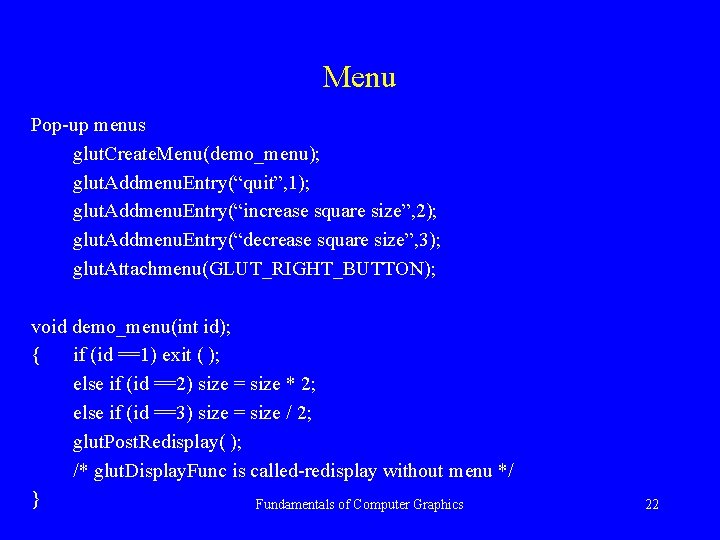
Menu Pop-up menus glut. Create. Menu(demo_menu); glut. Addmenu. Entry(“quit”, 1); glut. Addmenu. Entry(“increase square size”, 2); glut. Addmenu. Entry(“decrease square size”, 3); glut. Attachmenu(GLUT_RIGHT_BUTTON); void demo_menu(int id); { if (id ==1) exit ( ); else if (id ==2) size = size * 2; else if (id ==3) size = size / 2; glut. Post. Redisplay( ); /* glut. Display. Func is called-redisplay without menu */ } Fundamentals of Computer Graphics 22
Animation Study chapter 3. 9 on your own Fundamentals of Computer Graphics 23
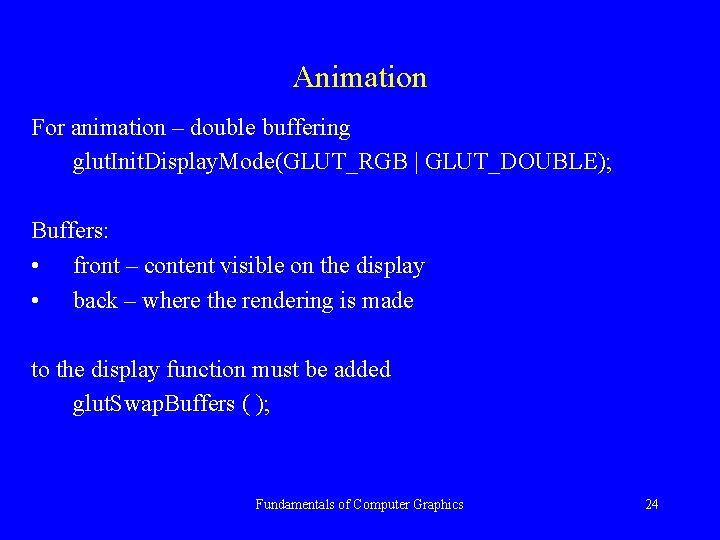
Animation For animation – double buffering glut. Init. Display. Mode(GLUT_RGB | GLUT_DOUBLE); Buffers: • front – content visible on the display • back – where the rendering is made to the display function must be added glut. Swap. Buffers ( ); Fundamentals of Computer Graphics 24
Conclusion Study on your own: • Chapter 3. 4. 2 – 3, text, strings & character drawing • Chapter 3. 8 – simple Paint Program, • Chapter 3. 9 – Animating Interactive Program • Chapter 3. 10 – Design of Interactive Programs • Make some experiments with display list construction and discuss efficiency of its use for complex objects Fundamentals of Computer Graphics 25