
Fundamentals of Chapter 1 Microprocessor and Microcontroller Dr
![A little History n What is a computer? ¨ [Merriam-Webster Dictionary] one that computes;](https://slidetodoc.com/presentation_image_h2/8f7ca7f7aad168418e411a6c8c678325/image-2.jpg "A little History n What is a computer? ¨ [Merriam-Webster Dictionary] one that computes;")
- Slides: 51
Fundamentals of Chapter 1 Microprocessor and Microcontroller Dr. Farid Farahmand
A little History n What is a computer? ¨ [Merriam-Webster Dictionary] one that computes; specifically : programmable electronic device that can store, retrieve, and process data. ¨ [Wikipedia] A computer is a machine that manipulates data according to a list of instructions. n Classification of Computers (power and price) ¨ ¨ Personal computers Mainframes Supercomputers Dedicated controllers – Embedded controllers
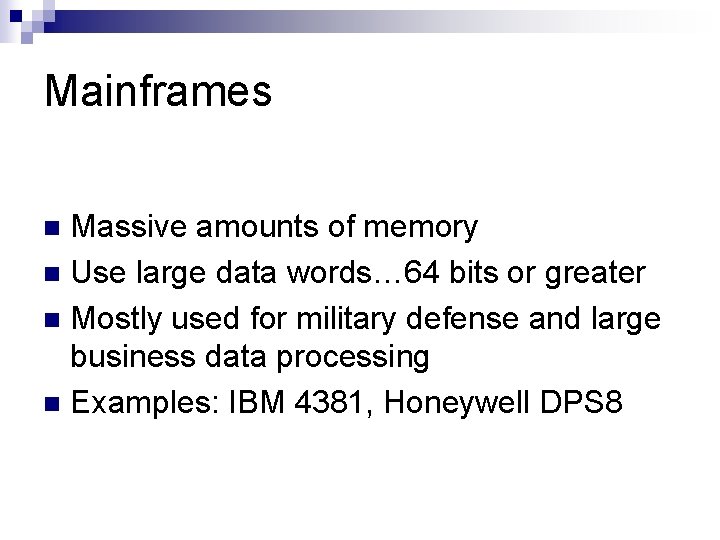
Mainframes Massive amounts of memory n Use large data words… 64 bits or greater n Mostly used for military defense and large business data processing n Examples: IBM 4381, Honeywell DPS 8 n
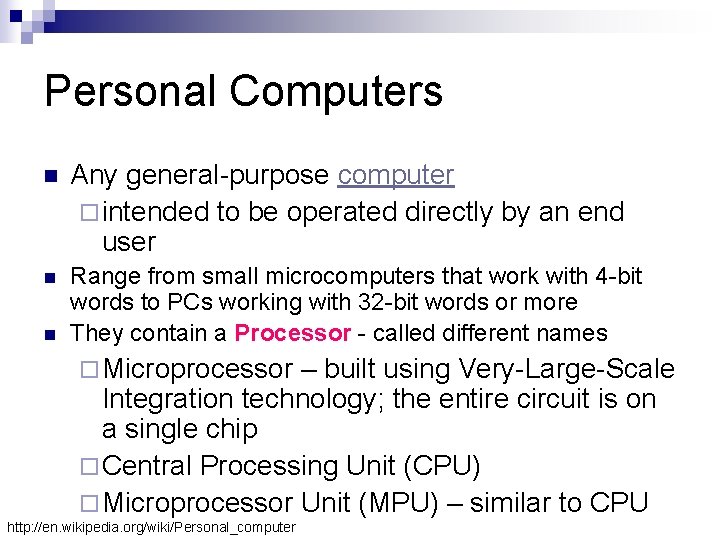
Personal Computers n Any general-purpose computer ¨ intended to be operated directly by an end user n Range from small microcomputers that work with 4 -bit words to PCs working with 32 -bit words or more They contain a Processor - called different names n ¨ Microprocessor – built using Very-Large-Scale Integration technology; the entire circuit is on a single chip ¨ Central Processing Unit (CPU) ¨ Microprocessor Unit (MPU) – similar to CPU http: //en. wikipedia. org/wiki/Personal_computer
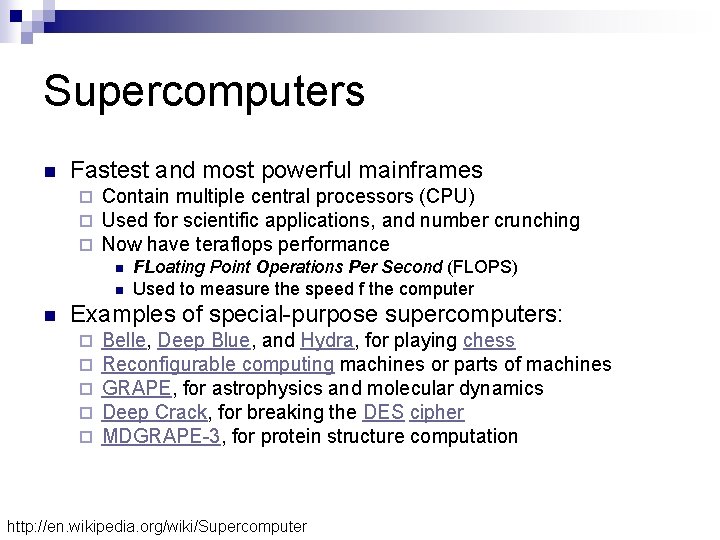
Supercomputers n Fastest and most powerful mainframes ¨ ¨ ¨ Contain multiple central processors (CPU) Used for scientific applications, and number crunching Now have teraflops performance n n n FLoating Point Operations Per Second (FLOPS) Used to measure the speed f the computer Examples of special-purpose supercomputers: ¨ ¨ ¨ Belle, Deep Blue, and Hydra, for playing chess Reconfigurable computing machines or parts of machines GRAPE, for astrophysics and molecular dynamics Deep Crack, for breaking the DES cipher MDGRAPE-3, for protein structure computation http: //en. wikipedia. org/wiki/Supercomputer
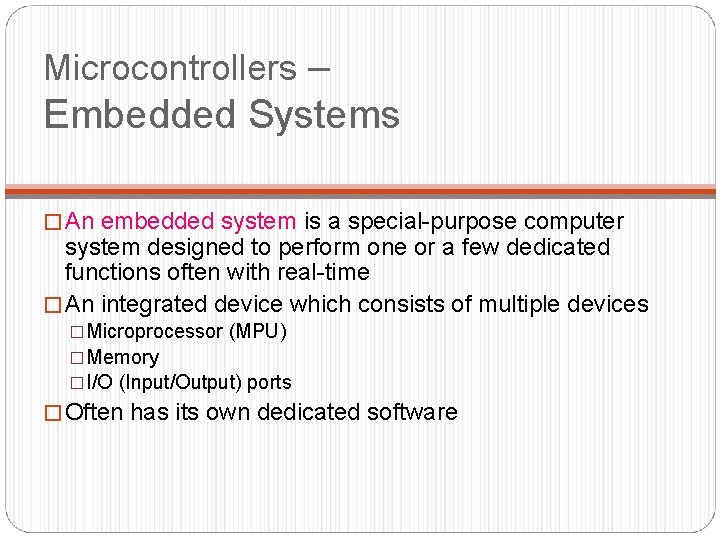
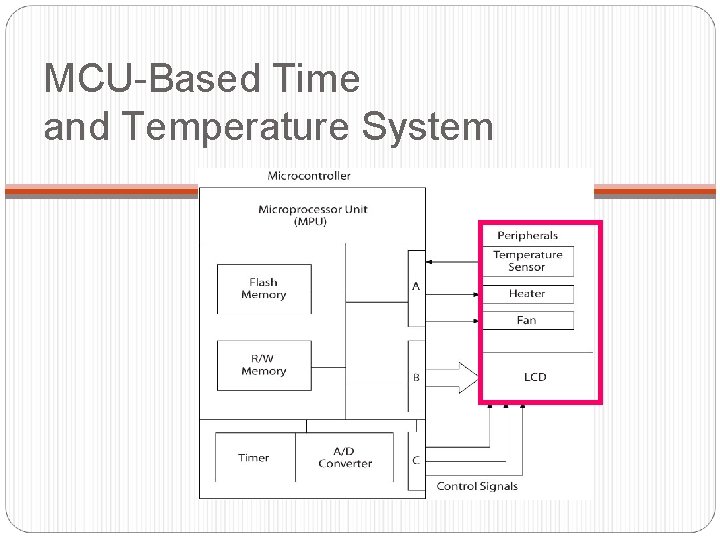
Microcontrollers – Embedded Systems � An embedded system is a special-purpose computer system designed to perform one or a few dedicated functions often with real-time � An integrated device which consists of multiple devices �Microprocessor (MPU) �Memory �I/O (Input/Output) ports � Often has its own dedicated software
A little about Microprocessor-based Systems ……
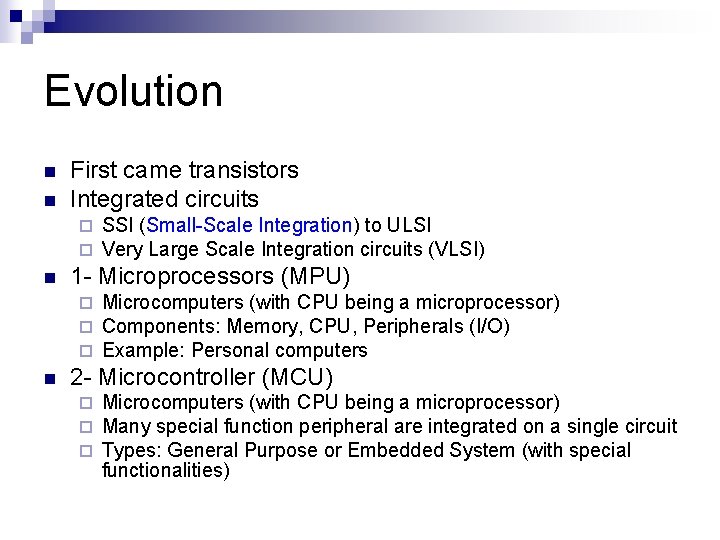
Evolution n n First came transistors Integrated circuits ¨ ¨ n 1 - Microprocessors (MPU) ¨ ¨ ¨ n SSI (Small-Scale Integration) to ULSI Very Large Scale Integration circuits (VLSI) Microcomputers (with CPU being a microprocessor) Components: Memory, CPU, Peripherals (I/O) Example: Personal computers 2 - Microcontroller (MCU) ¨ ¨ ¨ Microcomputers (with CPU being a microprocessor) Many special function peripheral are integrated on a single circuit Types: General Purpose or Embedded System (with special functionalities)
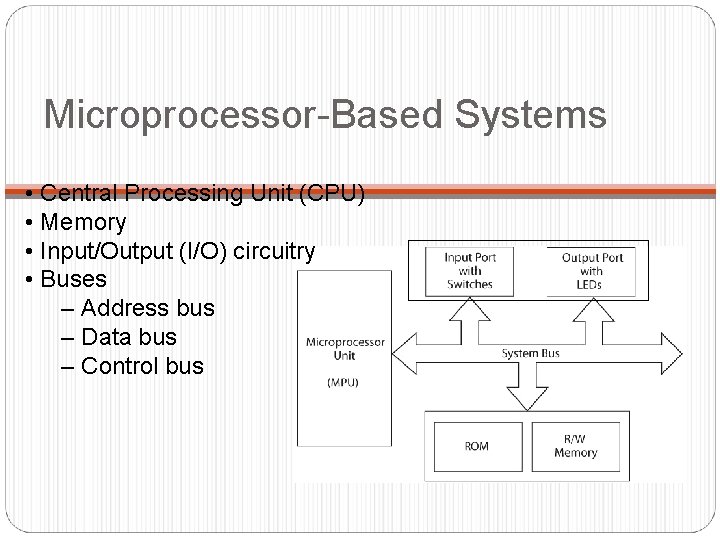
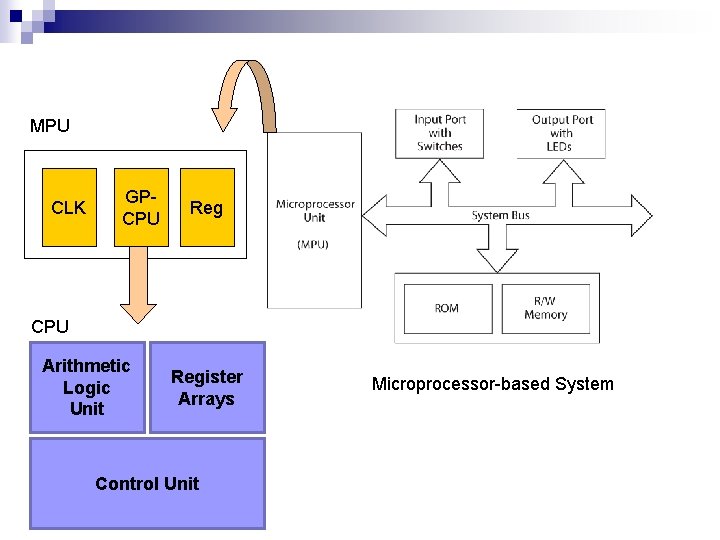
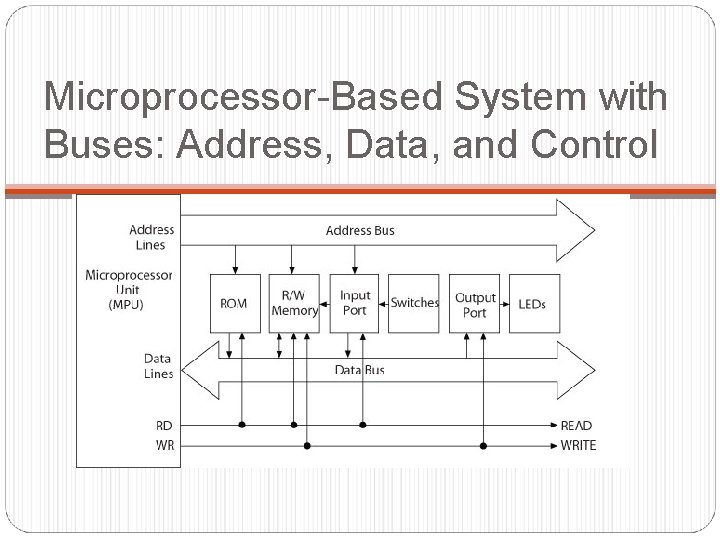
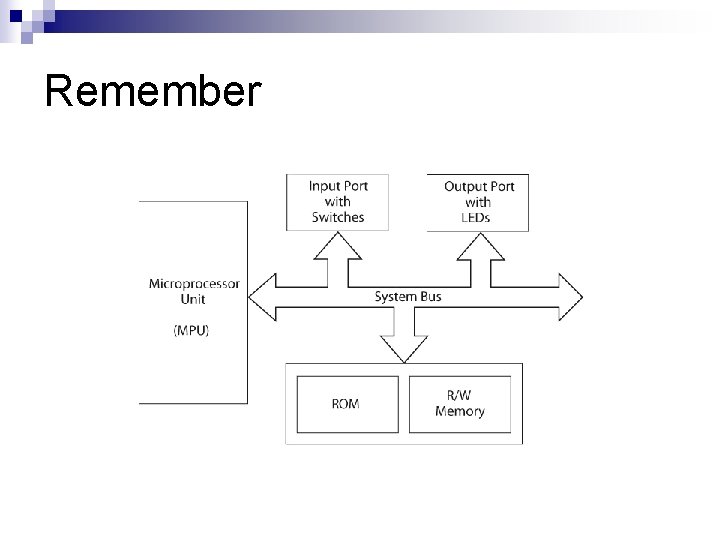
Microprocessor-Based Systems • Central Processing Unit (CPU) • Memory • Input/Output (I/O) circuitry • Buses – Address bus – Data bus – Control bus
MPU CLK GPCPU Reg CPU Arithmetic Logic Unit Register Arrays Control Unit Microprocessor-based System
Microprocessor-Based System with Buses: Address, Data, and Control
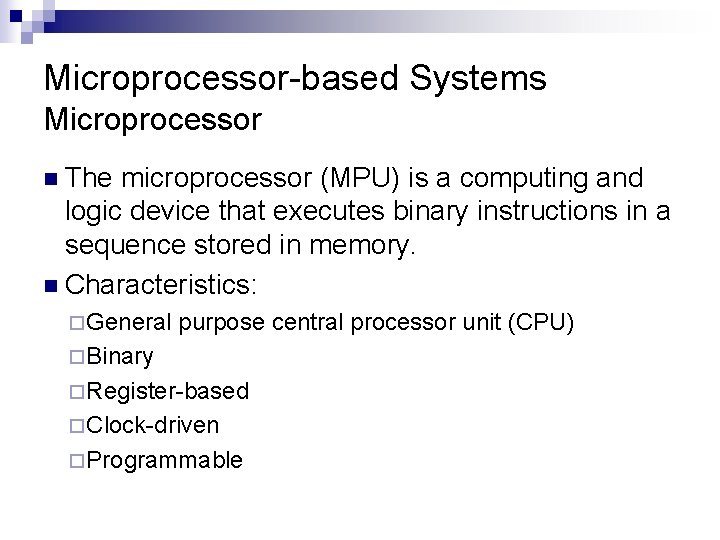
Microprocessor-based Systems Microprocessor n The microprocessor (MPU) is a computing and logic device that executes binary instructions in a sequence stored in memory. n Characteristics: ¨General purpose central processor unit (CPU) ¨Binary ¨Register-based ¨Clock-driven ¨Programmable
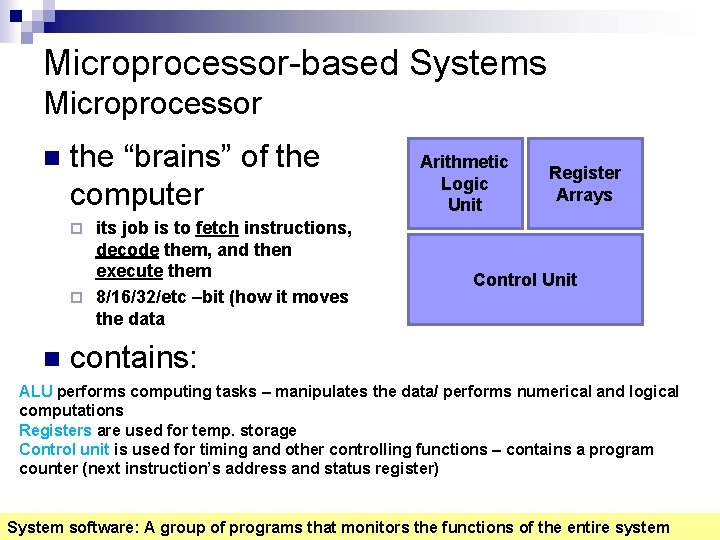
Microprocessor-based Systems Microprocessor n the “brains” of the computer its job is to fetch instructions, decode them, and then execute them ¨ 8/16/32/etc –bit (how it moves the data Arithmetic Logic Unit Register Arrays ¨ n Control Unit contains: ALU performs computing tasks – manipulates the data/ performs numerical and logical computations Registers are used for temp. storage Control unit is used for timing and other controlling functions – contains a program counter (next instruction’s address and status register) System software: A group of programs that monitors the functions of the entire system
Evolution of CPUs
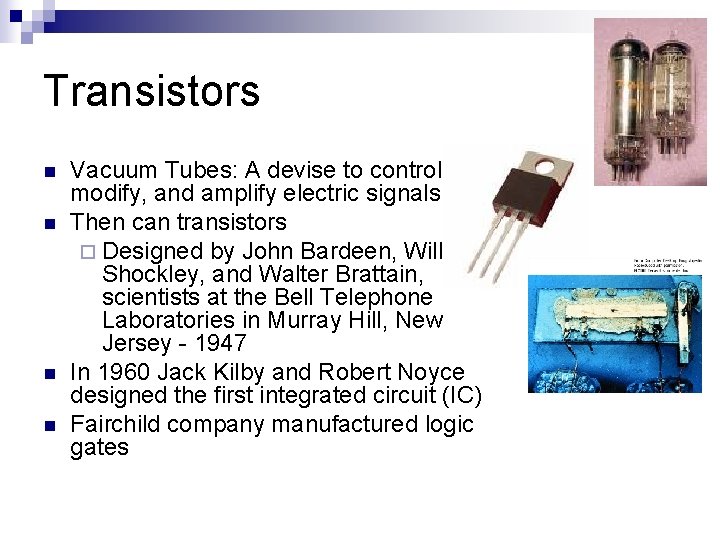
Transistors n n Vacuum Tubes: A devise to control, modify, and amplify electric signals Then can transistors ¨ Designed by John Bardeen, William Shockley, and Walter Brattain, scientists at the Bell Telephone Laboratories in Murray Hill, New Jersey - 1947 In 1960 Jack Kilby and Robert Noyce designed the first integrated circuit (IC) Fairchild company manufactured logic gates
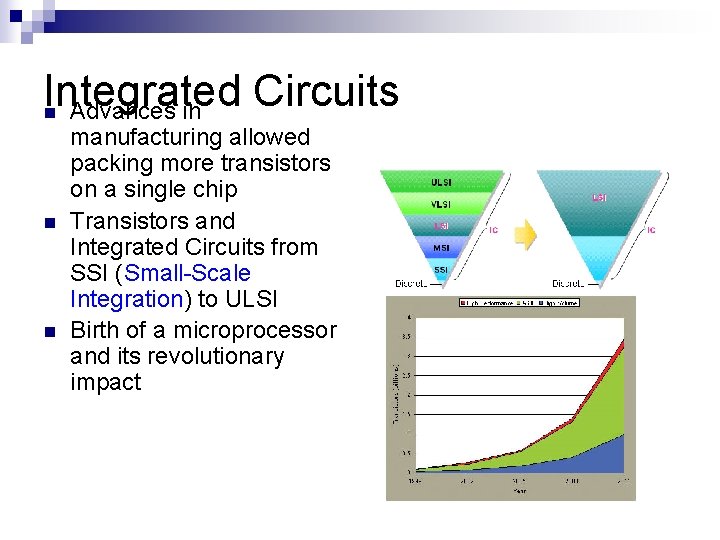
Integrated Circuits Advances in n manufacturing allowed packing more transistors on a single chip Transistors and Integrated Circuits from SSI (Small-Scale Integration) to ULSI Birth of a microprocessor and its revolutionary impact
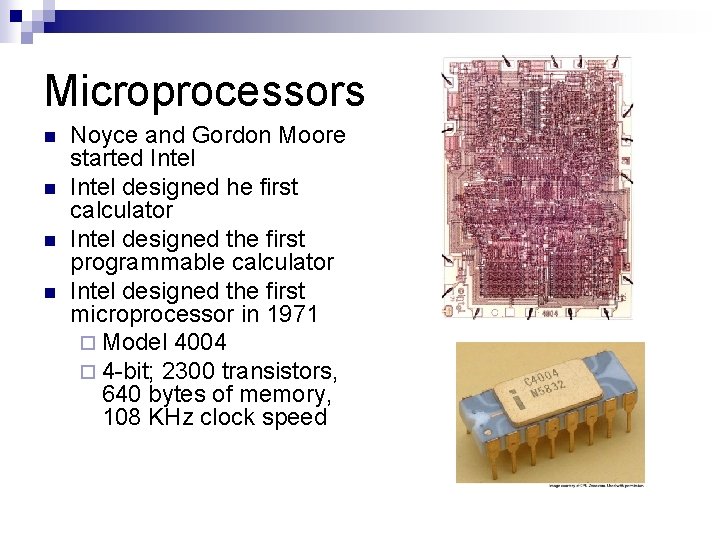
Microprocessors n n Noyce and Gordon Moore started Intel designed he first calculator Intel designed the first programmable calculator Intel designed the first microprocessor in 1971 ¨ Model 4004 ¨ 4 -bit; 2300 transistors, 640 bytes of memory, 108 KHz clock speed
First Processors n n n Intel released the 8086, a 16 -bit microprocessor, in 1978 Motorola followed with the MC 68000 as their 16 bit processor ¨ The 16 -bit processor works with 16 bit words, rather than 8 bit words ¨ Instructions are executed faster ¨ Provide single instructions for more complex instructions such as multiply and divide 16 bit processors evolved into 32 bit processors Intel released the 80386 Motorola released the MC 68020
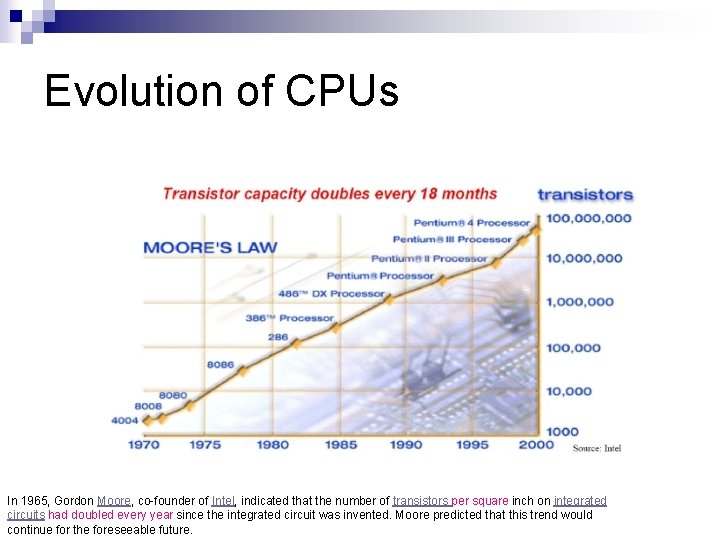
Evolution of CPUs In 1965, Gordon Moore, co-founder of Intel, indicated that the number of transistors per square inch on integrated circuits had doubled every year since the integrated circuit was invented. Moore predicted that this trend would continue for the foreseeable future.
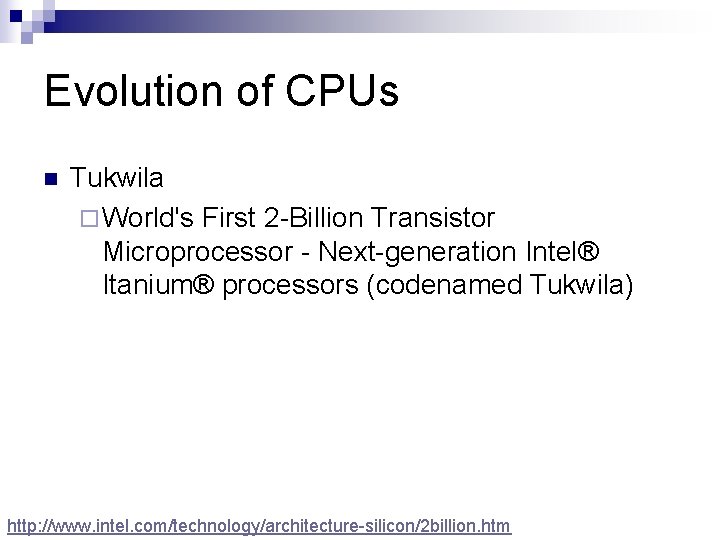
Evolution of CPUs n Tukwila ¨ World's First 2 -Billion Transistor Microprocessor - Next-generation Intel® Itanium® processors (codenamed Tukwila) http: //www. intel. com/technology/architecture-silicon/2 billion. htm
Remember
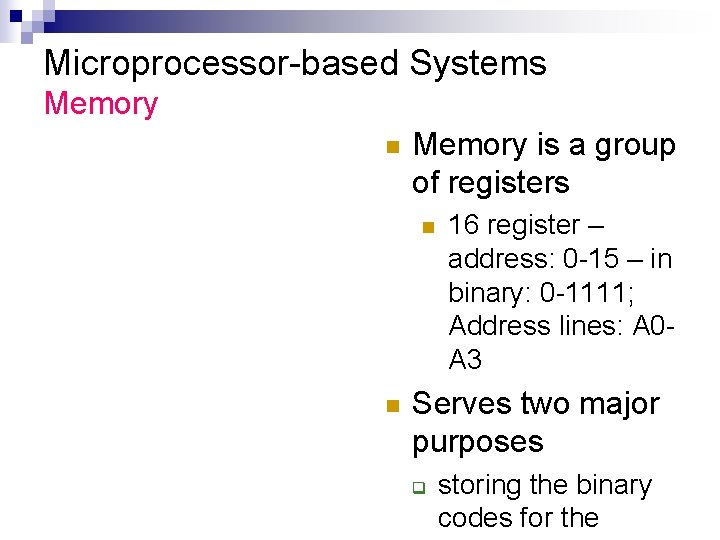
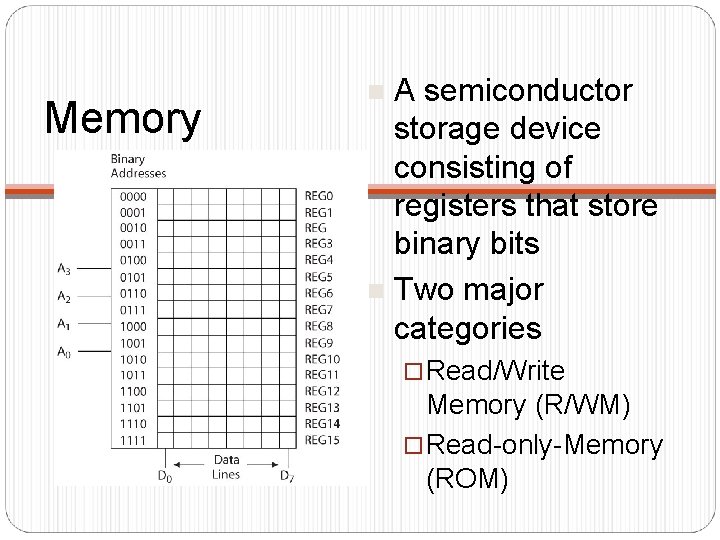
Microprocessor-based Systems Memory n Memory is a group of registers n n 16 register – address: 0 -15 – in binary: 0 -1111; Address lines: A 0 A 3 Serves two major purposes q storing the binary codes for the
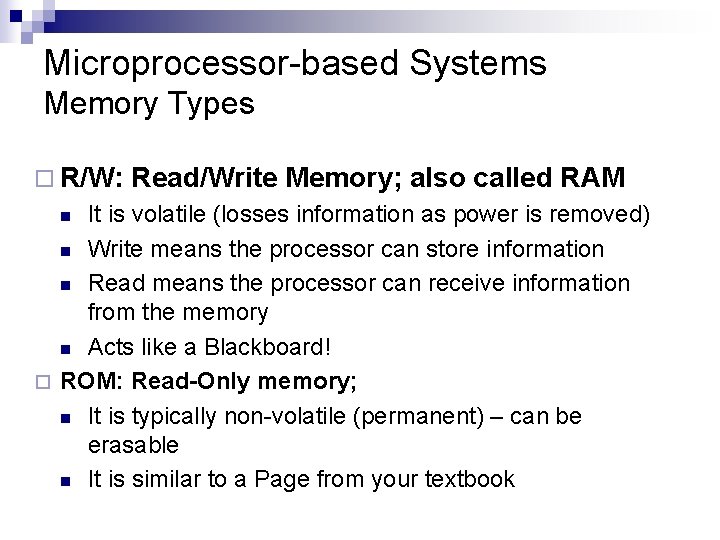
Microprocessor-based Systems Memory Types ¨ R/W: Read/Write Memory; also called RAM It is volatile (losses information as power is removed) n Write means the processor can store information n Read means the processor can receive information from the memory n Acts like a Blackboard! ¨ ROM: Read-Only memory; n It is typically non-volatile (permanent) – can be erasable n It is similar to a Page from your textbook n
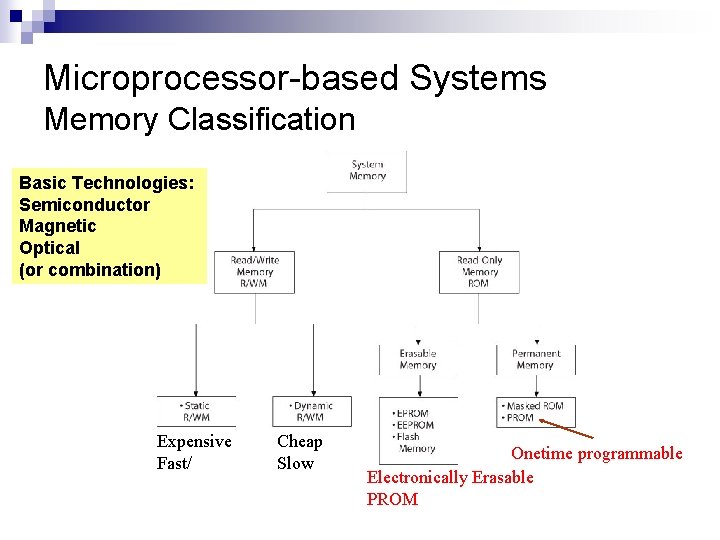
Microprocessor-based Systems Memory Classification Basic Technologies: Semiconductor Magnetic Optical (or combination) Expensive Fast/ Cheap Slow Onetime programmable Electronically Erasable PROM
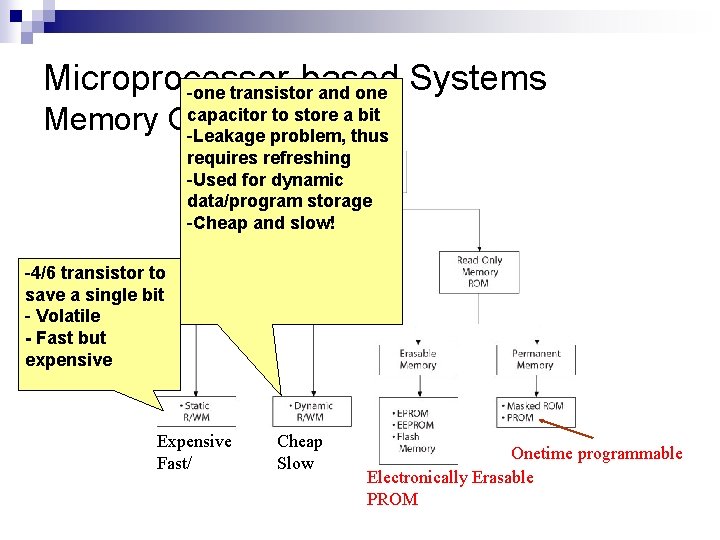
Microprocessor-based -one transistor and one Systems capacitor to store a bit Memory Classification -Leakage problem, thus requires refreshing -Used for dynamic data/program storage -Cheap and slow! -4/6 transistor to save a single bit - Volatile - Fast but expensive Expensive Fast/ Cheap Slow Onetime programmable Electronically Erasable PROM
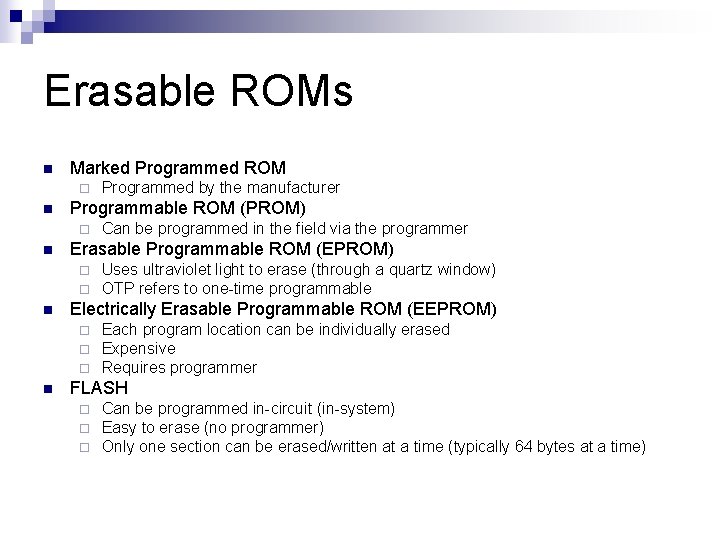
Erasable ROMs n Marked Programmed ROM ¨ n Programmable ROM (PROM) ¨ n Uses ultraviolet light to erase (through a quartz window) OTP refers to one-time programmable Electrically Erasable Programmable ROM (EEPROM) ¨ ¨ ¨ n Can be programmed in the field via the programmer Erasable Programmable ROM (EPROM) ¨ ¨ n Programmed by the manufacturer Each program location can be individually erased Expensive Requires programmer FLASH ¨ ¨ ¨ Can be programmed in-circuit (in-system) Easy to erase (no programmer) Only one section can be erased/written at a time (typically 64 bytes at a time)
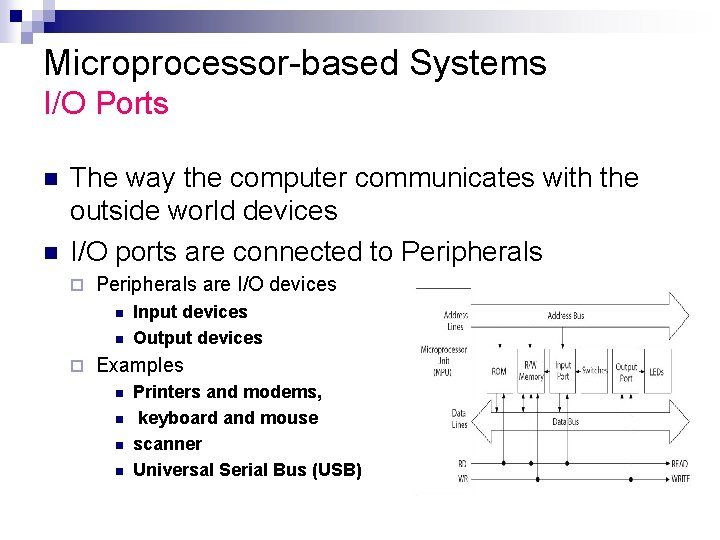
Microprocessor-based Systems I/O Ports n n The way the computer communicates with the outside world devices I/O ports are connected to Peripherals ¨ Peripherals are I/O devices n n ¨ Input devices Output devices Examples n n Printers and modems, keyboard and mouse scanner Universal Serial Bus (USB)
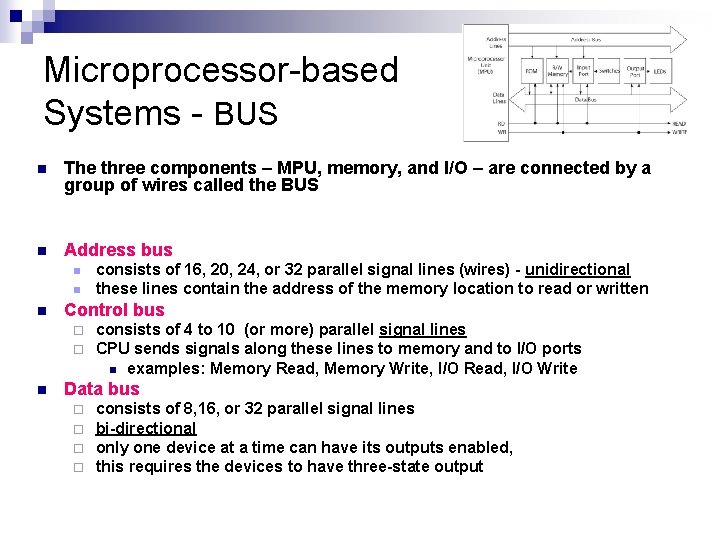
Microprocessor-based Systems - BUS n The three components – MPU, memory, and I/O – are connected by a group of wires called the BUS n Address bus n n n Control bus ¨ ¨ n consists of 16, 20, 24, or 32 parallel signal lines (wires) - unidirectional these lines contain the address of the memory location to read or written consists of 4 to 10 (or more) parallel signal lines CPU sends signals along these lines to memory and to I/O ports n examples: Memory Read, Memory Write, I/O Read, I/O Write Data bus ¨ ¨ consists of 8, 16, or 32 parallel signal lines bi-directional only one device at a time can have its outputs enabled, this requires the devices to have three-state output
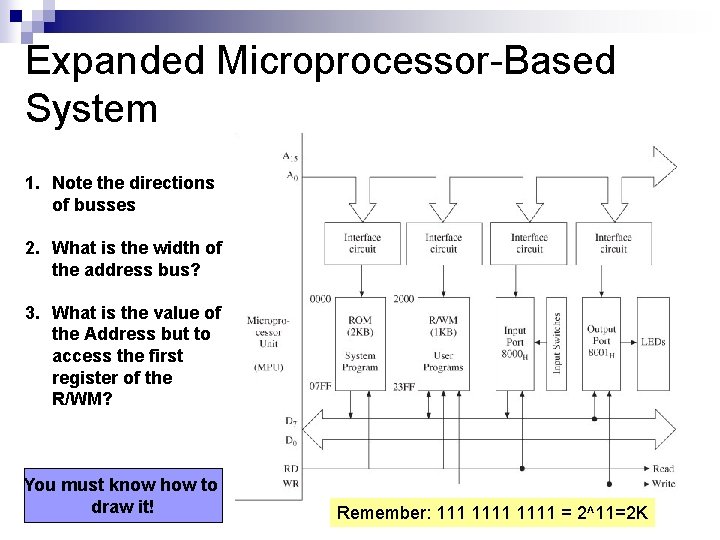
Expanded Microprocessor-Based System 1. Note the directions of busses 2. What is the width of the address bus? 3. What is the value of the Address but to access the first register of the R/WM? You must know how to draw it! Remember: 1111 = 2^11=2 K
So what are microcontrollers?
First Microcontrollers n n IBM started using Intel processors in its PC ¨ Intel started its 8042 and 8048 (8 -bit microcontroller) – using in printers Apple Macintosh used Motorola 1980 Intel abandoned microcontroller business By 1989 Microchip was a major player in designing microcontrollers ¨ PIC: Peripheral Interface Controller
Embedded controllers Used to control smart machines n Examples: printers, auto braking systems n Also called microcontrollers or microcontroller units (MCU) n
Embedded controllers Software Characteristics n n n No operating systems Execute a single program, tailored exactly to the controller hardware Assembly language (vs. High-level language) ¨ Not transportable, machine specific ¨ Programmer need to know CPU architecture ¨ Speed ¨ Program size ¨ Uniqueness
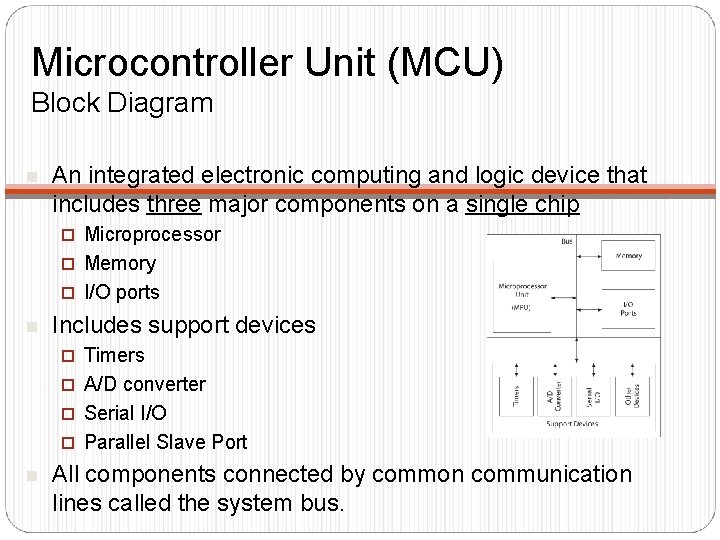
Microcontroller Unit (MCU) Block Diagram n An integrated electronic computing and logic device that includes three major components on a single chip Microprocessor ¨ Memory ¨ I/O ports ¨ n Includes support devices Timers ¨ A/D converter ¨ Serial I/O ¨ Parallel Slave Port ¨ n All components connected by common communication lines called the system bus.
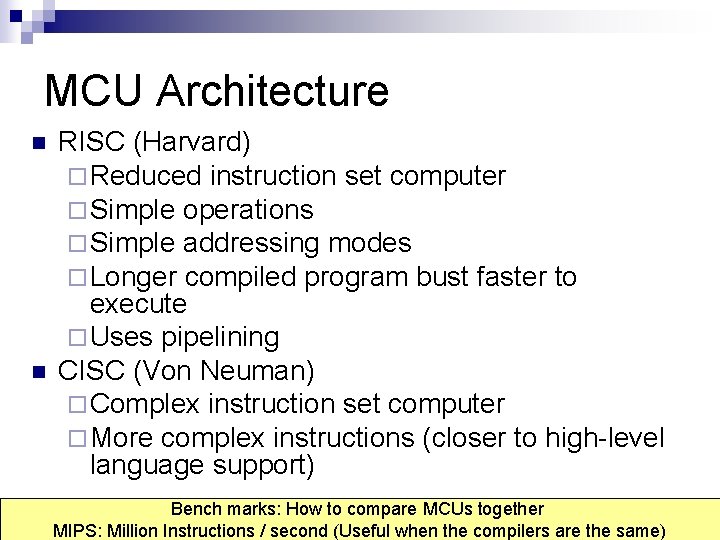
MCU Architecture n n RISC (Harvard) ¨ Reduced instruction set computer ¨ Simple operations ¨ Simple addressing modes ¨ Longer compiled program bust faster to execute ¨ Uses pipelining CISC (Von Neuman) ¨ Complex instruction set computer ¨ More complex instructions (closer to high-level language support) Bench marks: How to compare MCUs together MIPS: Million Instructions / second (Useful when the compilers are the same)
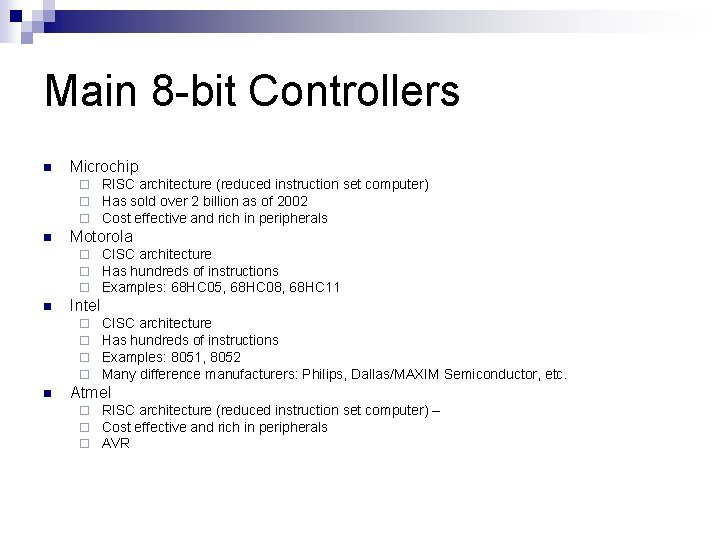
Main 8 -bit Controllers n Microchip ¨ ¨ ¨ n Motorola ¨ ¨ ¨ n CISC architecture Has hundreds of instructions Examples: 68 HC 05, 68 HC 08, 68 HC 11 Intel ¨ ¨ n RISC architecture (reduced instruction set computer) Has sold over 2 billion as of 2002 Cost effective and rich in peripherals CISC architecture Has hundreds of instructions Examples: 8051, 8052 Many difference manufacturers: Philips, Dallas/MAXIM Semiconductor, etc. Atmel ¨ ¨ ¨ RISC architecture (reduced instruction set computer) – Cost effective and rich in peripherals AVR
Let’s continue…. . Numbering system Data format Memory operation System Software (hardware/Software) Example of a microprocessor / microcontroller based
Memory A semiconductor storage device consisting of registers that store binary bits n Two major categories n ¨ Read/Write Memory (R/WM) ¨ Read-only-Memory (ROM)
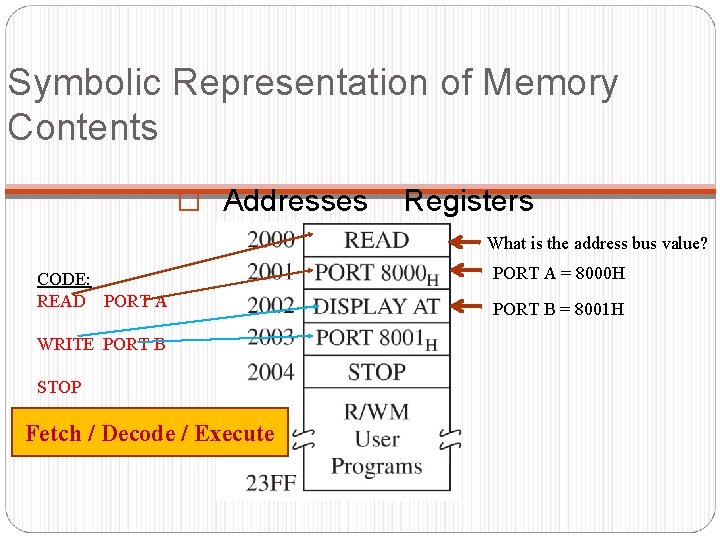
Symbolic Representation of Memory Contents � Addresses Registers What is the address bus value? CODE: READ PORT A WRITE PORT B STOP Fetch / Decode / Execute PORT A = 8000 H PORT B = 8001 H
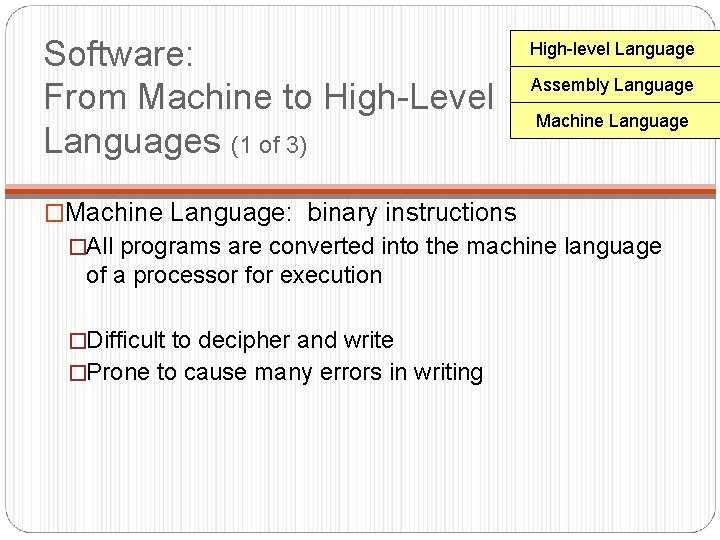
Software: From Machine to High-Level Languages (1 of 3) High-level Language Assembly Language Machine Language �Machine Language: binary instructions �All programs are converted into the machine language of a processor for execution �Difficult to decipher and write �Prone to cause many errors in writing
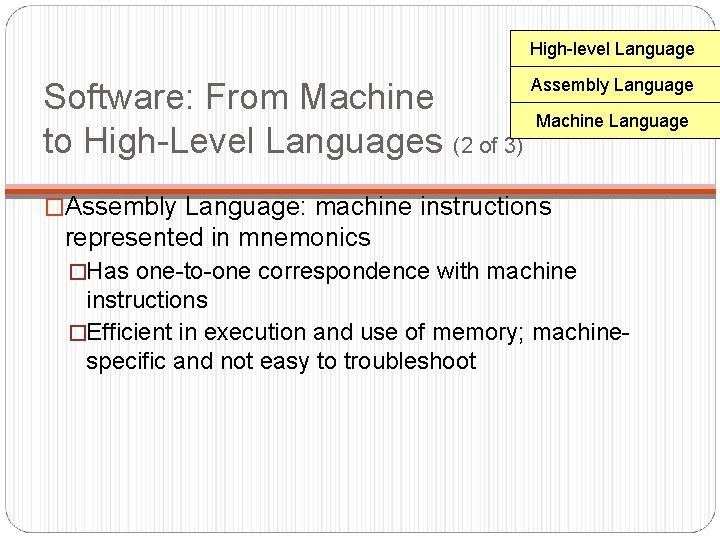
High-level Language Software: From Machine to High-Level Languages (2 of 3) Assembly Language Machine Language �Assembly Language: machine instructions represented in mnemonics �Has one-to-one correspondence with machine instructions �Efficient in execution and use of memory; machinespecific and not easy to troubleshoot
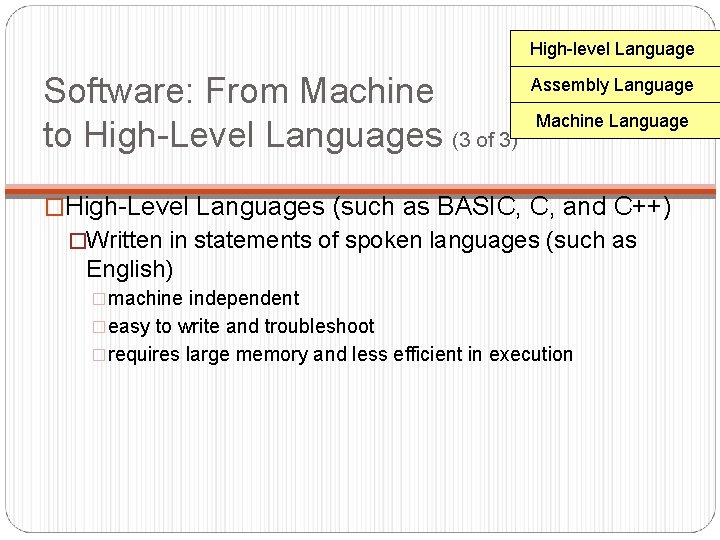
High-level Language Software: From Machine to High-Level Languages (3 of 3) Assembly Language Machine Language �High-Level Languages (such as BASIC, C, and C++) �Written in statements of spoken languages (such as English) �machine independent �easy to write and troubleshoot �requires large memory and less efficient in execution
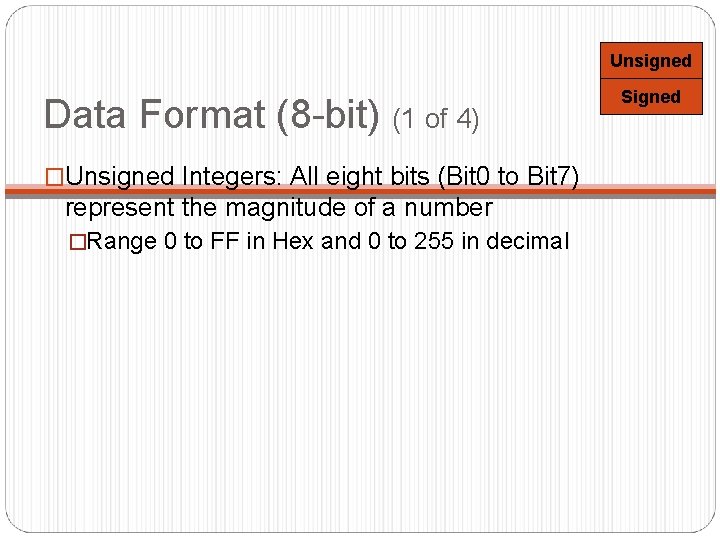
Unsigned Data Format (8 -bit) (1 of 4) �Unsigned Integers: All eight bits (Bit 0 to Bit 7) represent the magnitude of a number �Range 0 to FF in Hex and 0 to 255 in decimal Signed
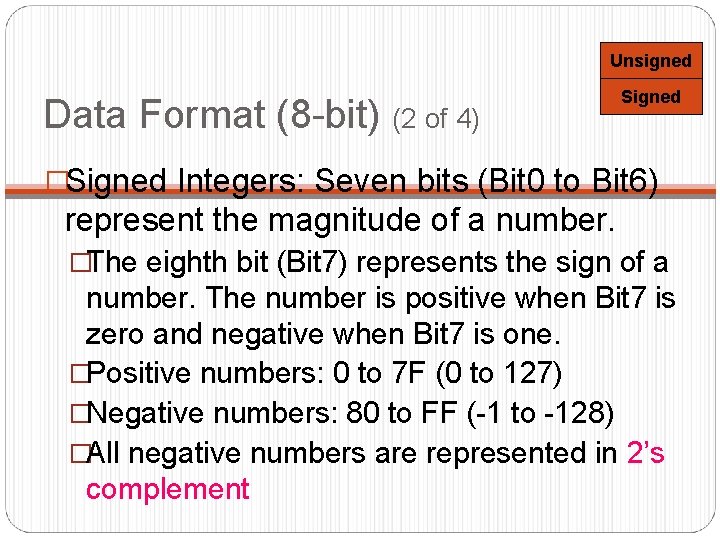
Unsigned Data Format (8 -bit) (2 of 4) Signed �Signed Integers: Seven bits (Bit 0 to Bit 6) represent the magnitude of a number. �The eighth bit (Bit 7) represents the sign of a number. The number is positive when Bit 7 is zero and negative when Bit 7 is one. �Positive numbers: 0 to 7 F (0 to 127) �Negative numbers: 80 to FF (-1 to -128) �All negative numbers are represented in 2’s complement
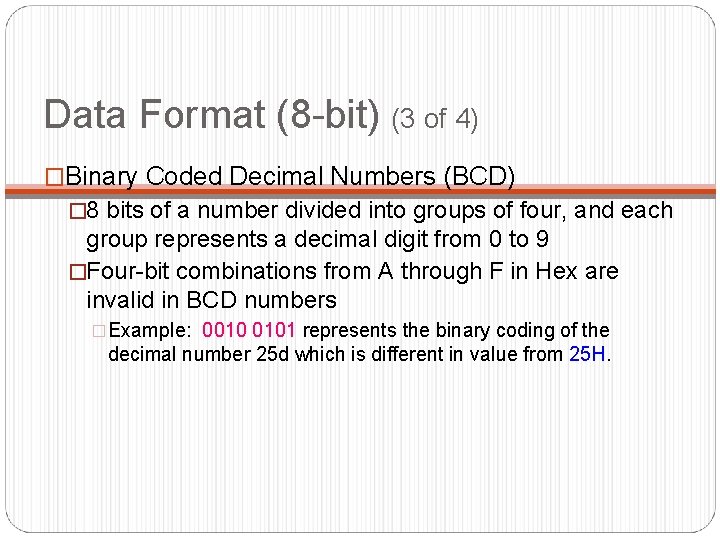
Data Format (8 -bit) (3 of 4) �Binary Coded Decimal Numbers (BCD) � 8 bits of a number divided into groups of four, and each group represents a decimal digit from 0 to 9 �Four-bit combinations from A through F in Hex are invalid in BCD numbers �Example: 0010 0101 represents the binary coding of the decimal number 25 d which is different in value from 25 H.
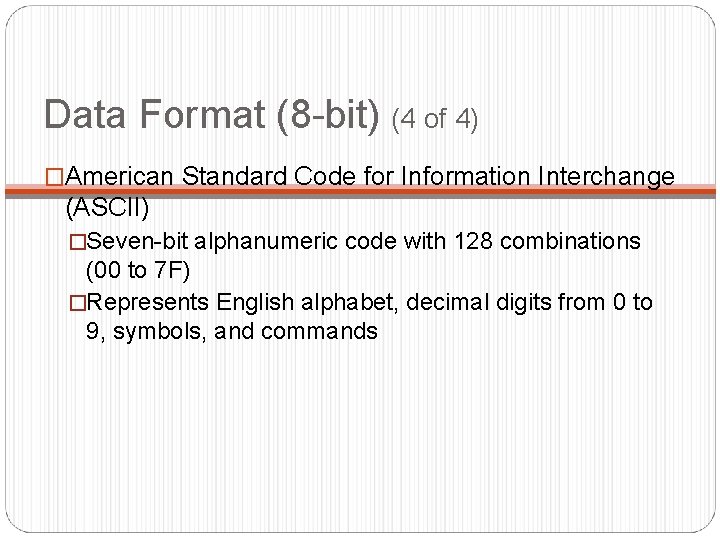
Data Format (8 -bit) (4 of 4) �American Standard Code for Information Interchange (ASCII) �Seven-bit alphanumeric code with 128 combinations (00 to 7 F) �Represents English alphabet, decimal digits from 0 to 9, symbols, and commands
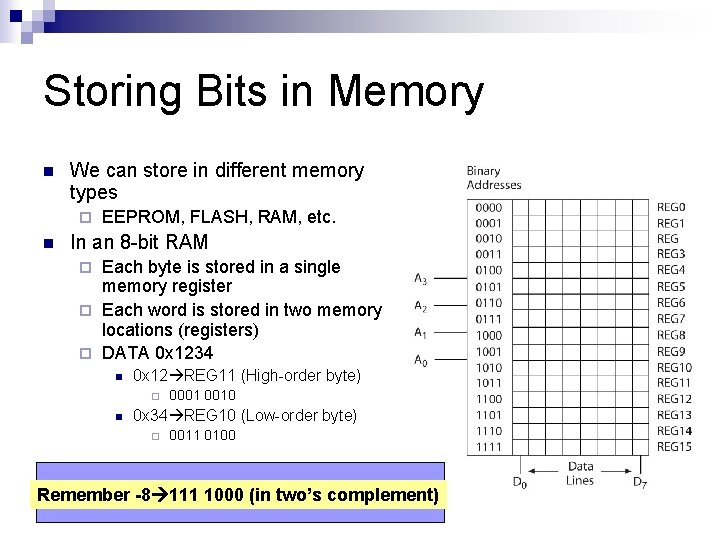
Storing Bits in Memory n We can store in different memory types ¨ n EEPROM, FLASH, RAM, etc. In an 8 -bit RAM Each byte is stored in a single memory register ¨ Each word is stored in two memory locations (registers) ¨ DATA 0 x 1234 ¨ n 0 x 12 REG 11 (High-order byte) ¨ n 0001 0010 0 x 34 REG 10 (Low-order byte) ¨ 0011 0100 What if we 1000 want(in totwo’s storecomplement) -8? Remember -8 111
Design Examples …. . Microcontrollers vs. Microprocessors
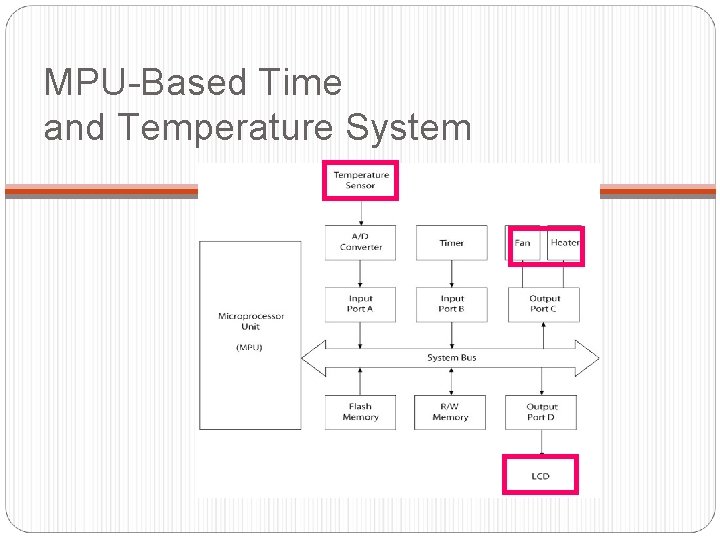
MPU-Based Time and Temperature System
MCU-Based Time and Temperature System
References n n n Read about microcontrollers: http: //www. mikroe. com/en/books/picbook/2_01 chapter. htm Lots of good information exist on Wikipedia about microcontrollers http: //en. wikipedia. org/wiki/ History of transistors: http: //inventors. about. com/library/weekly/aa 061698. htm Nice transistor timeline by Intel: http: //www. intel. com/technology/timeline. pdf I used a few slides from here: http: //www. ceng. metu. edu. tr/courses/ceng 336/_documents/introduct ion. pdf