
FUNDAMENTAL OF MULTIMEDIA TOPIC 5 FUNDAMENTAL OF MULTIMEDIA

- Slides: 56
FUNDAMENTAL OF MULTIMEDIA TOPIC 5 FUNDAMENTAL OF MULTIMEDIA 5. 1 Introduction to Multimedia 5. 2 Mode of Multimedia Interactivity 5. 3 Multimedia Software 5. 4 Medium of Distribution 1
FUNDAMENTAL OF MULTIMEDIA 5. 1 Introduction to Multimedia Learning Outcome At the end of this topic, students should be able to: 1. Define multimedia 2. Describe the elements of multimedia 3. State the applications of multimedia 2
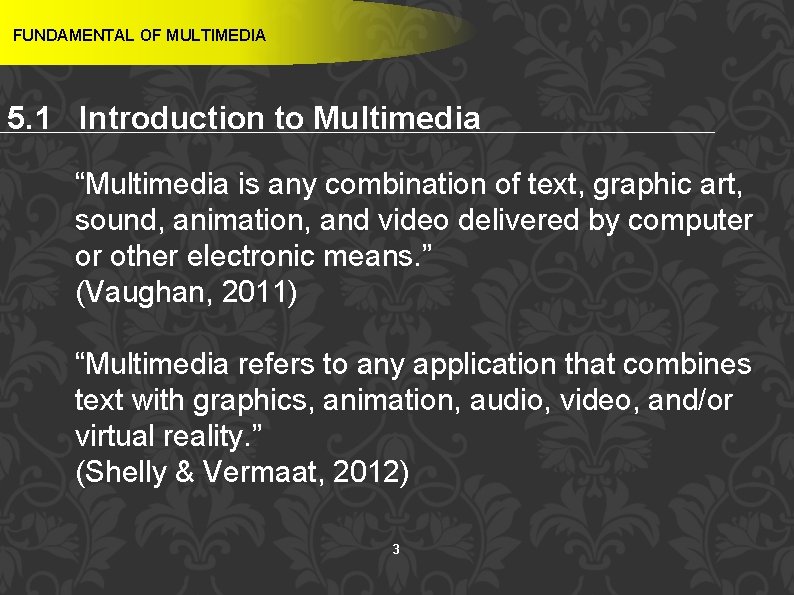
FUNDAMENTAL OF MULTIMEDIA 5. 1 Introduction to Multimedia “Multimedia is any combination of text, graphic art, sound, animation, and video delivered by computer or other electronic means. ” (Vaughan, 2011) “Multimedia refers to any application that combines text with graphics, animation, audio, video, and/or virtual reality. ” (Shelly & Vermaat, 2012) 3
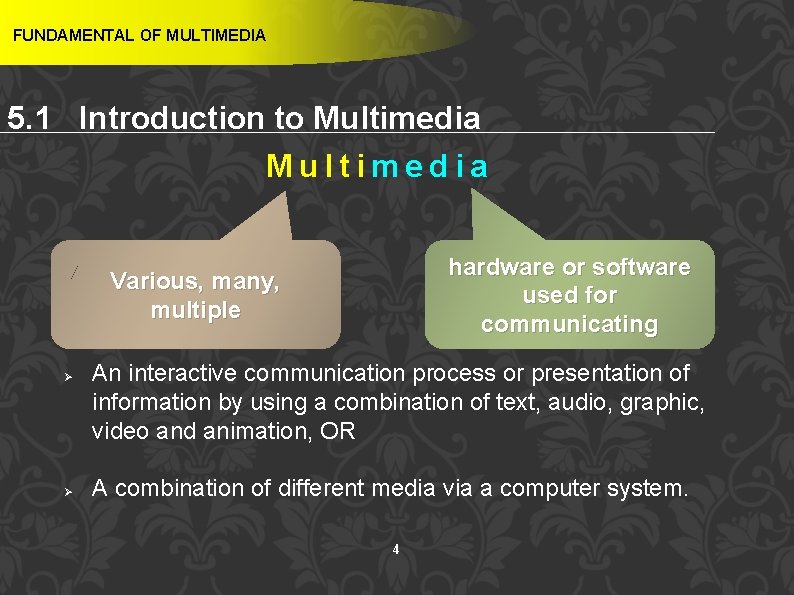
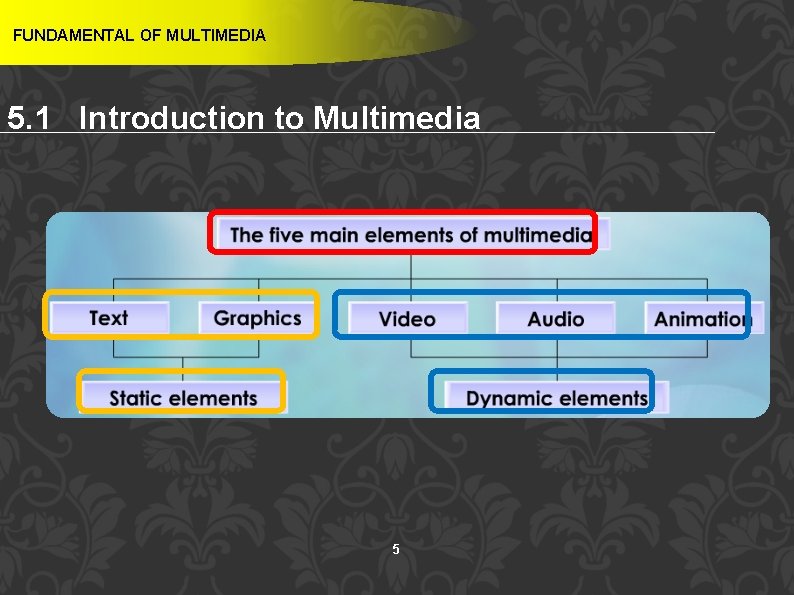
FUNDAMENTAL OF MULTIMEDIA 5. 1 Introduction to Multimedia hardware or software used for communicating Various, many, multiple Ø Ø An interactive communication process or presentation of information by using a combination of text, audio, graphic, video and animation, OR A combination of different media via a computer system. 4
FUNDAMENTAL OF MULTIMEDIA 5. 1 Introduction to Multimedia 5
FUNDAMENTAL OF MULTIMEDIA 5. 1 Introduction to Multimedia Text TEXT “Using text and symbols for communication and delivers information that can have potent meaning” (Vaughan, 2011) Text is combination of alphabets, numbers and symbol to form a sentence or word that is used to avoid misunderstanding 6
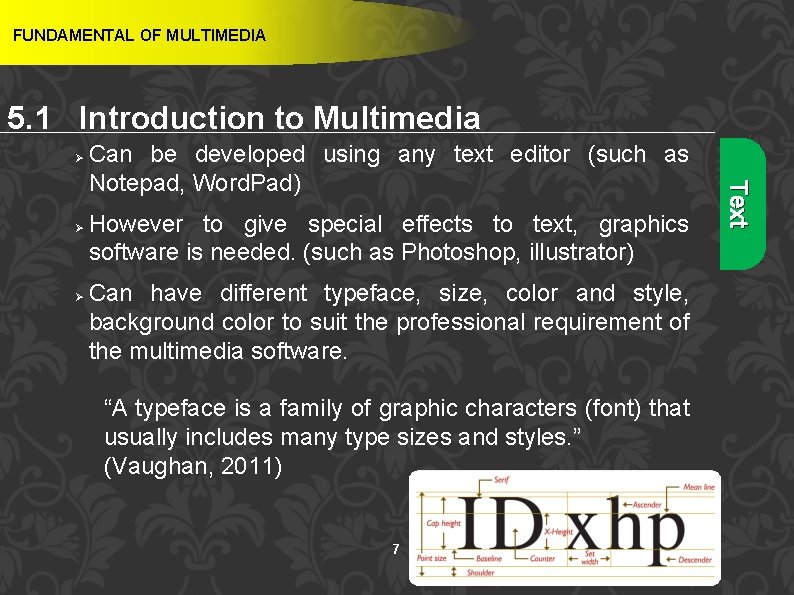
FUNDAMENTAL OF MULTIMEDIA 5. 1 Introduction to Multimedia Ø Ø However to give special effects to text, graphics software is needed. (such as Photoshop, illustrator) Can have different typeface, size, color and style, background color to suit the professional requirement of the multimedia software. “A typeface is a family of graphic characters (font) that usually includes many type sizes and styles. ” (Vaughan, 2011) 7 Text Ø Can be developed using any text editor (such as Notepad, Word. Pad)
FUNDAMENTAL OF MULTIMEDIA 5. 1 Introduction to Multimedia Ø Font can be altered to create interesting effects ü Cases ü Serif vs. Sans Serif ü Choosing Text Fonts Hypertext “The text more accessible and meaningful can then be called hypertext; because the words, sections, and thoughts are linked, the user can navigate through text in a nonlinear way, quickly and intuitively. ” (Vaughan, 2011) 8 Text Ø
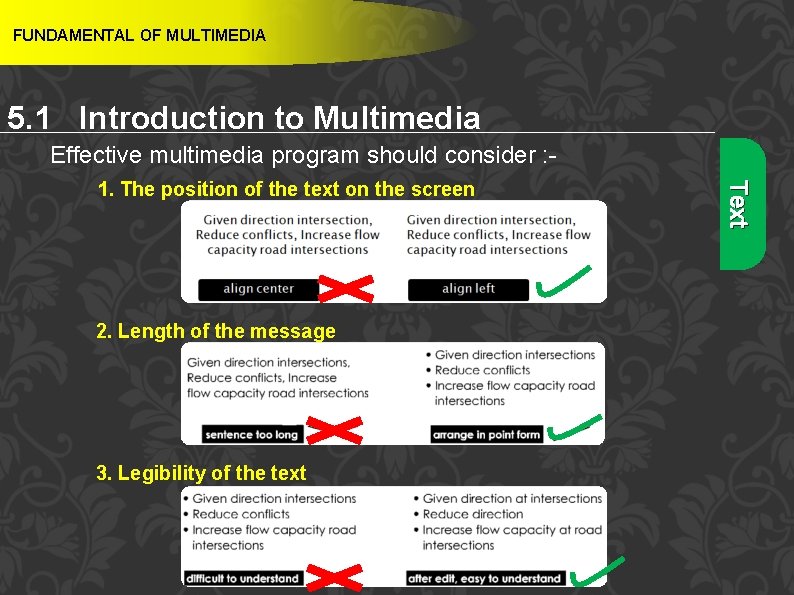
FUNDAMENTAL OF MULTIMEDIA 5. 1 Introduction to Multimedia Effective multimedia program should consider : - 2. Length of the message 3. Legibility of the text 9 Text 1. The position of the text on the screen
FUNDAMENTAL OF MULTIMEDIA 5. 1 Introduction to Multimedia GRAPHIC Ø Graphic is a digital representation of images or non- text information Ø Purpose of graphic : - a) help to develop an attractive application 10 b) help to illustrate ideas through still pictures Graphic “A graphic or graphical image is a digital representation of non-text information such as a drawing, chart or photo” (Shelly & Vermaat, 2012)
FUNDAMENTAL OF MULTIMEDIA 5. 1 Introduction to Multimedia Ø Ø Ø Bitmaps may also be called “raster” images. Likewise, bitmap editors are sometimes called “painting” programs. And vector editors are sometimes called “drawing” programs. Bitmaps are used for photo-realistic images and for complex drawings requiring fine detail. Vector-drawn objects are used for lines, boxes, circles, polygons, and other graphic shapes that can be mathematically expressed in angles, coordinates, and distances. 11 Graphic Ø Still images are generated by the computer in two ways: as bitmaps (or paint graphics) and as vector (or just plain “drawn”) graphics.
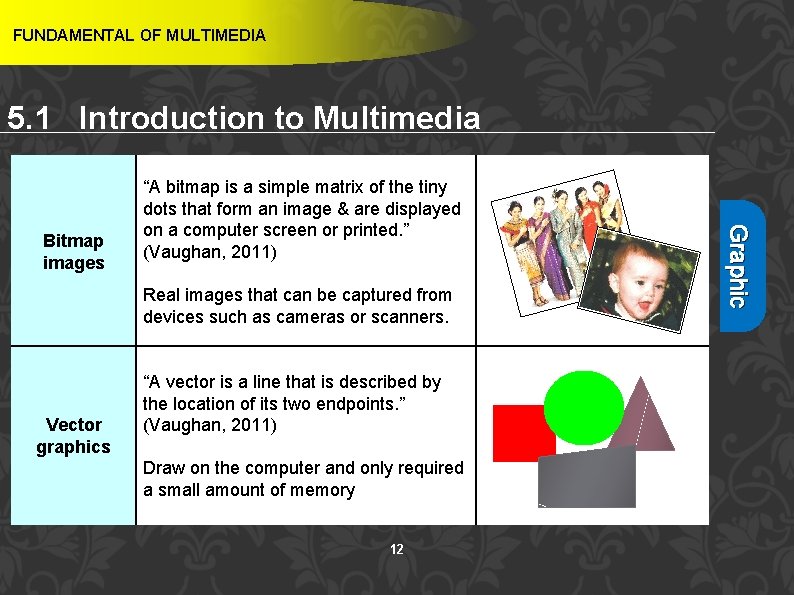
FUNDAMENTAL OF MULTIMEDIA 5. 1 Introduction to Multimedia Real images that can be captured from devices such as cameras or scanners. Vector graphics “A vector is a line that is described by the location of its two endpoints. ” (Vaughan, 2011) Draw on the computer and only required a small amount of memory 12 Graphic Bitmap images “A bitmap is a simple matrix of the tiny dots that form an image & are displayed on a computer screen or printed. ” (Vaughan, 2011)
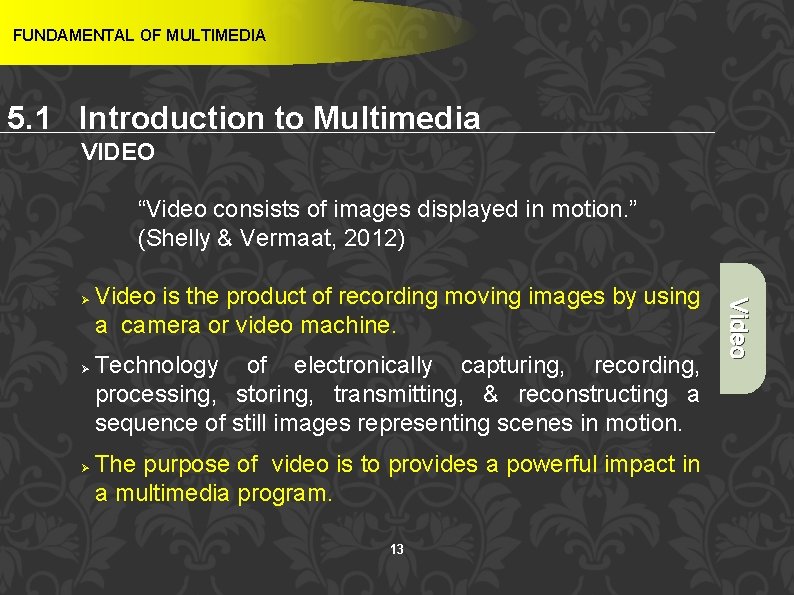
FUNDAMENTAL OF MULTIMEDIA 5. 1 Introduction to Multimedia VIDEO “Video consists of images displayed in motion. ” (Shelly & Vermaat, 2012) Ø Ø Video is the product of recording moving images by using a camera or video machine. Technology of electronically capturing, recording, processing, storing, transmitting, & reconstructing a sequence of still images representing scenes in motion. The purpose of video is to provides a powerful impact in a multimedia program. 13 Video Ø
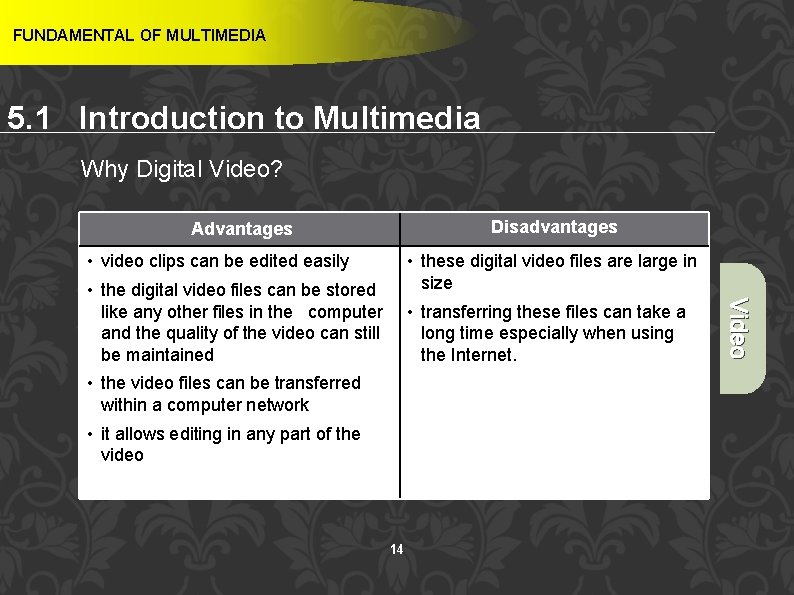
FUNDAMENTAL OF MULTIMEDIA 5. 1 Introduction to Multimedia Why Digital Video? Disadvantages Advantages • video clips can be edited easily • these digital video files are large in size • transferring these files can take a long time especially when using the Internet. • the video files can be transferred within a computer network • it allows editing in any part of the video 14 Video • the digital video files can be stored like any other files in the computer and the quality of the video can still be maintained
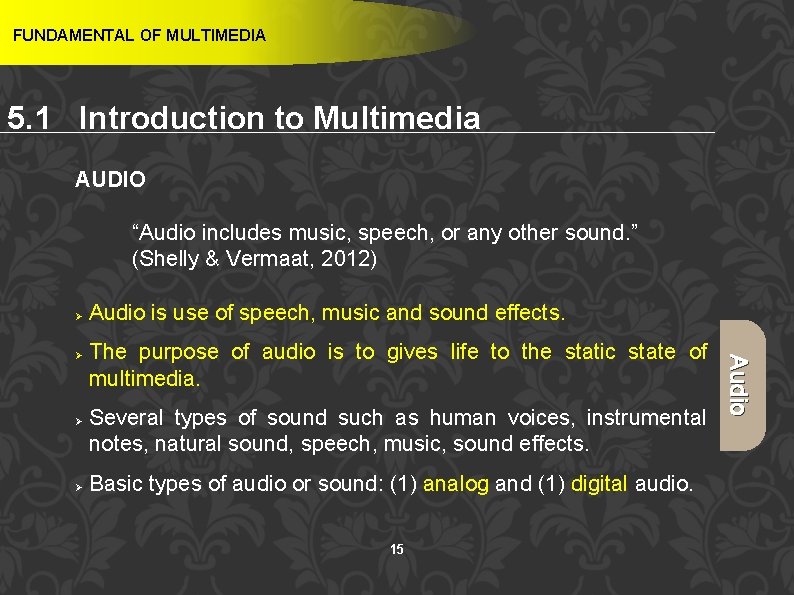
FUNDAMENTAL OF MULTIMEDIA 5. 1 Introduction to Multimedia AUDIO “Audio includes music, speech, or any other sound. ” (Shelly & Vermaat, 2012) Ø Ø Ø The purpose of audio is to gives life to the static state of multimedia. Several types of sound such as human voices, instrumental notes, natural sound, speech, music, sound effects. Basic types of audio or sound: (1) analog and (1) digital audio. 15 Audio Ø Audio is use of speech, music and sound effects.
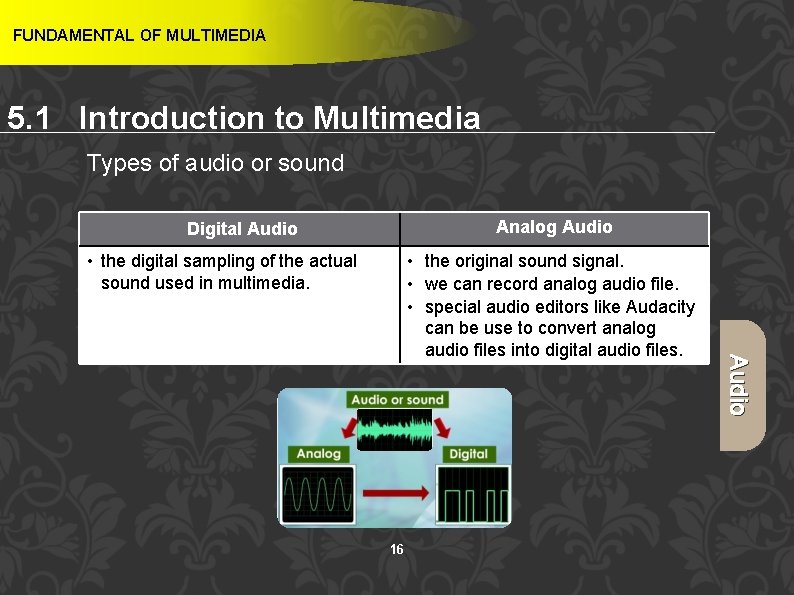
FUNDAMENTAL OF MULTIMEDIA 5. 1 Introduction to Multimedia Types of audio or sound Analog Audio Digital Audio • the digital sampling of the actual sound used in multimedia. 16 Audio • the original sound signal. • we can record analog audio file. • special audio editors like Audacity can be use to convert analog audio files into digital audio files.
FUNDAMENTAL OF MULTIMEDIA 5. 1 Introduction to Multimedia ANIMATION “By definition, animation is the act of making something come alive or makes static presentations come alive. ” (Vaughan, 2011) “Appearance of motion created by displaying a series of still images in sequence. ” (Shelly & Vermaat, 2012) Ø Animation is a process of making a static/still image look like it is moving. Purpose of an animation : - Animation Ø a) To make static presentations come alive 17 b) To create an examples for dangerous and costly events Ø In multimedia, digital animation is used. 17
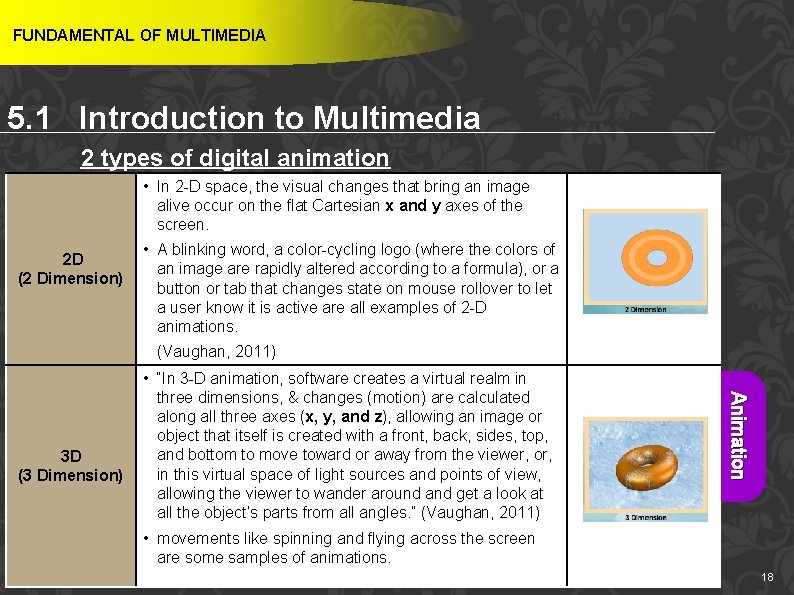
FUNDAMENTAL OF MULTIMEDIA 5. 1 Introduction to Multimedia 2 types of digital animation • In 2 -D space, the visual changes that bring an image alive occur on the flat Cartesian x and y axes of the screen. 2 D (2 Dimension) • A blinking word, a color-cycling logo (where the colors of an image are rapidly altered according to a formula), or a button or tab that changes state on mouse rollover to let a user know it is active are all examples of 2 -D animations. (Vaughan, 2011) Animation 3 D (3 Dimension) • “In 3 -D animation, software creates a virtual realm in three dimensions, & changes (motion) are calculated along all three axes (x, y, and z), allowing an image or object that itself is created with a front, back, sides, top, and bottom to move toward or away from the viewer, or, in this virtual space of light sources and points of view, allowing the viewer to wander around and get a look at all the object’s parts from all angles. ” (Vaughan, 2011) • movements like spinning and flying across the screen 18 are some samples of animations. 18
FUNDAMENTAL OF MULTIMEDIA 5. 1 Introduction to Multimedia Applications of Multimedia 1. Education 2. Entertainment 3. Public Places 4. Business 19 19
FUNDAMENTAL OF MULTIMEDIA 5. 2 Mode of Multimedia Interactivity Learning Outcome At the end of this topic, students should be able to: 1. Differentiate between modes of interactivity 20
FUNDAMENTAL OF MULTIMEDIA 5. 2 Mode of Multimedia Interactivity “When you allow an end user - also known as the viewer of a multimedia project - to control what and when the elements are delivered, it is called interactive multimedia. ” (Vaughan, 2011) Ø Interactivity refers to the way users interact with a multimedia application or program. Ø User can use input devices such as a keyboard, joystick, mouse and touch screen to interact with the application through the computer. Ø Two major categories of interactivity in multimedia – linear and non-linear interactivity. 21
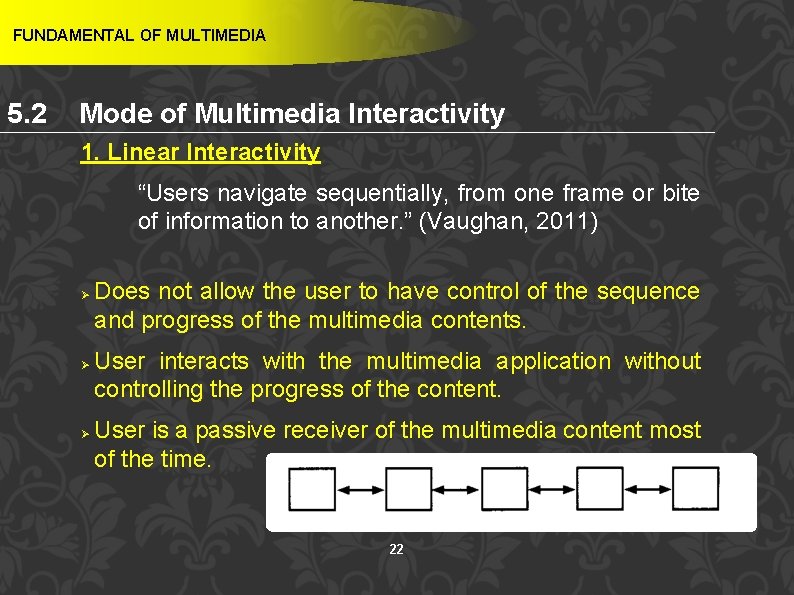
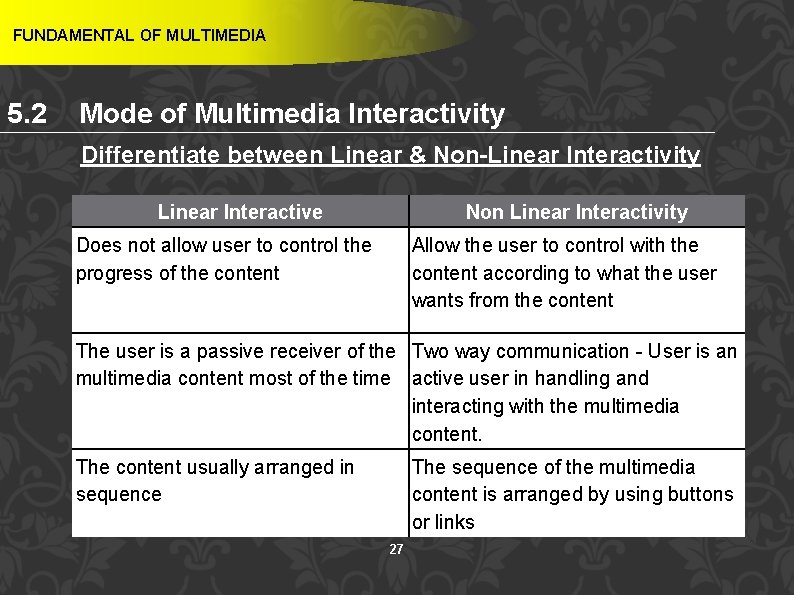
FUNDAMENTAL OF MULTIMEDIA 5. 2 Mode of Multimedia Interactivity 1. Linear Interactivity “Users navigate sequentially, from one frame or bite of information to another. ” (Vaughan, 2011) Ø Ø Ø Does not allow the user to have control of the sequence and progress of the multimedia contents. User interacts with the multimedia application without controlling the progress of the content. User is a passive receiver of the multimedia content most of the time. 22
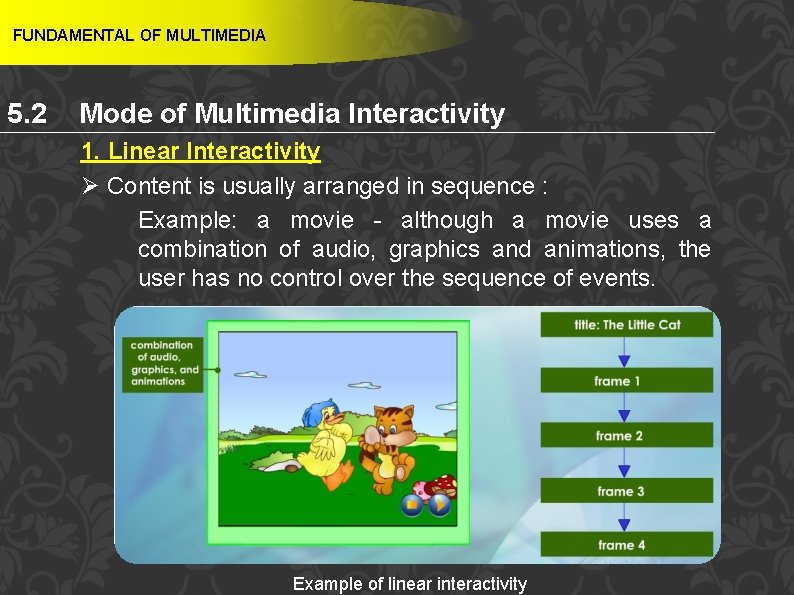
FUNDAMENTAL OF MULTIMEDIA 5. 2 Mode of Multimedia Interactivity 1. Linear Interactivity Ø Content is usually arranged in sequence : Example: a movie - although a movie uses a combination of audio, graphics and animations, the user has no control over the sequence of events. 23 Example of linear interactivity
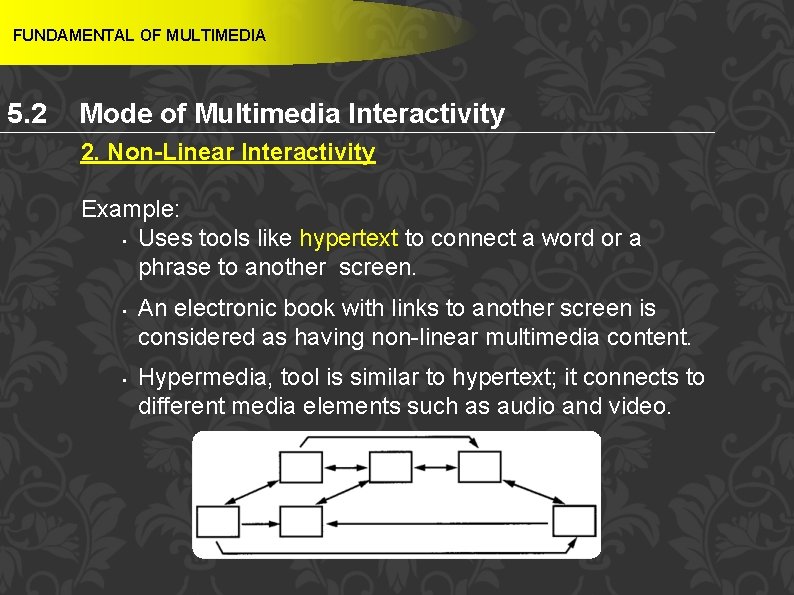
FUNDAMENTAL OF MULTIMEDIA 5. 2 Mode of Multimedia Interactivity 2. Non-Linear Interactivity “Users navigate freely through the content of the project, unbound by predetermined routes. ” (Vaughan, 2011) Ø Ø Lets the user control the sequence and progress of the multimedia content. Allows the user to interact with the content according to what the user wants from the content. Two way communication. User can control the progress and sequence of the multimedia content by using buttons or links. 24
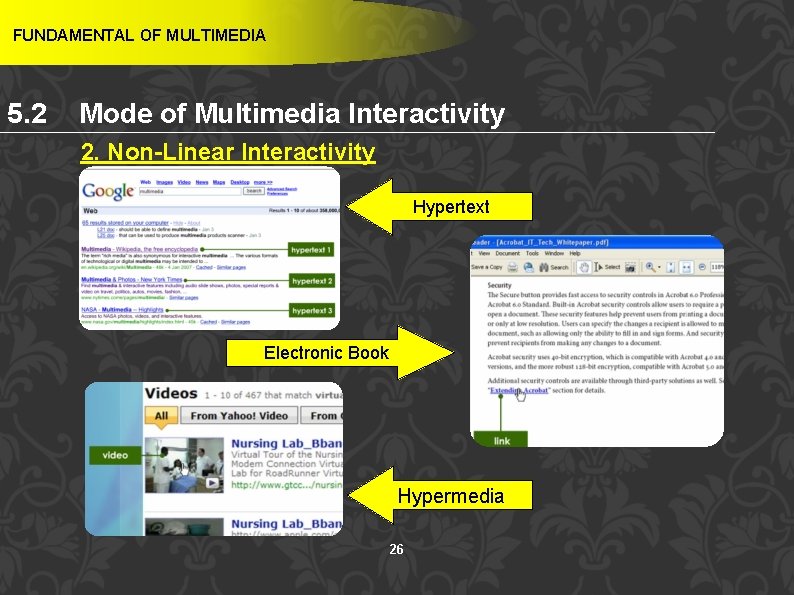
FUNDAMENTAL OF MULTIMEDIA 5. 2 Mode of Multimedia Interactivity 2. Non-Linear Interactivity Example: • Uses tools like hypertext to connect a word or a phrase to another screen. • • An electronic book with links to another screen is considered as having non-linear multimedia content. Hypermedia, tool is similar to hypertext; it connects to different media elements such as audio and video. 25
FUNDAMENTAL OF MULTIMEDIA 5. 2 Mode of Multimedia Interactivity 2. Non-Linear Interactivity Hypertext Electronic Book Hypermedia 26
FUNDAMENTAL OF MULTIMEDIA 5. 2 Mode of Multimedia Interactivity Differentiate between Linear & Non-Linear Interactivity Linear Interactive Non Linear Interactivity Does not allow user to control the progress of the content Allow the user to control with the content according to what the user wants from the content The user is a passive receiver of the Two way communication - User is an multimedia content most of the time active user in handling and interacting with the multimedia content. The content usually arranged in sequence The sequence of the multimedia content is arranged by using buttons or links 27
FUNDAMENTAL OF MULTIMEDIA 5. 3 Multimedia Software Learning Outcome At the end of this topic, students should be able to: 1. Differentiate among types of multimedia authoring tools. 2. Explain types of editing software 28
FUNDAMENTAL OF MULTIMEDIA 5. 3 Multimedia Software Authoring Tools “Multimedia elements are typically sewn together into a project using authoring tools. These software tools are designed to manage individual multimedia elements and provide user interaction. ” (Vaughan, 2011) “Authoring tools are used for designing interactivity and the user interface, for presenting your project on screen, and for assembling diverse multimedia elements into a single, cohesive product. ” (Vaughan, 2011) 29
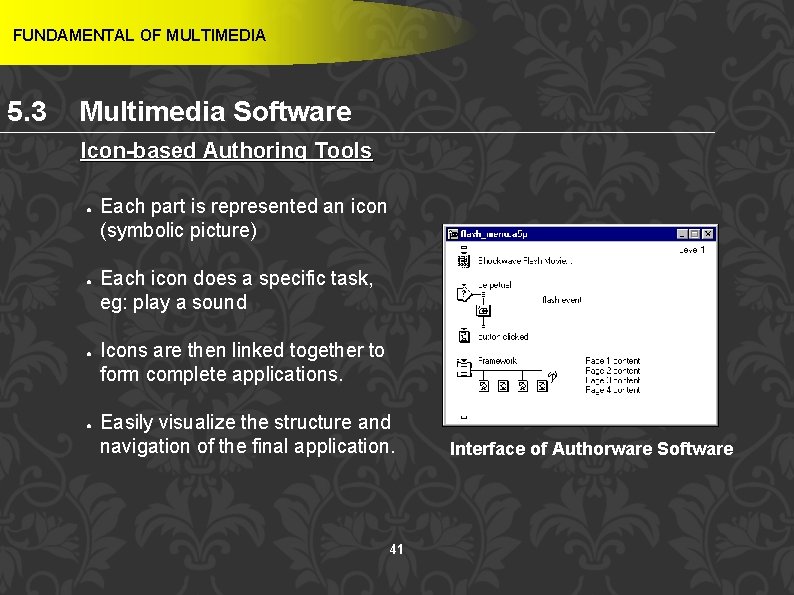
FUNDAMENTAL OF MULTIMEDIA 5. 3 Multimedia Software Authoring Tools Ø Ø Authoring tools is a program that helps you write multimedia applications. Enable you to create a final application by linking together objects such as a paragraph of text graphic or a video. 30
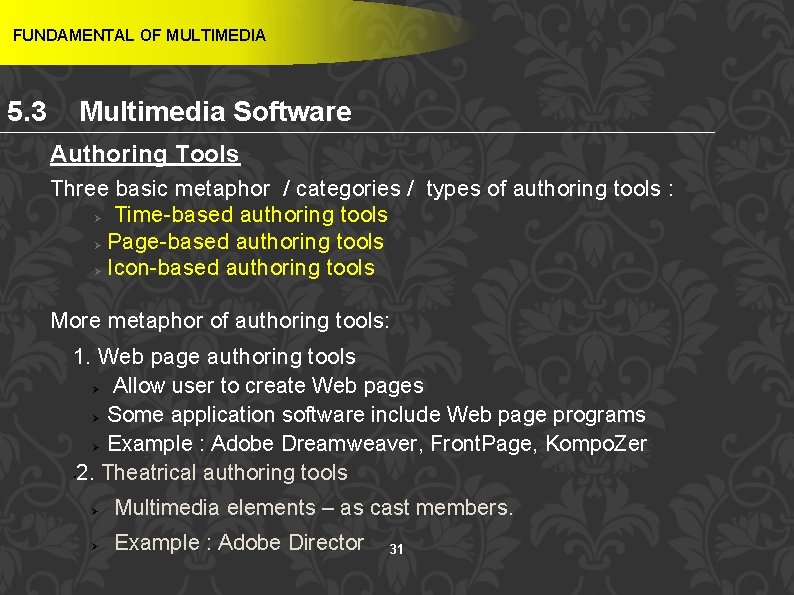
FUNDAMENTAL OF MULTIMEDIA 5. 3 Multimedia Software Authoring Tools Three basic metaphor / categories / types of authoring tools : Ø Time-based authoring tools Ø Page-based authoring tools Ø Icon-based authoring tools More metaphor of authoring tools: 1. Web page authoring tools Ø Allow user to create Web pages Ø Some application software include Web page programs Ø Example : Adobe Dreamweaver, Front. Page, Kompo. Zer • 2. Theatrical authoring tools Ø Multimedia elements – as cast members. Ø Example : Adobe Director 31
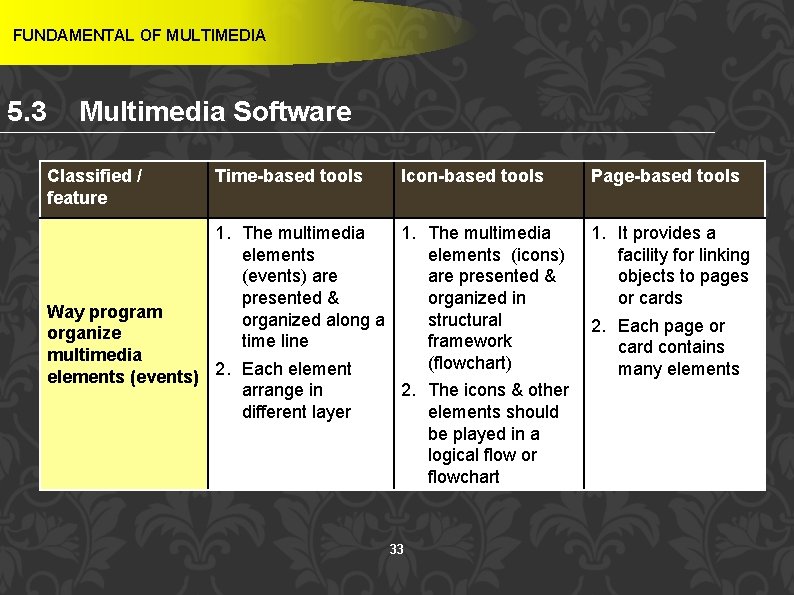
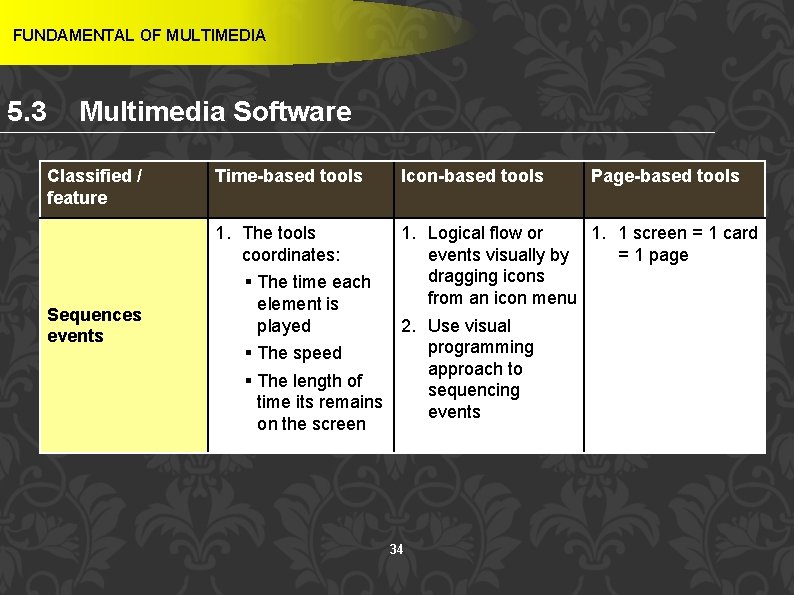
FUNDAMENTAL OF MULTIMEDIA 5. 3 Multimedia Software Authoring Tools Ø How authoring tools are classified ? 1. Way program organizes elements 2. Sequences events 3. Delivers 32
FUNDAMENTAL OF MULTIMEDIA 5. 3 Multimedia Software Classified / feature Time-based tools Icon-based tools 1. The multimedia elements (icons) (events) are presented & organized in Way program organized along a structural organize time line framework multimedia (flowchart) elements (events) 2. Each element arrange in 2. The icons & other different layer elements should be played in a logical flow or flowchart 33 Page-based tools 1. It provides a facility for linking objects to pages or cards 2. Each page or card contains many elements
FUNDAMENTAL OF MULTIMEDIA 5. 3 Multimedia Software Classified / feature Sequences events Time-based tools Icon-based tools Page-based tools 1. The tools 1. Logical flow or 1. 1 screen = 1 card coordinates: events visually by = 1 page dragging icons § The time each from an icon menu element is played 2. Use visual programming § The speed approach to § The length of sequencing time its remains events on the screen 34
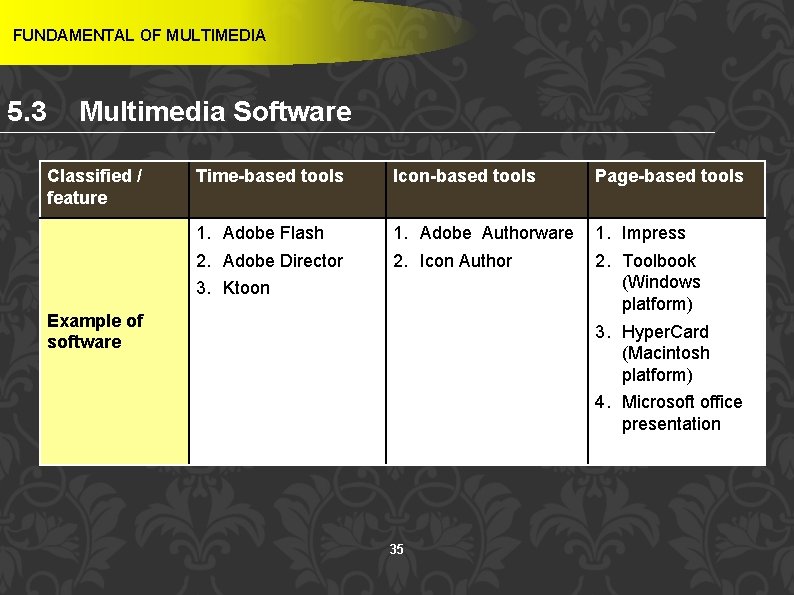
FUNDAMENTAL OF MULTIMEDIA 5. 3 Multimedia Software Classified / feature Time-based tools Icon-based tools Page-based tools 1. Adobe Flash 2. Adobe Director 3. Ktoon 1. Adobe Authorware 2. Icon Author 1. Impress 2. Toolbook (Windows platform) 3. Hyper. Card (Macintosh platform) 4. Microsoft office presentation Example of software 35
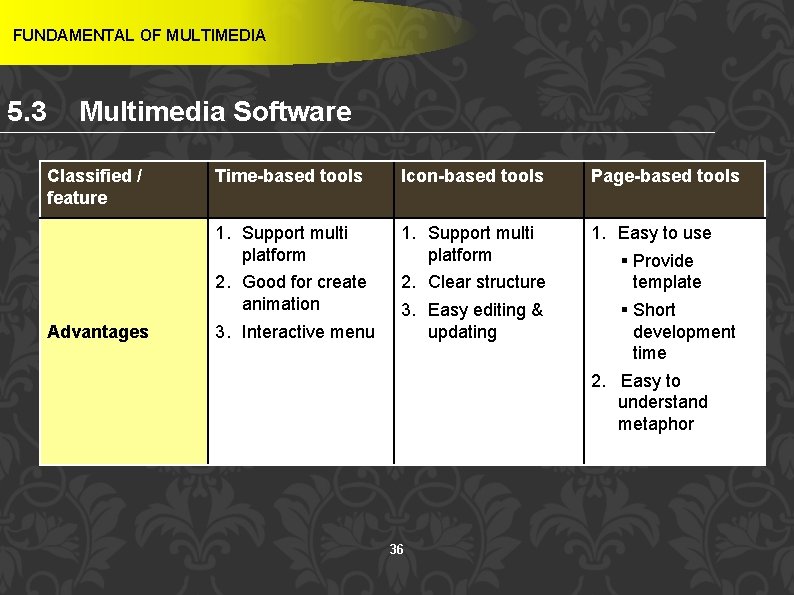
FUNDAMENTAL OF MULTIMEDIA 5. 3 Multimedia Software Classified / feature Advantages Time-based tools Icon-based tools Page-based tools 1. Support multi platform 2. Good for create animation 3. Interactive menu 1. Support multi platform 2. Clear structure 3. Easy editing & updating 1. Easy to use § Provide template § Short development time 2. Easy to understand metaphor 36
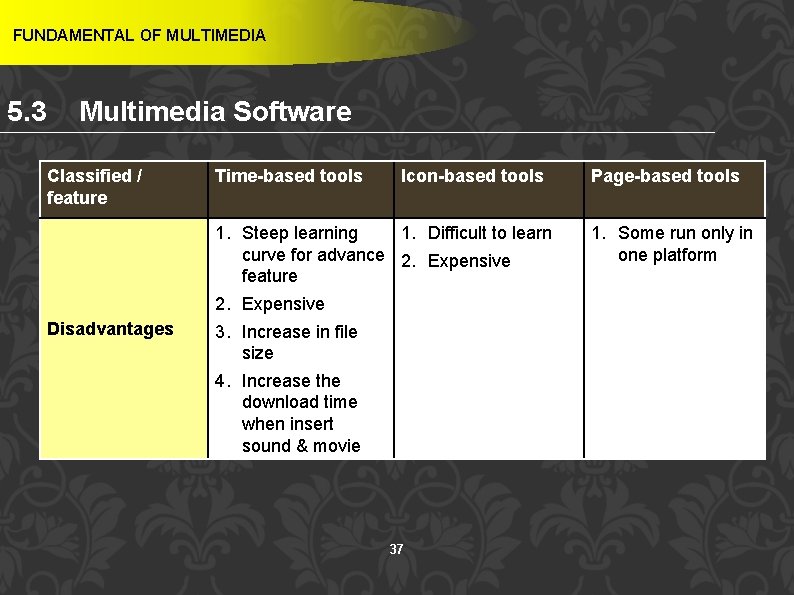
FUNDAMENTAL OF MULTIMEDIA 5. 3 Multimedia Software Classified / feature Disadvantages Time-based tools Icon-based tools 1. Steep learning 1. Difficult to learn curve for advance 2. Expensive feature 2. Expensive 3. Increase in file size 4. Increase the download time when insert sound & movie 37 Page-based tools 1. Some run only in one platform
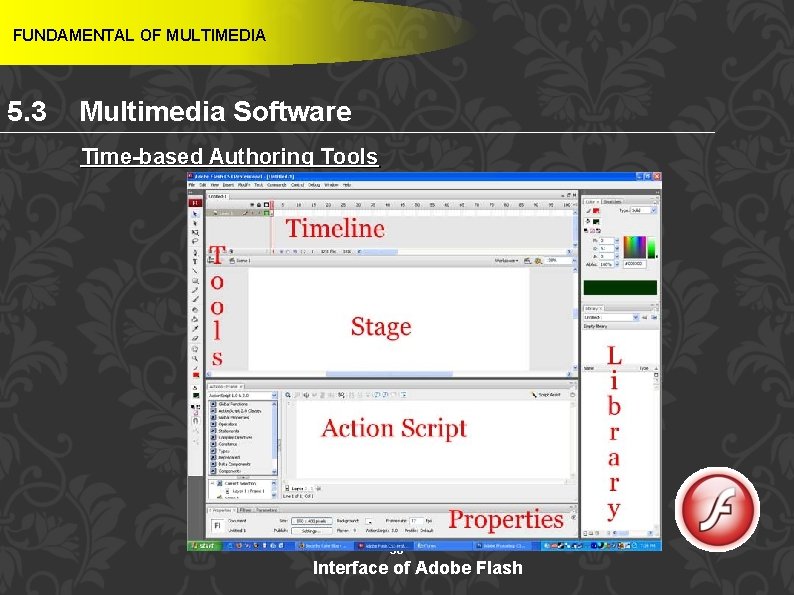
FUNDAMENTAL OF MULTIMEDIA 5. 3 Multimedia Software Time-based Authoring Tools 38 Interface of Adobe Flash
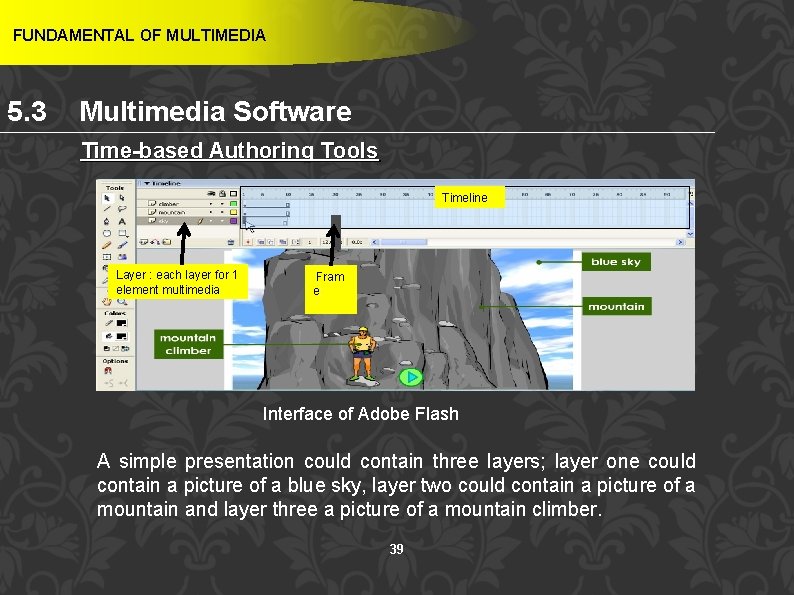
FUNDAMENTAL OF MULTIMEDIA 5. 3 Multimedia Software Time-based Authoring Tools Timeline Layer : each layer for 1 element multimedia Fram e: Interface of Adobe Flash A simple presentation could contain three layers; layer one could contain a picture of a blue sky, layer two could contain a picture of a mountain and layer three a picture of a mountain climber. 39
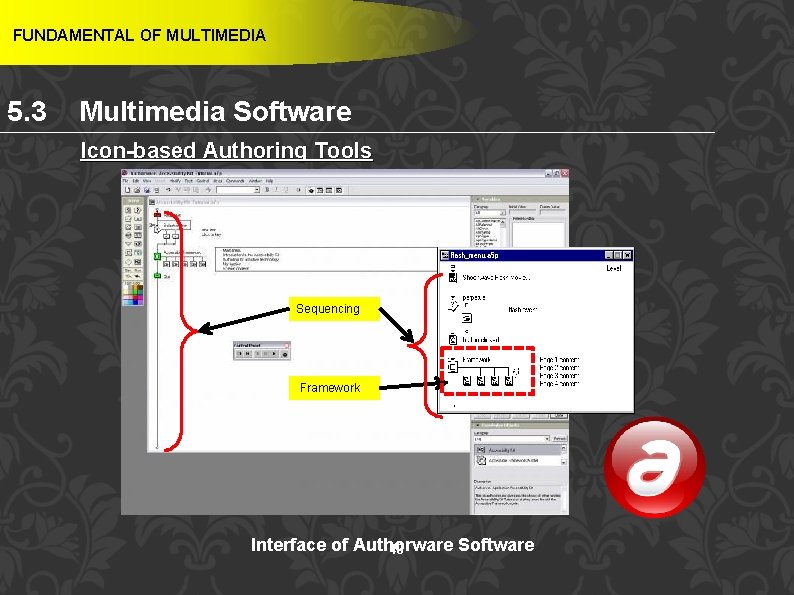
FUNDAMENTAL OF MULTIMEDIA 5. 3 Multimedia Software Icon-based Authoring Tools Sequencing Framework: Interface of Authorware Software 40
FUNDAMENTAL OF MULTIMEDIA 5. 3 Multimedia Software Icon-based Authoring Tools ● ● Each part is represented an icon (symbolic picture) Each icon does a specific task, eg: play a sound Icons are then linked together to form complete applications. Easily visualize the structure and navigation of the final application. 41 Interface of Authorware Software
FUNDAMENTAL OF MULTIMEDIA 5. 3 Multimedia Software Page-based Authoring Tools Interface of Impress 42
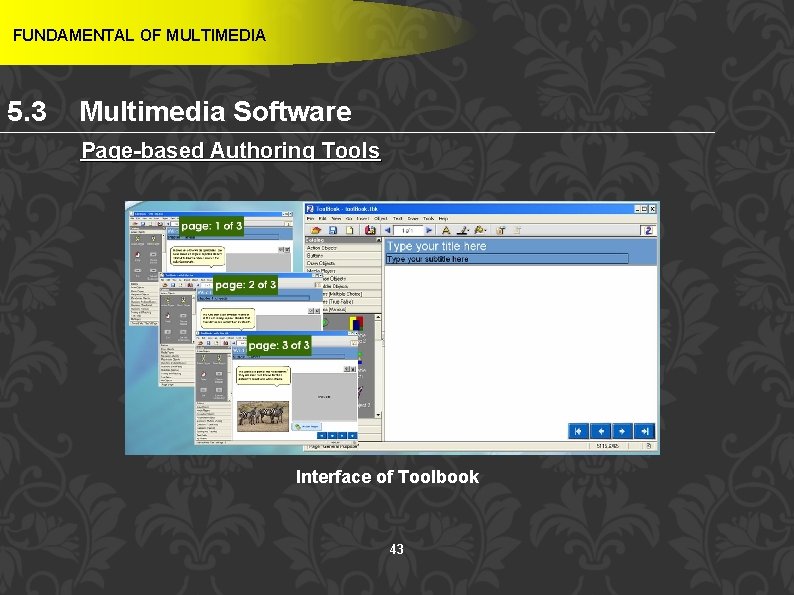
FUNDAMENTAL OF MULTIMEDIA 5. 3 Multimedia Software Page-based Authoring Tools Interface of Toolbook 43
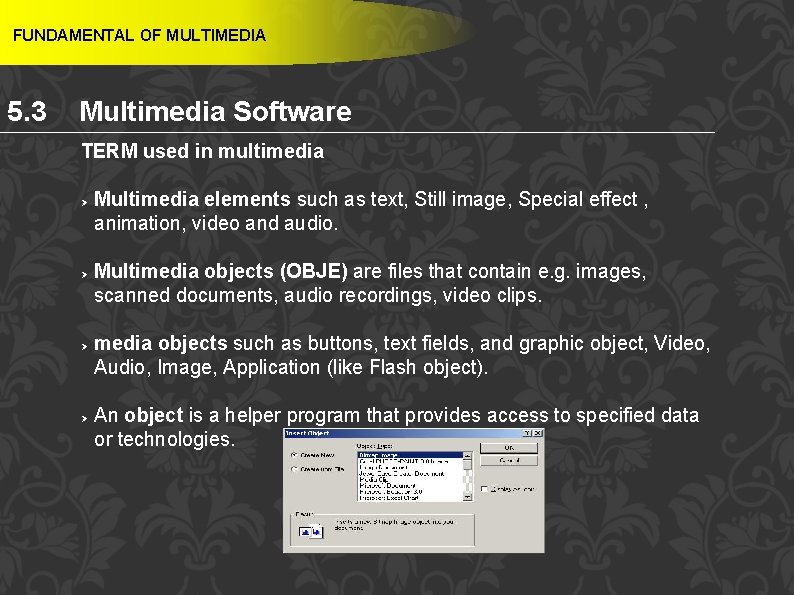
FUNDAMENTAL OF MULTIMEDIA 5. 3 Multimedia Software TERM used in multimedia Ø Ø Multimedia elements such as text, Still image, Special effect , animation, video and audio. Multimedia objects (OBJE) are files that contain e. g. images, scanned documents, audio recordings, video clips. media objects such as buttons, text fields, and graphic object, Video, Audio, Image, Application (like Flash object). An object is a helper program that provides access to specified data or technologies. 44
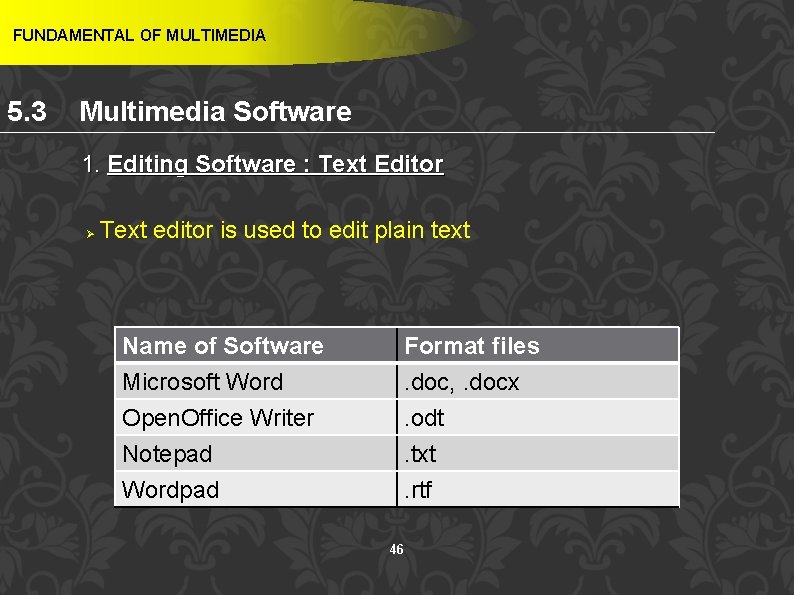
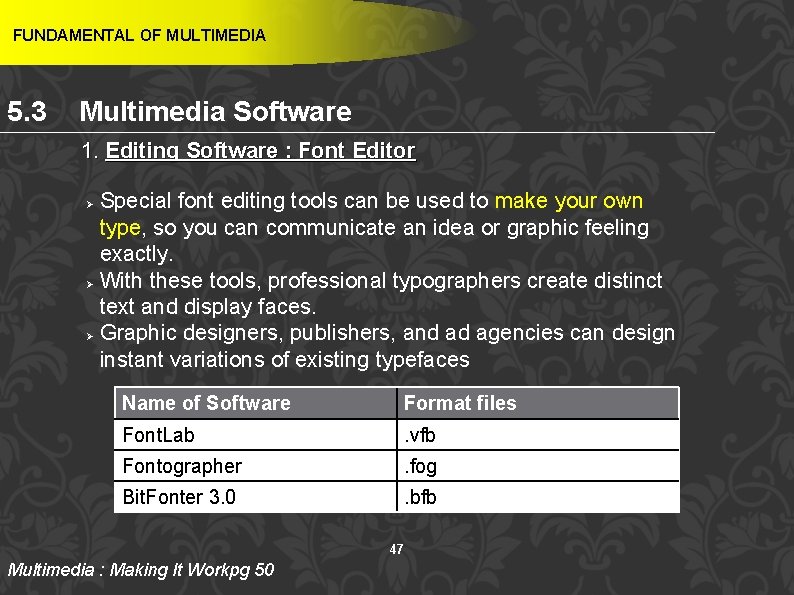
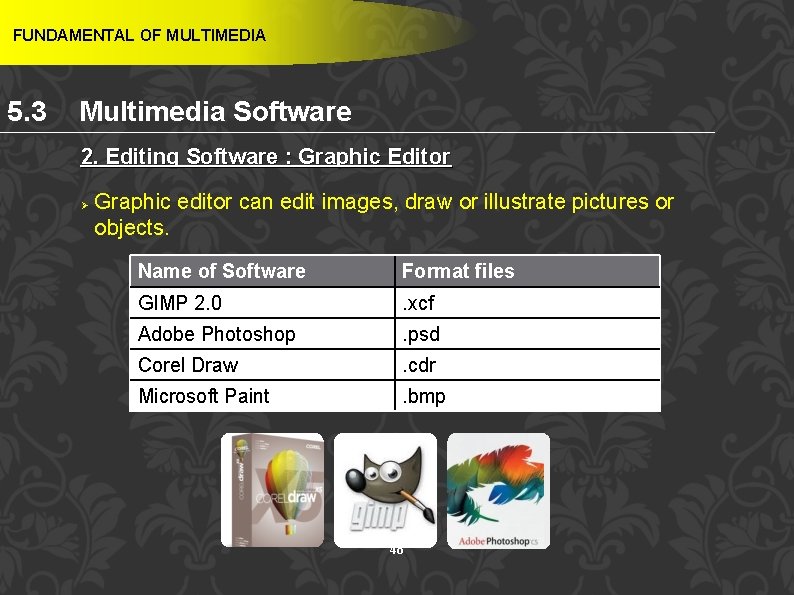
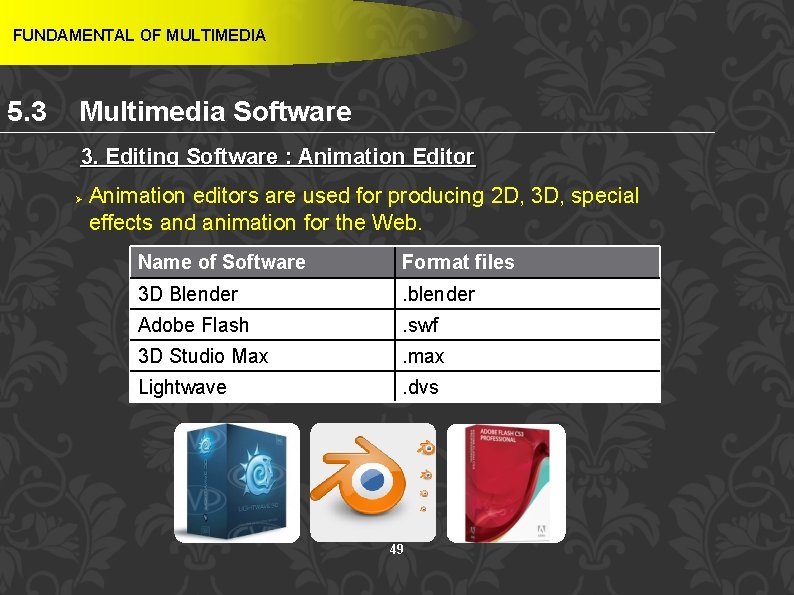
FUNDAMENTAL OF MULTIMEDIA 5. 3 Multimedia Software Editing Software Ø Ø Definition : software that is use to produce multimedia elements. Types of editing software : § Text editor § Font editor § Graphic editor § Audio editor § Video editor § Animation editor 45
FUNDAMENTAL OF MULTIMEDIA 5. 3 Multimedia Software 1. Editing Software : Text Editor Ø Text editor is used to edit plain text Name of Software Microsoft Word Open. Office Writer Notepad Format files. doc, . docx. odt. txt Wordpad . rtf 46
FUNDAMENTAL OF MULTIMEDIA 5. 3 Multimedia Software 1. Editing Software : Font Editor Special font editing tools can be used to make your own type, so you can communicate an idea or graphic feeling exactly. Ø With these tools, professional typographers create distinct text and display faces. Ø Graphic designers, publishers, and ad agencies can design instant variations of existing typefaces Ø Name of Software Format files Font. Lab . vfb Fontographer . fog Bit. Fonter 3. 0 . bfb 47 Multimedia : Making It Workpg 50
FUNDAMENTAL OF MULTIMEDIA 5. 3 Multimedia Software 2. Editing Software : Graphic Editor Ø Graphic editor can edit images, draw or illustrate pictures or objects. Name of Software Format files GIMP 2. 0 . xcf Adobe Photoshop . psd Corel Draw . cdr Microsoft Paint . bmp 48
FUNDAMENTAL OF MULTIMEDIA 5. 3 Multimedia Software 3. Editing Software : Animation Editor Ø Animation editors are used for producing 2 D, 3 D, special effects and animation for the Web. Name of Software Format files 3 D Blender . blender Adobe Flash . swf 3 D Studio Max . max Lightwave . dvs 49
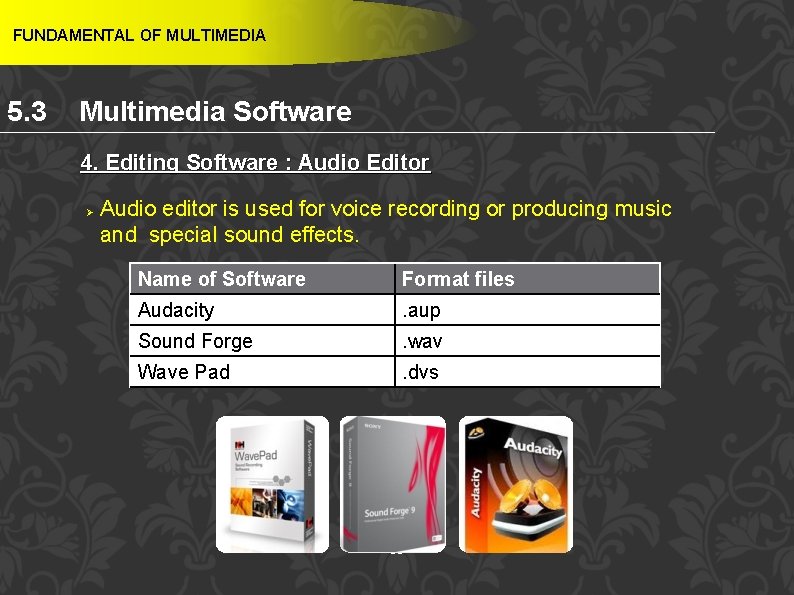
FUNDAMENTAL OF MULTIMEDIA 5. 3 Multimedia Software 4. Editing Software : Audio Editor Ø Audio editor is used for voice recording or producing music and special sound effects. Name of Software Format files Audacity . aup Sound Forge . wav Wave Pad . dvs 50
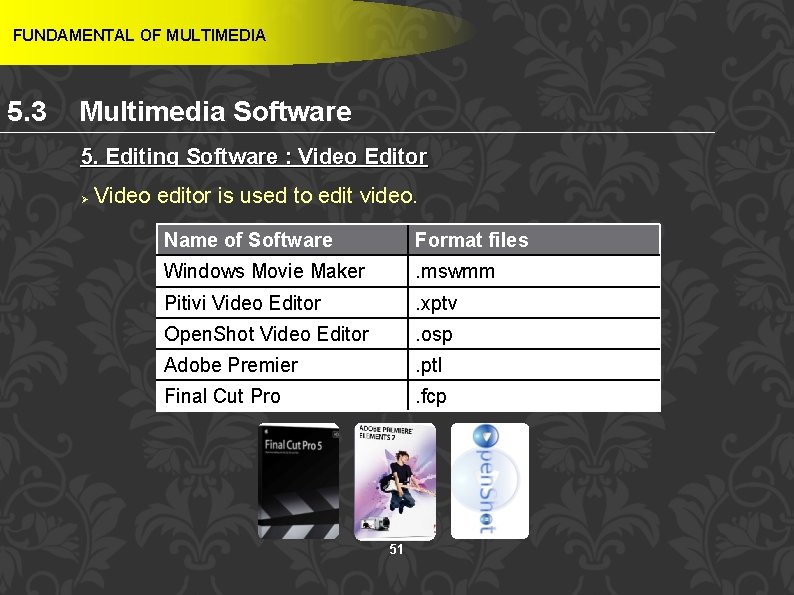
FUNDAMENTAL OF MULTIMEDIA 5. 3 Multimedia Software 5. Editing Software : Video Editor Ø Video editor is used to edit video. Name of Software Format files Windows Movie Maker . mswmm Pitivi Video Editor . xptv Open. Shot Video Editor . osp Adobe Premier . ptl Final Cut Pro . fcp 51
FUNDAMENTAL OF MULTIMEDIA 5. 4 Medium of Distribution Learning Outcome At the end of this topic, students should be able to: 1. Differentiate medium of distribution 52
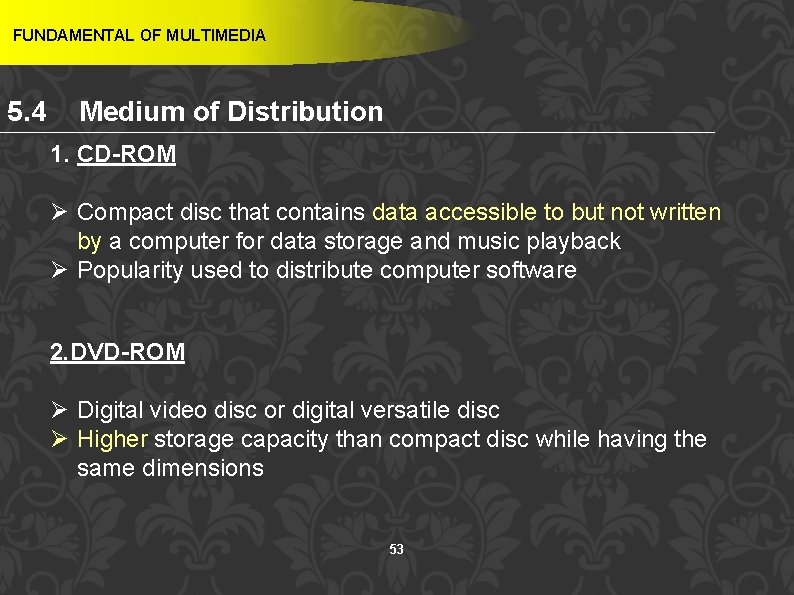
FUNDAMENTAL OF MULTIMEDIA 5. 4 Medium of Distribution 1. CD-ROM Ø Compact disc that contains data accessible to but not written by a computer for data storage and music playback Ø Popularity used to distribute computer software 2. DVD-ROM Ø Digital video disc or digital versatile disc Ø Higher storage capacity than compact disc while having the same dimensions 53
FUNDAMENTAL OF MULTIMEDIA 5. 4 Medium of Distribution 3. BD-ROM Ø Optical disc storage medium design to supersede the DVD format 4. Flash Drives Ø Storage device that typically uses flash memory to store data, instructions and information 54
FUNDAMENTAL OF MULTIMEDIA 5. 4 Medium of Distribution 5. The Internet Ø Combination of multimedia technology and Internet technology Ø Make the process of distributing information through the Internet more interesting and effective to the user Ø Downloading a video file could take a long time as it is large Ø Quality of a multimedia program received will still depend on the Internet facilities that the user has 55
FUNDAMENTAL OF MULTIMEDIA REFERENCES Shelly, G. B. , & Vermaat, M. (2012). Discovering computers: Your interactive guide to the digital world. Boston, MA: Course Technology/ Cengage Learning. Vaughan, T. (2011). Multimedia: Making it work. New York: Mc. Graw-Hill. 56