
Fundamental Data Types 1 Outline Primitive Data Types
- Slides: 17
Fundamental Data Types 1
Outline Ø Ø Ø Primitive Data Types Variable declaration Numbers and Constants Arithmetic Operator Precedence The Math Class Assignment statement Increment and Decrement operators Writing Algebraic Expressions in Java Math Functions: Examples Casting 2
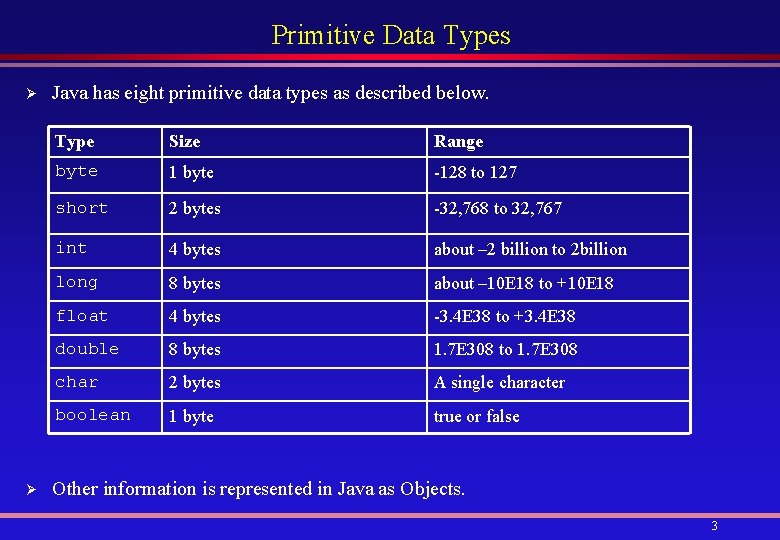
Primitive Data Types Ø Ø Java has eight primitive data types as described below. Type Size Range byte 1 byte -128 to 127 short 2 bytes -32, 768 to 32, 767 int 4 bytes about – 2 billion to 2 billion long 8 bytes about – 10 E 18 to +10 E 18 float 4 bytes -3. 4 E 38 to +3. 4 E 38 double 8 bytes 1. 7 E 308 to 1. 7 E 308 char 2 bytes A single character boolean 1 byte true or false Other information is represented in Java as Objects. 3
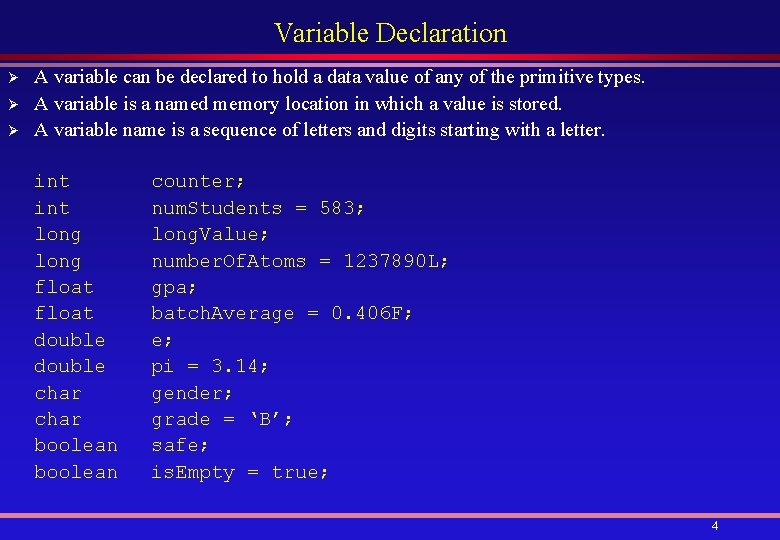
Variable Declaration Ø Ø Ø A variable can be declared to hold a data value of any of the primitive types. A variable is a named memory location in which a value is stored. A variable name is a sequence of letters and digits starting with a letter. int long float double char boolean counter; num. Students = 583; long. Value; number. Of. Atoms = 1237890 L; gpa; batch. Average = 0. 406 F; e; pi = 3. 14; gender; grade = ‘B’; safe; is. Empty = true; 4
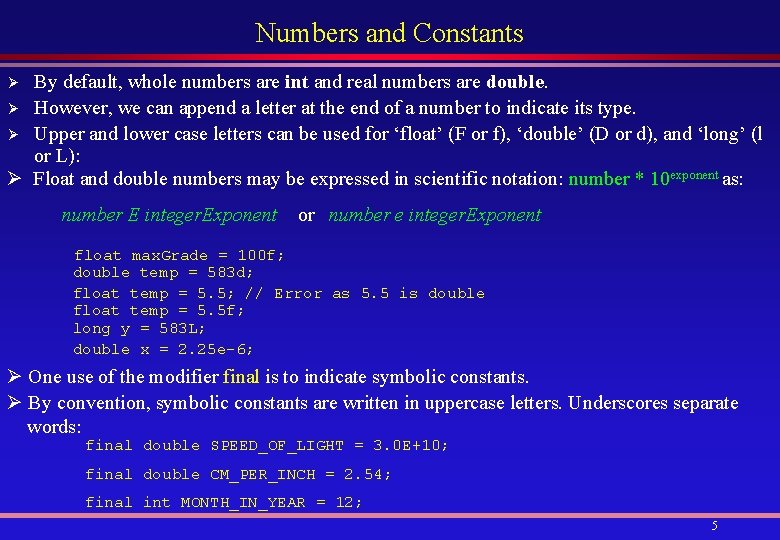
Numbers and Constants By default, whole numbers are int and real numbers are double. Ø However, we can append a letter at the end of a number to indicate its type. Ø Upper and lower case letters can be used for ‘float’ (F or f), ‘double’ (D or d), and ‘long’ (l or L): Ø Float and double numbers may be expressed in scientific notation: number * 10 exponent as: Ø number E integer. Exponent or number e integer. Exponent float max. Grade = 100 f; double temp = 583 d; float temp = 5. 5; // Error as 5. 5 is double float temp = 5. 5 f; long y = 583 L; double x = 2. 25 e-6; Ø One use of the modifier final is to indicate symbolic constants. Ø By convention, symbolic constants are written in uppercase letters. Underscores separate words: final double SPEED_OF_LIGHT = 3. 0 E+10; final double CM_PER_INCH = 2. 54; final int MONTH_IN_YEAR = 12; 5
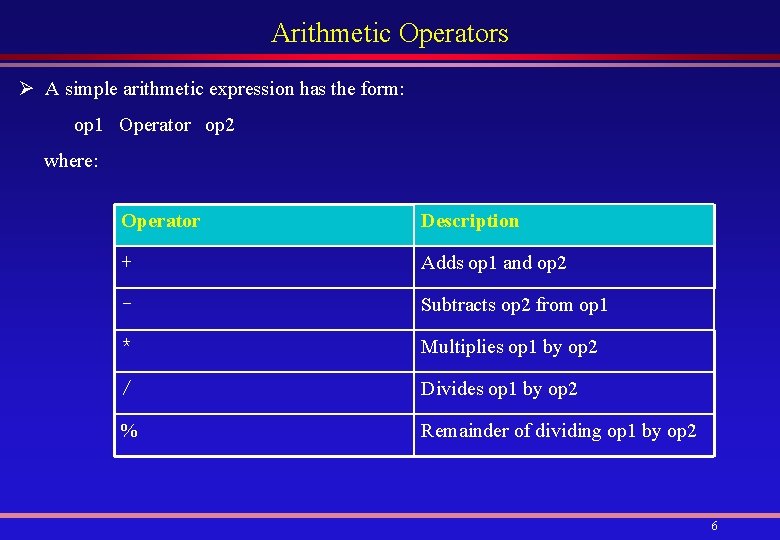
Arithmetic Operators Ø A simple arithmetic expression has the form: op 1 Operator op 2 where: Operator Description + Adds op 1 and op 2 - Subtracts op 2 from op 1 * Multiplies op 1 by op 2 / Divides op 1 by op 2 % Remainder of dividing op 1 by op 2 6
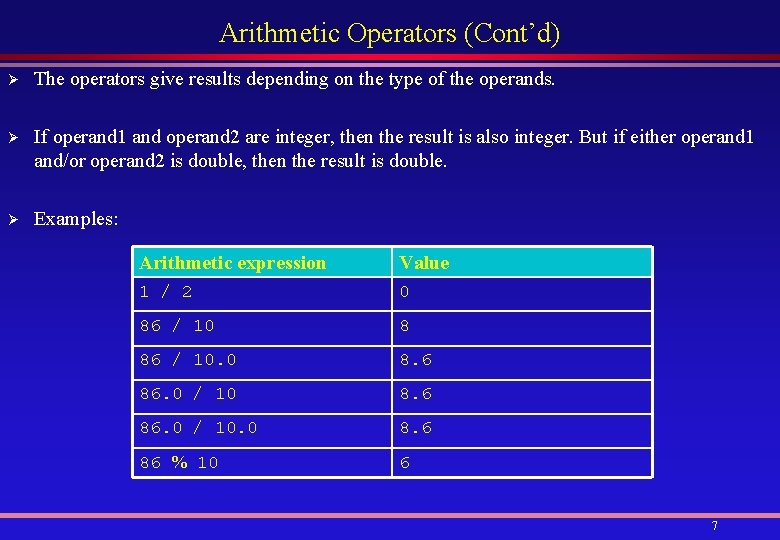
Arithmetic Operators (Cont’d) Ø The operators give results depending on the type of the operands. Ø If operand 1 and operand 2 are integer, then the result is also integer. But if either operand 1 and/or operand 2 is double, then the result is double. Ø Examples: Arithmetic expression Value 1 / 2 0 86 / 10 8 86 / 10. 0 8. 6 86. 0 / 10. 0 8. 6 86 % 10 6 7
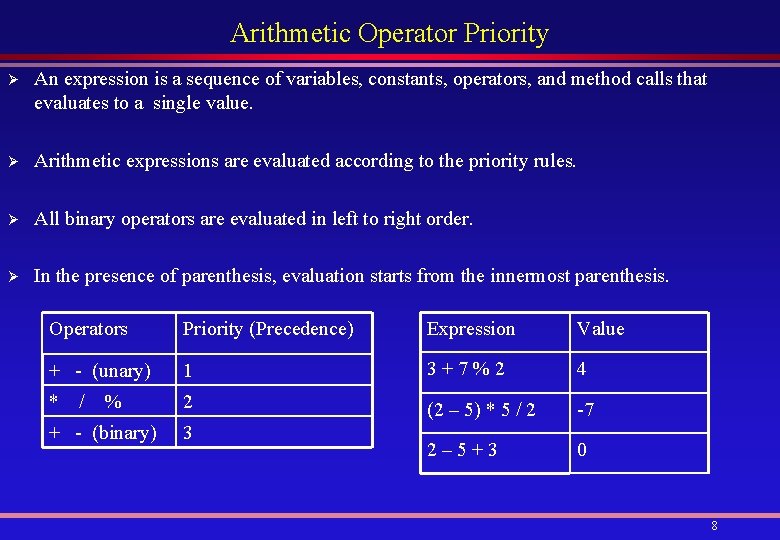
Arithmetic Operator Priority Ø An expression is a sequence of variables, constants, operators, and method calls that evaluates to a single value. Ø Arithmetic expressions are evaluated according to the priority rules. Ø All binary operators are evaluated in left to right order. Ø In the presence of parenthesis, evaluation starts from the innermost parenthesis. Operators Priority (Precedence) Expression Value + - (unary) 1 3+7%2 4 * / 2 (2 – 5) * 5 / 2 -7 2– 5+3 0 % + - (binary) 3 8
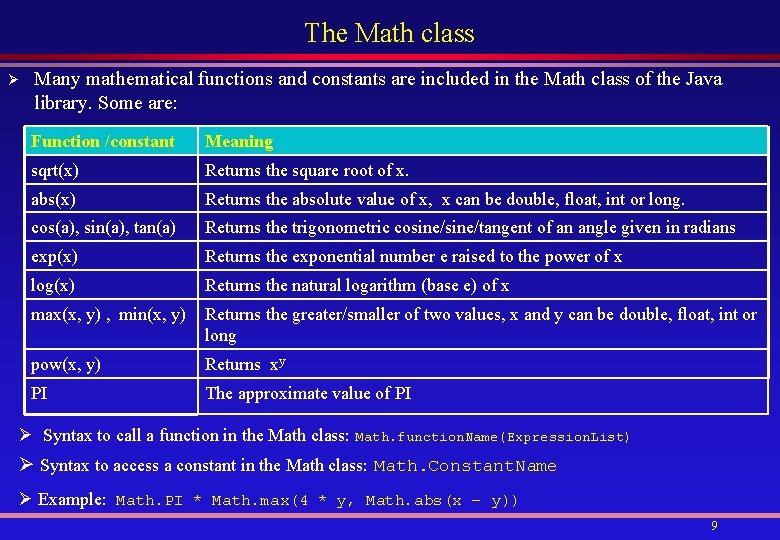
The Math class Ø Many mathematical functions and constants are included in the Math class of the Java library. Some are: Function /constant Meaning sqrt(x) Returns the square root of x. abs(x) Returns the absolute value of x, x can be double, float, int or long. cos(a), sin(a), tan(a) Returns the trigonometric cosine/tangent of an angle given in radians exp(x) Returns the exponential number e raised to the power of x log(x) Returns the natural logarithm (base e) of x max(x, y) , min(x, y) Returns the greater/smaller of two values, x and y can be double, float, int or long pow(x, y) Returns xy PI The approximate value of PI Ø Syntax to call a function in the Math class: Math. function. Name(Expression. List) Ø Syntax to access a constant in the Math class: Math. Constant. Name Ø Example: Math. PI * Math. max(4 * y, Math. abs(x – y)) 9
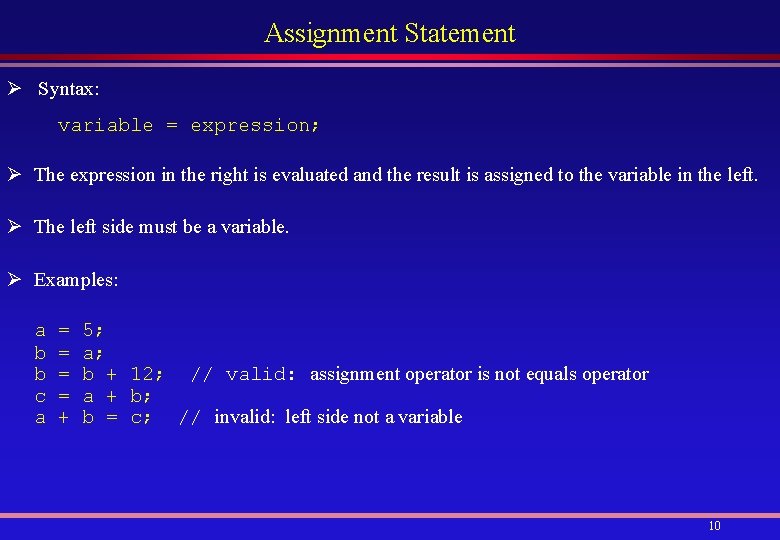
Assignment Statement Ø Syntax: variable = expression; Ø The expression in the right is evaluated and the result is assigned to the variable in the left. Ø The left side must be a variable. Ø Examples: a b b c a = = + 5; a; b + 12; // valid: assignment operator is not equals operator a + b; b = c; // invalid: left side not a variable 10
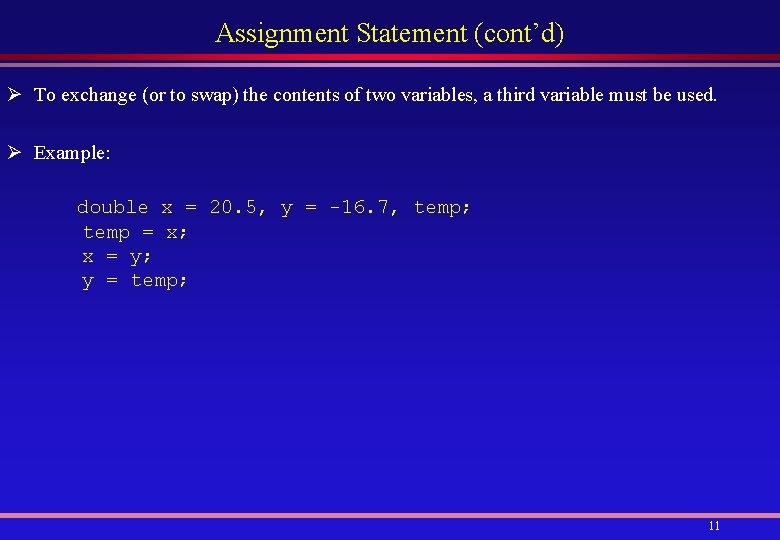
Assignment Statement (cont’d) Ø To exchange (or to swap) the contents of two variables, a third variable must be used. Ø Example: double x = 20. 5, y = -16. 7, temp; temp = x; x = y; y = temp; 11
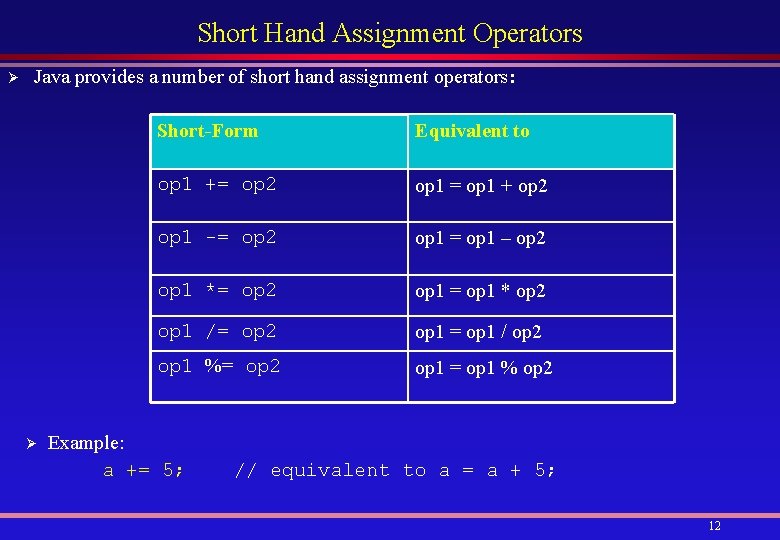
Short Hand Assignment Operators Ø Java provides a number of short hand assignment operators: Ø Short-Form Equivalent to op 1 += op 2 op 1 = op 1 + op 2 op 1 -= op 2 op 1 = op 1 – op 2 op 1 *= op 2 op 1 = op 1 * op 2 op 1 /= op 2 op 1 = op 1 / op 2 op 1 %= op 2 op 1 = op 1 % op 2 Example: a += 5; // equivalent to a = a + 5; 12
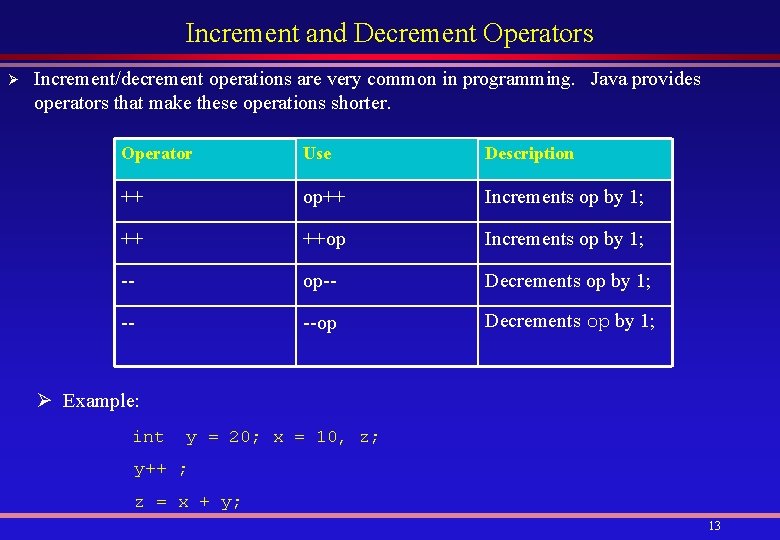
Increment and Decrement Operators Ø Increment/decrement operations are very common in programming. Java provides operators that make these operations shorter. Operator Use Description ++ op++ Increments op by 1; ++ ++op Increments op by 1; -- op-- Decrements op by 1; -- --op Decrements op by 1; Ø Example: int y = 20; x = 10, z; y++ ; z = x + y; 13
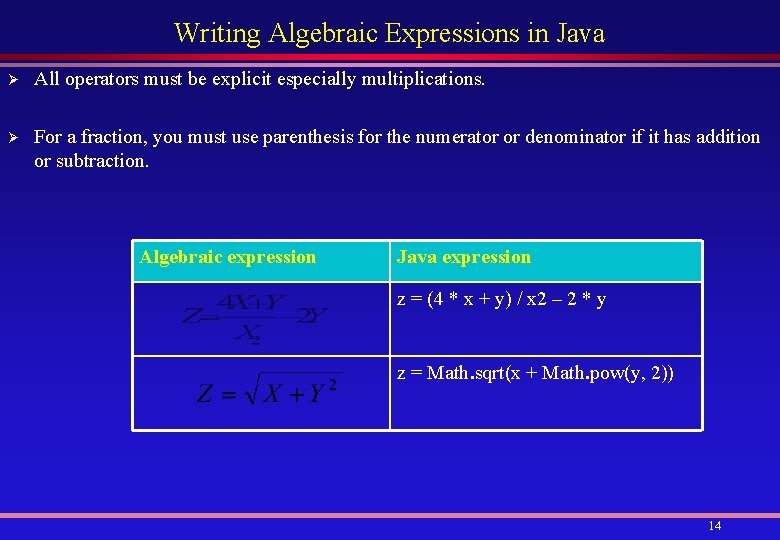
Writing Algebraic Expressions in Java Ø All operators must be explicit especially multiplications. Ø For a fraction, you must use parenthesis for the numerator or denominator if it has addition or subtraction. Algebraic expression Java expression z = (4 * x + y) / x 2 – 2 * y z = Math. sqrt(x + Math. pow(y, 2)) 14
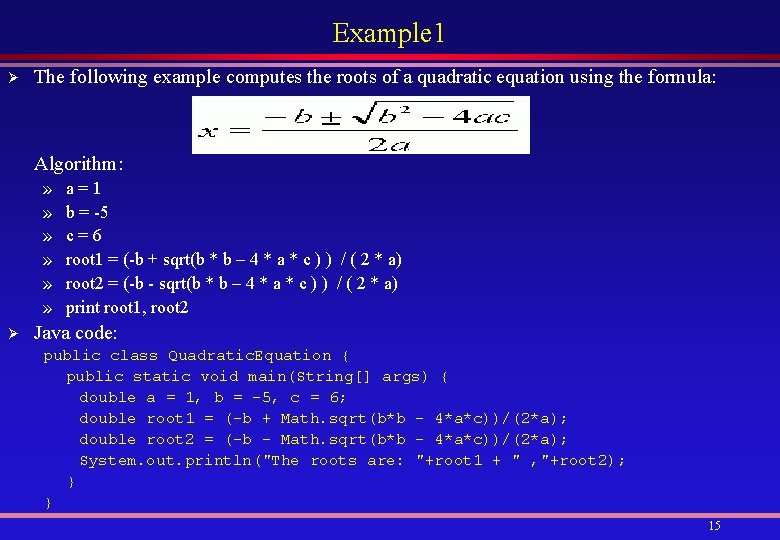
Example 1 Ø The following example computes the roots of a quadratic equation using the formula: Algorithm: » » » Ø a=1 b = -5 c=6 root 1 = (-b + sqrt(b * b – 4 * a * c ) ) / ( 2 * a) root 2 = (-b - sqrt(b * b – 4 * a * c ) ) / ( 2 * a) print root 1, root 2 Java code: public class Quadratic. Equation { public static void main(String[] args) { double a = 1, b = -5, c = 6; double root 1 = (-b + Math. sqrt(b*b - 4*a*c))/(2*a); double root 2 = (-b - Math. sqrt(b*b - 4*a*c))/(2*a); System. out. println("The roots are: "+root 1 + " , "+root 2); } } 15
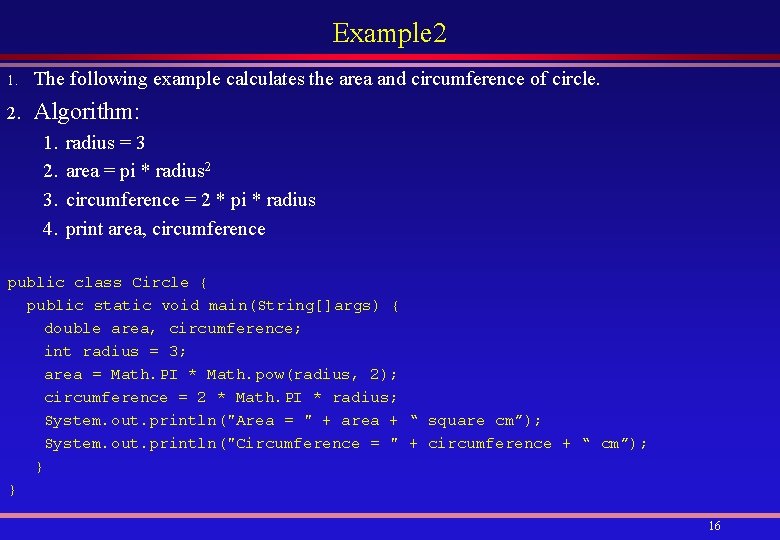
Example 2 1. The following example calculates the area and circumference of circle. 2. Algorithm: 1. 2. 3. 4. radius = 3 area = pi * radius 2 circumference = 2 * pi * radius print area, circumference public class Circle { public static void main(String[]args) { double area, circumference; int radius = 3; area = Math. PI * Math. pow(radius, 2); circumference = 2 * Math. PI * radius; System. out. println("Area = " + area + “ square cm”); System. out. println("Circumference = " + circumference + “ cm”); } } 16
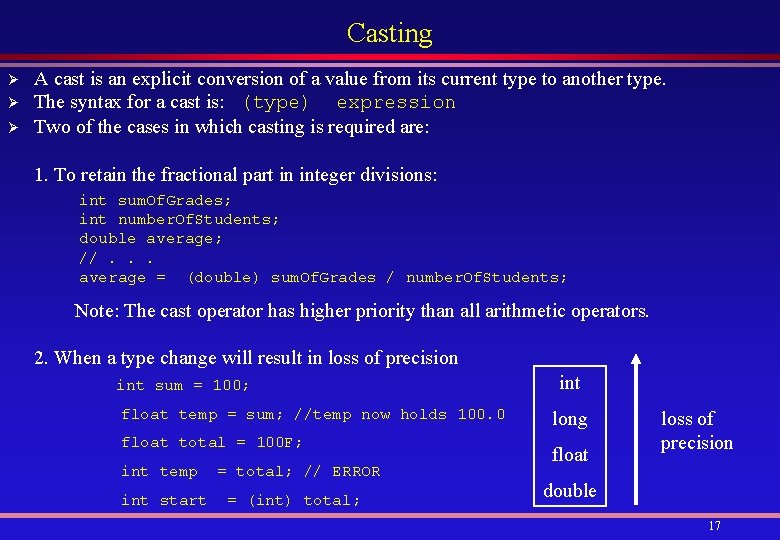
Casting Ø Ø Ø A cast is an explicit conversion of a value from its current type to another type. The syntax for a cast is: (type) expression Two of the cases in which casting is required are: 1. To retain the fractional part in integer divisions: int sum. Of. Grades; int number. Of. Students; double average; //. . . average = (double) sum. Of. Grades / number. Of. Students; Note: The cast operator has higher priority than all arithmetic operators. 2. When a type change will result in loss of precision int sum = 100; float temp = sum; //temp now holds 100. 0 float total = 100 F; int temp int start = total; // ERROR = (int) total; int long float loss of precision double 17