
Functions Objectives In this chapter you ll learn
Functions
Objectives � In this chapter you ‘’ll learn: ◦ To construct programs modularly from functions ◦ To use common math library functions ◦ The mechanism for passing data to functions and returning results.

Program Components in C++ � Modules: functions and classes � Programs use new and “prepackaged” modules ◦ New: programmer-defined functions, classes ◦ Prepackaged: from the standard library � Functions invoked by function call ◦ Function name and information (arguments) it needs � Function definitions ◦ Only written once ◦ Hidden from other functions
Program Components in C++ � Boss to worker analogy ◦ A boss (the calling function or caller) asks a worker (the called function) to perform a task and return (i. e. , report back) the results when the task is done.
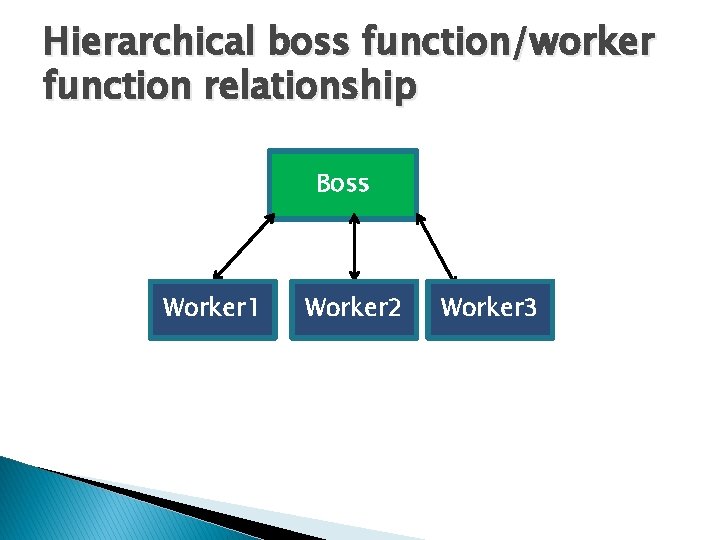
Hierarchical boss function/worker function relationship Boss Worker 1 Worker 2 Worker 3
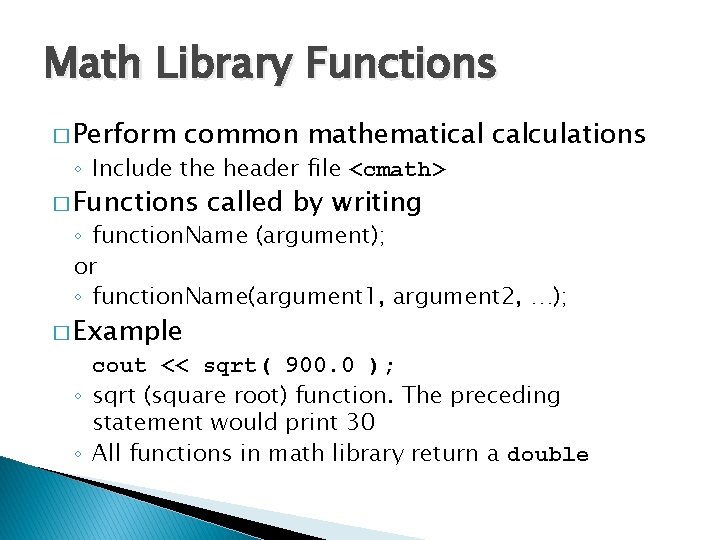
Math Library Functions � Perform common mathematical calculations ◦ Include the header file <cmath> � Functions called by writing ◦ function. Name (argument); or ◦ function. Name(argument 1, argument 2, …); � Example cout << sqrt( 900. 0 ); ◦ sqrt (square root) function. The preceding statement would print 30 ◦ All functions in math library return a double
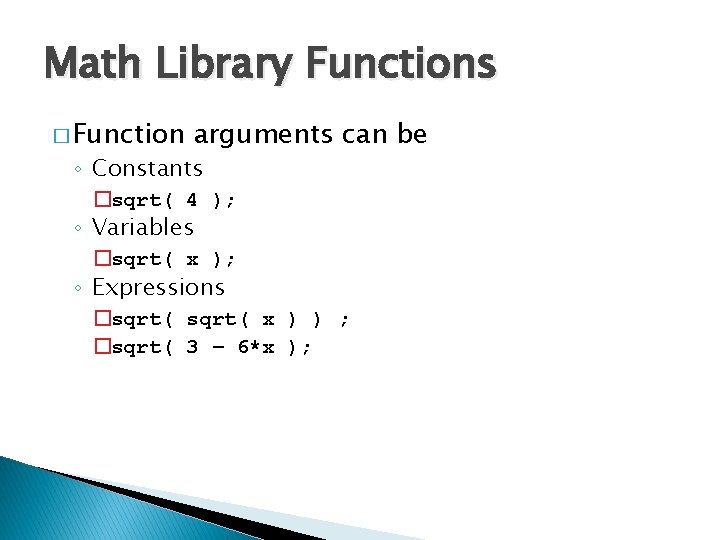
Math Library Functions � Function arguments can be ◦ Constants �sqrt( 4 ); ◦ Variables �sqrt( x ); ◦ Expressions �sqrt( x ) ) ; �sqrt( 3 – 6*x );
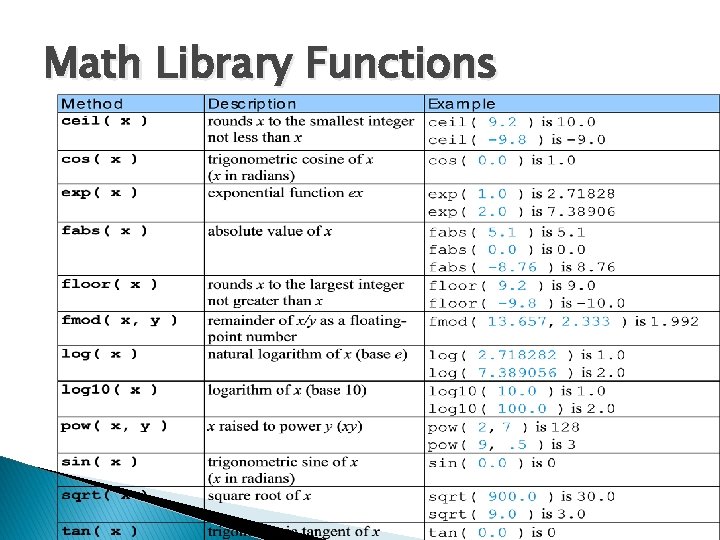
Math Library Functions
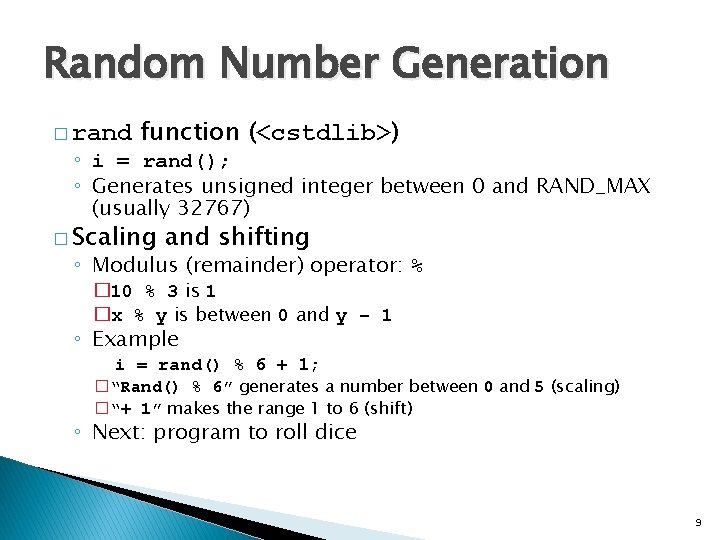
Random Number Generation � rand function (<cstdlib>) ◦ i = rand(); ◦ Generates unsigned integer between 0 and RAND_MAX (usually 32767) � Scaling and shifting ◦ Modulus (remainder) operator: % � 10 % 3 is 1 �x % y is between 0 and y – 1 ◦ Example i = rand() % 6 + 1; �“Rand() % 6” generates a number between 0 and 5 (scaling) �“+ 1” makes the range 1 to 6 (shift) ◦ Next: program to roll dice 9
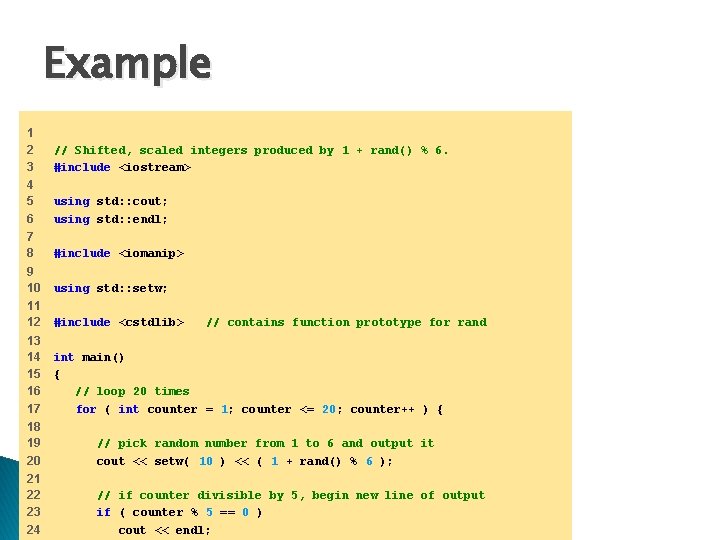
Example 1 2 3 // Shifted, scaled integers produced by 1 + rand() % 6. #include <iostream> 4 5 6 using std: : cout; using std: : endl; 7 8 #include <iomanip> 9 10 using std: : setw; 11 12 #include <cstdlib> 13 14 15 16 17 int main() { // loop 20 times for ( int counter = 1; counter <= 20; counter++ ) { // contains function prototype for rand 18 19 20 // pick random number from 1 to 6 and output it cout << setw( 10 ) << ( 1 + rand() % 6 ); 21 22 23 24 // if counter divisible by 5, begin new line of output if ( counter % 5 == 0 ) cout << endl;
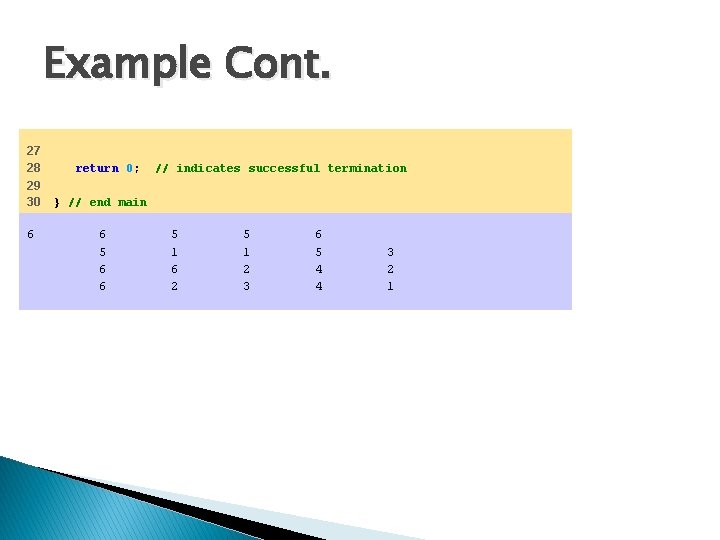
Example Cont. 27 28 29 30 6 return 0; // indicates successful termination } // end main 6 5 6 6 5 1 6 2 5 1 2 3 6 5 4 4 3 2 1
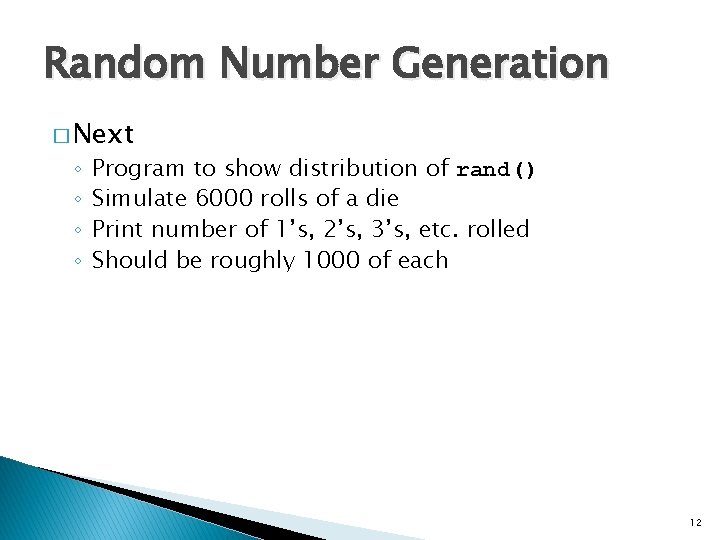
Random Number Generation � Next ◦ ◦ Program to show distribution of rand() Simulate 6000 rolls of a die Print number of 1’s, 2’s, 3’s, etc. rolled Should be roughly 1000 of each 12
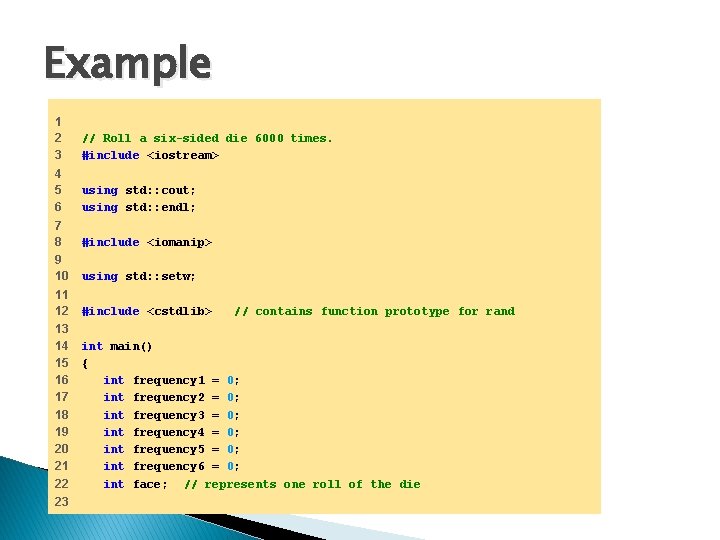
Example 1 2 3 // Roll a six-sided die 6000 times. #include <iostream> 4 5 6 using std: : cout; using std: : endl; 7 8 #include <iomanip> 9 10 using std: : setw; 11 12 #include <cstdlib> 13 14 15 16 17 18 19 20 21 22 int main() { int frequency 1 = 0; int frequency 2 = 0; int frequency 3 = 0; int frequency 4 = 0; int frequency 5 = 0; int frequency 6 = 0; int face; // represents one roll of the die 23 // contains function prototype for rand
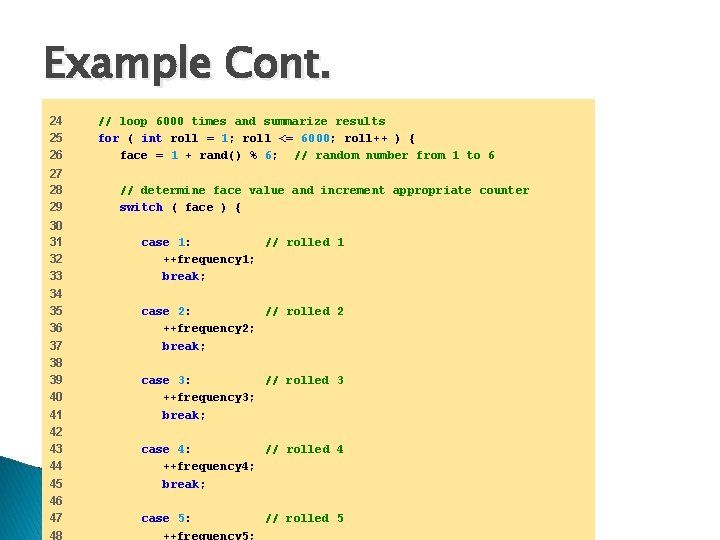
Example Cont. 24 25 26 27 28 29 30 31 32 33 34 35 36 37 38 39 40 41 42 43 44 45 46 47 48 // loop 6000 times and summarize results for ( int roll = 1; roll <= 6000; roll++ ) { face = 1 + rand() % 6; // random number from 1 to 6 // determine face value and increment appropriate counter switch ( face ) { case 1: // rolled 1 ++frequency 1; break; case 2: // rolled 2 ++frequency 2; break; case 3: // rolled 3 ++frequency 3; break; case 4: // rolled 4 ++frequency 4; break; case 5: // rolled 5 ++frequency 5;
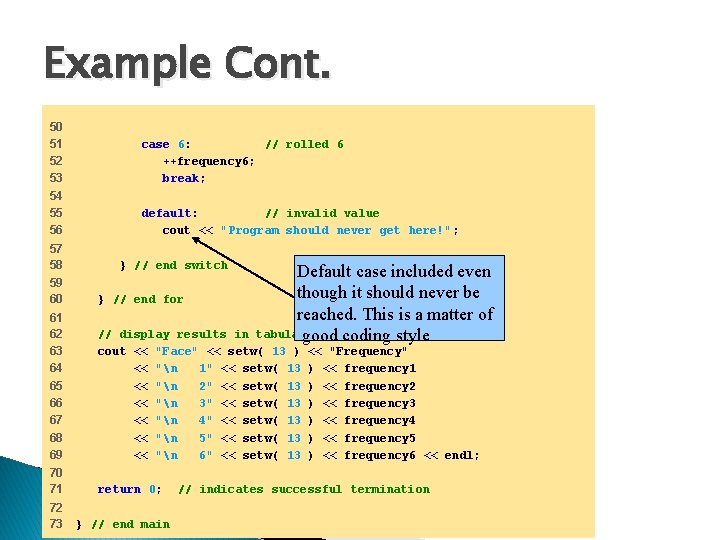
Example Cont. 50 51 52 53 54 55 56 57 58 case 6: // rolled 6 ++frequency 6; break; default: // invalid value cout << "Program should never get here!" ; } // end switch Default case included even though it should never be reached. This is a matter of tabulargood format coding style 59 60 } // end for 61 62 63 64 65 66 67 68 69 // display results in cout << "Face" << setw( 13 ) << "n 1" << setw( 13 << "n 2" << setw( 13 << "n 3" << setw( 13 << "n 4" << setw( 13 << "n 5" << setw( 13 << "n 6" << setw( 13 70 71 return 0; 72 73 } // end main << "Frequency" ) << frequency 1 ) << frequency 2 ) << frequency 3 ) << frequency 4 ) << frequency 5 ) << frequency 6 << endl; // indicates successful termination
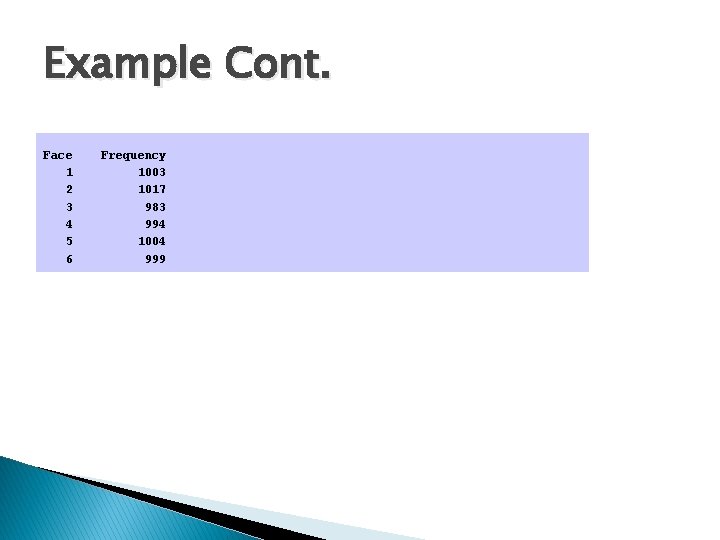
Example Cont. Face 1 2 3 4 5 6 Frequency 1003 1017 983 994 1004 999
Function � Divide and conquer ◦ Construct a program from smaller pieces or components ◦ Each piece more manageable than the original program
Problem � Write a program that asks the user for her exam grade and prints a message indicating if the user has passed the exam or not. � We will try to rewrite this program using functions. .
Functions � Functions ◦ Modularize a program ◦ Software reusability �Call function multiple times � Local variables ◦ Known only in the function in which they are defined ◦ All variables declared in function definitions are local variables � Parameters ◦ Local variables passed to function when called ◦ Provide outside information
Function Definitions � Function prototype ◦ Tells compiler argument type and return type of function ◦ int square( int ); �Function takes an int and returns an int ◦ Explained in more detail later � Calling/invoking a function ◦ square(x); ◦ Parentheses an operator used to call function �Pass argument x �Function gets its own copy of arguments ◦ After finished, passes back result
Function Definitions � Format for function definition return-value-type function-name( parameter-list ) { declarations and statements } ◦ Parameter list �Comma separated list of arguments �Data type needed for each argument �If no arguments, use void or leave blank �Example? ◦ Return-value-type �Data type of result returned (use void if nothing returned)
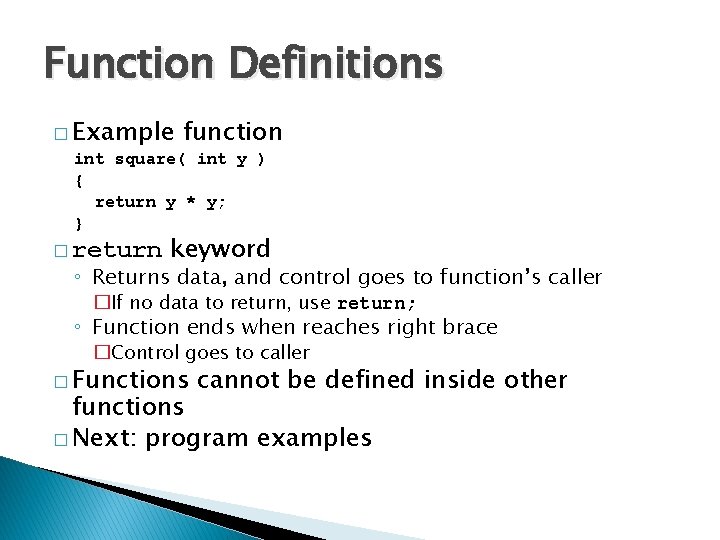
Function Definitions � Example function int square( int y ) { return y * y; } � return keyword ◦ Returns data, and control goes to function’s caller �If no data to return, use return; ◦ Function ends when reaches right brace �Control goes to caller � Functions cannot be defined inside other functions � Next: program examples
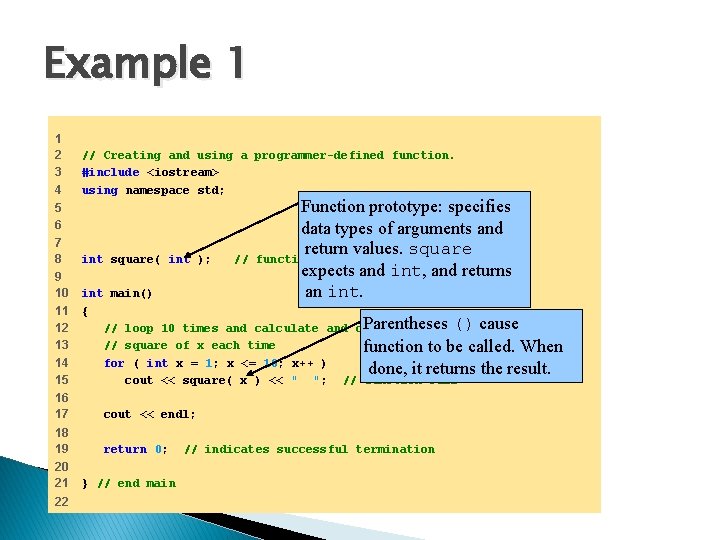
Example 1 1 2 3 4 // Creating and using a programmer-defined function. #include <iostream> using namespace std; Function prototype: specifies data types of arguments and return values. square function prototype expects and int, and returns an int. 5 6 7 8 int square( int ); 9 10 11 12 13 14 15 int main() { Parentheses () cause // loop 10 times and calculate and output // square of x each time function to be called. When for ( int x = 1; x <= 10; x++ ) done, it returns the result. cout << square( x ) << " "; // function call 16 17 cout << endl; 18 19 return 0; 20 21 22 } // end main // // indicates successful termination
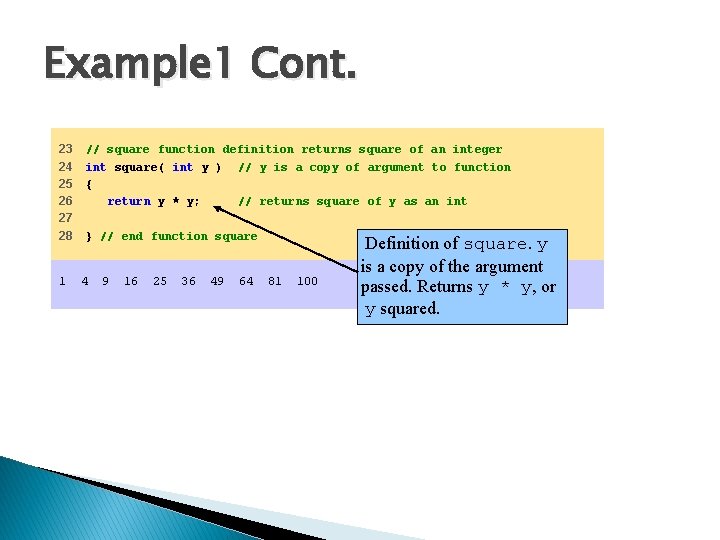
Example 1 Cont. 23 24 25 26 27 28 1 // square function definition returns square of an integer int square( int y ) // y is a copy of argument to function { return y * y; // returns square of y as an int } // end function square 4 9 16 25 36 49 64 81 100 Definition of square. y is a copy of the argument passed. Returns y * y, or y squared.
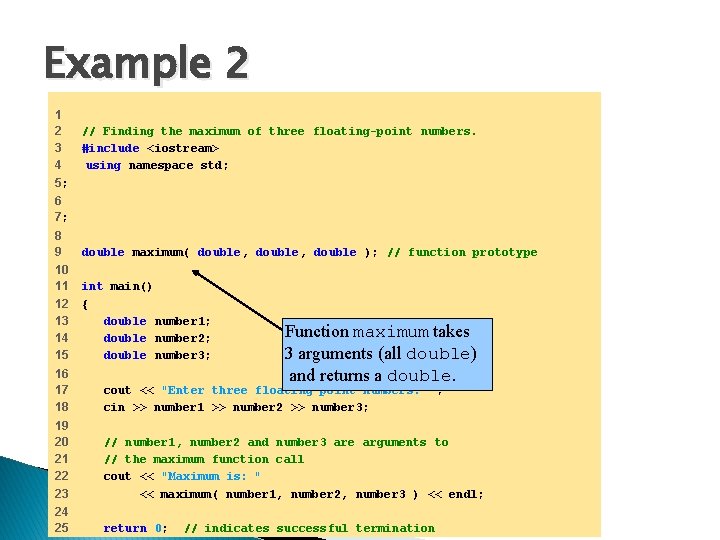
Example 2 1 2 3 4 5; // Finding the maximum of three floating-point numbers. #include <iostream> using namespace std; 6 7; 8 9 double maximum( double, double ); // function prototype 10 11 12 13 14 15 int main() { double number 1; double number 2; double number 3; Function maximum takes 3 arguments (all double) and returns a double. 16 17 18 cout << "Enter three floating-point numbers: " ; cin >> number 1 >> number 2 >> number 3; 19 20 21 22 23 // number 1, number 2 and number 3 are arguments to // the maximum function call cout << "Maximum is: " << maximum( number 1, number 2, number 3 ) << endl; 24 25 return 0; // indicates successful termination
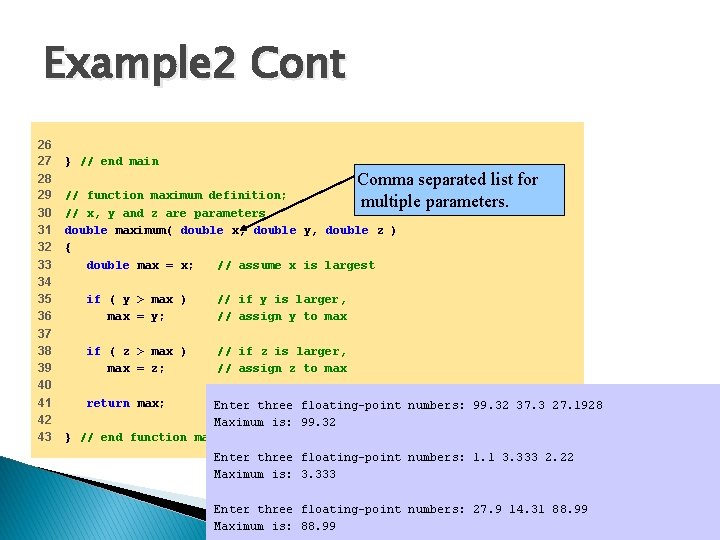
Example 2 Cont 26 27 28 29 30 31 32 33 34 35 36 37 38 39 40 41 42 43 } // end main Comma separated list for parameters. // function maximum definition; multiple // x, y and z are parameters double maximum( double x, double y, double z ) { double max = x; // assume x is largest if ( y > max ) max = y; // if y is larger, // assign y to max if ( z > max ) max = z; // if z is larger, // assign z to max return max; // maxthree is largest value Enter floating-point numbers: 99. 32 37. 3 27. 1928 Maximum is: 99. 32 } // end function maximum Enter three floating-point numbers: 1. 1 3. 333 2. 22 Maximum is: 3. 333 Enter three floating-point numbers: 27. 9 14. 31 88. 99 Maximum is: 88. 99
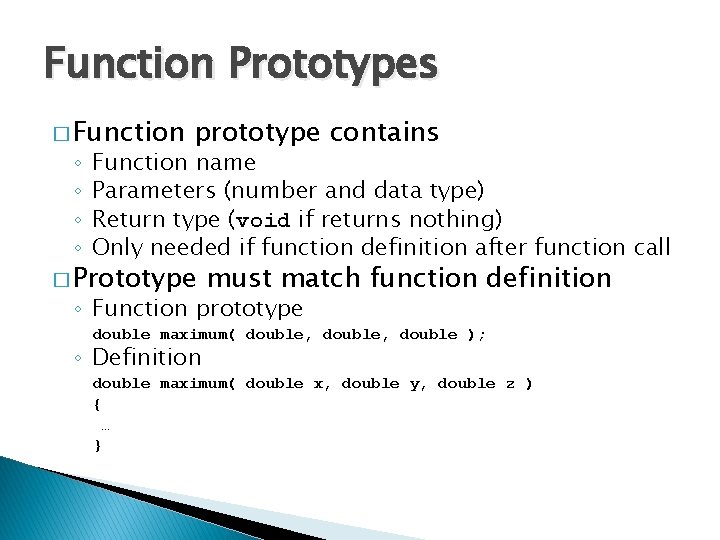
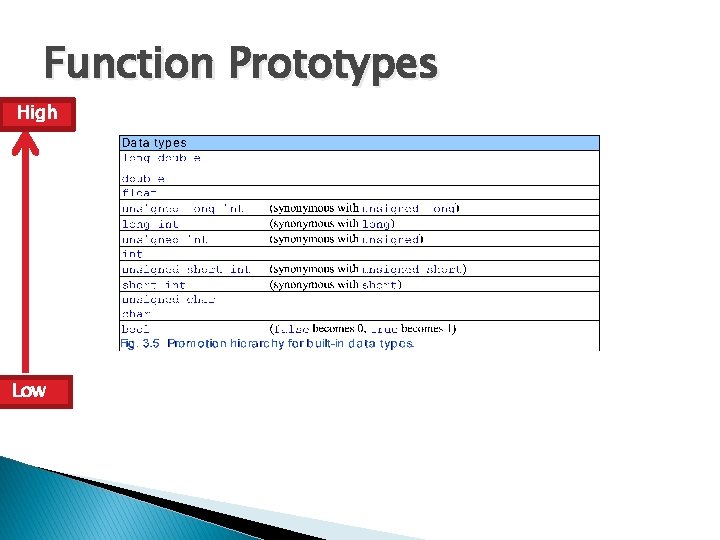
Function Prototypes � Function ◦ ◦ prototype contains Function name Parameters (number and data type) Return type (void if returns nothing) Only needed if function definition after function call � Prototype must match function definition ◦ Function prototype double maximum( double, double ); ◦ Definition double maximum( double x, double y, double z ) { … }
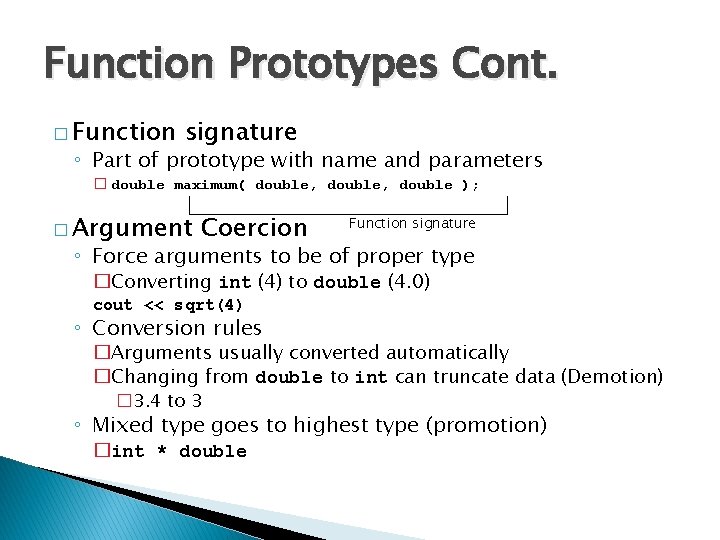
Function Prototypes Cont. � Function signature ◦ Part of prototype with name and parameters � double maximum( double, double ); � Argument Coercion Function signature ◦ Force arguments to be of proper type �Converting int (4) to double (4. 0) cout << sqrt(4) ◦ Conversion rules �Arguments usually converted automatically �Changing from double to int can truncate data (Demotion) � 3. 4 to 3 ◦ Mixed type goes to highest type (promotion) �int * double
Demotion/Promotion Example � Promotion/Demotion may occur when the type of a function argument does not mach the specified parameter type. � Example?
Function Prototypes High Low
Static Variables � static keyword ◦ Local variables in function ◦ Keeps value between function calls ◦ Only known in own function
Scope Rules � Scope ◦ Portion of program where identifier(variable/function) can be used � Types of scopes for an indentifier: ◦ File scope �Defined outside a function, known in all functions �Global variables, function definitions and prototypes ◦ Function scope �Can only be referenced inside defining function �Cannot be referenced outside the function body �Local variables and function parameters
Scope Rules � Block scope ◦ Blocks are defined by the beginning left brace { and the terminating right brace}. ◦ Block scope begins at declaration of the identifier and ends at right brace } of the block �Can only be referenced in this range �Example: � Function-prototype scope ◦ Parameter list of prototype ◦ Names in prototype optional �Compiler ignores ◦ In a single prototype, name can be used once
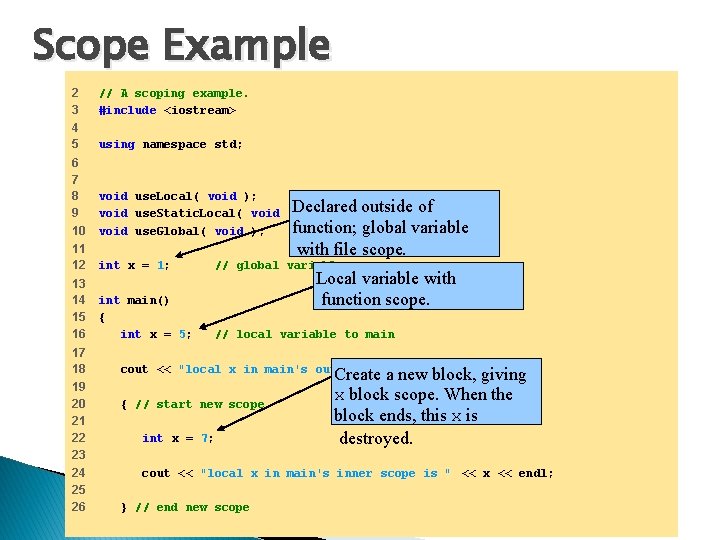
Scope Example 2 3 // A scoping example. #include <iostream> 4 5 using namespace std; 6 7 8 9 10 void use. Local( void ); // function prototype Declared outside of void use. Static. Local( void ); // function prototype function; globalprototype variable void use. Global( void ); // function with file scope. 11 12 int x = 1; // global variable 13 14 15 16 int main() { int x = 5; // local variable to main 17 18 19 20 21 22 23 24 25 26 Local variable with function scope. cout << "local x in main's outer scope is " << x << endl; { // start new scope int x = 7; Create a new block, giving x block scope. When the block ends, this x is destroyed. cout << "local x in main's inner scope is " << x << endl; } // end new scope
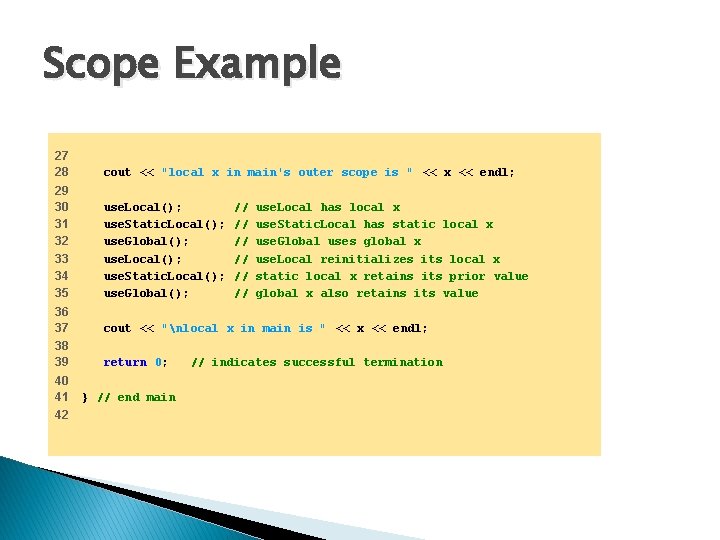
Scope Example 27 28 cout << "local x in main's outer scope is " << x << endl; 29 30 31 32 33 34 35 use. Local(); use. Static. Local(); use. Global(); 36 37 cout << "nlocal x in main is " << x << endl; 38 39 return 0; 40 41 42 } // end main // // // use. Local has local x use. Static. Local has static local x use. Global uses global x use. Local reinitializes its local x static local x retains its prior value global x also retains its value // indicates successful termination
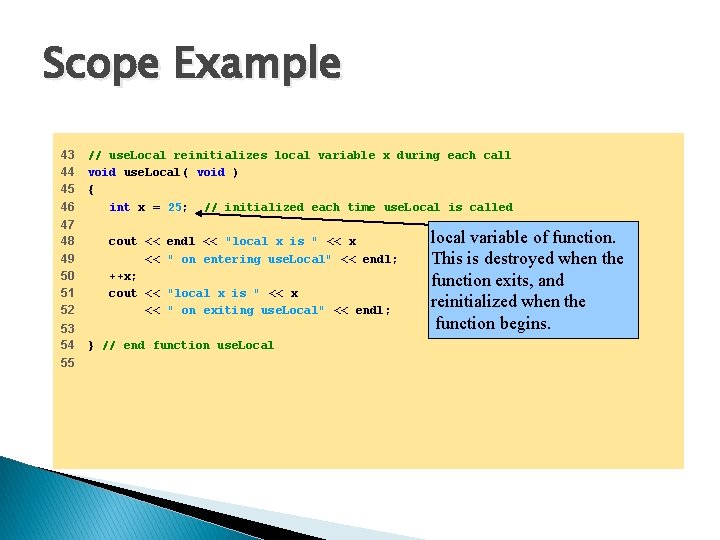
Scope Example 43 44 45 46 47 48 49 50 51 52 53 54 55 // use. Local reinitializes local variable x during each call void use. Local( void ) { int x = 25; // initialized each time use. Local is called cout << << ++x; cout << << endl << "local x is " << x " on entering use. Local" << endl; "local x is " << x " on exiting use. Local" << endl; } // end function use. Local local variable of function. This is destroyed when the function exits, and reinitialized when the function begins.
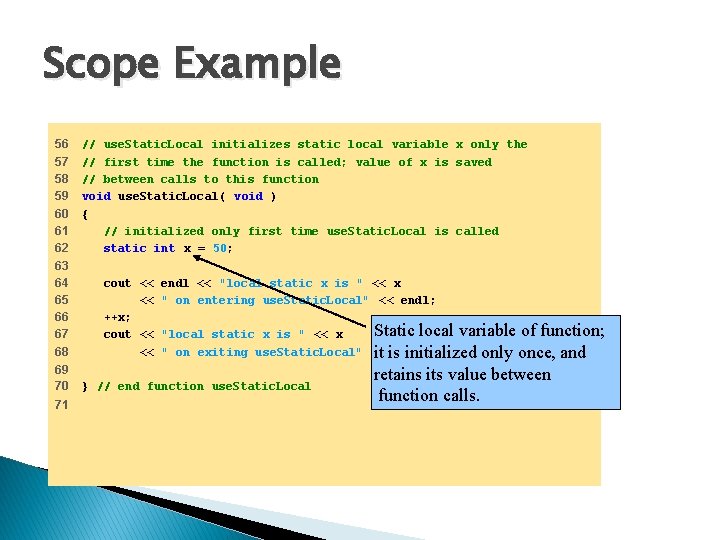
Scope Example 56 57 58 59 60 61 62 63 64 65 66 67 68 69 70 71 // use. Static. Local initializes static local variable x only the // first time the function is called; value of x is saved // between calls to this function void use. Static. Local( void ) { // initialized only first time use. Static. Local is called static int x = 50; cout << << ++x; cout << << endl << "local static x is " << x " on entering use. Static. Local" << endl; Static local variable of function; "local static x is " << x " on exiting use. Static. Local" << it isendl; initialized only once, and } // end function use. Static. Local retains its value between function calls.
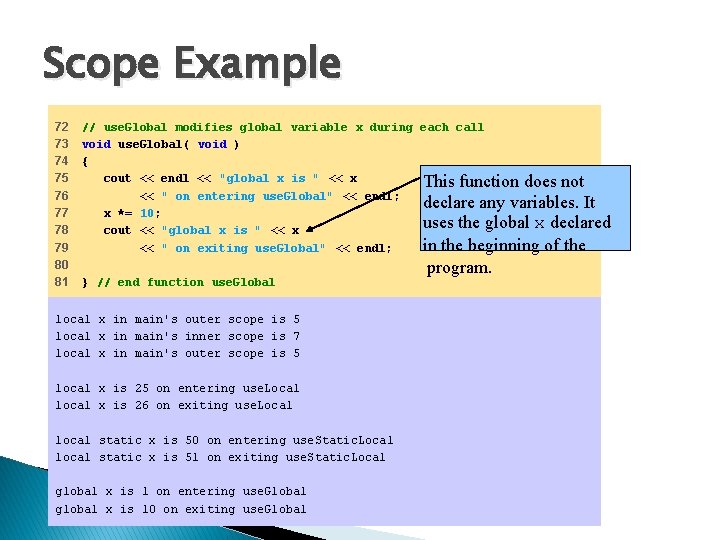
Scope Example 72 73 74 75 76 77 78 79 80 81 // use. Global modifies global variable x during each call void use. Global( void ) { cout << endl << "global x is " << x This function does not << " on entering use. Global" << endl; declare any variables. It x *= 10; uses the global x declared cout << "global x is " << x in the beginning of the << " on exiting use. Global" << endl; } // end function use. Global local x in main's outer scope is 5 local x in main's inner scope is 7 local x in main's outer scope is 5 local x is 25 on entering use. Local local x is 26 on exiting use. Local local static x is 50 on entering use. Static. Local local static x is 51 on exiting use. Static. Local global x is 1 on entering use. Global global x is 10 on exiting use. Global program.
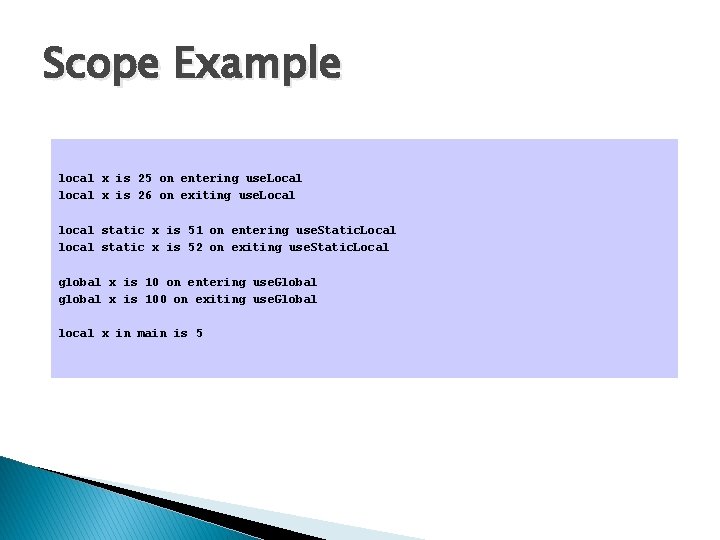
Scope Example local x is 25 on entering use. Local local x is 26 on exiting use. Local local static x is 51 on entering use. Static. Local local static x is 52 on exiting use. Static. Local global x is 10 on entering use. Global global x is 100 on exiting use. Global local x in main is 5
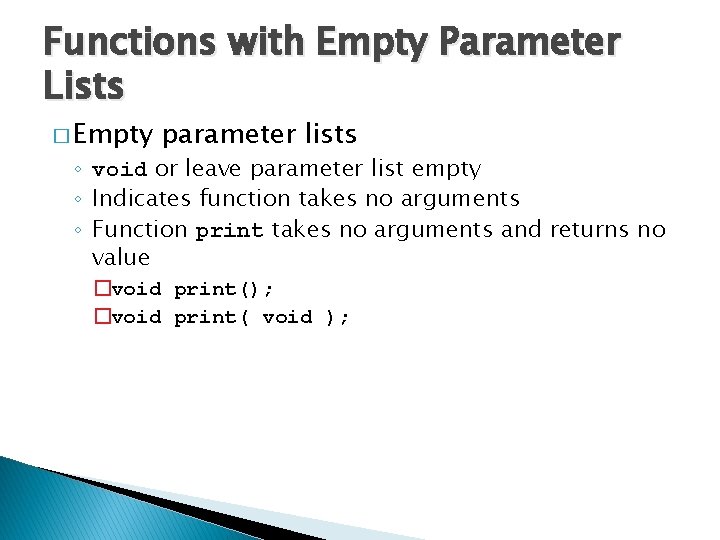
Functions with Empty Parameter Lists � Empty parameter lists ◦ void or leave parameter list empty ◦ Indicates function takes no arguments ◦ Function print takes no arguments and returns no value �void print(); �void print( void );
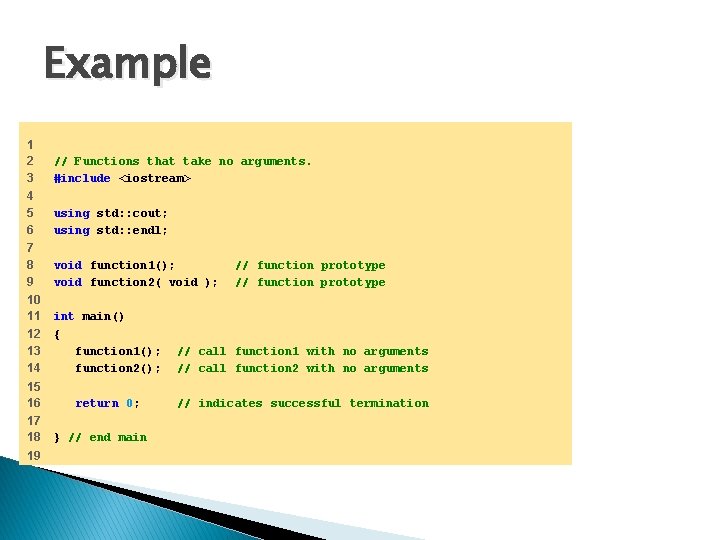
Example 1 2 3 // Functions that take no arguments. #include <iostream> 4 5 6 using std: : cout; using std: : endl; 7 8 9 void function 1(); void function 2( void ); 10 11 12 13 14 int main() { function 1(); function 2(); // call function 1 with no arguments // call function 2 with no arguments 15 16 return 0; // indicates successful termination 17 18 19 } // end main // function prototype
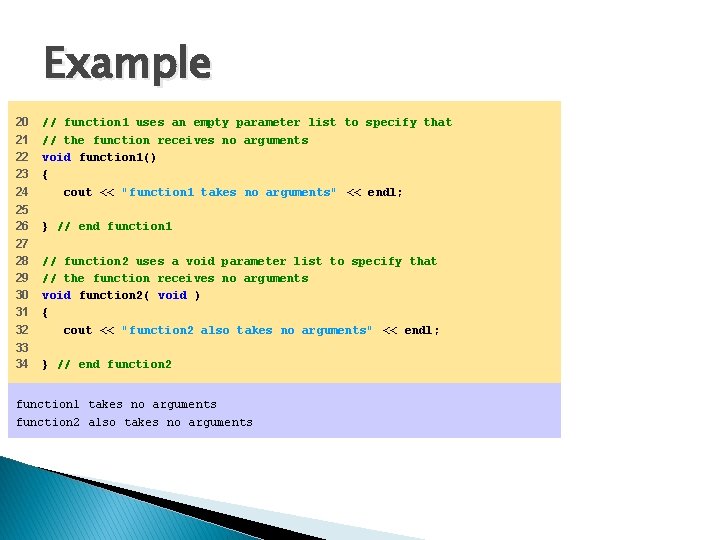
Example 20 21 22 23 24 // function 1 uses an empty parameter list to specify that // the function receives no arguments void function 1() { cout << "function 1 takes no arguments" << endl; 25 26 } // end function 1 27 28 29 30 31 32 // function 2 uses a void parameter list to specify that // the function receives no arguments void function 2( void ) { cout << "function 2 also takes no arguments" << endl; 33 34 } // end function 2 function 1 takes no arguments function 2 also takes no arguments
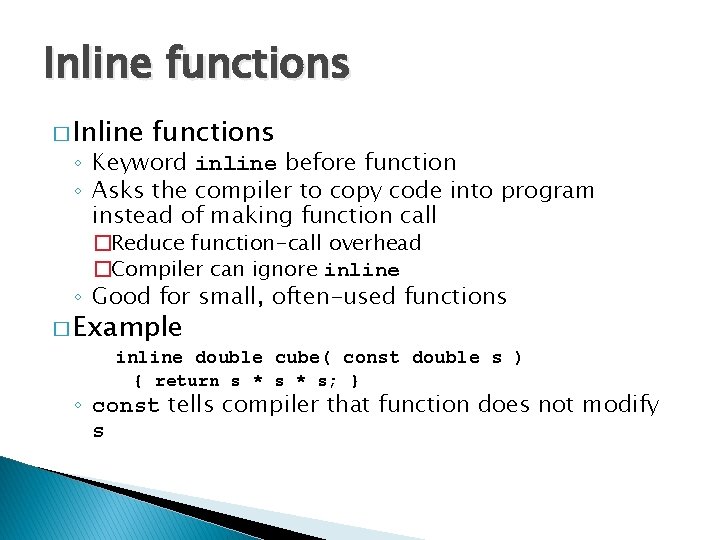
Inline functions � Inline functions ◦ Keyword inline before function ◦ Asks the compiler to copy code into program instead of making function call �Reduce function-call overhead �Compiler can ignore inline ◦ Good for small, often-used functions � Example inline double cube( const double s ) { return s * s; } ◦ const tells compiler that function does not modify s
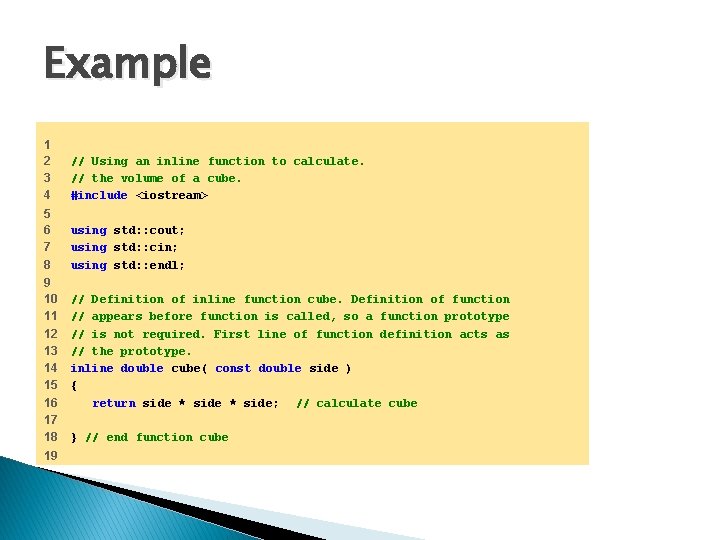
Example 1 2 3 4 // Using an inline function to calculate. // the volume of a cube. #include <iostream> 5 6 7 8 using std: : cout; using std: : cin; using std: : endl; 9 10 11 12 13 14 15 16 17 18 19 // Definition of inline function cube. Definition of function // appears before function is called, so a function prototype // is not required. First line of function definition acts as // the prototype. inline double cube( const double side ) { return side * side; // calculate cube } // end function cube
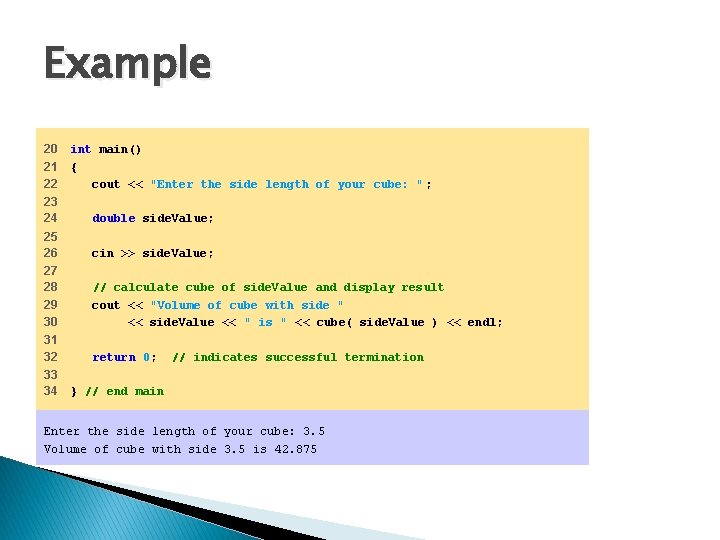
Example 20 21 22 int main() { cout << "Enter the side length of your cube: " ; 23 24 double side. Value; 25 26 cin >> side. Value; 27 28 29 30 // calculate cube of side. Value and display result cout << "Volume of cube with side " << side. Value << " is " << cube( side. Value ) << endl; 31 32 return 0; 33 34 // indicates successful termination } // end main Enter the side length of your cube: 3. 5 Volume of cube with side 3. 5 is 42. 875
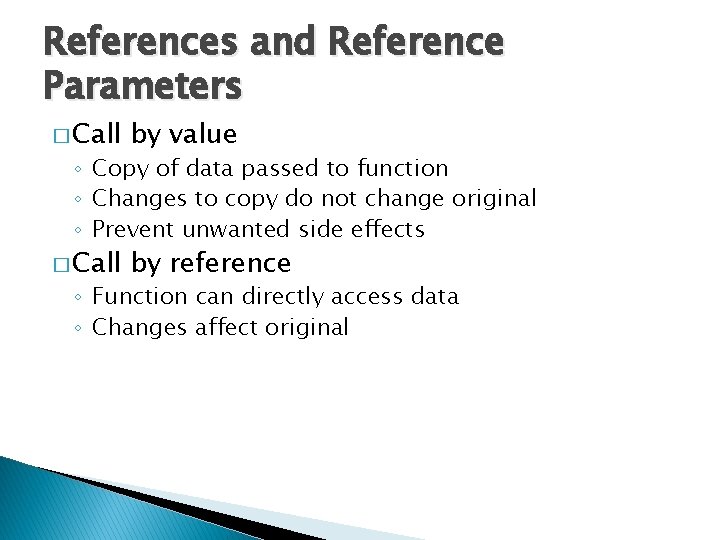
References and Reference Parameters � Call by value � Call by reference ◦ Copy of data passed to function ◦ Changes to copy do not change original ◦ Prevent unwanted side effects ◦ Function can directly access data ◦ Changes affect original
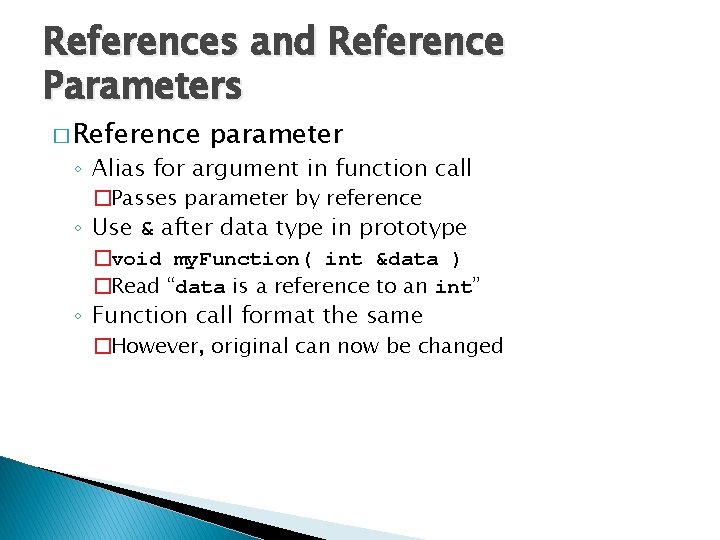
References and Reference Parameters � Reference parameter ◦ Alias for argument in function call �Passes parameter by reference ◦ Use & after data type in prototype �void my. Function( int &data ) �Read “data is a reference to an int” ◦ Function call format the same �However, original can now be changed
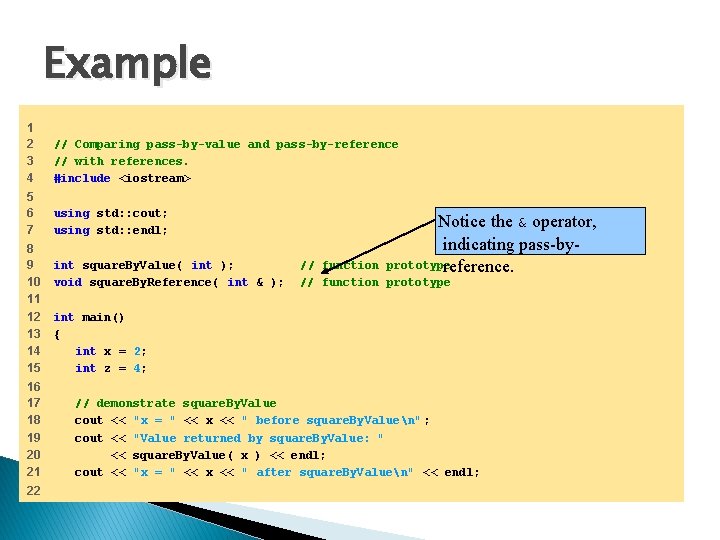
Example 1 2 3 4 // Comparing pass-by-value and pass-by-reference // with references. #include <iostream> 5 6 7 using std: : cout; using std: : endl; 8 9 10 11 12 13 14 15 16 17 18 19 20 21 22 int square. By. Value( int ); void square. By. Reference( int & ); Notice the & operator, indicating pass-byprototype reference. // function prototype int main() { int x = 2; int z = 4; // demonstrate square. By. Value cout << "x = " << x << " before square. By. Valuen" ; cout << "Value returned by square. By. Value: " << square. By. Value( x ) << endl; cout << "x = " << x << " after square. By. Valuen" << endl;
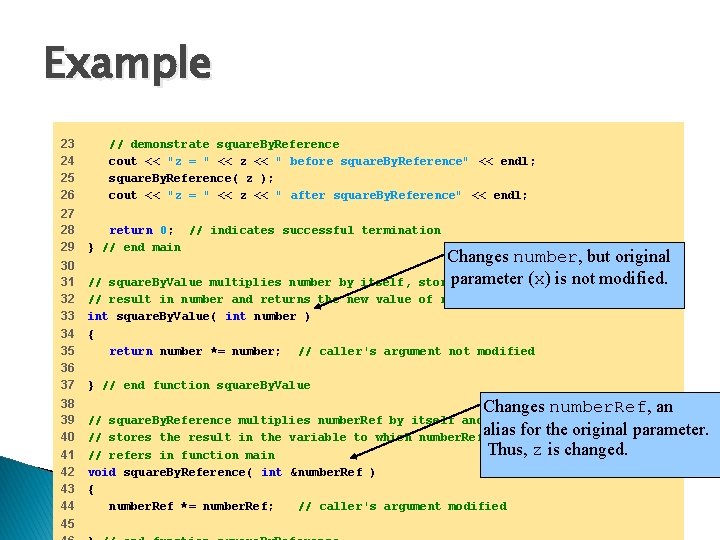
Example 23 24 25 26 27 28 29 30 31 32 33 34 35 36 37 38 39 40 41 42 43 44 45 // demonstrate square. By. Reference cout << "z = " << z << " before square. By. Reference" << endl; square. By. Reference( z ); cout << "z = " << z << " after square. By. Reference" << endl; return 0; // indicates successful termination } // end main Changes number, but original parameter (x) is not modified. stores the // square. By. Value multiplies number by itself, // result in number and returns the new value of number int square. By. Value( int number ) { return number *= number; // caller's argument not modified } // end function square. By. Value Changes number. Ref, an parameter. // square. By. Reference multiplies number. Ref by itself and alias for the original // stores the result in the variable to which number. Ref Thus, z is changed. // refers in function main void square. By. Reference( int &number. Ref ) { number. Ref *= number. Ref; // caller's argument modified
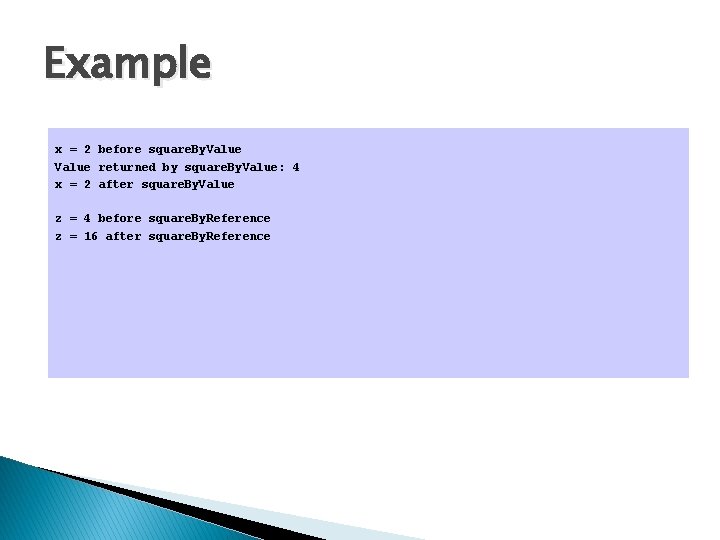
Example x = 2 before square. By. Value returned by square. By. Value: 4 x = 2 after square. By. Value z = 4 before square. By. Reference z = 16 after square. By. Reference
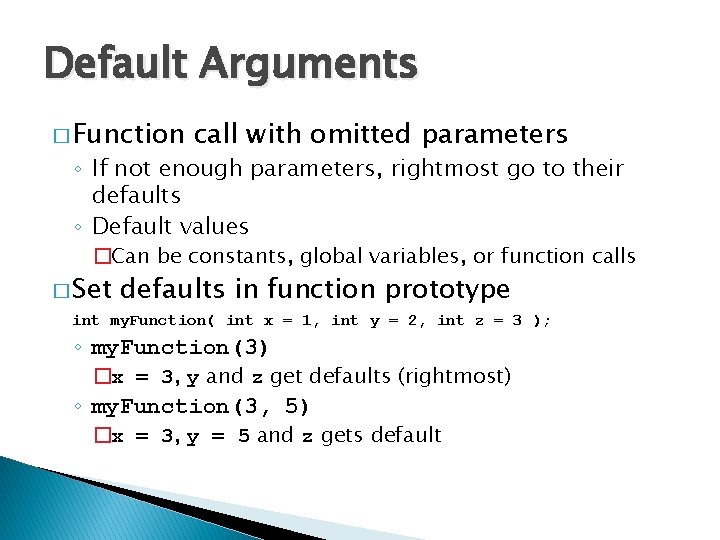
Default Arguments � Function call with omitted parameters ◦ If not enough parameters, rightmost go to their defaults ◦ Default values �Can be constants, global variables, or function calls � Set defaults in function prototype int my. Function( int x = 1, int y = 2, int z = 3 ); ◦ my. Function(3) �x = 3, y and z get defaults (rightmost) ◦ my. Function(3, 5) �x = 3, y = 5 and z gets default
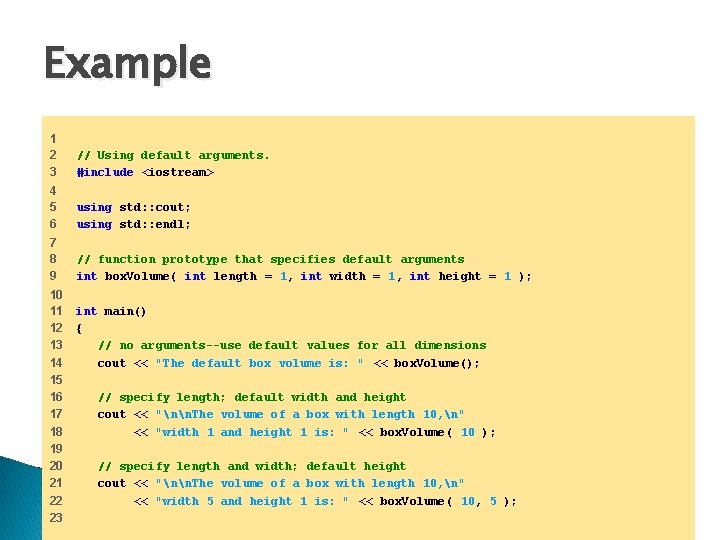
Example 1 2 3 // Using default arguments. #include <iostream> 4 5 6 using std: : cout; using std: : endl; 7 8 9 // function prototype that specifies default arguments int box. Volume( int length = 1, int width = 1, int height = 1 ); 10 11 12 13 14 15 16 17 18 19 20 21 22 23 int main() { // no arguments--use default values for all dimensions cout << "The default box volume is: " << box. Volume(); // specify length; default width and height cout << "nn. The volume of a box with length 10, n" << "width 1 and height 1 is: " << box. Volume( 10 ); // specify length and width; default height cout << "nn. The volume of a box with length 10, n" << "width 5 and height 1 is: " << box. Volume( 10, 5 );
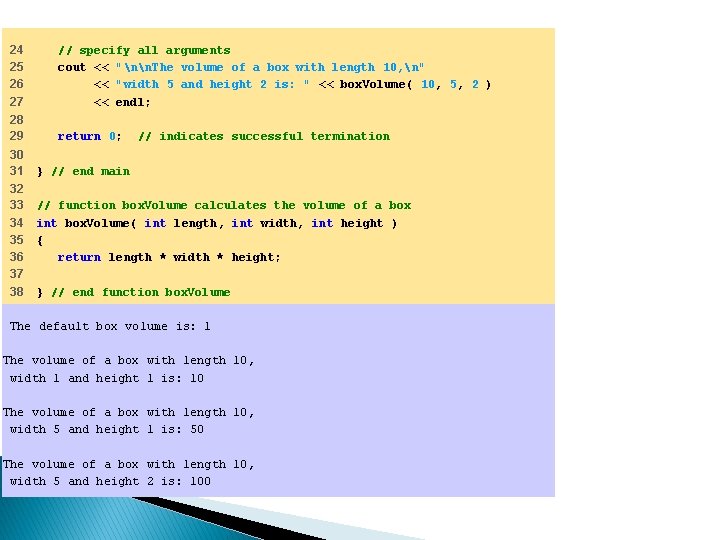
24 25 26 27 // specify all arguments cout << "nn. The volume of a box with length 10, n" << "width 5 and height 2 is: " << box. Volume( 10, 5, 2 ) << endl; 28 29 return 0; 30 31 32 33 34 35 36 37 38 // indicates successful termination } // end main // function box. Volume calculates the volume of a box int box. Volume( int length, int width, int height ) { return length * width * height; } // end function box. Volume The default box volume is: 1 The volume of a box with length 10, width 1 and height 1 is: 10 The volume of a box with length 10, width 5 and height 1 is: 50 The volume of a box with length 10, width 5 and height 2 is: 100
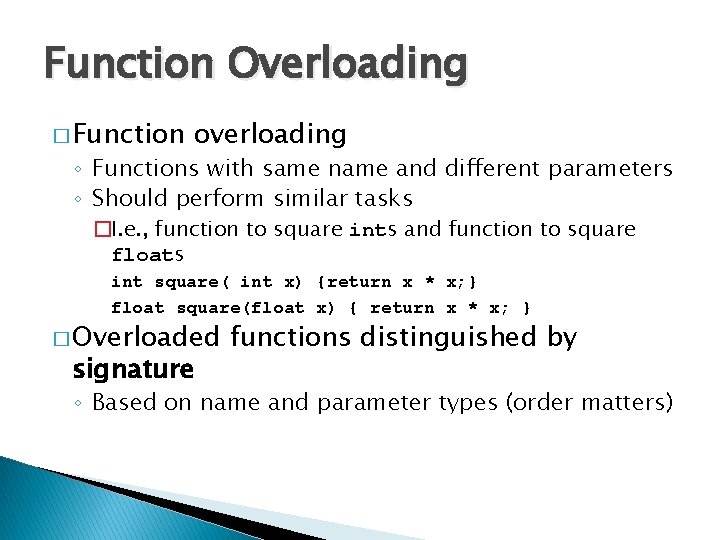
Function Overloading � Function overloading ◦ Functions with same name and different parameters ◦ Should perform similar tasks �I. e. , function to square ints and function to square floats int square( int x) {return x * x; } float square(float x) { return x * x; } � Overloaded signature functions distinguished by ◦ Based on name and parameter types (order matters)
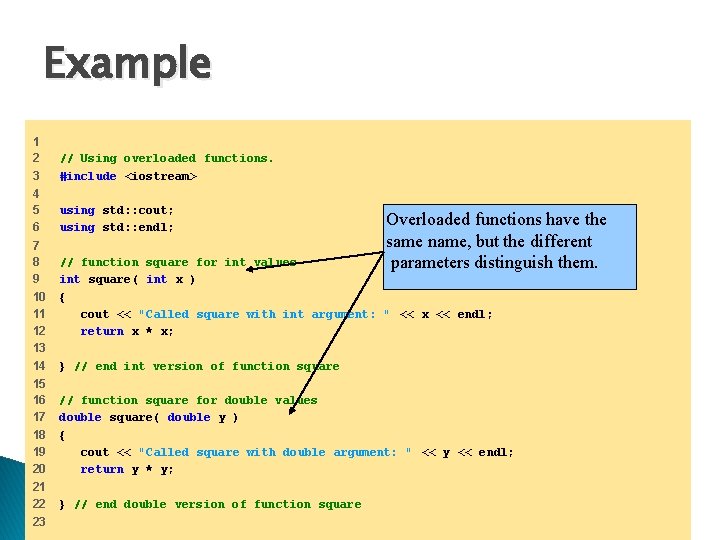
Example 1 2 3 // Using overloaded functions. #include <iostream> 4 5 6 using std: : cout; using std: : endl; 7 8 9 10 11 12 13 14 15 16 17 18 19 20 21 22 23 Overloaded functions have the same name, but the different parameters distinguish them. // function square for int values int square( int x ) { cout << "Called square with int argument: " << x << endl; return x * x; } // end int version of function square // function square for double values double square( double y ) { cout << "Called square with double argument: " << y << endl; return y * y; } // end double version of function square
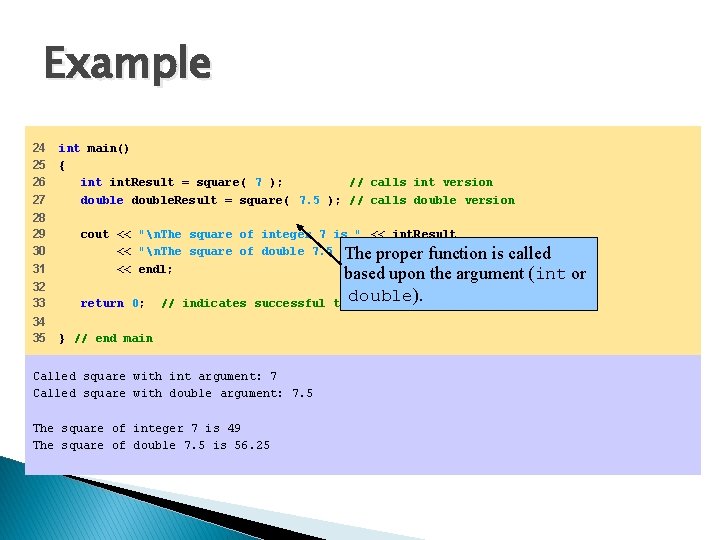
Example 24 25 26 27 int main() { int. Result = square( 7 ); // calls int version double. Result = square( 7. 5 ); // calls double version 28 29 30 31 cout << "n. The square of integer 7 is " << int. Result << "n. The square of double 7. 5 is " proper << double. Result The function << endl; 32 33 return 0; 34 35 // indicates successful } // end main Called square with int argument: 7 Called square with double argument: 7. 5 The square of integer 7 is 49 The square of double 7. 5 is 56. 25 is called based upon the argument (int or double). termination
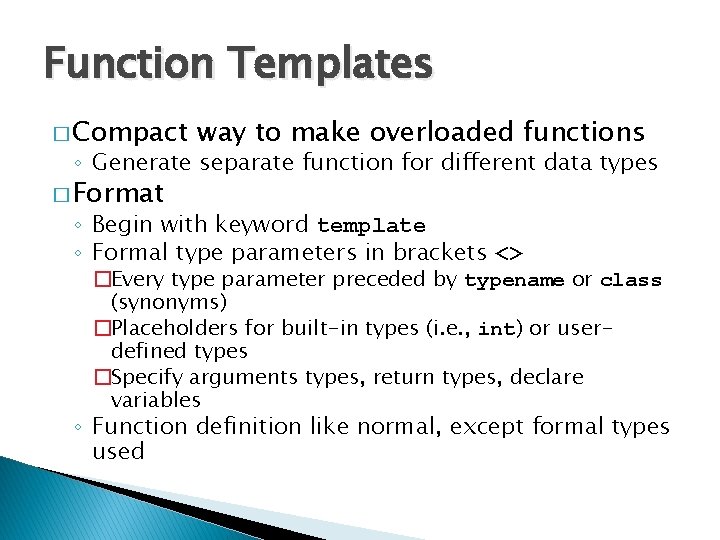
Function Templates � Compact way to make overloaded functions ◦ Generate separate function for different data types � Format ◦ Begin with keyword template ◦ Formal type parameters in brackets <> �Every type parameter preceded by typename or class (synonyms) �Placeholders for built-in types (i. e. , int) or userdefined types �Specify arguments types, return types, declare variables ◦ Function definition like normal, except formal types used
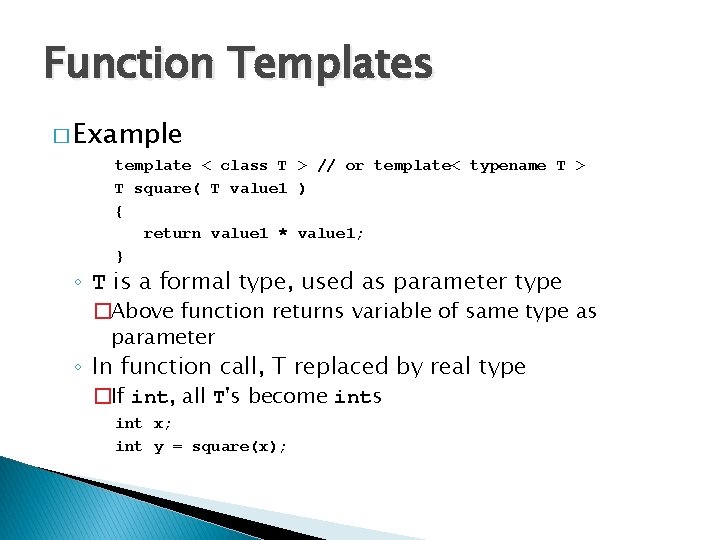
Function Templates � Example template < class T > // or template< typename T > T square( T value 1 ) { return value 1 * value 1; } ◦ T is a formal type, used as parameter type �Above function returns variable of same type as parameter ◦ In function call, T replaced by real type �If int, all T's become ints int x; int y = square(x);
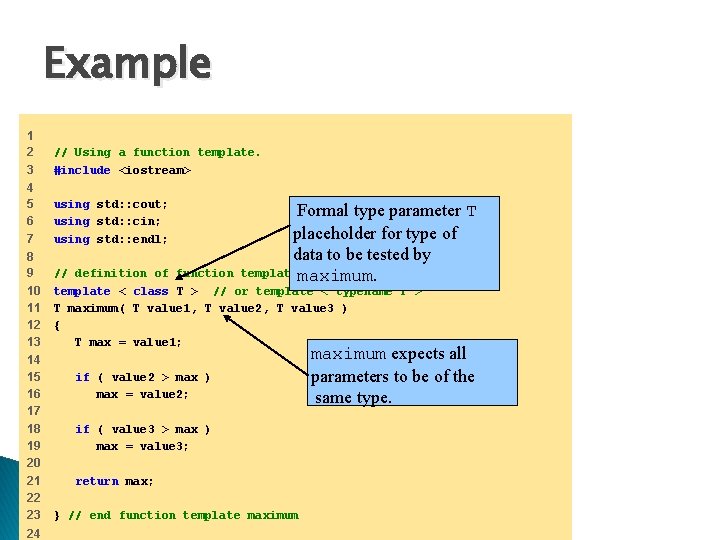
Example 1 2 3 // Using a function template. #include <iostream> 4 5 6 7 using std: : cout; using std: : cin; using std: : endl; 8 9 10 11 12 13 14 15 16 17 18 19 20 21 22 23 24 Formal type parameter T placeholder for type of data to be tested by templatemaximum. // definition of function template < class T > // or template < typename T > T maximum( T value 1, T value 2, T value 3 ) { T max = value 1; if ( value 2 > max ) max = value 2; if ( value 3 > max ) max = value 3; return max; } // end function template maximum expects all parameters to be of the same type.
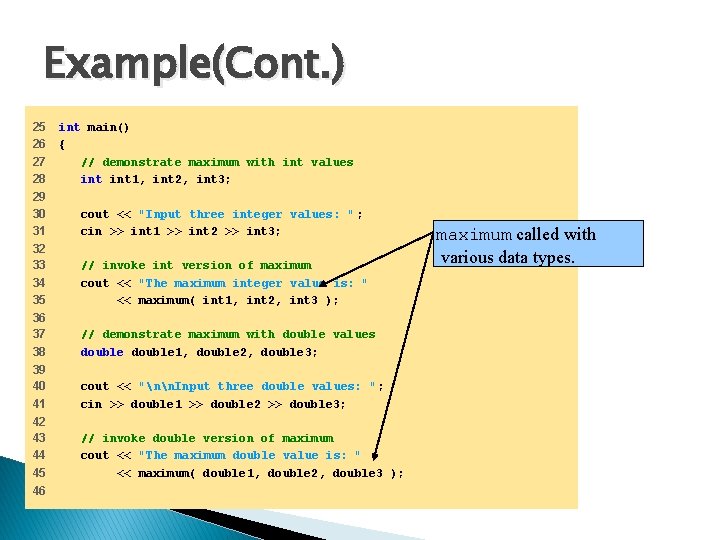
Example(Cont. ) 25 26 27 28 int main() { // demonstrate maximum with int values int 1, int 2, int 3; 29 30 31 cout << "Input three integer values: " ; cin >> int 1 >> int 2 >> int 3; 32 33 34 35 // invoke int version of maximum cout << "The maximum integer value is: " << maximum( int 1, int 2, int 3 ); 36 37 38 // demonstrate maximum with double values double 1, double 2, double 3; 39 40 41 cout << "nn. Input three double values: " ; cin >> double 1 >> double 2 >> double 3; 42 43 44 45 // invoke double version of maximum cout << "The maximum double value is: " << maximum( double 1, double 2, double 3 ); 46 maximum called with various data types.
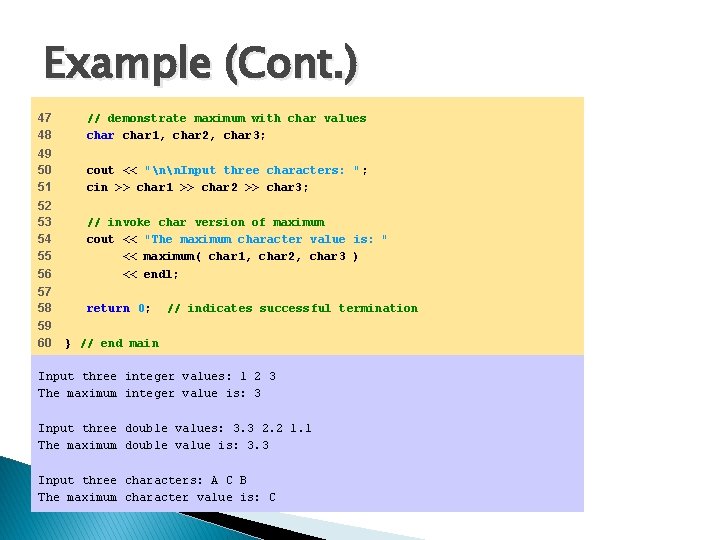
Example (Cont. ) 47 48 // demonstrate maximum with char values char 1, char 2, char 3; 49 50 51 cout << "nn. Input three characters: " ; cin >> char 1 >> char 2 >> char 3; 52 53 54 55 56 // invoke char version of maximum cout << "The maximum character value is: " << maximum( char 1, char 2, char 3 ) << endl; 57 58 return 0; 59 60 // indicates successful termination } // end main Input three integer values: 1 2 3 The maximum integer value is: 3 Input three double values: 3. 3 2. 2 1. 1 The maximum double value is: 3. 3 Input three characters: A C B The maximum character value is: C
- Slides: 61