
Functional Overview Users Groups Roles Permissions Groups Roles

- Slides: 2
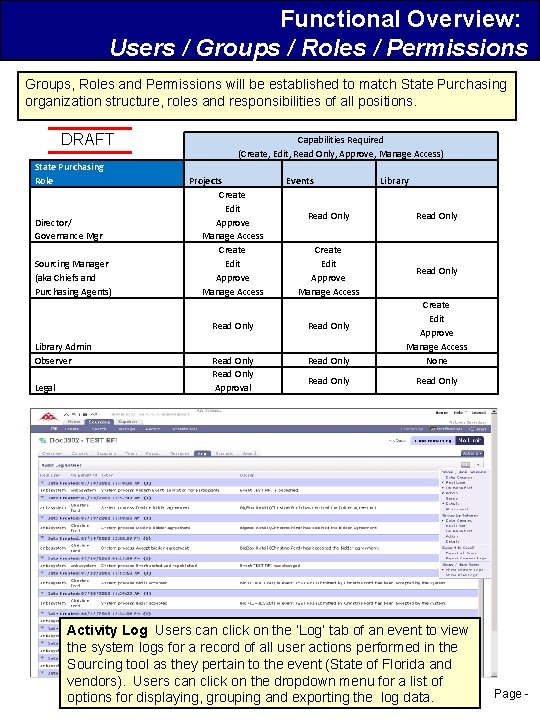
Functional Overview: Users / Groups / Roles / Permissions Groups, Roles and Permissions will be established to match State Purchasing organization structure, roles and responsibilities of all positions. DRAFT State Purchasing Role Director/ Governance Mgr Sourcing Manager (aka Chiefs and Purchasing Agents) Library Admin Observer Legal Capabilities Required (Create, Edit, Read Only, Approve, Manage Access) Projects Create Edit Approve Manage Access Events Library Read Only Create Edit Approve Manage Access Read Only Read Only Approval Read Only Create Edit Approve Manage Access None Read Only Activity Log Users can click on the ‘Log’ tab of an event to view the system logs for a record of all user actions performed in the Sourcing tool as they pertain to the event (State of Florida and vendors). Users can click on the dropdown menu for a list of options for displaying, grouping and exporting the log data. Page -
Functional Overview: Users / Groups / Roles / Permissions Key Functionality: When users create a new project, they will need to specify a team of users to work on the project. The project team will consist of various project groups and each project group will have different roles that specify the permissions for the users in that group. The permissions indicate what the users can access and what actions the users can perform in that project. Creating groups with different roles enables the project owner to assign users to the project team with different roles and capabilities. Project groups can have one or many members. In addition to team membership, there access controls that can be set at the document or project level. These access controls enable the project or document owner to refine the control of project team member access to a project or document. • Key Features: Ø Users who satisfy the access control settings will be able to view the project or document and potentially modify it Ø Users who do not satisfy the access control settings cannot view the project and will be unaware that it exists, even if they are team members Ø Ability to view the system logs for a record of all user actions performed in the Sourcing tool as they pertain to the event • How will this impact State Purchasing? Ø Allows for assignment of appropriate permissions based on role in the organization Ø Allows team members to have groups and roles assigned as part of their base user permission, but a project owner can still refine access at the project-level Ø Continues to provide the activity tracking that State Purchasing has been accustomed to with previous versions of Sourcing Page -