
Fun with GDI Introducing GDI in VB NET
Fun with GDI+ Introducing GDI+ in VB. NET Rod Stephens Rod. Stephens@vb-helper. com http: //www. vb-helper. com/fun_with_gdi. html July 25, 2003 Denver Visual Studio Users Group 1
Roadmap 1. 2. 3. 4. What is GDI+? Drawing Image Processing Summary July 25, 2003 Denver Visual Studio Users Group 2
What is GDI+? GDI = Graphic Device Interface n GDI+ = GDI. NET n July 25, 2003 Denver Visual Studio Users Group 3
GDI+ Namespaces n System. Drawing – System. Drawing 2 D – System. Drawing. Imaging – System. Drawing. Text – System. Drawing. Printing – System. Drawing. Design July 25, 2003 Denver Visual Studio Users Group 4
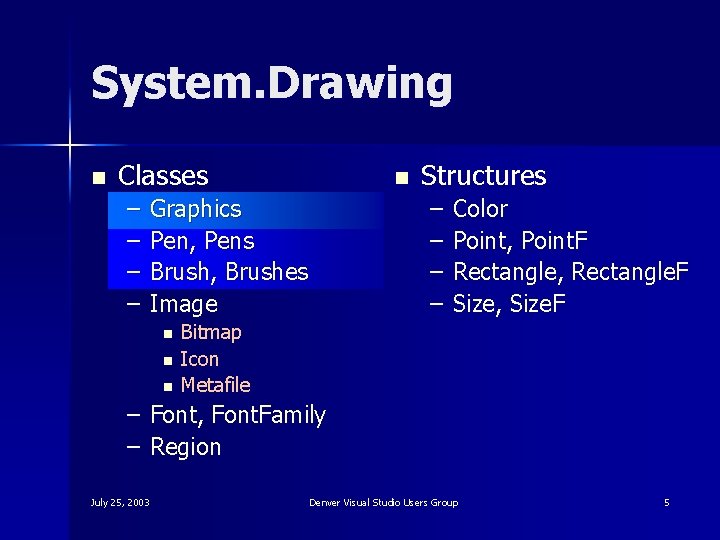
System. Drawing n Classes – – n – – Graphics Pen, Pens Brush, Brushes Image n n n Structures Color Point, Point. F Rectangle, Rectangle. F Size, Size. F Bitmap Icon Metafile – Font, Font. Family – Region July 25, 2003 Denver Visual Studio Users Group 5
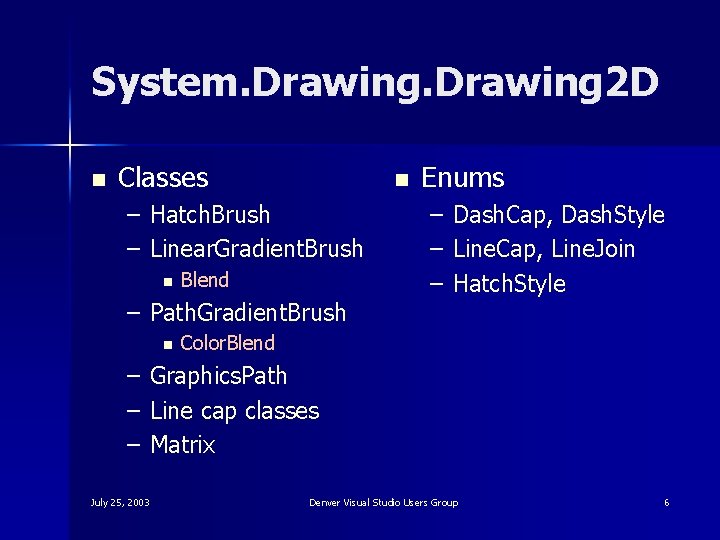
System. Drawing 2 D n Classes n – Hatch. Brush – Linear. Gradient. Brush n Blend – Path. Gradient. Brush n Enums – – – Dash. Cap, Dash. Style Line. Cap, Line. Join Hatch. Style Color. Blend – Graphics. Path – Line cap classes – Matrix July 25, 2003 Denver Visual Studio Users Group 6
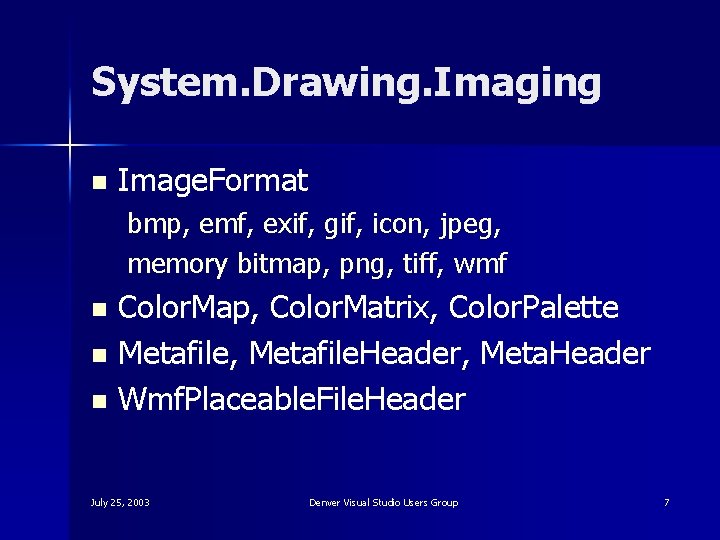
System. Drawing. Imaging n Image. Format bmp, emf, exif, gif, icon, jpeg, memory bitmap, png, tiff, wmf Color. Map, Color. Matrix, Color. Palette n Metafile, Metafile. Header, Meta. Header n Wmf. Placeable. File. Header n July 25, 2003 Denver Visual Studio Users Group 7
System. Drawing. Text Font. Collection n Installed. Font. Collection n Private. Font. Collection n July 25, 2003 Denver Visual Studio Users Group 8
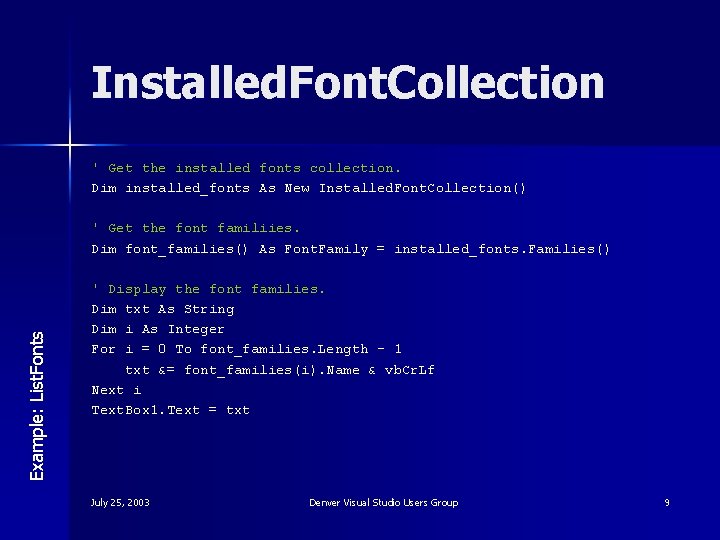
Installed. Font. Collection ' Get the installed fonts collection. Dim installed_fonts As New Installed. Font. Collection() Example: List. Fonts ' Get the font familiies. Dim font_families() As Font. Family = installed_fonts. Families() ' Display the font families. Dim txt As String Dim i As Integer For i = 0 To font_families. Length - 1 txt &= font_families(i). Name & vb. Cr. Lf Next i Text. Box 1. Text = txt July 25, 2003 Denver Visual Studio Users Group 9
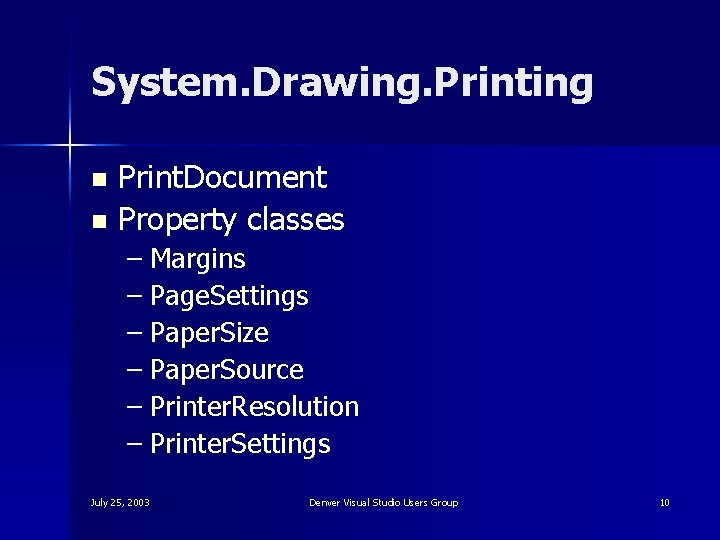
System. Drawing. Printing Print. Document n Property classes n – Margins – Page. Settings – Paper. Size – Paper. Source – Printer. Resolution – Printer. Settings July 25, 2003 Denver Visual Studio Users Group 10
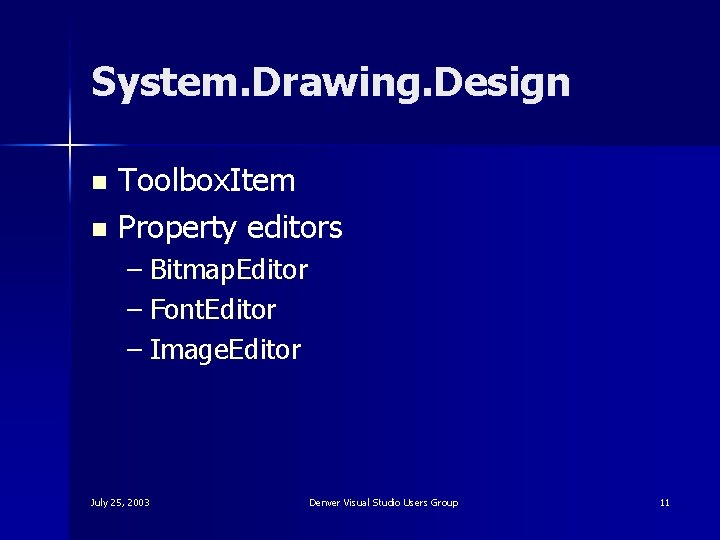
System. Drawing. Design Toolbox. Item n Property editors n – Bitmap. Editor – Font. Editor – Image. Editor July 25, 2003 Denver Visual Studio Users Group 11
Roadmap 1. 2. 3. 4. What is GDI+? Drawing Image Processing Summary July 25, 2003 Denver Visual Studio Users Group 12
Drawing 1. 2. 3. 4. VB 6 and VB. NET approaches Specifying colors Getting Graphics Objects Pens and Brushes July 25, 2003 Denver Visual Studio Users Group 13
Drawing in VB 6 1. 2. Set properties Call a drawing method July 25, 2003 Denver Visual Studio Users Group 14
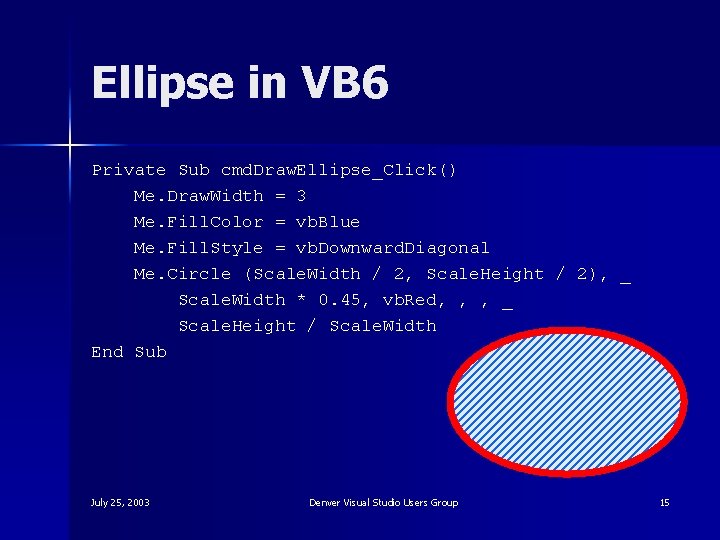
Ellipse in VB 6 Private Sub cmd. Draw. Ellipse_Click() Me. Draw. Width = 3 Me. Fill. Color = vb. Blue Me. Fill. Style = vb. Downward. Diagonal Me. Circle (Scale. Width / 2, Scale. Height / 2), _ Scale. Width * 0. 45, vb. Red, , , _ Scale. Height / Scale. Width End Sub July 25, 2003 Denver Visual Studio Users Group 15
Drawing in VB. NET 1. 2. 3. Create a drawing object (Graphics) Create drawing property objects (Pen and Brush) Call drawing object methods July 25, 2003 Denver Visual Studio Users Group 16
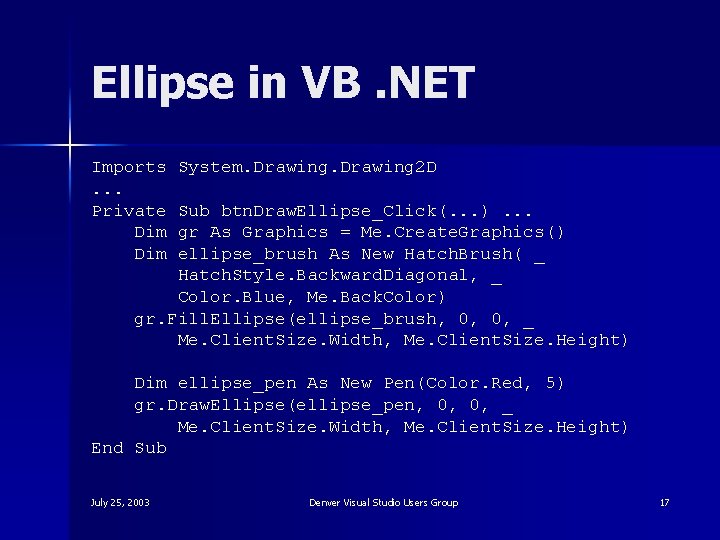
Ellipse in VB. NET Imports. . . Private Dim System. Drawing 2 D Sub btn. Draw. Ellipse_Click(. . . ). . . gr As Graphics = Me. Create. Graphics() ellipse_brush As New Hatch. Brush( _ Hatch. Style. Backward. Diagonal, _ Color. Blue, Me. Back. Color) gr. Fill. Ellipse(ellipse_brush, 0, 0, _ Me. Client. Size. Width, Me. Client. Size. Height) Dim ellipse_pen As New Pen(Color. Red, 5) gr. Draw. Ellipse(ellipse_pen, 0, 0, _ Me. Client. Size. Width, Me. Client. Size. Height) End Sub July 25, 2003 Denver Visual Studio Users Group 17
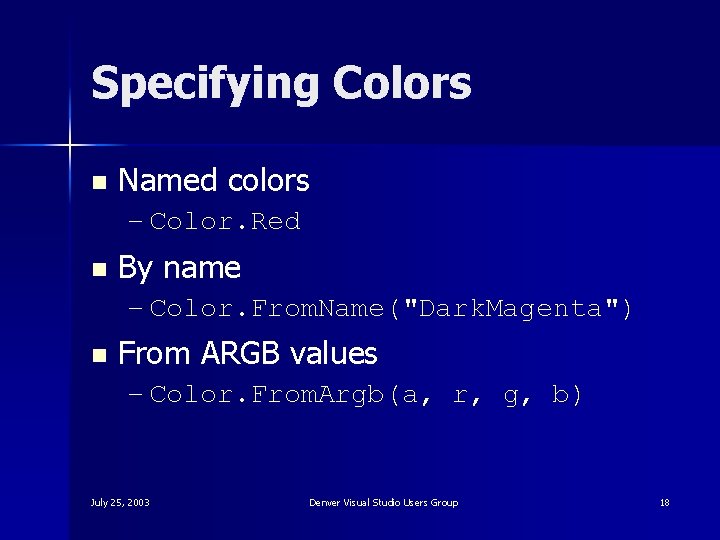
Specifying Colors n Named colors – Color. Red n By name – Color. From. Name("Dark. Magenta") n From ARGB values – Color. From. Argb(a, r, g, b) July 25, 2003 Denver Visual Studio Users Group 18
Getting Graphics Objects Paint event handler n Create. Graphics n July 25, 2003 Denver Visual Studio Users Group 19
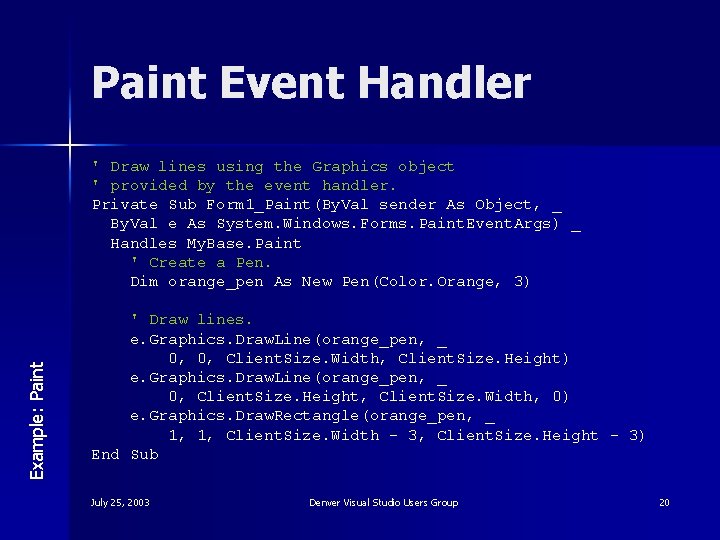
Paint Event Handler Example: Paint ' Draw lines using the Graphics object ' provided by the event handler. Private Sub Form 1_Paint(By. Val sender As Object, _ By. Val e As System. Windows. Forms. Paint. Event. Args) _ Handles My. Base. Paint ' Create a Pen. Dim orange_pen As New Pen(Color. Orange, 3) ' Draw lines. e. Graphics. Draw. Line(orange_pen, _ 0, 0, Client. Size. Width, Client. Size. Height) e. Graphics. Draw. Line(orange_pen, _ 0, Client. Size. Height, Client. Size. Width, 0) e. Graphics. Draw. Rectangle(orange_pen, _ 1, 1, Client. Size. Width - 3, Client. Size. Height - 3) End Sub July 25, 2003 Denver Visual Studio Users Group 20
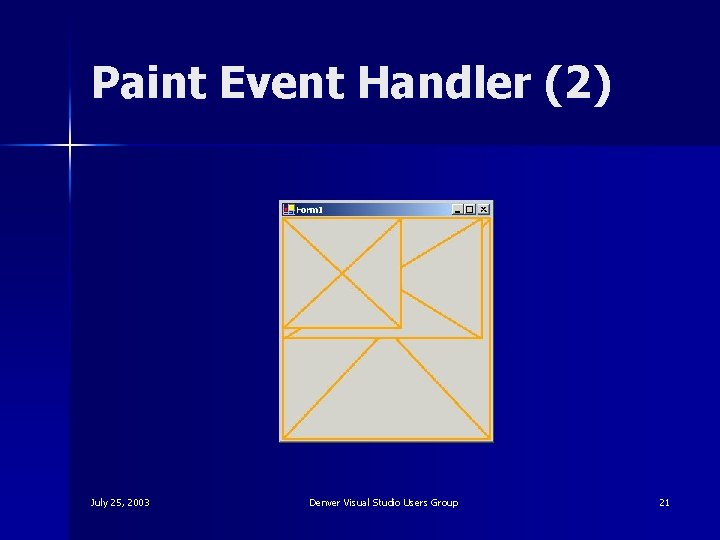
Paint Event Handler (2) July 25, 2003 Denver Visual Studio Users Group 21
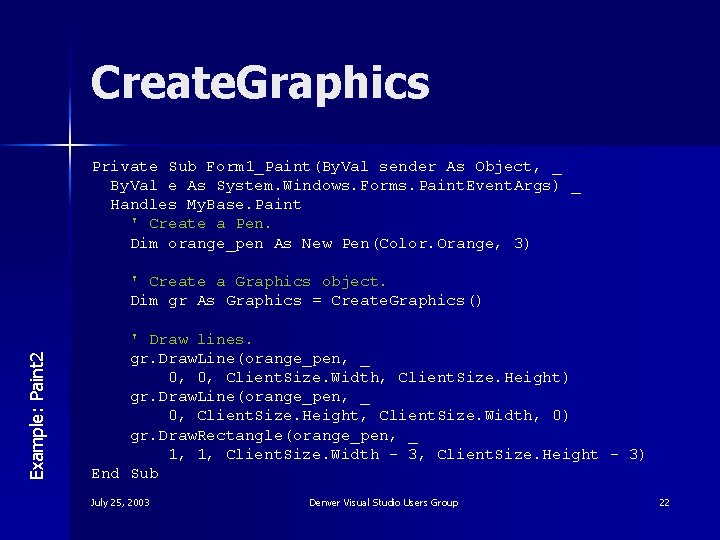
Create. Graphics Private Sub Form 1_Paint(By. Val sender As Object, _ By. Val e As System. Windows. Forms. Paint. Event. Args) _ Handles My. Base. Paint ' Create a Pen. Dim orange_pen As New Pen(Color. Orange, 3) Example: Paint 2 ' Create a Graphics object. Dim gr As Graphics = Create. Graphics() ' Draw lines. gr. Draw. Line(orange_pen, _ 0, 0, Client. Size. Width, Client. Size. Height) gr. Draw. Line(orange_pen, _ 0, Client. Size. Height, Client. Size. Width, 0) gr. Draw. Rectangle(orange_pen, _ 1, 1, Client. Size. Width - 3, Client. Size. Height - 3) End Sub July 25, 2003 Denver Visual Studio Users Group 22
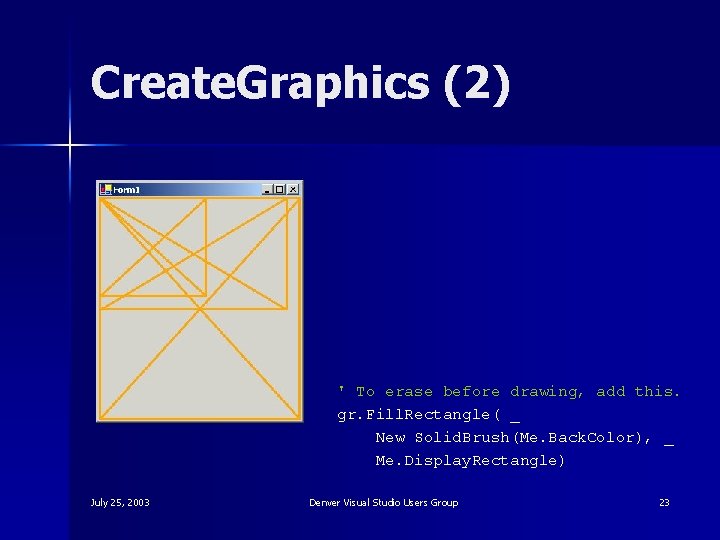
Create. Graphics (2) ' To erase before drawing, add this. gr. Fill. Rectangle( _ New Solid. Brush(Me. Back. Color), _ Me. Display. Rectangle) July 25, 2003 Denver Visual Studio Users Group 23
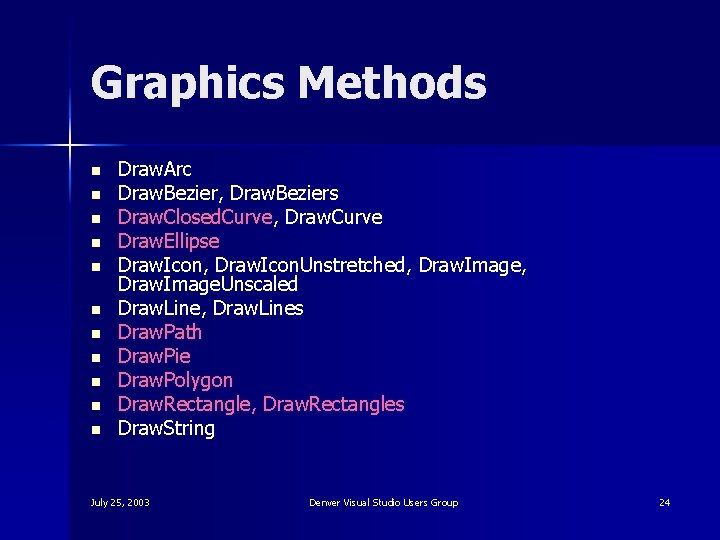
Graphics Methods n n n Draw. Arc Draw. Bezier, Draw. Beziers Draw. Closed. Curve, Draw. Curve Draw. Ellipse Draw. Icon, Draw. Icon. Unstretched, Draw. Image. Unscaled Draw. Line, Draw. Lines Draw. Path Draw. Pie Draw. Polygon Draw. Rectangle, Draw. Rectangles Draw. String July 25, 2003 Denver Visual Studio Users Group 24
Invalidate n A control’s Invalidate method sends a Paint event covering the entire control July 25, 2003 Denver Visual Studio Users Group 25
Pens and Brushes Example: Stock. Pens. And. Brushes n Brushes – Stock Brushes – Solid. Brush – Hatch. Brush – Texture. Brush – Linear. Gradient. Brush – Path. Gradient. Brush n Pens – Stock Pens July 25, 2003 Denver Visual Studio Users Group 26
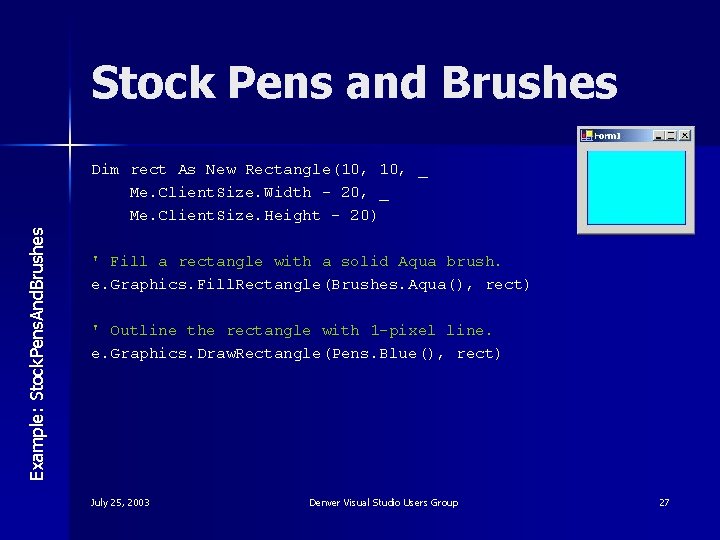
Stock Pens and Brushes Example: Stock. Pens. And. Brushes Dim rect As New Rectangle(10, _ Me. Client. Size. Width - 20, _ Me. Client. Size. Height - 20) ' Fill a rectangle with a solid Aqua brush. e. Graphics. Fill. Rectangle(Brushes. Aqua(), rect) ' Outline the rectangle with 1 -pixel line. e. Graphics. Draw. Rectangle(Pens. Blue(), rect) July 25, 2003 Denver Visual Studio Users Group 27
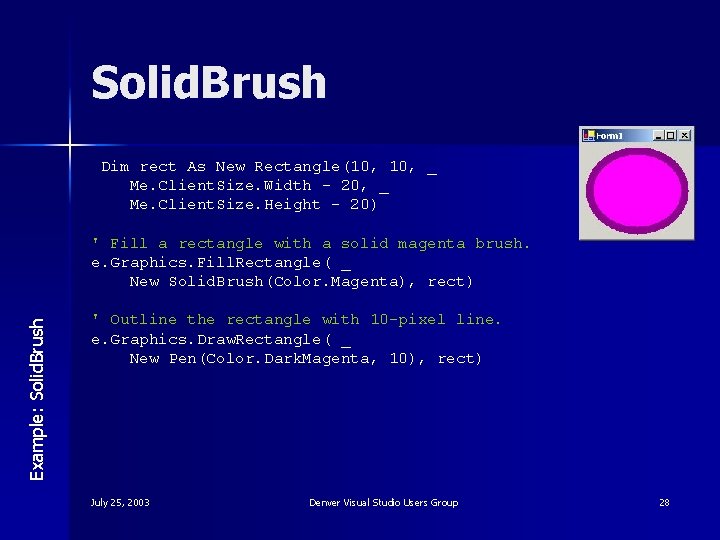
Solid. Brush Dim rect As New Rectangle(10, _ Me. Client. Size. Width - 20, _ Me. Client. Size. Height - 20) Example: Solid. Brush ' Fill a rectangle with a solid magenta brush. e. Graphics. Fill. Rectangle( _ New Solid. Brush(Color. Magenta), rect) ' Outline the rectangle with 10 -pixel line. e. Graphics. Draw. Rectangle( _ New Pen(Color. Dark. Magenta, 10), rect) July 25, 2003 Denver Visual Studio Users Group 28
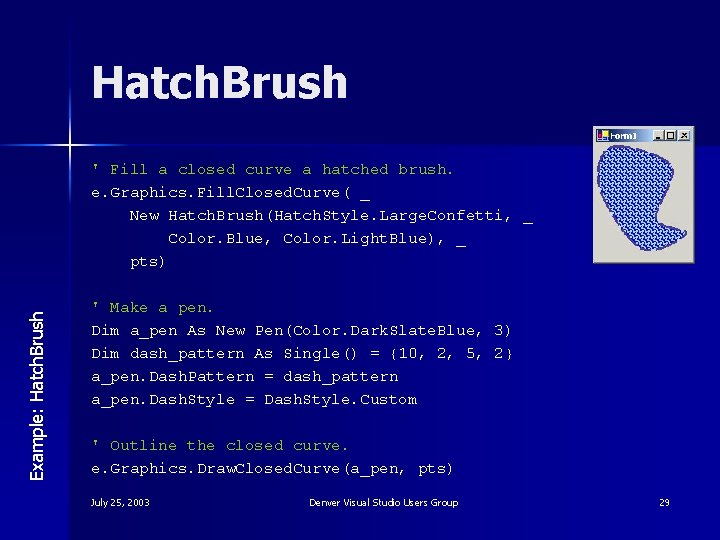
Hatch. Brush Example: Hatch. Brush ' Fill a closed curve a hatched brush. e. Graphics. Fill. Closed. Curve( _ New Hatch. Brush(Hatch. Style. Large. Confetti, _ Color. Blue, Color. Light. Blue), _ pts) ' Make a pen. Dim a_pen As New Pen(Color. Dark. Slate. Blue, 3) Dim dash_pattern As Single() = {10, 2, 5, 2} a_pen. Dash. Pattern = dash_pattern a_pen. Dash. Style = Dash. Style. Custom ' Outline the closed curve. e. Graphics. Draw. Closed. Curve(a_pen, pts) July 25, 2003 Denver Visual Studio Users Group 29
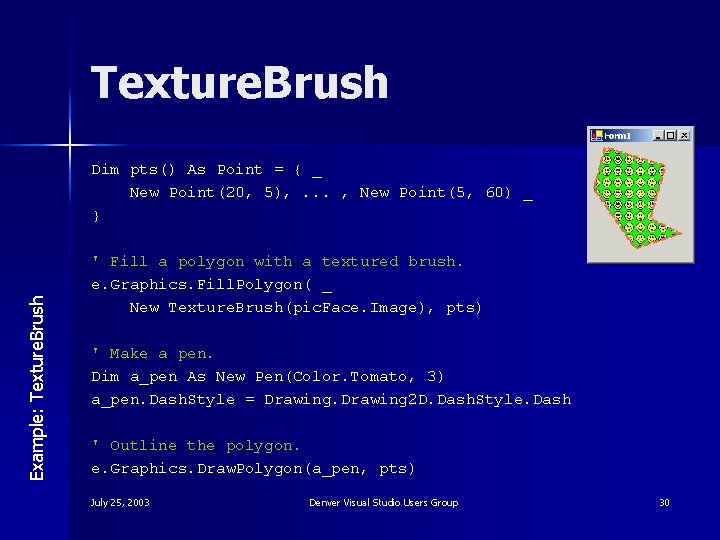
Texture. Brush Example: Texture. Brush Dim pts() As Point = { _ New Point(20, 5), . . . , New Point(5, 60) _ } ' Fill a polygon with a textured brush. e. Graphics. Fill. Polygon( _ New Texture. Brush(pic. Face. Image), pts) ' Make a pen. Dim a_pen As New Pen(Color. Tomato, 3) a_pen. Dash. Style = Drawing 2 D. Dash. Style. Dash ' Outline the polygon. e. Graphics. Draw. Polygon(a_pen, pts) July 25, 2003 Denver Visual Studio Users Group 30
Linear. Gradient. Brush (1) Example: Linear. Gradient. Brush Dim Dim txt = " VB" & vb. Cr. Lf & ". NET" font_size As Single = 64 text_path As New Graphics. Path() font_family As New Font. Family("Comic Sans MS") ' Add text to the path. text_path. Add. String(txt, font_family, _ System. Drawing. Font. Style. Bold, _ font_size, New Point. F(5, 5), _ System. Drawing. String. Format. Generic. Default) ' Get the text's width and height. Dim txt_size As Size. F = _ e. Graphics. Measure. String(txt, _ New Font(font_family, font_size, _ Font. Style. Bold, Graphics. Unit. Pixel)) July 25, 2003 Denver Visual Studio Users Group 31
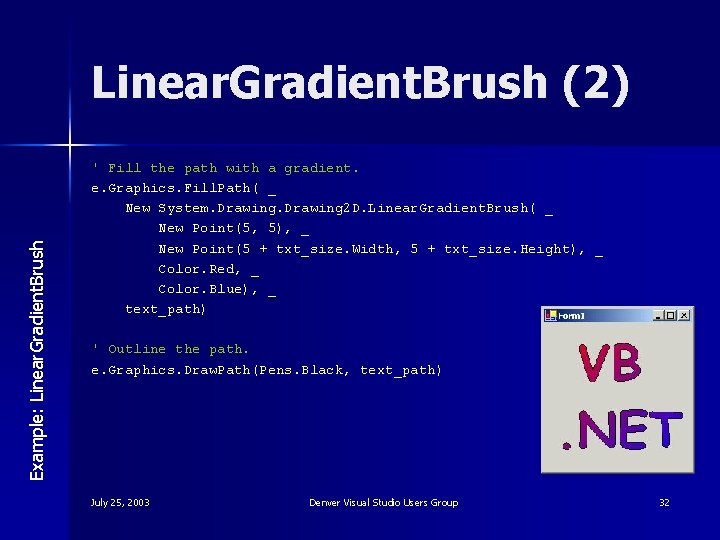
Example: Linear. Gradient. Brush (2) ' Fill the path with a gradient. e. Graphics. Fill. Path( _ New System. Drawing 2 D. Linear. Gradient. Brush( _ New Point(5, 5), _ New Point(5 + txt_size. Width, 5 + txt_size. Height), _ Color. Red, _ Color. Blue), _ text_path) ' Outline the path. e. Graphics. Draw. Path(Pens. Black, text_path) July 25, 2003 Denver Visual Studio Users Group 32
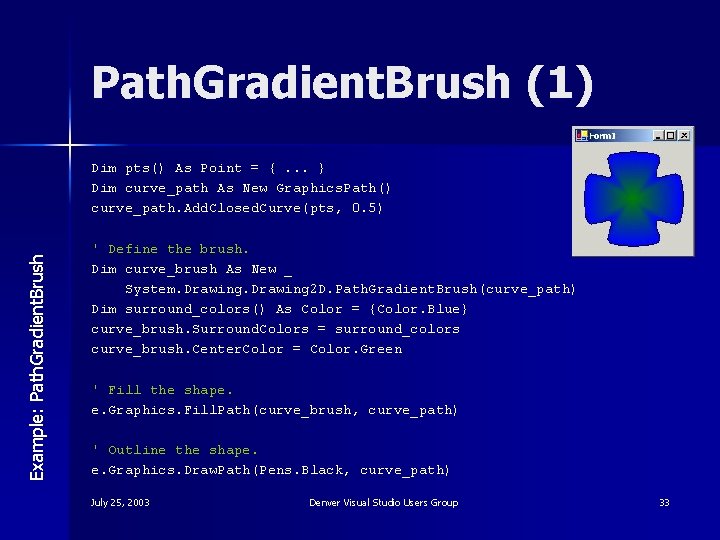
Path. Gradient. Brush (1) Example: Path. Gradient. Brush Dim pts() As Point = {. . . } Dim curve_path As New Graphics. Path() curve_path. Add. Closed. Curve(pts, 0. 5) ' Define the brush. Dim curve_brush As New _ System. Drawing 2 D. Path. Gradient. Brush(curve_path) Dim surround_colors() As Color = {Color. Blue} curve_brush. Surround. Colors = surround_colors curve_brush. Center. Color = Color. Green ' Fill the shape. e. Graphics. Fill. Path(curve_brush, curve_path) ' Outline the shape. e. Graphics. Draw. Path(Pens. Black, curve_path) July 25, 2003 Denver Visual Studio Users Group 33
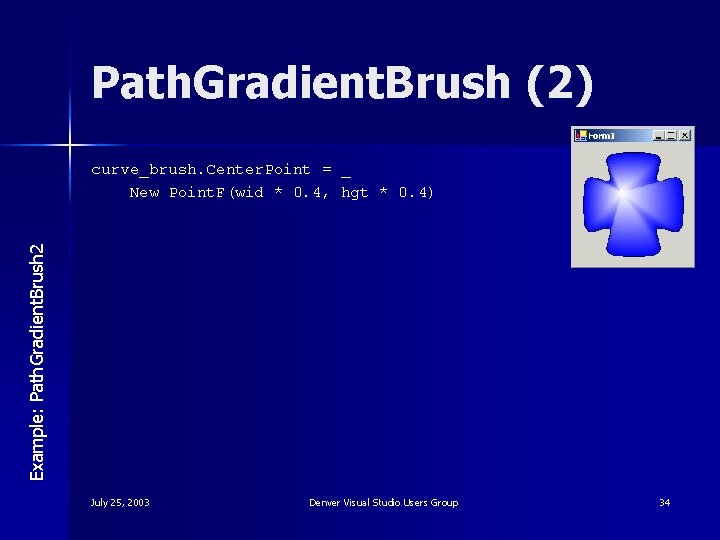
Path. Gradient. Brush (2) Example: Path. Gradient. Brush 2 curve_brush. Center. Point = _ New Point. F(wid * 0. 4, hgt * 0. 4) July 25, 2003 Denver Visual Studio Users Group 34
Roadmap 1. 2. 3. 4. What is GDI+? Drawing Image Processing Summary July 25, 2003 Denver Visual Studio Users Group 35
VB. NET Image Processing Rocks! n n n Using memory bitmaps Saving GIFs and JPEGs Performing pixel-by-pixel operations Rotating and transforming images Alpha blending and transparency July 25, 2003 Denver Visual Studio Users Group 36
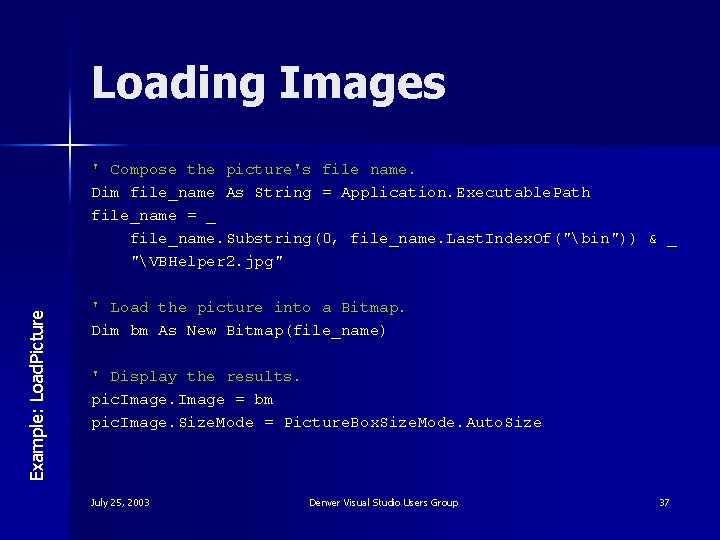
Loading Images Example: Load. Picture ' Compose the picture's file name. Dim file_name As String = Application. Executable. Path file_name = _ file_name. Substring(0, file_name. Last. Index. Of("bin")) & _ "VBHelper 2. jpg" ' Load the picture into a Bitmap. Dim bm As New Bitmap(file_name) ' Display the results. pic. Image = bm pic. Image. Size. Mode = Picture. Box. Size. Mode. Auto. Size July 25, 2003 Denver Visual Studio Users Group 37
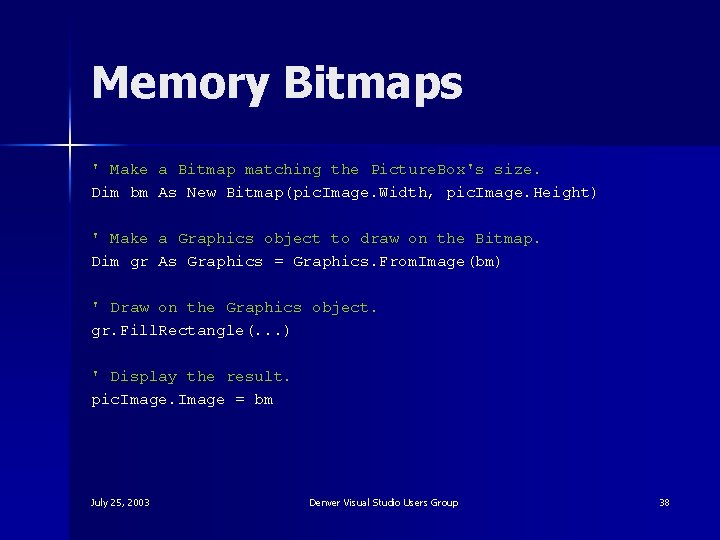
Memory Bitmaps ' Make a Bitmap matching the Picture. Box's size. Dim bm As New Bitmap(pic. Image. Width, pic. Image. Height) ' Make a Graphics object to draw on the Bitmap. Dim gr As Graphics = Graphics. From. Image(bm) ' Draw on the Graphics object. gr. Fill. Rectangle(. . . ) ' Display the result. pic. Image = bm July 25, 2003 Denver Visual Studio Users Group 38
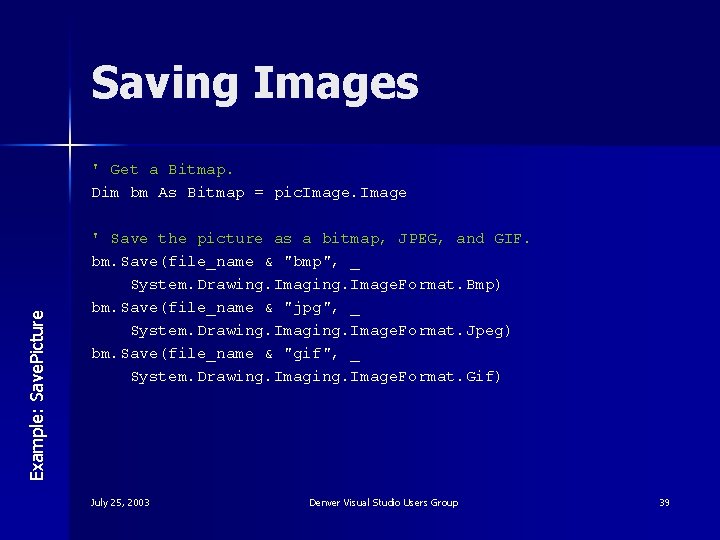
Saving Images Example: Save. Picture ' Get a Bitmap. Dim bm As Bitmap = pic. Image ' Save the picture as a bitmap, JPEG, and GIF. bm. Save(file_name & "bmp", _ System. Drawing. Image. Format. Bmp) bm. Save(file_name & "jpg", _ System. Drawing. Image. Format. Jpeg) bm. Save(file_name & "gif", _ System. Drawing. Image. Format. Gif) July 25, 2003 Denver Visual Studio Users Group 39
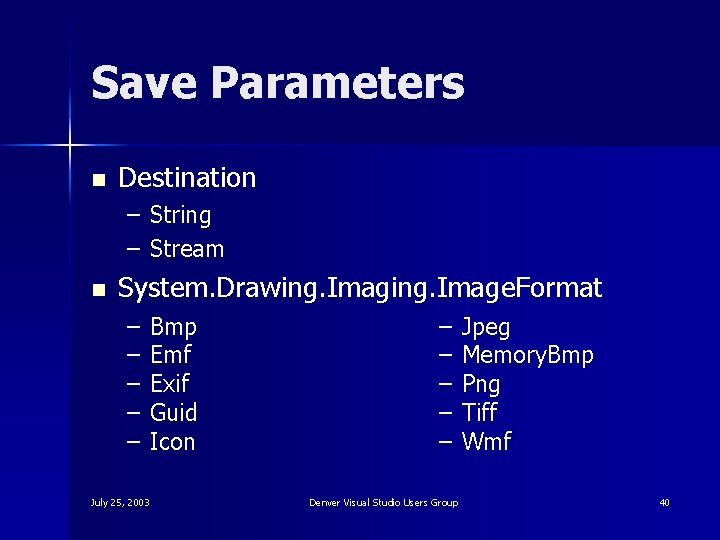
Save Parameters n Destination – String – Stream n System. Drawing. Image. Format – – – Bmp Emf Exif Guid Icon July 25, 2003 – – – Denver Visual Studio Users Group Jpeg Memory. Bmp Png Tiff Wmf 40
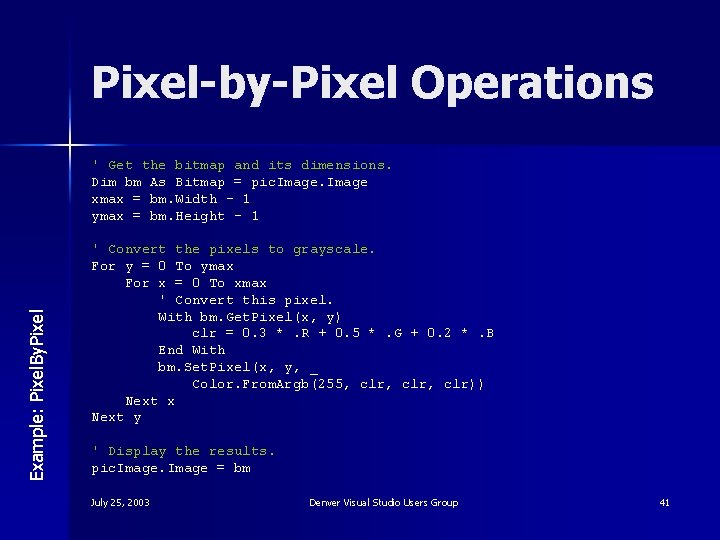
Pixel-by-Pixel Operations Example: Pixel. By. Pixel ' Get the bitmap and its dimensions. Dim bm As Bitmap = pic. Image xmax = bm. Width - 1 ymax = bm. Height - 1 ' Convert the pixels to grayscale. For y = 0 To ymax For x = 0 To xmax ' Convert this pixel. With bm. Get. Pixel(x, y) clr = 0. 3 *. R + 0. 5 *. G + 0. 2 *. B End With bm. Set. Pixel(x, y, _ Color. From. Argb(255, clr, clr)) Next x Next y ' Display the results. pic. Image = bm July 25, 2003 Denver Visual Studio Users Group 41
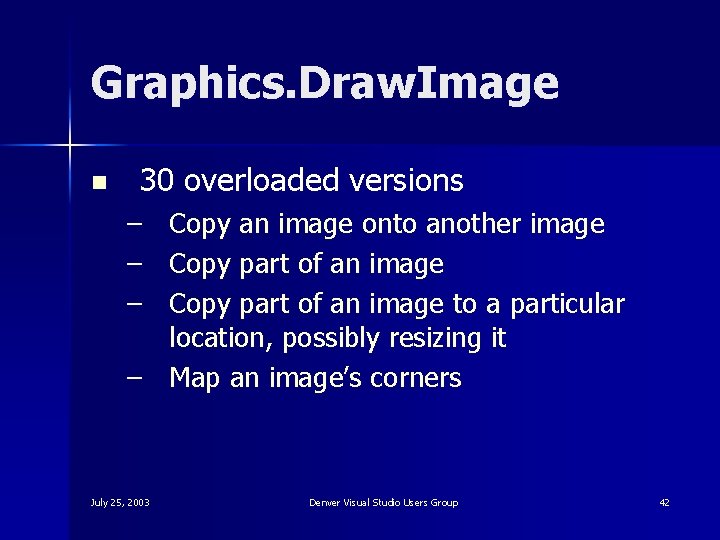
Graphics. Draw. Image n 30 overloaded versions – Copy an image onto another image – Copy part of an image to a particular location, possibly resizing it – Map an image’s corners July 25, 2003 Denver Visual Studio Users Group 42
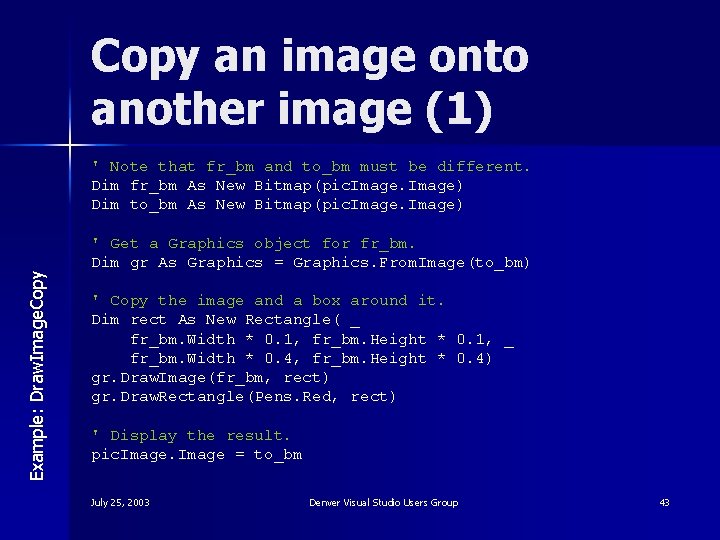
Copy an image onto another image (1) Example: Draw. Image. Copy ' Note that fr_bm and to_bm must be different. Dim fr_bm As New Bitmap(pic. Image) Dim to_bm As New Bitmap(pic. Image) ' Get a Graphics object for fr_bm. Dim gr As Graphics = Graphics. From. Image(to_bm) ' Copy the image and a box around it. Dim rect As New Rectangle( _ fr_bm. Width * 0. 1, fr_bm. Height * 0. 1, _ fr_bm. Width * 0. 4, fr_bm. Height * 0. 4) gr. Draw. Image(fr_bm, rect) gr. Draw. Rectangle(Pens. Red, rect) ' Display the result. pic. Image = to_bm July 25, 2003 Denver Visual Studio Users Group 43
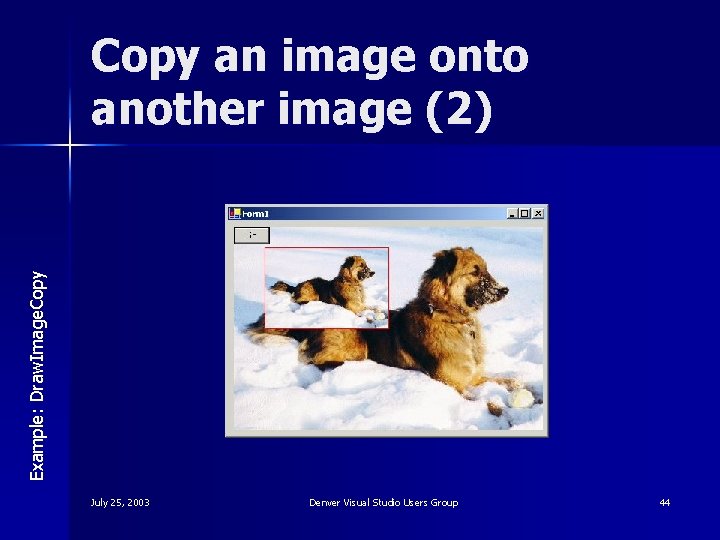
Example: Draw. Image. Copy an image onto another image (2) July 25, 2003 Denver Visual Studio Users Group 44
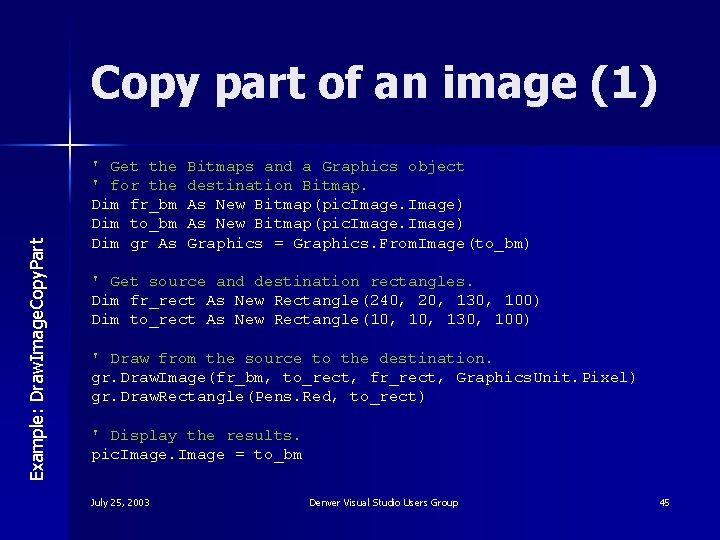
Example: Draw. Image. Copy. Part Copy part of an image (1) ' Get the ' for the Dim fr_bm Dim to_bm Dim gr As Bitmaps and a Graphics object destination Bitmap. As New Bitmap(pic. Image) Graphics = Graphics. From. Image(to_bm) ' Get source and destination rectangles. Dim fr_rect As New Rectangle(240, 20, 130, 100) Dim to_rect As New Rectangle(10, 130, 100) ' Draw from the source to the destination. gr. Draw. Image(fr_bm, to_rect, fr_rect, Graphics. Unit. Pixel) gr. Draw. Rectangle(Pens. Red, to_rect) ' Display the results. pic. Image = to_bm July 25, 2003 Denver Visual Studio Users Group 45
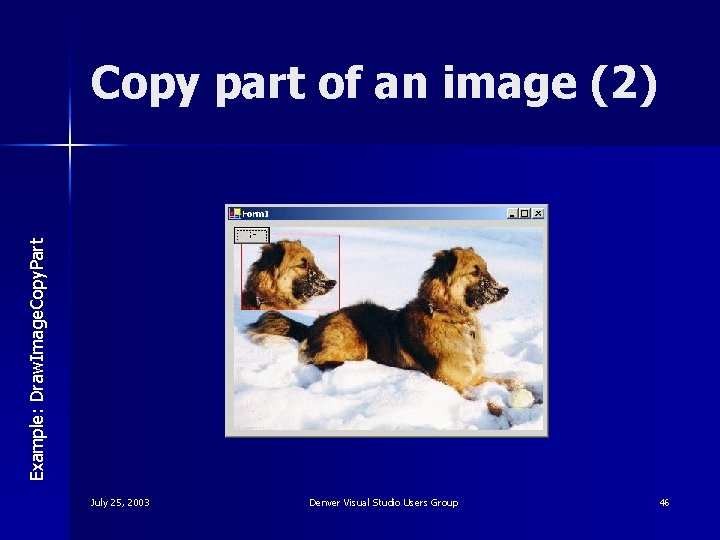
Example: Draw. Image. Copy. Part Copy part of an image (2) July 25, 2003 Denver Visual Studio Users Group 46
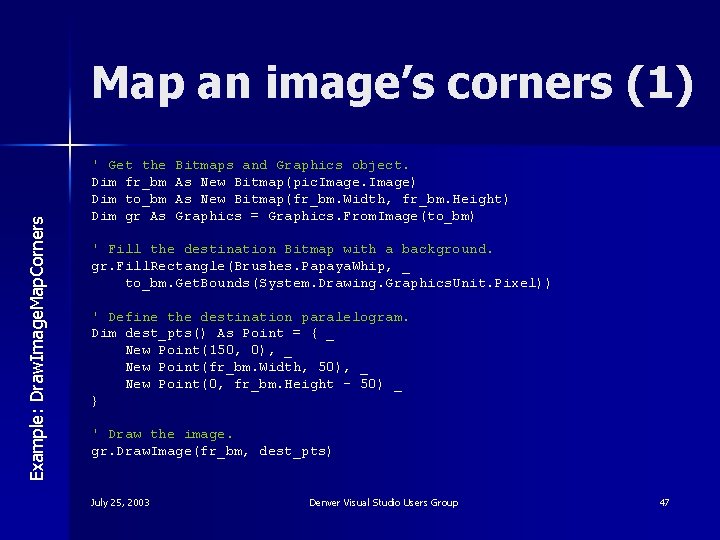
Example: Draw. Image. Map. Corners Map an image’s corners (1) ' Get the Dim fr_bm Dim to_bm Dim gr As Bitmaps and Graphics object. As New Bitmap(pic. Image) As New Bitmap(fr_bm. Width, fr_bm. Height) Graphics = Graphics. From. Image(to_bm) ' Fill the destination Bitmap with a background. gr. Fill. Rectangle(Brushes. Papaya. Whip, _ to_bm. Get. Bounds(System. Drawing. Graphics. Unit. Pixel)) ' Define the destination paralelogram. Dim dest_pts() As Point = { _ New Point(150, 0), _ New Point(fr_bm. Width, 50), _ New Point(0, fr_bm. Height - 50) _ } ' Draw the image. gr. Draw. Image(fr_bm, dest_pts) July 25, 2003 Denver Visual Studio Users Group 47
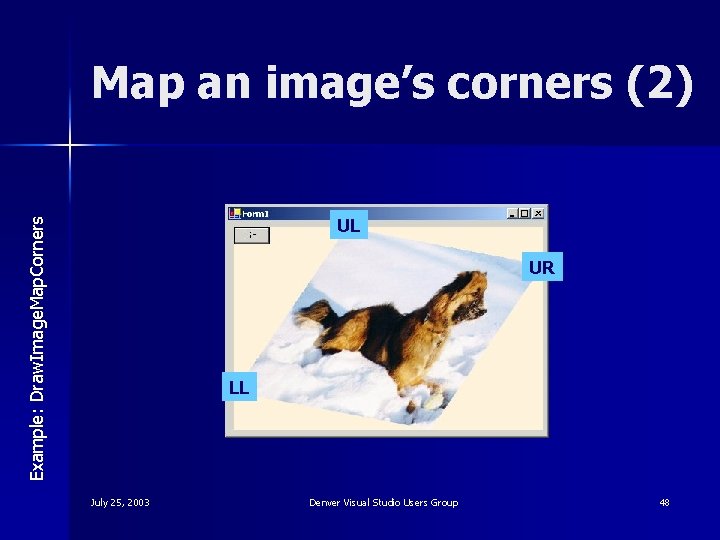
Map an image’s corners (2) Example: Draw. Image. Map. Corners UL UR LL July 25, 2003 Denver Visual Studio Users Group 48
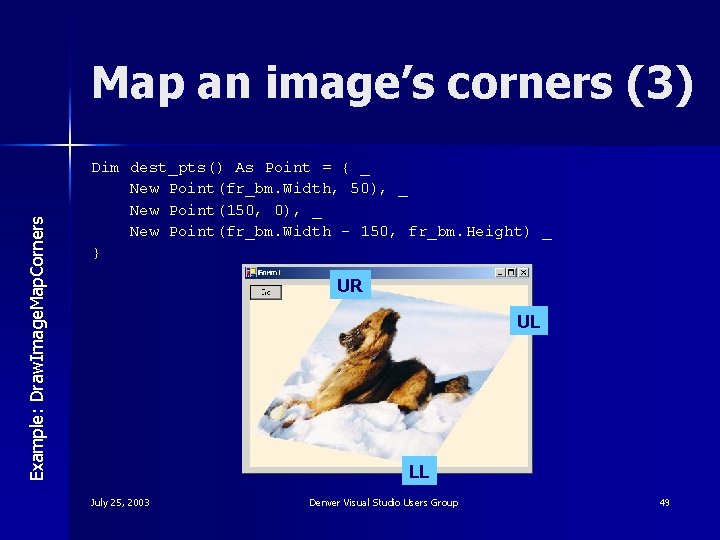
Example: Draw. Image. Map. Corners Map an image’s corners (3) Dim dest_pts() As Point = { _ New Point(fr_bm. Width, 50), _ New Point(150, 0), _ New Point(fr_bm. Width - 150, fr_bm. Height) _ } UR UL LL July 25, 2003 Denver Visual Studio Users Group 49
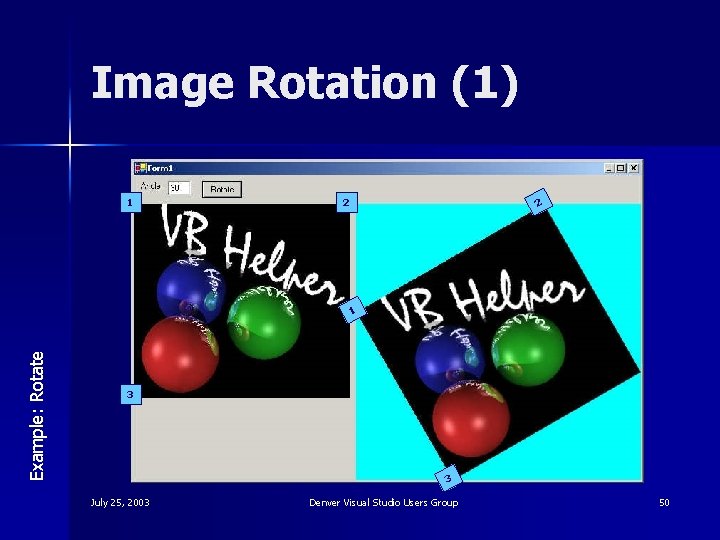
Image Rotation (1) 1 2 2 Example: Rotate 1 3 3 July 25, 2003 Denver Visual Studio Users Group 50
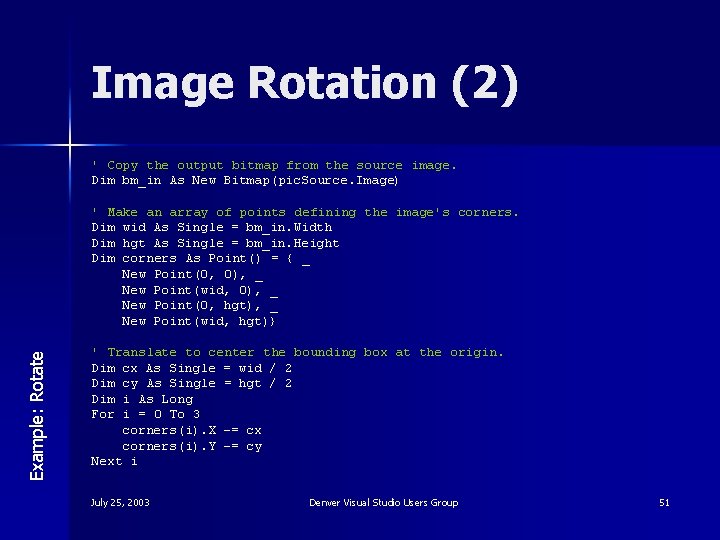
Image Rotation (2) ' Copy the output bitmap from the source image. Dim bm_in As New Bitmap(pic. Source. Image) Example: Rotate ' Make an array of points defining the image's corners. Dim wid As Single = bm_in. Width Dim hgt As Single = bm_in. Height Dim corners As Point() = { _ New Point(0, 0), _ New Point(wid, 0), _ New Point(0, hgt), _ New Point(wid, hgt)} ' Translate to center the bounding box at the origin. Dim cx As Single = wid / 2 Dim cy As Single = hgt / 2 Dim i As Long For i = 0 To 3 corners(i). X -= cx corners(i). Y -= cy Next i July 25, 2003 Denver Visual Studio Users Group 51
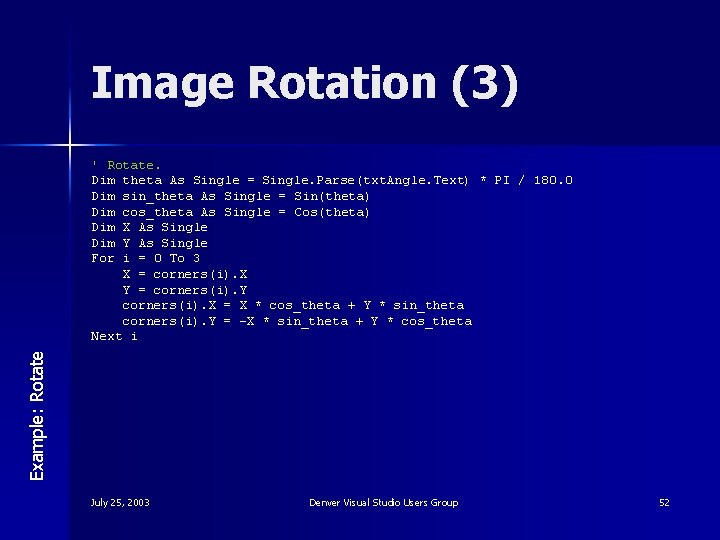
Image Rotation (3) Example: Rotate ' Rotate. Dim theta As Single = Single. Parse(txt. Angle. Text) * PI / 180. 0 Dim sin_theta As Single = Sin(theta) Dim cos_theta As Single = Cos(theta) Dim X As Single Dim Y As Single For i = 0 To 3 X = corners(i). X Y = corners(i). Y corners(i). X = X * cos_theta + Y * sin_theta corners(i). Y = -X * sin_theta + Y * cos_theta Next i July 25, 2003 Denver Visual Studio Users Group 52
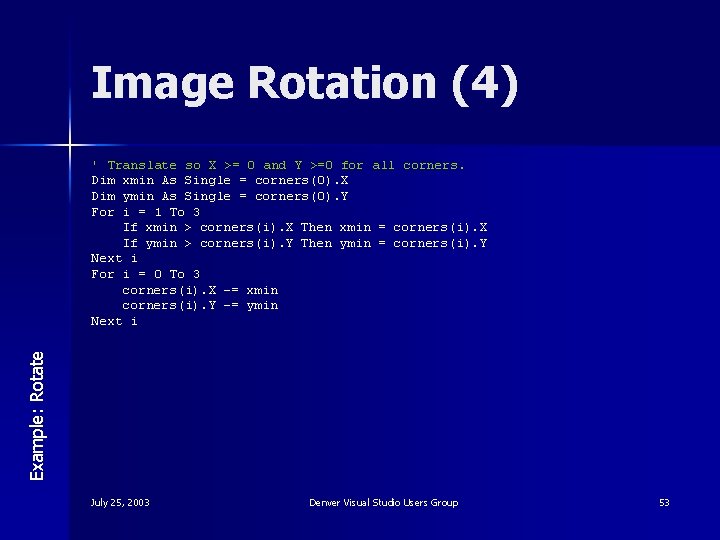
Image Rotation (4) Example: Rotate ' Translate so X >= 0 and Y >=0 for all corners. Dim xmin As Single = corners(0). X Dim ymin As Single = corners(0). Y For i = 1 To 3 If xmin > corners(i). X Then xmin = corners(i). X If ymin > corners(i). Y Then ymin = corners(i). Y Next i For i = 0 To 3 corners(i). X -= xmin corners(i). Y -= ymin Next i July 25, 2003 Denver Visual Studio Users Group 53
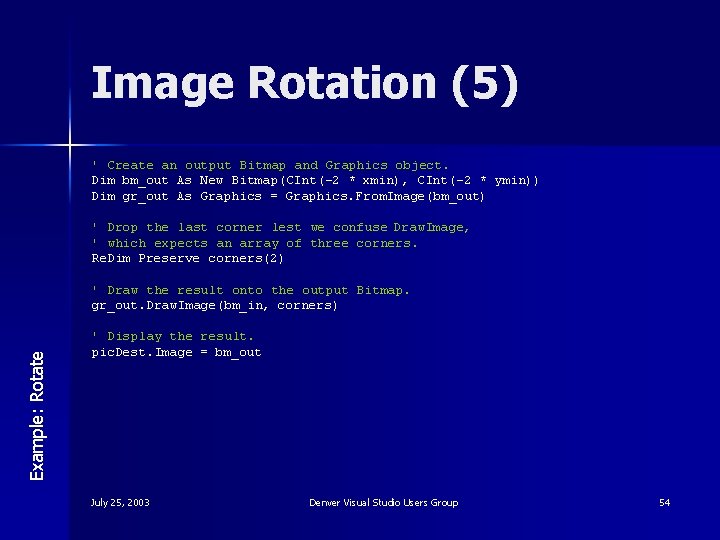
Image Rotation (5) ' Create an output Bitmap and Graphics object. Dim bm_out As New Bitmap(CInt(-2 * xmin), CInt(-2 * ymin)) Dim gr_out As Graphics = Graphics. From. Image(bm_out) ' Drop the last corner lest we confuse Draw. Image, ' which expects an array of three corners. Re. Dim Preserve corners(2) Example: Rotate ' Draw the result onto the output Bitmap. gr_out. Draw. Image(bm_in, corners) ' Display the result. pic. Dest. Image = bm_out July 25, 2003 Denver Visual Studio Users Group 54
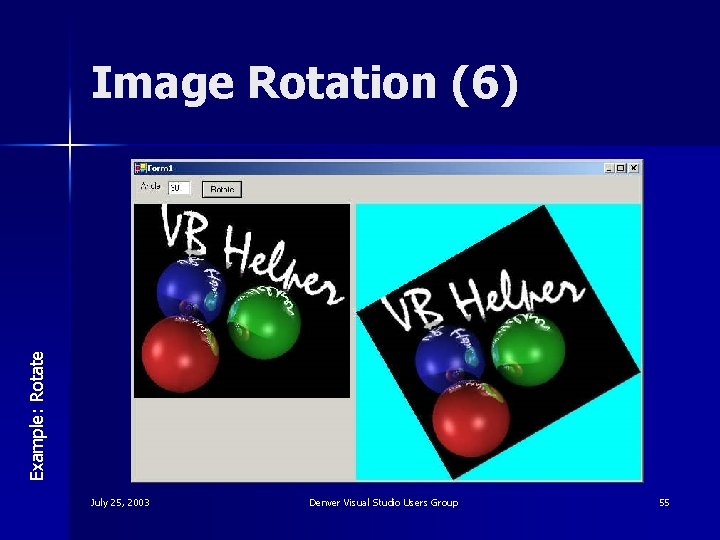
Example: Rotate Image Rotation (6) July 25, 2003 Denver Visual Studio Users Group 55
Whither Auto. Redraw? n VB. NET doesn’t have Auto. Redraw July 25, 2003 Denver Visual Studio Users Group 56
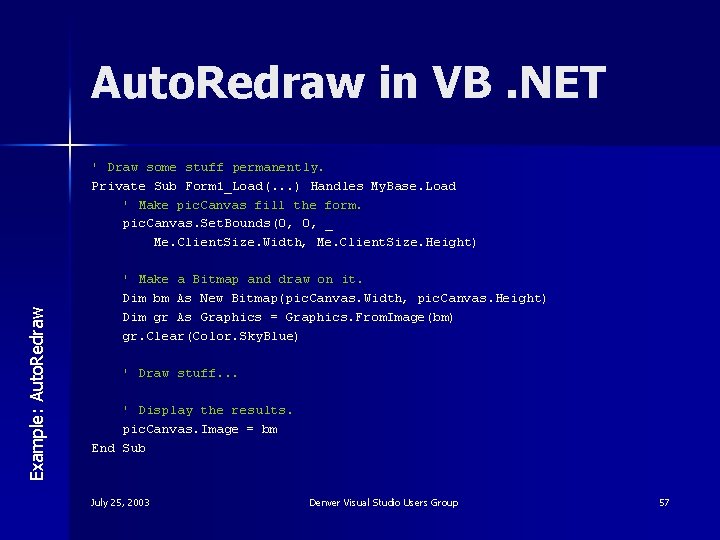
Auto. Redraw in VB. NET Example: Auto. Redraw ' Draw some stuff permanently. Private Sub Form 1_Load(. . . ) Handles My. Base. Load ' Make pic. Canvas fill the form. pic. Canvas. Set. Bounds(0, 0, _ Me. Client. Size. Width, Me. Client. Size. Height) ' Make a Bitmap and draw on it. Dim bm As New Bitmap(pic. Canvas. Width, pic. Canvas. Height) Dim gr As Graphics = Graphics. From. Image(bm) gr. Clear(Color. Sky. Blue) ' Draw stuff. . . ' Display the results. pic. Canvas. Image = bm End Sub July 25, 2003 Denver Visual Studio Users Group 57
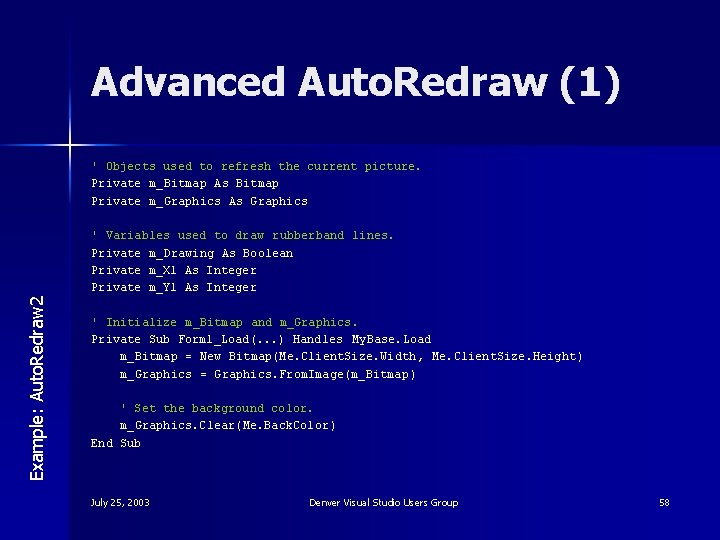
Advanced Auto. Redraw (1) ' Objects used to refresh the current picture. Private m_Bitmap As Bitmap Private m_Graphics As Graphics Example: Auto. Redraw 2 ' Variables used to draw rubberband lines. Private m_Drawing As Boolean Private m_X 1 As Integer Private m_Y 1 As Integer ' Initialize m_Bitmap and m_Graphics. Private Sub Form 1_Load(. . . ) Handles My. Base. Load m_Bitmap = New Bitmap(Me. Client. Size. Width , Me. Client. Size. Height ) m_Graphics = Graphics. From. Image(m_Bitmap ) ' Set the background color. m_Graphics. Clear(Me. Back. Color ) End Sub July 25, 2003 Denver Visual Studio Users Group 58
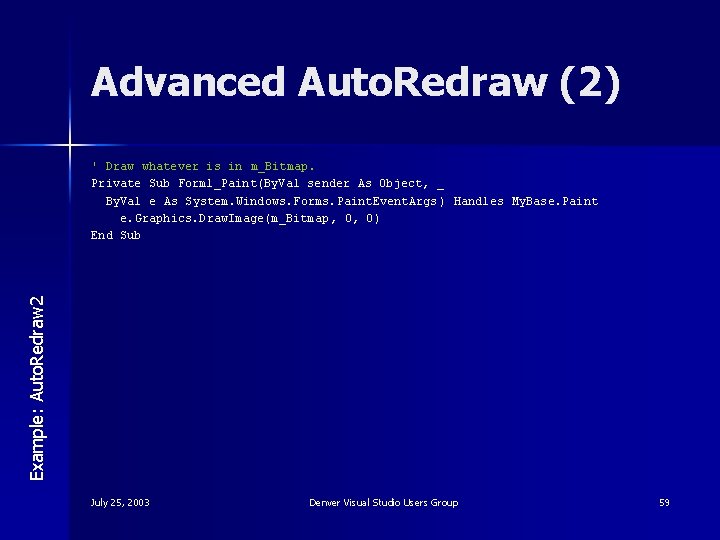
Advanced Auto. Redraw (2) Example: Auto. Redraw 2 ' Draw whatever is in m_Bitmap. Private Sub Form 1_Paint(By. Val sender As Object, _ By. Val e As System. Windows. Forms. Paint. Event. Args ) Handles My. Base. Paint e. Graphics. Draw. Image(m_Bitmap , 0, 0) End Sub July 25, 2003 Denver Visual Studio Users Group 59
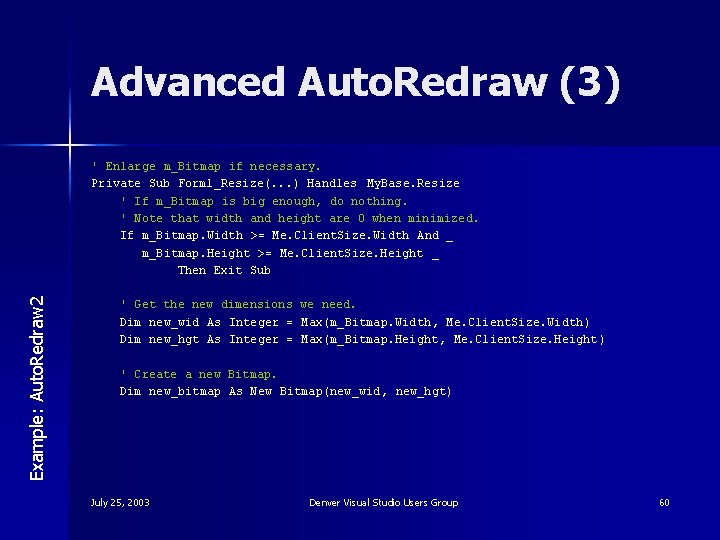
Advanced Auto. Redraw (3) Example: Auto. Redraw 2 ' Enlarge m_Bitmap if necessary. Private Sub Form 1_Resize(. . . ) Handles My. Base. Resize ' If m_Bitmap is big enough, do nothing. ' Note that width and height are 0 when minimized. If m_Bitmap. Width >= Me. Client. Size. Width And _ m_Bitmap. Height >= Me. Client. Size. Height _ Then Exit Sub ' Get the new dimensions we need. Dim new_wid As Integer = Max(m_Bitmap. Width , Me. Client. Size. Width ) Dim new_hgt As Integer = Max(m_Bitmap. Height , Me. Client. Size. Height ) ' Create a new Bitmap. Dim new_bitmap As New Bitmap(new_wid, new_hgt) July 25, 2003 Denver Visual Studio Users Group 60
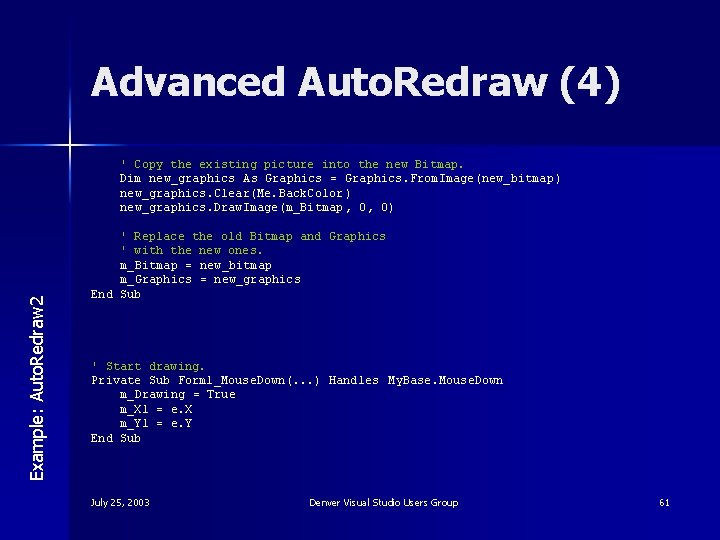
Advanced Auto. Redraw (4) Example: Auto. Redraw 2 ' Copy the existing picture into the new Bitmap. Dim new_graphics As Graphics = Graphics. From. Image(new_bitmap ) new_graphics. Clear(Me. Back. Color ) new_graphics. Draw. Image(m_Bitmap , 0, 0) ' Replace the old Bitmap and Graphics ' with the new ones. m_Bitmap = new_bitmap m_Graphics = new_graphics End Sub ' Start drawing. Private Sub Form 1_Mouse. Down(. . . ) Handles My. Base. Mouse. Down m_Drawing = True m_X 1 = e. X m_Y 1 = e. Y End Sub July 25, 2003 Denver Visual Studio Users Group 61
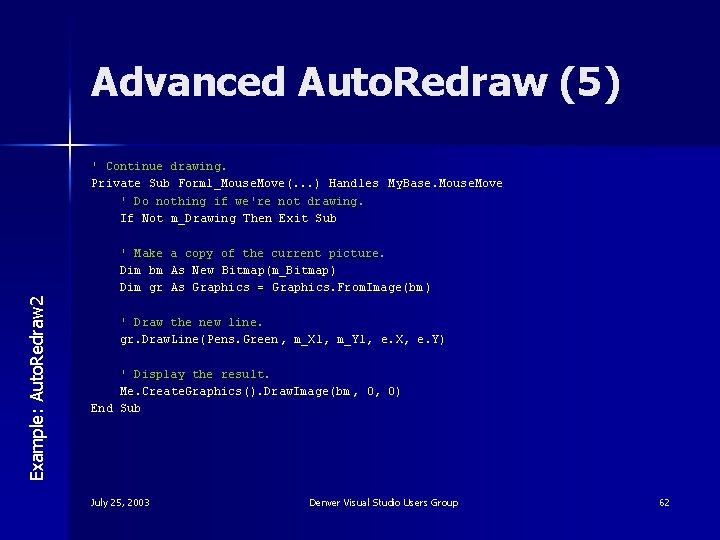
Advanced Auto. Redraw (5) ' Continue drawing. Private Sub Form 1_Mouse. Move(. . . ) Handles My. Base. Mouse. Move ' Do nothing if we're not drawing. If Not m_Drawing Then Exit Sub Example: Auto. Redraw 2 ' Make a copy of the current picture. Dim bm As New Bitmap(m_Bitmap ) Dim gr As Graphics = Graphics. From. Image(bm ) ' Draw the new line. gr. Draw. Line(Pens. Green , m_X 1, m_Y 1, e. X, e. Y) ' Display the result. Me. Create. Graphics(). Draw. Image(bm , 0, 0) End Sub July 25, 2003 Denver Visual Studio Users Group 62
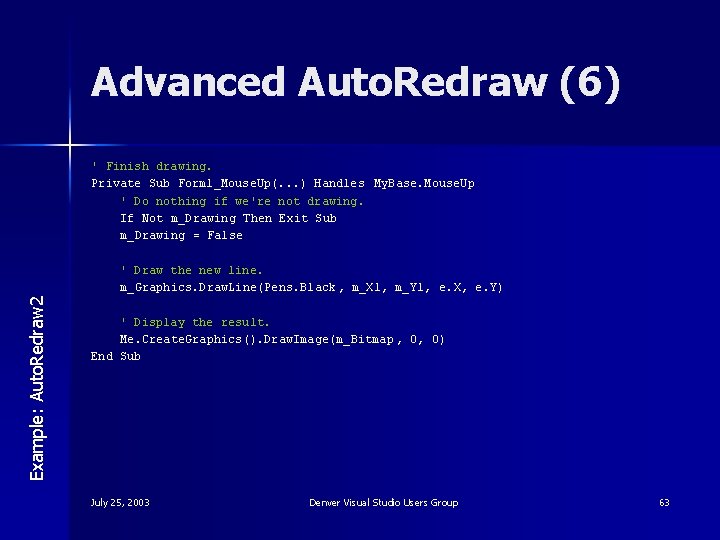
Advanced Auto. Redraw (6) ' Finish drawing. Private Sub Form 1_Mouse. Up(. . . ) Handles My. Base. Mouse. Up ' Do nothing if we're not drawing. If Not m_Drawing Then Exit Sub m_Drawing = False Example: Auto. Redraw 2 ' Draw the new line. m_Graphics. Draw. Line(Pens. Black , m_X 1, m_Y 1, e. X, e. Y) ' Display the result. Me. Create. Graphics(). Draw. Image(m_Bitmap , 0, 0) End Sub July 25, 2003 Denver Visual Studio Users Group 63
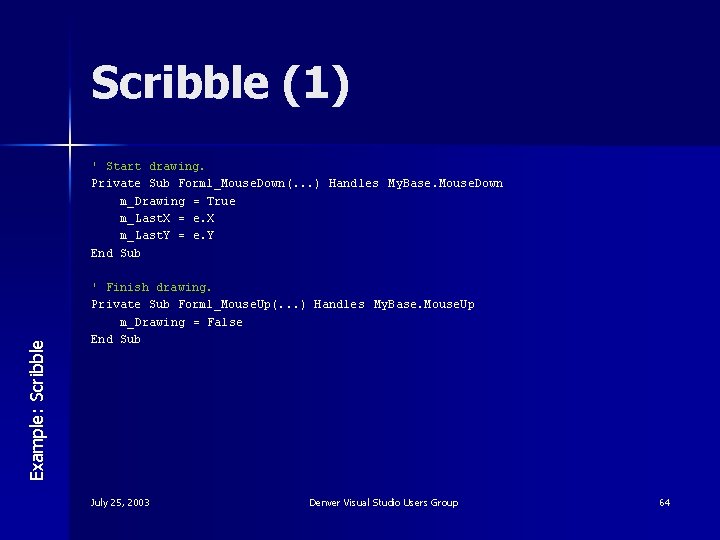
Scribble (1) Example: Scribble ' Start drawing. Private Sub Form 1_Mouse. Down(. . . ) Handles My. Base. Mouse. Down m_Drawing = True m_Last. X = e. X m_Last. Y = e. Y End Sub ' Finish drawing. Private Sub Form 1_Mouse. Up(. . . ) Handles My. Base. Mouse. Up m_Drawing = False End Sub July 25, 2003 Denver Visual Studio Users Group 64
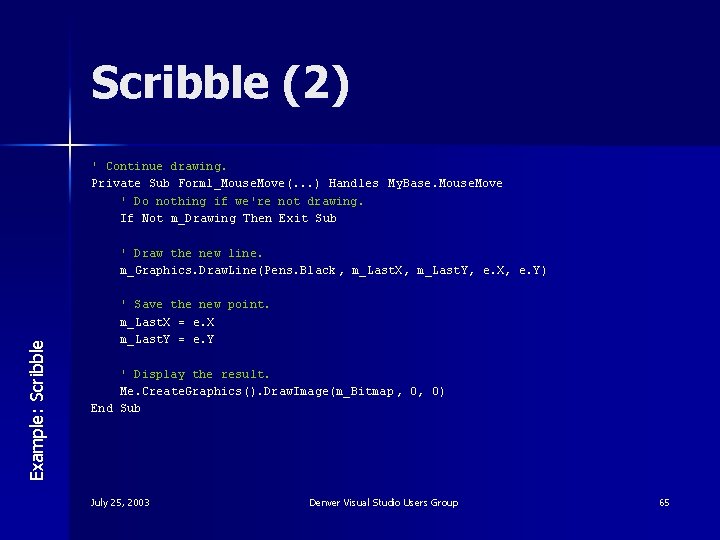
Scribble (2) ' Continue drawing. Private Sub Form 1_Mouse. Move(. . . ) Handles My. Base. Mouse. Move ' Do nothing if we're not drawing. If Not m_Drawing Then Exit Sub Example: Scribble ' Draw the new line. m_Graphics. Draw. Line(Pens. Black , m_Last. X, m_Last. Y, e. X, e. Y) ' Save the new point. m_Last. X = e. X m_Last. Y = e. Y ' Display the result. Me. Create. Graphics(). Draw. Image(m_Bitmap , 0, 0) End Sub July 25, 2003 Denver Visual Studio Users Group 65
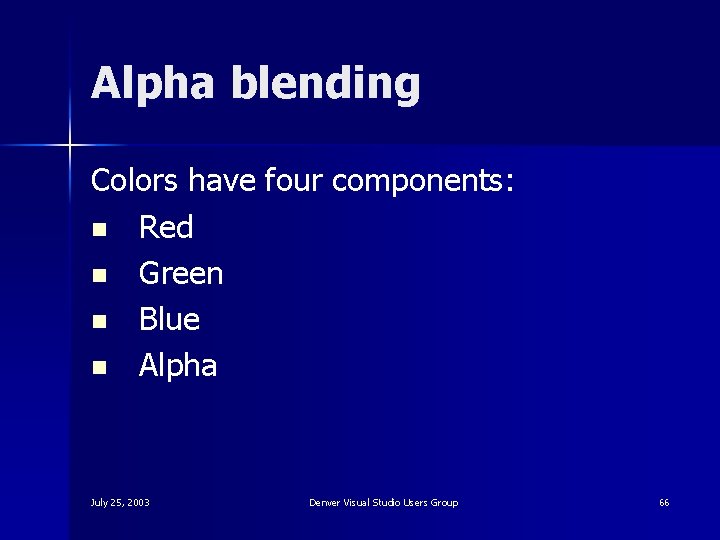
Alpha blending Colors have four components: n Red n Green n Blue n Alpha July 25, 2003 Denver Visual Studio Users Group 66
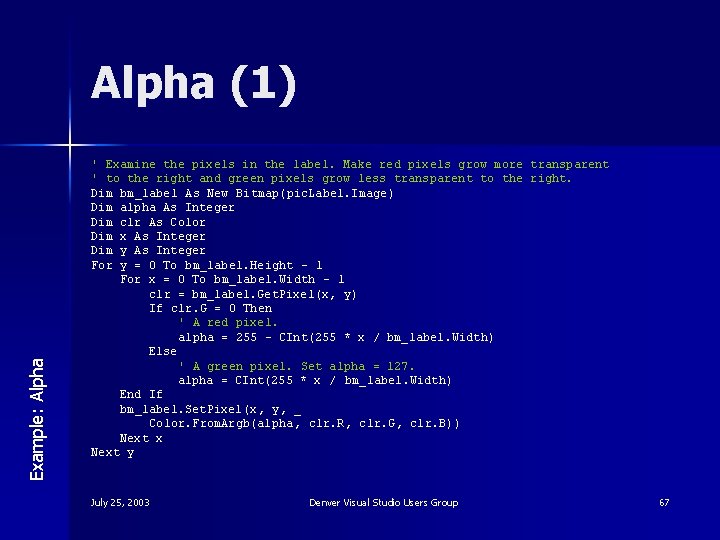
Example: Alpha (1) ' Examine the pixels in the label. Make red pixels grow more transparent ' to the right and green pixels grow less transparent to the right. Dim bm_label As New Bitmap(pic. Label. Image ) Dim alpha As Integer Dim clr As Color Dim x As Integer Dim y As Integer For y = 0 To bm_label. Height - 1 For x = 0 To bm_label. Width – 1 clr = bm_label. Get. Pixel(x, y) If clr. G = 0 Then ' A red pixel. alpha = 255 - CInt(255 * x / bm_label. Width) Else ' A green pixel. Set alpha = 127. alpha = CInt(255 * x / bm_label. Width) End If bm_label. Set. Pixel(x , y, _ Color. From. Argb(alpha , clr. R, clr. G, clr. B)) Next x Next y July 25, 2003 Denver Visual Studio Users Group 67
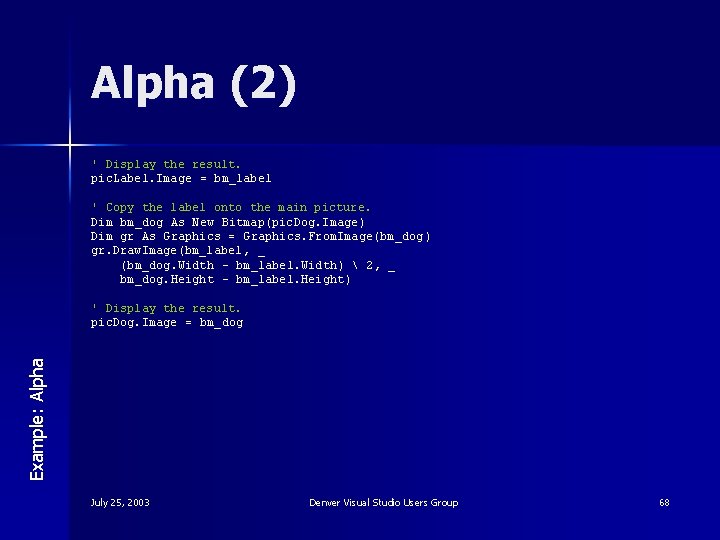
Alpha (2) ' Display the result. pic. Label. Image = bm_label ' Copy the label onto the main picture. Dim bm_dog As New Bitmap(pic. Dog. Image ) Dim gr As Graphics = Graphics. From. Image(bm_dog ) gr. Draw. Image(bm_label , _ (bm_dog. Width - bm_label. Width) 2, _ bm_dog. Height - bm_label. Height ) Example: Alpha ' Display the result. pic. Dog. Image = bm_dog July 25, 2003 Denver Visual Studio Users Group 68
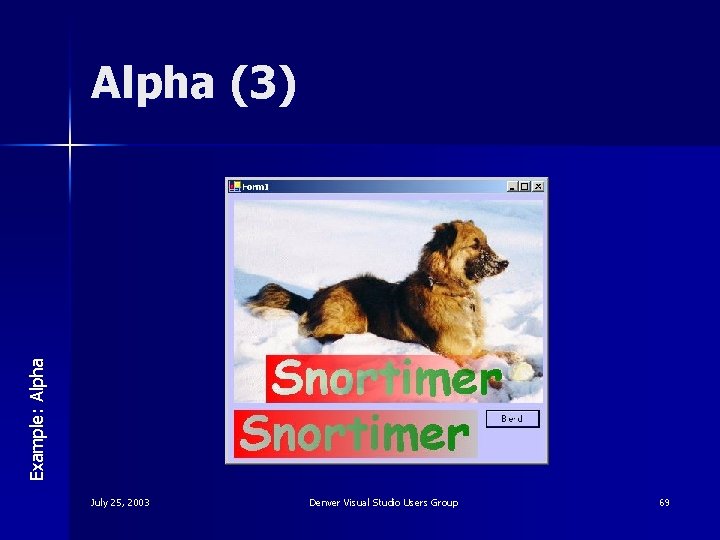
Example: Alpha (3) July 25, 2003 Denver Visual Studio Users Group 69
Bitmap. Make. Transparent (1) Example: Make. Transparent ' Use Make. Transparent to make red pixels transparent. Dim bm_label As New Bitmap(pic. Label. Image) bm_label. Make. Transparent(Color. Red) ' Display the result. pic. Label. Image = bm_label ' Copy the label onto the main picture. Dim bm_dog As New Bitmap(pic. Dog. Image) Dim gr As Graphics = Graphics. From. Image(bm_dog) gr. Draw. Image(bm_label, _ (bm_dog. Width - bm_label. Width) 2, _ bm_dog. Height - bm_label. Height) ' Display the result. pic. Dog. Image = bm_dog July 25, 2003 Denver Visual Studio Users Group 70
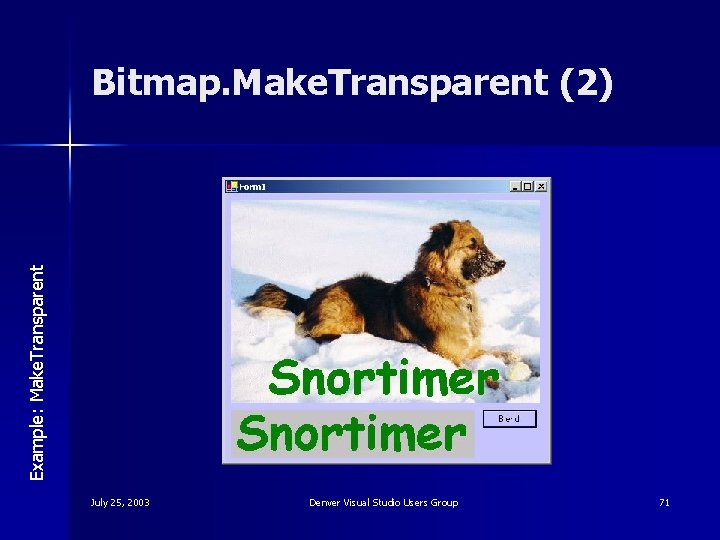
Example: Make. Transparent Bitmap. Make. Transparent (2) July 25, 2003 Denver Visual Studio Users Group 71
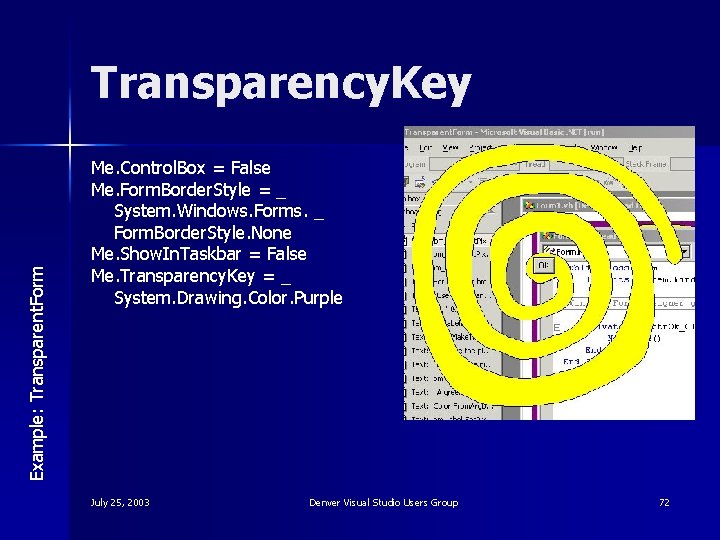
Example: Transparent. Form Transparency. Key Me. Control. Box = False Me. Form. Border. Style = _ System. Windows. Forms. _ Form. Border. Style. None Me. Show. In. Taskbar = False Me. Transparency. Key = _ System. Drawing. Color. Purple July 25, 2003 Denver Visual Studio Users Group 72
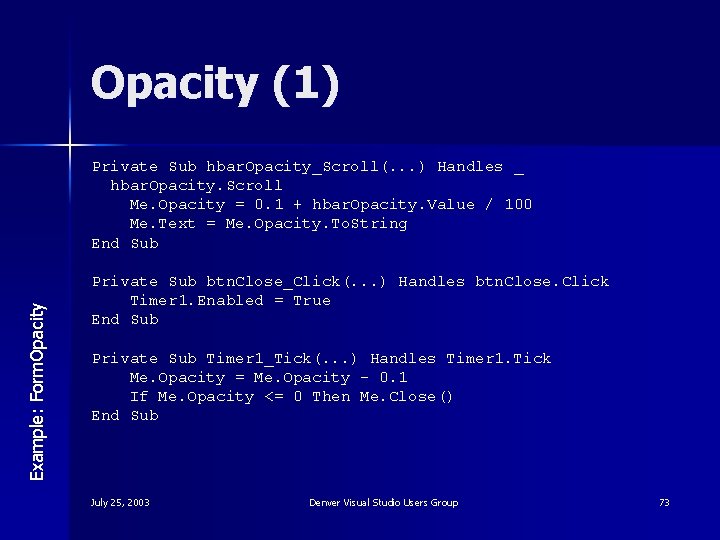
Opacity (1) Example: Form. Opacity Private Sub hbar. Opacity_Scroll(. . . ) Handles _ hbar. Opacity. Scroll Me. Opacity = 0. 1 + hbar. Opacity. Value / 100 Me. Text = Me. Opacity. To. String End Sub Private Sub btn. Close_Click(. . . ) Handles btn. Close. Click Timer 1. Enabled = True End Sub Private Sub Timer 1_Tick(. . . ) Handles Timer 1. Tick Me. Opacity = Me. Opacity - 0. 1 If Me. Opacity <= 0 Then Me. Close() End Sub July 25, 2003 Denver Visual Studio Users Group 73
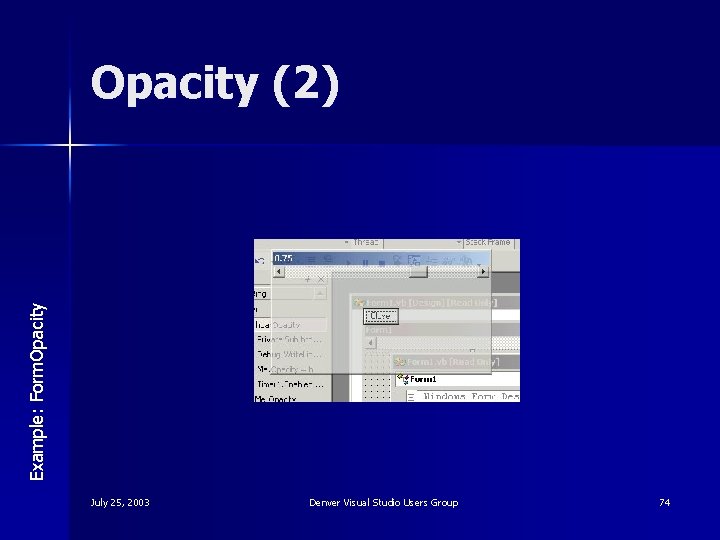
Example: Form. Opacity (2) July 25, 2003 Denver Visual Studio Users Group 74
Roadmap 1. 2. 3. 4. What is GDI+? Drawing Image Processing Summary July 25, 2003 Denver Visual Studio Users Group 75
Questions? July 25, 2003 ? Denver Visual Studio Users Group 76
- Slides: 76