
FSU Concur System Overview System Introduction Brief Question
FSU –Concur System Overview System Introduction Brief Question & Answer
What is Concur? • Concur is the industry standard in travel & expense management. • Concur is cloud based. • Concur will replace OMNI for processing travel at FSU. • Concur includes the ability to book travel (flights, hotel, car).
New Terms & Concepts • • • Travel Authorization (T-Auth) – Travel Request Travel Rep – Travel Delegate (Delegate) Travel Approver – Approver or Approver Delegate Budget Manager – Cost Object Approver My. Wallet – Available Expenses New to Concur – Act on Behalf Of
What’s Changing? • T-card & Out of Pocket (OOP) expenses can go on the same report. • Non-travel charges can be placed on a travel expense report. • Nominal personal charges on a t-card are netted out from OOP reimbursements. • Foreign meal rates and currency conversions are automatic. • All travel expense reports require a request (t-auth). • Non-travel-only reports do not require a request.
Concur Users • • Travelers Delegates (Travel Reps) Approvers Every FSU employee who travels

http: //controller. vpfa. fsu. edu/travel/concur-pilot
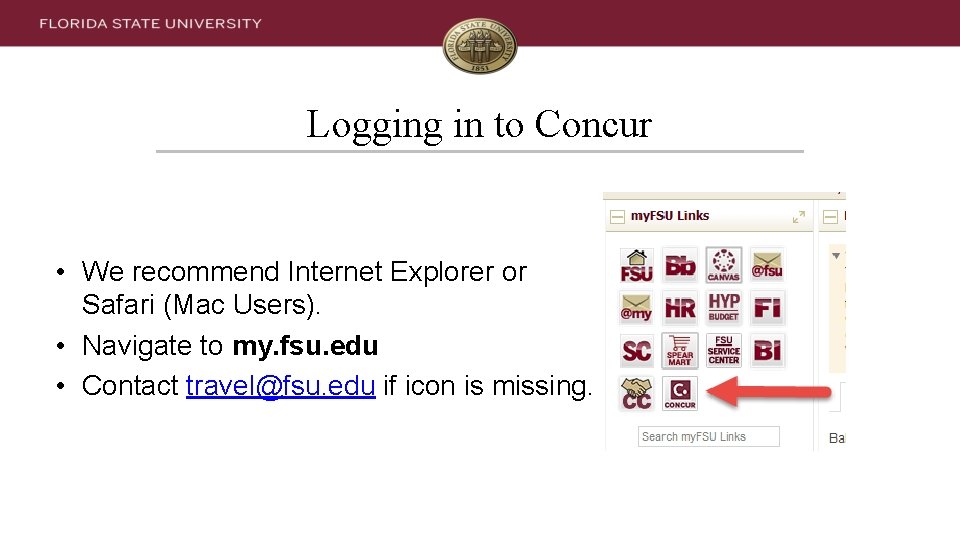
Logging in to Concur • We recommend Internet Explorer or Safari (Mac Users). • Navigate to my. fsu. edu • Contact travel@fsu. edu if icon is missing.
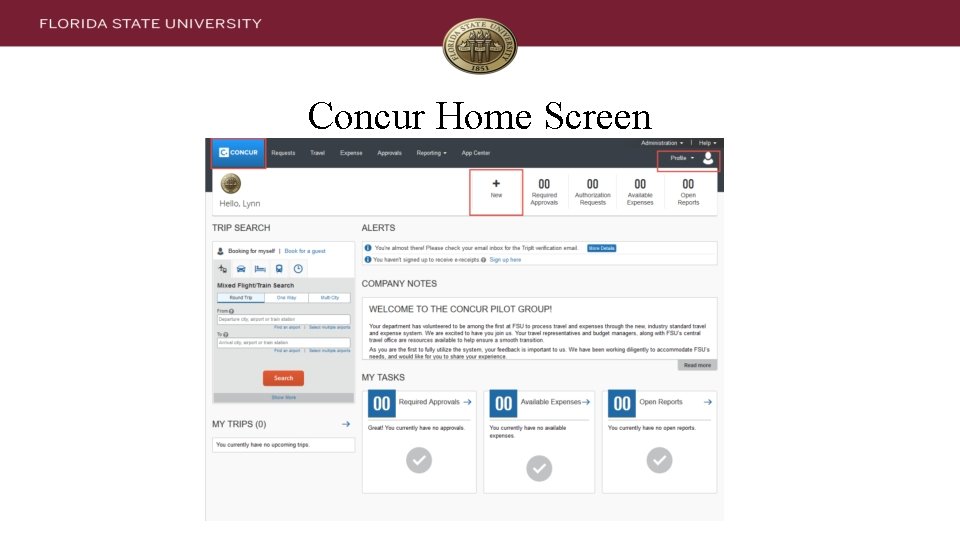
Concur Home Screen
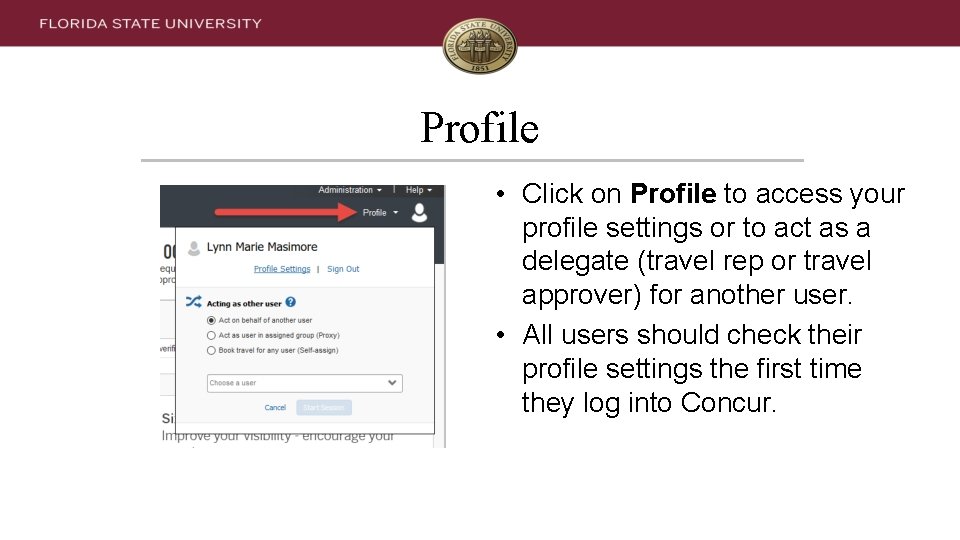
Profile • Click on Profile to access your profile settings or to act as a delegate (travel rep or travel approver) for another user. • All users should check their profile settings the first time they log into Concur.
What to Check & Add • Full Name- Add middle name & suffix if necessary. • Date of Birth- It’s masked after you save. • Additional Email addresses & verification codes • Travel Card- It’s masked after you save. • Personal Credit Cards- Optional • Frequent Flyer/Rewards Numbers Optional
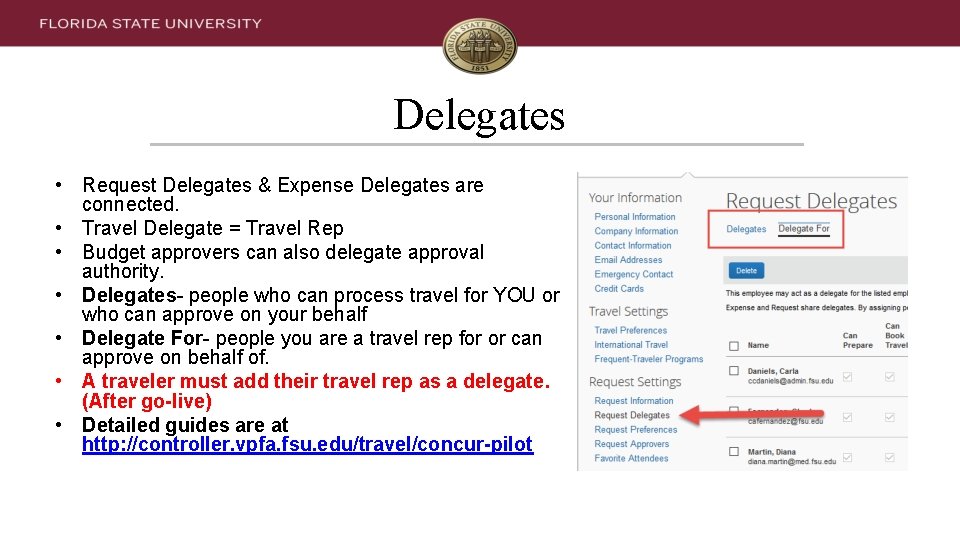
Delegates • Request Delegates & Expense Delegates are connected. • Travel Delegate = Travel Rep • Budget approvers can also delegate approval authority. • Delegates- people who can process travel for YOU or who can approve on your behalf • Delegate For- people you are a travel rep for or can approve on behalf of. • A traveler must add their travel rep as a delegate. (After go-live) • Detailed guides are at http: //controller. vpfa. fsu. edu/travel/concur-pilot
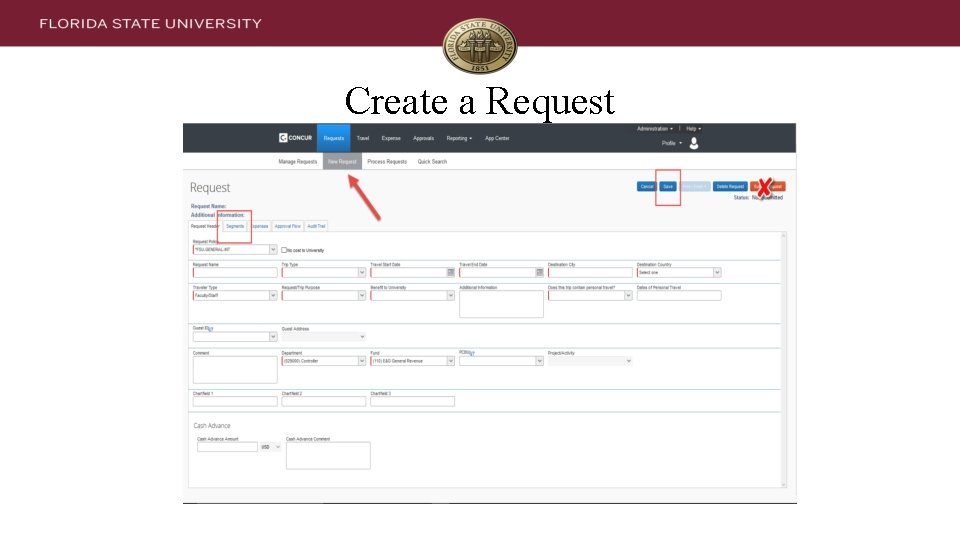
Create a Request
Request Notes • A travel request encumbers funds and notifies the supervisor of an employee’s travel. • A travel request is only an estimate. • Expense lines cannot pull over into a Report. • Don’t spend too much time on a request!
Request Workflow • • Immediate Supervisor (This is new. ) Budget Manager Project Travel Approver (if on a project) Approvers may ad-hoc add anyone else
Travel Card Advantages • Financial Control- can only be used for travel-related charges • Expenses populate into your Concur Profile. • Simplifies expense reports. • Reduces out-of-pocket expenditures
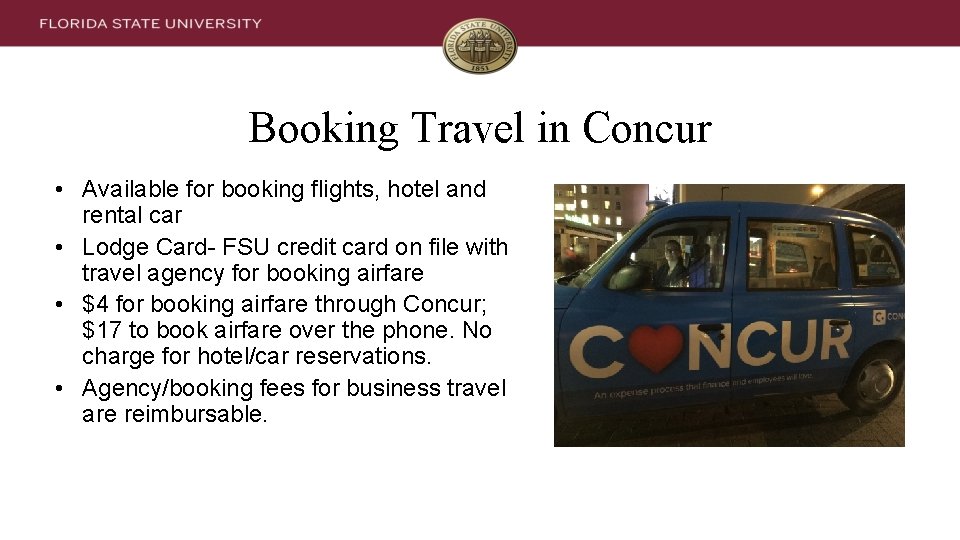
Booking Travel in Concur • Available for booking flights, hotel and rental car • Lodge Card- FSU credit card on file with travel agency for booking airfare • $4 for booking airfare through Concur; $17 to book airfare over the phone. No charge for hotel/car reservations. • Agency/booking fees for business travel are reimbursable.
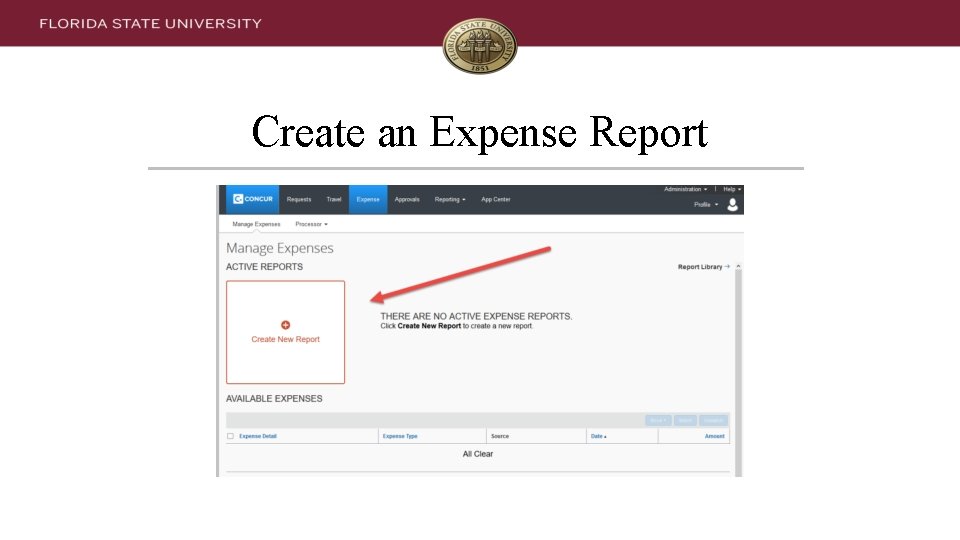
Create an Expense Report
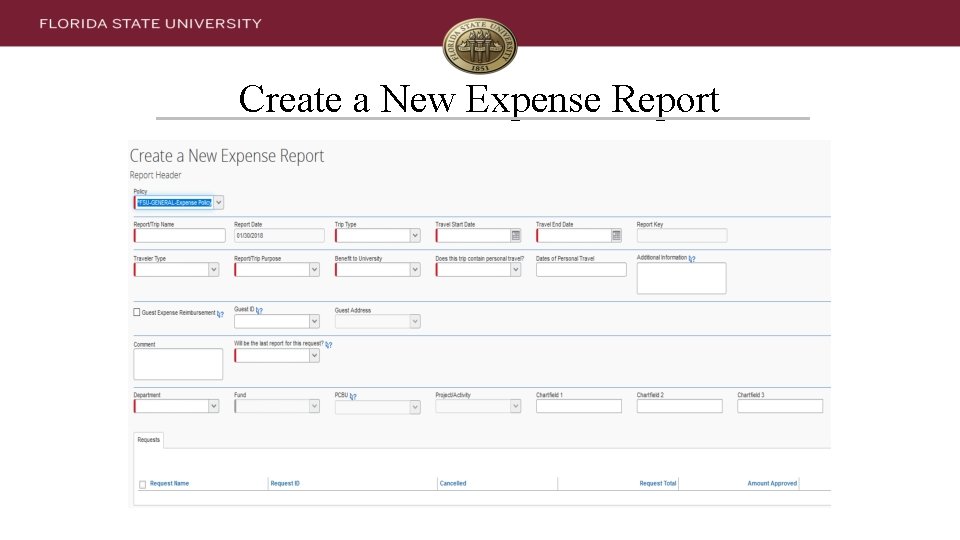
Create a New Expense Report
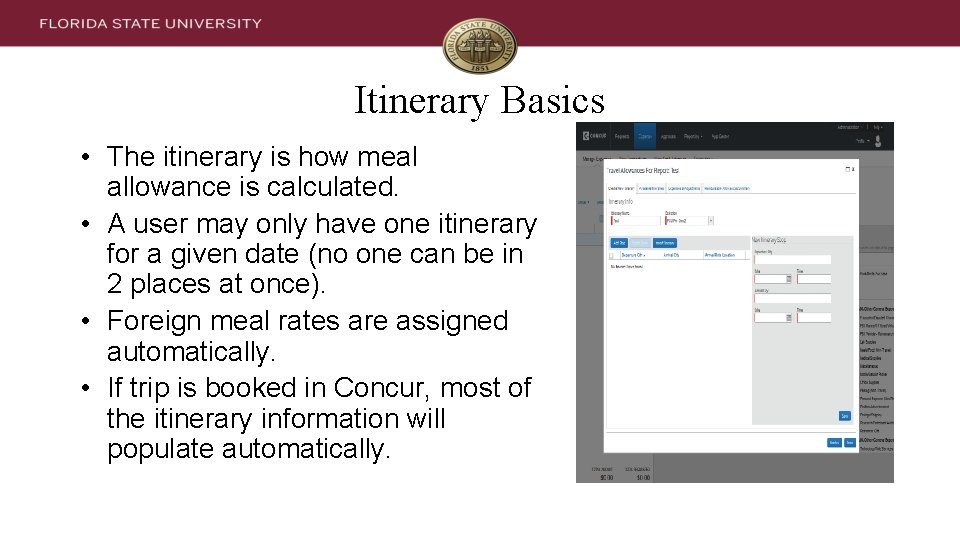
Itinerary Basics • The itinerary is how meal allowance is calculated. • A user may only have one itinerary for a given date (no one can be in 2 places at once). • Foreign meal rates are assigned automatically. • If trip is booked in Concur, most of the itinerary information will populate automatically.
Expense Type Notes • Hotel must be itemized (at minimum, base rate & tax). • Foreign currency transactions convert automatically based on city/country. • Mileage (Personal Vehicle) uses the built-in Google maps feature.
Expense Report Workflow • • Immediate Supervisor (This is new) Budget Manager Project Travel Manager (if on a project) Project Supplemental Approver (if >$1000 and on a project) • Approvers may ad-hoc anyone else into the approver workflow.
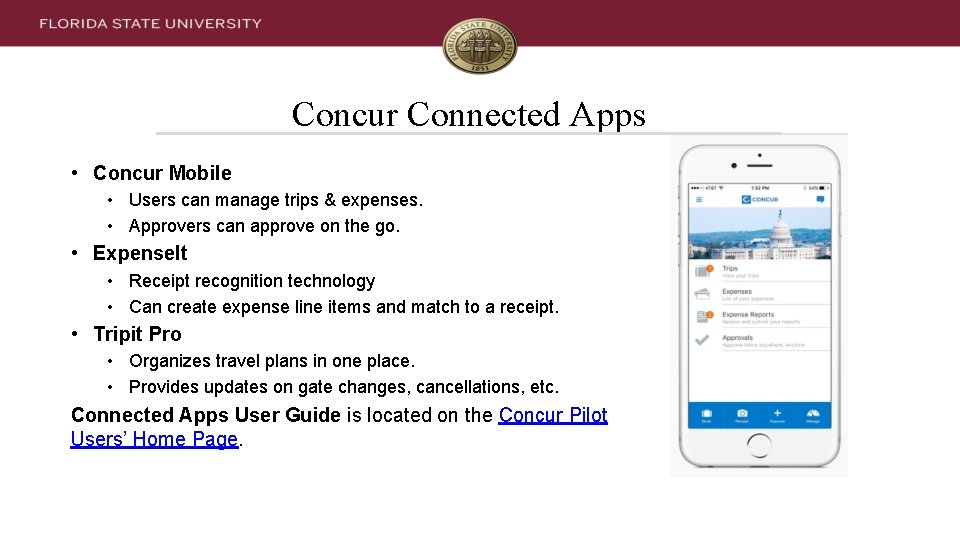
Concur Connected Apps • Concur Mobile • Users can manage trips & expenses. • Approvers can approve on the go. • Expense. It • Receipt recognition technology • Can create expense line items and match to a receipt. • Tripit Pro • Organizes travel plans in one place. • Provides updates on gate changes, cancellations, etc. Connected Apps User Guide is located on the Concur Pilot Users’ Home Page.
Assistance & More Information • Concur Pilot Users’ Home Page – User Guides – Open Lab & Training Schedule • FSU Travel Website – General travel policy information • Email us at travel@fsu. edu • Call us at 850 -645 -TRVL (8785)

INFORMATION TECHNOLOGY SERVICES FOUNDATION TO OMNI INTEGRATION Financial Rep Meeting February 28, 2018
OVERVIEW Introduction Scope Overview Design & Configuration Accounting Example Implications for Departments Next Steps Q&A/Discussion INFORMATION TECHNOLOGY SERVICES

BUT FIRST, A MAJOR UPDATE… INFORMATION TECHNOLOGY SERVICES
INTRODUCTION WHY ARE WE DOING THIS? To integrate FSU Foundation (FSUF) departmental funds into OMNI in order to facilitate… • • Budgeting Standardized Processes Improved Reporting Elimination of Shadow Systems INFORMATION TECHNOLOGY SERVICES
SCOPE OVERVIEW JULY 1, 2018 GO-LIVE Interface spendable cash in Foundation departmental funds to OMNI Financials Budget annually for Foundation departmental funds at the department and fund level Control spending of Foundation departmental funds in OMNI at the department, fund, and project level INFORMATION TECHNOLOGY SERVICES
SCOPE OVERVIEW JULY 1, 2018 GO-LIVE Ensure donor restrictions are met Support processes that adhere to applicable statute, regulation, and policy Allow Foundation staff to maintain approval authority for all transactions via applicable workflow Enhance University reports and queries by allowing visibility of Foundation departmental funds with spendable cash balances INFORMATION TECHNOLOGY SERVICES
PROJECT EXCLUSIONS FSUF operational activity Detail of specific donations and donor information Deferred gift funds Trust funds Other funds without spendable cash / not identified as departmental funds INFORMATION TECHNOLOGY SERVICES
PROJECT EXCLUSIONS Quasi-endowment transfers Emergency loans administered by the Employee Assistance Program Endowed fund activity Research Foundation and other component unit funds INFORMATION TECHNOLOGY SERVICES
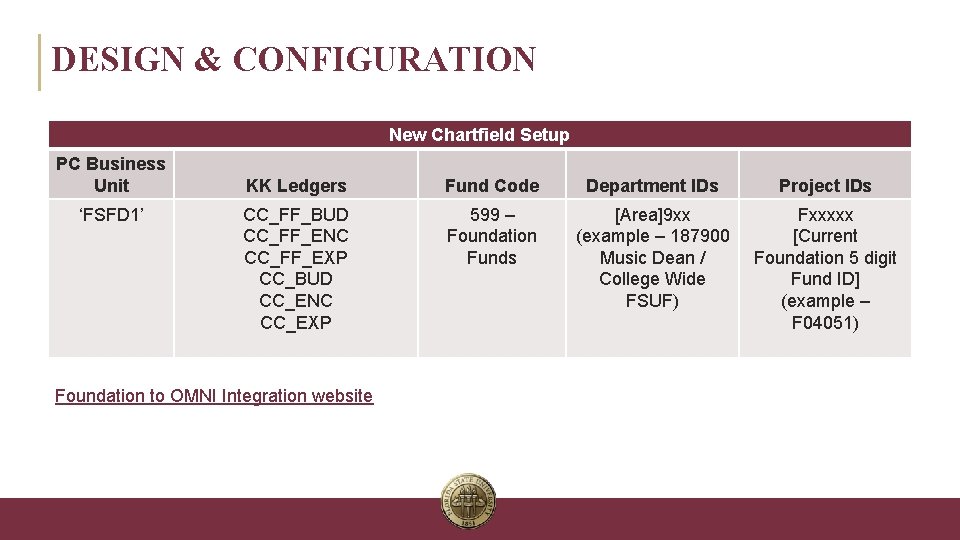
DESIGN & CONFIGURATION New Chartfield Setup PC Business Unit ‘FSFD 1’ KK Ledgers Fund Code Department IDs Project IDs CC_FF_BUD CC_FF_ENC CC_FF_EXP CC_BUD CC_ENC CC_EXP 599 – Foundation Funds [Area]9 xx (example – 187900 Music Dean / College Wide FSUF) Fxxxxx [Current Foundation 5 digit Fund ID] (example – F 04051) Foundation to OMNI Integration website INFORMATION TECHNOLOGY SERVICES
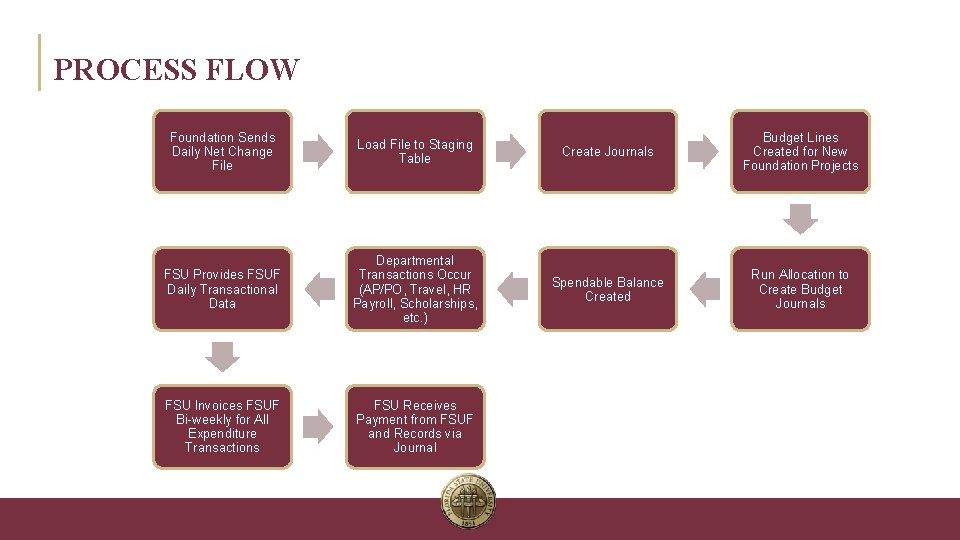
PROCESS FLOW Foundation Sends Daily Net Change File Load File to Staging Table Create Journals Budget Lines Created for New Foundation Projects FSU Provides FSUF Daily Transactional Data Departmental Transactions Occur (AP/PO, Travel, HR Payroll, Scholarships, etc. ) Spendable Balance Created Run Allocation to Create Budget Journals FSU Invoices FSUF Bi-weekly for All Expenditure Transactions FSU Receives Payment from FSUF and Records via Journal INFORMATION TECHNOLOGY SERVICES
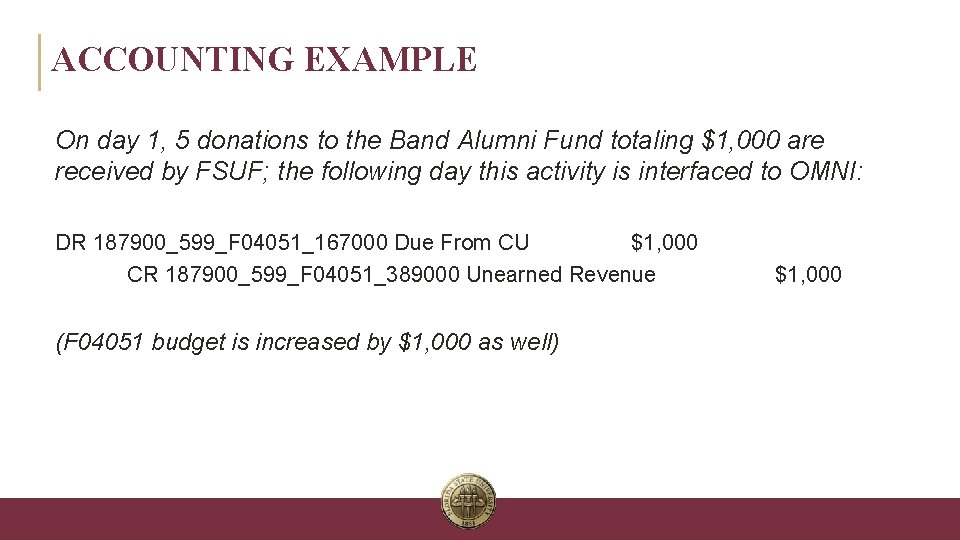
ACCOUNTING EXAMPLE On day 1, 5 donations to the Band Alumni Fund totaling $1, 000 are received by FSUF; the following day this activity is interfaced to OMNI: DR 187900_599_F 04051_167000 Due From CU $1, 000 CR 187900_599_F 04051_389000 Unearned Revenue (F 04051 budget is increased by $1, 000 as well) INFORMATION TECHNOLOGY SERVICES $1, 000
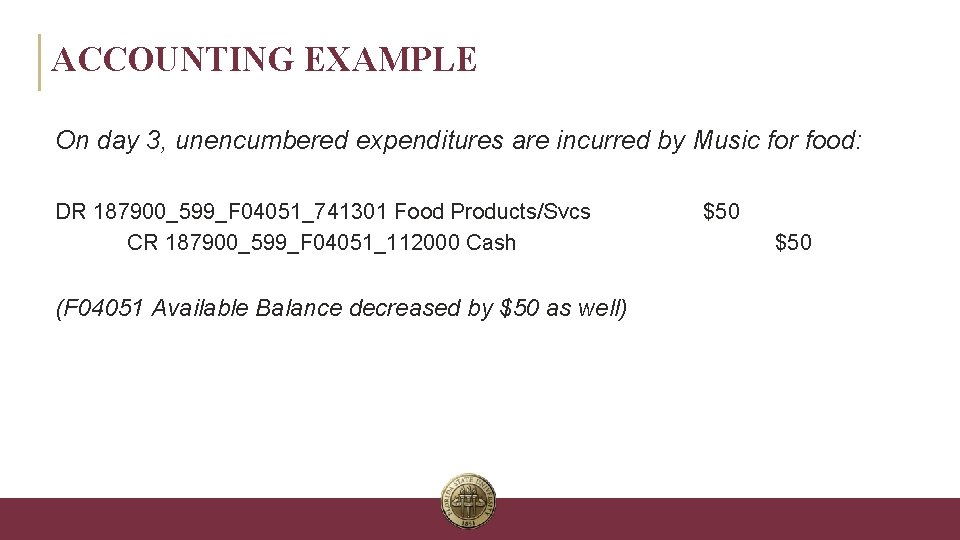
ACCOUNTING EXAMPLE On day 3, unencumbered expenditures are incurred by Music for food: DR 187900_599_F 04051_741301 Food Products/Svcs CR 187900_599_F 04051_112000 Cash (F 04051 Available Balance decreased by $50 as well) INFORMATION TECHNOLOGY SERVICES $50
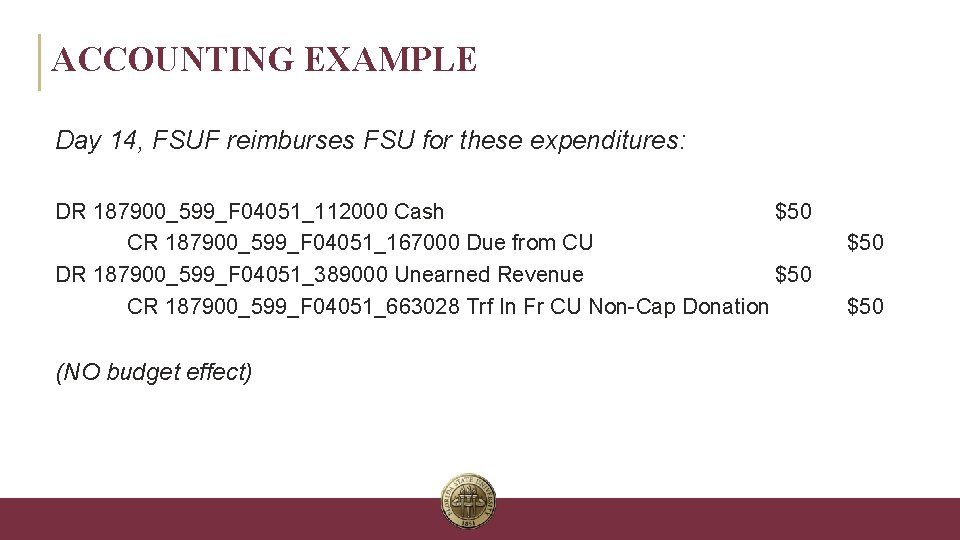
ACCOUNTING EXAMPLE Day 14, FSUF reimburses FSU for these expenditures: DR 187900_599_F 04051_112000 Cash $50 CR 187900_599_F 04051_167000 Due from CU DR 187900_599_F 04051_389000 Unearned Revenue $50 CR 187900_599_F 04051_663028 Trf In Fr CU Non-Cap Donation (NO budget effect) INFORMATION TECHNOLOGY SERVICES $50
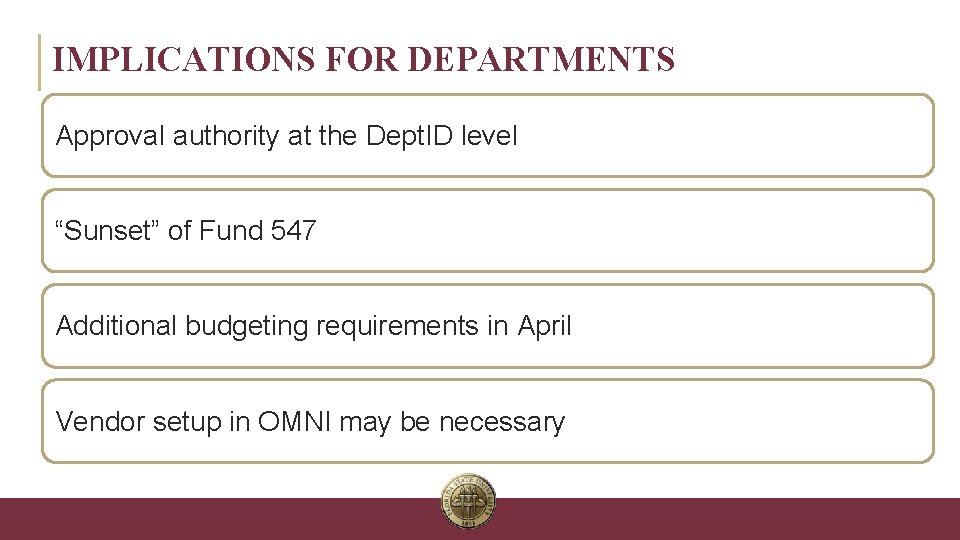
IMPLICATIONS FOR DEPARTMENTS Approval authority at the Dept. ID level “Sunset” of Fund 547 Additional budgeting requirements in April Vendor setup in OMNI may be necessary INFORMATION TECHNOLOGY SERVICES
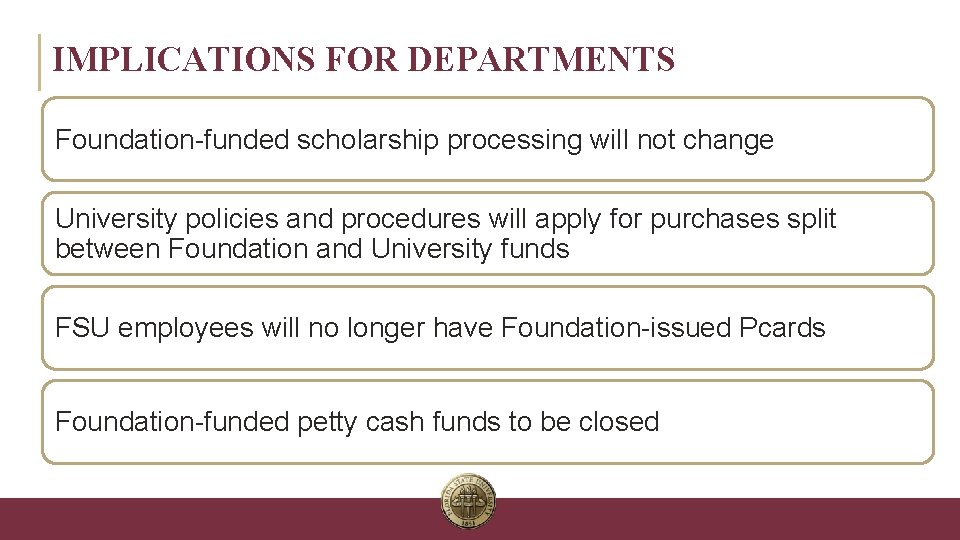
IMPLICATIONS FOR DEPARTMENTS Foundation-funded scholarship processing will not change University policies and procedures will apply for purchases split between Foundation and University funds FSU employees will no longer have Foundation-issued Pcards Foundation-funded petty cash funds to be closed INFORMATION TECHNOLOGY SERVICES
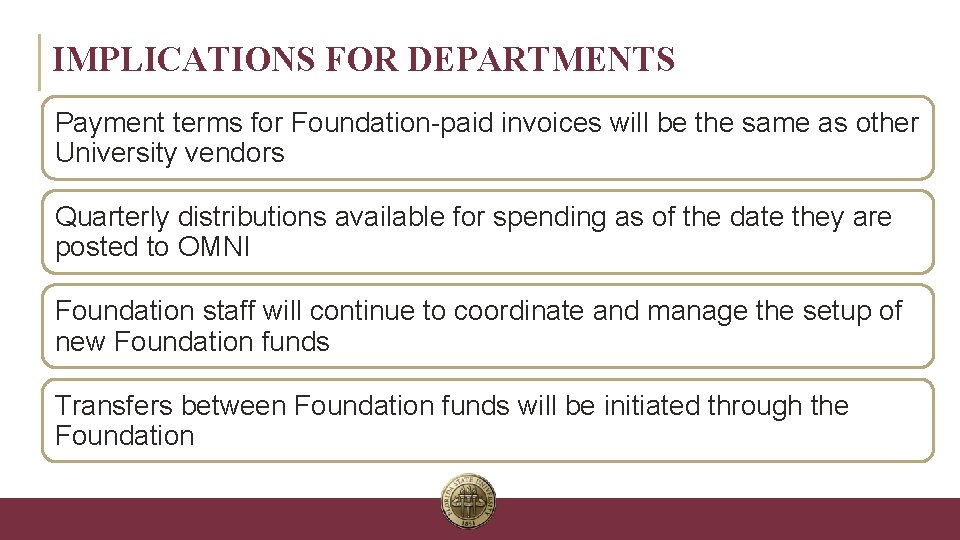
IMPLICATIONS FOR DEPARTMENTS Payment terms for Foundation-paid invoices will be the same as other University vendors Quarterly distributions available for spending as of the date they are posted to OMNI Foundation staff will continue to coordinate and manage the setup of new Foundation funds Transfers between Foundation funds will be initiated through the Foundation INFORMATION TECHNOLOGY SERVICES
NEXT STEPS Chartfield setup Hyperion budget training Fund 599 appointments Vendor setup in OMNI, as needed Creation/modification of BI reports, queries Town Hall sessions (? ) INFORMATION TECHNOLOGY SERVICES

DISCUSSION / Q&A INFORMATION TECHNOLOGY SERVICES

DISCUSSION / Q&A “I REFUSE TO ANSWER THAT QUESTION ON THE GROUNDS THAT I DON’T KNOW THE ANSWER. ” – DOUGLAS ADAMS
CONTACT INFO Foundation to OMNI Website General Questions – Judd Enfinger, Controller’s Office (jenfinger@fsu. edu / 5 -2436) Department Setup – Chris Warren, ERP (crwarren@fsu. edu / 5 -3290) Budget Questions – Katie Perkins, Budget Office (kperkins@fsu. edu / 5 -2436) INFORMATION TECHNOLOGY SERVICES
- Slides: 43