
FSSA En Cred Project Indiana Health Coverage Programs










- Slides: 58
FSSA En. Cred Project Indiana Health Coverage Programs Conduent Business Services, LLC. 2019 Spring Provider Workshop
Agenda • • 2 En. Cred Project Background, Overview, and Status En. Cred Project Timeline En. Cred Functions Provider Enrollment and Credentialing Process En. Cred Demonstration FAQs Questions
En. Cred Project Background 3
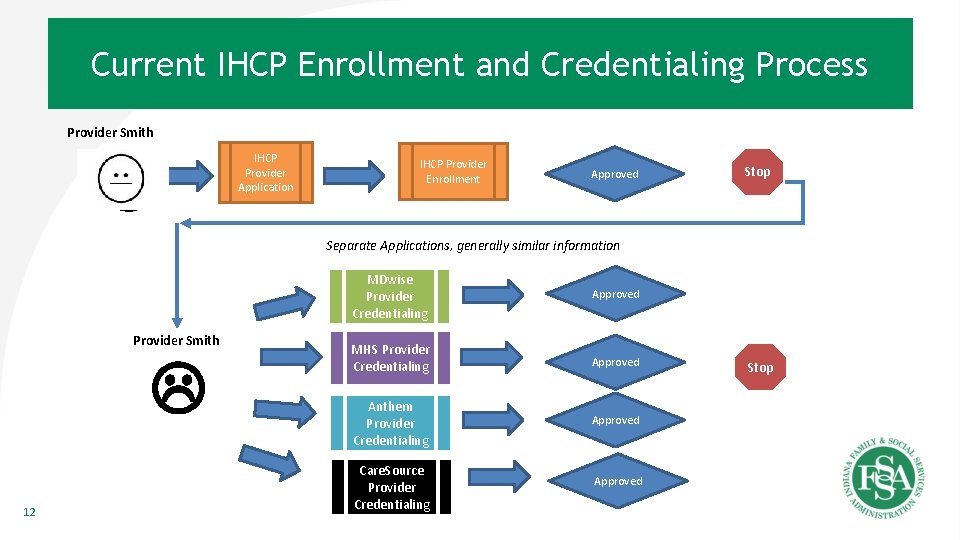
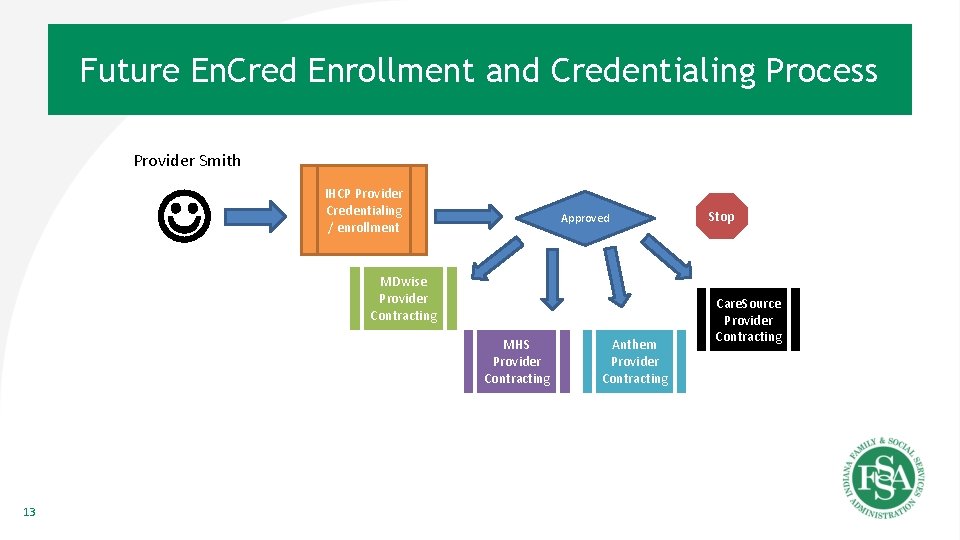
Background • HEA 1007 provides for the development of En. Cred that adds new statutory language in Ind. Code 12 -15 -11 -9 – This gives the Indiana Family and Social Services Administration (FSSA) the authority to develop and implement a centralized verification organization (CVO). En. Cred is FSSA’s solution to that requirement • Nearly 80% of the 1. 4 million IHCP members receive care through one of four managed care entities (MCEs). Currently, connecting the 50, 000 Indiana Health Coverage Programs (IHCP) providers with these members involves a fragmented and sequential enrollment and credentialing process that is not consistent with the State’s desire for efficient government services – Right now, providers must first submit an enrollment application to IHCP. Then, after a successful enrollment, a provider must submit a credentialing application to each MCE. After becoming credentialed (up to four times), the provider can begin the contracting and enrolling process for each MCE to provide services to members within each MCE’s network – The current process requires the provider to be accountable to IHCP for Medicaid enrollment information and accountable to each MCE for credentialing information • The FSSA En. Cred project was developed to create a singular, unified IHCP enrollment and credentialing process with one point of accountability for all providers – The State has contracted with Conduent, Inc. (formerly Xerox/ACS Human Services) to design the En. Cred solution for IHCP providers 4
Terms and Concepts • Enrollment - the act of enrolling to become an IHCP provider • Credentialing - the process where verification of education, training experience expertise and willingness to provide services is performed – NCQA sets these processes and methods for validation • FSSA En. Cred (En. Cred) - a single enrollment and credentialing process for IHCP providers – Credentialing will occur during the enrollment application process for those providers required to be credentialed 5
En. Cred Project Status 6
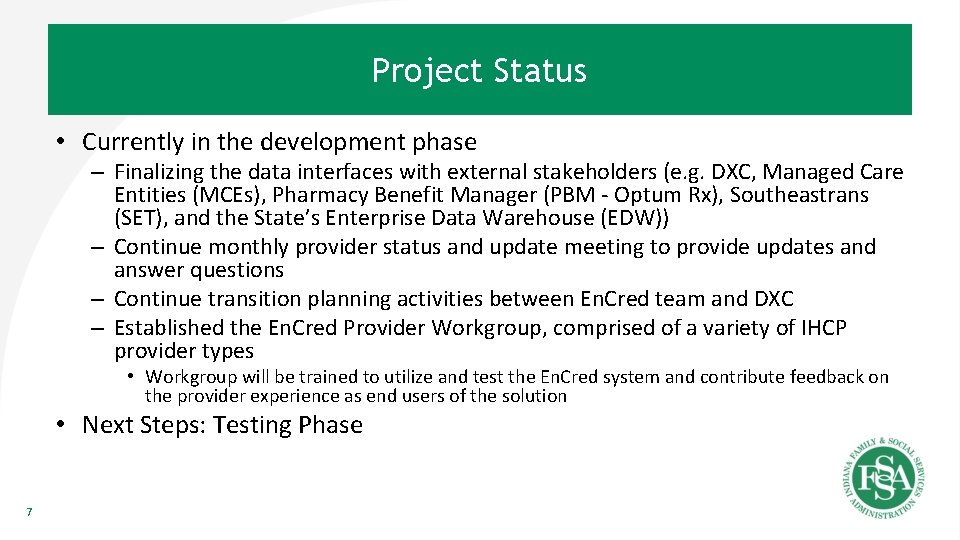
Project Status • Currently in the development phase – Finalizing the data interfaces with external stakeholders (e. g. DXC, Managed Care Entities (MCEs), Pharmacy Benefit Manager (PBM - Optum Rx), Southeastrans (SET), and the State’s Enterprise Data Warehouse (EDW)) – Continue monthly provider status and update meeting to provide updates and answer questions – Continue transition planning activities between En. Cred team and DXC – Established the En. Cred Provider Workgroup, comprised of a variety of IHCP provider types • Workgroup will be trained to utilize and test the En. Cred system and contribute feedback on the provider experience as end users of the solution • Next Steps: Testing Phase 7
En. Cred Project Timeline 8
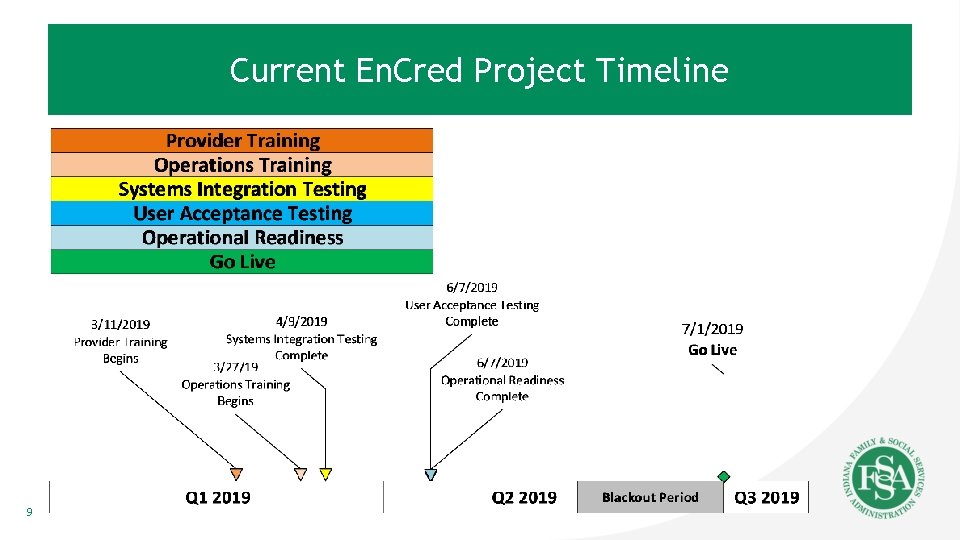
Current En. Cred Project Timeline 9
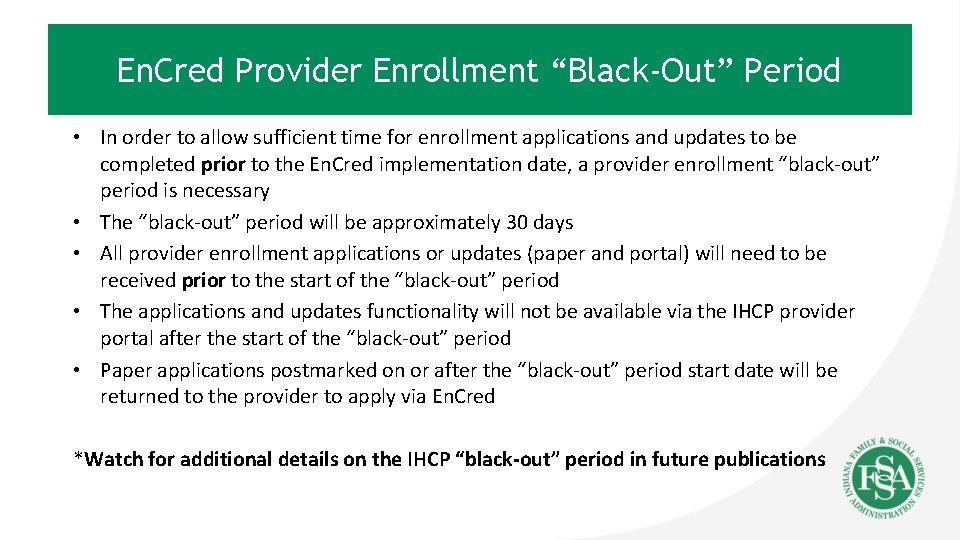
En. Cred Provider Enrollment “Black-Out” Period • In order to allow sufficient time for enrollment applications and updates to be completed prior to the En. Cred implementation date, a provider enrollment “black-out” period is necessary • The “black-out” period will be approximately 30 days • All provider enrollment applications or updates (paper and portal) will need to be received prior to the start of the “black-out” period • The applications and updates functionality will not be available via the IHCP provider portal after the start of the “black-out” period • Paper applications postmarked on or after the “black-out” period start date will be returned to the provider to apply via En. Cred *Watch for additional details on the IHCP “black-out” period in future publications
Provider Enrollment and Credentialing Process 11
Current IHCP Enrollment and Credentialing Process Provider Smith IHCP Provider Application IHCP Provider Enrollment Approved Stop Separate Applications, generally similar information Provider Smith 12 MDwise Provider Credentialing Approved MHS Provider Credentialing Approved Anthem Provider Credentialing Approved Care. Source Provider Credentialing Approved Stop
Future En. Cred Enrollment and Credentialing Process Provider Smith IHCP Provider Credentialing / enrollment Approved MDwise Provider Contracting MHS Provider Contracting 13 Anthem Provider Contracting Stop Care. Source Provider Contracting
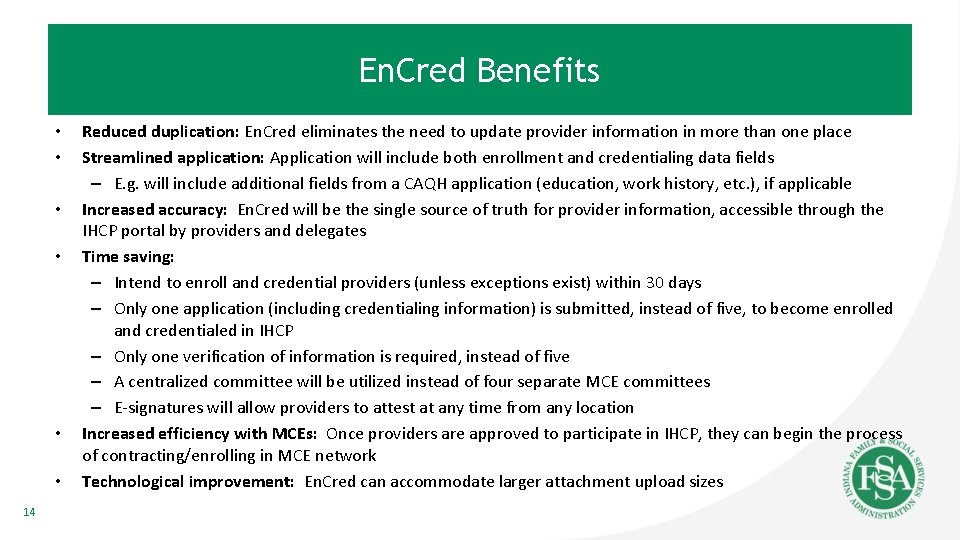
En. Cred Benefits • • • 14 Reduced duplication: En. Cred eliminates the need to update provider information in more than one place Streamlined application: Application will include both enrollment and credentialing data fields – E. g. will include additional fields from a CAQH application (education, work history, etc. ), if applicable Increased accuracy: En. Cred will be the single source of truth for provider information, accessible through the IHCP portal by providers and delegates Time saving: – Intend to enroll and credential providers (unless exceptions exist) within 30 days – Only one application (including credentialing information) is submitted, instead of five, to become enrolled and credentialed in IHCP – Only one verification of information is required, instead of five – A centralized committee will be utilized instead of four separate MCE committees – E-signatures will allow providers to attest at any time from any location Increased efficiency with MCEs: Once providers are approved to participate in IHCP, they can begin the process of contracting/enrolling in MCE network Technological improvement: En. Cred can accommodate larger attachment upload sizes
En. Cred Functions 15
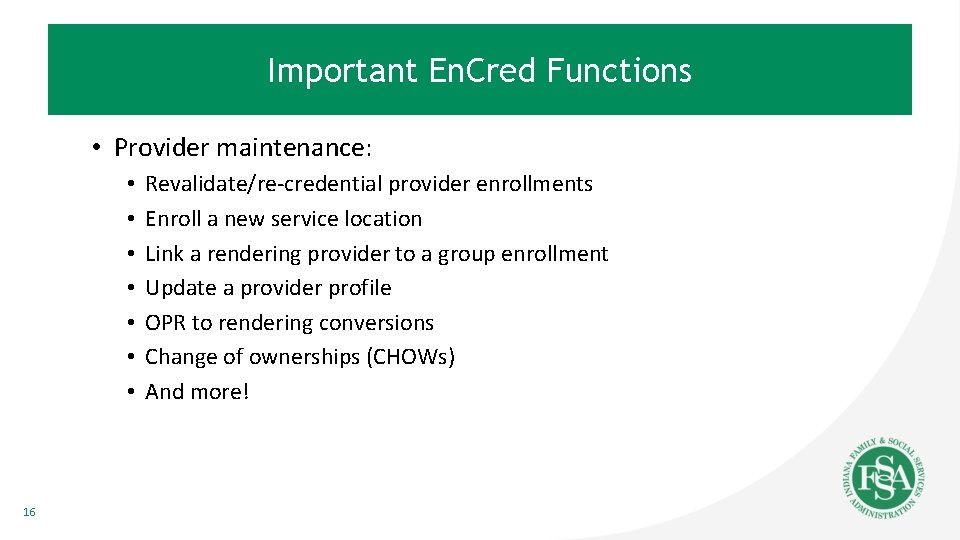
Important En. Cred Functions • Provider maintenance: • • 16 Revalidate/re-credential provider enrollments Enroll a new service location Link a rendering provider to a group enrollment Update a provider profile OPR to rendering conversions Change of ownerships (CHOWs) And more!
En. Cred Re-attestation Process and Timeline • Re-attestation: Providers who need to credential as part of the enrollment process will be required to re-attest to their information every 120 days • When providers re-attest, they are attesting that all the information in the application is current, true, and accurate • This is separate from CAQH re-attestation. CAQH data is currently only credentialing and not enrollment • Providers can submit applications via paper; however they can only re-attest electronically 17
En. Cred Revalidation and Recredentialing • A schedule is being developed to align revalidation and recredentialing dates to a single date, once every three years • Providers will be notified of their new date via the standard 90, 60, 30 day notification process 18
Important Changes after En. Cred Go-Live • All rendering providers must establish an IHCP account • Any time there is an update to provider information (i. e. address, other information), it will require the provider to re-attest – Note: This is due to the combining of enrollment and credentialing together • EFT - En. Cred will consume initial EFT information during the application process; however all maintenance/changes of EFT information must be submitted via the IHCP portal and also directly to the MCEs • Revalidation and re-credentialing date alignment 19
En. Cred Demonstration 20
Focus of Demonstration • Initiating an application • As a new provider • As an enrolled provider • Maintenance activities • Re-attesting process • How to upload documents (up to 10 MB) 21
New Provider 22
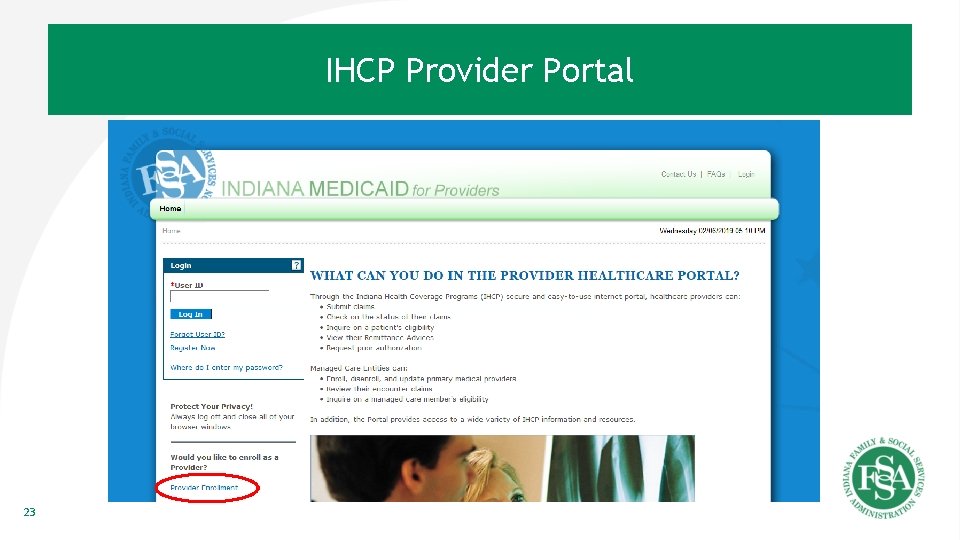
IHCP Provider Portal 23
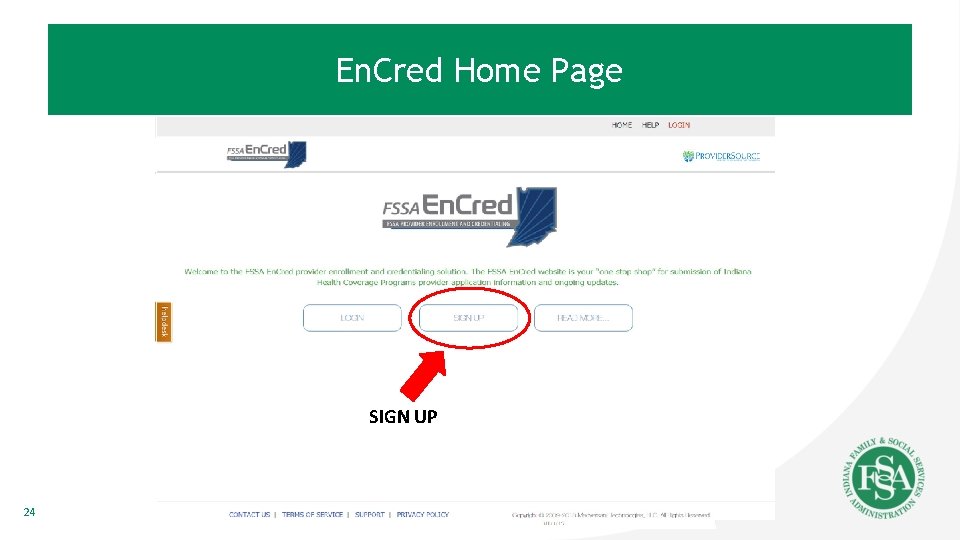
En. Cred Home Page SIGN UP 24
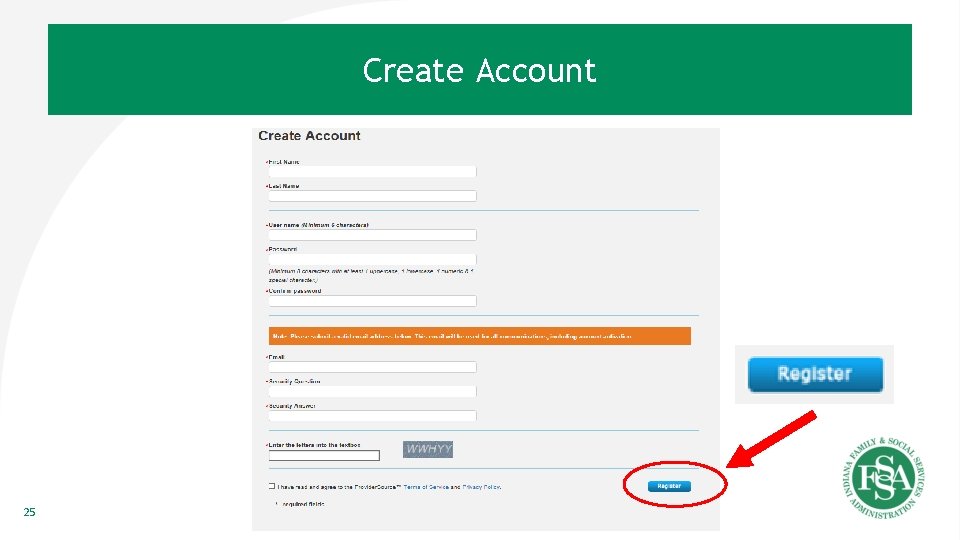
Create Account 25
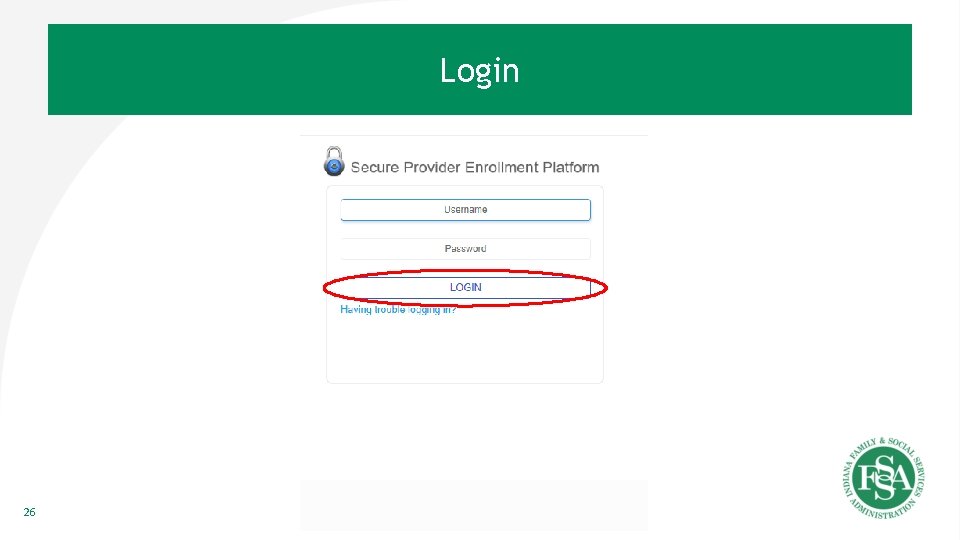
Login 26
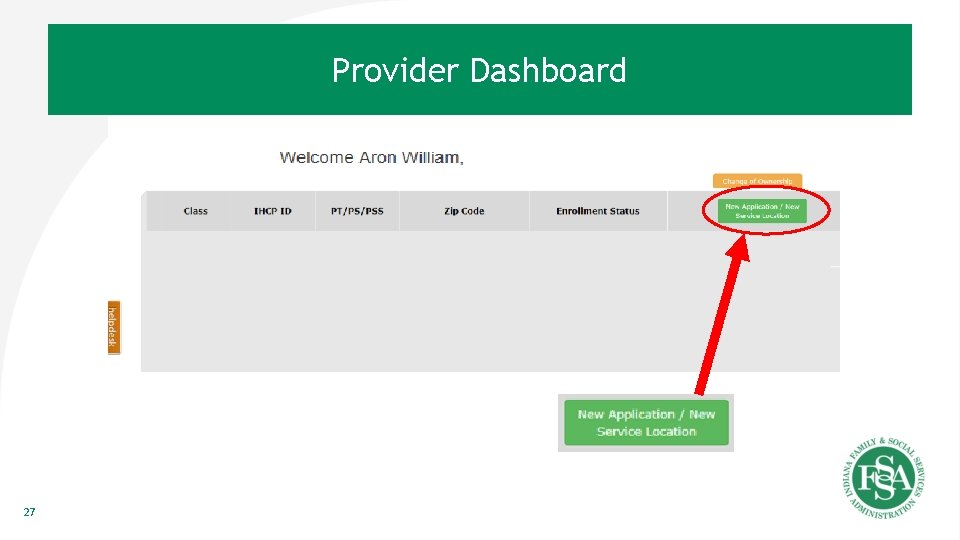
Provider Dashboard 27
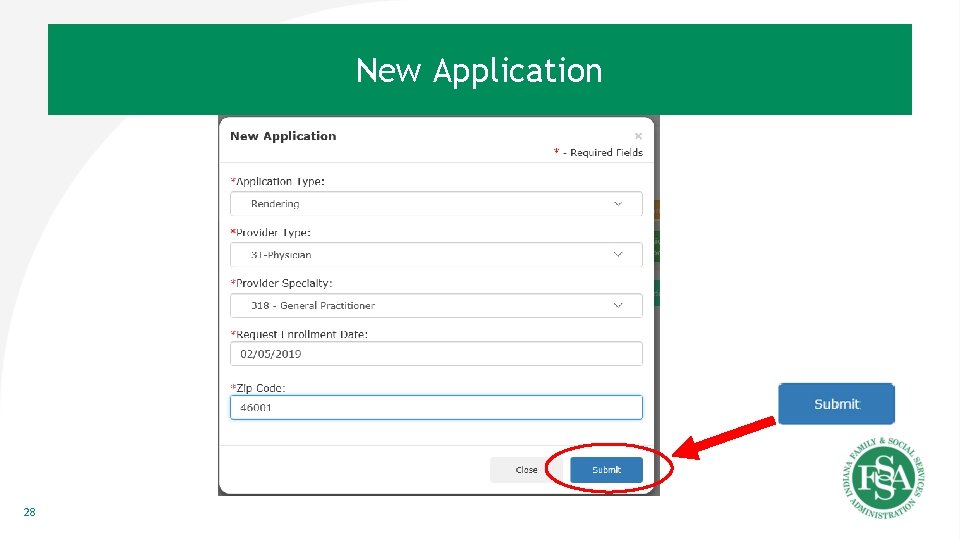
New Application 28
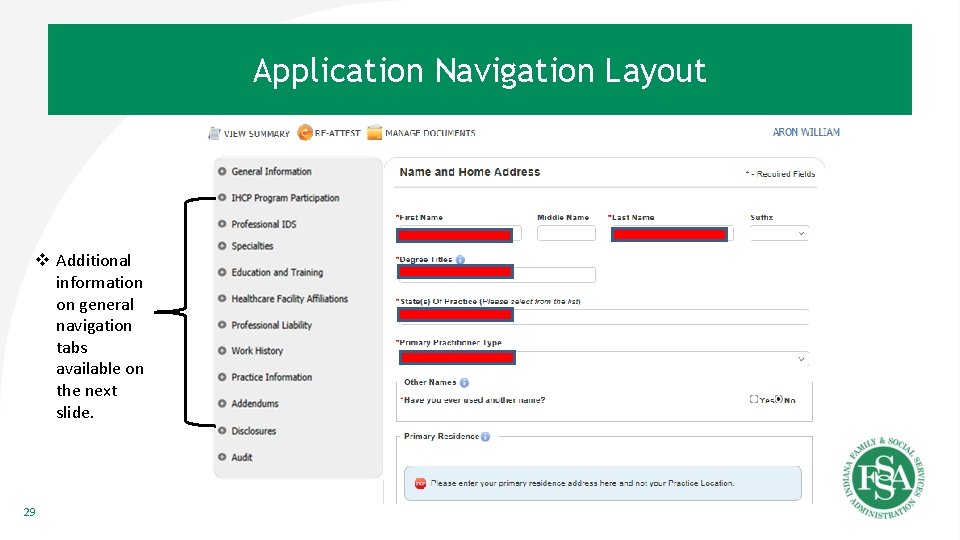
Application Navigation Layout v Additional information on general navigation tabs available on the next slide. 29
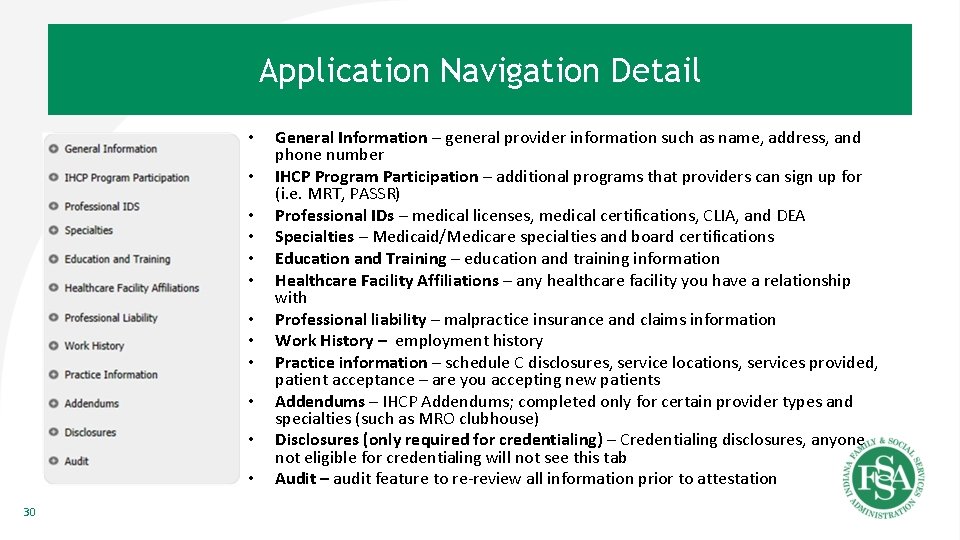
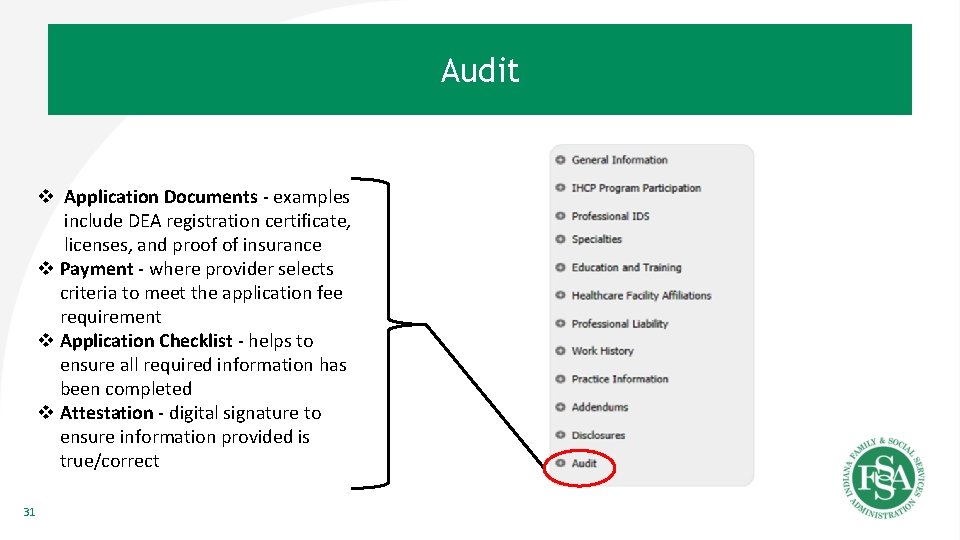
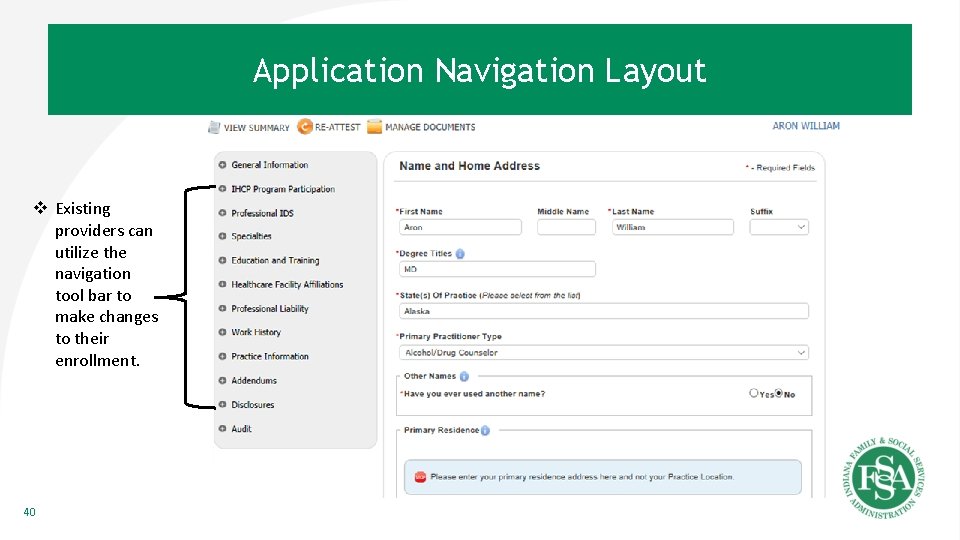
Application Navigation Detail • • • 30 General Information – general provider information such as name, address, and phone number IHCP Program Participation – additional programs that providers can sign up for (i. e. MRT, PASSR) Professional IDs – medical licenses, medical certifications, CLIA, and DEA Specialties – Medicaid/Medicare specialties and board certifications Education and Training – education and training information Healthcare Facility Affiliations – any healthcare facility you have a relationship with Professional liability – malpractice insurance and claims information Work History – employment history Practice information – schedule C disclosures, service locations, services provided, patient acceptance – are you accepting new patients Addendums – IHCP Addendums; completed only for certain provider types and specialties (such as MRO clubhouse) Disclosures (only required for credentialing) – Credentialing disclosures, anyone not eligible for credentialing will not see this tab Audit – audit feature to re-review all information prior to attestation
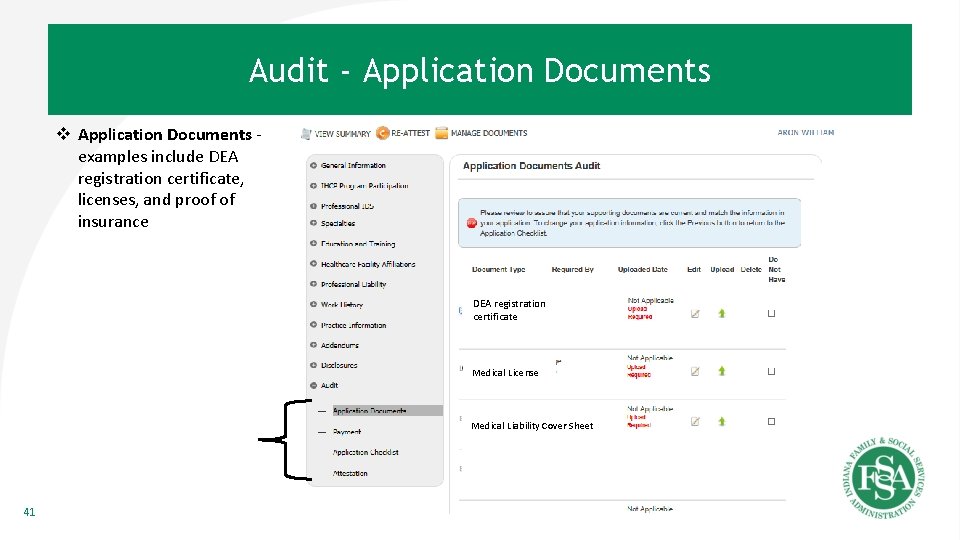
Audit v Application Documents - examples include DEA registration certificate, licenses, and proof of insurance v Payment - where provider selects criteria to meet the application fee requirement v Application Checklist - helps to ensure all required information has been completed v Attestation - digital signature to ensure information provided is true/correct 31
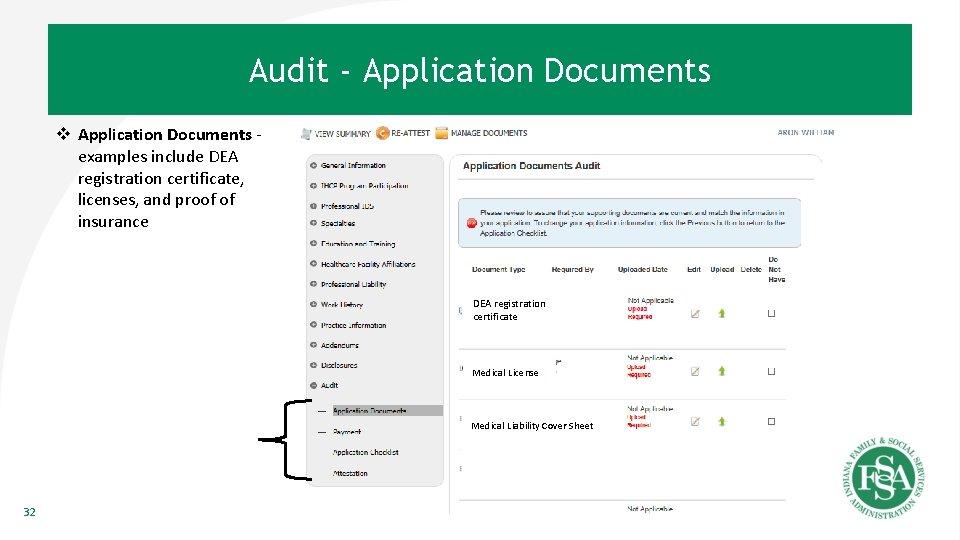
Audit - Application Documents v Application Documents examples include DEA registration certificate, licenses, and proof of insurance DEA registration DEA certificate Medical License Medical Liability Cover Sheet 32
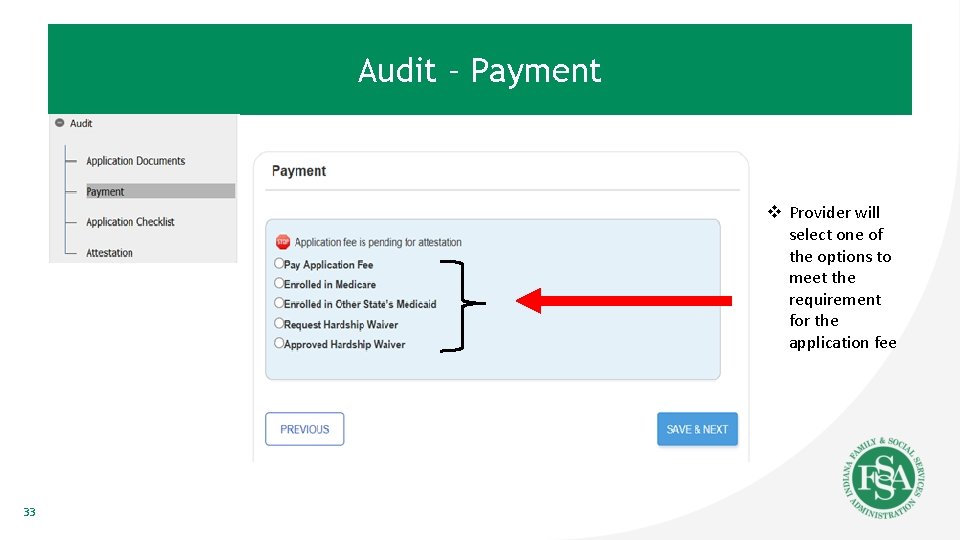
Audit – Payment v Provider will select one of the options to meet the requirement for the application fee 33
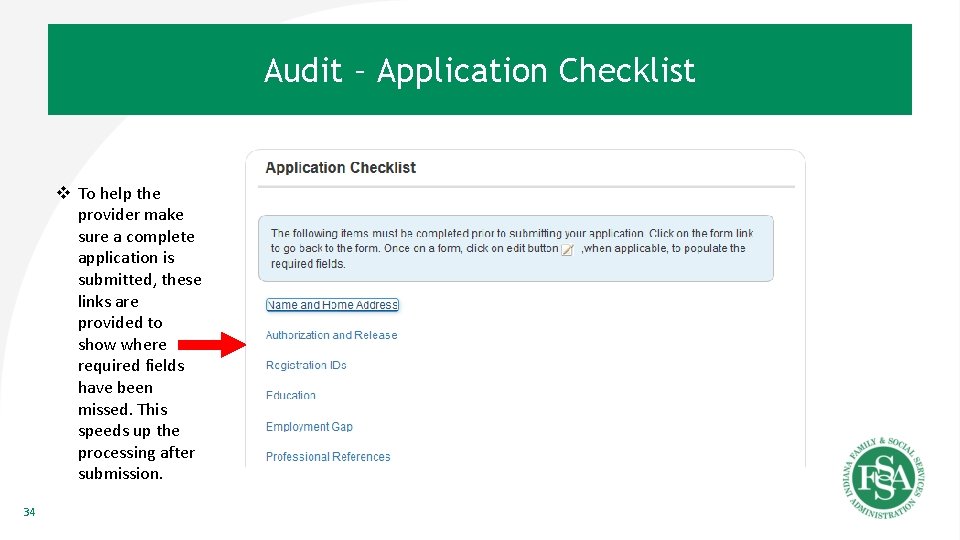
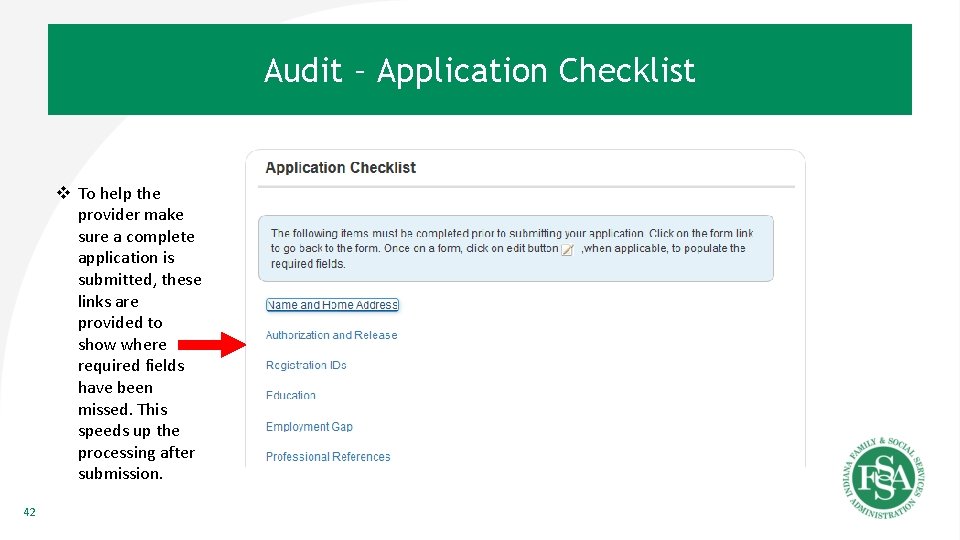
Audit – Application Checklist v To help the provider make sure a complete application is submitted, these links are provided to show where required fields have been missed. This speeds up the processing after submission. 34
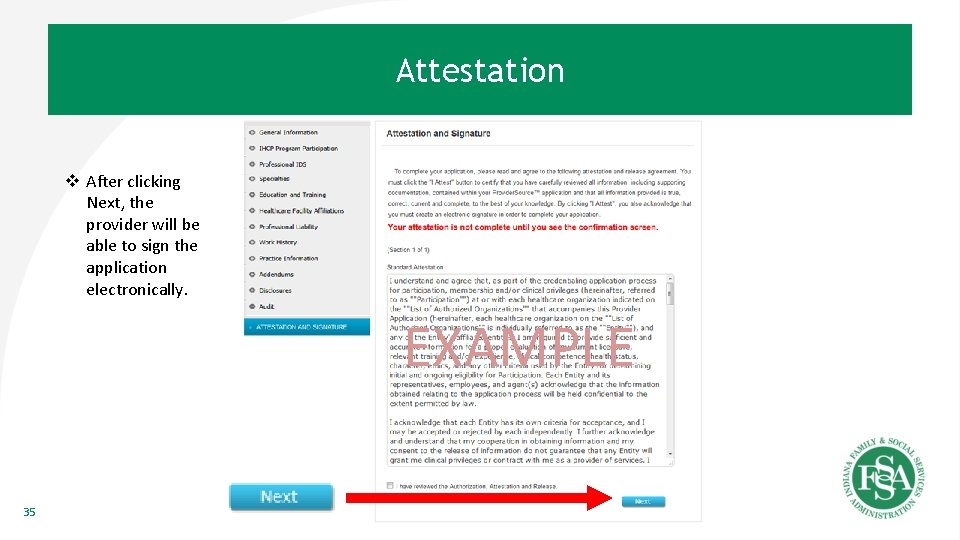
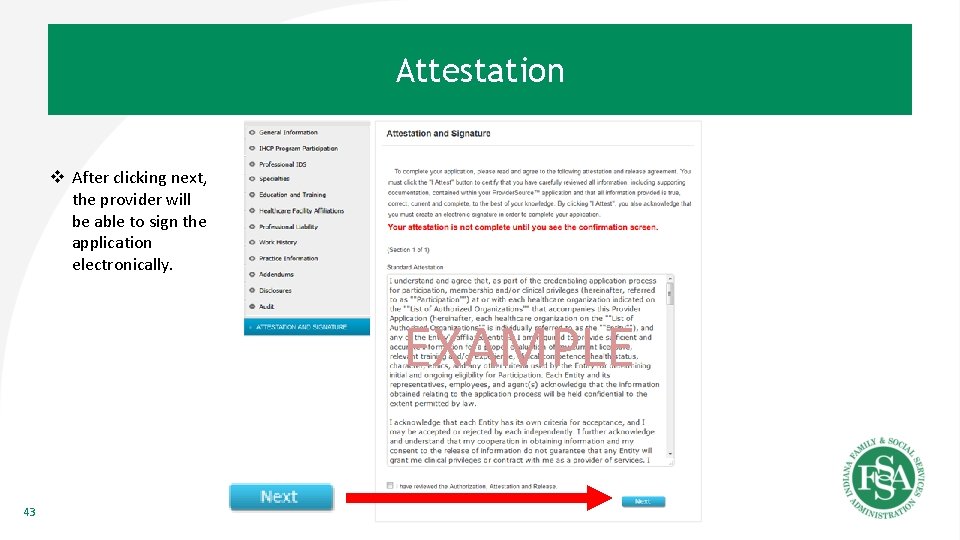
Attestation v After clicking Next, the provider will be able to sign the application electronically. EXAMPLE 35
Enrolled Provider 36
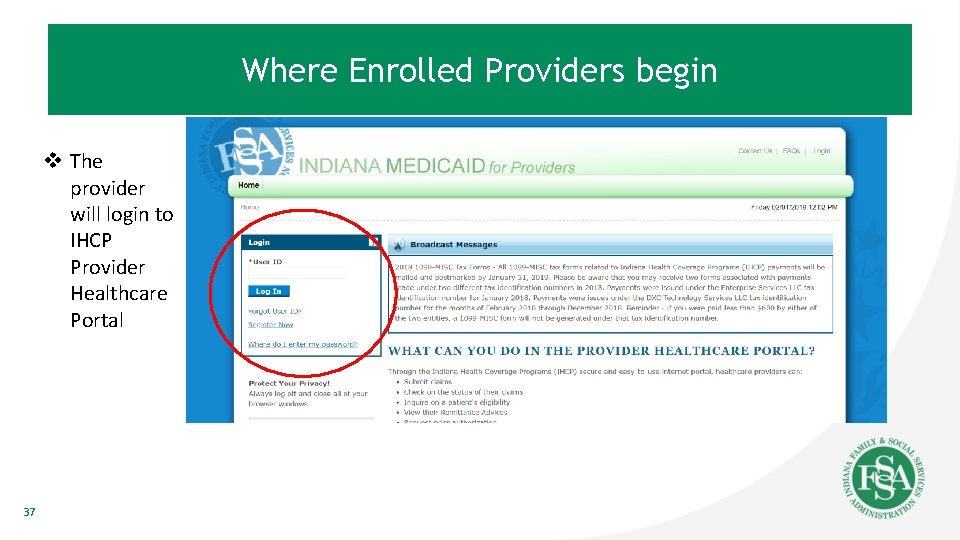
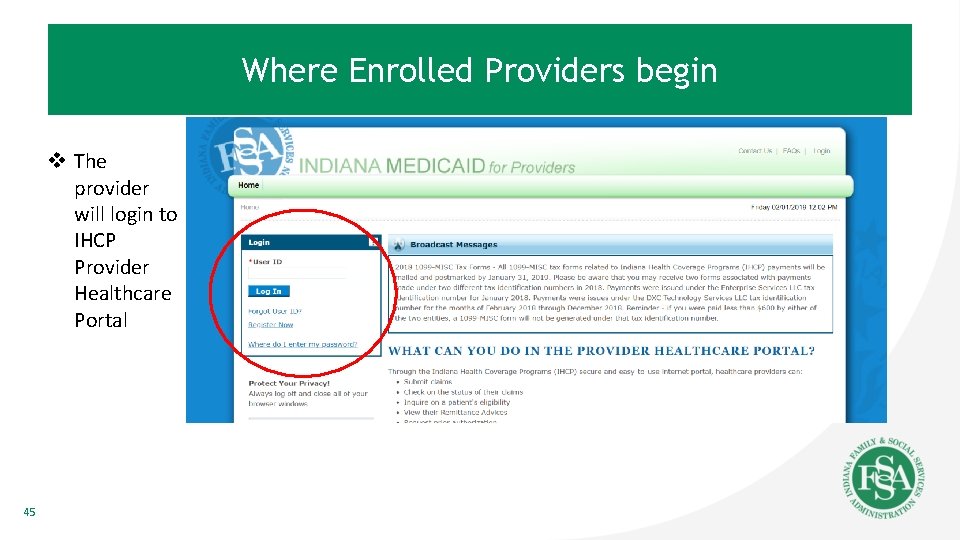
Where Enrolled Providers begin v The provider will login to IHCP Provider Healthcare Portal 37
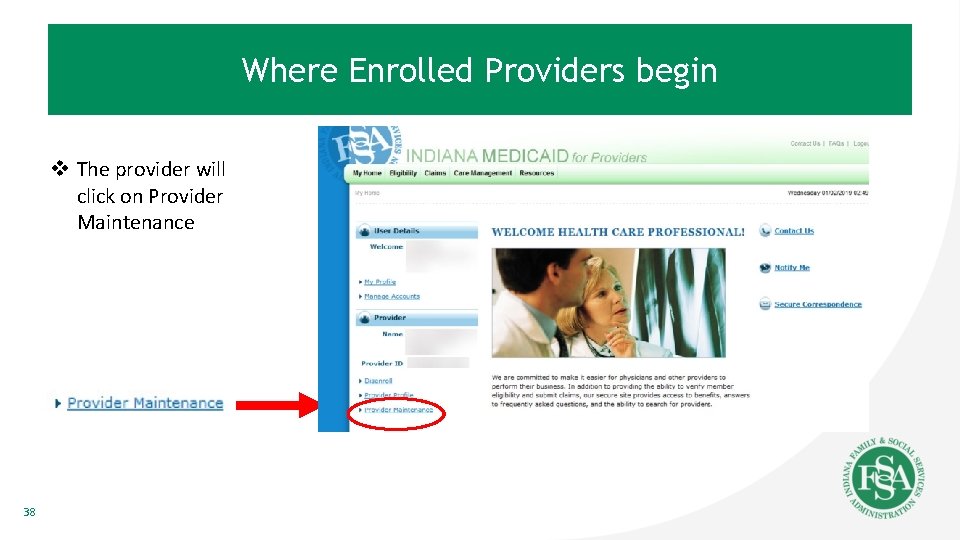
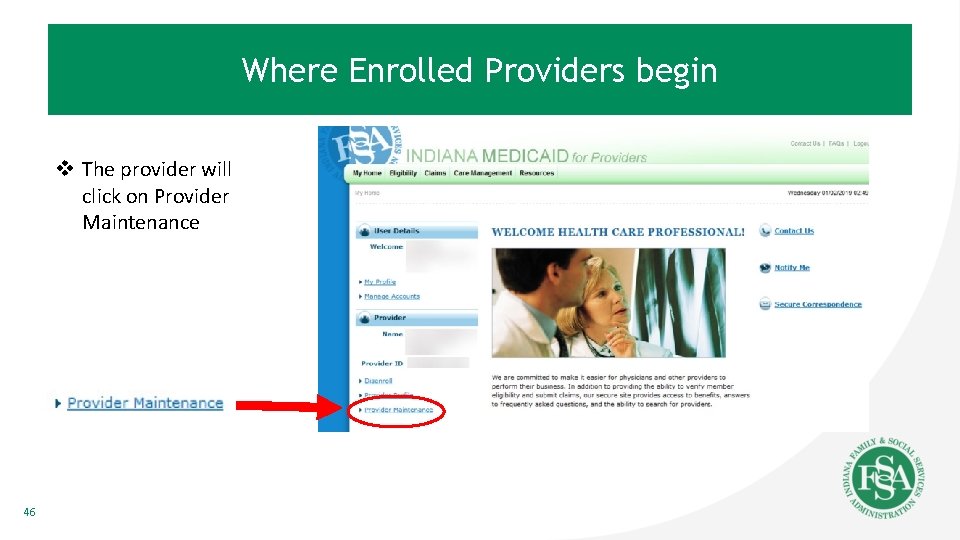
Where Enrolled Providers begin v The provider will click on Provider Maintenance 38
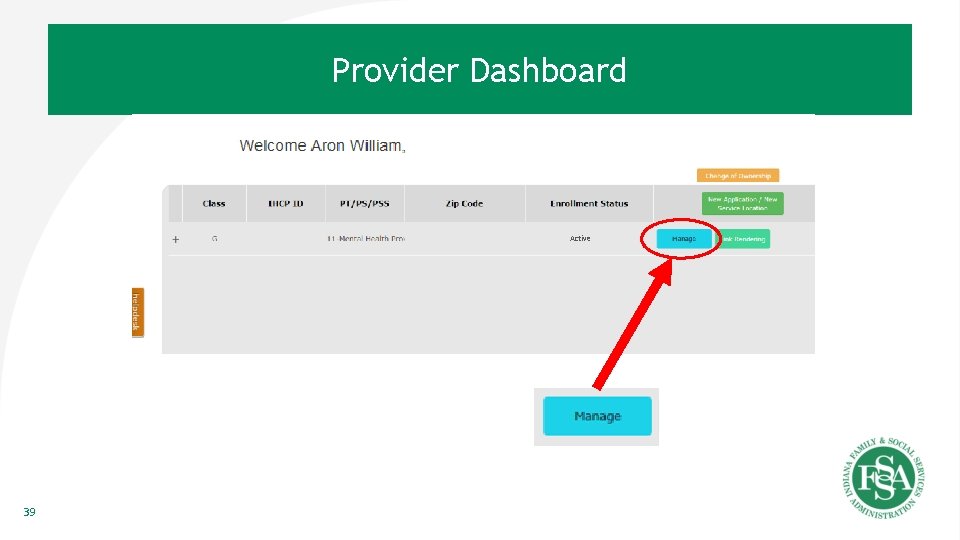
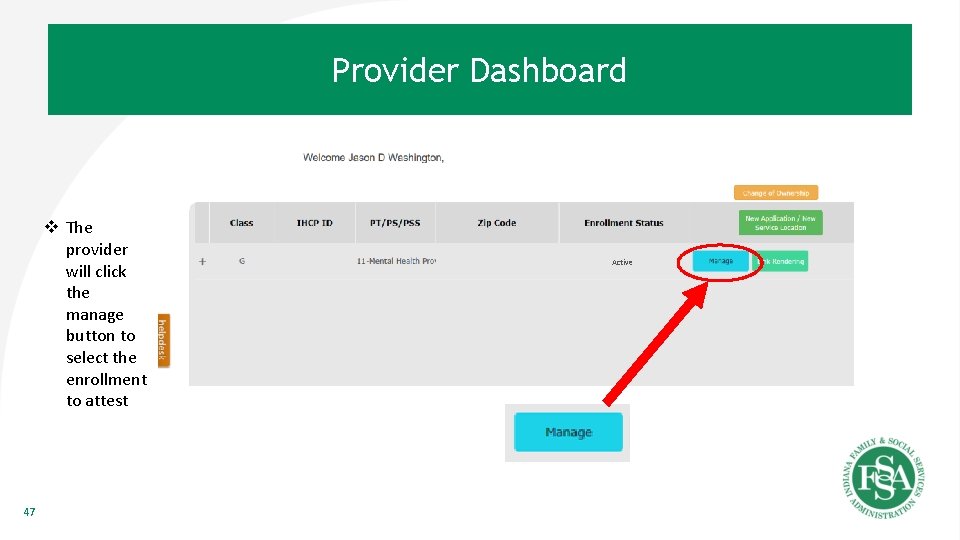
Provider Dashboard Active 39
Application General. Navigation Information Layout v Existing providers can utilize the navigation tool bar to make changes to their enrollment. 40
Audit - Application Documents v Application Documents examples include DEA registration certificate, licenses, and proof of insurance DEA registration DEA certificate Medical License Medical Liability Cover Sheet 41
Audit – Application Checklist v To help the provider make sure a complete application is submitted, these links are provided to show where required fields have been missed. This speeds up the processing after submission. 42
Attestation v After clicking next, the provider will be able to sign the application electronically. EXAMPLE 43
Re-attestation 44
Where Enrolled Providers begin v The provider will login to IHCP Provider Healthcare Portal 45
Where Enrolled Providers begin v The provider will click on Provider Maintenance 46
Provider Dashboard v The provider will click the manage button to select the enrollment to attest 47 Active
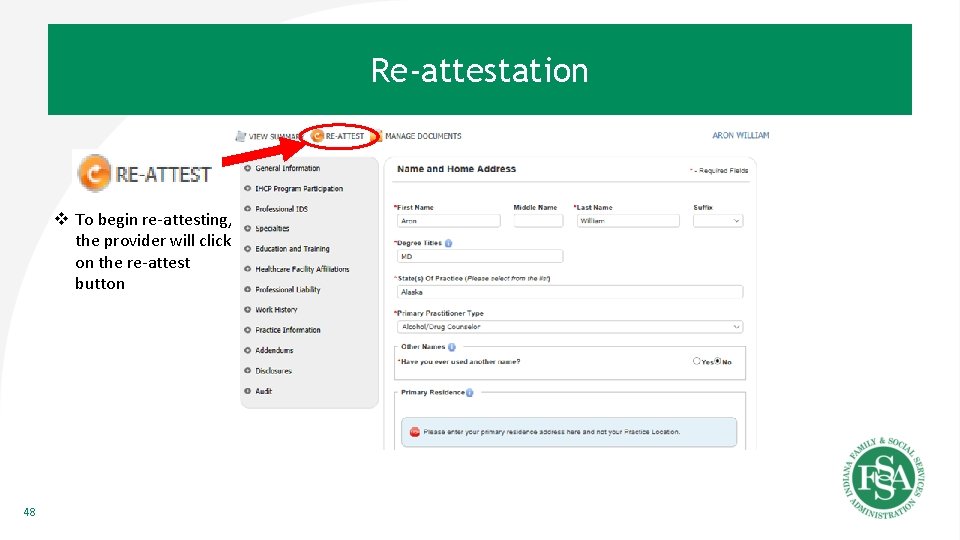
Re-attestation v To begin re-attesting, the provider will click on the re-attest button 48
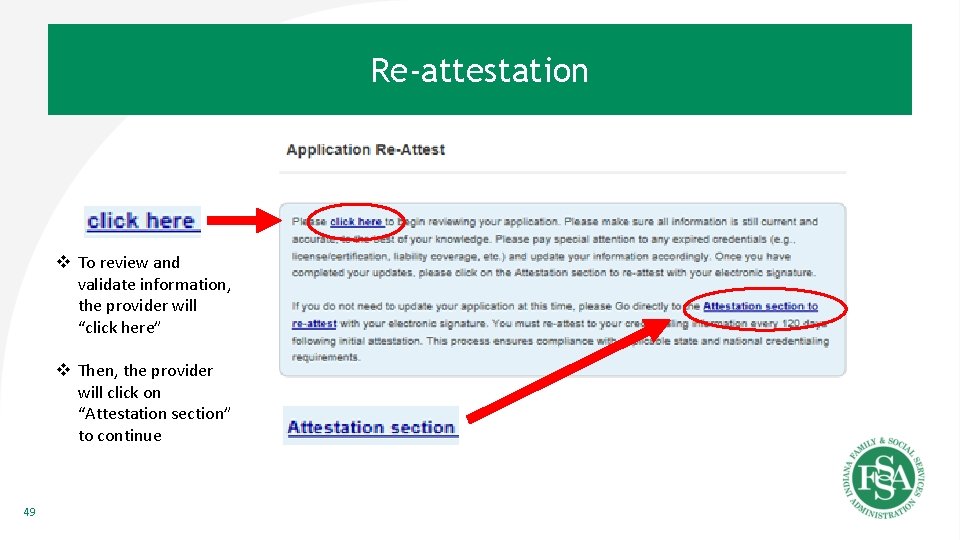
Re-attestation v To review and validate information, the provider will “click here” v Then, the provider will click on “Attestation section” to continue 49
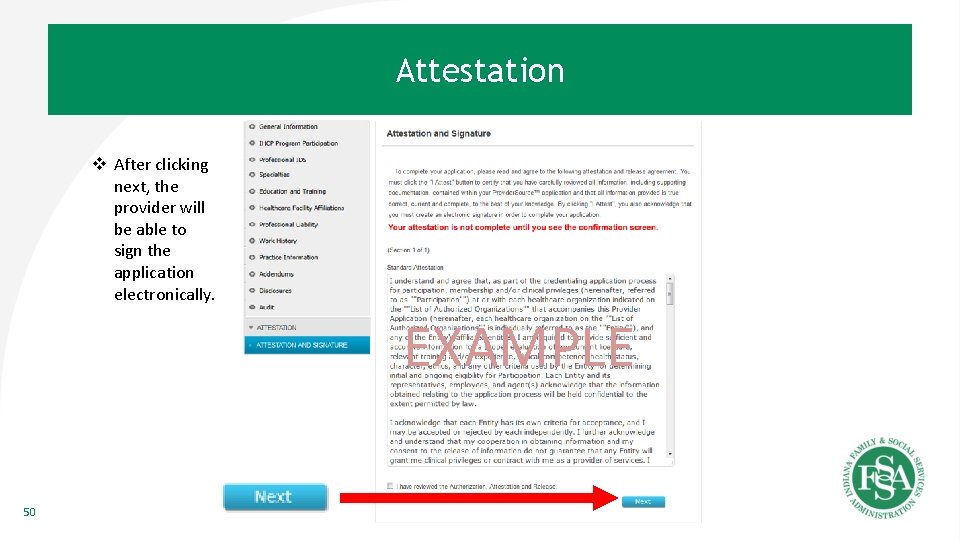
Attestation v After clicking next, the provider will be able to sign the application electronically. EXAMPLE 50
Manage Documents 51
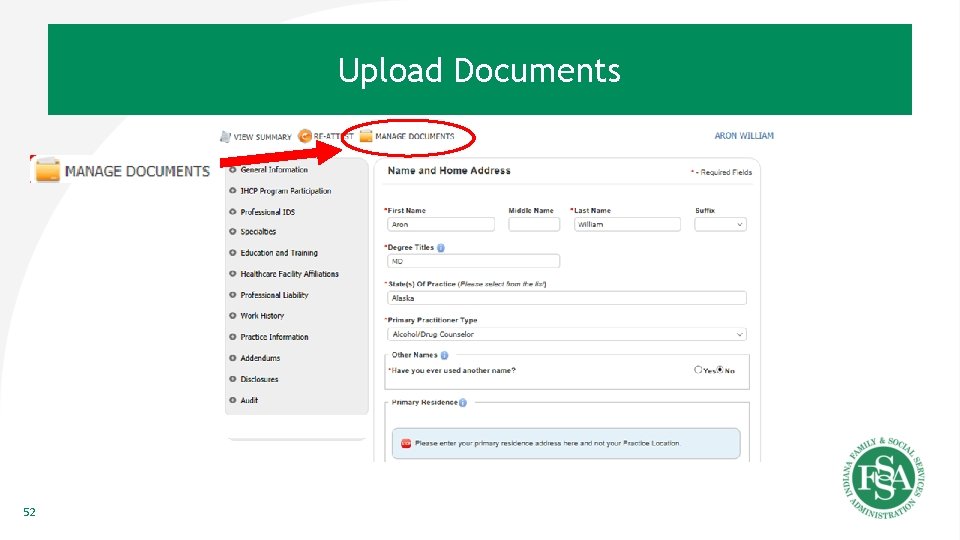
Upload Documents 52
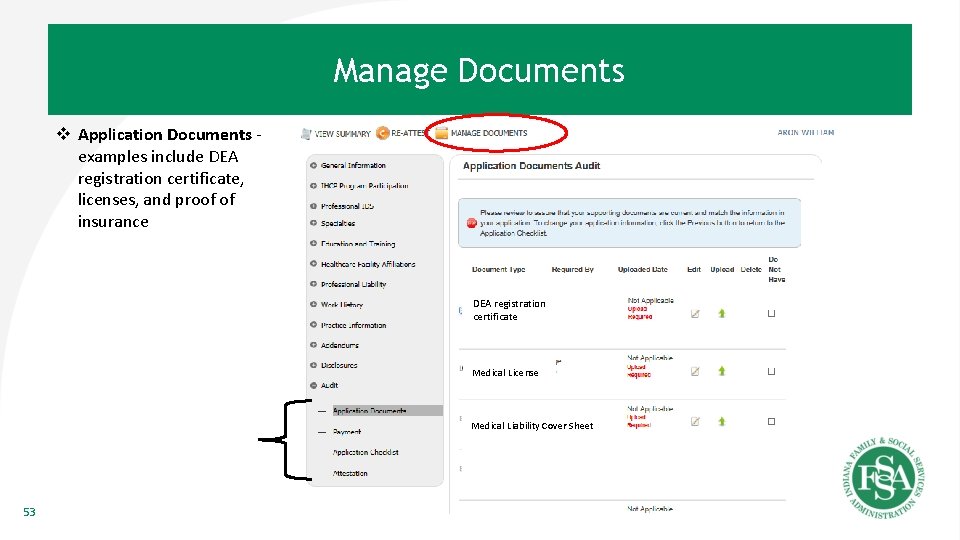
Manage Documents v Application Documents examples include DEA registration certificate, licenses, and proof of insurance DEA registration DEA certificate Medical License Medical Liability Cover Sheet 53
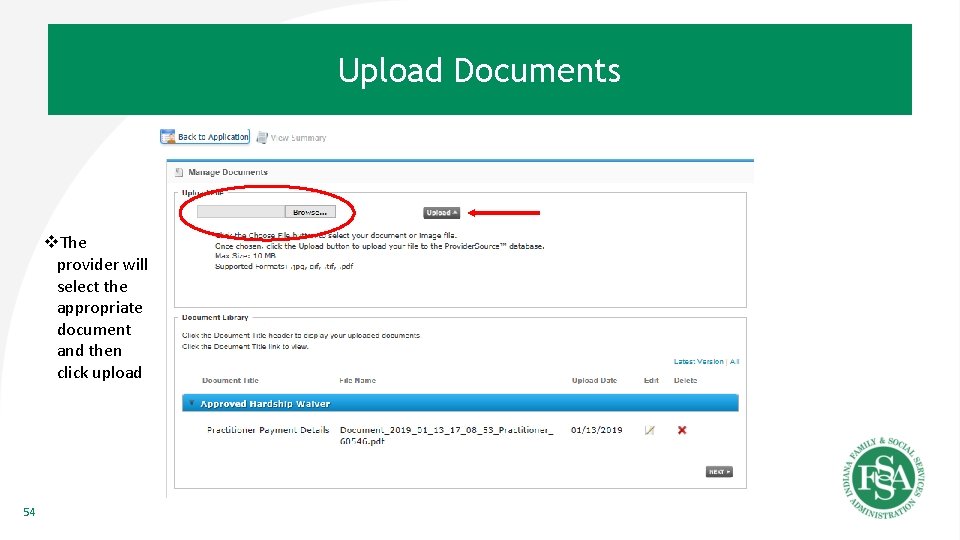
Upload Documents v. The provider will select the appropriate document and then click upload 54
Frequently Asked Questions (FAQs) 55
FAQs • Are IHCP enrollment rules changing? – Provider eligibility requirements for enrolling in IHCP will not change with the implementation of En. Cred. Future changes regarding provider credentialing requirements are anticipated. Future policy changes would be announced to the provider community in advance following the normal communication processes. • Will provider types and specialties remain the same in the new system? – Yes, there will be no changes to provider types and specialties as a result of En. Cred. • Will En. Cred allow for backdated enrollments? – Current policies will continue to be applied to backdating the effective date of a provider’s enrollment with IHCP. – Consistent with current practice and NCQA guidelines, backdating the effective date of credentialing will not be allowed. *To avoid risk, providers should be enrolled with IHCP prior to providing services to IHCP members. 56
FAQs (Cont. ) • Will MCEs allow for backdated network enrollments with En. Cred? – This is the individual MCE’s business decision. • How long will a pending application be saved? – A pending unattested application will be archived after 6 months. A new application would need to be initiated after that time. • If you register a temp user name and password how long is it good for? – Once a provider is enrolled, their user name and password is only available for 15 days after enrollment. The provider should create their IHCP account in order to update their enrollment. • How long until a user gets logged out for inactivity in En. Cred? – En. Cred user gets logged out after 20 minutes of inactivity. • If I have a question about the Indiana En. Cred solution, who should I contact: – Send inquiries to Fssa. En. Cred@fssa. in. gov 57
Questions? FSSA. En. Cred@fssa. in. gov 58