
From Panic to Possibility Enabling Spatial Data Transformation
From Panic to Possibility: Enabling Spatial Data Transformation to Overcome Complex Interoperability Challenges Dean Hintz Senior Analyst, Professional Services Safe Software June 2011
Agenda § § § The INSPIRE Challenge Steps to Compliance FME Tools for INSPIRE Customer Examples Using INSPIRE Services Demos and exercises § Summary
INSPIRE - Goals § Assist EU environmental management § Extend Member States’ SDIs using: § Common data model § Open standards § INSPIRE SDI should: § Combine spatial data from different sources § Share spatial data between public authorities
INSPIRE Annex I Data Requirements 1. 2. 3. 4. 5. 6. 7. 8. 9. Coordinate reference systems Geographical grid systems Geographical names Administrative units Addresses Cadastral parcels Transport networks Hydrography Protected sites All required to deploy this year
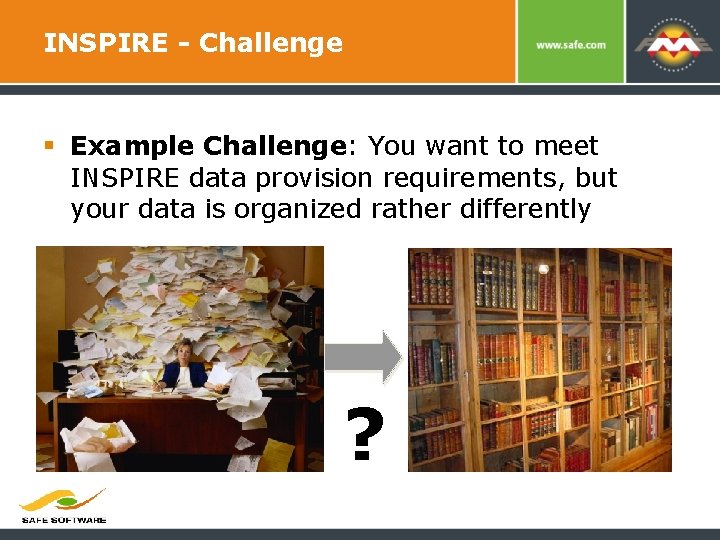
INSPIRE - Challenge § Example Challenge: You want to meet INSPIRE data provision requirements, but your data is organized rather differently ?
How to Achieve INSPIRE Compliance? § § § Translation Transformation Harmonisation Validation Publication Result: INSPIRE compliance Opportunity: Consume INSPIRE data
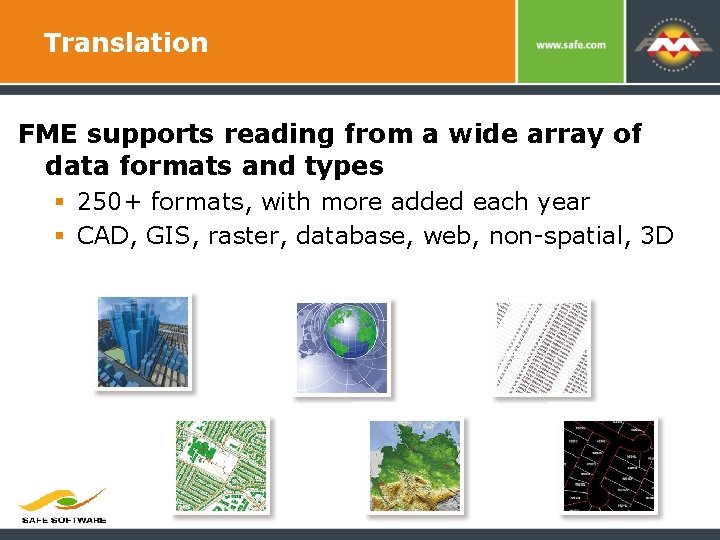
Translation FME supports reading from a wide array of data formats and types § 250+ formats, with more added each year § CAD, GIS, raster, database, web, non-spatial, 3 D 7
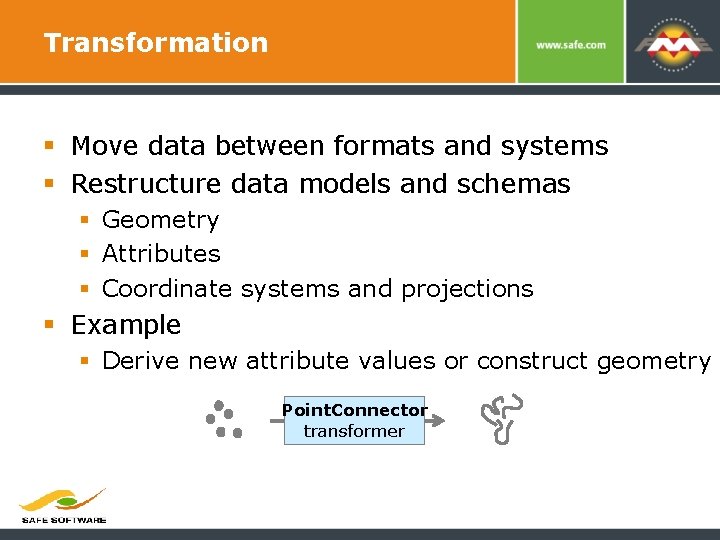
Transformation § Move data between formats and systems § Restructure data models and schemas § Geometry § Attributes § Coordinate systems and projections § Example § Derive new attribute values or construct geometry Point. Connector transformer
Harmonisation § Harmonisation: implied INSPIRE requirement. § Disparate sources must be mapped to a common destination data model. § Core to the harmonization workflow is a process called schema mapping.
Validation § Ensure data quality throughout the data transformation process. § Example validation requirements (some INSPIRE defined, others implicit): § Coordinate and geometry validity § ID uniqueness and validity § Relationship tests (parent / child) § Value range tests (e. g. elevation) § Domain code compliance § Null values (nullable? )
Publication § Produce INSPIRE compliant GML § Provide discovery, view or download services, for Wx. S, GML and other desired formats § Publish with FME Server or integrate with your geo web server of choice: § § Arc. Server (Arc. GIS for INSPIRE) Deegree Geo. Server Map. Server
Consuming INSPIRE Data § Quickly consume INSPIRE data for your use, regardless of your target system’s: § § Data model Format Coordinate system Language § Leverage INSPIRE data for business intelligence.
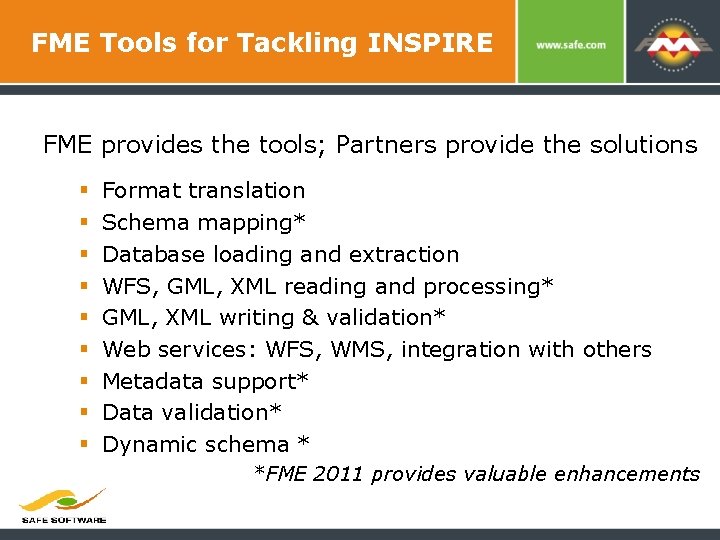
FME Tools for Tackling INSPIRE FME provides the tools; Partners provide the solutions § § § § § Format translation Schema mapping* Database loading and extraction WFS, GML, XML reading and processing* GML, XML writing & validation* Web services: WFS, WMS, integration with others Metadata support* Data validation* Dynamic schema * *FME 2011 provides valuable enhancements
Schema Transformation § Restructure source data (both geometry and attributes) to conform to the INSPIRE data model § Probably the most user intensive process in most INSPIRE projects § Often performed by domain experts, not programmers = need intuitive interfaces 14
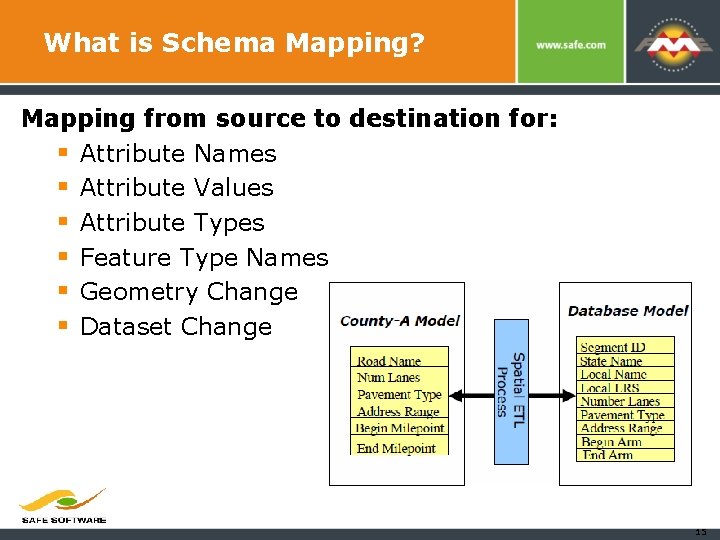
What is Schema Mapping? Mapping from source to destination for: § Attribute Names § Attribute Values § Attribute Types § Feature Type Names § Geometry Change § Dataset Change 15
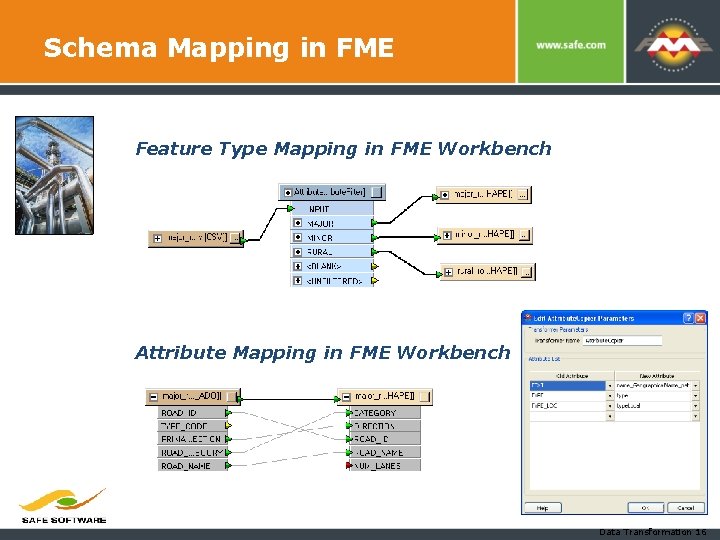
Schema Mapping in FME Feature Type Mapping in FME Workbench Attribute Mapping in FME Workbench Data Transformation 16
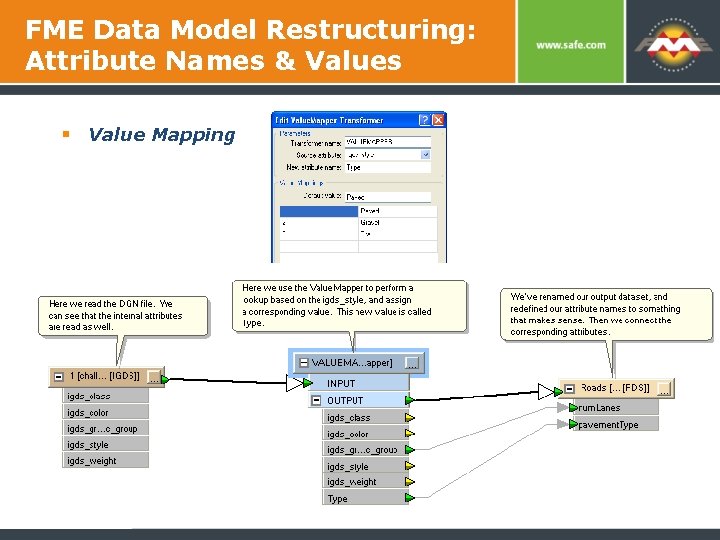
FME Data Model Restructuring: Attribute Names & Values § Value Mapping
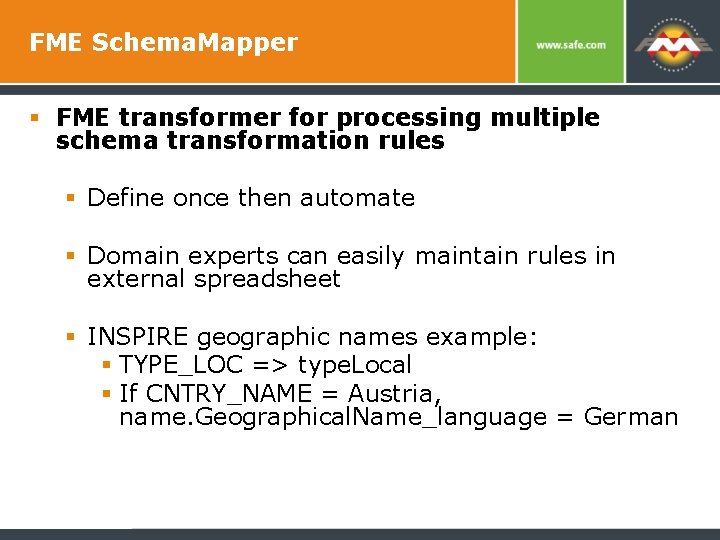
FME Schema. Mapper § FME transformer for processing multiple schema transformation rules § Define once then automate § Domain experts can easily maintain rules in external spreadsheet § INSPIRE geographic names example: § TYPE_LOC => type. Local § If CNTRY_NAME = Austria, name. Geographical. Name_language = German
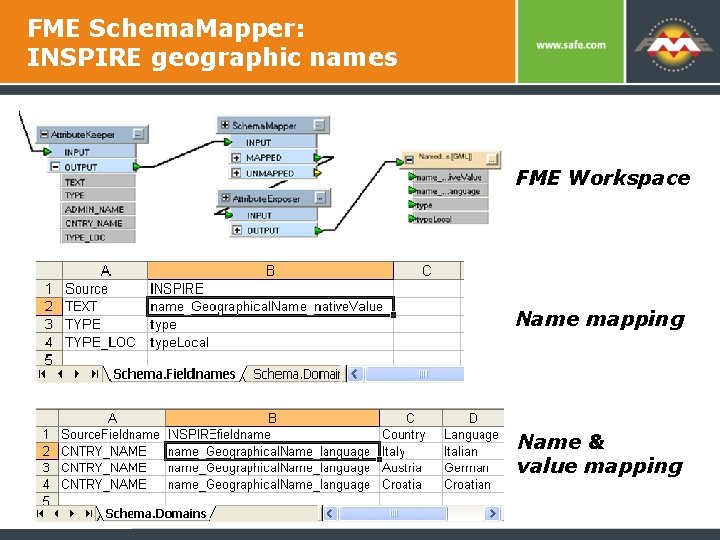
FME Schema. Mapper: INSPIRE geographic names FME Workspace Name mapping Name & value mapping
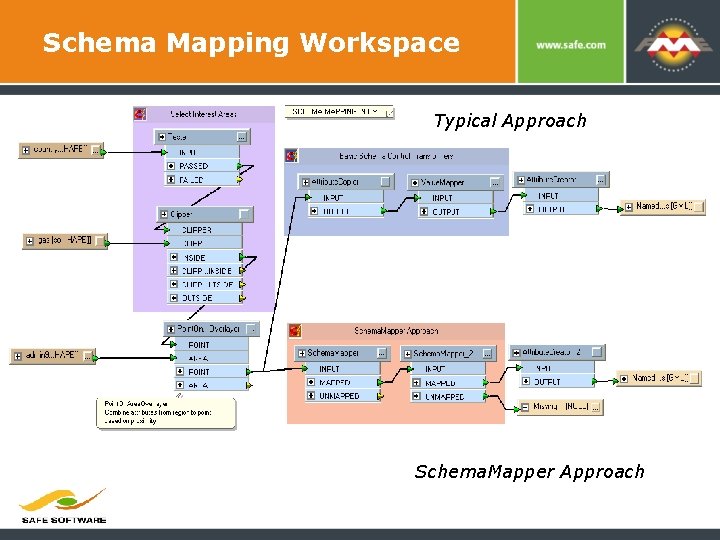
Schema Mapping Workspace Typical Approach Schema. Mapper Approach
FME Tools for INSPIRE XML: Reading / Processing § GML Reading (GML 2, 3. 1. 1, 3. 2. 1) § XML Reading – tools that allow you to easily read virtually any valid XML and extract features § XML Processing – tools for validating, formatting, cleaning, and updating XML § Joins and string processing to assemble fields needed for each feature § List processing to handle one to many relationships
FME Tools for INSPIRE XML: Writing § GML Writing (GML 2, 3. 1. 1, 3. 2. 1) § XML Writing - Tools to write XML or GML no matter how complex the structure § XMLTemplater § template approach FME merges attribute values into a template structure § Typically requires a template per feature type and dataset § XML Validation – output XML can be validated to ensure compliance with INSPIRE schemas
Example INSPIRE Solutions by FME Partners § Metria, Sweden (Protected Areas Pilot; Swedish Department of Transportation) § INSPIRE Solution Pack from con terra (North Rhine-Westphalia) § Spatialworld, Finland (WPS) § HNIT Lithuania (LGII) § Technical University of Munich (multiple INSPIRE projects)
Implementation Approaches Approach 1: INSPIRE data in staging database 1. Define staging schema based on INSPIRE 2. Read source datasets 3. Transform to meet staging schema 4. Load staging database 5. Define export transform to INSPIRE 6. Publish INSPIRE themes to your geoportal 7. Create INSPIRE network services Approach 2: on the fly transformation which has logic, performance and scalability limitations
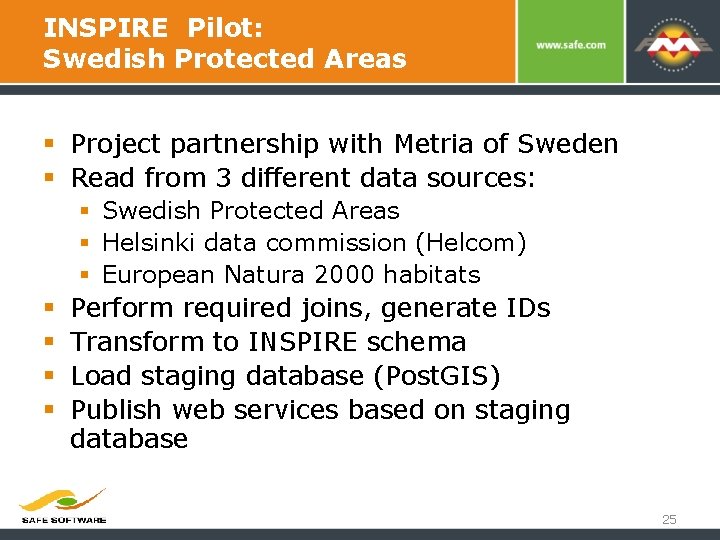
INSPIRE Pilot: Swedish Protected Areas § Project partnership with Metria of Sweden § Read from 3 different data sources: § Swedish Protected Areas § Helsinki data commission (Helcom) § European Natura 2000 habitats § § Perform required joins, generate IDs Transform to INSPIRE schema Load staging database (Post. GIS) Publish web services based on staging database 25
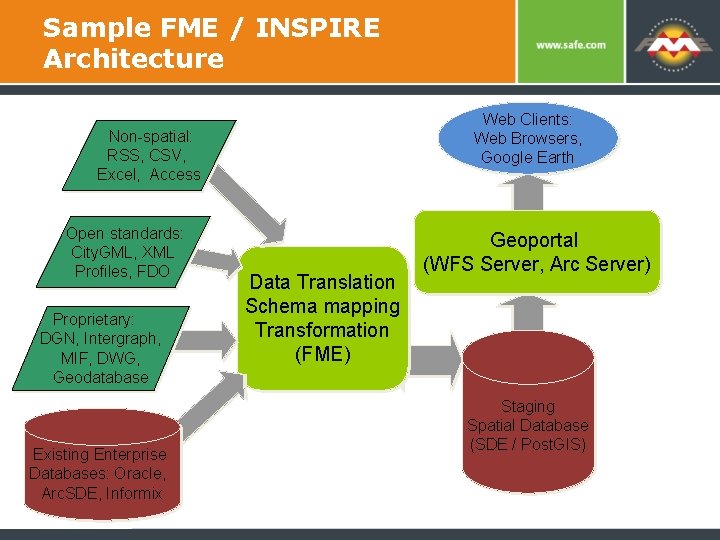
Sample FME / INSPIRE Architecture Web Clients: Web Browsers, Google Earth Non-spatial: RSS, CSV, Excel, Access Open standards: City. GML, XML Profiles, FDO Proprietary: DGN, Intergraph, MIF, DWG, Geodatabase Existing Enterprise Databases: Oracle, Arc. SDE, Informix Data Translation Schema mapping Transformation (FME) Geoportal (WFS Server, Arc Server) Staging Spatial Database (SDE / Post. GIS)
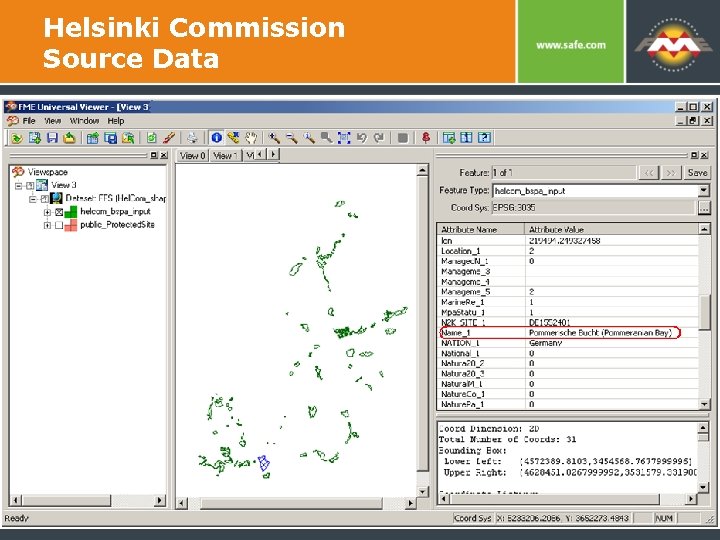
Helsinki Commission Source Data
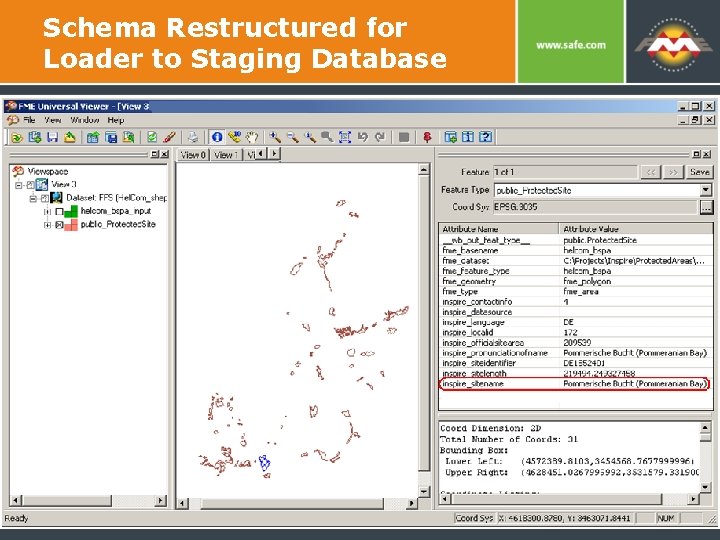
Schema Restructured for Loader to Staging Database
Staging Database Schema Considerations § Common data model needed § Flat schema (e. g. flat version of Inspire schema – available from vendors like ESRI) § Includes representations for nested / object and one to many relationships § May include caching of pre-generated XML / GML for performance reasons
Load Staging Database § Read source datasets and perform needed transforms (joins, schema mapping, id generation) § Write to staging database – the primary store for the production geoportal and web services § Standardized, relational INSPIRE data model makes implementation of INSPIRE services easier
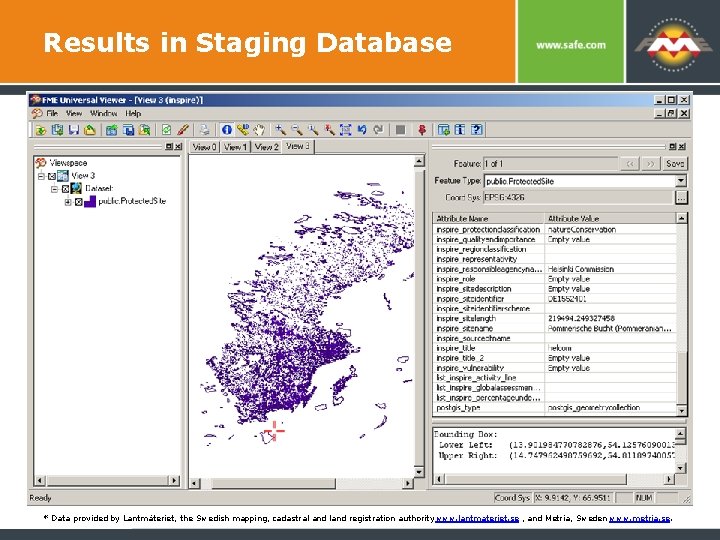
Results in Staging Database * Data provided by Lantmäteriet, the Swedish mapping, cadastral and land registration authority www. lantmateriet. se , and Metria, Sweden www. metria. se.
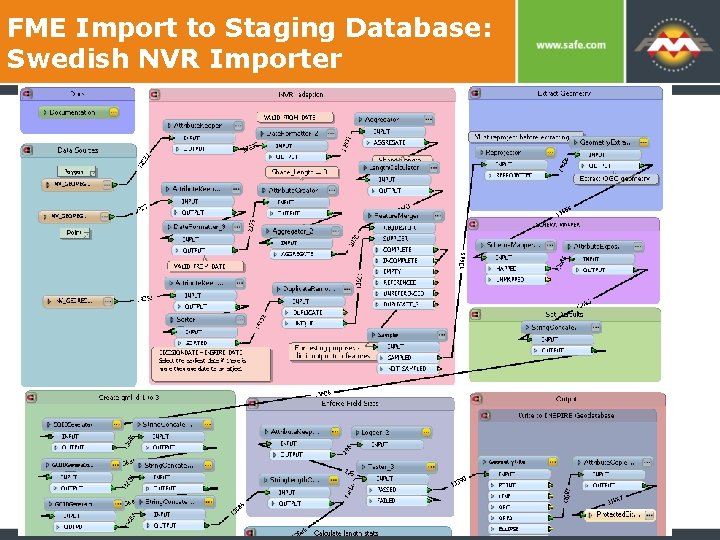
FME Import to Staging Database: Swedish NVR Importer
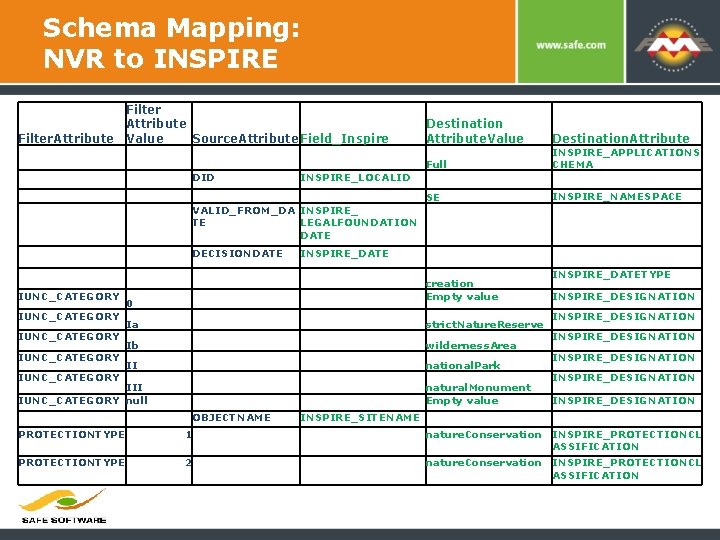
Schema Mapping: NVR to INSPIRE Filter Attribute Filter. Attribute Value Source. Attribute. Field_Inspire DID INSPIRE_LOCALID VALID_FROM_DA INSPIRE_ TE LEGALFOUNDATION DATE DECISIONDATE IUNC_CATEGORY IUNC_CATEGORY Destination Attribute. Value Full INSPIRE_APPLICATIONS CHEMA SE INSPIRE_NAMESPACE INSPIRE_DATE creation Empty value 0 Ia strict. Nature. Reserve Ib wilderness. Area II national. Park III IUNC_CATEGORY null natural. Monument Empty value OBJECTNAME Destination. Attribute INSPIRE_DATETYPE INSPIRE_DESIGNATION INSPIRE_DESIGNATION INSPIRE_SITENAME PROTECTIONTYPE 1 nature. Conservation INSPIRE_PROTECTIONCL ASSIFICATION PROTECTIONTYPE 2 nature. Conservation INSPIRE_PROTECTIONCL ASSIFICATION
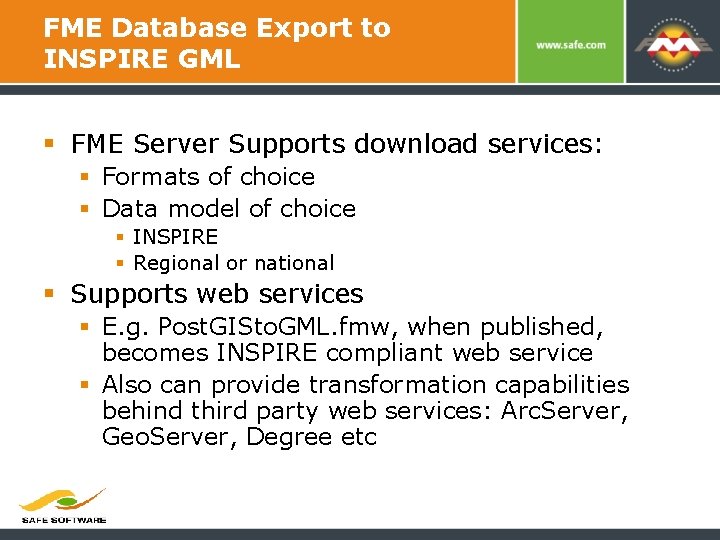
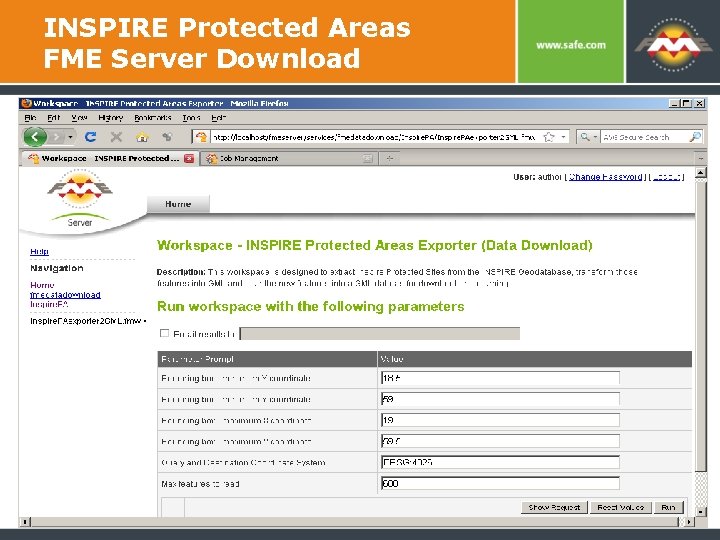
FME Database Export to INSPIRE GML § FME Server Supports download services: § Formats of choice § Data model of choice § INSPIRE § Regional or national § Supports web services § E. g. Post. GISto. GML. fmw, when published, becomes INSPIRE compliant web service § Also can provide transformation capabilities behind third party web services: Arc. Server, Geo. Server, Degree etc
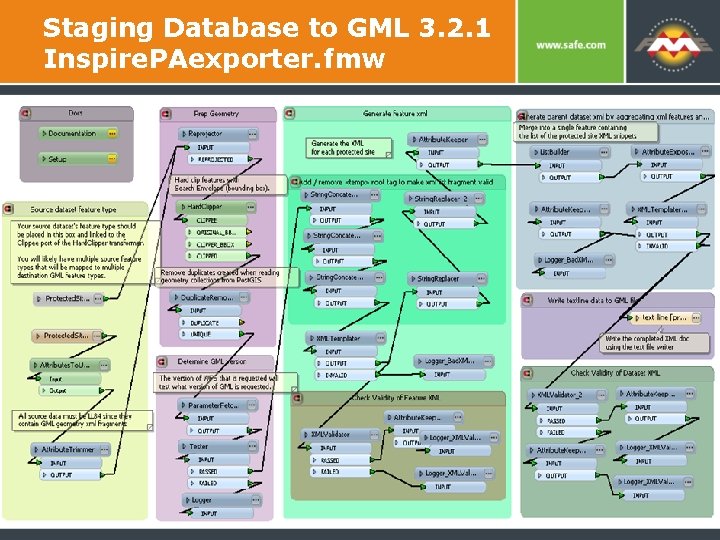
Staging Database to GML 3. 2. 1 Inspire. PAexporter. fmw
Swedish Protected Areas Update § Swedish Environmental Protection Agency § Production system for version 1. 0 of the down load services following on the successful pilot with Safe last year. § Metria hosts the protected sites view services. § Metria performed schema mapping for five protected sites source datasets to INSPIRE.
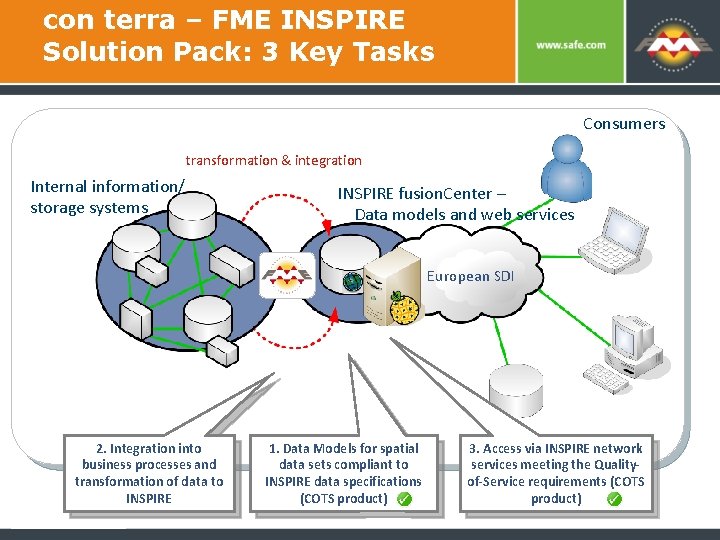
con terra – FME INSPIRE Solution Pack: 3 Key Tasks Consumers transformation & integration Internal information/ storage systems INSPIRE fusion. Center – Data models and web services European SDI 2. Integration into business processes and transformation of data to INSPIRE 1. Data Models for spatial data sets compliant to INSPIRE data specifications (COTS product) 3. Access via INSPIRE network services meeting the Qualityof-Service requirements (COTS product)
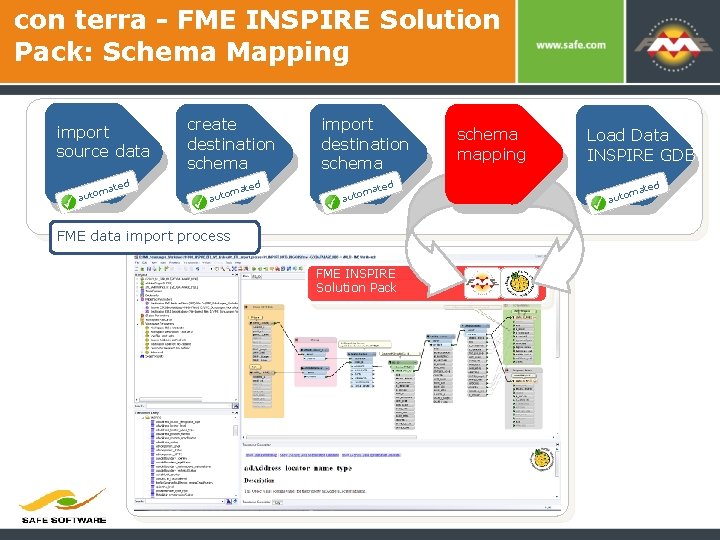
con terra - FME INSPIRE Solution Pack: Schema Mapping create import ETL Workflow description destination source data m auto ated schema ed mat auto schema mapping ed mat auto Load Data INSPIRE GDB ed mat auto FME data import process FME INSPIRE Solution Pack automated
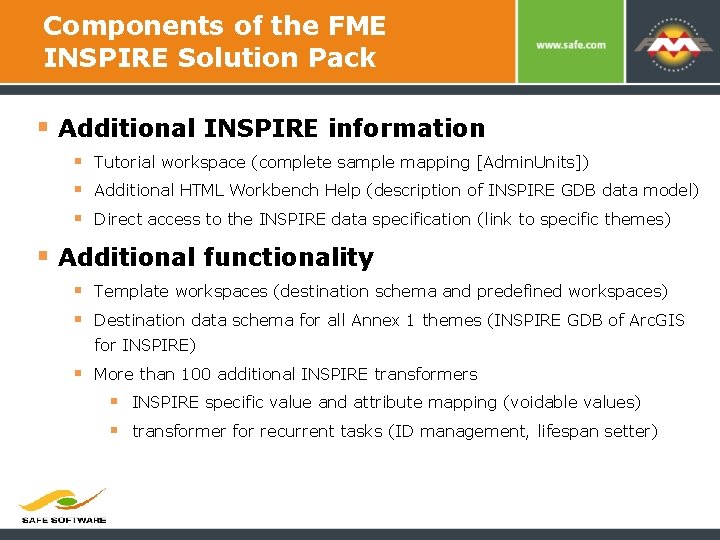
Components of the FME INSPIRE Solution Pack § Additional INSPIRE information § Tutorial workspace (complete sample mapping [Admin. Units]) § Additional HTML Workbench Help (description of INSPIRE GDB data model) § Direct access to the INSPIRE data specification (link to specific themes) § Additional functionality § Template workspaces (destination schema and predefined workspaces) § Destination data schema for all Annex 1 themes (INSPIRE GDB of Arc. GIS for INSPIRE) § More than 100 additional INSPIRE transformers § INSPIRE specific value and attribute mapping (voidable values) § transformer for recurrent tasks (ID management, lifespan setter)
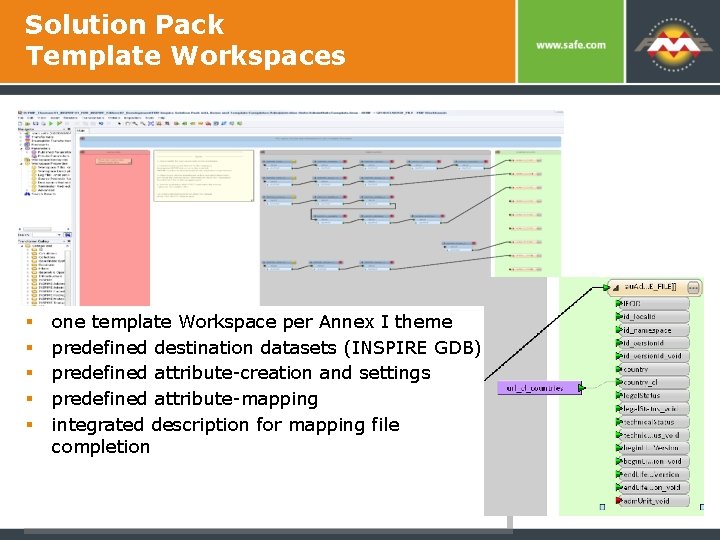
Solution Pack Template Workspaces § § § one template Workspace per Annex I theme predefined destination datasets (INSPIRE GDB) predefined attribute-creation and settings predefined attribute-mapping integrated description for mapping file completion
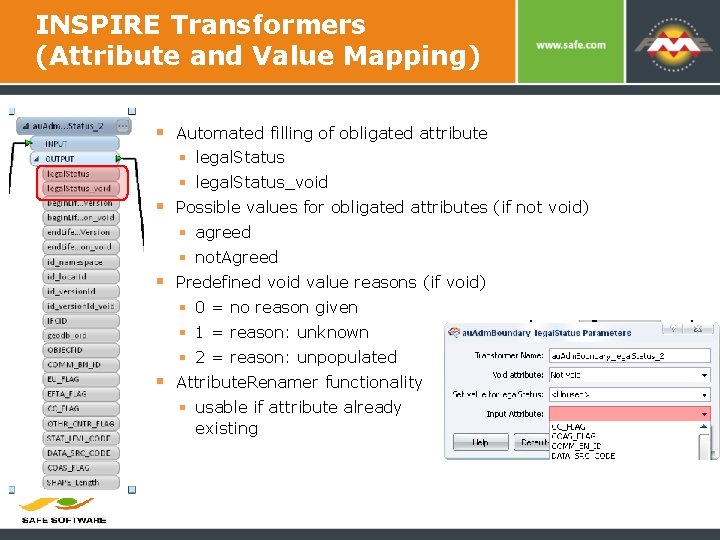
INSPIRE Transformers (Attribute and Value Mapping) § Automated filling of obligated attribute § legal. Status_void § Possible values for obligated attributes (if not void) § agreed § not. Agreed § Predefined void value reasons (if void) § 0 = no reason given § 1 = reason: unknown § 2 = reason: unpopulated § Attribute. Renamer functionality § usable if attribute already existing
con terra – FME INSPIRE Solution Pack Highlights § Simplify data transformation and schema mapping for Arc. GIS for INSPIRE § Predefined FME Workbench templates help jump start the data migration and harmonisation process § Connect your existing databases to the standardized ESRI INSPIRE Geodatabase § Automate data load and update processes § Quality assurance and metadata § Publish once and use many times
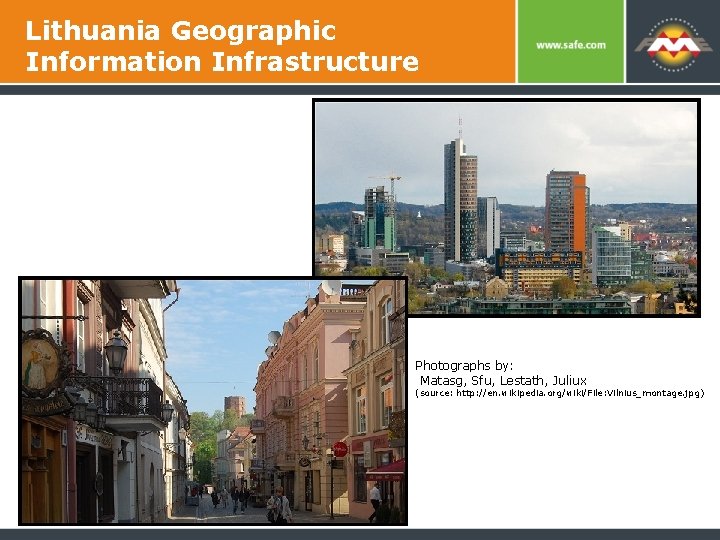
Lithuania Geographic Information Infrastructure Photographs by: Matasg, Sfu, Lestath, Juliux (source: http: //en. wikipedia. org/wiki/File: Vilnius_montage. jpg)
LGII Geoportal Central System Components § con terra’s SDI Suite § Content and user management § E-Commerce and accounting § Reporting § Arc. GIS Server § Wx. S services (WMS, WFS, WCS) § Catalog services (CAT) § Metadata harvesting (CSW, WAF) § Spatial data editing, redlining functionality § FME Server § Data conversion for download § Transformation between data schemes, data models and formats
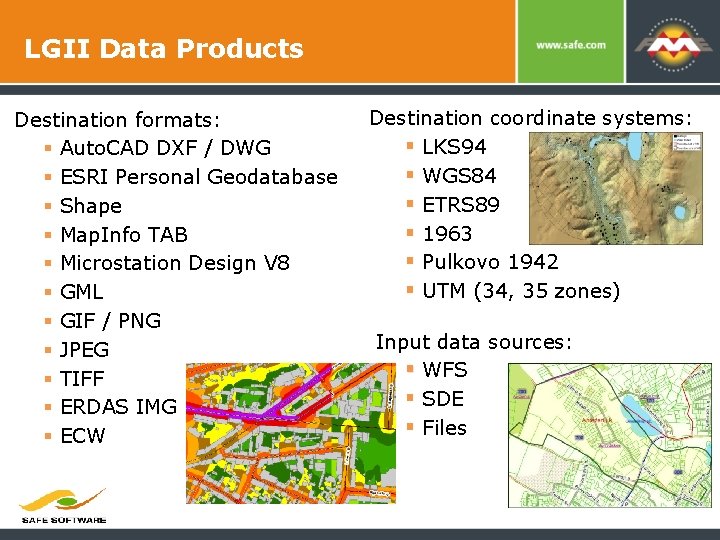
LGII Data Products Destination formats: § Auto. CAD DXF / DWG § ESRI Personal Geodatabase § Shape § Map. Info TAB § Microstation Design V 8 § GML § GIF / PNG § JPEG § TIFF § ERDAS IMG § ECW Destination coordinate systems: § LKS 94 § WGS 84 § ETRS 89 § 1963 § Pulkovo 1942 § UTM (34, 35 zones) Input data sources: § WFS § SDE § Files
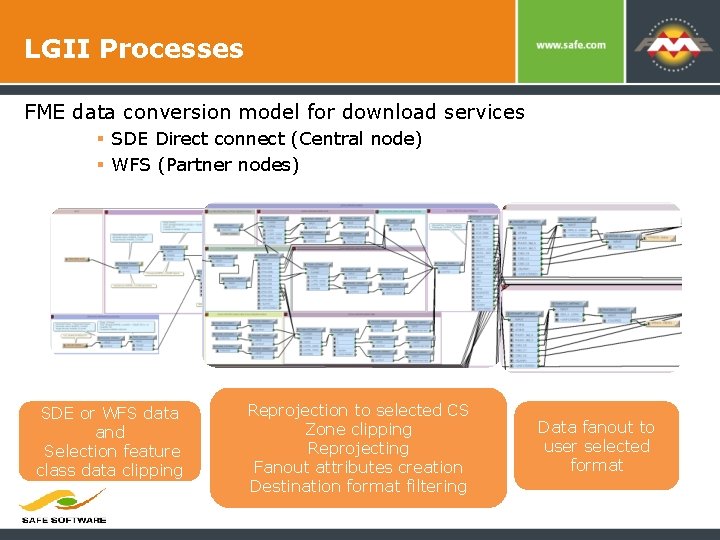
LGII Processes FME data conversion model for download services § SDE Direct connect (Central node) § WFS (Partner nodes) SDE or WFS data and Selection feature class data clipping Reprojection to selected CS Zone clipping Reprojecting Fanout attributes creation Destination format filtering Data fanout to user selected format
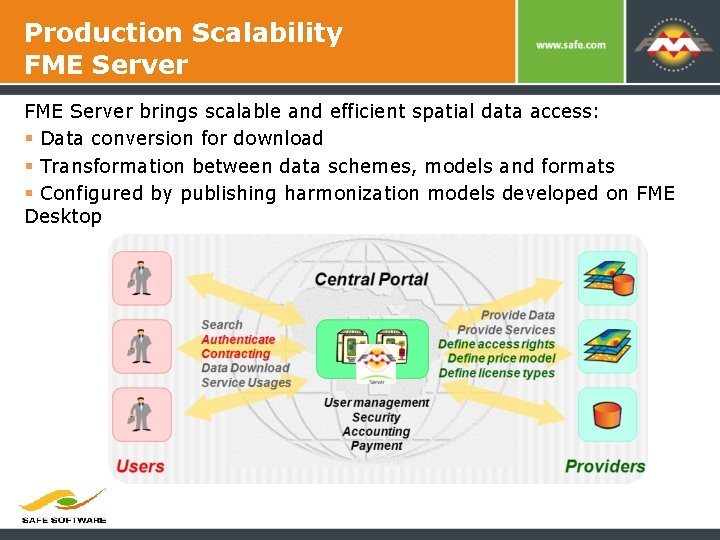
Production Scalability FME Server brings scalable and efficient spatial data access: § Data conversion for download § Transformation between data schemes, models and formats § Configured by publishing harmonization models developed on FME Desktop
LGII Summary § Solution combines FME, Arc. GIS and con terra tools § Conversion rules critical for harmonisation process § Centralized workflow and common data model simplified source to destination mapping § FME Server supports sharing for LGII partners, business, education and research institutions, NGOs § SDI provides real value with broader access to seamless data via a common INSPIRE schema
Recent Metria Projects in Sweden § Geological Survey of Sweden § Full scale transformation of their Geology and Mineral Resources datasets. § Creating FME Server routines for schema transformation with Geo. Server as the service provider. § Swedish Transportation Administration § FME Server provides data model transformation and QC to translate 2. 5 million road links into INSPIRE compliant data
Other INSPIRE Examples § Technical University Of Munich § XMI mapping of UML schema transformation rules § Maps between AAA and INSPIRE data models § Uses FME to perform schema mapping based on XMI § Croatian NSDI: Geoportal § § By State Geodetic Administration (SGA) Central register of base map, ortho, spatial units, cadastre Database of geodetic control points FME used primarily in data migration and updates § Nature SDI: Datasiel, Liguria Region, Italy § FME used for data harmonization and loading a staging database § Generates INSPIRE compliant protected sites GML for publication via WFS
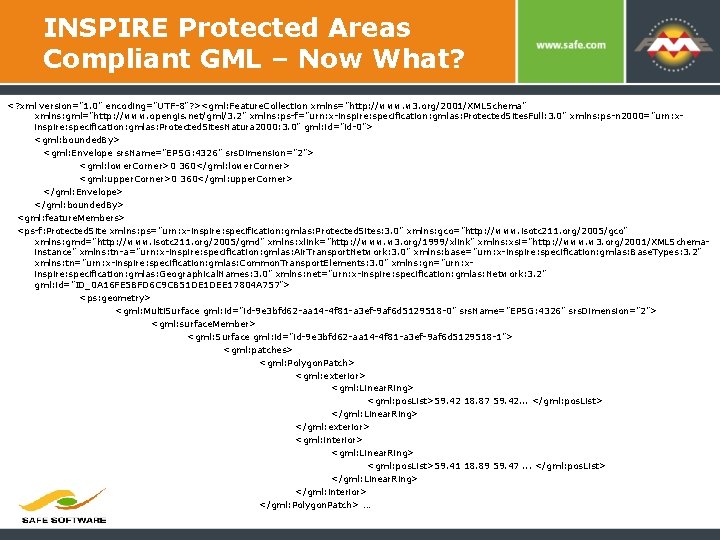
INSPIRE Protected Areas Compliant GML – Now What? <? xml version="1. 0" encoding="UTF-8"? ><gml: Feature. Collection xmlns="http: //www. w 3. org/2001/XMLSchema" xmlns: gml="http: //www. opengis. net/gml/3. 2" xmlns: ps-f="urn: x-inspire: specification: gmlas: Protected. Sites. Full: 3. 0" xmlns: ps-n 2000="urn: xinspire: specification: gmlas: Protected. Sites. Natura 2000: 3. 0" gml: id="id-0"> <gml: bounded. By> <gml: Envelope srs. Name="EPSG: 4326" srs. Dimension="2"> <gml: lower. Corner>0 360</gml: lower. Corner> <gml: upper. Corner>0 360</gml: upper. Corner> </gml: Envelope> </gml: bounded. By> <gml: feature. Members> <ps-f: Protected. Site xmlns: ps="urn: x-inspire: specification: gmlas: Protected. Sites: 3. 0" xmlns: gco="http: //www. isotc 211. org/2005/gco" xmlns: gmd="http: //www. isotc 211. org/2005/gmd" xmlns: xlink="http: //www. w 3. org/1999/xlink" xmlns: xsi="http: //www. w 3. org/2001/XMLSchemainstance" xmlns: tn-a="urn: x-inspire: specification: gmlas: Air. Transport. Network: 3. 0" xmlns: base="urn: x-inspire: specification: gmlas: Base. Types: 3. 2" xmlns: tn="urn: x-inspire: specification: gmlas: Common. Transport. Elements: 3. 0" xmlns: gn="urn: xinspire: specification: gmlas: Geographical. Names: 3. 0" xmlns: net="urn: x-inspire: specification: gmlas: Network: 3. 2" gml: id="ID_0 A 16 FE 5 BFD 6 C 9 CB 51 DE 1 DEE 17804 A 757"> <ps: geometry> <gml: Multi. Surface gml: id="id-9 e 3 bfd 62 -aa 14 -4 f 81 -a 3 ef-9 af 6 d 5129518 -0" srs. Name="EPSG: 4326" srs. Dimension="2"> <gml: surface. Member> <gml: Surface gml: id="id-9 e 3 bfd 62 -aa 14 -4 f 81 -a 3 ef-9 af 6 d 5129518 -1"> <gml: patches> <gml: Polygon. Patch> <gml: exterior> <gml: Linear. Ring> <gml: pos. List>59. 42 18. 87 59. 42. . . </gml: pos. List> </gml: Linear. Ring> </gml: exterior> <gml: interior> <gml: Linear. Ring> <gml: pos. List>59. 41 18. 89 59. 47. . . </gml: pos. List> </gml: Linear. Ring> </gml: interior> </gml: Polygon. Patch> …
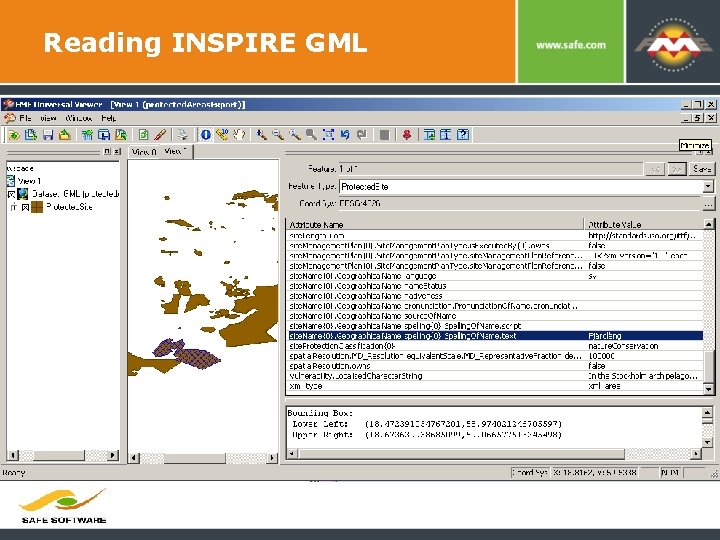
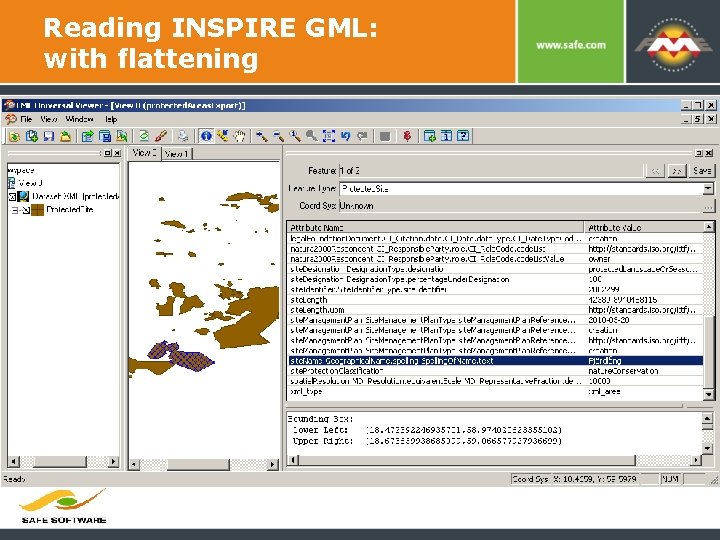
Now What? “How is anyone going to use INSPIRE? ” § One answer: FME! § FME allows you to consume INSPIRE compliant GML as well as create it. § Why not build value on the web services every one else is investing in? § Extract and flatten complex INSPIRE structures for use within your own custom internal applications
INSPIRE Protected Areas FME Server Download
Reading INSPIRE GML
Reading INSPIRE GML: with flattening
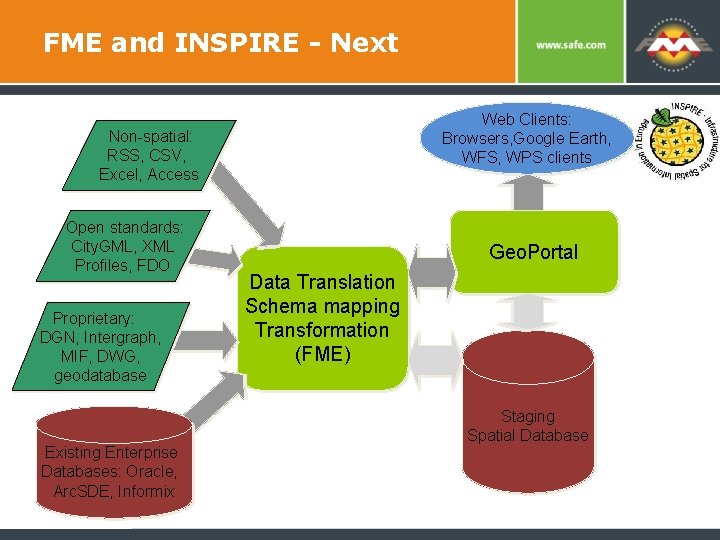
FME and INSPIRE - Next Web Clients: Browsers, Google Earth, WFS, WPS clients Non-spatial: RSS, CSV, Excel, Access Open standards: City. GML, XML Profiles, FDO Proprietary: DGN, Intergraph, MIF, DWG, geodatabase Existing Enterprise Databases: Oracle, Arc. SDE, Informix Geo. Portal Data Translation Schema mapping Transformation (FME) Staging Spatial Database
Opportunity: WPS Transformation Services § Pilot project with Spatial. World of Finland § Deegree provides the WPS § FME Server integrated at the back end as the transformation engine § To publish a new WPS service just author a workspace § Can be as simple as one transformer (Input > Bufferer > Output) § Or anything else you can imagine – the sky is the limit! (chain WPS’s)
Summary: Challenges § Authors need knowledge of complex INSPIRE rules (FME SP for INSPIRE helps here) § Complexities in transformation from object to relational model and back § Different schema approaches: schema mapping table vs interface intensive transformers § Quality of service requirements § FME Server web services demonstrates transformation capability § FME Server can support others geospatial web service tools (Arc. Server, Deegree, Geo. Server) § Modularity is key – FME plugs into your workflow
FME Advantages for INSPIRE § Easier to handle schema mapping – without writing code. § Repeatable, automated workflows save time. § Self-documenting workspaces make collaboration easier.
FME Advantages for INSPIRE § Easily integrates with INSPIRE-compliant services such as: § Leading OGC: Deegree, Map. Server and Geo. Server. § Esri Arc. GIS Server. § Scalability and high performance - accomplish your goals quickly and meet quality of service requirements
FME Advantages for INSPIRE § Diverse data sources are no longer barriers to harmonization: § Unparalleled support for 250+ formats including: § Proprietary, open source, open standard, and more than 12 different types of data such as 3 D, raster and XML. § INSPIRE GML § Support for Unicode § Support for thousands of coordinate systems § Data validation ensures data quality § FME provides a full range of tools for INSPIRE; our partners provide your solutions
Thank You! Questions? For more information: dean. hintz@safe. com Safe Software www. safe. com/inspire
- Slides: 62