
From MATLAB and Simulink to Real Time with

From MATLAB® and Simulink® to Real Time with TI DSPs Vehicle Dynamics Content developed in partnership with Tel-Aviv University © 2007 Texas Instruments Inc, 0 -
Objectives • To implement a simplified differential equation for the motion of a car. • To build and test a Simulink Model. • To run the model in real-time using the ez. DSP F 2812 hardware. © 2007 Texas Instruments Inc, Slide 2
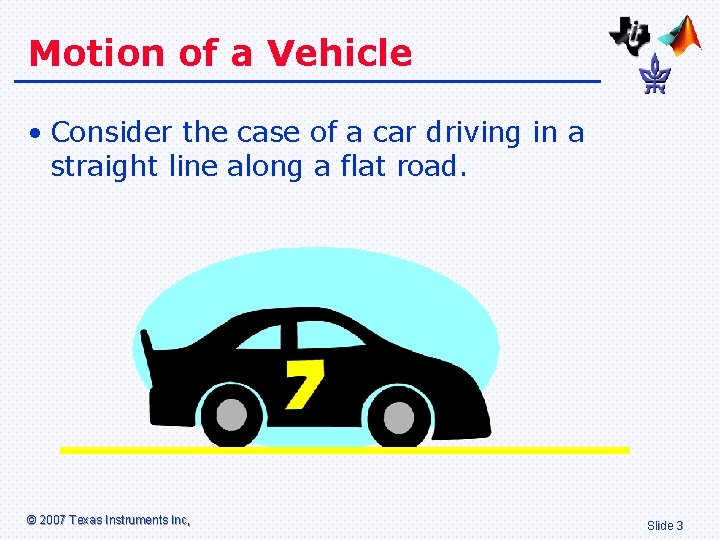
Motion of a Vehicle • Consider the case of a car driving in a straight line along a flat road. © 2007 Texas Instruments Inc, Slide 3
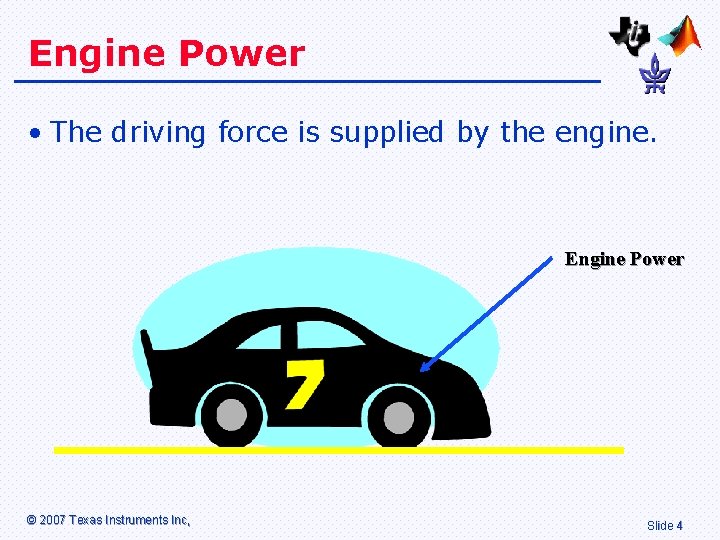
Engine Power • The driving force is supplied by the engine. Engine Power © 2007 Texas Instruments Inc, Slide 4
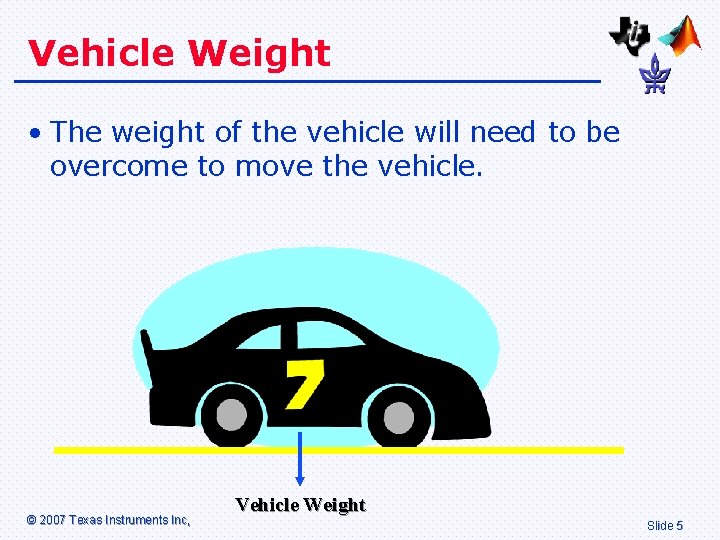
Vehicle Weight • The weight of the vehicle will need to be overcome to move the vehicle. © 2007 Texas Instruments Inc, Vehicle Weight Slide 5
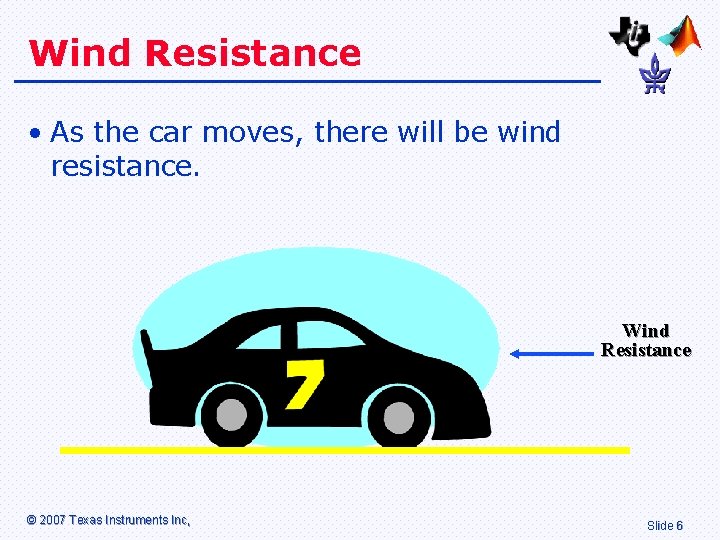
Wind Resistance • As the car moves, there will be wind resistance. Wind Resistance © 2007 Texas Instruments Inc, Slide 6
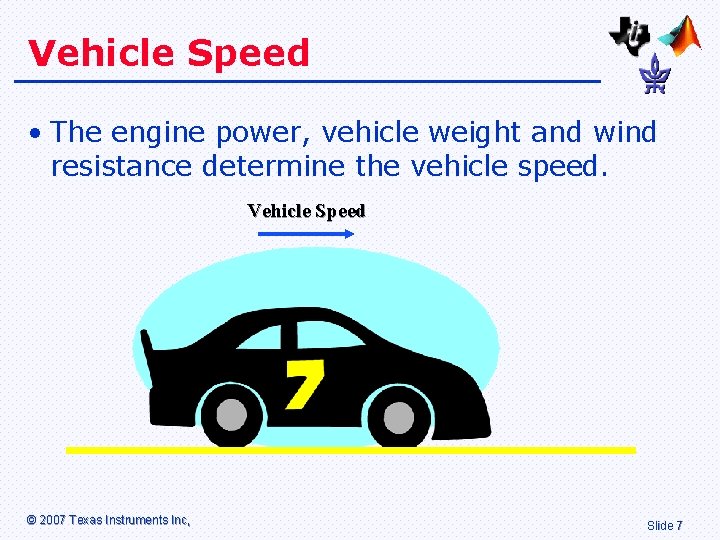
Vehicle Speed • The engine power, vehicle weight and wind resistance determine the vehicle speed. Vehicle Speed © 2007 Texas Instruments Inc, Slide 7
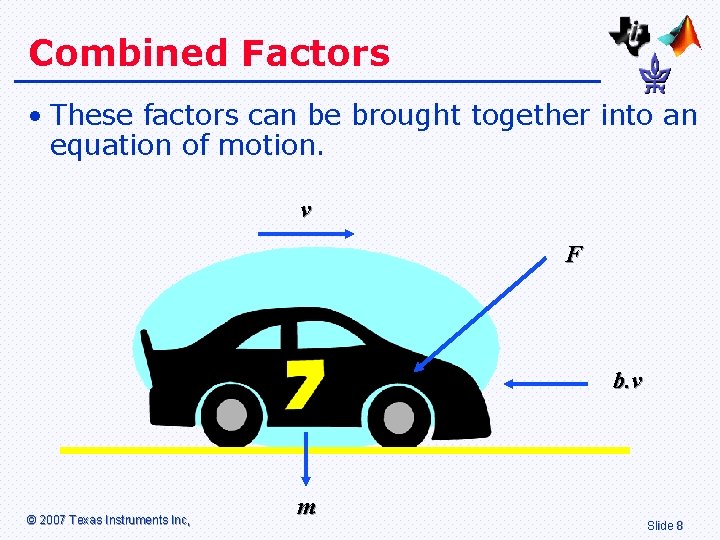
Combined Factors • These factors can be brought together into an equation of motion. v F b. v © 2007 Texas Instruments Inc, m Slide 8
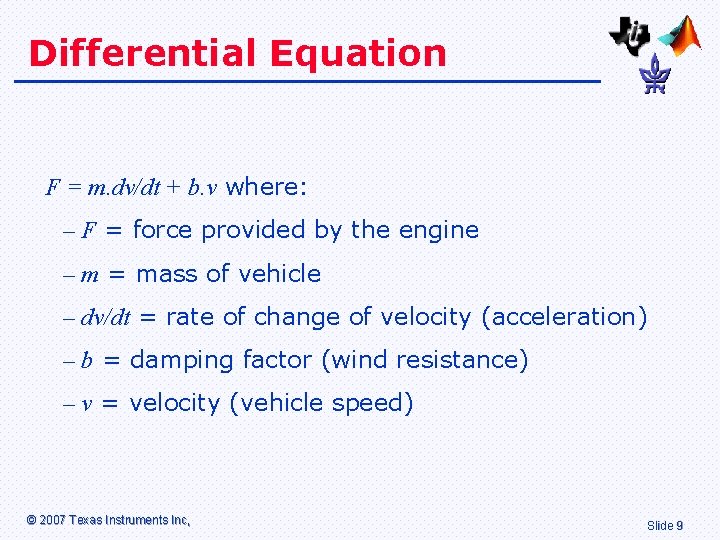
Differential Equation F = m. dv/dt + b. v where: – F = force provided by the engine – m = mass of vehicle – dv/dt = rate of change of velocity (acceleration) – b = damping factor (wind resistance) – v = velocity (vehicle speed) © 2007 Texas Instruments Inc, Slide 9
Transformed Equation • To implement the equation using Simulink, the equation needs to be first transformed. • F/m –v. b/m= dv/dt • We will set up a subsystem with: – Force F as the input. – Speed v as the output. © 2007 Texas Instruments Inc, Slide 10
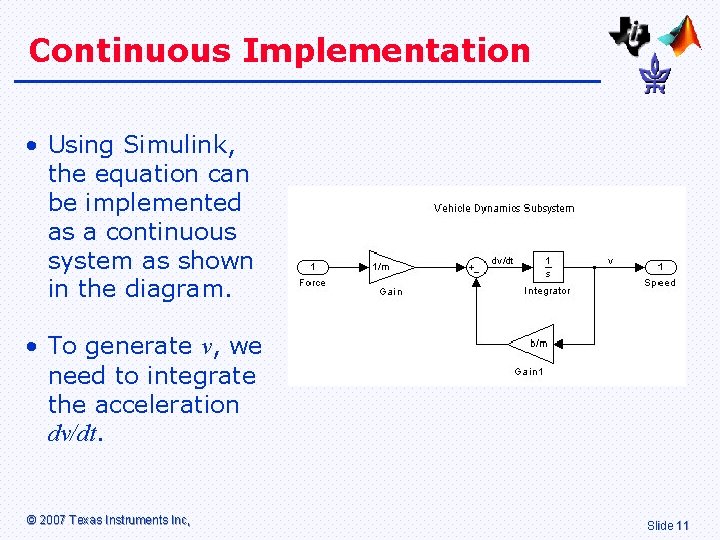
Continuous Implementation • Using Simulink, the equation can be implemented as a continuous system as shown in the diagram. • To generate v, we need to integrate the acceleration dv/dt. © 2007 Texas Instruments Inc, Slide 11
Simulink Model © 2007 Texas Instruments Inc, Slide 12
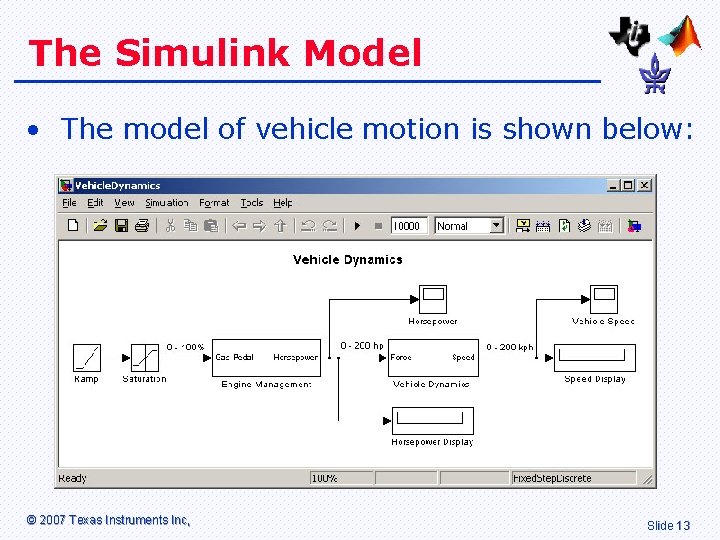
The Simulink Model • The model of vehicle motion is shown below: © 2007 Texas Instruments Inc, Slide 13
Description of Model • The input to the system is the gas pedal, under control of the driver. • The “Engine Management” sub-system converts gas pedal to engine power. • The “Vehicle Dynamics” sub-system converts engine power to vehicle speed. • The output is provided in horsepower. © 2007 Texas Instruments Inc, Slide 14
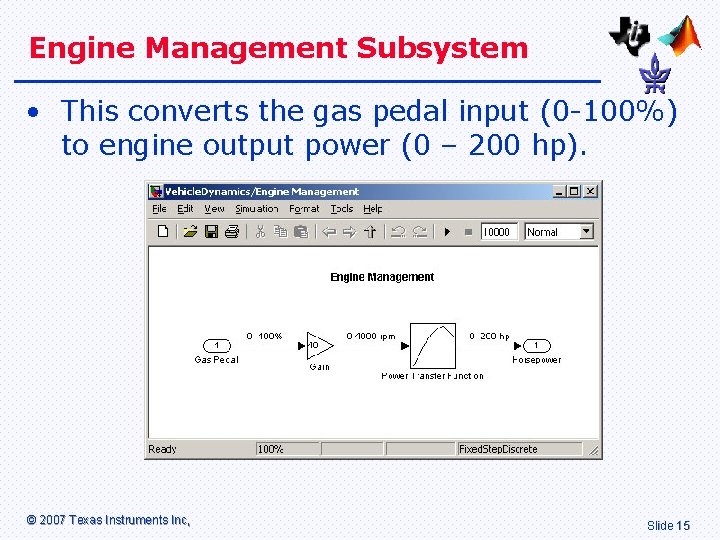
Engine Management Subsystem • This converts the gas pedal input (0 -100%) to engine output power (0 – 200 hp). © 2007 Texas Instruments Inc, Slide 15
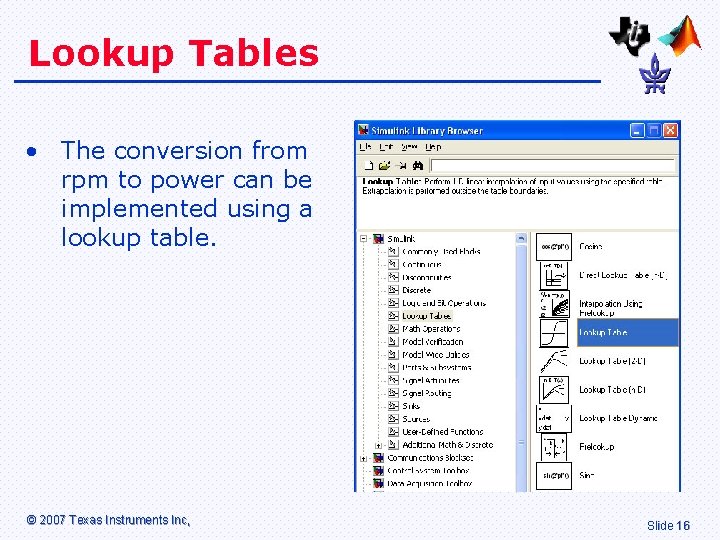
Lookup Tables • The conversion from rpm to power can be implemented using a lookup table. © 2007 Texas Instruments Inc, Slide 16
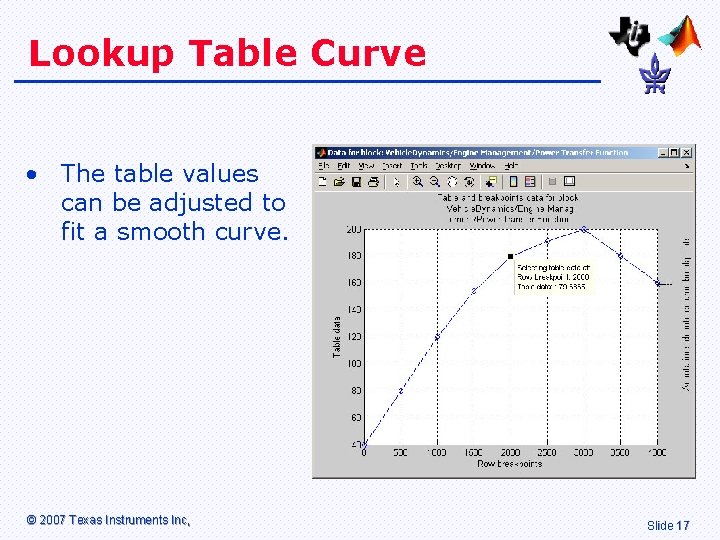
Lookup Table Curve • The table values can be adjusted to fit a smooth curve. © 2007 Texas Instruments Inc, Slide 17
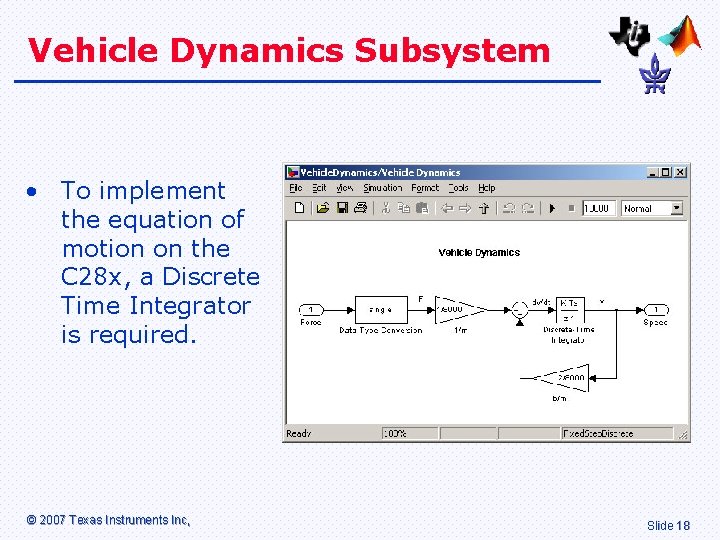
Vehicle Dynamics Subsystem • To implement the equation of motion on the C 28 x, a Discrete Time Integrator is required. © 2007 Texas Instruments Inc, Slide 18
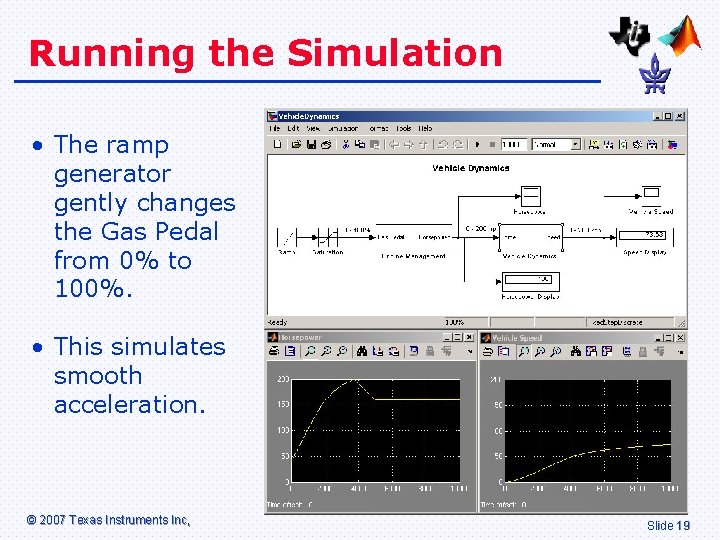
Running the Simulation • The ramp generator gently changes the Gas Pedal from 0% to 100%. • This simulates smooth acceleration. © 2007 Texas Instruments Inc, Slide 19
Tuning the Model • Alter the mass m of the vehicle between 1 ton (for a small compact car) and 35 tons (for a truck). • Increase the wind resistance by increasing variable b. • Using real data from a car manufacturers website for the Lookup Table. You could also profile a diesel engine. • Replace the Ramp input with a Step input to simulate stamping on the gas pedal! © 2007 Texas Instruments Inc, Slide 20

Introduction to Laboratory © 2007 Texas Instruments Inc, Slide 21
Overview of Laboratory • The Simulink model will be modified to run on the ez. DSP F 2812 hardware. • A potentiometer will be used to simulate the gas pedal. • The output speed of the system will be monitored using a multi-meter. © 2007 Texas Instruments Inc, Slide 22
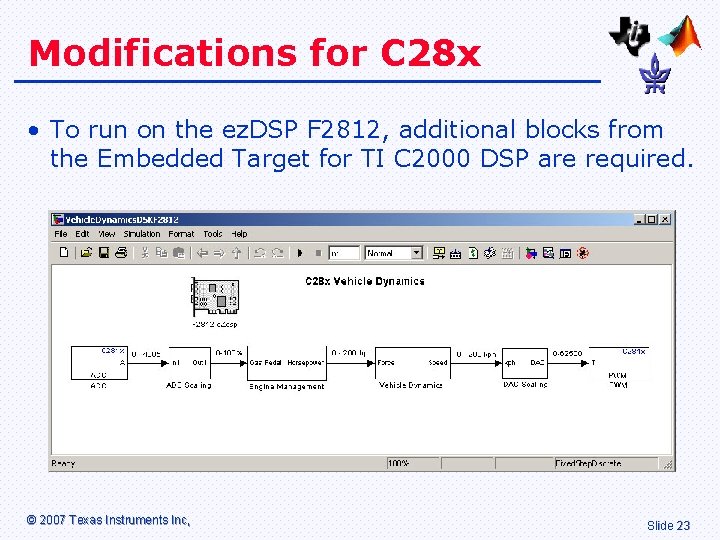
Modifications for C 28 x • To run on the ez. DSP F 2812, additional blocks from the Embedded Target for TI C 2000 DSP are required. © 2007 Texas Instruments Inc, Slide 23
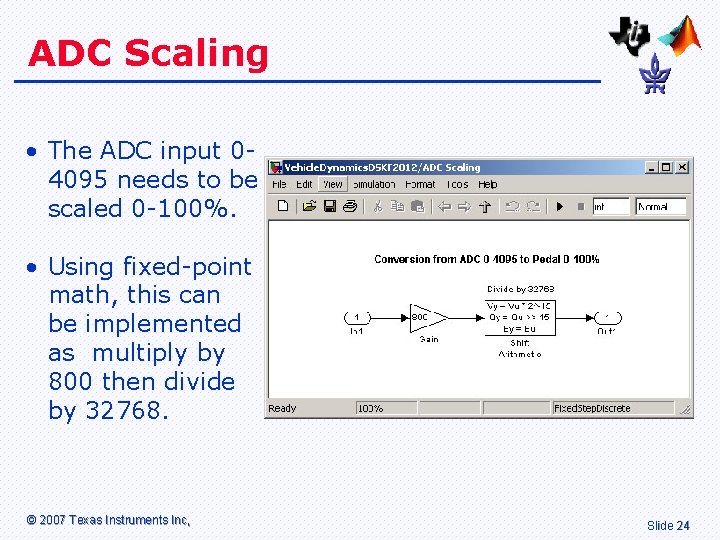
ADC Scaling • The ADC input 04095 needs to be scaled 0 -100%. • Using fixed-point math, this can be implemented as multiply by 800 then divide by 32768. © 2007 Texas Instruments Inc, Slide 24
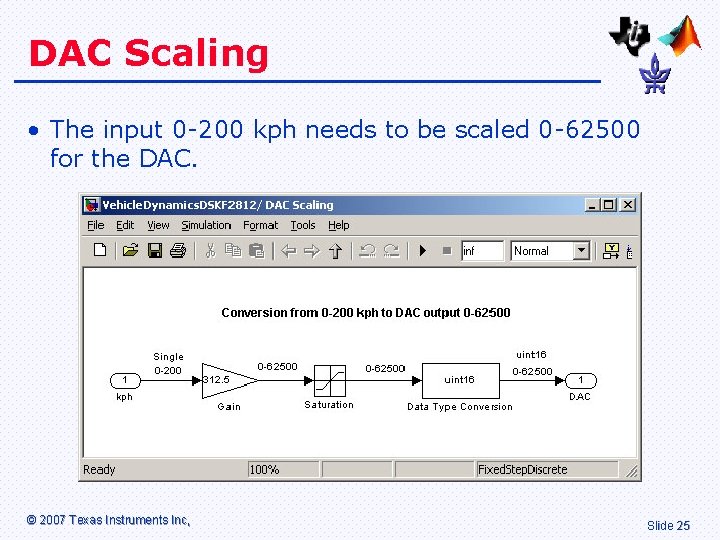
DAC Scaling • The input 0 -200 kph needs to be scaled 0 -62500 for the DAC. © 2007 Texas Instruments Inc, Slide 25
References • ez. DSP F 2812 Technical Reference. © 2007 Texas Instruments Inc, Slide 26
- Slides: 26