
FRED Overview FRED A software tool for modern
- Slides: 38
FRED Overview FRED: A software tool for modern engineering
FRED What is FRED? Introduction • Comprehensive opto-mechanical systems design analysis tool • Stray light analysis (scatter and ghosting) • Coherent beam propagation • Imaging system design and photo-realistic rendering • Virtual prototyping • Opto-mechanical systems debugging (Forensic Optics) • Thermal self-emission analysis • Illumination design • Tolerancing, fabrication and testing • Both sequential and non-sequential raytracing modes • Multi-variable optimization capability
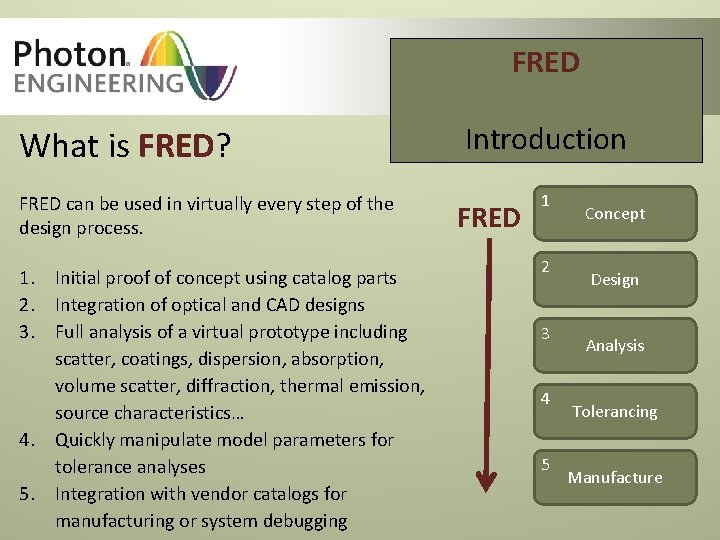
FRED What is FRED? FRED can be used in virtually every step of the design process. 1. Initial proof of concept using catalog parts 2. Integration of optical and CAD designs 3. Full analysis of a virtual prototype including scatter, coatings, dispersion, absorption, volume scatter, diffraction, thermal emission, source characteristics… 4. Quickly manipulate model parameters for tolerance analyses 5. Integration with vendor catalogs for manufacturing or system debugging Introduction FRED 1 2 3 4 5 Concept Design Analysis Tolerancing Manufacture
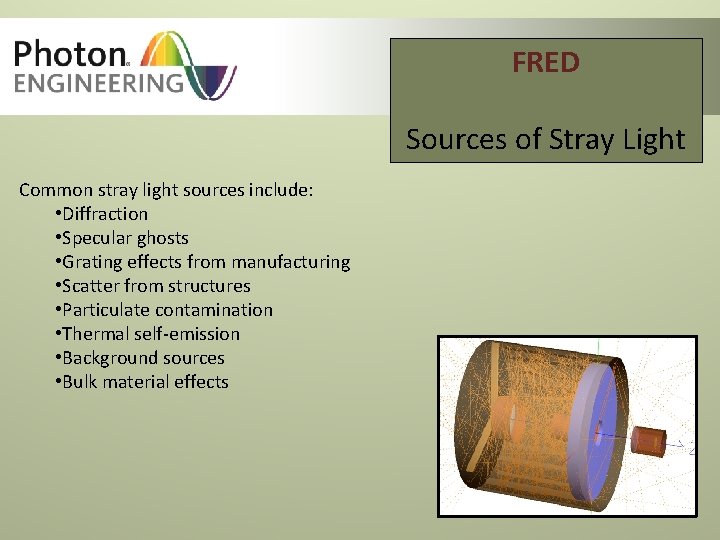
FRED Sources of Stray Light Common stray light sources include: • Diffraction • Specular ghosts • Grating effects from manufacturing • Scatter from structures • Particulate contamination • Thermal self-emission • Background sources • Bulk material effects
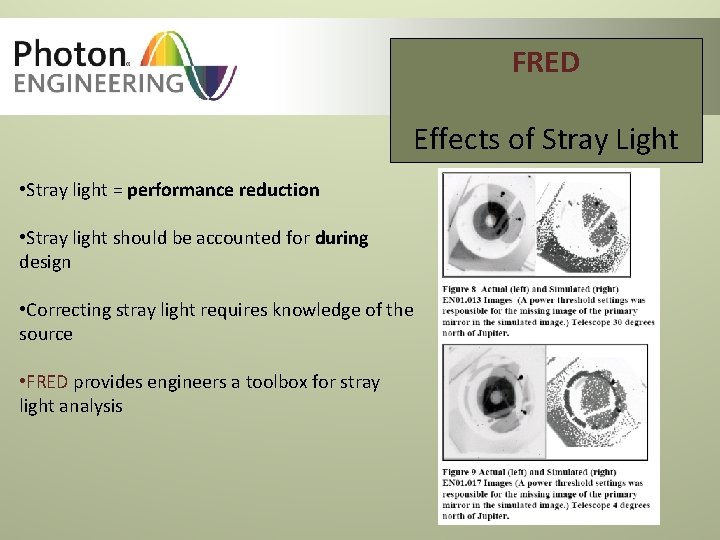
FRED Effects of Stray Light • Stray light = performance reduction • Stray light should be accounted for during design • Correcting stray light requires knowledge of the source • FRED provides engineers a toolbox for stray light analysis
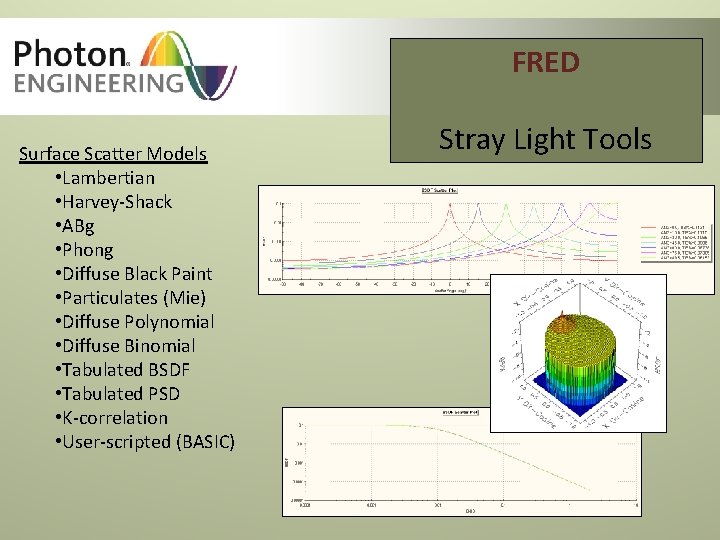
FRED Surface Scatter Models • Lambertian • Harvey-Shack • ABg • Phong • Diffuse Black Paint • Particulates (Mie) • Diffuse Polynomial • Diffuse Binomial • Tabulated BSDF • Tabulated PSD • K-correlation • User-scripted (BASIC) Stray Light Tools
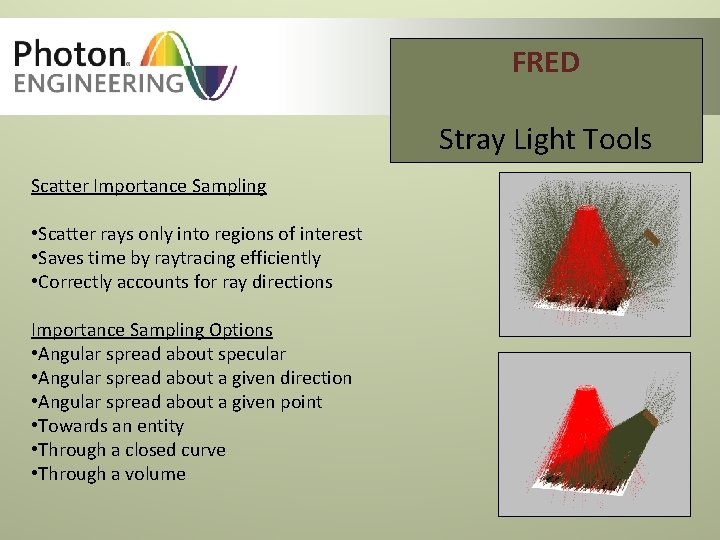
FRED Stray Light Tools Scatter Importance Sampling • Scatter rays only into regions of interest • Saves time by raytracing efficiently • Correctly accounts for ray directions Importance Sampling Options • Angular spread about specular • Angular spread about a given direction • Angular spread about a given point • Towards an entity • Through a closed curve • Through a volume
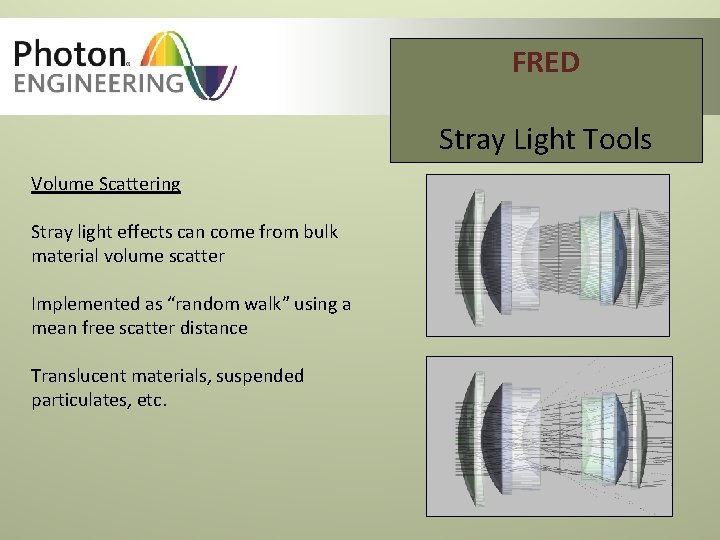
FRED Stray Light Tools Volume Scattering Stray light effects can come from bulk material volume scatter Implemented as “random walk” using a mean free scatter distance Translucent materials, suspended particulates, etc.
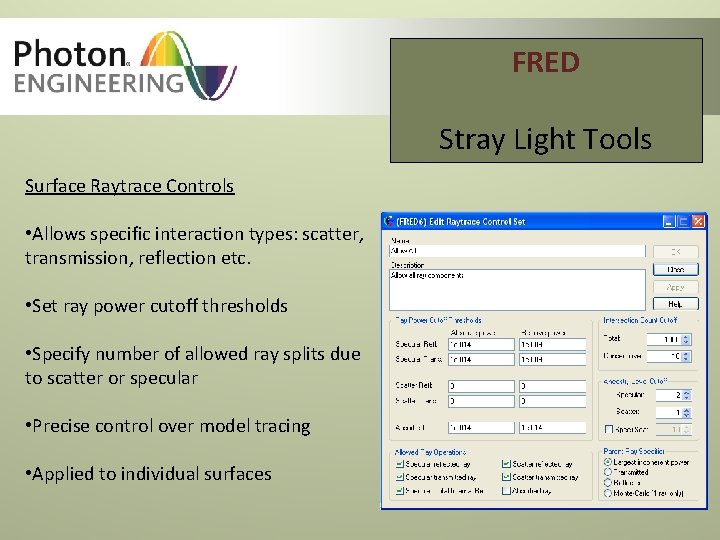
FRED Stray Light Tools Surface Raytrace Controls • Allows specific interaction types: scatter, transmission, reflection etc. • Set ray power cutoff thresholds • Specify number of allowed ray splits due to scatter or specular • Precise control over model tracing • Applied to individual surfaces
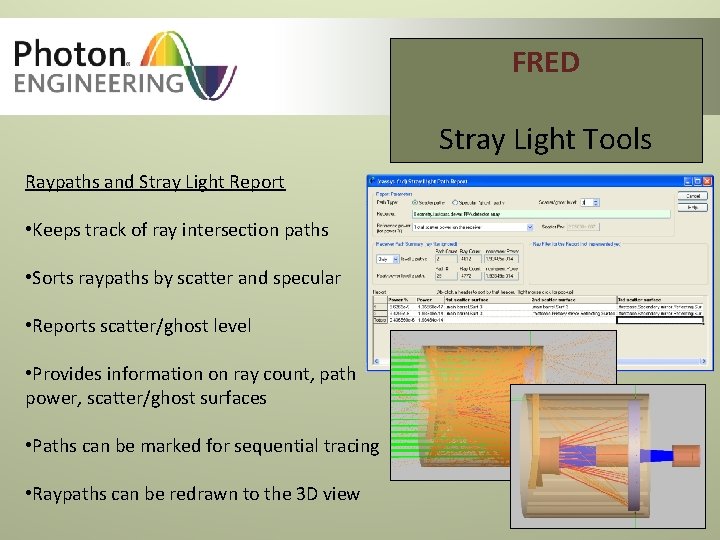
FRED Stray Light Tools Raypaths and Stray Light Report • Keeps track of ray intersection paths • Sorts raypaths by scatter and specular • Reports scatter/ghost level • Provides information on ray count, path power, scatter/ghost surfaces • Paths can be marked for sequential tracing • Raypaths can be redrawn to the 3 D view
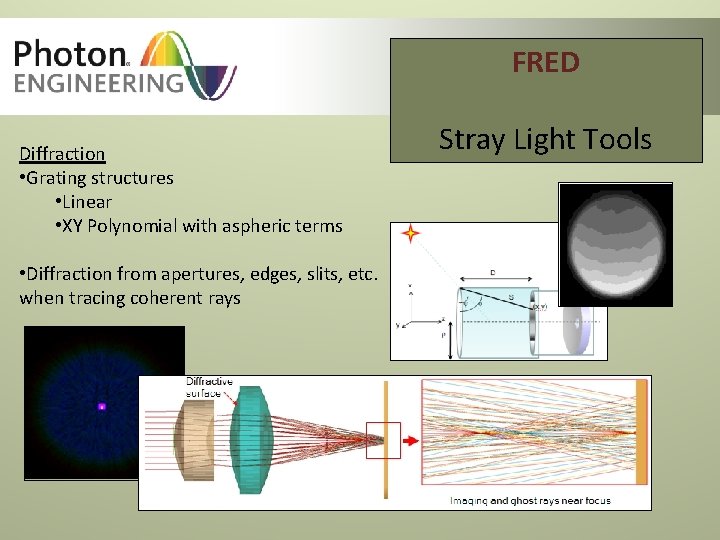
FRED Diffraction • Grating structures • Linear • XY Polynomial with aspheric terms • Diffraction from apertures, edges, slits, etc. when tracing coherent rays Stray Light Tools
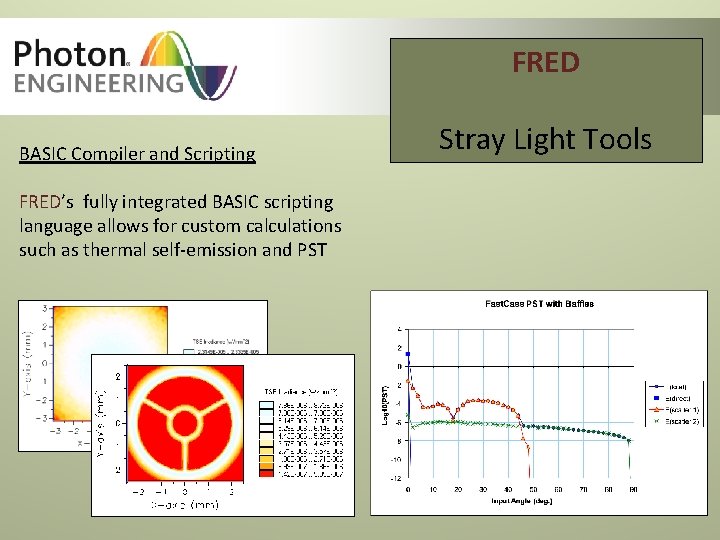
FRED BASIC Compiler and Scripting FRED’s fully integrated BASIC scripting language allows for custom calculations such as thermal self-emission and PST Stray Light Tools
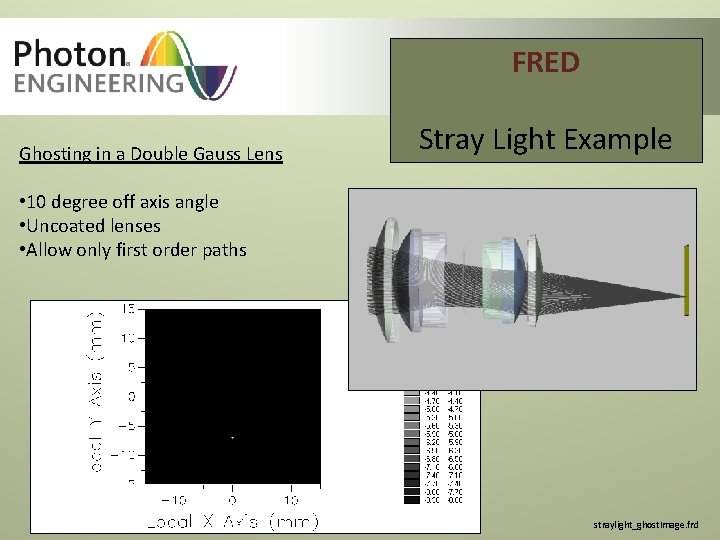
FRED Ghosting in a Double Gauss Lens Stray Light Example • 10 degree off axis angle • Uncoated lenses • Allow only first order paths straylight_ghost. Image. frd
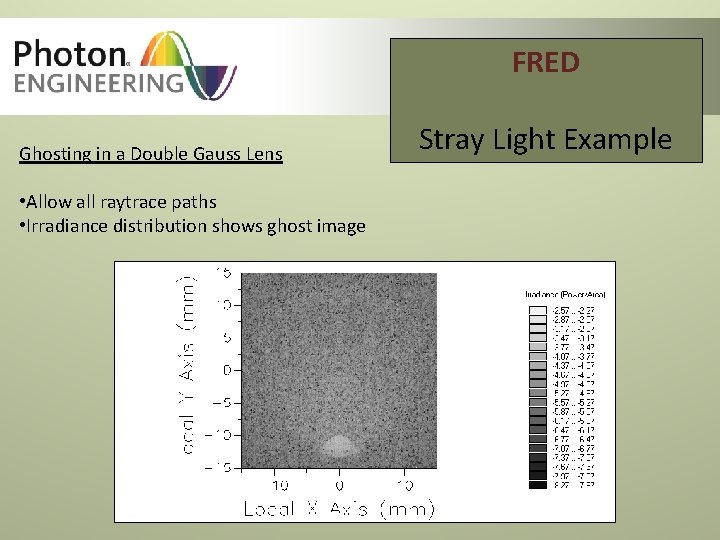
FRED Ghosting in a Double Gauss Lens • Allow all raytrace paths • Irradiance distribution shows ghost image Stray Light Example
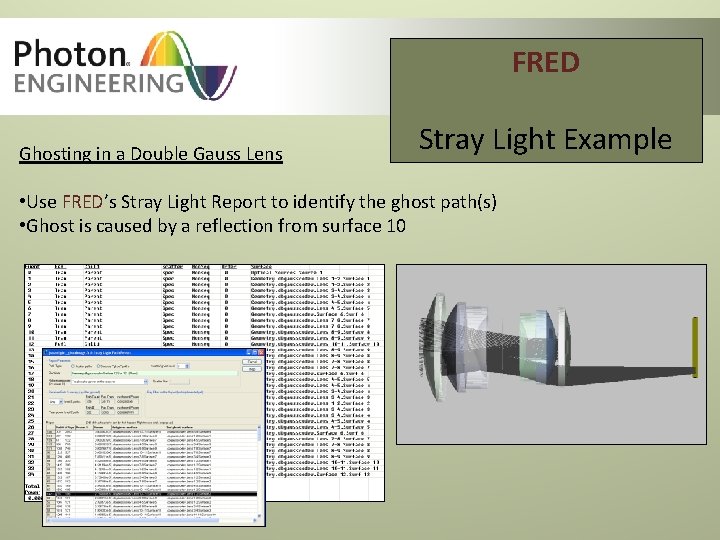
FRED Ghosting in a Double Gauss Lens Stray Light Example • Use FRED’s Stray Light Report to identify the ghost path(s) • Ghost is caused by a reflection from surface 10
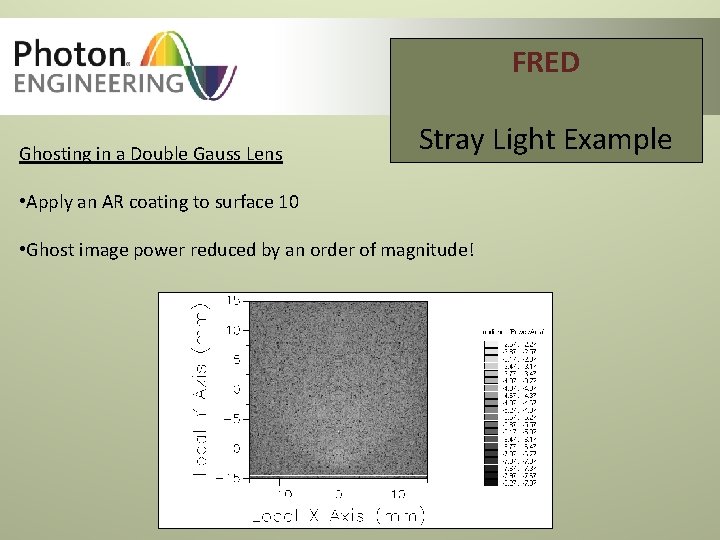
FRED Ghosting in a Double Gauss Lens Stray Light Example • Apply an AR coating to surface 10 • Ghost image power reduced by an order of magnitude!
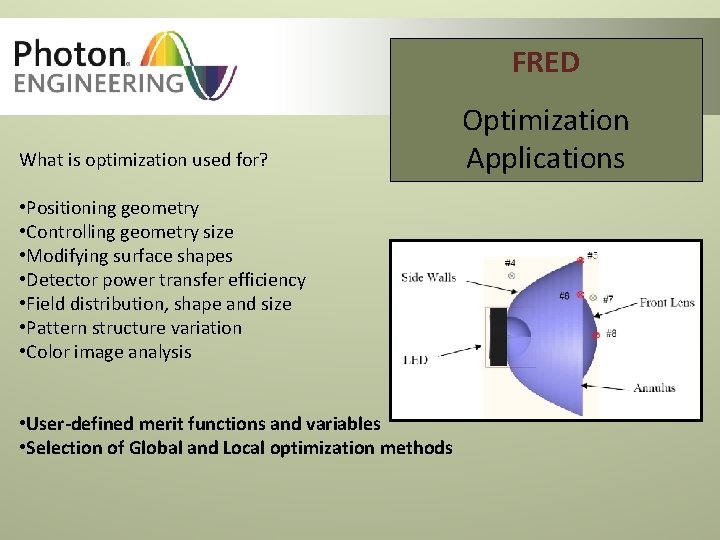
FRED What is optimization used for? • Positioning geometry • Controlling geometry size • Modifying surface shapes • Detector power transfer efficiency • Field distribution, shape and size • Pattern structure variation • Color image analysis • User-defined merit functions and variables • Selection of Global and Local optimization methods Optimization Applications
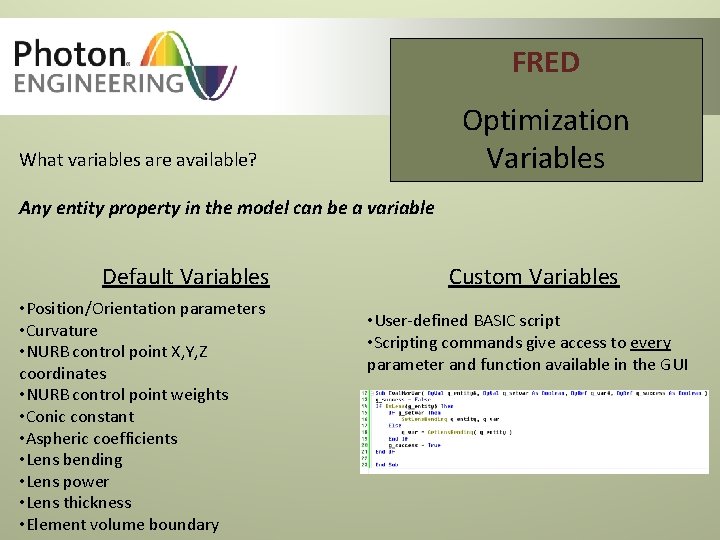
FRED Optimization Variables What variables are available? Any entity property in the model can be a variable Default Variables • Position/Orientation parameters • Curvature • NURB control point X, Y, Z coordinates • NURB control point weights • Conic constant • Aspheric coefficients • Lens bending • Lens power • Lens thickness • Element volume boundary Custom Variables • User-defined BASIC script • Scripting commands give access to every parameter and function available in the GUI
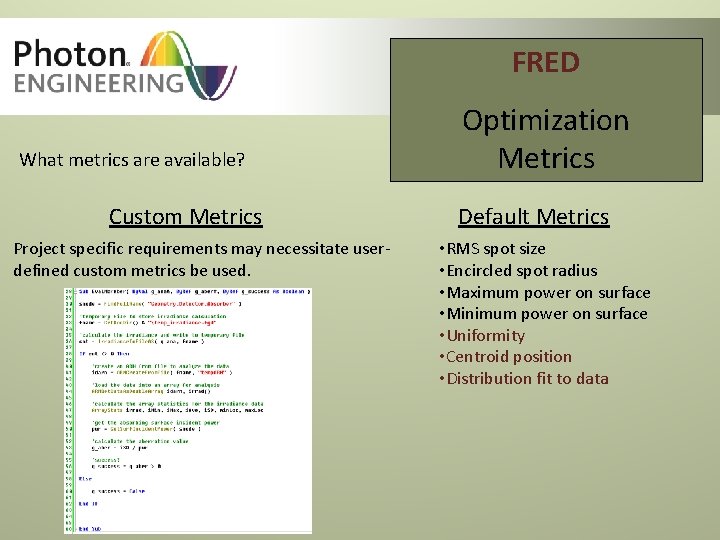
FRED What metrics are available? Custom Metrics Project specific requirements may necessitate userdefined custom metrics be used. Optimization Metrics Default Metrics • RMS spot size • Encircled spot radius • Maximum power on surface • Minimum power on surface • Uniformity • Centroid position • Distribution fit to data
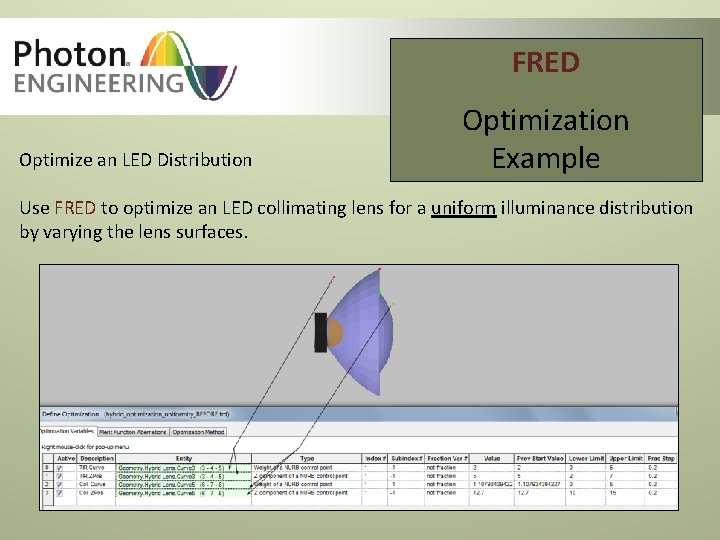
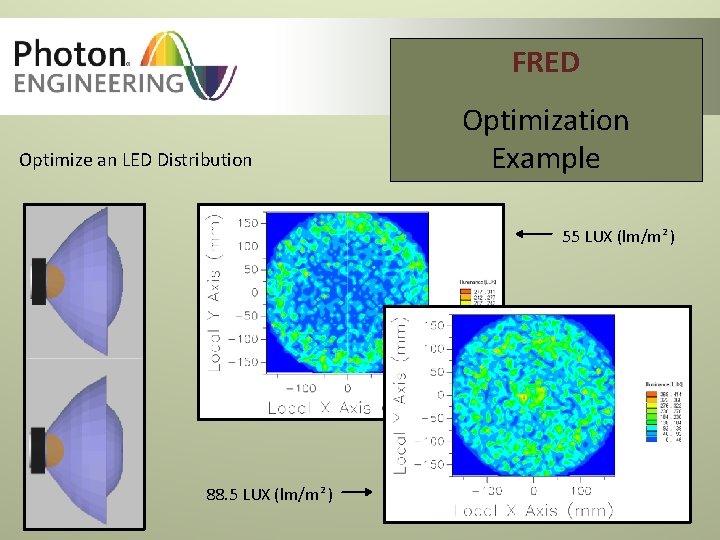
FRED Optimize an LED Distribution Optimization Example Use FRED to optimize an LED collimating lens for a uniform illuminance distribution by varying the lens surfaces.
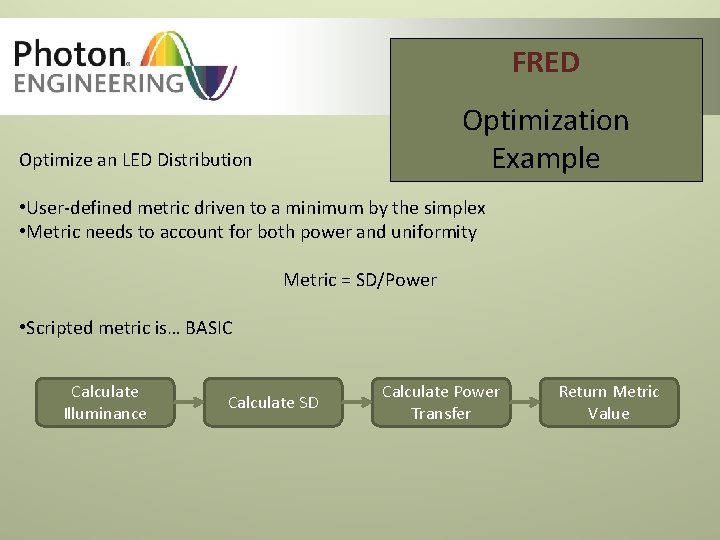
FRED Optimization Example Optimize an LED Distribution • User-defined metric driven to a minimum by the simplex • Metric needs to account for both power and uniformity Metric = SD/Power • Scripted metric is… BASIC Calculate Illuminance Calculate SD Calculate Power Transfer Return Metric Value
FRED Optimize an LED Distribution Optimization Example 55 LUX (lm/m 2 ) 88. 5 LUX (lm/m 2 )
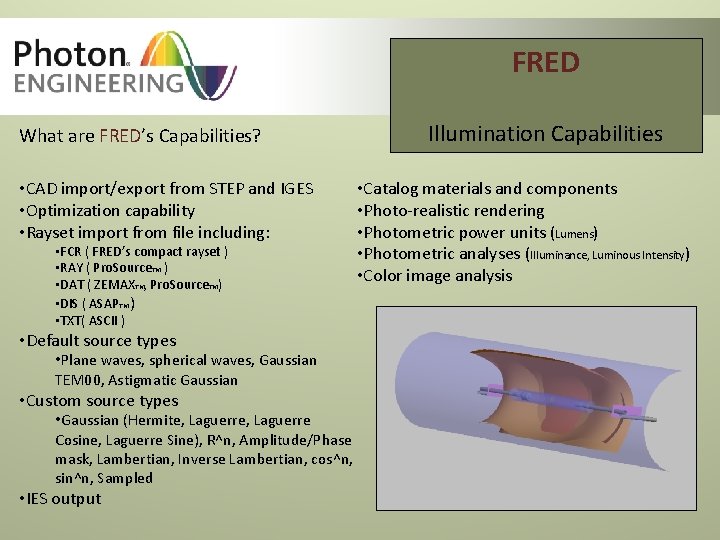
FRED What are FRED’s Capabilities? • CAD import/export from STEP and IGES • Optimization capability • Rayset import from file including: • FCR ( FRED’s compact rayset ) • RAY ( Pro. Source. TM ) • DAT ( ZEMAXTM, Pro. Source. TM) • DIS ( ASAPTM ) • TXT( ASCII ) • Default source types • Plane waves, spherical waves, Gaussian TEM 00, Astigmatic Gaussian • Custom source types • Gaussian (Hermite, Laguerre Cosine, Laguerre Sine), R^n, Amplitude/Phase mask, Lambertian, Inverse Lambertian, cos^n, sin^n, Sampled • IES output Illumination Capabilities • Catalog materials and components • Photo-realistic rendering • Photometric power units (Lumens) • Photometric analyses (Illuminance, Luminous Intensity) • Color image analysis
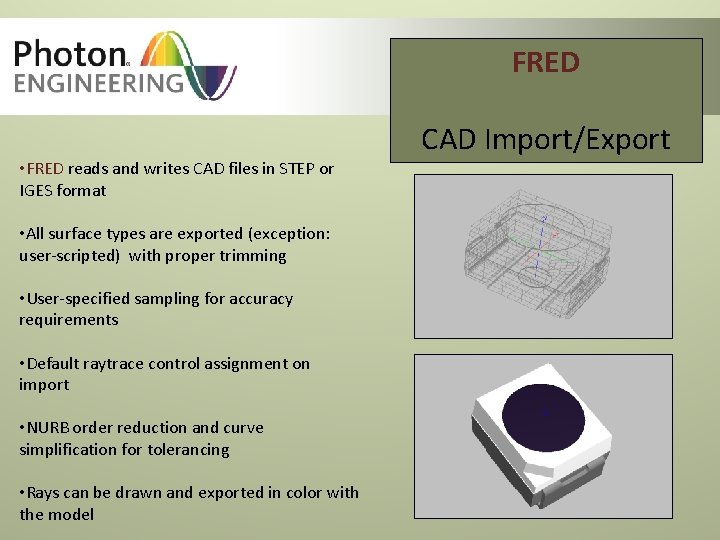
FRED • FRED reads and writes CAD files in STEP or IGES format • All surface types are exported (exception: user-scripted) with proper trimming • User-specified sampling for accuracy requirements • Default raytrace control assignment on import • NURB order reduction and curve simplification for tolerancing • Rays can be drawn and exported in color with the model CAD Import/Export
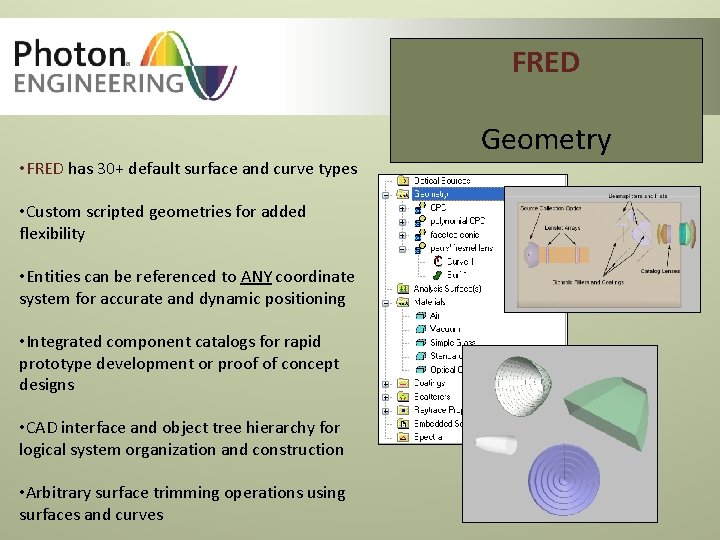
FRED • FRED has 30+ default surface and curve types • Custom scripted geometries for added flexibility • Entities can be referenced to ANY coordinate system for accurate and dynamic positioning • Integrated component catalogs for rapid prototype development or proof of concept designs • CAD interface and object tree hierarchy for logical system organization and construction • Arbitrary surface trimming operations using surfaces and curves Geometry
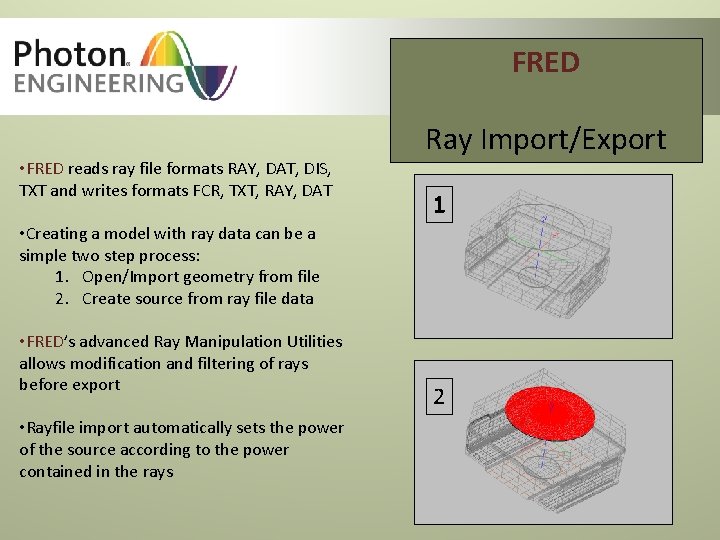
FRED • FRED reads ray file formats RAY, DAT, DIS, TXT and writes formats FCR, TXT, RAY, DAT Ray Import/Export 1 • Creating a model with ray data can be a simple two step process: 1. Open/Import geometry from file 2. Create source from ray file data • FRED’s advanced Ray Manipulation Utilities allows modification and filtering of rays before export • Rayfile import automatically sets the power of the source according to the power contained in the rays 2
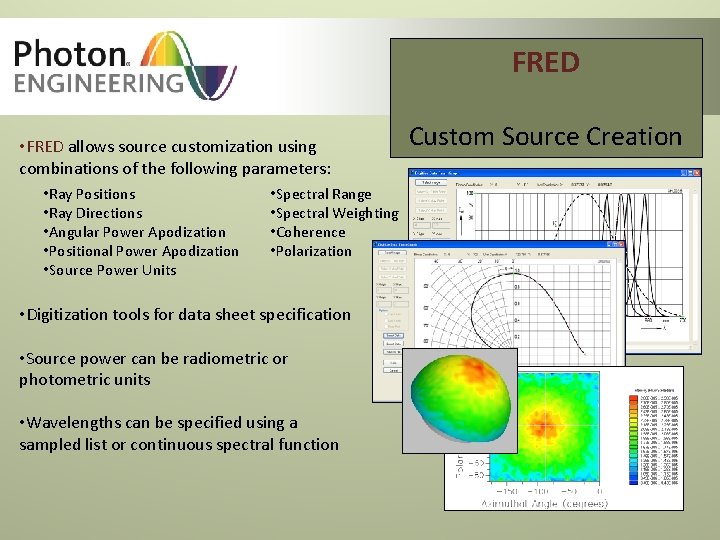
FRED • FRED allows source customization using combinations of the following parameters: • Ray Positions • Ray Directions • Angular Power Apodization • Positional Power Apodization • Source Power Units • Spectral Range • Spectral Weighting • Coherence • Polarization • Digitization tools for data sheet specification • Source power can be radiometric or photometric units • Wavelengths can be specified using a sampled list or continuous spectral function Custom Source Creation
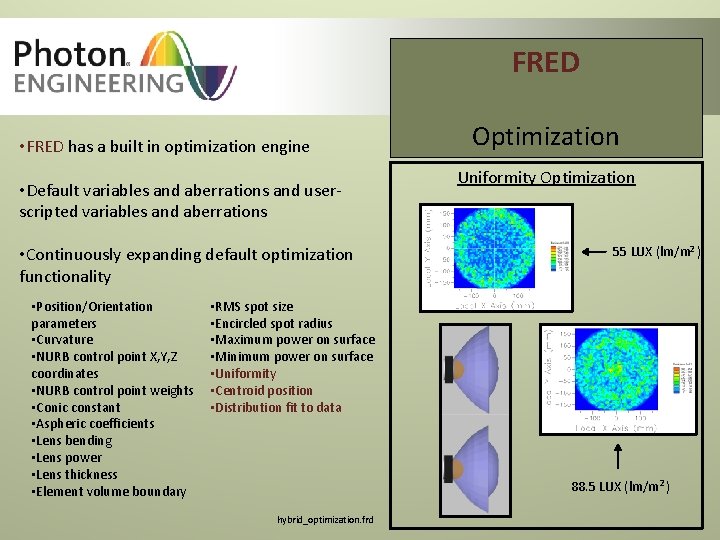
FRED • FRED has a built in optimization engine • Default variables and aberrations and userscripted variables and aberrations • Continuously expanding default optimization functionality • Position/Orientation parameters • Curvature • NURB control point X, Y, Z coordinates • NURB control point weights • Conic constant • Aspheric coefficients • Lens bending • Lens power • Lens thickness • Element volume boundary Optimization Uniformity Optimization 55 LUX (lm/m 2 ) • RMS spot size • Encircled spot radius • Maximum power on surface • Minimum power on surface • Uniformity • Centroid position • Distribution fit to data 88. 5 LUX (lm/m 2 ) hybrid_optimization. frd
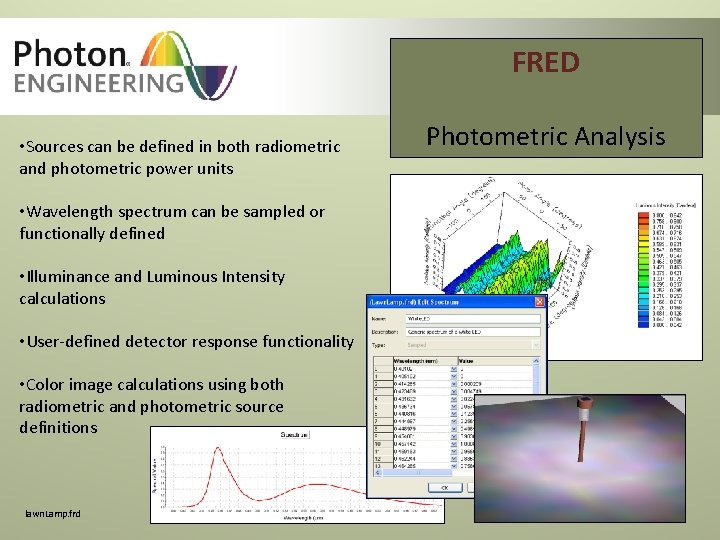
FRED • Sources can be defined in both radiometric and photometric power units • Wavelength spectrum can be sampled or functionally defined • Illuminance and Luminous Intensity calculations • User-defined detector response functionality • Color image calculations using both radiometric and photometric source definitions lawn. Lamp. frd Photometric Analysis
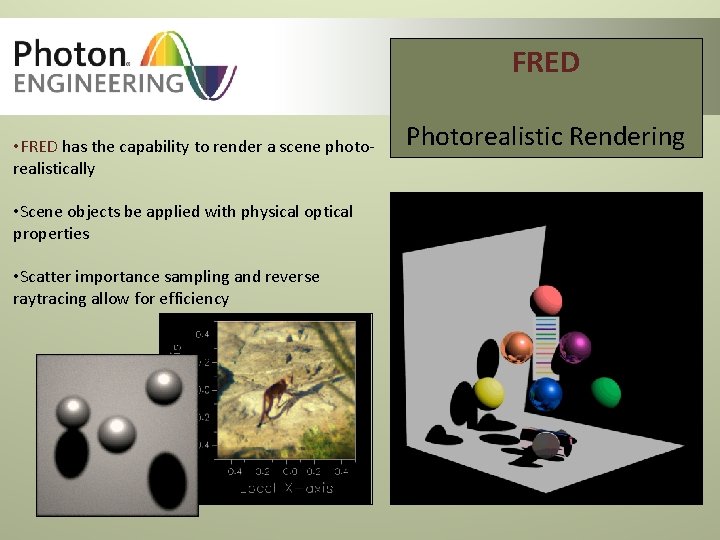
FRED • FRED has the capability to render a scene photorealistically • Scene objects be applied with physical optical properties • Scatter importance sampling and reverse raytracing allow for efficiency Photorealistic Rendering
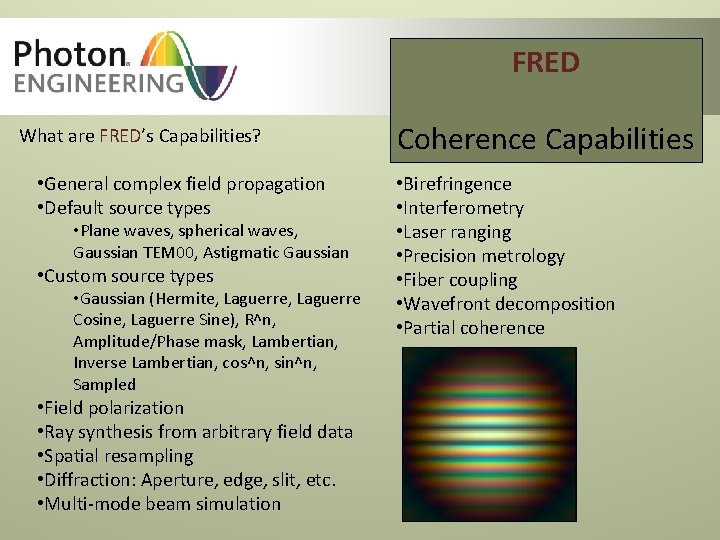
FRED What are FRED’s Capabilities? • General complex field propagation • Default source types • Plane waves, spherical waves, Gaussian TEM 00, Astigmatic Gaussian • Custom source types • Gaussian (Hermite, Laguerre Cosine, Laguerre Sine), R^n, Amplitude/Phase mask, Lambertian, Inverse Lambertian, cos^n, sin^n, Sampled • Field polarization • Ray synthesis from arbitrary field data • Spatial resampling • Diffraction: Aperture, edge, slit, etc. • Multi-mode beam simulation Coherence Capabilities • Birefringence • Interferometry • Laser ranging • Precision metrology • Fiber coupling • Wavefront decomposition • Partial coherence
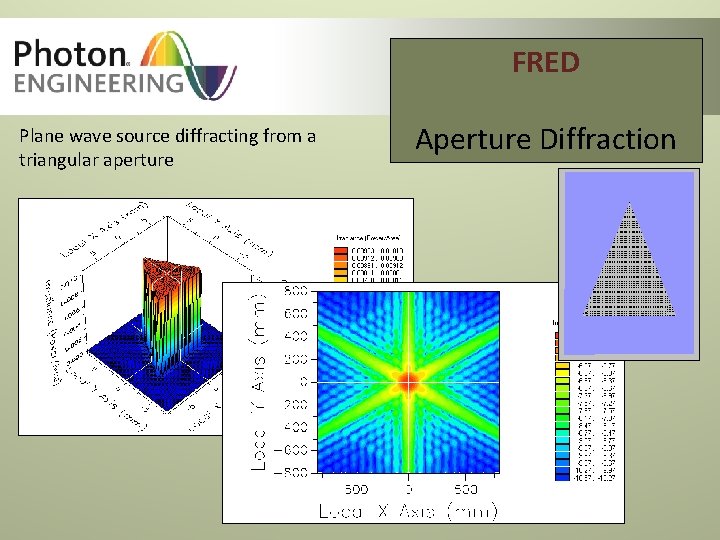
FRED Plane wave source diffracting from a triangular aperture Aperture Diffraction
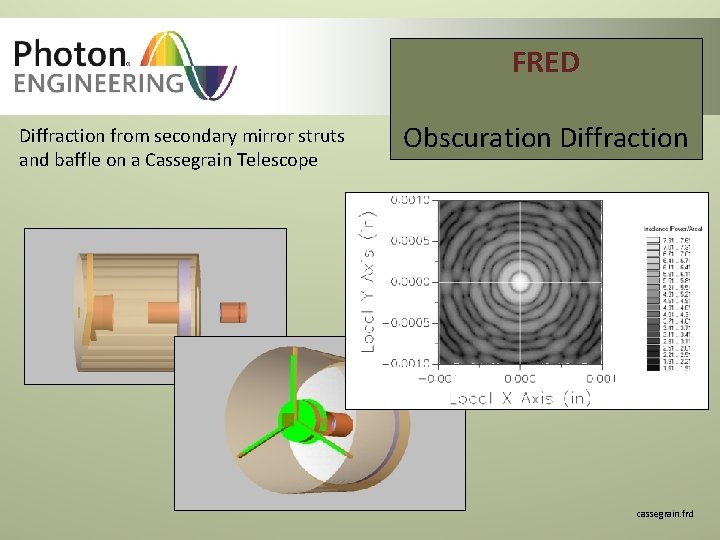
FRED Diffraction from secondary mirror struts and baffle on a Cassegrain Telescope Obscuration Diffraction cassegrain. frd
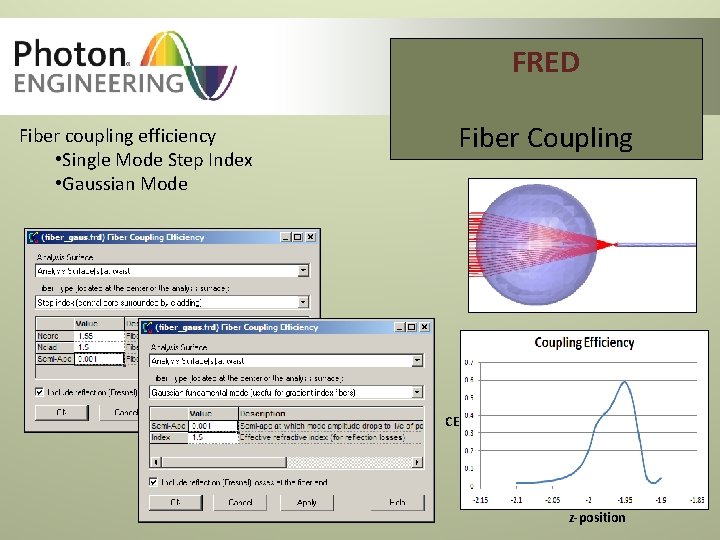
FRED Fiber coupling efficiency • Single Mode Step Index • Gaussian Mode Fiber Coupling CE z-position
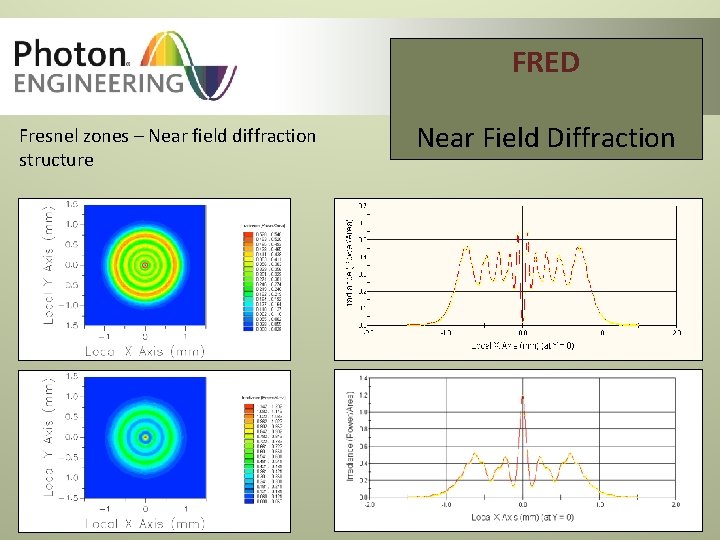
FRED Fresnel zones – Near field diffraction structure Near Field Diffraction
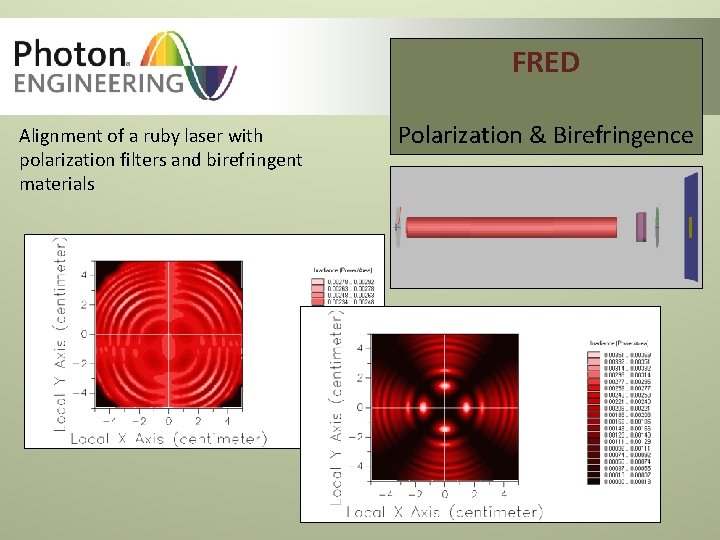
FRED Alignment of a ruby laser with polarization filters and birefringent materials Polarization & Birefringence
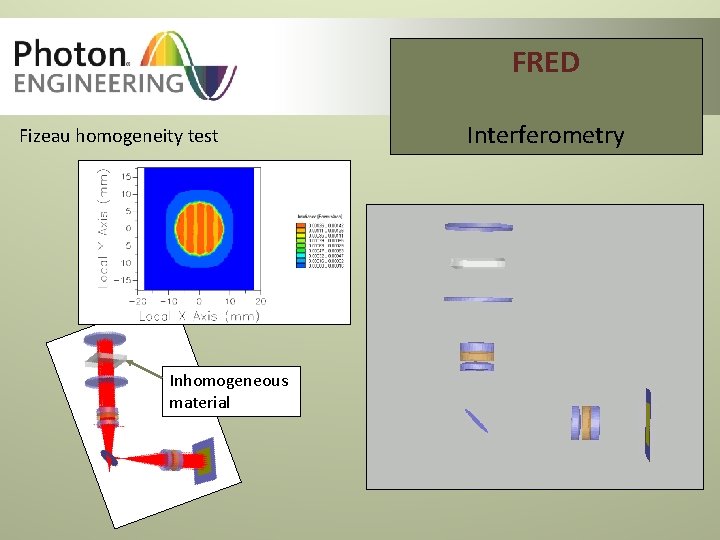
FRED Fizeau homogeneity test Inhomogeneous material Interferometry
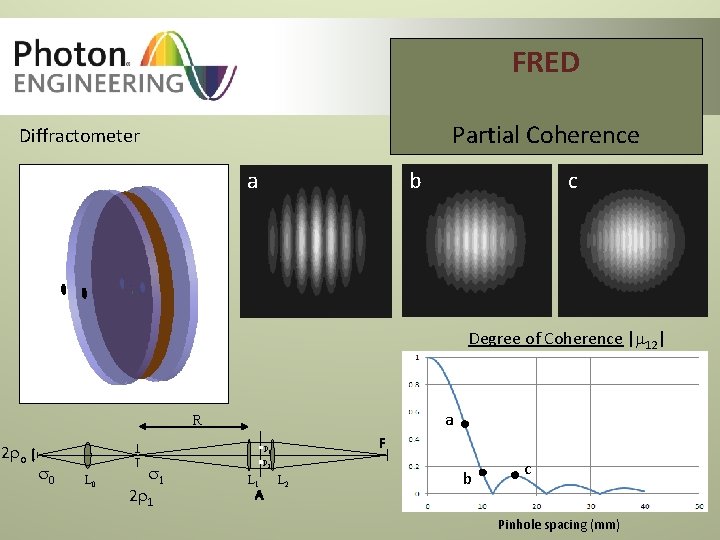
FRED Partial Coherence Diffractometer b a c Degree of Coherence | 12| a R 2 o F P 1 s 0 L 0 s 1 2 1 P 2 L 1 A L 2 b c Pinhole spacing (mm)