
Frame and MultiFrame Error 1 Frame and MultiFrame


- Slides: 34
Frame and Multi-Frame Error 1
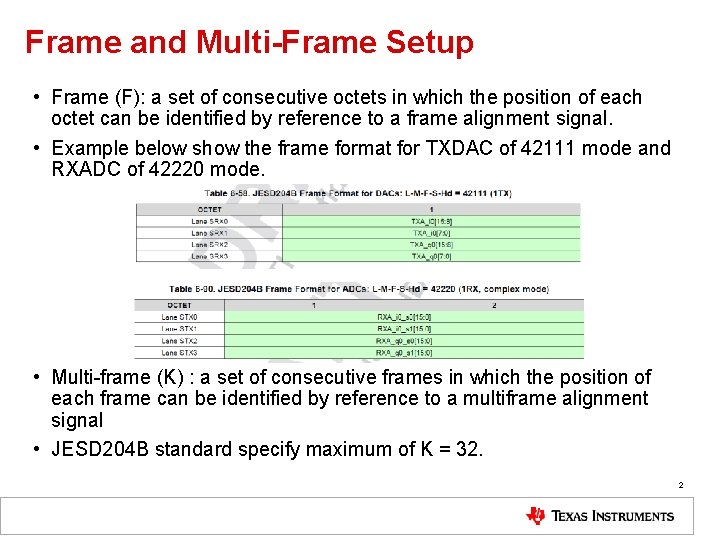
Frame and Multi-Frame Setup • Frame (F): a set of consecutive octets in which the position of each octet can be identified by reference to a frame alignment signal. • Example below show the frame format for TXDAC of 42111 mode and RXADC of 42220 mode. • Multi-frame (K) : a set of consecutive frames in which the position of each frame can be identified by reference to a multiframe alignment signal • JESD 204 B standard specify maximum of K = 32. 2
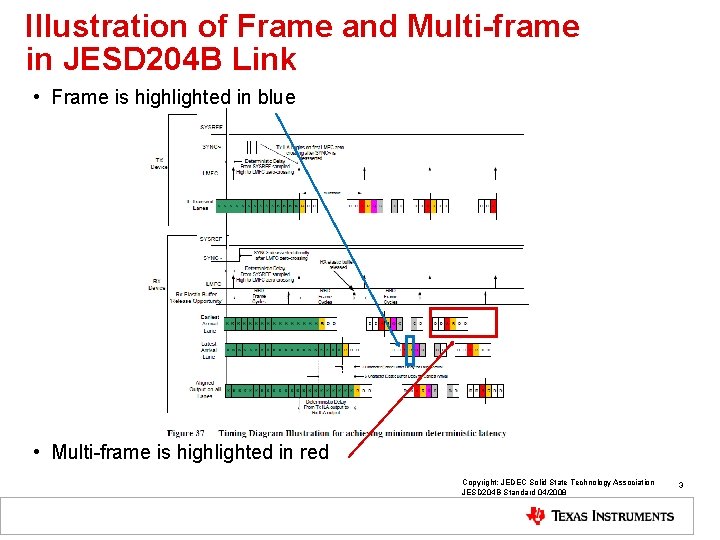
Illustration of Frame and Multi-frame in JESD 204 B Link • Frame is highlighted in blue • Multi-frame is highlighted in red Copyright: JEDEC Solid State Technology Association JESD 204 B Standard 04/2008 3
Reason for Frame and Multi-frame Boundary • Frame boundary is needed for both the JESD 204 B transmitter and JESD 204 B receiver to have pre-determined way to “process” the bit packing and octet packing of the data octets. This is performed in the transport layer of the JESD 204 B specification. • Multi-frame boundary is needed such that the JESD 204 B transmitter and JESD 204 B receiver can perform logics in the data path using their own perspective “local clock”. This is the local multi-frame clock (or LMFC), which defines the logical processing clock to process the data octets. • The ideas is that the LMFC of each perspective JESD 204 B block can have known, well-defined, and deterministic delay between the data source and data receiver. The clocks do not have to have absolute delay defined in order to simplify clocking solution. • The deterministic delays can be absorbed by the release buffer in the JESD 204 B receiver. 4
Frame Alignment Alarm • Frame alignment monitoring is constantly performed by check that replacement characters /F/ and /A/ arrive at expected positions in the frame and multiframe. • When these characters are received, they are replaced with actual data. • If they are consistently received at unexpected positions, then frame alignment error or the multiframe alignment error would be triggered to indicate the alignment has been lost. • Frame alignment correction is *not* supported. Therefore, the host need to perform re-alignment and resynchronization of the JESD 204 B link based on alarm feedback • The following sections of the JESD 204 B Standard highlights the Frame and Multiframe Alignment: – 7. 2 Initial Frame Synchronization – Figure 45 – State Machine for Frame Synchronization in Receivers Supporting Reinitialization – 7. 3 Frame Alignment Monitoring and Correction – 7. 4 Initial Lane Synchronization – 7. 5 Lane Alignment Monitoring and Correction – 8. 2 Initial Lane Alignment Sequence – 8. 3 Link Configuration Data and Encoding – 5. 3. 3. 4 Frame Alignment Monitoring and Correction. 5
Possible Source of Frame Alignment and Multi-Frame Alignment Alarms • “Drift” of SYSREF reset of LMFC over time. – SYSREF reset of LMFC change in the “periodic” time instance over time. – The overall LMFC boundary changes and potentially cause alignment errors. – The SYSREF can be programmed to be ignored in the JESD 204 B logics of the , both TXDAC and RXADC • “Drift” of the clock source to various logics. • “Drift” of incoming data on the JESD 204 B transmitter over time. • The incoming data are sufficiently periodic and not sufficiently random. The character replacement rules for the /A/ and /F/ characters are not exercised sufficiently, and hence the periodic frame and multi-frame are not checked frequently. • Incorrect initialization of the logical block in the JESD 204 B transmitter. The JESD 204 B IP was not reset properly upon start-up. Glitch occurs after various temperature cycle. 6
Link Configuration Error 7
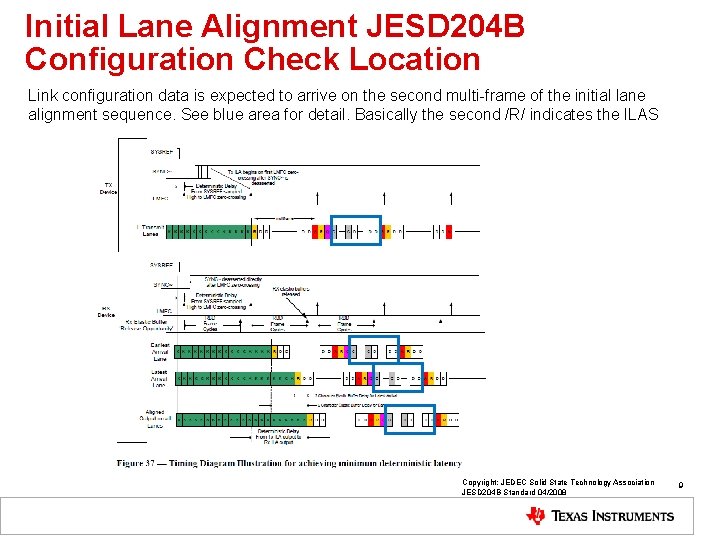
Overview of Link Configuration Data • The frame alignment block of the JESD 204 B RX IP performs the initial frame synchronization, verification of the link configuration parameters, and frame alignment monitoring. • When the initial lane alignment sequence arrives in this block, the first non-/K/ character is marked as the first octet of the first frame. The link configuration data is expected to arrive in the second multiframe. This block verified that the JESD 204 B TX lanes are programmed with the same configuration as the JESD 204 B RX lane. • Any mismatches in the configuration parameter would trigger the link configuration error. • See next slide for better pictorial representation. 8
Initial Lane Alignment JESD 204 B Configuration Check Location Link configuration data is expected to arrive on the second multi-frame of the initial lane alignment sequence. See blue area for detail. Basically the second /R/ indicates the ILAS Copyright: JEDEC Solid State Technology Association JESD 204 B Standard 04/2008 9
Initial Lane Alignment JESD 204 B Configuration Check • Each lane should have unique lane ID that is tied to the physical lane. • Correct programming of the ILAS configuration are needed for both side of the JESD 204 B link (i. e. ASIC/FPGA and DAC logic) in order for the ILAS check to be successful. 10
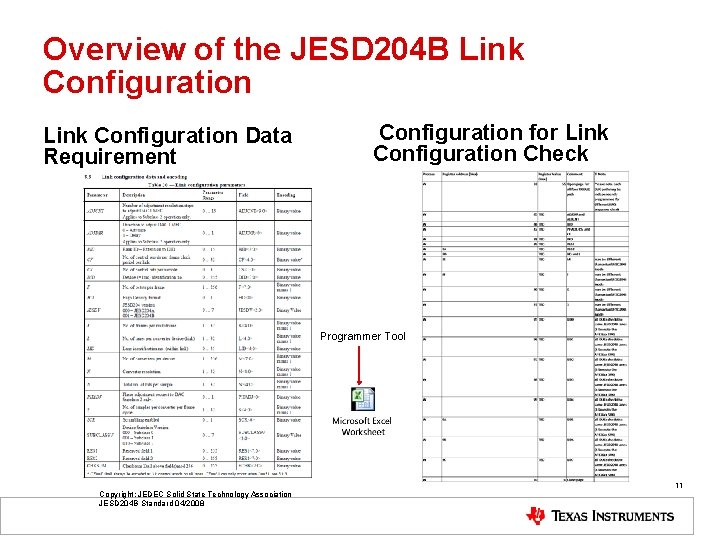
Overview of the JESD 204 B Link Configuration Data Requirement Configuration for Link Configuration Check Programmer Tool Copyright: JEDEC Solid State Technology Association JESD 204 B Standard 04/2008 11
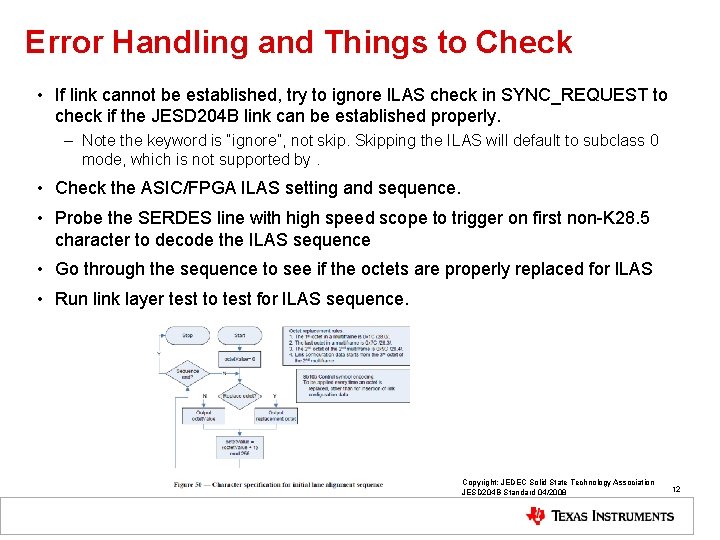
Error Handling and Things to Check • If link cannot be established, try to ignore ILAS check in SYNC_REQUEST to check if the JESD 204 B link can be established properly. – Note the keyword is “ignore”, not skip. Skipping the ILAS will default to subclass 0 mode, which is not supported by. • Check the ASIC/FPGA ILAS setting and sequence. • Probe the SERDES line with high speed scope to trigger on first non-K 28. 5 character to decode the ILAS sequence • Go through the sequence to see if the octets are properly replaced for ILAS • Run link layer test to test for ILAS sequence. Copyright: JEDEC Solid State Technology Association JESD 204 B Standard 04/2008 12
Elastic Buffer Overrun 13
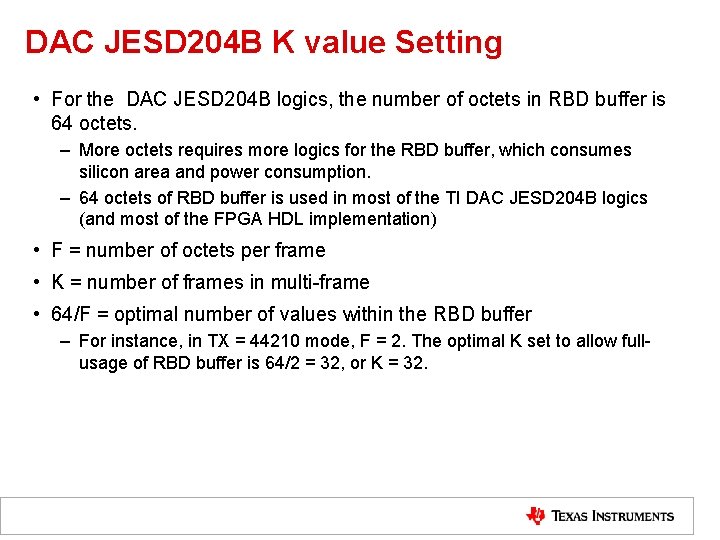
DAC JESD 204 B K value Setting • For the DAC JESD 204 B logics, the number of octets in RBD buffer is 64 octets. – More octets requires more logics for the RBD buffer, which consumes silicon area and power consumption. – 64 octets of RBD buffer is used in most of the TI DAC JESD 204 B logics (and most of the FPGA HDL implementation) • F = number of octets per frame • K = number of frames in multi-frame • 64/F = optimal number of values within the RBD buffer – For instance, in TX = 44210 mode, F = 2. The optimal K set to allow fullusage of RBD buffer is 64/2 = 32, or K = 32.
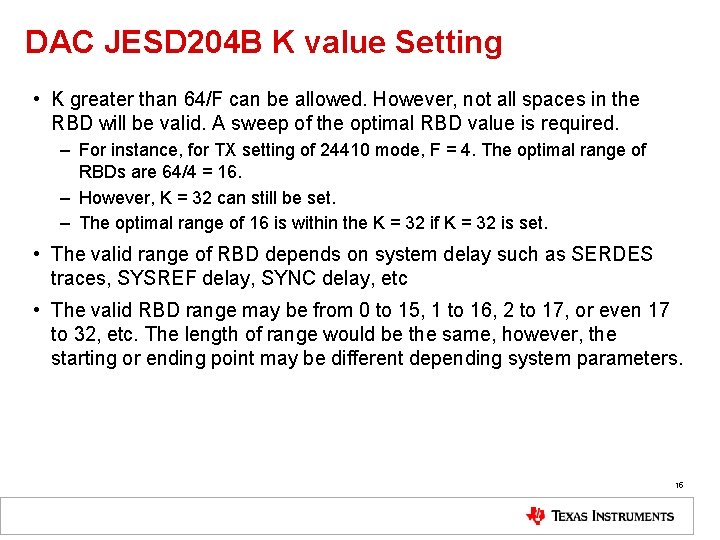
DAC JESD 204 B K value Setting • K greater than 64/F can be allowed. However, not all spaces in the RBD will be valid. A sweep of the optimal RBD value is required. – For instance, for TX setting of 24410 mode, F = 4. The optimal range of RBDs are 64/4 = 16. – However, K = 32 can still be set. – The optimal range of 16 is within the K = 32 if K = 32 is set. • The valid range of RBD depends on system delay such as SERDES traces, SYSREF delay, SYNC delay, etc • The valid RBD range may be from 0 to 15, 1 to 16, 2 to 17, or even 17 to 32, etc. The length of range would be the same, however, the starting or ending point may be different depending system parameters. 15
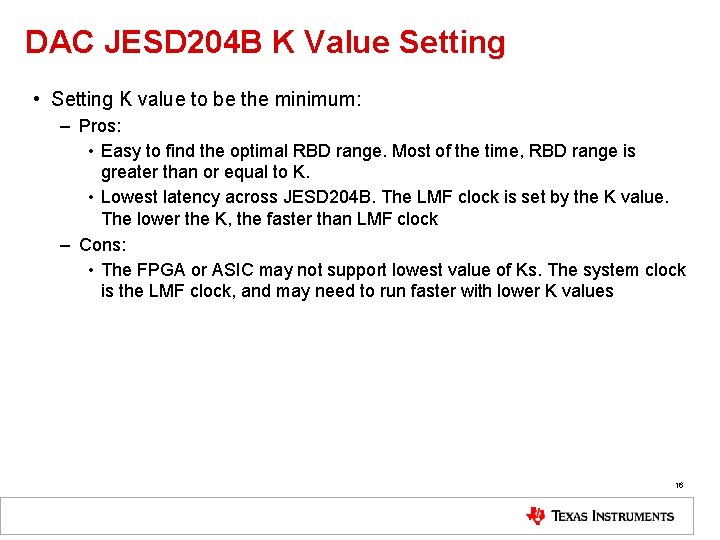
DAC JESD 204 B K Value Setting • Setting K value to be the minimum: – Pros: • Easy to find the optimal RBD range. Most of the time, RBD range is greater than or equal to K. • Lowest latency across JESD 204 B. The LMF clock is set by the K value. The lower the K, the faster than LMF clock – Cons: • The FPGA or ASIC may not support lowest value of Ks. The system clock is the LMF clock, and may need to run faster with lower K values 16
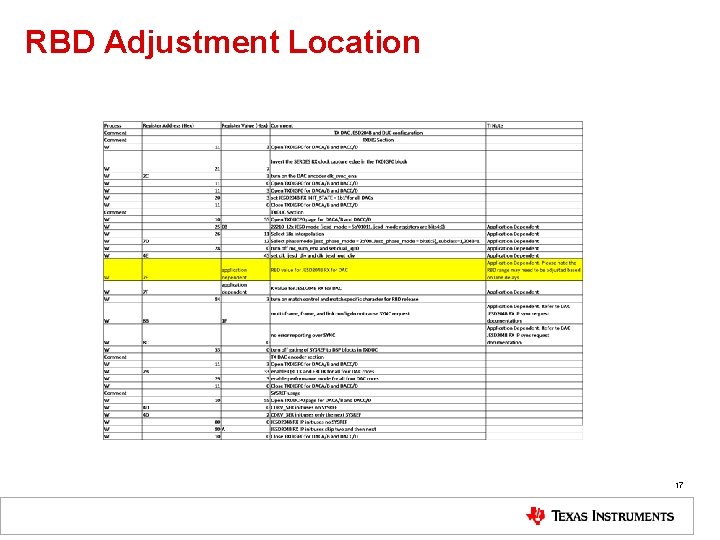
RBD Adjustment Location 17
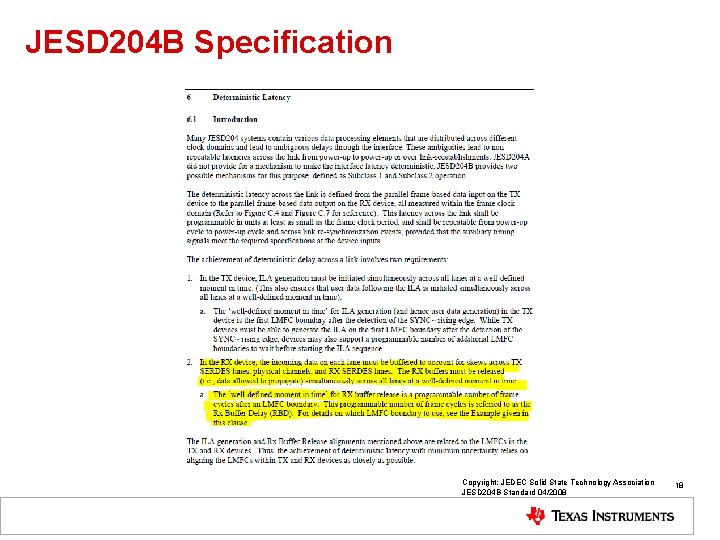
JESD 204 B Specification Copyright: JEDEC Solid State Technology Association JESD 204 B Standard 04/2008 18
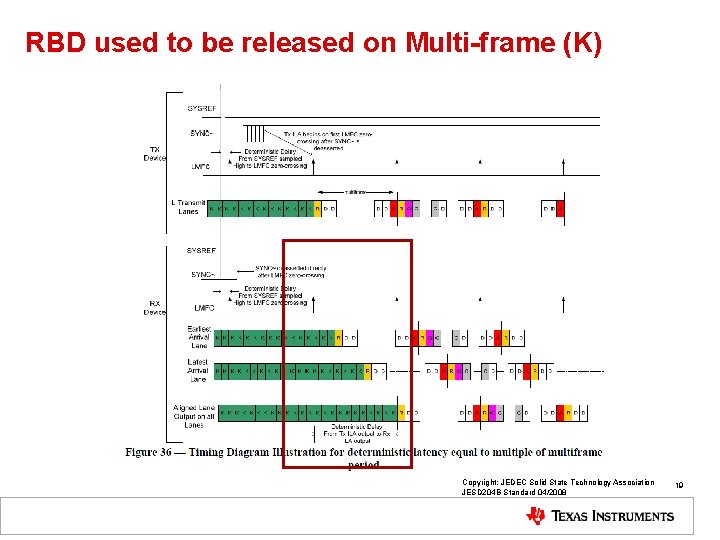
RBD used to be released on Multi-frame (K) Copyright: JEDEC Solid State Technology Association JESD 204 B Standard 04/2008 19
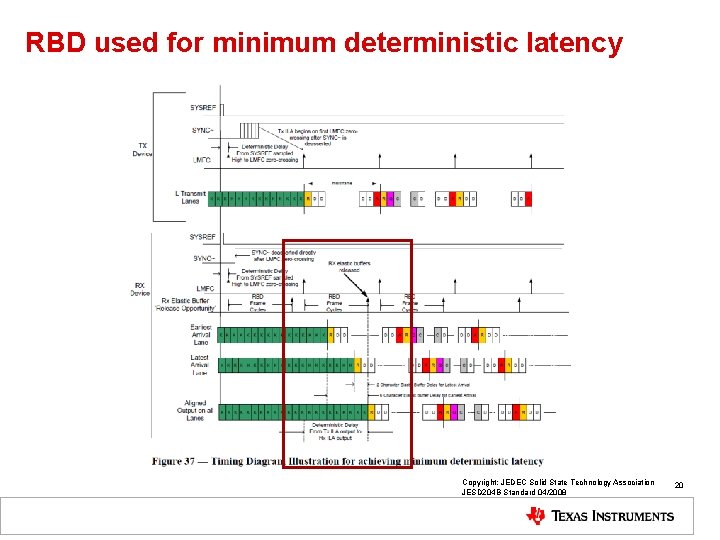
RBD used for minimum deterministic latency Copyright: JEDEC Solid State Technology Association JESD 204 B Standard 04/2008 20
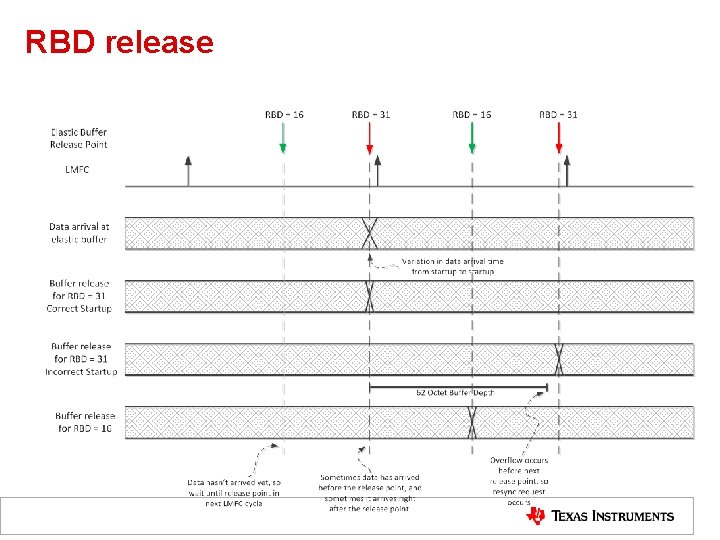
RBD release
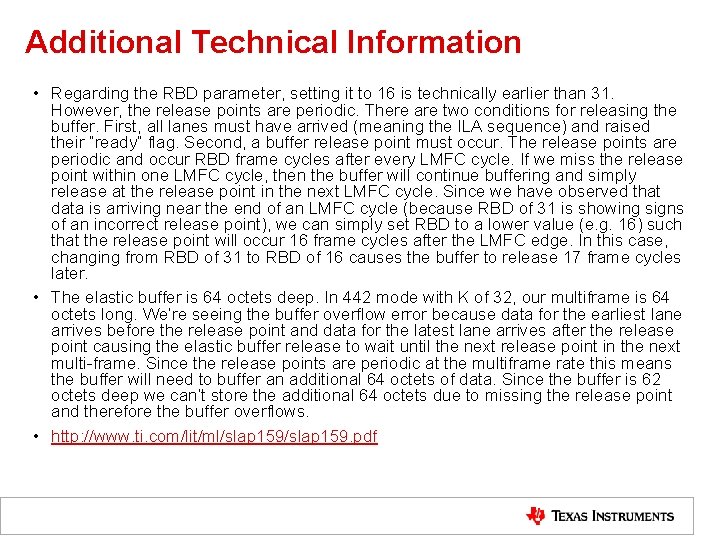
Additional Technical Information • Regarding the RBD parameter, setting it to 16 is technically earlier than 31. However, the release points are periodic. There are two conditions for releasing the buffer. First, all lanes must have arrived (meaning the ILA sequence) and raised their “ready” flag. Second, a buffer release point must occur. The release points are periodic and occur RBD frame cycles after every LMFC cycle. If we miss the release point within one LMFC cycle, then the buffer will continue buffering and simply release at the release point in the next LMFC cycle. Since we have observed that data is arriving near the end of an LMFC cycle (because RBD of 31 is showing signs of an incorrect release point), we can simply set RBD to a lower value (e. g. 16) such that the release point will occur 16 frame cycles after the LMFC edge. In this case, changing from RBD of 31 to RBD of 16 causes the buffer to release 17 frame cycles later. • The elastic buffer is 64 octets deep. In 442 mode with K of 32, our multiframe is 64 octets long. We’re seeing the buffer overflow error because data for the earliest lane arrives before the release point and data for the latest lane arrives after the release point causing the elastic buffer release to wait until the next release point in the next multi-frame. Since the release points are periodic at the multiframe rate this means the buffer will need to buffer an additional 64 octets of data. Since the buffer is 62 octets deep we can’t store the additional 64 octets due to missing the release point and therefore the buffer overflows. • http: //www. ti. com/lit/ml/slap 159. pdf
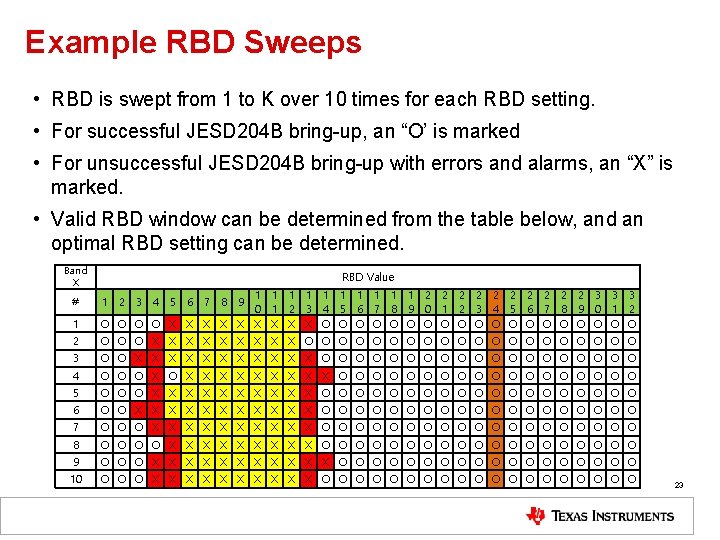
Example RBD Sweeps • RBD is swept from 1 to K over 10 times for each RBD setting. • For successful JESD 204 B bring-up, an “O’ is marked • For unsuccessful JESD 204 B bring-up with errors and alarms, an “X” is marked. • Valid RBD window can be determined from the table below, and an optimal RBD setting can be determined. Band X RBD Value 1 1 1 2 2 2 2 2 3 3 3 0 1 2 3 4 5 6 7 8 9 0 1 2 O O X X X X X O O O O O 2 O O O X X X X X O O O O O 3 O O X X X O O O O O 4 O O O X X X X X O O O O O 5 O O O X X X X X O O O O O 6 O O X X X O O O O O 7 O O O X X X X X O O O O O 8 O O X X X X X O O O O O 9 O O O X X X O O O O O 10 O O O X X X X X O O O O O # 1 2 3 4 5 6 7 8 9 23
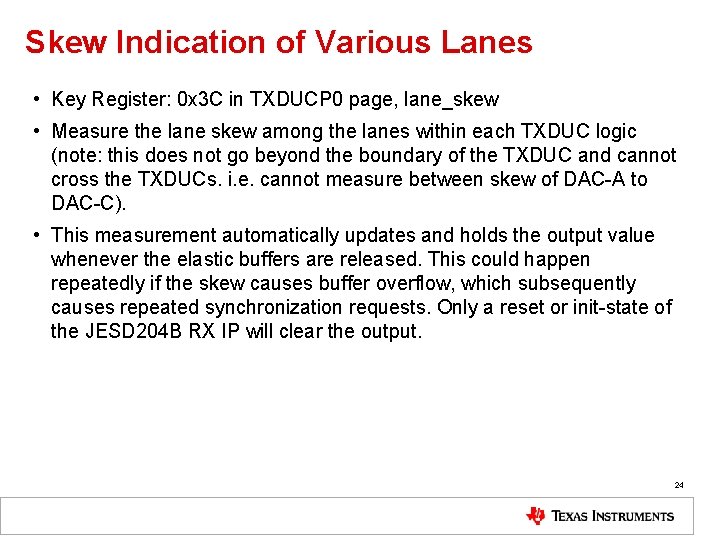
Skew Indication of Various Lanes • Key Register: 0 x 3 C in TXDUCP 0 page, lane_skew • Measure the lane skew among the lanes within each TXDUC logic (note: this does not go beyond the boundary of the TXDUC and cannot cross the TXDUCs. i. e. cannot measure between skew of DAC-A to DAC-C). • This measurement automatically updates and holds the output value whenever the elastic buffers are released. This could happen repeatedly if the skew causes buffer overflow, which subsequently causes repeated synchronization requests. Only a reset or init-state of the JESD 204 B RX IP will clear the output. 24
Elastic Buffer Match Error 25
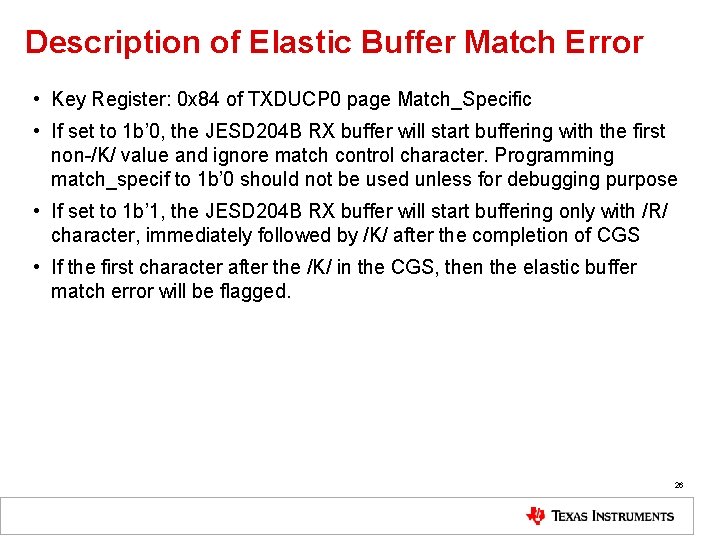
Description of Elastic Buffer Match Error • Key Register: 0 x 84 of TXDUCP 0 page Match_Specific • If set to 1 b’ 0, the JESD 204 B RX buffer will start buffering with the first non-/K/ value and ignore match control character. Programming match_specif to 1 b’ 0 should not be used unless for debugging purpose • If set to 1 b’ 1, the JESD 204 B RX buffer will start buffering only with /R/ character, immediately followed by /K/ after the completion of CGS • If the first character after the /K/ in the CGS, then the elastic buffer match error will be flagged. 26
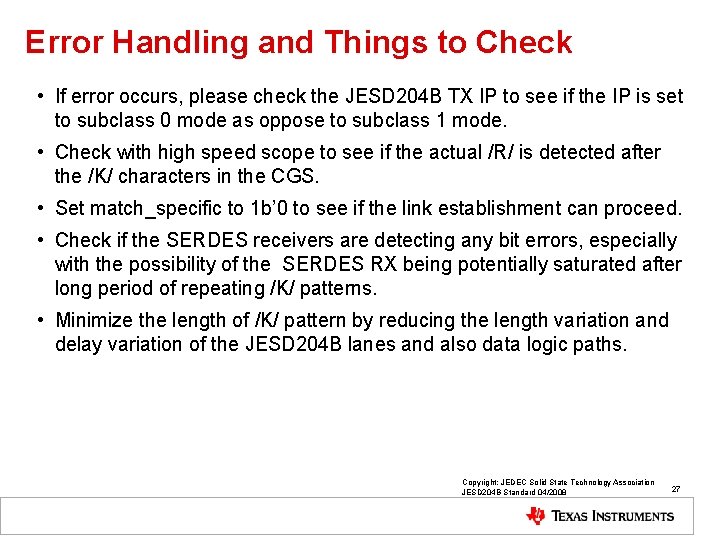
Error Handling and Things to Check • If error occurs, please check the JESD 204 B TX IP to see if the IP is set to subclass 0 mode as oppose to subclass 1 mode. • Check with high speed scope to see if the actual /R/ is detected after the /K/ characters in the CGS. • Set match_specific to 1 b’ 0 to see if the link establishment can proceed. • Check if the SERDES receivers are detecting any bit errors, especially with the possibility of the SERDES RX being potentially saturated after long period of repeating /K/ patterns. • Minimize the length of /K/ pattern by reducing the length variation and delay variation of the JESD 204 B lanes and also data logic paths. Copyright: JEDEC Solid State Technology Association JESD 204 B Standard 04/2008 27
Code Group Synchronization 28
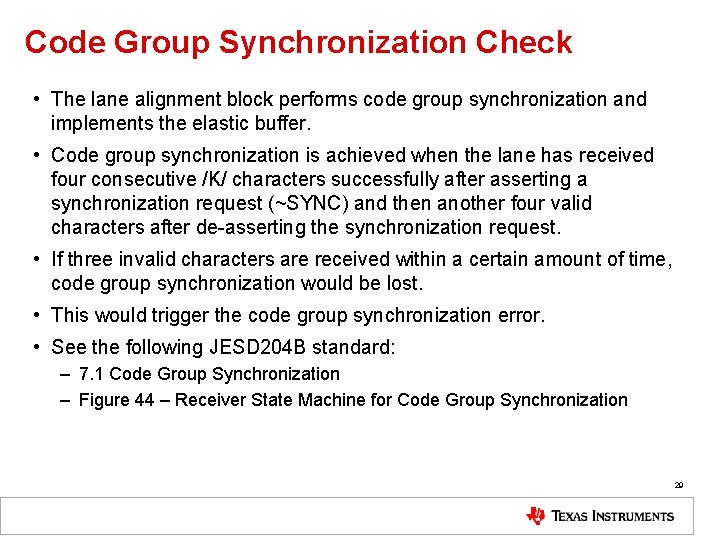
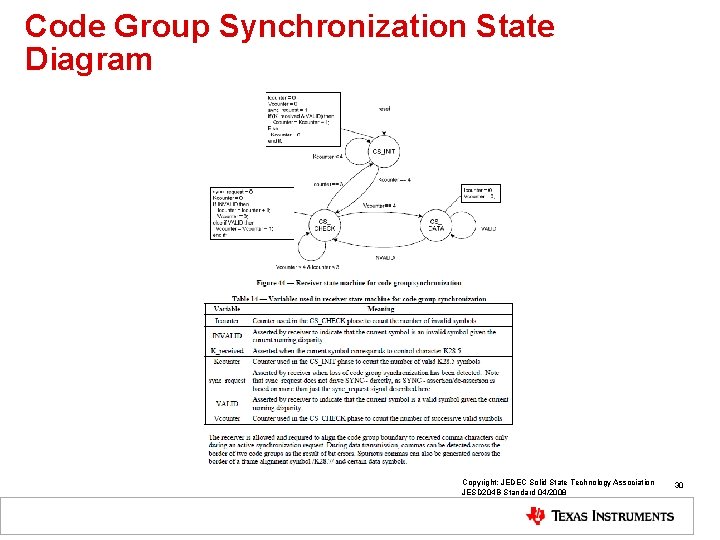
Code Group Synchronization Check • The lane alignment block performs code group synchronization and implements the elastic buffer. • Code group synchronization is achieved when the lane has received four consecutive /K/ characters successfully after asserting a synchronization request (~SYNC) and then another four valid characters after de-asserting the synchronization request. • If three invalid characters are received within a certain amount of time, code group synchronization would be lost. • This would trigger the code group synchronization error. • See the following JESD 204 B standard: – 7. 1 Code Group Synchronization – Figure 44 – Receiver State Machine for Code Group Synchronization 29
Code Group Synchronization State Diagram Copyright: JEDEC Solid State Technology Association JESD 204 B Standard 04/2008 30
Error Handling and Things to Check • If error occurs, please check the JESD 204 B TX IP to see if the IP initialized correctly with proper CGS state machine running • Check with high speed scope to see if the actual /K/ are detected • Run link layer testing to check for validity of the /K/ CGS patterns. • Check if the SERDES receivers are detecting any bit errors, especially with the possibility of the SERDES RX being potentially saturated after long period of repeating /K/ patterns. • Minimize the length of /K/ pattern by reducing the length variation and delay variation of the JESD 204 B lanes and also data logic paths. Copyright: JEDEC Solid State Technology Association JESD 204 B Standard 04/2008 31
8 B/10 B Errors 32
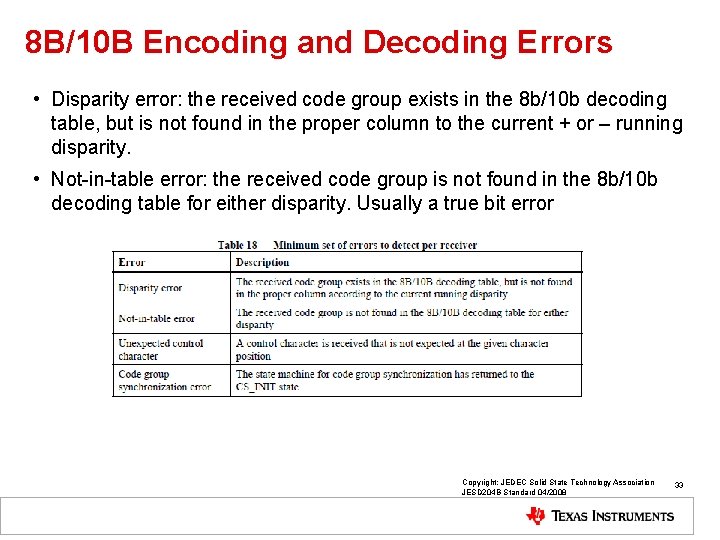
8 B/10 B Encoding and Decoding Errors • Disparity error: the received code group exists in the 8 b/10 b decoding table, but is not found in the proper column to the current + or – running disparity. • Not-in-table error: the received code group is not found in the 8 b/10 b decoding table for either disparity. Usually a true bit error Copyright: JEDEC Solid State Technology Association JESD 204 B Standard 04/2008 33
Error Handling and Things to Check • If error occurs, please check the JESD 204 B TX IP to see if the IP initialized correctly with proper 8 b/10 b coding logics running. • Typically, both 8 b/10 b not-in-table and 8 b/10 b disparity occur simultaneously, and indicate general bit error due to the SERDES signal conditioning. • If only 8 b/10 b disparity occurs, the error may lead to the 8 b/10 b logic in the JESD 204 B not being reset properly. • Check with high speed scope to check the eye diagram for SERDES signal quality. • For PG 3. 0, PRBS pattern such as PRBS 7 may be run over period of time for bit error check. • Check if the SERDES receivers are detecting any bit errors, especially with the possibility of the SERDES RX being potentially saturated after long period of repeating pattern. Copyright: JEDEC Solid State Technology Association JESD 204 B Standard 04/2008 34