
fprintf and other examples Save command ls a
![fread function [A, COUNT] = FREAD(FID, SIZE, PRECISION) reads binary data from the specified](https://slidetodoc.com/presentation_image_h2/d1597130f61ccfd6787403a42d296e4b/image-9.jpg "fread function [A, COUNT] = FREAD(FID, SIZE, PRECISION) reads binary data from the specified")
![fscanf example >> fid = fopen('grades', 'r'); >> grs = fscanf(fid, '%d', [1 40])](https://slidetodoc.com/presentation_image_h2/d1597130f61ccfd6787403a42d296e4b/image-12.jpg "fscanf example >> fid = fopen('grades', 'r'); >> grs = fscanf(fid, '%d', [1 40])")
- Slides: 12
fprintf and other examples
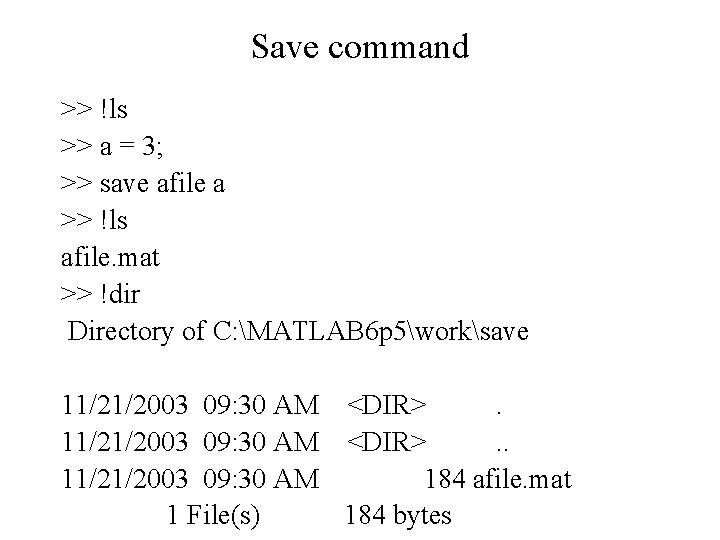
Save command >> !ls >> a = 3; >> save afile a >> !ls afile. mat >> !dir Directory of C: MATLAB 6 p 5worksave 11/21/2003 09: 30 AM <DIR>. . 11/21/2003 09: 30 AM 184 afile. mat 1 File(s) 184 bytes
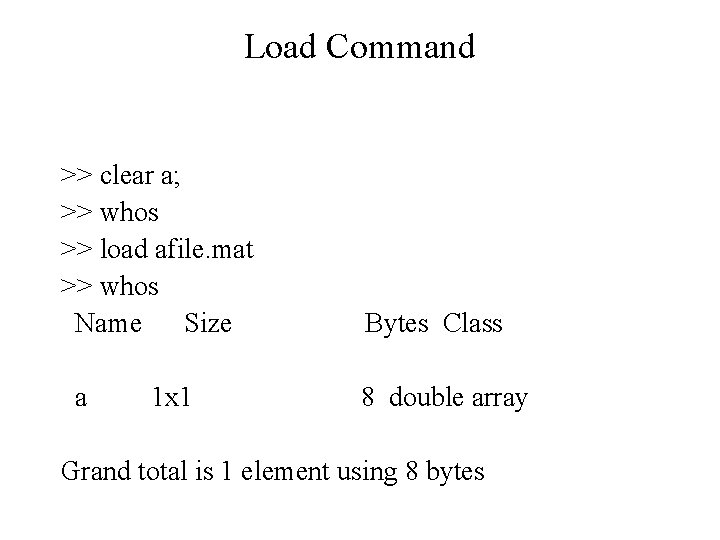
Load Command >> clear a; >> whos >> load afile. mat >> whos Name Size a 1 x 1 Bytes Class 8 double array Grand total is 1 element using 8 bytes
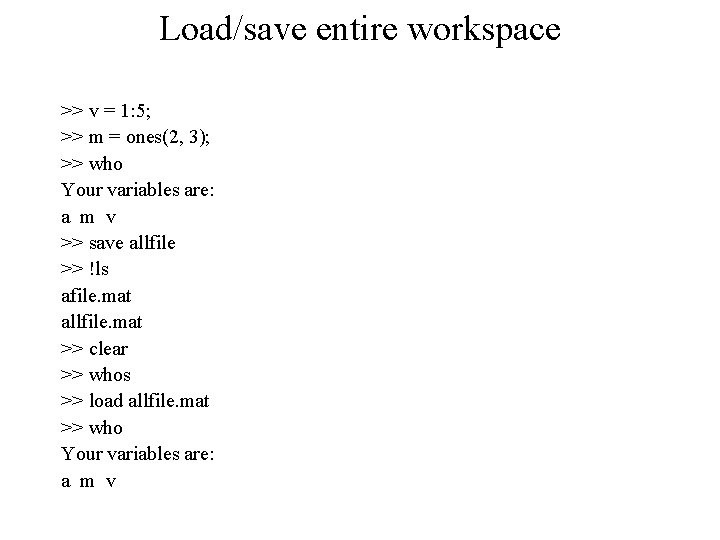
Load/save entire workspace >> v = 1: 5; >> m = ones(2, 3); >> who Your variables are: a m v >> save allfile >> !ls afile. mat allfile. mat >> clear >> whos >> load allfile. mat >> who Your variables are: a m v
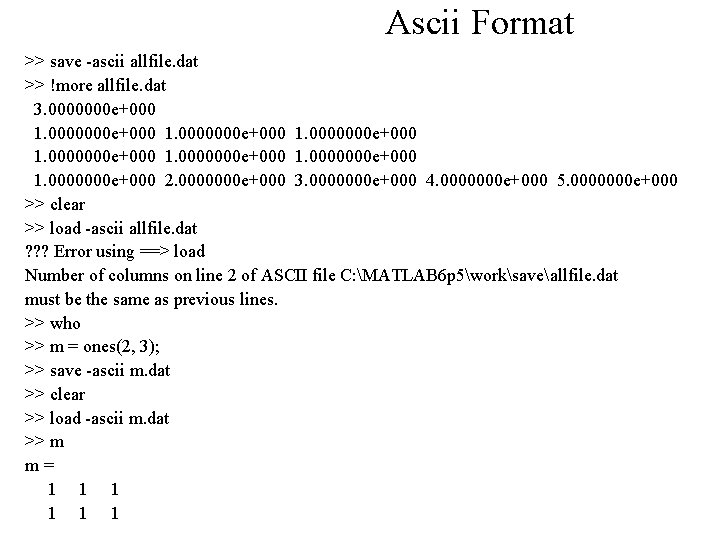
Ascii Format >> save -ascii allfile. dat >> !more allfile. dat 3. 0000000 e+000 1. 0000000 e+000 2. 0000000 e+000 3. 0000000 e+000 4. 0000000 e+000 5. 0000000 e+000 >> clear >> load -ascii allfile. dat ? ? ? Error using ==> load Number of columns on line 2 of ASCII file C: MATLAB 6 p 5worksaveallfile. dat must be the same as previous lines. >> who >> m = ones(2, 3); >> save -ascii m. dat >> clear >> load -ascii m. dat >> m m= 1 1 1
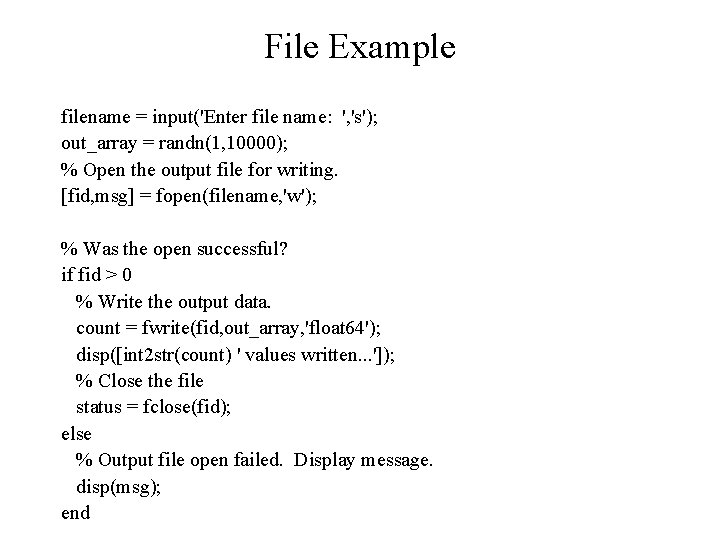
File Example filename = input('Enter file name: ', 's'); out_array = randn(1, 10000); % Open the output file for writing. [fid, msg] = fopen(filename, 'w'); % Was the open successful? if fid > 0 % Write the output data. count = fwrite(fid, out_array, 'float 64'); disp([int 2 str(count) ' values written. . . ']); % Close the file status = fclose(fid); else % Output file open failed. Display message. disp(msg); end
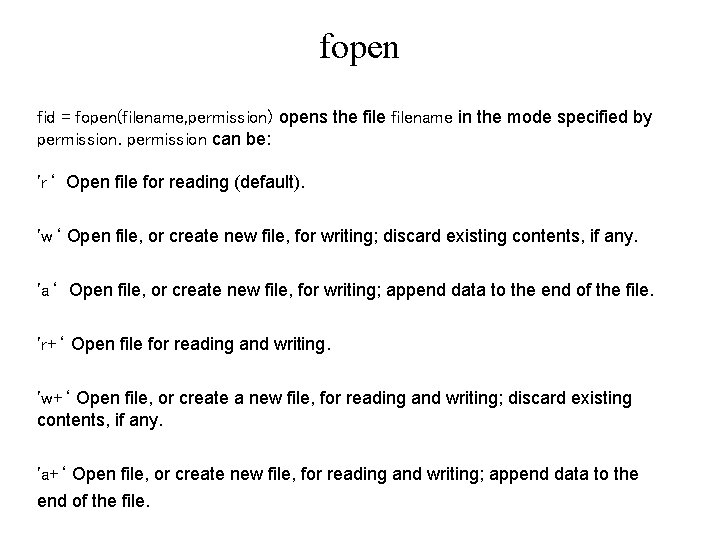
fopen fid = fopen(filename, permission) opens the filename in the mode specified by permission can be: 'r‘ Open file for reading (default). 'w‘ Open file, or create new file, for writing; discard existing contents, if any. 'a‘ Open file, or create new file, for writing; append data to the end of the file. 'r+‘ Open file for reading and writing. 'w+‘ Open file, or create a new file, for reading and writing; discard existing contents, if any. 'a+‘ Open file, or create new file, for reading and writing; append data to the end of the file.
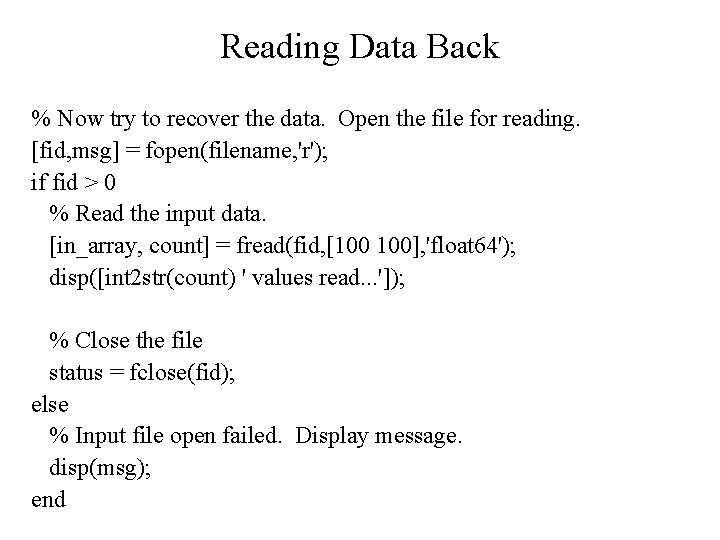
Reading Data Back % Now try to recover the data. Open the file for reading. [fid, msg] = fopen(filename, 'r'); if fid > 0 % Read the input data. [in_array, count] = fread(fid, [100 100], 'float 64'); disp([int 2 str(count) ' values read. . . ']); % Close the file status = fclose(fid); else % Input file open failed. Display message. disp(msg); end
fread function [A, COUNT] = FREAD(FID, SIZE, PRECISION) reads binary data from the specified file and writes it into matrix A. Optional output argument COUNT returns the number of elements successfully read. FID is an integer file identifier obtained from FOPEN. The SIZE argument is optional; if not specified, the entire file is read; if specified, valid entries are: N read N elements into a column vector. inf read to the end of the file. [M, N] read elements to fill an M-by-N matrix, in column order. N can be inf, but M can't.
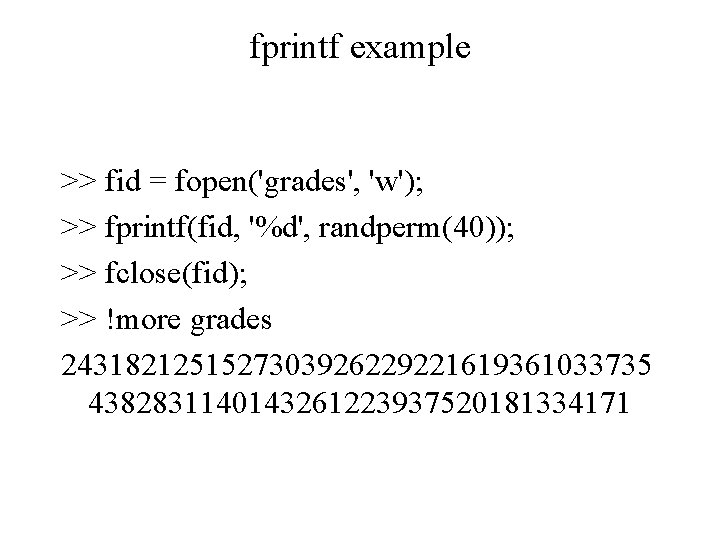
fprintf example >> fid = fopen('grades', 'w'); >> fprintf(fid, '%d', randperm(40)); >> fclose(fid); >> !more grades 2431821251527303926229221619361033735 4382831140143261223937520181334171
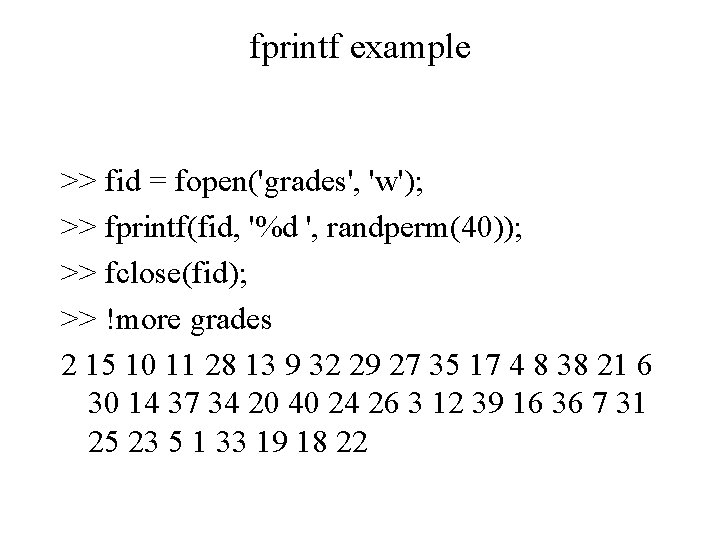
fprintf example >> fid = fopen('grades', 'w'); >> fprintf(fid, '%d ', randperm(40)); >> fclose(fid); >> !more grades 2 15 10 11 28 13 9 32 29 27 35 17 4 8 38 21 6 30 14 37 34 20 40 24 26 3 12 39 16 36 7 31 25 23 5 1 33 19 18 22
fscanf example >> fid = fopen('grades', 'r'); >> grs = fscanf(fid, '%d', [1 40]) grs = Columns 1 through 13 2 15 10 11 28 13 9 35 17 4 … >> grs = fscanf(fid, '%d', [5 4]) grs = [] 32 29 27