
Foundations of Computer Graphics Spring 2012 CS 184

![New globals and basic setup GLubyte woodtexture[256][3] ; // texture (from grsites. com) GLuint](https://slidetodoc.com/presentation_image_h/b7611a7ac7ca1e35c9193c9c76cdaf5d/image-27.jpg "New globals and basic setup GLubyte woodtexture[256][3] ; // texture (from grsites. com) GLuint")

![Final Steps for Drawing (+Demo) gl. Bind. Buffer(GL_ELEMENT_ARRAY_BUFFER, buffers[Elements+offset]) ; gl. Draw. Elements(Prim. Type[object],](https://slidetodoc.com/presentation_image_h/b7611a7ac7ca1e35c9193c9c76cdaf5d/image-36.jpg "Final Steps for Drawing (+Demo) gl. Bind. Buffer(GL_ELEMENT_ARRAY_BUFFER, buffers[Elements+offset]) ; gl. Draw. Elements(Prim. Type[object],")
- Slides: 42
Foundations of Computer Graphics (Spring 2012) CS 184, Lecture 8: Open. GL 2 http: //inst. eecs. berkeley. edu/~cs 184
To Do § Continue working on HW 2. Can be difficult § Class lectures, programs primary source § Can leverage many sources (GL(SL) book, excellent online documentation, see links class website) § It is a good idea to copy (and modify) relevant segments § (Very) tough to get started, but lots of fun afterwards
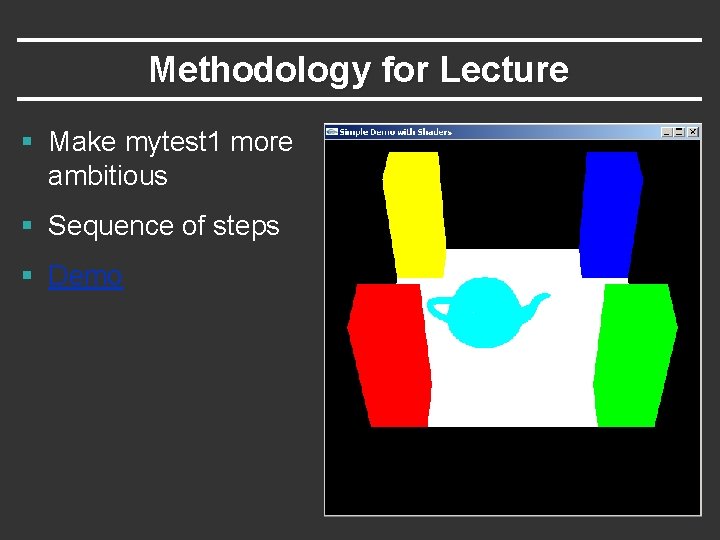
Methodology for Lecture § Make mytest 1 more ambitious § Sequence of steps § Demo
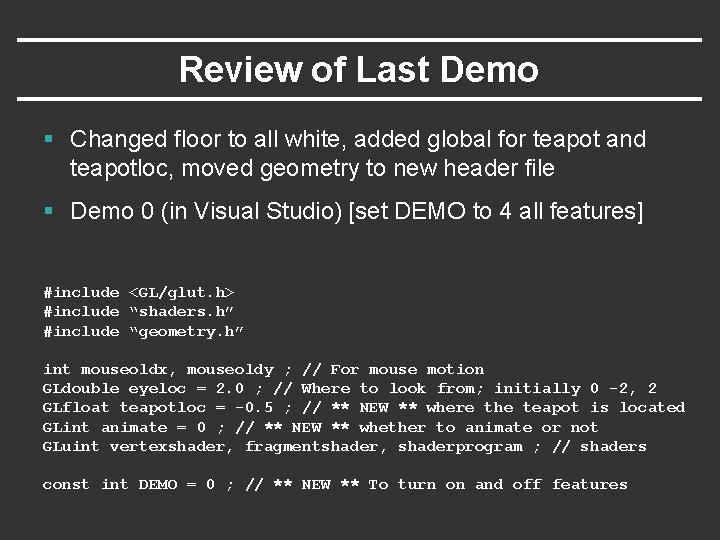
Review of Last Demo § Changed floor to all white, added global for teapot and teapotloc, moved geometry to new header file § Demo 0 (in Visual Studio) [set DEMO to 4 all features] #include <GL/glut. h> #include “shaders. h” #include “geometry. h” int mouseoldx, mouseoldy ; // For mouse motion GLdouble eyeloc = 2. 0 ; // Where to look from; initially 0 -2, 2 GLfloat teapotloc = -0. 5 ; // ** NEW ** where the teapot is located GLint animate = 0 ; // ** NEW ** whether to animate or not GLuint vertexshader, fragmentshader, shaderprogram ; // shaders const int DEMO = 0 ; // ** NEW ** To turn on and off features
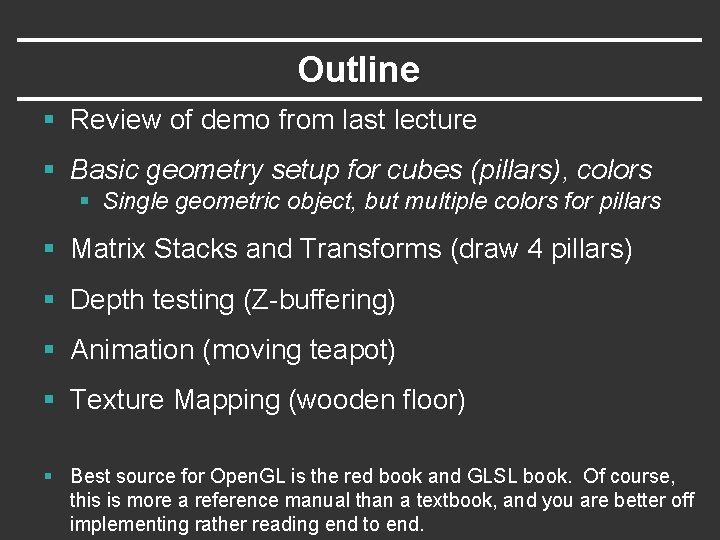
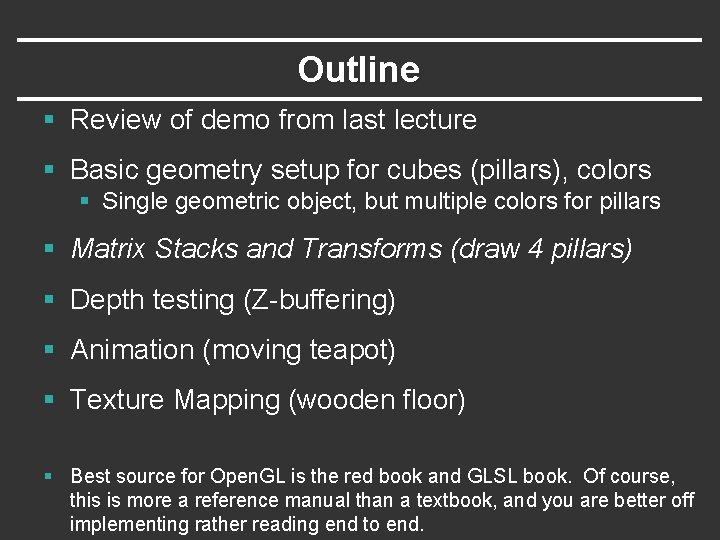
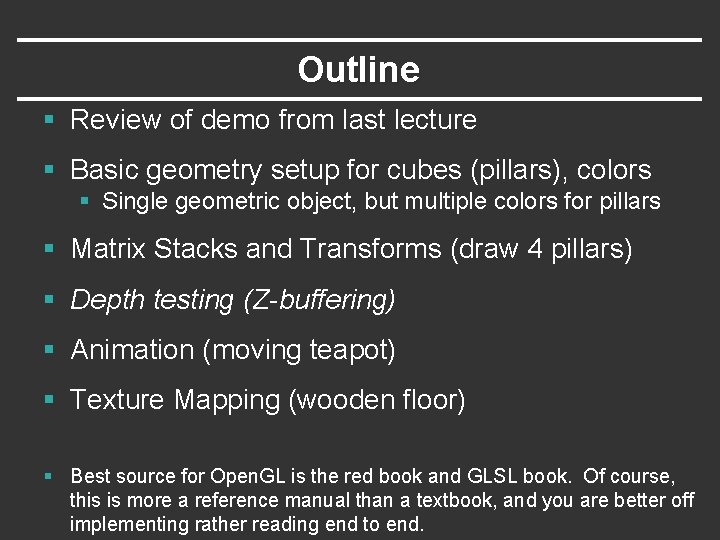
Outline § Review of demo from last lecture § Basic geometry setup for cubes (pillars), colors § Single geometric object, but multiple colors for pillars § Matrix Stacks and Transforms (draw 4 pillars) § Depth testing (Z-buffering) § Animation (moving teapot) § Texture Mapping (wooden floor) § Best source for Open. GL is the red book and GLSL book. Of course, this is more a reference manual than a textbook, and you are better off implementing rather reading end to end.
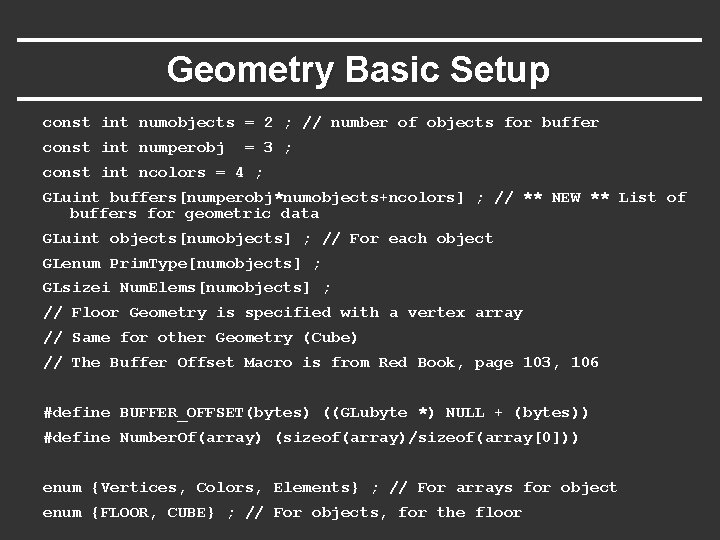
Geometry Basic Setup const int numobjects = 2 ; // number of objects for buffer const int numperobj = 3 ; const int ncolors = 4 ; GLuint buffers[numperobj*numobjects+ncolors] ; // ** NEW ** List of buffers for geometric data GLuint objects[numobjects] ; // For each object GLenum Prim. Type[numobjects] ; GLsizei Num. Elems[numobjects] ; // Floor Geometry is specified with a vertex array // Same for other Geometry (Cube) // The Buffer Offset Macro is from Red Book, page 103, 106 #define BUFFER_OFFSET(bytes) ((GLubyte *) NULL + (bytes)) #define Number. Of(array) (sizeof(array)/sizeof(array[0])) enum {Vertices, Colors, Elements} ; // For arrays for object enum {FLOOR, CUBE} ; // For objects, for the floor
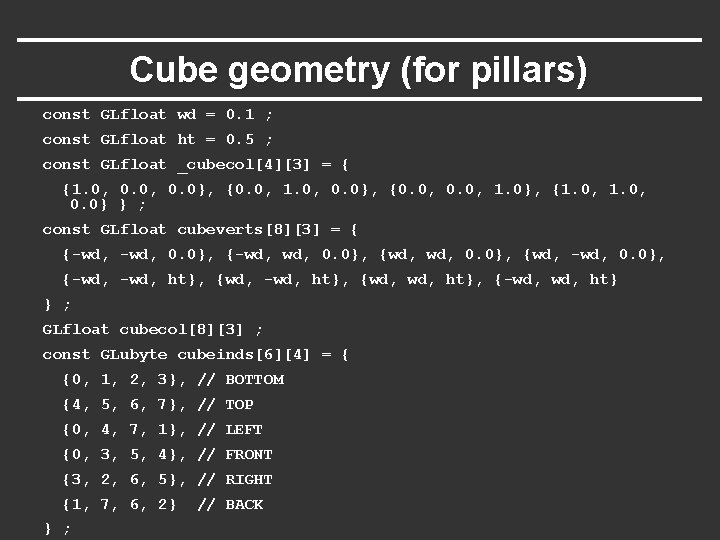
Cube geometry (for pillars) const GLfloat wd = 0. 1 ; const GLfloat ht = 0. 5 ; const GLfloat _cubecol[4][3] = { {1. 0, 0. 0}, {0. 0, 1. 0}, {1. 0, 0. 0} } ; const GLfloat cubeverts[8][3] = { {-wd, 0. 0}, {-wd, wd, 0. 0}, {wd, -wd, 0. 0}, {-wd, ht}, {wd, ht}, {-wd, ht} } ; GLfloat cubecol[8][3] ; const GLubyte cubeinds[6][4] = { {0, 1, 2, 3}, // BOTTOM {4, 5, 6, 7}, // TOP {0, 4, 7, 1}, // LEFT {0, 3, 5, 4}, // FRONT {3, 2, 6, 5}, // RIGHT {1, 7, 6, 2} } ; // BACK
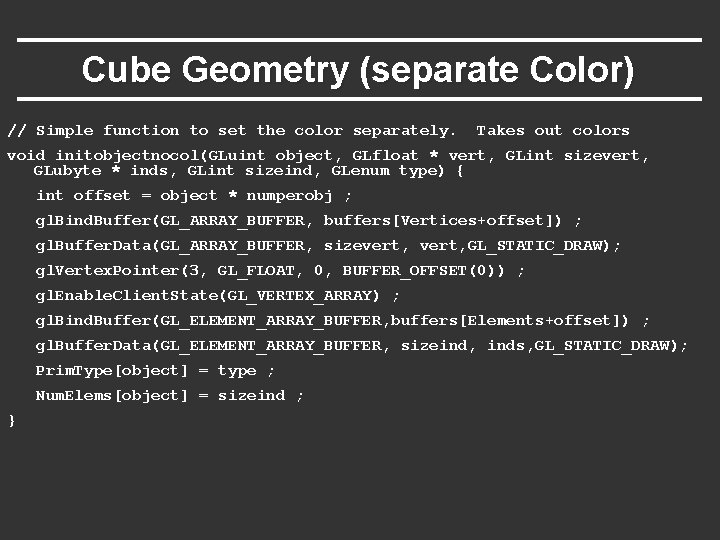
Cube Geometry (separate Color) // Simple function to set the color separately. Takes out colors void initobjectnocol(GLuint object, GLfloat * vert, GLint sizevert, GLubyte * inds, GLint sizeind, GLenum type) { int offset = object * numperobj ; gl. Bind. Buffer(GL_ARRAY_BUFFER, buffers[Vertices+offset]) ; gl. Buffer. Data(GL_ARRAY_BUFFER, sizevert, GL_STATIC_DRAW); gl. Vertex. Pointer(3, GL_FLOAT, 0, BUFFER_OFFSET(0)) ; gl. Enable. Client. State(GL_VERTEX_ARRAY) ; gl. Bind. Buffer(GL_ELEMENT_ARRAY_BUFFER, buffers[Elements+offset]) ; gl. Buffer. Data(GL_ELEMENT_ARRAY_BUFFER, sizeind, inds, GL_STATIC_DRAW); Prim. Type[object] = type ; Num. Elems[object] = sizeind ; }
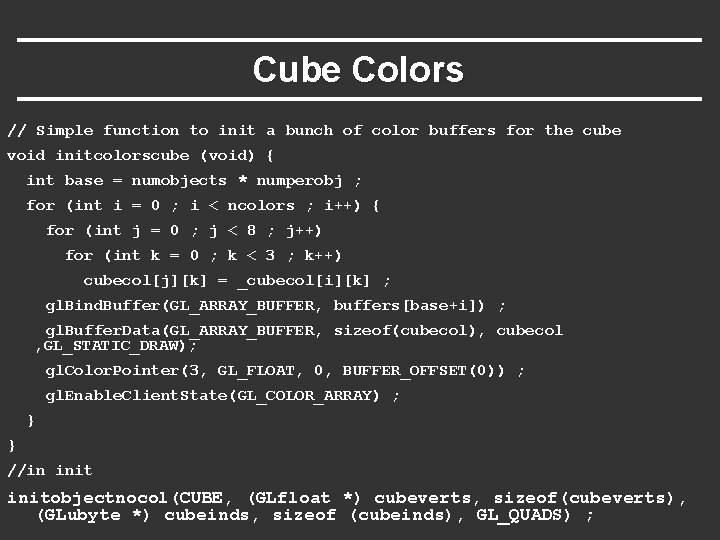
Cube Colors // Simple function to init a bunch of color buffers for the cube void initcolorscube (void) { int base = numobjects * numperobj ; for (int i = 0 ; i < ncolors ; i++) { for (int j = 0 ; j < 8 ; j++) for (int k = 0 ; k < 3 ; k++) cubecol[j][k] = _cubecol[i][k] ; gl. Bind. Buffer(GL_ARRAY_BUFFER, buffers[base+i]) ; gl. Buffer. Data(GL_ARRAY_BUFFER, sizeof(cubecol), cubecol , GL_STATIC_DRAW); gl. Color. Pointer(3, GL_FLOAT, 0, BUFFER_OFFSET(0)) ; gl. Enable. Client. State(GL_COLOR_ARRAY) ; } } //in initobjectnocol(CUBE, (GLfloat *) cubeverts, sizeof(cubeverts), (GLubyte *) cubeinds, sizeof (cubeinds), GL_QUADS) ;
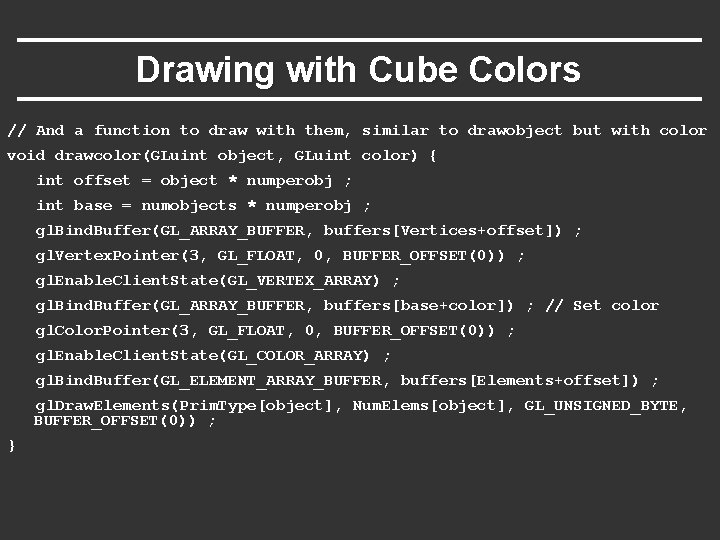
Drawing with Cube Colors // And a function to draw with them, similar to drawobject but with color void drawcolor(GLuint object, GLuint color) { int offset = object * numperobj ; int base = numobjects * numperobj ; gl. Bind. Buffer(GL_ARRAY_BUFFER, buffers[Vertices+offset]) ; gl. Vertex. Pointer(3, GL_FLOAT, 0, BUFFER_OFFSET(0)) ; gl. Enable. Client. State(GL_VERTEX_ARRAY) ; gl. Bind. Buffer(GL_ARRAY_BUFFER, buffers[base+color]) ; // Set color gl. Color. Pointer(3, GL_FLOAT, 0, BUFFER_OFFSET(0)) ; gl. Enable. Client. State(GL_COLOR_ARRAY) ; gl. Bind. Buffer(GL_ELEMENT_ARRAY_BUFFER, buffers[Elements+offset]) ; gl. Draw. Elements(Prim. Type[object], Num. Elems[object], GL_UNSIGNED_BYTE, BUFFER_OFFSET(0)) ; }
Outline § Review of demo from last lecture § Basic geometry setup for cubes (pillars), colors § Single geometric object, but multiple colors for pillars § Matrix Stacks and Transforms (draw 4 pillars) § Depth testing (Z-buffering) § Animation (moving teapot) § Texture Mapping (wooden floor) § Best source for Open. GL is the red book and GLSL book. Of course, this is more a reference manual than a textbook, and you are better off implementing rather reading end to end.
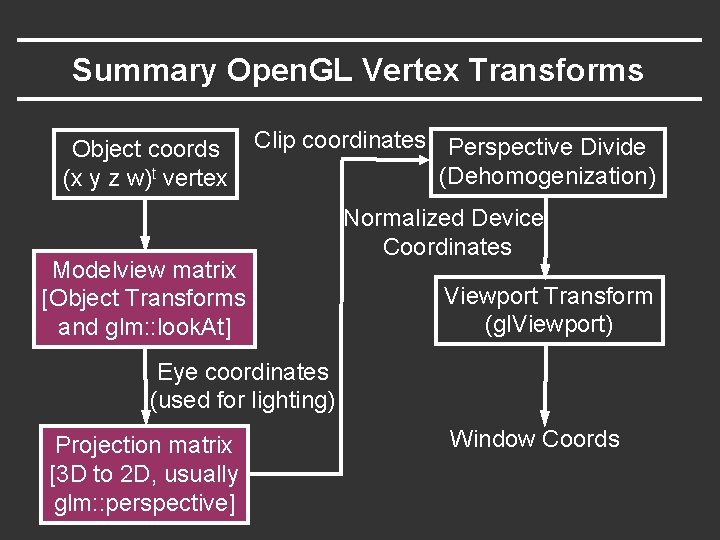
Summary Open. GL Vertex Transforms Object coords (x y z w)t vertex Clip coordinates Perspective Divide (Dehomogenization) Modelview matrix [Object Transforms and glm: : look. At] Normalized Device Coordinates Viewport Transform (gl. Viewport) Eye coordinates (used for lighting) Projection matrix [3 D to 2 D, usually glm: : perspective] Window Coords
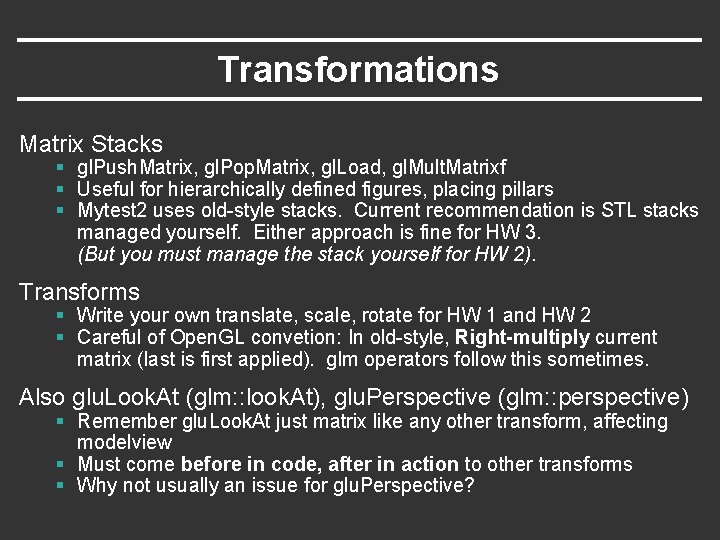
Transformations Matrix Stacks § gl. Push. Matrix, gl. Pop. Matrix, gl. Load, gl. Mult. Matrixf § Useful for hierarchically defined figures, placing pillars § Mytest 2 uses old-style stacks. Current recommendation is STL stacks managed yourself. Either approach is fine for HW 3. (But you must manage the stack yourself for HW 2). Transforms § Write your own translate, scale, rotate for HW 1 and HW 2 § Careful of Open. GL convetion: In old-style, Right-multiply current matrix (last is first applied). glm operators follow this sometimes. Also glu. Look. At (glm: : look. At), glu. Perspective (glm: : perspective) § Remember glu. Look. At just matrix like any other transform, affecting modelview § Must come before in code, after in action to other transforms § Why not usually an issue for glu. Perspective?
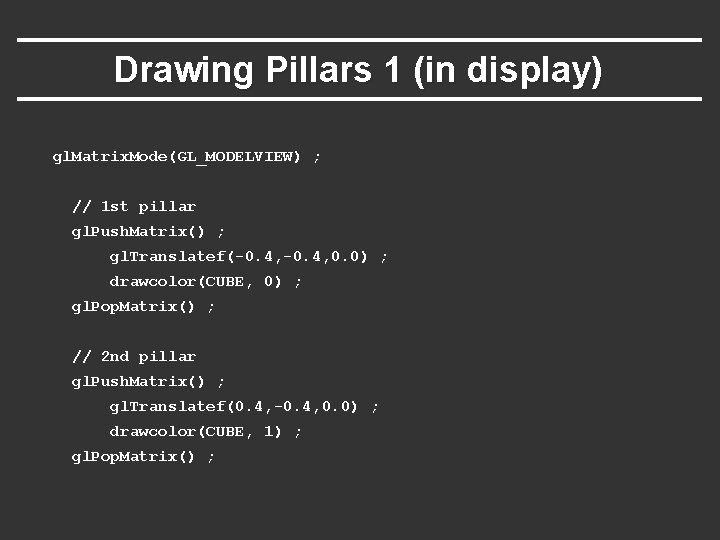
Drawing Pillars 1 (in display) gl. Matrix. Mode(GL_MODELVIEW) ; // 1 st pillar gl. Push. Matrix() ; gl. Translatef(-0. 4, 0. 0) ; drawcolor(CUBE, 0) ; gl. Pop. Matrix() ; // 2 nd pillar gl. Push. Matrix() ; gl. Translatef(0. 4, -0. 4, 0. 0) ; drawcolor(CUBE, 1) ; gl. Pop. Matrix() ;
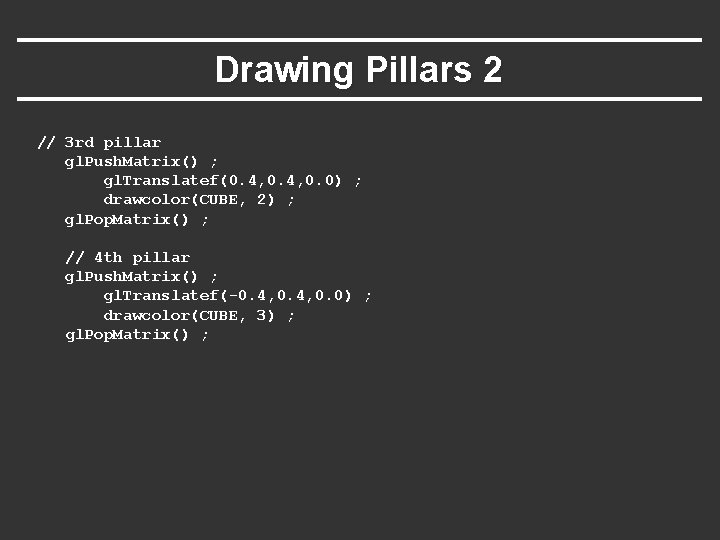
Drawing Pillars 2 // 3 rd pillar gl. Push. Matrix() ; gl. Translatef(0. 4, 0. 0) ; drawcolor(CUBE, 2) ; gl. Pop. Matrix() ; // 4 th pillar gl. Push. Matrix() ; gl. Translatef(-0. 4, 0. 0) ; drawcolor(CUBE, 3) ; gl. Pop. Matrix() ;
Demo § Demo 1 (in visual studio) § Does order of drawing matter? § What if I move floor after pillars in code? § Is this desirable? If not, what can I do about it?
Outline § Review of demo from last lecture § Basic geometry setup for cubes (pillars), colors § Single geometric object, but multiple colors for pillars § Matrix Stacks and Transforms (draw 4 pillars) § Depth testing (Z-buffering) § Animation (moving teapot) § Texture Mapping (wooden floor) § Best source for Open. GL is the red book and GLSL book. Of course, this is more a reference manual than a textbook, and you are better off implementing rather reading end to end.
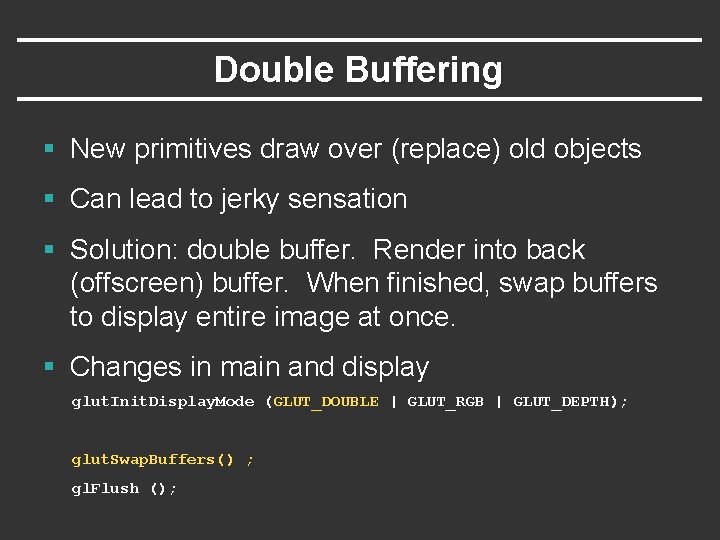
Double Buffering § New primitives draw over (replace) old objects § Can lead to jerky sensation § Solution: double buffer. Render into back (offscreen) buffer. When finished, swap buffers to display entire image at once. § Changes in main and display glut. Init. Display. Mode (GLUT_DOUBLE | GLUT_RGB | GLUT_DEPTH); glut. Swap. Buffers() ; gl. Flush ();
Turning on Depth test (Z-buffer) Open. GL uses a Z-buffer for depth tests § For each pixel, store nearest Z value (to camera) so far § If new fragment is closer, it replaces old z, color [“less than” can be over-ridden in fragment program] § Simple technique to get accurate visibility § (Be sure you know what fragments and pixels are) Changes in main fn, display to Z-buffer glut. Init. Display. Mode (GLUT_SINGLE | GLUT_RGB | GLUT_DEPTH); gl. Clear (GL_COLOR_BUFFER_BIT | GL_DEPTH_BUFFER_BIT); In init function gl. Enable(GL_DEPTH_TEST) ; gl. Depth. Func(GL_LESS) ; // The default option
Demo § Demo 2 (in visual studio) § Does order of drawing matter any more? § What if I change near plane to 0? § Is this desirable? If not, what can I do about it?
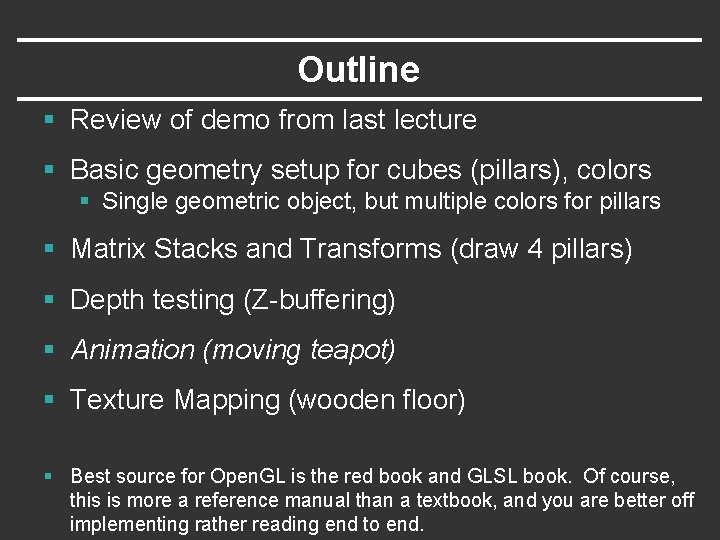
Outline § Review of demo from last lecture § Basic geometry setup for cubes (pillars), colors § Single geometric object, but multiple colors for pillars § Matrix Stacks and Transforms (draw 4 pillars) § Depth testing (Z-buffering) § Animation (moving teapot) § Texture Mapping (wooden floor) § Best source for Open. GL is the red book and GLSL book. Of course, this is more a reference manual than a textbook, and you are better off implementing rather reading end to end.
Demo § Demo 3 (in visual studio) § Notice how teapot cycles around § And that I can pause and restart animation § And do everything else (zoom etc. ) while teapot moves in background
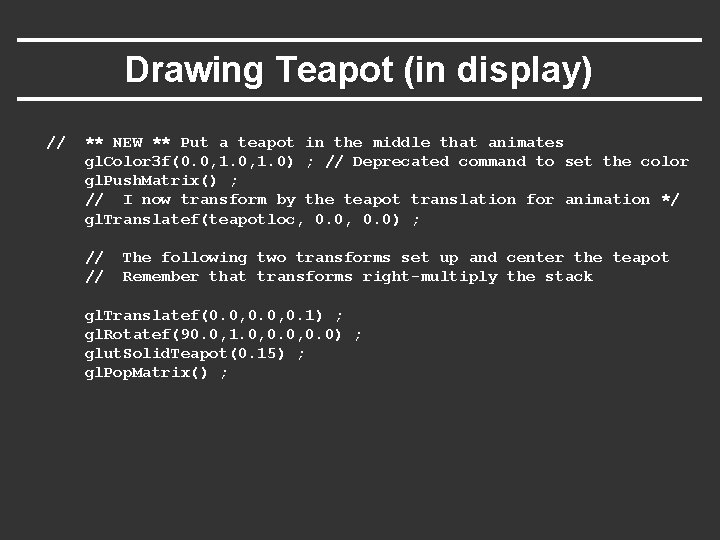
Drawing Teapot (in display) // ** NEW ** Put a teapot in the middle that animates gl. Color 3 f(0. 0, 1. 0) ; // Deprecated command to set the color gl. Push. Matrix() ; // I now transform by the teapot translation for animation */ gl. Translatef(teapotloc, 0. 0) ; // // The following two transforms set up and center the teapot Remember that transforms right-multiply the stack gl. Translatef(0. 0, 0. 1) ; gl. Rotatef(90. 0, 1. 0, 0. 0) ; glut. Solid. Teapot(0. 15) ; gl. Pop. Matrix() ;
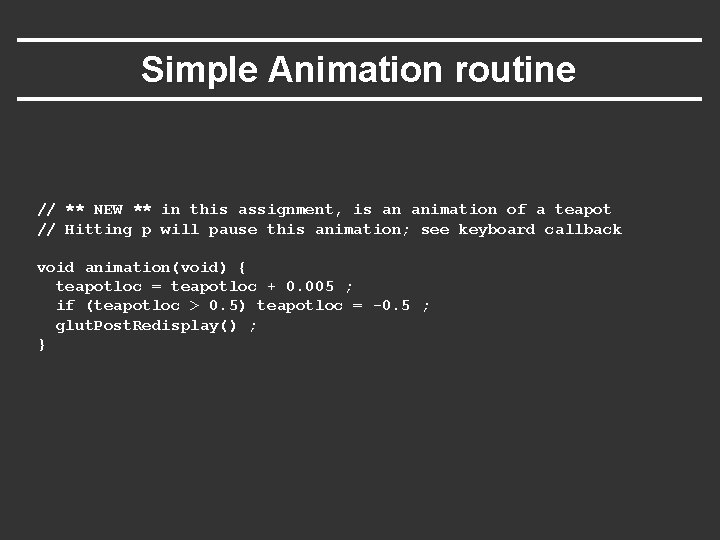
Simple Animation routine // ** NEW ** in this assignment, is an animation of a teapot // Hitting p will pause this animation; see keyboard callback void animation(void) { teapotloc = teapotloc + 0. 005 ; if (teapotloc > 0. 5) teapotloc = -0. 5 ; glut. Post. Redisplay() ; }
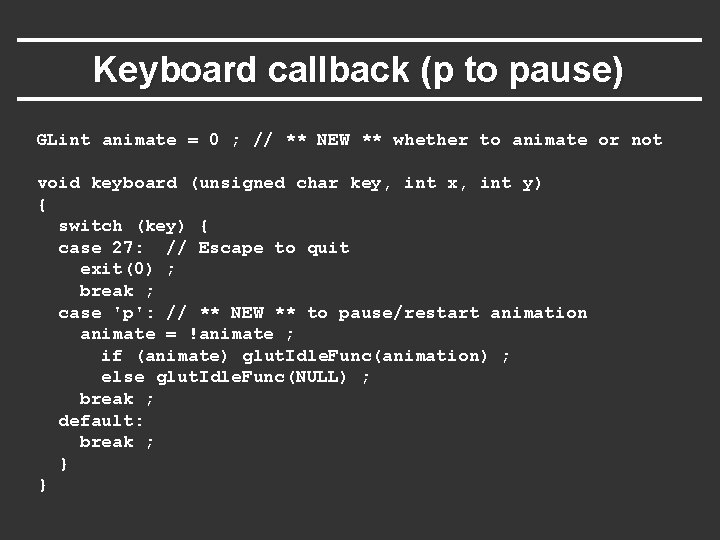
Keyboard callback (p to pause) GLint animate = 0 ; // ** NEW ** whether to animate or not void keyboard (unsigned char key, int x, int y) { switch (key) { case 27: // Escape to quit exit(0) ; break ; case 'p': // ** NEW ** to pause/restart animation animate = !animate ; if (animate) glut. Idle. Func(animation) ; else glut. Idle. Func(NULL) ; break ; default: break ; } }
Outline § Review of demo from last lecture § Display lists (extend init for pillars) § Matrix stacks and transforms (draw 4 pillars) § Depth testing or z-buffering § Animation (moving teapot) § Texture mapping (wooden floor) [mytest 3]
New globals and basic setup GLubyte woodtexture[256][3] ; // texture (from grsites. com) GLuint tex. Names[1] ; // texture buffer GLuint istex ; // blend parameter for texturing GLuint islight ; // for lighting GLint texturing = 1 ; // to turn on/off texturing GLint lighting = 1 ; // to turn on/off lighting // In Display gl. Uniform 1 i(islight, 0) ; // Turn off lighting (except on teapot, later) gl. Uniform 1 i(istex, texturing) ; drawtexture(FLOOR, tex. Names[0]) ; // Texturing floor // drawobject(FLOOR) ; gl. Uniform 1 i(istex, 0) ; // Other items aren't textured
Simple Toggles for Keyboard case 't': // ** NEW ** to turn on/off texturing ; texturing = !texturing ; glut. Post. Redisplay() ; break ; case 's': // ** NEW ** to turn on/off shading (always smooth) ; lighting = !lighting ; glut. Post. Redisplay() ; break ;
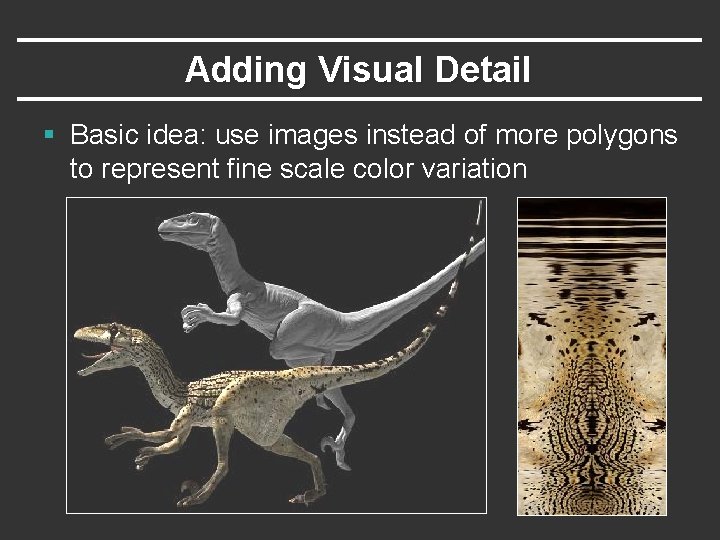
Adding Visual Detail § Basic idea: use images instead of more polygons to represent fine scale color variation
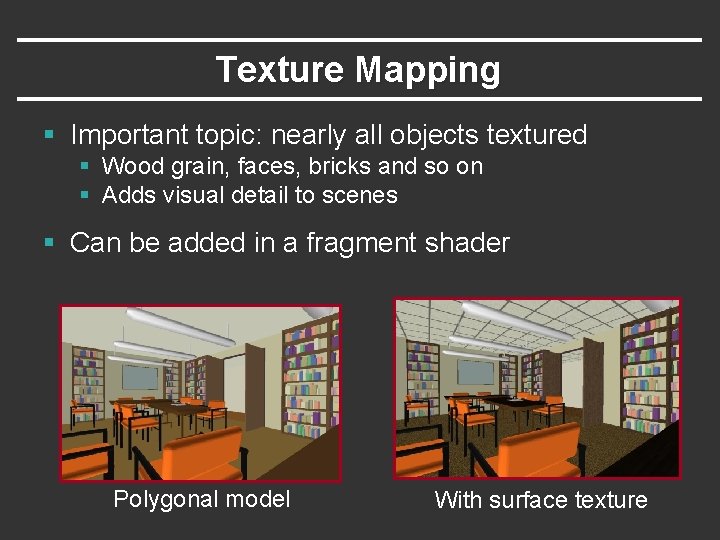
Texture Mapping § Important topic: nearly all objects textured § Wood grain, faces, bricks and so on § Adds visual detail to scenes § Can be added in a fragment shader Polygonal model With surface texture
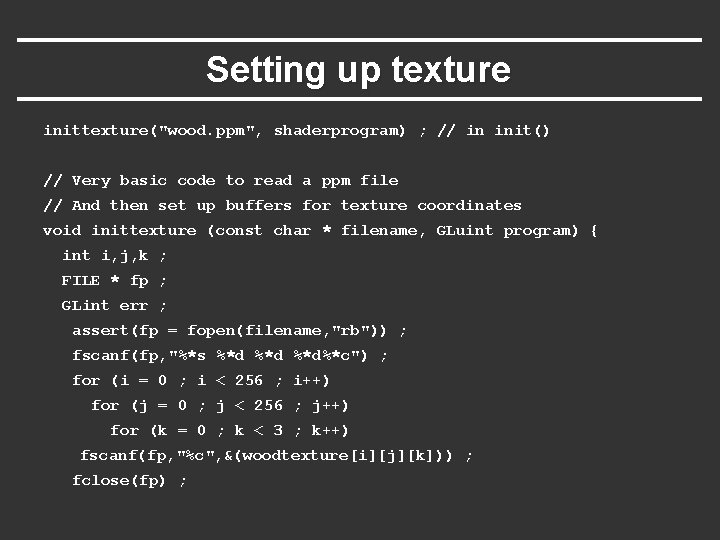
Setting up texture inittexture("wood. ppm", shaderprogram) ; // in init() // Very basic code to read a ppm file // And then set up buffers for texture coordinates void inittexture (const char * filename, GLuint program) { int i, j, k ; FILE * fp ; GLint err ; assert(fp = fopen(filename, "rb")) ; fscanf(fp, "%*s %*d %*d%*c") ; for (i = 0 ; i < 256 ; i++) for (j = 0 ; j < 256 ; j++) for (k = 0 ; k < 3 ; k++) fscanf(fp, "%c", &(woodtexture[i][j][k])) ; fclose(fp) ;
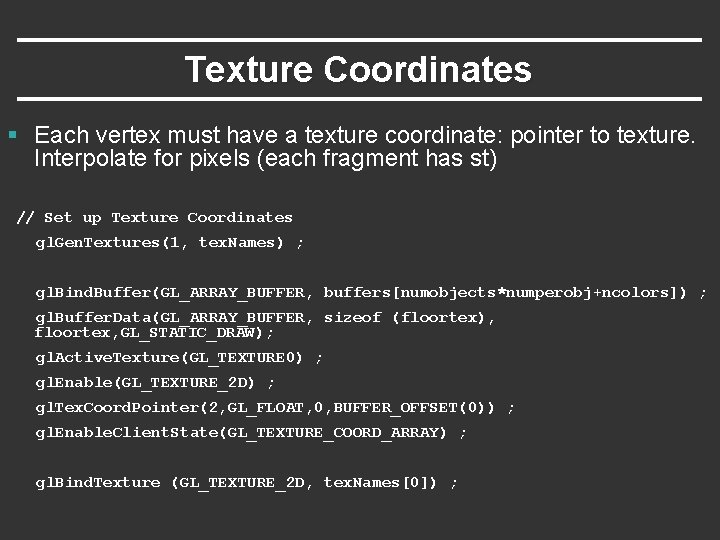
Texture Coordinates § Each vertex must have a texture coordinate: pointer to texture. Interpolate for pixels (each fragment has st) // Set up Texture Coordinates gl. Gen. Textures(1, tex. Names) ; gl. Bind. Buffer(GL_ARRAY_BUFFER, buffers[numobjects*numperobj+ncolors]) ; gl. Buffer. Data(GL_ARRAY_BUFFER, sizeof (floortex), floortex, GL_STATIC_DRAW); gl. Active. Texture(GL_TEXTURE 0) ; gl. Enable(GL_TEXTURE_2 D) ; gl. Tex. Coord. Pointer(2, GL_FLOAT, 0, BUFFER_OFFSET(0)) ; gl. Enable. Client. State(GL_TEXTURE_COORD_ARRAY) ; gl. Bind. Texture (GL_TEXTURE_2 D, tex. Names[0]) ;
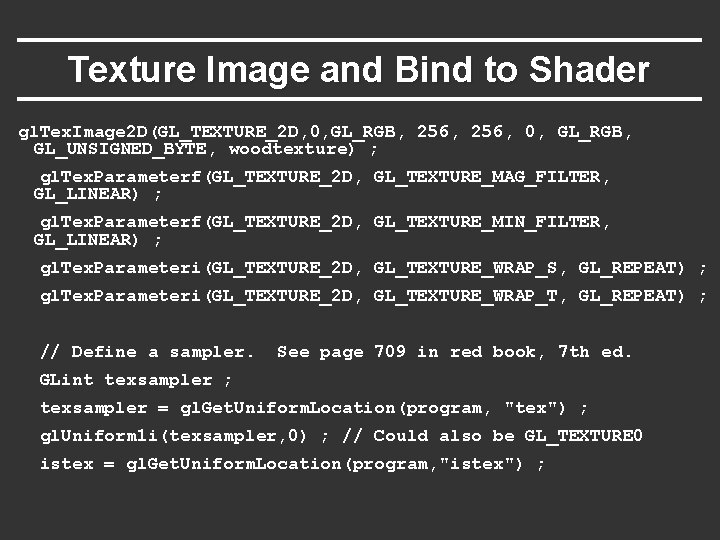
Specifying the Texture Image § gl. Tex. Image 2 D( target, level, components, width height, border, format, type, data ) § target is GL_TEXTURE_2 D § level is (almost always) 0 § components = 3 or 4 (RGB/RGBA) § width/height MUST be a power of 2 § border = 0 (usually) § format = GL_RGB or GL_RGBA (usually) § type = GL_UNSIGNED_BYTE, GL_FLOAT, etc…
Texture Image and Bind to Shader gl. Tex. Image 2 D(GL_TEXTURE_2 D, 0, GL_RGB, 256, 0, GL_RGB, GL_UNSIGNED_BYTE, woodtexture) ; gl. Tex. Parameterf(GL_TEXTURE_2 D, GL_TEXTURE_MAG_FILTER, GL_LINEAR) ; gl. Tex. Parameterf(GL_TEXTURE_2 D, GL_TEXTURE_MIN_FILTER, GL_LINEAR) ; gl. Tex. Parameteri(GL_TEXTURE_2 D, GL_TEXTURE_WRAP_S, GL_REPEAT) ; gl. Tex. Parameteri(GL_TEXTURE_2 D, GL_TEXTURE_WRAP_T, GL_REPEAT) ; // Define a sampler. See page 709 in red book, 7 th ed. GLint texsampler ; texsampler = gl. Get. Uniform. Location(program, "tex") ; gl. Uniform 1 i(texsampler, 0) ; // Could also be GL_TEXTURE 0 istex = gl. Get. Uniform. Location(program, "istex") ;
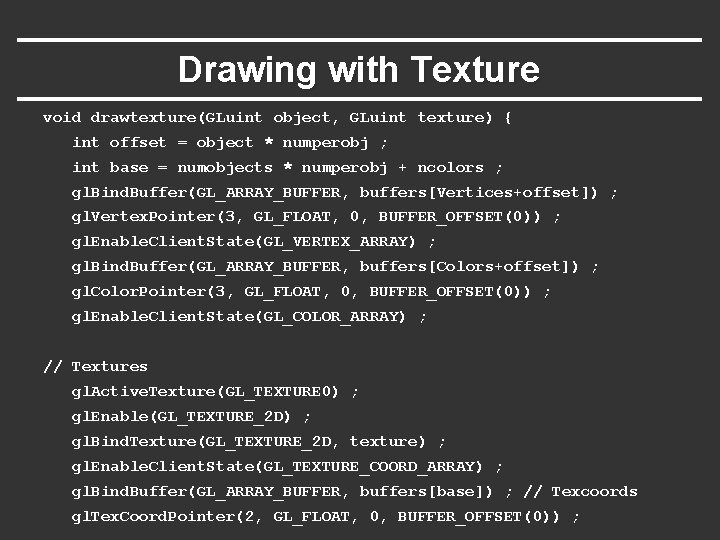
Drawing with Texture void drawtexture(GLuint object, GLuint texture) { int offset = object * numperobj ; int base = numobjects * numperobj + ncolors ; gl. Bind. Buffer(GL_ARRAY_BUFFER, buffers[Vertices+offset]) ; gl. Vertex. Pointer(3, GL_FLOAT, 0, BUFFER_OFFSET(0)) ; gl. Enable. Client. State(GL_VERTEX_ARRAY) ; gl. Bind. Buffer(GL_ARRAY_BUFFER, buffers[Colors+offset]) ; gl. Color. Pointer(3, GL_FLOAT, 0, BUFFER_OFFSET(0)) ; gl. Enable. Client. State(GL_COLOR_ARRAY) ; // Textures gl. Active. Texture(GL_TEXTURE 0) ; gl. Enable(GL_TEXTURE_2 D) ; gl. Bind. Texture(GL_TEXTURE_2 D, texture) ; gl. Enable. Client. State(GL_TEXTURE_COORD_ARRAY) ; gl. Bind. Buffer(GL_ARRAY_BUFFER, buffers[base]) ; // Texcoords gl. Tex. Coord. Pointer(2, GL_FLOAT, 0, BUFFER_OFFSET(0)) ;
Final Steps for Drawing (+Demo) gl. Bind. Buffer(GL_ELEMENT_ARRAY_BUFFER, buffers[Elements+offset]) ; gl. Draw. Elements(Prim. Type[object], Num. Elems[object], GL_UNSIGNED_BYTE, BUFFER_OFFSET(0)) ; } § Vertex shader (just pass on texture coords) gl_Tex. Coord[0] = gl_Multi. Tex. Coord 0 ; § Fragment shader (can be more complex blend) uniform sampler 2 D tex ; uniform int istex ; void main (void) { if (istex > 0) gl_Frag. Color = texture 2 D(tex, gl_Tex. Coord[0]. st) ;
More on Texture (very briefly) Full lecture later in course § Optimizations for efficiency § Mipmapping § Filtering § Texture Coordinate generation § Texture Matrix § Environment Mapping If very ambitious, read all of chapter 9
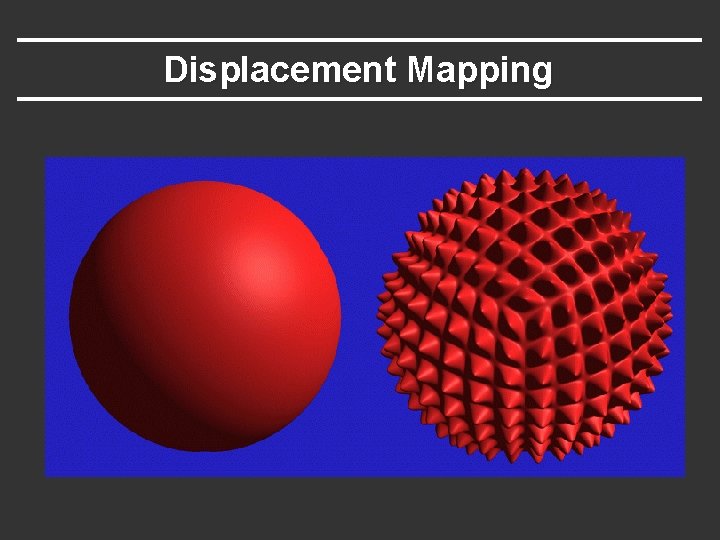
Displacement Mapping
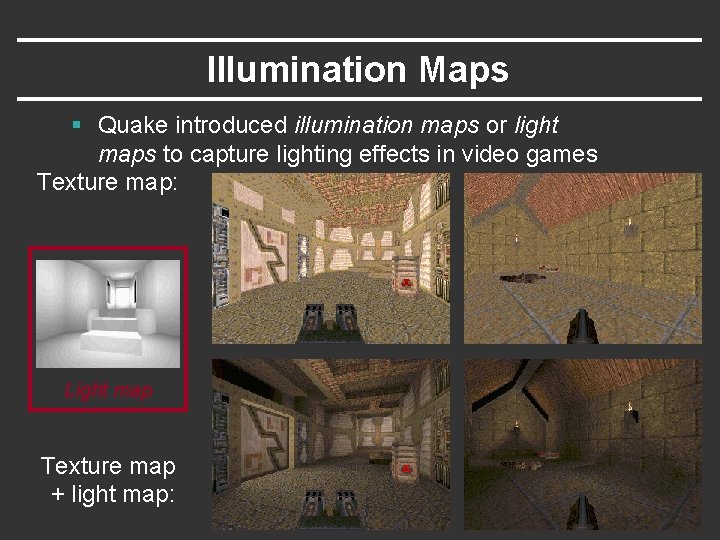
Illumination Maps § Quake introduced illumination maps or light maps to capture lighting effects in video games Texture map: Light map Texture map + light map:
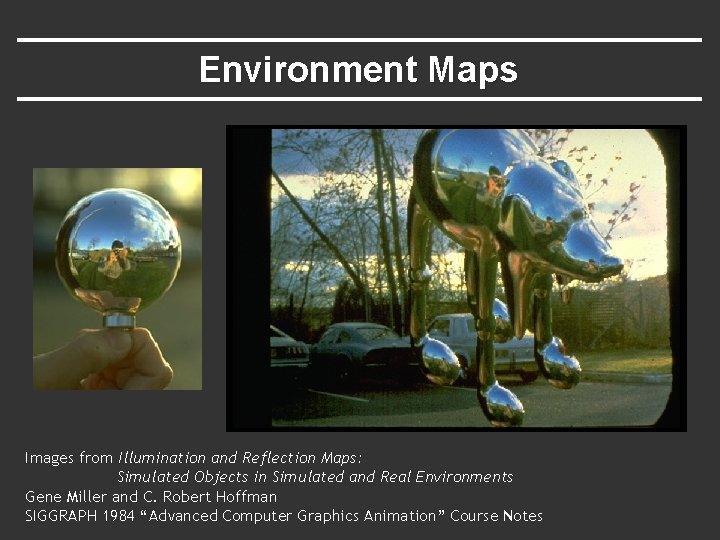
Environment Maps Images from Illumination and Reflection Maps: Simulated Objects in Simulated and Real Environments Gene Miller and C. Robert Hoffman SIGGRAPH 1984 “Advanced Computer Graphics Animation” Course Notes
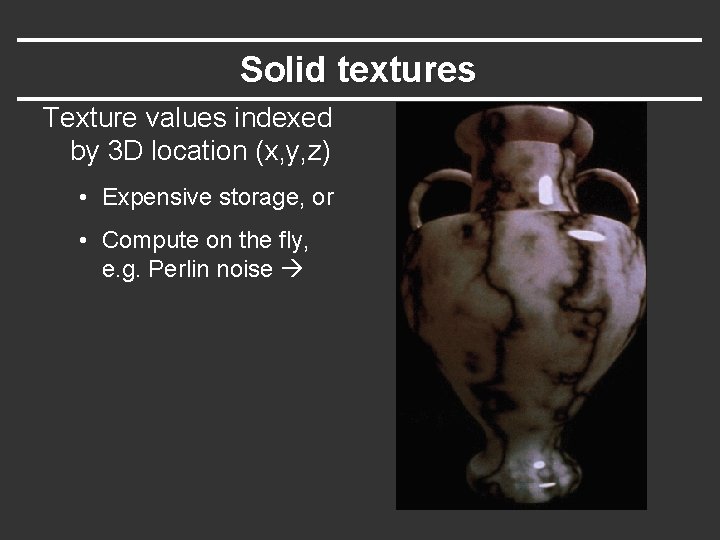
Solid textures Texture values indexed by 3 D location (x, y, z) • Expensive storage, or • Compute on the fly, e. g. Perlin noise