
Foundation Profile Step Up for Kids Facebook Fundraiser
Foundation Profile Step Up for Kids Facebook Fundraiser
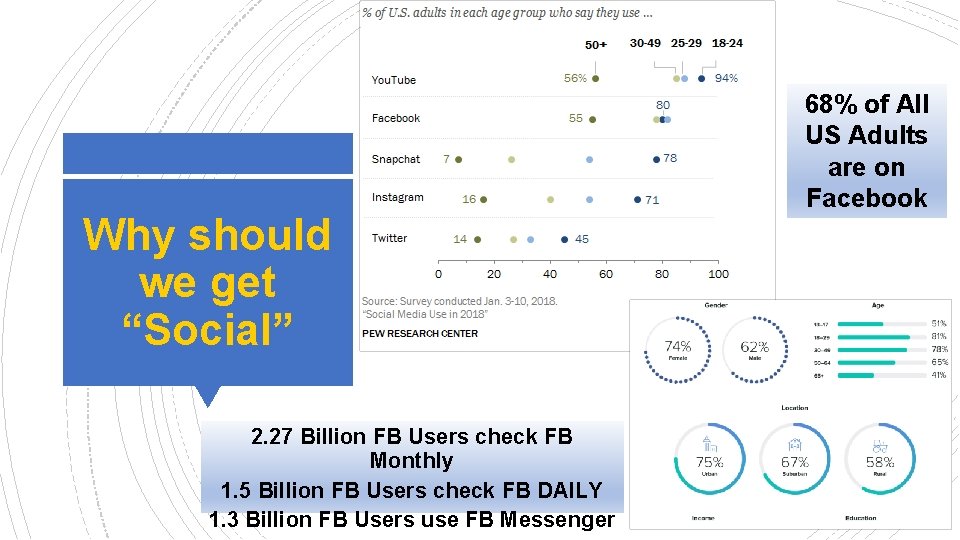
Why should we get “Social” 2. 27 Billion FB Users check FB Monthly 1. 5 Billion FB Users check FB DAILY 1. 3 Billion FB Users use FB Messenger 68% of All US Adults are on Facebook
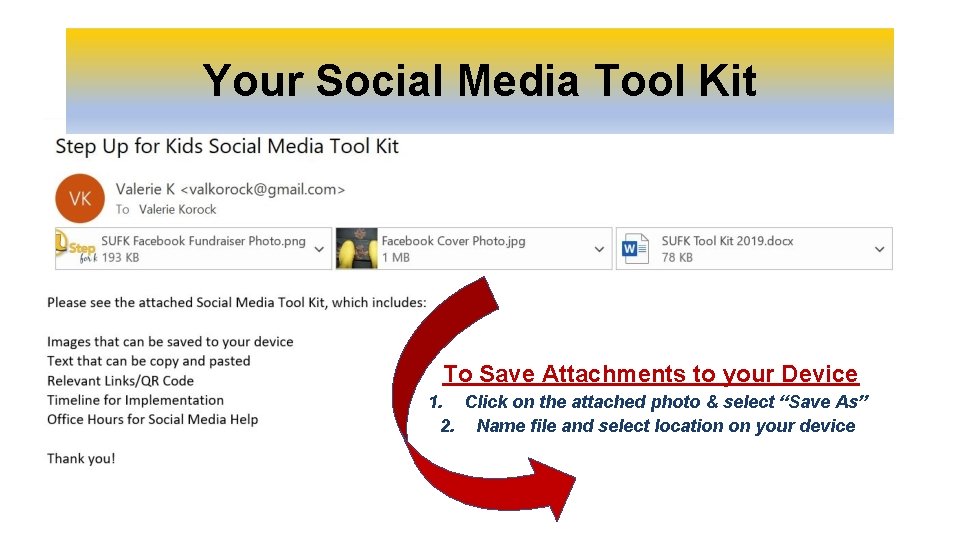
Your Social Media Tool Kit To Save Attachments to your Device 1. Click on the attached photo & select “Save As” 2. Name file and select location on your device

Step Up for Kids Facebook Profile Update

Update your Facebook Profile Picture 1. Hover profile picture 2. Click on “Update”
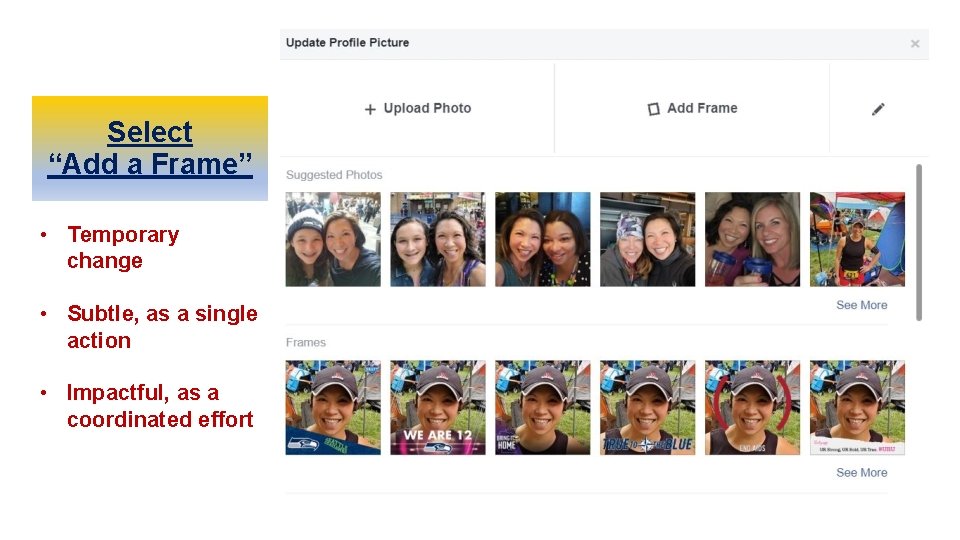
Select “Add a Frame” • Temporary change • Subtle, as a single action • Impactful, as a coordinated effort
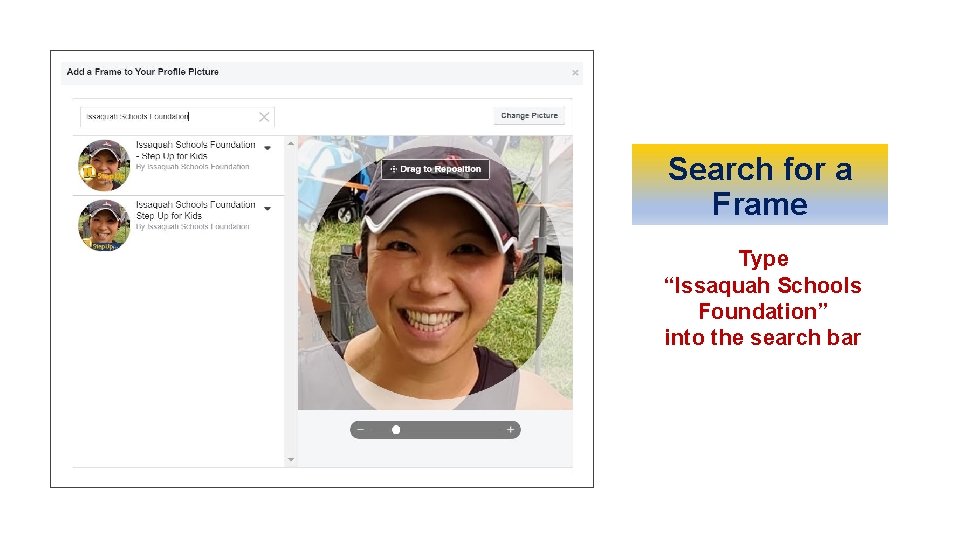
Search for a Frame Type “Issaquah Schools Foundation” into the search bar
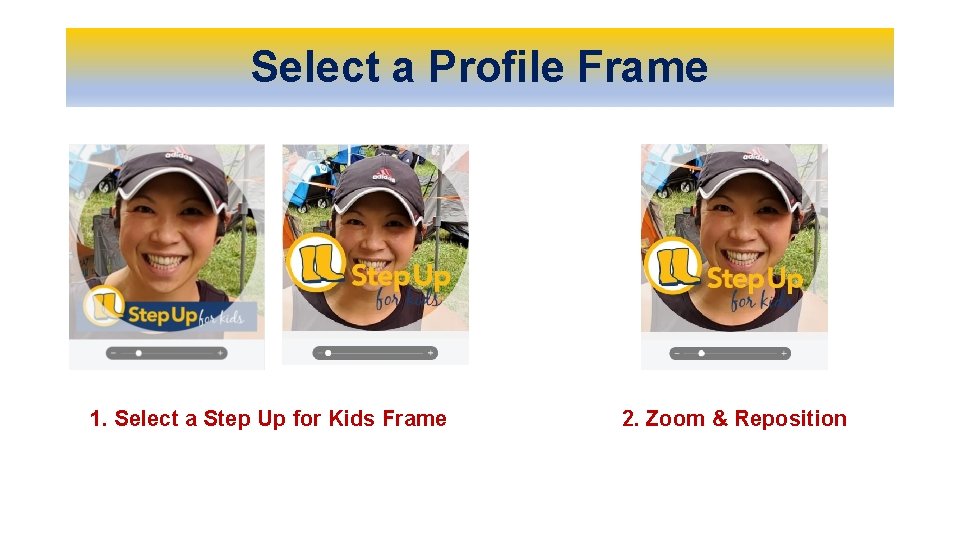
Select a Profile Frame 1. Select a Step Up for Kids Frame 2. Zoom & Reposition
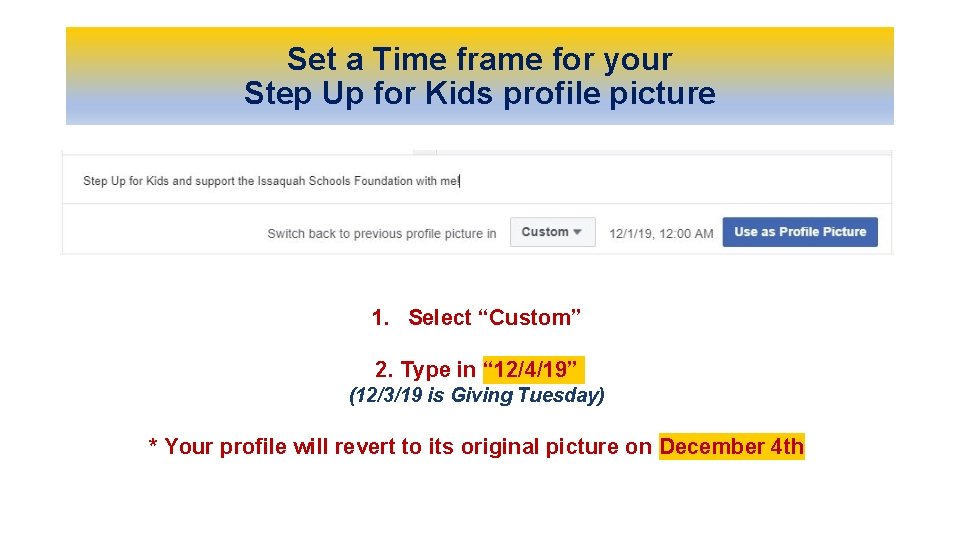
Set a Time frame for your Step Up for Kids profile picture 1. Select “Custom” 2. Type in “ 12/4/19” (12/3/19 is Giving Tuesday) * Your profile will revert to its original picture on December 4 th
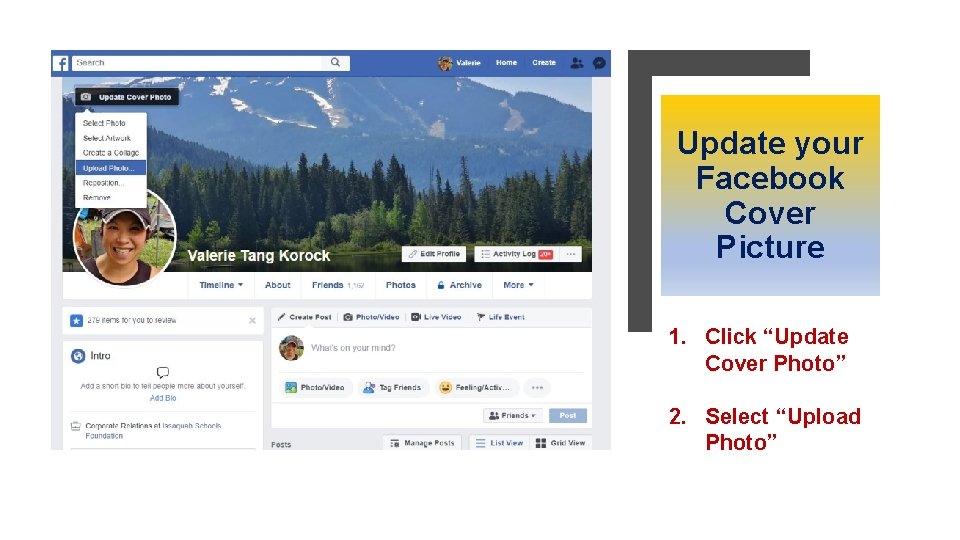
Update your Facebook Cover Picture 1. Click “Update Cover Photo” 2. Select “Upload Photo”
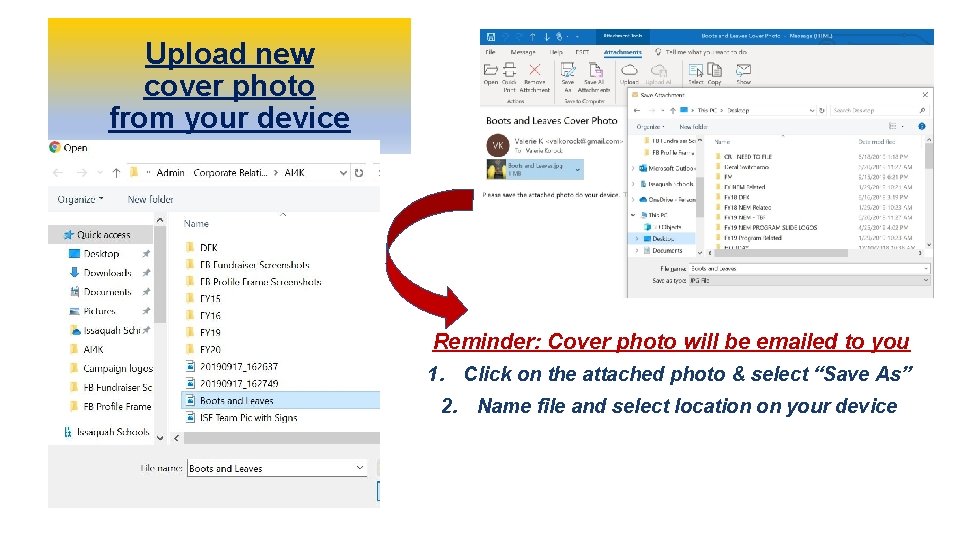
Upload new cover photo from your device Reminder: Cover photo will be emailed to you 1. Click on the attached photo & select “Save As” 2. Name file and select location on your device
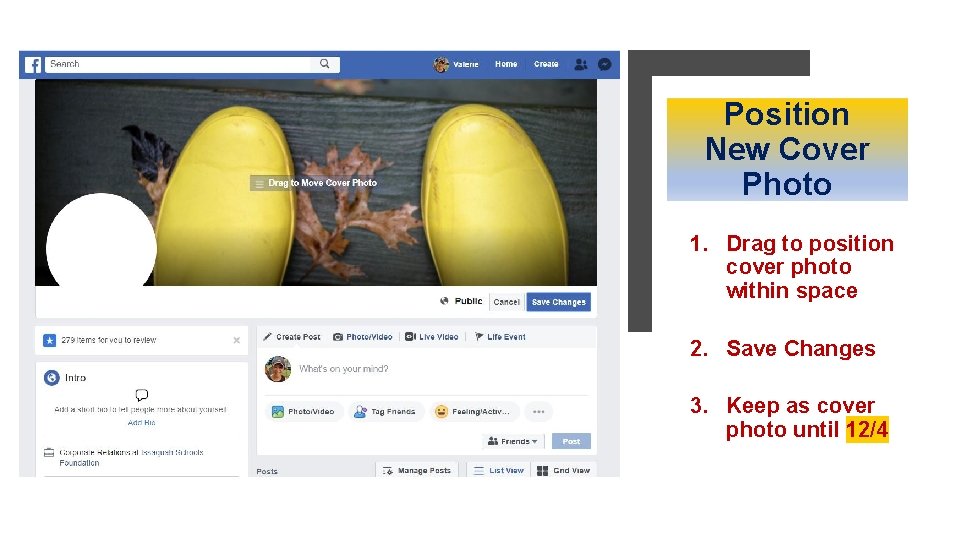
Position New Cover Photo 1. Drag to position cover photo within space 2. Save Changes 3. Keep as cover photo until 12/4

Step Up for Kids Facebook Fundraiser
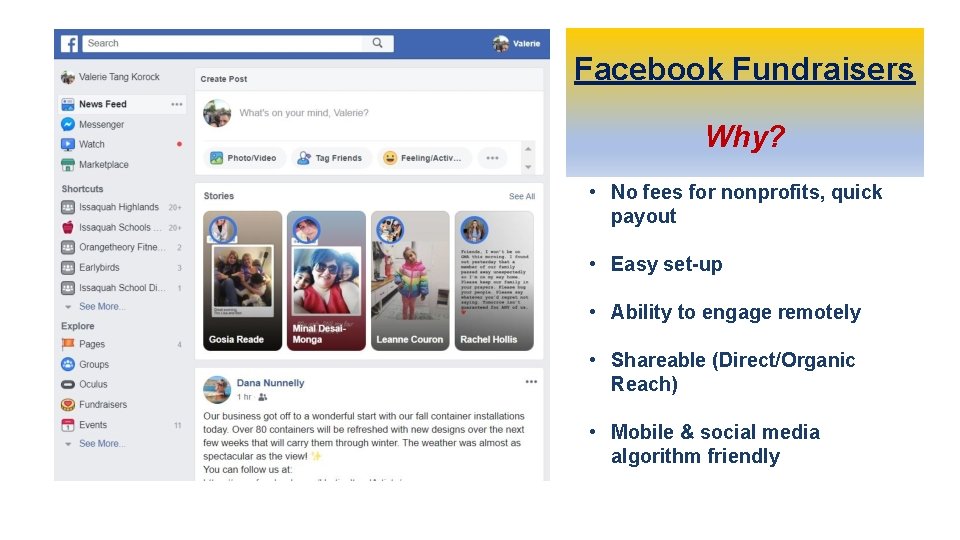
Facebook Fundraisers Why? • No fees for nonprofits, quick payout • Easy set-up • Ability to engage remotely • Shareable (Direct/Organic Reach) • Mobile & social media algorithm friendly
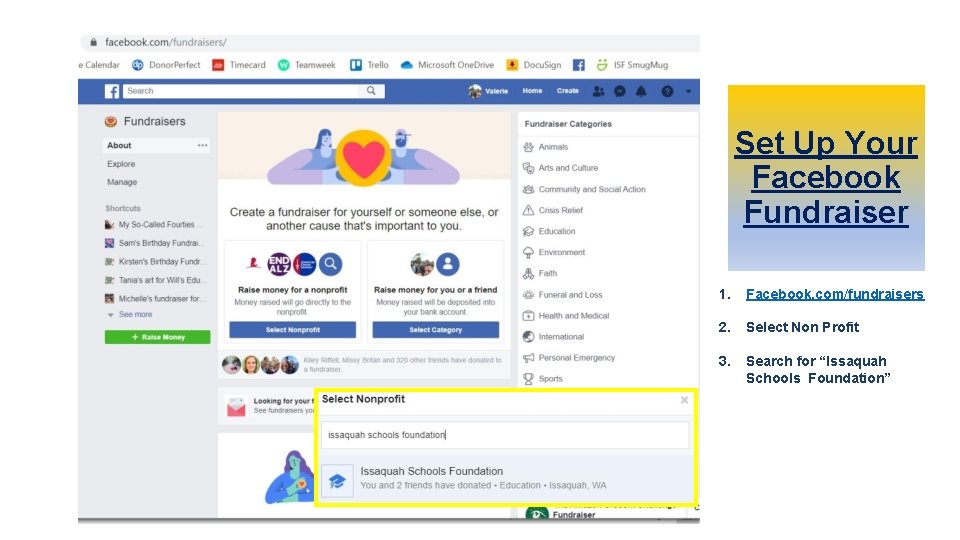
Set Up Your Facebook Fundraiser 1. Facebook. com/fundraisers 2. Select Non Profit 3. Search for “Issaquah Schools Foundation”
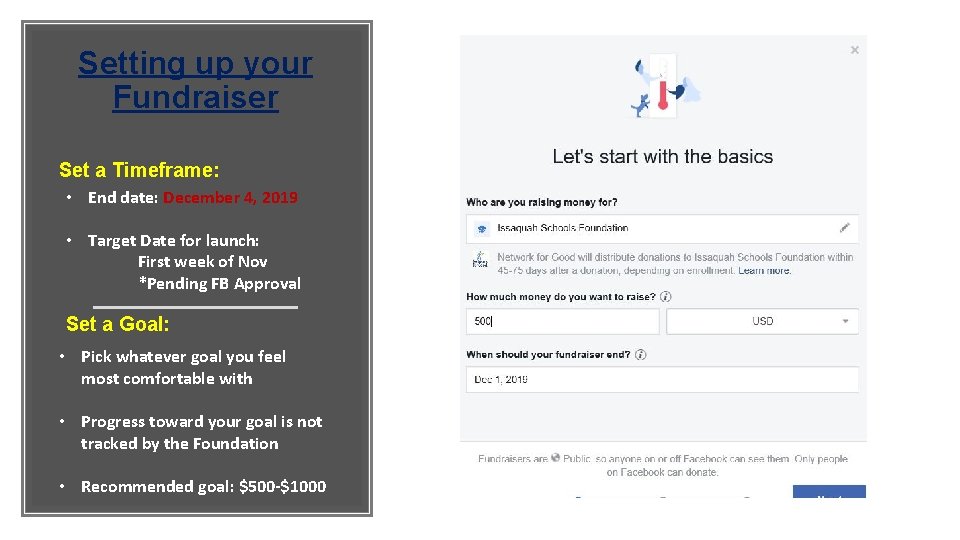
Setting up your Fundraiser Set a Timeframe: • End date: December 4, 2019 • Target Date for launch: First week of Nov *Pending FB Approval Set a Goal: • Pick whatever goal you feel most comfortable with • Progress toward your goal is not tracked by the Foundation • Recommended goal: $500 -$1000
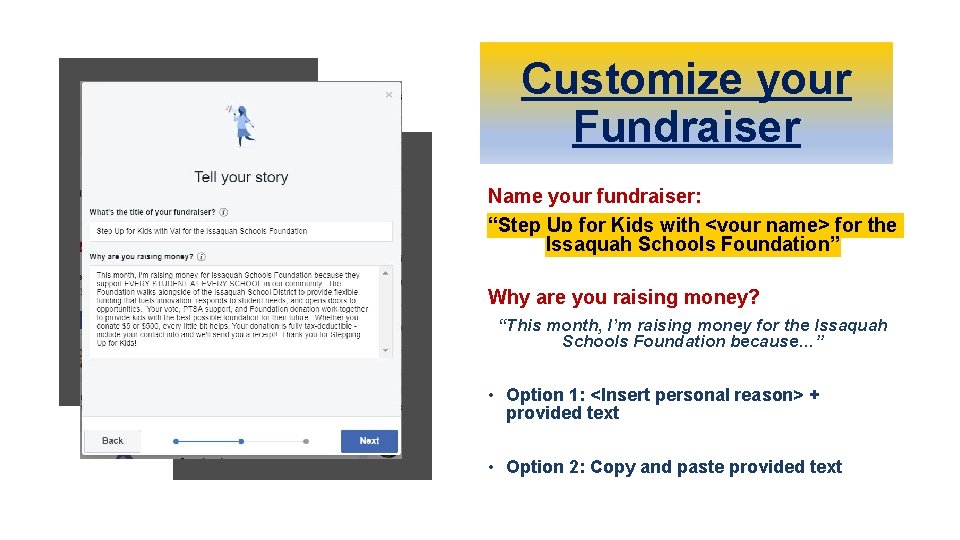
Customize your Fundraiser Name your fundraiser: “Step Up for Kids with <your name> for the Issaquah Schools Foundation” Why are you raising money? “This month, I’m raising money for the Issaquah Schools Foundation because…” • Option 1: <Insert personal reason> + provided text • Option 2: Copy and paste provided text
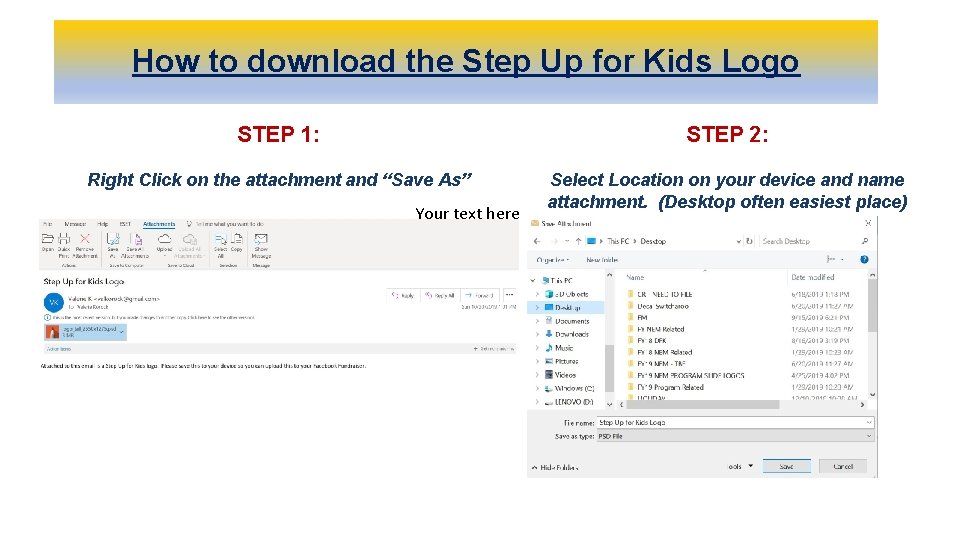
How to download the Step Up for Kids Logo STEP 1: STEP 2: Right Click on the attachment and “Save As” Select Location on your device and name attachment. (Desktop often easiest place) Your text here
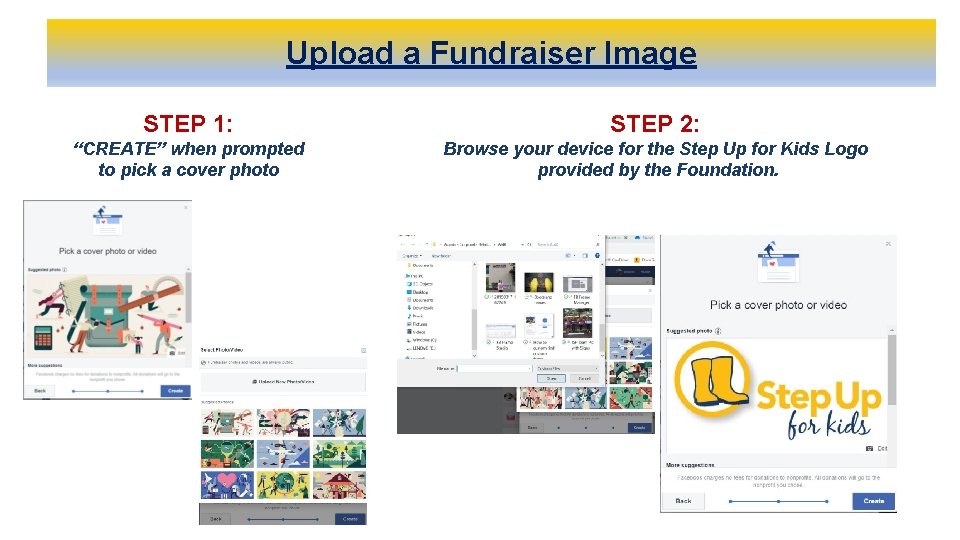
Upload a Fundraiser Image STEP 1: STEP 2: “CREATE” when prompted to pick a cover photo Browse your device for the Step Up for Kids Logo provided by the Foundation.
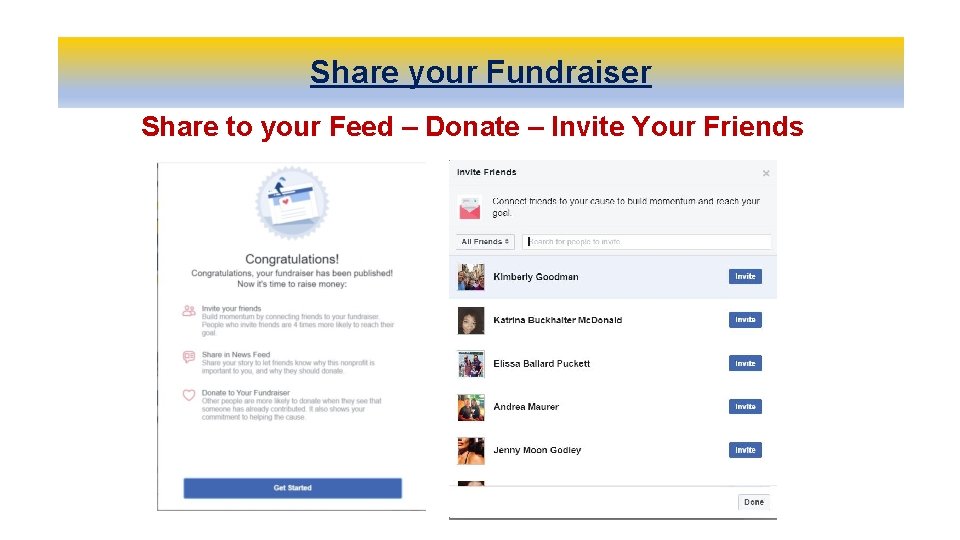
Share your Fundraiser Share to your Feed – Donate – Invite Your Friends
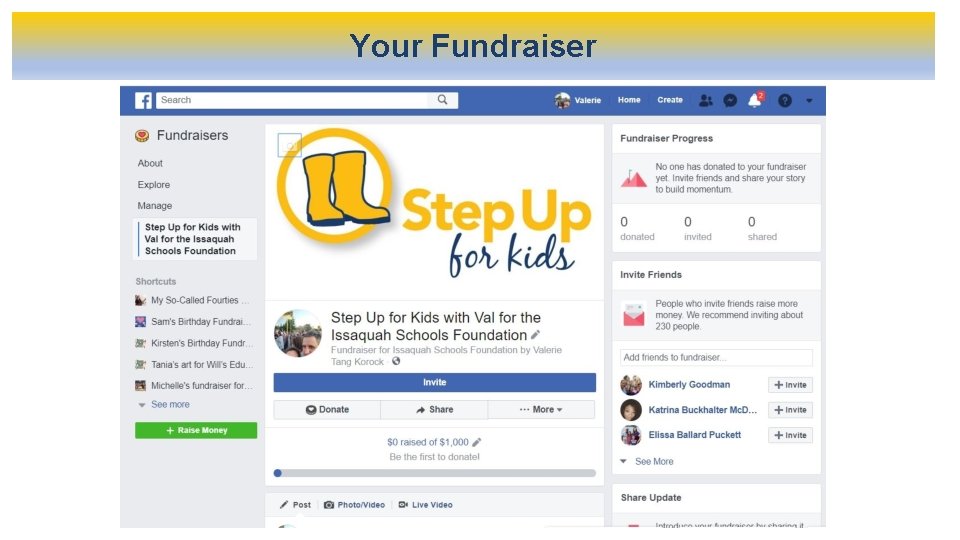
Your Fundraiser
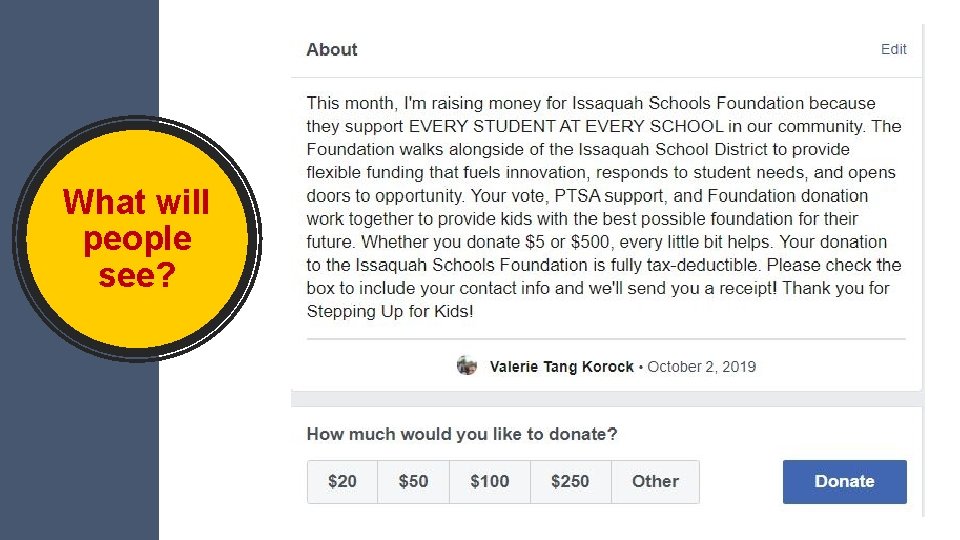
What will people see?
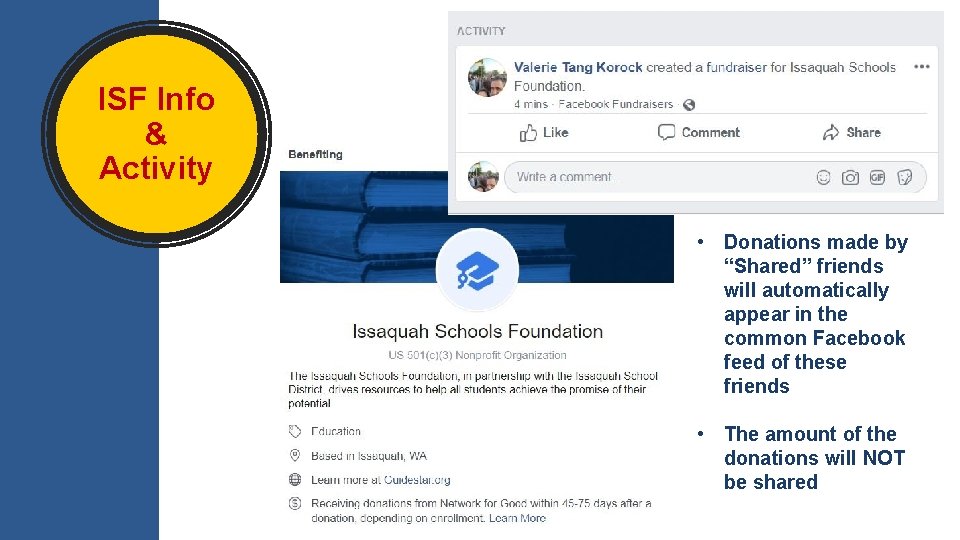
ISF Info & Activity • Donations made by “Shared” friends will automatically appear in the common Facebook feed of these friends • The amount of the donations will NOT be shared
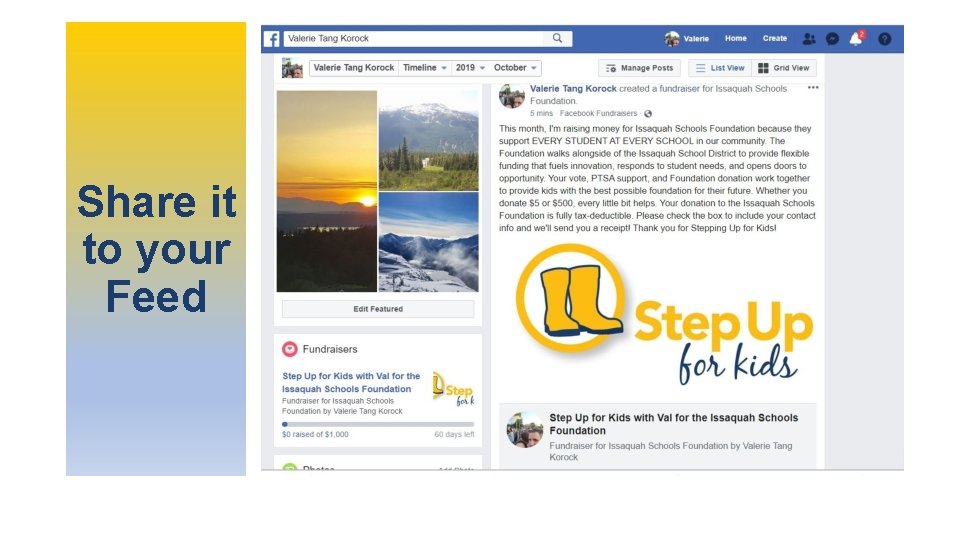
Share it to your Feed
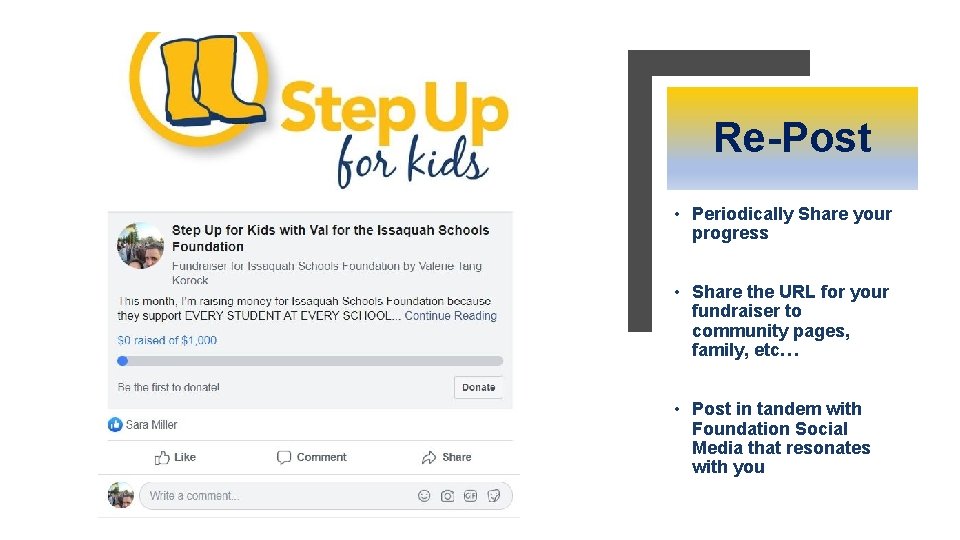
Re-Post • Periodically Share your progress • Share the URL for your fundraiser to community pages, family, etc… • Post in tandem with Foundation Social Media that resonates with you
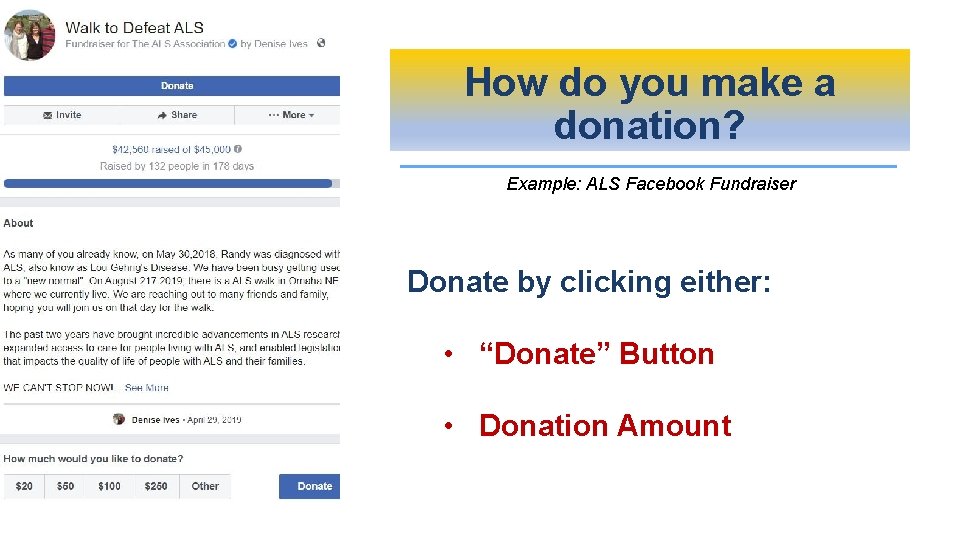
How do you make a donation? Example: ALS Facebook Fundraiser Donate by clicking either: • “Donate” Button • Donation Amount
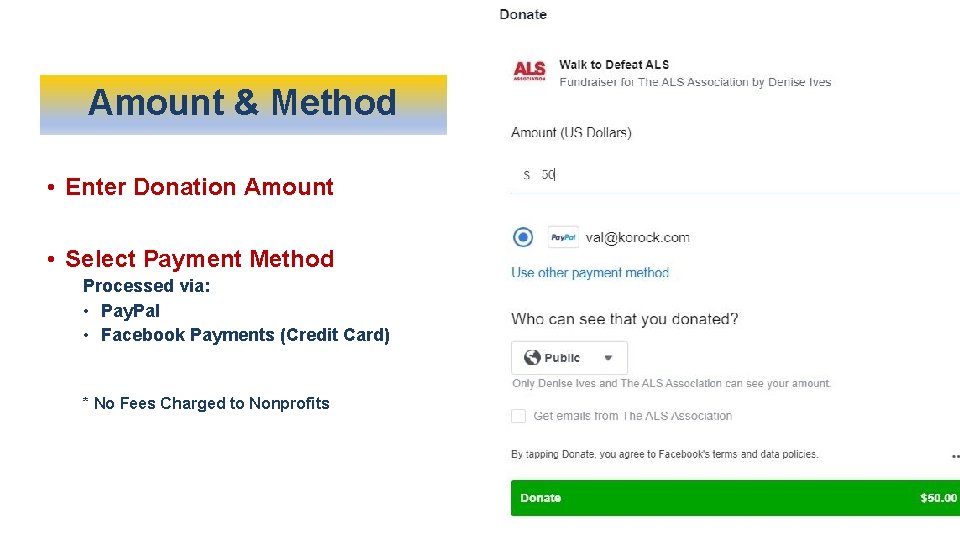
Amount & Method • Enter Donation Amount • Select Payment Method Processed via: • Pay. Pal • Facebook Payments (Credit Card) * No Fees Charged to Nonprofits
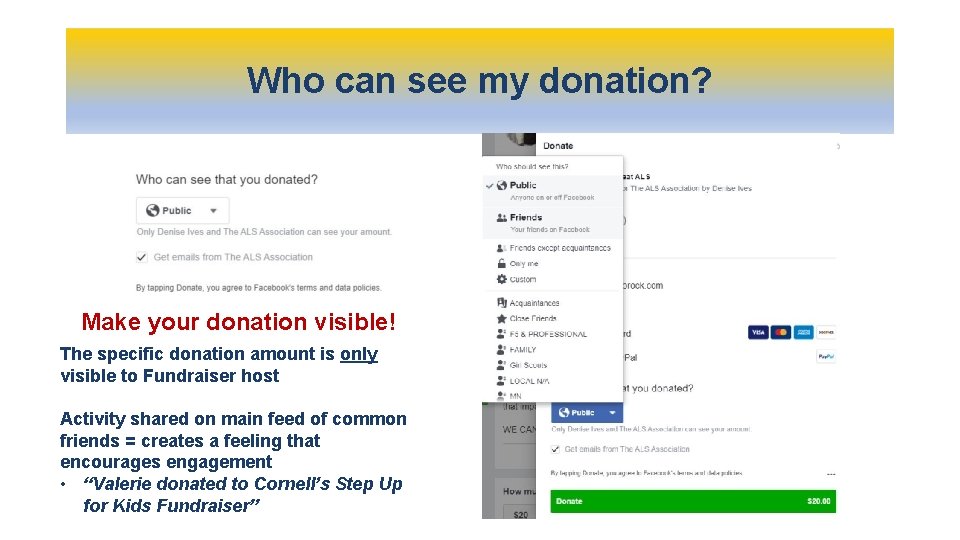
Who can see my donation? Make your donation visible! The specific donation amount is only visible to Fundraiser host Activity shared on main feed of common friends = creates a feeling that encourages engagement • “Valerie donated to Cornell’s Step Up for Kids Fundraiser”
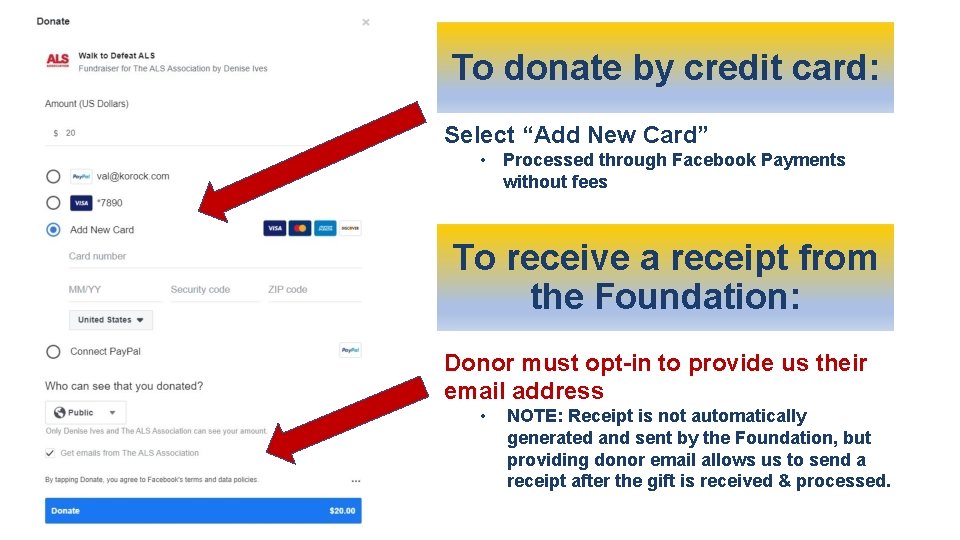
To donate by credit card: Select “Add New Card” • Processed through Facebook Payments without fees To receive a receipt from the Foundation: Donor must opt-in to provide us their email address • NOTE: Receipt is not automatically generated and sent by the Foundation, but providing donor email allows us to send a receipt after the gift is received & processed.
Spread the word Recruit Foundation Facebook Friendraisers! • Target Launch Timeline: First week of November • What you can expect: • Friendraiser tool kit via email • Weekly email reminders • Val to hold office hours to provide support for set up Questions? Valerie@isfdn. org
- Slides: 30