
FORTRAN 77 A Very Quick and Incomplete Review
- Slides: 52
FORTRAN 77 A Very Quick (and Incomplete) Review … With Some Gr. ADS-related Examples Alfredo Ruiz-Barradas http: //www. atmos. umd. edu/~alfredo/fortran. ppt Notes from: http: //www. ictp. trieste. it/~manuals/programming/sun/fortran/f 77 rm/index. html College Park, MD February 6, 2006
Fortran Compilers at AOSC • UNIX: + Type: f 77 • Linux: +Type: g 77 (Gnu F 77 compiler) -Type man g 77 for man pages -Multiply by 4 any RECL +Type: ifc (Intel FORTRAN compiler) -Users Guide under the Documentation section + Type: ifort -Not need for 4*RECL
Elements of FORTRAN: Basic Terms Some of the FORTRAN basic terms and concepts are: • A program consists of one or more program units. • A program unit is a sequence of statements, terminated by an END. • A statement consists of zero or more key words, symbolic names, literal constants, statement labels, operators, and special characters. • Each key word, symbolic name, literal constant, and operator consists of one or more characters from the FORTRAN character set. • A character constant can include any valid ASCII character. • A statement label consists of 1 to 5 digits, with at least one nonzero.
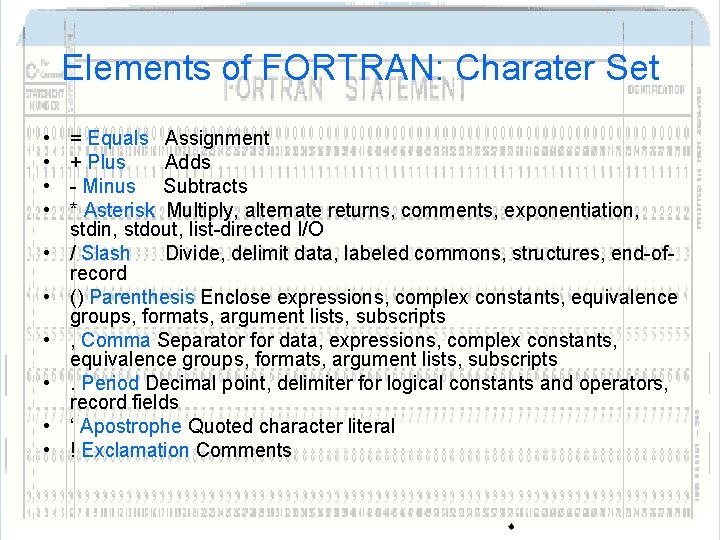
Elements of FORTRAN: Character Set • The character set consists of the following: • Uppercase and lowercase letters, A - Z and a - z • Numerals 0 - 9 • Special characters--The following list shows some special characters:
Elements of FORTRAN: Charater Set • • • = Equals Assignment + Plus Adds - Minus Subtracts * Asterisk Multiply, alternate returns, comments, exponentiation, stdin, stdout, list-directed I/O / Slash Divide, delimit data, labeled commons, structures, end-ofrecord () Parenthesis Enclose expressions, complex constants, equivalence groups, formats, argument lists, subscripts , Comma Separator for data, expressions, complex constants, equivalence groups, formats, argument lists, subscripts. Period Decimal point, delimiter for logical constants and operators, record fields ‘ Apostrophe Quoted character literal ! Exclamation Comments
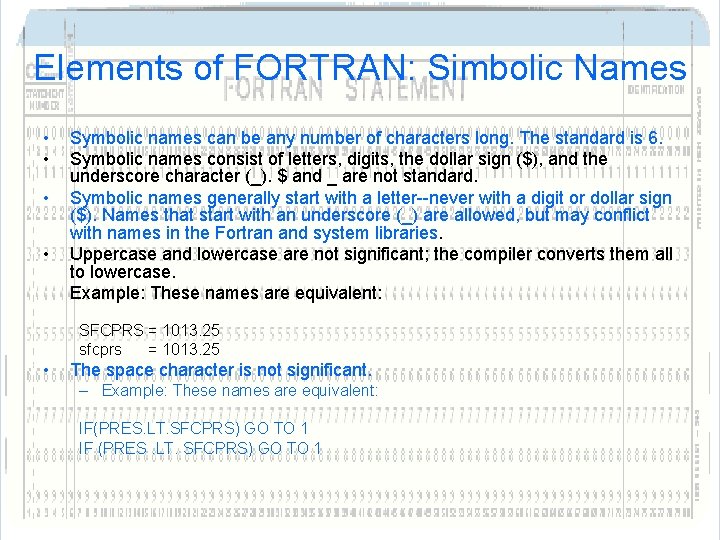
Elements of FORTRAN: Simbolic Names • • Symbolic names can be any number of characters long. The standard is 6. Symbolic names consist of letters, digits, the dollar sign ($), and the underscore character (_). $ and _ are not standard. Symbolic names generally start with a letter--never with a digit or dollar sign ($). Names that start with an underscore (_) are allowed, but may conflict with names in the Fortran and system libraries. Uppercase and lowercase are not significant; the compiler converts them all to lowercase. Example: These names are equivalent: SFCPRS = 1013. 25 sfcprs = 1013. 25 • The space character is not significant. – Example: These names are equivalent: IF(PRES. LT. SFCPRS) GO TO 1 IF (PRES. LT. SFCPRS) GO TO 1
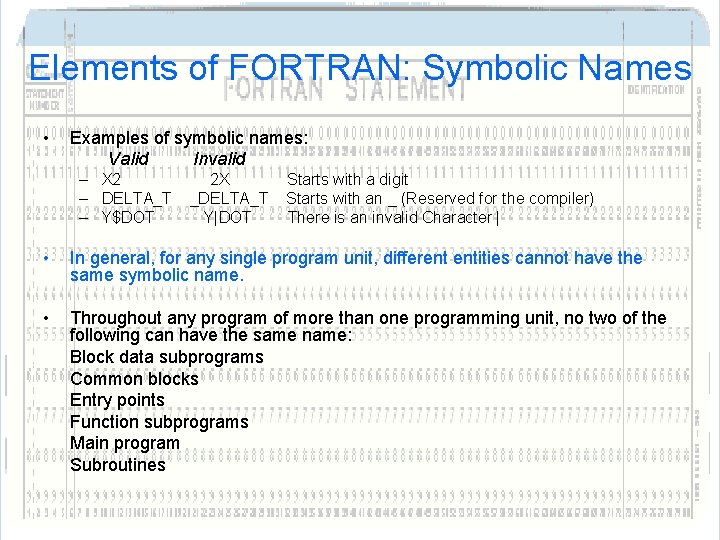
Elements of FORTRAN: Symbolic Names • Examples of symbolic names: Valid Invalid – X 2 – DELTA_T – Y$DOT 2 X _DELTA_T Y|DOT Starts with a digit Starts with an _ (Reserved for the compiler) There is an invalid Character | • In general, for any single program unit, different entities cannot have the same symbolic name. • Throughout any program of more than one programming unit, no two of the following can have the same name: Block data subprograms Common blocks Entry points Function subprograms Main program Subroutines
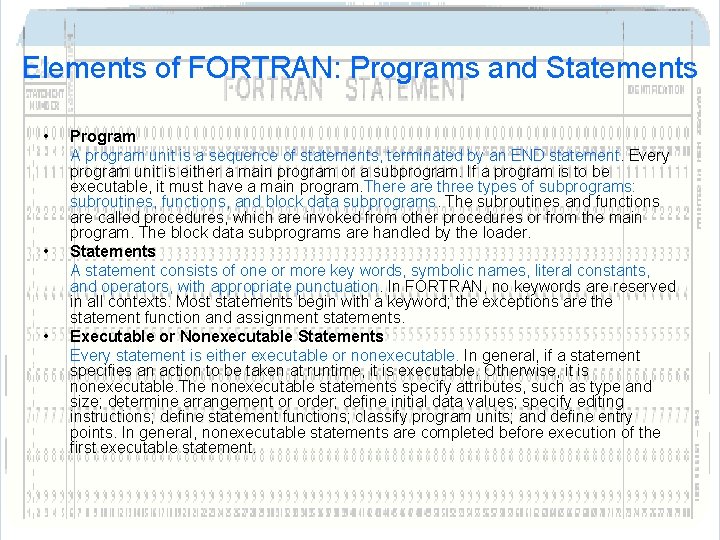
Elements of FORTRAN: Programs and Statements • • • Program A program unit is a sequence of statements, terminated by an END statement. Every program unit is either a main program or a subprogram. If a program is to be executable, it must have a main program. There are three types of subprograms: subroutines, functions, and block data subprograms. The subroutines and functions are called procedures, which are invoked from other procedures or from the main program. The block data subprograms are handled by the loader. Statements A statement consists of one or more key words, symbolic names, literal constants, and operators, with appropriate punctuation. In FORTRAN, no keywords are reserved in all contexts. Most statements begin with a keyword; the exceptions are the statement function and assignment statements. Executable or Nonexecutable Statements Every statement is either executable or nonexecutable. In general, if a statement specifies an action to be taken at runtime, it is executable. Otherwise, it is nonexecutable. The nonexecutable statements specify attributes, such as type and size; determine arrangement or order; define initial data values; specify editing instructions; define statement functions; classify program units; and define entry points. In general, nonexecutable statements are completed before execution of the first executable statement.
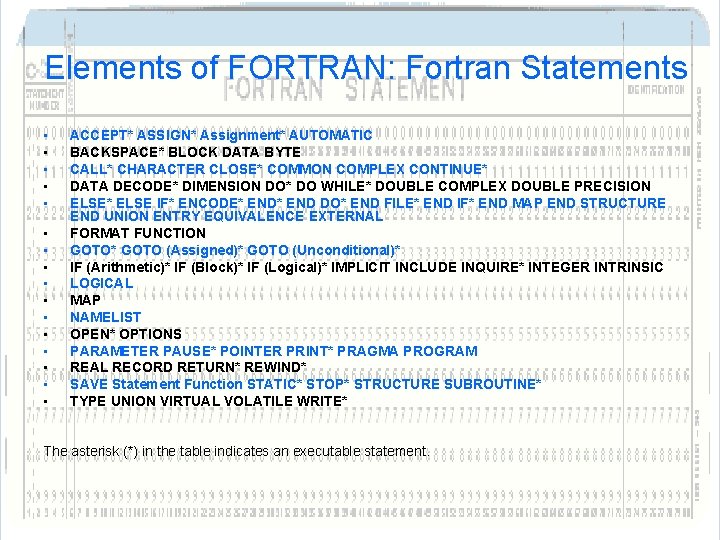
Elements of FORTRAN: Fortran Statements • • • • ACCEPT* ASSIGN* Assignment* AUTOMATIC BACKSPACE* BLOCK DATA BYTE CALL* CHARACTER CLOSE* COMMON COMPLEX CONTINUE* DATA DECODE* DIMENSION DO* DO WHILE* DOUBLE COMPLEX DOUBLE PRECISION ELSE* ELSE IF* ENCODE* END DO* END FILE* END IF* END MAP END STRUCTURE END UNION ENTRY EQUIVALENCE EXTERNAL FORMAT FUNCTION GOTO* GOTO (Assigned)* GOTO (Unconditional)* IF (Arithmetic)* IF (Block)* IF (Logical)* IMPLICIT INCLUDE INQUIRE* INTEGER INTRINSIC LOGICAL MAP NAMELIST OPEN* OPTIONS PARAMETER PAUSE* POINTER PRINT* PRAGMA PROGRAM REAL RECORD RETURN* REWIND* SAVE Statement Function STATIC* STOP* STRUCTURE SUBROUTINE* TYPE UNION VIRTUAL VOLATILE WRITE* The asterisk (*) in the table indicates an executable statement.
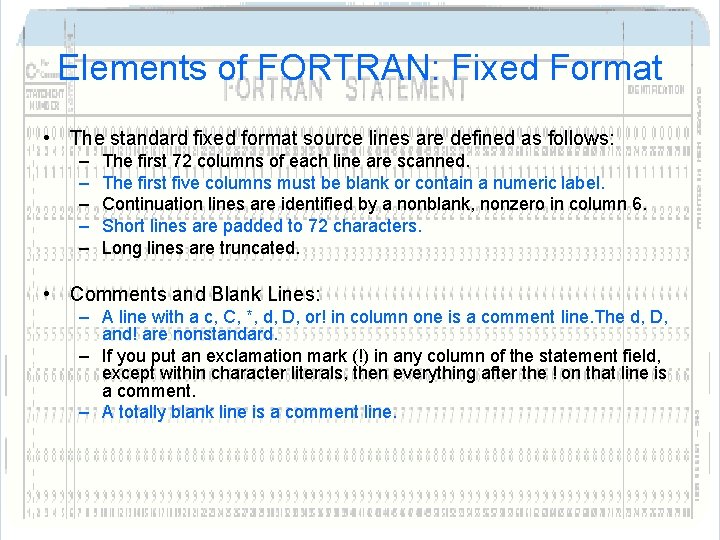
Elements of FORTRAN: Fixed Format • The standard fixed format source lines are defined as follows: – – – The first 72 columns of each line are scanned. The first five columns must be blank or contain a numeric label. Continuation lines are identified by a nonblank, nonzero in column 6. Short lines are padded to 72 characters. Long lines are truncated. • Comments and Blank Lines: – A line with a c, C, *, d, D, or! in column one is a comment line. The d, D, and! are nonstandard. – If you put an exclamation mark (!) in any column of the statement field, except within character literals, then everything after the ! on that line is a comment. – A totally blank line is a comment line.
Data Types • Rules for Data Typing The name determines the type; that is, the name of a datum or function determines its data type, explicitly or implicitly, according to the following rules:
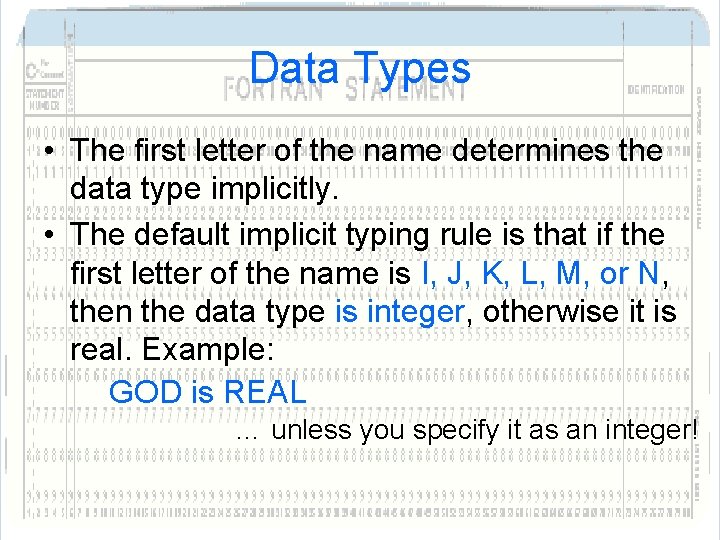
Data Types • The first letter of the name determines the data type implicitly. • The default implicit typing rule is that if the first letter of the name is I, J, K, L, M, or N, then the data type is integer, otherwise it is real. Example: GOD is REAL … unless you specify it as an integer!
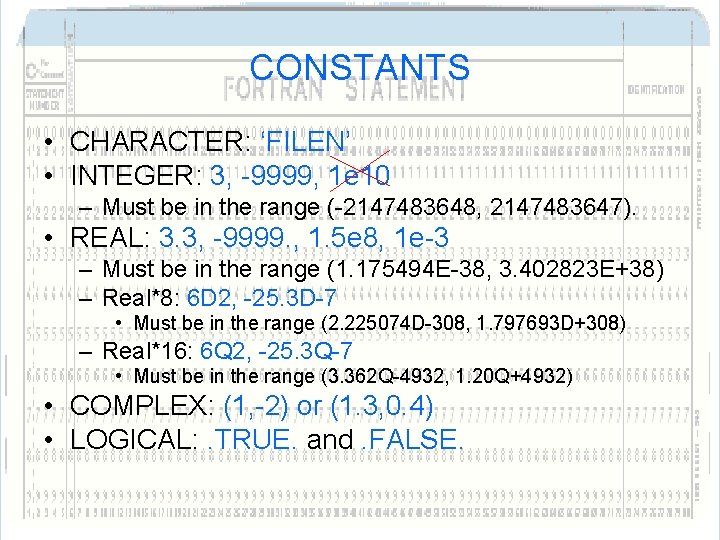
CONSTANTS • CHARACTER: ‘FILEN’ • INTEGER: 3, -9999, 1 e 10 – Must be in the range (-2147483648, 2147483647). • REAL: 3. 3, -9999. , 1. 5 e 8, 1 e-3 – Must be in the range (1. 175494 E-38, 3. 402823 E+38) – Real*8: 6 D 2, -25. 3 D-7 • Must be in the range (2. 225074 D-308, 1. 797693 D+308) – Real*16: 6 Q 2, -25. 3 Q-7 • Must be in the range (3. 362 Q-4932, 1. 20 Q+4932) • COMPLEX: (1, -2) or (1. 3, 0. 4) • LOGICAL: . TRUE. and. FALSE.
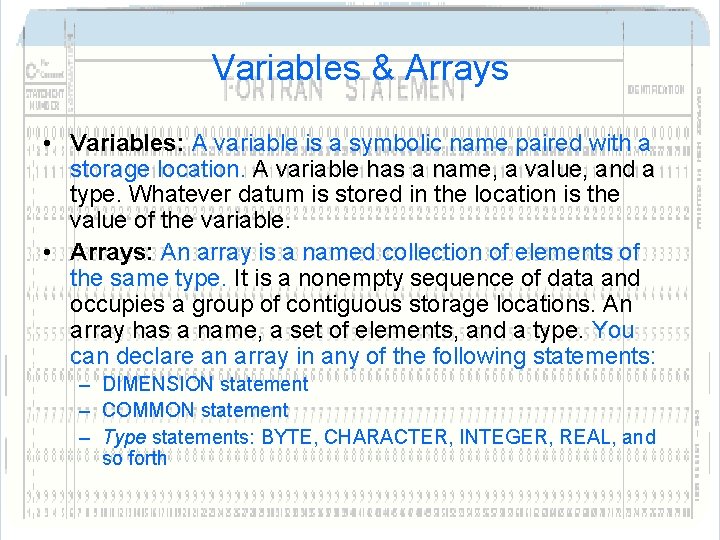
Variables & Arrays • Variables: A variable is a symbolic name paired with a storage location. A variable has a name, a value, and a type. Whatever datum is stored in the location is the value of the variable. • Arrays: An array is a named collection of elements of the same type. It is a nonempty sequence of data and occupies a group of contiguous storage locations. An array has a name, a set of elements, and a type. You can declare an array in any of the following statements: – DIMENSION statement – COMMON statement – Type statements: BYTE, CHARACTER, INTEGER, REAL, and so forth
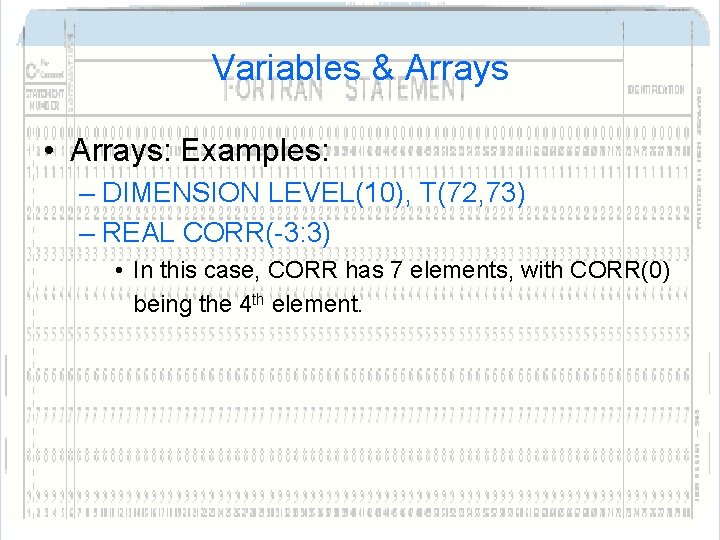
Variables & Arrays • Arrays: Examples: – DIMENSION LEVEL(10), T(72, 73) – REAL CORR(-3: 3) • In this case, CORR has 7 elements, with CORR(0) being the 4 th element.
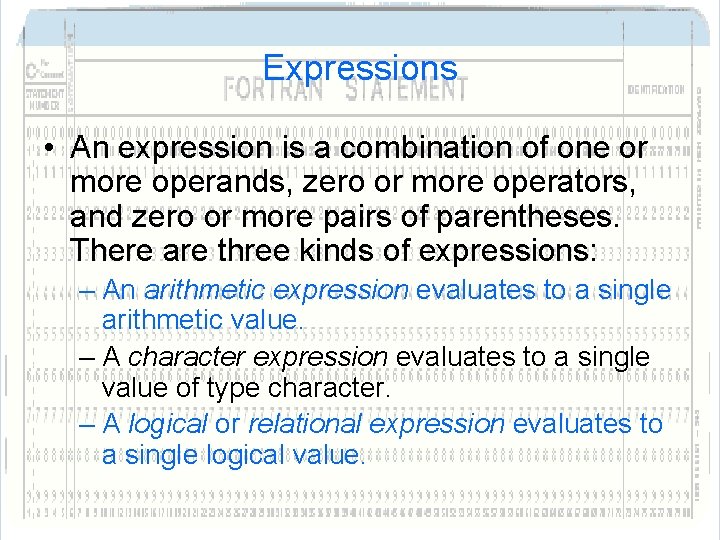
Expressions • An expression is a combination of one or more operands, zero or more operators, and zero or more pairs of parentheses. There are three kinds of expressions: – An arithmetic expression evaluates to a single arithmetic value. – A character expression evaluates to a single value of type character. – A logical or relational expression evaluates to a single logical value.
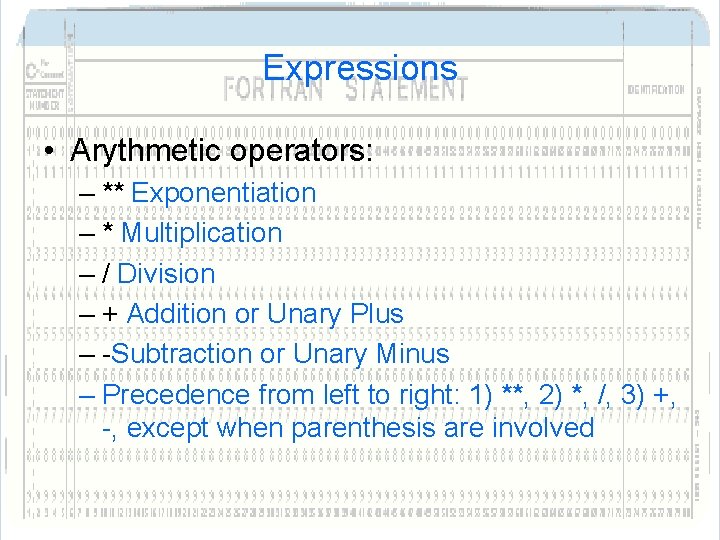
Expressions • Arythmetic operators: – ** Exponentiation – * Multiplication – / Division – + Addition or Unary Plus – -Subtraction or Unary Minus – Precedence from left to right: 1) **, 2) *, /, 3) +, -, except when parenthesis are involved
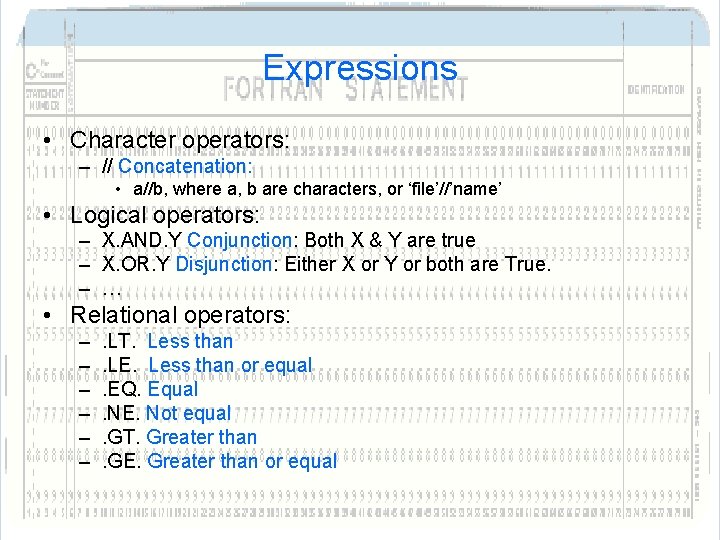
Expressions • Character operators: – // Concatenation: • a//b, where a, b are characters, or ‘file’//’name’ • Logical operators: – X. AND. Y Conjunction: Both X & Y are true – X. OR. Y Disjunction: Either X or Y or both are True. – … • Relational operators: – – – . LT. Less than. LE. Less than or equal. EQ. Equal. NE. Not equal. GT. Greater than. GE. Greater than or equal
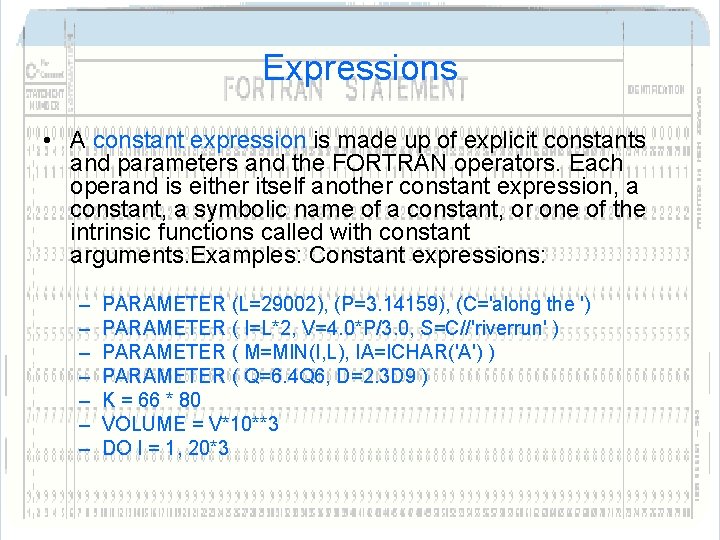
Expressions • A constant expression is made up of explicit constants and parameters and the FORTRAN operators. Each operand is either itself another constant expression, a constant, a symbolic name of a constant, or one of the intrinsic functions called with constant arguments. Examples: Constant expressions: – – – – PARAMETER (L=29002), (P=3. 14159), (C='along the ') PARAMETER ( I=L*2, V=4. 0*P/3. 0, S=C//'riverrun' ) PARAMETER ( M=MIN(I, L), IA=ICHAR('A') ) PARAMETER ( Q=6. 4 Q 6, D=2. 3 D 9 ) K = 66 * 80 VOLUME = V*10**3 DO I = 1, 20*3
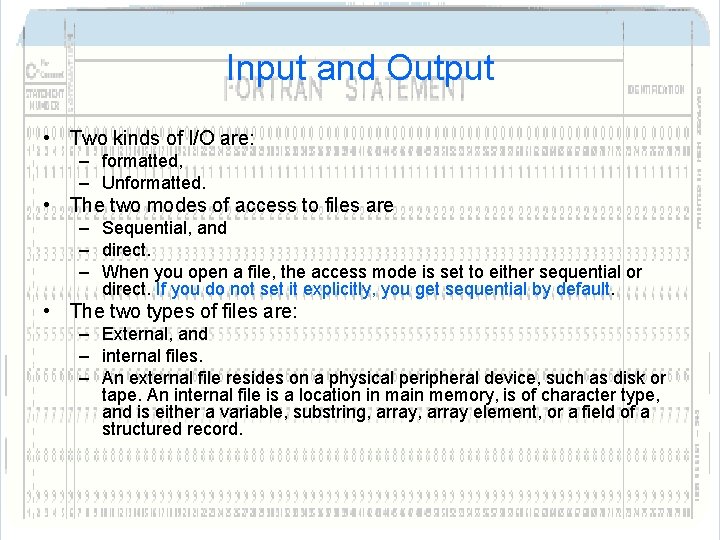
Input and Output • Two kinds of I/O are: – formatted, – Unformatted. • The two modes of access to files are – Sequential, and – direct. – When you open a file, the access mode is set to either sequential or direct. If you do not set it explicitly, you get sequential by default. • The two types of files are: – External, and – internal files. – An external file resides on a physical peripheral device, such as disk or tape. An internal file is a location in main memory, is of character type, and is either a variable, substring, array element, or a field of a structured record.
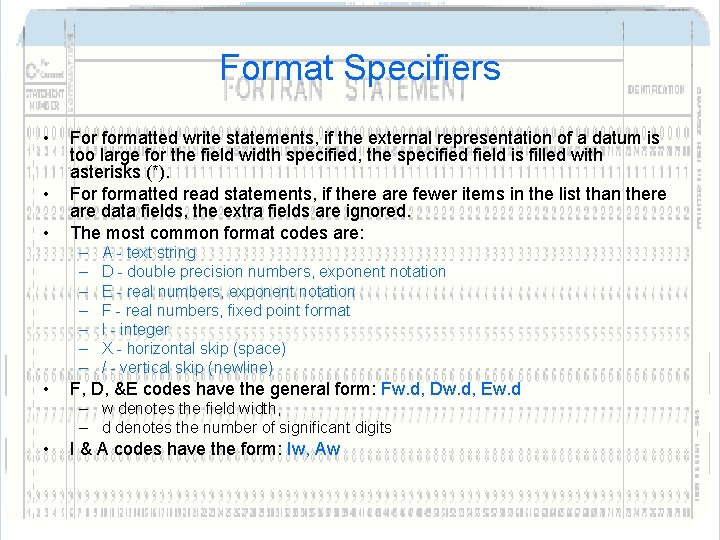
Format Specifiers • • • For formatted write statements, if the external representation of a datum is too large for the field width specified, the specified field is filled with asterisks (*). For formatted read statements, if there are fewer items in the list than there are data fields, the extra fields are ignored. The most common format codes are: – – – – • A - text string D - double precision numbers, exponent notation E - real numbers, exponent notation F - real numbers, fixed point format I - integer X - horizontal skip (space) / - vertical skip (newline) F, D, &E codes have the general form: Fw. d, Dw. d, Ew. d – w denotes the field width, – d denotes the number of significant digits • I & A codes have the form: Iw, Aw
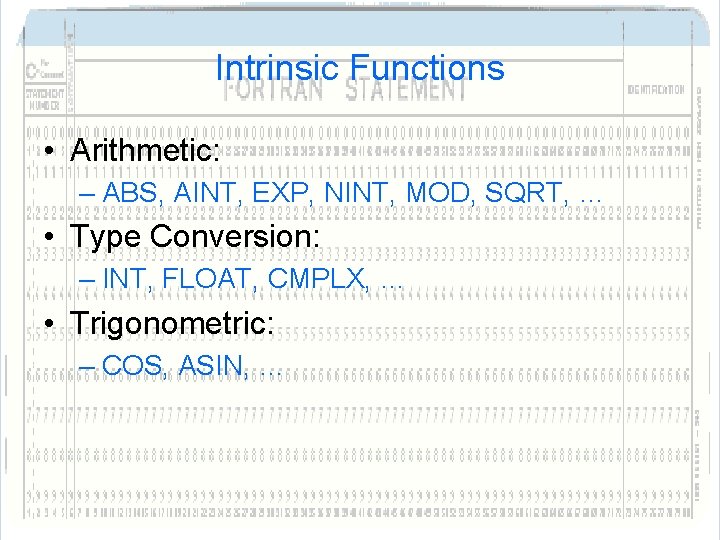
Intrinsic Functions • Arithmetic: – ABS, AINT, EXP, NINT, MOD, SQRT, … • Type Conversion: – INT, FLOAT, CMPLX, … • Trigonometric: – COS, ASIN, …
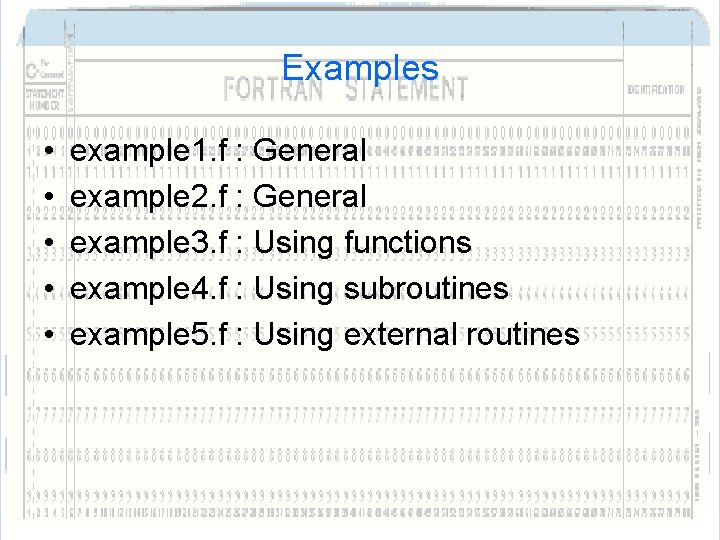
Examples • • • example 1. f : General example 2. f : General example 3. f : Using functions example 4. f : Using subroutines example 5. f : Using external routines
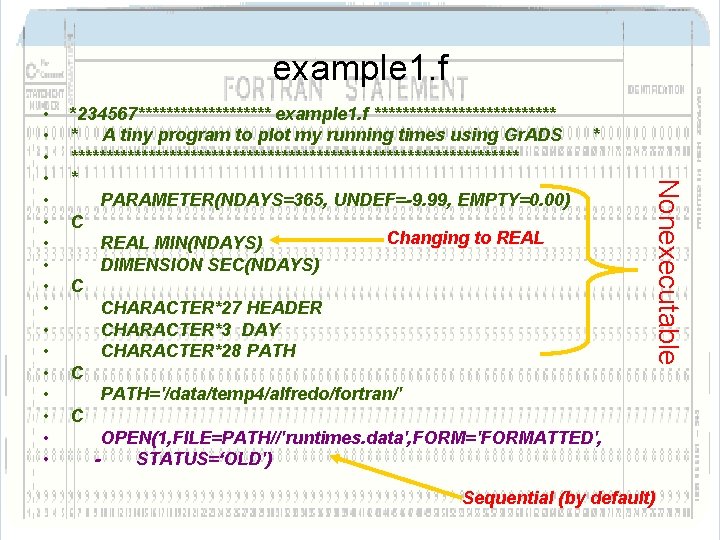
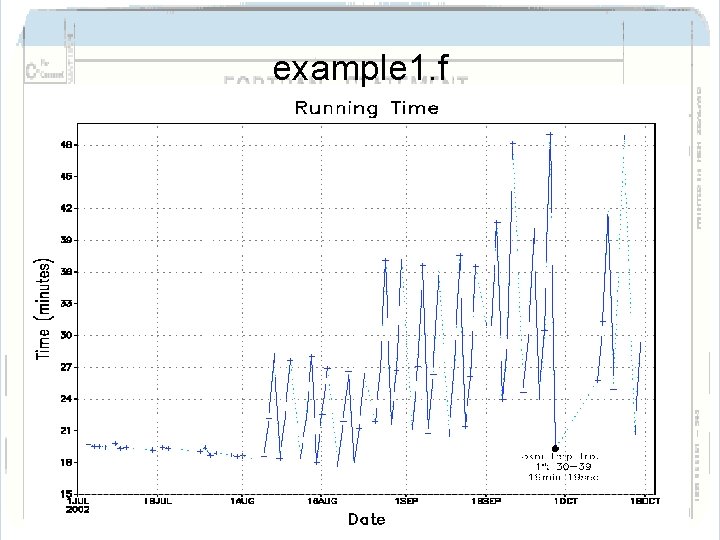
example 1. f *234567********** example 1. f ************* * A tiny program to plot my running times using Gr. ADS * ******************************** * PARAMETER(NDAYS=365, UNDEF=-9. 99, EMPTY=0. 00) C Changing to REAL MIN(NDAYS) DIMENSION SEC(NDAYS) C CHARACTER*27 HEADER CHARACTER*3 DAY CHARACTER*28 PATH C PATH='/data/temp 4/alfredo/fortran/' C OPEN(1, FILE=PATH//'runtimes. data', FORM='FORMATTED', STATUS=‘OLD') Nonexecutable • • • • • Sequential (by default)
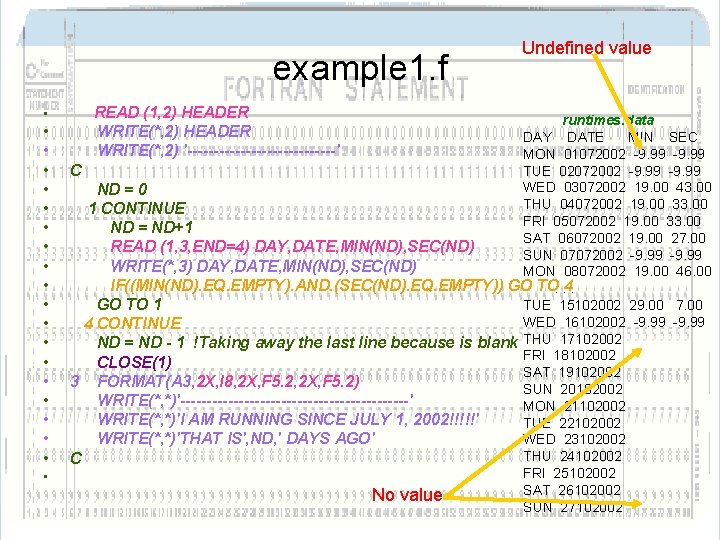
example 1. f • • • • • READ (1, 2) HEADER WRITE(*, 2) '--------------' Undefined value runtimes. data DAY DATE MIN SEC MON 01072002 -9. 99 TUE 02072002 -9. 99 C WED 03072002 19. 00 43. 00 ND = 0 THU 04072002 19. 00 33. 00 1 CONTINUE FRI 05072002 19. 00 33. 00 ND = ND+1 SAT 06072002 19. 00 27. 00 READ (1, 3, END=4) DAY, DATE, MIN(ND), SEC(ND) SUN 07072002 -9. 99 WRITE(*, 3) DAY, DATE, MIN(ND), SEC(ND) MON 08072002 19. 00 46. 00 IF((MIN(ND). EQ. EMPTY). AND. (SEC(ND). EQ. EMPTY)) GO TO. . 4. TUE 15102002 29. 00 7. 00 GO TO 1 WED 16102002 -9. 99 4 CONTINUE ND = ND - 1 !Taking away the last line because is blank THU 17102002 FRI 18102002 CLOSE(1) SAT 19102002 3 FORMAT(A 3, 2 X, I 8, 2 X, F 5. 2) SUN 20102002 WRITE(*, *)'----------------------' MON 21102002 WRITE(*, *)'I AM RUNNING SINCE JULY 1, 2002!!!!!' TUE 22102002 WED 23102002 WRITE(*, *)'THAT IS', ND, ' DAYS AGO' THU 24102002 C FRI 25102002 SAT 26102002 No value SUN 27102002
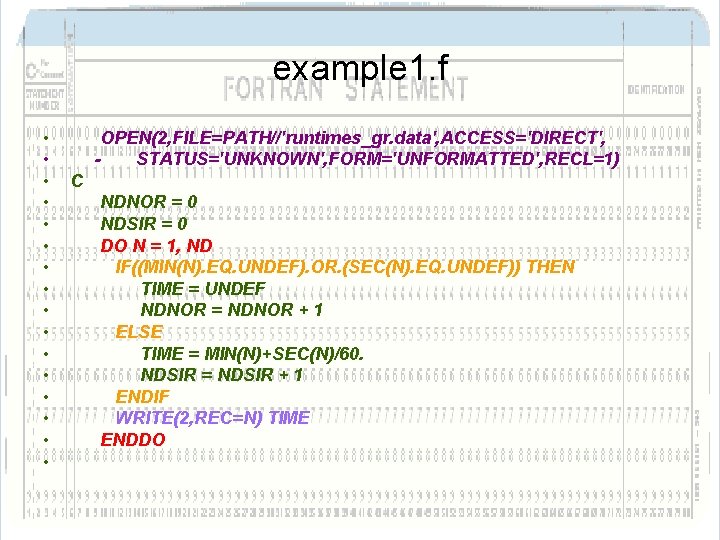
example 1. f • • • • OPEN(2, FILE=PATH//'runtimes_gr. data', ACCESS='DIRECT', STATUS='UNKNOWN', FORM='UNFORMATTED', RECL=1) C NDNOR = 0 NDSIR = 0 DO N = 1, ND IF((MIN(N). EQ. UNDEF). OR. (SEC(N). EQ. UNDEF)) THEN TIME = UNDEF NDNOR = NDNOR + 1 ELSE TIME = MIN(N)+SEC(N)/60. NDSIR = NDSIR + 1 ENDIF WRITE(2, REC=N) TIME ENDDO
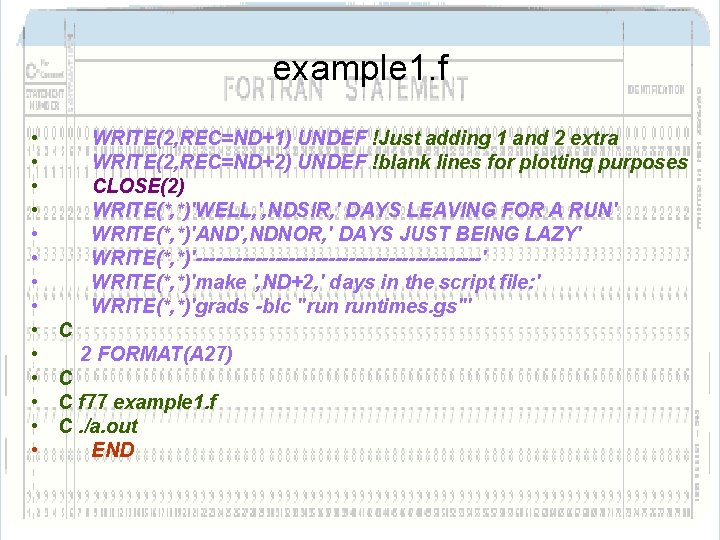
example 1. f • • • • WRITE(2, REC=ND+1) UNDEF !Just adding 1 and 2 extra WRITE(2, REC=ND+2) UNDEF !blank lines for plotting purposes CLOSE(2) WRITE(*, *)'WELL, ', NDSIR, ' DAYS LEAVING FOR A RUN' WRITE(*, *)'AND', NDNOR, ' DAYS JUST BEING LAZY' WRITE(*, *)'----------------------' WRITE(*, *)'make ', ND+2, ' days in the script file: ' WRITE(*, *)'grads -blc "run runtimes. gs"' C 2 FORMAT(A 27) C C f 77 example 1. f C. /a. out END
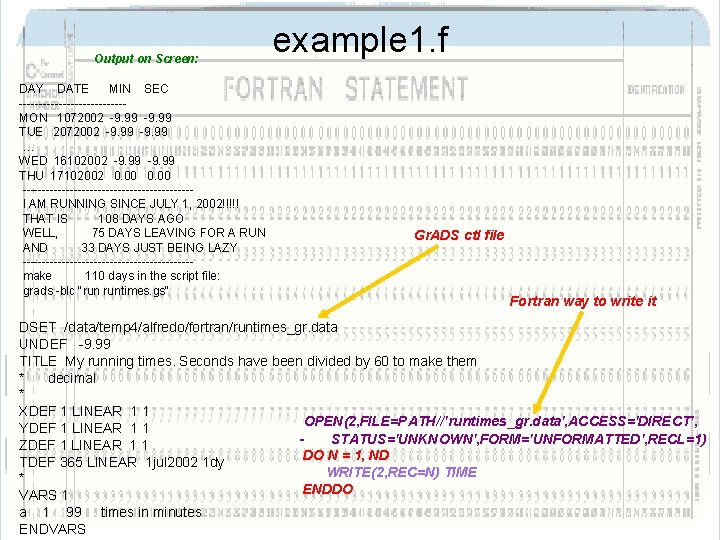
Output on Screen: DAY DATE MIN SEC -------------MON 1072002 -9. 99 TUE 2072002 -9. 99 … WED 16102002 -9. 99 THU 17102002 0. 00 ---------------------I AM RUNNING SINCE JULY 1, 2002!!!!! THAT IS 108 DAYS AGO WELL, 75 DAYS LEAVING FOR A RUN AND 33 DAYS JUST BEING LAZY ---------------------make 110 days in the script file: grads -blc "run runtimes. gs" example 1. f Gr. ADS ctl file Fortran way to write it DSET /data/temp 4/alfredo/fortran/runtimes_gr. data UNDEF -9. 99 TITLE My running times. Seconds have been divided by 60 to make them * decimal * XDEF 1 LINEAR 1 1 OPEN(2, FILE=PATH//'runtimes_gr. data', ACCESS='DIRECT', YDEF 1 LINEAR 1 1 STATUS='UNKNOWN', FORM='UNFORMATTED', RECL=1) ZDEF 1 LINEAR 1 1 DO N = 1, ND TDEF 365 LINEAR 1 jul 2002 1 dy WRITE(2, REC=N) TIME * ENDDO VARS 1 a 1 99 times in minutes ENDVARS
example 1. f
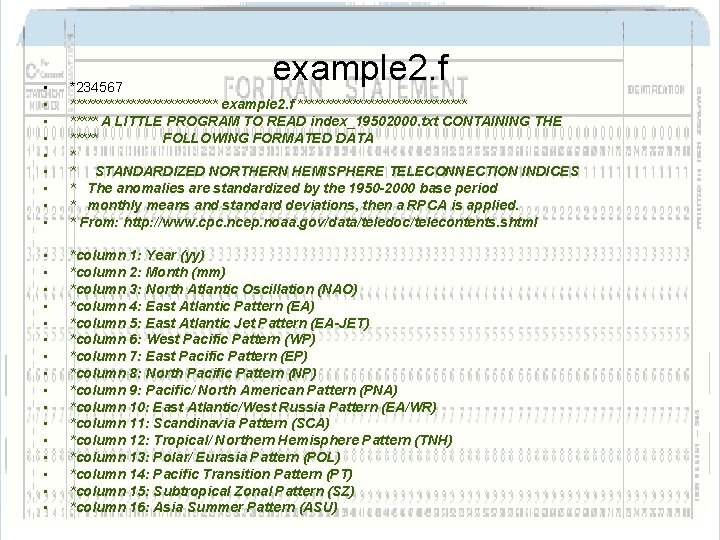
example 2. f • • • *234567 ************** example 2. f **************** A LITTLE PROGRAM TO READ index_19502000. txt CONTAINING THE ***** FOLLOWING FORMATED DATA * * STANDARDIZED NORTHERN HEMISPHERE TELECONNECTION INDICES * The anomalies are standardized by the 1950 -2000 base period * monthly means and standard deviations, then a RPCA is applied. * From: http: //www. cpc. ncep. noaa. gov/data/teledoc/telecontents. shtml • • • • *column 1: Year (yy) *column 2: Month (mm) *column 3: North Atlantic Oscillation (NAO) *column 4: East Atlantic Pattern (EA) *column 5: East Atlantic Jet Pattern (EA-JET) *column 6: West Pacific Pattern (WP) *column 7: East Pacific Pattern (EP) *column 8: North Pacific Pattern (NP) *column 9: Pacific/ North American Pattern (PNA) *column 10: East Atlantic/West Russia Pattern (EA/WR) *column 11: Scandinavia Pattern (SCA) *column 12: Tropical/ Northern Hemisphere Pattern (TNH) *column 13: Polar/ Eurasia Pattern (POL) *column 14: Pacific Transition Pattern (PT) *column 15: Subtropical Zonal Pattern (SZ) *column 16: Asia Summer Pattern (ASU)
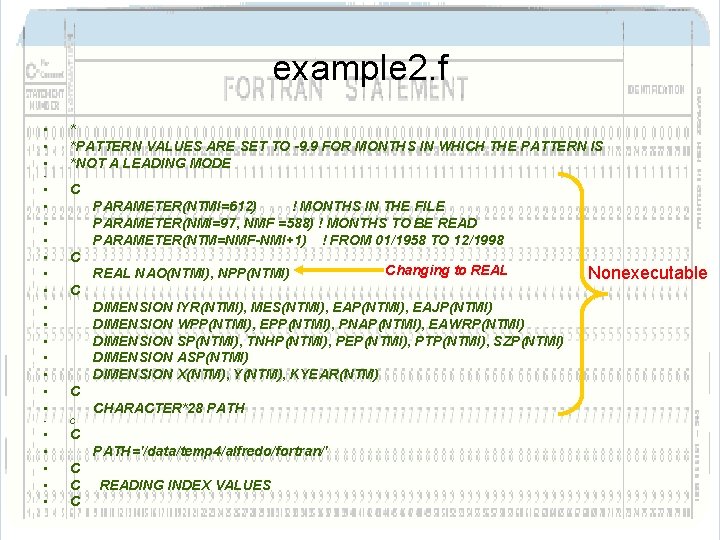
example 2. f • • • * *PATTERN VALUES ARE SET TO -9. 9 FOR MONTHS IN WHICH THE PATTERN IS *NOT A LEADING MODE • • • • C • PARAMETER(NTMI=612) ! MONTHS IN THE FILE PARAMETER(NMI=97, NMF =588) ! MONTHS TO BE READ PARAMETER(NTM=NMF-NMI+1) ! FROM 01/1958 TO 12/1998 C REAL NAO(NTMI), NPP(NTMI) Changing to REAL C DIMENSION IYR(NTMI), MES(NTMI), EAP(NTMI), EAJP(NTMI) DIMENSION WPP(NTMI), EPP(NTMI), PNAP(NTMI), EAWRP(NTMI) DIMENSION SP(NTMI), TNHP(NTMI), PEP(NTMI), PTP(NTMI), SZP(NTMI) DIMENSION ASP(NTMI) DIMENSION X(NTM), Y(NTM), KYEAR(NTM) C CHARACTER*28 PATH • C • • • C PATH='/data/temp 4/alfredo/fortran/' C C C READING INDEX VALUES Nonexecutable
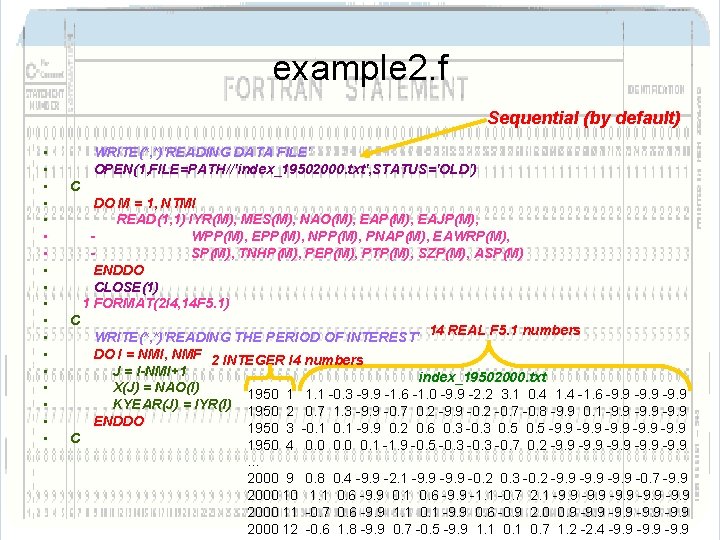
example 2. f Sequential (by default) • • • • • WRITE(*, *)'READING DATA FILE' OPEN(1, FILE=PATH//'index_19502000. txt', STATUS='OLD') C DO M = 1, NTMI READ(1, 1) IYR(M), MES(M), NAO(M), EAP(M), EAJP(M), WPP(M), EPP(M), NPP(M), PNAP(M), EAWRP(M), SP(M), TNHP(M), PEP(M), PTP(M), SZP(M), ASP(M) ENDDO CLOSE(1) 1 FORMAT(2 I 4, 14 F 5. 1) C C WRITE(*, *)'READING THE PERIOD OF INTEREST' 14 REAL F 5. 1 numbers DO I = NMI, NMF 2 INTEGER I 4 numbers J = I-NMI+1 index_19502000. txt X(J) = NAO(I) 1950 1 1. 1 -0. 3 -9. 9 -1. 6 -1. 0 -9. 9 -2. 2 3. 1 0. 4 1. 4 -1. 6 -9. 9 KYEAR(J) = IYR(I) 1950 2 0. 7 1. 3 -9. 9 -0. 7 0. 2 -9. 9 -0. 2 -0. 7 -0. 8 -9. 9 0. 1 -9. 9 ENDDO 1950 3 -0. 1 -9. 9 0. 2 0. 6 0. 3 -0. 3 0. 5 -9. 9 1950 4 … 2000 9 2000 10 2000 11 2000 12 0. 0 0. 1 -1. 9 -0. 5 -0. 3 -0. 7 0. 2 -9. 9 0. 8 0. 4 -9. 9 -2. 1 -9. 9 -0. 2 0. 3 -0. 2 -9. 9 -0. 7 -9. 9 1. 1 0. 6 -9. 9 0. 1 0. 6 -9. 9 -1. 1 -0. 7 2. 1 -9. 9 -0. 7 0. 6 -9. 9 1. 1 0. 1 -9. 9 0. 6 -0. 9 2. 0 0. 9 -9. 9 -0. 6 1. 8 -9. 9 0. 7 -0. 5 -9. 9 1. 1 0. 7 1. 2 -2. 4 -9. 9
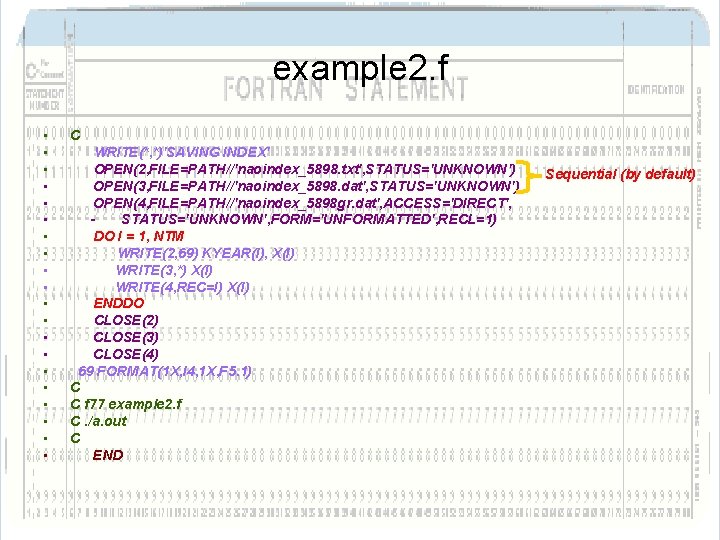
example 2. f • • • • • C WRITE(*, *)'SAVING INDEX' OPEN(2, FILE=PATH//'naoindex_5898. txt', STATUS='UNKNOWN') OPEN(3, FILE=PATH//'naoindex_5898. dat', STATUS='UNKNOWN') OPEN(4, FILE=PATH//'naoindex_5898 gr. dat', ACCESS='DIRECT', STATUS='UNKNOWN', FORM='UNFORMATTED', RECL=1) DO I = 1, NTM WRITE(2, 69) KYEAR(I), X(I) WRITE(3, *) X(I) WRITE(4, REC=I) X(I) ENDDO CLOSE(2) CLOSE(3) CLOSE(4) 69 FORMAT(1 X, I 4, 1 X, F 5. 1) C C f 77 example 2. f C. /a. out C END Sequential (by default)
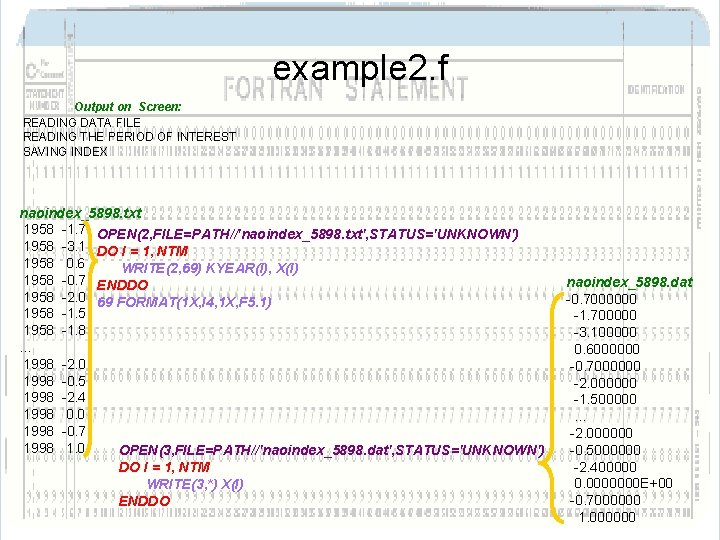
example 2. f Output on Screen: READING DATA FILE READING THE PERIOD OF INTEREST SAVING INDEX naoindex_5898. txt 1958 -1. 7 OPEN(2, FILE=PATH//'naoindex_5898. txt', STATUS='UNKNOWN') 1958 -3. 1 DO I = 1, NTM 1958 0. 6 WRITE(2, 69) KYEAR(I), X(I) 1958 -0. 7 ENDDO 1958 -2. 0 69 FORMAT(1 X, I 4, 1 X, F 5. 1) 1958 -1. 5 1958 -1. 8 … 1998 -2. 0 1998 -0. 5 1998 -2. 4 1998 0. 0 1998 -0. 7 1998 1. 0 OPEN(3, FILE=PATH//'naoindex_5898. dat', STATUS='UNKNOWN') DO I = 1, NTM WRITE(3, *) X(I) ENDDO naoindex_5898. dat -0. 7000000 -1. 700000 -3. 100000 0. 6000000 -0. 7000000 -2. 000000 -1. 500000 … -2. 000000 -0. 5000000 -2. 400000 0. 0000000 E+00 -0. 7000000 1. 000000
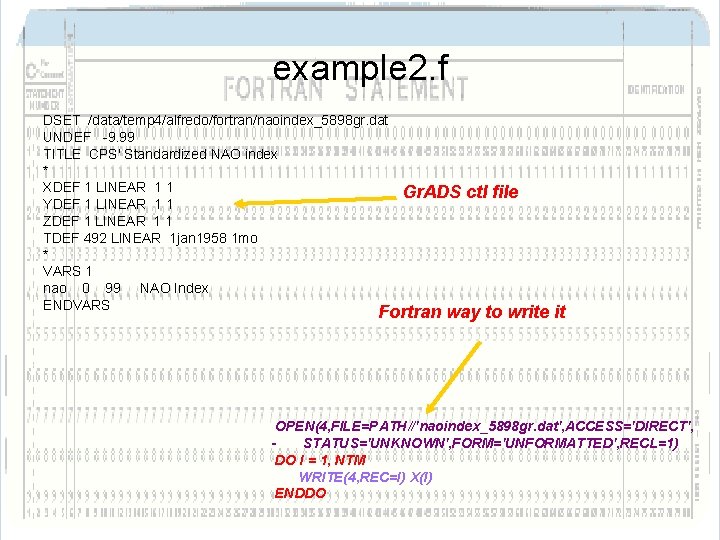
example 2. f DSET /data/temp 4/alfredo/fortran/naoindex_5898 gr. dat UNDEF -9. 99 TITLE CPS' Standardized NAO index * XDEF 1 LINEAR 1 1 YDEF 1 LINEAR 1 1 ZDEF 1 LINEAR 1 1 TDEF 492 LINEAR 1 jan 1958 1 mo * VARS 1 nao 0 99 NAO Index ENDVARS Gr. ADS ctl file Fortran way to write it OPEN(4, FILE=PATH//'naoindex_5898 gr. dat', ACCESS='DIRECT', STATUS='UNKNOWN', FORM='UNFORMATTED', RECL=1) DO I = 1, NTM WRITE(4, REC=I) X(I) ENDDO
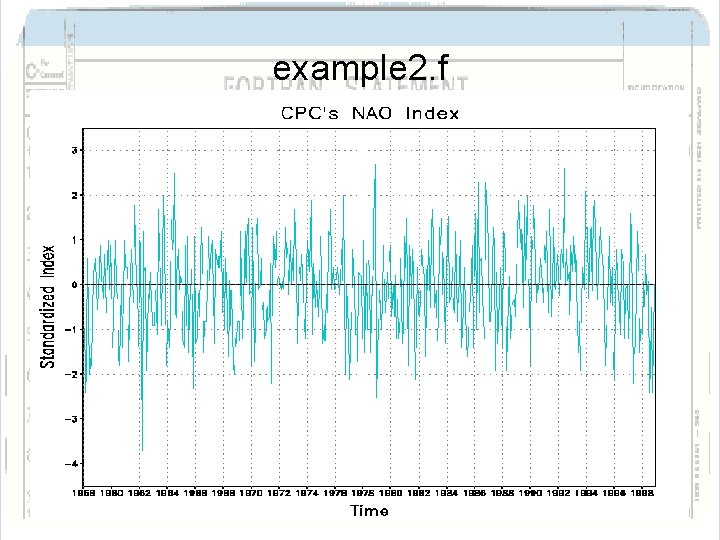
example 2. f
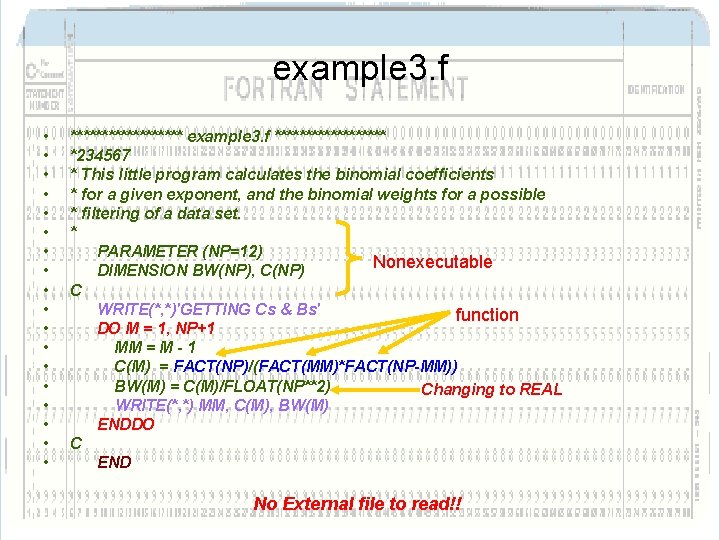
example 3. f • • • • • ********* example 3. f ********* *234567 * This little program calculates the binomial coefficients * for a given exponent, and the binomial weights for a possible * filtering of a data set. * PARAMETER (NP=12) Nonexecutable DIMENSION BW(NP), C(NP) C WRITE(*, *)'GETTING Cs & Bs' function DO M = 1, NP+1 MM = M - 1 C(M) = FACT(NP)/(FACT(MM)*FACT(NP-MM)) BW(M) = C(M)/FLOAT(NP**2) Changing to REAL WRITE(*, *) MM, C(M), BW(M) ENDDO C END No External file to read!!
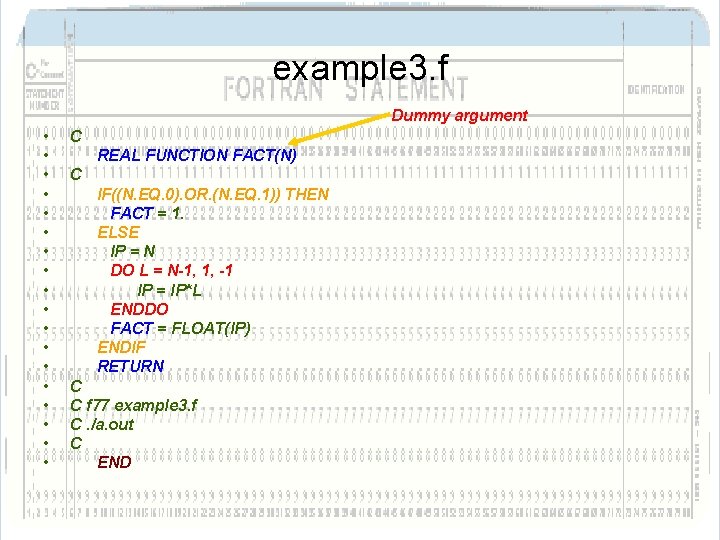
example 3. f Dummy argument • • • • • C REAL FUNCTION FACT(N) C IF((N. EQ. 0). OR. (N. EQ. 1)) THEN FACT = 1. ELSE IP = N DO L = N-1, 1, -1 IP = IP*L ENDDO FACT = FLOAT(IP) ENDIF RETURN C C f 77 example 3. f C. /a. out C END
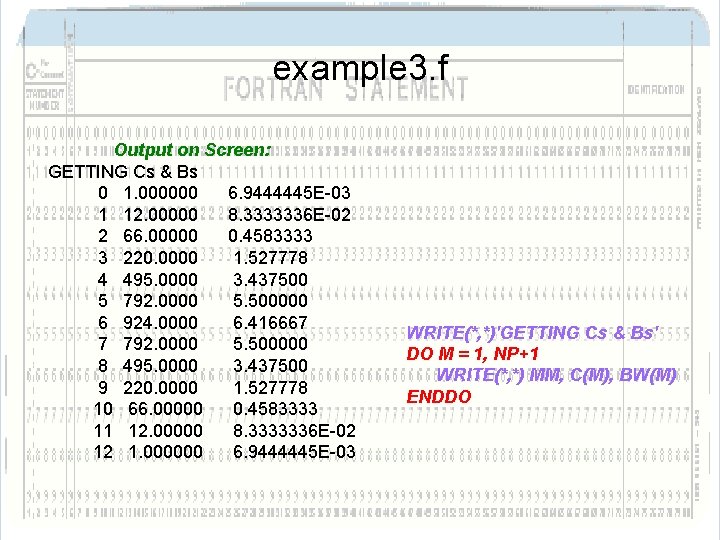
example 3. f Output on Screen: GETTING Cs & Bs 0 1. 000000 6. 9444445 E-03 1 12. 00000 8. 3333336 E-02 2 66. 00000 0. 4583333 3 220. 0000 1. 527778 4 495. 0000 3. 437500 5 792. 0000 5. 500000 6 924. 0000 6. 416667 7 792. 0000 5. 500000 8 495. 0000 3. 437500 9 220. 0000 1. 527778 10 66. 00000 0. 4583333 11 12. 00000 8. 3333336 E-02 12 1. 000000 6. 9444445 E-03 WRITE(*, *)'GETTING Cs & Bs' DO M = 1, NP+1 WRITE(*, *) MM, C(M), BW(M) ENDDO
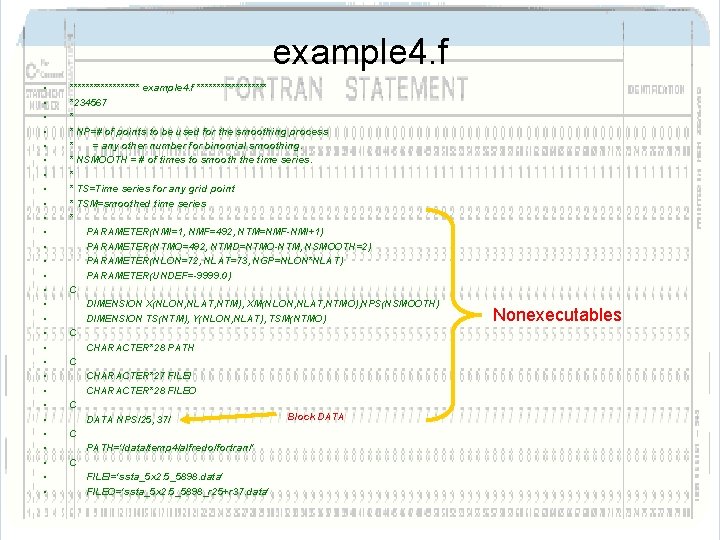
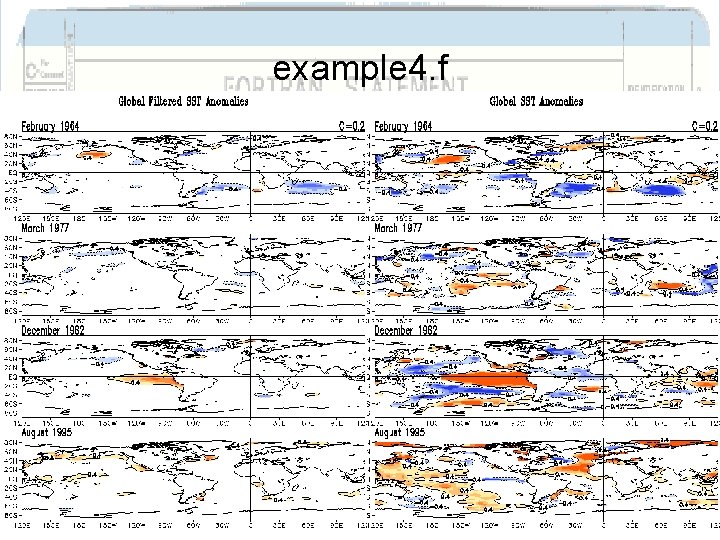
example 4. f • • • • • • • • ********* example 4. f ********* *234567 * * NP=# of points to be used for the smoothing process * = any other number for binomial smoothing. * NSMOOTH = # of times to smooth the time series. * * TS=Time series for any grid point * TSM=smoothed time series * PARAMETER(NMI=1, NMF=492, NTM=NMF-NMI+1) PARAMETER(NTMO=492, NTMD=NTMO-NTM, NSMOOTH=2) PARAMETER(NLON=72, NLAT=73, NGP=NLON*NLAT) PARAMETER(UNDEF=-9999. 0) C DIMENSION X(NLON, NLAT, NTM), XM(NLON, NLAT, NTMO), NPS(NSMOOTH) DIMENSION TS(NTM), Y(NLON, NLAT), TSM(NTMO) C CHARACTER*28 PATH C CHARACTER*27 FILEI CHARACTER*28 FILEO C Block DATA NPS/25, 37/ C PATH='/data/temp 4/alfredo/fortran/' C FILEI='ssta_5 x 2. 5_5898. data' FILEO='ssta_5 x 2. 5_5898_r 25+r 37. data' Nonexecutables
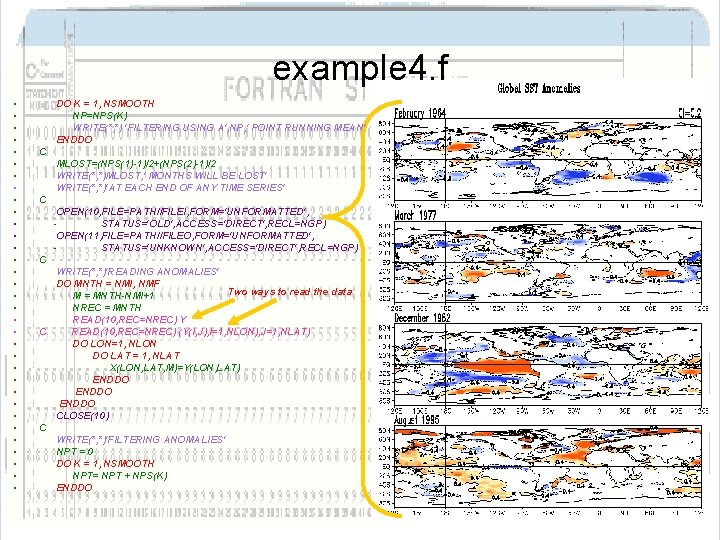
example 4. f • • • • • • • • • DO K = 1, NSMOOTH NP=NPS(K) WRITE(*, *) 'FILTERING USING A', NP, ' POINT RUNNING MEAN' ENDDO C MLOST=(NPS(1)-1)/2+(NPS(2)-1)/2 WRITE(*, *)MLOST, ' MONTHS WILL BE LOST' WRITE(*, *)'AT EACH END OF ANY TIME SERIES' C OPEN(10, FILE=PATH//FILEI, FORM='UNFORMATTED', STATUS='OLD', ACCESS='DIRECT', RECL=NGP) OPEN(11, FILE=PATH//FILEO, FORM='UNFORMATTED', STATUS='UNKNOWN', ACCESS='DIRECT', RECL=NGP) C WRITE(*, *)'READING ANOMALIES' DO MNTH = NMI, NMF Two ways to read the data M = MNTH-NMI+1 NREC = MNTH READ(10, REC=NREC) Y C READ(10, REC=NREC) (Y(I, J), I=1, NLON), J=1, NLAT) DO LON=1, NLON DO LAT = 1, NLAT X(LON, LAT, M)=Y(LON, LAT) ENDDO CLOSE(10) C WRITE(*, *)'FILTERING ANOMALIES' NPT = 0 DO K = 1, NSMOOTH NPT= NPT + NPS(K) ENDDO
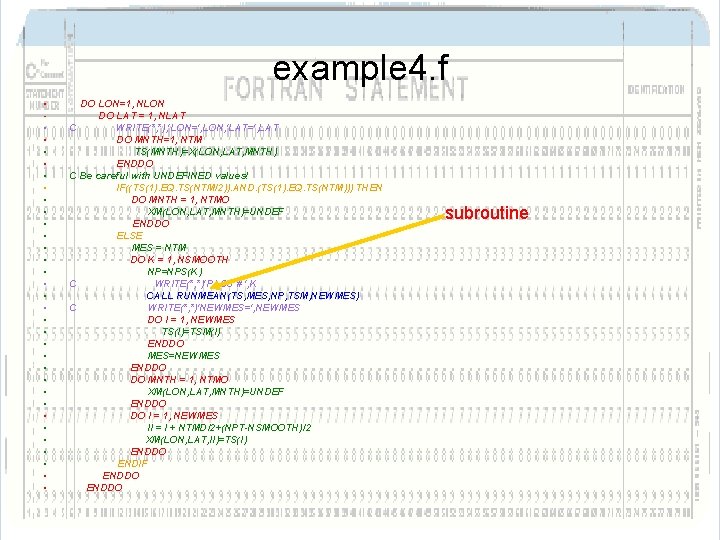
example 4. f • • • • • • • • • DO LON=1, NLON DO LAT = 1, NLAT C WRITE(*, *), 'LON=', LON, 'LAT=', LAT DO MNTH=1, NTM TS(MNTH)=X(LON, LAT, MNTH) ENDDO C Be careful with UNDEFINED values! IF((TS(1). EQ. TS(NTM/2)). AND. (TS(1). EQ. TS(NTM))) THEN DO MNTH = 1, NTMO XM(LON, LAT, MNTH)=UNDEF ENDDO ELSE MES = NTM DO K = 1, NSMOOTH NP=NPS(K) C WRITE(*, *)'PASS # ', K CALL RUNMEAN(TS, MES, NP, TSM, NEWMES) C WRITE(*, *)'NEWMES=', NEWMES DO I = 1, NEWMES TS(I)=TSM(I) ENDDO MES=NEWMES ENDDO DO MNTH = 1, NTMO XM(LON, LAT, MNTH)=UNDEF ENDDO DO I = 1, NEWMES II = I + NTMD/2+(NPT-NSMOOTH)/2 XM(LON, LAT, II)=TS(I) ENDDO ENDIF ENDDO subroutine
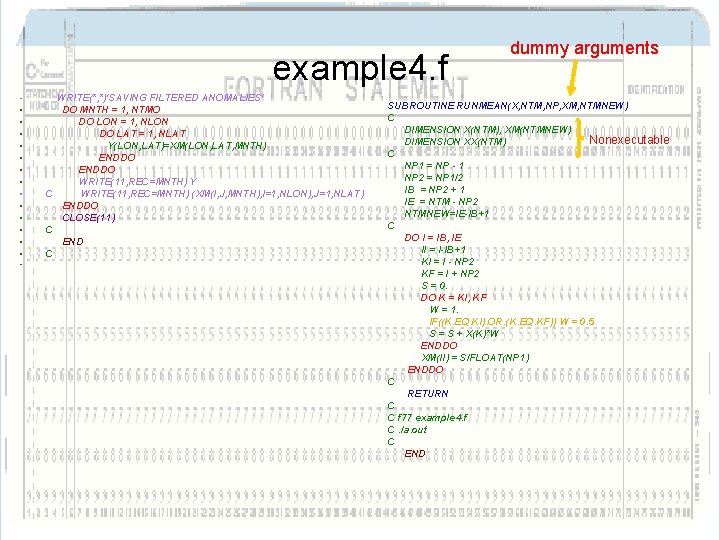
example 4. f • • • • WRITE(*, *)'SAVING FILTERED ANOMALIES' DO MNTH = 1, NTMO DO LON = 1, NLON DO LAT = 1, NLAT Y(LON, LAT)=XM(LON, LAT, MNTH) ENDDO WRITE(11, REC=MNTH) Y C WRITE(11, REC=MNTH) (XM(I, J, MNTH), I=1, NLON), J=1, NLAT) ENDDO CLOSE(11) C END C dummy arguments SUBROUTINE RUNMEAN(X, NTM, NP, XM, NTMNEW) C DIMENSION X(NTM), XM(NTMNEW) Nonexecutable DIMENSION XX(NTM) C NP 1 = NP - 1 NP 2 = NP 1/2 IB = NP 2 + 1 IE = NTM - NP 2 NTMNEW=IE-IB+1 C DO I = IB, IE II = I-IB+1 KI = I - NP 2 KF = I + NP 2 S = 0. DO K = KI, KF W = 1. IF((K. EQ. KI). OR. (K. EQ. KF)) W = 0. 5 S = S + X(K)*W ENDDO XM(II) = S/FLOAT(NP 1) ENDDO C RETURN C C f 77 example 4. f C. /a. out C END
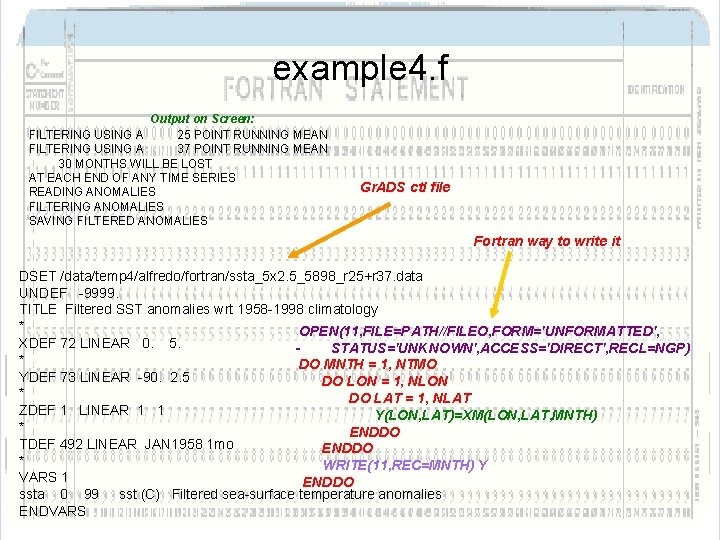
example 4. f Output on Screen: FILTERING USING A 25 POINT RUNNING MEAN FILTERING USING A 37 POINT RUNNING MEAN 30 MONTHS WILL BE LOST AT EACH END OF ANY TIME SERIES READING ANOMALIES FILTERING ANOMALIES SAVING FILTERED ANOMALIES Gr. ADS ctl file Fortran way to write it DSET /data/temp 4/alfredo/fortran/ssta_5 x 2. 5_5898_r 25+r 37. data UNDEF -9999. TITLE Filtered SST anomalies wrt 1958 -1998 climatology * OPEN(11, FILE=PATH//FILEO, FORM='UNFORMATTED', XDEF 72 LINEAR 0. 5. STATUS='UNKNOWN', ACCESS='DIRECT', RECL=NGP) * DO MNTH = 1, NTMO YDEF 73 LINEAR -90. 2. 5 DO LON = 1, NLON * DO LAT = 1, NLAT ZDEF 1 LINEAR 1 1 Y(LON, LAT)=XM(LON, LAT, MNTH) * ENDDO TDEF 492 LINEAR JAN 1958 1 mo ENDDO * WRITE(11, REC=MNTH) Y VARS 1 ENDDO ssta 0 99 sst (C) Filtered sea-surface temperature anomalies ENDVARS
example 4. f
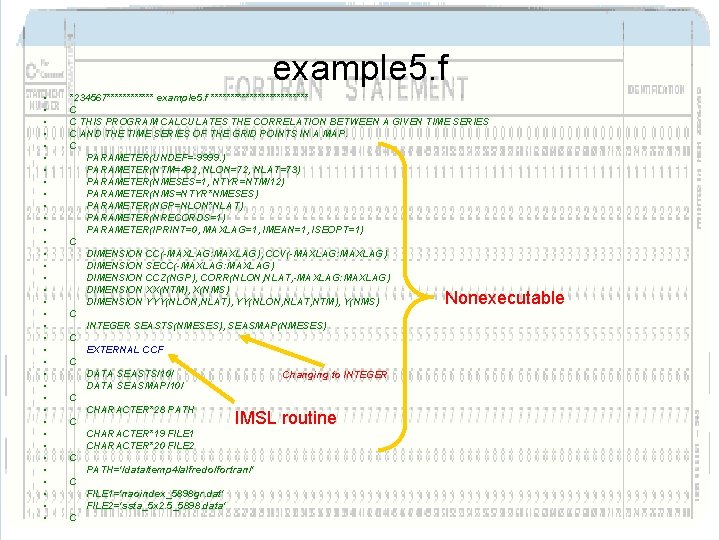
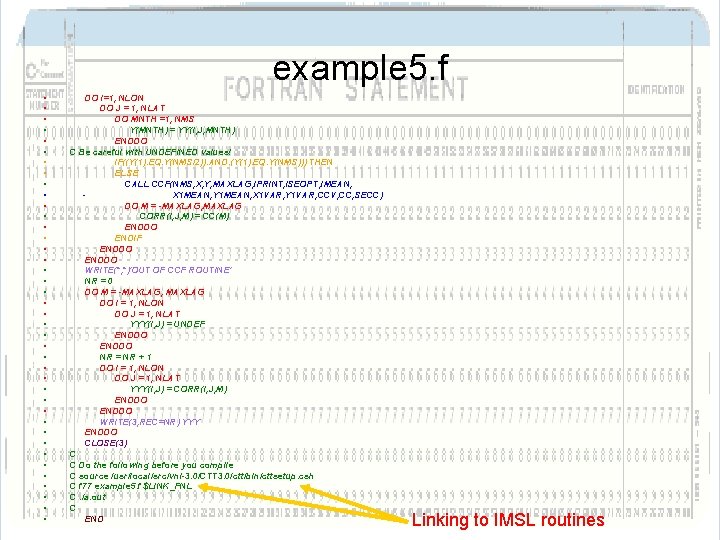
example 5. f • • • • • • • • • *234567****** example 5. f ************* C C THIS PROGRAM CALCULATES THE CORRELATION BETWEEN A GIVEN TIME SERIES C AND THE TIME SERIES OF THE GRID POINTS IN A MAP. C PARAMETER(UNDEF=-9999. ) PARAMETER(NTM=492, NLON=72, NLAT=73) PARAMETER(NMESES=1, NTYR=NTM/12) PARAMETER(NMS=NTYR*NMESES) PARAMETER(NGP=NLON*NLAT) PARAMETER(NRECORDS=1) PARAMETER(IPRINT=0, MAXLAG=1, IMEAN=1, ISEOPT=1) C DIMENSION CC(-MAXLAG: MAXLAG), CCV(-MAXLAG: MAXLAG) DIMENSION SECC(-MAXLAG: MAXLAG) DIMENSION CCZ(NGP), CORR(NLON, NLAT, -MAXLAG: MAXLAG) DIMENSION XX(NTM), X(NMS) DIMENSION YYY(NLON, NLAT), YY(NLON, NLAT, NTM), Y(NMS) C INTEGER SEASTS(NMESES), SEASMAP(NMESES) C EXTERNAL CCF C DATA SEASTS/10/ Changing to INTEGER DATA SEASMAP/10/ C CHARACTER*28 PATH C CHARACTER*19 FILE 1 CHARACTER*20 FILE 2 C PATH='/data/temp 4/alfredo/fortran/' C FILE 1='naoindex_5898 gr. dat' FILE 2='ssta_5 x 2. 5_5898. data' C Nonexecutable IMSL routine
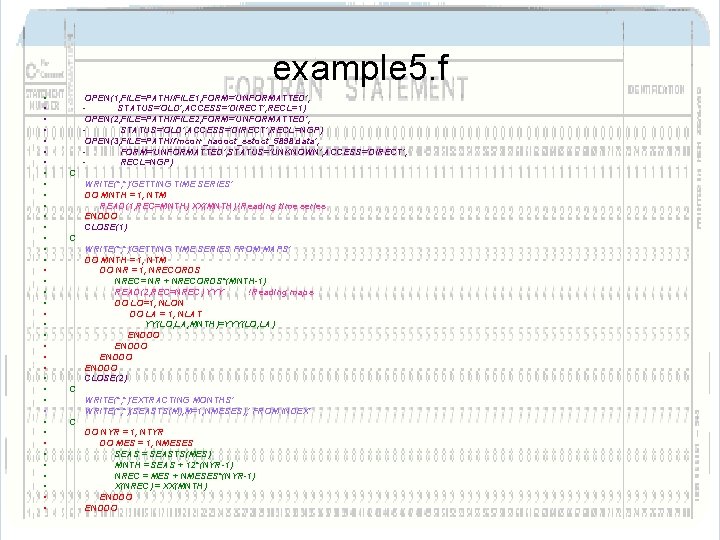
example 5. f • • • • • • • • • • OPEN(1, FILE=PATH//FILE 1, FORM='UNFORMATTED', STATUS='OLD', ACCESS='DIRECT', RECL=1) OPEN(2, FILE=PATH//FILE 2, FORM='UNFORMATTED', STATUS='OLD', ACCESS='DIRECT', RECL=NGP) OPEN(3, FILE=PATH//'mcorr_naooct_sstoct_5898. data', FORM='UNFORMATTED', STATUS='UNKNOWN', ACCESS='DIRECT', RECL=NGP) C WRITE(*, *)'GETTING TIME SERIES' DO MNTH = 1, NTM READ(1, REC=MNTH) XX(MNTH) !Reading time series ENDDO CLOSE(1) C WRITE(*, *)'GETTING TIME SERIES FROM MAPS' DO MNTH = 1, NTM DO NR = 1, NRECORDS NREC= NR + NRECORDS*(MNTH-1) READ(2, REC=NREC) YYY !Reading maps DO LO=1, NLON DO LA = 1, NLAT YY(LO, LA, MNTH)=YYY(LO, LA) ENDDO CLOSE(2) C WRITE(*, *)'EXTRACTING MONTHS' WRITE(*, *)(SEASTS(M), M=1, NMESES), ' FROM INDEX' C DO NYR = 1, NTYR DO MES = 1, NMESES SEAS = SEASTS(MES) MNTH = SEAS + 12*(NYR-1) NREC = MES + NMESES*(NYR-1) X(NREC) = XX(MNTH) ENDDO
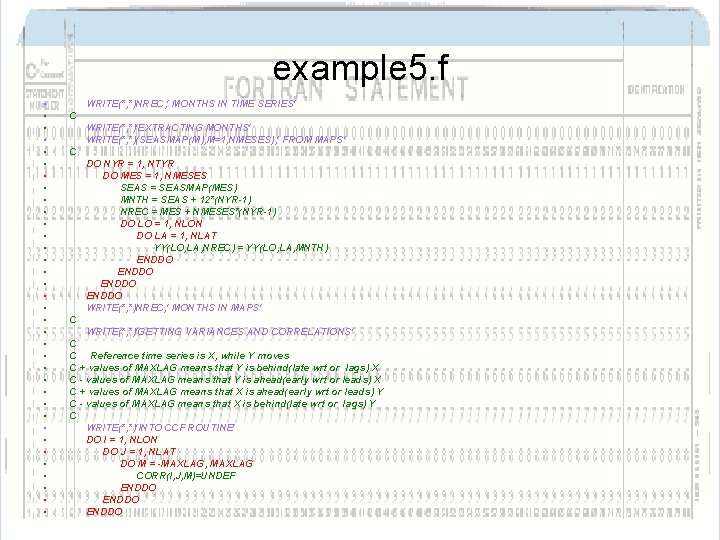
example 5. f • • • • • • • • • WRITE(*, *)NREC, ' MONTHS IN TIME SERIES' C WRITE(*, *)'EXTRACTING MONTHS' WRITE(*, *)(SEASMAP(M), M=1, NMESES), ' FROM MAPS' C DO NYR = 1, NTYR DO MES = 1, NMESES SEAS = SEASMAP(MES) MNTH = SEAS + 12*(NYR-1) NREC = MES + NMESES*(NYR-1) DO LO = 1, NLON DO LA = 1, NLAT YY(LO, LA, NREC) = YY(LO, LA, MNTH) ENDDO WRITE(*, *)NREC, ' MONTHS IN MAPS' C WRITE(*, *)'GETTING VARIANCES AND CORRELATIONS' C C Reference time series is X, while Y moves C + values of MAXLAG means that Y is behind(late wrt or lags) X C - values of MAXLAG means that Y is ahead(early wrt or leads) X C + values of MAXLAG means that X is ahead(early wrt or leads) Y C - values of MAXLAG means that X is behind(late wrt or lags) Y C WRITE(*, *)'INTO CCF ROUTINE' DO I = 1, NLON DO J = 1, NLAT DO M = -MAXLAG, MAXLAG CORR(I, J, M)=UNDEF ENDDO
example 5. f • • • • • • • • • • DO I=1, NLON DO J = 1, NLAT DO MNTH =1, NMS Y(MNTH) = YY(I, J, MNTH) ENDDO C Be careful with UNDEFINED values! IF((Y(1). EQ. Y(NMS/2)). AND. (Y(1). EQ. Y(NMS))) THEN ELSE CALL CCF(NMS, X, Y, MAXLAG, IPRINT, ISEOPT, IMEAN, X 1 MEAN, Y 1 MEAN, X 1 VAR, Y 1 VAR, CCV, CC, SECC) DO M = -MAXLAG, MAXLAG CORR(I, J, M) = CC(M) ENDDO ENDIF ENDDO WRITE(*, *)'OUT OF CCF ROUTINE' NR = 0 DO M = -MAXLAG, MAXLAG DO I = 1, NLON DO J = 1, NLAT YYY(I, J) = UNDEF ENDDO NR = NR + 1 DO I = 1, NLON DO J = 1, NLAT YYY(I, J) = CORR(I, J, M) ENDDO WRITE(3, REC=NR) YYY ENDDO CLOSE(3) C C Do the following before you compile C source /usr/local/src/vni-3. 0/CTT 3. 0/ctt/bin/cttsetup. csh C f 77 example 5. f $LINK_FNL C. /a. out C END Linking to IMSL routines
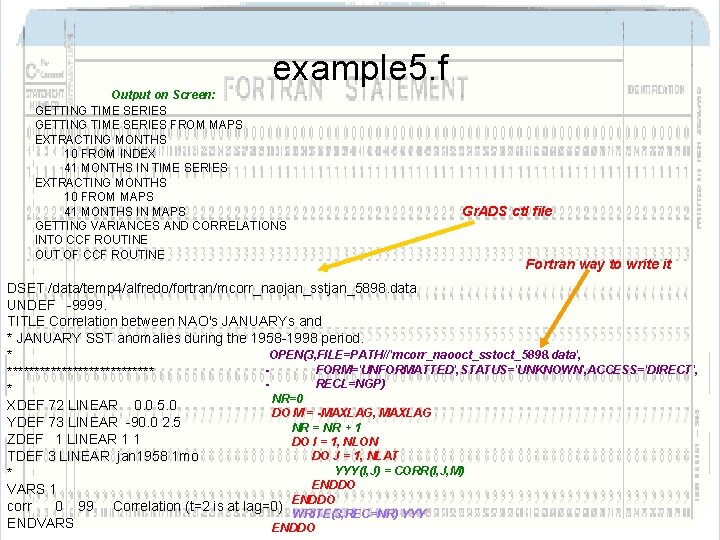
example 5. f Output on Screen: GETTING TIME SERIES FROM MAPS EXTRACTING MONTHS 10 FROM INDEX 41 MONTHS IN TIME SERIES EXTRACTING MONTHS 10 FROM MAPS 41 MONTHS IN MAPS GETTING VARIANCES AND CORRELATIONS INTO CCF ROUTINE OUT OF CCF ROUTINE Gr. ADS ctl file Fortran way to write it DSET /data/temp 4/alfredo/fortran/mcorr_naojan_sstjan_5898. data UNDEF -9999. TITLE Correlation between NAO's JANUARYs and * JANUARY SST anomalies during the 1958 -1998 period. OPEN(3, FILE=PATH//'mcorr_naooct_sstoct_5898. data', * FORM='UNFORMATTED', STATUS='UNKNOWN', ACCESS='DIRECT', ************** RECL=NGP) * NR=0 XDEF 72 LINEAR 0. 0 5. 0 DO M = -MAXLAG, MAXLAG YDEF 73 LINEAR -90. 0 2. 5 NR = NR + 1 ZDEF 1 LINEAR 1 1 DO I = 1, NLON DO J = 1, NLAT TDEF 3 LINEAR jan 1958 1 mo YYY(I, J) = CORR(I, J, M) * ENDDO VARS 1 ENDDO corr 0 99 Correlation (t=2 is at lag=0) WRITE(3, REC=NR) YYY ENDVARS ENDDO
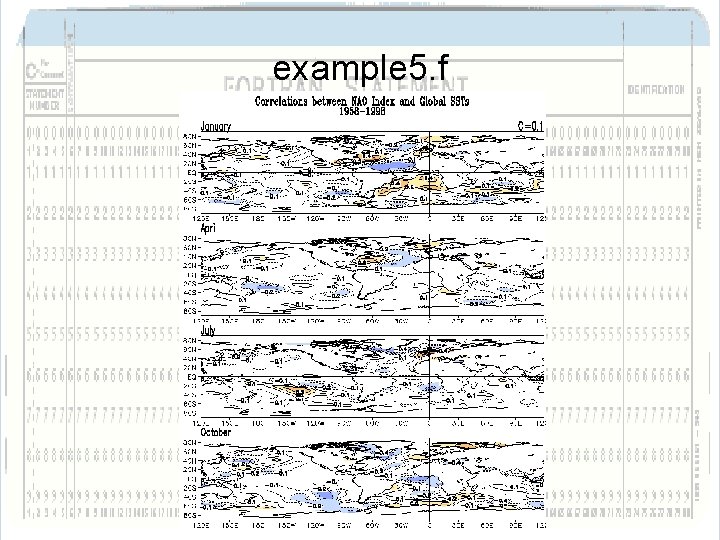
example 5. f
At the end… • • Have the necessity to use fortran. Have a book for quick reference. Make some time for practicing it. Good Luck!