
Formatted Output printf CSE 1310 Introduction to Computers
![System. out. printf public class example 1 { public static void main(String[] args) {](https://slidetodoc.com/presentation_image/2dd5f2185a6280e74e846633f782165b/image-2.jpg "System. out. printf public class example 1 { public static void main(String[] args) {")
![System. out. printf public class example 1 { public static void main(String[] args) {](https://slidetodoc.com/presentation_image/2dd5f2185a6280e74e846633f782165b/image-3.jpg "System. out. printf public class example 1 { public static void main(String[] args) {")
![System. out. printf public class example 1 { public static void main(String[] args) {](https://slidetodoc.com/presentation_image/2dd5f2185a6280e74e846633f782165b/image-4.jpg "System. out. printf public class example 1 { public static void main(String[] args) {")
![System. out. printf public class example 1 { public static void main(String[] args) {](https://slidetodoc.com/presentation_image/2dd5f2185a6280e74e846633f782165b/image-5.jpg "System. out. printf public class example 1 { public static void main(String[] args) {")
![System. out. printf public class example 1 { public static void main(String[] args) {](https://slidetodoc.com/presentation_image/2dd5f2185a6280e74e846633f782165b/image-6.jpg "System. out. printf public class example 1 { public static void main(String[] args) {")
![System. out. printf public class example 1 { public static void main(String[] args) {](https://slidetodoc.com/presentation_image/2dd5f2185a6280e74e846633f782165b/image-7.jpg "System. out. printf public class example 1 { public static void main(String[] args) {")
![System. out. printf public class example 1 { public static void main(String[] args) {](https://slidetodoc.com/presentation_image/2dd5f2185a6280e74e846633f782165b/image-8.jpg "System. out. printf public class example 1 { public static void main(String[] args) {")
![Format Specifiers public class example 1 { public static void main(String[] args) { int](https://slidetodoc.com/presentation_image/2dd5f2185a6280e74e846633f782165b/image-9.jpg "Format Specifiers public class example 1 { public static void main(String[] args) { int")
![Specifying Width public class example 1 { public static void main(String[] args) { System.](https://slidetodoc.com/presentation_image/2dd5f2185a6280e74e846633f782165b/image-11.jpg "Specifying Width public class example 1 { public static void main(String[] args) { System.")
![Specifying Width public class example 1 { public static void main(String[] args) { System.](https://slidetodoc.com/presentation_image/2dd5f2185a6280e74e846633f782165b/image-12.jpg "Specifying Width public class example 1 { public static void main(String[] args) { System.")
![Not Specifying Width public class example 1 { public static void main(String[] args) {](https://slidetodoc.com/presentation_image/2dd5f2185a6280e74e846633f782165b/image-13.jpg "Not Specifying Width public class example 1 { public static void main(String[] args) {")
- Slides: 27
Formatted Output (printf) CSE 1310 – Introduction to Computers and Programming Vassilis Athitsos University of Texas at Arlington 1
System. out. printf public class example 1 { public static void main(String[] args) { int days = 31; String month = "July"; double temperature = 85. 3; System. out. printf("There are %d days in %sn", days, month); System. out. printf("Average temperature in %s: %f degreesn", month, temperature); } } Output: There are 31 days in July Average temperature in July: 85. 300000 degrees • System. out. printf gives you an easy way to print nicer output, by combining text, variables, and other values. 2
System. out. printf public class example 1 { public static void main(String[] args) { int days = 31; String month = "July"; double temperature = 85. 3; System. out. printf("There are %d days in %sn", days, month); System. out. printf("Average temperature in %s: %f degreesn", month, temperature); } } • printf works as follows: – It starts printing the text in the first argument. There are 3
System. out. printf public class example 1 { public static void main(String[] args) { int days = 31; String month = "July"; double temperature = 85. 3; System. out. printf("There are %d days in %sn", days, month); System. out. printf("Average temperature in %s: %f degreesn", month, temperature); } } • printf works as follows: – It starts printing the text in the first argument. – When it finds the first % sign, it prints the second argument. There are 31 4
System. out. printf public class example 1 { public static void main(String[] args) { int days = 31; String month = "July"; double temperature = 85. 3; System. out. printf("There are %d days in %sn", days, month); System. out. printf("Average temperature in %s: %f degreesn", month, temperature); } } • printf works as follows: – It starts printing the text in the first argument. – When it finds the first % sign, it prints the second argument. – It continues printing text. There are 31 days in 5
System. out. printf public class example 1 { public static void main(String[] args) { int days = 31; String month = "July"; double temperature = 85. 3; System. out. printf("There are %d days in %sn", days, month); System. out. printf("Average temperature in %s: %f degreesn", month, temperature); } } • printf works as follows: – – It starts printing the text in the first argument. When it finds the first % sign, it prints the second argument. It continues printing text. When it finds the second % sign, it prints the third argument. There are 31 days in July 6
System. out. printf public class example 1 { public static void main(String[] args) { int days = 31; String month = "July"; double temperature = 85. 3; System. out. printf("There are %d days in %sn", days, month); System. out. printf("Average temperature in %s: %f degreesn", month, temperature); } } • printf works as follows: – – – It starts printing the text in the first argument. When it finds the first % sign, it prints the second argument. It continues printing text. When it finds the second % sign, it prints the third argument. And so on, until the entire text is processed. 7
System. out. printf public class example 1 { public static void main(String[] args) { int days = 31; String month = "July"; System. out. printf("There are %d days in %sn", days, "July"); System. out. printf("Average temperature in %s: %f degreesn", month, (85. 1 + 85. 5) / 2. 0); } } • The values that you provide in the second argument, third argument, and so on, can be: – variables, like days in the example above. – constants, like "July" in the example above. – expressions, like (85. 1 + 85. 5) / 2. 0 in the example above. 8
Format Specifiers public class example 1 { public static void main(String[] args) { int days = 31; String month = "July"; System. out. printf("There are %d days in %sn", days, "July"); System. out. printf("Average temperature in %s: %f degreesn", month, (85. 1 + 85. 5) / 2. 0); } } • %d, %f, %s are called format specifiers. • A format specifier must match the value that will be printed. – – – %d is for values of type int %f is for values of type double %s is for values of type String %c is for values of type char. %b is for values of type boolean. 9
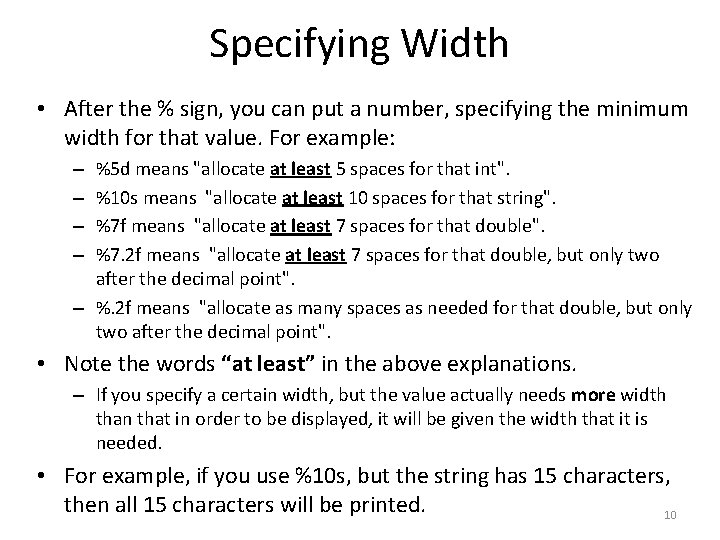
Specifying Width • After the % sign, you can put a number, specifying the minimum width for that value. For example: %5 d means "allocate at least 5 spaces for that int". %10 s means "allocate at least 10 spaces for that string". %7 f means "allocate at least 7 spaces for that double". %7. 2 f means "allocate at least 7 spaces for that double, but only two after the decimal point". – %. 2 f means "allocate as many spaces as needed for that double, but only two after the decimal point". – – • Note the words “at least” in the above explanations. – If you specify a certain width, but the value actually needs more width than that in order to be displayed, it will be given the width that it is needed. • For example, if you use %10 s, but the string has 15 characters, then all 15 characters will be printed. 10
Specifying Width public class example 1 { public static void main(String[] args) { System. out. printf("%20 s, current temperature: %8. 2 fn", "Dallas", 106. 7431); System. out. printf("%20 s, current temperature: %8. 2 fn", "San Francisco", 64. 918262); System. out. printf("%20 s, current temperature: %8. 2 fn", "surface of the sun", 12000. 0); } } • By specifying a width for every value, you get nicely aligned columns in the output. 11
Specifying Width public class example 1 { public static void main(String[] args) { System. out. printf("%20 s, current temperature: %8. 2 fn", "Dallas", 106. 7431); System. out. printf("%20 s, current temperature: %8. 2 fn", "San Francisco", 64. 918262); System. out. printf("%20 s, current temperature: %8. 2 fn", "surface of the sun", 12000. 0); } } Output: Dallas, current temperature: 106. 74 San Francisco, current temperature: 64. 92 surface of the sun, current temperature: 12000. 00 12
Not Specifying Width public class example 1 { public static void main(String[] args) { System. out. printf("%s, current temperature: %fn", "Dallas", 106. 7431); System. out. printf("%s, current temperature: %fn", "San Francisco", 64. 918262); System. out. printf("%s, current temperature: %fn", "surface of the sun", 12000. 0); } } Output: Dallas, current temperature: 106. 743100 San Francisco, current temperature: 64. 918262 surface of the sun, current temperature: 12000. 000000 • Compare the previous output to this one. • In this version of the code, we do not specify widths in printf. 13 • The output does not look as nice.
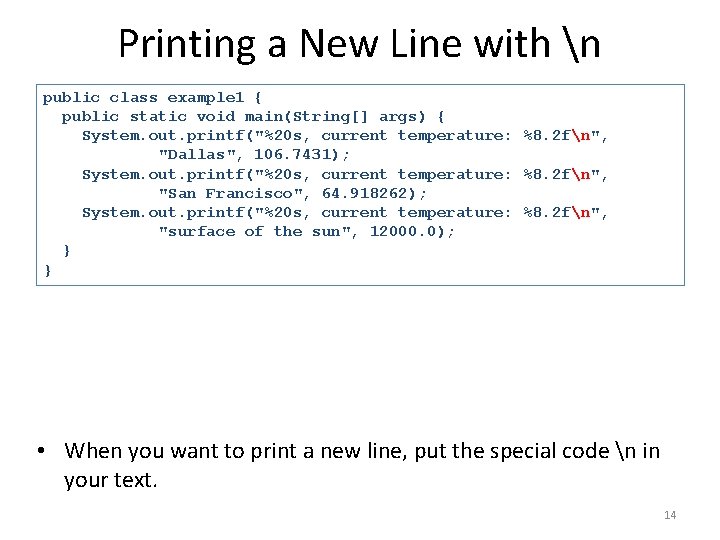
Printing a New Line with n public class example 1 { public static void main(String[] args) { System. out. printf("%20 s, current temperature: %8. 2 fn", "Dallas", 106. 7431); System. out. printf("%20 s, current temperature: %8. 2 fn", "San Francisco", 64. 918262); System. out. printf("%20 s, current temperature: %8. 2 fn", "surface of the sun", 12000. 0); } } • When you want to print a new line, put the special code n in your text. 14
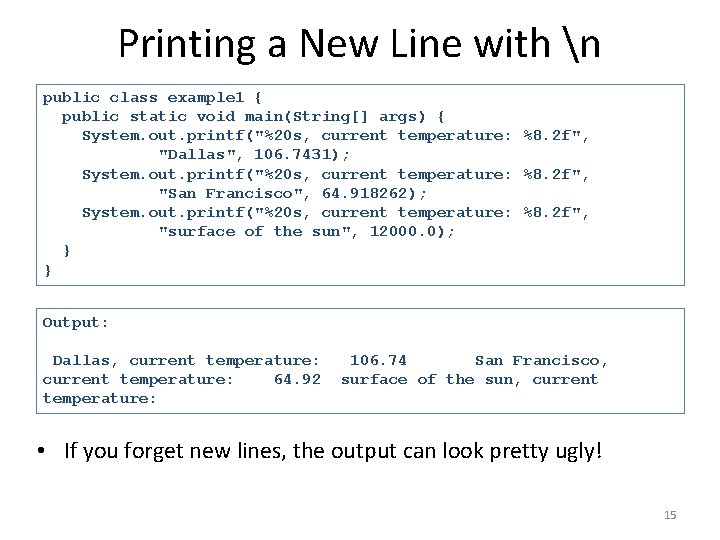
Printing a New Line with n public class example 1 { public static void main(String[] args) { System. out. printf("%20 s, current temperature: %8. 2 f", "Dallas", 106. 7431); System. out. printf("%20 s, current temperature: %8. 2 f", "San Francisco", 64. 918262); System. out. printf("%20 s, current temperature: %8. 2 f", "surface of the sun", 12000. 0); } } Output: Dallas, current temperature: 64. 92 temperature: 106. 74 San Francisco, surface of the sun, current • If you forget new lines, the output can look pretty ugly! 15
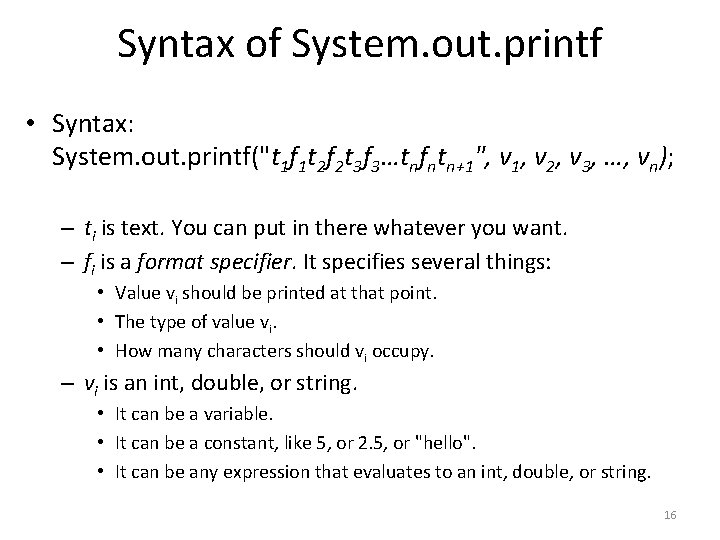
Syntax of System. out. printf • Syntax: System. out. printf("t 1 f 1 t 2 f 2 t 3 f 3…tnfntn+1", v 1, v 2, v 3, …, vn); – ti is text. You can put in there whatever you want. – fi is a format specifier. It specifies several things: • Value vi should be printed at that point. • The type of value vi. • How many characters should vi occupy. – vi is an int, double, or string. • It can be a variable. • It can be a constant, like 5, or 2. 5, or "hello". • It can be any expression that evaluates to an int, double, or string. 16
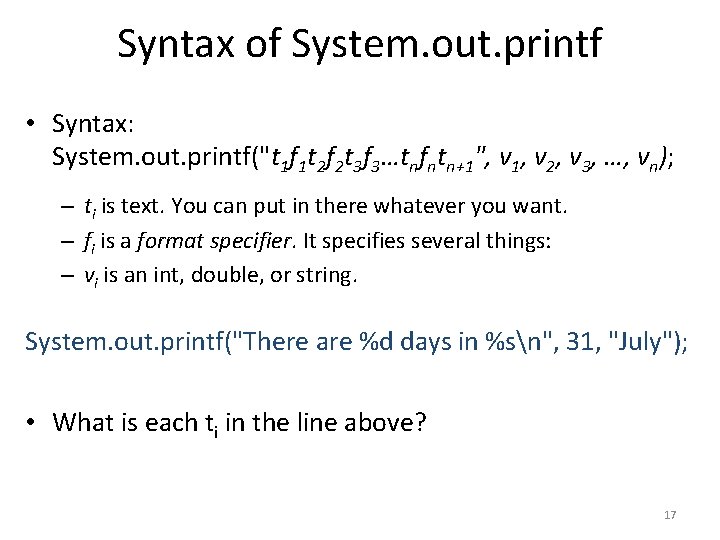
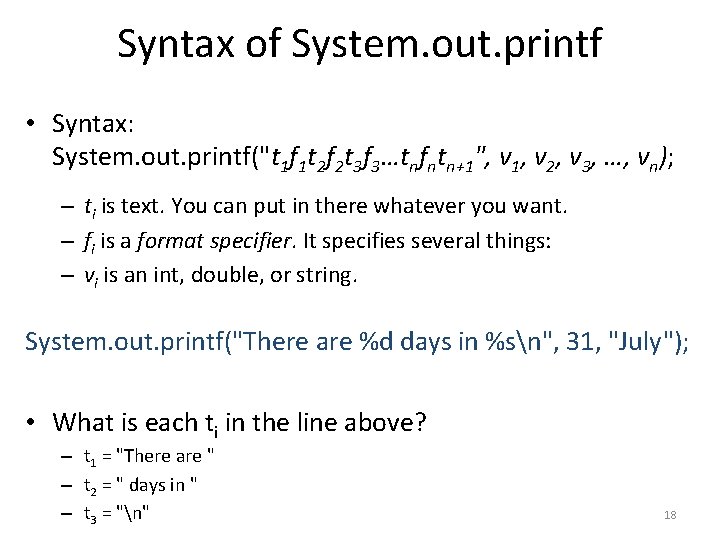
Syntax of System. out. printf • Syntax: System. out. printf("t 1 f 1 t 2 f 2 t 3 f 3…tnfntn+1", v 1, v 2, v 3, …, vn); – ti is text. You can put in there whatever you want. – fi is a format specifier. It specifies several things: – vi is an int, double, or string. System. out. printf("There are %d days in %sn", 31, "July"); • What is each ti in the line above? 17
Syntax of System. out. printf • Syntax: System. out. printf("t 1 f 1 t 2 f 2 t 3 f 3…tnfntn+1", v 1, v 2, v 3, …, vn); – ti is text. You can put in there whatever you want. – fi is a format specifier. It specifies several things: – vi is an int, double, or string. System. out. printf("There are %d days in %sn", 31, "July"); • What is each ti in the line above? – t 1 = "There are " – t 2 = " days in " – t 3 = "n" 18
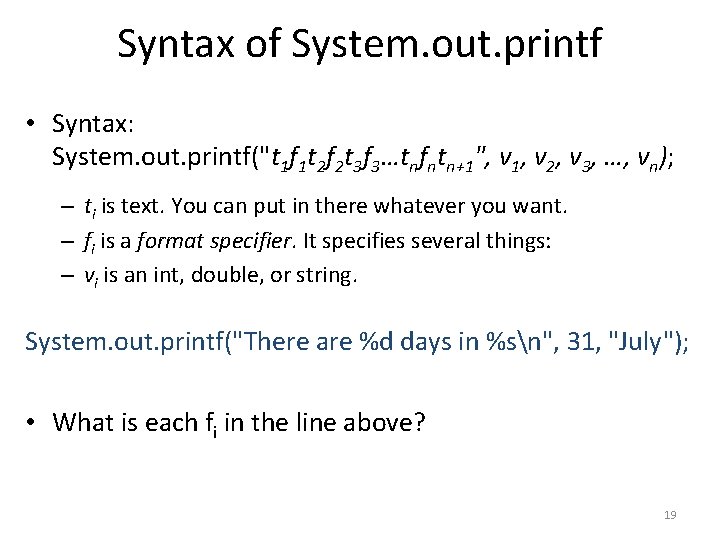
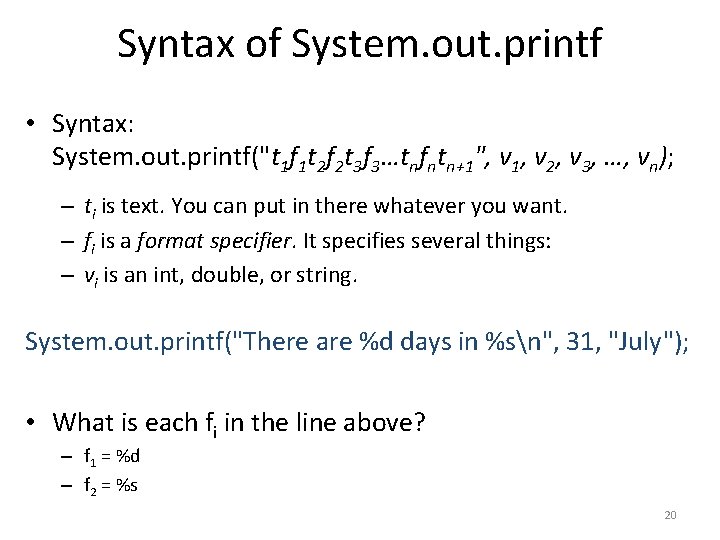
Syntax of System. out. printf • Syntax: System. out. printf("t 1 f 1 t 2 f 2 t 3 f 3…tnfntn+1", v 1, v 2, v 3, …, vn); – ti is text. You can put in there whatever you want. – fi is a format specifier. It specifies several things: – vi is an int, double, or string. System. out. printf("There are %d days in %sn", 31, "July"); • What is each fi in the line above? 19
Syntax of System. out. printf • Syntax: System. out. printf("t 1 f 1 t 2 f 2 t 3 f 3…tnfntn+1", v 1, v 2, v 3, …, vn); – ti is text. You can put in there whatever you want. – fi is a format specifier. It specifies several things: – vi is an int, double, or string. System. out. printf("There are %d days in %sn", 31, "July"); • What is each fi in the line above? – f 1 = %d – f 2 = %s 20
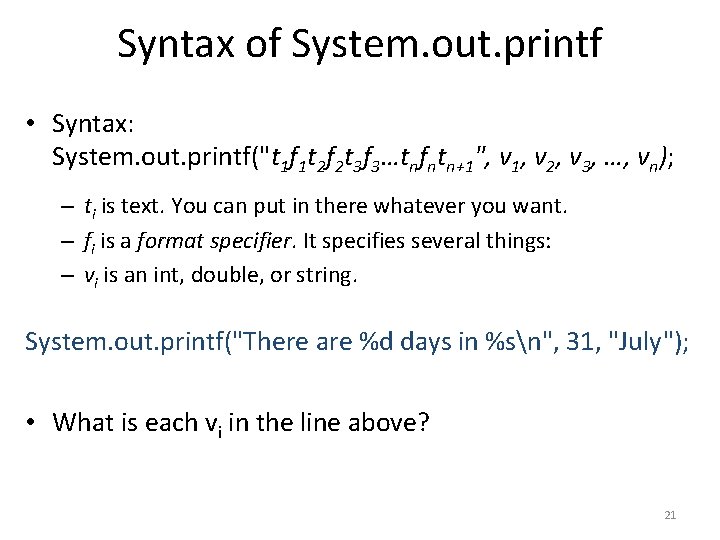
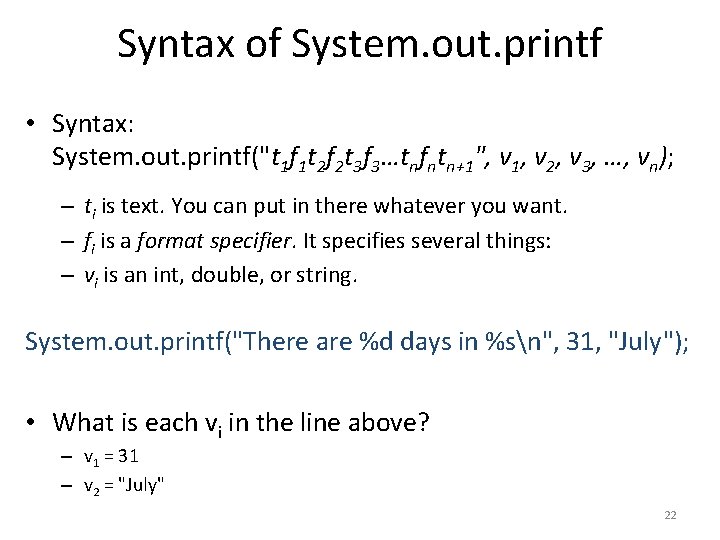
Syntax of System. out. printf • Syntax: System. out. printf("t 1 f 1 t 2 f 2 t 3 f 3…tnfntn+1", v 1, v 2, v 3, …, vn); – ti is text. You can put in there whatever you want. – fi is a format specifier. It specifies several things: – vi is an int, double, or string. System. out. printf("There are %d days in %sn", 31, "July"); • What is each vi in the line above? 21
Syntax of System. out. printf • Syntax: System. out. printf("t 1 f 1 t 2 f 2 t 3 f 3…tnfntn+1", v 1, v 2, v 3, …, vn); – ti is text. You can put in there whatever you want. – fi is a format specifier. It specifies several things: – vi is an int, double, or string. System. out. printf("There are %d days in %sn", 31, "July"); • What is each vi in the line above? – v 1 = 31 – v 2 = "July" 22
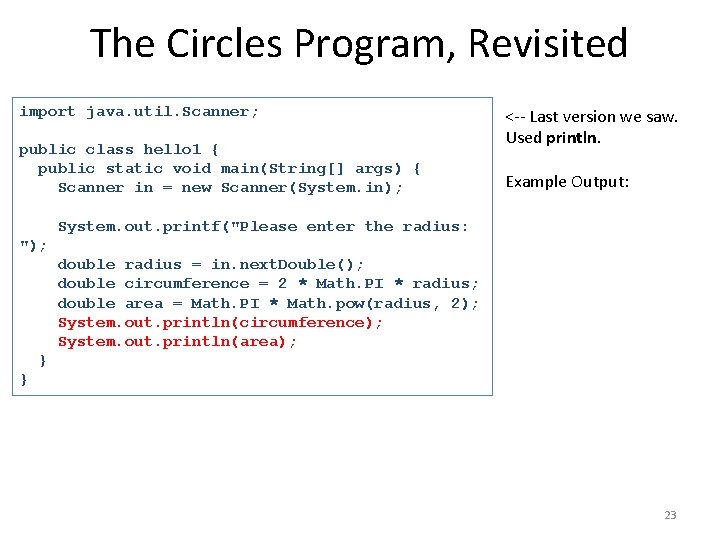
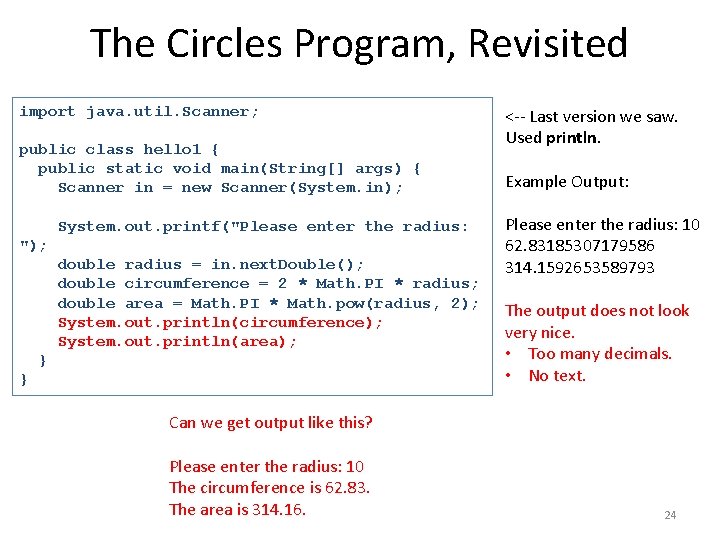
The Circles Program, Revisited import java. util. Scanner; public class hello 1 { public static void main(String[] args) { Scanner in = new Scanner(System. in); <-- Last version we saw. Used println. Example Output: System. out. printf("Please enter the radius: "); double radius = in. next. Double(); double circumference = 2 * Math. PI * radius; double area = Math. PI * Math. pow(radius, 2); System. out. println(circumference); System. out. println(area); } } 23
The Circles Program, Revisited import java. util. Scanner; public class hello 1 { public static void main(String[] args) { Scanner in = new Scanner(System. in); System. out. printf("Please enter the radius: "); double radius = in. next. Double(); double circumference = 2 * Math. PI * radius; double area = Math. PI * Math. pow(radius, 2); System. out. println(circumference); System. out. println(area); } } <-- Last version we saw. Used println. Example Output: Please enter the radius: 10 62. 83185307179586 314. 1592653589793 The output does not look very nice. • Too many decimals. • No text. Can we get output like this? Please enter the radius: 10 The circumference is 62. 83. The area is 314. 16. 24
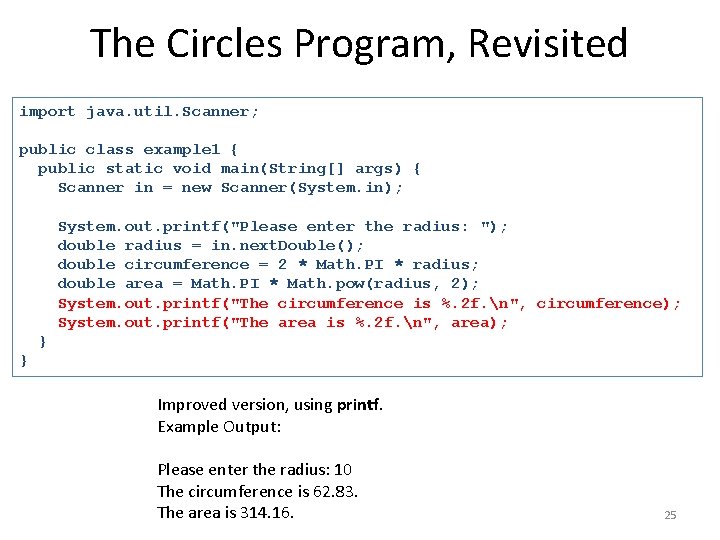
The Circles Program, Revisited import java. util. Scanner; public class example 1 { public static void main(String[] args) { Scanner in = new Scanner(System. in); System. out. printf("Please enter the radius: "); double radius = in. next. Double(); double circumference = 2 * Math. PI * radius; double area = Math. PI * Math. pow(radius, 2); System. out. printf("The circumference is %. 2 f. n", circumference); System. out. printf("The area is %. 2 f. n", area); } } Improved version, using printf. Example Output: Please enter the radius: 10 The circumference is 62. 83. The area is 314. 16. 25
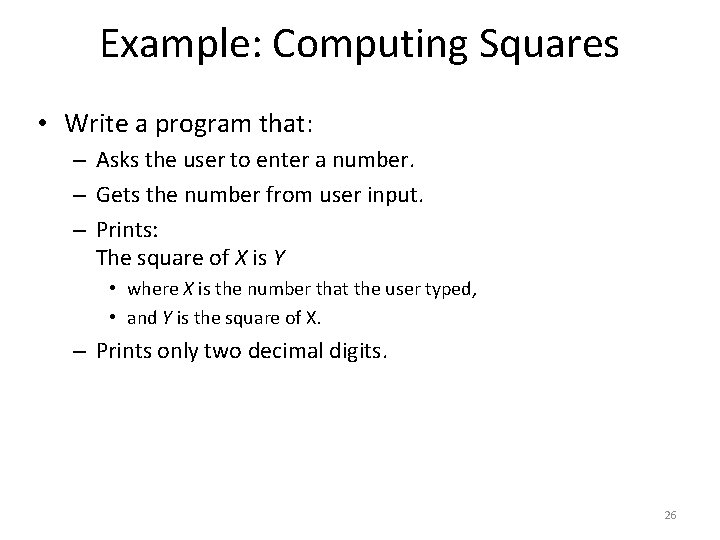
Example: Computing Squares • Write a program that: – Asks the user to enter a number. – Gets the number from user input. – Prints: The square of X is Y • where X is the number that the user typed, • and Y is the square of X. – Prints only two decimal digits. 26
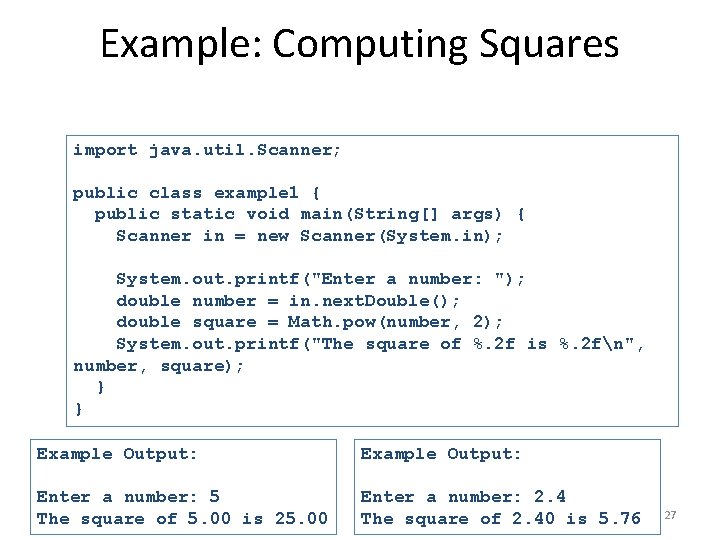
Example: Computing Squares import java. util. Scanner; public class example 1 { public static void main(String[] args) { Scanner in = new Scanner(System. in); System. out. printf("Enter a number: "); double number = in. next. Double(); double square = Math. pow(number, 2); System. out. printf("The square of %. 2 f is %. 2 fn", number, square); } } Example Output: Enter a number: 5 The square of 5. 00 is 25. 00 Enter a number: 2. 4 The square of 2. 40 is 5. 76 27