
Form I9 and Tracker System Training Learning Objectives
Form I-9 and Tracker System Training
Learning Objectives I-9 Essentials Tracker System Highlights Special I-9 Procedures I-9 Demos I-9 Resources
Who needs a Form I-9? The Form I-9 is only required for employees who perform labor or services in return for actual or anticipated wages or other remuneration. Employee: A person who performs labor or services in the United States in return for wages or other remuneration Remuneration: Anything of value an employer gives in exchange for labor or services, such as money, meals, lodging other benefits, but does not include gifts At UC ANR this includes: • An employee “without salary” (WOS) appointment receiving a stipend • Any unpaid visitors anticipated to receive UC ANR remuneration Do NOT complete for: • Employees hired prior to Nov. 6, 1986 • Individuals not physically working in the U. S. • Volunteers and “without salary” (WOS) appointment employees
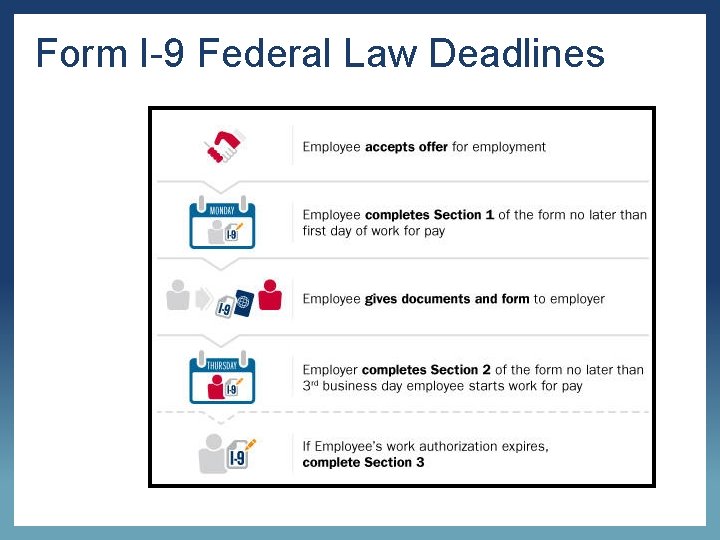
Form I-9 Federal Law Deadlines 4
I-9 Violations & Penalties Employers who knowingly violate or circumvent the Form I-9 process or anti- discrimination requirements of the INA may be subject to civil and/or criminal penalties. 5

Accessing Tracker At UC ANR https: //i 9 complete. ucop. edu/
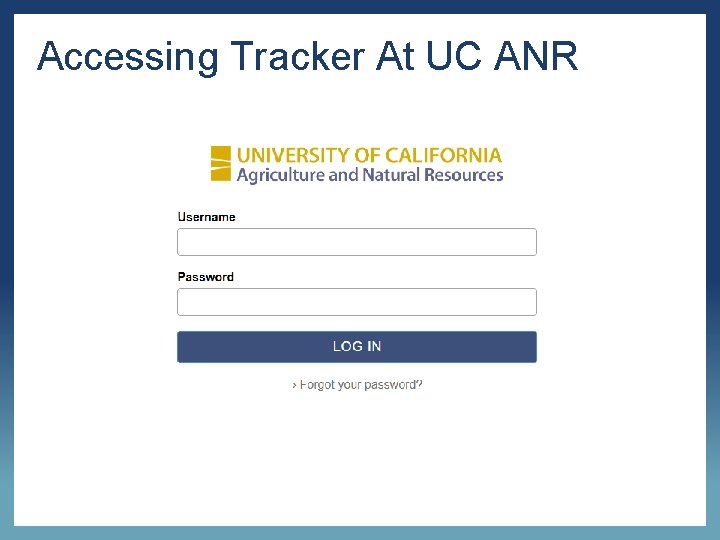
Accessing Tracker At UC ANR
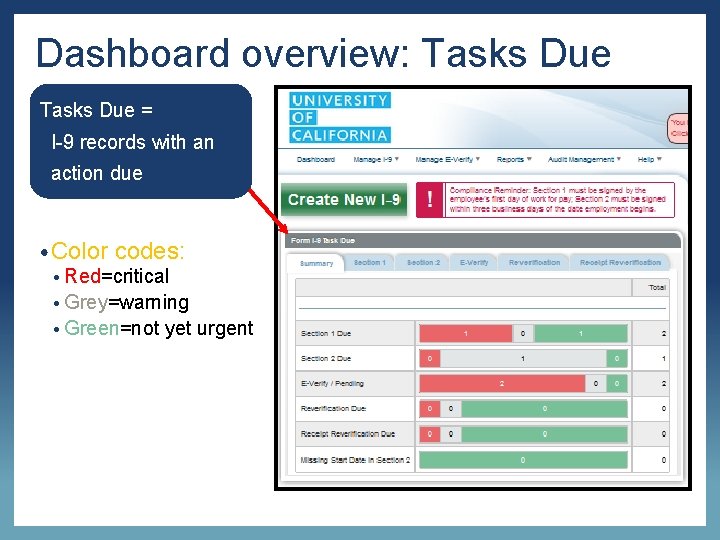
Dashboard overview: Tasks Due = • I-9 records with an • action due • Color codes: • Red=critical • Grey=warning • Green=not yet urgent
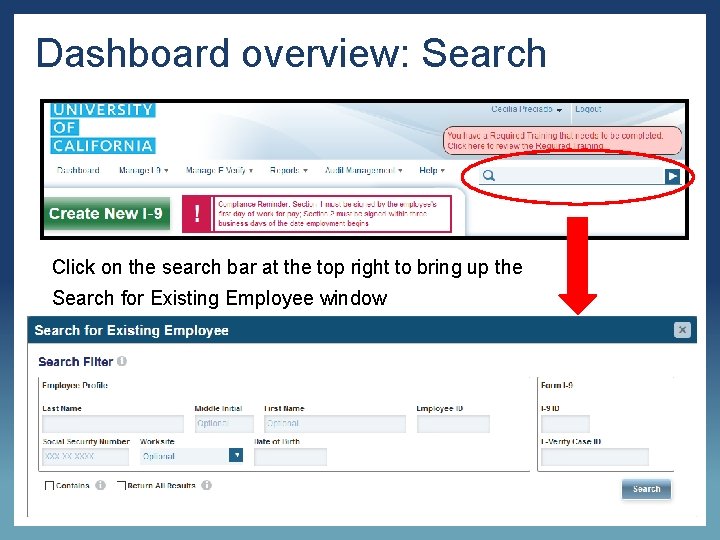
Dashboard overview: Search Click on the search bar at the top right to bring up the Search for Existing Employee window

Section 1, Completed by Employee
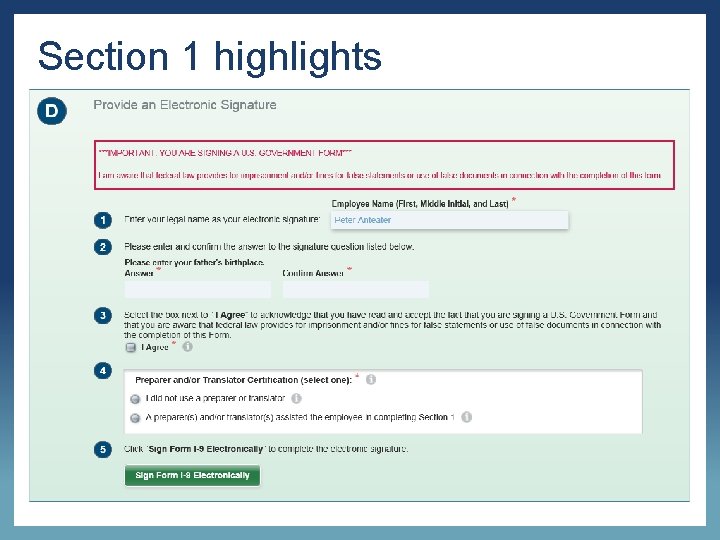
Section 1 highlights
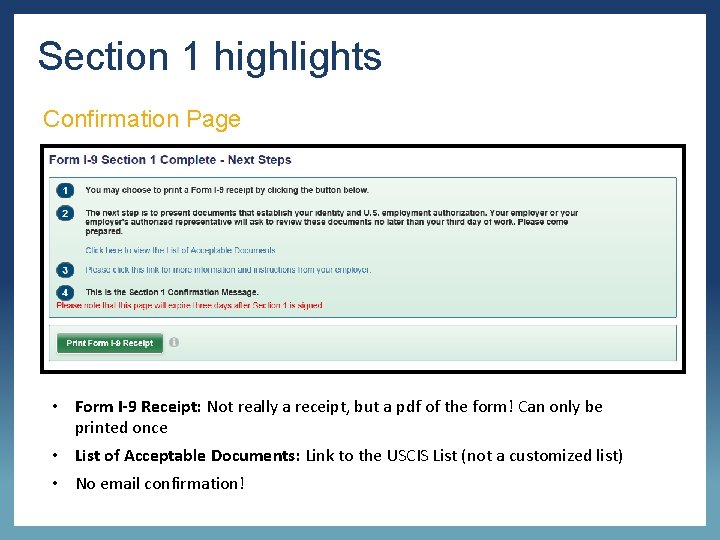
Section 1 highlights Confirmation Page • Form I-9 Receipt: Not really a receipt, but a pdf of the form! Can only be printed once • List of Acceptable Documents: Link to the USCIS List (not a customized list) • No email confirmation!
Section 2, Completed by Location
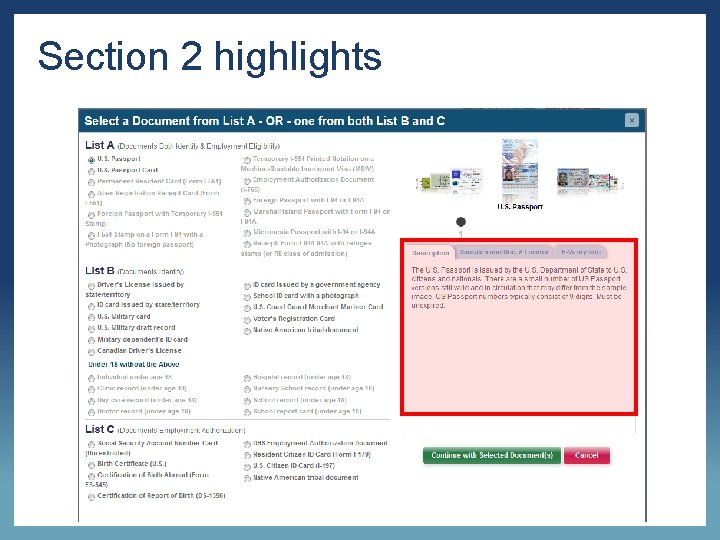
Section 2 highlights

Examining documents Processors must accept a document presented by an employee if it reasonably appears to be genuine and relates to the individual presenting it. • The document(s) must be original & unexpired Unacceptable types of documents: • Photocopies • Digital copies or images • Those presented over a screen (ex. Skype) • If an employee presents documents that do not appear to be genuine OR do not relate to the employee, processors must notify the employee “I’m not able to accept this document as it does not appear to be genuine OR it does not seem to relate to you. Do you have any other documents you would like present from the List of Acceptable Documents? ”
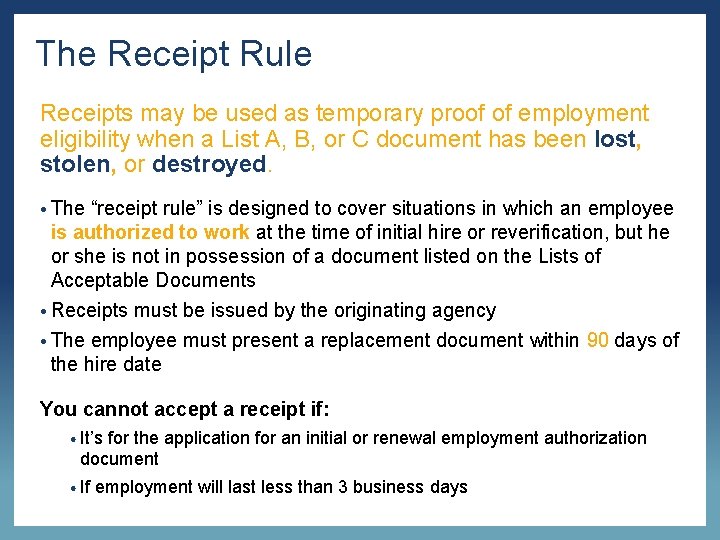
The Receipt Rule Receipts may be used as temporary proof of employment eligibility when a List A, B, or C document has been lost, stolen, or destroyed. • The “receipt rule” is designed to cover situations in which an employee is authorized to work at the time of initial hire or reverification, but he or she is not in possession of a document listed on the Lists of Acceptable Documents • Receipts must be issued by the originating agency • The employee must present a replacement document within 90 days of the hire date You cannot accept a receipt if: • It’s for the application for an initial or renewal employment authorization document • If employment will last less than 3 business days University of California, Irvine Human Resources Department
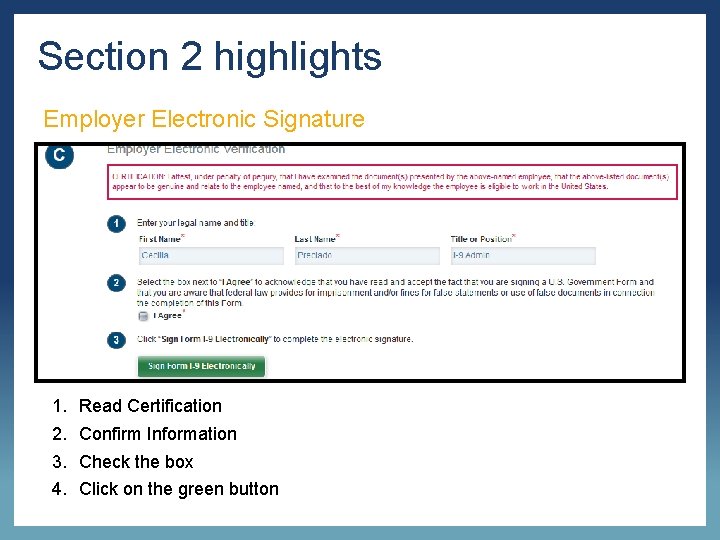
Section 2 highlights Employer Electronic Signature 1. 2. 3. 4. Read Certification Confirm Information Check the box Click on the green button
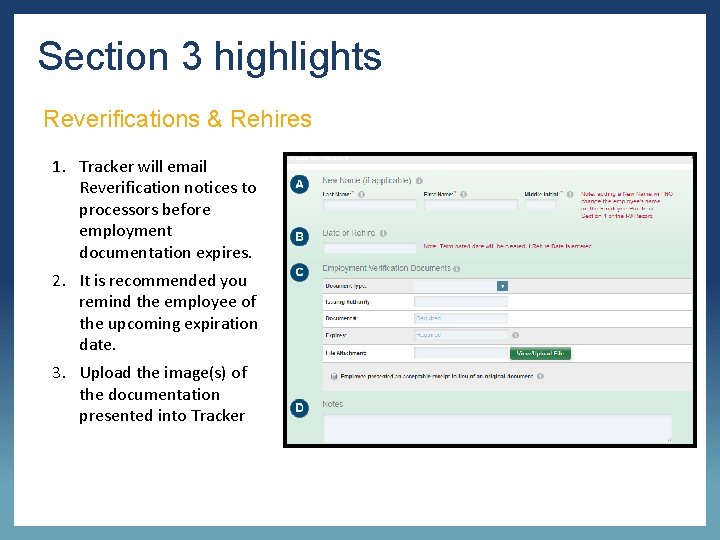
Section 3 highlights Reverifications & Rehires 1. Tracker will email Reverification notices to processors before employment documentation expires. 2. It is recommended you remind the employee of the upcoming expiration date. 3. Upload the image(s) of the documentation presented into Tracker
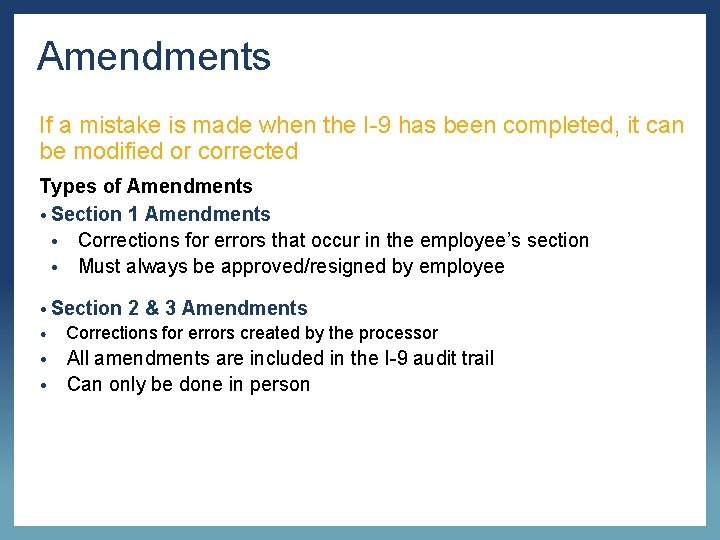
Amendments If a mistake is made when the I-9 has been completed, it can be modified or corrected Types of Amendments • Section 1 Amendments • Corrections for errors that occur in the employee’s section • Must always be approved/resigned by employee • Section • 2 & 3 Amendments Corrections for errors created by the processor All amendments are included in the I-9 audit trail • Can only be done in person •
Transfers from another UC When an employee comes to UC ANR from another UC location, their I-9 should follow them If the I-9 is in Tracker: • The assigned HR Generalist must be notified to initiate the transfer with the UC Systemwide Administrator If the I-9 is not in Tracker: • Work with the other location to ensure that the existing I-9 will be transferred over • Once received, input and upload into Tracker (shred original if necessary) • If the original I-9 is not located/transferred within a reasonable amount of time, a new I-9 must be created
Steps for New I-9 General Overview 1. Tracker automatically sends email with secure link to employee 2. Employee fills out Section 1 prior to coming into the office 3. Processor reviews documents and completes Section 2 4. HR Operations reviews documents and validates the information from I-9 Tracker Reminder: You should only begin the I-9 Process after the job offer has been accepted

Resources Email Contact: · UC ANR I-9 Administrator at humanresources@ucanr. edu Websites: • UC ANR I-9 Website: https: //wwwe. i 9 complete. com/home · USCIS I-9 Central website: https: //www. uscis. gov/i-9 -central/handbookemployers-m-274 Manuals & Quick Guides · Tracker Tutorials available in Tracker Dashboard

Questions?
- Slides: 23