
Forging new generations of engineers Parametric Modeling Presentation

- Slides: 20
Forging new generations of engineers
Parametric Modeling
Presentation Overview • Types of computer design parameters • Review of geometric constraints • Parametric constraints • Creation of parametric equations that maintain geometric proportions
Parameters 3 D CAD programs use parameters to define a model of a design solution. A parameter is a property of a system whose value determines how the system will behave.
Types of Parameters 3 D CAD programs typically have three types of user defined parameters: • Geometric Constraints (review) • Parametric Constraints • Assembly Constraints (discussed later)
Review of Geometric Constraints Non-numerical geometric relationships that the user assigns to sketched elements. Examples: • Making two lines parallel • Making two arcs concentric • Making a line horizontal
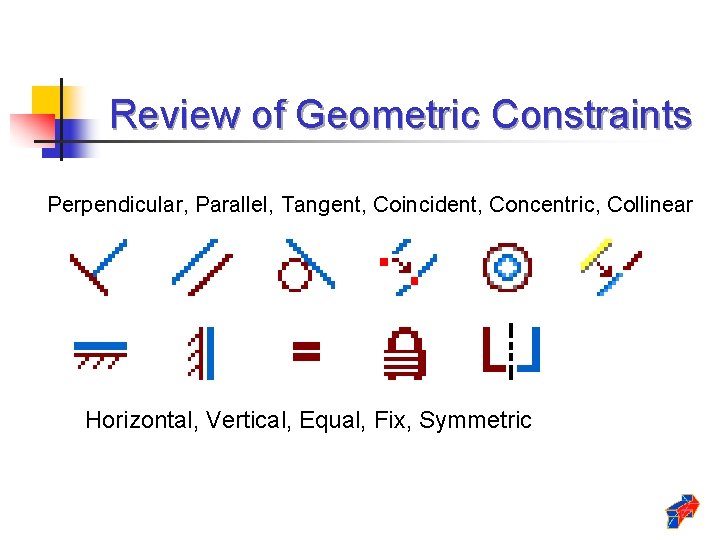
Review of Geometric Constraints Perpendicular, Parallel, Tangent, Coincident, Concentric, Collinear Horizontal, Vertical, Equal, Fix, Symmetric
Parametric Constraints • Are used to control the size and location of geometry. • May take the form of simple numeric values such as 2 inches or 25 degrees. • May take the form of abstract algebraic formulas such as (d 2*d 0)/d 5.
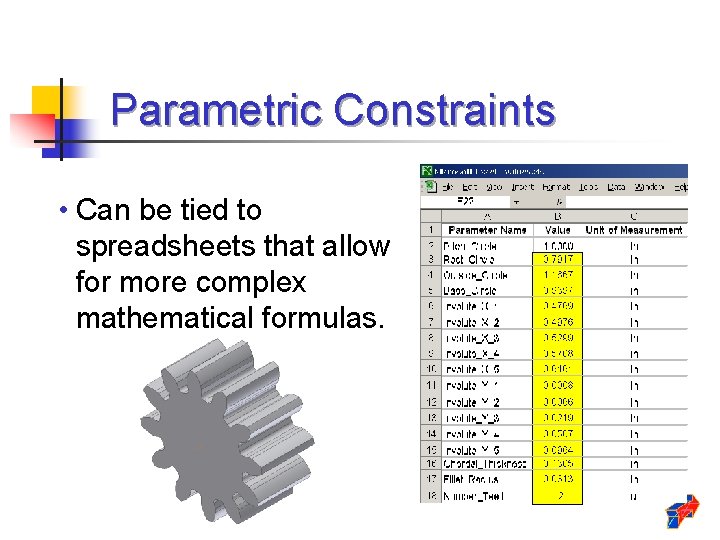
Parametric Constraints • Can be tied to spreadsheets that allow for more complex mathematical formulas.
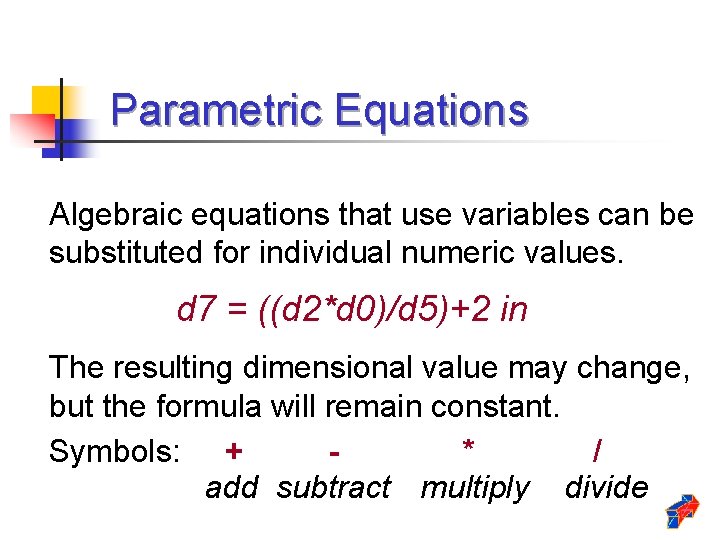
Parametric Equations Algebraic equations that use variables can be substituted for individual numeric values. d 7 = ((d 2*d 0)/d 5)+2 in The resulting dimensional value may change, but the formula will remain constant. Symbols: + * / add subtract multiply divide
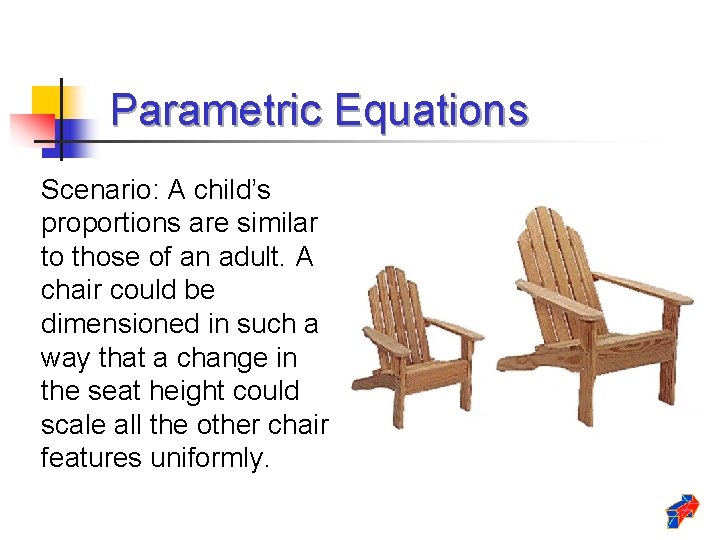
Parametric Equations Scenario: A child’s proportions are similar to those of an adult. A chair could be dimensioned in such a way that a change in the seat height could scale all the other chair features uniformly.
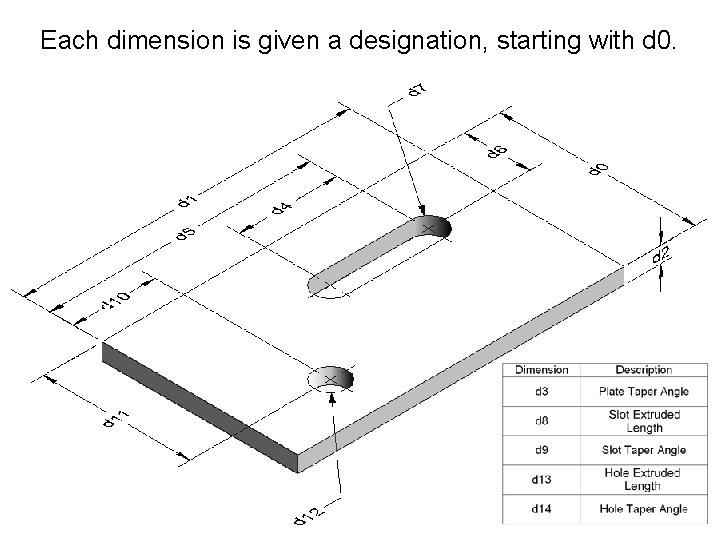
Each dimension is given a designation, starting with d 0.
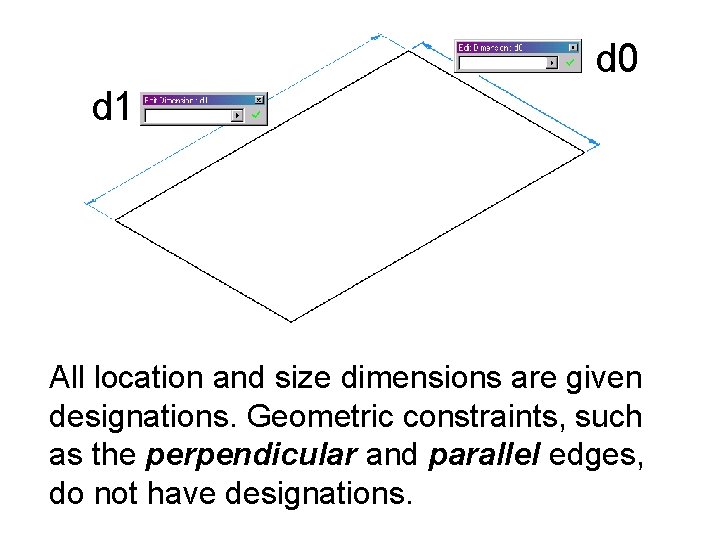
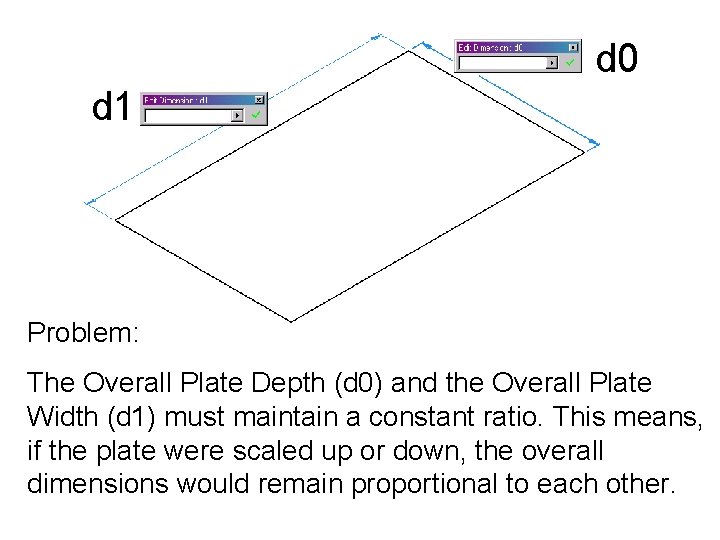
d 0 d 1 All location and size dimensions are given designations. Geometric constraints, such as the perpendicular and parallel edges, do not have designations.
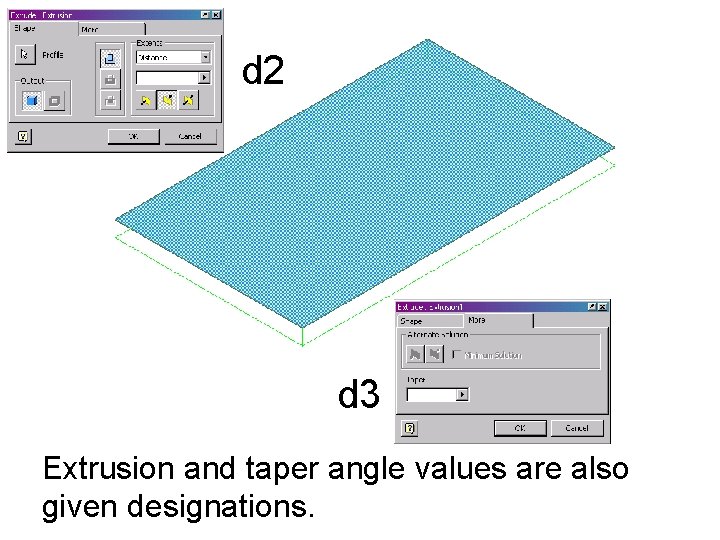
d 2 d 3 Extrusion and taper angle values are also given designations.
d 0 d 1 Problem: The Overall Plate Depth (d 0) and the Overall Plate Width (d 1) must maintain a constant ratio. This means, if the plate were scaled up or down, the overall dimensions would remain proportional to each other.
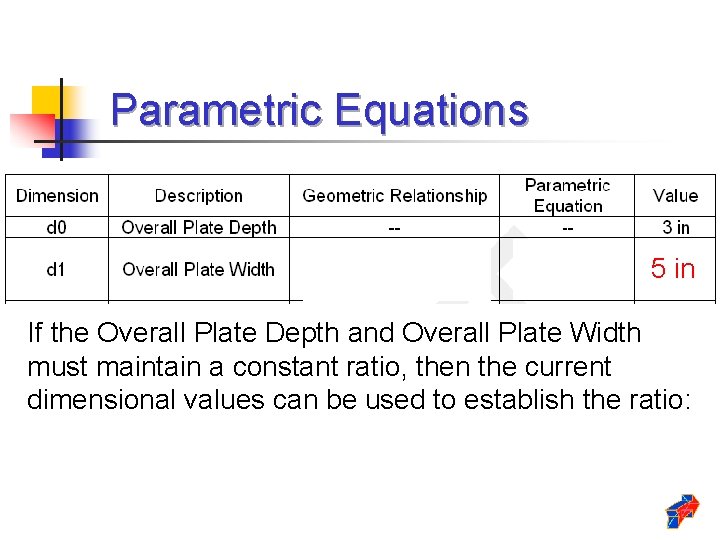
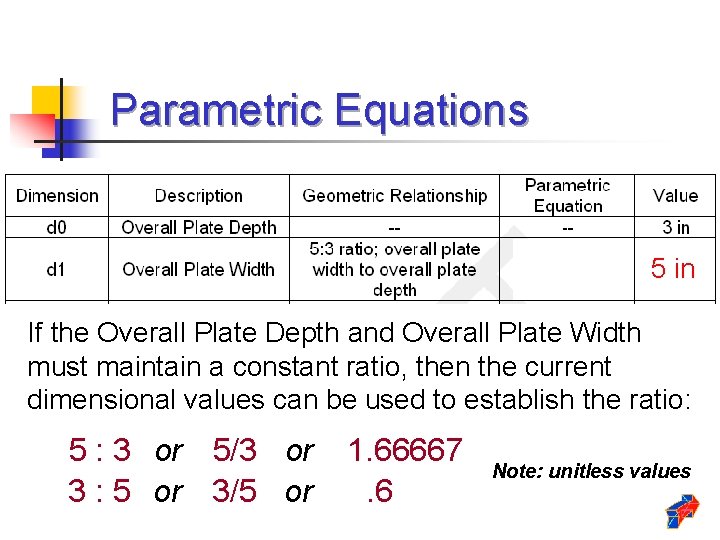
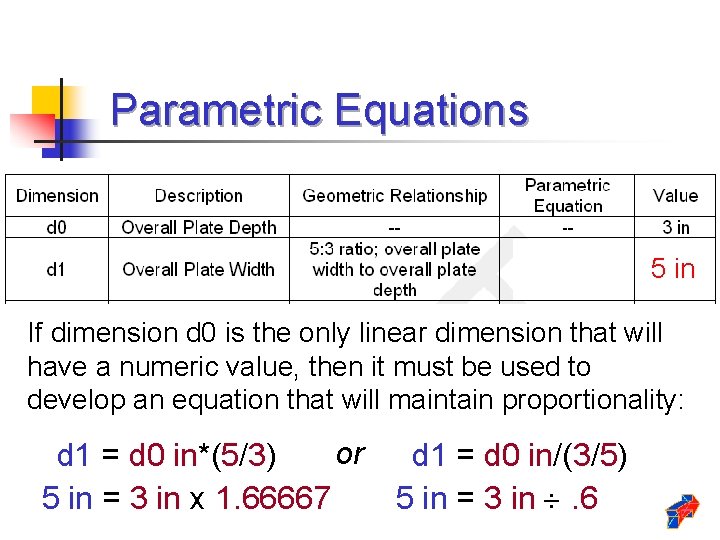
Parametric Equations 5 in If the Overall Plate Depth and Overall Plate Width must maintain a constant ratio, then the current dimensional values can be used to establish the ratio:
Parametric Equations 5 in If the Overall Plate Depth and Overall Plate Width must maintain a constant ratio, then the current dimensional values can be used to establish the ratio: 5 : 3 or 5/3 or 3 : 5 or 3/5 or 1. 66667. 6 Note: unitless values
Parametric Equations 5 in If dimension d 0 is the only linear dimension that will have a numeric value, then it must be used to develop an equation that will maintain proportionality: or d 1 = d 0 in*(5/3) 5 in = 3 in x 1. 66667 d 1 = d 0 in/(3/5) 5 in = 3 in . 6
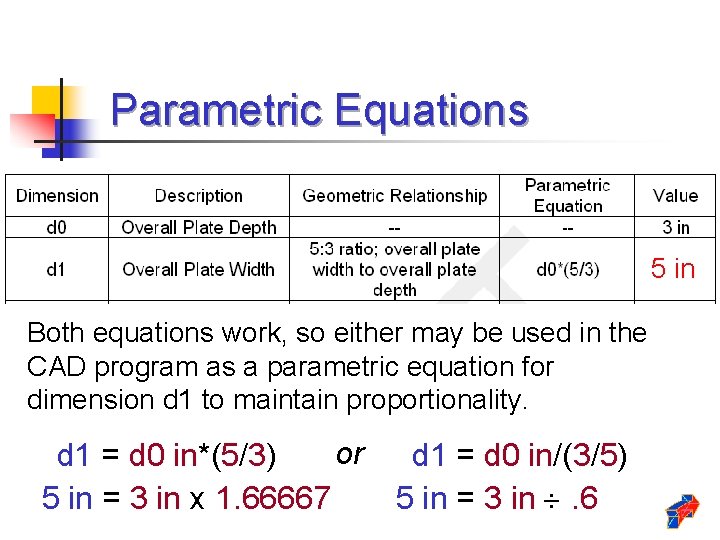
Parametric Equations 5 in Both equations work, so either may be used in the CAD program as a parametric equation for dimension d 1 to maintain proportionality. or d 1 = d 0 in*(5/3) 5 in = 3 in x 1. 66667 d 1 = d 0 in/(3/5) 5 in = 3 in . 6
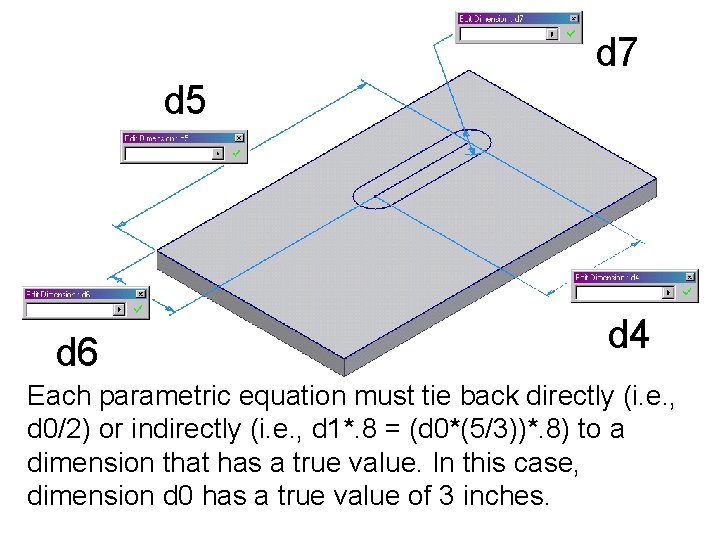
d 7 d 5 d 6 d 4 Each parametric equation must tie back directly (i. e. , d 0/2) or indirectly (i. e. , d 1*. 8 = (d 0*(5/3))*. 8) to a dimension that has a true value. In this case, dimension d 0 has a true value of 3 inches.