
Foreign Barcode Definitions Foreign Barcode FBC also known

Foreign Barcode
Definitions Foreign Barcode (FBC), also known as Instrument Ready Foreign Barcode (IRBC) – a barcoded specimen label produced by a laboratory ordering system other than any Soft LIS application that has the capability within Soft to be linked to an order and recognized by the laboratory instruments interfaced to the Soft system.
What is Foreign Barcode? FBC is a process that allows clients to generate a specimen label from a Foreign EMR system. The labels print and are applied in the client office. This label contains a bar code (FBC) that can be read by instrumentation. Specimens arrive instrument-ready at processing and do not need to be relabeled.
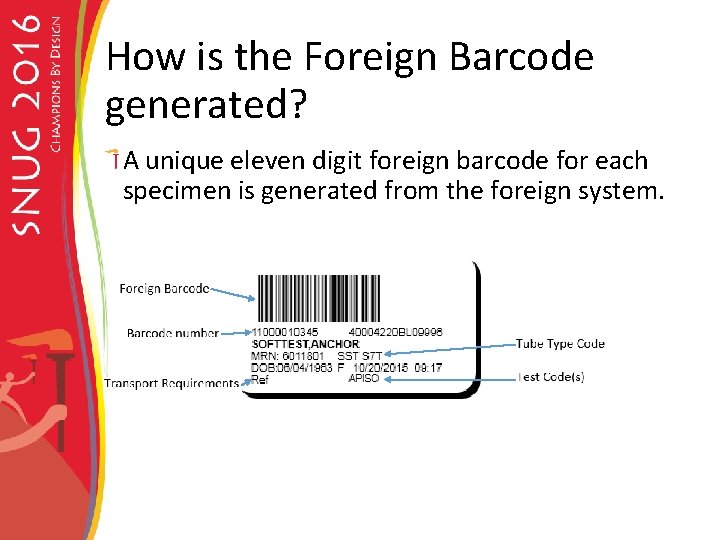
How is the Foreign Barcode generated? A unique eleven digit foreign barcode for each specimen is generated from the foreign system.
Container name and tube type code In the Foreign EMR the tube type containers had to be stored in a certain way that would allow the specimen to come into Soft. The Foreign EMR had to store the soft tube type code per container name. SST S 7 T Gray T 0 C
Add up volume logic The Specimen container, specimen type and the tube type code is used in the calculation for addup volume logic.
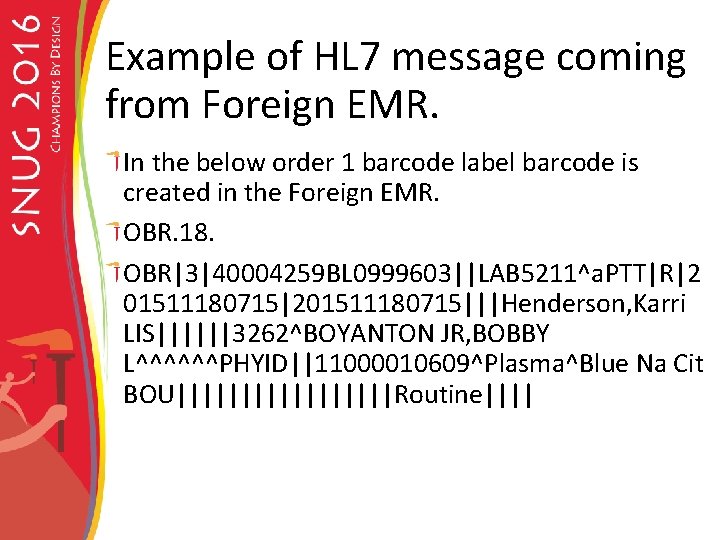
Example of HL 7 message coming from Foreign EMR. In the below order 1 barcode label barcode is created in the Foreign EMR. OBR. 18. OBR|3|40004259 BL 0999603||LAB 5211^a. PTT|R|2 01511180715|201511180715|||Henderson, Karri LIS||||||3262^BOYANTON JR, BOBBY L^^^^^^PHYID||11000010609^Plasma^Blue Na Cit BOU|||||||||Routine||||
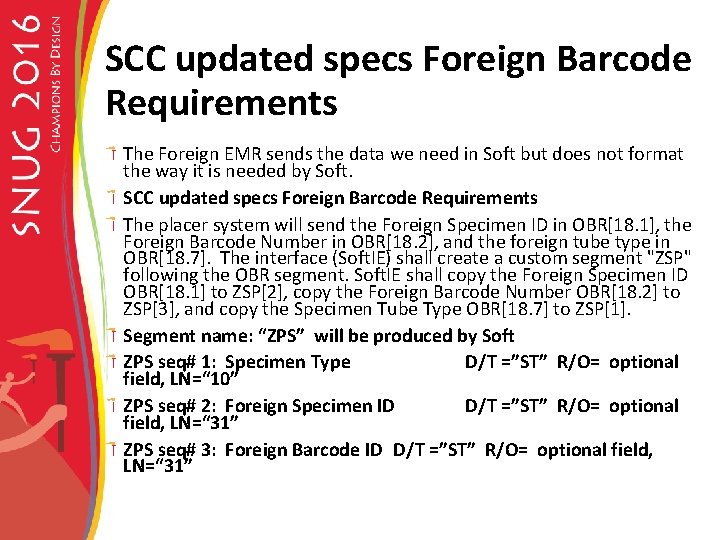
SCC updated specs Foreign Barcode Requirements The Foreign EMR sends the data we need in Soft but does not format the way it is needed by Soft. SCC updated specs Foreign Barcode Requirements The placer system will send the Foreign Specimen ID in OBR[18. 1], the Foreign Barcode Number in OBR[18. 2], and the foreign tube type in OBR[18. 7]. The interface (Soft. IE) shall create a custom segment "ZSP" following the OBR segment. Soft. IE shall copy the Foreign Specimen ID OBR[18. 1] to ZSP[2], copy the Foreign Barcode Number OBR[18. 2] to ZSP[3], and copy the Specimen Tube Type OBR[18. 7] to ZSP[1]. Segment name: “ZPS” will be produced by Soft ZPS seq# 1: Specimen Type D/T =”ST” R/O= optional field, LN=“ 10” ZPS seq# 2: Foreign Specimen ID D/T =”ST” R/O= optional field, LN=“ 31” ZPS seq# 3: Foreign Barcode ID D/T =”ST” R/O= optional field, LN=“ 31”
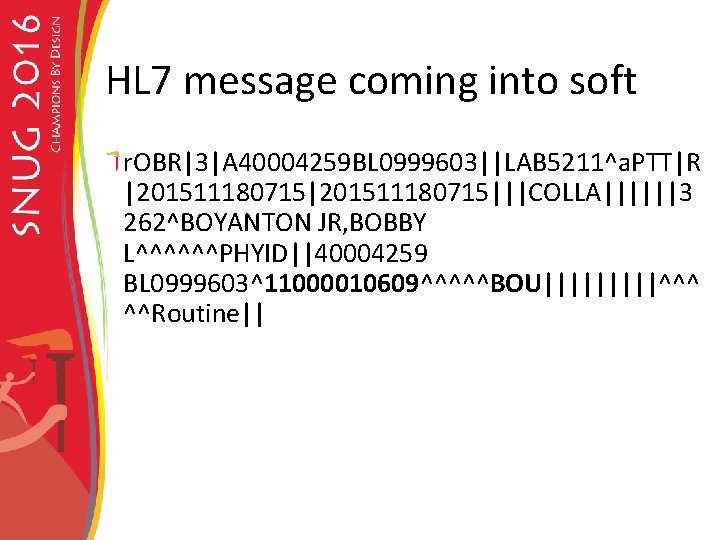
HL 7 message coming into soft r. OBR|3|A 40004259 BL 0999603||LAB 5211^a. PTT|R |201511180715|||COLLA||||||3 262^BOYANTON JR, BOBBY L^^^^^^PHYID||40004259 BL 0999603^11000010609^^^^^BOU|||||^^^ ^^Routine||
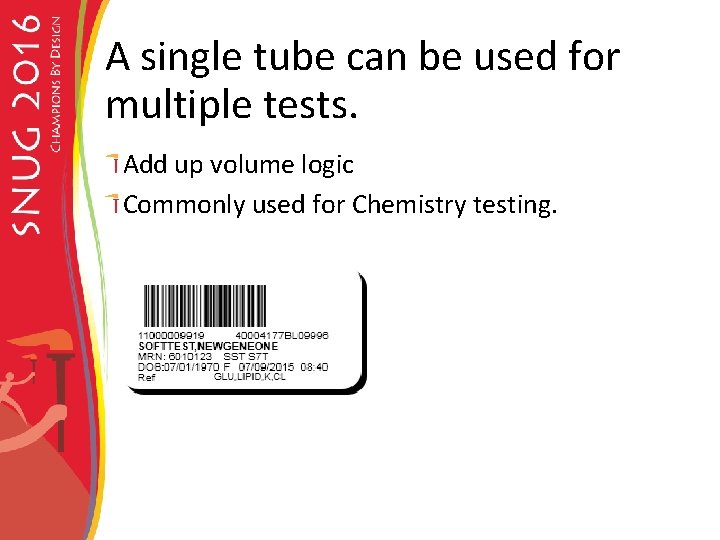
A single tube can be used for multiple tests. Add up volume logic Commonly used for Chemistry testing.
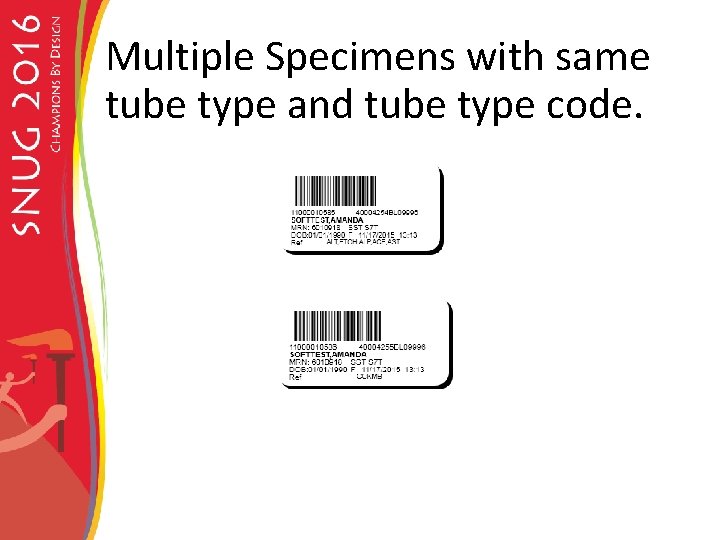
Multiple Specimens with same tube type and tube type code.
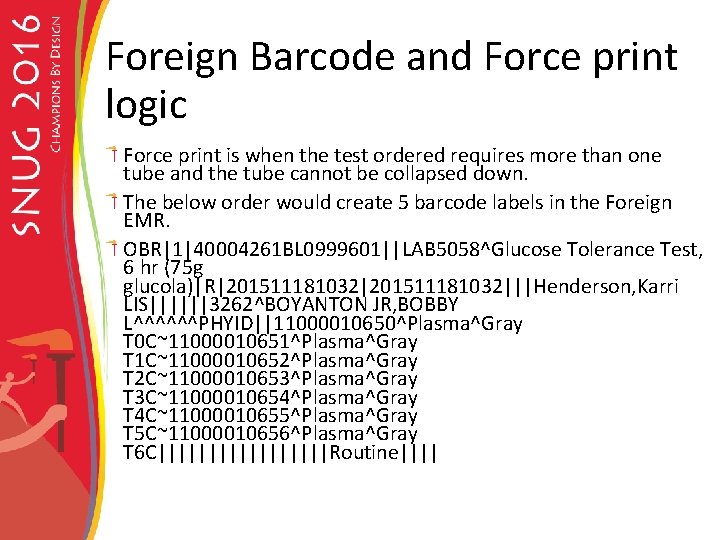
Foreign Barcode and Force print logic Force print is when the test ordered requires more than one tube and the tube cannot be collapsed down. The below order would create 5 barcode labels in the Foreign EMR. OBR|1|40004261 BL 0999601||LAB 5058^Glucose Tolerance Test, 6 hr (75 g glucola)|R|201511181032|||Henderson, Karri LIS||||||3262^BOYANTON JR, BOBBY L^^^^^^PHYID||11000010650^Plasma^Gray T 0 C~11000010651^Plasma^Gray T 1 C~11000010652^Plasma^Gray T 2 C~11000010653^Plasma^Gray T 3 C~11000010654^Plasma^Gray T 4 C~11000010655^Plasma^Gray T 5 C~11000010656^Plasma^Gray T 6 C|||||||||Routine||||
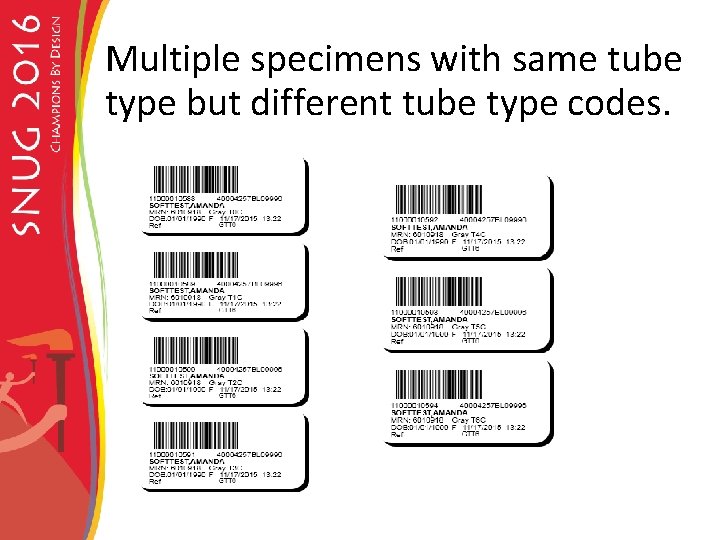
Multiple specimens with same tube type but different tube type codes.
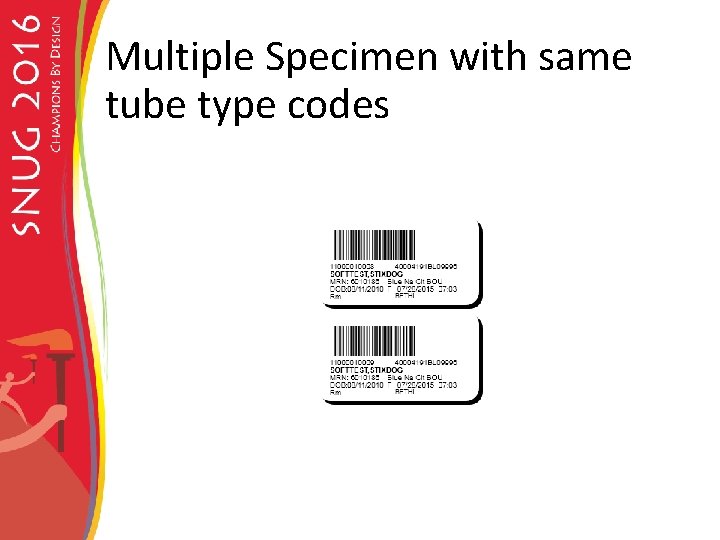
Multiple Specimen with same tube type codes
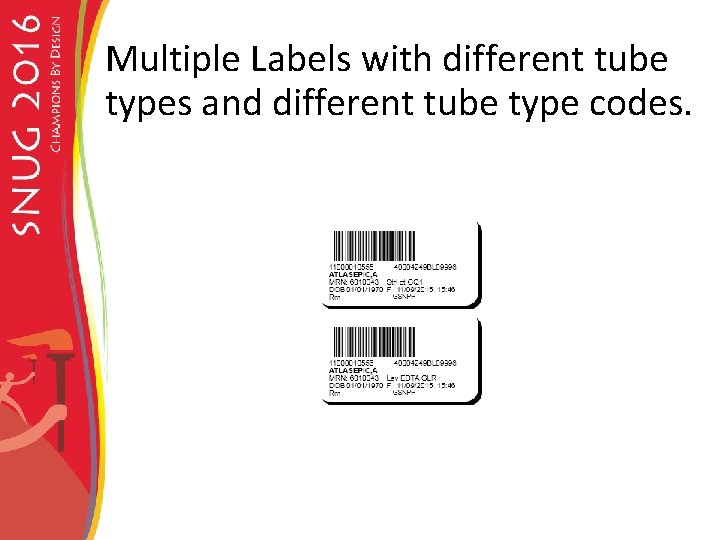
Multiple Labels with different tube types and different tube type codes.
Challenges Force print labels needed for one test cannot be shared.
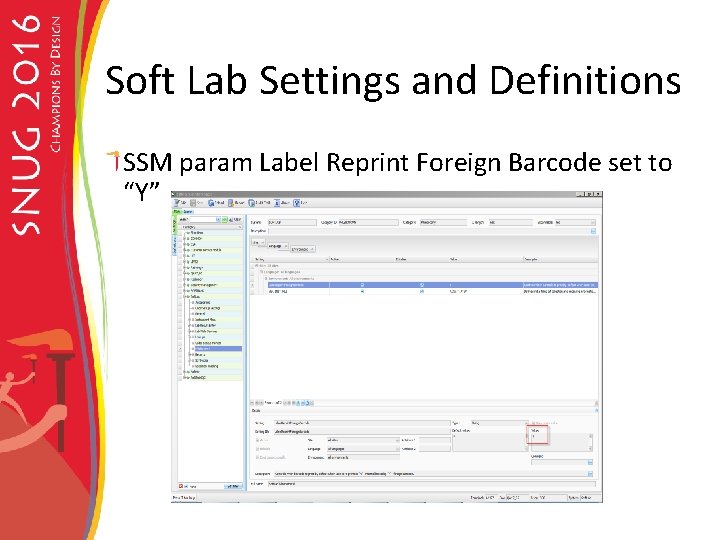
Settings in Soft lab Hosparam needed to be set in soft lab. Lab Params needed to be set in soft lab.
Hosparams Hosparam set “foreign_barcode”=Y.
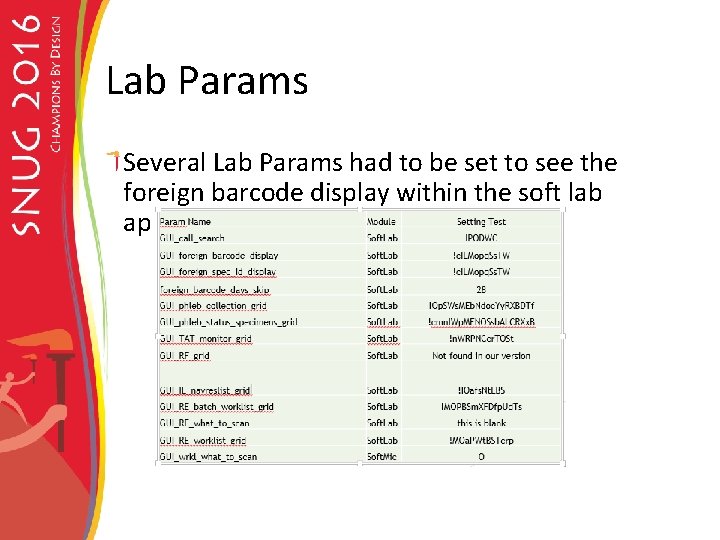
Lab Params Several Lab Params had to be set to see the foreign barcode display within the soft lab application.
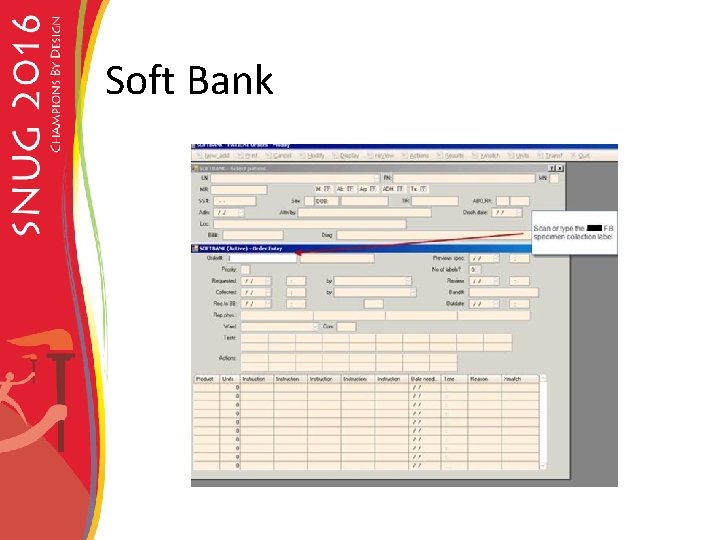
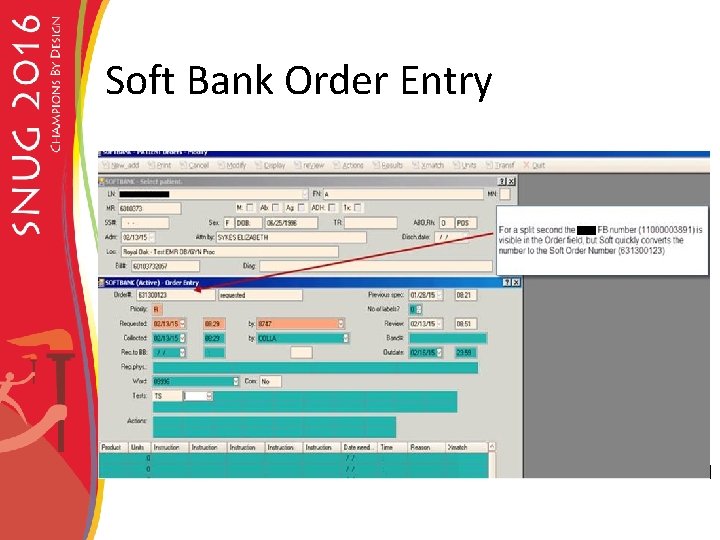
SCRS SCR Foreign Barcode enhancements were submitted for the ability to see the foreign barcode in the Soft lab, Soft Bank, Soft Mic and the Gene modules.
Where can you see the FB in Soft lab? Order Entry Phlebotomy Pending Order Report Specimen Tracking List Lab Query Call List Instrument Menu Lab Resulting Worklist Task list Micro worklist
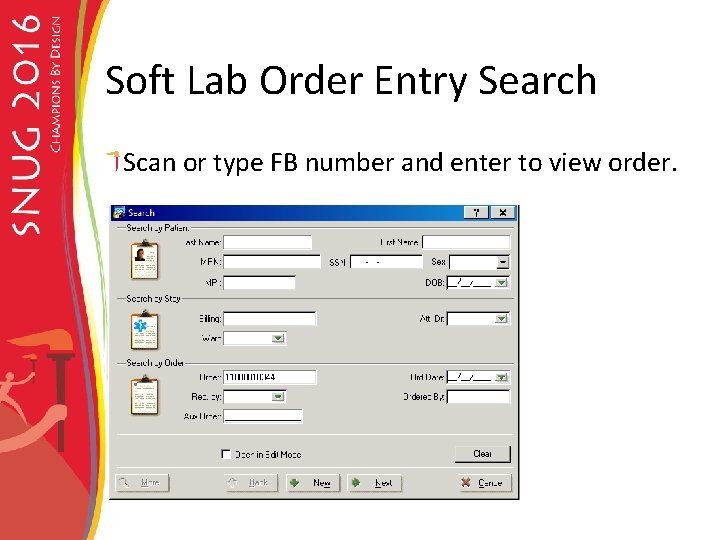
Soft Lab Order Entry Search Scan or type FB number and enter to view order.
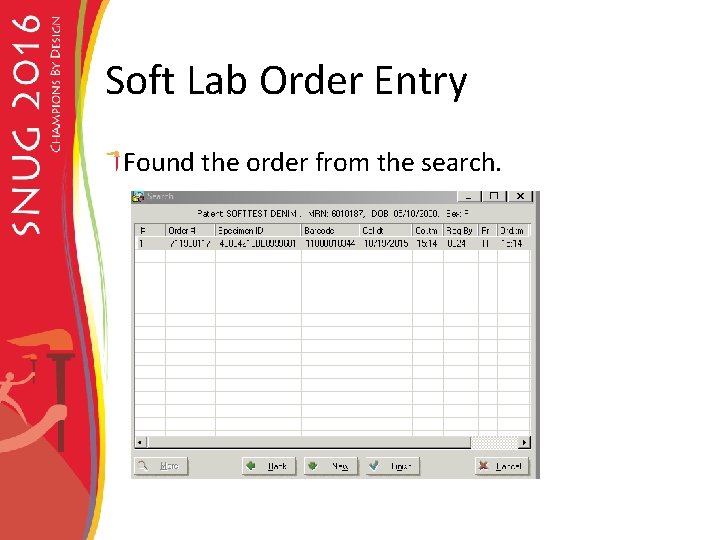
Soft Lab Order Entry Found the order from the search.
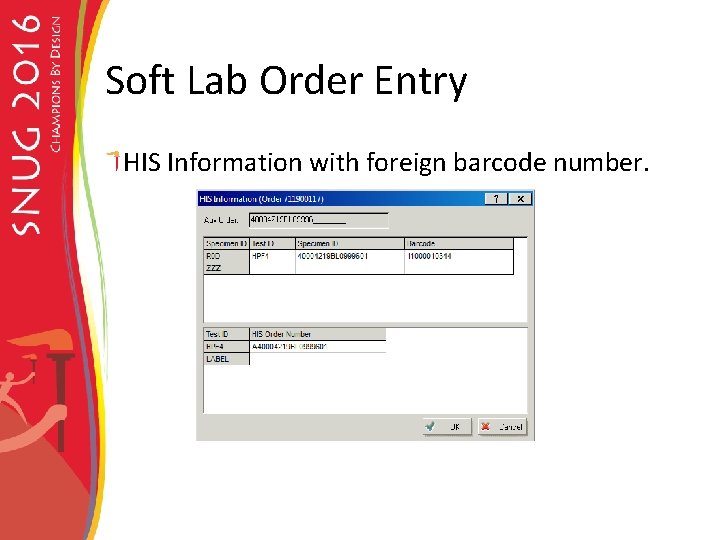
Soft Lab Order Entry HIS Information with foreign barcode number.
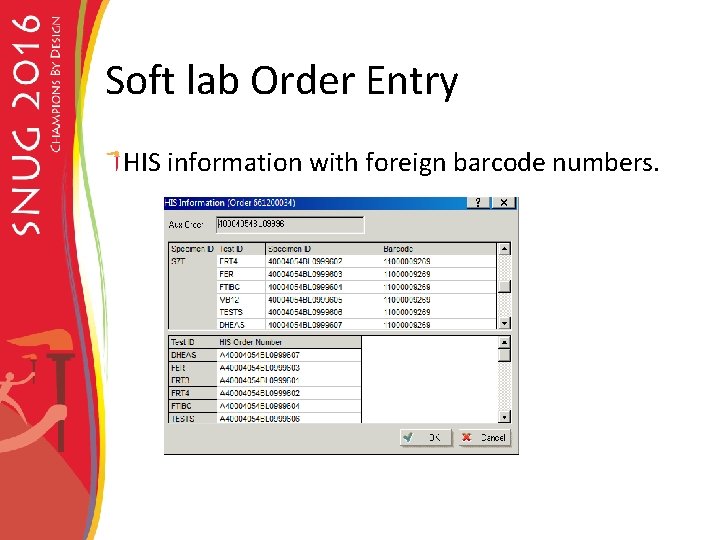
Soft lab Order Entry HIS information with foreign barcode numbers.
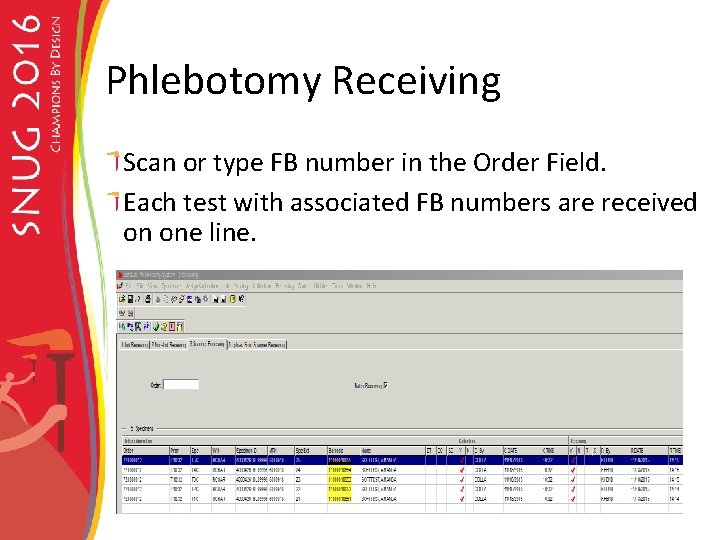
Phlebotomy Receiving Scan or type FB number in the Order Field. Each test with associated FB numbers are received on one line.
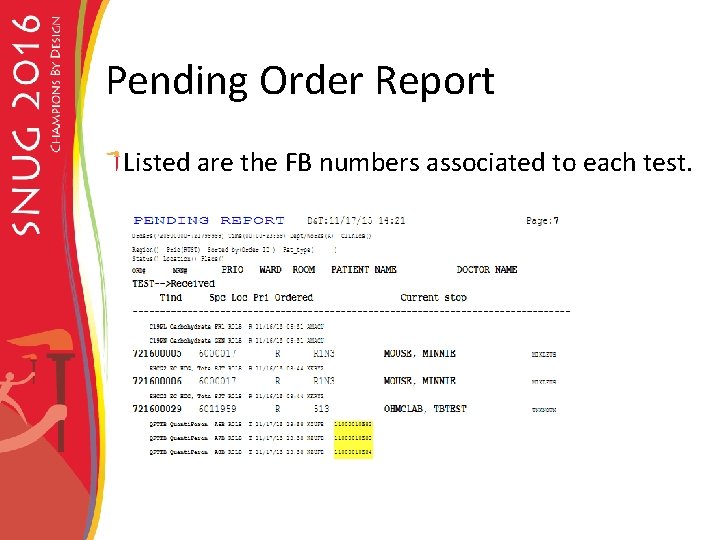
Pending Order Report Listed are the FB numbers associated to each test.
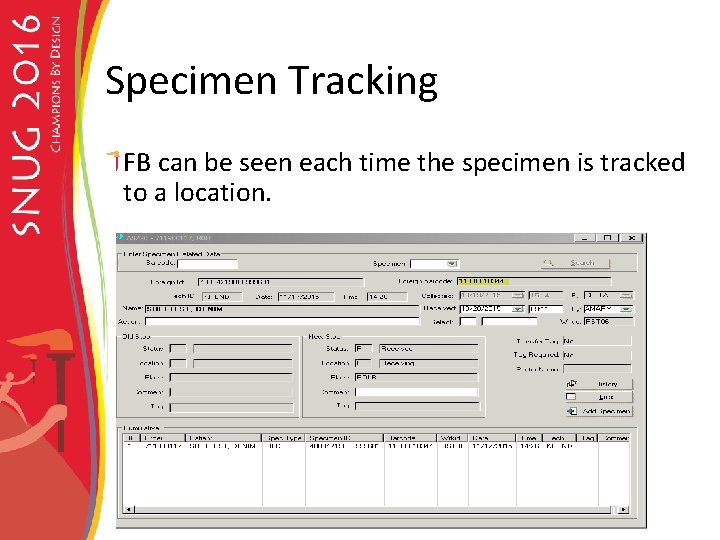
Specimen Tracking FB can be seen each time the specimen is tracked to a location.
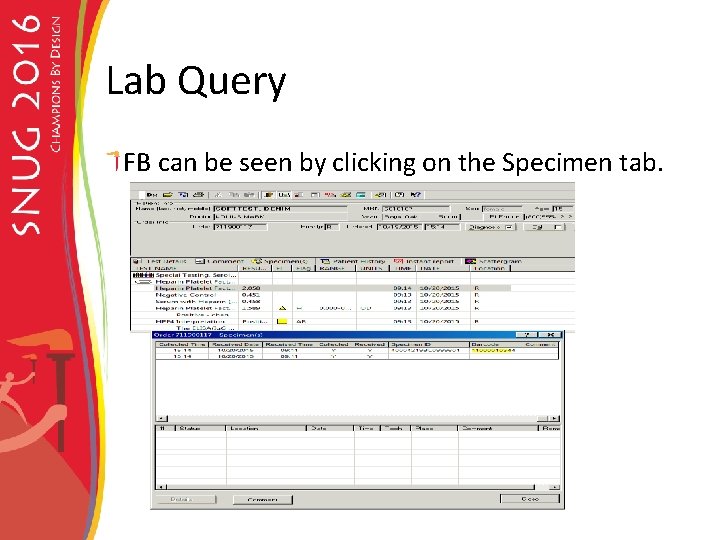
Lab Query FB can be seen by clicking on the Specimen tab.
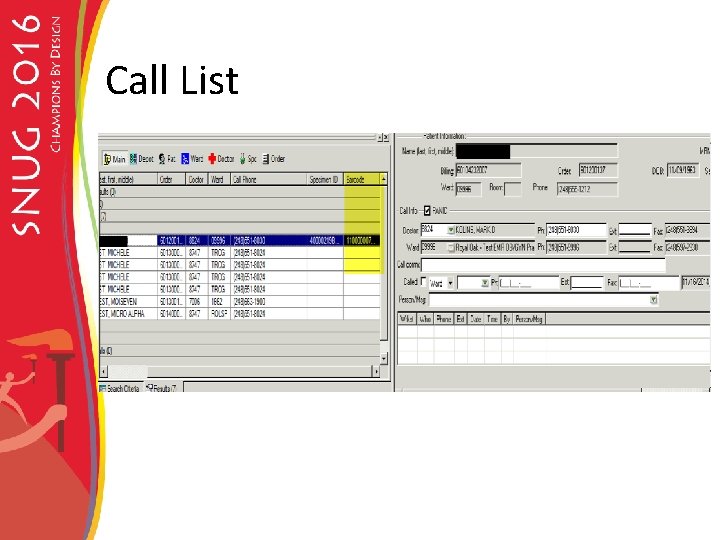
Call List
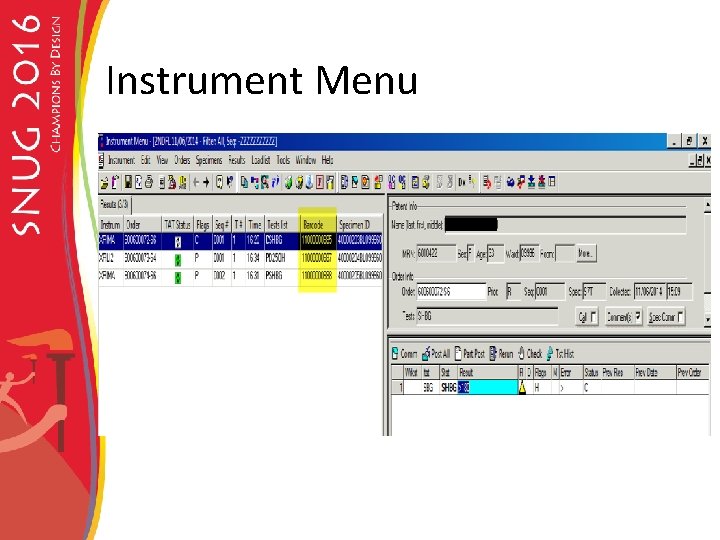
Instrument Menu
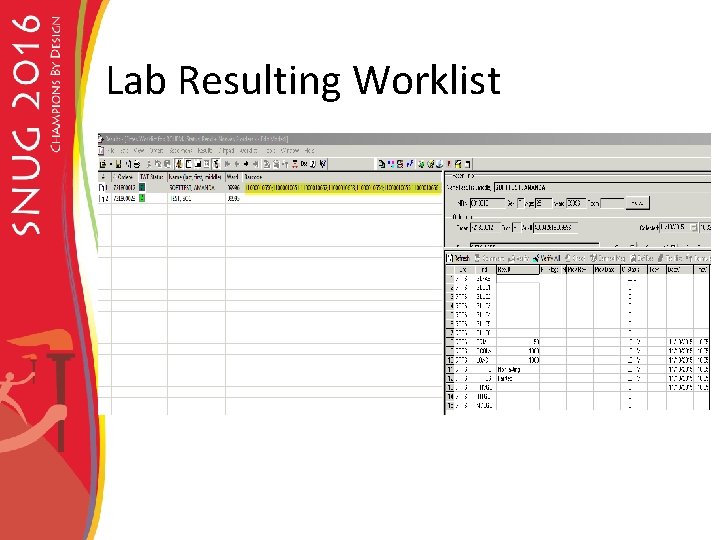
Lab Resulting Worklist
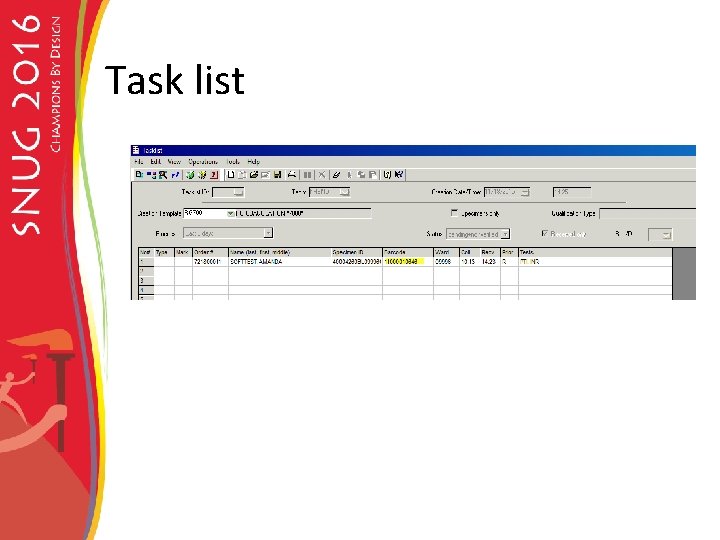
Task list
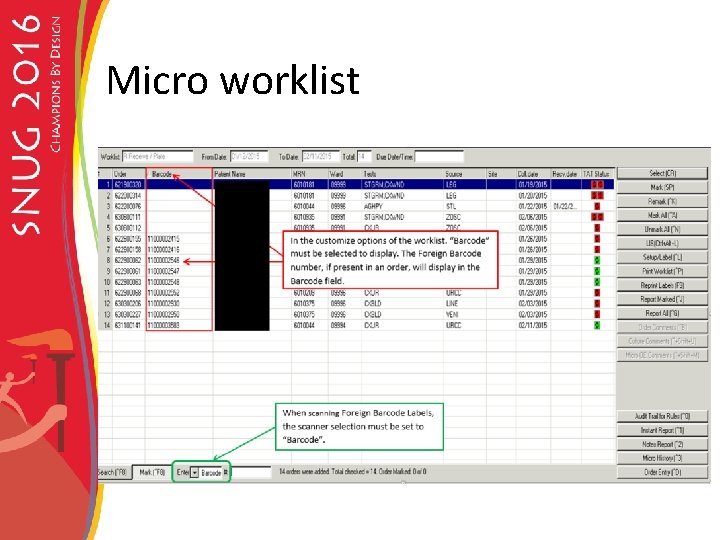
Micro worklist
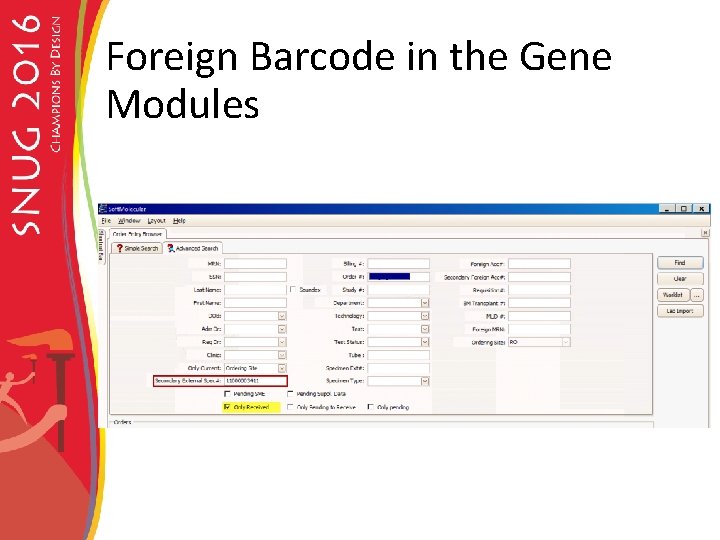
Foreign Barcode in the Gene Modules
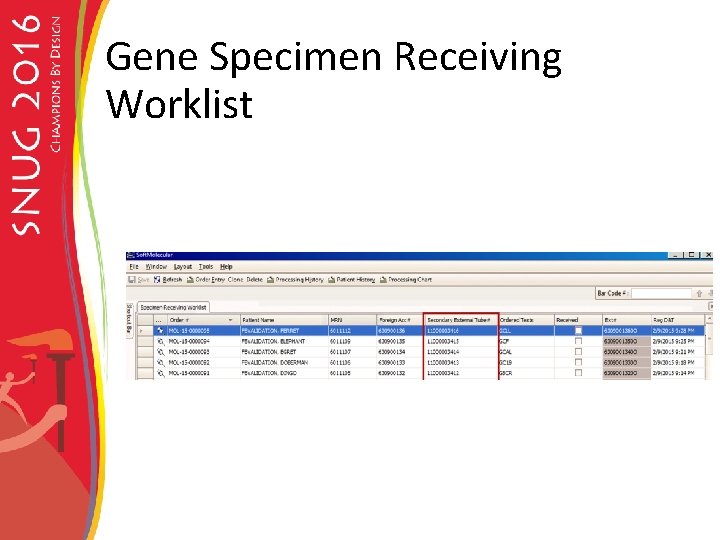
Gene Specimen Receiving Worklist
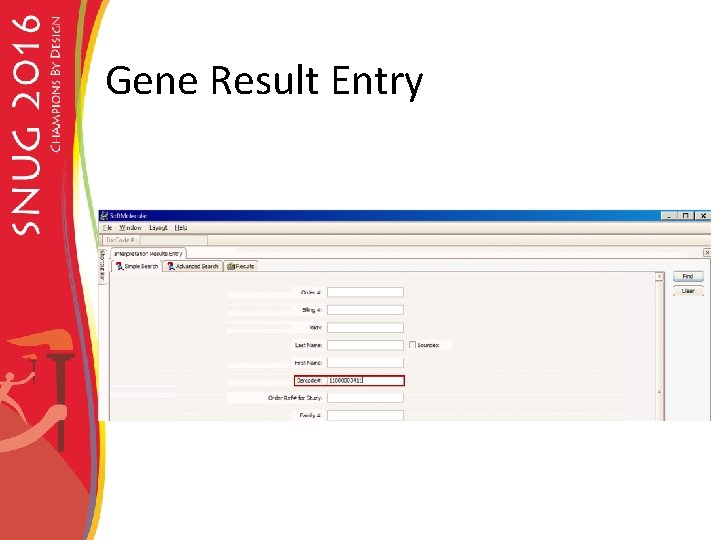
Gene Result Entry
Soft Bank
Soft Bank Order Entry
Reprint Foreign Barcode in Soft Lab
Soft Lab Settings and Definitions SSM param Label Reprint Foreign Barcode set to “Y”
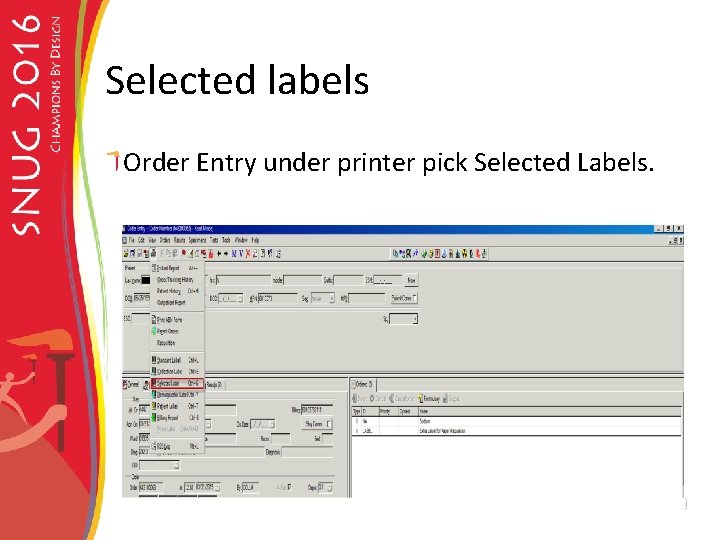
Selected labels Order Entry under printer pick Selected Labels.
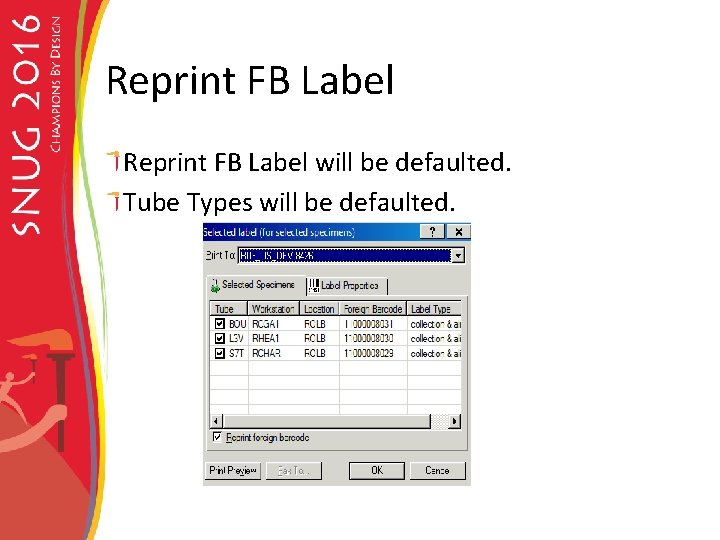
Reprint FB Label will be defaulted. Tube Types will be defaulted.
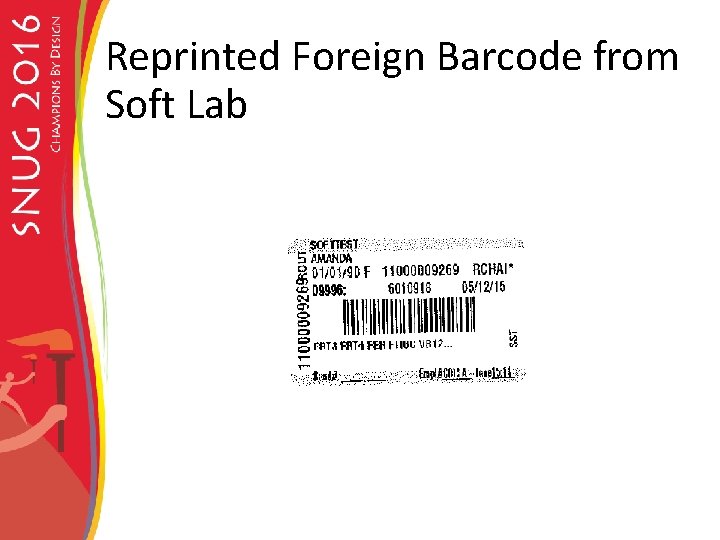
Reprinted Foreign Barcode from Soft Lab
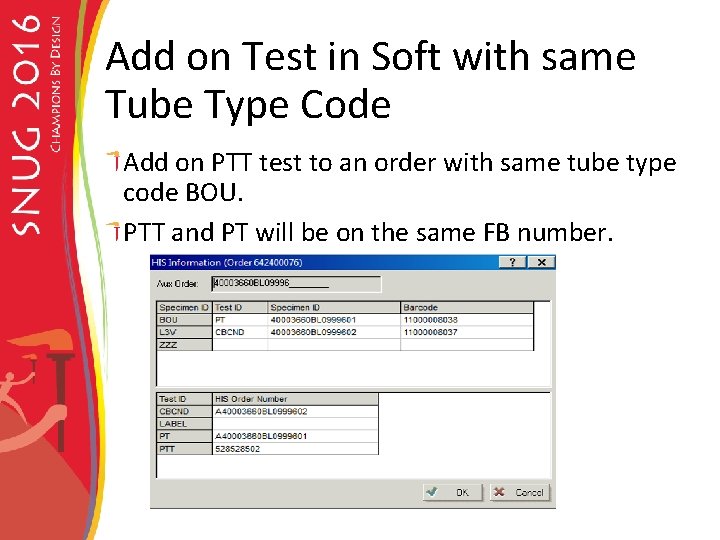
Add on Test in Soft with same Tube Type Code Add on PTT test to an order with same tube type code BOU. PTT and PT will be on the same FB number.
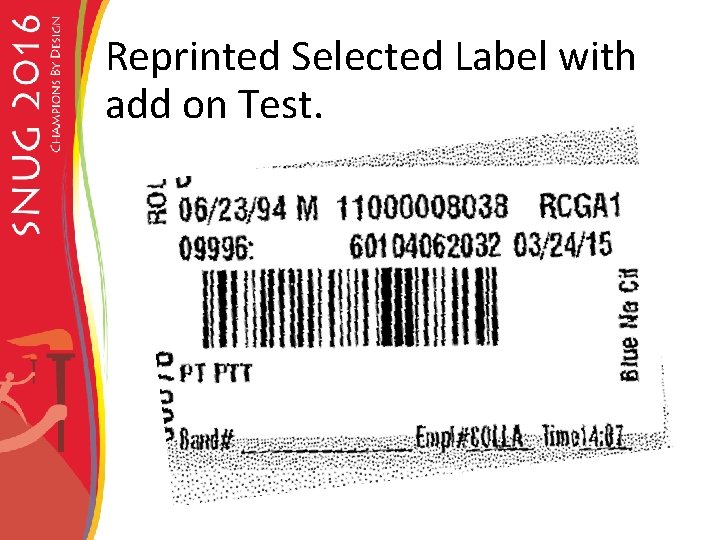
Reprinted Selected Label with add on Test.
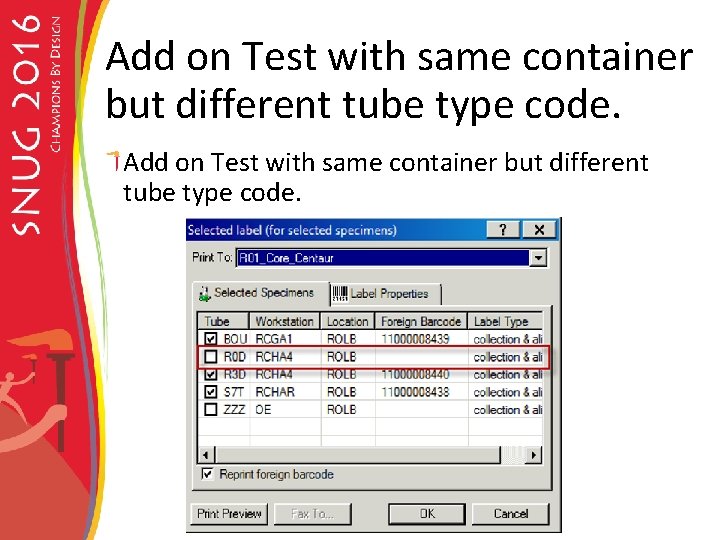
Add on Test with same container but different tube type code.
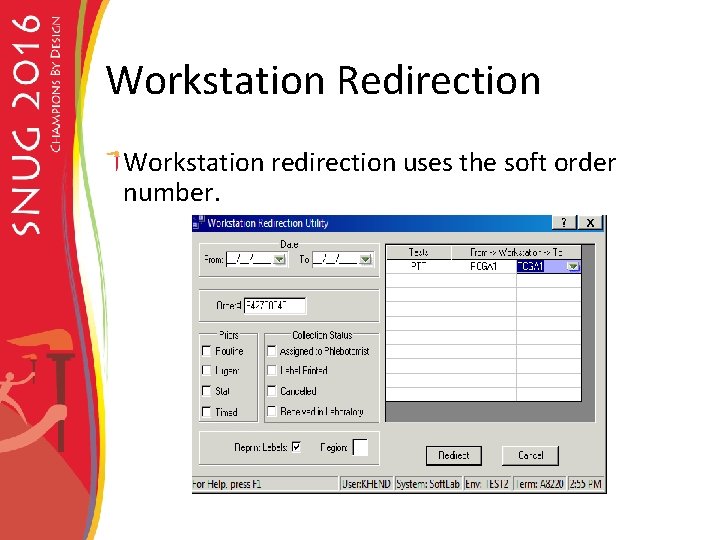
Workstation Redirection Workstation redirection uses the soft order number.
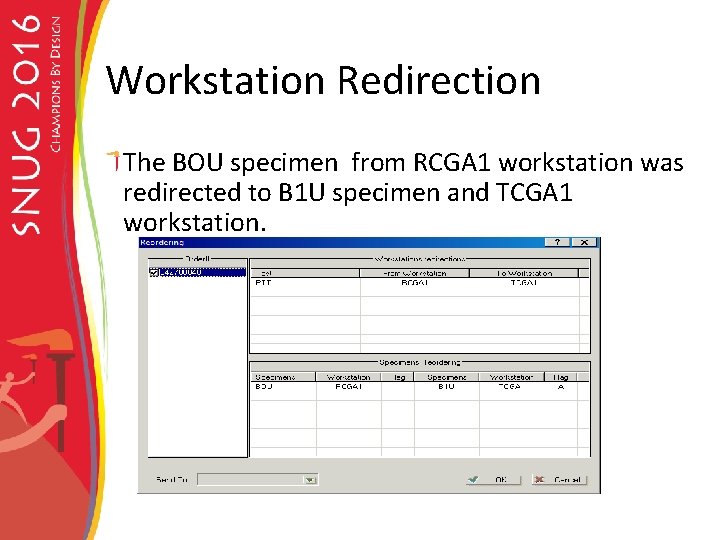
Workstation Redirection The BOU specimen from RCGA 1 workstation was redirected to B 1 U specimen and TCGA 1 workstation.
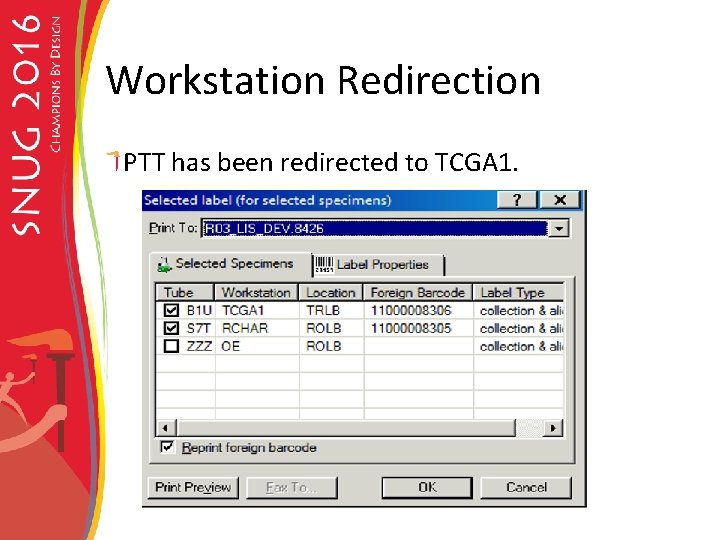
Workstation Redirection PTT has been redirected to TCGA 1.
Instruments Soft lab Instrument interfaces are set up to receive the Foreign Barcode.
Foreign Barcode Instrument Validation Grouped Instruments by instrument Character, Auto Download and translation table From the grouping tested each type of instrument. Created testing plans for each instrument. Performed validation testing for each instrument.
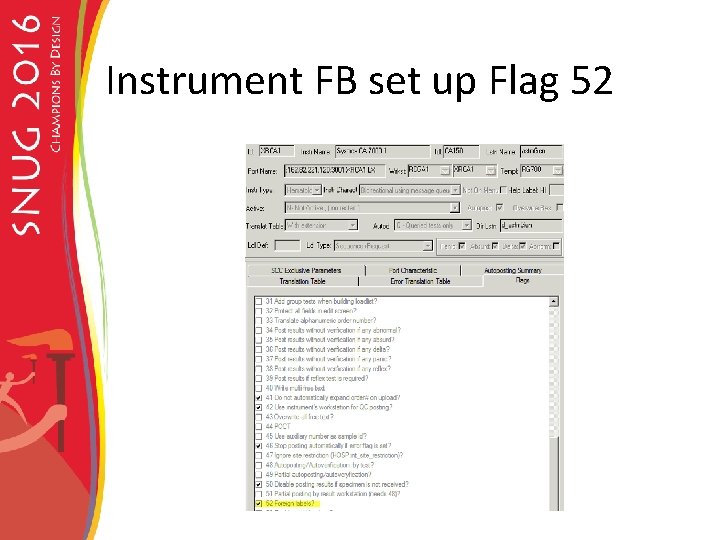
Instrument FB set up Flag 52
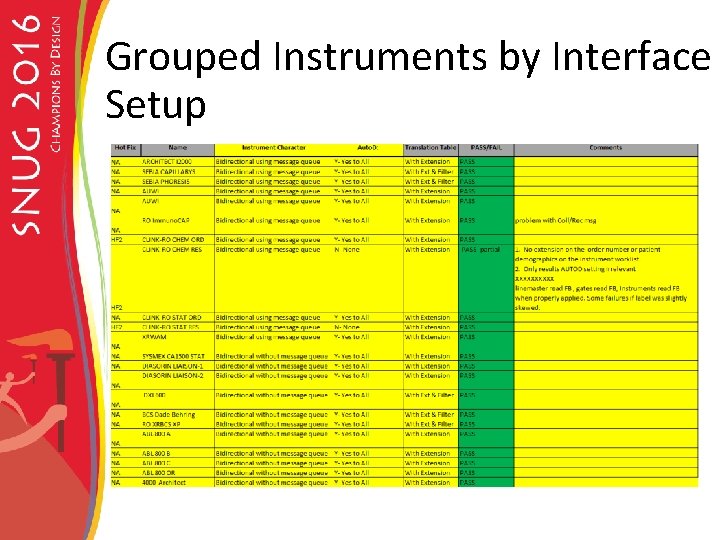
Grouped Instruments by Interface Setup
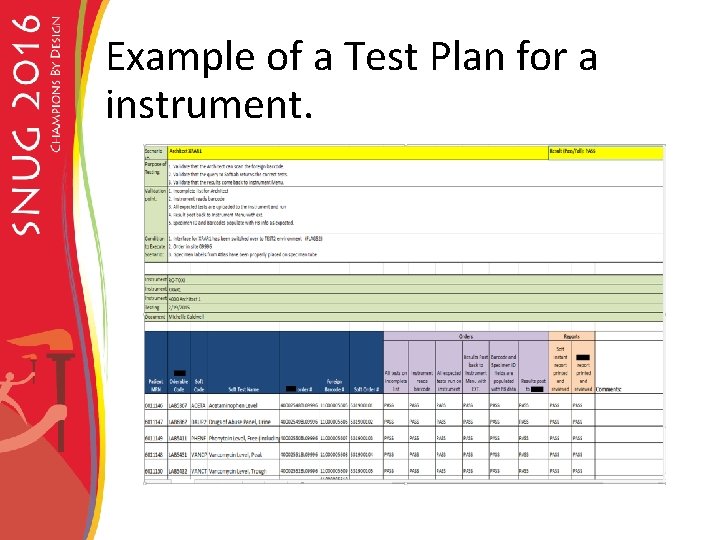
Example of a Test Plan for a instrument.
P 612 pre-analytical system Validated that the instrument would sort the specimens using the foreign barcode. Validated that aliquoting from the primary tubes would created the foreign barcode number on the aliquot tube.
Challenges Reflex testing on automation lines need to use the foreign barcode number instead of the soft order number. Needed the ability to run soft order number barcodes with flag 52 set foreign barcode.
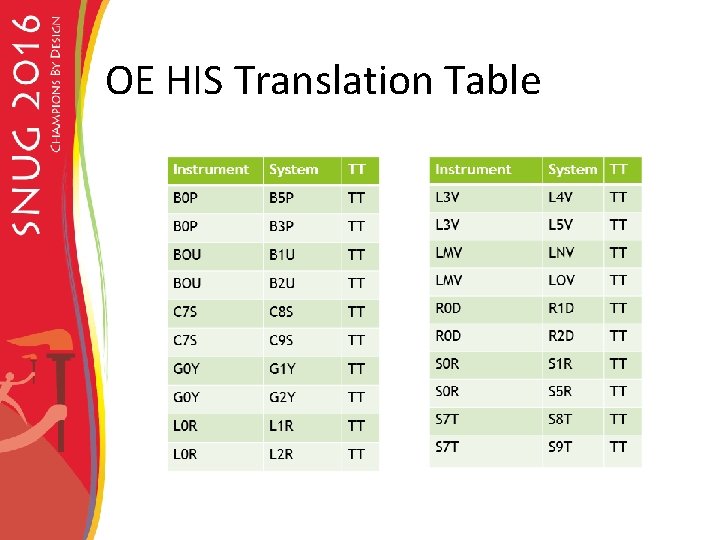
Set up of tube types for Multiple Locations In the interface table a test that is run at multiple sites has a different tube type extension. The same tube type extension cannot be used at multiple locations because you would lose the ability to track the specimens. The tube type codes needed to be converted in the OEHIS table to be able to run the foreign barcode at all sites.
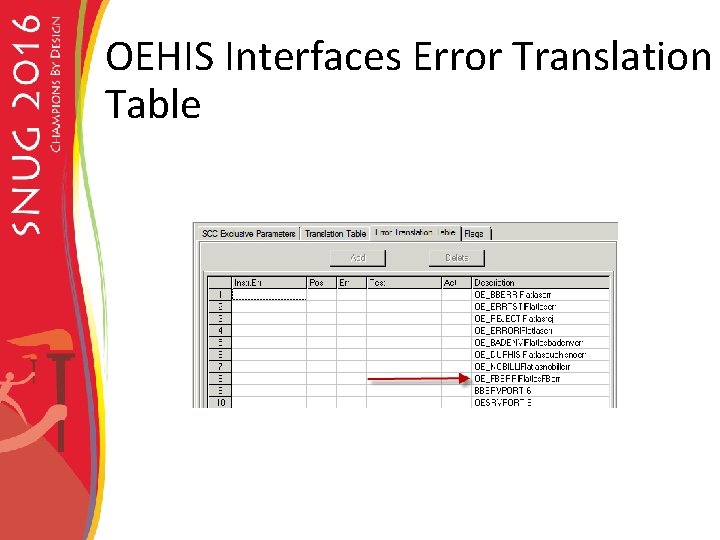
OE HIS changes Translation table FB_ERROR error logs
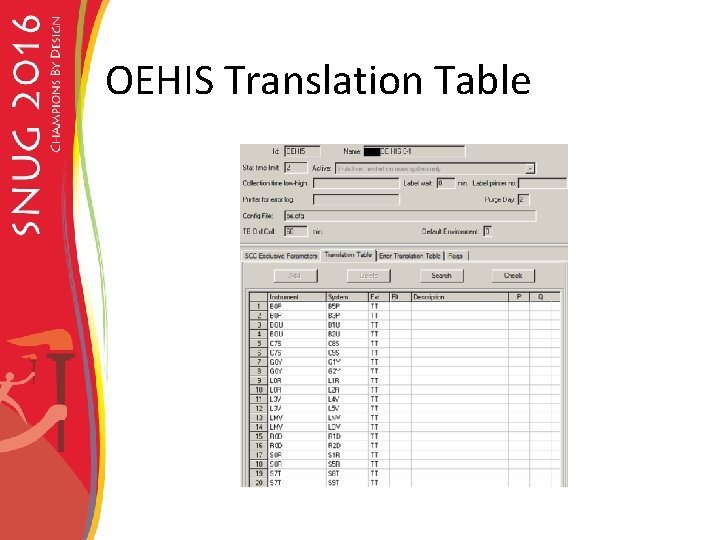
All sites can run the Foreign Barcode Royal Oak Hospital is primary site for running tests. In the Foreign EMR only the RO tube type codes are stored. OE HIS translation table will convert the test/tube type received into Soft, using the ordering depot for routing specimen.
OEHIS Translation Table
OE HIS Translation Table
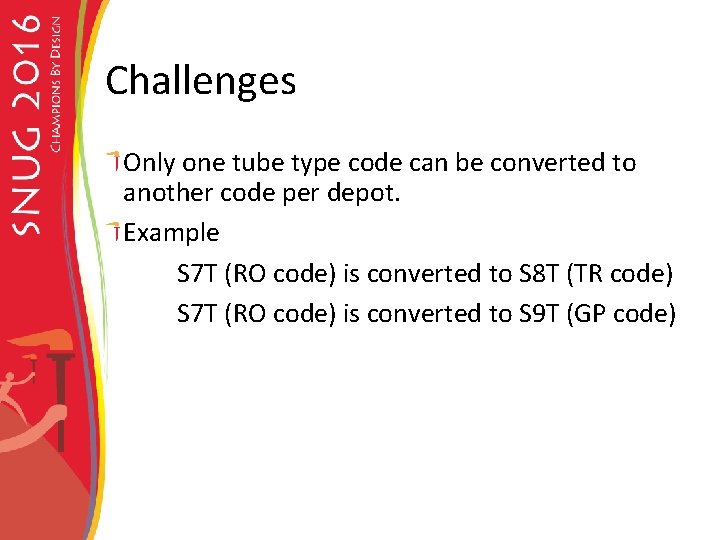
Challenges Only one tube type code can be converted to another code per depot. Example S 7 T (RO code) is converted to S 8 T (TR code) S 7 T (RO code) is converted to S 9 T (GP code)
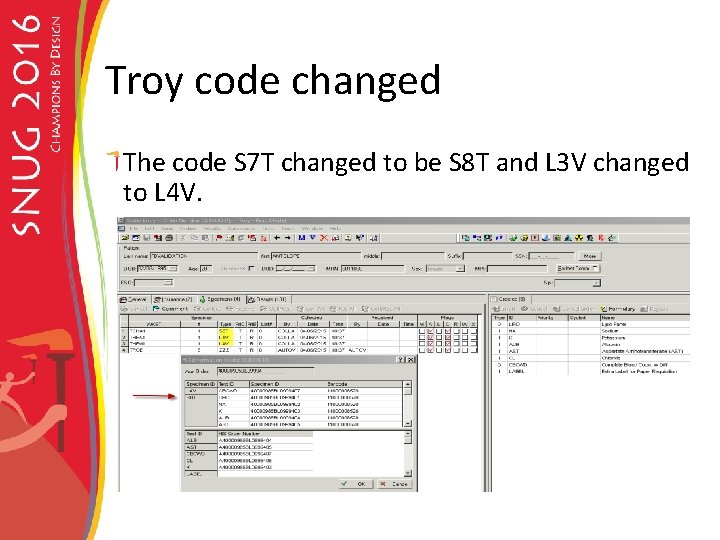
Troy code changed The code S 7 T changed to be S 8 T and L 3 V changed to L 4 V.
OEHIS Interfaces Error Translation Table
Monitoring the FB err interface A soft lab report can be set up to monitor the Foreign Barcode errors.
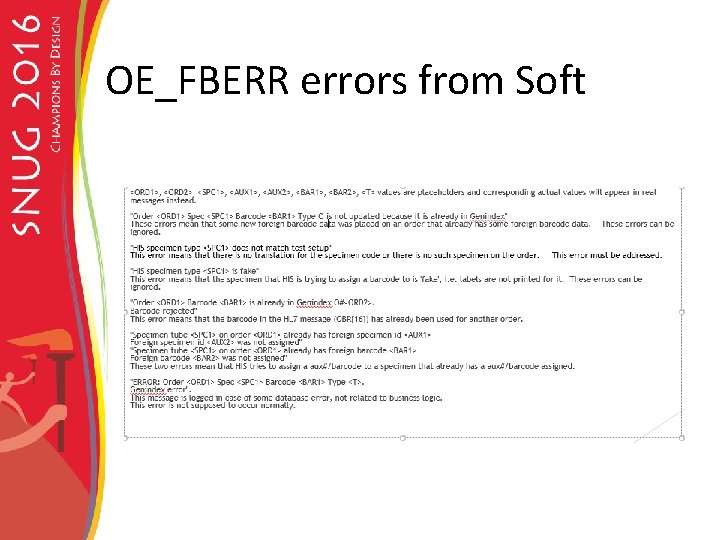
OE_FBERR errors from Soft
Tube does not match Soft 04/03 08: 48 OE_FBERR biln=60103732114 ln=BARCODE fn=A mn= test=XCBA his#=A 40003807 BL 0999601 aux#=40003807 BL 09996 HIS specimen type ZHF does not match test setup Foreign barcode 11000008506 was not assigned to order Foreign specimen# 40003807 BL 0999601 was not assigned to order
False messages Some messages do not need to be acted upon. "Order <ORD 1> Spec <SPC 1> Barcode <BAR 1> Type O is not updated because it is already in Genindex" These errors mean that some new foreign barcode data was placed on an order that already has some foreign barcode data. These errors can be ignored. HIS specimen type <SPC 1> is fake" This error means that the specimen that HIS is trying to assign a barcode to is 'fake', i. e. labels are not printed for it. These errors can be ignored. Order <ORD 1> Barcode <BAR 1> is already in Genindex O#<ORD 2>. Barcode rejected" This error means that the barcode in the HL 7 message (OBR[16]) has already been used for another order.
False messages cont. "Specimen tube <SPC 1> on order <ORD 1> already has foreign specimen id <AUX 1> Foreign specimen id <AUX 2> was not assigned" "Specimen tube <SPC 1> on order <ORD 1> already has foreign barcode <BAR 1> Foreign barcode <BAR 2> was not assigned" These two errors mean that HIS tries to assign a aux#/barcode to a specimen that already has a aux#/barcode assigned ERROR: Order <ORD 1> Spec <SPC 1> Barcode <BAR 1> Type <T>. Genindex error". This message is logged in case of some database error, not related to business logic. This error is not supposed to occur normally.
Staff Education Objectives Understand how foreign barcode utilization impacts operations within Soft LIS applications Be able to recognize when a specimen is labeled with a foreign barcode Recognize where foreign barcode information can be found within the Soft LIS applications Understand workflow differences with foreign barcode labeled specimens Educate staff that they would no longer have the barcode suffix on the order number.
We met all our Goals. We achieved our goal of reducing the rate of relabeling specimens and reduced turn-around time for specimen processing. Over 100 hotfixes were needed! The foreign barcode can be read by all the instruments in the laboratory. Supervisors and lead techs that were involved in the instrumentation testing were please with how well the foreign barcode was read on the instruments. This project was very successful with no noted problems during the go-live.
- Slides: 72