
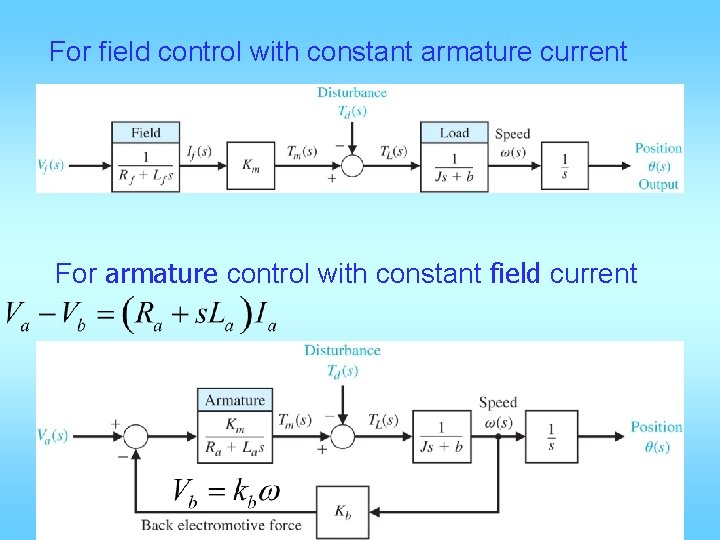
For field control with constant armature current For

![4 ways to enter system model sys_zpk = zpk([], [-9. 996 -4. 004], 1.](https://slidetodoc.com/presentation_image_h2/9b5ee52877bef49c926a5189e6479af7/image-14.jpg "4 ways to enter system model sys_zpk = zpk([], [-9. 996 -4. 004], 1.")
![into 2 : Y(s)=C(s. I-A)-1 BU(s)+DU(s) Y(s)=[C(s. I-A)-1 B+D] U(s) H(s)= D+C(s. I-A)-1 B](https://slidetodoc.com/presentation_image_h2/9b5ee52877bef49c926a5189e6479af7/image-22.jpg "into 2 : Y(s)=C(s. I-A)-1 BU(s)+DU(s) Y(s)=[C(s. I-A)-1 B+D] U(s) H(s)= D+C(s. I-A)-1 B")
![>> n=[1 2 3]; d=[1 4 5 6]; >> [A, B, C, D]=tf 2](https://slidetodoc.com/presentation_image_h2/9b5ee52877bef49c926a5189e6479af7/image-25.jpg ">> n=[1 2 3]; d=[1 4 5 6]; >> [A, B, C, D]=tf 2")
- Slides: 25
For field control with constant armature current For armature control with constant field current
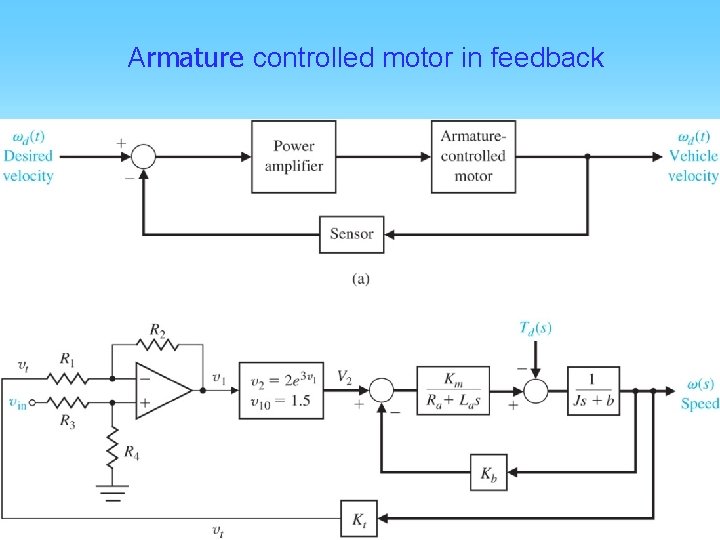
Armature controlled motor in feedback
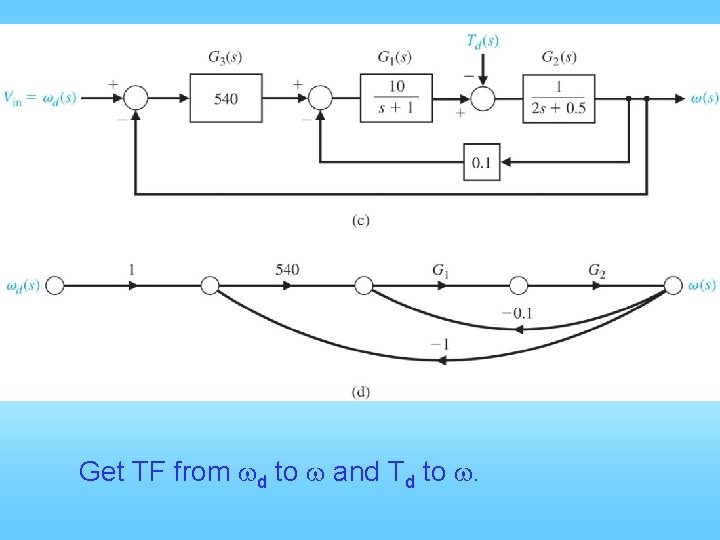
Get TF from wd to w and Td to w.
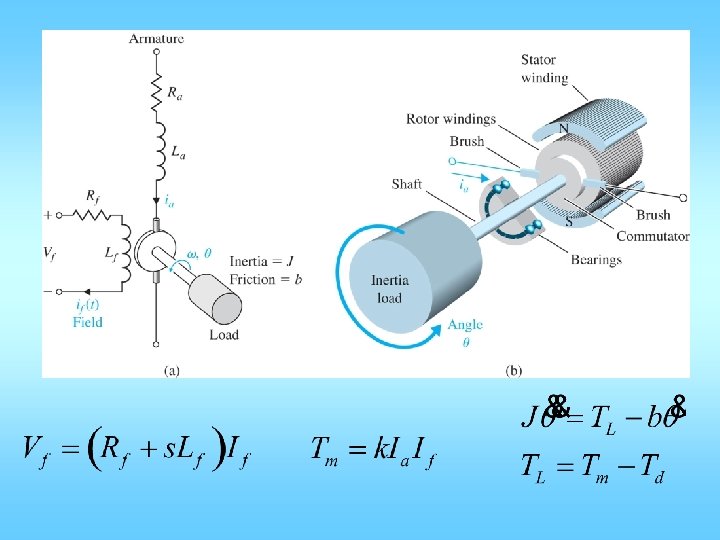
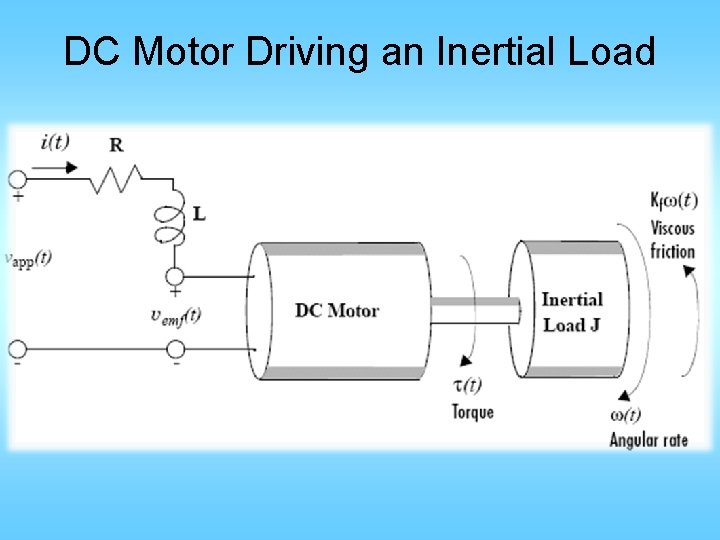
DC Motor Driving an Inertial Load
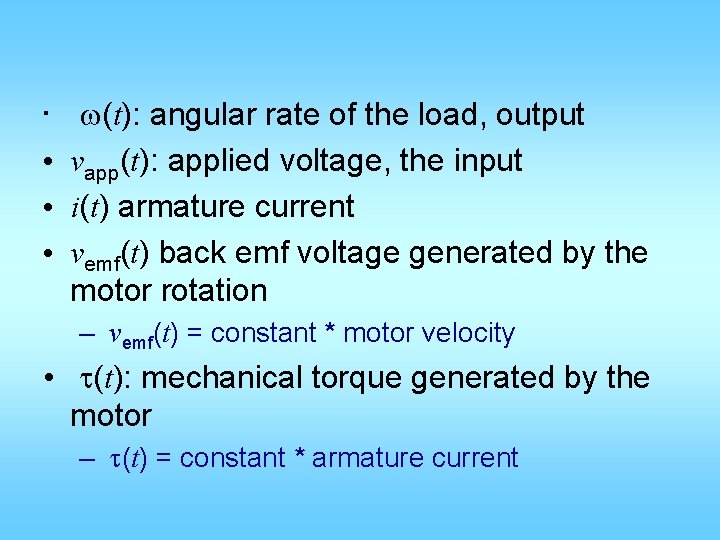
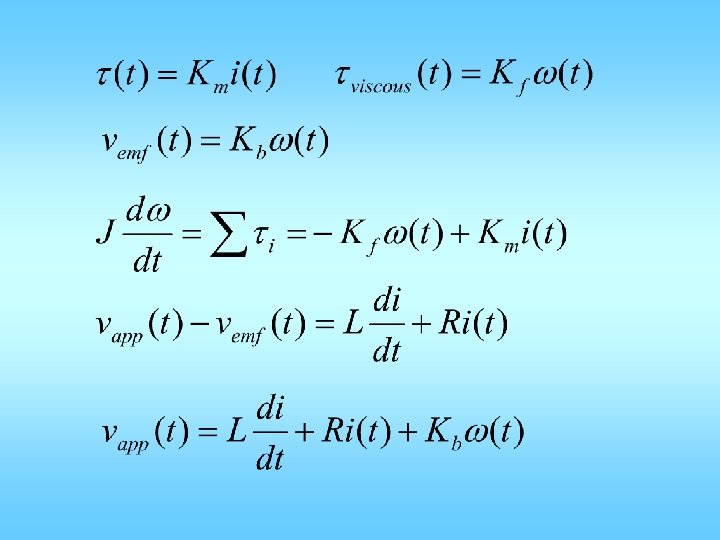
• • w(t): angular rate of the load, output vapp(t): applied voltage, the input i(t) armature current vemf(t) back emf voltage generated by the motor rotation – vemf(t) = constant * motor velocity • t(t): mechanical torque generated by the motor – t(t) = constant * armature current
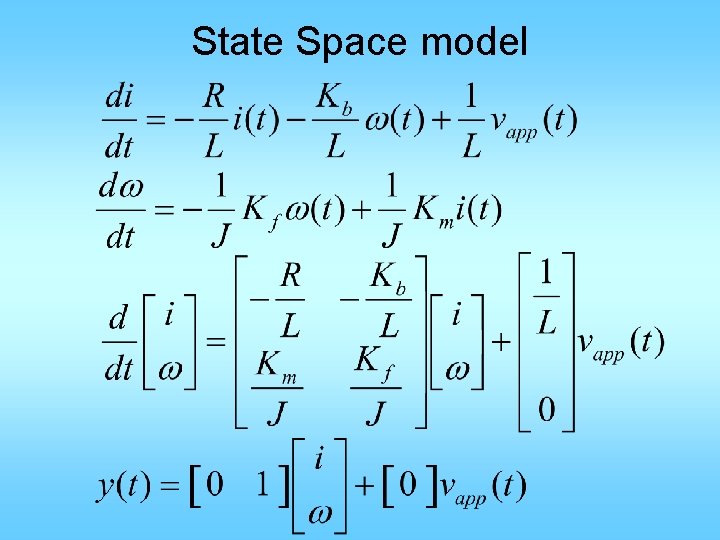
State Space model
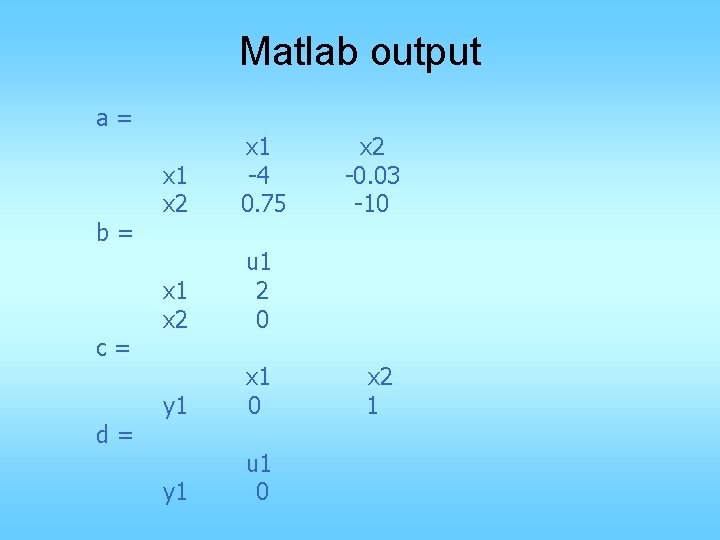
Matlab R= 2. 0; % Ohms L= 0. 5; % Henrys Km =. 015; % torque constant Kb =. 015; % emf constant Kf = 0. 2; % Nms J= 0. 02 % kg. m^2; A = [-R/L -Kb/L; Km/J -Kf/J]; B = [1/L; 0]; C = [0 1]; D = [0]; sys_dc = ss(A, B, C, D)
Matlab output a= b= c= d= x 1 x 2 x 1 -4 0. 75 x 1 x 2 u 1 2 0 y 1 x 1 0 y 1 u 1 0 x 2 -0. 03 -10 x 2 1
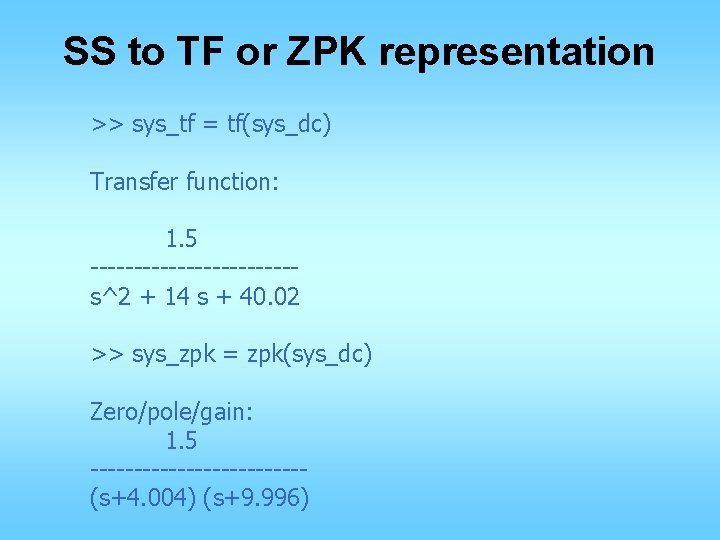
SS to TF or ZPK representation >> sys_tf = tf(sys_dc) Transfer function: 1. 5 ------------s^2 + 14 s + 40. 02 >> sys_zpk = zpk(sys_dc) Zero/pole/gain: 1. 5 ------------(s+4. 004) (s+9. 996)
• Note: The state-space representation is best suited for numerical computations. For highest accuracy, convert to state space prior to combining models and avoid the transfer function and zero/pole/gain representations, except for model specification and inspection.
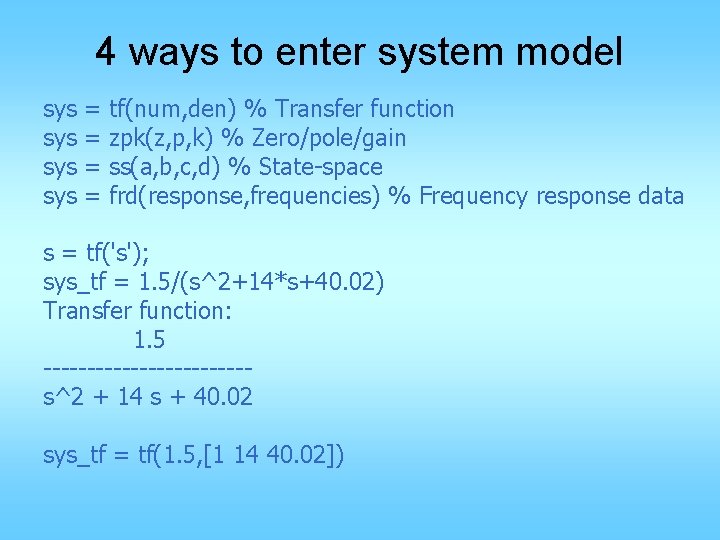
4 ways to enter system model sys sys = = tf(num, den) % Transfer function zpk(z, p, k) % Zero/pole/gain ss(a, b, c, d) % State-space frd(response, frequencies) % Frequency response data s = tf('s'); sys_tf = 1. 5/(s^2+14*s+40. 02) Transfer function: 1. 5 ------------s^2 + 14 s + 40. 02 sys_tf = tf(1. 5, [1 14 40. 02])
4 ways to enter system model sys_zpk = zpk([], [-9. 996 -4. 004], 1. 5) Zero/pole/gain: 1. 5 ------------(s+9. 996) (s+4. 004)
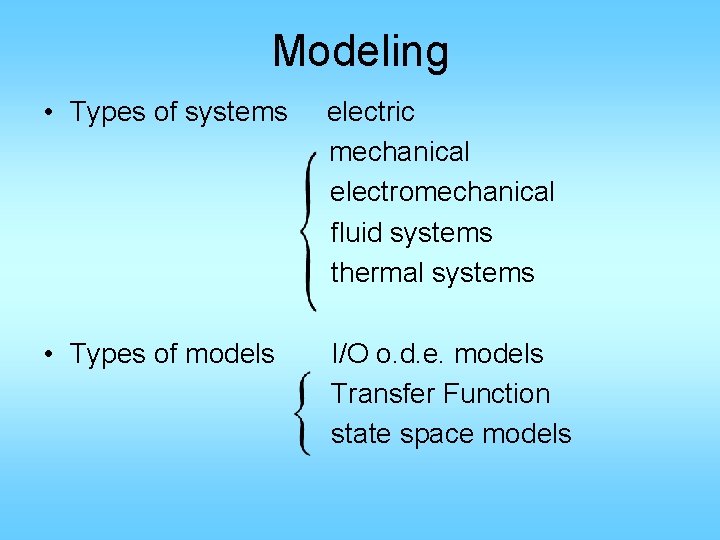
Modeling • Types of systems electric mechanical electromechanical fluid systems thermal systems • Types of models I/O o. d. e. models Transfer Function state space models
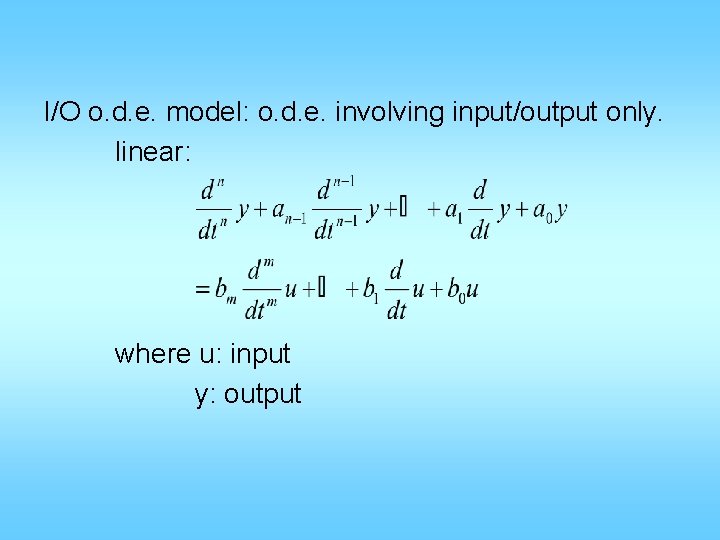
I/O o. d. e. model: o. d. e. involving input/output only. linear: where u: input y: output
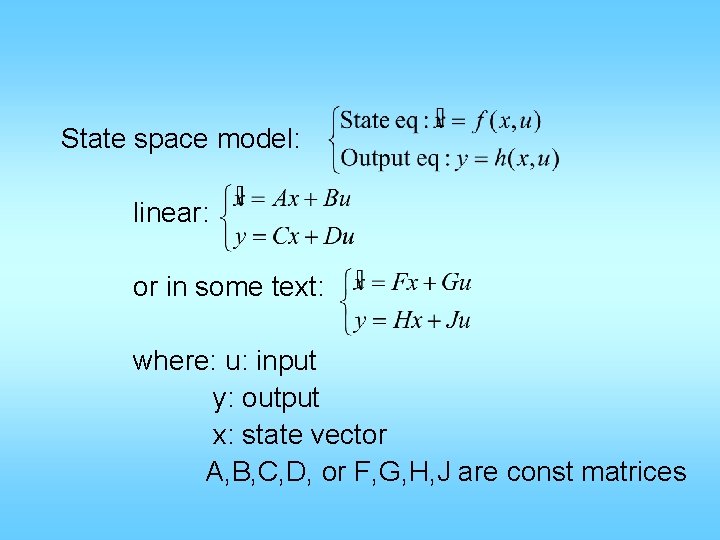
State space model: linear: or in some text: where: u: input y: output x: state vector A, B, C, D, or F, G, H, J are const matrices
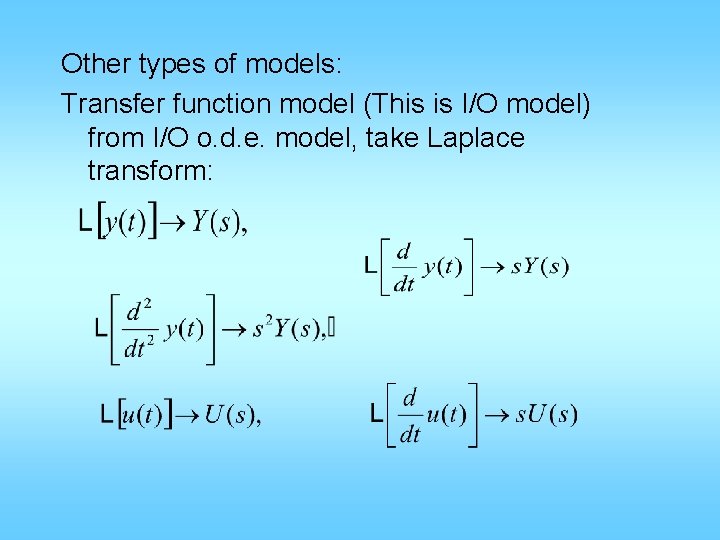
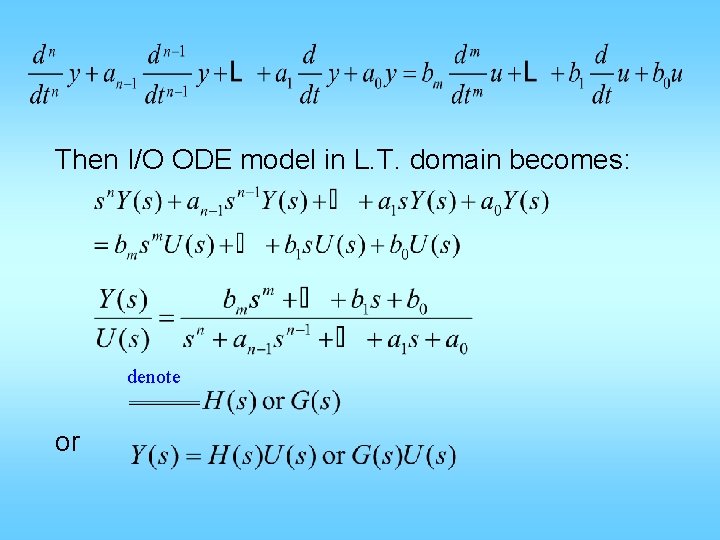
Other types of models: Transfer function model (This is I/O model) from I/O o. d. e. model, take Laplace transform:
Then I/O ODE model in L. T. domain becomes: denote or
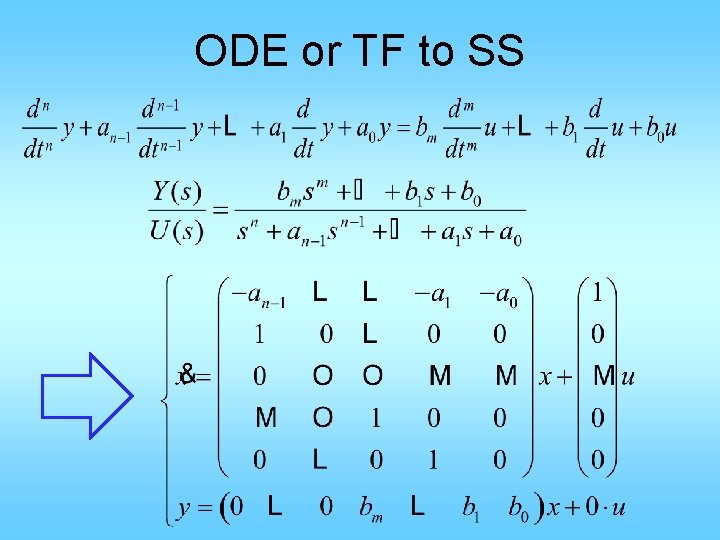
ODE or TF to SS
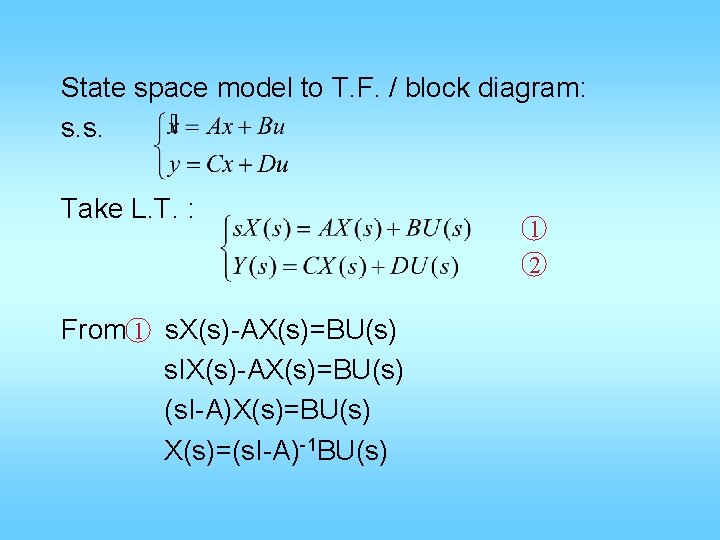
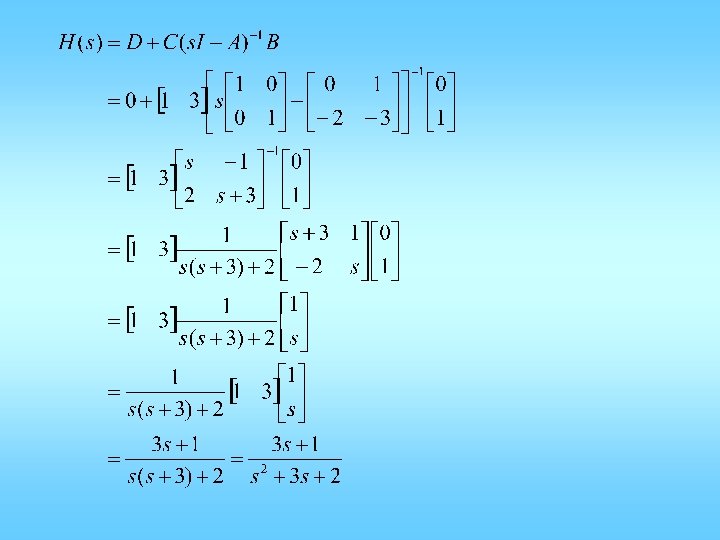
State space model to T. F. / block diagram: s. s. Take L. T. : From 1 s. X(s)-AX(s)=BU(s) s. IX(s)-AX(s)=BU(s) (s. I-A)X(s)=BU(s) X(s)=(s. I-A)-1 BU(s) 1 2
into 2 : Y(s)=C(s. I-A)-1 BU(s)+DU(s) Y(s)=[C(s. I-A)-1 B+D] U(s) H(s)= D+C(s. I-A)-1 B is the T. F. from u to y from 1
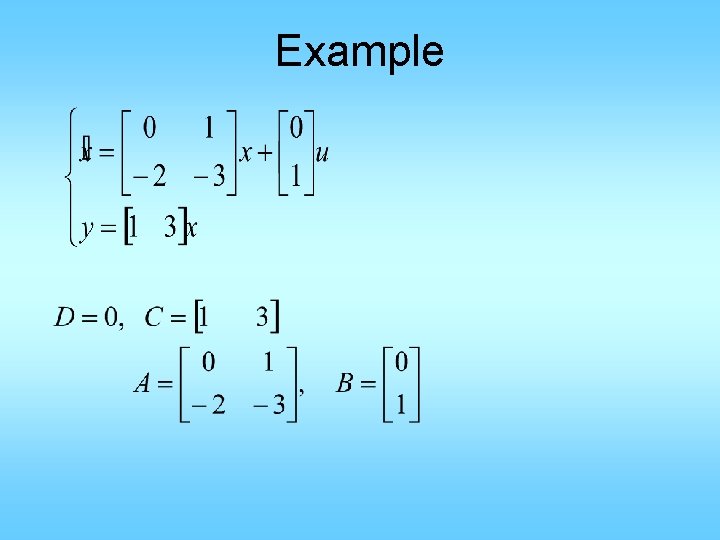
Example
>> n=[1 2 3]; d=[1 4 5 6]; >> [A, B, C, D]=tf 2 ss(n, d) • In Matlab: >> A=[0 1; -2 -3]; >> B=[0; 1]; >> C=[1 3]; >> D=[0]; >> [n, d]=ss 2 tf(A, B, C, D) n= 0 d= 1 3. 0000 3 2 1. 0000 A= -4 1 0 -5 0 1 -6 0 0 2 3 B= 1 0 0 C= 1 D= 0 >> tf(n, d) Transfer function: s^2 + 2 s + 3 ----------s^3 + 4 s^2 + 5 s + 6