
Fonts and Acrobat Cathy Eyberger Argonne National Laboratory
Fonts and Acrobat* Cathy Eyberger, Argonne National Laboratory 2005 JACo. W Team Meeting, Frascati, Italy November 14 -18, 2005 Argonne National Laboratory is managed by The University of Chicago for the U. S. Department of Energy * Work supported by U. S. Department of Energy, Office of Basic Energy Sciences, Office of Science, under Contract No. W-31 -109 -ENG-38.
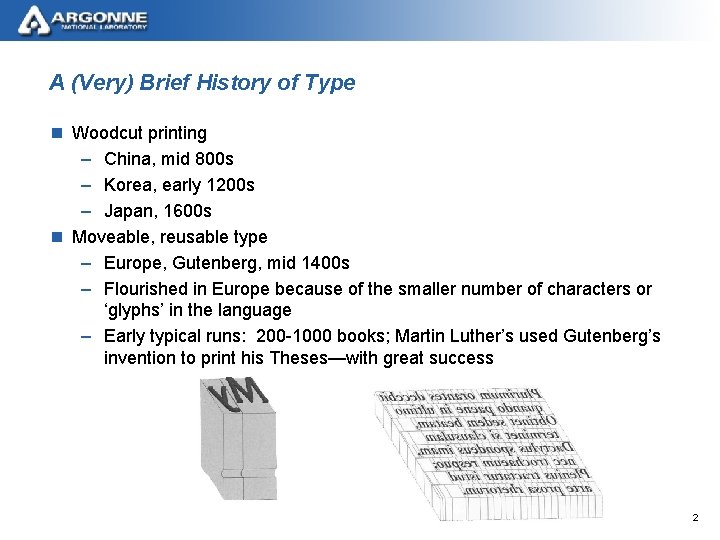
A (Very) Brief History of Type n Woodcut printing – China, mid 800 s – Korea, early 1200 s – Japan, 1600 s n Moveable, reusable type – Europe, Gutenberg, mid 1400 s – Flourished in Europe because of the smaller number of characters or ‘glyphs’ in the language – Early typical runs: 200 -1000 books; Martin Luther’s used Gutenberg’s invention to print his Theses—with great success 2
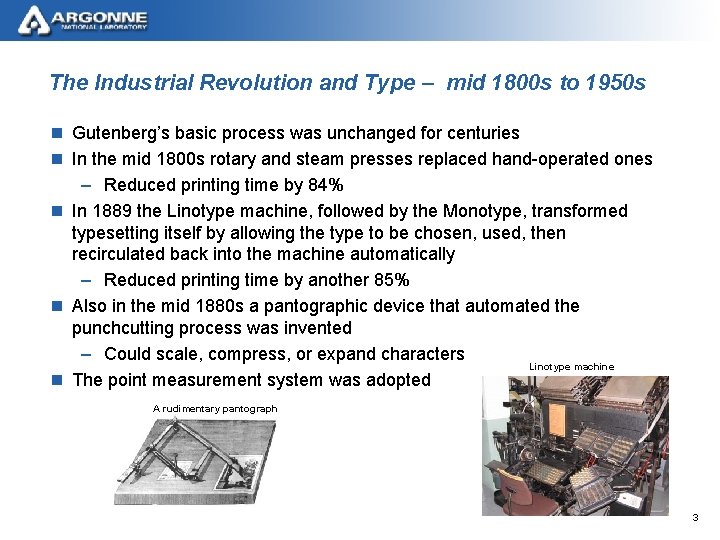
The Industrial Revolution and Type – mid 1800 s to 1950 s n Gutenberg’s basic process was unchanged for centuries n In the mid 1800 s rotary and steam presses replaced hand-operated ones – Reduced printing time by 84% n In 1889 the Linotype machine, followed by the Monotype, transformed typesetting itself by allowing the type to be chosen, used, then recirculated back into the machine automatically – Reduced printing time by another 85% n Also in the mid 1880 s a pantographic device that automated the punchcutting process was invented – Could scale, compress, or expand characters Linotype machine n The point measurement system was adopted A rudimentary pantograph 3
Photocomposition Era – mid 1950 s to mid 1970 s n Typeface masters are on film; characters are projected onto photosensitive paper n Lenses are used to adjust the size of the image, scaling type to desired size n A sophisticated solution to the limitations of typesetting machines (e. g. , ligatures, retention of proportion when resizing, etc. ) n Just as this was coming into prominent use, the era of digital composition arrived 4
The Digital Era – early 1970 s to present Character encoding – the mapping of a repertoire of abstract characters (glyphs) into natural numbers such that a number sequence represents text ASCII – American Standard Code for Information Interchange n Basic ASCII character set (ca. 1970) – 7 -bit characters that allowed for 27 = 128 ‘slots’ – 94 slots for glyphs, 33 for control codes, 1 for an empty space – TOO LIMITED; couldn’t even handle Spanish, French, or German 5
The Digital Era (continued) n Extended ASCII (in use since 1980) – 8 -bit character set – 28 = 256 slots with anywhere from 216 to 230 slots for glyphs – Adequate for basic communications in the ‘official’ languages of Western Europe and North America – Inadequate for mathematicians, linguists, and the millions of people around the world who used the Latin alphabet for Czech, Hungarian, Navajo, Polish, Turkish, Vietnamese, and Welsh languages, just to name a few – Also inadequate for the rest of the world’s population who used non. Latin alphabets such as Arabic, Bengali, Chinese, Cyrillic, Greek, Hebrew, Japanese, Korean, and Thai – STILL TOO LIMITED 6
The Digital Era (continued) n Unicode (early 1990 s to present) – 16 -bit character set with 216 = 65, 536 slots – By 2000 the operating systems of home computers and major digital founders had adopted Unicode as the new encoding standard – Capable of handling a global Latin alphabet along with hundreds of other non-Latin characters and scripts – Developers soon realized that 65, 000+ slots wasn’t enough – To extend the set, 210 = 2, 048 of the original 65, 536 slots were assigned to function in pairs; double-byte fonts – This provided an additional 10242 = 1, 048, 576 characters – In the latest version 4. 0. 0 (2003), Unicode defines 96, 382 characters, sets 137, 468 aside for private use, and still has over 878, 000 slots free for future allocation – ROOM TO SPARE! 7
Definitions n A brief pause for some definitions: – Hinting: Instructions added to a font that tell the character outlines how to reshape themselves at low and medium resolutions in order to create character images of maximum clarity – Cubic spline: defines the positions of the curves' end points and uses 2 other points (usually not on the curve) to indirectly define the tangents at the end points – Quadratic spline: approximates end points rather than matching them A simple cubic spline Same curve reconceived as two quadratic splines 8
Type 1, True Type, and Open Type Fonts n Type 1 fonts – One of Adobe’s Postscript fonts – Based on earlier Type 3 fonts but smaller, faster, and had ‘hinting’ – Used cubic splines or curves to draw character outlines – Requires two files: character outlines and metrics data (width, kerning) – By the late 1980 s Type 1 was the font standard – Based on the 256 -character Extended ASCII character set, but Macintosh and Windows operating systems use different subsets of it (e. g. , ligatures in Mac, fractions in Windows) – Generally accompanied by a set of bitmapped fonts for screen display on systems without Postscript interpreters – Still the de facto standard for publishing and the graphic arts 9
Type 1, True Type, and Open Type Fonts (continued) n True Type fonts – Developed through a collaboration between Apple and Microsoft in the late 1980 s; released in 1991 -1992 – Used quadratic B-splines to draw curves – Used hinting to display on-screen fonts accurately (instead of bitmapped fonts) – Early versions were based on Extended ASCII character set – Later versions able to handle larger character sets (e. g. , Unicode) • Room for alternate forms of characters • Permitted contextual character switching (automatic substitution of one character for another) – Primary advantage over Type 1 fonts: potential for better hinting 10
Type 1, True Type, and Open Type Fonts (continued) n Open Type fonts – Hybrid font format developed by Adobe and Microsoft beginning in 1996 – Open Type = True Type + Postscript in a common wrapper – Has the potential to combine the best of both formats transparently – Based on Unicode encoding – Written in a file format that allows the same font file to be used on a Mac and a PC – One font can include the standard form of a glyph plus all its variants (e. g. , italic, small caps, old style, ornaments, ligatures, etc. ) for dozens of different languages and different scripts, all in a variety of weights and sizes 11
Type 1, True Type, and Open Type Fonts (continued) n Observations on Open Type – Con: Open Type not yet widely supported in applications – Pro: Adobe has shipped its entire library of more than 2200 fonts in Open Type – Caveat: True Type and Open Type fonts offer a wide range of features that may or may not be built into every font—you don’t know unless the font features are documented somehow 12
For More Information. . . n Robert Bringhurst, The Elements of Typographic Style n James Felici, The Complete Manual of Typography 13
- Slides: 13